Rust: Make Channel into Stream - A Practical Guide
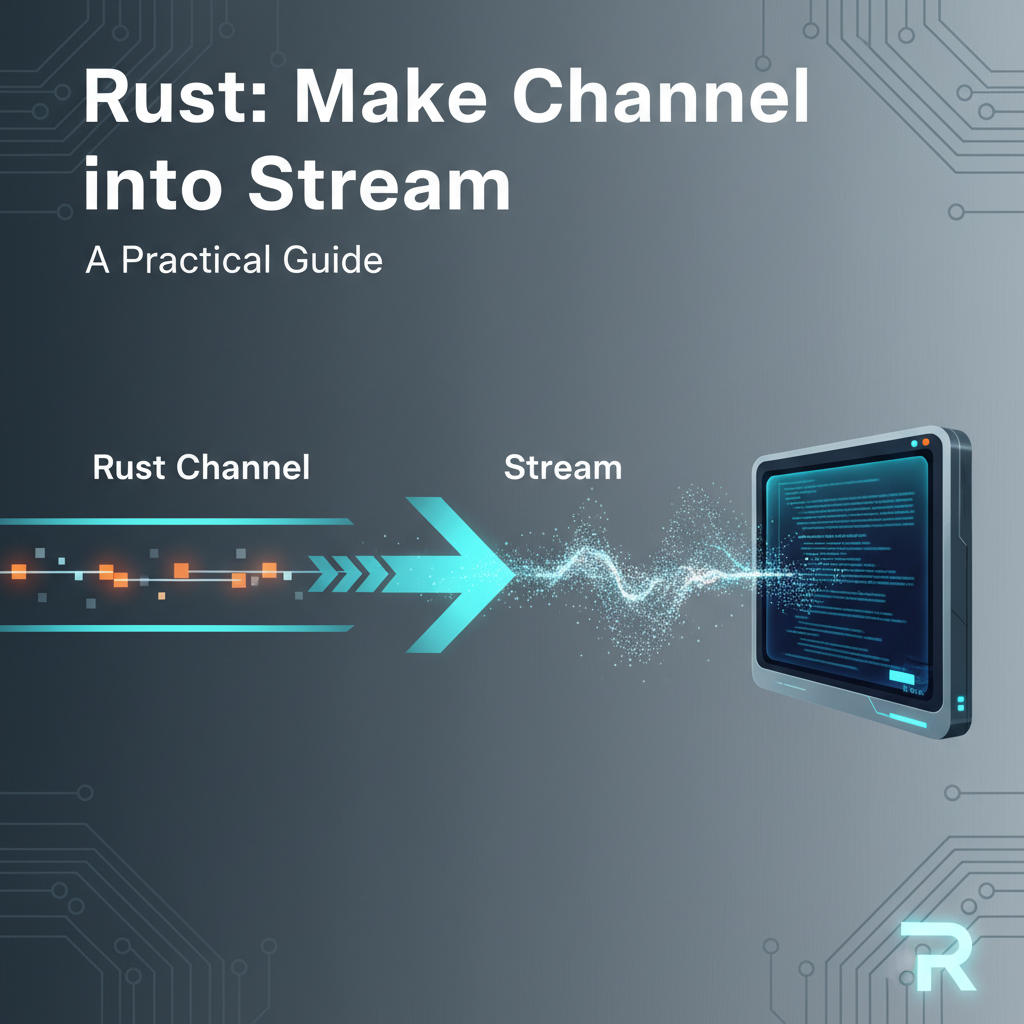


Rust, with its emphasis on performance, reliability, and concurrency, has rapidly become a go-to language for systems programming, web services, and even artificial intelligence infrastructure. A cornerstone of modern Rust development, especially in networked applications, is its asynchronous programming model. This paradigm allows programs to perform operations concurrently without resorting to traditional, often resource-heavy, OS-level threads for every task. Instead, Rust leverages lightweight "futures" and the async/await syntax to enable efficient, non-blocking operations. Within this asynchronous landscape, two fundamental concepts often emerge when dealing with data flow: channels for inter-task communication and streams for processing sequences of asynchronous data.
Channels provide a robust mechanism for sending data between different asynchronous tasks or even between synchronous and asynchronous parts of an application. They represent a classic producer-consumer pattern, where one or more tasks can send messages, and another task can receive them. This is incredibly powerful for decoupling components and managing concurrent access to data. However, while channels are excellent for point-to-point or multi-producer, single-consumer (MPSC) communication, their raw Receiver interface doesn't inherently lend itself to the expressive, combinator-driven processing patterns that are common in asynchronous Rust.
This is where streams come into play. In Rust's asynchronous ecosystem, a Stream is the asynchronous counterpart to an Iterator. Just as an Iterator provides a sequence of values that can be processed synchronously, a Stream provides a sequence of values that become available asynchronously over time. The power of streams lies in their composability: you can chain various "combinators" (like map, filter, fold, buffer_unordered, etc.) to transform, filter, and aggregate data as it arrives, all without blocking the underlying task.
The challenge, and indeed the focus of this comprehensive guide, is understanding how to bridge the gap between these two vital abstractions. How do we take data flowing through a channel, often produced by one or more tasks, and present it as a Stream to a consumer task? This conversion is not merely a syntactic convenience; it unlocks a world of possibilities for more ergonomic, composable, and efficient asynchronous data processing. By transforming a channel's Receiver into a Stream, we gain the ability to leverage the entire futures::stream module's rich set of adaptors, seamlessly integrate with for await loops, and fit perfectly into frameworks and libraries that expect Streams as their input. This guide will delve deep into the "why" and "how" of making a channel into a stream in Rust, providing practical insights, detailed code examples, and best practices for building robust asynchronous applications.
Part 1: Understanding Rust's Asynchronous Primitives
To effectively convert channels into streams, it's crucial to first have a solid grasp of the foundational asynchronous primitives in Rust. These building blocks dictate how asynchronous operations are defined, executed, and how data flows through them.
1.1 Futures and Async/Await
At the heart of Rust's asynchronous programming model is the Future trait. A Future represents an asynchronous computation that may eventually produce a value. Unlike a typical function that executes immediately and returns a value (or panics), a Future is a lazy computation. It doesn't do anything until it's polled by an executor.
The Future trait is defined roughly as:
pub trait Future {
    type Output;
    fn poll(self: Pin<&mut Self>, cx: &mut Context<'_>) -> Poll<Self::Output>;
}
Let's break this down: * type Output: This is the type of the value that the future will produce once it completes. * poll: This is the core method. When an executor (like tokio or async-std) wants to make progress on a future, it calls poll. * self: Pin<&mut Self>: Futures are often self-referential, meaning they might contain pointers to their own internal state. Pin ensures that the future's memory location doesn't move while it's being polled, preventing dangling pointers and ensuring memory safety. * cx: &mut Context<'_>: The context provides a Waker. If the future cannot make progress immediately (e.g., waiting for I/O, a timer, or data on a channel), it "wakes up" the executor by registering the Waker and then returns Poll::Pending. When the event it's waiting for occurs, the Waker is notified, and the executor knows to poll the future again. * Poll<Self::Output>: This enum has two variants: * Poll::Pending: The future is not yet ready; it needs to be polled again later. * Poll::Ready(value): The future has completed and produced value.
The async/await syntax in Rust is syntactic sugar that dramatically simplifies working with futures. When you define an async fn or an async block, the Rust compiler transforms it into a state machine that implements the Future trait. * async fn my_async_function() -> Result<(), Error> { ... } declares an asynchronous function that returns a Future. * await some_future_expression; pauses the execution of the current async block or function until some_future_expression completes. This doesn't block the thread; instead, it yields control back to the executor, allowing other tasks to run. When some_future_expression is ready, the executor will resume the async block from the await point.
This cooperative multitasking model is incredibly efficient. A single thread can manage thousands or even millions of concurrent tasks, as context switching is handled at the application level rather than by the operating system. Understanding that await is essentially waiting for a Future to become Poll::Ready is fundamental to grasping how asynchronous data flows and transformations work in Rust. It emphasizes that every async operation, including sending or receiving data over channels, or fetching the next item from a stream, involves waiting on an underlying Future.
1.2 Channels in Rust (MPSC, oneshot)
Channels are a classic concurrent programming primitive used for safe and efficient communication between tasks or threads. Rust provides several types of channels, primarily categorized by their blocking behavior and sender/receiver multiplicity. For asynchronous programming, the tokio::sync module (or async_std::channel) offers non-blocking, async-aware channels.
The most common channel type in asynchronous Rust is the Multi-Producer, Single-Consumer (MPSC) channel, typically found as tokio::sync::mpsc. As its name suggests, an MPSC channel allows multiple "sender" handles to send messages to a single "receiver" handle. This is an extremely versatile pattern for scenarios like: * Sending events from various parts of an application to a central event logger. * Distributing work items to a worker task. * Notifying a main task about the completion or status of background operations.
A tokio::sync::mpsc::channel is created with a buffer size, which defines how many messages can be buffered before a sender must await for space to become available. * let (tx, mut rx) = tokio::sync::mpsc::channel(buffer_size); * tx is the Sender handle. It implements Clone, allowing multiple producers to send messages. * rx is the Receiver handle. There can only be one receiver.
Key operations: * tx.send(message).await;: This method attempts to send a message. If the channel's buffer is full, this future will await until space becomes available. This is crucial for backpressure management; it prevents a fast producer from overwhelming a slower consumer or consuming excessive memory. * rx.recv().await;: This method attempts to receive a message. If the channel is empty, this future will await until a message arrives. It returns Option<T>, where None indicates that all sender handles have been dropped, signaling the end of the stream of messages.
Another useful channel type is the oneshot channel (tokio::sync::oneshot). This is a specialized channel designed for sending a single message from one sender to one receiver. It's often used for: * Getting the result of a spawned task back to the spawning task. * Implementing request-response patterns.
let (tx, rx) = tokio::sync::oneshot::channel(); * tx.send(message);: Sends the single message. Returns Result<(), T> indicating if the receiver was dropped. * rx.await;: Awaits the single message. Returns Result<T, RecvError> indicating success or if the sender was dropped.
While oneshot channels are simple and efficient for single-message scenarios, MPSC channels are more relevant when we talk about converting a continuous flow of data into a stream, as streams inherently deal with sequences of items. The backpressure mechanism of bounded MPSC channels is a critical consideration when integrating with stream processing, ensuring that the entire pipeline can gracefully handle varying production and consumption rates.
1.3 Streams in Rust
If Future is the asynchronous equivalent of a value, then Stream is the asynchronous equivalent of an Iterator. An Iterator provides a sequence of items synchronously, meaning next() either returns Some(item) immediately or None to signal completion. A Stream, on the other hand, provides a sequence of items asynchronously, meaning poll_next() might return Poll::Pending if an item isn't ready yet.
The Stream trait is defined in the futures crate (specifically futures::stream::Stream), and looks like this:
pub trait Stream {
    type Item;
    fn poll_next(self: Pin<&mut Self>, cx: &mut Context<'_>) -> Poll<Option<Self::Item>>;
}
Let's dissect this: * type Item: This is the type of the item that the stream will produce. * poll_next: This is the core method, analogous to Iterator::next and Future::poll. * self: Pin<&mut Self>, cx: &mut Context<'_>: Similar to Future::poll, it takes a pinned mutable reference to self and a context with a Waker. * Poll<Option<Self::Item>>: This is the return type. * Poll::Pending: No item is currently available, but the stream is not yet finished. The Waker in cx should be registered to be notified when an item might become available. * Poll::Ready(Some(item)): An item is available and is returned. * Poll::Ready(None): The stream has finished and will produce no more items.
The Stream trait is incredibly powerful because it enables a functional, declarative style of asynchronous data processing. Just like Iterators, Streams come with a rich set of combinators (higher-order functions) that allow you to transform, filter, and aggregate data without needing to write explicit poll_next logic every time. Some common Stream combinators include: * map: Transforms each item in the stream. * filter: Keeps only items that satisfy a predicate. * fold: Reduces a stream to a single value (like Iterator::fold). * for_each: Applies an async function to each item. * buffer_unordered: Processes items from multiple inner futures/streams concurrently, without preserving order. * throttle: Limits the rate at which items are produced. * zip, merge, select: Combine multiple streams in different ways.
A consumer can iterate over a stream using the for await loop, which is the ergonomic way to consume streams:
use futures::StreamExt; // For `next()` method on streams

async fn consume_stream(mut stream: impl Stream<Item = i32>) {
    while let Some(item) = stream.next().await {
        println!("Received: {}", item);
    }
    println!("Stream finished.");
}
The StreamExt trait provides many useful methods for Streams, including next() which awaits the next item from the stream, returning Option<Self::Item>. This method is essentially a convenience wrapper around poll_next.
Here's a comparison table summarizing the core sequence processing traits in Rust:
| Feature | std::iter::Iterator |
tokio::sync::mpsc::Receiver |
futures::stream::Stream |
|---|---|---|---|
| Purpose | Synchronous sequence processing | Asynchronous inter-task communication | Asynchronous sequence processing |
| Blocking | Blocking (for next()) |
Non-blocking (await for recv()) |
Non-blocking (await for next()) |
| Method to Get Next Item | next() -> Option<Item> |
recv().await -> Option<Item> |
poll_next() -> Poll<Option<Item>> / next().await -> Option<Item> |
| Producer Type | Any type that implements Iterator |
tokio::sync::mpsc::Sender (multiple) |
Any type that implements Stream |
| Consumer Type | Any code calling next() |
The single Receiver instance |
Any code calling poll_next() or next().await |
| Error Handling | Typically returns Item or Result<Item, E> in next() implementation |
recv().await returns Option<T> (None on channel close) |
Item can be Result<T, E> |
| Composability | Rich combinator methods (map, filter, fold) |
Limited; primarily recv() |
Rich combinator methods (map, filter, fold) |
| Backpressure | N/A (synchronous) | Implicit via bounded channel (sender awaits) | Can be managed with combinators like buffer_unordered |
Understanding these distinctions is paramount for deciding when and how to convert a channel's receiver into a stream, unlocking the full power of Rust's asynchronous ecosystem.
Part 2: The Motivation: Why Convert Channels to Streams?
With a clear understanding of futures, channels, and streams, the next logical question is: why bother converting a channel's receiver into a stream? While a channel receiver (tokio::sync::mpsc::Receiver) already offers an awaitable recv() method, presenting an item sequence, there are compelling architectural and ergonomic advantages to treating it as a proper Stream.
2.1 Bridging Synchronous and Asynchronous Worlds
One of the most frequent motivations for this conversion arises when different parts of an application operate in disparate execution contexts. Imagine a scenario where:
- A blocking producer needs to feed an async consumer: You might have a legacy or third-party library that operates in a synchronous, blocking manner, perhaps reading from a file system, polling a traditional message queue, or interacting with hardware. This synchronous producer needs to send data into an asynchronous pipeline. A common pattern is to wrap this blocking producer within a dedicated
std::thread, which then sends data into anmpsc::channelthat is asynchronous. TheReceiverof this asynchronous channel can then be converted into aStream, allowing the rest of yourasyncapplication to consume this data seamlessly, without any blocking overhead in the main executor. The bridge here is essential for integrating traditional components with modern asynchronous architectures. - An async producer needs to feed an async consumer with stream-like semantics: Even within a purely asynchronous environment, a producer task might generate a continuous flow of data that is best consumed using
Streamsemantics. For instance, a task might be continuously monitoring a network socket for new connections, parsing log lines from an external process, or periodically fetching data from a remoteAPI. While it could simplysendthese items down a channel and have a consumerrecv().awaitthem in a loop, converting theReceiverto aStreamenables a more powerful, composable, and often cleaner approach to handling this continuous data flow. It allows the consumer to treat the incoming data as an endless sequence rather than explicit message-passing events.
This bridging capability is particularly valuable in complex systems where microservices or different application layers might have varying degrees of async readiness. A well-placed channel-to-stream conversion can act as a crucial adapter, normalizing data flow and simplifying the interface between otherwise incompatible components.
2.2 Composability and Ergonomics
The primary driver for converting channels to streams is the immense benefit of composability and ergonomics that the Stream trait provides.
- Chaining Operations with Combinators: As discussed,
Streams come with a rich set of combinators (e.g.,map,filter,fold,buffer_unordered,throttle,skip,take,fuse). These combinators allow you to define complex data processing pipelines in a highly declarative and functional style. Instead of manually writing loops withmatchstatements and state management to filter or transform each item received from a channel, you can simply chain these methods. For example, if you receive a stream of sensor readings from a channel, you might want to:filterout invalid readings.mapthe raw data into a more structured format.throttlethe output to avoid overwhelming a downstream service.buffer_unorderedif processing each item involves another async operation that can be run concurrently. Trying to achieve this with rawchannel.recv().awaitloops would quickly lead to verbose, imperative, and error-prone code with significant boilerplate. Streams abstract away the low-level polling and waiting, letting you focus on the "what" rather than the "how."
- Integration with
for awaitloops: Thefor awaitsyntax is the most elegant way to consume items from an asynchronous sequence. By converting a channel receiver to a stream, you can immediately leverage this ergonomic construct:``rust // Instead of: // while let Some(message) = rx.recv().await { ... } // You can have: use futures::StreamExt; // Forinto_stream()orReceiverStream`async fn consumer_task(rx: tokio::sync::mpsc::Receiver) { let mut message_stream = tokio_stream::wrappers::ReceiverStream::new(rx); while let Some(message) = message_stream.next().await { println!("Processed message: {}", message); } } ``` This not only makes the code cleaner but also aligns with the idiomatic asynchronous Rust patterns, making it easier for other developers to understand and maintain. - Cleaner Error Handling: When the
Itemtype of your stream isResult<T, E>,Streamcombinators often provide convenient ways to propagate and handle errors. For example,try_filter,try_map, andtry_foldfromfutures::stream::TryStreamExtallow you to chain operations that might fail, much likeIterator::mapworks withResulttypes, but in an asynchronous context. This contrasts with manually checkingResults in arecv().awaitloop, which can become tedious. When a producer sends an error down a channel, converting it to a stream allows that error to propagate through the stream pipeline, where it can be handled or collected at the appropriate point, leading to more robust and less error-prone asynchronous code.
2.3 Integration with the Async Ecosystem
The Rust asynchronous ecosystem is vibrant and continually evolving, with many libraries and frameworks built around the Future and Stream traits. Converting channels to streams makes your components compatible with this broader ecosystem, enhancing reusability and simplifying integration.
- Web Frameworks and Server-Sent Events (SSE): Many modern web frameworks (like
warp,actix-web,tide) provide excellent support for asynchronous programming. When building real-time applications, such as those using Server-Sent Events (SSE) or WebSockets, the framework often expects aStreamof events to send to clients. If your application's internal event bus is implemented using channels, converting the event channel's receiver into aStreamallows you to seamlessly feed these events to the web framework, pushing updates to connected clients as they occur. This pattern is fundamental for building reactive user interfaces or real-time dashboards. - Data Processing Pipelines: In data-intensive applications, you might have multiple stages of data processing, where the output of one stage becomes the input of the next.
Streams are the perfect abstraction for such pipelines. If each stage uses channels for internal communication or to receive its raw input, converting these channel receivers to streams allows you to define the entire pipeline usingStreamcombinators, creating a clear, efficient, and maintainable data flow. This is especially true when dealing with continuous flows of data, such as sensor readings, log analytics, or financial tick data. - Messaging and Event Busses: If you're building a custom messaging system or an event bus within your application, channels are often the underlying transport mechanism. By exposing these internal channels as
Streams to consumers, you provide a standard, flexible interface that can be easily integrated with other stream-aware components. This promotes a modular architecture where different parts of your system can subscribe to event streams without needing to know the low-level details of channel management.
This integration with the broader async ecosystem is where the practical benefits really shine, particularly in enterprise-grade solutions. For instance, a robust API gateway like APIPark thrives on efficient, standardized data flows. APIPark is designed to manage, integrate, and deploy AI and REST services, and its capabilities to unify API formats for AI invocation and manage the entire API lifecycle would greatly benefit from underlying services that gracefully handle continuous data streams. If a microservice behind APIPark is collecting telemetry data or streaming results from a complex AI model, internally converting its output channel into a Stream allows APIPark to consume these data flows efficiently. This ensures that the API calls processed by APIPark, whether for real-time inference or data aggregation, can leverage Rust's powerful stream processing capabilities, contributing to APIPark's overall performance and reliability, which boasts performance rivaling Nginx. The ability for APIPark to quickly integrate 100+ AI models and manage an end-to-end API lifecycle necessitates a backend that can handle diverse and dynamic data streams, and channel-to-stream conversion is a key enabler for this flexibility and efficiency.
Part 3: Practical Approaches to Converting Channels to Streams
Having understood the compelling reasons to convert channels to streams, let's now dive into the practical implementation details. Rust's asynchronous ecosystem provides straightforward ways to achieve this, primarily through wrapper types and, for educational purposes, manual Stream trait implementation.
3.1 Basic Receiver to Stream Conversion: tokio_stream::wrappers::ReceiverStream
The most straightforward and idiomatic way to convert a tokio::sync::mpsc::Receiver into a Stream is by using the ReceiverStream wrapper provided by the tokio-stream crate. This crate offers various stream utilities, including convenient wrappers for common Tokio primitives.
First, you need to add tokio-stream to your Cargo.toml:
[dependencies]
tokio = { version = "1", features = ["full"] }
tokio-stream = "0.1"
futures = "0.3"
Once added, ReceiverStream can be instantiated directly from an mpsc::Receiver.
Code Example: Simple MPSC Channel Producing Integers, Consumed as a Stream
Let's illustrate with a basic example where a producer task sends a sequence of integers through an MPSC channel, and a consumer task receives them as a stream.
use tokio::sync::mpsc;
use tokio_stream::wrappers::ReceiverStream;
use futures::StreamExt; // For the `next()` method on streams

#[tokio::main]
async fn main() {
    // 1. Create a bounded MPSC channel with a buffer size of 3
    // This allows up to 3 messages to be buffered before a sender awaits.
    let (tx, rx) = mpsc::channel::<i32>(3);

    println!("Channel created. Buffer size: 3");

    // 2. Spawn a producer task
    tokio::spawn(async move {
        println!("Producer task started.");
        for i in 0..10 {
            // Attempt to send a message. If the channel is full, this will await.
            if let Err(_) = tx.send(i).await {
                println!("Producer: Receiver dropped, exiting.");
                break;
            }
            println!("Producer: Sent {}", i);
            tokio::time::sleep(tokio::time::Duration::from_millis(50)).await; // Simulate work
        }
        println!("Producer task finished sending all messages.");
    });

    // 3. Convert the mpsc::Receiver into a ReceiverStream
    let mut stream = ReceiverStream::new(rx);
    println!("Receiver converted to Stream.");

    // 4. Consume the stream using `next().await` or `for await`
    println!("Consumer task started, awaiting items from stream...");
    while let Some(item) = stream.next().await {
        println!("Consumer: Received item: {}", item);
        tokio::time::sleep(tokio::time::Duration::from_millis(150)).await; // Simulate slower consumer work
    }

    println!("Consumer: Stream finished (all senders dropped and channel empty).");
    println!("Main function finished.");
}
Explanation of its Mechanics and Limitations:
- Simplicity:
ReceiverStream::new(rx)is incredibly simple. It takes ownership of thempsc::Receiverand internally implements theStreamtrait by repeatedly callingrx.recv().awaitin itspoll_nextmethod. - Backpressure Handling:
ReceiverStreamnaturally inherits the backpressure characteristics of the underlyingmpsc::Receiver. If the channel is bounded and the producer sends messages faster than the consumer can process them, thetx.send(item).awaitcall in the producer task will block (yield control to the executor) until the consumer frees up space in the channel by receiving an item. This ensures memory safety and prevents unbounded growth of the message queue. - Stream Completion: The
ReceiverStreamwill yieldNone(signaling the end of the stream) when two conditions are met:- All
Senderhandles associated with thempsc::Receiverhave been dropped. - All messages that were previously sent and buffered in the channel have been received. This behavior is exactly what you'd expect from a
Stream, making it perfectly suitable for scenarios where a definitive end to the data flow is possible.
- All
- Error Propagation:
ReceiverStreamsimply wraps theItemtype of the channel. If your channel carriesResult<T, E>(e.g.,mpsc::channel::<Result<String, MyError>>), then theReceiverStreamwill yieldOption<Result<String, MyError>>. You can then useTryStreamExtcombinators (liketry_map,try_filter) to handle these errors. - No Custom Logic within
poll_next:ReceiverStreamis a thin wrapper. You cannot inject custom logic or transformations directly into itspoll_nextimplementation. For most cases, this is not a limitation because you can useStreamcombinators (likemap,filter) after creating theReceiverStreamto apply transformations.
For the vast majority of use cases, tokio_stream::wrappers::ReceiverStream is the recommended and most efficient approach for turning a channel into a stream.
3.2 Implementing a Custom Stream for a Channel (Manual Approach)
While ReceiverStream is convenient, understanding how to manually implement the Stream trait for a channel provides deeper insight into Rust's asynchronous model and the Stream trait itself. This knowledge can be invaluable when you need a custom stream behavior that ReceiverStream or standard combinators don't directly offer.
Let's implement a custom Stream for tokio::sync::mpsc::Receiver.
use tokio::sync::mpsc;
use std::pin::Pin;
use std::task::{Context, Poll};
use futures::Stream; // Import the Stream trait

// Our custom stream wrapper for an MPSC Receiver
struct MyChannelStream<T> {
    receiver: mpsc::Receiver<T>,
}

impl<T> MyChannelStream<T> {
    fn new(receiver: mpsc::Receiver<T>) -> Self {
        MyChannelStream { receiver }
    }
}

// Implement the Stream trait for our wrapper
impl<T> Stream for MyChannelStream<T> {
    type Item = T; // The type of items this stream will yield

    fn poll_next(mut self: Pin<&mut Self>, cx: &mut Context<'_>) -> Poll<Option<Self::Item>> {
        // Here, `self.receiver.poll_recv(cx)` is the key.
        // It attempts to receive an item without blocking the current thread.
        // If an item is ready, it returns Poll::Ready(Some(item)).
        // If no item is ready but the channel is still open, it returns Poll::Pending,
        // registering the Waker from `cx` to be notified when an item is available.
        // If the channel is closed and empty, it returns Poll::Ready(None).
        self.receiver.poll_recv(cx)
    }
}

#[tokio::main]
async fn main() {
    let (tx, rx) = mpsc::channel::<String>(5);

    tokio::spawn(async move {
        println!("Manual Stream Producer: Sending messages...");
        for i in 0..5 {
            let msg = format!("Hello from producer {}", i);
            if let Err(_) = tx.send(msg).await {
                println!("Manual Stream Producer: Receiver dropped, exiting.");
                break;
            }
            tokio::time::sleep(tokio::time::Duration::from_millis(100)).await;
        }
        println!("Manual Stream Producer: Finished sending.");
    });

    // Use our custom channel stream
    let mut my_stream = MyChannelStream::new(rx);
    println!("Manual Stream Consumer: Awaiting messages...");

    use futures::StreamExt; // For `next().await`
    while let Some(msg) = my_stream.next().await {
        println!("Manual Stream Consumer: Received '{}'", msg);
        tokio::time::sleep(tokio::time::Duration::from_millis(200)).await;
    }
    println!("Manual Stream Consumer: Stream ended.");
}
Detailed Walkthrough of poll_next Method:
The core of the Stream implementation is the poll_next method. 1. fn poll_next(mut self: Pin<&mut Self>, cx: &mut Context<'_>) -> Poll<Option<Self::Item>>: The method signature is fixed by the Stream trait. Note the mut self: Pin<&mut Self>. This requires self to be pinned, ensuring its memory location is stable. The cx (context) provides the Waker. 2. self.receiver.poll_recv(cx): This is the critical line. tokio::sync::mpsc::Receiver itself has a poll_recv method. This method directly implements the polling logic needed for Stream::poll_next. * It checks if there's an item available in the channel's buffer. If yes, it returns Poll::Ready(Some(item)). * If the channel is empty but not closed, it registers the Waker from cx with the underlying asynchronous runtime. This Waker will be triggered when a new message arrives or when the channel closes. It then returns Poll::Pending. * If all senders have been dropped and the channel is empty, it means no more messages will ever arrive. In this case, it returns Poll::Ready(None), signaling the end of the stream.
Handling Pending and Ready States: The Poll enum (Pending or Ready) is fundamental to Rust's asynchronous execution. * When poll_recv returns Poll::Pending, it means the channel currently has no messages, and the current task should yield control. The Waker ensures that when a message does arrive (or the channel closes), the executor is notified to poll this stream again, allowing the consumer task to resume. * When poll_recv returns Poll::Ready(Some(item)), an item is immediately available. The consumer can process it, and if it wants more, it can poll the stream again. * When poll_recv returns Poll::Ready(None), it signifies the end of the data sequence.
Error Handling Considerations: As in ReceiverStream, the MyChannelStream simply passes through the Item type. If your channel T is Result<Value, Error>, then MyChannelStream::Item will be Result<Value, Error>. To handle these errors ergonomically, you would typically use futures::stream::TryStreamExt's methods (e.g., my_stream.try_map(...).await?) after creating your stream.
Why tokio_stream is Preferred for Simplicity but Understanding the Manual Way is Crucial: For most common scenarios, tokio_stream::wrappers::ReceiverStream is the preferred choice due to its simplicity, conciseness, and the fact that it's battle-tested. You avoid writing boilerplate impl Stream code. However, understanding the manual implementation: * Deepens Understanding: It solidifies your grasp of the Future and Stream traits, polling mechanisms, and how Wakers enable non-blocking asynchronous operations. * Custom Behaviors: It empowers you to implement custom stream behaviors. For example, if you wanted a stream that only yields messages if a certain condition is met, or if you needed to add logging directly within the polling logic, or perhaps inject a specific timeout mechanism at a lower level than what combinators provide, a custom implementation would be necessary. * Debugging: When encountering issues with streams, knowing how poll_next works internally is invaluable for debugging complex asynchronous data flows.
3.3 Handling Backpressure and Bounded Channels
Backpressure is a critical concept in asynchronous data processing, particularly when dealing with continuous data flows between components that might operate at different speeds. A bounded channel plays a central role in managing backpressure, and its interaction with streams is worth detailed exploration.
How Bounded Channels Interact with Streams: When you create a tokio::sync::mpsc::channel with a specified buffer size (e.g., mpsc::channel(N)), you are establishing a bounded channel. This means the channel can hold a maximum of N messages before its buffer is considered full.
- Producer's Perspective (Sender): If a producer task attempts to
tx.send(item).awaitwhen the channel's buffer is full, thesendoperation will not return immediately. Instead, it will yield control back to the Tokio runtime (Poll::Pendinginternally), allowing other tasks to run. Thesendfuture will only complete (returnPoll::Ready) when space becomes available in the channel (i.e., when the consumer receives an item). This mechanism is how backpressure is applied to the producer: a fast producer is naturally slowed down by a slower consumer, preventing memory exhaustion and resource contention. - Consumer's Perspective (Stream): When you convert this
mpsc::Receiverinto aStream(either withReceiverStreamor a custom implementation), the stream'spoll_nextmethod will eventually callself.receiver.poll_recv(cx). If the channel is empty,poll_recvwill returnPoll::Pending. The important implication here is that the stream consumer simply waits for items to arrive. It doesn't actively contribute to applying backpressure to the producer in the same way thesend().awaitdoes. The backpressure is exerted upstream by the channel buffer being full. The stream's role is to consume items when they are available.
What Happens When the Channel is Full: Consider the example from Section 3.1, where the producer sends every 50ms and the consumer receives every 150ms. The channel has a buffer size of 3.
- Producer sends 0 (buffer: [0])
- Producer sends 1 (buffer: [0, 1])
- Producer sends 2 (buffer: [0, 1, 2]) - Channel is now full.
- Producer attempts to send 3.
tx.send(3).awaitwill await. The producer task yields. - Consumer, meanwhile, receives 0 from its stream. Channel now has space.
- Producer's
send(3).awaitcompletes. Producer sends 3. (buffer: [1, 2, 3]) - ...and so on.
The producer's send operation acts as the gatekeeper. It will only make progress when the channel has capacity. This is a fundamental design choice for bounded channels: they ensure that the data flow stays within manageable memory limits, even if one side is significantly faster than the other.
Impact on the Producer and Consumer: * Producer: Its effective throughput will be limited by the speed of the consumer and the size of the channel buffer. If the consumer is very slow or stops entirely, the producer will eventually block indefinitely on send().await (unless it has a timeout or cancellation mechanism). This is usually the desired behavior for orderly resource management. * Consumer: The consumer (as a stream) will simply receive items as they become available. It doesn't need to explicitly know about the channel's buffer size. Its own processing speed will determine how quickly it drains the channel, thereby releasing backpressure on the producer. If the consumer itself gets overloaded, its own downstream backpressure will propagate up, eventually causing the channel to fill and the producer to slow down.
Choosing the Right Buffer Size: The choice of buffer size is a trade-off: * Small Buffer: Minimizes memory usage and provides tight backpressure. A very fast producer will be quickly slowed down, keeping latency low but potentially reducing overall throughput if the consumer is intermittently slow. * Large Buffer: Allows a bursty producer to send many items quickly without awaiting, providing more "slack." This can improve average throughput if the consumer is temporarily slower but eventually catches up. However, it uses more memory and can introduce higher latency for items sitting in the buffer.
The optimal buffer size depends heavily on your application's specific requirements for latency, throughput, and memory usage. It's often a parameter that needs to be tuned based on profiling and load testing.
3.4 Error Propagation in Channel-Backed Streams
In any robust system, handling errors is paramount. When using channels as the backbone for a stream, it's crucial to understand how errors originating from the producer can be propagated to the consumer through the channel and then made available to the stream consumer.
Using Result as the Item Type: The most idiomatic way to propagate errors through a channel, and subsequently through a channel-backed stream, is to make the Item type of your channel a Result<T, E>.
Let's modify our previous example to demonstrate this:
use tokio::sync::mpsc;
use tokio_stream::wrappers::ReceiverStream;
use futures::StreamExt;
use futures::TryStreamExt; // For `try_for_each`, `try_map`, etc.

#[derive(Debug)]
enum ProcessingError {
    InvalidData(String),
    NetworkIssue,
    // ... other potential errors
}

#[tokio::main]
async fn main() {
    // Channel now carries Result<String, ProcessingError>
    let (tx, rx) = mpsc::channel::<Result<String, ProcessingError>>(5);

    tokio::spawn(async move {
        println!("Error Propagator Producer: Sending messages...");
        for i in 0..10 {
            let msg: Result<String, ProcessingError> = if i % 3 == 0 {
                // Simulate an error every third message
                eprintln!("Producer: Simulating error for message {}", i);
                Err(ProcessingError::InvalidData(format!("Message {} is invalid", i)))
            } else if i % 7 == 0 {
                eprintln!("Producer: Simulating network error for message {}", i);
                Err(ProcessingError::NetworkIssue)
            }
            else {
                Ok(format!("Good message {}", i))
            };

            if let Err(_) = tx.send(msg).await {
                eprintln!("Producer: Receiver dropped, exiting.");
                break;
            }
            tokio::time::sleep(tokio::time::Duration::from_millis(50)).await;
        }
        println!("Error Propagator Producer: Finished sending messages.");
    });

    let mut stream = ReceiverStream::new(rx);
    println!("Error Propagator Consumer: Awaiting items from stream...");

    // Using TryStreamExt for convenient error handling
    // `try_for_each` will stop processing and return the first error it encounters.
    let consumer_result = stream.try_for_each(|item| async move {
        match item {
            Ok(data) => {
                println!("Consumer: Successfully processed: {}", data);
                // Simulate some async processing work
                tokio::time::sleep(tokio::time::Duration::from_millis(100)).await;
                Ok(())
            }
            Err(e) => {
                eprintln!("Consumer: Encountered an error: {:?}", e);
                // Depending on the error, you might choose to
                // 1. Return the error, stopping the stream processing.
                // 2. Log it and return Ok(()), continuing stream processing.
                // For this example, we'll return the error to demonstrate TryStreamExt's behavior.
                Err(e)
            }
        }
    }).await;

    match consumer_result {
        Ok(_) => println!("Error Propagator Consumer: Stream processing completed successfully."),
        Err(e) => eprintln!("Error Propagator Consumer: Stream processing terminated due to error: {:?}", e),
    }

    println!("Main function finished.");
}
How to Signal Errors from the Producer: 1. Define a Custom Error Type: It's good practice to define an enum or struct that encapsulates the specific errors that can occur during the production or processing of items. This makes error handling explicit and type-safe. 2. Send Err(E): When an error occurs in the producer task, instead of sending Ok(data), send Err(error_instance) through the channel. The channel itself doesn't interpret Result; it just transports the Result enum variant as a regular message.
How to Make Errors Available to the Stream Consumer: Once the channel is converted into a Stream (whose Item type is Result<T, E>), the consumer can then use combinators from futures::stream::TryStreamExt. This trait provides "try" versions of common stream combinators, which are specifically designed to work with Result items.
try_map:stream.try_map(|item| async { ... }).await?will automaticallyawait?on theResultreturned by the innerasyncblock. If anyErris produced, thetry_mapitself will yield anErr, effectively short-circuiting the stream.try_filter: Filters based on a predicate that returnsResult<bool, E>.try_for_each:stream.try_for_each(|item| async { ... }).awaitwill process each item. If the inner async function returns anErr,try_for_eachstops and returns thatErr. If all items are processed successfully, it returnsOk(()).
By making the stream's Item type Result<T, E>, you enable a powerful, composable, and idiomatic error handling pattern that integrates seamlessly with Rust's ? operator and asynchronous Stream combinators, making your data pipelines more robust and resilient to failures. This ensures that errors are not silently dropped but are instead propagated and handled at the appropriate processing stage.
APIPark is a high-performance AI gateway that allows you to securely access the most comprehensive LLM APIs globally on the APIPark platform, including OpenAI, Anthropic, Mistral, Llama2, Google Gemini, and more.Try APIPark now! 👇👇👇
Part 4: Advanced Scenarios and Best Practices
Having covered the fundamentals and practical conversion techniques, let's explore more advanced scenarios and crucial best practices to master channel-to-stream conversions in Rust. These insights are key to building highly concurrent, performant, and reliable asynchronous applications.
4.1 Combining Multiple Channels into One Stream
A common architectural pattern involves collecting events or data from various sources and processing them through a unified pipeline. If each source uses a channel to send its data, you'll need a way to combine these multiple channels (or rather, their resulting streams) into a single, cohesive stream. The futures::stream module provides several powerful combinators for this purpose.
Imagine a system collecting logs from different microservices, each sending its logs through a dedicated MPSC channel. We want a central log processing task that consumes all these logs as a single stream.
Key Combinators for Stream Combination:
futures::stream::select(stream_a, stream_b): This combinator takes two streams and returns a new stream that yields items from eitherstream_aorstream_bas they become ready. It polls both streams concurrently and yields whatever is available first. This is useful when the order of items from different sources doesn't matter, or when you want to process events from multiple sources as quickly as they arrive.- Usage:
stream_a.select(stream_b) - Limitation: Only combines two streams at a time. For more, you'd chain
selectcalls or useselect_all.
- Usage:
futures::stream::merge(stream_a, stream_b): Similar toselect,mergepolls both streams and yields items as they become ready. The primary difference often lies in subtle implementation details or when combined withbuffer_unorderedfor specific concurrency patterns.selectis generally preferred when you want immediate availability from any source, whilemergecan sometimes imply a more structured, though still concurrent, joining. For basic event aggregation where order between sources isn't guaranteed,selectis often the more direct choice.futures::stream::select_all(streams): This is a more generalized version ofselectfor an arbitrary number of streams. It takes anIteratorof streams and combines them into a single stream. This is ideal for scenarios where you have many producers.- Usage:
futures::stream::select_all(vec![stream1, stream2, stream3])
- Usage:
futures::stream::zip(stream_a, stream_b): Unlikeselectormerge,zipcombines items from two streams element-wise. It waits for an item from bothstream_aandstream_b, then yields them as a tuple(item_a, item_b). If one stream completes before the other,zipwill complete. This is useful when you need to pair up corresponding events from different sources.- Usage:
stream_a.zip(stream_b)
- Usage:
Example: Merging Log Events from Different Sources
use tokio::sync::mpsc;
use tokio_stream::wrappers::ReceiverStream;
use futures::StreamExt;
use futures::stream::{select_all, self}; // Make sure `self` is imported for stream::select_all

#[tokio::main]
async fn main() {
    let (tx1, rx1) = mpsc::channel::<String>(1);
    let (tx2, rx2) = mpsc::channel::<String>(1);
    let (tx3, rx3) = mpsc::channel::<String>(1);

    // Producer 1: Service A logs
    tokio::spawn(async move {
        for i in 0..3 {
            tokio::time::sleep(tokio::time::Duration::from_millis(50)).await;
            if let Err(_) = tx1.send(format!("ServiceA: Log entry {}", i)).await { break; }
        }
        println!("Service A producer finished.");
    });

    // Producer 2: Service B logs
    tokio::spawn(async move {
        for i in 0..4 {
            tokio::time::sleep(tokio::time::Duration::from_millis(70)).await;
            if let Err(_) = tx2.send(format!("ServiceB: Event type {}", i)).await { break; }
        }
        println!("Service B producer finished.");
    });

    // Producer 3: Service C alerts
    tokio::spawn(async move {
        for i in 0..2 {
            tokio::time::sleep(tokio::time::Duration::from_millis(120)).await;
            if let Err(_) = tx3.send(format!("ServiceC: Alert warning {}", i)).await { break; }
        }
        println!("Service C producer finished.");
    });

    // Convert receivers to streams
    let stream1 = ReceiverStream::new(rx1);
    let stream2 = ReceiverStream::new(rx2);
    let stream3 = ReceiverStream::new(rx3);

    // Combine all streams into a single stream using select_all
    let combined_stream = select_all(vec![stream1, stream2, stream3]);

    println!("Central Log Processor: Starting to consume combined stream...");
    let mut item_count = 0;
    futures::pin_mut!(combined_stream); // Pin the stream for use with `next().await`

    while let Some(log_entry) = combined_stream.next().await {
        item_count += 1;
        println!("[Log Processor] Received: {}", log_entry);
        tokio::time::sleep(tokio::time::Duration::from_millis(30)).await; // Simulate processing
    }

    println!("Central Log Processor: Finished. Total items received: {}", item_count);
}
In this example, select_all creates a single stream that aggregates all log entries from the three different services, regardless of which service produces them first. This is incredibly flexible for building centralized event processors.
4.2 When to Use Channels vs. Streams
The choice between using raw channels and converting them into streams is not always clear-cut. Both are powerful, but they excel in different contexts.
Channels (e.g., tokio::sync::mpsc):
- Point-to-point communication: Channels are excellent for direct communication between a known set of senders and a specific receiver. They are the most explicit way to pass messages.
- Explicit Sender/Receiver management: You have clear
SenderandReceiverhandles, making it easy to reason about who is sending and who is receiving.Senderhandles can be cloned and distributed. - Backpressure by default: Bounded MPSC channels naturally provide backpressure, slowing down producers if consumers can't keep up.
- Simple event notifications: For simple "fire and forget" notifications or passing a single data item without complex transformations,
tx.send().awaitandrx.recv().awaitare perfectly adequate and potentially slightly lower overhead than a full stream pipeline. - Internal plumbing: Often used as the low-level "glue" within a component, where the consuming logic is simple enough not to warrant stream combinators.
Streams (futures::stream::Stream):
- Continuous data flow: Streams are designed for processing sequences of data items over time, especially when the sequence can be indefinite or very long.
- Consumption patterns: They shine when you need to apply a series of functional transformations (map, filter, fold, debounce, throttle, buffer) to the data as it arrives.
- Functional transformations: The combinator-based API leads to highly declarative, readable, and maintainable data pipelines. You specify what transformations to apply, not how to perform them with explicit loops and state.
- Ecosystem integration: If your data needs to be fed into a library or framework that expects a
Stream(e.g., web server for SSE, data processing framework), converting to aStreamis mandatory. for awaitloop ergonomics: Provides the most ergonomic way to consume asynchronous sequences.
When to Convert: You should convert a channel's receiver to a stream when: 1. You need stream combinators: To filter, transform, buffer, or combine data from multiple sources in complex ways. 2. You want to use for await loops: For cleaner, more idiomatic consumption. 3. Integrating with stream-aware APIs/libraries: When the downstream consumer expects a Stream trait object. 4. Decoupling production from complex consumption: The channel provides a simple interface for the producer, while the stream abstracts away complex processing logic for the consumer.
When Not to Convert: If you only need to recv().await items one by one in a simple loop without any complex transformations, and you're not integrating with a stream-aware API, then a raw mpsc::Receiver might be sufficient and slightly simpler. The overhead of the ReceiverStream wrapper is minimal, but there's no need to introduce an additional abstraction if its benefits aren't utilized.
4.3 Performance Considerations
While Rust's async model is generally high-performance, converting channels to streams and processing data through combinators introduces certain performance considerations.
- Overhead of Channel Operations vs. Direct Stream Polling:
mpsc::Receiver::recv().awaitinvolves polling the channel's internal state.ReceiverStream::poll_nextessentially callsmpsc::Receiver::poll_recv. The overhead of this wrapper is typically negligible. The dominant factor is the overhead of the channel itself (locking, atomic operations for queue management, memory allocation for messages).- Compared to a synchronous
Iterator, both channels and streams have some overhead due to managing asynchronous state, Waker registration, and potential message buffering. However, this overhead is usually dwarfed by the benefits of concurrency and non-blocking I/O.
- Buffering Strategies:
- Bounded Channels: As discussed in 3.3, bounded channels introduce a controlled buffer. This manages memory usage and applies backpressure, which is crucial for stability, even if it adds a slight latency if the buffer fills up.
- Stream Buffering Combinators (
buffer_unordered,buffer_contended): These combinators allow you to process multiple items from a stream concurrently. While they can significantly increase throughput by overlapping I/O or computation, they also consume additional memory to hold futures that are "in-flight" but not yet complete. Use them judiciously, mindful of the potential memory footprint. - No Buffering: An unbounded channel (
mpsc::unbounded_channel) or a stream without buffering combinators will process items strictly in order, one at a time. This minimizes memory but might limit concurrency.
- Minimizing Allocations:
- Message Size: Sending large messages through channels and streams can lead to frequent memory allocations and deallocations. If possible, pass references or use
Arc<T>for shared data to reduce cloning and allocation overhead. - Pre-allocation: If message structures are known, consider pooling or pre-allocating buffers if allocation becomes a bottleneck.
- Zero-copy wherever possible: In highly performance-sensitive scenarios, strive for zero-copy data transfer, though this often requires more specialized channel implementations or custom stream logic.
- String vs.
Vec<u8>: For binary data,Vec<u8>is generally more efficient thanStringif string processing isn't strictly necessary, as it avoids UTF-8 validation overhead.
- Message Size: Sending large messages through channels and streams can lead to frequent memory allocations and deallocations. If possible, pass references or use
In most applications, the performance gains from Rust's async model and the expressiveness of streams outweigh these micro-optimizations. Focus on clear, correct code first, and only optimize when profiling reveals a specific bottleneck.
4.4 Real-World Use Cases
The ability to convert channels into streams is not an academic exercise; it underpins many practical and high-performance asynchronous systems.
- Server-Sent Events (SSE) in Web Applications:
- Scenario: A web server needs to push real-time updates (e.g., stock prices, chat messages, system notifications) to connected browser clients over an HTTP connection.
- Implementation: An internal event bus (e.g., a
tokio::sync::broadcastchannel, or anmpscchannel where a dedicated task sends updates) would collect these events. For each new client connection, a newmpsc::Senderis cloned/created (if usingbroadcast::Receiver::subscribe), and itsReceiveris then converted into aStream. ThisStreamof events is then used by the web framework to send formatted SSE messages to the client. This ensures efficient, non-blocking delivery of real-time data.
- Processing Continuous Sensor Data:
- Scenario: An embedded system or an IoT
gatewaycollects data from multiple sensors (temperature, pressure, motion) at varying intervals. This data needs to be aggregated, filtered, and then forwarded for analysis or storage. - Implementation: Each sensor's data acquisition task could send its readings through an
mpsc::channel. These individualReceivers are then converted intoStreams.futures::stream::select_allcan combine these into a single raw data stream. This combined stream can then befiltered (e.g., remove noisy readings),mapped (e.g., convert units, add timestamps), and finallyfolded orfor_eached to store in a database or send to an analytics service.
- Scenario: An embedded system or an IoT
- Background Task Results Propagation:
- Scenario: A main application thread or
APIendpoint spawns long-running, CPU-intensive background tasks (e.g., image processing, complex computations, data aggregation). The main application needs to be notified when these tasks complete and receive their results without blocking. - Implementation: Each background task, when spawned, could be given an
mpsc::Sender(or aoneshot::Senderfor a single result). Once the task completes, it sends its result or status through the channel. The main application (or a dedicated monitoring task) would have theReceiver, convert it to aStream, and thenawaititems from this stream. This allows the main application to remain responsive while background work proceeds.
- Scenario: A main application thread or
- Event Bus Implementations:
- Scenario: Building a decoupled, event-driven architecture within a single application or microservice, where different components publish and subscribe to various events.
- Implementation: An event bus could be built around
tokio::sync::broadcastchannels, which are inherently multi-producer, multi-consumer. Each subscriber would get its ownbroadcast::Receiver, which can then be converted into aStreamto process relevant events usingStreamcombinators. This allows for flexible event routing and consumption logic without tight coupling.
These real-world examples highlight the power of this pattern, especially in high-throughput or real-time environments. For a platform like APIPark, an open-source AI gateway and API management solution, efficient handling of data streams is paramount. APIPark's ability to unify API formats for AI invocation and manage the entire API lifecycle inherently deals with dynamic data flows. Consider a scenario where an AI model integrated via APIPark is performing real-time inference, and its output is a continuous stream of results. Internally, the microservice running this model might channel these results. Converting these channels to streams allows for robust API endpoints that serve these AI results as Streams (e.g., via SSE or WebSockets), enabling real-time dashboards or reactive applications.
Furthermore, APIPark's detailed API call logging and powerful data analysis features (e.g., displaying long-term trends and performance changes) would greatly benefit from efficient internal event processing. Events like API request initiation, response completion, error occurrences, or security alerts could be channeled from various gateway components. Converting these event channels to streams allows APIPark's internal analytics engine to apply complex stream processing logic (filtering, aggregation, windowing) on these event streams to generate the insights it provides. This robust backend data handling, underpinned by Rust's asynchronous Stream capabilities, contributes directly to APIPark's stated performance of over 20,000 TPS on modest hardware, rivaling Nginx, by ensuring that every part of the gateway can efficiently manage and react to data flows without bottlenecks. This seamless integration of channels and streams is a testament to how Rust enables building high-performance, scalable, and resilient API management and AI gateway solutions.
Part 5: Code Examples and Comprehensive Walkthroughs
To solidify our understanding, let's dive into two more comprehensive code examples that demonstrate the practical application of converting channels to streams in more elaborate scenarios. These examples will illustrate graceful shutdown and advanced stream processing.
Example 1: Simple Message Passing and Stream Consumption with Graceful Shutdown
This example expands on the basic producer-consumer pattern, focusing on how to achieve graceful shutdown. The producer will send a finite number of messages, and the consumer will process them from a stream, ensuring that the consumer correctly identifies when the stream has ended.
use tokio::sync::mpsc;
use tokio_stream::wrappers::ReceiverStream;
use futures::StreamExt; // For `next().await`

#[tokio::main]
async fn main() {
    // Create a bounded MPSC channel for sending String messages
    let (tx, rx) = mpsc::channel::<String>(5);
    println!("Main: Channel created with buffer size 5.");

    // --- Producer Task ---
    // This task simulates sending messages to the channel.
    let producer_handle = tokio::spawn(async move {
        println!("Producer: Task started.");
        let total_messages = 10;
        for i in 0..total_messages {
            let message = format!("Message #{}", i);
            match tx.send(message.clone()).await {
                Ok(_) => {
                    println!("Producer: Sent '{}'", message);
                }
                Err(_) => {
                    // This error means the receiver has been dropped.
                    // The producer should stop sending as no one is listening.
                    eprintln!("Producer: Receiver dropped, stopping send operations.");
                    break;
                }
            }
            // Simulate some work or delay
            tokio::time::sleep(tokio::time::Duration::from_millis(70)).await;
        }
        println!("Producer: Finished sending all messages. Dropping sender.");
        // When `tx` (the last sender) is dropped, the channel will eventually close
        // after all buffered messages are received.
    });

    // --- Consumer Task ---
    // This task converts the channel receiver into a stream and consumes it.
    let consumer_handle = tokio::spawn(async move {
        // Convert the mpsc::Receiver into a Stream using ReceiverStream
        let mut message_stream = ReceiverStream::new(rx);
        println!("Consumer: Started. Awaiting messages from stream...");

        let mut received_count = 0;
        // Use `while let Some(...) = stream.next().await` for ergonomic stream consumption
        while let Some(message) = message_stream.next().await {
            received_count += 1;
            println!("Consumer: Processing '{}'", message);
            // Simulate a longer processing time than producer's sending time
            tokio::time::sleep(tokio::time::Duration::from_millis(150)).await;
        }

        // This block is reached when `message_stream.next().await` returns `None`.
        // This happens when all sender handles have been dropped AND the channel is empty.
        println!("Consumer: Stream finished. All messages processed. Total received: {}", received_count);
    });

    // Await both tasks to ensure they complete
    // In a real application, you might have different strategies for awaiting/managing tasks.
    println!("Main: Awaiting producer task...");
    producer_handle.await.expect("Producer task failed");
    println!("Main: Producer task completed.");

    println!("Main: Awaiting consumer task...");
    consumer_handle.await.expect("Consumer task failed");
    println!("Main: Consumer task completed.");

    println!("Main: All tasks finished gracefully.");
}
Walkthrough: 1. Channel Setup: An MPSC channel is created with a buffer size of 5 for String messages. 2. Producer (producer_handle): * This async task iterates 10 times, sending a formatted message Message #i. * tx.send(message.clone()).await attempts to send. If the channel's buffer is full, it will await until space is available, demonstrating backpressure. * It checks for Err(_) from send, which signifies the Receiver has been dropped. This is a robust way to handle early shutdown initiated by the consumer. * After sending all messages, tx (the sender handle) is dropped. This is crucial for signaling to the receiver (and thus the stream) that no more messages will be sent. 3. Consumer (consumer_handle): * ReceiverStream::new(rx) converts the channel's Receiver into a Stream. * The while let Some(message) = message_stream.next().await loop is the ergonomic way to consume items from the stream. stream.next().await internally polls the underlying Receiver until an item is ready or the stream is finished. * The consumer simulates slower processing (150ms) than the producer's sending rate (70ms), which will cause the channel buffer to fill up and apply backpressure to the producer. * When stream.next().await eventually returns None, it means all Sender handles have been dropped and all messages previously sent have been received. The loop terminates naturally, and the consumer prints a completion message, demonstrating graceful shutdown. 4. Main Task: The main function simply spawns both tasks and then awaits their completion, ensuring the entire program runs until both producer and consumer have finished their work.
This example clearly shows how channel-backed streams facilitate graceful shutdown by leveraging the Stream's None variant, which is triggered by the natural closure of the underlying channel when all senders are dropped.
Example 2: Event-Driven System with a Channel-Backed Stream
This example demonstrates a more complex event-driven system where different "sources" generate events and send them through channels. A central "event processor" aggregates these events into a single stream, filters them, and then processes them based on their type. This showcases the power of stream combinators.
use tokio::sync::mpsc;
use tokio_stream::wrappers::ReceiverStream;
use futures::StreamExt;
use futures::stream::{self, select_all}; // Make sure `self` is imported for stream::select_all
use std::fmt;
use std::time::Instant;

// --- Event Definitions ---
#[derive(Debug, Clone)]
enum SensorType {
    Temperature,
    Humidity,
    Pressure,
}

#[derive(Debug, Clone)]
enum UserActionType {
    Login,
    Logout,
    Purchase,
}

#[derive(Debug, Clone)]
enum Event {
    SensorReading {
        id: u32,
        sensor_type: SensorType,
        value: f64,
        timestamp: Instant,
    },
    UserActivity {
        user_id: String,
        action: UserActionType,
        ip_address: String,
        timestamp: Instant,
    },
    SystemAlert {
        code: u16,
        message: String,
        severity: String,
        timestamp: Instant,
    },
}

impl fmt::Display for Event {
    fn fmt(&self, f: &mut fmt::Formatter<'_>) -> fmt::Result {
        match self {
            Event::SensorReading { id, sensor_type, value, .. } => {
                write!(f, "Sensor {}: {:?} = {:.2}", id, sensor_type, value)
            },
            Event::UserActivity { user_id, action, .. } => {
                write!(f, "User {}: {:?} Action", user_id, action)
            },
            Event::SystemAlert { code, severity, .. } => {
                write!(f, "System Alert [{}]: {}", code, severity)
            },
        }
    }
}

#[tokio::main]
async fn main() {
    // --- Channel Setup for different event sources ---
    let (sensor_tx, sensor_rx) = mpsc::channel::<Event>(10);
    let (user_tx, user_rx) = mpsc::channel::<Event>(10);
    let (system_tx, system_rx) = mpsc::channel::<Event>(5);

    println!("Main: Event channels created.");

    // --- Event Producers ---

    // 1. Sensor Data Producer
    tokio::spawn(async move {
        println!("Sensor Producer: Started.");
        for i in 0..5 {
            let event = Event::SensorReading {
                id: 101,
                sensor_type: SensorType::Temperature,
                value: 20.0 + (i as f64 * 0.5),
                timestamp: Instant::now(),
            };
            if let Err(_) = sensor_tx.send(event).await { break; }
            tokio::time::sleep(tokio::time::Duration::from_millis(80)).await;
        }
        println!("Sensor Producer: Finished.");
    });

    // 2. User Activity Producer
    tokio::spawn(async move {
        println!("User Activity Producer: Started.");
        let users = ["Alice", "Bob", "Charlie"];
        let actions = [UserActionType::Login, UserActionType::Purchase, UserActionType::Logout];
        for i in 0..6 {
            let event = Event::UserActivity {
                user_id: users[i % 3].to_string(),
                action: actions[i % 3].clone(),
                ip_address: "192.168.1.1".to_string(),
                timestamp: Instant::now(),
            };
            if let Err(_) = user_tx.send(event).await { break; }
            tokio::time::sleep(tokio::time::Duration::from_millis(100)).await;
        }
        println!("User Activity Producer: Finished.");
    });

    // 3. System Alert Producer (generates some critical alerts)
    tokio::spawn(async move {
        println!("System Alert Producer: Started.");
        for i in 0..3 {
            let event = Event::SystemAlert {
                code: 500 + i as u16,
                message: format!("Critical system component error {}", i),
                severity: if i == 1 { "CRITICAL".to_string() } else { "WARNING".to_string() },
                timestamp: Instant::now(),
            };
            if let Err(_) = system_tx.send(event).await { break; }
            tokio::time::sleep(tokio::time::Duration::from_millis(200)).await;
        }
        println!("System Alert Producer: Finished.");
    });

    // --- Central Event Processor ---

    // 1. Convert all channel receivers into streams
    let sensor_stream = ReceiverStream::new(sensor_rx);
    let user_stream = ReceiverStream::new(user_rx);
    let system_stream = ReceiverStream::new(system_rx);

    // 2. Combine all event streams into a single stream
    let combined_stream = select_all(vec![
        Box::pin(sensor_stream), // Box::pin is needed because select_all requires `Pin<Box<dyn Stream>>`
        Box::pin(user_stream),
        Box::pin(system_stream),
    ]);
    println!("Event Processor: All individual event streams combined into one.");

    // 3. Apply stream combinators for filtering and processing
    let mut processed_stream = combined_stream
        // Filter out non-critical system alerts and non-purchase user activities
        .filter(|event| async move { // `filter` combinator can take an async predicate
            match event {
                Event::SystemAlert { severity, .. } => severity == "CRITICAL",
                Event::UserActivity { action, .. } => *action == UserActionType::Purchase,
                Event::SensorReading { value, .. } => *value > 21.0, // Only interested in higher temps
            }
        })
        // Map the filtered events to a string representation for logging/display
        .map(|event| { // `map` combinator can take a sync or async function
            format!("PROCESSED: {}", event)
        });

    println!("Event Processor: Filtering and mapping applied to the combined stream.");
    println!("Event Processor: Awaiting filtered events...");

    let mut event_count = 0;
    // Pin the stream for `next().await`
    futures::pin_mut!(processed_stream);

    while let Some(processed_event) = processed_stream.next().await {
        event_count += 1;
        println!("[Event Processor] -> {}", processed_event);
        // Simulate deeper async analysis or forwarding to another service
        tokio::time::sleep(tokio::time::Duration::from_millis(75)).await;
    }

    println!("Event Processor: All filtered events consumed. Total processed: {}", event_count);
    println!("Main: All tasks completed.");
}
Walkthrough: 1. Event Definitions: Custom Event enum is defined to represent different types of events (sensor readings, user activities, system alerts). This makes the data typed and extensible. 2. Channel Setup: Three separate MPSC channels are created, one for each event source. This decouples the event generation from the central processing. 3. Event Producers: * Three tokio::spawn tasks simulate different event sources, each sending its specific Event type through its dedicated channel. They operate at different frequencies. * Each producer drops its Sender handle when it finishes, which is crucial for the combined stream to eventually terminate. 4. Central Event Processor: * Conversion to Streams: Each mpsc::Receiver is first wrapped into a ReceiverStream. * Combination: select_all is used to merge all three ReceiverStreams into a single combined_stream. This means the event processor will receive events from any source as soon as they are ready. Note the Box::pin for each stream, which is often required when combining heterogeneous streams or placing them into a collection where they need to be trait objects (dyn Stream). * Filtering: The filter combinator is applied. This filter takes an async closure (async move { ... }) which allows for asynchronous predicates. In this case, it filters for: * Only "CRITICAL" system alerts. * Only "Purchase" user activities. * Only sensor readings with value > 21.0. This demonstrates complex, conditional filtering based on event type. * Mapping: The map combinator transforms the filtered Event objects into Strings for printing. * Consumption: The while let Some(...) = processed_stream.next().await loop consumes the final, transformed stream. It processes events only after they have passed through all the combinators. 5. Graceful Termination: As each producer finishes and drops its Sender handle, the underlying channels close. When all channels connected to the select_all stream are closed and empty, select_all itself will yield None, causing the consumer loop to terminate gracefully.
This example showcases how powerful and flexible Rust's asynchronous Streams become when combined with channels. By separating concerns (producers generate events, channels transport them, streams process them declaratively), we build a robust, scalable, and maintainable event-driven architecture. This pattern is foundational for many modern applications, from real-time analytics to complex system monitoring, and is precisely the kind of efficient data handling that benefits platforms like APIPark in managing diverse AI and REST API workloads.
Conclusion
The journey of transforming a Rust channel into a stream reveals a powerful synergy at the heart of the language's asynchronous ecosystem. We began by demystifying the fundamental primitives: the Future trait and the ergonomic async/await syntax that bring asynchronous computations to life; the various types of channels (particularly tokio::sync::mpsc) that provide robust inter-task communication; and finally, the Stream trait, Rust's answer to asynchronous iteration, offering unparalleled composability for continuous data flows.
The motivation to bridge channels and streams is compelling. It offers a crucial mechanism for integrating disparate parts of an application—be they synchronous producers feeding asynchronous consumers or complex event sources feeding a unified processing pipeline. The adoption of Stream semantics unlocks a world of composability, allowing developers to craft sophisticated data transformations using elegant combinators like map, filter, and select_all, vastly improving code ergonomics and readability compared to imperative recv().await loops. Moreover, this conversion ensures seamless integration with Rust's vibrant asynchronous ecosystem, where many libraries and frameworks expect Streams as their primary input for real-time APIs, data pipelines, and event-driven architectures. The ability to manage continuous data streams efficiently is paramount for high-performance applications, a capability that directly enhances solutions like the APIPark API gateway, which thrives on robust API management and AI model integration requiring dynamic data handling.
Practically, we explored the simplicity of tokio_stream::wrappers::ReceiverStream as the idiomatic choice for conversion, acknowledging its efficiency and ease of use. For deeper understanding and niche custom behaviors, we delved into the manual implementation of the Stream trait, demystifying the poll_next method and the crucial role of Wakers. We also tackled critical aspects like backpressure management through bounded channels and the propagation of errors using Result<T, E> as the stream's item type, leveraging futures::stream::TryStreamExt for robust error handling.
In advanced scenarios, we learned how to combine multiple channel-backed streams using powerful combinators like select_all, creating unified processing pipelines from diverse data sources. We analyzed the strategic decision-making involved in choosing between raw channels and streams, weighing factors like explicit communication versus functional processing. Performance considerations, from buffering strategies to minimizing allocations, were discussed to ensure that efficiency remains a core tenet of our asynchronous designs. Finally, our comprehensive code examples illustrated these concepts in action, from graceful shutdowns in message passing systems to complex event-driven architectures, providing tangible blueprints for real-world application.
In conclusion, mastering the art of converting channels into streams is not just about writing efficient asynchronous code; it's about embracing a paradigm of composable, reactive, and resilient system design. By leveraging the full spectrum of Rust's asynchronous primitives, developers can construct powerful applications that gracefully handle complex data flows, integrate seamlessly with modern APIs and AI services, and deliver unparalleled performance and reliability. The Future and Stream traits, together with the foundational channels, form a powerful trinity that enables Rust to excel in the most demanding asynchronous environments. Dive deeper into the futures and tokio-stream crates, experiment with their combinators, and unlock the full potential of asynchronous data processing in Rust.
FAQ
1. What is the fundamental difference between a tokio::sync::mpsc::Receiver and a futures::stream::Stream? A tokio::sync::mpsc::Receiver is specifically designed for point-to-point (or multi-producer, single-consumer) asynchronous message passing between tasks, offering a recv().await method to pull individual messages. A futures::stream::Stream, on the other hand, is a more generic asynchronous sequence trait, analogous to Iterator but for asynchronously available items. It allows for advanced functional-style transformations (map, filter, fold) through combinators and provides an ergonomic for await loop consumption, making it ideal for continuous data flows. The Receiver is a specific implementation of a message queue, while Stream is an interface for any asynchronous sequence.
2. Why would I want to convert a Receiver into a Stream if Receiver::recv().await already provides items asynchronously? The primary reasons are composability and ecosystem integration. Converting to a Stream allows you to leverage the rich set of Stream combinators from the futures crate to perform complex transformations, filtering, buffering, and merging of data in a declarative, readable manner. It also enables integration with for await loops and with libraries or frameworks (like web frameworks for Server-Sent Events or advanced API gateways like APIPark) that explicitly expect Stream trait objects for input, providing a standardized interface for continuous data consumption.
3. How does backpressure work when using a bounded mpsc::channel with a ReceiverStream? When a tokio::sync::mpsc::channel is created with a bounded buffer, the backpressure mechanism is inherently managed by the channel itself. If the channel's buffer is full, any Sender attempting to send().await a new message will yield control (await) until space becomes available. The ReceiverStream, when consuming from this channel, simply receives items as they become available. The backpressure is exerted upstream on the producer by the channel's full buffer, preventing memory overflow and ensuring a slower consumer doesn't get overwhelmed.
4. What is tokio_stream::wrappers::ReceiverStream and when should I use it? tokio_stream::wrappers::ReceiverStream is a convenient wrapper provided by the tokio-stream crate that directly implements the futures::stream::Stream trait for a tokio::sync::mpsc::Receiver. You should use it as the default and most idiomatic way to convert an mpsc::Receiver into a Stream in Tokio-based applications. It's simple, efficient, and handles the underlying polling logic for you, allowing you to immediately use Stream combinators and for await loops.
5. How can I handle errors that originate in the producer task and are sent over a channel that's then converted into a stream? The recommended approach is to make the Item type of your channel a Result<T, E> (e.g., mpsc::channel::<Result<MyData, MyError>>). When the producer encounters an error, it sends Err(error_instance) through the channel. The ReceiverStream (or any custom stream implementation) will then yield Option<Result<T, E>>. On the consumer side, you can leverage the futures::stream::TryStreamExt trait, which provides "try" versions of common stream combinators (try_map, try_filter, try_for_each). These combinators are designed to work with Result items, allowing you to propagate errors up the stream pipeline using the ? operator or handle them at specific points, making error management more ergonomic and robust.
🚀You can securely and efficiently call the OpenAI API on APIPark in just two steps:
Step 1: Deploy the APIPark AI gateway in 5 minutes.
APIPark is developed based on Golang, offering strong product performance and low development and maintenance costs. You can deploy APIPark with a single command line.
curl -sSO https://download.apipark.com/install/quick-start.sh; bash quick-start.sh

In my experience, you can see the successful deployment interface within 5 to 10 minutes. Then, you can log in to APIPark using your account.

Step 2: Call the OpenAI API.