Seamless Blue Green Upgrade GCP: Achieve Zero Downtime


In the relentless pursuit of continuous innovation and unwavering reliability, modern enterprises are constantly seeking strategies to deploy software updates with minimal disruption. The digital landscape demands applications that are always available, responsive, and robust, making traditional "big bang" deployments with inherent downtime risks increasingly untenable. This imperative has propelled the Blue/Green deployment strategy into the forefront, particularly within sophisticated cloud environments like Google Cloud Platform (GCP). Achieving zero downtime during upgrades is not merely a technical aspiration; it's a fundamental business requirement that directly impacts user experience, brand reputation, and revenue streams.
This comprehensive guide delves deep into the methodologies, best practices, and architectural considerations for executing seamless Blue/Green upgrades on GCP. We will explore how various GCP services can be leveraged to create a resilient deployment pipeline, ensuring that your applications remain operational and performant even as new versions are rolled out. From the foundational principles of Blue/Green to intricate details of traffic management, database considerations, and monitoring, our aim is to equip you with the knowledge to implement this powerful strategy effectively, transforming potential upgrade headaches into smooth, predictable transitions. The journey towards zero-downtime deployments on GCP is multifaceted, requiring careful planning, robust automation, and a deep understanding of cloud-native capabilities.
The Imperative of Zero Downtime: Why Blue/Green Matters
The modern user has an extremely low tolerance for downtime. In an era where services like e-commerce, banking, and communication are expected to be available 24/7, any interruption, no matter how brief, can lead to significant financial losses, damage to customer trust, and a competitive disadvantage. Traditional deployment methods often involve taking an application offline, deploying the new version, running tests, and then bringing it back online. This "maintenance window" approach, while straightforward, is inherently disruptive and difficult to schedule across global time zones, especially for applications serving a worldwide audience.
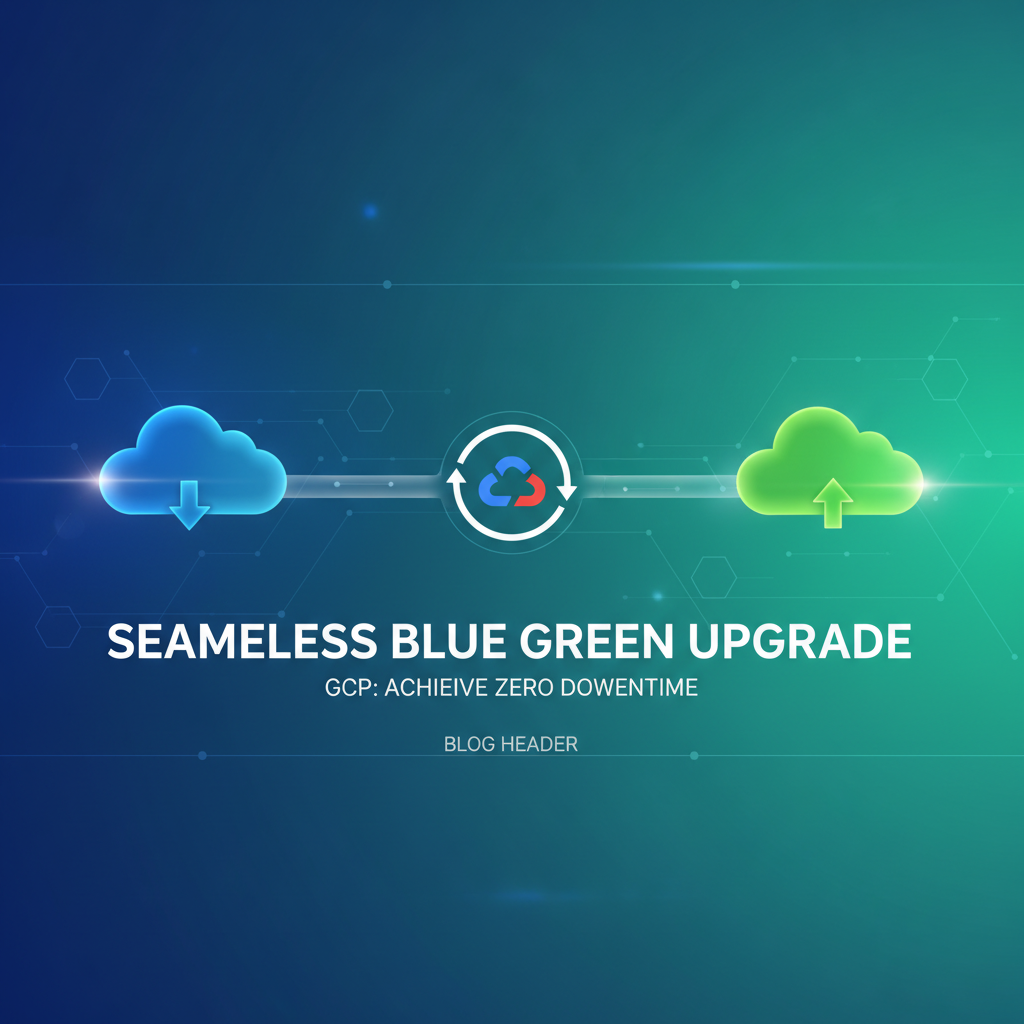
Blue/Green deployment emerges as a critical solution to this challenge. At its core, Blue/Green involves maintaining two identical production environments, often referred to as "Blue" and "Green." At any given time, only one environment is actively serving live traffic. When a new version of the application is ready for deployment, it is deployed to the inactive environment (e.g., Green), thoroughly tested, and once validated, traffic is seamlessly switched from the active (Blue) environment to the newly validated (Green) environment. The former active environment (Blue) then becomes the inactive one, ready to receive the next deployment or serve as an immediate rollback target if issues arise with the Green environment. This methodology fundamentally shifts the paradigm from "fix on failure" to "prevent disruption," aligning perfectly with the principles of Site Reliability Engineering (SRE) and DevOps. It provides an inherent rollback mechanism, as the previous stable version remains available and ready to take traffic instantly, drastically reducing the blast radius of any faulty deployment.
Beyond simply avoiding downtime, Blue/Green deployments offer several compelling advantages. They significantly reduce the risk associated with deployments by creating an isolated staging ground where the new version can be thoroughly vetted in a production-like setting before any customer impact. This allows for comprehensive functional, performance, and security testing against the actual production dataset or a realistic facsimile. Furthermore, it fosters a culture of confidence and agility within development and operations teams, enabling more frequent and smaller deployments, which are inherently less risky and easier to troubleshoot. This continuous delivery capability is crucial for staying competitive and responsive to market demands. The ability to deploy rapidly and reliably is a cornerstone of digital transformation, and Blue/Green provides a robust framework to achieve this, making it an indispensable strategy for any organization serious about operational excellence on GCP.
Core Principles of Blue/Green Deployment
Understanding the foundational principles of Blue/Green deployment is crucial before diving into specific GCP implementations. This strategy, while simple in concept, requires meticulous planning and execution to truly achieve zero downtime.
1. Two Identical Environments: The bedrock of Blue/Green deployment is the existence of two functionally identical production environments. Let's label them "Blue" and "Green." These environments must be provisioned with the same computational resources, network configurations, dependent services, and data access patterns. This mirror-image setup ensures that an application running in the Green environment will behave identically to one running in the Blue environment, minimizing environmental discrepancies that could lead to unforeseen issues post-switch. Automated infrastructure provisioning tools, such as Terraform or Deployment Manager on GCP, are indispensable here to guarantee consistency and repeatability. Any drift between the environments can introduce subtle bugs or performance regressions, undermining the very purpose of this strategy. Therefore, maintaining strict configuration management and version control for infrastructure definitions is paramount.
2. Isolated Deployments: When a new version of your application is ready, it is deployed exclusively to the inactive environment. For instance, if Blue is currently serving production traffic, the new version goes into Green. This isolation means that the deployment process itself—pulling new container images, updating configuration files, running database migrations (if carefully managed)—occurs entirely separate from the live system. There's no risk of impacting live users during the deployment phase, nor is there a rush to complete the deployment within a tight maintenance window. Developers can take their time, ensure everything is correctly initialized, and perform pre-flight checks without pressure. This isolation is a key differentiator from in-place upgrades or rolling updates, where new instances are introduced gradually into the live environment.
3. Controlled Traffic Switching: Once the new version is successfully deployed to the inactive environment and has passed all necessary smoke tests, integration tests, and performance benchmarks, the critical step is to switch the live user traffic. This is typically achieved by updating a load balancer, DNS record, or service mesh configuration to point to the newly updated environment. On GCP, this often involves manipulating forwarding rules in Cloud Load Balancing, adjusting traffic splits in Cloud Run or App Engine, or updating Kubernetes Ingress/Gateway API resources. The switch can be instantaneous (a "cut-over") or gradual (a "canary release" or weighted routing, which technically blends Blue/Green with canary principles for added safety). The choice depends on the application's risk profile and the confidence level in the new deployment. An immediate cut-over offers simplicity but demands extremely high confidence, while a gradual switch allows for real-time observation and immediate rollback if issues are detected with the initial trickle of live traffic.
4. Immediate Rollback Capability: Perhaps one of the most compelling advantages of Blue/Green is its inherent rollback mechanism. If, after switching traffic to the new Green environment, unforeseen issues or critical bugs are discovered, reverting to the previous stable version is as simple as switching the traffic back to the original Blue environment. Since the Blue environment (now inactive) was never de-provisioned or modified, it remains a fully functional, stable fallback. This ability to instantly revert to a known good state drastically reduces the mean time to recovery (MTTR) and mitigates the impact of failed deployments. The "old" environment can be kept warm for a grace period (e.g., hours or days) before being recycled or updated with the next version. This safety net provides immense peace of mind and encourages more frequent, less risky deployments.
These four principles, when meticulously applied, form the backbone of a robust Blue/Green deployment strategy, paving the way for truly seamless, zero-downtime upgrades on GCP.
Leveraging GCP Services for Blue/Green Deployments
Google Cloud Platform offers a rich ecosystem of services that can be strategically combined to facilitate robust Blue/Green deployments. The choice of services largely depends on your application's architecture, scaling needs, and existing technology stack.
1. Google Kubernetes Engine (GKE)
GKE is arguably one of the most powerful platforms for implementing Blue/Green deployments due to Kubernetes' native capabilities for declarative deployment, service abstraction, and traffic management.
- Deployments and ReplicaSets: In Kubernetes, a Deployment object manages a set of identical Pods. For Blue/Green, you would typically have two distinct Deployments, one for Blue and one for Green. Each Deployment would point to a specific Docker image tag representing a version of your application. For example,
app:v1for Blue andapp:v2for Green. - Services: A Kubernetes Service provides a stable network endpoint for a set of Pods. When performing a Blue/Green deployment, the Service's selector typically points to the active Deployment (e.g.,
app: blue-v1). To switch traffic, you would update the Service's selector to point to the newly deployed Green Deployment (app: green-v2). This updates the internal routing within the cluster. - Ingress and Load Balancers: For external traffic, a Kubernetes Ingress resource (or Gateway API in newer versions) works in conjunction with GCP's Global External HTTP(S) Load Balancer. The Ingress's backend service would initially point to the Kubernetes Service of the Blue environment. To switch, you update the Ingress resource to point to the Green Service. This leverages the sophisticated traffic management capabilities of GCP's Load Balancer to direct external traffic seamlessly. The
nginx.ingress.kubernetes.io/canaryannotation or specific rules within the Gateway API can even enable more granular traffic splitting for a controlled transition, blending Blue/Green with canary strategies. - Istio/Service Mesh: For highly complex microservices architectures, integrating a service mesh like Istio with GKE elevates Blue/Green capabilities significantly. Istio's VirtualService and DestinationRule resources allow for extremely fine-grained traffic routing based on HTTP headers, percentages, or user groups. You can deploy both Blue and Green versions of a service, and then use Istio to gradually shift traffic (e.g., 1% to Green, then 5%, then 20%, until 100%) while continuously monitoring metrics. This provides unparalleled control and confidence during the transition. Istio also offers powerful observability tools to monitor the health and performance of both environments during the switch.
Implementing Blue/Green on GKE involves scripting these Kubernetes object updates. A typical CI/CD pipeline would build the new container image, push it to Container Registry, update the Green Deployment manifest with the new image tag, apply it to the cluster, run automated tests against the Green Service (bypassing the Ingress if necessary for internal testing), and then, upon successful validation, update the Ingress/Service selector to direct traffic to Green.
2. Cloud Run
Cloud Run is a fully managed platform for deploying containerized applications. Its serverless nature and built-in revision management make Blue/Green deployments exceptionally straightforward.
- Revisions: Each deployment to Cloud Run creates a new "revision." Cloud Run automatically manages traffic routing between these revisions.
- Traffic Management: By default, Cloud Run directs 100% of traffic to the latest "ready" revision. To perform a Blue/Green deployment:
- Deploy your new application version. This creates a new revision (e.g.,
app-002). - Initially, the old revision (e.g.,
app-001) continues to receive 100% of traffic. - You can then manually or programmatically adjust the traffic split in the Cloud Run service configuration. For example, you might allocate 0% to
app-002for internal testing, then shift 100% toapp-002once validated. - Alternatively, you can implement a canary release by splitting traffic (e.g., 90% to
app-001, 10% toapp-002), monitor the new revision, and gradually increase traffic toapp-002until it receives 100%.
- Deploy your new application version. This creates a new revision (e.g.,
- Rollback: Rolling back is as simple as changing the traffic split back to the previous stable revision. Unused revisions can be retained for quick rollbacks or deleted later to manage resource consumption.
Cloud Run's simplicity dramatically reduces the operational overhead associated with Blue/Green, making it an excellent choice for stateless microservices and web applications where rapid, reliable deployments are critical.
3. App Engine (Standard & Flexible)
App Engine, Google's original Platform as a Service (PaaS), also supports Blue/Green-like deployments through its version and traffic splitting features.
- Versions: Each deployment to App Engine creates a new "version" of your application. You can deploy multiple versions simultaneously.
- Traffic Splitting: App Engine allows you to configure how incoming requests are routed among different versions. You can split traffic based on IP address, HTTP cookie, or random distribution.
- Deploy your new application version (e.g.,
v2) while your stablev1version is serving all traffic. - Test
v2by accessing it directly via its unique URL (e.g.,v2.your-app-id.REGION.r.appspot.com). - Once
v2is validated, you can shift traffic fromv1tov2either instantaneously (100% switch) or gradually by specifying a percentage split.
- Deploy your new application version (e.g.,
- Rollback: If issues arise, you can quickly revert traffic back to the stable
v1version.
App Engine provides a user-friendly interface for managing versions and traffic, making Blue/Green deployments quite accessible, especially for web applications and backend services.
4. Compute Engine (Instance Groups & Load Balancing)
While GKE and Cloud Run offer more native abstractions, Blue/Green can also be implemented on raw Compute Engine instances, though it requires more manual orchestration.
- Managed Instance Groups (MIGs): Create two separate Managed Instance Groups, one for Blue and one for Green. Each MIG will run a specific version of your application.
- Load Balancing: A GCP Global External HTTP(S) Load Balancer or Network Load Balancer is essential. The Load Balancer's backend service would initially point to the Blue MIG.
- Provision a new Green MIG with the new application version.
- Ensure the Green MIG instances are healthy and pass all readiness checks.
- Update the Load Balancer's backend service to point to the Green MIG instead of the Blue MIG. This is the traffic switch.
- The Blue MIG can then be retained for rollback or eventually decommissioned.
- Regional vs. Global: GCP's Global External HTTP(S) Load Balancer is particularly powerful as it provides a single global IP address for your application, distributing traffic across regions. For Blue/Green, you'd update the backend service associated with the load balancer to switch between Blue and Green regional MIGs.
Implementing Blue/Green with Compute Engine requires careful automation of instance provisioning, application deployment, health checks, and load balancer configuration updates, often using tools like Terraform, Ansible, or custom scripts within a CI/CD pipeline.
5. Cloud Load Balancing
Cloud Load Balancing is not just a component but a central orchestrator in GCP Blue/Green strategies. Its ability to distribute traffic across backend services is what enables the seamless transition.
- Global External HTTP(S) Load Balancer: Ideal for global applications, offering robust routing capabilities. It allows you to define URL maps, path matchers, and host rules that can direct traffic to different backend services (which could represent your Blue and Green environments). Traffic switching involves updating these URL maps or backend service associations.
- Internal HTTP(S) Load Balancer: For internal microservices communication within your VPC, providing similar traffic management capabilities for internal services.
- Backend Services: Each backend service configuration can be updated to point to a different set of instances (e.g., a Blue MIG vs. a Green MIG, or a Blue GKE Service vs. a Green GKE Service). The key is the ability to change the target of the load balancer without changing the client-facing IP address or DNS entry.
Cloud Load Balancing's health checks are critical. Before switching traffic, the Load Balancer must report all instances in the Green environment as healthy, ensuring that only fully functional application instances receive live requests.
6. Cloud DNS
While load balancers are the primary mechanism for real-time traffic switching, Cloud DNS can play a role, particularly for simpler architectures or in conjunction with load balancers (e.g., pointing a CNAME to the load balancer's IP). For a pure DNS-based Blue/Green, you would change the DNS A record to point to the new environment's IP address. However, DNS propagation delays make this a less ideal choice for true "zero-downtime" as the changes are not instantaneous and depend on TTLs (Time To Live) configured for the records and client-side DNS caching. For more granular control and immediate switch-overs, load balancers are generally preferred.
The combination of these GCP services provides a powerful toolkit for implementing highly available, zero-downtime Blue/Green deployments, adaptable to a wide range of application architectures and operational requirements.
APIPark is a high-performance AI gateway that allows you to securely access the most comprehensive LLM APIs globally on the APIPark platform, including OpenAI, Anthropic, Mistral, Llama2, Google Gemini, and more.Try APIPark now! 👇👇👇
Detailed Implementation Steps and Best Practices
Executing a successful Blue/Green deployment on GCP involves more than just understanding the components; it requires a structured approach and adherence to best practices throughout the deployment lifecycle.
1. Planning and Environment Provisioning
The success of a Blue/Green deployment hinges on meticulous planning. * Define Naming Conventions: Establish clear, consistent naming conventions for your Blue and Green environments, instance groups, services, and load balancers. This prevents confusion and streamlines automation. For example, app-prod-blue-v1 and app-prod-green-v2. * Infrastructure as Code (IaC): Use Terraform or Google Cloud Deployment Manager to define and provision your infrastructure. This ensures that your Blue and Green environments are truly identical and reproducible. IaC eliminates manual configuration errors and facilitates rapid environment creation and tear-down. Version control your IaC templates alongside your application code. * Resource Sizing: Ensure both environments are provisioned with sufficient resources (CPU, memory, disk, network bandwidth) to handle peak production load. Over-provisioning slightly can provide a buffer during the transition phase. * Network Configuration: Verify that network configurations, firewall rules, VPC settings, and access control lists (ACLs) are identical for both environments. Any discrepancy can lead to connectivity issues post-switch. * Dependency Mapping: Identify all upstream and downstream dependencies (databases, caching layers, external APIs, message queues). Ensure the new Green environment has correct and validated access to all these dependencies. Pay special attention to read/write access and potential schema changes.
2. Deployment and CI/CD Integration
Automating the deployment process is crucial for speed, consistency, and reliability. * CI/CD Pipeline: Integrate Blue/Green steps into your existing Continuous Integration/Continuous Delivery (CI/CD) pipeline (e.g., Jenkins, GitLab CI, Cloud Build). 1. Build: Your CI pipeline builds the new application version and creates container images, artifacts, or bundles. 2. Deploy to Green: The CD pipeline provisions the Green environment (if not already existing) and deploys the new application version to it. This involves updating instance templates, container image tags in Kubernetes Deployments, or Cloud Run service definitions. 3. Health Checks: Configure robust health checks for your application instances within the Green environment. These should go beyond simple HTTP 200 checks and include application-level readiness probes that verify connectivity to databases, external services, and internal components. Only when all instances in Green are healthy should the process proceed. * Configuration Management: Use tools like Config Management (Anthos Config Management), Helm, or custom scripts to manage application configurations that might differ between environments (e.g., logging levels, feature flags). Ensure that secrets are managed securely using Secret Manager.
3. Testing and Validation
Thorough testing of the new Green environment before switching traffic is non-negotiable. This is where you gain confidence in the new deployment. * Isolated Testing: While Green is inactive, run a battery of automated tests against it. * Smoke Tests: Basic functionality tests to ensure the application starts up and responds correctly. * Integration Tests: Verify that the new version correctly interacts with its dependencies (databases, other microservices, external APIs). * Performance Tests: Run load tests against Green to ensure it can handle expected traffic volumes and latency requirements. Compare performance metrics with the Blue environment's baseline. * Security Scans: Perform vulnerability scans and penetration tests on the new environment. * User Acceptance Testing (UAT): If feasible, route a small internal group of users or QA testers to the Green environment (e.g., via host-based routing or specific headers if using an advanced api gateway or service mesh) to perform manual validation. * Observability Validation: Verify that logging, monitoring, and alerting systems are correctly configured and reporting data from the Green environment. Check that metrics are being scraped and logs are being ingested into Cloud Logging and Cloud Monitoring. This is crucial for detecting issues post-switch.
4. Traffic Shifting Strategy
This is the moment of truth where live traffic is directed to the new version. * Instantaneous Cut-over: The simplest approach. Once Green is validated, update the load balancer or DNS to immediately switch 100% of traffic. This is suitable for low-risk applications or when confidence in the new release is extremely high. * Gradual Rollout (Canary Release Blend): For higher-risk applications, a gradual rollout is safer. 1. Start by directing a small percentage of traffic (e.g., 1-5%) to the Green environment. 2. Monitor key metrics (errors, latency, CPU, memory, application-specific KPIs) from both Blue and Green environments using Cloud Monitoring and custom dashboards. 3. If no issues are detected, gradually increase the traffic to Green (e.g., 10%, 25%, 50%, 100%) over a defined period. 4. At each stage, pause and monitor before proceeding. * Session Affinity: If your application relies on session affinity (e.g., sticky sessions), ensure your load balancer is configured to maintain sessions during the transition, preventing users from being bounced between old and new versions within a single session. However, ideally, applications should be stateless to simplify Blue/Green.
5. Monitoring and Rollback
Continuous vigilance is key during and after the traffic switch. * Real-time Monitoring: Use Cloud Monitoring, Prometheus, and custom dashboards to observe the health and performance of both Blue and Green environments in real-time. Look for spikes in errors, latency, resource utilization, and any deviations from established baselines. * Alerting: Configure robust alerts for critical metrics and error rates. If an alert is triggered, investigate immediately. * Rollback Plan: Have a clear, automated rollback plan. If issues are detected, immediately revert traffic back to the Blue environment. This should be a single, automated step, often by simply reconfiguring the load balancer to point back to Blue. The speed of rollback is critical for minimizing user impact. * Post-Mortem: After a rollback, conduct a post-mortem analysis to understand the root cause of the failure and implement corrective actions to prevent recurrence.
6. Database Migrations and Stateful Considerations
Database schema changes or data migrations are often the most challenging aspects of Blue/Green. * Backward Compatibility: Design your database schema changes to be backward compatible. The new application version (Green) should be able to read and write data in a way that the old application version (Blue) can still understand. This often means adding columns without removing or altering existing ones. * Phased Migrations: 1. Schema Evolution: First, deploy a database schema change that is backward compatible (e.g., adding a nullable column). This change can be applied while both Blue and Green applications can safely operate. 2. Application Deployment: Deploy the new application (Green) that can utilize the new schema but can also still work with the old schema (e.g., gracefully handle nulls). 3. Data Migration: If data needs to be transformed, run a data migration script. This can be complex, often requiring temporary dual-writes or a separate migration service. 4. Application Update (Optional): Once Green is stable and potentially migrated, you might deploy another version that fully leverages the new schema or removes backward compatibility code. * Cloud SQL and Spanner: For managed databases on GCP like Cloud SQL or Cloud Spanner, plan your schema changes carefully. Use tools like liquibase or flyway for version-controlled database migrations. For large-scale data, consider using Change Data Capture (CDC) with Dataflow for real-time replication and transformation. * Separate Database for Green? In rare, extreme cases, you might replicate your database for the Green environment. However, maintaining two separate, synchronized production databases is complex and often impractical, introducing significant data consistency challenges. A single, shared, backward-compatible database is generally preferred for Blue/Green application deployments.
7. Security and Compliance
Security must be an integral part of the Blue/Green strategy. * Identical Security Posture: Ensure that the Blue and Green environments have identical security configurations, including IAM roles, service accounts, network policies, firewall rules, and data encryption settings. * Vulnerability Scanning: Integrate automated vulnerability scanning into your CI/CD pipeline to scan container images and deployed applications in both environments. * Compliance: Verify that both environments adhere to all relevant compliance standards (e.g., GDPR, HIPAA, PCI DSS). * Secrets Management: Use Google Cloud Secret Manager to manage all secrets (API keys, database credentials) securely, ensuring they are accessible to both environments in a controlled manner.
8. Cost Optimization
While Blue/Green inherently involves running two environments, there are ways to optimize costs. * Right-Sizing: Accurately size your instances and services to avoid over-provisioning. * Automated Teardown: Once the Green environment is fully validated and stable (and the Blue environment is no longer needed for rollback), automate the de-provisioning of the old environment's resources to minimize idle costs. Consider a grace period for rollback capability before tear-down. * Spot VMs/Preemptible Instances: For non-critical background services or specific batch processing tasks within your Blue/Green environments, consider using Spot VMs or Preemptible Instances to reduce compute costs, though this is less common for the core application serving live traffic. * Serverless First: Prioritize serverless options like Cloud Run and App Engine where possible, as they handle resource scaling and charge per request, naturally optimizing costs for inactive environments.
By adhering to these detailed steps and best practices, organizations can significantly enhance the reliability and efficiency of their deployments on GCP, transitioning to truly seamless, zero-downtime upgrades. For applications exposing complex API services, leveraging an API gateway like APIPark can streamline management and provide a unified entry point, which is especially beneficial during a Blue/Green transition as traffic is shifted from the old environment to the new one, ensuring consistent API access. APIPark, as an open-source AI gateway and API management platform, offers robust capabilities for quick integration of diverse AI models and unified API formats, alongside end-to-end API lifecycle management. During a Blue/Green upgrade, an API gateway can sit in front of both the Blue and Green environments, abstracting the underlying infrastructure changes from API consumers and ensuring a seamless transition of API traffic as the switch is made. This centralizes authentication, monitoring, and traffic routing, making the upgrade process smoother and more transparent from the client's perspective, even for complex AI or REST services.
Challenges and Mitigation Strategies
While Blue/Green deployment offers substantial benefits, it's not without its challenges. Addressing these proactively is key to successful implementation.
1. Database Migrations and Data Consistency
As discussed, database schema changes are often the most complex aspect. If the new version requires a breaking schema change, a simple Blue/Green switch can lead to data inconsistency or application errors in the rollback scenario.
- Mitigation:
- Backward-Compatible Schema Changes: Design schema migrations to be non-breaking and backward compatible. This means the old application version (Blue) can still operate correctly with the new schema, and the new version (Green) can tolerate the old schema (e.g., by adding nullable columns, renaming existing columns, or using view layers).
- Two-Phase Deployment:
- Deploy a database schema change (e.g., add a new column) that is compatible with the old application.
- Deploy the new application (Green) that writes to both the old and new columns.
- Switch traffic to Green.
- Once Green is stable and the old column is no longer needed, remove the old column.
- Change Data Capture (CDC): For complex data transformations or data synchronization between environments, consider using CDC with tools like Dataflow to stream and transform data in real-time, ensuring consistency.
- Shared Database: The most common approach is to have both Blue and Green environments share a single, robust, and highly available database instance (e.g., Cloud SQL with high availability, Cloud Spanner). The focus then shifts to backward-compatible schema evolutions rather than data replication.
2. State and Session Management
Applications that maintain in-memory state or rely heavily on sticky sessions can face challenges during a Blue/Green transition. If a user's session is tied to a specific instance in the Blue environment, switching to Green might break their active session.
- Mitigation:
- Stateless Applications: Design applications to be stateless wherever possible. Externalize session state to a shared, highly available caching service like Cloud Memorystore (Redis or Memcached) or a database. This allows any instance in either Blue or Green to serve any request without session loss.
- Session Affinity/Sticky Sessions (Carefully): While generally discouraged for Blue/Green, if absolutely necessary, configure your Cloud Load Balancer with session affinity. However, this only helps during a gradual rollout. A hard cut-over will still break sessions for active users. The goal should always be to eliminate reliance on server-side session state.
- Graceful Shutdown: Implement graceful shutdown logic in your applications to handle in-flight requests and drain connections before an instance is de-registered from the load balancer.
3. Cost Implications of Running Two Environments
Running two full production environments simultaneously can double infrastructure costs, especially for large applications.
- Mitigation:
- Temporary Resource Provisioning: Instead of perpetually running two environments at full scale, provision the Green environment only when a new deployment is imminent. Once the switch is complete and the old Blue environment is no longer needed for rollback, de-provision its resources. Automate this process using IaC and CI/CD.
- Serverless First: For components that can be deployed as serverless functions (Cloud Functions) or containerized services (Cloud Run), the cost impact of running two versions concurrently is significantly reduced as you pay only for active usage.
- Right-Sizing and Cost Monitoring: Continuously monitor resource utilization and right-size your instances. Use Cloud Billing reports and Cost Management tools to identify and optimize spending.
- Hybrid Blue/Green: For certain non-critical components, you might opt for a less stringent update strategy (e.g., rolling updates) if the cost of full Blue/Green outweighs the benefit.
4. Complexity and Automation Overhead
Setting up and managing a robust Blue/Green pipeline, especially with a service mesh like Istio, can introduce significant complexity and require a substantial investment in automation.
- Mitigation:
- Start Simple: Begin with a basic Blue/Green setup using native GCP load balancers and instance groups or Cloud Run's built-in traffic management. Gradually introduce more advanced tools like Kubernetes or Istio as your needs and expertise grow.
- IaC and CI/CD Tools: Leverage Terraform, Deployment Manager, and Cloud Build to automate every step of the process – environment provisioning, application deployment, testing, traffic switching, and rollback. This reduces manual effort and minimizes human error.
- Modular Design: Design your application as microservices, making it easier to deploy and manage individual components with Blue/Green without affecting the entire system.
- Documentation and Training: Thoroughly document your Blue/Green procedures and train your teams on the new deployment processes and tools.
5. Monitoring and Alerting Granularity
During the traffic switch, being able to differentiate metrics and logs between the Blue and Green environments is critical for rapid issue detection. Without granular monitoring, problems in the new Green environment might be masked by the performance of the stable Blue environment.
- Mitigation:
- Labels and Metadata: Use descriptive labels and metadata for your resources (e.g.,
environment: blue,version: v1,environment: green,version: v2). Cloud Monitoring, Cloud Logging, and other observability tools on GCP allow filtering and aggregation based on these labels. - Separate Dashboards: Create separate Cloud Monitoring dashboards or custom views specifically for Blue and Green metrics during a deployment. Compare their performance side-by-side.
- Application-Level Metrics: Instrument your applications to emit detailed custom metrics (e.g., specific API endpoint latency, business transaction success rates). These are often more indicative of user experience than infrastructure metrics alone.
- Alerting Thresholds: Configure alerts that are sensitive enough to detect issues in the new environment even with a small percentage of traffic. For example, an alert for a 1% error rate on Green might be acceptable, but a 1% error rate on Blue, which is receiving 99% of traffic, might indicate a wider systemic issue.
- Labels and Metadata: Use descriptive labels and metadata for your resources (e.g.,
6. External Integrations and Third-Party Services
Applications often integrate with external APIs or third-party services. The behavior of these integrations might differ when called from a new Green environment, or the third-party service might rate-limit based on origin IPs.
- Mitigation:
- Staging External Services: If possible, use separate staging environments for external services for testing the Green deployment.
- Idempotency: Design your external API calls to be idempotent, meaning repeated calls have the same effect as a single call. This protects against issues during traffic shifts or retries.
- Feature Flags: Use feature flags to gradually enable new integrations in the Green environment, providing a kill switch if issues arise.
- Communication with Third Parties: Inform third-party service providers about your Blue/Green deployment windows, especially if you anticipate changes in request patterns or IP addresses.
- Dedicated Egress IPs: If external services whitelist your IP addresses, ensure your Green environment uses a consistent, pre-approved set of egress IPs (e.g., via Cloud NAT with static IPs).
By systematically addressing these common challenges, organizations can build more resilient Blue/Green pipelines and successfully achieve their zero-downtime objectives on GCP.
Advanced Scenarios and Considerations
Beyond the foundational implementation, several advanced scenarios and considerations can further enhance your Blue/Green strategy on GCP.
1. Multi-Region Blue/Green Deployments
For truly global, highly available applications, deploying across multiple GCP regions is essential. Blue/Green can be extended to this multi-region architecture.
- Architecture: You would typically have a Global External HTTP(S) Load Balancer in front of your multi-region application. Each region would have its own Blue and Green environments.
- Deployment Strategy:
- Region by Region: Deploy the new version (Green) to one region first. Shift traffic within that region (e.g., from
us-central1-bluetous-central1-green). Monitor closely. - Once validated in the first region, repeat the process for subsequent regions (e.g.,
europe-west1-bluetoeurope-west1-green), progressively rolling out the new version globally. - This approach minimizes blast radius if an issue is region-specific.
- Region by Region: Deploy the new version (Green) to one region first. Shift traffic within that region (e.g., from
- Global Traffic Shifting: The Global Load Balancer can be configured to prioritize specific regions or shift traffic between them. You could use this to temporarily direct all traffic away from a problematic region during a Blue/Green rollout or a rollback scenario.
- Data Replication: For multi-region deployments, your database strategy becomes even more critical. Solutions like Cloud Spanner (globally distributed relational database) or a multi-region Cloud SQL setup with read replicas are essential to ensure data consistency and low latency across regions. Blue/Green upgrades will still need to handle schema compatibility across regions.
2. Hybrid and Multi-Cloud Blue/Green
Some enterprises operate in hybrid environments (on-premises and GCP) or multi-cloud setups. Blue/Green can still be applied, but with increased complexity.
- Hybrid: You might deploy your Blue environment on-premises and Green on GCP, or vice versa. Traffic switching would involve a hybrid load balancer (e.g., using Cloud Load Balancing with Network Connectivity Center or a similar solution for on-prem connectivity) or DNS entries pointing to the active environment. Challenges include network latency, security integration, and consistent tooling across environments.
- Multi-Cloud: Deploying Blue on GCP and Green on another cloud provider requires careful consideration of network interconnectivity, data synchronization, and a unified traffic management layer (e.g., a global DNS provider with traffic steering capabilities or an advanced API gateway solution that can abstract backend complexities across clouds). This is generally reserved for highly specialized use cases due to inherent complexity.
3. Progressive Delivery and Feature Flags
Blue/Green deployment is often a foundational step towards more advanced progressive delivery techniques.
- Feature Flags/Toggles: Integrate feature flags deeply into your application. This allows you to deploy a new version (Green) with new features disabled by default. After the Blue/Green traffic switch, you can then enable specific features for a subset of users (e.g., internal staff, beta testers) before rolling them out to the entire user base. This adds another layer of safety and control, decoupling deployment from feature release.
- A/B Testing: Blue/Green can be combined with A/B testing to compare the performance and user engagement of different application versions or features. The Green environment could run a variant, and traffic can be split to measure its impact.
- Canary Release: As mentioned, Blue/Green with gradual traffic shifting is essentially a form of canary release. You're "canarying" the new Green environment with a small percentage of live traffic to detect issues before a full cut-over.
4. Advanced Traffic Management with Service Mesh
For microservices architectures on GKE, a service mesh like Istio or Linkerd provides unparalleled control over traffic.
- Fine-grained Routing: Define routing rules based on HTTP headers, cookies, user identity, or other request attributes. This allows for sophisticated testing where specific users or internal teams can always be routed to the Green environment, even during normal Blue operations, for continuous validation.
- Fault Injection: Introduce latency or errors into the Green environment to test its resilience before a full rollout.
- Traffic Mirroring: Mirror a percentage of live traffic from Blue to Green without affecting user responses. This allows you to test the Green environment with realistic production load and data patterns without any customer impact. This is an extremely powerful technique for validation.
- Observability: Service meshes provide deep insights into inter-service communication, giving you granular metrics, distributed tracing, and request logs that are invaluable for monitoring Blue/Green transitions.
5. Automated Rollback Mechanisms
While manual rollback is always an option, fully automating the rollback process drastically reduces MTTR.
- Integrated with Monitoring: Configure your monitoring system (Cloud Monitoring with custom metrics and alerts) to automatically trigger a rollback if critical thresholds are breached (e.g., error rate > X%, latency > Y%, CPU utilization > Z% for more than T minutes in the Green environment).
- Pre-defined Playbooks: Create automated scripts or runbooks that execute the rollback (e.g., switching the load balancer back to the Blue environment) and notify relevant teams.
- Circuit Breakers: Implement circuit breakers in your application or via a service mesh to automatically stop sending traffic to a failing Green service, protecting the overall system.
6. Managing External Resources and APIs
Applications often consume or expose external APIs. Managing these during a Blue/Green transition requires careful thought.
- External API Consumption: If the new Green environment changes how it consumes external APIs (e.g., new authentication, different endpoint), ensure this is tested thoroughly in isolation.
- Exposing APIs: For applications exposing APIs to external consumers, an API gateway is critical. A robust API gateway can act as the single entry point, abstracting the underlying Blue/Green switch from consumers. It can maintain consistent endpoints, apply policies (rate limiting, authentication), and route traffic seamlessly to the active environment. This is where a product like APIPark demonstrates significant value. APIPark, as an open-source AI gateway and API management platform, provides end-to-end API lifecycle management and can ensure that as your application transitions from Blue to Green, the consumer experience of your APIs remains uninterrupted. It handles the routing, security, and monitoring regardless of which backend environment is active, giving you a centralized point of control for your exposed services.
By incorporating these advanced considerations, organizations can build highly sophisticated, resilient, and automated deployment pipelines that not only achieve zero downtime but also accelerate innovation and enhance operational confidence on Google Cloud Platform. The investment in these techniques pays dividends in reduced risk, increased agility, and superior user experience.
Conclusion: The Strategic Imperative of Seamless Upgrades
In today's dynamic digital landscape, the ability to deploy application updates without interruption is no longer a luxury but a strategic necessity. The Blue/Green deployment strategy, when meticulously implemented on Google Cloud Platform, provides a robust and reliable pathway to achieve this critical objective of zero downtime. We have traversed the foundational principles, delved into the specific capabilities of key GCP services from GKE to Cloud Run and App Engine, explored detailed implementation steps, and dissected advanced scenarios including multi-region deployments and sophisticated traffic management with service meshes.
The journey to seamless upgrades on GCP is characterized by several key takeaways:
- Risk Reduction: Blue/Green fundamentally mitigates deployment risks by isolating new versions, allowing for thorough validation in a production-like environment before any live traffic is affected. This dramatically reduces the potential for customer impact and costly outages.
- Rapid Rollback: The inherent ability to instantly revert to the previous stable version provides an unparalleled safety net, significantly reducing Mean Time To Recovery (MTTR) and bolstering operational confidence.
- Enhanced Agility: By making deployments less risky, Blue/Green encourages more frequent, smaller releases. This fosters a culture of continuous delivery, enabling organizations to innovate faster, respond to market changes swiftly, and deliver value to users more consistently.
- Leveraging GCP's Strengths: GCP's comprehensive suite of services, from highly scalable compute platforms and sophisticated load balancing to advanced observability tools and infrastructure as code capabilities, provides the ideal foundation for building and automating robust Blue/Green pipelines.
- Strategic Integration: The strategic use of tools like API gateway solutions, such as APIPark, plays a crucial role in managing the exposure of services and ensuring a consistent experience for consumers, regardless of the underlying Blue/Green transition. An API gateway unifies management, security, and traffic routing for your APIs, making the upgrade process smoother from the client's perspective, especially for complex AI and REST services.
- Continuous Improvement: Blue/Green is not a one-time setup but an evolving practice. Continuous monitoring, post-mortem analysis of any issues, and iterative refinement of your deployment pipelines are essential to maintain and improve the effectiveness of your strategy.
While challenges exist, particularly around database migrations and managing state, thoughtful planning, rigorous automation, and a commitment to observability can overcome these hurdles. The investment in adopting Blue/Green deployments on GCP pays immense dividends, transforming potential deployment headaches into predictable, confident, and ultimately, seamless transitions. Embrace this powerful strategy to ensure your applications remain always-on, always-available, and always delivering exceptional value in the cloud.
Frequently Asked Questions (FAQ)
1. What is Blue/Green deployment and how does it achieve zero downtime?
Blue/Green deployment is a strategy that involves running two identical production environments, 'Blue' and 'Green'. At any given time, only one environment (e.g., Blue) is actively serving live user traffic. When a new version of the application is ready, it is deployed to the inactive environment (Green). Once the Green environment is thoroughly tested and validated, live traffic is seamlessly switched from Blue to Green, achieving zero downtime for users. The old Blue environment is then kept as a rollback target or decommissioned. This method ensures that the deployment itself happens offline from live traffic and provides an immediate rollback mechanism.
2. How do Blue/Green deployments differ from rolling updates in Kubernetes (GKE)?
While both aim to minimize downtime, they differ fundamentally. Rolling updates in Kubernetes (GKE) gradually replace old application instances with new ones within a single environment. During a rolling update, traffic is directed to both old and new instances simultaneously, and if a new instance fails, the rollout might be paused or rolled back. Blue/Green, in contrast, involves two completely separate environments. The new version is fully deployed and tested in isolation (Green) before any traffic is routed to it. This provides a clearer separation, an easier rollback (by switching traffic back to the entirely untouched Blue environment), and often greater confidence, especially for critical applications.
3. What are the main challenges when implementing Blue/Green on GCP?
The primary challenges typically revolve around: 1. Database Migrations: Ensuring backward compatibility of schema changes so both Blue and Green environments can interact with the database safely during the transition. 2. Stateful Applications: Managing user sessions or in-memory state, as a hard cut-over can disrupt active user sessions. Stateless applications or externalized session management (e.g., with Cloud Memorystore) are highly recommended. 3. Cost: Running two full production environments concurrently can temporarily double infrastructure costs, requiring careful cost optimization strategies like temporary resource provisioning and automated teardown. 4. Complexity of Automation: Setting up the comprehensive automation required for provisioning, deployment, testing, traffic switching, and monitoring can be complex and requires robust CI/CD pipelines.
4. How does an API Gateway like APIPark fit into a Blue/Green strategy on GCP?
An API gateway like APIPark serves as a crucial abstraction layer when your application exposes APIs to external consumers. During a Blue/Green deployment, the API gateway sits in front of both the Blue and Green environments. It acts as the single, stable entry point for all API calls. When you switch traffic from Blue to Green, the API gateway's routing rules are updated to point to the new Green environment. This ensures that external clients continue to hit the same API endpoint without needing to know about the underlying infrastructure changes, providing a seamless transition for API consumers. It centralizes authentication, authorization, monitoring, and traffic management, greatly simplifying the Blue/Green process for API-driven applications.
5. What are the critical monitoring aspects during a Blue/Green deployment?
During a Blue/Green deployment, especially during and after the traffic switch, critical monitoring involves: 1. Application Health: Observing key application metrics like error rates (HTTP 5xx errors), request latency, and throughput for both Blue and Green environments. 2. Infrastructure Metrics: Monitoring CPU utilization, memory usage, network I/O, and disk I/O of instances in both environments. 3. Application Logs: Analyzing logs for any new errors, warnings, or unexpected patterns specifically from the Green environment. 4. Business Metrics: Tracking application-specific Key Performance Indicators (KPIs), such as successful user transactions, conversion rates, or order processing rates, to ensure the new version isn't negatively impacting business outcomes. 5. Alerting: Setting up automated alerts on critical thresholds for all the above metrics, allowing for immediate detection and response to any issues in the newly deployed Green environment.
🚀You can securely and efficiently call the OpenAI API on APIPark in just two steps:
Step 1: Deploy the APIPark AI gateway in 5 minutes.
APIPark is developed based on Golang, offering strong product performance and low development and maintenance costs. You can deploy APIPark with a single command line.
curl -sSO https://download.apipark.com/install/quick-start.sh; bash quick-start.sh

In my experience, you can see the successful deployment interface within 5 to 10 minutes. Then, you can log in to APIPark using your account.

Step 2: Call the OpenAI API.