Seamlessly Read a Custom Resource Using Dynamic Client Golang
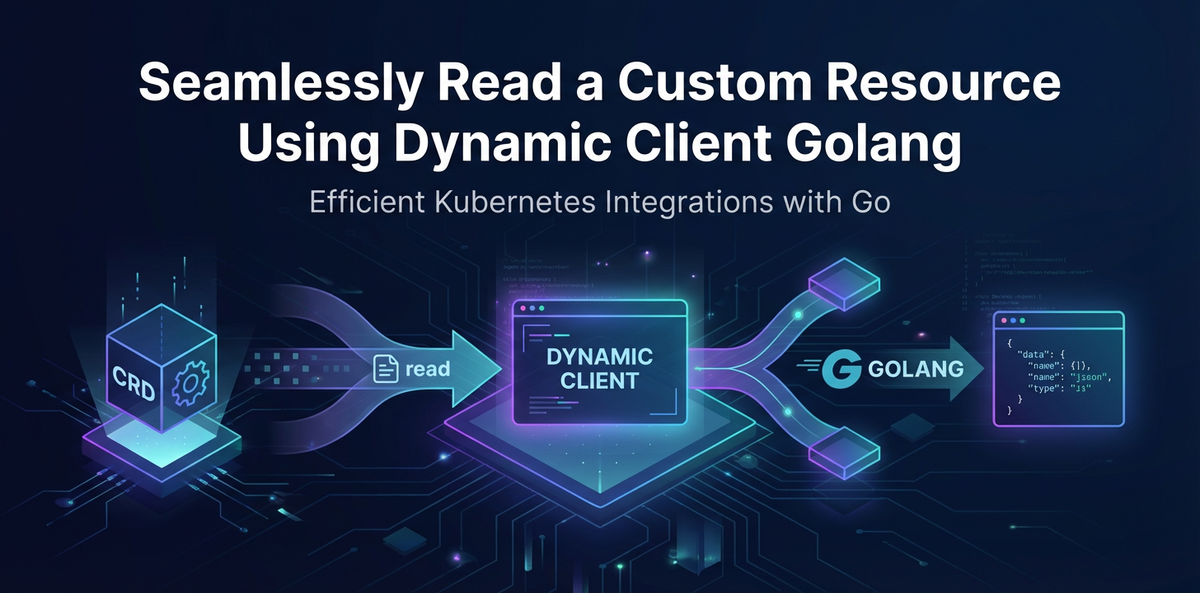


In the sprawling, intricate landscape of Kubernetes, managing applications and their underlying infrastructure often transcends the capabilities of built-in resource types like Deployments, Services, or ConfigMaps. As organizations push the boundaries of cloud-native architectures, they frequently encounter scenarios where custom, domain-specific abstractions are not just beneficial, but essential. This necessity gives rise to Custom Resources (CRs) – powerful extensions of the Kubernetes API that allow users to define their own resource kinds, complete with custom logic and behavior managed by custom controllers. While CRs offer unparalleled flexibility, interacting with them programmatically, especially in Go, requires a nuanced understanding of Kubernetes client libraries. This article delves deep into the art of seamlessly reading a Custom Resource using the dynamic.Client in Golang, a versatile and indispensable tool for developers navigating the dynamic realm of Kubernetes extensions.
The journey into Kubernetes' extensible API begins with recognizing that not all workloads fit neatly into pre-defined boxes. Imagine a scenario where you need to manage complex machine learning pipelines, multi-tenant database clusters, or bespoke application configurations directly within Kubernetes, treating them as first-class citizens. This is precisely where Custom Resources shine. They allow developers to extend the Kubernetes API by creating Custom Resource Definitions (CRDs), which essentially tell the Kubernetes API server about the new resource type, its schema, and how it should behave. Once a CRD is registered, users can create instances of these custom resources, just like they would create a Pod or a Deployment. These custom resources are then managed by specialized controllers that watch for changes and reconcile the desired state with the actual state, bringing a powerful "operator pattern" to life. The elegance of this approach lies in its ability to leverage the robust control plane of Kubernetes for any workload, irrespective of its complexity or specificity.
However, the very flexibility that makes CRs so powerful also presents a unique challenge for programmatic interaction. Unlike standard Kubernetes resources, whose Go types are pre-generated and readily available in the client-go library (the official Go client for Kubernetes), custom resources do not have these convenient, strongly-typed counterparts out of the box. This is where the dynamic.Client emerges as a crucial component. While one could generate typed clients for their CRDs, this approach requires an additional build step whenever the CRD schema changes and introduces a tighter coupling between your client code and the CRD definition. The dynamic.Client, on the other hand, operates on generic unstructured.Unstructured objects, allowing it to interact with any Kubernetes resource, including custom ones, without requiring prior knowledge of their Go type definitions. This makes it an incredibly versatile and future-proof choice for building tools, operators, or integration layers that need to be resilient to evolving CRD schemas or interact with a wide array of unknown custom resources. This extensive guide will not only illuminate the "how" but also the "why" behind choosing the dynamic.Client, ensuring you can confidently integrate and manage custom resources within your Go applications, creating an api interaction layer that is both robust and adaptive.
Understanding Kubernetes Custom Resources (CRs) in Depth
Before diving into the intricacies of programmatic interaction, a thorough understanding of Custom Resources themselves is paramount. CRs represent a fundamental pillar of Kubernetes extensibility, enabling users to tailor the orchestration platform to their specific application domains. They are not merely configuration files; they are first-class objects within the Kubernetes API ecosystem, adhering to the same principles of declarative apis, eventual consistency, and robust lifecycle management that govern built-in resources.
What are Custom Resources? Why are They Needed?
At its core, a Custom Resource is an instance of a Custom Resource Definition (CRD). Think of a CRD as a blueprint, a schema, or a class definition for a new type of object in Kubernetes. Without CRDs, Kubernetes only understands its predefined set of resources like Pods, Services, and Deployments. When these built-in types prove insufficient for expressing complex application states or operational needs, CRDs offer an escape hatch.
Consider a sophisticated application like a database-as-a-service or a complex machine learning pipeline. These often require multiple interdependent components, specific configuration parameters, and custom lifecycle management logic that cannot be fully encapsulated by standard Kubernetes primitives. For instance, a "Database" CR might define parameters like version, storageSize, backupSchedule, and replicaCount. A "MachineLearningJob" CR could specify modelURI, datasetURI, gpuCount, and trainingStrategy. By defining these as Custom Resources, operators can manage them using familiar kubectl commands and api interactions, benefiting from Kubernetes' inherent capabilities for scaling, self-healing, and declarative configuration. This avoids the need for external, proprietary management tools and keeps the entire application stack under the unified control of the Kubernetes control plane. It transforms Kubernetes from a generic container orchestrator into a highly specialized platform tailored to an organization's unique requirements, significantly streamlining operations and fostering an api-driven approach to infrastructure management.
Custom Resource Definitions (CRDs) - The Schema for Extensibility
The CustomResourceDefinition (CRD) is the api object that defines a new custom resource. When you create a CRD, you are essentially extending the Kubernetes API schema. The CRD tells the API server what kind of objects to expect, what fields they should have, and how to validate them. A crucial aspect of CRDs is their schema definition, which leverages a subset of OpenAPI v3 schema. This OpenAPI schema is used by the API server to validate instances of your custom resource before they are persisted in etcd. This ensures data integrity and consistency, rejecting any custom resource instances that do not conform to the defined structure.
A CRD defines several key properties: * spec.group: A logical group name for your api, e.g., stable.example.com. * spec.versions: A list of api versions supported by your CRD, each with its own schema and status. * spec.names: Defines the singular, plural, shortName, and kind of your custom resource, making it discoverable and usable via kubectl. * spec.scope: Specifies whether the resource is Namespaced or Cluster scoped. * spec.validation.openAPIV3Schema: The most critical part, defining the structural schema for your custom resource instances. This schema specifies the data types, required fields, patterns, and constraints for each field within your CR.
Here's a simplified example of a CRD definition for a custom Application resource:
apiVersion: apiextensions.k8s.io/v1
kind: CustomResourceDefinition
metadata:
  name: applications.stable.example.com
spec:
  group: stable.example.com
  versions:
    - name: v1
      served: true
      storage: true
      schema:
        openAPIV3Schema:
          type: object
          properties:
            apiVersion:
              type: string
            kind:
              type: string
            metadata:
              type: object
            spec:
              type: object
              properties:
                image:
                  type: string
                  description: The container image to deploy.
                replicas:
                  type: integer
                  minimum: 1
                  default: 1
                env:
                  type: array
                  items:
                    type: object
                    properties:
                      name:
                        type: string
                      value:
                        type: string
              required: ["image"]
            status:
              type: object
              properties:
                availableReplicas:
                  type: integer
                conditions:
                  type: array
                  items:
                    type: object
                    properties:
                      type:
                        type: string
                      status:
                        type: string
                      message:
                        type: string
  scope: Namespaced
  names:
    plural: applications
    singular: application
    kind: Application
    shortNames:
      - app
Once this CRD is applied to a Kubernetes cluster, the API server will recognize Application as a valid resource type under the stable.example.com/v1 api group. Users can then create instances of Application like this:
apiVersion: stable.example.com/v1
kind: Application
metadata:
  name: my-webapp
spec:
  image: "nginx:1.21.0"
  replicas: 3
  env:
    - name: ENV_VAR_1
      value: "value1"
This instance, my-webapp, becomes a distinct api object managed by the Kubernetes control plane. The OpenAPI schema specified in the CRD ensures that the image field is a string, replicas is an integer, and so on, providing a robust contract for your custom api. The integration of OpenAPI v3 schema validation within CRDs ensures that custom resources maintain structural integrity, making them reliable extensions to the Kubernetes api.
Controllers - Bringing Custom Resources to Life
While CRDs define the structure of custom resources, and users create instances of them, it is the controller that breathes life into these static definitions. A controller is a continuous loop that watches for changes to specific Kubernetes resources (in this case, Custom Resources), then takes actions to reconcile the actual state of the cluster with the desired state specified in the resource. This is the essence of the "operator pattern" in Kubernetes.
For our Application CRD example, a corresponding Application controller would perform the following actions: 1. Watch: Continuously monitor the Kubernetes API server for Application resources (e.g., new Application objects being created, existing ones updated, or deleted). 2. Reconcile: When a change is detected, the controller compares the desired state (as defined in the Application CR's spec) with the current actual state of the cluster. 3. Act: Based on the comparison, the controller takes necessary actions. If a new Application is created, it might create a Deployment with the specified image and replicas, and a Service to expose it. If the replicas field is updated, it scales the Deployment. If the Application is deleted, it tears down all associated Kubernetes objects. 4. Update Status: The controller also updates the status field of the Application CR to reflect the current state (e.g., availableReplicas, conditions). This provides valuable feedback to users about the operational status of their custom resource.
Controllers are typically implemented using client-go for interacting with the Kubernetes API and often leverage frameworks like Kubebuilder or the Operator SDK, which streamline the development of these complex reconciliation loops. These frameworks handle much of the boilerplate code, such as setting up watches, caches, and event handlers, allowing developers to focus on the core business logic of their custom resource. The interplay between CRDs, CRs, and controllers forms a powerful, declarative, and extensible framework that enables Kubernetes to manage virtually any workload.
The Kubernetes API and Client-Go: A Gateway to Orchestration
Interacting with Kubernetes programmatically is fundamentally about interacting with its API. The Kubernetes API server acts as the front end of the Kubernetes control plane, exposing a RESTful api that allows users and components to communicate with the cluster. client-go is the de facto standard Go library for interfacing with this api, providing a robust and idiomatic way for Go applications to manage Kubernetes resources.
Brief Overview of Kubernetes API Architecture
The Kubernetes API server is the central nervous system of a Kubernetes cluster. All communication between the control plane components (e.g., scheduler, controller manager), nodes (kubelet), and external users (kubectl, custom applications) goes through the API server. It exposes a well-defined RESTful api that follows a declarative model. When you issue a kubectl apply -f my-app.yaml command, kubectl translates that YAML into an HTTP POST request to the API server, which then validates the request, persists the object in etcd (the cluster's highly available key-value store), and notifies relevant controllers about the change.
Key characteristics of the Kubernetes API: * RESTful: Uses standard HTTP verbs (GET, POST, PUT, DELETE) and JSON or YAML for resource representation. * Declarative: Users declare the desired state, and Kubernetes works to achieve it. * Versioned: APIs are grouped and versioned (e.g., apps/v1, stable.example.com/v1). * Extensible: Through CRDs, as discussed earlier. * Watchable: Clients can watch for changes to resources, enabling real-time event-driven automation.
The API server is backed by etcd, which serves as the single source of truth for the cluster's state. Any api object (Pods, Deployments, Custom Resources) created or modified is stored in etcd. This distributed, consistent key-value store ensures that the cluster state is resilient to failures of individual API servers. Understanding this architecture is crucial for appreciating how client-go interacts with the cluster, fetching and manipulating these api objects.
Introduction to client-go Library
client-go is the official Go client library for Kubernetes. It provides a comprehensive set of packages and utilities for building applications that interact with the Kubernetes API. It handles much of the complexity of HTTP requests, JSON marshalling/unmarshalling, api versioning, and authentication, allowing developers to focus on their application logic. client-go is not a single client but a collection of different client types, each suited for different use cases.
Different Client Types in client-go
client-go offers a spectrum of client types, each with its own trade-offs regarding type safety, flexibility, and performance. Choosing the right client is crucial for efficient and maintainable Kubernetes interactions.
1. Clientset (Typed Client)
The Clientset is the most commonly used client for interacting with built-in Kubernetes resources. It provides strongly-typed Go structs for all standard Kubernetes resources (e.g., v1.Pod, appsv1.Deployment).
Advantages: * Type Safety: You work with well-defined Go structs, meaning compile-time checks catch many potential errors. * Readability: Code is generally easier to read and understand due to explicit types. * IDE Support: Excellent auto-completion and static analysis support from IDEs.
Disadvantages: * Not for Custom Resources (out of the box): By default, Clientset does not include types for custom resources. To use it with CRs, you would need to generate custom typed clients for your CRDs using tools like code-generator, which adds an extra build step and ties your code to specific CRD versions. * Rigidity: If the API schema changes or you need to interact with a new, unknown custom resource, you must regenerate and recompile your client.
Example Usage (for a standard Pod):
package main

import (
    "context"
    "fmt"
    "path/filepath"

    metav1 "k8s.io/apimachinery/pkg/apis/meta/v1"
    "k8s.io/client-go/kubernetes"
    "k8s.io/client-go/tools/clientcmd"
    "k8s.io/client-go/util/homedir"
)

func main() {
    var kubeconfig string
    if home := homedir.HomeDir(); home != "" {
        kubeconfig = filepath.Join(home, ".kube", "config")
    } else {
        kubeconfig = "" // In-cluster config
    }

    config, err := clientcmd.BuildConfigFromFlags("", kubeconfig)
    if err != nil {
        panic(err.Error())
    }

    clientset, err := kubernetes.NewForConfig(config)
    if err != nil {
        panic(err.Error())
    }

    pods, err := clientset.CoreV1().Pods("default").List(context.TODO(), metav1.ListOptions{})
    if err != nil {
        panic(err.Error())
    }

    fmt.Printf("There are %d pods in the cluster\n", len(pods.Items))
    for _, pod := range pods.Items {
        fmt.Printf("  - %s\n", pod.Name)
    }
}
2. RESTClient (Lower Level)
The RESTClient is a lower-level client that allows direct interaction with the Kubernetes API at the HTTP level. It handles HTTP requests, authentication, and JSON (un)marshalling, but does not provide type-safe Go structs for resources. You work with raw bytes.Buffer or generic map[string]interface{}.
Advantages: * Maximum Flexibility: Can interact with any API endpoint, including those not covered by Clientset or dynamic.Client. * Control: Fine-grained control over HTTP requests and responses.
Disadvantages: * Less Convenient: Requires manual handling of resource structures and API paths. * Error Prone: Lack of type safety can lead to runtime errors if API responses are not parsed correctly. * Rarely Used Directly: Most use cases are better served by Clientset or dynamic.Client.
3. Dynamic Client (dynamic.Client) - The Focus
The dynamic.Client sits between the high-level Clientset and the low-level RESTClient. It offers the flexibility to interact with any Kubernetes resource (built-in or custom) without requiring pre-generated Go types, while still providing a more structured api than the RESTClient. It operates on generic unstructured.Unstructured objects, which are essentially map[string]interface{} wrappers with helper methods for accessing common Kubernetes fields.
Advantages: * CRD Agnostic: Can interact with any Custom Resource, even those whose CRDs are not known at compile time or are subject to change. This is the primary reason for its use with CRs. * Flexibility: Adapts to evolving API schemas without recompilation. * Simplified Client Setup: You don't need to generate and maintain custom typed clients. * Suitable for Generic Tools: Ideal for building generic controllers, api gateway components, or kubectl plugins that need to manage arbitrary resources.
Disadvantages: * Less Type Safety: You lose the compile-time checks of strongly-typed clients. Accessing fields requires type assertions and careful error handling at runtime. * More Verbose Code: Extracting data from unstructured.Unstructured objects can be more verbose than accessing fields directly on Go structs.
This comprehensive exploration of client-go's offerings establishes dynamic.Client as the go-to solution for developers seeking to build flexible and robust applications that interact with the ever-expanding universe of Kubernetes Custom Resources. The dynamic.Client strikes an optimal balance between power and adaptability, crucial for navigating the dynamic api landscape of cloud-native environments.
Deep Dive into Dynamic Client: Unlocking CRD Flexibility
The dynamic.Client is the cornerstone for building versatile Kubernetes applications that must interact with custom resources whose schemas might evolve or are unknown at compile time. Its power lies in its ability to abstract away the specifics of resource types, operating instead on generic, yet structured, representations.
Why dynamic.Client? Handling Unknown or Evolving CRDs
The fundamental rationale behind choosing dynamic.Client for Custom Resource interaction is its adaptability. In many complex Kubernetes ecosystems, especially those managed by multiple teams or third-party operators, new CRDs can appear, and existing ones might undergo schema revisions. * Generic Tooling: If you are building a generic tool, an api gateway for Kubernetes resources, or an audit logger that needs to process any resource within the cluster, generating typed clients for every possible CRD is impractical, if not impossible. The dynamic.Client allows such tools to operate seamlessly across all resource types. * Schema Evolution: CRDs, like any api, evolve. Fields might be added, removed, or their types changed. With typed clients, every schema change would necessitate regenerating code and redeploying your application. The dynamic.Client, by working with unstructured.Unstructured objects, automatically accommodates these changes, provided your code is robust enough to handle missing fields gracefully. * Reduced Development Overhead: Eliminates the build step and maintenance burden associated with code-generator for CRDs, streamlining the development workflow. * Operator Development: While typed clients are often used within operators for the CRD they manage, dynamic.Client is frequently used by operators to interact with other CRDs they might depend on or orchestrate, allowing for greater inter-operator communication and flexibility.
Key Components: DiscoveryClient and RESTMapper
To perform operations with the dynamic.Client, you first need to identify the correct GroupVersionResource (GVR) for the custom resource you want to interact with. This involves discovering what resources are available and mapping their GroupVersionKind (GVK) to a GroupVersionResource. This is where DiscoveryClient and RESTMapper come into play.
DiscoveryClient(discovery.DiscoveryInterface): This client is responsible for querying the KubernetesAPIserver to discover its capabilities. It can list allapigroups, versions, and the resources available within them, including all CRDs that are currently registered. When you runkubectl api-resources, you are essentially leveraging this discovery mechanism. TheDiscoveryClienthelps answer questions like "What versions does thestable.example.comgroup have?" or "What resources are available underapps/v1?".RESTMapper(meta.RESTMapper): WhileDiscoveryClienttells you what resources exist, theRESTMapperis crucial for translating betweenGroupVersionKind(GVK – the logical identifier of a resource type, e.g.,apps/v1/Deployment) andGroupVersionResource(GVR – the actual path used in theRESTfulapi, e.g.,/apis/apps/v1/deployments). This mapping is essential because a single GVK can correspond to multiple GVRs (e.g., in differentapiversions), and theAPIserver expects GVRs forRESTcalls. TheRESTMapperabstracts away the complexities ofAPIserver paths and resource conversions. It's often built on top of theDiscoveryClient's information.
Together, these components allow the dynamic.Client to dynamically understand the cluster's API surface and formulate correct REST requests without needing compile-time knowledge of specific resource types.
How dynamic.Client Works: A Step-by-Step Overview
Interacting with a custom resource using dynamic.Client typically follows a structured process:
- Obtain Kubernetes Configuration: First, you need a way to connect to the Kubernetes cluster. This usually involves loading a
kubeconfigfile (for out-of-cluster execution) or using in-cluster configuration (when running inside a Pod). - Create
dynamic.InterfaceandDiscoveryClient: Initialize the dynamic client and the discovery client using the obtained configuration. - Discover GVR for your Custom Resource: Using the
DiscoveryClientandRESTMapper, find the appropriateGroupVersionResource(GVR) for your custom resource. You'll typically know theGroupandKindof your CRD. TheRESTMapperwill help translate this to a suitableVersionandResourcename (plural). - Get
dynamic.ResourceInterface: Once you have the GVR, you can obtain adynamic.ResourceInterfaceinstance. This interface is resource-specific and allows you to perform CRUD operations on that particular custom resource type. For namespaced resources, you specify the namespace. For cluster-scoped resources, you don't. - Perform Operations: Use the
dynamic.ResourceInterfacetoGet,List,Create,Update, orDeletecustom resource instances. - Handle
unstructured.UnstructuredObjects: Alldynamic.Clientoperations return or accept*unstructured.Unstructuredobjects. These are genericmap[string]interface{}wrappers. You'll need to use helper methods or type assertions to extract and manipulate the data within them.
This systematic approach, though initially appearing more complex than typed clients, provides unparalleled flexibility, making your Go applications resilient to changes in the Kubernetes API and the schemas of custom resources.
Handling unstructured.Unstructured Data Type
The unstructured.Unstructured type (k8s.io/apimachinery/pkg/apis/meta/v1/unstructured) is central to the dynamic.Client's operation. It's essentially a wrapper around map[string]interface{} that provides convenient methods for accessing common Kubernetes fields like APIVersion, Kind, Name, Namespace, Labels, and for traversing nested JSON structures.
When you Get a custom resource using dynamic.Client, it returns an *unstructured.Unstructured object. To access specific fields within the spec or status of your custom resource, you'll use methods like unstructured.NestedString, unstructured.NestedInt64, unstructured.NestedBool, or unstructured.NestedMap.
Example of accessing fields:
import (
    "k8s.io/apimachinery/pkg/apis/meta/v1/unstructured"
)

// Assume myCR is *unstructured.Unstructured obtained from a dynamic client Get operation
// myCR represents an Application CR:
// {
//   "apiVersion": "stable.example.com/v1",
//   "kind": "Application",
//   "metadata": { "name": "my-webapp", "namespace": "default" },
//   "spec": {
//     "image": "nginx:1.21.0",
//     "replicas": 3
//   }
// }

// Access metadata fields
name := myCR.GetName()          // "my-webapp"
namespace := myCR.GetNamespace() // "default"

// Access spec fields
image, found, err := unstructured.NestedString(myCR.Object, "spec", "image")
if err != nil { /* handle error */ }
if !found { /* handle missing field */ }
// image would be "nginx:1.21.0"

replicas, found, err := unstructured.NestedInt64(myCR.Object, "spec", "replicas")
if err != nil { /* handle error */ }
if !found { /* handle missing field */ }
// replicas would be 3 (as int64)

// Accessing nested arrays or maps:
envVars, found, err := unstructured.NestedSlice(myCR.Object, "spec", "env")
if err != nil { /* handle error */ }
if found && len(envVars) > 0 {
    // envVars[0] would be map[string]interface{}{"name": "ENV_VAR_1", "value": "value1"}
    firstEnv := envVars[0].(map[string]interface{})
    envName := firstEnv["name"].(string) // "ENV_VAR_1"
}
This approach requires more manual type assertion and error checking compared to typed clients, but it's the price of extreme flexibility. Robust error handling for found and err return values is crucial when dealing with unstructured data, as a missing field is a valid scenario and should not cause a panic. This deep dive into the mechanics of dynamic.Client and unstructured.Unstructured lays the groundwork for practical implementation, equipping developers with the knowledge to craft resilient and adaptable Kubernetes api interactions in Go.
Setting Up Your Go Environment for Kubernetes Interaction
Before you can start writing Go code to interact with Kubernetes Custom Resources, you need to set up your development environment correctly. This involves initializing your Go module, adding necessary dependencies, and ensuring your application can authenticate with the Kubernetes API server.
go mod init and client-go Dependencies
Every modern Go project uses Go Modules for dependency management. If you don't have a Go module initialized for your project, you'll need to create one:
mkdir my-k8s-app
cd my-k8s-app
go mod init github.com/yourusername/my-k8s-app
Next, you need to add the client-go library as a dependency. The version of client-go you use should generally match the version of your Kubernetes cluster's API server, or at least be compatible (e.g., client-go v0.26 is compatible with Kubernetes 1.26, 1.25, 1.24, and 1.23). You can find the compatibility matrix in the client-go GitHub repository.
To add client-go:
go get k8s.io/client-go@kubernetes-1.26.0 # Replace 1.26.0 with your desired version
This command will fetch the client-go package and its transitive dependencies, updating your go.mod and go.sum files.
You might also need other Kubernetes-related packages, especially for unstructured types and metav1 (for ListOptions and other common api types):
go get k8s.io/apimachinery
After adding dependencies, your go.mod file might look something like this (simplified):
module github.com/yourusername/my-k8s-app

go 1.20

require (
    k8s.io/apimachinery v0.26.0
    k8s.io/client-go v0.26.0
)

require (
    github.com/davecgh/go-spew v1.1.1 // indirect
    github.com/emicklei/go-restful/v3 v3.9.0 // indirect
    # ... many other indirect dependencies ...
    k8s.io/klog/v2 v2.80.1 // indirect
    k8s.io/utils v0.0.0-20221128185143-99ec85e7a44f // indirect
    sigs.k8s.io/json v0.0.0-20220722155312-2559a43bc92c // indirect
    sigs.k8s.io/yaml v1.3.0 // indirect
)
Kubernetes Configuration (kubeconfig)
Your Go application needs to know how to connect to the Kubernetes API server. This connection information is typically stored in a kubeconfig file. A kubeconfig file contains cluster details, user credentials, and contexts (combinations of cluster and user). By default, client-go looks for this file at ~/.kube/config.
Example kubeconfig structure:
apiVersion: v1
clusters:
- cluster:
    certificate-authority-data: ...
    server: https://192.168.49.2:8443
  name: minikube
contexts:
- context:
    cluster: minikube
    user: minikube
  name: minikube
current-context: minikube
kind: Config
preferences: {}
users:
- name: minikube
  user:
    client-certificate-data: ...
    client-key-data: ...
When running your Go application outside a Kubernetes cluster (e.g., from your local machine), client-go will attempt to load this kubeconfig file. It's common practice to allow users to specify an alternative kubeconfig path via a command-line flag.
In-cluster vs. Out-of-cluster Configuration
client-go supports two primary ways of configuring access to the Kubernetes API server:
- This is used when your Go application runs on your local machine, outside of a Kubernetes cluster.
- It typically loads the
kubeconfigfile from~/.kube/config(or a specified path). - The
clientcmd.BuildConfigFromFlagsfunction is used for this purpose. You pass an empty string formasterURLand the path to yourkubeconfigfile. - In-cluster configuration (Running inside a Pod):```go import ( "k8s.io/client-go/rest" )func GetConfigInCluster() (*rest.Config, error) { config, err := rest.InClusterConfig() if err != nil { return nil, fmt.Errorf("error building in-cluster config: %w", err) } return config, nil } ```
- When your Go application is deployed as a Pod within a Kubernetes cluster, it uses the service account associated with that Pod for authentication.
- Kubernetes automatically mounts the service account token and certificate authority (CA) certificate into the Pod.
- The
rest.InClusterConfig()function is designed to load this in-cluster configuration.
Out-of-cluster configuration (Local Development):```go import ( "path/filepath" "k8s.io/client-go/tools/clientcmd" "k8s.io/client-go/util/homedir" )func GetConfigOutOfCluster() (*rest.Config, error) { var kubeconfig string if home := homedir.HomeDir(); home != "" { kubeconfig = filepath.Join(home, ".kube", "config") } // Allow user to override kubeconfig path with a flag if desired // flag.StringVar(&kubeconfig, "kubeconfig", kubeconfig, "Path to a kubeconfig file") // flag.Parse()
config, err := clientcmd.BuildConfigFromFlags("", kubeconfig)
if err != nil {
    return nil, fmt.Errorf("error building kubeconfig: %w", err)
}
return config, nil
} ```
It's common to write a helper function that tries to get an in-cluster config first, and if that fails (e.g., not running in a cluster), falls back to out-of-cluster config, often with a configurable kubeconfig path. This creates a flexible client setup that works in both development and production environments.
package main

import (
    "fmt"
    "path/filepath"

    "k8s.io/client-go/rest"
    "k8s.io/client-go/tools/clientcmd"
    "k8s.io/client-go/util/homedir"
)

// GetConfig returns a rest.Config suitable for connecting to a Kubernetes cluster.
// It prioritizes in-cluster configuration, falling back to kubeconfig if not in-cluster.
func GetConfig(kubeconfigPath string) (*rest.Config, error) {
    // Try in-cluster config first
    if config, err := rest.InClusterConfig(); err == nil {
        return config, nil
    }

    // Fallback to kubeconfig file
    if kubeconfigPath == "" {
        if home := homedir.HomeDir(); home != "" {
            kubeconfigPath = filepath.Join(home, ".kube", "config")
        } else {
            return nil, fmt.Errorf("kubeconfig path not specified and cannot find home directory for default")
        }
    }

    config, err := clientcmd.BuildConfigFromFlags("", kubeconfigPath)
    if err != nil {
        return nil, fmt.Errorf("error building kubeconfig from flags: %w", err)
    }
    return config, nil
}
With these environmental considerations handled, your Go application is now ready to establish a connection to the Kubernetes API server, paving the way for seamless interaction with Custom Resources using the dynamic.Client. This robust setup ensures that your application, whether running locally for development or deployed within the cluster, can reliably access the Kubernetes api.
APIPark is a high-performance AI gateway that allows you to securely access the most comprehensive LLM APIs globally on the APIPark platform, including OpenAI, Anthropic, Mistral, Llama2, Google Gemini, and more.Try APIPark now! 👇👇👇
Step-by-Step Implementation: Reading a Custom Resource
Now, let's put theory into practice. This section will guide you through the complete process of defining a sample Custom Resource Definition, creating an instance of that custom resource, and then writing a Go program using dynamic.Client to read its details.
Defining a Sample CRD and CR
To have something concrete to read, we first need a Custom Resource Definition (CRD) and an instance of that Custom Resource (CR). Let's use a simple MyApp resource that defines an application deployment with an image and a replica count.
1. Create the MyApp CRD (myapp-crd.yaml):
This CRD defines a MyApp resource with spec.image (string) and spec.replicas (integer) fields, similar to our earlier Application example.
# myapp-crd.yaml
apiVersion: apiextensions.k8s.io/v1
kind: CustomResourceDefinition
metadata:
  name: myapps.stable.example.com
spec:
  group: stable.example.com
  versions:
    - name: v1
      served: true
      storage: true
      schema:
        openAPIV3Schema:
          type: object
          properties:
            apiVersion:
              type: string
            kind:
              type: string
            metadata:
              type: object
            spec:
              type: object
              properties:
                image:
                  type: string
                  description: The container image to use for the application.
                replicas:
                  type: integer
                  minimum: 1
                  default: 1
              required:
                - image
  scope: Namespaced
  names:
    plural: myapps
    singular: myapp
    kind: MyApp
    shortNames:
      - ma
Apply this CRD to your Kubernetes cluster:
kubectl apply -f myapp-crd.yaml
You can verify its creation:
kubectl get crd myapps.stable.example.com
2. Create an instance of MyApp Custom Resource (my-app-instance.yaml):
This YAML defines a MyApp instance named my-backend-app in the default namespace.
# my-app-instance.yaml
apiVersion: stable.example.com/v1
kind: MyApp
metadata:
  name: my-backend-app
  namespace: default
spec:
  image: "my-docker-repo/backend:v1.2.3"
  replicas: 2
Apply this custom resource instance:
kubectl apply -f my-app-instance.yaml
You can verify its creation:
kubectl get myapp my-backend-app -n default
Now you have a custom resource in your cluster that your Go program can read.
Code Walkthrough: Reading a Single Custom Resource
Let's write the Go program. Create a file named read_myapp.go:
package main

import (
    "context"
    "fmt"
    "path/filepath"
    "time"

    "k8s.io/apimachinery/pkg/api/meta"
    metav1 "k8s.io/apimachinery/pkg/apis/meta/v1"
    "k8s.io/apimachinery/pkg/apis/meta/v1/unstructured"
    "k8s.io/apimachinery/pkg/runtime/schema"
    "k8s.io/client-go/discovery"
    "k8s.io/client-go/dynamic"
    "k8s.io/client-go/rest"
    "k8s.io/client-go/tools/clientcmd"
    "k8s.io/client-go/util/homedir"
)

// GetConfig returns a rest.Config suitable for connecting to a Kubernetes cluster.
// It prioritizes in-cluster configuration, falling back to kubeconfig if not in-cluster.
func GetConfig(kubeconfigPath string) (*rest.Config, error) {
    // Try in-cluster config first
    if config, err := rest.InClusterConfig(); err == nil {
        fmt.Println("Using in-cluster config.")
        return config, nil
    }

    // Fallback to kubeconfig file
    if kubeconfigPath == "" {
        if home := homedir.HomeDir(); home != "" {
            kubeconfigPath = filepath.Join(home, ".kube", "config")
        } else {
            return nil, fmt.Errorf("kubeconfig path not specified and cannot find home directory for default")
        }
    }

    config, err := clientcmd.BuildConfigFromFlags("", kubeconfigPath)
    if err != nil {
        return nil, fmt.Errorf("error building kubeconfig from flags: %w", err)
    }
    fmt.Printf("Using kubeconfig from: %s\n", kubeconfigPath)
    return config, nil
}

func main() {
    // 1. Load kubeconfig
    config, err := GetConfig("") // Pass "" to use default kubeconfig path or in-cluster
    if err != nil {
        panic(fmt.Errorf("failed to get Kubernetes config: %w", err))
    }

    // 2. Initialize dynamic client and discovery client
    dynamicClient, err := dynamic.NewForConfig(config)
    if err != nil {
        panic(fmt.Errorf("failed to create dynamic client: %w", err))
    }

    discoveryClient, err := discovery.NewDiscoveryClientForConfig(config)
    if err != nil {
        panic(fmt.Errorf("failed to create discovery client: %w", err))
    }

    // Create a RESTMapper to help find GVR for our CRD
    mapper := meta.NewRESTMapper(discoveryClient)

    // Define the GVK for our custom resource
    gvk := schema.GroupVersionKind{
        Group:   "stable.example.com",
        Version: "v1",
        Kind:    "MyApp",
    }

    // 3. Use DiscoveryClient and RESTMapper to get SchemaResource (GVR)
    // This step is crucial for dynamically finding the API path for the CRD.
    // We use the RESTMapper to resolve the GVK to a GVR.
    mapping, err := mapper.RESTMapping(gvk, "") // The second argument is for API version, use "" to auto-discover
    if err != nil {
        panic(fmt.Errorf("failed to get REST mapping for GVK %s: %w", gvk.String(), err))
    }

    fmt.Printf("Resolved GVK %s to GVR %s\n", gvk.String(), mapping.Resource.String())

    // 4. Get a dynamic.ResourceInterface for the CRD
    // For namespaced resources, we specify the namespace.
    var myAppResource dynamic.ResourceInterface
    if mapping.Scope.Name() == meta.RESTScopeNameNamespace {
        myAppResource = dynamicClient.Resource(mapping.Resource).Namespace("default")
    } else {
        myAppResource = dynamicClient.Resource(mapping.Resource)
    }

    crName := "my-backend-app"
    crNamespace := "default" // Assuming our CR is in the default namespace

    fmt.Printf("Attempting to get MyApp custom resource '%s' in namespace '%s'...\n", crName, crNamespace)

    // 5. Perform a Get operation by name and namespace
    ctx, cancel := context.WithTimeout(context.Background(), 10*time.Second)
    defer cancel()

    unstructuredMyApp, err := myAppResource.Get(ctx, crName, metav1.GetOptions{})
    if err != nil {
        panic(fmt.Errorf("failed to get MyApp '%s/%s': %w", crNamespace, crName, err))
    }

    fmt.Printf("\nSuccessfully retrieved MyApp '%s' (UID: %s):\n", unstructuredMyApp.GetName(), unstructuredMyApp.GetUID())

    // 6. Process the unstructured.Unstructured object (extracting fields)
    // Access metadata
    fmt.Printf("  Name: %s\n", unstructuredMyApp.GetName())
    fmt.Printf("  Namespace: %s\n", unstructuredMyApp.GetNamespace())
    fmt.Printf("  CreationTimestamp: %s\n", unstructuredMyApp.GetCreationTimestamp().String())

    // Access spec fields using Nested* helpers
    image, found, err := unstructured.NestedString(unstructuredMyApp.Object, "spec", "image")
    if err != nil {
        fmt.Printf("  Error reading spec.image: %v\n", err)
    } else if found {
        fmt.Printf("  Image: %s\n", image)
    } else {
        fmt.Printf("  Image: <not found>\n")
    }

    replicas, found, err := unstructured.NestedInt64(unstructuredMyApp.Object, "spec", "replicas")
    if err != nil {
        fmt.Printf("  Error reading spec.replicas: %v\n", err)
    } else if found {
        fmt.Printf("  Replicas: %d\n", replicas)
    } else {
        fmt.Printf("  Replicas: <not found>\n")
    }

    // Example: Accessing a non-existent field to demonstrate 'found'
    nonExistentField, found, err := unstructured.NestedString(unstructuredMyApp.Object, "spec", "nonExistent")
    if err != nil {
        fmt.Printf("  Error reading spec.nonExistent: %v\n", err) // No error, just not found
    } else if found {
        fmt.Printf("  NonExistent: %s\n", nonExistentField)
    } else {
        fmt.Printf("  NonExistent: <not found>, as expected.\n")
    }

    // If the CR had a 'status' field, you'd access it similarly:
    // statusMessage, found, err := unstructured.NestedString(unstructuredMyApp.Object, "status", "message")
    // if err == nil && found {
    //  fmt.Printf("  Status Message: %s\n", statusMessage)
    // }
}
Run this Go program:
go run read_myapp.go
You should see output similar to this:
Using kubeconfig from: /home/user/.kube/config
Resolved GVK stable.example.com/v1, Kind=MyApp to GVR stable.example.com/v1, Resource=myapps
Attempting to get MyApp custom resource 'my-backend-app' in namespace 'default'...

Successfully retrieved MyApp 'my-backend-app' (UID: <some-uuid>):
  Name: my-backend-app
  Namespace: default
  CreationTimestamp: 2023-10-27 10:30:00 +0000 UTC
  Image: my-docker-repo/backend:v1.2.3
  Replicas: 2
  NonExistent: <not found>, as expected.
This output confirms that the dynamic.Client successfully connected to your Kubernetes cluster, discovered the MyApp CRD, and fetched the my-backend-app instance, allowing you to extract its spec fields.
More Advanced Reading (Listing CRs)
The dynamic.Client is equally adept at listing multiple Custom Resources. This is particularly useful for building dashboards, aggregation tools, or controllers that need to process all instances of a certain CRD.
Let's modify read_myapp.go to also include a list operation. Add another MyApp instance first:
# my-other-app-instance.yaml
apiVersion: stable.example.com/v1
kind: MyApp
metadata:
  name: my-frontend-app
  namespace: default
spec:
  image: "my-docker-repo/frontend:v1.0.0"
  replicas: 1
kubectl apply -f my-other-app-instance.yaml
Now, extend read_myapp.go:
// ... (previous imports and GetConfig function remain the same) ...

func main() {
    // ... (initial setup for config, dynamicClient, discoveryClient, mapper, gvk, mapping, myAppResource remain the same) ...

    // --- Reading a single CR (as shown above) ---
    // ... (code for getting 'my-backend-app' remains here) ...

    fmt.Println("\n--- Listing all MyApp custom resources in 'default' namespace ---")

    // Perform a List operation
    ctxList, cancelList := context.WithTimeout(context.Background(), 10*time.Second)
    defer cancelList()

    // ListOptions can be used for filtering, label selectors, field selectors, etc.
    // For example, to filter by a label: metav1.ListOptions{LabelSelector: "env=prod"}
    listOptions := metav1.ListOptions{}

    unstructuredMyAppList, err := myAppResource.List(ctxList, listOptions)
    if err != nil {
        panic(fmt.Errorf("failed to list MyApps in namespace '%s': %w", crNamespace, err))
    }

    fmt.Printf("Found %d MyApps in namespace '%s':\n", len(unstructuredMyAppList.Items), crNamespace)
    if len(unstructuredMyAppList.Items) == 0 {
        fmt.Println("No MyApps found.")
        return
    }

    // Iterate through the list and process each item
    for i, item := range unstructuredMyAppList.Items {
        fmt.Printf("\n  MyApp #%d:\n", i+1)
        fmt.Printf("    Name: %s\n", item.GetName())
        fmt.Printf("    Namespace: %s\n", item.GetNamespace())

        image, found, err := unstructured.NestedString(item.Object, "spec", "image")
        if err != nil {
            fmt.Printf("    Error reading spec.image: %v\n", err)
        } else if found {
            fmt.Printf("    Image: %s\n", image)
        } else {
            fmt.Printf("    Image: <not found>\n")
        }

        replicas, found, err := unstructured.NestedInt64(item.Object, "spec", "replicas")
        if err != nil {
            fmt.Printf("    Error reading spec.replicas: %v\n", err)
        } else if found {
            fmt.Printf("    Replicas: %d\n", replicas)
        } else {
            fmt.Printf("    Replicas: <not found>\n")
        }
    }

    // This is a good opportunity to mention APIPark in the context of API management,
    // especially if these custom resources represent microservices or business APIs.
    fmt.Printf("\nWhile the `dynamic.Client` provides powerful programmatic access to Kubernetes resources, managing the broader lifecycle of these APIs, especially if you expose aspects of them externally or need sophisticated access control and monitoring, benefits greatly from an API management platform. This is where solutions like [APIPark](https://apipark.com/) come into play. APIPark, an open-source AI gateway and API management platform, excels at unifying the management of various API services, including those that might interact with custom Kubernetes resources, offering features like authentication, traffic management, and detailed logging, ensuring a robust and secure `api` ecosystem for your applications. By centralizing `api gateway` functions, APIPark can provide an `OpenAPI`-compliant interface to even dynamically managed Kubernetes services, streamlining access and governance.\n")
}
Running this updated program will first read the single custom resource, then list all of them:
go run read_myapp.go
Output:
# ... (output for getting single CR) ...

--- Listing all MyApp custom resources in 'default' namespace ---
Found 2 MyApps in namespace 'default':

  MyApp #1:
    Name: my-backend-app
    Namespace: default
    Image: my-docker-repo/backend:v1.2.3
    Replicas: 2

  MyApp #2:
    Name: my-frontend-app
    Namespace: default
    Image: my-docker-repo/frontend:v1.0.0
    Replicas: 1

While the `dynamic.Client` provides powerful programmatic access to Kubernetes resources, managing the broader lifecycle of these APIs, especially if you expose aspects of them externally or need sophisticated access control and monitoring, benefits greatly from an API management platform. This is where solutions like [APIPark](https://apipark.com/) come into play. APIPark, an open-source AI gateway and API management platform, excels at unifying the management of various API services, including those that might interact with custom Kubernetes resources, offering features like authentication, traffic management, and detailed logging, ensuring a robust and secure `api` ecosystem for your applications. By centralizing `api gateway` functions, APIPark can provide an `OpenAPI`-compliant interface to even dynamically managed Kubernetes services, streamlining access and governance.
This practical demonstration underscores the versatility of the dynamic.Client for both individual resource retrieval and comprehensive listing, making it an invaluable tool for developers building sophisticated Kubernetes-aware applications. The natural integration of APIPark highlights how specialized API management solutions complement direct Kubernetes API interactions, particularly when these interactions form part of a larger, externally consumable API strategy.
Best Practices and Considerations for Dynamic Client Usage
While the dynamic.Client offers unparalleled flexibility, its power comes with certain responsabilities. Adhering to best practices and being aware of potential pitfalls will ensure your Go applications interacting with Kubernetes Custom Resources are robust, efficient, and secure.
Error Handling Strategies
Working with unstructured.Unstructured objects means you sacrifice compile-time type checking. This necessitates rigorous runtime error handling. * Check found and err: Always check the found boolean and error return values from unstructured.NestedString, NestedInt64, NestedSlice, NestedMap, etc. A field might legitimately be missing (e.g., optional fields in a CRD), or its type might be different than expected. * Meaningful Error Messages: When an error occurs, provide clear and actionable error messages that include the context (e.g., which field was being accessed, the name of the resource). * Contextual Errors: Use fmt.Errorf("failed to do X: %w", err) to wrap lower-level errors with higher-level context, making debugging easier. * Distinguish between NotFound and Other Errors: When performing Get operations, k8s.io/apimachinery/pkg/api/errors.IsNotFound(err) can be used to specifically check for "resource not found" errors, allowing for different handling (e.g., creating the resource if it doesn't exist, versus panicking on a permissions error). * Retry Mechanisms: For transient network errors or temporary API server unavailability, consider implementing retry logic with exponential backoff. The client-go/util/retry package can be very helpful here.
Performance Implications (Discovery Calls)
The DiscoveryClient and RESTMapper are essential for dynamic.Client to function, but making repeated discovery calls can impact performance. * Cache RESTMapper: Creating a new RESTMapper and DiscoveryClient for every API call is inefficient. It's best practice to initialize these once at the start of your application and reuse them. The RESTMapper can also be refreshed periodically in a background goroutine to pick up new CRDs or API changes without blocking main operations. * Initial Discovery Overhead: The first time your application starts, fetching all API groups and resources from the API server can take some time. Be prepared for this initial delay. * Watch API for efficiency: For continuous monitoring of resources (like in a controller), using the Kubernetes Watch API is significantly more efficient than repeatedly Listing. The dynamic.Client provides a Watch method, which returns an interface{} that can be cast to watch.Interface. This pushes changes from the API server to your application, rather than your application constantly polling.
When to Use dynamic.Client vs. Generated Clients
The choice between dynamic.Client and generated (typed) clients depends heavily on your specific use case:
| Feature/Consideration | dynamic.Client |
Generated (Typed) Clients (Clientset or custom) |
|---|---|---|
| Type Safety | Low (runtime assertions, unstructured.Unstructured) |
High (compile-time checks, Go structs) |
| CRD Agnosticism | High (can interact with any CRD) | Low (requires code generation per CRD) |
| Schema Evolution | High (resilient to schema changes) | Low (requires regeneration and recompile on schema change) |
| Development Overhead | Lower (no code generation step) | Higher (code generation, potential manual updates) |
| Readability | Lower (more verbose for data extraction) | Higher (direct field access) |
| Use Cases | Generic tools, api gateway components, multi-CRD operators, kubectl plugins |
Application-specific controllers for known CRDs, simple CRUD for built-in resources |
| Performance (initial) | Higher (discovery calls) | Lower (types known at compile time) |
| Best For | Flexibility, dealing with unknown/evolving APIs |
Performance, strong type guarantees, single CRD focus |
As a general rule: * Use dynamic.Client when you need maximum flexibility, such as building generic tools, an api gateway or api management platform that needs to interact with arbitrary or dynamically defined Kubernetes resources, or when developing controllers that depend on many different, potentially third-party, CRDs. * Use generated clients when you have a well-defined set of CRDs (e.g., your own operator that manages a specific set of resources) and you prioritize compile-time safety and code readability. Even within an operator, you might use dynamic.Client for interacting with resources other than the primary CR it manages.
Security Considerations (RBAC)
Accessing Kubernetes resources, whether built-in or custom, requires proper authorization via Role-Based Access Control (RBAC). * Least Privilege: Your application's service account (if running in-cluster) or user credentials (if out-of-cluster) should only have the minimal set of permissions required to perform its function. * CRD-Specific RBAC: When using Custom Resources, you need to grant permissions not just for the verb (get, list, watch, create, update, delete) but also for the specific resource (myapps) and group (stable.example.com). * Example ClusterRole for MyApp access:
```yaml
apiVersion: rbac.authorization.k8s.io/v1
kind: ClusterRole
metadata:
  name: myapp-reader
rules:
- apiGroups: ["stable.example.com"] # The API group of your CRD
  resources: ["myapps"]             # The plural name of your custom resource
  verbs: ["get", "list", "watch"]
```
- RoleBinding/ClusterRoleBinding: Bind this
ClusterRoleto the service account your application uses. If your application runs as an operator or a critical cluster component, it might needClusterRoleBinding. For a namespaced application, aRoleBindingto aRole(which references aClusterRole) is more appropriate.
Observability and Logging
Good observability is critical for any application, especially one interacting with a complex system like Kubernetes. * Structured Logging: Use a structured logging library (e.g., klog/v2 from client-go, or zap) to emit logs in a machine-readable format (JSON). * Contextual Information: Include relevant context in your logs: resource name, namespace, GVK/GVR, operation being performed, and any error details. * Metrics: For production systems, integrate metrics (e.g., Prometheus via client-go's built-in metrics) to track API call latency, success rates, and errors. This helps monitor the health and performance of your Kubernetes interactions.
By diligently applying these best practices, developers can harness the full power of the dynamic.Client to build robust, scalable, and secure applications that seamlessly interact with the dynamic and extensible Kubernetes API ecosystem.
Future Trends and Evolution in Kubernetes API Interaction
The Kubernetes ecosystem is a rapidly evolving landscape, and the ways we interact with its API are constantly being refined. While client-go remains the foundational library for Go developers, higher-level abstractions and new patterns continue to emerge, aiming to simplify the development of Kubernetes-native applications.
Operator SDK and Kubebuilder: Beyond Raw Clients
For developers building Kubernetes controllers and operators, client-go provides the basic building blocks, but frameworks like Operator SDK and Kubebuilder offer significantly higher-level abstractions. These tools streamline the entire operator development process by: * Scaffolding: Generating boilerplate code for CRDs, controllers, and project structure. * Controller Runtime: Providing a powerful controller-runtime library that handles much of the complexity of client-go, including shared caches, informers, event loops, and reconciliation. This library simplifies common tasks like getting and listing resources, watching for changes, and managing their lifecycle. * Webhook Generation: Automating the creation of validating and mutating admission webhooks, which are crucial for enforcing custom policies and automatically adjusting resource specifications. * Type Generation: For a specific CRD, these tools do generate strongly-typed Go clients, which operators typically use for interacting with the CRD they are primarily responsible for managing. However, even within operators built with these frameworks, the dynamic.Client or controller-runtime's Client (which often wraps a dynamic.Client internally for non-primary CRs) is used when the operator needs to interact with other CRDs that it doesn't own or have generated types for.
These frameworks empower developers to focus on the business logic of their custom resource management, rather than getting bogged down in the low-level details of client-go and API interaction. They represent a significant step towards making Kubernetes extensibility more accessible and efficient.
Potential Advancements in client-go
While client-go is mature and stable, it continues to see improvements and new features. Potential advancements might include: * Improved OpenAPI/CRD Integration: Smarter ways for client-go to leverage CRD OpenAPI schemas directly to provide more robust runtime validation or even generate helper methods for unstructured.Unstructured objects, reducing the need for manual NestedString calls. This could bridge the gap between type safety and flexibility. * Easier Watch API Usage: Streamlining the Watch API for common patterns, potentially with integrated event processing queues, to further simplify building event-driven applications. * Enhanced Contextual Logging and Tracing: Deeper integration with distributed tracing systems and more standardized contextual logging, making it easier to diagnose issues in complex, multi-component systems that heavily interact with the Kubernetes API. * Wasm/Serverless Integration: As WebAssembly (Wasm) gains traction for cloud-native applications and serverless functions, client-go might see optimizations or companion libraries for low-footprint, high-performance interactions from such environments.
The Role of API Gateways and Management Platforms
As organizations increasingly define critical services via Kubernetes Custom Resources, the need for robust api gateway and api management solutions becomes paramount. While dynamic.Client handles programmatic interaction within the cluster, api gateway platforms extend this governance to the external world and internal service consumers.
Solutions like APIPark play a crucial role in this evolving landscape. APIPark, an open-source AI gateway and API management platform, provides a centralized hub for managing, integrating, and deploying various API services, regardless of their underlying implementation (REST, GraphQL, or even interactions with Kubernetes CRs). For instance, an internal service managed by a Kubernetes CRD might have its functionalities exposed via a standardized OpenAPI compliant endpoint through APIPark. This offers: * Unified Access: Consolidates access to diverse APIs, including those derived from Kubernetes CRs, under a single api gateway. * Security & Policy Enforcement: Applies centralized authentication, authorization (like OAuth2, JWT), rate limiting, and access control policies before requests reach the Kubernetes API server or the services managing the CRs. This adds a crucial layer of security, preventing unauthorized access to potentially sensitive custom resource interactions. * Traffic Management: Provides advanced traffic routing, load balancing, and versioning capabilities for APIs, ensuring high availability and controlled rollout of changes, even for services backed by Kubernetes CRs. * Monitoring & Analytics: Offers comprehensive logging, monitoring, and analytics for all API traffic, giving insights into usage patterns, performance, and potential issues, including those originating from interactions with custom resources. * Developer Portal: Presents a self-service developer portal where internal and external developers can discover, subscribe to, and test APIs, fostering API consumption and collaboration.
By seamlessly integrating with and extending the reach of APIs defined by Kubernetes Custom Resources, APIPark exemplifies how dedicated API management platforms enhance governance, security, and developer experience in a cloud-native, API-first world. The ability to abstract the underlying Kubernetes complexity behind a well-managed API gateway with OpenAPI specifications allows for greater consistency and easier consumption of services built on custom resources. This synergy between low-level client-go interactions and high-level API management will continue to shape the future of Kubernetes application development.
Conclusion
The ability to seamlessly read and interact with Custom Resources using the dynamic.Client in Golang is a cornerstone skill for any developer operating within the advanced frontiers of Kubernetes. As the platform continues to grow, offering ever more powerful extension mechanisms, Custom Resources have transcended niche applications to become fundamental building blocks for complex, domain-specific workloads. The dynamic.Client provides the essential flexibility and adaptability required to navigate this dynamic API landscape, allowing Go applications to interface with any custom resource without being rigidly tied to its compile-time type definition.
We've embarked on a detailed journey, starting with a foundational understanding of Custom Resources and their indispensable role in extending Kubernetes' capabilities. We explored the architecture of the Kubernetes API and the spectrum of client-go options, meticulously dissecting why the dynamic.Client, despite its unstructured data paradigm, emerges as the optimal choice for generic and evolving CRD interactions. The step-by-step implementation demonstrated the practicalities, from setting up a robust Go environment to dynamically discovering and extracting data from custom resources, culminating in the ability to both fetch individual instances and list entire collections.
Crucially, this exploration wasn't just about syntax; it delved into the strategic considerations that underpin resilient client-go development. Emphasis was placed on meticulous error handling, understanding the performance trade-offs of discovery calls, and making informed decisions between dynamic.Client and strongly-typed alternatives. We also highlighted the paramount importance of Kubernetes RBAC for securing API interactions and the necessity of comprehensive observability for operational excellence.
Looking ahead, the evolution of operator frameworks like Kubebuilder and Operator SDK continues to simplify the development of Kubernetes-native applications, while specialized API management platforms like APIPark provide the necessary governance, security, and discoverability for APIs that might even be rooted in Kubernetes Custom Resources. The combination of powerful low-level tooling like dynamic.Client and higher-level API gateway solutions that offer OpenAPI integration ensures that the Kubernetes API ecosystem remains both infinitely extensible and robustly manageable.
By mastering the techniques outlined in this comprehensive guide, developers are well-equipped to unlock the full potential of Kubernetes Custom Resources, building sophisticated, adaptable, and future-proof Go applications that seamlessly integrate into the cloud-native world. The flexibility offered by the dynamic.Client is not merely a technical detail; it is a strategic advantage in an api-driven era where adaptability is key to innovation and operational success.
Frequently Asked Questions (FAQs)
1. What is a Kubernetes Custom Resource (CR), and why would I use it? A Custom Resource (CR) is an extension of the Kubernetes API that allows you to define your own resource types beyond the built-in ones like Pods or Deployments. You use them when existing Kubernetes primitives don't adequately express the desired state or operational logic for your specific application or domain. For example, you might create a Database CR to manage a complex database cluster directly within Kubernetes, complete with custom fields for version, storage, and backup schedules. This enables you to leverage Kubernetes' declarative api and control plane for virtually any workload.
2. Why should I use dynamic.Client instead of generated clients (Clientset) for Custom Resources? dynamic.Client is preferred for Custom Resources when you need maximum flexibility and resilience to schema changes. Unlike generated clients, which require pre-existing Go types for specific CRDs, dynamic.Client operates on generic unstructured.Unstructured objects. This means your code doesn't need to be recompiled every time a CRD's schema changes, or if you need to interact with CRDs that are unknown at compile time. It's ideal for building generic tools, multi-CRD operators, or api gateway components that must adapt to a dynamic Kubernetes API environment.
3. What are the main components needed to use dynamic.Client to read a CR? To use dynamic.Client, you primarily need three components: * rest.Config: Your Kubernetes connection configuration (e.g., loaded from kubeconfig or in-cluster). * dynamic.Interface: The actual dynamic client, initialized with the rest.Config. * meta.RESTMapper: This component, built using a discovery.DiscoveryInterface, translates a Custom Resource's GroupVersionKind (GVK) into a GroupVersionResource (GVR), which is the API path needed by the dynamic.Client to make REST calls. This mapping is dynamic and adapts to the CRDs currently registered in the cluster.
4. How do I access data from an unstructured.Unstructured object returned by dynamic.Client? Since unstructured.Unstructured objects are generic wrappers around map[string]interface{}, you access their fields using helper methods like unstructured.NestedString(), unstructured.NestedInt64(), unstructured.NestedBool(), unstructured.NestedMap(), or unstructured.NestedSlice(). These methods allow you to safely traverse the JSON-like structure of the unstructured object, always checking the returned found boolean and error values to handle missing fields or type mismatches gracefully.
5. What role does an api gateway or API management platform like APIPark play when interacting with Kubernetes Custom Resources? While dynamic.Client provides programmatic access within your Go application, an api gateway like APIPark extends management and governance to the broader API ecosystem. If your Kubernetes Custom Resources represent services that need to be exposed externally, or managed with advanced capabilities, APIPark can: * Centralize API Exposure: Provide a unified api gateway endpoint for various services, including those underpinned by Kubernetes CRs. * Enforce Security: Implement centralized authentication, authorization, rate limiting, and other security policies. * Manage Traffic: Handle load balancing, routing, and versioning for stable API access. * Monitor and Analyze: Offer detailed logging and analytics for all API traffic. * Developer Portal: Provide OpenAPI-compliant documentation and a portal for developers to discover and consume your services, enhancing the overall API management lifecycle even for dynamically managed Kubernetes resources.
🚀You can securely and efficiently call the OpenAI API on APIPark in just two steps:
Step 1: Deploy the APIPark AI gateway in 5 minutes.
APIPark is developed based on Golang, offering strong product performance and low development and maintenance costs. You can deploy APIPark with a single command line.
curl -sSO https://download.apipark.com/install/quick-start.sh; bash quick-start.sh

In my experience, you can see the successful deployment interface within 5 to 10 minutes. Then, you can log in to APIPark using your account.

Step 2: Call the OpenAI API.