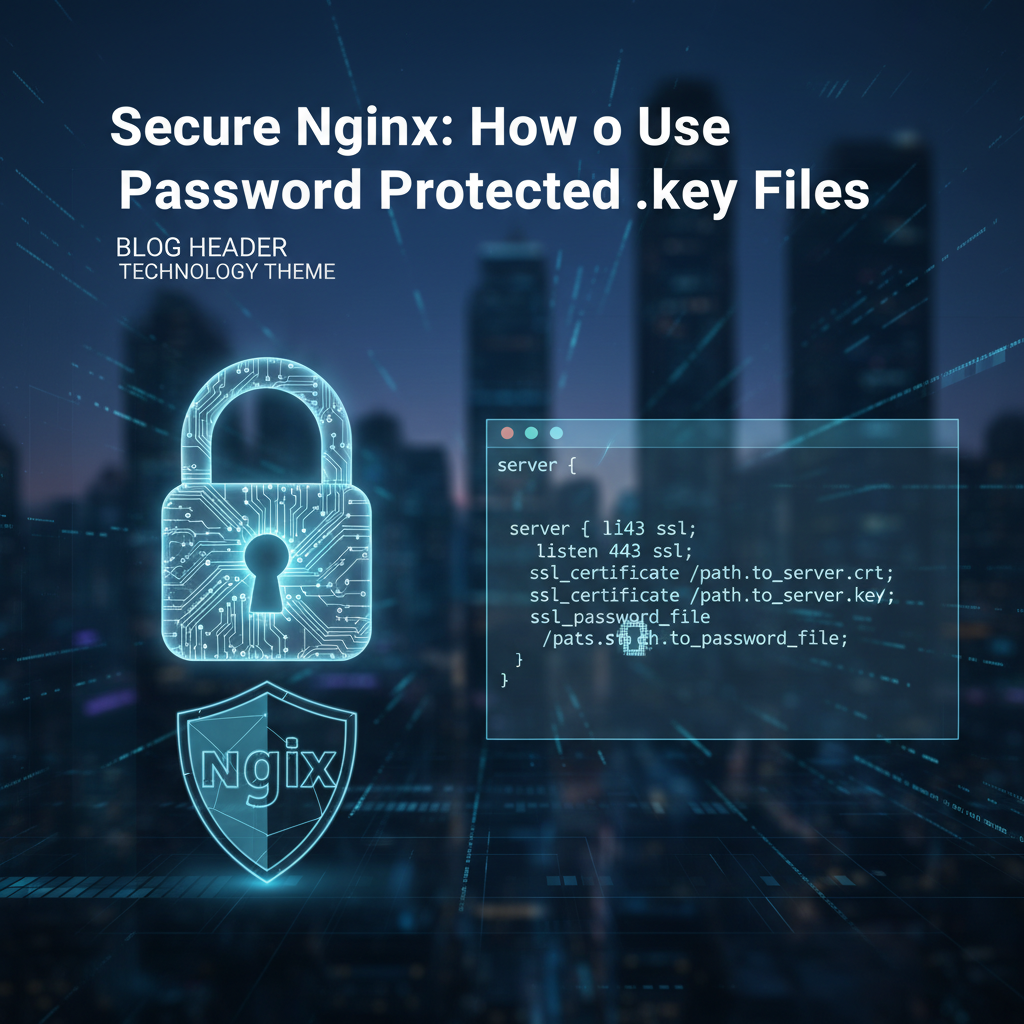
Secure Nginx: How to Use Password Protected .key Files


In the intricate tapestry of the internet, where data flows ceaselessly and interactions are instantaneous, the security of web servers stands as a paramount concern. Nginx, renowned for its high performance, stability, rich feature set, and low resource consumption, has cemented its position as a cornerstone of modern web infrastructure. It gracefully handles the colossal demands of serving web content, acting as a robust reverse proxy, and even functioning as a sophisticated api gateway for a myriad of services. Yet, with great power comes great responsibility, particularly when it comes to safeguarding the digital keys to your kingdom: the private keys associated with SSL/TLS certificates. These keys are the very essence of secure communication, enabling encrypted connections that protect sensitive information from prying eyes and ensuring the authenticity of your server.
The default approach to managing these critical private keys often involves storing them as plain text files on the server's filesystem. While strict file permissions are typically applied to limit access, this method alone presents a potential vulnerability. Should an attacker manage to breach the server's perimeter, gain root privileges, or exploit an unforeseen weakness in the file system's access controls, these unencrypted keys become readily accessible, paving the way for devastating man-in-the-middle attacks, data interception, and server impersonation. It is precisely this scenario that underscores the necessity for an additional layer of defense: password-protecting your private .key files. This article embarks on a comprehensive journey to demystify the rationale, methodology, and best practices for securing Nginx private keys with passphrases, ensuring a more resilient and trustworthy web presence. We will delve into the nuances of key generation, the operational considerations for Nginx, and the overarching strategies for robust key management, providing a detailed blueprint for elevating your server's security posture.
Chapter 1: The Foundations of Nginx Security and SSL/TLS
The bedrock of a secure web environment is built upon a profound understanding of the tools and protocols that underpin it. Nginx, in particular, plays a multifaceted role in this architecture, demanding a thorough appreciation of its capabilities and the inherent security implications of its configuration. Simultaneously, the principles of SSL/TLS and public key cryptography form the very encryption framework that Nginx utilizes to establish trust and confidentiality on the internet.
1.1 Understanding Nginx's Role in Web Security
Nginx's versatility makes it indispensable across a spectrum of web server functionalities, each carrying unique security considerations. Initially conceived as a robust web server capable of handling a vast number of concurrent connections, Nginx excels at serving static files with remarkable efficiency, thereby forming the backbone for many high-traffic websites. Beyond this fundamental role, it frequently operates as a powerful reverse proxy. In this capacity, Nginx acts as an intermediary, sitting between external clients and backend application servers. This strategic placement offers a formidable layer of defense, shielding backend infrastructure from direct exposure to the internet. By doing so, it can perform load balancing, distributing incoming requests across multiple backend servers to optimize performance and ensure high availability. It can also cache frequently accessed content, reducing the load on upstream servers and speeding up content delivery to clients. From a security perspective, this reverse proxy function is invaluable; Nginx can absorb and mitigate various attack vectors, such as DDoS attacks, before they reach the critical application layer.
Furthermore, Nginx's capabilities extend to acting as a sophisticated api gateway. In the world of modern distributed systems, where microservices communicate via application programming interfaces, an api gateway serves as a single entry point for all API requests. Nginx, with its powerful routing, authentication, and rate-limiting features, is perfectly suited for this role. As an api gateway, it can enforce security policies, validate API keys, and manage traffic flow, effectively acting as a control tower for all incoming api traffic. This centralized control not only simplifies client-side interaction with complex backend services but also provides a crucial choke point for applying security measures uniformly across all APIs. The concept of a gateway, whether for web traffic or specific API calls, is fundamental in network architecture, defining the entry and exit points for data flow and thus representing a critical juncture for security implementation. Given its widespread deployment, Nginx is often the first line of defense, making its security configuration paramount to the overall integrity of any online service it manages.
1.2 The Essentials of SSL/TLS and Public Key Cryptography
At the heart of secure internet communication lies SSL/TLS (Secure Sockets Layer/Transport Layer Security), the cryptographic protocol designed to provide communication security over a computer network. When a browser connects to an Nginx server over HTTPS, SSL/TLS initiates a handshake process to establish a secure session. This process involves several critical steps:
- Encryption: Data exchanged between the client and server is encrypted, making it unreadable to anyone who might intercept it. This ensures confidentiality, preventing eavesdropping.
- Authentication: The server proves its identity to the client using a digital certificate, preventing impersonation. This is crucial for establishing trust, as clients need to be certain they are communicating with the legitimate server, not an attacker.
- Integrity: SSL/TLS ensures that the data has not been tampered with during transit, confirming its integrity. Any alteration of the data would be detected, leading to a termination of the connection.
These assurances are made possible through the elegant principles of public-key cryptography, which relies on a pair of mathematically linked keys: a public key and a private key. The public key, as its name suggests, can be freely distributed and is included in the SSL/TLS certificate issued by a Certificate Authority (CA). The private key, on the other hand, must be kept absolutely secret and resides securely on the server.
When a client initiates an HTTPS connection, the Nginx server sends its public certificate. The client then uses the public key within this certificate to encrypt a "pre-master secret," which is then sent back to the server. Only the server, possessing the corresponding private key, can decrypt this secret. This pre-master secret is then used by both client and server to derive symmetric session keys, which are much faster for encrypting and decrypting the bulk of the communication data.
The relationship between the Certificate (.crt) and the Private Key (.key) is symbiotic and absolutely critical. The .crt file contains the public key, identifying information about your organization, the domain it secures, and the digital signature of the Certificate Authority that verified your identity. It's akin to a digital passport. The .key file contains the secret private key. If this private key is compromised, an attacker can effectively impersonate your server, decrypt all traffic intended for it, and even sign malicious certificates that appear legitimate. The entire chain of trust collapses without the inviolable secrecy of the private key. Its protection is not merely a best practice; it is a fundamental requirement for maintaining the security and credibility of your online presence.
1.3 The Vulnerability of Unprotected Private Keys
The security of your SSL/TLS connection, and by extension, the integrity of your entire web application, hinges entirely on the secrecy of your private key. When private keys are stored on a server in an unencrypted format, they become a single point of failure that, if compromised, can lead to catastrophic consequences. While system administrators diligently apply restrictive file permissions, typically chmod 400 or 600, and chown root:root to private key files, these measures, while essential, are not foolproof against all threats.
Consider the potential ramifications of a stolen or leaked unencrypted private key:
- Man-in-the-Middle (MITM) Attacks: With access to your private key, an attacker can intercept encrypted communications between your users and your Nginx server. By using your legitimate private key, they can decrypt the traffic, read sensitive data like login credentials, financial information, or personal communications, and then re-encrypt it with their own key, forwarding it to the legitimate server. The user remains oblivious to the interception, as the padlock icon in their browser would still indicate a secure connection, authenticated by what appears to be your valid certificate. This is arguably the most dangerous outcome.
- Server Impersonation: An attacker can set up a rogue server and use your stolen private key and public certificate to impersonate your legitimate Nginx server. Users attempting to connect to your service could be redirected to the attacker's server, believing they are interacting with your trusted platform. This allows for phishing attacks, data harvesting, and the propagation of malware, all under the guise of your brand.
- Decryption of Past and Future Traffic: In some scenarios, if an attacker has captured encrypted traffic from your users previously (e.g., through passive network monitoring), possessing the private key could allow them to decrypt this historical data, assuming the perfect forward secrecy (PFS) wasn't fully implemented or was flawed for those sessions. More importantly, all future traffic encrypted with that key can be decrypted instantly.
- Insider Threats: Even with robust external defenses, insider threats remain a significant concern. A disgruntled employee, a compromised system administrator account, or an individual with legitimate but overly permissive access could potentially copy an unencrypted private key without necessarily leaving extensive forensic trails detectable by standard system monitoring. Once the key is exfiltrated, it can be used maliciously off-site.
- Physical Server Compromise or Drive Theft: In scenarios involving physical access to the server, such as during hardware maintenance, data center relocation, or even outright theft of server hardware, an unencrypted private key stored on a disk becomes readily accessible. Even if the server is powered off, an attacker could mount the drive and extract the key.
These scenarios vividly illustrate why relying solely on filesystem permissions for private key protection is an insufficient defense strategy. While file permissions are a fundamental first line of defense, they do not offer protection against an adversary who has achieved root access, nor do they protect the key once it leaves the controlled environment of the server. The principle of defense-in-depth dictates that multiple, independent layers of security should be employed. Password-protecting your private keys with a strong passphrase adds a crucial second layer of cryptographic protection, rendering the key useless even if the file itself is stolen, making it a pivotal step in strengthening your Nginx server's security posture.
Chapter 2: The "Why": Benefits and Rationale for Password-Protecting Keys
Implementing any security measure always involves a careful evaluation of its benefits against potential operational overhead. Password-protecting Nginx private keys, while introducing a layer of complexity, offers substantial security advantages that, for many organizations, far outweigh the minor inconveniences. The decision to employ such a measure stems from a proactive approach to risk management, recognizing the profound implications of a compromised private key.
2.1 Enhanced Security Against Theft
The most immediate and compelling benefit of a password-protected private key is the robust protection it offers against theft. Imagine a scenario where, despite all your network and system security controls, an attacker manages to obtain a copy of your private key file. This could happen through various vectors: an unpatched vulnerability in another service on the server, a successful phishing attempt against an administrator, an insider threat, or even the physical theft of a server or hard drive. If the key file (.key) is stored in plain text, its acquisition by an unauthorized party immediately grants them the ability to impersonate your server and decrypt your users' traffic.
However, if that .key file is encrypted with a strong passphrase, its theft becomes significantly less critical. The attacker, even with the file in hand, would still need to crack the passphrase to unlock and utilize the private key. This transforms the stolen file from an immediate threat into a cryptographic puzzle, buying precious time for detection and mitigation. The strength of this protection directly correlates with the strength and complexity of the passphrase chosen. A well-constructed passphrase – long, random, and containing a mix of character types – can render brute-force attacks computationally infeasible, effectively making the stolen key file useless to the attacker. This mechanism provides a critical "fail-safe" for your most sensitive cryptographic asset, ensuring that its compromise is not synonymous with an immediate, full-scale breach. It transforms a direct security failure into a secondary challenge for the adversary, offering a vital line of defense even after the primary perimeter has been breached.
2.2 Protection Against Insider Threats
While external adversaries often capture the most attention, the threat posed by malicious insiders or compromised internal accounts is equally, if not more, insidious. Insider threats are particularly challenging to detect and mitigate because the perpetrator often has legitimate access to systems and data, blending in with normal operational activities. An unencrypted private key, even when protected by stringent filesystem permissions, remains vulnerable to an insider who either possesses or manages to gain administrative privileges on the server. A system administrator, for instance, typically has root access, enabling them to bypass standard user permissions and access any file on the system, including your unencrypted private keys.
Password-protecting private keys introduces a crucial layer of "separation of duties" and "least privilege" principles. Even if an individual has the necessary file system access to copy the .key file, they would still require a separate passphrase to decrypt and use it. This means that possession of the key file alone is insufficient for its malicious exploitation. In an ideal scenario, the responsibility for managing the physical key file (e.g., deploying it to the server) and the knowledge of its passphrase could be assigned to different individuals or teams. This creates a powerful deterrent against unauthorized access, as a single individual cannot unilaterally compromise the private key. For example, a system operator might deploy the encrypted key, but only a security officer or a limited number of highly trusted personnel would know the passphrase. This organizational control adds a significant barrier against both intentional malicious acts by insiders and accidental compromise stemming from a compromised administrative account. It reinforces the principle that no single point of failure or single individual's trust should be sufficient to expose the most critical cryptographic assets.
2.3 Compliance and Best Practices
In today's highly regulated digital landscape, adherence to security standards and compliance frameworks is not merely good practice but often a legal and business imperative. Industries handling sensitive data – such as financial services, healthcare, and e-commerce – are subject to stringent regulations like PCI DSS (Payment Card Industry Data Security Standard), HIPAA (Health Insurance Portability and Accountability Act), and GDPR (General Data Protection Regulation). These frameworks frequently mandate robust cryptographic key management practices, including the secure storage and protection of private keys.
Password-protecting private keys directly aligns with the spirit and letter of these compliance requirements. For instance, PCI DSS, which applies to all entities that store, process, or transmit cardholder data, has specific requirements for the protection of cryptographic keys, including the use of strong cryptography to protect keys and restricted access to key management functions. While PCI DSS doesn't explicitly mandate passphrases for every single private key, it strongly advocates for multi-factor control and protection for sensitive cryptographic material. Using a passphrase adds a critical factor beyond mere file system permissions, demonstrating a commitment to defense-in-depth principles.
Beyond regulatory mandates, password protection for private keys is considered a fundamental best practice in information security. It contributes to a stronger overall security posture by:
- Mitigating Data Breach Impact: In the event of a breach, having encrypted keys can prevent or significantly reduce the scope of data compromise, lessening the financial and reputational damage.
- Demonstrating Due Diligence: It showcases an organization's proactive approach to security, which can be beneficial during audits, risk assessments, and in contractual agreements with partners and clients.
- Aligning with Industry Standards: Many cryptographic guidelines from organizations like NIST (National Institute of Standards and Technology) recommend multiple layers of protection for sensitive cryptographic material.
By implementing password-protected private keys, organizations not only bolster their defenses against various threats but also achieve a higher level of compliance and demonstrate a commendable dedication to securing sensitive data and maintaining user trust.
2.4 The Overhead vs. Security Trade-off
Every security enhancement introduces some degree of operational overhead. Password-protecting Nginx private keys is no exception, and it's essential to acknowledge and understand this trade-off. The primary "cost" associated with an encrypted private key is the necessity for human intervention or an automated system to provide the passphrase upon server startup or Nginx service restart.
When Nginx attempts to load a private key that is encrypted with a passphrase, it cannot decrypt it automatically. Unlike a plain text key which it can read directly, an encrypted key requires the passphrase to unlock its contents. This means that if you configure Nginx to use a password-protected key, the Nginx service will fail to start (or restart) until the passphrase is manually entered. This manual prompt is perfectly acceptable for development environments, standalone servers, or specific test scenarios where manual intervention is expected or desired. However, in production environments, particularly those with high availability requirements or large-scale deployments, continuous manual intervention for every server reboot or Nginx restart is simply not feasible. Automated deployments, continuous integration/continuous delivery (CI/CD) pipelines, and fast recovery from unexpected crashes demand unattended server restarts.
This operational challenge is precisely why, in typical production deployments, the master password-protected key is securely stored offline or in a vault, and a decrypted copy of the key is provided to Nginx. This decrypted copy must then be protected by extremely stringent file system permissions. While this might seem counterintuitive at first glance – aren't we just moving the vulnerability? – it's a strategic compromise that maintains a high level of security for the original key while enabling automated operation for Nginx. The decrypted key, though plaintext, is tightly controlled on the server, ensuring that only Nginx can read it, and it never leaves the server in that unencrypted state. The master encrypted key, on the other hand, provides the ultimate recovery and protection mechanism, acting as the secure archive.
The decision to adopt password-protected keys, therefore, boils down to a risk assessment. For high-security environments, critical infrastructure, or applications handling extremely sensitive data, the initial effort to manage encrypted master keys and securely deploy their decrypted counterparts is a worthwhile investment. It offers a crucial layer of defense against sophisticated attacks and insider threats, providing peace of mind even if a server's immediate defenses are breached. The trade-off is not about compromising security for convenience, but rather about strategically distributing the security burden: strong cryptographic protection for the master key, combined with robust file system controls for the operational key, creating a resilient, multi-layered defense.
Chapter 3: The "How": Generating and Configuring Password-Protected Keys for Nginx
The practical implementation of password-protected private keys involves a series of steps using the ubiquitous OpenSSL toolkit. While the initial generation of an encrypted key is straightforward, its direct use with Nginx requires a nuanced understanding of how Nginx operates with SSL/TLS certificates. This section will guide you through the process, clarifying the critical distinction between your master protected key and the decrypted key Nginx ultimately uses.
3.1 Generating a New Private Key with a Passphrase
The journey begins with creating a new private key that is immediately secured with a passphrase. We leverage OpenSSL, the open-source cryptographic library, for this task. The command to generate such a key is as follows:
openssl genrsa -aes256 -out server.key 2048
Let's dissect this command:
openssl: This invokes the OpenSSL command-line tool, which is a powerful and versatile toolkit for cryptographic operations, including certificate and key management.genrsa: This subcommand specifically tells OpenSSL to generate an RSA (Rivest–Shamir–Adleman) private key. RSA is a widely used public-key cryptosystem suitable for secure data transmission.-aes256: This is the crucial flag that specifies the encryption algorithm to protect your private key. AES-256 (Advanced Encryption Standard with a 256-bit key) is a highly secure symmetric-key encryption algorithm, widely considered to be uncrackable by brute force with current computational capabilities. When you execute this command, OpenSSL will prompt you to "Enter PEM pass phrase:" and then "Verifying - Enter PEM pass phrase:". This is where you enter your desired passphrase.-out server.key: This specifies the output file name for your newly generated private key. You can choose any descriptive name, butserver.keyis a common convention. This file will contain the RSA private key, encrypted with the passphrase you provide using AES-256.2048: This number specifies the key length in bits. A 2048-bit RSA key is currently considered the minimum secure standard for most applications, offering a robust level of cryptographic strength. For enhanced security, especially for long-lived keys or in environments demanding the highest assurance, you might consider4096bits, though this comes with a slight performance overhead during the initial handshake.
When choosing a strong passphrase, it is paramount to avoid easily guessable words, names, or common patterns. A truly strong passphrase should be:
- Long: Aim for at least 12-16 characters, ideally more. The longer the passphrase, the exponentially harder it is to guess or brute-force.
- Complex: Incorporate a mix of uppercase and lowercase letters, numbers, and special characters.
- Random: Avoid dictionary words, sequential characters, or personal information. Consider using a passphrase generator or constructing a memorable but complex sentence.
Upon successful execution, the server.key file will be created. You can verify its encrypted status by attempting to view its contents (e.g., cat server.key). You will notice that it begins with -----BEGIN ENCRYPTED PRIVATE KEY----- rather than -----BEGIN PRIVATE KEY-----, indicating its protected status. This encrypted key is your master private key, which should be treated with the utmost secrecy and stored securely.
3.2 Generating a Certificate Signing Request (CSR) from the Protected Key
After creating your password-protected private key, the next step in acquiring an SSL/TLS certificate is to generate a Certificate Signing Request (CSR). The CSR is a standardized way to send your public key and identifying information to a Certificate Authority (CA) so they can issue you a digital certificate.
To generate a CSR from your newly created password-protected private key, use the following OpenSSL command:
openssl req -new -key server.key -out server.csr
Let's break down this command:
openssl req: This subcommand is used for X.509 certificate signing request (CSR) management.-new: This flag indicates that you want to generate a new CSR.-key server.key: This specifies the input file for your private key. Crucially, becauseserver.keyis password-protected, OpenSSL will prompt you to "Enter pass phrase for server.key:". You must provide the correct passphrase you set in the previous step to decrypt the key temporarily in memory for the CSR generation process.-out server.csr: This specifies the output filename for your CSR.server.csris a common and descriptive name.
Upon entering the passphrase, OpenSSL will then guide you through a series of prompts to collect information that will be embedded into your CSR and, subsequently, into your SSL/TLS certificate. These prompts include:
- Country Name (2 letter code): E.g.,
US - State or Province Name (full name): E.g.,
California - Locality Name (e.g., city): E.g.,
San Francisco - Organization Name (e.g., company): E.g.,
MyCompany Inc. - Organizational Unit Name (e.g., section): E.g.,
IT Department - Common Name (e.g., server FQDN or YOUR name): This is the MOST IMPORTANT field. It must precisely match the fully qualified domain name (FQDN) of your Nginx server (e.g.,
www.example.comorapi.example.com). For wildcard certificates, it would be*.example.com. Mismatches here will cause browser warnings. - Email Address: Your email address (optional, but recommended).
- A challenge password: (Optional) This field is generally left blank for web server certificates.
- An optional company name: (Optional)
Once you've provided all the required information, OpenSSL will generate the server.csr file. This file contains your public key and the identifying information you entered, all digitally signed by your private key. It's important to remember that the CSR itself is not secret; it contains your public key and publicly available information. You can view its contents using openssl req -in server.csr -noout -text. This CSR is what you will submit to a Certificate Authority to obtain your SSL/TLS certificate.
3.3 Obtaining a Certificate from a Certificate Authority (CA)
With your Certificate Signing Request (CSR) generated from your password-protected private key, the next crucial step is to obtain a legitimate SSL/TLS certificate from a trusted Certificate Authority (CA). CAs are organizations that verify the identity of individuals or organizations and then issue digital certificates that bind a public key to that identity. This process is fundamental to establishing trust in online communications.
The general workflow for obtaining a certificate is as follows:
- Select a Certificate Authority: There are many reputable CAs, ranging from commercial entities (e.g., DigiCert, Sectigo, GlobalSign) to free, automated services like Let's Encrypt. The choice often depends on your specific needs, budget, and the level of trust and support required. Let's Encrypt, for instance, provides free, automated certificates that are widely trusted by browsers, making it a popular choice for many web properties.
- Submit Your CSR: You will navigate to your chosen CA's website and initiate a certificate request. During this process, you will typically be asked to paste the entire content of your
server.csrfile (including the-----BEGIN CERTIFICATE REQUEST-----and-----END CERTIFICATE REQUEST-----lines) into a designated field. - Domain Validation (DV): The CA will then perform a domain validation check to verify that you control the domain for which you are requesting the certificate. Common methods include:
- Email Validation: The CA sends an email to a pre-approved address (e.g.,
admin@yourdomain.com,hostmaster@yourdomain.com). - DNS Record Validation: You create a specific TXT record in your domain's DNS settings.
- HTTP File Validation: You place a specific file provided by the CA at a particular path on your web server.
- For Let's Encrypt, tools like Certbot automate this process, including placing files or updating DNS.
- Email Validation: The CA sends an email to a pre-approved address (e.g.,
- Receive Your Certificate: Once the CA successfully validates your domain and, for higher assurance certificates like Organization Validation (OV) or Extended Validation (EV), your organization's identity, they will issue your SSL/TLS certificate. This certificate is typically provided as a
.crtfile (or sometimes.pem, which is essentially the same format) via email or through a download link on their portal. You may also receive an intermediate certificate (or a bundle of intermediate certificates), which forms part of the "chain of trust" linking your certificate back to a trusted root CA. You will need both your server's certificate and any intermediate certificates for your Nginx configuration.
For testing environments or internal services where public trust isn't strictly required, you can also generate self-signed certificates. These certificates are issued and signed by your own private key rather than a trusted CA. While they provide encryption, they do not offer identity verification from a third party. Browsers will typically display a warning for self-signed certificates, indicating that the connection is not fully trusted. You can generate a self-signed certificate directly from your password-protected key and CSR using:
openssl x509 -req -days 365 -in server.csr -signkey server.key -out selfsigned.crt
This command would prompt for the passphrase of server.key, then create selfsigned.crt valid for 365 days. While useful for internal purposes, never use self-signed certificates for public-facing websites or services that require user trust.
Regardless of whether you use a commercial CA, Let's Encrypt, or a self-signed certificate, the ultimate goal is to obtain your .crt file (and any intermediate certificates) to pair with your server.key for Nginx.
3.4 Configuring Nginx with a Password-Protected Key (The Catch!)
This is arguably the most critical section, as it addresses a common misconception and clarifies the practicalities of using password-protected keys with Nginx. While you have successfully generated a private key encrypted with a passphrase (server.key), Nginx cannot directly use a password-protected private key for automated operation.
The fundamental reason for this limitation is that when Nginx starts or restarts, it needs immediate, non-interactive access to the private key to establish SSL/TLS connections. It operates as a daemon, typically running in the background, and there is no mechanism for it to prompt a user for a passphrase during an automated startup. If you were to configure Nginx directly with an encrypted key, it would simply fail to start, reporting an error similar to "PEM_read_bio_PrivateKey failed" or "bad decrypt" because it cannot unlock the key without the passphrase.
Therefore, the strategy for securing your private key with a passphrase while still enabling Nginx to operate smoothly involves a two-step process:
- Securely storing the master password-protected key (
server.key). This is your ultimate backup and the most secure version of your key, protected by both file system permissions and the passphrase. - Providing Nginx with a decrypted copy of the key. This decrypted copy is what Nginx will actually load and use. Its security relies entirely on extremely stringent file system permissions.
Here's how to create the decrypted key for Nginx's use:
openssl rsa -in server.key -out server_decrypted.key
Let's break down this command:
openssl rsa: This subcommand is used for RSA key management.-in server.key: This specifies your input file, which is your original, password-protected private key. OpenSSL will prompt you to "Enter pass phrase for server.key:" to decrypt it.-out server_decrypted.key: This specifies the output filename for the decrypted version of your private key. You should choose a distinct name to avoid confusion with the master encrypted key.
Upon successfully entering the passphrase, a new file named server_decrypted.key will be created. You can inspect its contents (cat server_decrypted.key), and you will notice it begins with -----BEGIN PRIVATE KEY----- (or -----BEGIN RSA PRIVATE KEY-----), confirming that it is now in a plaintext, unencrypted format.
Configuring Nginx
Now that you have your decrypted key, you can configure Nginx. First, move your certificate (server.crt) and the decrypted private key (server_decrypted.key) to a secure location on your Nginx server, typically within /etc/nginx/ssl/ or a similar directory structure.
Crucially, immediately set extremely strict file permissions for the decrypted private key:
sudo chmod 400 /etc/nginx/ssl/server_decrypted.key
sudo chown root:root /etc/nginx/ssl/server_decrypted.key
chmod 400: This command sets the file permissions so that only the owner (rootin this case) can read the file. No other user or group can read, write, or execute it. This is the most restrictive and recommended permission for private keys.chown root:root: This ensures that therootuser is the owner of the file and therootgroup is the group owner.
Next, within your Nginx server block configuration (e.g., /etc/nginx/sites-available/your_domain.conf):
server {
    listen 443 ssl;
    listen [::]:443 ssl;
    server_name your_domain.com www.your_domain.com;

    ssl_certificate /etc/nginx/ssl/server.crt;
    ssl_certificate_key /etc/nginx/ssl/server_decrypted.key;

    # Other SSL/TLS settings (discussed in Chapter 5)
    ssl_protocols TLSv1.2 TLSv1.3;
    ssl_ciphers 'ECDHE-ECDSA-AES128-GCM-SHA256:ECDHE-RSA-AES128-GCM-SHA256:ECDHE-ECDSA-AES256-GCM-SHA384:ECDHE-RSA-AES256-GCM-SHA384:DHE-RSA-AES128-GCM-SHA256:DHE-RSA-AES256-GCM-SHA384';
    ssl_prefer_server_ciphers on;

    # ... other Nginx configuration ...
}
After updating your Nginx configuration, always test it for syntax errors and then reload or restart Nginx:
sudo nginx -t
sudo systemctl reload nginx
Summary of the Nuance:
The core concept is that you do password-protect your private key, but that encrypted version (server.key) serves as your highly secured, master copy, typically stored offline or in a secrets management system. For operational use with Nginx, you create a decrypted, plain-text copy (server_decrypted.key) that Nginx can load without requiring a passphrase. The security of this operational key then hinges entirely on extremely strict file system permissions, ensuring that only the Nginx process (running as a specific user, often nginx or www-data, but needing root access to read this key initially, or running as root for this part) can access it. This layered approach provides robust security while maintaining operational efficiency.
APIPark is a high-performance AI gateway that allows you to securely access the most comprehensive LLM APIs globally on the APIPark platform, including OpenAI, Anthropic, Mistral, Llama2, Google Gemini, and more.Try APIPark now! 👇👇👇
Chapter 4: Best Practices for Managing Secure Nginx Keys
Effective security is not a one-time configuration but an ongoing commitment to robust practices. Managing Nginx private keys, especially when incorporating password protection, demands a comprehensive strategy encompassing storage, access, rotation, and monitoring. Adhering to these best practices is crucial for maintaining the long-term integrity and confidentiality of your server's cryptographic identity.
4.1 Key Storage and Access Control
The secure handling of your private keys is paramount. This involves both the master, password-protected key and the decrypted key used by Nginx.
Master Password-Protected Key (server.key):
- Offline Storage: The most secure place for your master encrypted private key is often offline storage. This could be a hardware security module (HSM), a dedicated encrypted USB drive, a secure network-attached storage (NAS) device with stringent access controls, or a physically secure server in a vault. The principle here is to isolate this critical asset from the operational web server environment, reducing the attack surface.
- Version Control for Keys: While version control systems (like Git) are invaluable for code, storing unencrypted private keys directly in them is a significant security risk. If you must store them in a version control system, ensure they are heavily encrypted and that access to the encryption key is strictly controlled. Ideally, only encrypted hashes or references to keys, not the keys themselves, should be in public repositories.
- Secrets Management Systems: For larger organizations or automated environments, a dedicated secrets management system (e.g., HashiCorp Vault, AWS Secrets Manager, Google Secret Manager) is the preferred solution. These systems are designed to securely store, retrieve, and manage sensitive data like cryptographic keys, API keys, and database credentials. They offer features like auditing, access policies (e.g., using role-based access control (RBAC)), and often integrate with CI/CD pipelines to inject secrets securely at runtime.
- Limited Access: Access to the master encrypted key, and especially its passphrase, should be restricted to an absolute minimum of highly trusted individuals within the organization. Implement the principle of "least privilege" and "need-to-know."
Decrypted Operational Key (server_decrypted.key) for Nginx:
- Strict File Permissions: As discussed in Chapter 3, the decrypted key requires the most restrictive file permissions on the server.
sudo chmod 400 /path/to/server_decrypted.key(owner read-only) andsudo chown root:root /path/to/server_decrypted.key(owned by root) are critical. This ensures that only therootuser can read the file. Nginx, running as a non-privileged user (e.g.,www-dataornginx), will still be able to read this key because it typically starts asrootto bind to port 443 and then drops privileges to a less privileged user. During therootphase, it reads the key. - Dedicated Directory: Store all SSL/TLS assets (certificates, decrypted keys, intermediate bundles) in a dedicated, restricted directory, such as
/etc/nginx/ssl/or/etc/letsencrypt/live/yourdomain.com/. Ensure this directory itself has restrictive permissions. - Root-Only Directory Access: Ensure parent directories of the key also have appropriate permissions. For instance,
/etc/nginx/ssl/should typically be owned byroot:rootwithchmod 700or750. - Avoid Unnecessary Copies: Do not create unnecessary copies of the decrypted key. Every copy increases the attack surface.
Using sudo for Key Management Operations: Any operation involving the private key, such as generating a CSR, decrypting the key, or moving it, should always be performed with sudo or as the root user to ensure proper ownership and permissions are applied from the outset. This minimizes the risk of inadvertently creating a key file with overly permissive permissions.
4.2 Key Rotation and Lifecycle Management
Cryptographic keys, like passwords, should not be static. Regular key rotation is a fundamental security practice that limits the window of opportunity for an attacker to exploit a compromised key and reduces the potential impact if a key is eventually breached.
- Regular Rotation Schedule: Establish a clear policy for how often private keys and their corresponding certificates are rotated. Annual rotation is a common practice, but for high-security environments or those under specific compliance mandates, more frequent rotation (e.g., every six months) might be warranted. Let's Encrypt certificates, with their 90-day validity, naturally encourage more frequent rotation and often have automated tools (like Certbot) to handle this seamlessly.
- Graceful Transition: When rotating keys, ensure a smooth transition to avoid service disruption. This often involves preparing the new certificate and key pair in advance and deploying it to Nginx with a reload (rather than a full restart) if possible, or using a short maintenance window.
- Secure Deletion of Old Keys: Once an old private key and its associated certificate are no longer in use, they must be securely deleted. Simply removing the file may not be sufficient, as data might persist on the disk. Use secure deletion tools or overwrite the file space multiple times (e.g., with
shredor by overwriting the partition blocks if using an SSD andtrimis enabled, or if it's a virtual disk). For master keys in vault systems, ensure proper key archival and eventual destruction procedures are followed. - Key Management Policy: Develop a comprehensive key management policy that covers the entire lifecycle of a key: generation, storage, usage, rotation, backup, recovery, and eventual destruction. This policy should define responsibilities, procedures, and audit trails.
4.3 Automation and Orchestration Considerations
In modern, dynamic IT environments, manual key management can be error-prone and time-consuming. Automation is key, but it must be implemented with security in mind.
- Configuration Management Tools: Tools like Ansible, Puppet, or Chef can be used to automate the deployment of Nginx configurations and SSL/TLS certificates/keys. When using these tools, never embed unencrypted private keys directly into your playbooks, manifests, or recipes. Instead, leverage their secrets management capabilities (e.g., Ansible Vault for encrypted variables) or integrate them with external secrets management systems.
- Secrets Management Systems (Revisited): As mentioned earlier, robust secrets management systems are ideal for storing and delivering decrypted private keys to servers during automated deployments. These systems can issue short-lived credentials or retrieve keys on demand, significantly reducing the window of exposure.
- Certbot for Let's Encrypt: For Let's Encrypt certificates, Certbot is an excellent example of automated key and certificate management. It handles certificate generation, domain validation, Nginx configuration updates, and automated renewal of certificates, significantly simplifying the process and reducing manual overhead while maintaining security.
- The Role of a Robust API Gateway: In complex microservices architectures, an advanced api gateway can centralize many security functions, including SSL/TLS termination and key management for backend services. Nginx itself can act as a powerful gateway, terminating SSL/TLS traffic and then forwarding decrypted requests to backend services over an internal network. However, for a more comprehensive API management solution, specialized platforms exist.For example, APIPark is an open-source AI gateway and API management platform that offers end-to-end API lifecycle management. When serving as an api gateway, platforms like APIPark inherently handle the secure invocation of APIs, which includes managing SSL/TLS certificates and private keys for the API endpoints they expose. A platform like APIPark can integrate with external key management systems or provide its own secure storage for certificates and keys. Its capabilities for unified api format for AI invocation, prompt encapsulation into REST API, and detailed API call logging all rely on a secure communication channel, making robust SSL/TLS and key management a core part of its operational security. It provides an abstraction layer that simplifies securing individual
apis, allowing administrators to enforce security policies, traffic forwarding, and load balancing while ensuring the underlying cryptographic assets are managed effectively. This offloads the granular certificate and key management from individual application teams to a centralized, secure gateway solution.
4.4 Monitoring and Auditing
Vigilance is a continuous process. Monitoring and auditing key usage and certificate status are essential for proactive security.
- Certificate Expiry Monitoring: Expired certificates lead to service outages and security warnings. Implement monitoring tools (e.g., custom scripts,
openssl x509 -in your_certificate.crt -noout -dates, or specialized commercial tools) that alert you well in advance of certificate expiry. This provides ample time for renewal and deployment. - File System Auditing: Implement file system auditing (e.g., using
auditdon Linux) to monitor access to directories containing private keys. Any unauthorized attempts to read, modify, or delete key files should trigger immediate alerts. - Nginx Logs: Regularly review Nginx error logs for any SSL/TLS-related warnings or errors. These can sometimes indicate issues with certificate loading or key decryption.
- Access Logs for Key Management Systems: If using a secrets management system, regularly review its access logs to ensure only authorized entities are retrieving or interacting with your cryptographic keys.
- Vulnerability Scanning: Periodically perform external and internal vulnerability scans of your Nginx server. These scans can identify misconfigurations, outdated SSL/TLS protocols, weak ciphers, and other potential weaknesses that could compromise your keys or the security of your connections.
By meticulously implementing these best practices, organizations can establish a robust framework for managing Nginx private keys, significantly enhancing the security and resilience of their web infrastructure against a wide array of cyber threats.
Chapter 5: Advanced Nginx SSL/TLS Configurations and Hardening
Beyond the fundamental aspect of securing private keys, Nginx offers a plethora of configurations to further harden your SSL/TLS implementation. These advanced settings enhance the security, performance, and compatibility of your encrypted connections, ensuring that your Nginx server provides the strongest possible cryptographic protection for your users.
5.1 Strengthening SSL/TLS Ciphers and Protocols
The cryptographic strength of your Nginx server is directly tied to the protocols and cipher suites it supports. Using outdated or weak protocols and ciphers can leave your server vulnerable to known attacks, even if your private key is perfectly secured.
- Disabling Insecure Protocols: It is imperative to disable older, insecure versions of SSL/TLS.
- SSLv2 and SSLv3: These are long deprecated and contain serious vulnerabilities (e.g., POODLE attack). They must be entirely disabled.
- TLSv1.0 and TLSv1.1: While once standard, these versions are also now considered insecure and should be disabled. Major browsers (Chrome, Firefox, Edge, Safari) no longer support them, and compliance standards like PCI DSS 3.2.1 mandate their deprecation.
- Configuration: Use
ssl_protocols TLSv1.2 TLSv1.3;to explicitly enable only the most secure current versions. TLSv1.3 is the latest and most secure, offering improved performance and privacy.
- Prioritizing Strong Ciphers: Cipher suites define the algorithms used for encryption, authentication, and key exchange. Nginx allows you to specify a precise list of preferred ciphers.
- Avoid Weak Ciphers: Old and weak ciphers (e.g., RC4, 3DES, EXPORT ciphers, non-PFS ciphers) are susceptible to various attacks and should be excluded.
- Prioritize Modern Ciphers: Focus on ciphers that offer Perfect Forward Secrecy (PFS) (e.g., those using ECDHE or DHE key exchange) and strong encryption (e.g., AES-GCM, ChaCha20-Poly1305). PFS ensures that if a private key is compromised in the future, past recorded encrypted sessions cannot be decrypted.
- Configuration: A robust
ssl_ciphersdirective is critical. A common secure list might look like:nginx ssl_ciphers 'ECDHE-ECDSA-AES256-GCM-SHA384:ECDHE-RSA-AES256-GCM-SHA384:ECDHE-ECDSA-AES128-GCM-SHA256:ECDHE-RSA-AES128-GCM-SHA256:DHE-RSA-AES256-GCM-SHA384:DHE-RSA-AES128-GCM-SHA256';Keep this list updated based on current recommendations from security organizations. - Server Preference: The
ssl_prefer_server_ciphers on;directive is vital. It tells Nginx to prefer its own list of ciphers over the client's preferred list. This prevents clients from potentially forcing the use of weaker ciphers.
5.2 Implementing HSTS (HTTP Strict Transport Security)
HSTS is a security policy mechanism that helps to protect websites against man-in-the-middle attacks and cookie hijacking by forcing web browsers to interact with the server using only HTTPS connections, even if the user initially tries to connect using HTTP.
- How it Works: When a browser connects to an Nginx server over HTTPS and receives an HSTS header, it remembers for a specified duration that this site should only be accessed via HTTPS. For subsequent visits, even if the user types
http://yourdomain.com, the browser will automatically upgrade the connection tohttps://yourdomain.comwithout even attempting an HTTP connection. - Benefits:
- Prevents Protocol Downgrade Attacks: Mitigates attacks where an attacker tries to downgrade an HTTPS connection to an insecure HTTP connection.
- Protects Against Cookie Hijacking: Ensures that cookies are only sent over secure channels.
- Performance Improvement: Removes the need for a 301 redirect from HTTP to HTTPS, as the browser makes a direct HTTPS connection.
- Configuration: Add the following line to your Nginx
serverblock for HTTPS:nginx add_header Strict-Transport-Security "max-age=63072000; includeSubDomains; preload"; always;max-age: The duration (in seconds) that the browser should remember to only access the site using HTTPS.63072000seconds equals two years, a commonly recommended duration.includeSubDomains: Applies the HSTS policy to all subdomains as well. Use with caution if not all subdomains support HTTPS.preload: Allows your domain to be submitted to the HSTS Preload List, a list hardcoded into major browsers. This provides immediate HSTS protection on the very first visit, before the browser has even seen the header from your server. Submission to this list requires HTTPS for all subdomains.always: Ensures the header is added to all responses, including error pages.
5.3 OCSP Stapling
Online Certificate Status Protocol (OCSP) Stapling is a mechanism for improving the performance and privacy of SSL/TLS certificate revocation checks. Traditionally, when a client connects to an HTTPS server, its browser needs to check with the Certificate Authority (CA) to ensure the server's certificate hasn't been revoked. This adds latency and exposes the client's browsing history to the CA.
- How it Works: With OCSP stapling, the Nginx server periodically queries the CA for the revocation status of its own certificate. The server then "staples" this signed OCSP response directly to the SSL/TLS handshake when a client connects. This means the client receives the revocation status directly from the server, eliminating the need for it to contact the CA independently.
- Benefits:
- Improved Performance: Reduces the number of network requests and connection setup time during the SSL/TLS handshake.
- Enhanced Privacy: Prevents the CA from learning about client browsing habits.
- Increased Reliability: Ensures revocation status is available even if the CA's OCSP responder is temporarily unavailable.
- Configuration:
nginx ssl_stapling on; ssl_stapling_verify on; ssl_trusted_certificate /etc/nginx/ssl/fullchain.crt; # Contains your cert AND intermediate cert(s) resolver 8.8.8.8 8.8.4.4 valid=300s; # Specify a DNS resolver (e.g., Google's public DNS) resolver_timeout 5s;ssl_stapling on;: Enables OCSP stapling.ssl_stapling_verify on;: Ensures Nginx verifies the OCSP response from the CA.ssl_trusted_certificate: This directive is crucial. It must point to a file containing your primary certificate and all intermediate certificates in the chain, bundled together (e.g.,cat server.crt intermediate.crt > fullchain.crt). Nginx needs the intermediate certificates to correctly build the chain for OCSP validation.resolver: Nginx needs to be able to resolve the hostname of the CA's OCSP responder. Provide one or more reliable DNS resolvers.
5.4 Session Caching
Establishing an SSL/TLS connection is computationally intensive due to the cryptographic operations involved. Session caching (or session resumption) significantly improves performance for repeated connections from the same client by allowing Nginx and the client to reuse previously negotiated session parameters.
- How it Works: After the initial SSL/TLS handshake, the session parameters (like the master secret and cipher suite) can be cached. When the same client reconnects within a certain timeout period, Nginx can resume the session using the cached parameters, skipping the full handshake process.
- Benefits:
- Reduced Latency: Faster subsequent connections for users.
- Lower CPU Usage: Less computational overhead on the Nginx server.
- Configuration:
nginx ssl_session_cache shared:SSL:10m; # A shared cache named 'SSL' with a size of 10 megabytes ssl_session_timeout 10m; # Cache entries expire after 10 minutesshared:SSL:10m: Creates a shared SSL session cache namedSSLwith a size of 10 megabytes. A 1MB cache can store approximately 4000 sessions, so 10MB is typically sufficient for most busy servers. This cache can be shared across multiple Nginx worker processes.ssl_session_timeout 10m;: Sets the duration for which session parameters are stored in the cache. Adjust this value based on your specific traffic patterns and security requirements.
5.5 The API Gateway Perspective on SSL/TLS
When Nginx functions as an api gateway, its SSL/TLS configuration takes on an even greater significance. An api gateway is often the single point of entry for numerous client applications interacting with a complex web of backend apis. This means it's the primary point where SSL/TLS connections are terminated and where the security of api traffic is first established.
- SSL/TLS Termination at the Gateway: The
api gatewayis typically responsible for terminating client-side SSL/TLS connections. This means the gateway must possess and securely manage the private keys and certificates for all public-facing api endpoints. All the Nginx SSL/TLS hardening techniques discussed above (strong ciphers, HSTS, OCSP stapling, session caching) are directly applicable and critically important for anapi gateway. - Security for North-South Traffic: This
gatewaytermination secures the "North-South" traffic (client togateway). After decryption at thegateway, traffic might be re-encrypted for "East-West" communication (fromgatewayto backend services), especially if services are across different security zones or untrusted networks. While Nginx can handle this, robustapi gatewaysolutions often have built-in features for managing this internal re-encryption. - Centralized Key Management for APIs: For organizations managing hundreds or thousands of apis, centralizing SSL/TLS certificate and key management at the
api gatewaylevel is immensely beneficial. It reduces the operational burden on individual microservice teams and ensures consistent security policies are applied across allapis. - Specialized API Gateways and SSL/TLS: Advanced api gateway platforms, such as APIPark, go beyond Nginx's core capabilities by offering comprehensive API lifecycle management. APIPark's feature set includes quick integration of 100+ AI models, unified API format, prompt encapsulation into REST API, and end-to-end API lifecycle management. All these functionalities implicitly rely on a secure foundation, which inherently includes robust SSL/TLS and key management for the apis it serves. Such platforms simplify the security posture for developers and operations teams, enabling them to focus on the
apilogic rather than the intricate details of certificate and key rotation for each service. For instance, APIPark's capability to manage traffic forwarding, load balancing, and versioning of published APIs assumes the secure handling of the underlying communication, which starts with correctly configured and secured SSL/TLS certificates and private keys. Its promise of performance rivaling Nginx (20,000 TPS on an 8-core CPU) also underscores the importance of efficient SSL/TLS termination and session management.
In essence, by implementing these advanced Nginx SSL/TLS configurations, you are not just securing a web server; you are fortifying a critical component of your digital infrastructure, whether it's serving web pages or acting as a high-performance api gateway. The combination of strong private key protection and robust SSL/TLS settings creates a formidable defense against modern cyber threats.
| Security Aspect | Master Password-Protected Key (server.key) |
Decrypted Operational Key (server_decrypted.key) |
Nginx Configuration |
|---|---|---|---|
| Purpose | Secure archive, primary protection, recovery | Nginx operational use, real-time SSL/TLS termination | Server block configuration for SSL/TLS |
| Storage Location | Offline, HSM, encrypted vault, secure secrets management system | /etc/nginx/ssl/ or similar secure directory on server |
/etc/nginx/sites-available/your_domain.conf (or similar) |
| Protection Mechanism | Cryptographic passphrase (AES-256) + file system permissions | Strict file system permissions (chmod 400, chown root:root) |
ssl_certificate_key directive |
| Access Requirements | Passphrase for decryption, highly restricted access | Read-only by root, accessible by Nginx worker processes |
Read access to the decrypted key file |
| Deployment | Manual copy to secure vault, or via secrets management system API | Copied to server (often via automation), permissions set | Text configuration, managed by nginx -t and systemctl |
| Vulnerability if Stolen | Useless without passphrase (high barrier) | Vulnerable if file system permissions are bypassed (medium barrier) | Configuration exposure (no key directly) |
| Rotation Strategy | Generate new encrypted key, securely delete old master key | Decrypt new master key, replace existing decrypted key | Update ssl_certificate and ssl_certificate_key |
| Automation Compatibility | Requires secrets management for passphrase or manual entry | Fully compatible with automated deployment (e.g., Ansible) | Fully compatible with configuration management tools |
Table 1: Comparison of Security Practices for Encrypted Master Key vs. Decrypted Operational Key in Nginx
Conclusion
The journey through securing Nginx with password-protected private keys reveals a landscape where cryptographic strength, operational pragmatism, and diligent management converge. We've traversed the foundational importance of SSL/TLS in establishing trust and confidentiality, explored Nginx's multifaceted role as a robust web server, reverse proxy, and critical api gateway, and dissected the inherent vulnerabilities of unprotected private keys. The rationale for password protection is compelling: it provides an indispensable layer of defense against sophisticated threats, safeguarding your most sensitive cryptographic assets even if the physical file is compromised. This second line of cryptographic defense, complementing stringent file system permissions, is a testament to the principle of defense-in-depth, offering protection against external breaches, insider threats, and physical theft.
While the direct integration of a password-protected key with Nginx's automated startup mechanisms presents a technical hurdle, the established best practice of securing a master encrypted key and deploying a tightly permissioned, decrypted copy for Nginx's operational use strikes a pragmatic balance. This approach ensures maximum security for your cryptographic master while preserving the seamless, automated operation expected in production environments. From the careful generation of an AES-256 encrypted private key to the meticulous configuration of Nginx with a decrypted counterpart, every step underscores the critical nature of these digital identifiers.
Furthermore, we've extended our gaze to the broader spectrum of Nginx SSL/TLS hardening, delving into advanced configurations that elevate connection security. Strengthening cipher suites and protocols, implementing HTTP Strict Transport Security (HSTS), enabling OCSP stapling, and optimizing with session caching are all vital components of a resilient security posture. These measures collectively fortify the Nginx server against evolving threats, ensuring that user data remains confidential and integrity is preserved across all interactions, whether serving static content or routing complex api requests through an api gateway.
In the context of managing increasingly complex architectures, especially those involving numerous apis, platforms like APIPark demonstrate how a specialized api gateway can streamline security by centralizing API management, including the secure handling of underlying SSL/TLS certificates and private keys. This exemplifies how dedicated solutions enhance and simplify the robust security mechanisms that Nginx, at its core, provides.
Ultimately, securing your Nginx server with password-protected keys and comprehensive SSL/TLS configurations is not a mere technical task; it's a strategic imperative. It reflects an unwavering commitment to data protection, regulatory compliance, and maintaining the trust of your users. Continuous vigilance, adherence to best practices, and a proactive approach to key lifecycle management are the enduring hallmarks of a secure and resilient web infrastructure in an ever-evolving digital threat landscape.
Frequently Asked Questions (FAQ)
1. Why can't Nginx use a password-protected private key directly? Nginx, when running as a daemon, needs to load its private key automatically upon startup without human intervention. A password-protected key requires a passphrase to decrypt it, which Nginx cannot prompt for in an automated, non-interactive environment. Therefore, for operational use, Nginx requires an unencrypted (decrypted) version of the private key. The password-protected key serves as a secure master copy, typically stored offline or in a vault.
2. What is the difference between server.key and server_decrypted.key? server.key (or your chosen name) is the master private key file that has been encrypted with a passphrase, providing an extra layer of security. Even if this file is stolen, it cannot be used without the passphrase. server_decrypted.key is a copy of server.key that has been decrypted and saved without a passphrase. This is the version Nginx uses directly. Its security relies entirely on strict file system permissions on the server.
3. What file permissions are recommended for the decrypted private key used by Nginx? For the decrypted private key (e.g., server_decrypted.key), the most stringent file permissions are crucial. It should typically be owned by the root user and root group, with read-only permissions for the owner. The recommended command is sudo chmod 400 /path/to/server_decrypted.key and sudo chown root:root /path/to/server_decrypted.key. This ensures that only the root user can read the file, and Nginx, which starts as root, can access it.
4. How often should I rotate my Nginx SSL/TLS keys and certificates? Regular key and certificate rotation is a critical security practice. A common recommendation is to rotate them annually, but for higher security requirements or specific compliance mandates (e.g., PCI DSS), more frequent rotation (e.g., every six months or even 90 days, as with Let's Encrypt certificates) may be necessary. Automated tools like Certbot can simplify the frequent rotation process for Let's Encrypt certificates.
5. How can an API gateway like APIPark help with SSL/TLS and key management? An api gateway such as APIPark centralizes the management of apis, and this often extends to SSL/TLS termination and key management. Instead of individual backend services managing their own certificates and keys, the gateway handles this for all inbound api traffic. This means that all SSL/TLS hardening, certificate deployment, and key rotation can be managed consistently at a single point, simplifying operations, ensuring uniform security policies, and reducing the attack surface. Platforms like APIPark provide comprehensive api lifecycle management, where secure api invocation is a core feature that implicitly relies on robust SSL/TLS and key handling.
🚀You can securely and efficiently call the OpenAI API on APIPark in just two steps:
Step 1: Deploy the APIPark AI gateway in 5 minutes.
APIPark is developed based on Golang, offering strong product performance and low development and maintenance costs. You can deploy APIPark with a single command line.
curl -sSO https://download.apipark.com/install/quick-start.sh; bash quick-start.sh

In my experience, you can see the successful deployment interface within 5 to 10 minutes. Then, you can log in to APIPark using your account.

Step 2: Call the OpenAI API.