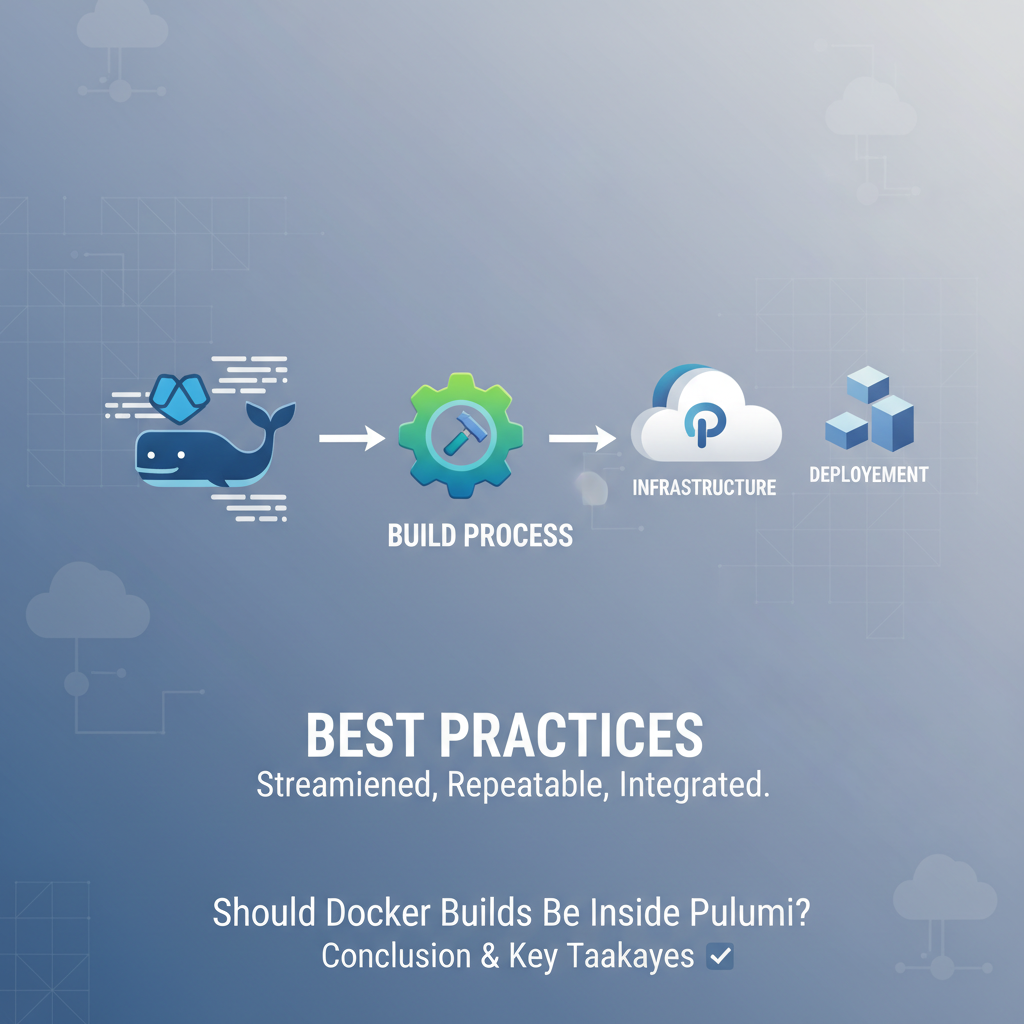
Should Docker Builds Be Inside Pulumi? Best Practices


The landscape of modern software development is ever-evolving, driven by a relentless pursuit of efficiency, scalability, and reliability. At the heart of this transformation lie two pivotal technologies: Docker, which has revolutionized application packaging and deployment through containers, and Pulumi, a powerful Infrastructure as Code (IaC) tool that allows developers to define, deploy, and manage cloud infrastructure using familiar programming languages. The convergence of these two paradigms presents a compelling question for architects and development teams: Should Docker builds be managed directly within Pulumi deployments, or should they remain as separate, orchestrated processes?
This article delves deep into this crucial architectural decision, exploring the intricate dynamics of integrating Docker builds into Pulumi workflows. We will dissect the "why" and "how" of such an integration, weigh the benefits against the complexities, and ultimately distill a set of best practices that empower teams to make informed choices, fostering robust, maintainable, and highly efficient deployment pipelines. Our exploration will journey through various approaches, from tightly coupled local builds to sophisticated CI/CD orchestrations, ensuring a comprehensive understanding of the implications for reproducibility, security, and developer experience.
Understanding the Core Technologies
Before we plunge into the specifics of integration, it's essential to solidify our understanding of Docker and Pulumi, appreciating their individual strengths and the unique value they bring to the development lifecycle. This foundational knowledge will illuminate the rationale behind their potential synergy and the challenges that might arise during their interaction.
Docker's Role in Modern Development: The Container Revolution
Docker emerged as a transformative technology, fundamentally changing how applications are developed, shipped, and run. At its core, Docker champions the concept of containerization, an operating-system-level virtualization method for deploying and running distributed applications without incurring the overhead of starting entire virtual machines.
A Docker container encapsulates an application and all its dependencies – libraries, frameworks, configurations, and binaries – into a single, isolated package. This package is built from a Dockerfile, a text file that contains a sequence of instructions for building a Docker image. Each instruction in a Dockerfile creates a new layer in the image, promoting efficient caching and reducing build times for subsequent changes. For instance, common instructions like FROM (specifying a base image), COPY (adding files), RUN (executing commands), and CMD (defining the default command to execute when the container starts) meticulously craft the application's runtime environment.
The profound impact of Docker stems from several key characteristics:
- Immutability: Docker images, once built, are immutable. This means that an image built once will always run the same way, regardless of the environment, eliminating the notorious "it works on my machine" problem. This immutability is a cornerstone of reliable deployments.
- Portability: Containers are designed to run consistently across any environment that supports Docker – from a developer's laptop to on-premise servers, virtual machines, or public cloud platforms. This unparalleled portability significantly streamlines development, testing, and production workflows.
- Isolation: Each container runs in isolation from other containers and the host system, ensuring that applications do not interfere with each other. This isolation enhances security and simplifies dependency management.
- Efficiency: Containers are lightweight, sharing the host OS kernel, which makes them much faster to start and consume fewer resources than traditional virtual machines. This efficiency translates to better resource utilization and quicker deployment cycles.
- Reproducibility: The Dockerfile acts as a blueprint, documenting precisely how an image is constructed. This declarative approach ensures that anyone can reproduce the exact same image by executing the Dockerfile, fostering consistency across teams and environments.
By abstracting away the underlying infrastructure and providing a consistent runtime environment, Docker has become indispensable for microservices architectures, continuous integration/continuous deployment (CI/CD) pipelines, and any scenario demanding predictable application behavior. It simplifies the intricate dance between development and operations, laying a robust foundation for agile and scalable software delivery.
Pulumi: Declarative Infrastructure as Code with Real Languages
While Docker focuses on the application's runtime environment, Pulumi shifts its attention to the underlying infrastructure that hosts these applications. Pulumi is a modern Infrastructure as Code (IaC) tool that distinguishes itself by allowing developers to define, deploy, and manage cloud infrastructure using general-purpose programming languages like Python, TypeScript, Go, C#, and Java. This departure from domain-specific languages (DSLs) often found in other IaC tools offers significant advantages.
At its core, IaC advocates for managing infrastructure (networks, virtual machines, databases, container registries, load balancers, etc.) through code, applying software development best practices such as version control, automated testing, and code reviews. Pulumi elevates this concept by leveraging the full power of familiar programming languages:
- Expressiveness and Abstraction: Using real programming languages provides unparalleled expressiveness. Developers can utilize loops, conditionals, functions, classes, and package managers, enabling them to create complex, reusable, and abstract infrastructure components. This allows for sophisticated logic that would be challenging or impossible with declarative DSLs.
- Strong Typing and Tooling: Languages like TypeScript and Go offer strong typing, catching errors at compile time rather than during deployment. Developers benefit from rich IDE support, autocomplete, refactoring tools, and static analysis, significantly improving productivity and reducing errors.
- Multi-Cloud and Hybrid-Cloud Capabilities: Pulumi supports a vast array of cloud providers, including AWS, Azure, Google Cloud, and Kubernetes, as well as on-premise infrastructure. This multi-cloud capability means teams can use a single IaC tool and codebase to manage resources across different environments, fostering a truly Open Platform approach to infrastructure management.
- State Management: Pulumi intelligently manages the state of your infrastructure, tracking what resources have been deployed and their current configuration. Before executing changes, it performs a "preview" operation, showing exactly what will be created, updated, or deleted, providing confidence and preventing unintended modifications.
- API-Driven Management: Underneath the hood, Pulumi interacts with cloud providers' APIs to provision and manage resources. By translating your code into API calls, Pulumi ensures that your infrastructure is always in sync with your desired declarative state. This fundamental interaction with provider APIs is critical for its functionality and extensibility.
Pulumi enables teams to manage not just the basic compute and network resources, but also higher-level services like serverless functions, managed databases, and container orchestration platforms. It bridges the gap between application development and infrastructure provisioning, allowing developers to own more of the deployment stack with tools they already master.
The Intersection: Why Consider Integrating Docker Builds with Pulumi?
Given Docker's prowess in application packaging and Pulumi's strength in infrastructure provisioning, the idea of integrating them naturally arises. The core motivation stems from the desire to consolidate and streamline the entire deployment process. Imagine a world where your application code, its Dockerfile, and the cloud infrastructure required to run it are all defined and version-controlled within a single project, deployed with a single command. This vision promises:
- Holistic Deployment: Treating application code, container image, and infrastructure as a unified unit, promoting better coordination and reducing configuration drift.
- Enhanced Reproducibility: Ensuring that not only the infrastructure but also the specific application image deployed to it is consistently versioned and traceable.
- Simplified Workflows: Potentially reducing the number of distinct tools and scripts needed in a CI/CD pipeline, leading to a more coherent and easier-to-manage process.
However, as with any powerful integration, there are subtleties and trade-offs. The question isn't simply "can we do it?", but "should we do it?", considering the best practices for maintainability, performance, and scalability. The subsequent sections will unpack these considerations in detail.
The "Why": Arguments for Integrating Docker Builds with Pulumi
The decision to integrate Docker builds directly into a Pulumi workflow is not trivial, and it hinges on specific organizational needs and project complexities. However, there are compelling arguments that make this approach highly attractive, particularly for teams seeking a more unified and streamlined deployment experience. These arguments often revolve around consolidating the entire application and infrastructure lifecycle under a single, declarative paradigm.
Single Source of Truth & Cohesion
One of the most potent arguments for integrating Docker builds with Pulumi is the establishment of a single source of truth. In traditional setups, application code, Dockerfiles, and infrastructure definitions often reside in separate repositories, managed by different teams or even different tools. This decentralization can lead to:
- Configuration Drift: Inconsistencies between the application's requirements (as defined in the Dockerfile) and the infrastructure it runs on (as defined by IaC).
- Debugging Challenges: Tracing issues across disparate systems becomes complex when a specific application version requires a specific infrastructure configuration that isn't immediately evident from either repository alone.
- Synchronization Headaches: Manual coordination is frequently required to ensure that updates to one component (e.g., a new library in the application necessitating a Dockerfile change) are correctly reflected in others (e.g., the infrastructure scaling policy).
By bringing the Dockerfile and its build process into the Pulumi project, a team can achieve a much higher degree of cohesion. The Pulumi code dictates not just the cloud resources, but also how the application's runtime environment (the Docker image) is constructed. This means:
- Atomic Changes: A single pull request can encompass application code changes, Dockerfile updates, and any necessary infrastructure modifications. This allows for truly atomic deployments where the application, its container, and its hosting environment are all versioned and deployed together, ensuring consistency.
- Easier Reasoning: Developers and operators can understand the entire deployment context by looking at a single repository. The infrastructure code implicitly understands the nature of the application it's deploying because it's responsible for building its container image.
- Reduced Cognitive Load: The need to jump between different tools and conceptual models is minimized, allowing teams to focus on delivering value rather than orchestrating disparate components.
This unified approach fosters a stronger link between the application and its infrastructure, making the entire system more predictable and easier to manage, especially as complexity grows.
Version Control & Reproducibility
The benefits of version control for application code are universally recognized. IaC extends this principle to infrastructure. Integrating Docker builds with Pulumi takes this a step further by ensuring that the exact Docker image deployed is intrinsically linked to the specific version of your infrastructure code.
Consider a scenario where an issue arises in production. With separate build processes, you might know which infrastructure version was deployed and which Docker image tag was used. However, knowing how that Docker image was built (i.e., the specific Dockerfile and build context at that time) can be a challenge if the build process isn't tightly coupled.
When Pulumi manages the Docker build:
- Direct Linkage: The Pulumi state, which records the deployed infrastructure, will also implicitly record the specific Docker image it built and pushed. If Pulumi's
docker.Imageresource is used, the image ID and tag become part of the Pulumi stack's output or state, directly connecting the application's runtime environment to the infrastructure code that provisioned it. - Git-Driven Reproducibility: Every change to your Dockerfile or application code that triggers a Docker build through Pulumi is tracked in your Git repository. This means you can roll back your Pulumi code to a previous commit, and it will rebuild and deploy the corresponding older Docker image and infrastructure, guaranteeing full reproducibility of your entire stack at any given point in its history. This is invaluable for auditing, debugging, and disaster recovery.
- Auditability: The entire deployment process, from code commit to infrastructure provisioning and image deployment, can be traced through a single version control history, significantly enhancing auditability and compliance.
This deep integration of version control ensures that every aspect of your deployment is verifiable and reproducible, providing a strong foundation for reliability and consistency across environments.
Simplified CI/CD Pipelines
CI/CD pipelines are the backbone of modern software delivery. They automate the processes of building, testing, and deploying applications. When Docker builds are decoupled from infrastructure deployments, CI/CD pipelines often involve multiple stages: one for building and pushing Docker images to a registry, and another for provisioning infrastructure and deploying applications using those images. While functional, this separation can introduce complexities.
Integrating Docker builds with Pulumi can significantly simplify and streamline CI/CD pipelines:
- Reduced Orchestration Logic: Instead of having separate jobs for Docker builds and Pulumi deployments, a single CI/CD job can invoke Pulumi, which then handles both the Docker build (if configured to do so) and the infrastructure provisioning. This reduces the amount of custom scripting and orchestration logic required in the CI/CD system itself.
- Unified Error Handling: If a Docker build fails, Pulumi's execution will halt, and the error will be reported consistently through the Pulumi output. This provides a single point of failure detection and a unified error reporting mechanism, simplifying debugging.
- Atomic Deployment Unit: The entire application stack—from container image to hosting infrastructure—can be treated as a single deployment unit. This simplifies rollbacks and ensures that if a deployment succeeds, all components (image and infrastructure) are in a consistent, desired state.
- Faster Feedback Loops: Developers can get quicker feedback on whether their combined application and infrastructure changes work together, as the entire stack is tested and deployed as one unit.
This simplification translates to less complex CI/CD configurations, fewer integration points to manage, and a more robust deployment process, freeing up development and operations teams to focus on innovation rather than pipeline plumbing.
Security & Compliance
Security is paramount in any production environment, and container images are a significant attack surface. Integrating Docker builds with Pulumi offers opportunities to embed security and compliance considerations directly into the IaC workflow.
- Automated Image Tagging for Traceability: Pulumi can generate unique, versioned tags for Docker images based on Git commit hashes, timestamps, or Pulumi stack names. This dynamic tagging ensures that every deployed image is uniquely identifiable and directly traceable back to its source code and the specific infrastructure deployment that uses it. This is crucial for incident response and auditing.
- Policy Enforcement through IaC: Pulumi provides policy as code capabilities (Pulumi CrossGuard) that can enforce organizational standards. While typically applied to infrastructure, these policies can indirectly impact container security. For example, a policy might mandate that only images from a specific, secure registry are used, or that container orchestration resources (e.g., Kubernetes Deployments) must have resource limits defined, which indirectly encourages well-built, lean Docker images.
- Integrating Security Scanning: While Pulumi itself doesn't scan images, its orchestration capabilities can be leveraged to integrate image scanning tools. Before a Pulumi deployment pushes an image to a registry, or as part of the registry resource definition, a webhook or a separate CI/CD step (triggered by Pulumi's build) can invoke an image scanner. If vulnerabilities are found, the Pulumi deployment can be halted, preventing non-compliant images from reaching production.
- Least Privilege for Build Environments: By centralizing the build process, teams can ensure that Docker builds occur in isolated, controlled environments with the principle of least privilege applied. Pulumi can provision these secure build environments on demand, ensuring that sensitive credentials or build artifacts are not exposed unnecessarily.
This holistic approach to security, woven into the IaC fabric, ensures that compliance and security best practices are not afterthoughts but integral components of the deployment pipeline, from image creation to infrastructure provisioning.
Dynamic Image Tagging and Environment-Specific Builds
Pulumi's strength lies in its ability to manage configurations dynamically using real programming languages. This capability extends naturally to Docker image management.
- Dynamic Image Tagging: Instead of manually bumping image tags, Pulumi can automatically generate unique, descriptive tags for Docker images. This might involve:
- Git Commit Hashes:
my-app:git-abcdef123 - Timestamps:
my-app:202310271430 - Pulumi Stack Name + Git Hash:
my-app-dev:git-abcdef123This eliminates human error in tagging, ensures uniqueness, and provides an immediate visual link between the deployed image and its source code in the registry.
- Git Commit Hashes:
- Environment-Specific Builds: Different environments (development, staging, production) often require slightly different application configurations or even different base images. Pulumi's configuration system allows developers to define these variations. For example:
- A development stack might build an image with debug flags enabled or using a larger base image for easier debugging.
- A production stack would build a highly optimized, lean image using multi-stage builds and minimal dependencies. Pulumi's code can use
pulumi.Configto conditionally adjust Dockerfile build arguments or even select different Dockerfiles based on the current stack or environment variables, ensuring that each environment gets precisely the image it needs without manual intervention.
This dynamic control over image tagging and build configurations significantly enhances flexibility and reduces the risk of deploying an improperly configured image to the wrong environment, streamlining the management of complex, multi-environment deployments.
The "How": Approaches to Docker Builds within Pulumi
Once the decision is made to integrate Docker builds with Pulumi, the next critical step is to choose the right approach for implementation. There isn't a single "best" way, as each method comes with its own set of trade-offs regarding complexity, performance, and operational overhead. The choice often depends on the scale of your operations, the sensitivity of your builds, and the existing CI/CD infrastructure. We'll explore three primary approaches, along with a comparative analysis.
Approach 1: External Docker Builds (Separate CI/CD Pipeline)
This is perhaps the most traditional and widely adopted approach, often serving as the default for many organizations. In this model, the Docker image build process is entirely decoupled from the Pulumi deployment.
Description: In an external Docker build setup, a separate CI/CD pipeline (e.g., GitHub Actions, GitLab CI, Jenkins, Azure DevOps, AWS CodeBuild, Google Cloud Build) is responsible for: 1. Triggering: Detecting changes in the application's source code or Dockerfile. 2. Building: Executing docker build (or similar container build commands) to create the Docker image. 3. Testing: Running unit, integration, and security scans on the newly built image. 4. Pushing: Pushing the finalized image to a container registry (e.g., Docker Hub, Amazon ECR, Azure Container Registry, Google Container Registry) with a unique, versioned tag (e.g., my-app:v1.2.3 or my-app:git-sha).
Once the image is successfully built, tested, and pushed, the Pulumi deployment pipeline is then triggered. This Pulumi pipeline consumes the pre-built image by referencing its specific tag. The Pulumi code would define resources like a Kubernetes Deployment, an AWS ECS Service, or an Azure Container Instance, specifying the image to use from the registry.
Pros:
- Decoupling: This is the primary advantage. The concerns of application image building are entirely separated from infrastructure provisioning. Each process can evolve independently.
- Specialized Build Tools: Teams can leverage highly optimized and specialized build environments and tools (e.g., BuildKit for advanced caching, multi-platform builds, dedicated cloud build services like AWS CodeBuild) that might be difficult or inefficient to integrate directly into a general-purpose Pulumi runtime.
- Efficient Caching: Dedicated CI/CD runners and cloud build services are typically configured for efficient Docker layer caching, significantly speeding up subsequent builds.
- Scalability: Build pipelines can scale independently of deployment pipelines. Multiple image builds can run in parallel without impacting Pulumi deployment resources.
- Clear Ownership: It often aligns with organizational structures where application teams own the image build process and platform/operations teams own the infrastructure.
- Security Context: Builds run in a distinct, often more tightly controlled, security context than the Pulumi deployment itself.
Cons:
- Coordination Overhead: Requires careful coordination between the build and deploy stages. The Pulumi deployment needs to know which image tag to use, often requiring passing information (e.g., image tag) as an environment variable or Pulumi configuration value.
- Separate State Management: Docker image state (which image is available, its vulnerabilities, etc.) is managed separately from Pulumi's infrastructure state.
- Increased Latency for Full Deployments: A complete deployment, from code change to running application, involves two distinct pipeline runs, which can add latency.
- Potential for Drift (if not coordinated): If the image build fails silently or produces an unexpected image, the Pulumi deployment might still proceed with an older or incorrect image, leading to issues.
Approach 2: Local Docker Builds Triggered by Pulumi (Pulumi's docker.Image Resource)
Pulumi provides a dedicated docker provider, offering resources that allow direct interaction with a Docker daemon. The docker.Image resource is central to this approach.
Description: With this approach, the Pulumi program itself invokes the local Docker daemon (or a remote one accessible to the Pulumi runner) to build an image. The docker.Image resource takes parameters like imageName, build, and registry information. The build argument specifies the context (the path to the Dockerfile and build context) and optionally dockerfile name and args.
import * as docker from "@pulumi/docker";
import * as pulumi from "@pulumi/pulumi";

// Get the Pulumi configuration for the project
const config = new pulumi.Config();
const appName = config.require("appName");
const appVersion = config.require("appVersion"); // e.g., git commit SHA or semantic version

// Define the Docker image
const appImage = new docker.Image("my-app-image", {
    imageName: pulumi.interpolate`myregistry.com/my-org/${appName}:${appVersion}`,
    build: {
        context: "./app", // Path to the directory containing Dockerfile
        dockerfile: "./app/Dockerfile", // Optional: specify if Dockerfile is not named "Dockerfile"
        // args: { // Optional build arguments
        //     DEBUG: "true",
        // },
        platform: "linux/amd64", // Specify target platform if cross-building
    },
    registry: {
        server: "myregistry.com",
        username: config.requireSecret("registryUsername"),
        password: config.requireSecret("registryPassword"),
    },
    // Optional: add a dependOn if this image build depends on other resources
    // dependOn: [ /* other resources */ ]
});

// Export the image name for other resources to use
export const imageName = appImage.imageName;
When pulumi up is executed, the Pulumi engine detects the docker.Image resource. If the image needs to be built or rebuilt (e.g., due to changes in the Dockerfile or application code within the context), Pulumi will execute the Docker build command, push the resulting image to the specified registry, and then proceed to provision any other infrastructure resources that depend on this image.
Pros:
- Simplicity and Tight Integration: This is the simplest way to integrate. The entire process—build and deploy—is managed by a single Pulumi command.
- Single Tool, Single Language: Developers work exclusively within their chosen programming language and Pulumi, reducing context switching.
- Cohesion: The Dockerfile and the infrastructure that consumes the image live side-by-side in the same Pulumi project, enhancing the single source of truth benefit.
- Ease of Local Development/Testing: For local development, running
pulumi upcan build and deploy everything on a local Kubernetes cluster (like minikube or Docker Desktop's Kubernetes), simplifying testing cycles.
Cons:
- Requires Docker Daemon on Pulumi Runner: The machine executing
pulumi upmust have a Docker daemon installed and running, with sufficient permissions to build and push images. This can be a security concern and operational burden in shared CI/CD environments. - Performance and Caching Issues: Pulumi's
docker.Imageresource does not inherently manage advanced Docker layer caching across differentpulumi upruns or different CI/CD jobs. Each build might start from scratch, leading to slow build times, especially for large images or complex Dockerfiles. While BuildKit integration helps, persistent caching often requires external volumes or advanced setup. - Scalability Limitations: If multiple Pulumi deployments run concurrently on the same machine, they might contend for Docker daemon resources, leading to performance bottlenecks or failures.
- Not Ideal for Production CI/CD: For large-scale production CI/CD, relying on the CI runner's local Docker daemon is generally discouraged due to performance, security, and scalability concerns. It couples the CI environment too tightly with the build process.
- Build Context Issues: The
contextpath is relative to the Pulumi project. If your Dockerfile and application code are in a different repository or directory structure, managing the build context can become cumbersome.
Approach 3: Hybrid/Remote Builds (Pulumi Orchestrates CI/CD for Image Builds)
This approach seeks to combine the best aspects of the previous two, leveraging Pulumi's orchestration capabilities to trigger a dedicated, external build process. It represents a more mature pattern suitable for complex and production-grade environments.
Description: In this hybrid model, Pulumi doesn't directly build the Docker image, but it orchestrates the creation or configuration of the resources that will build the Docker image. This means Pulumi might:
- Provision a dedicated cloud build service: Pulumi deploys an AWS CodeBuild project, an Azure DevOps Pipeline, a Google Cloud Build trigger, or sets up a GitHub Actions workflow that is specifically configured to build and push Docker images.
- Trigger the build: The Pulumi deployment, after creating or updating the build resource, might then trigger this build service programmatically (e.g., using a Pulumi
Commandresource to run an API call to start the build, or by updating a Git reference that a webhook monitors). - Consume the image: Once the external build service completes its task and pushes the image, the Pulumi deployment (either in a subsequent stage or in the same stack via outputs and dependencies) consumes the newly created image tag for its application deployments.
For example, a Pulumi program could define an AWS CodeBuild project. When pulumi up runs, it creates/updates the CodeBuild project. An output from this Pulumi stack could be a unique build number or an image tag generated by CodeBuild. A subsequent Pulumi stack (or a dependency in the same stack) would then use this image tag.
Pros:
- Best of Both Worlds: Combines the orchestration power of Pulumi with the specialized capabilities, scalability, and performance of dedicated cloud build services.
- Scalability and Performance: Leverages the robust caching, parallelization, and elastic scaling of cloud build platforms, avoiding the limitations of a local Docker daemon.
- Enhanced Security: Build environments are isolated, ephemeral, and managed by the cloud provider, offering stronger security guarantees than a generic CI runner.
- Clear Separation of Concerns: While Pulumi orchestrates, the actual image build logic remains within the specialized build service, maintaining a clean separation.
- Policy Enforcement: Cloud build services often come with integrated security scanning and policy enforcement capabilities that can be managed and configured via Pulumi.
Cons:
- Increased Complexity: This approach is inherently more complex than the previous two, involving more moving parts, integration points, and understanding of both Pulumi and the chosen cloud build service.
- Higher Learning Curve: Teams need expertise in both Pulumi and the specific cloud's CI/CD/build offerings.
- Cost: Utilizing cloud build services incurs costs, which need to be factored into the overall budget.
- More Involved Debugging: Debugging issues might require investigating both the Pulumi logs and the logs from the external build service.
Table: Comparative Analysis of Docker Build Approaches
To summarize the trade-offs, here's a comparative table highlighting key aspects of each approach:
| Feature | Approach 1: External Builds (Separate CI/CD) | Approach 2: Local Builds (Pulumi docker.Image) |
Approach 3: Hybrid/Remote Builds (Pulumi Orchestrates CI/CD) |
|---|---|---|---|
| Complexity | Moderate (2 pipelines to coordinate) | Low (Single pipeline/command) | High (Pulumi + external build service) |
| Performance/Caching | High (Dedicated build services, efficient caching) | Low (Poor cross-run caching, local daemon reliance) | High (Leverages cloud build service capabilities) |
| Scalability | High (Dedicated build service scales) | Low (Tied to local Docker daemon) | High (Cloud build service scales elastically) |
| Security | High (Isolated build environments) | Moderate (Relies on Pulumi runner's security) | High (Isolated cloud-managed build environments) |
| Maintenance Burden | Moderate (2 systems, 2 states) | Low (Single system) | High (Integrating/maintaining 2 distinct systems) |
| Local Dev Experience | Moderate (Need to run build externally first) | Excellent (Single pulumi up does all) |
Moderate (May require local emulations or separate triggers) |
| Best For | Established large teams, high-throughput builds | Small projects, local testing, rapid prototyping | Enterprise-grade, highly automated, secure production builds |
| Single Source of Truth | Partial (Needs coordination) | High (Dockerfile & Infra co-located) | Moderate (Pulumi defines how to build, external does what) |
| CI/CD Integration | Standard (Two-step process) | Simplified (Single pulumi up) |
Advanced (Orchestration of complex workflows) |
The choice among these approaches ultimately depends on your project's specific requirements, team's expertise, and the stage of your application lifecycle. While Approach 2 offers initial simplicity, its limitations often push growing projects towards Approach 1 or 3 for production deployments.
APIPark is a high-performance AI gateway that allows you to securely access the most comprehensive LLM APIs globally on the APIPark platform, including OpenAI, Anthropic, Mistral, Llama2, Google Gemini, and more.Try APIPark now! 👇👇👇
Best Practices for Integrating Docker Builds with Pulumi
Regardless of the chosen integration approach, adhering to a set of best practices is crucial for ensuring the robustness, security, and efficiency of your Docker image builds and their subsequent deployments with Pulumi. These practices span from optimizing the Docker image itself to securing the build process and seamlessly integrating with CI/CD pipelines.
Embrace Multi-Stage Builds in Dockerfiles
Multi-stage builds are a fundamental best practice for crafting optimized Docker images. Their importance is amplified when integrating with IaC tools like Pulumi, as smaller, more secure images lead to faster deployments and reduced resource consumption.
Detailed Explanation: A multi-stage build allows you to use multiple FROM statements in your Dockerfile. Each FROM instruction starts a new build stage. You can selectively copy artifacts from one stage to another, discarding everything else. This effectively eliminates development-time dependencies, build tools, and temporary files from the final production image.
For example, a typical application might require Node.js or Maven to build, but only a lightweight runtime (like Alpine Linux or distroless) to run.
# Stage 1: Build the application
FROM node:18-alpine AS builder
WORKDIR /app
COPY package*.json ./
RUN npm install
COPY . .
RUN npm run build # Or yarn build, or mvn package

# Stage 2: Create the final production image
FROM node:18-alpine
WORKDIR /app
COPY --from=builder /app/node_modules ./node_modules
COPY --from=builder /app/dist ./dist # Or build folder
COPY package.json ./
CMD ["node", "./dist/main.js"] # Or npm start
Benefits with Pulumi:
- Smaller Image Sizes: Reduces the image footprint, which translates to faster pulls from the registry, quicker container startup times, and lower storage costs. Pulumi deployments become more agile.
- Reduced Attack Surface: Eliminates unnecessary tools, libraries, and files from the final image, significantly decreasing potential security vulnerabilities. A leaner image is a more secure image.
- Faster Image Scans: Smaller images are quicker for security scanners to analyze, providing faster feedback in your CI/CD pipeline orchestrated by Pulumi.
- Improved Caching: Intermediate stages can be effectively cached, speeding up subsequent builds even if application code changes. Pulumi, especially with remote build approaches, benefits from this.
By consistently employing multi-stage builds, you ensure that the images Pulumi deploys are purpose-built for production, adhering to principles of efficiency and security.
Effective Caching Strategies
Docker image builds can be time-consuming, especially for large projects. Effective caching is paramount to accelerate development and deployment cycles. When integrating with Pulumi, caching becomes a critical factor influencing overall pipeline speed.
Detailed Explanation: Docker's layer caching mechanism is powerful: each instruction in a Dockerfile creates a new layer. If an instruction and its context haven't changed since the last build, Docker reuses the cached layer. However, for efficient caching across different build environments (e.g., local development vs. CI/CD), more advanced strategies are needed:
- Ordered Dockerfile Instructions: Place instructions that change infrequently (e.g.,
FROM,COPYdependencies likepackage.json,RUN npm install) at the top of the Dockerfile. Instructions that change frequently (e.g.,COPYapplication code) should be placed lower. This maximizes the reuse of earlier layers. - BuildKit Integration: Modern Docker builds (activated by
DOCKER_BUILDKIT=1or implicitly in recent Docker versions) offer enhanced caching capabilities, including remote caching and cache import/export.- Remote Cache: Push and pull build cache layers from a Docker registry. This allows CI/CD pipelines to leverage cache from previous builds, even if they run on ephemeral runners.
- Cache Mounts: For specific
RUNinstructions, you can mounttype=cachevolumes to persist temporary build artifacts (likenpmormavencaches), preventing redundant downloads.
Pulumi Integration Considerations:
- Approach 1 (External Builds): Dedicated CI/CD platforms (like AWS CodeBuild, GitLab CI, GitHub Actions) are typically well-configured to use remote caching or have mechanisms to persist build caches across runs. Pulumi then simply consumes the efficiently built image.
- Approach 2 (Local Pulumi Builds): This is where caching is most challenging. Without explicit configuration, each
pulumi upmight perform a near-full build. To mitigate this:- Ensure the Pulumi runner has a persistent Docker daemon with sufficient disk space for local cache.
- Consider using a custom Docker client configuration or environment variables to enable BuildKit's remote caching features if your registry supports it. This often means more complex setup for your CI runner.
- Approach 3 (Hybrid/Remote Builds): This approach naturally benefits from the robust caching mechanisms provided by the cloud build services Pulumi orchestrates, making it highly efficient.
Optimizing caching significantly reduces build times, leading to faster iterations and more responsive CI/CD pipelines when Pulumi performs its deployments.
Security First: Image Scanning, Least Privilege, and Secrets Management
Security must be an integral part of the Docker build and Pulumi deployment process, not an afterthought. A secure image and a secure deployment environment are non-negotiable for production systems.
Detailed Explanation:
- Image Scanning:
- Integrate Scanners: Incorporate container image vulnerability scanning (e.g., Trivy, Clair, Anchore, Snyk) into your CI/CD pipeline immediately after the Docker image is built and before it's pushed to a production-facing registry.
- Policy Enforcement: Configure scanners to fail the build if critical vulnerabilities are detected. Pulumi deployments should then only proceed with images that have passed scanning.
- Automation: Pulumi, especially in Approach 3, can provision or configure the services that perform these scans (e.g., AWS ECR image scanning, Azure Container Registry scanning).
- Least Privilege Principle:
- Runtime User: Ensure your Dockerfile creates a non-root user and specifies it with the
USERinstruction. Running containers as root is a significant security risk. - Build Environment: The environment where Docker builds occur (CI/CD runner, cloud build service) should operate with the absolute minimum permissions necessary to perform its task (e.g., pull base images, access source code, push to a specific registry). Pulumi's IAM resources can precisely define these roles.
- Runtime User: Ensure your Dockerfile creates a non-root user and specifies it with the
- Secrets Management:
- Avoid Hardcoding: Never hardcode secrets (API keys, database passwords, registry credentials) directly into your Dockerfile or application code.
- Build-time Secrets: For secrets needed during the build process (e.g., private package repository credentials), use Docker's
build-arg--secretfeature or BuildKit'ssecretmount type. These secrets are not baked into the final image layers. - Runtime Secrets: For secrets needed by the application at runtime, leverage secure secrets management solutions like AWS Secrets Manager, Azure Key Vault, Google Secret Manager, HashiCorp Vault, or Kubernetes Secrets. Pulumi is excellent for provisioning and referencing these secrets securely within your infrastructure definitions. Ensure that your Pulumi code fetches these secrets securely and injects them into your containerized applications (e.g., as environment variables or mounted files) without exposing them in plain text.
By embedding these security practices into your build and deployment workflows, you build a robust defense against common vulnerabilities and maintain a strong security posture for your containerized applications.
Version Pinning & Immutability
Reliability in distributed systems heavily relies on predictability. Version pinning and immutability are critical concepts to achieve this predictability in Docker-based deployments.
Detailed Explanation:
- Pin Base Image Versions: Always pin the version of your base images in the Dockerfile. Instead of
FROM node:latest, useFROM node:18-alpineor evenFROM node:18.17.0-alpine.- Why:
latesttags are mutable; they can change unexpectedly, leading to non-reproducible builds and potential breaks in your application without any code changes on your part. Pinning ensures that your build environment is consistent.
- Why:
- Specific Image Tags for Deployment: When Pulumi deploys a Docker image, always reference it by a specific, immutable tag (e.g.,
myregistry.com/my-app:git-abcdef123). Avoid usinglatestin your Pulumi deployment code.- Why: This ensures that your Pulumi infrastructure code explicitly states which version of the application it expects. It prevents automatic updates to potentially incompatible new versions and enables easy rollbacks to known-good versions.
- Immutable Deployment Patterns: Once a container image with a specific tag is deployed, it should be treated as immutable. If a change is needed, a new image with a new tag should be built and deployed. This aligns with the principles of blue/green deployments and canary releases, where new versions are deployed alongside old ones, rather than in-place upgrades.
Pulumi's Role: Pulumi naturally encourages immutability. When you change the image tag in your Pulumi code, Pulumi detects this as a change and orchestrates the creation of new container instances (e.g., a new Kubernetes Deployment revision, an ECS Task Definition revision) using the new image, gracefully transitioning traffic. Pulumi's dynamic tagging capabilities (as discussed earlier) are perfect for generating these immutable, traceable tags automatically.
CI/CD Integration
For any serious application, Docker builds and Pulumi deployments must be fully automated within a Continuous Integration/Continuous Delivery (CI/CD) pipeline. This integration is where the true power of IaC and containers is unleashed.
Detailed Explanation: A robust CI/CD pipeline should orchestrate the entire flow from code commit to production deployment:
- Trigger: A Git commit to a specific branch (e.g.,
main,develop) triggers the pipeline. - Build (Docker Image):
- External (Approach 1 or 3): The CI/CD system invokes a dedicated build service or runs
docker buildon an ephemeral runner. - Local (Approach 2): Pulumi runs
docker buildas part of itspulumi upcommand. - This stage should include unit tests, linting, and security scanning.
- External (Approach 1 or 3): The CI/CD system invokes a dedicated build service or runs
- Push (Docker Image): The built image is pushed to a container registry with a unique, immutable tag.
- Test (Application/Image): Run integration tests, end-to-end tests, and performance tests against the newly built image, potentially deployed to a temporary or staging environment.
- Deploy (Pulumi):
- Environment Preparation: Pulumi
previewis run to show planned infrastructure changes. - Infrastructure Provisioning: Pulumi
upis executed, provisioning or updating the cloud infrastructure (Kubernetes clusters, ECS services, databases, networking, etc.). This stage consumes the image tag from the previous step. - Health Checks: Configure Pulumi to wait for services to become healthy before marking the deployment as complete.
- Environment Preparation: Pulumi
- Approval Gates: For production deployments, manual approval gates should be inserted before the Pulumi
upcommand, allowing teams to review changes. - Rollback Strategy: Implement automated rollback mechanisms in case of deployment failures or post-deployment issues. Pulumi makes rollbacks straightforward by simply deploying a previous stack state.
When discussing the management and secure exposure of containerized applications that typically expose APIs, it's crucial to consider the broader ecosystem. Tools like APIPark, an open source AI gateway and API management platform, become highly relevant. APIPark can be seamlessly integrated into a CI/CD pipeline orchestrated by Pulumi. Pulumi can provision the underlying infrastructure for APIPark, and APIPark itself can then be used to manage, secure, and monitor the APIs exposed by your containerized applications deployed by Pulumi. This ensures that the APIs are not just deployed, but also discoverable, resilient, and compliant with organizational standards. For instance, Pulumi could deploy a Kubernetes cluster, and then a subsequent Pulumi step or a CI/CD job could deploy APIPark onto that cluster, configuring it to manage the API endpoints of the applications. This approach helps in achieving an Open Platform where API services are consistently managed and integrated across the enterprise.
Testing Images and Deployments
Automated testing is not limited to application code; it must extend to Docker images and the complete infrastructure deployment.
Detailed Explanation:
- Docker Image Linting and Best Practices: Use tools like Hadolint to lint Dockerfiles and ensure they follow best practices (e.g., avoiding unnecessary layers, using
apt-get clean). - Image Content Testing: Write tests (e.g., using Testinfra, Goss, or even simple shell scripts) that run inside the built Docker image to verify its contents:
- Are required files present?
- Are expected commands available?
- Is the correct user configured?
- Are sensitive files or tools absent?
- Infrastructure Integration Tests: After Pulumi deploys the infrastructure and the application, run integration tests against the live environment.
- Can the application endpoints be reached?
- Does it connect to the database successfully?
- Does it scale as expected?
- Are cloud resources (load balancers, networking rules) correctly configured? Pulumi's rich test framework allows you to write unit and integration tests for your IaC code directly in your chosen language, verifying that your
pulumi upgenerates the expected cloud resources.
- End-to-End (E2E) Testing: Simulate user interactions with the deployed application to ensure the entire system functions correctly from a user's perspective.
Robust testing at every stage provides confidence that the Docker image is correctly built, securely configured, and seamlessly integrated into the Pulumi-provisioned infrastructure, preventing issues from reaching production.
Separation of Concerns: When to Build Elsewhere vs. Within Pulumi
While the article discusses integrating Docker builds with Pulumi, it's vital to recognize that a complete integration might not always be the optimal solution. A thoughtful separation of concerns can sometimes lead to a more maintainable and scalable architecture.
Detailed Explanation:
- Build Elsewhere (Approach 1 or 3):
- When: For large, complex applications with frequent code changes, requiring significant build times or specialized build environments.
- Benefits: Decoupling ensures that application builds are independent of infrastructure changes. It allows dedicated build teams or tools to focus solely on image optimization and security scanning without burdening the IaC pipeline. This is particularly beneficial when the application development lifecycle is much faster than the infrastructure lifecycle.
- Example: A microservices architecture with dozens of services, each having its own build pipeline, and a centralized platform team managing the Kubernetes cluster with Pulumi.
- Build Within Pulumi (Approach 2):
- When: For simpler, smaller applications, prototypes, or local development environments where the overhead of a separate build pipeline is disproportionate to the benefits.
- Benefits: Extreme simplicity and rapid iteration. Developers can quickly get a full stack (app + infra) running with a single command.
- Example: A single-service application or a development stack for a larger application where local testing is prioritized.
- Hybrid Approach (Approach 3):
- When: When you want the benefits of a dedicated build service (performance, security) but still want Pulumi to orchestrate the creation and configuration of that build service.
- Benefits: Balances control and specialized execution. Pulumi maintains control over the build environment's definition, but the actual computationally intensive build is offloaded.
The key is to evaluate the trade-offs. Over-integrating can lead to tight coupling and bottlenecks, while excessive decoupling can create coordination headaches. The ideal balance ensures each component (application code, Docker image, infrastructure) is managed with appropriate tools and processes, and their interactions are clearly defined and automated.
Resource Naming and Tagging Conventions
Consistency in naming and tagging is a simple yet profoundly impactful best practice that significantly improves manageability, cost attribution, and resource discovery across your cloud estate. When Pulumi manages both Docker images (directly or indirectly) and infrastructure, these conventions become even more crucial.
Detailed Explanation:
- Consistent Naming:
- Docker Images: Use a consistent naming convention for your Docker images across your registry. This typically includes a registry host, an organization/repository path, and the application name (e.g.,
myregistry.com/myorg/myapp). - Pulumi Resources: Apply consistent naming for all cloud resources provisioned by Pulumi (e.g.,
my-app-web-service-dev,my-app-db-prod). Use Pulumi's naming helpers to generate consistent names that include the stack name or project name. - Consistency Benefits: Makes it easy to identify related resources (e.g., which load balancer belongs to which application's container service) and simplifies debugging and auditing.
- Docker Images: Use a consistent naming convention for your Docker images across your registry. This typically includes a registry host, an organization/repository path, and the application name (e.g.,
- Strategic Tagging (Cloud Provider Tags):
- Cloud providers allow you to apply arbitrary key-value tags to most resources. Pulumi makes it easy to apply these tags consistently across all deployed infrastructure.
- Essential Tags:
Project: The name of the Pulumi project.Stack: The Pulumi stack (e.g.,dev,staging,prod).Owner: The team or individual responsible for the resource.CostCenter: For cost allocation and reporting.Application: The application that uses this resource.Environment:development,staging,production.
- Benefits:
- Cost Management: Easily track and allocate cloud costs per project, team, or environment.
- Resource Discovery: Quickly find all resources related to a specific application or environment using cloud provider consoles or APIs.
- Automation & Governance: Enable automated scripts to act on specific sets of resources (e.g., clean up old dev resources) and enforce governance policies.
By diligently applying these naming and tagging conventions, you create a highly organized and manageable cloud environment, which is especially important as the number of containerized applications and supporting infrastructure grows. This systematic approach contributes to an overall Open Platform strategy, where clarity and discoverability are paramount.
Advanced Patterns and Considerations
Beyond the foundational best practices, several advanced patterns and considerations can further optimize the integration of Docker builds with Pulumi, especially as applications scale and operational demands increase. These areas focus on resilience, security, and further automation.
Cross-Region/Multi-Cloud Deployments
The ability to deploy applications across multiple geographical regions or even different cloud providers offers enhanced resilience, disaster recovery capabilities, and compliance with data residency requirements. Pulumi's multi-cloud capabilities make it an ideal tool for orchestrating such complex deployments for containerized applications.
Detailed Explanation: When deploying Dockerized applications across regions or clouds:
- Image Replication: Your Docker images must be available in all target regions/clouds. This typically involves:
- Cloud Registry Replication: Most major cloud container registries (ECR, ACR, GCR) offer geo-replication features that automatically copy images to specified regions.
- Cross-Cloud Synchronization: For multi-cloud scenarios, you might need to set up custom automation (e.g., a CI/CD job or a serverless function triggered by image pushes) to copy images between different cloud providers' registries.
- Pulumi for Multi-Region/Multi-Cloud Stacks:
- Stack Per Region/Cloud: A common pattern is to have a separate Pulumi stack for each region or cloud. Each stack provisions the necessary infrastructure (e.g., Kubernetes cluster, container service, networking) and deploys the containerized application, referencing the image from the local or replicated registry.
- Shared Codebase: Despite having multiple stacks, the core Pulumi application and infrastructure code can largely be shared. Differences are managed via Pulumi configuration values (
pulumi.Config) or conditional logic within the programming language. - Global Services: Pulumi can also provision global services (e.g., DNS, global load balancers) that direct traffic to the healthy application instances across different regions/clouds.
- Data Consistency: If your containerized application relies on data, ensure your data layer (databases, storage) is also replicated or synchronized across regions/clouds to maintain consistency and availability.
Pulumi's power here lies in its ability to abstract away the cloud-specific APIs while allowing you to define your desired state once, then deploy it consistently across diverse environments, ensuring that your Dockerized applications are resilient and globally available.
Secrets Management
Securely handling secrets (database credentials, API keys, private keys, environment variables) is paramount for any application, especially containerized ones. Baking secrets into Docker images is a critical security anti-pattern. Pulumi, combined with dedicated secrets managers, offers robust solutions.
Detailed Explanation: The principle is to inject secrets into containers at runtime, never during the image build or as part of the image itself.
- Dedicated Secrets Managers: Leverage cloud-native secret management services or purpose-built tools:
- AWS Secrets Manager / Parameter Store: Securely store and retrieve secrets. Pulumi can provision these secrets.
- Azure Key Vault: Centralized management of secrets, keys, and certificates.
- Google Secret Manager: Secure storage for sensitive data.
- HashiCorp Vault: A widely used tool for secrets management, rotation, and access control.
- Kubernetes Secrets: While useful for Kubernetes-native applications, they require careful handling (e.g., encryption at rest) and are often considered less secure than dedicated external secrets managers for sensitive production data.
- Pulumi's Role:
- Provisioning Secrets: Pulumi can create and manage entries in these secrets managers. For example, generating a database password and storing it securely in AWS Secrets Manager.
- Referencing Secrets: Your Pulumi code, when defining container deployments (e.g., a Kubernetes Deployment, an ECS Task Definition), can securely reference these secrets managers. Instead of hardcoding a password, it tells the container orchestration platform where to fetch the password at runtime.
- Injection Methods: Secrets are typically injected into containers as:
- Environment Variables: (Careful: can leak in logs/debug tools).
- Mounted Files: More secure, as they are not easily discoverable in environment variable dumps.
- Sidecar Containers: A dedicated sidecar container that fetches secrets from a manager and makes them available to the main application container.
- Pulumi Configuration Secrets: Pulumi itself has a secrets management feature (
pulumi config set --secret my_secret_value). This is useful for storing sensitive configuration values for Pulumi itself (e.g., API keys for Pulumi providers) but generally not for application runtime secrets.
By integrating Pulumi with robust secrets management solutions, you ensure that your containerized applications access sensitive data securely, minimizing exposure and improving overall system integrity.
Observability: Logging and Monitoring Integration
Once Dockerized applications are deployed by Pulumi, their operational health and performance become paramount. Integrating with comprehensive logging and monitoring solutions provides the visibility needed to diagnose issues, track performance, and ensure service reliability.
Detailed Explanation:
- Centralized Logging:
- Container Logs: Containers output logs to
stdoutandstderr. The container runtime (Docker, containerd) captures these. - Log Forwarding: Your Pulumi infrastructure should provision and configure agents (e.g., Fluentd, Filebeat, Logstash) or native cloud services (e.g., AWS CloudWatch Logs, Azure Monitor Logs, Google Cloud Logging) to collect these container logs.
- Log Aggregation: These logs should be sent to a centralized logging platform (e.g., Elasticsearch, Splunk, Datadog) for aggregation, indexing, and analysis.
- Pulumi's Role: Pulumi can define the log groups, streams, agents, and their configurations to ensure all container logs are captured and routed correctly.
- Container Logs: Containers output logs to
- Application Monitoring & Metrics:
- Prometheus/Grafana: For Kubernetes-based deployments, Pulumi can deploy and configure Prometheus (for metrics collection) and Grafana (for visualization and dashboards) to monitor container resource usage (CPU, memory), network I/O, and application-specific metrics.
- Cloud-Native Monitoring: Leverage cloud-provider specific monitoring (e.g., AWS CloudWatch, Azure Monitor, Google Cloud Monitoring) that can automatically collect metrics from container services.
- Custom Metrics: Applications should expose custom metrics (e.g., API request latency, error rates) that can be scraped by monitoring systems.
- Pulumi's Role: Pulumi can provision the monitoring infrastructure (e.g., CloudWatch dashboards, Prometheus instances, alerting rules) and ensure that your container services are correctly instrumented to emit metrics.
- Tracing:
- Distributed Tracing: For microservices architectures, distributed tracing (e.g., OpenTelemetry, Jaeger, Zipkin) is crucial to understand the flow of requests across multiple services.
- Pulumi's Role: Pulumi can provision the tracing backend services and configure your application deployments to integrate with tracing agents.
Effective observability, managed and configured by Pulumi, transforms raw data into actionable insights, enabling proactive problem solving and maintaining high service levels for your containerized applications.
Cost Optimization
While containers themselves are efficient, the infrastructure they run on can incur significant costs. Pulumi, by providing programmatic control over infrastructure, enables sophisticated cost optimization strategies.
Detailed Explanation:
- Resource Right-Sizing:
- Compute: Use monitoring data to right-size your container instances (e.g., EC2 instances for ECS, VM sizes for Kubernetes nodes) and container requests/limits. Over-provisioning leads to wasted spend.
- Database/Storage: Provision database instances and storage volumes with appropriate sizing for your application's needs.
- Auto-Scaling:
- Horizontal Pod/Container Autoscaling: Pulumi can configure Kubernetes Horizontal Pod Autoscalers (HPA) or cloud-specific container service autoscaling policies (e.g., AWS ECS Auto Scaling) to dynamically adjust the number of container instances based on CPU, memory, or custom metrics.
- Cluster Autoscaling: For Kubernetes, Pulumi can provision Cluster Autoscaler to automatically adjust the number of worker nodes in your cluster.
- Spot Instances/Preemptible VMs: For fault-tolerant containerized workloads (e.g., batch processing, non-critical services), Pulumi can deploy your applications onto cost-effective spot instances or preemptible VMs, significantly reducing compute costs.
- Scheduled Scaling: For workloads with predictable traffic patterns, Pulumi can configure scheduled scaling actions to ramp up/down resources at specific times, avoiding unnecessary costs during off-peak hours.
- Clean-up of Non-Production Environments: Pulumi makes it easy to tear down entire development or staging environments (
pulumi destroy) when they are no longer needed, preventing lingering resources from incurring costs. This is particularly valuable for ephemeral environments provisioned for CI/CD. - Tagging for Cost Attribution: As mentioned in best practices, consistent tagging of all resources provisioned by Pulumi allows for accurate cost allocation and helps identify areas of high expenditure.
By integrating these cost optimization strategies directly into your Pulumi code, you can build a highly efficient and cost-aware container infrastructure, ensuring that resources are consumed judiciously without compromising performance or reliability.
Conclusion
The question of whether Docker builds should reside inside Pulumi is not one with a simple, universal answer. Instead, it's a nuanced decision driven by the specific context of a project, the size and maturity of the development team, and the prevailing operational philosophy. Our exploration has revealed that while direct integration offers compelling benefits in terms of cohesion and simplified workflows for smaller scales, more complex, production-grade environments often gravitate towards hybrid approaches that leverage Pulumi's orchestration capabilities alongside specialized build services.
The journey through the various "why" and "how" aspects highlights the core principles at play: the pursuit of a single source of truth, enhanced reproducibility through version control, streamlined CI/CD pipelines, and robust security. Regardless of the chosen path—be it fully external builds, local Pulumi-driven builds, or sophisticated Pulumi-orchestrated remote builds—adhering to best practices remains paramount. Multi-stage Dockerfiles, effective caching, stringent security measures including image scanning and proper secrets management, immutable version pinning, and comprehensive testing are not merely optional enhancements but fundamental requirements for building resilient, scalable, and maintainable containerized applications.
Ultimately, Pulumi empowers teams to define their infrastructure and deployment logic using familiar programming languages, providing a powerful toolkit to manage the entire application lifecycle, from the very first line of code to the dynamically scaled production environment. By thoughtfully integrating Docker builds into this paradigm, teams can achieve a harmonized development and operations experience, accelerating delivery, enhancing reliability, and fostering an Open Platform approach where managing intricate infrastructure and the APIs exposed by containerized services becomes a streamlined, declarative process. As the digital landscape continues its rapid evolution, the strategic integration of tools like Docker and Pulumi, complemented by management platforms such as APIPark for API governance, will continue to be a cornerstone of modern, agile, and secure software development. The future of infrastructure and application deployment is increasingly declarative, automated, and deeply integrated, promising an era of unprecedented efficiency and control.
Frequently Asked Questions (FAQ)
1. What are the main benefits of integrating Docker builds directly within a Pulumi project?
The primary benefits revolve around achieving a more cohesive and unified deployment experience. By integrating Docker builds, you create a single source of truth for your application code, Dockerfile, and infrastructure definitions, which enhances version control, reproducibility, and auditability. This can simplify CI/CD pipelines, as Pulumi can orchestrate both the image build and infrastructure provisioning, leading to faster feedback loops and reduced coordination overhead. It also allows for dynamic, environment-specific image tagging and build configurations directly within your Pulumi code.
2. What are the key disadvantages or challenges of building Docker images inside Pulumi?
The main challenges arise when attempting local Docker builds directly with Pulumi's docker.Image resource in production environments. This approach requires a Docker daemon on the Pulumi runner, which can introduce security risks, performance bottlenecks due to poor caching, and scalability limitations. It also couples the CI/CD environment too tightly with the build process. For large-scale or high-throughput builds, relying on a local daemon is generally not recommended, pushing teams towards external or hybrid build approaches.
3. Which approach for integrating Docker builds with Pulumi is best for production environments?
For production environments, the Hybrid/Remote Builds approach (where Pulumi orchestrates cloud-native build services like AWS CodeBuild, Azure DevOps Pipelines, or GitHub Actions) or the purely External Docker Builds approach (where a separate CI/CD pipeline builds images, and Pulumi consumes them) are generally preferred. These methods leverage dedicated, scalable, and secure build environments with robust caching. While the local docker.Image resource offers simplicity for development, its limitations often make it unsuitable for critical production workflows.
4. How can I ensure my Docker images are secure when using Pulumi for deployment?
Security should be integrated at multiple stages. First, use multi-stage Docker builds to minimize image size and attack surface. Second, implement image vulnerability scanning in your CI/CD pipeline after the build but before the image is pushed to a production registry, failing the build on critical vulnerabilities. Third, always run containers with a non-root user. Finally, never embed secrets directly into images; instead, use Pulumi to integrate with secure secrets managers (e.g., AWS Secrets Manager, Azure Key Vault) to inject secrets into your containers at runtime, following the principle of least privilege.
5. How does APIPark fit into a Pulumi and Docker deployment strategy?
APIPark, an open source AI gateway and API management platform, complements a Pulumi and Docker strategy by providing comprehensive management for the APIs exposed by your containerized applications. While Pulumi deploys the infrastructure and your Docker containers run the application, APIPark steps in to manage the full API lifecycle: from design and publication to invocation, security, monitoring, and decommissioning. Pulumi can provision the underlying infrastructure for APIPark (e.g., a Kubernetes cluster), and APIPark then ensures that the APIs exposed by your Pulumi-deployed Docker containers are discoverable, secure (via features like subscription approval and access permissions), and performant (rivaling Nginx). This forms an Open Platform for robust API governance, enhancing the value of your containerized services beyond mere deployment.
🚀You can securely and efficiently call the OpenAI API on APIPark in just two steps:
Step 1: Deploy the APIPark AI gateway in 5 minutes.
APIPark is developed based on Golang, offering strong product performance and low development and maintenance costs. You can deploy APIPark with a single command line.
curl -sSO https://download.apipark.com/install/quick-start.sh; bash quick-start.sh

In my experience, you can see the successful deployment interface within 5 to 10 minutes. Then, you can log in to APIPark using your account.

Step 2: Call the OpenAI API.