Should Docker Builds Be Inside Pulumi? Best Practices & Tips


The landscape of cloud-native development is a dynamic interplay of technologies designed to enhance agility, scalability, and maintainability. At the heart of this revolution lie containers, primarily popularized by Docker, offering a consistent environment for applications, and Infrastructure as Code (IaC) tools like Pulumi, which enable programmatic definition and management of cloud resources. The question of whether Docker builds should be integrated directly into a Pulumi workflow is not merely a technical one; it’s a strategic decision that impacts development cycles, deployment patterns, and operational efficiency. This article delves deeply into this intriguing intersection, exploring the nuanced considerations, different approaches, and best practices to guide organizations in making informed choices for their modern infrastructure and application deployments.
The Foundations: Understanding Pulumi and Docker
Before we can effectively explore the integration, it’s crucial to establish a robust understanding of the individual roles and core philosophies of Pulumi and Docker. Each tool addresses distinct but complementary challenges in the software delivery pipeline.
Pulumi: Infrastructure as Code in Your Favorite Language
Pulumi represents a paradigm shift in how we manage cloud infrastructure. Moving beyond declarative configuration languages like YAML or JSON, Pulumi empowers developers and operations teams to define, deploy, and manage cloud resources using familiar programming languages such as Python, TypeScript, Go, C#, and Java. This approach brings the full power of general-purpose programming – including loops, conditionals, functions, and unit testing – to infrastructure provisioning.
At its core, Pulumi translates your code into a desired state for your cloud environment. When you run pulumi up, it compares this desired state with the current actual state of your infrastructure and intelligently determines the minimal set of changes required to converge to the desired state. This reconciliation process handles creation, updates, and deletion of resources across various cloud providers like AWS, Azure, Google Cloud, and Kubernetes, as well as many SaaS offerings.
Key advantages of Pulumi's approach include: * Developer Familiarity: Lowers the barrier to entry for developers who are already proficient in popular programming languages, fostering greater collaboration between dev and ops. * Expressiveness and Abstraction: Allows for the creation of reusable components and abstractions, making complex infrastructure patterns easier to manage and share. Imagine defining a "scalable web service" component once and reusing it across multiple projects, complete with load balancers, auto-scaling groups, and networking. * Strong Typing and IDE Support: Leveraging compiled or strongly typed languages provides compile-time checks, autocompletion, and refactoring capabilities, significantly reducing errors and improving productivity. * State Management: Pulumi meticulously tracks the state of your deployed resources, ensuring idempotency and providing a clear audit trail of infrastructure changes. This state can be stored in various backends, including the Pulumi Service, cloud storage buckets, or local files. * Preview and Approval Workflows: The pulumi preview command offers a detailed diff of proposed changes before they are applied, enabling review and approval processes that mitigate risks.
Pulumi’s strength lies in its ability to provision any cloud resource – from virtual machines and databases to Kubernetes clusters and serverless functions. It builds the scaffolding upon which applications run, but it doesn’t inherently build the applications themselves. This is where Docker enters the picture.
Docker: Revolutionizing Application Packaging and Portability
Docker fundamentally transformed how applications are packaged, distributed, and run. It introduces the concept of containers, which are lightweight, standalone, executable packages of software that include everything needed to run an application: code, runtime, system tools, system libraries, and settings. Unlike traditional virtual machines, containers share the host OS kernel, making them significantly more efficient in terms of resource utilization and startup time.
The process typically begins with a Dockerfile, a simple text file that contains a series of instructions to build a Docker image. Each instruction creates a layer in the image, promoting caching and efficient storage. Once an image is built, it becomes an immutable artifact that can be pushed to a container registry (like Docker Hub, Amazon ECR, Google Container Registry) and pulled down to any Docker-enabled host to run as a container instance.
The core benefits of Docker and containerization are profound: * Environmental Consistency: "It works on my machine" becomes a relic of the past. Applications run identically across development, testing, staging, and production environments, eliminating configuration drift and debugging nightmares. * Portability: Docker images are highly portable. They can run on local machines, on-premises servers, virtual machines, or any cloud platform that supports Docker, reducing vendor lock-in and simplifying migrations. * Isolation: Containers provide process and resource isolation, ensuring that applications and their dependencies don't interfere with each other on the same host. This enhances security and stability. * Efficiency: Containers are lightweight and start quickly, leading to better resource utilization and faster deployment cycles compared to VMs. * Scalability: The immutable nature of container images makes horizontal scaling straightforward. New instances can be spun up rapidly from the same image, simplifying load balancing and auto-scaling.
While Docker excels at packaging and running applications, it doesn't directly manage the underlying infrastructure on which these containers run. This is precisely where the synergy with an IaC tool like Pulumi becomes apparent. Pulumi can provision the Kubernetes cluster, the ECS service, or the virtual machines, and Docker provides the application artifact that runs within that infrastructure. The question then becomes: should the Docker build process itself be orchestrated by Pulumi?
The Central Question: Should Docker Builds Be Inside Pulumi?
The question of embedding Docker builds within Pulumi deployments is not about whether they can be integrated, but rather whether they should be. This decision hinges on balancing development velocity, operational simplicity, security posture, and resource management. There are compelling arguments for both direct integration and for maintaining separate build and deployment pipelines.
The Case for Integrating Docker Builds into Pulumi
Bringing Docker build processes directly into your Pulumi code offers a holistic approach to managing your application's lifecycle, from source code to running service. This integration typically involves using Pulumi's Docker provider, specifically the docker.Image resource.
1. Unified Version Control and Auditability: When your Dockerfile, application code, and infrastructure definition (Pulumi code) reside in the same repository and are managed by the same version control system (e.g., Git), you achieve an unprecedented level of traceability. Every change to your application code, Dockerfile, or infrastructure can be linked to a single commit. This means that if you need to roll back to a previous application version, your Pulumi code can automatically rebuild the corresponding Docker image (or fetch it if already built and cached) and deploy the correct infrastructure state, all from a single source of truth. This significantly simplifies auditing and compliance processes, as every deployed artifact and its surrounding infrastructure are directly attributable to a specific version-controlled state.
2. Enhanced Reproducibility: A Pulumi stack with an integrated Docker build is designed to be fully reproducible. If you tear down an entire environment and redeploy it, Pulumi will execute the Docker build using the specified context and Dockerfile, push the image to the configured registry, and then deploy that exact image to your infrastructure. This eliminates discrepancies that can arise from manual build steps or out-of-band image generation, ensuring that what runs in development is precisely what runs in production. This level of reproducibility is invaluable for debugging and for ensuring consistency across multiple deployment environments (e.g., staging, production).
3. Simplified Deployment Pipelines: For simpler applications or microservices, integrating the Docker build directly into Pulumi can drastically simplify your CI/CD pipeline. Instead of having separate stages for building, pushing, and deploying, a single pulumi up command can orchestrate the entire process. This reduces the number of tools, scripts, and configuration files needed, lowering the cognitive load for developers and streamlining the deployment process. This "single command deployment" can be particularly appealing for smaller teams or projects where the overhead of a complex multi-stage pipeline is not justified. It consolidates dependency management and execution flow within a single Pulumi program.
4. Atomic Deployments: By bundling the build and deployment logic, Pulumi can manage them as a single atomic unit. If the Docker build fails, Pulumi will not proceed with the deployment. If the deployment of the new infrastructure fails after a successful build, Pulumi can roll back to the previous state (depending on the resource types and cloud provider capabilities). This ensures that your infrastructure and application image are always in a consistent, working state, minimizing the risk of partial or broken deployments. This atomic nature reduces the "blast radius" of deployment failures.
5. Immediate Feedback Loop for Developers: During local development, developers can rapidly iterate on their code, Dockerfile, and Pulumi infrastructure definition. Running pulumi up locally allows them to see changes to their application image and infrastructure in tandem, accelerating the feedback loop. This tight integration means developers don't have to switch contexts between docker build, docker push, and then pulumi up, offering a more seamless development experience. This is especially useful when prototyping new services or experimenting with different containerization strategies.
6. Dependency Awareness and Hashing: Pulumi's Docker provider is intelligent enough to understand changes to your Dockerfile and build context. It will only rebuild the image if the Dockerfile or any files within the build context have changed. Furthermore, it often incorporates a content hash into the image tag, ensuring that each unique build produces a unique image. This immutability guarantees that deployments always reference a specific, unchanged artifact, preventing unexpected behavior from mutable tags like latest. This hashing strategy is critical for reliable rollbacks and clear versioning.
7. Simplified Secret Management for Builds: When building images, sensitive information like API keys or private repository credentials might be needed. Pulumi offers robust secret management capabilities. By integrating the Docker build, you can directly pass Pulumi-managed secrets as build arguments or mount them as secret files during the Docker build process, enhancing security by avoiding hardcoded credentials in Dockerfiles or CI/CD scripts. This centralizes secret management and reduces potential exposure points.
The Case Against Integrating Docker Builds into Pulumi
Despite the compelling advantages, there are significant drawbacks and scenarios where embedding Docker builds within Pulumi is not the optimal strategy. These often relate to performance, scalability, and the separation of concerns.
1. Increased Deployment Time and Resource Consumption: Docker builds, especially for large applications with many dependencies, can be time-consuming and resource-intensive (CPU, memory, disk I/O). If every pulumi up command triggers a Docker build, your infrastructure deployment times will drastically increase. This can become a major bottleneck in rapid iteration cycles, especially in CI/CD environments where builds happen frequently. Moreover, running resource-intensive builds on the same machine that's orchestrating infrastructure deployments might strain resources, potentially impacting the reliability of both operations. Imagine waiting 10-15 minutes for a build every time you tweak a firewall rule.
2. Tight Coupling and Reduced Flexibility: Integrating Docker builds directly couples your application build process with your infrastructure deployment. This can reduce flexibility if you later decide to change your build system (e.g., move from Docker to Buildah or switch CI/CD providers) or if you need to deploy the same image to different environments managed by separate Pulumi stacks. A strict separation of concerns — where the application build system produces an artifact and the infrastructure system deploys it — often provides more architectural flexibility and robustness in larger organizations. This allows build teams and infrastructure teams to evolve their tooling independently.
3. Build Caching Challenges and Inefficiencies: While Docker has excellent layer caching, Pulumi’s docker.Image resource re-evaluates the build context on every run. If the build environment (e.g., the Pulumi runner in a CI/CD pipeline) doesn't have a persistent Docker cache, every build might start from scratch, negating the benefits of Docker's layer caching and further exacerbating build times. Managing a shared, persistent Docker cache across distributed CI/CD runners can be complex. External CI/CD systems often have more sophisticated and configurable caching mechanisms specifically designed for builds.
4. Scalability and Parallelism Limitations: In complex microservices architectures, you might have dozens or even hundreds of services, each with its own Docker image. Running all these builds sequentially within a single pulumi up operation could lead to excessively long deployment times. External CI/CD pipelines are purpose-built for parallelizing builds, running multiple image builds concurrently, and distributing them across a pool of build agents. Pulumi's primary strength is infrastructure orchestration, not highly parallelized application builds.
5. Debugging and Troubleshooting Complexity: When a Docker build fails within a Pulumi deployment, the debugging process can be more challenging. The build logs might be interleaved with Pulumi's infrastructure provisioning logs, making it harder to isolate the root cause. Dedicated CI/CD platforms provide rich dashboards, detailed build logs, and easier access to build artifacts and environments for troubleshooting. The context switching between Pulumi’s output and Docker’s internal build process can be a mental overhead.
6. Security Boundaries and Supply Chain Concerns: Building Docker images often involves fetching dependencies from various sources (package managers, base images). This process can be susceptible to supply chain attacks. Dedicated build systems in CI/CD pipelines are typically hardened and configured with strict network policies, vulnerability scanning, and provenance tracking. While Pulumi can provision secure build environments, the act of performing the build might be better isolated within a system designed specifically for that purpose, with dedicated security features. This separation helps enforce the principle of least privilege, as the infrastructure deployment tool doesn't need permissions required for fetching source code and compiling.
7. Tooling Specialization and Maturity: CI/CD platforms (e.g., Jenkins, GitLab CI, GitHub Actions, Azure DevOps) have evolved over years to become highly specialized in orchestration, artifact management, testing, and deployment. They offer robust features like conditional pipelines, parallel jobs, advanced caching, detailed reporting, and integration with various security scanning tools. While Pulumi is excellent for infrastructure deployment, expecting it to fully replicate the capabilities of a mature CI/CD system for application builds is often unrealistic and might lead to reinventing the wheel.
8. Role-Based Access Control (RBAC) and Separation of Duties: In larger enterprises, there's often a clear separation of concerns between developers (who write application code and Dockerfiles), security teams (who approve base images and scan for vulnerabilities), and operations teams (who manage infrastructure deployments). A monolithic pulumi up that does everything might blur these lines, making it harder to enforce RBAC policies. For example, a developer might have permissions to build an image but not to deploy sensitive production infrastructure. Separating builds from deployments allows for more granular access control.
Approaches to Integrating Docker Builds with Pulumi
Given the arguments for and against, it's clear there isn't a one-size-fits-all answer. The best approach depends on the project's scale, team structure, complexity of the application, and organizational requirements. Let's explore the primary methods.
Option 1: Direct Integration with Pulumi's docker.Image Resource
This approach involves using the Pulumi Docker provider's Image resource to perform the Docker build directly within your Pulumi program.
How it Works:
You define a docker.Image resource in your Pulumi code, specifying the imageName, build context (path to your Dockerfile and associated files), and any other build options (like args, platform, target). When pulumi up is executed, Pulumi's Docker provider interacts with a Docker daemon (either local or remote) to build the image. Upon successful completion, it tags the image and pushes it to a specified container registry. Subsequently, other Pulumi resources (e.g., kubernetes.apps.v1.Deployment, aws.ecs.Service) can consume the output of this docker.Image resource, typically its resulting image URI.
Example (TypeScript):
import * as pulumi from "@pulumi/pulumi";
import * as docker from "@pulumi/docker";
import * as aws from "@pulumi/aws";

// Configure AWS ECR repository
const repo = new aws.ecr.Repository("my-app-repo", {
    imageScanningConfiguration: {
        scanOnPush: true,
    },
    // Optional: Add lifecycle policies, etc.
});

// Authenticate Docker to ECR
const registryInfo = repo.registryId.apply(id =>
    aws.ecr.getCredentialsOutput({ registryId: id })
);

const imageName = pulumi.interpolate`${repo.repositoryUrl}/my-app:v1.0.0`;

// Build and push the Docker image using Pulumi's Docker provider
const appImage = new docker.Image("my-app-image", {
    imageName: imageName,
    build: {
        context: "./app", // Path to the directory containing Dockerfile
        dockerfile: "./app/Dockerfile", // Path to the Dockerfile within the context
        // platform: "linux/amd64", // Specify build platform if needed
        args: {
            "MY_BUILD_ARG": "some_value", // Example build argument
        },
        // cacheFrom: ["ubuntu:latest"], // Example: use existing images as cache sources
    },
    // Credentials for pushing to ECR
    registry: {
        server: registryInfo.apply(info => info.proxyEndpoint),
        username: registryInfo.apply(info => info.username),
        password: registryInfo.apply(info => info.password),
    },
    // Optional: Auto-tag the image with a unique hash based on content changes
    // This ensures immutable image tags for reliable deployments.
    // imageName: pulumi.interpolate`${repo.repositoryUrl}/my-app:${appImage.id}`, // Example of using id as tag
});

// Now deploy this image, for example, to an AWS ECS Fargate service
// (Detailed ECS/Kubernetes deployment logic omitted for brevity, but would use appImage.imageName)
const appService = new aws.ecs.Service("my-app-service", {
    // ... other service configuration
    taskDefinition: pulumi.interpolate`
        resource "aws_ecs_task_definition" "app" {
            container_definitions = jsonencode([
                {
                    name      = "my-app"
                    image     = "${appImage.imageName}" // Use the image built by Pulumi
                    cpu       = 256
                    memory    = 512
                    essential = true
                    portMappings = [{
                        containerPort = 80
                        hostPort      = 80
                    }]
                }
            ])
            // ... other task definition properties
        }
    `,
    // ...
});

export const imageUrl = appImage.imageName;
export const appServiceName = appService.name;
When to Use This Approach:
- Simple Applications/Microservices: For single-service applications or a small number of microservices where build times are minimal and tightly coupled deployments are acceptable.
- Rapid Prototyping and Development: When developers need a fast, integrated feedback loop for local development and testing.
- Monorepos with Clear Ownership: If your application code and infrastructure code are in a monorepo and managed by a single team, this can simplify the workflow.
- Small Teams: Teams with limited resources or expertise in setting up complex CI/CD pipelines might prefer this streamlined approach.
Option 2: External Docker Builds with Pulumi for Deployment Only
This is the more traditional and generally recommended approach for larger, more complex systems. The Docker build process is externalized to a dedicated CI/CD pipeline, and Pulumi is then used to deploy the pre-built, pre-pushed image.
How it Works:
- CI/CD Pipeline: A CI/CD system (e.g., GitHub Actions, GitLab CI, Jenkins, Azure DevOps, CircleCI) monitors your application's source code repository.
- Build Stage: Upon code changes, the CI/CD pipeline triggers a Docker build using the Dockerfile. It might perform tests, vulnerability scans, and linting.
- Push Stage: If the build is successful, the CI/CD pipeline tags the Docker image (often with a unique commit hash or build number) and pushes it to a container registry.
- Deployment Stage (Pulumi): The CI/CD pipeline then triggers a Pulumi deployment. This Pulumi stack simply references the already existing image from the container registry. It doesn't perform any Docker builds itself. The image tag might be passed as an input configuration to the Pulumi stack.
Example (TypeScript, Pulumi-only part):
import * as pulumi from "@pulumi/pulumi";
import * as aws from "@pulumi/aws";
// ... other cloud providers

const config = new pulumi.Config();
const appImageTag = config.require("appImageTag"); // e.g., "my-repo/my-app:abcdef123"

const appImageName = appImageTag; // The image is already built and available

// Now deploy this pre-built image, for example, to an AWS ECS Fargate service
const appService = new aws.ecs.Service("my-app-service", {
    // ... other service configuration
    taskDefinition: pulumi.interpolate`
        resource "aws_ecs_task_definition" "app" {
            container_definitions = jsonencode([
                {
                    name      = "my-app"
                    image     = "${appImageName}" // Use the image provided by CI/CD
                    cpu       = 256
                    memory    = 512
                    essential = true
                    portMappings = [{
                        containerPort = 80
                        hostPort      = 80
                    }]
                }
            ])
            // ... other task definition properties
        }
    `,
    // ...
});

export const deployedImage = appImageName;
export const appServiceName = appService.name;
When to Use This Approach:
- Complex Microservices Architectures: When you have many services, requiring parallel builds, advanced testing, and sophisticated deployment strategies.
- Large Organizations/Teams: Where there's a clear separation of concerns between application developers (who build the code) and platform/operations engineers (who manage infrastructure).
- Performance-Critical Deployments: When minimizing
pulumi upexecution time is paramount, especially for production deployments. - Advanced CI/CD Needs: When you require features like matrix builds, complex test suites, comprehensive security scanning (e.g., for container vulnerabilities), advanced caching, or specific build environments that are best managed by dedicated CI/CD tools.
- Strict Security and Compliance: When you need a highly controlled and auditable build environment that may be certified for specific compliance standards.
- Polyglot Environments: If different services are written in different languages and require diverse build tools, a central CI/CD system can better manage this complexity.
Option 3: Hybrid Approaches
Sometimes, the best solution involves combining elements of both approaches, leveraging the strengths of each.
Examples of Hybrid Approaches:
- Local Dev, CI/CD for Prod: Use Pulumi's
docker.Imagefor local development and testing to get quick feedback. For production deployments, switch to an external CI/CD pipeline that pre-builds and pushes images, with Pulumi then consuming these artifacts. This can be managed using Pulumi stack configurations or environment variables to conditionally activate the Docker build. - Base Image Build vs. Application Image Build: Use Pulumi to build custom, hardened base images (e.g., a secure Ubuntu image with specific tools). These base images are then pushed to a registry. Your application CI/CD pipelines then pull these Pulumi-built base images and add application layers on top, building the final application image. This allows infrastructure teams to control the foundational layers while dev teams focus on application logic.
- Pulumi Automation API with External Build Triggers: CI/CD systems can execute
pulumi upcommands via the Pulumi Automation API, passing in dynamically generated image tags from a preceding build step. This offers fine-grained control and allows for sophisticated integration patterns.
The choice of approach should be a deliberate decision, regularly revisited as your project and team evolve. There's no shame in starting with direct integration for simplicity and then migrating to an external CI/CD pipeline as complexity grows.
Best Practices for Each Integration Approach
Regardless of which integration strategy you choose, adhering to best practices will ensure reliability, efficiency, and maintainability.
Best Practices for docker.Image (Direct Integration)
If you opt for direct Docker builds within Pulumi, focus on optimizing the build process and ensuring stability.
- Optimize Your Dockerfiles:
- Multi-stage Builds: Always use multi-stage Dockerfiles. This reduces the final image size significantly by separating build-time dependencies from runtime dependencies. A small image is faster to pull and has a smaller attack surface.
- Layer Caching: Structure your Dockerfile to leverage Docker's layer caching effectively. Place frequently changing instructions (like copying application code) towards the end, after stable layers (like installing dependencies). This minimizes rebuilds of expensive layers.
.dockerignore: Use a comprehensive.dockerignorefile to exclude unnecessary files (e.g.,.git,node_modulesif installed separately, development artifacts) from the build context. This speeds up context transfer and reduces image size.- Specific Tags for Base Images: Avoid
FROM latest. Always pin your base images to specific, immutable tags (e.g.,node:18-alpine). This prevents unexpected breaking changes when a base imagelatesttag is updated. - Minimize Layers: Combine
RUNcommands where logical to reduce the number of layers, as each layer adds overhead.
- Leverage Build Context Judiciously:
- Keep the build context (
contextindocker.Image) as small as possible. Only include files absolutely necessary for the build. A large context increases transfer time to the Docker daemon and slows downpulumi up. - Consider creating separate, minimal directories for each service's Dockerfile and context if you have multiple services in a monorepo.
- Keep the build context (
- Implement Robust Caching Strategies:
- While Pulumi's Docker provider caches build outputs, ensuring Docker itself leverages its internal cache effectively is key. If running in CI/CD, ensure the build environment has access to a persistent Docker cache volume, or consider using
cacheFromto pull previous image layers for caching. - For external Docker daemons, consider caching build artifacts on shared storage accessible by the daemon.
- While Pulumi's Docker provider caches build outputs, ensuring Docker itself leverages its internal cache effectively is key. If running in CI/CD, ensure the build environment has access to a persistent Docker cache volume, or consider using
- Securely Manage Build Secrets:
- Avoid embedding secrets directly in your Dockerfile or build arguments. Use Docker's BuildKit secret mounting feature (e.g.,
--secret id=mysecret,src=mysecret.txt) in conjunction with Pulumi's secret management. Pulumi can provision a temporary file with the secret content which is then mounted during the build. - Ensure that build secrets are not accidentally committed to version control or leaked into image layers.
- Avoid embedding secrets directly in your Dockerfile or build arguments. Use Docker's BuildKit secret mounting feature (e.g.,
- Monitor Build Progress:
- When troubleshooting, ensure Pulumi's output for
docker.Imageis configured to be verbose enough to show Docker build logs. This helps identify issues during the build phase.
- When troubleshooting, ensure Pulumi's output for
Best Practices for External Builds (CI/CD Integration)
If you choose to separate builds from deployments, focus on creating efficient, secure, and reliable CI/CD pipelines.
- Robust CI/CD Pipelines:
- Dedicated Build Environments: Use dedicated, isolated build environments (e.g., ephemeral VMs, containers) for each build to prevent contamination and ensure reproducibility.
- Parallelization: Configure your CI/CD to parallelize builds of multiple services to minimize total build time.
- Automated Testing: Integrate unit, integration, and end-to-end tests into your build pipeline. Only push images that have passed all tests.
- Vulnerability Scanning: Incorporate container vulnerability scanning tools (e.g., Trivy, Clair, Aqua Security) as part of your CI/CD process before pushing images to the registry. This ensures that only secure images are deployed.
- Secure Container Registry Access:
- Use granular IAM roles or service accounts for your CI/CD pipeline to interact with the container registry. Grant only the necessary permissions (e.g.,
docker push,docker pull). - Rotate credentials regularly and use short-lived tokens where possible.
- Enable multi-factor authentication for registry administrators.
- Use granular IAM roles or service accounts for your CI/CD pipeline to interact with the container registry. Grant only the necessary permissions (e.g.,
- Strict Image Tagging Strategies:
- Immutable Tags: Always tag images with unique, immutable identifiers, such as the Git commit hash, a build number, or a semantic version. Avoid using mutable tags like
latestin production. - Semantic Versioning: For stable releases, follow semantic versioning (e.g.,
v1.2.3) to clearly communicate breaking changes. - Environment-Specific Tags (if needed): In some cases, you might use tags that indicate the environment (e.g.,
my-app:dev-abcdef123,my-app:prod-abcdef123), but generally, the image itself should be environment-agnostic.
- Immutable Tags: Always tag images with unique, immutable identifiers, such as the Git commit hash, a build number, or a semantic version. Avoid using mutable tags like
- Image Immutability:
- Once an image is built and pushed, it should be considered immutable. Do not modify existing image tags. If a change is needed, build a new image with a new tag. This ensures that every deployment references a specific, verifiable artifact.
- Integration with Pulumi:
- Configuration Inputs: Pass the dynamically generated image tag from your CI/CD pipeline to your Pulumi stack as a configuration input (e.g.,
pulumi config set appImageTag my-repo/my-app:abcdef123). - Pulumi Automation API: For advanced scenarios, use the Pulumi Automation API within your CI/CD script to programmatically control Pulumi deployments, allowing you to embed complex logic for selecting image tags or orchestrating multiple stacks.
- Webhooks/Triggers: Configure your container registry to send webhooks to your CI/CD pipeline or a serverless function that triggers a Pulumi deployment whenever a new image is pushed. This automates the deployment process.
- Configuration Inputs: Pass the dynamically generated image tag from your CI/CD pipeline to your Pulumi stack as a configuration input (e.g.,
APIPark is a high-performance AI gateway that allows you to securely access the most comprehensive LLM APIs globally on the APIPark platform, including OpenAI, Anthropic, Mistral, Llama2, Google Gemini, and more.Try APIPark now! 👇👇👇
Advanced Scenarios and Considerations
Beyond the basic integration patterns, several advanced topics merit discussion, particularly concerning security, efficiency, and the evolving landscape of cloud-native development.
Multi-Arch Builds
Modern cloud environments increasingly feature diverse CPU architectures, notably amd64 (x86-64) and arm64 (ARM-based processors like AWS Graviton). Building images for multiple architectures from a single source is crucial for maximizing efficiency and compatibility. * With docker.Image: The docker.Image resource can specify the platform argument (platform: "linux/amd64" or platform: "linux/arm64"). For multi-arch images, you would typically build separate images for each platform and then use docker buildx imagetools create (which Pulumi could orchestrate via a local-exec provisioner or a custom component) to combine them into a single manifest list. This becomes somewhat intricate. * With External CI/CD: Dedicated CI/CD runners (like GitHub Actions with buildx) are better equipped to handle multi-arch builds transparently. They can build for multiple platforms concurrently and push a multi-architecture manifest list to the registry, allowing the runtime environment to pull the correct image for its architecture automatically. This simplifies the Pulumi deployment, as it simply references the multi-arch tag.
Local Development vs. CI/CD Pipeline
The developer experience is paramount. A fast local feedback loop is crucial for productivity. * Local: Developers often prefer docker-compose or local Kubernetes (Minikube, Kind) combined with local Docker builds for rapid iteration. When using Pulumi locally, they might use docker.Image to quickly test infrastructure changes alongside code changes. * CI/CD: Production deployments, however, demand the rigor and isolation of external CI/CD pipelines, ensuring consistent, tested, and secure artifacts. The hybrid approach mentioned earlier often bridges this gap effectively.
Security Implications and Supply Chain
The security of your container images is fundamental to the overall security of your application. * Image Vulnerability Scanning: Integrate robust vulnerability scanning (e.g., Clair, Trivy) early in your build pipeline. Prevent deployment of images with critical vulnerabilities. This is often best handled by dedicated CI/CD systems. * Software Bill of Materials (SBOM): Generate an SBOM for your images to track all included dependencies. This can be integrated into CI/CD build steps. * Image Signing and Verification: Implement image signing (e.g., Notary, Cosign) to ensure the integrity and authenticity of images pulled from the registry. Pulumi can deploy policies to Kubernetes clusters (e.g., Admission Controllers) that enforce image signature verification. * Least Privilege: Ensure your Docker daemon (local or remote) and CI/CD runners operate with the principle of least privilege. They should only have access to the resources and networks necessary for building and pushing images.
Cost Considerations
The computational resources consumed by Docker builds can be substantial, especially when done frequently or for large images. * CI/CD Cost: Running builds on CI/CD platforms incurs costs based on build minutes, CPU, and memory. Optimizing Dockerfiles and leveraging caching can significantly reduce these costs. * Pulumi Build Cost: If docker.Image is used, the build occurs on the machine executing pulumi up. This might be your local machine (using your local resources) or a CI/CD runner (adding to its resource consumption). For large builds, this can tie up a runner for longer, potentially increasing costs. * Registry Storage Cost: Storing many large Docker images in a container registry also incurs costs. Implement sensible image retention policies to prune old, unused images.
The Role of API Gateways in Containerized Deployments
As microservices architectures become the norm for applications deployed via Docker and managed by Pulumi, the api gateway emerges as a critical component. An api gateway acts as a single entry point for all client requests, routing them to the appropriate backend microservice. It handles cross-cutting concerns like authentication, authorization, rate limiting, traffic management, caching, and request/response transformation, offloading these responsibilities from individual microservices.
Pulumi plays a vital role in provisioning and configuring these api gateway instances. Whether it's an AWS API Gateway, Azure API Management, Kong, or an open-source solution, Pulumi can define all the necessary resources: the gateway itself, its routes, integration with backend services (like those deployed from your Docker images), security policies, and custom domains. This ensures the api gateway is managed as code, providing the same benefits of version control, reproducibility, and auditability as the rest of your infrastructure.
Evolving Needs: AI Gateways and LLM Gateways
The rise of Artificial Intelligence, particularly large language models (LLMs), introduces new complexities to API management. Traditional api gateway solutions, while robust for RESTful services, may not be optimally designed for the unique challenges posed by AI/ML endpoints. These challenges include: * Diverse AI Model APIs: Different AI models often have varying API specifications, authentication methods, and invocation patterns. * Cost Management and Tracking: Monitoring the token usage and cost for LLM calls is crucial for budget control. * Prompt Engineering and Versioning: Managing and versioning prompts, ensuring consistency across applications. * Security for AI Endpoints: Protecting sensitive AI models and their data interactions. * Performance and Latency: Optimizing calls to AI services, which can be latency-sensitive.
This is where specialized AI Gateway and LLM Gateway solutions come into play. An AI Gateway provides a unified interface for interacting with a multitude of AI models, abstracting away their underlying complexities. An LLM Gateway specifically targets large language models, offering features like prompt management, token usage tracking, model routing, and content moderation.
This is precisely the space where APIPark shines. APIPark is an open-source AI Gateway and API Management Platform designed to address these modern challenges. It offers a comprehensive solution for managing not only traditional REST services but also the burgeoning landscape of AI and LLM APIs. With APIPark, organizations can quickly integrate over 100 AI models, unify their API formats for AI invocation (ensuring application stability despite model changes), and encapsulate custom prompts into new, reusable REST APIs. This means a Pulumi-managed infrastructure can deploy your application, and that application can then leverage an APIPark instance (also deployable via Pulumi, or existing as a managed service) to securely and efficiently interact with various AI models. For instance, if your containerized application needs to perform sentiment analysis or translation using an LLM, it doesn't need to know the specific API details of each LLM provider. Instead, it interacts with APIPark, which acts as an intelligent LLM Gateway, handling the complexities and providing unified authentication, cost tracking, and logging. APIPark's end-to-end API lifecycle management, performance rivaling Nginx (achieving over 20,000 TPS with modest resources), and detailed call logging make it an invaluable asset in modern cloud-native, AI-driven architectures. Organizations can leverage APIPark for centralized display of all API services, independent access permissions for each tenant, and subscription approval features, thereby enhancing security and governance across their API ecosystem. Deploying APIPark is remarkably simple, with a quick 5-minute setup via a single command, making it an accessible yet powerful solution for managing complex API landscapes.
Example Use Cases
To solidify our understanding, let's explore how these concepts manifest in practical scenarios.
1. Deploying a Simple Web Application
Imagine a basic Flask/Node.js web app serving static content or a simple API.
- Pulumi Integration Choice: For such a simple application, direct integration using
docker.Imagewithin Pulumi might be perfectly acceptable, especially for development environments. Thepulumi upcommand would build the small Docker image, push it to ECR/Docker Hub, and then deploy it to an AWS ECS Fargate service or a Kubernetes Deployment. - Workflow:
- Developer modifies app code or Dockerfile.
- Runs
pulumi up. - Pulumi builds the image, pushes it, and updates the ECS task definition or Kubernetes deployment to reference the new image.
- Advantages: Quickest local feedback, simple pipeline.
- Disadvantages: Build time added to Pulumi deployment, limited CI/CD features.
2. Deploying an ML Inference Service
Consider a microservice that exposes a REST API for running machine learning inferences (e.g., image classification, natural language processing).
- Pulumi Integration Choice: This type of service often has larger Docker images (due to ML libraries, models) and might require specific hardware (GPUs). An external CI/CD pipeline is typically preferred for builds.
- Workflow:
- Developer pushes code (Python script, ML model update, Dockerfile).
- CI/CD pipeline builds the large Docker image (potentially on GPU-enabled runners), runs tests, scans for vulnerabilities.
- CI/CD pushes the immutable, tagged image to a registry.
- CI/CD triggers a Pulumi deployment, passing the image tag.
- Pulumi updates an AWS ECS service (on GPU instances) or a Kubernetes deployment to use the new image.
- Optionally, Pulumi could provision an AI Gateway (like APIPark) to expose this ML inference service, managing access, rate limiting, and potentially integrating with other AI models.
- Advantages: Optimized build environment, faster Pulumi deployment, robust testing, better security scanning for large images.
3. Deploying a Microservices Architecture with an API Gateway
A complex system with multiple independent microservices, a shared api gateway, and potentially some services interacting with AI models.
- Pulumi Integration Choice: Definitely external CI/CD for each microservice build. Pulumi's role is orchestrating the entire infrastructure, including the api gateway, Kubernetes cluster, databases, and the deployments of all individual microservices.
- Workflow:
- Each microservice has its own repository and CI/CD pipeline, building and pushing its Docker image independently.
- A separate Pulumi stack (or a collection of stacks) manages the shared infrastructure:
- Provisioning the Kubernetes cluster.
- Deploying an api gateway solution (e.g., NGINX Ingress Controller, Kong, AWS API Gateway, or APIPark as an AI Gateway).
- Creating Kubernetes Deployments/Services for each microservice, referencing their respective pre-built images.
- Configuring the api gateway routes to point to the correct microservices.
- If some microservices are interacting with LLMs, APIPark could be deployed as the LLM Gateway to centralize prompt management, cost tracking, and security for these AI interactions.
- A "master" CI/CD pipeline might orchestrate the Pulumi deployments for infrastructure changes, or individual microservice pipelines might trigger specific Pulumi updates for their deployments.
- Advantages: Scalability, clear separation of concerns, high performance, advanced CI/CD features, specialized AI/LLM gateway benefits.
- Disadvantages: More complex initial setup, requires coordination across multiple teams/pipelines.
Summary Table: Integration Approaches Comparison
To provide a concise overview, let's summarize the key characteristics of the two primary integration approaches:
| Feature/Aspect | Option 1: docker.Image (Direct Integration) |
Option 2: External CI/CD Builds (Separate Integration) |
|---|---|---|
| Complexity | Simpler setup, fewer tools | More complex setup, dedicated CI/CD tools |
| Deployment Speed | Slower due to included build time | Faster Pulumi execution (only deployment) |
| Build Caching | Depends on Pulumi runner's Docker cache, potentially less efficient | Sophisticated and persistent caching in CI/CD platforms |
| Scalability | Less scalable for many services or large images | Highly scalable with parallel builds |
| Debugging | Logs interleaved with Pulumi output, can be challenging | Dedicated build logs and dashboards in CI/CD |
| Security | Relies on Pulumi's runner environment and Docker daemon security | Dedicated build environments, advanced scanning, RBAC |
| Reproducibility | High, as Pulumi manages entire process | High, as CI/CD produces immutable artifacts |
| Flexibility | Less flexible, tightly coupled build and deploy | More flexible, build/deploy can evolve independently |
| Resource Usage | Builds consume resources of Pulumi runner | Builds consume resources of dedicated CI/CD agents |
| Use Case Fit | Simple apps, rapid dev, small teams, monorepos | Complex microservices, large teams, critical production, polyglot environments |
| API Gateway Support | Pulumi provisions gateway, but image built by Pulumi is deployed. | Pulumi provisions gateway (and can deploy an AI Gateway like APIPark), using externally built image. |
| AI/LLM Gateway | Can provision and deploy services for an LLM Gateway, but image build is integrated. | Ideal for deploying services that interact with an AI Gateway (e.g., APIPark), leveraging robust image builds. |
Conclusion: Making the Right Choice for Your Project
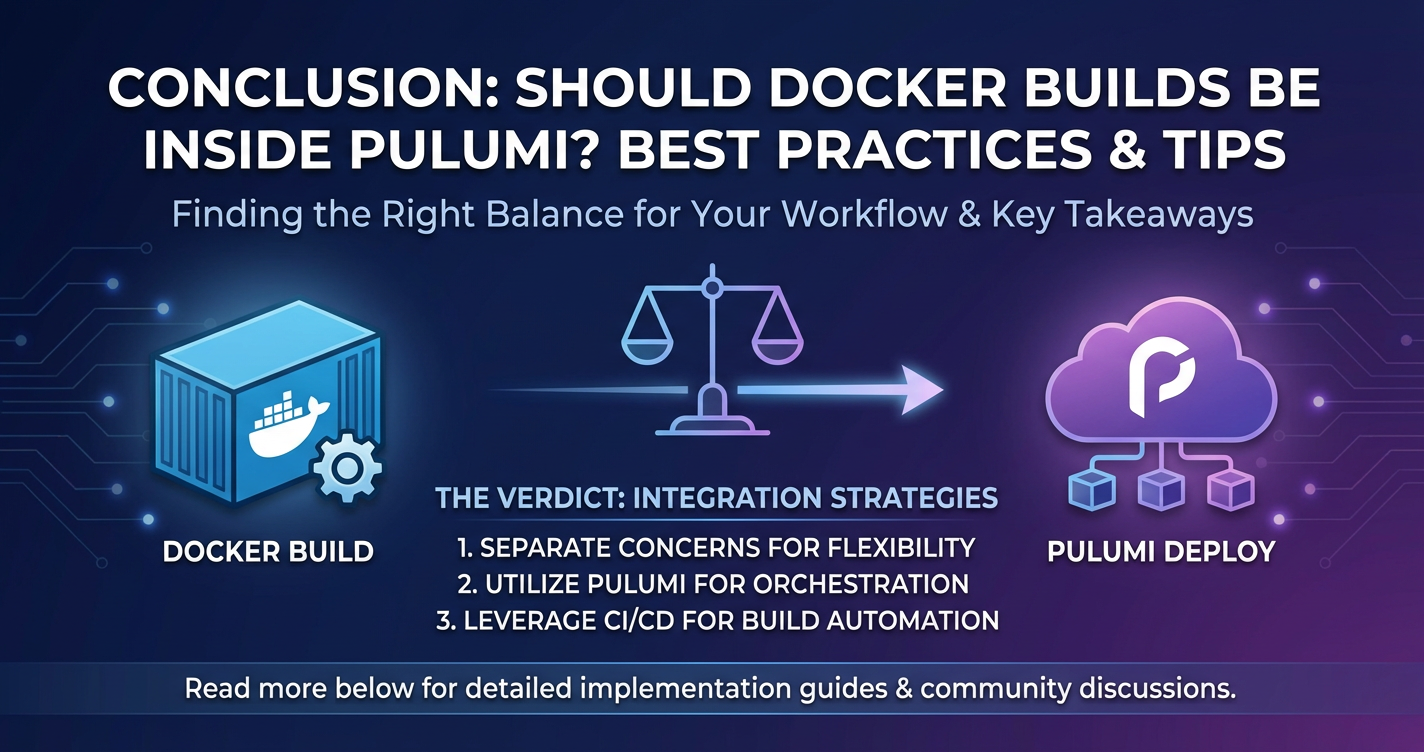
The decision of whether to embed Docker builds within your Pulumi workflow is a nuanced one, with valid arguments for both integration and separation. There's no universal "best" practice; instead, the optimal approach is a function of your project's characteristics, your team's size and expertise, and your organizational requirements for speed, security, and scalability.
For smaller, less complex projects, or during early development phases, the convenience and rapid feedback loop offered by Pulumi's docker.Image resource can be incredibly appealing. It consolidates your entire application and infrastructure lifecycle into a single, cohesive unit, simplifying version control and deployment.
However, as applications grow in complexity, scale, or demand stringent security and performance, the benefits of externalizing Docker builds to a dedicated CI/CD pipeline become increasingly compelling. This separation of concerns allows each specialized tool to excel at its primary function: CI/CD for robust, parallelized, and secure application builds, and Pulumi for intelligent, reproducible, and auditable infrastructure deployment. This approach aligns with the microservices philosophy of loose coupling and enables greater flexibility, better performance, and enhanced security postures for your overall software delivery process.
Furthermore, in today's cloud-native landscape, api gateways are indispensable for managing service traffic. For applications leveraging the power of AI, specialized solutions like AI Gateway and LLM Gateway are becoming critical. Here, a platform like APIPark offers a powerful, open-source solution for managing both traditional APIs and the complexities of AI/LLM integration. Pulumi can seamlessly provision the underlying infrastructure for these gateways and deploy the containerized services they manage, irrespective of whether the Docker images were built directly by Pulumi or by an external CI/CD system.
Ultimately, the best strategy might evolve. Many organizations begin with a tightly integrated approach for simplicity and then gradually mature to a more distributed, specialized pipeline as their needs grow. The key is to understand the trade-offs, embrace best practices for whichever approach you choose, and remain agile enough to adapt your strategy as your cloud-native journey progresses. By carefully considering these factors, you can build a deployment pipeline that is not only efficient and secure but also empowers your teams to deliver value rapidly and reliably.
Frequently Asked Questions (FAQ)
- What are the main benefits of using Pulumi for infrastructure management? Pulumi allows you to define, deploy, and manage cloud infrastructure using familiar programming languages (TypeScript, Python, Go, C#), offering benefits like strong typing, code reusability, modularity, advanced abstraction capabilities, and a robust preview/update workflow for safer deployments compared to traditional declarative IaC tools.
- Why would someone consider integrating Docker builds directly into Pulumi? Direct integration simplifies deployment pipelines, unifies version control of application code and infrastructure, enhances reproducibility, and provides a faster feedback loop for developers during local development. It's often favored for simpler applications or smaller teams seeking a streamlined workflow.
- What are the primary reasons to keep Docker builds separate from Pulumi deployments? Separating Docker builds from Pulumi deployments typically leads to faster
pulumi upexecution times, better scalability for complex microservices, more efficient build caching, enhanced security practices (e.g., dedicated build environments, vulnerability scanning), and greater flexibility in CI/CD tooling. This is generally recommended for larger, more complex projects. - How do API Gateways, AI Gateways, and LLM Gateways fit into a containerized deployment managed by Pulumi? Pulumi is used to provision the infrastructure for api gateways, which route traffic to containerized microservices. For AI-driven applications, Pulumi can also provision services that utilize specialized AI Gateways or LLM Gateways (like APIPark) to manage, secure, and unify interactions with various AI models. These gateways provide critical functionalities like authentication, rate limiting, prompt management, and cost tracking for AI services, ensuring efficient and secure AI model consumption by your applications.
- Can I use a hybrid approach for Docker builds and Pulumi deployments? Yes, a hybrid approach is often highly effective. For example, you might use direct Pulumi Docker builds for local development and rapid prototyping, while relying on external CI/CD pipelines for production deployments to leverage their advanced features, performance, and security capabilities. This strategy combines the best of both worlds, optimizing for both developer experience and production readiness.
🚀You can securely and efficiently call the OpenAI API on APIPark in just two steps:
Step 1: Deploy the APIPark AI gateway in 5 minutes.
APIPark is developed based on Golang, offering strong product performance and low development and maintenance costs. You can deploy APIPark with a single command line.
curl -sSO https://download.apipark.com/install/quick-start.sh; bash quick-start.sh

In my experience, you can see the successful deployment interface within 5 to 10 minutes. Then, you can log in to APIPark using your account.

Step 2: Call the OpenAI API.