Troubleshoot 402 Error: Steps to Resolve Payment Required
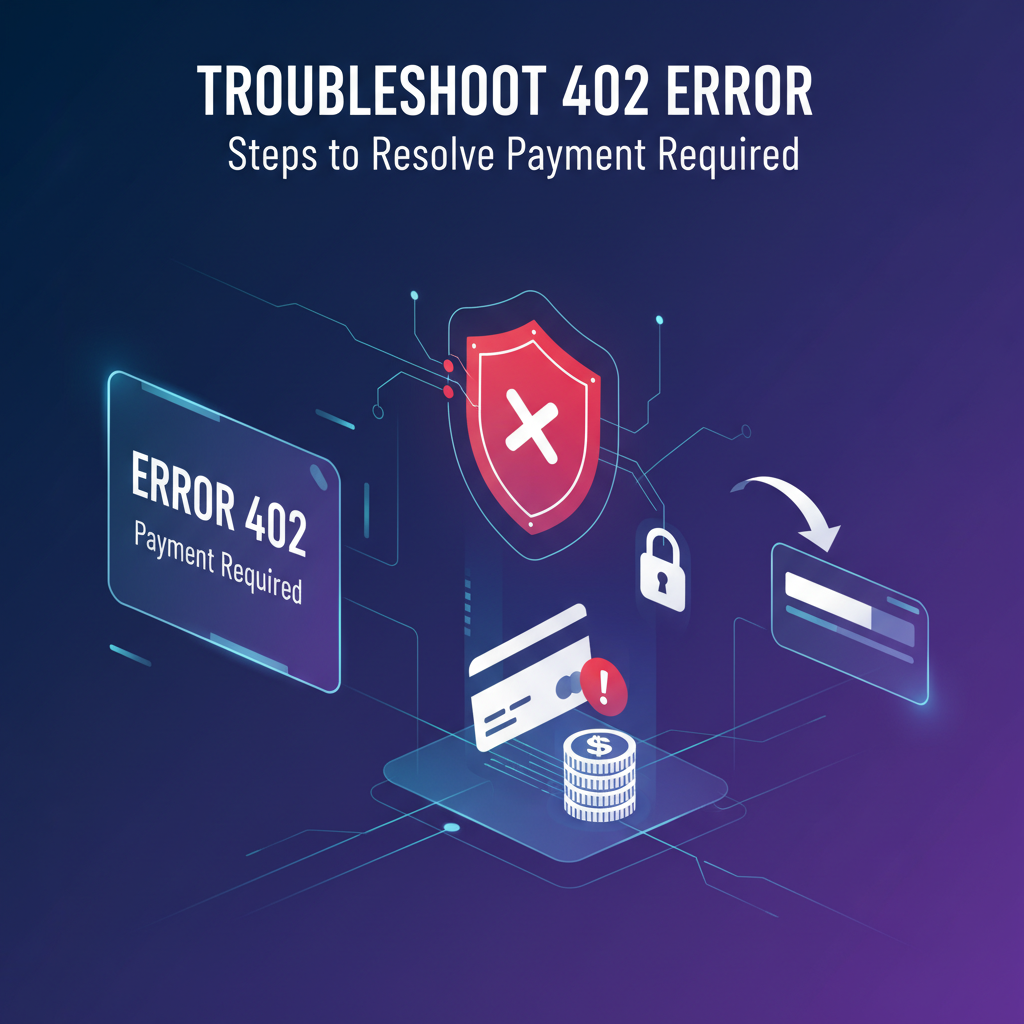


In the intricate world of web services and digital transactions, encountering an error code can be a frustrating, yet often instructive, experience. While some error codes like 404 (Not Found) or 500 (Internal Server Error) are commonplace, others, such as the enigmatic HTTP 402 "Payment Required" status code, are less frequently seen but carry a significant message. This particular error signals a critical juncture where an interaction, be it accessing premium content, continuing a subscription, or consuming resources from an API, has been halted due to an outstanding payment issue. Understanding, diagnosing, and ultimately resolving a 402 error is paramount for both users seeking uninterrupted service and businesses striving to maintain a seamless customer experience and consistent revenue streams.
This comprehensive guide will delve deep into the HTTP 402 error, exploring its historical context, modern applications, and the myriad scenarios that can trigger it. We will meticulously outline step-by-step troubleshooting procedures for both clients and service providers, emphasizing the crucial role of robust payment systems and sophisticated API gateway solutions in prevention and resolution. By the end of this article, you will possess a profound understanding of how to tackle this specific payment-related impediment, ensuring your digital interactions and service consumptions, particularly when dealing with valuable API resources, remain smooth and uninterrupted.
Understanding the HTTP 402 Status Code: "Payment Required"
The HTTP 402 "Payment Required" status code occupies a unique position within the spectrum of client error responses (4xx codes). Unlike its more common counterparts, the 402 code was initially reserved for future use, as outlined in RFC 7231, indicating that it was intended as part of a potential digital cash or micro-payment scheme. Consequently, for many years, its implementation was sparse, and developers rarely encountered it in practical scenarios. However, with the explosion of subscription-based services, pay-per-use models, and the burgeoning API economy, the 402 error has found a contemporary relevance, albeit still with varying degrees of standardized application.
At its core, the 402 error signifies that the request (whether it's an attempt to access a webpage, download a file, or make an API call) cannot be fulfilled until the client makes a payment. It is a direct signal from the server that a financial obligation needs to be met before access or service can be granted. This is a crucial distinction from other client errors:
- 401 Unauthorized: This means the client has not provided valid authentication credentials (e.g., wrong username/password, missing API key). It's about identity verification, not payment.
- 403 Forbidden: This indicates that the client is authenticated but does not have the necessary permissions to access the resource. It's about authorization, not a financial hold.
- 404 Not Found: The requested resource simply does not exist on the server.
- 400 Bad Request: The server cannot process the request due to a client error, such as malformed syntax.
The explicit "Payment Required" message sets the 402 apart. It's a clear directive, forcing a financial resolution. While not universally implemented across all web servers and applications in a consistent manner, its emergence in specific contexts, particularly those involving monetized digital assets and metered services, highlights its growing importance. For instance, a video streaming service might return a 402 if your premium subscription has expired, or an API gateway might issue it if your consumption of API requests has exceeded your prepaid quota without a successful top-up. The ambiguity surrounding its historical use is slowly giving way to more concrete, practical applications in an increasingly subscription-driven and API-centric digital landscape.
Common Scenarios Leading to a 402 Error
The HTTP 402 "Payment Required" error, while specific in its implication, can manifest across a surprisingly broad range of scenarios. These situations invariably revolve around a failed or absent financial transaction preventing access to a requested resource or service. Understanding these common triggers is the first step toward effective diagnosis and resolution.
Expired Payment Methods
One of the most straightforward and frequent causes of a 402 error is an outdated payment instrument. Credit cards, debit cards, and even some digital wallets have expiration dates. When an automated billing system attempts to process a recurring payment (e.g., for a SaaS subscription, monthly hosting, or an API service plan) using an expired card, the transaction will fail. The payment gateway or the issuing bank will reject the charge, and the service provider's system will then detect the failed payment, often resulting in a 402 error when you try to access the service. This is particularly common for annual subscriptions where a card might expire long before the next billing cycle, or for users who simply forget to update their details. The consequence is immediate service disruption, turning a minor oversight into a significant access problem.
Insufficient Funds
Another primary reason for a transaction failure leading to a 402 error is a lack of available funds in the associated payment account. This can apply to bank accounts linked to debit cards, digital wallets, or even prepaid credit cards. When the service attempts to deduct a recurring fee or a usage-based charge, and the account balance is below the required amount, the payment gateway will receive a decline code indicating insufficient funds. In the context of an API service, if you're on a pay-as-you-go model and your pre-loaded balance runs out, attempts to make further API calls might trigger a 402 until your account is topped up. This scenario often catches users off guard, especially if they haven't been monitoring their bank balances or API consumption closely.
Declined Transactions by Issuing Bank
Beyond expiration and insufficient funds, banks can decline transactions for numerous other reasons. These are often related to security protocols or specific cardholder limits. Common reasons include:
- Fraud Suspicion: The bank's automated fraud detection systems might flag a transaction as unusual (e.g., large amount, foreign transaction, multiple attempts in a short period).
- Incorrect CVV/CVC: A mismatch in the Card Verification Value code entered by the user.
- Address Verification System (AVS) Mismatch: The billing address provided doesn't match the address on file with the bank.
- Daily/Transaction Limits: The cardholder might have exceeded a daily spending limit or a limit per transaction set by their bank.
- Card Not Activated: Newly issued cards sometimes require activation before first use.
- Blocked Card: The card might have been reported lost or stolen and subsequently blocked.
In these cases, the service provider receives a specific decline code from the payment gateway, which then translates into a 402 error for the user, indicating that payment could not be processed due to a bank-level decision.
Billing Information Mismatch
Accuracy in billing details is paramount for successful transactions. Minor discrepancies can cause major headaches. An incorrect billing address, ZIP code, or even a typo in the cardholder's name can lead to a payment gateway or bank rejection. While some systems are more forgiving, others are strict, especially when AVS checks are in place. Such mismatches can result in a soft decline, which the service provider's system interprets as a failed payment, triggering the 402 error until the information is corrected. This is particularly frustrating because the card itself might be valid and have sufficient funds, but the details provided don't align.
Subscription Lapses and Auto-Renewal Failures
Many digital services operate on a subscription model with automatic renewals. A 402 error frequently occurs when this auto-renewal process fails. This can be due to any of the aforementioned payment issues (expired card, insufficient funds, bank decline). If the system attempts to renew a subscription, fails to process the payment, and there's no immediate retry mechanism or a grace period has expired, the subscription will lapse. Upon the next attempt to access the service or consume resources, the server will respond with a 402 error, indicating that the active subscription required for access is no longer valid.
Trial Period Expiration
Free trials are a popular way to entice new users. However, they are often designed to transition seamlessly into a paid subscription unless explicitly canceled. If a user enters their payment details at the start of a trial and then fails to cancel before the trial period concludes, the system will attempt to charge the card. Should this transaction fail (again, due to expiration, insufficient funds, or bank decline), the user will be blocked from accessing the service and presented with a 402 error, demanding payment to continue. This is a common point of friction and potential churn for many services.
Exceeding Usage Limits (Pay-as-you-go APIs)
For services that meter usage, especially in the API economy, a 402 error can signify that the user has consumed more resources than their current plan or prepaid balance allows. Many API providers offer a certain quota of free or low-cost requests, after which a payment is required for continued usage. If a user hits their limit and their account isn't configured for automatic top-ups, or if the top-up transaction fails, any subsequent API calls will likely be rejected with a 402 status code.
This is a critical area where an API gateway plays a pivotal role. A robust API gateway manages access, enforces rate limits, and often integrates with billing systems. When a client makes an API request that exceeds their allowance, the gateway might intercept it, check the billing status, and if no valid payment or credit exists for the extended usage, it can generate a 402 error before the request even reaches the backend service. This prevents unauthorized resource consumption and ensures that monetization policies are effectively enforced.
Fraud Prevention Measures
Payment processors and banks employ sophisticated fraud detection algorithms. Sometimes, even legitimate transactions can be caught in these nets. If a payment gateway or an internal fraud prevention system flags a transaction as potentially fraudulent, it might temporarily suspend service or access, leading to a 402 error. This is a protective measure, albeit an inconvenient one for the legitimate user, requiring manual verification or a change in payment method to resolve.
Region-Specific Payment Issues
In an increasingly globalized digital market, payment methods and regulations vary significantly by region. A service might not support certain local payment methods, or cross-border transactions might face specific restrictions or higher decline rates. If a user attempts to pay with a method not accepted in their region, or if their bank imposes restrictions on international payments, a 402 error could arise. This highlights the complexity of international payment processing and the need for diverse payment options.
By understanding these varied scenarios, both users experiencing the 402 error and developers trying to troubleshoot it can narrow down the potential root causes, paving the way for a quicker and more targeted resolution.
Impact of 402 Errors
The reverberations of an HTTP 402 error extend far beyond a simple failed transaction, affecting users, businesses, and developers alike. While seemingly a technical hiccup, its consequences can be significant, impacting user experience, revenue, and system stability.
For Users: Service Disruption and Frustration
For the end-user, a 402 error translates directly into service disruption. Whether it's the inability to access a crucial productivity tool, stream a favorite show, or continue using a vital API in their application, the immediate outcome is a halt in their intended activity. This interruption is often accompanied by frustration, especially if the reason for the payment failure is unclear or if the process to resolve it is convoluted. Users might feel inconvenienced by having to stop what they're doing to update payment details, contact support, or investigate bank declines. If the issue persists or recurs, it erodes trust and satisfaction, potentially leading to the user abandoning the service altogether and seeking alternatives. The smooth, seamless digital experience they expect is shattered by this financial roadblock.
For Businesses: Revenue Loss, Churn, and Support Burden
For businesses, a cascade of negative effects stems from 402 errors:
- Revenue Loss: The most immediate impact is a direct loss of revenue from failed payments. This includes both new subscriptions that can't be processed and recurring payments that are missed, leading to a dip in monthly recurring revenue (MRR). For pay-as-you-go API models, every failed transaction means lost revenue from API calls that would otherwise have been monetized.
- Customer Churn: Persistent payment issues, particularly if poorly communicated or difficult to resolve, are a significant driver of customer churn. Frustrated users are more likely to cancel their subscriptions or switch to a competitor. This "involuntary churn" due to payment failures can be a silent killer for subscription businesses.
- Increased Support Burden: Each 402 error often generates a support ticket or customer inquiry. This increases the workload on customer support teams, diverting resources that could be used for other critical tasks. Resolving these issues can be time-consuming, requiring investigation into payment gateway logs, communication with users, and sometimes even direct intervention.
- Negative User Experience and Reputational Damage: A poor payment experience reflects negatively on the brand. Users might perceive the service as unreliable or difficult to manage, sharing their negative experiences through reviews or social media, which can damage the company's reputation and deter potential new customers.
- Operational Inefficiencies: For API providers, a high rate of 402 errors can complicate API monitoring and analytics. It indicates a bottleneck in the monetization pipeline that needs immediate attention, potentially requiring adjustments to billing logic or API gateway configurations.
For Developers: Interruption of Application Functionality and Cascading Errors
Developers consuming API services are also significantly impacted:
- Application Downtime/Malfunction: If an application relies on an API that suddenly starts returning 402 errors due to payment issues, the application itself will likely stop functioning correctly or entirely. For example, a data visualization tool using a third-party analytics API would break if its API calls are rejected.
- Debugging Complexity: While a 402 error clearly points to a payment issue, diagnosing the specific cause (e.g., expired card vs. insufficient funds vs. bank decline) requires access to billing system information, which the developer consuming the API might not have. This adds a layer of complexity to debugging and requires coordination with the API provider.
- Cascading Errors: A single 402 error can trigger a chain of failures within a larger system. If one critical API call fails, subsequent dependent operations might also fail, leading to data inconsistencies or a complete system collapse.
- Time and Resource Drain: Developers must spend time investigating these errors, potentially modifying their application logic to handle payment-related issues more gracefully, or communicating with API providers and internal finance teams. This diverts valuable development time from building new features or fixing other bugs.
In essence, the 402 error, while seemingly a simple payment refusal, acts as a significant impediment to the smooth flow of digital services and data. Its impact underscores the necessity for robust, user-friendly payment systems and proactive communication strategies to mitigate its negative consequences across the entire digital ecosystem.
Step-by-Step Troubleshooting Guide for Users (Clients)
When you encounter an HTTP 402 "Payment Required" error, it can be perplexing, especially if you believe your payment details are up-to-date. However, armed with a systematic approach, you can often resolve these issues quickly without needing to contact support immediately. Here's a comprehensive guide for users:
1. Check Your Payment Method Thoroughly
This is the most critical first step. Most 402 errors stem from issues with the payment instrument itself.
- Verify Expiration Date: Is the credit or debit card you have on file still valid? Cards typically expire on the last day of the month indicated. If it's expired, you'll need to update it with the new card details.
- Review Card Number and CVV/CVC: Double-check that you've entered the card number correctly and that the 3 or 4-digit security code (CVV/CVC) on the back (or front for American Express) is accurate. Even a single digit error will cause a decline.
- Check Available Funds: If using a debit card or a prepaid card, ensure there are sufficient funds in the associated account to cover the charge. For credit cards, verify you haven't exceeded your credit limit. You can usually check this via your bank's mobile app or online banking portal.
- Ensure Card is Active: For newly issued cards, some banks require you to activate them before use. Confirm your card is fully activated.
- Card Status (Lost/Stolen): Has the card been reported lost or stolen and subsequently blocked? If so, you'll need to use a different card or request a new one.
2. Verify Your Billing Information
Even if your card is valid, incorrect billing details can cause payment failures due to Address Verification System (AVS) checks.
- Match Billing Address: Ensure the billing address you've provided to the service exactly matches the address registered with your bank or credit card provider. This includes street number, street name, apartment/suite numbers, city, state/province, and postal/ZIP code. Discrepancies, even minor ones, can lead to declines.
- Correct Cardholder Name: Verify that the name on the payment method matches the name you've entered in the billing information.
- Country and Region: For international services, confirm that your country and region details are correctly selected.
3. Review Your Subscription Status
If the 402 error is related to a recurring service, check the status of your subscription directly within the service provider's platform.
- Account Settings/Billing Section: Navigate to your account settings, typically labeled "Billing," "Subscriptions," or "Plans."
- Active vs. Lapsed: Is your subscription currently active, or has it lapsed due to a previous failed payment?
- Renewal Date: When was the last successful payment, and when was the next renewal attempt scheduled? This can help pinpoint when the payment failed.
- Usage Limits: If you are on a usage-based plan (common for API services), have you exceeded your current quota? The system might require an upgrade or top-up for continued access.
4. Contact Your Bank or Payment Provider
If you've checked all the above and still can't identify the issue, your bank or payment card issuer is the next point of contact.
- Call the Number on Your Card: Most cards have a customer service number on the back.
- Inquire About Declined Transactions: Ask them specifically about the recent failed transaction from the service provider. They can often provide a specific reason for the decline (e.g., "fraud alert," "insufficient funds," "transaction blocked").
- Authorize Future Transactions: If a transaction was declined due to a fraud alert, you might be able to authorize future payments to that specific merchant.
- Check for Temporary Holds: Sometimes banks place temporary holds on accounts or cards for security reasons.
5. Try an Alternative Payment Method
As a temporary workaround or a definitive solution, if you have another payment method available, try using it.
- Enter New Card Details: If you have another credit card, debit card, or even a different type of payment (e.g., PayPal, Apple Pay, Google Pay) that the service supports, attempt to update your billing information with these new details and try to complete the payment. This can immediately restore access if the issue was isolated to your primary payment method.
6. Clear Browser Cache and Cookies (Less Common for 402, but Good Practice)
While less directly related to payment processing, corrupted browser data can occasionally interfere with website functionality.
- How to Clear: Go to your browser settings, find "Privacy and Security" or "History," and select options to clear browsing data, specifically cookies and cached images/files.
- Why it Helps: This ensures you're interacting with the most current version of the website and that no stale data is causing unexpected behavior during the payment flow.
7. Contact the Service Provider's Support
If all else fails, it's time to reach out to the customer support team of the service experiencing the 402 error.
- Provide Detailed Information: When contacting them, be prepared to share as much detail as possible:
- The exact error message (e.g., "HTTP 402 Payment Required").
- The timestamp of when the error occurred.
- What you were trying to do when you encountered the error.
- The payment method you are using.
- What troubleshooting steps you've already taken (e.g., "I checked my card expiration, and my bank said the transaction was declined due to fraud suspicion").
- Be Patient: Support teams can often delve deeper into their payment gateway logs to identify the precise reason for the decline and guide you through the next steps.
By systematically working through these steps, most users can pinpoint and resolve the cause of a 402 error, restoring access to their services and continuing their digital activities without prolonged disruption.
Step-by-Step Troubleshooting Guide for Developers/Service Providers
For developers and service providers, an HTTP 402 error isn't just an inconvenience; it's a critical signal indicating a revenue leak or an access control failure. Diagnosing and resolving these errors on the backend requires a systematic approach, leveraging logging, monitoring, and an understanding of the entire payment and API lifecycle.
1. Robust Logging and Monitoring Are Paramount
The first line of defense against any unexpected error, including 402, is comprehensive logging and monitoring.
- Server-Side Application Logs: Your application's logs should record every attempt to process a payment, along with the outcome. Look for specific error messages from your payment processing libraries or direct responses from payment gateways. These logs are invaluable for identifying when the payment failed and what specific error code was returned by the external payment processor.
- Payment Gateway Logs/Dashboards: Every major payment gateway (Stripe, PayPal, Braintree, etc.) provides its own dashboard and detailed transaction logs. These logs often contain granular reasons for declines (e.g., "card expired," "insufficient funds," "do not honor"). Access these to get the authoritative reason for the payment failure.
- API Gateway Logs: If your service exposes APIs, your API gateway logs are crucial. A sophisticated API gateway like APIPark offers detailed call logging capabilities, recording every detail of each API call. This feature allows businesses to quickly trace and troubleshoot issues in API calls, including those that result in 402 errors. APIPark's logging can show you which API call triggered the 402, who made it, and what context was involved, helping trace payment-related issues to specific user actions or API consumption patterns.
- Alerting Systems: Implement alerts for recurring payment failures, a sudden spike in 402 errors, or specific payment gateway decline codes. Proactive alerts can notify your team before a small issue escalates into a major churn event.
2. Check Payment Gateway Status and Configuration
External dependencies can be a source of problems.
- Payment Processor Status Pages: Before deep diving into your code, check the status pages of your primary payment gateway (e.g., Stripe Status, PayPal Service Updates). Outages or degraded service on their end can lead to widespread transaction failures that are beyond your direct control.
- Gateway Configuration: Review your payment gateway's configuration. Are there any specific rules or settings that might be inadvertently blocking legitimate transactions? This includes webhook URLs, fraud settings, or currency configurations.
3. Verify Webhook Handling and Processing
Modern payment systems heavily rely on webhooks to communicate asynchronous events, such as successful payments, failed charges, or subscription cancellations.
- Webhook Listener Reliability: Ensure your webhook endpoint is always available and processes incoming notifications reliably. If your system misses a "payment failed" webhook, it might mistakenly keep a user's subscription active.
- Idempotency: Your webhook handler should be idempotent, meaning it can process the same webhook multiple times without causing duplicate actions. This is crucial as webhooks can sometimes be redelivered.
- Error Handling in Webhooks: If your webhook processing logic itself has bugs, it might fail to update subscription statuses correctly, leading to discrepancies between the payment gateway's record and your internal system.
4. Review Billing System Logic and Integration
The core of your service's monetization lies in its billing system.
- Subscription State Machine: Carefully review the logic that manages subscription states (e.g.,
active,trial,grace_period,past_due,canceled). Ensure that transitions between these states are correctly handled based on payment outcomes. A common issue is a bug where a failed payment doesn't correctly transition a subscription topast_dueorcanceled. - Retry Logic (Dunning Management): Does your system have a robust dunning management process? This involves automatically retrying failed payments multiple times over a defined period (e.g., 3 retries over 7 days) before fully canceling a subscription. Incorrect retry logic can prematurely cut off access.
- Usage-Based Billing Calculation: For APIs or other metered services, verify that usage is accurately tracked and billed. A discrepancy here can cause a user to hit a payment threshold unexpectedly. Ensure your system correctly communicates with the API gateway to update usage limits and billing tiers.
- Integration with User Accounts: Confirm that the billing system correctly links payment statuses to user accounts, ensuring that the correct access permissions are granted or revoked.
5. API Gateway Configuration and Policy Enforcement
For services that rely on APIs, the API gateway is a critical point of control and error generation.
- Access Control Policies: Your API gateway should have policies in place to enforce access based on subscription status or payment tiers. When a 402 error occurs, investigate which policy rejected the request and why.
- Rate Limiting and Throttling: For usage-based APIs, the API gateway is responsible for enforcing rate limits. If a user exceeds their allotted requests and their account cannot be auto-billed for overages, the gateway should be configured to return a 402 status code. Verify that these limits and the associated error responses are correctly set up.
- Integration with Billing System: How does your API gateway determine if a user has paid for access or exceeded their free tier? It should integrate with your billing system or a central identity and access management (IAM) system to fetch this information in real-time or from a frequently updated cache.
- APIPark's Role: This is where a platform like APIPark shines. As an open-source AI gateway and API management platform, APIPark helps regulate API management processes, manage traffic forwarding, load balancing, and versioning of published APIs. It enables end-to-end API lifecycle management and independent API and access permissions for each tenant. By providing a unified gateway for all your APIs, APIPark can centrally enforce these payment-dependent access policies, making it easier to manage and troubleshoot 402 errors related to API consumption. Its capability to integrate with billing logic allows for precise control over when a 402 should be issued based on a user's payment status or usage quota.
6. Enhance Customer Communication
Proactive and clear communication can significantly reduce support burden and improve user retention.
- Automated Email Notifications: Implement automated emails for failed payments, upcoming card expirations, or trial period conclusions. These emails should clearly state the problem and provide a direct link to update payment information.
- In-App Notifications: Display clear messages within your application when a payment issue occurs, guiding users on how to resolve it.
- Personalized Messaging: Leverage information from your payment gateway to send more specific messages (e.g., "Your card expired" vs. "Your bank declined the transaction").
7. Thoroughly Test Payment Flows
Regular testing of your entire payment lifecycle is crucial for preventing 402 errors.
- Staging Environment Testing: Use a staging or sandbox environment to simulate various payment failure scenarios (expired cards, insufficient funds, bank declines). Test the entire flow: payment attempt -> decline -> webhook processing -> subscription status update -> user notification -> eventual account access restriction.
- Edge Case Testing: Test less common scenarios, such as immediate cancellation after a failed payment, reactivating a subscription, or users attempting to pay with invalid characters.
- Automated Regression Tests: Include payment flows in your automated test suite to catch regressions caused by new code deployments.
By diligently following these steps, developers and service providers can significantly reduce the occurrence of 402 errors, improve system reliability, and maintain a healthier revenue stream. The insights gained from detailed logging, combined with a robust API gateway like APIPark, empower teams to manage payment-related access issues effectively and deliver a superior user experience.
APIPark is a high-performance AI gateway that allows you to securely access the most comprehensive LLM APIs globally on the APIPark platform, including OpenAI, Anthropic, Mistral, Llama2, Google Gemini, and more.Try APIPark now! 👇👇👇
Preventive Measures to Minimize 402 Errors
While troubleshooting is essential, preventing 402 errors from occurring in the first place is far more advantageous for both users and businesses. Proactive measures, spanning technical implementation, customer communication, and business policies, can significantly reduce the incidence of payment failures and enhance overall customer satisfaction.
1. Implement Robust and Flexible Payment Systems
The foundation of minimizing 402 errors lies in having a state-of-the-art payment infrastructure.
- Multiple Payment Options: Offer a variety of payment methods (credit cards, debit cards, PayPal, Google Pay, Apple Pay, local payment options like SEPA Direct Debit, Alipay, WeChat Pay). This caters to diverse user preferences and regional requirements, reducing the chances of a user being unable to pay due to an unsupported method.
- PCI DSS Compliance: Ensure your payment handling processes meet the Payment Card Industry Data Security Standard (PCI DSS). While often handled by your payment gateway, understanding your responsibilities helps maintain secure transactions, which can prevent fraud-related declines.
- Fraud Detection Tools: Integrate with advanced fraud detection tools provided by your payment gateway or third-party services. These tools can help differentiate between legitimate and fraudulent transactions, reducing false positives that might incorrectly block valid customers.
- Tokenization and Vaulting: Store payment information securely using tokenization. This not only enhances security but also makes it easier for users to update their payment methods without re-entering all details, and for you to manage recurring billing.
2. Proactive Communication with Users
Anticipating potential payment issues and communicating them clearly to users can prevent many 402 errors.
- Pre-Renewal Reminders: Send automated email or in-app notifications a few days before a subscription is due for renewal. This gives users a chance to ensure their payment method is current and has sufficient funds.
- Card Expiration Notifications: Proactively notify users whose credit/debit cards on file are approaching their expiration date (e.g., 30-60 days before expiration). Prompt them to update their details.
- Clear Failed Payment Notifications: If a payment fails, send immediate, clear, and actionable notifications. The message should explain why the payment failed (if known, e.g., "Your card expired," "Insufficient funds") and provide a direct link or clear instructions on how to update their payment information.
- Usage Threshold Alerts: For API services or other usage-based models, send alerts when users are approaching their usage limits. This gives them time to upgrade their plan or top up their balance before hitting a hard limit that would trigger a 402 error.
3. Implement Effective Dunning Management
Dunning is the process of managing delinquent accounts, primarily through automated retry logic.
- Automated Payment Retries: Configure your billing system to automatically retry failed payments multiple times over a period (e.g., 3 retries over 7-14 days). Many payment gateways offer built-in dunning features that can be configured.
- Grace Periods: Provide a short grace period (e.g., 3-7 days) after a payment failure before fully suspending service. During this period, users can still access the service but are prompted to update their payment method.
- Varying Retry Schedules: Some advanced dunning systems vary the timing of retries, as banks might have specific times when funds are more likely to be available.
- Clear Account Status: Clearly indicate to users when their account is in a "past due" or "grace period" state, along with the remaining time until service suspension.
4. Transparent Usage-Based Billing for APIs
For API providers, clarity around usage and billing is paramount.
- Transparent Pricing: Make your API pricing structure crystal clear, especially for tiered or pay-as-you-go models. Users should easily understand how their consumption translates into costs.
- Real-time Usage Tracking: Provide users with a dashboard where they can monitor their API consumption in real-time. This empowers them to manage their usage and avoid unexpected overages that lead to 402 errors.
- Soft Limits and Notifications: Instead of an abrupt 402, consider implementing "soft limits" where users are warned when they are approaching their quota, giving them an option to upgrade or pause consumption.
5. Develop User-Friendly Billing Portals
An intuitive self-service portal is invaluable.
- Easy Payment Method Updates: Make it simple for users to add, update, or remove payment methods. The process should be quick, clear, and secure.
- View Past Invoices and Payment History: Allow users to easily access their billing history, invoices, and payment statuses. This helps them track their spending and verify charges.
- Subscription Management: Provide clear options to upgrade, downgrade, pause, or cancel subscriptions.
6. Leverage API Gateway Policies for Proactive Management
An API gateway plays a central role in enforcing policies that prevent payment-related access issues.
- Granular Access Control: Use your API gateway to implement fine-grained access policies based on user roles, subscription tiers, and payment status. This ensures that only authorized users on active plans can access specific API endpoints.
- Rate Limiting & Quota Management: Configure the API gateway to enforce rate limits and usage quotas dynamically. When a user approaches or exceeds their quota, the gateway can be configured to:
- Return a specific custom header or message indicating approaching limits.
- Return a 402 error if the configured policy is to stop access upon exceeding a paid quota without a valid top-up.
- Redirect the user to a billing page to upgrade their plan.
- Integration with Billing Microservices: Integrate the API gateway with your internal billing and subscription management microservices. This allows the gateway to make real-time decisions about access based on the latest payment status, ensuring that a 402 is returned only when absolutely necessary and correctly.
- APIPark's Capabilities: APIPark, an open-source AI gateway and API management platform, provides robust features for this. It allows for end-to-end API lifecycle management, including access control, traffic management, and detailed call logging. By leveraging APIPark's capabilities, you can define sophisticated policies that manage access to your API resources based on subscription status or payment conditions, thereby proactively preventing unauthorized usage and handling payment requirements gracefully. Its ability to provide independent API and access permissions for each tenant, and requiring approval for API resource access, ensures that payment compliance can be a built-in part of your API strategy.
By adopting these preventive measures, businesses can significantly improve customer retention, reduce operational overhead associated with support, and ensure a more stable and predictable revenue stream, all while offering a superior and less error-prone experience for their users and API consumers.
The Role of API Gateways in Managing Billing and Access
In the modern microservices architecture and API-driven economy, the API gateway is far more than just a simple proxy; it's a strategic control point for everything from security and traffic management to analytics and, critically, monetization. For services that charge for API usage or require subscriptions for access, the API gateway plays an indispensable role in preventing, managing, and appropriately signaling 402 "Payment Required" errors.
Centralized Access Control and Policy Enforcement
An API gateway acts as the single entry point for all API requests, making it the ideal location to enforce access control policies. Instead of each backend service needing to check a user's subscription status, the gateway can handle this centrally.
- Subscription Tier Enforcement: The gateway can verify a user's subscription tier (e.g., Free, Basic, Premium) against the requested API endpoint. If a user on a "Free" tier attempts to access a "Premium" API endpoint, the gateway can immediately block the request and return an appropriate error, which, in a payment context, might be a 402 if the user is directed to upgrade.
- Authentication and Authorization: Beyond just payment, the gateway handles initial authentication (e.g., validating API keys, OAuth tokens) and authorization, ensuring only legitimate and authorized users can even attempt to make a call. If authentication fails, a 401 error is returned; if authorized but no payment is met, a 402 might follow.
- Tenant Isolation: For multi-tenant platforms, an API gateway can enforce tenant-specific access rules and billing plans. APIPark facilitates this by enabling the creation of multiple teams (tenants), each with independent applications, data, user configurations, and security policies, while sharing underlying applications and infrastructure. This isolation ensures that one tenant's payment issues don't affect others, and each tenant's usage is correctly metered against their specific payment plan.
Rate Limiting and Throttling
A primary function of an API gateway is to manage and control the flow of requests. This is directly relevant to preventing payment-related issues in usage-based API models.
- Enforcing Usage Quotas: For pay-as-you-go or tiered API services, the gateway tracks the number of API calls made by each user or client application. When a user approaches or exceeds their allocated quota (e.g., 10,000 requests per month for a "Basic" plan), the gateway can:
- Soft Limit Warning: Issue a warning in the response header (e.g.,
X-RateLimit-Remaining) indicating that the limit is being approached. - Hard Limit Enforcement (402): If the user exceeds the hard limit and no payment is made for overages, the gateway can reject subsequent requests with an HTTP 402 status code, clearly indicating that payment is required for continued usage.
- Integration with Billing Logic: The gateway can trigger real-time calls to an internal billing microservice to check if a user has sufficient credit or an active plan to cover additional usage.
- Soft Limit Warning: Issue a warning in the response header (e.g.,
Monetization Strategies and Integration with Billing Systems
The API gateway serves as the bridge between API consumption and your billing engine.
- Support for Diverse Billing Models: Whether you offer freemium, pay-as-you-go, subscription, or tiered access, the API gateway can be configured to support these models. It intercepts requests, applies the relevant billing logic, and determines if a financial condition has been met.
- Real-time Billing Decisions: For dynamic pricing or top-up models, the gateway can interact with a billing system in real-time. If a user's balance for API calls is depleted, the gateway can query the billing system for a new status or even initiate an automatic top-up transaction. If the top-up fails, a 402 is the logical next step.
- Charging for Specific Endpoints: The gateway can apply different pricing models or payment requirements to different API endpoints. For example, a basic data retrieval API might be free, while an advanced AI-powered data analysis API might require a premium subscription or specific payment per call. APIPark allows users to quickly combine AI models with custom prompts to create new APIs, such as sentiment analysis or data analysis APIs, and these can then be easily managed with associated billing policies.
Analytics and Monitoring for Revenue Health
Beyond just enforcement, the API gateway provides invaluable data for understanding API monetization.
- Detailed Call Logging: A robust API gateway like APIPark provides comprehensive logging capabilities, recording every detail of each API call. This includes the client, the endpoint, the response status (including 402 errors), and the associated user/tenant. This data is critical for identifying trends in payment failures, understanding which APIs are most affected, and pinpointing users who frequently encounter 402 errors. APIPark's detailed logs allow businesses to quickly trace and troubleshoot issues in API calls, ensuring system stability and data security.
- Powerful Data Analysis: APIPark analyzes historical call data to display long-term trends and performance changes. This powerful data analysis helps businesses with preventive maintenance before issues occur. By monitoring 402 error rates, businesses can identify payment system weaknesses, dunning process inefficiencies, or even user segments struggling with payment updates, allowing for proactive intervention.
- Business Intelligence: The API gateway's data, combined with billing data, can inform business decisions regarding pricing, plan structures, and user onboarding, aiming to reduce payment friction.
Security and Protection for Payment-Related APIs
The API gateway also serves as a crucial security layer for any APIs related to billing or payment information.
- Threat Protection: It can protect billing APIs from common web vulnerabilities (e.g., SQL injection, XSS) and DDoS attacks.
- Encryption and Compliance: Ensures that sensitive payment-related information passing through the gateway is encrypted and adheres to compliance standards like PCI DSS.
In conclusion, the API gateway is an indispensable component in any service architecture that monetizes its digital assets or APIs. By acting as a central enforcement point for access control, rate limiting, and integrating deeply with billing systems, a sophisticated gateway like APIPark effectively manages the conditions under which a 402 "Payment Required" error is issued. This proactive management helps maintain revenue, ensures fair usage, and ultimately contributes to a more stable and profitable API ecosystem.
Advanced Considerations for API Providers
For API providers, managing the lifecycle of an API extends far beyond its initial development and deployment. When it comes to payment-required scenarios, several advanced considerations can significantly impact user experience, compliance, and the overall financial health of the service. These elements require careful planning and robust implementation to navigate the complexities of digital monetization effectively.
Graceful Degradation vs. Abrupt Cut-off
When a user's payment fails and a 402 error is imminent, API providers face a critical decision: should access be completely cut off immediately, or should a period of "graceful degradation" be offered?
- Abrupt Cut-off: This is the simplest approach. Upon payment failure, all subsequent API calls immediately receive a 402 error. While clear and unambiguous, it can be jarring for users, potentially disrupting critical applications that rely on your API. It can lead to a poor user experience and increased churn, especially if the payment failure was unexpected or easily resolvable.
- Graceful Degradation: This involves allowing continued, albeit limited, access to the API for a short grace period after a payment failure. During this period, the user might be able to make a reduced number of API calls, access only non-critical endpoints, or experience throttled performance. The intent is to give the user time to rectify the payment issue without immediately breaking their application. This approach improves user experience and provides a window for successful payment recovery, but it requires more complex API gateway and billing logic to implement and monitor effectively. For instance, an API gateway like APIPark could be configured with dynamic policies that adjust rate limits or allowed endpoints based on a "past_due" status from the billing system, transitioning from full access to degraded access before a complete cut-off.
The choice between these two approaches depends on the criticality of the API, the business model, and the expected user impact. For mission-critical APIs, graceful degradation is often preferred to minimize disruption.
Refund Policies and Dispute Resolution
Payment failures and subsequent resolutions sometimes lead to refund requests or payment disputes (chargebacks). How an API provider handles these situations is crucial for customer trust and financial integrity.
- Clear Refund Policy: Publish a clear and easily accessible refund policy for your API services. This should outline the conditions under which refunds are granted (e.g., within 30 days of purchase for unused credits, for service outages caused by the provider).
- Efficient Refund Process: Ensure that your internal systems and processes allow for efficient and timely processing of legitimate refund requests. Delays in refunds can escalate customer dissatisfaction.
- Chargeback Prevention and Management: Chargebacks are costly and damaging. Implement strategies to prevent them, such as clear communication, providing easily accessible invoices, and having a responsive customer support team. When a chargeback occurs, have a defined process for gathering evidence and disputing it with your payment processor. This often involves providing proof of service delivery (e.g., API call logs from your API gateway, like APIPark's detailed logging) and communication records.
Compliance: GDPR, CCPA, and Local Payment Regulations
Operating an API service that handles payments means navigating a complex landscape of legal and regulatory compliance.
- Data Privacy (GDPR, CCPA, etc.): Ensure that the collection, storage, and processing of user payment information and related personal data comply with relevant data privacy regulations like GDPR (Europe) and CCPA (California). This includes obtaining explicit consent, providing data access/deletion rights, and implementing strong data security measures.
- PCI DSS Compliance: While often outsourced to your payment processor, understanding your responsibilities under PCI DSS is critical for anyone handling cardholder data. This standard ensures the secure handling of credit card information.
- Local Payment Regulations: Different countries and regions have specific regulations regarding online payments, invoicing, and consumer protection. For example, some regions require specific tax handling or mandates for recurring payment cancellations. If you serve a global user base, your billing and API access systems must be adaptable to these varying requirements. This might involve different payment gateway integrations or custom logic within your API gateway to handle region-specific rules.
Scalability of Payment Processing and API Gateway Infrastructure
As your API service grows, the underlying infrastructure must scale to handle increased traffic and transaction volumes without introducing new points of failure that could lead to 402 errors.
- Payment Gateway Capacity: Ensure your chosen payment gateway can handle your projected transaction volume. High-volume providers offer robust, scalable infrastructure.
- Billing System Scalability: Your internal billing microservices must be designed to scale horizontally to process a large number of subscriptions, usage events, and payment retries concurrently.
- API Gateway Performance: The API gateway itself must be highly performant and scalable. It's the front door to your APIs, and any performance bottleneck here can lead to delays or errors, including those that manifest as payment issues. APIPark boasts performance rivaling Nginx, capable of achieving over 20,000 TPS with just an 8-core CPU and 8GB of memory, and supports cluster deployment to handle large-scale traffic. This ensures that even under heavy load, your API gateway remains responsive and reliably enforces payment-related access policies.
- Redundancy and High Availability: Implement redundancy across your payment systems, billing services, and API gateway infrastructure to ensure high availability. This minimizes downtime from single points of failure, which could otherwise prevent payment processing or API access and lead to 402 errors.
By meticulously addressing these advanced considerations, API providers can build a more resilient, compliant, and user-friendly service, effectively managing payment requirements and fostering long-term customer relationships.
Table: Comparison of Client Error Status Codes (4xx) Related to Access and Payment
Understanding the nuances between client-side error codes is crucial for both users and developers. While all 4xx codes indicate a client-side issue, their specific meanings differ significantly, guiding the troubleshooting process. Here's a comparison highlighting key distinctions, particularly focusing on the HTTP 402 "Payment Required" error.
| HTTP Status Code | Name | Primary Meaning | Common Scenarios | Action (Client) | Action (Service Provider) |
|---|---|---|---|---|---|
| 400 | Bad Request | The server cannot process the request due to a client error (e.g., malformed syntax, invalid request message framing, deceptive request routing). | Incorrect JSON/XML format in request body, missing required parameters, invalid query string values. | Review request format, parameters, headers. Ensure all required fields are present and correctly formatted. | Validate client input thoroughly, provide clear error messages with specific validation failures. |
| 401 | Unauthorized | The request has not been applied because it lacks valid authentication credentials for the target resource. Client needs to authenticate or re-authenticate. | Missing or invalid API key, expired authentication token, incorrect username/password for login, lack of proper security headers. | Provide valid API key/token, log in, or renew authentication credentials. Ensure authentication methods match API requirements. | Implement robust authentication mechanisms. Clearly document API authentication requirements and token expiration. |
| 402 | Payment Required | Reserved for future use (though now used by some payment processors and API providers) to indicate that payment is required to fulfill the request. | Expired subscription, insufficient funds for a transaction, trial period ended, exceeded pay-as-you-go API usage quota without payment, declined credit card due to bank issues. | Update payment method, add funds, contact bank, upgrade subscription plan. Follow instructions from the service provider to complete payment. | Review payment gateway logs, billing system status. Implement dunning management, clear communication on payment failures, and graceful access control via API gateway. |
| 403 | Forbidden | The server understood the request but refuses to authorize it. Client does not have permission to access the resource, even if authenticated. | User role lacks permission for a specific resource, IP address blocked, access denied to specific content based on geographical restrictions, resource only accessible by administrators. | Verify user permissions/roles, contact administrator for access, check for IP restrictions. The issue is with authorization, not authentication. | Implement fine-grained authorization policies. Ensure user roles/permissions are correctly assigned and enforced. Log authorization failures. |
| 404 | Not Found | The server cannot find the requested resource. | Incorrect URL, deleted page/API endpoint, typo in resource path, resource never existed. | Double-check the URL. If accessing an API, verify the endpoint path and resource ID. | Implement proper routing. Log 404s to identify broken links or deprecated API endpoints. Provide clear documentation for API paths. |
| 405 | Method Not Allowed | The method specified in the request line (e.g., GET, POST, PUT) is not allowed for the resource identified by the Request-URI. | Attempting a POST request on a read-only endpoint, using a GET method where a PUT is expected. | Use the correct HTTP method for the requested resource. Refer to API documentation for allowed methods. | Clearly define and document allowed HTTP methods for each API endpoint. Return Allow header with permitted methods. |
This table emphasizes that while all these errors prevent access to a resource, the reason for the prevention varies significantly. A 402 specifically points to a financial obligation, making it distinct from authentication, authorization, or malformed request errors. This clarity is vital for efficient troubleshooting.
Conclusion
The HTTP 402 "Payment Required" error, once a cryptic placeholder in the web standards, has evolved into a tangible and often critical signal in today's digital economy. It represents a clear juncture where access to valuable services, digital content, or crucial API resources is contingent upon a financial transaction. From expired credit cards and insufficient funds to intricate usage-based billing models managed by a sophisticated API gateway, the triggers for a 402 error are diverse, yet their impact consistently translates into service disruption for users and potential revenue loss for businesses.
This comprehensive guide has equipped you with the knowledge to dissect the 402 error, understanding its distinct nature compared to other client errors. We've navigated through common scenarios, explored the cascading impact on users, businesses, and developers, and provided detailed, actionable troubleshooting steps for both ends of the digital interaction. Crucially, we emphasized that prevention is always superior to cure. Implementing robust payment systems, engaging in proactive customer communication, establishing effective dunning management, and leveraging the full capabilities of an API gateway are not just best practices; they are essential strategies for minimizing 402 occurrences.
Platforms like APIPark exemplify how an advanced API gateway can be a cornerstone in this preventative strategy, offering granular access control, sophisticated rate limiting, and invaluable data analytics to manage API consumption and payment-related access policies seamlessly. By centralizing API management, APIPark empowers providers to enforce their monetization strategies effectively, providing detailed call logging and powerful data analysis to detect and address potential issues before they escalate.
Ultimately, mastering the HTTP 402 error is about more than just technical fixes; it's about fostering trust, ensuring continuous service delivery, and safeguarding revenue streams in an increasingly API-driven world. By embracing a proactive, user-centric approach and leveraging the right technological solutions, both users and providers can navigate the complexities of digital payments with confidence, ensuring smooth, uninterrupted access to the services that power our modern digital lives.
Frequently Asked Questions (FAQs)
1. What exactly does an HTTP 402 "Payment Required" error mean, and how is it different from a 401 or 403 error?
An HTTP 402 "Payment Required" error means that the request you've made (e.g., trying to access a website, use an API, or download content) cannot be fulfilled because a payment is outstanding or required. It's a direct signal from the server indicating a financial obligation. This differs significantly from: * 401 Unauthorized: This means you haven't provided valid authentication credentials (e.g., correct username/password, valid API key). It's about who you are. * 403 Forbidden: This means you are authenticated, but you do not have the permission to access the specific resource. It's about what you are allowed to do. In contrast, 402 specifically points to a payment issue, meaning your identity and permissions might be fine, but the financial requirement hasn't been met.
2. What are the most common reasons I might encounter a 402 error as a user?
As a user, the most common reasons for a 402 error include: * Expired Payment Method: Your credit or debit card on file has passed its expiration date. * Insufficient Funds: There isn't enough money in your linked account to cover the charge. * Declined by Bank: Your bank declined the transaction due to fraud suspicion, incorrect billing details, or reaching spending limits. * Lapsed Subscription: An automated renewal failed, and your subscription is no longer active. * Exceeded Usage Limits: For services like APIs, you've used up your free tier or paid quota, and payment is required for continued usage.
3. How can I, as an API provider, effectively prevent 402 errors for my users?
To prevent 402 errors, API providers should: * Implement Robust Payment Systems: Offer multiple payment options, use secure processing, and integrate fraud detection. * Proactive Communication: Send reminders for upcoming renewals, card expirations, and approaching API usage limits. * Dunning Management: Configure automated retry logic for failed payments and offer grace periods. * User-Friendly Billing Portals: Make it easy for users to update payment information and manage subscriptions. * Leverage an API Gateway: Utilize a sophisticated API gateway like APIPark to enforce granular access control, manage rate limits, and integrate with your billing system to make real-time decisions about access based on payment status or usage.
4. What role does an API gateway play in managing payment-related access and 402 errors?
An API gateway is a critical component for managing payment-related access to APIs. It acts as a central control point that can: * Enforce Access Policies: Grant or deny access to APIs based on a user's subscription status or payment tier. * Manage Rate Limits and Quotas: Track API consumption and block requests with a 402 error if a user exceeds their paid quota without a successful top-up. * Integrate with Billing Systems: Communicate with your billing platform to get real-time payment status and make informed decisions on API access. * Provide Detailed Logging: Offer comprehensive logs of all API calls and associated error codes (including 402s), which are invaluable for troubleshooting and analytics. Platforms like APIPark are designed specifically for this, offering powerful data analysis capabilities to predict and prevent payment-related API access issues.
5. My application is getting 402 errors when calling a third-party API. What should I do as a developer?
As a developer encountering 402 errors from a third-party API: * Check the API Provider's Documentation: Look for specifics on their billing, subscription, or usage policies. * Review Your Account Status: Log into your account with the API provider and check your subscription, payment method, and API usage limits. * Contact the API Provider's Support: If you can't resolve it, contact their support team with details like the exact error message, timestamp, API endpoint being called, and your account ID. * Implement Graceful Error Handling: In your application, gracefully handle 402 errors by informing the end-user that their access to a feature is currently suspended due to payment and guiding them to resolve it, rather than just crashing or failing silently.
🚀You can securely and efficiently call the OpenAI API on APIPark in just two steps:
Step 1: Deploy the APIPark AI gateway in 5 minutes.
APIPark is developed based on Golang, offering strong product performance and low development and maintenance costs. You can deploy APIPark with a single command line.
curl -sSO https://download.apipark.com/install/quick-start.sh; bash quick-start.sh

In my experience, you can see the successful deployment interface within 5 to 10 minutes. Then, you can log in to APIPark using your account.

Step 2: Call the OpenAI API.