Troubleshoot Upstream Request Timeout Errors Effectively
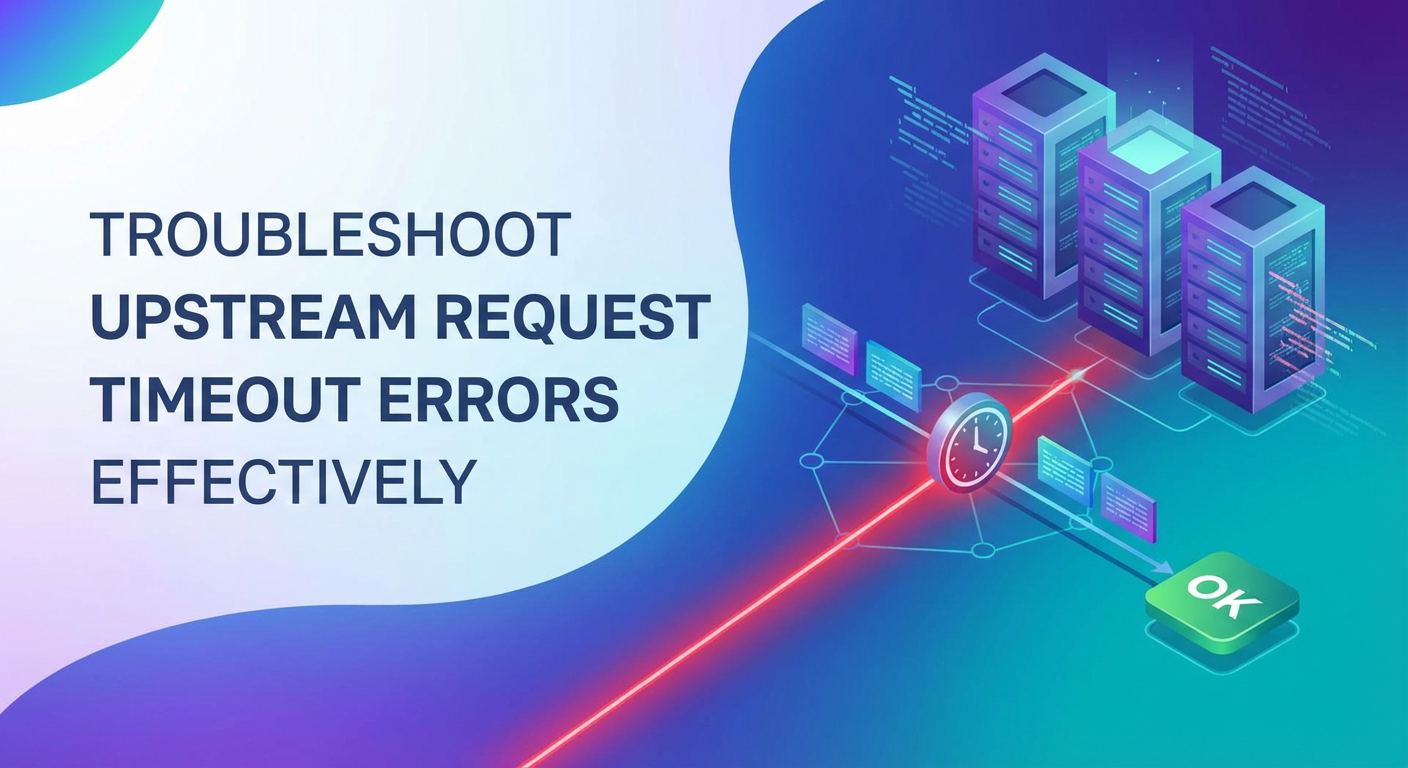


In the intricate tapestry of modern software systems, where applications communicate through a myriad of services and APIs, the smooth flow of data is paramount. At the heart of this communication lies the api gateway, a crucial component that acts as the single entry point for all client requests, routing them to the appropriate backend services. However, even with the most robust architectures, issues can arise, and one of the most frustrating and challenging to diagnose is the "upstream request timeout error." These errors not only disrupt user experience but can also propagate through systems, leading to cascading failures and significant operational headaches. Understanding the root causes, mastering diagnostic techniques, and implementing effective prevention strategies are not just best practices, but necessities for maintaining a resilient and high-performing digital ecosystem.
This comprehensive guide delves deep into the world of upstream request timeouts, dissecting their nature, exploring their multifarious causes, and equipping you with the knowledge and tools to troubleshoot them effectively. We will journey from the initial detection of a timeout to the implementation of long-term solutions, emphasizing the critical role of the gateway in both exacerbating and mitigating these issues. By the end of this exploration, you will be well-versed in maintaining the health of your api infrastructure, ensuring seamless interaction between your services and a superior experience for your users.
Understanding the Upstream Request Timeout: A Deep Dive
To effectively troubleshoot upstream request timeouts, one must first grasp their fundamental nature and the context in which they occur. At its core, an upstream request timeout signifies that a client — often an api gateway — has sent a request to a backend service (the "upstream" server) and has not received a response within a predefined period. This absence of a timely response triggers an error, preventing the client from proceeding with its operation and typically relaying an error message back to the original requestor.
What Constitutes an Upstream Server?
The term "upstream server" refers to any server that your current service or gateway communicates with to fulfill a request. In a typical microservices architecture, an api gateway might route a request to a user service, which then might call an order service, which in turn might query a database or an inventory service. In this chain, the user service is upstream to the api gateway, and the order service is upstream to the user service. Each link in this chain represents a potential point of failure where a timeout can occur. These upstream services can be anything from a simple REST api to a complex database, a message queue, a third-party service, or even another internal microservice. Their health and responsiveness are critical to the overall system's performance.
The Anatomy of a Timeout
A timeout is essentially a mechanism to prevent a system from waiting indefinitely for a response that may never come. Without timeouts, a failing upstream service could consume valuable resources (threads, connections, memory) on the calling service or gateway, leading to resource exhaustion and eventually a complete system collapse. Timeout values are typically configured at various layers:
- Client Timeout: The duration a user's browser or mobile application will wait for a response from the api gateway.
- API Gateway/Load Balancer Timeout: The time the gateway or load balancer will wait for a response from the immediate upstream service. This is often configurable for connection, read, and send operations.
- Service-to-Service Timeout: The timeout configured within one microservice when calling another microservice.
- Database/External Service Timeout: The time a service will wait for a response from a database query or an external third-party api.
When any of these timeouts are exceeded, the requesting component aborts the operation and typically reports an error. The crucial distinction for "upstream request timeout" errors is that the gateway itself is reporting that its downstream call (to a backend service) timed out. This means the problem usually lies not with the gateway's ability to receive requests, but with its ability to get a timely response from the service it's trying to reach.
The Request Lifecycle and Timeout Interventions
Consider a typical request flow: 1. A user's application sends an api request to the api gateway. 2. The api gateway processes the request, performs authentication/authorization, and routes it to an appropriate backend service. 3. The backend service receives the request, processes it (perhaps by querying a database or calling another service), and prepares a response. 4. The backend service sends the response back to the api gateway. 5. The api gateway receives the response and forwards it to the user's application.
An upstream request timeout can intervene at step 2 (if the gateway can't connect to the backend service) or, more commonly, at step 4 (if the backend service takes too long to send its response). The gateway acts as a crucial checkpoint, observing the entire round trip time for its internal calls. If this time exceeds its configured threshold, it cuts off the connection and returns an error. The error message often provides clues, indicating whether it was a connection timeout (failed to establish a connection) or a read timeout (connection established but no data received within the specified duration).
Understanding these layers and the potential points of failure is the first step toward effective troubleshooting. It allows us to narrow down the problem domain and focus our investigative efforts more efficiently.
Common Causes of Upstream Request Timeout Errors
Upstream request timeouts are rarely caused by a single, isolated factor. More often, they are the culmination of several interacting issues, making diagnosis a complex endeavor. A holistic approach is essential, examining every layer from the network infrastructure to the application code itself. Let's explore the most prevalent causes in detail.
1. Network Latency and Connectivity Issues
The most fundamental layer where timeouts can occur is the network. Communication between the api gateway and its upstream services relies entirely on stable and performant network connectivity.
- High Network Latency: Even if all services are healthy, significant delays in network transmission can cause a timeout. This can be due to geographical distance between services (e.g., cross-region calls), suboptimal routing, or congestion within the network itself. High latency means packets take longer to travel, eating into the allocated timeout budget.
- Packet Loss: When data packets fail to reach their destination or are dropped mid-transit, retransmissions are required. This adds significant delays, potentially pushing the total response time beyond the timeout limit. Packet loss can stem from faulty network hardware, overloaded network devices (routers, switches), or misconfigured firewalls.
- Firewall and Security Group Blocks: Misconfigured firewall rules or security groups can inadvertently block traffic between the api gateway and upstream services, or between services themselves. While this often manifests as connection refused errors, intermittent blocks or slow handshake processes due to strict security policies can contribute to timeouts. A server might attempt to establish a connection, but the firewall delays or drops the initial SYN packets, leading to a connection timeout.
- DNS Resolution Problems: Before a connection can be established, the hostname of the upstream service must be resolved to an IP address. Slow or failing DNS lookups can introduce significant delays, especially during initial connection attempts or when DNS caches expire. If DNS resolution itself times out, the service will never even attempt to connect to the upstream.
2. Upstream Service Overload and Resource Exhaustion
A common and insidious cause of timeouts is when the upstream service itself is overwhelmed or runs out of critical resources. Even if the network is perfect, an unhealthy service won't respond in time.
- CPU Exhaustion: If the upstream service's CPU is consistently at or near 100%, it means the server is struggling to process its current workload. New requests will be queued or dropped, leading to delays that exceed timeout thresholds. This can be caused by inefficient code, unexpected traffic surges, or insufficient scaling.
- Memory Depletion: Running out of available memory (RAM) can force the operating system to swap data to disk, a much slower process. This "swapping" significantly degrades performance, causing requests to take much longer to process and leading to timeouts. Memory leaks in the application code are a frequent culprit.
- Thread Pool Exhaustion: Many application servers (e.g., Java's Tomcat, Node.js worker pools) rely on a fixed number of threads to handle incoming requests. If all threads are busy processing long-running operations, new incoming requests will be queued indefinitely until a thread becomes free. If the queue grows too large or requests wait too long, the api gateway will time out.
- Database Connection Pool Exhaustion: Backend services frequently interact with databases. If the database connection pool on the upstream service is too small or if connections are not being released properly, the service will be unable to acquire a connection to execute queries, causing requests to stall and ultimately time out.
- Disk I/O Bottlenecks: For services that frequently read from or write to disk (e.g., logging, file storage, database operations where data doesn't fit in memory), slow disk I/O can become a significant bottleneck. This is particularly problematic in virtualized environments or with network-attached storage if not properly provisioned.
3. Slow Backend Processing Logic
Sometimes, the upstream service isn't overloaded, but the specific operation requested simply takes too long to complete due to its inherent complexity or inefficient implementation.
- Inefficient Database Queries: A poorly optimized SQL query (e.g., missing indexes, full table scans, complex joins on large datasets) can take seconds or even minutes to execute. If the upstream service is waiting for such a query to complete, it will inevitably time out.
- Complex Business Logic: Some business operations are inherently computationally intensive or involve multiple steps that take time. If not designed with performance in mind (e.g., blocking operations instead of asynchronous processing), these can lead to extended processing times.
- Synchronous Calls to External Dependencies: If an upstream service makes synchronous calls to another slow internal service or a third-party api, the calling service will block until a response is received. If these external calls are slow or time out themselves, the original request will also time out. This creates a chain of dependencies where one slow link can bring down the entire transaction.
- Long-Running File Operations: Operations involving large file uploads, downloads, or complex processing of file contents can consume significant time and resources, causing requests to time out.
4. Misconfigured Timeouts
Even perfectly healthy services can experience timeouts if the timeout values themselves are set incorrectly across different layers of the system. This is a classic "pebble in the shoe" scenario – a small, overlooked detail that causes significant pain.
- Insufficient API Gateway/Load Balancer Timeouts: If the api gateway's timeout is set too aggressively (e.g., 5 seconds) while a legitimate backend operation typically takes 10 seconds, then all those legitimate operations will time out. The gateway needs to have a timeout value that allows for the maximum reasonable processing time of its upstream services, plus a buffer for network latency.
- Mismatched Timeouts Between Services: It's crucial that timeouts are coordinated across the entire call chain. If Service A calls Service B with a 10-second timeout, but Service B calls Service C with a 20-second timeout, Service A might time out while Service B is still patiently waiting for Service C. Conversely, if Service C has a very short timeout, it might fail quickly, but Service B's longer timeout will still keep its connection open, potentially tying up resources. The rule of thumb is that downstream timeouts should be shorter than upstream timeouts to allow the downstream service to fail fast and release resources, without leaving upstream services hanging indefinitely.
- Client-Side Timeouts: While often outside the direct control of the backend team, aggressive client-side timeouts can trigger upstream errors if the backend is perceived as slow, even if it eventually would have responded.
5. Deadlocks and Race Conditions in Application Code
These are often subtle and harder to diagnose, as they typically don't manifest as resource exhaustion but rather as specific operations hanging indefinitely.
- Database Deadlocks: When two or more transactions are waiting for each other to release a resource (e.g., a lock on a table row), a deadlock occurs. The transactions will indefinitely wait, causing any application processes dependent on them to hang and eventually time out.
- Application-Level Deadlocks: Similar to database deadlocks, application threads can get into a state where they are waiting for resources held by other threads, creating a cycle of waiting that never resolves. This can be due to improper synchronization mechanisms or concurrency bugs.
- Race Conditions: While not always leading to timeouts, certain race conditions can lead to infinite loops or logic errors that cause a request to never complete, eventually hitting a timeout threshold.
6. External Service Dependencies
Modern applications heavily rely on external third-party services for various functionalities like payment processing, identity verification, analytics, or content delivery networks (CDNs).
- Third-Party API Slowness or Downtime: If your upstream service is making a synchronous call to an external api that is experiencing high latency, degraded performance, or is completely down, your service will be blocked until that external call completes or times out. This can directly translate into an upstream timeout error on your api gateway.
- Rate Limiting by External Services: Some external apis impose rate limits. If your service exceeds these limits, subsequent requests might be throttled or outright rejected, appearing as a timeout or an error that delays processing.
7. Load Balancer and Gateway Misconfigurations
The load balancer or api gateway itself, while designed to improve reliability, can introduce timeout issues if improperly configured.
- Unhealthy Upstream Targets: If a load balancer or gateway is configured to send traffic to an unhealthy upstream instance that is failing or incredibly slow, it will repeatedly hit timeouts. Proper health checks are crucial to remove unhealthy instances from the rotation.
- Session Stickiness Issues: In some cases, if session stickiness (affinity) is misconfigured, a client might be repeatedly routed to a failing backend instance, exacerbating the timeout problem for that specific user.
- Improper Load Balancing Algorithms: An ineffective load balancing algorithm might unevenly distribute load, overwhelming a subset of backend instances while others remain underutilized, leading to timeouts on the overwhelmed instances.
Each of these causes requires a specific diagnostic approach and targeted solutions. The challenge lies in identifying which of these numerous factors, or combination thereof, is at play during a particular incident.
Impact of Upstream Request Timeouts
Beyond the immediate frustration of an error message, upstream request timeouts ripple through an application and an organization, inflicting a range of detrimental effects. Understanding this impact reinforces the critical importance of effective troubleshooting and prevention.
1. Degraded User Experience and Lost Trust
The most immediate and visible consequence of a timeout is a poor user experience. Users encountering slow responses, endless loading spinners, or outright error messages (e.g., "Service Unavailable," "Gateway Timeout") quickly become frustrated. In today's fast-paced digital world, patience is a scarce commodity. Frequent timeouts can lead to:
- Abandoned Carts/Transactions: In e-commerce, a timeout during checkout can lead to lost sales.
- Reduced Engagement: Users are less likely to return to an application that consistently performs poorly.
- Negative Brand Perception: A flaky service erodes trust and can damage a brand's reputation, making it difficult to attract and retain users.
- Support Overload: Users experiencing issues will inevitably reach out to customer support, increasing operational costs.
2. Data Inconsistency and Integrity Issues
Timeouts can leave systems in an ambiguous state, particularly when they occur mid-transaction. If an api gateway times out while waiting for a response from an order processing service, the client might assume the order failed. However, the order processing service might have successfully processed the order but failed to send a timely response. This leads to:
- Duplicate Operations: A user might retry an operation (e.g., clicking "Pay" again) if they believe it failed, leading to duplicate charges or orders if the initial attempt actually succeeded.
- Phantom Data: Records that are partially created or updated but never finalized, leaving orphaned data or requiring manual cleanup.
- Inaccurate Reporting: Business intelligence and analytics dashboards might show skewed data if transactions are inconsistently recorded.
- Difficult Rollbacks: Reverting transactions that are in an uncertain state can be complex and error-prone.
3. Cascading Failures and System Instability
One of the most dangerous aspects of timeouts is their potential to trigger a domino effect across interconnected services. This phenomenon is known as a cascading failure.
- Resource Exhaustion in Calling Services: If an upstream service is slow, the calling service (e.g., the api gateway) will hold open connections and threads while waiting. If many requests start timing out simultaneously, the calling service's own resources can become exhausted, making it unresponsive even to healthy requests. This can lead to the calling service itself timing out its callers, propagating the failure further upstream.
- Retries Worsening the Problem: Clients, by default, might retry failed requests. If an upstream service is already struggling, a flood of retries can overwhelm it further, exacerbating the problem rather than solving it. This "thundering herd" problem can quickly bring down an entire system.
- Dependency Chain Collapse: In a complex microservices architecture, a single slow service deep within a dependency chain can cause multiple higher-level services to time out, ultimately making the entire application appear unresponsive.
4. Financial Losses
The business implications of upstream request timeouts can be severe and directly impact the bottom line.
- Lost Revenue: Direct loss of sales from abandoned transactions in e-commerce or subscription services.
- Increased Operational Costs: Higher costs for customer support, engineering time spent on incident response, and potentially infrastructure scaling to compensate for inefficient services.
- Penalties for SLA Breaches: For businesses providing services to others, consistent timeouts can lead to breaches of Service Level Agreements (SLAs), incurring financial penalties and damaging business relationships.
- Resource Wastage: Keeping connections open and threads busy for requests that ultimately time out wastes valuable computing resources (CPU, memory, network bandwidth) that could be used for productive work.
5. Reputational Damage
In the age of social media, news of service outages and poor performance travels fast. A reputation for unreliability can be devastating for any business.
- Negative Reviews and Social Media Backlash: Dissatisfied users are quick to share their negative experiences online, influencing potential new customers.
- Loss of Competitive Advantage: In competitive markets, reliability is a key differentiator. Competitors with more stable services will quickly gain market share.
- Difficulty Attracting Talent: Engineers often prefer to work on stable, well-maintained systems. A reputation for constant firefighting due to instability can make it harder to recruit top talent.
Given these far-reaching consequences, the ability to swiftly diagnose, resolve, and prevent upstream request timeouts is not just a technical challenge but a critical business imperative. It underpins the reliability, performance, and ultimate success of any modern digital service.
Diagnosis Techniques and Tools: Pinpointing the Problem
Effective troubleshooting of upstream request timeouts requires a systematic approach, combining observational data with active diagnostic techniques. The goal is to rapidly pinpoint the specific service, resource, or network segment that is causing the delay. This often involves leveraging a suite of monitoring and logging tools, coupled with direct testing methodologies.
1. Robust Monitoring: Your Eyes and Ears
Comprehensive monitoring is the cornerstone of early detection and efficient diagnosis. Without it, you are effectively flying blind.
- Application Performance Monitoring (APM) Tools: APM solutions like Datadog, New Relic, Dynatrace, or AppDynamics are invaluable. They instrument your application code and provide deep insights into individual api calls, database queries, and inter-service communication.
- Distributed Tracing: Crucially, APM tools offer distributed tracing, allowing you to follow a single request as it traverses multiple services (including the api gateway) and identify exactly which hop introduced the delay or caused the timeout. This visual representation of the call stack is incredibly powerful.
- Service Maps: APM tools can generate service maps showing dependencies and real-time health, quickly highlighting struggling services.
- Metrics for Latency and Error Rates: Monitor api endpoint latency, error rates, and throughput. Spikes in latency or error rates often correlate with timeout incidents.
- Infrastructure Monitoring: Keep a close eye on the vital signs of your servers and containers.
- CPU Utilization: High CPU usage (consistently above 80-90%) is a strong indicator of an overloaded service.
- Memory Usage: Near 100% memory usage or excessive swapping indicates memory leaks or insufficient provisioning.
- Disk I/O: High disk read/write operations per second or high I/O wait times can point to disk bottlenecks, especially relevant for database servers or services processing large files.
- Network I/O: Monitor network throughput and error rates on individual instances and network interfaces to detect congestion or packet loss.
- Process and Thread Counts: An unusually high number of active processes or threads, especially if they are blocked or in a waiting state, can indicate resource exhaustion or deadlocks.
- Log Aggregation and Analysis: Centralized logging systems (e.g., ELK Stack, Splunk, Grafana Loki) are non-negotiable for large-scale systems.
- Request Logs (API Gateway): The api gateway logs are often the first place to look. They contain details about incoming requests, outgoing requests to upstream services, response codes (e.g., 504 Gateway Timeout), and the duration of the entire transaction. Look for
HTTP 504 Gateway TimeoutorHTTP 503 Service Unavailablestatus codes. - Service Logs: Detailed application logs from the upstream service itself can reveal why it was slow. Look for long-running operations, errors, warnings, or debug messages related to database queries, external api calls, or complex computations. Correlate timestamps from gateway logs with service logs using request IDs.
- Access Logs: Similar to request logs, but often specific to web servers (Nginx, Apache) or load balancers, providing HTTP status codes and response times.
- Request Logs (API Gateway): The api gateway logs are often the first place to look. They contain details about incoming requests, outgoing requests to upstream services, response codes (e.g., 504 Gateway Timeout), and the duration of the entire transaction. Look for
- Alerting Systems: Configure alerts for critical thresholds (e.g., 504 error rate exceeding 1%, CPU > 90% for 5 minutes, latency > 500ms). Proactive alerts enable rapid response rather than discovering issues from user complaints.
2. Systematic Troubleshooting Steps
Once a timeout is detected, follow a methodical approach to narrow down the potential causes.
- Step 1: Isolate the Problem:
- Specific Endpoint/API? Is the timeout occurring for all apis or just one particular endpoint? If it's specific, the problem likely lies within that endpoint's backend service or logic.
- Specific Service Instance? Is the problem affecting all instances of a service, or just one? If just one, it could be a misconfigured instance, a failing host, or a temporary issue.
- Specific User/Client? Is it widespread or affecting only a subset of users? This might point to client-side issues, specific data patterns, or rate limits.
- Specific Time/Pattern? Does it happen only during peak hours, after a deployment, or during specific background jobs? This helps correlate with load or recent changes.
- Step 2: Check Network Connectivity (from API Gateway to Upstream):
ping: Basic check for reachability and latency to the upstream server's IP address. High latency or packet loss is a red flag.traceroute/tracert: Identify the path packets take and look for delays at specific hops, which could indicate network congestion or faulty routers.curlfrom Gateway: Attempt tocurlthe problematic upstream api directly from the api gateway server (or a proxy server mimicking the gateway's network path). This bypasses the gateway's routing logic and helps determine if the upstream service is directly accessible and responsive from the gateway's perspective. Pay attention to response times and any connection errors.telnet/netcat: Check if the api gateway can establish a TCP connection to the upstream service's port.telnet <upstream-host> <port>will quickly tell you if the port is open and reachable. A successful connection indicates network reachability; a failure points to firewalls, incorrect IP, or service not listening.
- Step 3: Examine Upstream Server Health:
- Login to the upstream server: Check CPU, memory, disk I/O, and network metrics directly using tools like
top,htop,free -h,iostat,netstat. - Process List: Use
ps auxto identify any processes consuming excessive resources or processes that are stuck. - Application Status: Check the status of the application server (e.g.,
systemctl status <service-name>) to ensure it's running correctly.
- Login to the upstream server: Check CPU, memory, disk I/O, and network metrics directly using tools like
- Step 4: Analyze Application Logs (Deep Dive):
- Once you've identified the specific upstream service, delve into its detailed logs. Look for:
- Errors/Exceptions: Any unhandled exceptions, database errors, or external api call failures.
- Long-Running Operations: Custom logging within your code can help identify specific database queries or complex computations that exceed acceptable thresholds.
- Thread Dumps: For Java applications, a thread dump can reveal if threads are blocked, waiting on locks, or stuck in an infinite loop.
- Once you've identified the specific upstream service, delve into its detailed logs. Look for:
- Step 5: Review Configuration Files:
- API Gateway Configuration: Double-check timeout settings (connect, read, send) on your api gateway. Are they too short?
- Upstream Service Configuration: Verify its own internal timeouts, database connection pool sizes, thread pool sizes, and any settings related to external api calls.
- Load Balancer Configuration: Ensure health checks are correctly configured and that the load balancer is not routing traffic to unhealthy instances.
- Step 6: Reproduce the Issue (Controlled Environment):
- If the issue is intermittent, try to reproduce it in a staging or development environment under similar load conditions using load testing tools (e.g., JMeter, Locust, K6). This can help isolate the conditions that trigger the timeout.
- Step 7: Distributed Tracing Analysis:
- If using an APM with distributed tracing, use it as your primary tool. It graphically displays the entire request flow, highlighting exactly which service or operation took too long. This often provides an instant answer to "where is the delay?"
- Platforms like ApiPark, which offer detailed API call logging and powerful data analysis features, can be particularly helpful here. They provide comprehensive logs for every API call, making it easier to trace and troubleshoot issues by analyzing historical performance trends and individual transaction details.
By systematically working through these diagnostic steps and leveraging the right tools, you can transform a seemingly amorphous "timeout" problem into a concrete, addressable issue.
APIPark is a high-performance AI gateway that allows you to securely access the most comprehensive LLM APIs globally on the APIPark platform, including OpenAI, Anthropic, Mistral, Llama2, Google Gemini, and more.Try APIPark now! 👇👇👇
Effective Solutions and Prevention Strategies
Once the root cause of an upstream request timeout has been identified, the next critical step is to implement effective solutions and establish preventive measures. This involves a multi-pronged approach, encompassing code optimization, robust infrastructure scaling, intelligent api gateway configurations, and resilient architectural patterns.
1. Optimizing Upstream Services: Building for Speed and Efficiency
The most fundamental way to prevent timeouts is to ensure your backend services are performing optimally and can handle their workload efficiently.
- Code Optimization:
- Asynchronous Processing: For long-running operations (e.g., sending emails, generating reports, complex data processing), offload them to asynchronous queues (e.g., Kafka, RabbitMQ, AWS SQS). The api can immediately return a
202 Acceptedstatus, indicating that the request has been received and will be processed, without waiting for completion. - Caching: Implement caching at various layers (in-memory, Redis, Memcached) for frequently accessed, but infrequently changing, data. This reduces the load on databases and computation services.
- Efficient Algorithms and Data Structures: Review and refactor computationally intensive parts of your code to use more efficient algorithms or data structures, reducing CPU cycles and processing time.
- Batching Operations: Instead of making multiple individual calls to a database or external api, batch them into a single request where possible. This reduces network overhead and processing latency.
- Asynchronous Processing: For long-running operations (e.g., sending emails, generating reports, complex data processing), offload them to asynchronous queues (e.g., Kafka, RabbitMQ, AWS SQS). The api can immediately return a
- Database Optimization:
- Indexing: Ensure all frequently queried columns have appropriate indexes. This dramatically speeds up read operations.
- Query Tuning: Analyze slow queries (via
EXPLAINplans or database performance monitoring tools) and rewrite them for better performance. AvoidSELECT *, use specific columns. - Connection Pooling: Configure database connection pools with appropriate minimum and maximum sizes to balance resource usage with connection overhead. Ensure connections are properly closed and returned to the pool.
- Sharding and Replication: For very high-traffic databases, consider sharding data across multiple database instances or using read replicas to offload read traffic from the primary write instance.
- Scaling Strategies:
- Horizontal Scaling: Add more instances of your upstream service. This distributes the load across multiple servers, preventing any single instance from becoming overwhelmed. Cloud platforms offer auto-scaling groups that can automatically adjust the number of instances based on demand (e.g., CPU utilization, request queue length).
- Vertical Scaling: Upgrade the existing instances with more CPU, memory, or faster disk I/O. This can be a quick fix but often has diminishing returns and is less flexible than horizontal scaling.
- Load Testing: Regularly perform load tests to identify bottlenecks and validate scaling strategies before production deployment.
2. API Gateway Configuration Best Practices: The Central Control Point
The api gateway plays a pivotal role in both handling and preventing timeouts. Proper configuration is paramount.
- Setting Appropriate Timeout Values:
- Connect Timeout: The maximum time the gateway will wait to establish a TCP connection to the upstream server. Set this to a relatively short value (e.g., 1-2 seconds) to fail fast if the server is unreachable.
- Read Timeout: The maximum time the gateway will wait to receive any data from the upstream server after a connection is established. This helps detect unresponsive servers.
- Send Timeout: The maximum time the gateway will wait to send data to the upstream server after a connection is established. This prevents the gateway from hanging if the upstream server is slow to accept data.
- Overall Request Timeout: The total time the gateway will wait for the entire upstream transaction to complete. This should be longer than any individual sub-operation timeouts and tuned to the expected maximum response time of your slowest legitimate apis, with a buffer.
- Coordination is Key: Ensure that the gateway's timeouts are always shorter than the client's timeout but longer than the sum of all backend processing times. This allows the gateway to fail gracefully before the client times out, providing a more informative error message.
- Connection Pooling and Keep-Alives:
- Upstream Connection Pooling: Configure the gateway to maintain a pool of persistent connections to upstream services. This avoids the overhead of establishing a new TCP connection for every request, reducing latency.
- Keep-Alive: Enable keep-alive connections between the gateway and upstream services. This allows multiple HTTP requests/responses to be sent over a single TCP connection, further reducing latency and resource consumption.
- Health Checks for Upstream Services:
- Implement robust health checks on your gateway or load balancer to periodically ping upstream services. If a service instance fails its health check (e.g., returns a non-200 status, or times out on the health check itself), it should be immediately removed from the active rotation, preventing traffic from being sent to an unhealthy target.
- Reintegration strategies are also important: how quickly and under what conditions should a previously unhealthy instance be brought back into service?
- Load Balancing Algorithms:
- Choose appropriate load balancing algorithms (e.g., Round Robin, Least Connections, IP Hash) based on your service characteristics. For services with varying processing times, "Least Connections" might be more effective than simple "Round Robin."
- For instance, platforms like ApiPark offer comprehensive API management features, including detailed configuration for load balancing, timeout settings, and health checks. Its ability to manage the entire API lifecycle, from design to monitoring, is crucial for identifying and addressing potential timeout scenarios before they impact users. APIPark's performance rivaling Nginx also suggests it's designed to handle large-scale traffic efficiently, thus reducing the likelihood of gateway-induced timeouts.
- Request/Response Buffering:
- Configure the gateway to buffer requests and responses to some extent. This can help mitigate slow client or upstream connections, but excessive buffering can consume memory on the gateway itself. Balance buffering with streaming requirements.
- Rate Limiting and Throttling:
- Implement rate limiting at the api gateway to protect upstream services from being overwhelmed by a sudden surge of requests (DDoS attacks or runaway clients). By rejecting excessive requests, the gateway can ensure that legitimate requests have a better chance of being processed by the upstream service within the timeout window.
3. Network Infrastructure Improvements: The Foundation of Speed
Even perfectly optimized applications can fail if the underlying network is unreliable or slow.
- Reduce Latency: Place your api gateway and upstream services geographically closer, ideally within the same data center or cloud region, to minimize network hop times.
- Improve Network Reliability: Use redundant network paths, high-quality network hardware, and ensure sufficient bandwidth between all components.
- Firewall Rule Review: Periodically review firewall and security group rules to ensure they are not inadvertently blocking or delaying legitimate traffic. Optimize rules to be as specific as possible.
- Dedicated Network Links: For critical services, consider dedicated network links or private interconnects to cloud providers to bypass public internet congestion.
4. Application Architecture Design: Building for Resilience
Architectural patterns can significantly influence a system's resilience to timeouts.
- Circuit Breakers: Implement circuit breakers in your calling services (including the api gateway if it makes direct calls) when interacting with upstream services. A circuit breaker monitors for failures (e.g., timeouts, errors). If the error rate exceeds a threshold, it "opens" the circuit, preventing further calls to the failing service and failing fast. After a configurable "half-open" period, it allows a few test requests to see if the service has recovered. This prevents cascading failures and gives the struggling upstream service time to recover.
- Retries with Backoff: Implement intelligent retry mechanisms with exponential backoff and jitter. Instead of immediately retrying a failed request, wait for a progressively longer period. Jitter (random delay) prevents all retries from hitting the service at the same time, avoiding a "thundering herd." Be mindful of idempotency for retried operations.
- Bulkheads: Isolate resources for different types of requests or different upstream services. For example, allocate separate thread pools for calls to critical services versus less critical ones. If one service becomes slow, it won't consume all resources and impact other, healthy services.
- Queue-Based Asynchronous Communication: For operations where immediate synchronous response isn't critical, using message queues (e.g., Kafka, RabbitMQ) for inter-service communication can dramatically improve resilience. The calling service simply publishes a message and moves on, decoupling itself from the processing time of the consumer. This shifts the "timeout" burden from synchronous waiting to asynchronous processing.
- Graceful Degradation: Design your application to function, albeit with reduced functionality, when certain upstream services are unavailable or slow. For example, if a recommendation engine is timing out, still display basic product information instead of a full service outage.
- Idempotency: Ensure that operations are idempotent, meaning performing them multiple times has the same effect as performing them once. This is crucial when implementing retry mechanisms, as it prevents duplicate data or unintended side effects if a retry happens after an initial, unconfirmed success.
5. Advanced Monitoring and Proactive Maintenance
- Synthetic Monitoring: Use synthetic transactions (automated scripts) to periodically test your apis from outside your network. This can detect timeouts before real users do.
- Predictive Analytics: Leverage historical data from your monitoring systems to predict potential bottlenecks or periods of high load. Platforms like ApiPark offer powerful data analysis capabilities that analyze historical call data to display long-term trends and performance changes. This helps businesses with preventive maintenance before issues occur, allowing for proactive scaling or optimization.
- Regular Audits: Periodically audit your api gateway configurations, service code, and infrastructure settings to ensure best practices are being followed and to catch potential issues early.
- Chaos Engineering: Introduce controlled failures (e.g., simulate network latency, CPU spikes) in a test environment to observe how your system reacts and identify weaknesses that could lead to timeouts.
By meticulously applying these solutions and prevention strategies, organizations can significantly enhance the resilience, performance, and reliability of their api infrastructure, transforming upstream request timeouts from recurring crises into manageable, infrequent anomalies. The proactive stance enabled by comprehensive api management platforms like APIPark, with their focus on robust monitoring, logging, and lifecycle management, becomes an indispensable asset in this continuous journey towards operational excellence.
The Indispensable Role of an API Gateway in Preventing and Mitigating Timeouts
The api gateway is more than just a traffic cop; it's a strategic control point in modern microservices architectures. Its placement at the edge of your network, acting as the primary interface for all incoming api requests, gives it unique capabilities to both prevent upstream request timeouts and mitigate their impact when they do occur. Far from being merely a pass-through proxy, a well-configured gateway is an active participant in maintaining system resilience and performance.
Centralized Control Over Timeouts and Traffic
One of the most significant advantages of an api gateway is its ability to centralize configuration and policy enforcement. Instead of scattering timeout settings across numerous individual microservices (a recipe for inconsistency and misconfiguration), the gateway provides a single point of control for managing these crucial parameters.
- Uniform Timeout Policies: The gateway can enforce consistent connect, read, and send timeouts for all upstream calls, ensuring a predictable failure mode. This prevents scenarios where different services have wildly different expectations for upstream response times, leading to inconsistent user experiences.
- Granular Timeout Overrides: While enforcing a baseline, a sophisticated gateway allows for specific apis or routes to have different, tailored timeout values. For instance, a complex report generation api might legitimately need a longer timeout than a simple user profile retrieval api. This flexibility ensures that legitimate long-running processes aren't prematurely terminated, while quick operations fail fast.
- Global vs. Per-Route Timeouts: Managing a large number of apis across various teams and services can be complex. The gateway offers the ability to define global default timeouts that apply to all traffic, alongside the capacity for individual apis or routes to specify their own, overriding values. This layered approach strikes a balance between ease of management and specific needs.
Health Checks and Intelligent Failover
The api gateway is ideally positioned to monitor the health of its upstream services and react intelligently to failures, preventing traffic from being sent to unresponsive or slow instances.
- Proactive Health Monitoring: The gateway can be configured to periodically perform active health checks (e.g., HTTP
GET /healthendpoints) on each instance of an upstream service. If an instance fails consecutive checks, the gateway marks it as unhealthy and stops routing traffic to it. - Passive Health Monitoring: Beyond explicit checks, many gateways can also perform passive health checks, monitoring the success/failure rate and response times of actual traffic to upstream instances. If an instance starts generating too many timeouts or errors, the gateway can temporarily or permanently remove it from the load balancing pool.
- Automated Failover: When an upstream service instance is deemed unhealthy, the gateway automatically fails over by routing requests to other healthy instances. This provides high availability and prevents a single failing instance from causing widespread timeouts.
- Circuit Breaker Integration: Modern api gateways often incorporate or integrate with circuit breaker patterns. If a particular upstream service starts exhibiting a high rate of timeouts, the gateway can "open the circuit" to that service, immediately failing subsequent requests rather than waiting for them to time out. This prevents the gateway from consuming its own resources trying to reach a failing service and gives the upstream service time to recover.
Rate Limiting and Surge Protection
Overwhelming upstream services with too many requests is a primary cause of timeouts. The api gateway acts as a crucial protective layer, shielding backend services from excessive load.
- Request Throttling: The gateway can enforce rate limits based on various criteria (per IP address, per api key, per user, per endpoint). This prevents individual clients or a sudden surge of traffic from monopolizing resources and overwhelming upstream services, which would otherwise lead to timeouts.
- Concurrency Limits: Beyond request rates, the gateway can also limit the number of concurrent requests allowed to a particular upstream service. This helps prevent thread pool exhaustion and resource starvation on the backend.
- Queueing and Load Shedding: In extreme load scenarios, a sophisticated gateway might temporarily queue requests if upstream services are at capacity, or even shed (reject) requests to protect the core system's stability, returning a
429 Too Many Requestsor503 Service Unavailableinstead of a504 Gateway Timeout.
Caching at the Gateway Level
For read-heavy apis with data that doesn't change frequently, the api gateway can significantly reduce the load on upstream services by caching responses.
- Reduced Upstream Calls: If a request can be served directly from the gateway's cache, the request never needs to reach the upstream service, eliminating the possibility of an upstream timeout for that specific request.
- Improved Latency: Cached responses are delivered much faster, improving the overall perceived performance for clients.
- Reduced Backend Load: By handling a portion of the traffic itself, the gateway frees up upstream service resources to focus on processing dynamic or non-cacheable requests, making them more responsive.
Request/Response Transformation
In certain scenarios, the api gateway can perform transformations on requests or responses to optimize communication or reduce backend load.
- Payload Optimization: The gateway can strip unnecessary headers or compress request/response bodies, reducing the amount of data transmitted over the network and potentially speeding up processing.
- Data Aggregation/Composition: For complex requests requiring data from multiple backend services, the gateway can sometimes perform lightweight aggregation, reducing the number of individual calls the client has to make, potentially streamlining the overall interaction.
Detailed Logging and Monitoring Capabilities
A key aspect of troubleshooting timeouts is having granular visibility into api traffic and service performance. The api gateway, by being the central point of ingress, is uniquely positioned to offer this.
- Comprehensive Access Logs: The gateway generates detailed logs for every incoming and outgoing request, including timestamps, request duration, upstream response codes, and unique correlation IDs. These logs are indispensable for identifying timeout events and correlating them with specific requests.
- Metrics Collection: Beyond logs, the gateway can expose a rich set of metrics (latency, error rates, throughput for each api) that can be fed into monitoring systems. These metrics provide real-time insights into the health and performance of the entire api ecosystem, enabling proactive detection of potential timeout precursors.
- Distributed Tracing Integration: Many modern api gateways natively support or integrate with distributed tracing systems. This allows a single request to be traced end-to-end, from the client through the gateway and across all upstream services, providing an invaluable tool for pinpointing exactly where a delay or timeout occurred. For example, platforms like ApiPark are designed with these capabilities in mind, offering comprehensive logging and data analysis to help businesses quickly trace and troubleshoot issues in api calls, ensuring system stability and data security. This powerful data analysis feature of APIPark, analyzing historical call data to display long-term trends, is critical for preventive maintenance against timeout issues.
In summary, the api gateway is not merely a passive proxy but an active orchestrator of your api traffic. Its intelligent configuration and robust feature set—from centralized timeout management and health checks to rate limiting, caching, and detailed observability—make it an indispensable tool for preventing, detecting, and mitigating the detrimental effects of upstream request timeout errors. Effectively leveraging your api gateway is a cornerstone of building a resilient, high-performance, and reliable digital platform.
A Practical Troubleshooting Checklist for Upstream Request Timeouts
When an upstream request timeout error surfaces, a systematic and organized approach can significantly accelerate diagnosis and resolution. The following checklist provides a step-by-step guide for investigators, ensuring no critical area is overlooked.
| Step | Action Item | Details & Considerations | Tools/Evidence Needed |
|---|---|---|---|
| 1. | Verify Alert & Scope | Confirm the timeout alert and determine its scope: Is it a single endpoint, a specific service, a particular client, or widespread? Is it intermittent or persistent? | Alerting System logs, API Gateway access logs (504/503 errors), Monitoring dashboards (error rates, latency). |
| 2. | Check API Gateway Logs | Examine the API Gateway access logs for the affected requests. Look for HTTP 504 Gateway Timeout or HTTP 503 Service Unavailable status codes. Note the timestamp, request ID, and the specific upstream service/route. |
API Gateway logs (e.g., Nginx, Kong, Apigee, APIPark logs), centralized log aggregation system (ELK, Splunk, Grafana Loki). |
| 3. | Network Connectivity (Gateway to Upstream) | From the API Gateway host (or a similar network location), check connectivity to the upstream service's IP/hostname and port. | ping <upstream-host>, traceroute <upstream-host>, telnet <upstream-host> <port> or netcat. Check firewall/security group rules. |
| 4. | Upstream Service Health (Basic) | Is the upstream service instance running? Check its basic resource utilization and process status. | SSH to upstream server: systemctl status <service>, top, htop, free -h, iostat, netstat. Kubernetes kubectl describe pod/logs. |
| 5. | Upstream Service Logs (Detailed) | Dive into the logs of the problematic upstream service around the time of the timeout. Look for application errors, exceptions, long-running database queries, external API call delays, or other performance warnings. | Upstream service application logs (console, file-based), centralized log aggregation. Correlate using request IDs from gateway logs. |
| 6. | Monitoring Metrics (Upstream Service) | Review APM and infrastructure monitoring dashboards for the upstream service. Look for spikes in CPU, memory, disk I/O, network I/O, thread pool exhaustion, or database connection pool utilization coinciding with the timeouts. | APM tools (Datadog, New Relic, APIPark analytics), Prometheus/Grafana, cloud provider metrics. |
| 7. | Database Performance | If the upstream service interacts with a database, check database performance metrics: slow query logs, connection pool status, CPU/memory on DB server, lock contention. | Database monitoring tools, EXPLAIN query plans, DB server resource metrics. |
| 8. | External Dependencies | Does the upstream service call any external (third-party) APIs? Check their status, rate limits, and any corresponding timeouts within your service's code. | External service status pages, logs from your service concerning external calls. |
| 9. | API Gateway Configuration | Review the API Gateway's timeout settings (connect, read, send, overall). Are they too aggressive given the backend service's expected processing time? Check load balancing, health check, and circuit breaker configurations. | API Gateway configuration files (Nginx.conf, Kong.yml, etc.), APIPark control panel. |
| 10. | Upstream Service Configuration | Review the upstream service's internal timeouts (e.g., database client timeout, internal HTTP client timeout), thread pool sizes, and connection pool sizes. | Service configuration files (e.g., application.properties, environment variables). |
| 11. | Distributed Tracing | If available, use distributed tracing to visually inspect the entire request flow from client to upstream, identifying the exact segment that incurred the delay. | APM tools with distributed tracing (e.g., Datadog Traces, Jaeger, APIPark Trace). |
| 12. | Recent Changes/Deployments | Have there been any recent code deployments, configuration changes, infrastructure updates, or dependency version upgrades that could correlate with the onset of the timeouts? | Change logs, deployment history, Git commit history. |
| 13. | Load Testing (if intermittent) | If the issue is intermittent and load-dependent, attempt to reproduce it in a controlled staging environment with simulated load. | Load testing tools (JMeter, Locust, K6). |
| 14. | Mitigation & Resolution | Based on findings, implement short-term mitigations (e.g., temporarily scale up, restart service, adjust timeout) and plan long-term solutions (code optimization, architectural changes). | Document proposed solutions, implement, and monitor effectiveness. |
This checklist serves as a comprehensive starting point. Remember that each system is unique, and flexibility in investigation is key. The goal is to gather enough evidence to logically deduce the root cause and apply a targeted, effective fix, thereby restoring service stability and preventing future occurrences.
Conclusion: Fostering Resilience in the API Economy
Upstream request timeout errors are an unavoidable reality in the complex, distributed landscapes of modern software. They are a stark reminder that the seamless functioning of a digital service is a delicate balance, reliant on the health and performance of every component, from the network fabric to the innermost logic of a microservice. However, while these errors can be frustrating and impactful, they are by no means insurmountable. Through a combination of proactive design, diligent monitoring, and systematic troubleshooting, organizations can transform these challenges into opportunities for system hardening and enhanced operational maturity.
The journey to effective timeout management begins with a deep theoretical understanding: recognizing that a timeout is not merely an error code but a symptom of underlying stress, be it network congestion, resource exhaustion, or inefficient application code. This foundational knowledge empowers teams to look beyond the superficial and delve into the true root causes.
Central to this effort is the api gateway, which emerges not just as an entry point but as a strategic guardian. Its ability to centralize timeout configurations, perform intelligent health checks, implement robust load balancing, enforce rate limits, and provide granular observability makes it an indispensable tool in both preventing and rapidly mitigating timeout incidents. Platforms like ApiPark, for instance, exemplify this by offering powerful features for API lifecycle management, detailed logging, and data analytics. These capabilities arm developers and operations teams with the insights needed to predict issues, quickly pinpoint anomalies, and maintain the stability and security of their api ecosystem. The rich data analysis offered by APIPark, visualizing long-term performance trends, is particularly valuable for proactive maintenance, enabling teams to act before a slow service escalates into a full-blown timeout crisis.
Beyond technology, the human element is crucial. Fostering a culture of accountability, continuous learning, and cross-functional collaboration ensures that troubleshooting is a shared responsibility, not an isolated burden. Regularly reviewing incident reports, conducting post-mortems, and refining processes are vital steps in an iterative cycle of improvement.
In essence, mastering upstream request timeouts is about cultivating resilience. It's about designing systems that not only function flawlessly under ideal conditions but also degrade gracefully and recover swiftly when faced with adversity. It's about building trust with users through consistent reliability and delivering value without interruption. By embracing the strategies outlined in this guide – from meticulous code optimization and scalable infrastructure to intelligent gateway configurations and a commitment to continuous monitoring – organizations can confidently navigate the complexities of the api economy, ensuring their digital services remain robust, responsive, and ready for the demands of tomorrow.
Frequently Asked Questions (FAQs)
1. What is the fundamental difference between a "connection timeout" and a "read timeout" in the context of an API Gateway?
A connection timeout occurs when the api gateway fails to establish a TCP connection with the upstream service within a specified duration. This usually indicates network issues, a firewall blocking the connection, the upstream service not listening on the expected port, or the upstream server being completely unresponsive. In contrast, a read timeout happens after a connection has been successfully established, but the api gateway does not receive any data (or the entire response) from the upstream service within the allowed time. This typically points to the upstream service being slow to process the request, getting stuck in a loop, or experiencing resource exhaustion that prevents it from sending a timely response.
2. How do I determine the optimal timeout values for my API Gateway and backend services?
Determining optimal timeout values is a balance between failing fast and accommodating legitimate processing times. Start by measuring the average and 95th/99th percentile response times for each of your backend apis under normal and peak load conditions. Your api gateway's timeout should generally be set slightly higher than the maximum expected processing time of its slowest legitimate upstream api, plus a small buffer for network latency. Importantly, ensure that downstream services (e.g., the api gateway) have shorter timeouts than their immediate upstream dependencies. This allows the calling service to fail gracefully and release resources before the upstream service times out on its own, providing clearer error messages. Regularly review and adjust these values as your application evolves and performance characteristics change.
3. Can upstream request timeouts lead to cascading failures in a microservices architecture?
Absolutely. Upstream request timeouts are a common trigger for cascading failures. If an upstream service is slow or unresponsive, the calling service (e.g., the api gateway) will hold open connections and threads while waiting for a response. If many requests to the struggling service time out concurrently, the calling service's own resources (thread pools, memory, CPU) can become exhausted. This, in turn, can make the calling service unresponsive to other, healthy requests, causing it to time out its own callers, and so on, propagating the failure throughout the entire system. Implementing resilience patterns like circuit breakers, bulkheads, and intelligent retry mechanisms at the gateway and within services is crucial to prevent this domino effect.
4. What role does distributed tracing play in troubleshooting these timeouts?
Distributed tracing is an invaluable tool for troubleshooting upstream request timeouts. It allows you to visualize the entire lifecycle of a single request as it travels through multiple services, queues, and databases in a distributed system. Each segment of the request's journey is recorded with its duration. When a timeout occurs, a distributed trace will clearly highlight exactly which service or internal operation within a service took too long, or where the request got stuck. This capability often provides an immediate answer to "where is the delay?" significantly reducing the time and effort required for diagnosis, especially in complex microservices environments managed by platforms like APIPark that offer detailed tracing capabilities.
5. How can an API Gateway product like APIPark help prevent and troubleshoot upstream request timeouts?
APIPark, as an open-source AI gateway and api management platform, offers several features directly relevant to preventing and troubleshooting timeouts: * Centralized Timeout Management: Allows for uniform and granular configuration of timeout values for all apis, preventing misconfigurations. * Health Checks & Load Balancing: Monitors the health of upstream services and intelligently routes traffic away from unhealthy instances, preventing requests from being sent to failing backends. * Rate Limiting & Throttling: Protects upstream services from being overwhelmed by traffic surges, reducing the likelihood of resource exhaustion and subsequent timeouts. * Detailed API Call Logging: Provides comprehensive logs for every api call, including response times and error codes, making it easier to identify and correlate timeout events. * Powerful Data Analysis: Analyzes historical call data to identify performance trends, helping teams predict and prevent potential bottlenecks before they lead to timeouts. * API Lifecycle Management: Ensures that apis are properly designed, managed, and monitored throughout their lifespan, contributing to overall system stability and performance.
🚀You can securely and efficiently call the OpenAI API on APIPark in just two steps:
Step 1: Deploy the APIPark AI gateway in 5 minutes.
APIPark is developed based on Golang, offering strong product performance and low development and maintenance costs. You can deploy APIPark with a single command line.
curl -sSO https://download.apipark.com/install/quick-start.sh; bash quick-start.sh

In my experience, you can see the successful deployment interface within 5 to 10 minutes. Then, you can log in to APIPark using your account.

Step 2: Call the OpenAI API.