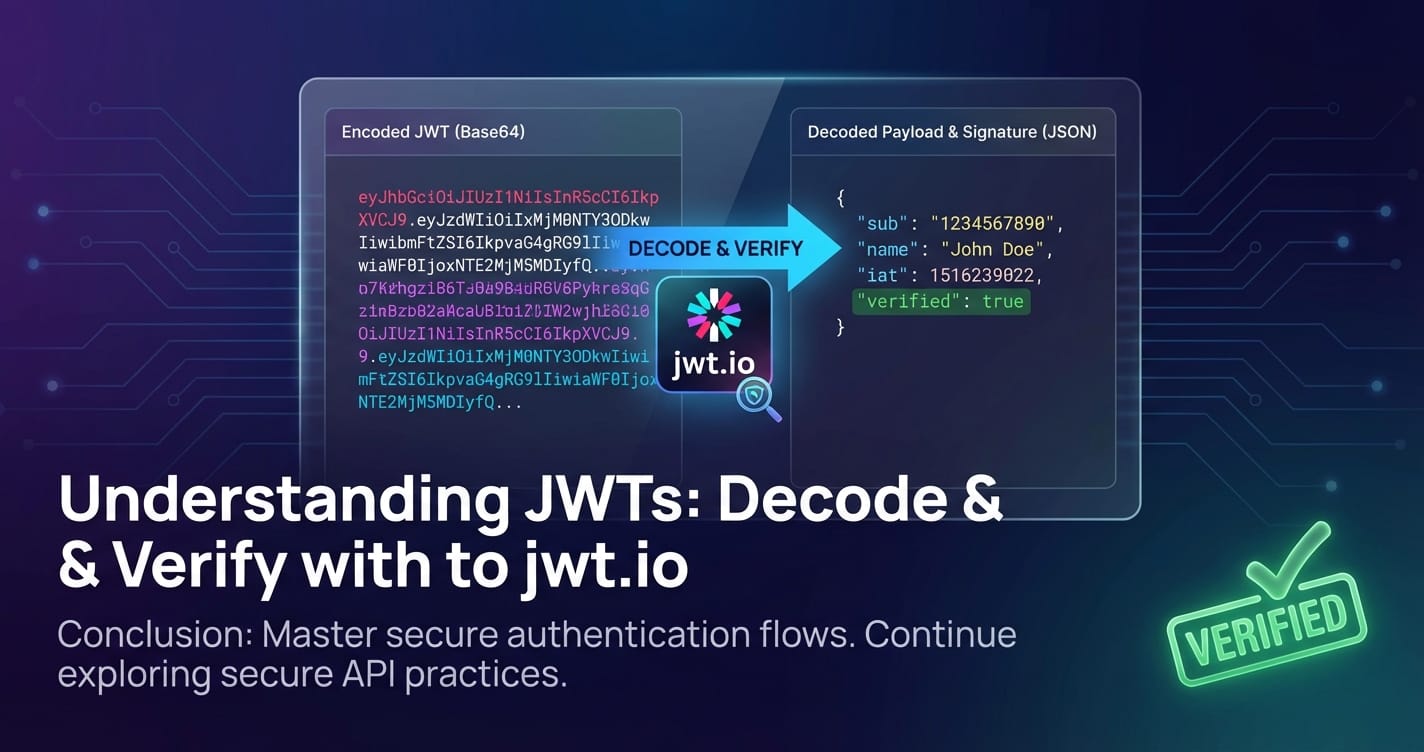
Understanding JWTs: Decode & Verify with jwt.io
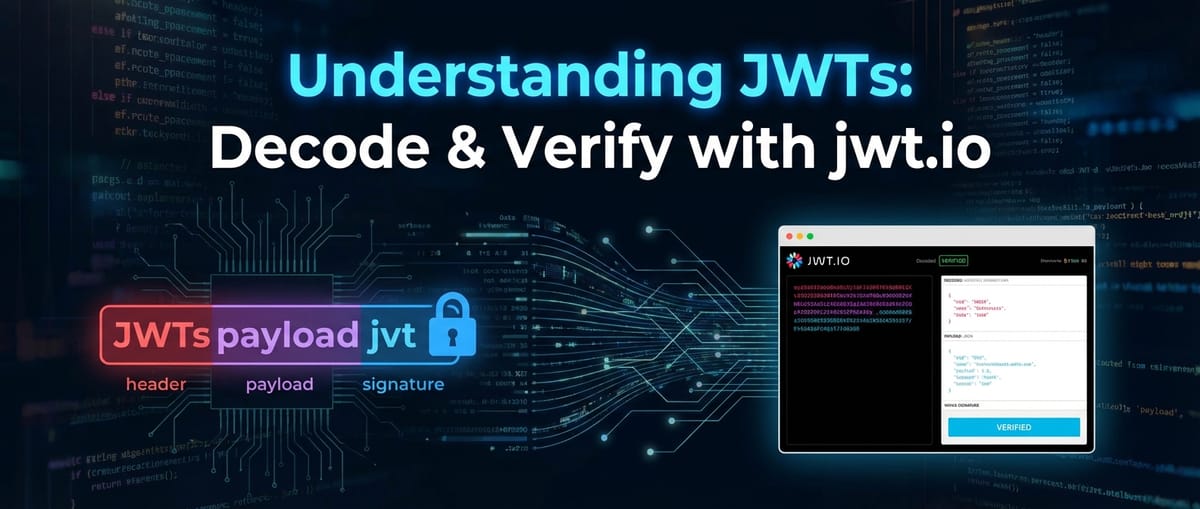


In the expansive and interconnected landscape of modern web development, where applications communicate seamlessly across diverse platforms and services, robust and efficient authentication and authorization mechanisms are not just beneficial—they are absolutely critical. Among the myriad of security protocols and token formats, JSON Web Tokens (JWTs) have emerged as a cornerstone technology, fundamentally reshaping how applications manage user identities and access permissions. JWTs offer a compact, URL-safe means of representing claims to be transferred between two parties, providing a powerful solution for stateless authentication and granular authorization in distributed systems.
The journey of understanding JWTs begins with comprehending their structure and purpose, extends through the intricate processes of encoding, decoding, and crucially, verification, and culminates in mastering the tools that facilitate their daily use. This comprehensive guide will delve deep into the world of JWTs, exploring their architecture, their operational flow, and the indispensable role of platforms like jwt.io in demystifying these tokens. We will also explore how JWTs integrate with modern API architectures, particularly in the context of an API gateway, and how effective gateway solutions can leverage JWTs to enhance security and streamline operations. By the end, you will possess a profound understanding of JWTs, equipped with the knowledge to implement and secure them effectively in your own projects.
The Genesis and Essence of JSON Web Tokens
Before diving into the technical minutiae, it's vital to appreciate the problem JWTs were designed to solve. Traditional session-based authentication, while robust, often relies on server-side storage of session data, which can become a bottleneck in large-scale, distributed applications or microservices architectures. As applications evolved towards stateless RESTful APIs and microservices, the need for an authentication method that didn't require constant server-side lookups for session validity became paramount. This is where JWTs shine.
A JSON Web Token is an open standard (RFC 7519) that defines a compact and self-contained way for securely transmitting information between parties as a JSON object. This information can be verified and trusted because it is digitally signed. The "self-contained" aspect is particularly important: all the necessary information about a user or a session is encapsulated within the token itself, reducing the need for constant database queries on subsequent requests. This greatly benefits scalability and efficiency, especially for applications interacting with multiple backend services or a sophisticated API gateway.
The primary benefits of JWTs over traditional session tokens include:
- Statelessness: The server doesn't need to store session information. Each request contains the token, which includes all necessary user data. This is ideal for RESTful APIs and microservices.
- Scalability: Without server-side session state, scaling horizontally becomes much simpler. Any server can process any request, as long as it can verify the token.
- Portability: JWTs can be used across different domains and services, as they are not tied to specific server sessions or cookies. They are often sent in the
Authorizationheader as a Bearer token. - Security: Digital signatures ensure the token's integrity, meaning the token cannot be tampered with once it has been issued. Encryption can be optionally applied for confidentiality, transforming them into JWE (JSON Web Encryption).
- Granular Authorization: Claims within the payload can define specific permissions, roles, or user attributes, allowing for fine-grained access control that an API gateway can easily interpret.
- Reduced Database Load: Fewer database lookups for user authentication data translates to less strain on your database infrastructure.
Understanding these foundational advantages sets the stage for appreciating the subsequent technical details. JWTs are not just an alternative; they represent a fundamental shift in how authentication and authorization are managed in modern distributed systems.
The Tripartite Structure of a JWT: Header, Payload, and Signature
A JWT, at its core, is a string composed of three distinct parts, separated by dots (.). These parts are: the Header, the Payload, and the Signature. Each part plays a crucial role in the token's functionality, from defining its type and algorithm to carrying user-specific information and ensuring its integrity.
1. The Header
The header typically consists of two parts: the type of the token, which is JWT, and the signing algorithm being used, such as HMAC SHA256 or RSA.
A typical header might look like this in its JSON form:
{
  "alg": "HS256",
  "typ": "JWT"
}
alg(Algorithm): This claim identifies the cryptographic algorithm used to sign the JWT. Common algorithms includeHS256(HMAC using SHA-256),RS256(RSA Signature with SHA-256), andES256(ECDSA using P-256 and SHA-256). The choice of algorithm profoundly impacts the security and the key management strategy of your API.typ(Type): This claim defines the media type of the token. For JWTs, this is typicallyJWT. While not strictly necessary for functionality, it helps consuming applications correctly interpret the token.
This JSON object is then Base64Url-encoded to form the first part of the JWT. The Base64Url encoding is a URL-safe variant of Base64, meaning it uses characters that are safe to transmit in URLs without requiring additional encoding (e.g., - instead of +, _ instead of /, and omitting padding characters like =).
2. The Payload (Claims)
The payload, often referred to as the JWT Claims Set, contains the actual information you wish to transmit. Claims are statements about an entity (typically the user) and additional data. There are three types of claims: registered, public, and private claims.
A typical payload might look like this in its JSON form:
{
  "sub": "1234567890",
  "name": "John Doe",
  "iat": 1516239022,
  "exp": 1516242622,
  "admin": true
}
- Registered Claims: These are a set of predefined claims that are not mandatory but are recommended to provide a set of useful, interoperable claims. Examples include:
iss(Issuer): Identifies the principal that issued the JWT. This could be your authentication service or API gateway.sub(Subject): Identifies the principal that is the subject of the JWT. This is typically the user ID.aud(Audience): Identifies the recipients that the JWT is intended for. This can be an API service or a client application. An API gateway will often check this to ensure the token is meant for its services.exp(Expiration Time): Identifies the expiration time on or after which the JWT MUST NOT be accepted for processing. This is a crucial security feature, preventing tokens from being used indefinitely.nbf(Not Before Time): Identifies the time before which the JWT MUST NOT be accepted for processing.iat(Issued At Time): Identifies the time at which the JWT was issued. Can be used to determine the age of the JWT.jti(JWT ID): Provides a unique identifier for the JWT. Can be used to prevent replay attacks or to implement token blacklisting.
- Public Claims: These can be defined by anyone using JWTs. They should be defined in the IANA JSON Web Token Claims Registry or be a URI that contains a collision-resistant name. It's advisable to define them in a way that avoids collisions with other claims.
- Private Claims: These are custom claims created to share information between parties that agree upon their names. They are not registered or public and should be used with caution to avoid name collisions, especially in systems with many different services. For instance, you might include a
roleclaim to define a user's access level (admin,editor,viewer) or specific permissions (can_delete_users).
Like the header, this JSON object is also Base64Url-encoded to form the second part of the JWT. The ability to embed custom claims makes JWTs incredibly flexible for implementing fine-grained access control policies that an API gateway can enforce.
3. The Signature
The signature is the most critical part of a JWT, as it provides the mechanism for verifying the token's authenticity and integrity. It ensures that the token has not been tampered with since it was issued by the trusted entity.
The signature is created by taking the Base64Url-encoded header, the Base64Url-encoded payload, a secret (or a private key), and the algorithm specified in the header.
The formula generally looks like this:
signature = HMACSHA256(
  base64UrlEncode(header) + "." +
  base64UrlEncode(payload),
  secret
)
For algorithms like RS256, a private key is used for signing, and the corresponding public key is used for verification. For HS256, a shared secret key is used for both signing and verification.
- Integrity: If the header or payload is tampered with, the signature verification will fail, and the token will be rejected. This is fundamental for securing API calls.
- Authenticity: By verifying the signature, the recipient (e.g., an API gateway or a backend service) can be confident that the token was indeed issued by the legitimate issuer who possesses the secret key or private key.
Without a valid signature, a JWT is nothing more than a Base64Url-encoded JSON string that can be easily forged. The strength of the signature algorithm and the security of the secret/key are paramount to the overall security of your JWT implementation. This is why tools like jwt.io are invaluable for demonstrating the signature process and helping developers understand common verification pitfalls.
How JWTs Work in Practice: The Authentication Flow
To truly grasp the power and utility of JWTs, it’s essential to understand their typical lifecycle, from issuance to verification, in a common authentication scenario. This flow illustrates how a client application (e.g., a web browser or mobile app) interacts with an authentication service and subsequently with protected API resources.
- User Authentication (Login):
- A user provides their credentials (username and password) to the client application.
- The client sends these credentials to an authentication service (often a dedicated service, or part of a larger backend system, potentially accessible via an API gateway).
- The authentication service verifies the credentials against its user store (database, directory service, etc.).
- JWT Issuance:
- If the credentials are valid, the authentication service generates a JWT.
- This JWT contains claims such as the user's ID (
sub), name, roles (admin,editor), the issuer (iss), the audience (aud), and crucially, an expiration time (exp). - The service signs the JWT using a secret key (for symmetric algorithms like HS256) or a private key (for asymmetric algorithms like RS256).
- The signed JWT is then sent back to the client application.
- Client-Side Storage:
- The client application receives the JWT.
- It typically stores the token in a secure location, such as
localStorage,sessionStorage, or as anHttpOnlycookie. The choice of storage mechanism has significant security implications that developers must carefully consider (e.g., XSS vulnerabilities withlocalStoragevs. CSRF vulnerabilities with cookies).
- Accessing Protected Resources (Subsequent Requests):
- When the client needs to access a protected API resource, it retrieves the stored JWT.
- It includes the JWT in the
Authorizationheader of its HTTP request, typically in the formatAuthorization: Bearer <JWT>. This is the standard way to transmit bearer tokens. - This request might first pass through an API gateway, which acts as the first line of defense and a central point of control.
- Server-Side JWT Verification:
- Upon receiving the request, the API gateway (or the backend service directly, if no gateway is present) extracts the JWT from the
Authorizationheader. - The service then performs several critical verification steps:
- Signature Verification: It verifies the token's signature using the secret key (for HS256) or the public key (for RS256) corresponding to the private key used during issuance. If the signature is invalid, the token has been tampered with or issued by an untrusted party, and the request is rejected immediately. This is the cornerstone of JWT security.
- Expiration Check: It checks the
expclaim to ensure the token has not expired. Expired tokens are rejected. - Not Before Check: It checks the
nbfclaim to ensure the token is not being used prematurely. - Issuer Check: It verifies the
issclaim to ensure the token was issued by a trusted entity. - Audience Check: It verifies the
audclaim to ensure the token is intended for this specific service or application. This is particularly important in multi-service architectures or when an API gateway routes requests to different backend APIs. - Other Claim Validation: Additional checks might be performed on other claims, such as
jtifor blacklisting or specificroleclaims for authorization.
- Upon receiving the request, the API gateway (or the backend service directly, if no gateway is present) extracts the JWT from the
- Authorization and Resource Access:
- If all verification steps pass, the token is deemed valid.
- The service can then extract information from the payload (e.g., user ID, roles) to make authorization decisions (e.g., "Does this user have permission to access this resource?").
- Finally, the request is processed, and the requested resource or data is returned to the client.
This intricate dance of token issuance, transmission, and verification forms the backbone of modern stateless authentication. The efficiency gains come from the fact that once issued, a JWT can be validated without requiring a database lookup for every single request, allowing systems, especially those behind a sophisticated API gateway, to scale effortlessly.
Decoding JWTs: Unveiling the Information (But Not Trust)
Decoding a JWT is the process of extracting the Header and Payload information from its Base64Url-encoded form. It's crucial to understand that decoding is not the same as decrypting. A decoded JWT reveals the claims within the token, but it does not verify its authenticity or integrity. Anyone can decode a JWT, but only someone with the correct key can verify its signature.
Let's break down the decoding process:
- Separation: A JWT string is first split into its three parts using the
.delimiter:encodedHeader.encodedPayload.signature. - Base64Url Decoding: Each of the first two parts (
encodedHeaderandencodedPayload) is then Base64Url-decoded back into its original JSON format.
For example, if you have a JWT: eyJhbGciOiJIUzI1NiIsInR5cCI6IkpXVCJ9.eyJzdWIiOiIxMjM0NTY3ODkwIiwibmFtZSI6IkpvaG4gRG9lIiwiaWF0IjoxNTE2MjM5MDIyfQ.SflKxwRJSMeKKF2QT4fwpMeJf36POk6yJV_adQssw5c
- Encoded Header:
eyJhbGciOiJIUzI1NiIsInR5cCI6IkpXVCJ9- Decodes to:
{"alg":"HS256","typ":"JWT"}
- Decodes to:
- Encoded Payload:
eyJzdWIiOiIxMjM0NTY3ODkwIiwibmFtZSI6IkpvaG4gRG9lIiwiaWF0IjoxNTE2MjM5MDIyfQ- Decodes to:
{"sub":"1234567890","name":"John Doe","iat":1516239022}
- Decodes to:
The ability to decode JWTs easily means that they are suitable for carrying non-sensitive information that needs to be widely accessible, such as user roles or expiration times. However, it also means that you should never put sensitive, confidential data directly into the JWT payload without additional encryption (which would make it a JWE, a different but related standard). Any information you put in a JWT payload should be considered publicly readable, even if it's securely signed.
Decoding is primarily useful for:
- Inspection: Developers can quickly inspect the contents of a token to understand its claims, verify expected values, and debug issues.
- Troubleshooting: When a token is rejected, decoding allows you to check for obvious issues like missing claims, incorrect values, or unexpected
iat/exptimestamps. - Client-Side Use (with caution): While the server always performs full verification, a client-side application might decode a JWT (without verifying the signature, as the secret should never be exposed client-side) to display user information or adjust UI elements based on roles, assuming the server has already validated the token's authenticity. This should be done with extreme caution, as the client cannot truly trust the decoded information until a server-side verification has occurred.
In essence, decoding gives you a transparent view into the token's stated claims, but it provides no guarantee that these claims are legitimate or that the token originated from a trusted source. For that, we turn to verification.
Verifying JWTs: The Cornerstone of Security
Verification is the single most critical step in handling JWTs. It's the process by which a receiving party (e.g., your API service or API gateway) confirms that the token is authentic, untampered, and valid for use. Without robust verification, JWTs offer no security guarantees whatsoever.
The verification process typically involves several checks:
1. Signature Verification: The Unbreakable Seal
This is the most fundamental aspect of JWT security. The signature verifies two things simultaneously:
- Integrity: It confirms that the header and payload have not been altered since the token was signed. If even a single character in the header or payload is changed, the computed signature on the recipient's side will not match the signature embedded in the token, indicating tampering.
- Authenticity: It confirms that the token was indeed created by the legitimate issuer who possesses the secret key (for symmetric signing) or the private key (for asymmetric signing).
The signature verification process depends on the algorithm specified in the JWT header:
- Symmetric Algorithms (e.g., HS256, HS384, HS512): These algorithms use a single, shared secret key for both signing and verifying the token. The issuer uses this secret to create the signature, and the recipient uses the exact same secret to re-calculate the signature from the received header and payload. If the re-calculated signature matches the received signature, the token is valid. The security of this method hinges entirely on keeping the secret key absolutely confidential and secure, shared only between trusted parties (e.g., your authentication service and your API gateway).
- Asymmetric Algorithms (e.g., RS256, RS384, RS512, ES256, ES384, ES512): These algorithms use a public-private key pair. The issuer signs the token using their private key, which must be kept secret. The recipient verifies the token using the corresponding public key, which can be widely distributed and doesn't need to be kept secret. This method is preferred in scenarios where multiple services need to verify tokens issued by a central authority, but without each service needing access to the secret private key (e.g., microservices in a large ecosystem, or cross-organizational API integrations). Public keys are often retrieved from a JSON Web Key Set (JWKS) endpoint.
Consequences of Failed Signature Verification: A failed signature verification means the token is invalid and must be rejected immediately. This could be due to: * Tampering: An attacker modified the token's header or payload. * Incorrect Key/Secret: The verifying party is using the wrong secret or public key. * Token Forgery: The token was not issued by the legitimate issuer.
2. Claim Validation: Ensuring Correct Context and Timeliness
Beyond the signature, several claims within the payload are critical for validating the token's context and lifespan. These checks ensure that the token is not only authentic but also appropriate for the current request.
exp(Expiration Time) Check: This is a fundamental security control. The verifying party must check if the current time is after theexptimestamp. If so, the token is expired and must be rejected. This prevents indefinite use of tokens, limiting the window of opportunity for attackers if a token is compromised.nbf(Not Before Time) Check: Similar toexp, this ensures the token isn't used before a specified time. While less common, it can be useful in specific scenarios (e.g., token pre-generation for a future event).iss(Issuer) Check: The verifying party should confirm that theissclaim matches a trusted issuer. This prevents tokens issued by unknown or malicious entities from being accepted. In an architecture with a central authentication service, all consuming APIs and the API gateway would expect theissto be that service's identifier.aud(Audience) Check: Theaudclaim specifies the intended recipients of the JWT. The verifying party must check if its identifier is present in theaudclaim. This ensures that a token issued for one service (e.g.,api.example.com/users) cannot be used to access another service (e.g.,api.example.com/payments) if they are distinct audiences. An API gateway often plays a crucial role here, routing tokens to the correct backend services and verifying audience claims accordingly.jti(JWT ID) Check (Optional, for Revocation): If implementing token revocation (e.g., for logout, password changes, or detecting compromised tokens), thejticlaim can be used. Eachjtishould be unique. When a token needs to be revoked, itsjtiis added to a blacklist. During verification, the system checks if the token'sjtiis on the blacklist. This adds complexity and reintroduces state, so it's often balanced with shortexptimes and refresh tokens.
All these validation steps are typically performed by server-side logic, either within individual backend services or, more efficiently, at a centralized API gateway. A robust API gateway can offload the burden of these validations from downstream microservices, ensuring that only fully authenticated and authorized requests reach the business logic, significantly improving security and simplifying development.
Introducing jwt.io: Your Go-To Tool for Debugging and Understanding
For anyone working with JWTs, whether you're a seasoned developer or just starting, jwt.io is an indispensable online tool. It provides a user-friendly interface to decode, verify, and even generate JWTs, making it incredibly useful for debugging, learning, and experimenting. It serves as a visualizer, allowing you to see the immediate effects of changes in the token's components.
What is jwt.io?
jwt.io is a free, open-source online debugger for JSON Web Tokens. It simplifies the often complex process of understanding JWTs by breaking them down into their constituent parts and illustrating the verification process. Its primary functions are:
- Decoding: It instantly decodes the Base64Url-encoded Header and Payload sections of a JWT, displaying them in a human-readable JSON format.
- Verifying: It allows you to input a secret key (for symmetric algorithms) or a public key (for asymmetric algorithms) to perform signature verification, indicating whether the signature is valid or invalid.
- Generating: While not its primary feature,
jwt.iocan also be used to construct simple JWTs by allowing you to edit the Header and Payload fields and then generating the signed token.
User Interface Overview
The jwt.io interface is typically divided into three main sections:
- Encoded Section (Left Pane): This is where you paste your JWT. As you type or paste a valid JWT, the other sections update in real-time.
- Decoded Section (Middle Pane): This pane displays the Base64Url-decoded Header and Payload as JSON objects. It clearly separates the
HEADERandPAYLOADparts, making it easy to inspect claims. - Verify Signature Section (Right Pane): This crucial section allows you to input the secret key or public key. It then performs the signature verification and displays whether the signature is "valid" or "invalid." It also shows the algorithm used for signing.
Step-by-Step Guide on Using jwt.io for Decoding
- Open
jwt.io: Navigate your web browser to https://jwt.io/. - Paste Your JWT: In the large text area on the left labeled "Encoded," paste the full JWT string you want to decode.
- Observe the Decoded Parts: As soon as you paste the token, the "Decoded" section in the middle will automatically populate. You will see two JSON objects:
- HEADER: This shows the
alg(algorithm) andtyp(type) claims. - PAYLOAD: This displays all the claims within your token, such as
sub,name,iat,exp, and any custom private claims.
- HEADER: This shows the
- Inspect Claims: You can now easily read and inspect the various claims within your token to understand the information it carries. This is particularly useful for debugging when you expect certain claims to be present or to have specific values.
Step-by-Step Guide on Using jwt.io for Verification
- Follow Decoding Steps: First, decode your JWT as described above.
- Locate the "Verify Signature" Section: This section is typically on the right side of the
jwt.iointerface. - Identify the Algorithm: Look at the
algclaim in the "HEADER" section. This tells you which type of key to provide.- For HS256 (or other HS* algorithms): You need to provide the secret key that was used to sign the token.
- For RS256 (or other RS / ES algorithms): You need to provide the public key corresponding to the private key used for signing. The public key is typically in PEM format.
- Input the Key/Secret:
- If using an HS* algorithm, type or paste your shared secret into the text area provided.
- If using an RS or ES algorithm, click "secret base64 encoded" (if available) or the "secret" label to switch to the "Public Key" option. Then, paste your public key (including
-----BEGIN PUBLIC KEY-----and-----END PUBLIC KEY-----lines) into the text area.
- Observe Verification Result:
jwt.iowill immediately process the signature verification. A message will appear below the key input area, stating either:- "Signature Verified" (in green): This means the signature is valid, and the token has not been tampered with, and the correct key was provided.
- "Invalid Signature" (in red): This indicates that the signature calculation did not match the provided signature. This could be due to tampering, an incorrect secret/public key, or an issue during token generation.
jwt.io is an excellent sandbox for understanding how JWTs are structured and validated. It allows developers to quickly diagnose problems with tokens received from APIs or authentication services, confirm expected claims, and test different secret keys or public keys, significantly speeding up the debugging process.
APIPark is a high-performance AI gateway that allows you to securely access the most comprehensive LLM APIs globally on the APIPark platform, including OpenAI, Anthropic, Mistral, Llama2, Google Gemini, and more.Try APIPark now! 👇👇👇
Advanced JWT Concepts and Best Practices
While the basic understanding of JWT structure and flow is crucial, mastering JWTs involves delving into more advanced concepts and adhering to best practices to ensure robust and secure implementations, particularly when dealing with complex API landscapes and sophisticated API gateway solutions.
Token Revocation: Managing State in a Stateless World
One of the biggest perceived challenges with stateless JWTs is token revocation. Since the server doesn't store session state, simply logging out a user doesn't automatically invalidate their JWT. An issued JWT remains valid until its exp time. This can be problematic if a user's account is compromised, or their permissions change mid-session.
Common strategies for handling token revocation include:
- Short-Lived Tokens + Refresh Tokens: This is the most widely adopted and recommended approach.
- Access Token (JWT): Designed to be very short-lived (e.g., 5-15 minutes). It's the token used for accessing protected API resources. If compromised, its utility is limited by its short lifespan.
- Refresh Token: A long-lived token (e.g., days, weeks, or months) that is not a JWT and is stored server-side. When an access token expires, the client sends the refresh token to an authentication endpoint. If the refresh token is valid and hasn't been revoked, the server issues a new access token and potentially a new refresh token.
- Revocation: Refresh tokens can be revoked by the server (e.g., by deleting them from a database or a specialized store like Redis). When a user logs out, their refresh token is revoked. If an account is compromised, all associated refresh tokens can be immediately invalidated.
- Benefits: Balances security (short-lived access tokens) with user experience (long sessions via refresh tokens). The API gateway primarily deals with the short-lived access tokens, simplifying its validation logic.
- Blacklisting (JTI Claim):
- For highly sensitive applications, or where immediate revocation of access tokens is required, a blacklist mechanism can be used.
- Each JWT is issued with a unique
jti(JWT ID) claim. - When a token needs to be revoked, its
jtiis added to a server-side blacklist (e.g., in a fast key-value store like Redis). - During JWT verification, the server (or API gateway) first checks if the token's
jtiis on the blacklist. If it is, the token is rejected. - Drawbacks: This reintroduces state to the server, negating some of the stateless benefits of JWTs. The blacklist needs to be replicated across all verifying instances (e.g., all API gateway nodes) and efficiently queried, which adds operational complexity.
- Changing the Signing Secret: In extreme cases (e.g., a total compromise of the signing secret), rotating the secret key will invalidate all currently issued symmetric tokens. This is a drastic measure and typically not used for individual user logouts. For asymmetric keys, revoking a public key and distributing a new one (via JWKS rotation) would achieve similar results for tokens signed with the old private key.
Security Considerations: Protecting Your Tokens
The inherent security of JWTs depends heavily on how they are implemented and managed. Several critical security considerations must be addressed:
- Secret Key Management: For symmetric algorithms, the secret key is paramount. It must be a strong, cryptographically secure random string and kept absolutely confidential. Never hardcode it, expose it in client-side code, or commit it to version control. Use environment variables or secure vault systems. For asymmetric algorithms, the private key must be equally protected.
- Token Storage on the Client-Side:
localStorage/sessionStorage: Vulnerable to Cross-Site Scripting (XSS) attacks. If an attacker can inject malicious JavaScript, they can access and steal the JWT. This is generally discouraged for access tokens.HttpOnlyCookies: More resistant to XSS as client-side JavaScript cannot access the cookie. However, they are vulnerable to Cross-Site Request Forgery (CSRF) attacks if not properly protected with anti-CSRF tokens. Secure cookies (using theSecureflag for HTTPS only) and theSameSite=LaxorStrictattribute are crucial.- Memory (in JavaScript SPAs): Storing in-memory and passing it only when needed is ideal for XSS protection but not persistent across page refreshes and still susceptible to sophisticated attacks if the browser environment is compromised.
- Recommendation: A combination of short-lived access tokens stored securely in memory or
HttpOnlycookies, coupled with a server-side refresh token mechanism, is often considered the most balanced approach.
- Always Use HTTPS: JWTs (and all sensitive data) must always be transmitted over HTTPS (TLS/SSL). This encrypts the communication channel, preventing man-in-the-middle attacks from intercepting and reading or altering tokens.
- Expiration Times: Set appropriate
exptimes. Short-lived tokens minimize the impact of compromise. - Algorithm Agility (
algparameter): Thealgclaim dictates the signing algorithm. Historically, some JWT libraries were vulnerable to "alg none" attacks, where an attacker could change the algorithm tonone(no signature) and sign it as such, bypassing signature verification. Modern libraries mitigate this, but always ensure your server explicitly validates thealgclaim and only allows secure algorithms it expects. Never trust thealgvalue directly from the token without validating it against a whitelist. - Claim Validation: Beyond signature verification, rigorously validate all relevant claims (
iss,aud,exp,nbf, etc.). Incomplete claim validation is a common vulnerability. - Token Size: JWTs are self-contained, but this also means they can become large if too many claims are added. Larger tokens increase network overhead. Keep claims concise and only include what's necessary for authentication/authorization.
Audience and Issuer Claims for Multi-Service Architectures
In microservices or distributed systems, aud and iss claims become particularly important.
iss(Issuer): If you have multiple services that can issue tokens (e.g., a user authentication service, an admin portal authentication service), ensure each service uses a distinctissvalue. All other services (including your API gateway) must then be configured to trust only specific issuers.aud(Audience): This helps ensure a token issued for Service A isn't mistakenly (or maliciously) used to access Service B. When a token is verified by a service, it checks if its own identifier is present in theaudclaim. An API gateway can perform an initialaudcheck before routing, and then individual microservices can perform a more specificaudcheck to ensure the token is meant for them. This creates a clear boundary of trust.
JWTs in Microservices and Distributed Systems
JWTs are exceptionally well-suited for microservices architectures due to their stateless nature.
- Decoupling: Each microservice can verify JWTs independently, without needing to communicate with a central authentication service for every request (after the initial public key retrieval for asymmetric algorithms). This reduces inter-service dependencies.
- Performance: Reduced network calls for authentication translate to better performance across the system.
- Centralized Authentication, Distributed Authorization: A central authentication service issues tokens. Then, authorization decisions can be made locally by each microservice based on the claims within the token, or more efficiently, by an API gateway that makes granular routing or access decisions based on these claims.
By understanding and meticulously applying these advanced concepts and best practices, developers can harness the full power of JWTs while mitigating the associated risks, building secure and scalable API ecosystems.
JWTs and APIs: A Symbiotic Relationship
The evolution of APIs as the backbone of modern software architecture has created a fertile ground for the widespread adoption of JWTs. Their characteristics align perfectly with the needs of robust, scalable, and secure API ecosystems. The relationship between JWTs and APIs is symbiotic: JWTs provide a powerful authentication and authorization mechanism, and APIs provide the interface through which these tokens are exchanged and utilized.
How JWTs Enhance API Security
- Stateless Authentication for RESTful APIs: REST principles advocate for statelessness. JWTs inherently support this by encapsulating all necessary user information within the token itself. An API endpoint receiving a JWT doesn't need to consult a session store to determine the user's identity or state, making each API request self-contained. This dramatically simplifies scaling
apiservices horizontally, as any server can handle any request without prior session context. - Reduced Latency and Improved Performance: Without the need for server-side session lookups, API requests that carry JWTs can be processed more quickly. The overhead of database queries or cache lookups for session validation is eliminated, leading to lower latency and higher throughput for API calls.
- Granular Access Control (RBAC/ABAC): The payload of a JWT can carry rich claims about the user, including roles, permissions, and other attributes. An API service can parse these claims to make fine-grained authorization decisions (Role-Based Access Control - RBAC, or Attribute-Based Access Control - ABAC). For example, a claim like
"roles": ["admin", "editor"]or"permissions": ["create:product", "read:users"]allows the API to determine precisely what actions the authenticated user is allowed to perform on a given resource. - Cross-Domain and Mobile API Access: JWTs are ideal for scenarios where APIs are consumed by various client types (web browsers, mobile apps, other backend services) across different domains. Since they are typically sent in the
Authorizationheader, they are not bound by same-origin policies that affect cookies, making them highly portable and flexible for multi-client architectures. This is particularly advantageous for public or partner APIs. - Simplified Microservices Communication: In a microservices architecture, a request might traverse multiple APIs before fulfilling a user's request. A JWT can be passed seamlessly between these services, carrying the authenticated user's context without each service needing to re-authenticate or maintain separate session state. This is a core enabler for distributed authentication in complex systems.
JWTs in OAuth 2.0 and OpenID Connect
It's important to clarify that JWTs are often used within broader authentication and authorization frameworks like OAuth 2.0 and OpenID Connect (OIDC), but they are not the frameworks themselves.
- OAuth 2.0: This is an authorization framework that allows a user to grant a third-party application limited access to their resources without sharing their credentials. OAuth 2.0 defines various token types, and JWTs are a popular choice for Access Tokens due to their self-contained and verifiable nature.
- OpenID Connect: This is an identity layer built on top of OAuth 2.0. OIDC uses JWTs as ID Tokens to convey user identity information. ID Tokens contain standard claims about the authenticated user (e.g.,
name,email,picture), which the client can use to establish the user's identity.
In both cases, JWTs serve as the carrier for crucial information, leveraging their inherent security properties (signature verification) to ensure the integrity and authenticity of the tokens within these larger protocols. This combination provides a robust and standardized approach to identity and access management for APIs.
The Role of an API Gateway in JWT Management
In modern, complex distributed systems, especially those built on microservices, an API gateway becomes an indispensable component. Far more than just a reverse proxy, an API gateway acts as the single entry point for all client requests, routing them to the appropriate backend services. Critically, it also serves as a central enforcement point for security, rate limiting, logging, and, most relevant to our discussion, JWT management.
What is an API Gateway and Its Functions?
An API gateway is a management tool that sits in front of your APIs and acts as a single point of entry for defined groups of microservices or backend services. Its primary functions include:
- Request Routing: Directing incoming requests to the correct backend service based on the URL path, headers, or other criteria.
- Load Balancing: Distributing incoming traffic across multiple instances of backend services to ensure high availability and performance.
- Authentication and Authorization: Verifying client identities and permissions before forwarding requests to backend services. This is where JWTs are extensively used.
- Rate Limiting: Protecting backend services from excessive requests by limiting the number of calls a client can make within a certain timeframe.
- Caching: Storing responses to frequently requested data to reduce the load on backend services and improve response times.
- Request/Response Transformation: Modifying requests or responses on the fly, such as adding or removing headers, converting data formats, or stripping sensitive information.
- Logging and Monitoring: Centralized logging of all incoming API calls and providing metrics for monitoring system health and performance.
- Service Discovery: Integrating with service registries to dynamically locate backend services.
- Circuit Breaking: Preventing cascading failures in microservices architectures by intelligently stopping requests to services that are experiencing issues.
How an API Gateway Can Offload JWT Validation
One of the most significant advantages of using an API gateway in a JWT-based authentication system is its ability to centralize and offload JWT validation from individual backend services.
- Centralized Security Policy Enforcement: Instead of each microservice having to implement its own JWT validation logic (checking signature, expiration, issuer, audience, etc.), the API gateway can handle this once for all incoming requests. This ensures a consistent security posture across all APIs and reduces the risk of misconfiguration in individual services.
- Reduced Backend Complexity: Downstream microservices can assume that any request they receive from the API gateway has already been authenticated and authorized. They no longer need to perform complex JWT parsing and validation. They can simply trust the information passed by the API gateway (e.g., in request headers after the gateway extracts claims from the JWT). This simplifies their codebase and allows developers to focus on core business logic.
- Improved Performance: Performing JWT validation at the gateway level means that invalid or unauthorized requests are rejected at the edge of the system, before consuming resources on backend services. This saves precious CPU cycles and network bandwidth for legitimate requests.
- Flexible Key Management: The API gateway can be configured to manage the secrets or public keys required for JWT verification. For asymmetric algorithms, it can periodically fetch public keys from a JWKS endpoint, simplifying key rotation and distribution.
- Context Injection: After validating a JWT, the API gateway can extract relevant claims (e.g.,
user_id,roles,tenant_id) and inject them into request headers before forwarding the request to the backend service. This allows backend services to easily access authenticated user context without parsing the JWT themselves. For instance, a header likeX-User-ID: 12345orX-User-Roles: admin,editorcan be added.
Introducing APIPark: A Powerful AI Gateway & API Management Platform
For organizations building and managing a multitude of APIs, particularly in the burgeoning field of AI, a robust API gateway becomes not just beneficial, but essential. An advanced platform like APIPark serves as an all-in-one AI gateway and API developer portal, designed to streamline the management, integration, and deployment of both AI and REST services.
APIPark offers significant advantages in managing your APIs, including comprehensive JWT validation capabilities. It provides an efficient and secure way to handle incoming API requests, ensuring that only authenticated and authorized traffic reaches your backend services. By centralizing JWT verification, APIPark effectively offloads this crucial security task from individual microservices, allowing them to focus purely on their business logic. This not only enhances the overall security posture of your API ecosystem but also significantly improves performance by rejecting invalid tokens at the gateway level.
Beyond robust authentication, APIPark features include:
- Quick Integration of 100+ AI Models: Unifies management for authentication and cost tracking across diverse AI models.
- Unified API Format for AI Invocation: Standardizes request formats, simplifying AI usage and maintenance.
- Prompt Encapsulation into REST API: Enables quick creation of new APIs from AI models and custom prompts.
- End-to-End API Lifecycle Management: Covers design, publication, invocation, and decommissioning, including traffic forwarding, load balancing, and versioning.
- API Service Sharing within Teams: Centralized display for easy discovery and use of API services across departments.
- Independent API and Access Permissions for Each Tenant: Allows creation of multiple teams with independent configurations while sharing infrastructure.
- API Resource Access Requires Approval: Supports subscription approval to prevent unauthorized API calls.
- Performance Rivaling Nginx: Capable of over 20,000 TPS with an 8-core CPU and 8GB memory, supporting cluster deployment.
- Detailed API Call Logging: Comprehensive logging for quick troubleshooting and ensuring system stability.
- Powerful Data Analysis: Analyzes historical call data to identify trends and performance changes, aiding preventive maintenance.
Leveraging an API gateway like APIPark for JWT management is a strategic move that enhances security, simplifies development, and provides critical operational insights for any organization serious about its API infrastructure, especially in the context of integrating advanced AI capabilities.
Other Gateway Functions
While JWT validation is a core function, an API gateway like APIPark performs many other vital roles that contribute to a resilient and well-managed API landscape:
- Traffic Management: Implementing policies for routing, load balancing, and potentially throttling traffic to backend services.
- Policy Enforcement: Applying various policies such as caching, quota management, and message transformation consistently across all
APIs. - Observability: Providing a centralized point for collecting metrics, logs, and traces, offering a holistic view of API usage and performance. This is crucial for proactive monitoring and rapid issue resolution.
- Version Management: Facilitating seamless API versioning, allowing developers to introduce new versions without breaking existing client applications.
- Security Beyond JWTs: Implementing additional security layers such as IP whitelisting, WAF (Web Application Firewall) capabilities, and protection against common API attacks.
In essence, an API gateway acts as the intelligent front door to your APIs, ensuring security, reliability, and efficiency before requests even reach your core business logic.
Practical Scenarios and Common Pitfalls
Understanding JWTs theory is one thing, but applying that knowledge in practical scenarios and navigating common pitfalls is another. Let's look at a few examples and issues you might encounter.
Example: A User Logs In and Makes a Protected API Call
Consider a single-page application (SPA) that interacts with a backend API:
- User logs in: The SPA sends
username/passwordto/auth/login. - Auth service issues JWT: The authentication service validates credentials, generates a JWT (signed with
HS256usingMY_SUPER_SECRET_KEY), and returns it to the SPA. The JWT has anexpof 15 minutes and anaudclaim ofmy-backend-api. - SPA stores JWT: The SPA stores the JWT in
localStorage(for simplicity, though ideally, we'd use more secure methods likeHttpOnlycookies + CSRF tokens or in-memory storage + refresh tokens). - SPA makes protected API call: The SPA needs to fetch user data from
/api/profile. It constructs an HTTP request, adding the JWT to theAuthorizationheader:Authorization: Bearer <JWT>. - API Gateway Intercepts: The API gateway (e.g.,
APIPark) receives the request for/api/profile.- It extracts the JWT.
- It decodes the header and payload.
- It sees
alg: HS256. - It attempts to verify the signature using its configured
MY_SUPER_SECRET_KEY. - It checks the
expclaim: is the token still valid? - It checks the
audclaim: doesmy-backend-apimatch the expected audience? - If all checks pass, the gateway adds an
X-User-IDheader (extracted from the JWT'ssubclaim) and forwards the request to the/profilemicroservice.
- Profile Service Processes: The
/profilemicroservice receives the request with theX-User-IDheader, trusts the gateway's validation, fetches user data, and returns it to the SPA.
This flow demonstrates the efficiency and security benefits: the backend service doesn't need to know about JWTs, and all security checks are centralized at the API gateway.
Common Errors and How to Debug with jwt.io
Developers frequently encounter issues with JWTs. Here are some common problems and how jwt.io can help in debugging:
- "Invalid Signature" Error:
- Cause: This is the most common issue. The secret key used for verification is different from the one used for signing, or the token's header/payload was tampered with.
- Debugging with
jwt.io: Paste the JWT intojwt.io. In the "Verify Signature" section, try different secret keys. If you eventually find one that results in "Signature Verified," you've found the correct key, and your application likely has a mismatch. If no key works, the token might be tampered with, or generated incorrectly. For asymmetric keys, ensure you're using the correct public key and that its format is correct (e.g., PEM).
- "Token Expired" or "Invalid Expiration" Error:
- Cause: The
expclaim in the JWT is set to a time in the past relative to the server's current time. - Debugging with
jwt.io: Paste the JWT. Look at theexpclaim in the "PAYLOAD" section.jwt.iooften highlights expired tokens visually. Compare theexptimestamp (Unix epoch) to the current time. Ensure server clocks are synchronized (NTP).
- Cause: The
- "Invalid Issuer" or "Invalid Audience" Error:
- Cause: The
issoraudclaim in the token does not match the expected values configured on the server (or API gateway). - Debugging with
jwt.io: Paste the JWT. Inspect theissandaudclaims in the "PAYLOAD." Verify these values against what your server or API gateway expects. There might be a typo, or the token was issued for a different service/issuer.
- Cause: The
- "Missing Claim" or "Invalid Claim Value" Error:
- Cause: Your application logic expects a specific claim (e.g.,
role) to be present or to have a particular value, but it's missing or incorrect in the token. - Debugging with
jwt.io: After decoding, simply check the "PAYLOAD" section to see if the expected claims are present and if their values are as anticipated.
- Cause: Your application logic expects a specific claim (e.g.,
- Token Format Issues (e.g., Not a JWT, Malformed):
- Cause: The client sent a string that isn't a properly formatted JWT (e.g., missing dots, invalid Base64Url encoding).
- Debugging with
jwt.io: If you paste a malformed string intojwt.io, it won't decode, often showing an error or just nothing. This immediately tells you the token string itself is corrupt.
jwt.io is an invaluable first-line defense for debugging JWT-related issues. It provides immediate visual feedback, allowing developers to quickly pinpoint discrepancies between expected token properties and actual token contents, accelerating the troubleshooting process significantly.
Table: Key Differences and Use Cases for JWT Claims
To consolidate understanding, here's a table outlining the most important registered claims in a JWT, their purpose, and common use cases.
| Claim | Full Name | Description | Importance Level | Common Use Cases |
|---|---|---|---|---|
alg |
Algorithm | Identifies the cryptographic algorithm used to sign the JWT. Located in the Header. | Critical | Ensuring signature verification method. Server must whitelist allowed algorithms to prevent alg: none attacks. |
typ |
Type | Declares the type of the token, typically JWT. Located in the Header. |
Medium | Helps consuming applications identify the token type, though often assumed. |
iss |
Issuer | Identifies the principal that issued the JWT. Usually a URL or string identifier. | High | Verifying the token originated from a trusted source (e.g., your authentication service, https://auth.example.com). Critical in multi-issuer environments, often checked by an API gateway. |
sub |
Subject | Identifies the principal that is the subject of the JWT. Typically a unique user ID or identifier. | High | Identifying the user or entity for whom the token was issued. Used for retrieving user profiles, making authorization decisions (e.g., user 123 can access resource A). |
aud |
Audience | Identifies the recipients that the JWT is intended for. Can be a string or array of strings. | High | Ensuring the token is used by its intended recipient (e.g., my-backend-api, mobile-app). Prevents token reuse across different services. Crucial in microservices, often checked by an API gateway before routing. |
exp |
Expiration Time | Defines the expiration time on or after which the JWT MUST NOT be accepted. Value is a Unix epoch timestamp (seconds since 1970-01-01T00:00:00Z UTC). | Critical | Limiting the lifespan of a token to mitigate the impact of compromise. Mandatory check for all consuming services. |
nbf |
Not Before Time | Defines the time before which the JWT MUST NOT be accepted. Value is a Unix epoch timestamp. | Medium | Useful for scenarios where a token should not be valid immediately upon issuance, e.g., pre-scheduling access. Less commonly used than exp. |
iat |
Issued At Time | Identifies the time at which the JWT was issued. Value is a Unix epoch timestamp. | Medium | Can be used to determine the age of the token, for analytics, or to implement "token freshness" policies (e.g., require re-authentication if token is too old). |
jti |
JWT ID | Provides a unique identifier for the JWT. Used to prevent replay attacks and for token revocation (blacklisting). | Optional | Implementing token blacklisting for forced logouts or compromised tokens. Requires server-side state. |
| Custom | (Various) | Application-specific claims agreed upon by the communicating parties. Examples: roles, permissions, tenantId, email. |
Variable | Providing granular authorization information (RBAC, ABAC), user preferences, or other non-sensitive data needed by the consuming service. API gateway can use these for routing or policy enforcement. |
This table highlights the self-contained nature of JWTs, where crucial metadata and user-specific data are carried within the token itself, enabling robust and flexible authentication and authorization workflows.
Conclusion
JSON Web Tokens have undeniably transformed the landscape of authentication and authorization in modern web and API development. Their stateless, compact, and securely signed nature makes them an ideal choice for building scalable, high-performance, and secure applications, particularly in distributed microservices architectures. From their tripartite structure of Header, Payload, and Signature, to the intricate processes of encoding, decoding, and the absolutely critical step of verification, each component plays a vital role in ensuring data integrity and user authenticity.
We've traversed the journey from understanding the foundational benefits of JWTs over traditional session management, explored their operational flow from issuance to consumption, and highlighted the indispensable role of robust verification. The ability to decode JWTs, as demonstrated by tools like jwt.io, provides unparalleled transparency for developers, enabling quick inspection and efficient debugging. However, it's the signature and claim validation, performed diligently on the server-side, that truly imbues JWTs with their security properties.
Furthermore, we've seen how JWTs form a symbiotic relationship with APIs, enhancing their security, scalability, and flexibility. The strategic deployment of an API gateway, such as APIPark, emerges as a cornerstone of modern API management. By centralizing JWT validation, traffic management, and security policy enforcement, an API gateway not only offloads critical responsibilities from backend services but also provides a unified, resilient, and performant entry point for all API interactions. This architectural pattern ensures consistent security, streamlines development, and significantly improves the overall stability of complex systems.
In conclusion, mastering JWTs is more than just understanding a token format; it's about embracing a paradigm shift in authentication for the modern digital era. By combining a deep understanding of JWT mechanics with best practices for security and leveraging powerful API gateway solutions, developers and organizations can build more secure, efficient, and scalable API ecosystems capable of meeting the demands of tomorrow's interconnected world.
Frequently Asked Questions (FAQs)
1. What is the fundamental difference between decoding a JWT and verifying a JWT? Decoding a JWT is simply extracting the Base64Url-encoded Header and Payload into human-readable JSON. Anyone can decode a JWT, and this process does not guarantee the token's authenticity or integrity. Verifying a JWT, on the other hand, involves computationally checking the token's signature using a secret key or public key. This process confirms that the token has not been tampered with since it was issued and that it genuinely originated from the trusted issuer. Verification is crucial for security; decoding alone is not enough.
2. Why are JWTs considered stateless, and what are the advantages of this? JWTs are considered stateless because all the necessary information about a user (identity, roles, permissions) is self-contained within the token itself. The server does not need to store any session-specific data for a user after the token is issued. The advantages include: * Scalability: Servers don't need to share session state, making horizontal scaling much easier. * Efficiency: Fewer database lookups are required for authentication, reducing server load and latency. * Portability: Tokens can be passed between different services and domains seamlessly.
3. What role does an API Gateway play in a system that uses JWTs? An API gateway acts as a central entry point for all API requests. In a JWT-based system, it typically performs crucial functions like: * Centralized JWT Validation: It validates the signature, expiration, issuer, and audience of incoming JWTs before forwarding requests to backend services. This offloads validation logic from individual microservices. * Context Injection: After validation, it can extract claims from the JWT (e.g., user ID, roles) and inject them into request headers for downstream services, simplifying their access to user context. * Security Enforcement: It acts as the first line of defense, rejecting invalid or unauthorized requests at the edge of the system, improving overall security and performance. * Traffic Management: It handles routing, load balancing, and rate limiting of API requests. An advanced platform like APIPark is a prime example of an API gateway that centralizes these functions.
4. What are the common security vulnerabilities associated with JWTs and how can they be mitigated? Common vulnerabilities include: * alg: none attack: Attackers modify the algorithm to "none," bypassing signature verification. Mitigation: Always whitelist allowed algorithms and explicitly reject tokens with alg: none. * Token Compromise: If a JWT is stolen (e.g., via XSS), it can be used by an attacker until it expires. Mitigation: Use short-lived access tokens combined with refresh tokens, and store tokens securely (e.g., HttpOnly cookies, or in-memory for SPAs, never localStorage for access tokens). Implement token revocation for refresh tokens. * Incomplete Claim Validation: Not validating exp, iss, aud claims can lead to unauthorized access. Mitigation: Rigorously validate all relevant claims on the server-side. * Weak Secret Key: Using a predictable or short secret key makes signature forging easy. Mitigation: Use strong, cryptographically random, and sufficiently long secret keys, and protect them securely (environment variables, vault systems). Always use HTTPS to prevent token interception.
5. How do JWTs relate to OAuth 2.0 and OpenID Connect? JWTs are not a replacement for OAuth 2.0 or OpenID Connect, but rather a common implementation choice within these frameworks. * OAuth 2.0 is an authorization framework, and JWTs are frequently used as the format for Access Tokens. These tokens grant limited access to user resources. * OpenID Connect (OIDC) is an identity layer built on top of OAuth 2.0. OIDC uses JWTs as ID Tokens to convey user identity information (e.g., name, email) from an authorization server to a client application. In essence, JWTs are a versatile building block that fits well into these broader security protocols.
🚀You can securely and efficiently call the OpenAI API on APIPark in just two steps:
Step 1: Deploy the APIPark AI gateway in 5 minutes.
APIPark is developed based on Golang, offering strong product performance and low development and maintenance costs. You can deploy APIPark with a single command line.
curl -sSO https://download.apipark.com/install/quick-start.sh; bash quick-start.sh

In my experience, you can see the successful deployment interface within 5 to 10 minutes. Then, you can log in to APIPark using your account.

Step 2: Call the OpenAI API.