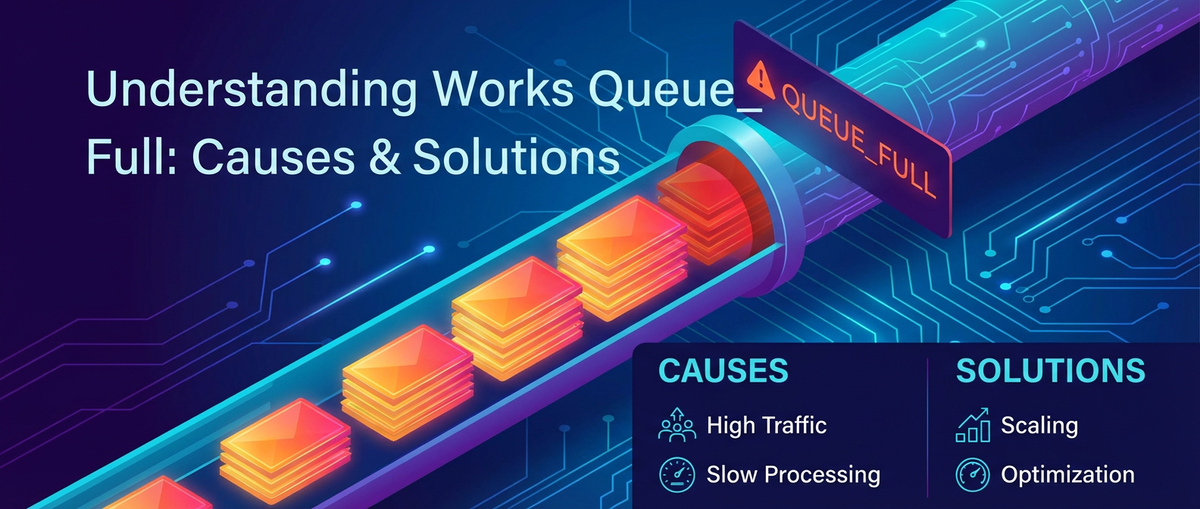
Understanding Works Queue_Full: Causes & Solutions


In the intricate tapestry of modern software architecture, where microservices communicate, data streams flow relentlessly, and AI models process information at unprecedented speeds, the concept of a "queue" is fundamental. Queues act as essential buffers, absorbing spikes in demand, decoupling disparate services, and ensuring orderly processing of tasks. However, when these vital queues reach their capacity, a critical state known as "Works Queue_Full" emerges, signaling an overloaded system on the brink of failure. This condition is not merely a technical glitch; it is a profound indicator of systemic stress, capable of precipitating cascading failures, debilitating performance, and severe operational disruptions across an entire digital ecosystem.
The implications of a "Works Queue_Full" state are far-reaching. For end-users, it translates into frustratingly slow response times, repeated errors, and ultimately, an unusable service. For businesses, it means lost revenue, reputational damage, and a breakdown in critical operations. In high-throughput environments, especially those leveraging artificial intelligence and complex data processing, understanding and mitigating "Works Queue_Full" is paramount. This comprehensive guide delves into the precise definition of "Works Queue_Full," explores its manifold causes ranging from fundamental resource limitations to nuanced architectural flaws and AI-specific challenges, including issues with the Model Context Protocol and mcp server, and outlines a robust suite of solutions designed to build resilient, high-performing systems. We will navigate the complexities of system architecture, highlight best practices in monitoring and optimization, and demonstrate how intelligent tooling, such as a sophisticated AI Gateway, can play a pivotal role in preventing and resolving these critical bottlenecks.
The Digital Bottleneck: Understanding "Works Queue_Full" in Modern Architectures
At its core, a "Works Queue_Full" condition signifies that a processing queue—a temporary holding area for tasks, messages, or requests—has reached its maximum configured capacity. When this threshold is breached, the system is no longer able to accept new incoming work, leading to various detrimental outcomes depending on the queue's specific implementation and the broader system's error handling strategies. This isn't an abstract concept; it's a tangible problem with immediate, observable symptoms.
Imagine a busy airline check-in counter. If the queue for passengers stretches beyond the designated ropes, new arrivals cannot join and are instead redirected or simply left stranded. Similarly, in a digital system, when a "Works Queue_Full" event occurs, new tasks are typically rejected, dropped, or pushed back to the upstream component that initiated them, often triggering retries or error messages like HTTP 503 "Service Unavailable." This rejection of work is the most direct consequence, but it’s merely the tip of the iceberg.
The manifestations of a "Works Queue_Full" state are diverse and often cascade through interconnected services:
- Increased Latency and Response Times: Even before the queue is fully saturated, an increasing queue length directly translates to longer waiting times for each item, drastically degrading system responsiveness. A request that once took milliseconds to process might now take seconds or even minutes, rendering real-time applications impractical.
- Elevated Error Rates: As tasks are rejected, upstream services receive failure notifications. If these services are not designed to gracefully handle such failures (e.g., with robust retry mechanisms and circuit breakers), their own error rates will soar, potentially causing them to become unstable or generate their own queueing issues.
- Resource Exhaustion Warnings: While the queue itself is full, the underlying system components responsible for processing items from that queue are likely under immense strain. This often manifests as high CPU utilization, excessive memory consumption, or even disk I/O bottlenecks if the queue is persisted to storage.
- Reduced Throughput: Despite the system attempting to process work as fast as possible, the actual number of completed tasks per unit of time (throughput) will inevitably decrease because new work cannot enter the pipeline efficiently. The bottleneck prevents the full utilization of processing resources, even if those resources appear busy.
- Data Loss or Processing Delays: In asynchronous workflows where tasks are meant to be eventually processed, a full queue can lead to messages being dropped permanently if there's no persistent storage or robust dead-letter queue mechanism. For critical data, this can be catastrophic.
The prevalence of queues in modern architectures makes this issue particularly critical. From message brokers (like Kafka or RabbitMQ) that facilitate asynchronous communication between microservices, to internal thread pools that manage concurrent operations within a single application, to task queues that distribute computationally intensive jobs (like in AI inference), queues are ubiquitous. They are designed to bring resilience and scalability, but their finite capacity introduces a new failure mode. Understanding why these queues become full is the first step toward building systems that can withstand the pressures of high demand and maintain their stability and performance.
The Architectural Context: Where Queues Thrive and Fail
To fully grasp the "Works Queue_Full" phenomenon, it's crucial to appreciate the architectural roles queues play and the specific environments where they are most prone to becoming bottlenecks. Modern distributed systems, particularly those at the forefront of artificial intelligence, rely heavily on queues for robustness and efficiency.
Role of Queues in Distributed Systems
Queues are fundamental building blocks in almost any sophisticated software system. Their primary purpose is to decouple producers of work from consumers. This decoupling offers several critical advantages:
- Load Leveling: Queues absorb bursts of traffic, allowing consumers to process tasks at their own steady pace, preventing the producers from overwhelming them during peak demand.
- Asynchronous Processing: They enable tasks to be initiated and then processed independently, without the producer having to wait for immediate completion. This is vital for long-running operations like image processing, video encoding, or complex AI model inferences.
- Resilience: If a consumer service temporarily fails or becomes unavailable, producers can continue enqueueing work, which will then be processed once the consumer recovers, thus preventing data loss and maintaining system uptime.
- Scalability: By allowing independent scaling of producers and consumers, queues facilitate dynamic resource allocation. More consumers can be added to reduce queue length during high load, or fewer during low load.
Examples include internal queues for thread pools, request queues within web servers, message queues between microservices (e.g., Kafka, RabbitMQ), and task queues that distribute jobs to workers (e.g., Celery). Each of these queues, while serving a specific purpose, represents a potential point of saturation.
Introducing the AI Gateway
In the rapidly evolving landscape of artificial intelligence, where myriad models from different providers (or internal teams) must be integrated into applications, a specialized component has emerged as critical: the AI Gateway. An AI Gateway acts as a central proxy and management layer between client applications and various AI models. Its functions are extensive and crucial for operationalizing AI at scale:
- Unified API Access: It provides a consistent interface to interact with diverse AI models, abstracting away the specifics of each model's API.
- Authentication and Authorization: Centralized security for all AI model access.
- Rate Limiting and Throttling: Protecting backend AI models from being overwhelmed by too many requests.
- Request Routing and Load Balancing: Intelligently directing incoming requests to available, healthy AI model instances.
- Caching: Storing frequently requested AI model outputs to reduce redundant computations and improve latency.
- Observability: Centralized logging, monitoring, and tracing of all AI model invocations.
- Prompt Management and Transformation: Standardizing or transforming prompts before sending them to models.
However, despite its benefits, an AI Gateway itself can become a critical bottleneck. If the rate of incoming requests to the gateway exceeds its capacity to process them and forward them to backend AI models (or if the backend models are slow), its internal queues will begin to fill. These internal queues might be for incoming client requests, for requests waiting to be routed to specific models, or for responses waiting to be sent back to clients. A Works Queue_Full condition here means the AI Gateway is overwhelmed, preventing access to the very AI capabilities it's meant to facilitate.
For organizations building robust AI-driven applications, an advanced AI Gateway like APIPark becomes indispensable. APIPark, an open-source AI gateway and API management platform, excels at unifying access to over 100 AI models, standardizing API formats, and managing end-to-end API lifecycles, thus providing a resilient layer that can mitigate many queueing issues before they impact backend models. Its capabilities in quick integration, unified API format, and end-to-end API lifecycle management are specifically designed to reduce the complexity and potential for bottlenecks that arise from managing numerous AI services.
Understanding the Model Context Protocol (MCP) and the MCP Server
In the realm of conversational AI, generative models, and any application where the AI's response depends on a history of interactions or specific contextual information, managing "context" is paramount. This is where the Model Context Protocol (MCP) comes into play. The Model Context Protocol defines a standardized set of rules and data formats for how an AI Gateway or a client application manages, exchanges, and maintains contextual information with an AI model. This context can include:
- Conversational History: Previous turns in a dialogue.
- User Preferences: Stored settings or inclinations of a user.
- Session State: Information pertinent to the current user session.
- External Data: Relevant data fetched from other systems to augment the prompt.
The mcp server is the specific server-side implementation responsible for adhering to and executing the Model Context Protocol. This could be a dedicated microservice, a component embedded within an AI Gateway, or a module tightly coupled with the AI model serving infrastructure. Its primary responsibilities include:
- Context Storage: Persisting conversational history or user-specific data, often in a database or key-value store.
- Context Retrieval: Fetching the correct context for an incoming request.
- Context Update: Modifying or appending to the context after an AI model generates a response.
- Context Management: Handling context expiration, versioning, and potentially cleaning up old contexts.
The mcp server itself contains internal queues. Requests to store, retrieve, or update context must be processed. If the mcp server becomes overwhelmed—perhaps due to a slow backend context store, excessive context size, or inefficient internal processing—its own queues will fill up. This, in turn, can cause the AI Gateway that relies on it to also experience "Works Queue_Full" conditions, as the gateway cannot forward requests to the AI model until the necessary context has been prepared or retrieved by the mcp server. Thus, understanding the Model Context Protocol and the performance characteristics of the mcp server is crucial for diagnosing and resolving queue saturation issues in AI-driven applications.
Root Causes of "Works Queue_Full"
Diagnosing a "Works Queue_Full" condition requires a methodical approach, examining various layers of the system architecture. The causes are rarely singular; often, a confluence of factors contributes to the bottleneck. These causes can be broadly categorized into resource exhaustion, software and configuration flaws, inefficient workload management, downstream service dependencies, network infrastructure limitations, and considerations specific to AI/ML workloads.
1. Resource Exhaustion
Perhaps the most straightforward and often primary cause of queue saturation is the physical limitation of computing resources. When the demand for processing outstrips the available supply, queues inevitably build up.
- CPU Saturation: The most common culprit. If the processes consuming from a queue are CPU-bound and the available CPU cores are consistently at or near 100% utilization, tasks will be processed slowly. This backlog of unprocessed tasks then accumulates in the queue. For instance, a complex AI model inference running on a CPU might take hundreds of milliseconds, and if thousands of requests arrive per second, the CPU simply cannot keep up, leading to a rapid queue buildup in the
AI Gatewayor the model serving layer. - Memory Depletion: High memory usage can cripple system performance. When an application (e.g., an
mcp serverstoring large contexts, or an AI model loading weights) consumes all available RAM, the operating system resorts to "swapping" memory pages to disk. Disk I/O is orders of magnitude slower than RAM, causing processing speeds to plummet and queues to grow exponentially. Excessive garbage collection cycles in managed languages (like Java, C#) triggered by memory pressure can also introduce significant pauses, exacerbating queueing. - Disk I/O Bottlenecks: While often overlooked for compute-heavy tasks, disk I/O can become a critical bottleneck. Persistent queues (where messages are written to disk for durability), extensive logging, or an
mcp serverrelying on a slow database for context storage can hit disk read/write limits. If the rate at which data can be written to or read from disk is slower than the rate at which queue items require these operations, the queue will fill. - Network Bandwidth Limits: In distributed systems, data must move efficiently between components. If the network interface card (NIC) or the underlying network infrastructure cannot sustain the required data transfer rates, backlogs will form. This is particularly relevant for
AI Gateways handling large model inputs (e.g., high-resolution images, long audio files) ormcp servers exchanging voluminous context data with a remote store. Saturated network links will cause delays in sending requests and receiving responses, leading to queues backing up on either side of the communication channel.
2. Software and Configuration Flaws
Beyond raw resource limitations, the design and configuration of the software itself can introduce critical bottlenecks.
- Insufficient Queue Capacity: Many queue implementations have a fixed maximum size. If this size is set too conservatively without considering peak load scenarios, the queue will quickly fill and reject work. This is a common misconfiguration, especially in systems that didn't anticipate growth or unusual traffic patterns.
- Inefficient Algorithms and Code: Poorly optimized code is a major contributor. CPU-intensive computations within the processing logic, suboptimal data structures that lead to inefficient access patterns, or excessive blocking I/O operations (where a thread waits idly for an I/O operation to complete) can severely reduce the rate at which items are processed from a queue. For example, a complex regex evaluation in a prompt pre-processing step within an
AI Gatewayor an inefficient context lookup algorithm in anmcp servercan easily become a bottleneck. - Deadlocks and Contention: In multi-threaded applications, improper synchronization mechanisms (locks, semaphores) can lead to deadlocks, where threads endlessly wait for each other, or excessive contention, where threads spend more time acquiring locks than doing actual work. This effectively halts or drastically slows down processing, causing queues to grow.
- Improper Thread Pool Configuration: Thread pools are used to manage concurrent execution. If a thread pool is configured with too few threads, it can't process enough work concurrently, leading to queue buildup. Conversely, setting too many threads can lead to excessive context switching overhead by the operating system, actually reducing overall throughput and contributing to queue saturation. Finding the optimal number of threads is crucial.
- Configuration Errors in
mcp server: Themcp servermight be configured to use a suboptimal context storage backend (e.g., a development database in production), or its caching layers might be misconfigured, leading to every context request hitting the slower persistent store. Inefficient context lookup strategies (e.g., linear search over large context lists) can also significantly slow down themcp server's ability to serve requests.
3. Inefficient Workload Management
The way traffic and tasks are managed and presented to the system plays a significant role in queue stability.
- Sudden Traffic Spikes: Unpredictable and sudden surges in requests, perhaps due to a viral event, a marketing campaign, or even a denial-of-service (DDoS) attack, can instantly overwhelm a system not designed for such elasticity. If the ingress point (e.g., the
AI Gateway) cannot absorb or shed this load gracefully, queues will quickly saturate. - Batch Processing Overlaps: Scheduling large batch jobs (e.g., data analysis, model training, report generation) to run concurrently with peak online transaction processing (OLTP) can lead to resource contention and queue saturation. Batch jobs are often resource-intensive and can starve real-time requests of CPU, memory, or disk I/O.
- Lack of Rate Limiting/Throttling: Without proper mechanisms to control the inflow of requests from individual clients or across the entire system, a single misbehaving client or a sudden surge can easily overwhelm downstream services. An
AI Gatewaywithout robust rate limiting is particularly vulnerable, as it can funnel excessive requests to finite AI model resources, causing queue backlogs.
4. Downstream Service Dependencies
In distributed systems, services are interconnected, and the performance of one service often depends on the performance of others. A slow downstream service can cause queues to build up in the upstream service.
- Slow Backend Services: If an
AI Gatewayrelies on an AI model that exhibits high inference latency, or if themcp serverdepends on a slow database for context storage, the gateway ormcp server's internal queues for outgoing requests will fill up. The upstream service is waiting for a response from the slow downstream service, holding onto resources and blocking new work. - External API Latency: Dependencies on external third-party APIs (e.g., payment gateways, data providers) introduce an element of unpredictability. If these external services experience high latency or outages, any internal service that calls them will experience delays, leading to its own queues filling up.
- Database Bottlenecks: Databases are often the ultimate point of contention in many systems. Slow queries, inefficient indexing, connection pool exhaustion, or replication lag can significantly impede the performance of any service that interacts with the database. This directly affects an
mcp serverthat persists context or anAI Gatewaythat stores metadata, causing their queues to fill as they wait for database operations.
5. Network Infrastructure Limitations
Even with perfectly optimized applications and ample computing resources, the network connecting these components can be a critical choke point.
- Latency: The time it takes for data to travel between two points can be a significant factor. High network latency between an
AI Gatewayand its backend AI models, or between anmcp serverand its context store, means that each request takes longer to complete, effectively reducing the throughput of the entire pipeline and causing queues to build up. - Packet Loss: Network congestion or faulty hardware can lead to packet loss, requiring retransmissions. This adds overhead and delays, further exacerbating latency and contributing to queue growth.
- Misconfigured Firewalls/Load Balancers: Incorrectly configured network devices can impede traffic flow, introduce artificial delays, or prevent connections from being established, leading to queue saturation behind these devices.
6. AI/ML Specific Considerations
Artificial intelligence workloads introduce unique challenges that can contribute to "Works Queue_Full" conditions, often intersecting with the general causes listed above.
- Computational Intensity of AI Models: Modern AI models, especially large language models (LLMs) and complex vision models, are incredibly computationally expensive. Performing inference on these models, even with specialized hardware (GPUs), can take significant time per request. If the arrival rate of inference requests exceeds the model's ability to process them, queues will inevitably form within the model serving infrastructure or the upstream
AI Gateway. - Large Model Contexts: The very nature of the
Model Context Protocoloften involves handling large inputs. For instance, sending a long conversation history (context) to an LLM increases the data transfer size, the memory footprint required by the model, and the processing time for each inference. As context grows, so does the processing burden on themcp serverand the AI model, slowing down the entire pipeline and contributing to queue backups. - Model Cold Starts: In dynamic scaling environments, new AI model instances might need to be "warmed up" before they can serve requests. This "cold start" period involves loading model weights into memory, which can take several seconds to minutes. During this time, requests intended for these new instances queue up, or are rerouted to existing, potentially already overwhelmed, instances.
- Inefficient Batching: For GPU-accelerated inference, processing multiple requests simultaneously in a "batch" is significantly more efficient than processing them one by one. If an
AI Gatewayor the model serving layer is not effectively batching requests, or if the batch size is too small, GPU utilization remains low while individual requests take longer, leading to queue buildup. - Data Transfer Bottlenecks for AI: The large size of inputs (e.g., high-resolution images, long audio/video) and outputs (e.g., detailed generated text, complex embeddings) for AI models can easily saturate network links between the
AI Gateway,mcp server, and the actual AI inference endpoints, causing delays and queueing.
Understanding these varied causes is the first critical step toward designing and operating systems that can effectively prevent and mitigate "Works Queue_Full" scenarios, ensuring reliable and high-performance delivery of services, especially in the demanding world of AI.
APIPark is a high-performance AI gateway that allows you to securely access the most comprehensive LLM APIs globally on the APIPark platform, including OpenAI, Anthropic, Mistral, Llama2, Google Gemini, and more.Try APIPark now! 👇👇👇
The Model Context Protocol (MCP) and its Intimate Relationship with Queueing
The Model Context Protocol (MCP) is a specialized area within AI system architecture that deserves focused attention when discussing queueing issues. It represents a crucial layer of state management for AI interactions, and its implementation, particularly within the mcp server, can be a significant source of bottlenecks leading to "Works Queue_Full" conditions.
Diving Deeper into MCP Architecture
At its core, MCP aims to bridge the stateless nature of many API calls with the stateful requirements of intelligent agents and conversational AI. An typical MCP architecture might involve:
- Context Storage Backend: This is the persistent layer where actual context data (e.g., conversation history, user profiles, session variables) resides. It could be a NoSQL database (like Redis, Cassandra, MongoDB), a relational database (PostgreSQL, MySQL), or even a specialized in-memory data store. The choice of storage significantly impacts performance.
- Context Manager (
mcp server): This service or module implements the logic defined by theModel Context Protocol. It acts as an intermediary, receiving context-related requests (fetch, update, delete) from theAI Gatewayor directly from clients, interacting with the context storage backend, and returning the processed context. - Protocol Definition: The agreed-upon format and semantics for exchanging context information. This dictates how context is identified, structured, and serialized/deserialized.
The critical operations performed by the mcp server include:
- Read Context: Retrieving the relevant context for an incoming AI request. This often involves looking up a session ID or user ID.
- Write/Update Context: Storing new context information (e.g., the latest turn in a conversation, an updated user preference) after an AI model has processed a request.
- Delete Context: Removing expired or irrelevant context data, crucial for data hygiene and managing storage costs.
Each of these operations carries an inherent cost in terms of latency and resource consumption, which, under high load, can quickly lead to the mcp server's internal queues filling up.
How MCP Contributes to Works Queue_Full
The mcp server is particularly susceptible to queue saturation due to several factors intrinsic to context management in AI systems:
- Context Size and Complexity: This is one of the most direct links. If the context data itself is very large—imagine a multi-hour conversational AI session with detailed transcripts, user preferences, and fetched external data—retrieving, parsing, and storing this voluminous data becomes a substantial performance burden.
- Retrieval Latency: Fetching large objects from the context storage backend takes more time.
- Processing Overhead: The
mcp serverneeds to deserialize, manipulate (e.g., append new messages, truncate old ones), and re-serialize this large context. These operations are CPU and memory-intensive. - Network Overhead: Transferring large context objects between the
AI Gateway,mcp server, and the context storage backend can saturate network links. When each context operation takes longer, themcp server's ability to process new requests diminishes, leading to a rapid buildup in its internal request queue.
- Backend Storage Latency and Throughput: The performance of the underlying context storage backend is a critical determinant of the
mcp server's overall speed.- Slow Disk I/O: If the context data is stored on traditional disk, and the disk I/O operations are slow (e.g., due to mechanical drives, or saturated shared storage), the
mcp serverwill spend significant time waiting for I/O to complete. - Network Latency to Storage: If the context storage backend is remote (e.g., a managed database service in the cloud), network latency for each read/write operation adds up, especially under high query rates.
- Database Contention: If the context storage is a shared database, high concurrency might lead to lock contention, slow queries, or connection pool exhaustion, directly impacting the
mcp server's ability to get or store context promptly. When themcp serverwaits too long for its backend, its own incoming request queue swells.
- Slow Disk I/O: If the context data is stored on traditional disk, and the disk I/O operations are slow (e.g., due to mechanical drives, or saturated shared storage), the
- Concurrent Context Access: In high-concurrency scenarios, multiple requests might simultaneously attempt to read or update the same user's context.
- Locking and Serialization: To maintain data consistency, the
mcp serveror its underlying storage might employ locking mechanisms, forcing concurrent requests to become sequential. This serialization fundamentally limits parallelism and can create a bottleneck. - Race Conditions: If not handled carefully, race conditions could lead to incorrect context updates, necessitating more complex (and slower) transaction mechanisms.
- Locking and Serialization: To maintain data consistency, the
- Inefficient
mcp serverImplementation: The code and architecture of themcp serveritself can introduce inefficiencies:- Lack of Caching: If frequently accessed contexts are not cached (either in-memory within the
mcp serveror in a distributed cache like Redis), every request will incur the full cost of hitting the persistent backend storage. - Suboptimal Protocol Handling: Inefficient parsing or serialization of context data, or excessive network round-trips for simple context operations, can add unnecessary latency.
- Resource Management: Poor management of internal thread pools, connections to the backend store, or memory within the
mcp servercan lead to resource exhaustion and performance degradation.
- Lack of Caching: If frequently accessed contexts are not cached (either in-memory within the
- Session Management Overhead: Beyond just the raw context, an
mcp servermight also be responsible for broader session management, including session timeouts, authentication tokens, and user state. The overhead of managing these additional responsibilities, if not efficiently designed, further adds to its processing burden and increases the likelihood of queue saturation.
In essence, the mcp server acts as a crucial "state gateway" for AI models. Any weakness in its design, implementation, or underlying dependencies can quickly translate into delays in providing necessary context to AI models, directly causing the AI Gateway's queues (and ultimately the client's experience) to suffer a "Works Queue_Full" event. Therefore, optimizing the Model Context Protocol and the mcp server is not just about data consistency; it's a fundamental aspect of maintaining high throughput and low latency in AI-driven systems.
Strategic Solutions to Combat "Works Queue_Full"
Addressing "Works Queue_Full" requires a multi-pronged approach, combining proactive strategies with reactive measures across infrastructure, software, and operational practices. The goal is not just to clear existing bottlenecks but to design systems inherently more resilient to load fluctuations.
1. Proactive Monitoring and Alerting
The first line of defense is robust observability. You cannot fix what you cannot see.
- Key Metrics: Implement comprehensive monitoring for all critical system components, especially those related to queues.
- Queue Length: Track the number of items waiting in queues (e.g., incoming requests to
AI Gateway, tasks inmcp server's queue, messages in a message broker). Spikes or sustained high values are clear warning signs. - Processing Time Per Item: Measure the time it takes for a single item to be processed from a queue. An increase indicates a processing bottleneck.
- Error Rates: Monitor for increases in HTTP 5xx errors from the
AI Gatewayor specific service errors. - Resource Utilization: Continuously track CPU, memory, disk I/O, and network bandwidth for all services, particularly for the
AI Gateway,mcp server, and backend AI inference engines. - Concurrency Levels: Monitor the number of active threads or connections in various pools.
- Queue Length: Track the number of items waiting in queues (e.g., incoming requests to
- Tools: Leverage modern monitoring stacks like Prometheus for metrics collection, Grafana for visualization, Datadog or New Relic for end-to-end observability, and the ELK stack (Elasticsearch, Logstash, Kibana) for centralized logging and analysis.
- Setting Thresholds: Establish clear baselines for normal operation and define actionable alert thresholds. Alerts should be configured to notify relevant teams before a queue reaches full capacity, allowing for proactive intervention. For instance, an alert might trigger when a queue length consistently exceeds 70% of its maximum capacity for a sustained period.
- Distributed Tracing: Implement distributed tracing (e.g., OpenTelemetry, Jaeger, Zipkin) to visualize the flow of requests across multiple services. This is invaluable for pinpointing where latency is introduced across complex chains of calls, such as from an
AI Gatewayto anmcp serverand then to an AI model.
2. Resource Scaling and Capacity Planning
When the problem is simply a lack of resources, the solution is to provide more.
- Horizontal Scaling: The most common approach for distributed systems. Add more instances of the overloaded service (e.g., more
AI Gatewayinstances, moremcp serverinstances, or additional AI model serving pods) behind a load balancer. This distributes the load and increases overall processing capacity. Cloud-native architectures excel here with containerization and orchestration platforms (Kubernetes). - Vertical Scaling: Upgrade the hardware of existing instances (e.g., more CPU cores, more RAM, faster SSDs). This is effective for services that are difficult to scale horizontally (e.g., stateful services that manage unique resources, or legacy applications). It can be particularly beneficial for computationally intensive AI models or
mcp servers dealing with large contexts. - Auto-Scaling: Implement dynamic auto-scaling rules based on real-time metrics (e.g., CPU utilization, queue length). This allows the system to automatically adjust its resources up or down in response to fluctuating demand, preventing manual intervention during traffic spikes and optimizing costs during low periods.
- Capacity Planning: Conduct regular capacity planning exercises. Analyze historical usage data, anticipate future growth (e.g., new AI features, increased user base), and stress-test the system to determine its breaking points. This proactive planning helps ensure that sufficient resources are available before they become critical bottlenecks.
3. System Optimization and Code Refinements
Addressing inefficiencies within the software itself can yield significant performance gains, reducing the load on queues.
- Algorithm Efficiency: Review and optimize computationally intensive sections of code. For instance, improve string processing in prompts, optimize search algorithms in
mcp servercontext lookups, or refactor complex data transformations in theAI Gateway. Reducing the time taken per task directly increases the processing rate. - Data Structure Optimization: Choose appropriate data structures for efficient access and manipulation. For example, using hash maps for fast context lookups in an
mcp serverinstead of linear lists. - Asynchronous Processing: Decouple components using message queues (e.g., Kafka, RabbitMQ). Instead of directly calling a potentially slow service, enqueue a message and let dedicated workers process it at their own pace. This allows the upstream service to immediately return, preventing its internal queues from filling, and provides a buffer for downstream services.
- Connection Pooling: Efficiently manage database connections, HTTP client connections, or other resource pools. Opening and closing connections for every request is expensive; pooling them reduces overhead and improves throughput for the
mcp serverinteracting with its context store or theAI Gatewaycalling backend AI models. - Garbage Collection Tuning: For languages with automatic garbage collection (Java, Go, C#), tune GC parameters to minimize pause times and memory overhead, which can otherwise contribute to CPU saturation and latency spikes.
4. Advanced Queue Management Techniques
Beyond simply scaling, intelligent management of queues can significantly improve resilience.
- Dynamic Queue Sizing: While fixed queue sizes are common, some systems allow for dynamic adjustments or use unbounded queues (with careful monitoring to prevent memory exhaustion). This can provide more flexibility in absorbing transient spikes, but requires robust memory management.
- Priority Queues: For systems with varying types of requests, implement priority queues. High-priority requests (e.g., critical user queries) can bypass lower-priority requests (e.g., background analytics jobs) in the queue, ensuring that essential work is always processed first, even under load.
- Backpressure Mechanisms: Implement explicit backpressure signals. If a downstream service (or its queue) is filling up, it can signal upstream services to slow down or temporarily stop sending new work. This prevents the upstream service from further overwhelming the bottlenecked component. TCP flow control is a basic example; more sophisticated application-level backpressure (e.g., reactive streams) can be implemented.
- Circuit Breakers: Implement circuit breakers to prevent an
AI Gatewayormcp serverfrom continuously sending requests to a failing or severely degraded downstream service. If a service consistently fails or times out, the circuit breaker "trips," preventing further calls and allowing the downstream service to recover, rather than contributing to its overload. Requests are instead immediately failed fast, and optionally redirected to a fallback. - Dead-Letter Queues (DLQs): For message queues, configure DLQs. Messages that cannot be processed successfully after a certain number of retries, or that are explicitly rejected due to "Works Queue_Full" conditions, can be moved to a DLQ for later inspection and processing, preventing data loss.
5. Load Balancing and Throttling Mechanisms
Controlling the flow of requests into and within the system is crucial for queue health.
- Intelligent Load Balancing: Distribute incoming requests across multiple healthy instances of
AI Gateways,mcp servers, or AI model endpoints. Modern load balancers can distribute based on various metrics, including current load, response times, or even geographical proximity. For AI, specific routing rules can direct certain model requests to specialized hardware. - Rate Limiting: Implement strict rate limiting at the edge (e.g., on the
AI Gateway) and potentially within internal services. This limits the number of requests a single client or the entire system can receive within a given time frame, preventing any single entity from overwhelming the system. Rate limiting helps shed excess load gracefully before queues become full. - Concurrency Limits: Explicitly limit the number of active requests an individual
mcp serveror AI model instance can process simultaneously. Once this limit is reached, new requests are queued or rejected, preventing the instance from becoming overloaded.
6. Architectural Evolution and Design Patterns
Sometimes, the solution to queue saturation lies in fundamental changes to the system's design.
- Microservices Architecture: Break down monolithic applications into smaller, independently deployable, and scalable microservices. This allows individual components (like an
AI Gatewayormcp server) to be scaled independently, preventing a bottleneck in one area from affecting the entire system. - Event-Driven Architecture: Embrace event-driven patterns where services communicate via events published to a central message broker. This promotes loose coupling and asynchronous processing, making the system more resilient to individual service failures and workload spikes.
- Caching Strategies:
- Gateway Caching: An
AI Gatewaycan cache responses from AI models for identical prompts. For static or slowly changing AI outputs, this significantly reduces the load on backend models and internal queues. - Context Caching: Implement caching for frequently accessed context within the
mcp server(in-memory cache) or in a distributed cache (e.g., Redis). This drastically reduces the number of calls to the slower persistent context storage backend, improvingmcp serverperformance and preventing its queues from filling.
- Gateway Caching: An
7. AI-Specific Optimizations
Given the unique demands of AI, specialized optimizations are often required.
- Model Optimization:
- Quantization: Reduce the precision of model weights (e.g., from float32 to int8) to decrease model size and speed up inference with minimal accuracy loss.
- Pruning: Remove redundant or less important connections in neural networks to reduce model complexity.
- Distillation: Train a smaller "student" model to mimic the behavior of a larger "teacher" model, resulting in a faster, more efficient model.
- Smaller Models: For less critical tasks, use smaller, faster AI models instead of large, general-purpose ones, reducing inference time and resource usage.
- Batching Inference: Group multiple smaller AI inference requests into a single, larger batch. GPUs are highly optimized for parallel processing, and batching can significantly improve their utilization and throughput, reducing the per-request overhead and preventing queues from backing up. An
AI Gatewayshould be capable of intelligent batching. - Model Serving Infrastructure: Employ specialized model serving frameworks (e.g., NVIDIA Triton Inference Server, KServe, Seldon Core) that are designed for high-performance, low-latency AI inference. These platforms offer features like dynamic batching, model versioning, and A/B testing, optimizing the delivery of AI predictions.
- Efficient
Model Context ProtocolImplementation: Beyond general optimization, specifically focus on the MCP:- Streamline context retrieval and storage by optimizing database queries, using appropriate indices, and choosing high-performance storage solutions (e.g., in-memory key-value stores for hot context, specialized time-series databases for conversational history).
- Implement hierarchical caching for context: a fast, small in-memory cache on the
mcp serverfor very hot contexts, backed by a distributed cache, and finally by persistent storage. - Optimize context serialization/deserialization formats (e.g., using Protobuf or FlatBuffers instead of verbose JSON for large contexts).
An advanced AI Gateway like APIPark is designed precisely to address many of these AI-specific challenges. It not only offers quick integration of diverse AI models but also ensures a unified API format, enabling efficient prompt encapsulation and robust lifecycle management, all while providing high-performance routing and load balancing to prevent queue bottlenecks even under heavy AI inference loads. Its performance rivals Nginx, capable of handling over 20,000 TPS on modest hardware, making it a powerful tool in mitigating "Works Queue_Full" scenarios in AI environments.
Summary of Causes and Solutions
To consolidate the vast information discussed, here's a summarized table mapping common causes to their primary solutions:
| Cause Category | Specific Cause | Primary Solutions |
|---|---|---|
| Resource Exhaustion | CPU Saturation | Horizontal Scaling, Vertical Scaling, Code Optimization |
| Memory Depletion | Vertical Scaling, Memory Profiling & Optimization, GC Tuning, Context Size Reduction (for MCP) | |
| Disk I/O Bottlenecks | Faster Storage (SSDs), Optimize Disk Access, Caching (Context Caching for MCP) | |
| Network Bandwidth Limits | Network Capacity Upgrade, Optimize Data Transfer, Reduce Payload Sizes | |
| Software/Config Flaws | Insufficient Queue Capacity | Dynamic Queue Sizing, Capacity Planning |
| Inefficient Algorithms/Code | Code Refinements, Algorithm Optimization | |
| Deadlocks/Contention | Concurrency Control Review, Architectural Decoupling | |
| Improper Thread Pool Config. | Thread Pool Tuning & Monitoring | |
mcp server Configuration Errors |
Backend Storage Optimization, Cache Configuration, mcp server Code Review |
|
| Workload Management | Sudden Traffic Spikes | Auto-Scaling, Rate Limiting, Throttling, Load Balancing |
| Batch Processing Overlaps | Workload Scheduling, Resource Isolation | |
| Lack of Rate Limiting/Throttling | Implement Rate Limiting (e.g., in AI Gateway), Concurrency Limits | |
| Downstream Dependencies | Slow Backend Services | Downstream Service Optimization, Caching, Asynchronous Processing, Circuit Breakers, Timeouts |
| External API Latency | Caching, Asynchronous Calls, Robust Retry/Timeout Policies, Vendor SLA Review | |
| Database Bottlenecks | Database Optimization (Indexing, Query Tuning), Connection Pooling, Sharding | |
| Network Infrastructure | Latency/Packet Loss | Network Diagnostics, Infrastructure Upgrade, Proximity Deployment (Edge Computing) |
| AI/ML Specifics | Computational Intensity of AI Models | Model Optimization (Quantization, Pruning), Batching Inference, Specialized Hardware (GPUs) |
| Large Model Contexts | Context Truncation, Summarization, Context Caching, mcp server Optimization |
|
| Model Cold Starts | Pre-warming Instances, Persistent Model Loading, Predictive Scaling | |
| Inefficient Batching | Dynamic Batching, Optimized Model Serving Frameworks | |
Inefficient Model Context Protocol Implementation |
MCP Code Review, Context Caching, Backend Storage Performance, Parallel Context Processing |
Implementing Resilience: A Step-by-Step Approach
Building a system that gracefully handles high loads and avoids "Works Queue_Full" scenarios is an ongoing journey, not a one-time fix. It requires a systematic and iterative approach.
1. Baseline Performance Measurement
Before attempting any optimization or solution, it is absolutely essential to understand your system's current behavior under normal and peak loads.
- Establish Key Performance Indicators (KPIs): Define what "normal" looks like for your system. This includes typical queue lengths, average processing times, resource utilization (CPU, memory, network), and error rates during various times of day and week.
- Load Testing and Stress Testing: Simulate expected peak loads and beyond using tools like Apache JMeter, Locust, or k6. This helps identify the actual breaking points of your queues and services before they manifest in production. Pay particular attention to how the
AI Gateway,mcp server, and AI models respond. - Historical Data Analysis: Review existing logs and metrics to understand past performance trends, identify recurring bottlenecks, and correlate them with reported incidents.
2. Identify Bottlenecks
Once you have baseline data, the next step is to pinpoint exactly where the "Works Queue_Full" condition is originating or manifesting.
- Deep Dive Monitoring: Use your comprehensive monitoring tools to identify which specific queues are growing, which services are exhibiting high resource utilization, and where latency is accumulating. Look for services that show high CPU but low throughput, indicating contention or inefficient processing.
- Profiling: For identified problematic services, use profiling tools (e.g., JProfiler for Java,
pproffor Go, cProfile for Python) to analyze code execution paths, identify CPU-intensive functions, memory leaks, or excessive I/O waits. This is particularly useful for optimizing the internal logic of themcp serveror the request handling within theAI Gateway. - Distributed Tracing: As mentioned earlier, distributed tracing is invaluable for visualizing the entire request flow across multiple microservices. It allows you to see the exact path a request takes, the time spent in each service, and where the most significant delays occur. This helps confirm whether the bottleneck is in the
AI Gateway, themcp server, the AI model, or a downstream dependency.
3. Prioritize Solutions
With a clear understanding of the bottlenecks, you can then prioritize your efforts.
- Impact vs. Effort: Evaluate potential solutions based on their expected impact on performance and the effort (time, resources) required to implement them. Sometimes, a quick configuration tweak (e.g., increasing a queue size slightly, adjusting thread pool limits) can yield significant immediate benefits while more complex architectural changes are planned.
- Root Cause vs. Symptom: Focus on addressing the fundamental root causes rather than just alleviating symptoms. For example, simply increasing a queue size might delay a "Works Queue_Full" error, but if the underlying problem is inefficient code or insufficient processing power, the queue will eventually fill again.
- Critical Path Analysis: Identify the services or components that are on the critical path for your most important user flows or business transactions. Bottlenecks in these areas should be prioritized.
4. Implement Iteratively
Avoid making large, sweeping changes all at once. Implement solutions incrementally and test rigorously.
- Small, Focused Changes: Implement one solution at a time (or a small set of related changes).
- Test in Non-Production Environments: Thoroughly test each change in development, staging, or dedicated performance testing environments. Use the load testing scenarios developed earlier to validate that the changes have the desired effect and don't introduce new regressions or bottlenecks.
- Gradual Rollouts: When deploying to production, consider using techniques like canary deployments or blue/green deployments. This allows you to roll out changes to a small subset of users or traffic first, monitor their impact closely, and quickly roll back if issues arise.
5. Continuous Monitoring and Refinement
Performance optimization is not a static state; it's an ongoing process.
- Ongoing Monitoring: Maintain your robust monitoring and alerting systems post-deployment. Performance characteristics can change as user load grows, new features are added, or underlying infrastructure evolves.
- Regular Review: Periodically review performance metrics, alert history, and incident reports. Look for new patterns, emerging bottlenecks, or areas where previous optimizations are no longer sufficient.
- Feedback Loops: Establish feedback loops between development, operations, and product teams. Insights from production incidents or performance issues should feed back into the development process to inform future design decisions and prevent recurrence.
6. Disaster Recovery and Contingency Planning
Despite best efforts, systems can fail. Plan for what happens when a queue does fill up.
- Graceful Degradation: Design your system to degrade gracefully rather than fail catastrophically. If an
AI Gatewayormcp serveris overwhelmed, can it temporarily offer a simplified experience, return default responses, or redirect users to a static page? - Failover Strategies: Implement automated failover to standby instances or alternative regions if a primary service becomes unavailable due to a "Works Queue_Full" event.
- Retry Mechanisms with Backoff: Ensure upstream services calling a potentially overloaded component use exponential backoff and jitter for retries. This prevents a "thundering herd" problem where all services retry simultaneously, further overwhelming the bottlenecked service.
- Dead-Letter Queues: As mentioned, use DLQs for persistent message queues to capture unprocessable messages for later analysis or manual intervention, preventing data loss.
By following this systematic approach, organizations can move from a reactive stance to a proactive one, building highly resilient, performant, and scalable systems that can confidently handle the ever-increasing demands of modern digital landscapes, especially in complex AI-driven environments.
Conclusion
The "Works Queue_Full" condition, though a seemingly technical error message, serves as a profound alarm bell indicating systemic stress and a breakdown in a system's ability to process its intended workload. In today's interconnected digital ecosystems, where real-time responsiveness and high throughput are non-negotiable, and particularly in the computationally intensive and stateful world of artificial intelligence involving components like AI Gateways, Model Context Protocols, and mcp servers, such bottlenecks can be devastating. They degrade user experience, halt critical business operations, and erode trust in digital services.
Our exploration has revealed that the causes of queue saturation are multifaceted, ranging from the fundamental limitations of computing resources like CPU and memory, to intricate software design flaws, inefficient workload management, and dependencies on slow downstream services. The unique demands of AI, such as computationally heavy model inferences, the management of large model contexts via the Model Context Protocol, and the performance characteristics of the mcp server, introduce additional layers of complexity.
However, the silver lining is that for every cause, there exists a robust suite of solutions. From the indispensable role of proactive monitoring and intelligent alerting, which provides the earliest warning signs, to the strategic scaling of resources (both horizontally and vertically), and the meticulous optimization of algorithms and code, a comprehensive approach is vital. Techniques such as advanced queue management, intelligent load balancing, stringent rate limiting, and thoughtful architectural patterns like microservices and caching are crucial. Furthermore, AI-specific optimizations—including model compression, efficient inference batching, and high-performance model serving infrastructures—are paramount for maintaining fluidity in AI pipelines. An intelligent AI Gateway like APIPark stands out as a critical component in this defense strategy, offering a unified, high-performance platform to manage and route diverse AI models, thereby mitigating many of the queueing issues discussed.
Ultimately, building resilient systems that can gracefully navigate the inevitable ebbs and flows of demand is not a one-time endeavor but an ongoing commitment. It demands a culture of continuous learning, rigorous testing, and proactive maintenance. By understanding the intricate dynamics of "Works Queue_Full" and diligently applying these strategic solutions, developers and operators can ensure that their systems remain robust, responsive, and reliable, empowering them to deliver seamless digital experiences and unlock the full potential of artificial intelligence.
Frequently Asked Questions (FAQs)
1. What does "Works Queue_Full" mean in a technical context?
"Works Queue_Full" signifies that a processing queue within a software system has reached its maximum capacity. This means the system cannot accept any new tasks, messages, or requests into that queue, leading to them being rejected, dropped, or experiencing significant delays. It's a critical indicator of a bottleneck where the rate of incoming work exceeds the rate at which the system can process it, often leading to degraded performance, increased error rates, and potential service outages.
2. How can I identify a "Works Queue_Full" condition in my system?
Identifying a "Works Queue_Full" condition involves monitoring key system metrics. Look for: * High Queue Lengths: Metrics showing the number of items waiting in specific queues (e.g., AI Gateway request queues, mcp server task queues) consistently near their maximum or growing rapidly. * Increased Latency: Elevated response times for API calls or task processing, indicating requests are spending too long waiting in queues. * Elevated Error Rates: An increase in server-side errors (e.g., HTTP 503 Service Unavailable) or specific application errors indicating task rejection. * Resource Saturation: High CPU, memory, or network utilization on the services responsible for processing queue items. * Log Messages: Explicit error messages in application logs indicating "queue full" or "capacity exceeded." Utilize monitoring tools like Prometheus/Grafana, Datadog, or centralized logging systems to visualize these trends and set up alerts.
3. What role does an AI Gateway play in preventing queue overloads?
An AI Gateway is a crucial intermediary layer that can significantly help prevent queue overloads in AI systems. It acts as a single entry point for all AI model interactions, providing capabilities such as: * Rate Limiting & Throttling: Controlling the rate of incoming requests to prevent backend AI models from being overwhelmed. * Load Balancing: Intelligently distributing requests across multiple healthy AI model instances, evening out the load. * Caching: Storing frequently requested AI model outputs to reduce redundant computations and offload the backend models. * Unified API Management: Simplifying access to diverse models, reducing integration complexity that could otherwise lead to unforeseen bottlenecks. * Observability: Providing centralized monitoring and logging to quickly identify and address potential queueing issues before they escalate. A robust AI Gateway like APIPark is designed with these resilience features to manage AI traffic efficiently.
4. How does the Model Context Protocol (MCP) contribute to queue management, and what if the mcp server is the bottleneck?
The Model Context Protocol (MCP) defines how contextual information (like conversational history) is managed and exchanged with AI models. The mcp server is the component implementing this protocol. If the mcp server itself becomes a bottleneck, its internal queues will fill up, which can then cause upstream components (like the AI Gateway) to experience "Works Queue_Full" conditions because they cannot proceed without the required context. mcp server bottlenecks often arise from: * Large Context Sizes: Retrieving and processing extensive context data is CPU/memory-intensive. * Slow Context Storage: The backend database or key-value store used by the mcp server is slow or experiencing high latency. * Inefficient Implementation: Poor caching, suboptimal algorithms for context manipulation, or contention within the mcp server itself. Solutions include optimizing context storage (e.g., faster databases, caching), refining the mcp server's code for efficiency, and managing context size effectively (e.g., summarization, truncation).
5. What are the immediate steps to take when encountering a "Works Queue_Full" error?
When a "Works Queue_Full" error occurs, immediate actions should focus on stabilizing the system and mitigating impact: 1. Check Monitoring & Alerts: Confirm which specific queue is full and identify any correlated spikes in CPU, memory, or network usage on the affected services (e.g., AI Gateway, mcp server). 2. Resource Scaling (if possible): If auto-scaling is enabled, verify it's triggering. If not, manually scale up instances of the bottlenecked service to increase processing capacity. 3. Identify/Throttle Ingress: If a sudden traffic spike caused the issue, try to identify the source and apply temporary rate limiting or block abusive traffic at the entry point. 4. Restart Services (with caution): As a last resort, restarting the affected service might clear transient states or resource leaks, but it doesn't address the root cause and can disrupt ongoing work. Only do this if you understand the potential impact. 5. Enable Circuit Breakers/Fallbacks: If configured, circuit breakers might already be preventing calls to the failing service. Ensure any fallback mechanisms are active to provide graceful degradation. 6. Analyze Logs & Traces: Begin a deeper investigation using logs and distributed traces to precisely pinpoint the root cause for a permanent fix.
🚀You can securely and efficiently call the OpenAI API on APIPark in just two steps:
Step 1: Deploy the APIPark AI gateway in 5 minutes.
APIPark is developed based on Golang, offering strong product performance and low development and maintenance costs. You can deploy APIPark with a single command line.
curl -sSO https://download.apipark.com/install/quick-start.sh; bash quick-start.sh

In my experience, you can see the successful deployment interface within 5 to 10 minutes. Then, you can log in to APIPark using your account.

Step 2: Call the OpenAI API.