Unlock App Mesh GatewayRoute K8s for Seamless Traffic Management
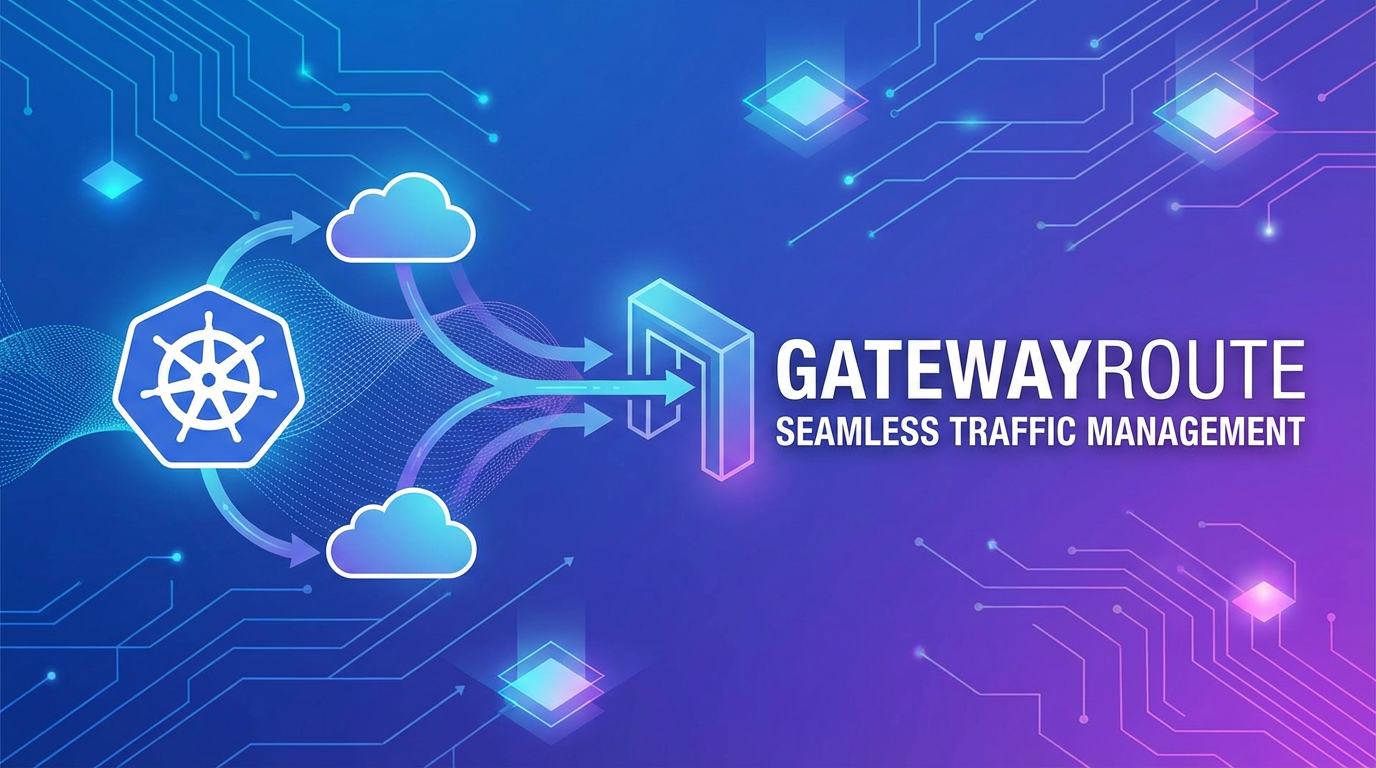


In the intricate tapestry of modern cloud-native architectures, microservices have emerged as the dominant paradigm, offering unparalleled agility, scalability, and resilience. However, the very distributed nature that bestows these benefits also introduces a labyrinth of complexity, particularly when it comes to managing network traffic. As applications decompose into hundreds, sometimes thousands, of independent services, the challenge of ensuring secure, reliable, and observable communication—both internally and externally—becomes paramount. This is where the concept of a service mesh, and specifically AWS App Mesh, coupled with Kubernetes, steps in as a transformative force. Within this ecosystem, the GatewayRoute resource for App Mesh on Kubernetes plays a pivotal role, serving as the critical ingress mechanism that unlocks seamless external traffic management.
This comprehensive guide delves deep into the power of App Mesh GatewayRoute on Kubernetes, illuminating its architectural significance, practical implementation, and advanced capabilities. We will explore how it acts as a sophisticated API gateway for your service mesh's edge, enabling fine-grained control over incoming requests and ensuring your microservices are exposed securely and efficiently. By the end of this journey, you will possess a profound understanding of how to leverage this robust tool to architect highly performant, resilient, and observable microservice APIs, forming the backbone of your next-generation applications. The journey begins with understanding the core components that make this sophisticated traffic management possible.
1. The Foundation: Understanding Kubernetes, Service Meshes, and AWS App Mesh
Before we dive into the specifics of GatewayRoute, it's essential to establish a solid understanding of the foundational technologies that underpin it. This section will explore Kubernetes as the orchestration engine, the general concept of a service mesh, and then specifically introduce AWS App Mesh as a managed service mesh solution.
1.1 Kubernetes: The Orchestration Backbone of Cloud-Native Applications
Kubernetes, often abbreviated as K8s, has become the de facto standard for orchestrating containerized applications. It provides an open-source platform designed to automate the deployment, scaling, and management of application containers. At its core, Kubernetes offers powerful primitives for defining application workloads (Deployments, StatefulSets), exposing them to the network (Services, Ingress), and managing their configuration (ConfigMaps, Secrets). Its declarative API allows developers and operators to describe the desired state of their applications, and Kubernetes tirelessly works to maintain that state, handling tasks like self-healing, load balancing, and rolling updates.
The rise of Kubernetes has dramatically simplified many aspects of deploying and operating microservices. Developers can package their services into containers, define their resource requirements, and let Kubernetes manage the complexities of scheduling, networking, and storage across a cluster of machines. However, while Kubernetes excels at managing the lifecycle of individual services, it offers more basic capabilities for addressing the intricate challenges of inter-service communication and traffic flow within a complex microservices environment. For instance, while a Kubernetes Service can provide load balancing to backend pods, it doesn't inherently offer advanced routing logic based on HTTP headers, traffic splitting for canary deployments, or built-in observability for tracing requests across multiple services. These limitations highlighted the need for an additional layer of infrastructure, leading to the emergence of service meshes.
1.2 Service Meshes: Bridging the Gap in Microservices Communication
A service mesh is a dedicated infrastructure layer that handles service-to-service communication. It's designed to manage the complexities of discovery, routing, load balancing, encryption, authorization, and observability between the services in a microservices architecture. Instead of embedding these functionalities within each service's code (which leads to duplicated effort, language dependencies, and potential inconsistencies), a service mesh offloads them to a proxy that runs alongside each service instance, typically as a sidecar container in a Kubernetes pod.
This "sidecar proxy" model allows the application code to remain focused solely on business logic, while the mesh provides a consistent, language-agnostic way to manage network interactions. Key benefits of adopting a service mesh include:
- Traffic Management: Advanced routing capabilities like request retries, circuit breaking, traffic splitting (e.g., for canary releases, A/B testing), and fault injection.
- Observability: Automated collection of metrics, logs, and traces for every service interaction, providing deep insights into application performance and behavior.
- Security: Mutual TLS (mTLS) for encrypting all service-to-service communication, fine-grained access control policies, and identity management.
- Resilience: Mechanisms to prevent cascading failures, such as timeouts, retries, and circuit breakers.
While service meshes like Istio, Linkerd, and Consul Connect offer powerful features, they also introduce their own operational overhead. Managing the control plane and data plane components of a service mesh requires expertise and effort, especially in large-scale deployments. This is where cloud-native, managed solutions like AWS App Mesh offer a compelling alternative, particularly for those operating within the AWS ecosystem.
1.3 AWS App Mesh: A Managed Service Mesh for the AWS Ecosystem
AWS App Mesh is a managed service mesh that provides application-level networking, making it easy to run and monitor microservices. Built on the open-source Envoy proxy, App Mesh integrates natively with various AWS compute services, including Amazon Elastic Kubernetes Service (EKS), Amazon Elastic Container Service (ECS), AWS Fargate, and Amazon EC2. This native integration simplifies deployment and management compared to self-managing an open-source service mesh control plane.
The core components of AWS App Mesh that you'll interact with are:
- Mesh: The logical boundary that encapsulates all your service mesh resources. All services and their traffic rules within a mesh are part of the same communication domain.
- Virtual Node: Represents a logical pointer to a particular service that lives within the mesh. It essentially defines the configuration for the Envoy proxy sidecar associated with your application's pod or task.
- Virtual Service: An abstraction of a real service provided by one or more Virtual Nodes. Consumers route requests to a Virtual Service, which then determines which Virtual Node (or set of Virtual Nodes) should receive the traffic. This decouples the service consumer from the specific implementations of the service.
- Virtual Router: Used to handle traffic distribution to different versions of a Virtual Service. It allows for advanced routing strategies like weight-based routing (e.g., 90% traffic to
v1, 10% tov2) or header-based routing, facilitating canary deployments and A/B testing. - Virtual Gateway: The ingress point for traffic entering the service mesh from outside. It acts as a dedicated gateway for external clients to interact with services within the mesh. It also utilizes an Envoy proxy, but it's deployed as a standalone gateway component rather than a sidecar.
- GatewayRoute: Attaches to a Virtual Gateway and defines how incoming external requests should be routed to a specific Virtual Service within the mesh. This is the focus of our article, as it provides the critical bridge between your external clients and your mesh-internal services.
By providing a fully managed service mesh, AWS App Mesh allows organizations to offload much of the operational burden associated with complex service meshes. It integrates seamlessly with other AWS services like Amazon CloudWatch for logging and metrics, and AWS X-Ray for distributed tracing, offering a comprehensive suite for observability. For organizations deeply invested in the AWS ecosystem, App Mesh presents a compelling solution for embracing service mesh principles without significant operational overhead, especially when combined with Kubernetes.
2. Deep Dive into App Mesh Traffic Management Primitives
To truly appreciate the power of App Mesh GatewayRoute, it's crucial to understand the foundational traffic management primitives within App Mesh itself. These internal constructs govern how services within the mesh communicate with each other, setting the stage for how external traffic is then directed to them.
2.1 Virtual Nodes and Virtual Services: The Internal Fabric of Communication
The bedrock of service identity and discoverability within App Mesh lies in Virtual Nodes and Virtual Services. These two resources work in concert to define and expose your applications inside the mesh.
A Virtual Node serves as a logical representation of a backend service that runs within your mesh. Think of it as an abstract identifier for a specific deployment of your application. When you deploy an application (e.g., a Kubernetes Deployment with multiple pods), you configure an Envoy proxy sidecar to run alongside each instance of your application. This Envoy sidecar is configured to associate itself with a specific Virtual Node. The Virtual Node definition itself doesn't directly deploy your application; rather, it provides the configuration blueprint for the Envoy proxies that will manage traffic for that application. This configuration includes details like:
- Service Discovery: How the Envoy proxy can find the actual instances of your application (e.g., via Kubernetes service names, DNS, or IP addresses). For Kubernetes, this typically points to a Kubernetes Service that load-balances requests to your application's pods.
- Listeners: The ports and protocols on which the Envoy proxy will listen for incoming requests to your application.
- Health Checks: How the Envoy proxy determines if an application instance is healthy and capable of receiving traffic.
- Backend Defaults: Default retry policies, timeouts, and other parameters for requests originating from this Virtual Node.
For example, if you have a user-service deployed on Kubernetes, you would define a VirtualNode named user-service-node. This node would point to your Kubernetes user-service (e.g., user-service.your-namespace.svc.cluster.local:8080) as its service discovery mechanism, ensuring that the Envoy proxies can correctly route requests to healthy instances of your user service.
A Virtual Service, on the other hand, is an abstraction layer that sits atop one or more Virtual Nodes. Instead of directly calling a specific Virtual Node, service consumers (other services within the mesh) direct their requests to a Virtual Service. This decouples the consumer from the underlying implementation details and specific deployment versions of a service. The Virtual Service acts as a stable, logical endpoint for a particular function or API.
The primary purpose of a Virtual Service is to provide a consistent name that other services can use to communicate with a set of backend instances. It doesn't perform any routing itself but delegates that responsibility to either a specific Virtual Node directly or, more commonly, to a Virtual Router. For example, your user-service might be exposed via a VirtualService also named user-service. When another service (e.g., an order-service) wants to interact with the user service, it sends requests to user-service.your-mesh-name.svc.local (or a similar internal DNS name configured by App Mesh). The Virtual Service then uses its routing configuration (either to a Virtual Node or via a Virtual Router) to direct the request to the appropriate backend. This separation of concerns is fundamental for enabling flexible traffic management, as it allows you to swap out or upgrade the underlying Virtual Nodes (and thus, the actual application deployments) without affecting the consumers of the Virtual Service.
2.2 Virtual Routers: Directing Internal Traffic with Precision
While Virtual Nodes and Virtual Services establish the identity and logical endpoints of your services, Virtual Routers are the workhorses that provide intelligent traffic distribution within the App Mesh. A Virtual Router sits between a Virtual Service and its target Virtual Nodes, offering granular control over how requests are directed to different versions or implementations of a service. This is particularly crucial for enabling advanced deployment strategies and ensuring service resilience.
A Virtual Router is associated with one or more Virtual Services and contains a collection of routes. Each route specifies matching criteria (e.g., HTTP path, HTTP headers, gRPC service/method) and a set of weighted targets (Virtual Nodes). When a request arrives at a Virtual Service that is associated with a Virtual Router, the router evaluates its defined routes. The first route that matches the incoming request's criteria is selected, and the request is then forwarded to the Virtual Nodes specified by that route, according to their configured weights.
Key capabilities of Virtual Routers include:
- Weight-Based Routing: The ability to split traffic among multiple Virtual Nodes based on a defined percentage. For instance, you could configure a route to send 90% of traffic to
user-service-node-v1and 10% touser-service-node-v2. This is invaluable for gradual rollouts and canary deployments, allowing you to test new versions of your service with a small percentage of live traffic before fully committing. - Header-Based Routing: Directing traffic to different Virtual Nodes based on specific HTTP headers present in the request. This can be used for A/B testing (e.g., users with a specific cookie go to
v2), internal testing (e.g., requests from internal IPs with a special header go tov2), or routing based on tenant IDs. - Path-Based Routing: Routing requests based on the URL path. For example,
/api/v1/usersmight go touser-service-node-v1, while/api/v2/usersgoes touser-service-node-v2. This is a common pattern for versioning APIs. - Retry Policies: Defining automatic retry behavior for requests that fail (e.g., due to network issues or transient service unavailability), improving the resilience of your application.
- Timeouts and Circuit Breaking: Setting limits on how long a request can take and automatically stopping traffic to unhealthy backend services to prevent cascading failures.
By leveraging Virtual Routers, operators gain powerful control over the flow of internal traffic. They can orchestrate complex deployment patterns, implement sophisticated resilience strategies, and manage the evolution of their microservices with confidence, all while keeping the underlying application code clean and focused on business logic. The precision offered by Virtual Routers for internal mesh traffic mirrors the precision that GatewayRoutes will offer for external ingress traffic.
3. The Ingress Point: Unpacking App Mesh VirtualGateway and GatewayRoute
While Virtual Nodes, Virtual Services, and Virtual Routers govern traffic within the service mesh, a critical question remains: how do external clients, be they web browsers, mobile applications, or other API consumers, access these mesh-internal services? This is where App Mesh's VirtualGateway and GatewayRoute components come into play, forming the essential ingress gateway for your microservices.
3.1 The Need for a VirtualGateway: The Mesh's Edge API Gateway
Services within an App Mesh are typically not directly exposed to the internet. They operate behind an internal network boundary, and their communication is managed by Envoy sidecars. Direct external exposure of every microservice would be a security nightmare and an operational burden. Instead, a designated entry point is required—a single gateway through which all external traffic must pass to access the mesh's services. This is the role of the VirtualGateway.
A VirtualGateway acts as a dedicated ingress proxy for your App Mesh. It's essentially an Envoy proxy deployed as a standalone component in your Kubernetes cluster (or other compute environment) that listens for incoming external requests. Unlike the Envoy sidecars that run alongside your application pods, the VirtualGateway's Envoy instance is focused solely on handling traffic entering the mesh. It serves as the bridge, translating external requests into internal mesh requests and forwarding them to the appropriate Virtual Services.
Key characteristics and functions of a VirtualGateway include:
- External Exposure: It's the first point of contact for external clients. To make it accessible, you typically expose the VirtualGateway through a Kubernetes Service of type
LoadBalancer(which provisions an AWS Elastic Load Balancer like ALB or NLB) or integrate it with an existing Kubernetes Ingress controller. This provides a public IP address or DNS endpoint for your external clients. - Protocol Handling: VirtualGateways can handle various protocols, including HTTP, HTTP/2, and gRPC, making them suitable for modern APIs.
- TLS Termination: You can configure the VirtualGateway (or the load balancer in front of it) to terminate TLS connections, encrypting traffic between external clients and the gateway.
- Traffic Routing Delegation: While the VirtualGateway receives the external traffic, it delegates the specific routing logic to its associated GatewayRoutes. It acts as the dispatcher, relying on GatewayRoutes to determine the ultimate destination within the mesh.
- Observability Point: As an entry point, the VirtualGateway is a critical location for capturing ingress metrics, logs, and traces, providing insights into external traffic patterns and potential issues.
In essence, a VirtualGateway functions as the API gateway for your service mesh's edge. It provides a controlled, secure, and observable entry point for all external consumers, abstracting away the internal topology of your microservices. It ensures that traffic conforms to mesh policies and sets the stage for intelligent routing decisions once inside the mesh.
3.2 GatewayRoute: The External Traffic Director with Precision
The GatewayRoute resource is the definitive mechanism for specifying how external traffic, received by a VirtualGateway, should be directed to a specific Virtual Service within the mesh. Without GatewayRoutes, a VirtualGateway would simply receive traffic but wouldn't know where to send it. A GatewayRoute effectively defines the routing rules that govern the flow of external requests into your App Mesh.
A GatewayRoute is always associated with a particular VirtualGateway and targets a Virtual Service. It allows for highly granular control over ingress traffic based on various request attributes, much like Virtual Routers do for internal traffic, but specifically for traffic coming from outside the mesh.
Key Features and Capabilities of GatewayRoute:
- Path-Based Routing: This is perhaps the most common and intuitive routing mechanism. You can define a rule to forward requests with a specific URL path (or a prefix of a path) to a designated Virtual Service.
- Example: A
GatewayRoutecould be configured such that requests to/users/*are routed to theuser-service-virtual-service, while requests to/products/*are routed to theproduct-service-virtual-service. This allows you to expose distinct API endpoints from different microservices under a single external gateway endpoint.
- Example: A
- Host-Based Routing: For scenarios where your VirtualGateway might serve multiple domains or subdomains, you can route requests based on the
Hostheader.- Example:
api.example.comcould route to one set of services (e.g.,prod-api-vs), whiledev.example.comroutes to a development version (dev-api-vs).
- Example:
- Header-Based Routing: Similar to Virtual Routers, GatewayRoutes can inspect arbitrary HTTP headers and use them as criteria for routing decisions. This provides immense flexibility for advanced scenarios.
- Example: Requests with a custom header like
X-Client-Type: mobilecould be routed tomobile-api-vs, whileX-Client-Type: webgoes toweb-api-vs. Or, for A/B testing, aX-Experiment-Group: Aheader could direct traffic to an experimental service version.
- Example: Requests with a custom header like
- HTTP/HTTP2/GRPC Support: GatewayRoutes support modern application protocols, ensuring compatibility with a wide range of microservice APIs, including those using gRPC for high-performance communication.
- Priority-Based Routing: In situations where multiple GatewayRoutes might have overlapping matching criteria, you can assign priorities. The GatewayRoute with the higher priority (lower numerical value) will be evaluated first. This is crucial for defining fallback rules or for applying specific overrides.
- Example: A route for
/users/admin/*might have a higher priority than a more general/users/*route, ensuring that admin-specific requests are handled by a dedicated admin service.
- Example: A route for
Syntax and Structure (Illustrative YAML):
A GatewayRoute resource is defined within Kubernetes as a Custom Resource Definition (CRD) provided by the App Mesh Controller. Here's a conceptual example of its structure:
apiVersion: appmesh.k8s.aws/v1beta2
kind: GatewayRoute
metadata:
  name: my-app-gateway-route
  namespace: my-app-namespace
spec:
  gatewayRouteName: my-app-gateway-route-spec
  meshRef:
    name: my-app-mesh
  virtualGatewayRef:
    name: my-app-virtual-gateway
  httpRoute: # Or grpcRoute, http2Route
    match:
      prefix: /users # Match requests starting with /users
      headers:
        - name: X-User-Region
          match:
            exact: us-east-1
    action:
      target:
        virtualService:
          virtualServiceRef:
            name: user-service-virtual-service # Route to this Virtual Service
        port: 8080 # Optional: specify port if virtual service has multiple listeners
  priority: 10 # Lower number means higher priority
This YAML snippet illustrates how you can define a GatewayRoute that matches requests with the path prefix /users AND an X-User-Region header exactly equal to us-east-1, then routes them to user-service-virtual-service.
Real-world Scenarios for GatewayRoute:
- Exposing Specific API Endpoints: A common use case is to expose different backend microservices through logical API paths. For instance,
/v1/authroutes to an authentication service,/v1/paymentto a payment service, and/v1/ordersto an order service, all through the same external gateway URL. - Versioning APIs: You can use path-based routing (
/api/v1/*vs./api/v2/*) to direct traffic to different versions of your services, allowing for seamless API evolution. This is crucial for managing breaking changes or introducing new features while maintaining backward compatibility. - Micro-Frontend Architectures: In micro-frontend setups, different parts of a web application might be served by different microservices.
GatewayRoutecan direct traffic for/app/dashboard/*to the dashboard service and/app/profile/*to the profile service. - Internal vs. External Access: By combining header-based routing with priority, you could have a
GatewayRoutethat routes traffic with a specific internal header to a debug version of a service, while all other traffic goes to the production version. - Multi-Tenancy: If you have multiple tenants using your services, you might route traffic based on a
X-Tenant-IDheader to specific Virtual Services that serve that tenant, although often this level of routing is handled by a more sophisticated dedicated API gateway in front of App Mesh.
The GatewayRoute, in conjunction with the VirtualGateway, provides a powerful and flexible ingress solution for services within an App Mesh on Kubernetes. It enables developers and operators to define precise rules for how external traffic enters their service mesh, ensuring that requests are securely and efficiently directed to the appropriate backend microservices.
4. Implementing App Mesh GatewayRoute on Kubernetes
Putting App Mesh GatewayRoute into practice on Kubernetes involves a series of steps, from setting up the necessary infrastructure to defining the App Mesh resources. This section outlines the prerequisites and provides a conceptual walkthrough of the deployment process.
4.1 Prerequisites and Setup for App Mesh on EKS
Before you can leverage App Mesh GatewayRoute, you need to ensure your Kubernetes environment is properly configured. Here are the essential prerequisites:
- AWS EKS Cluster: You need an operational Amazon Elastic Kubernetes Service (EKS) cluster. This cluster will host your microservices and the App Mesh components. Ensure your EKS cluster is running a compatible Kubernetes version supported by App Mesh.
- AWS CLI and
kubectl: Have the AWS Command Line Interface (CLI) andkubectl(Kubernetes command-line tool) configured with appropriate credentials to interact with your AWS account and EKS cluster. - AWS App Mesh Controller for Kubernetes: This is a crucial component. The App Mesh Controller runs within your EKS cluster and translates App Mesh resources (like
Mesh,VirtualNode,VirtualGateway,GatewayRoute) defined as Kubernetes Custom Resources into the actual App Mesh configuration in the AWS App Mesh service. You'll need to install this controller into your cluster, typically via Helm. The controller requires specific IAM permissions to create and manage App Mesh resources on your behalf in AWS. - Envoy Proxy Integration: App Mesh uses Envoy as its data plane proxy. When you deploy your application pods, the App Mesh Controller will inject an Envoy sidecar container into each pod that is part of the mesh. For the VirtualGateway, a dedicated Envoy proxy deployment is created.
- IAM Roles for Service Accounts (IRSA): For pods to interact with AWS services securely, it's highly recommended to use IRSA. The App Mesh Envoy proxies and the App Mesh Controller itself will need IAM roles associated with their Kubernetes Service Accounts to communicate with the App Mesh control plane and other AWS services. This ensures fine-grained permission control.
- Kubernetes Ingress Controller or Load Balancer Service: To expose your VirtualGateway to external traffic, you need a mechanism to provision an external IP or hostname.
- AWS Load Balancer Controller: This is the recommended approach for EKS. It allows you to create AWS Application Load Balancers (ALBs) or Network Load Balancers (NLBs) by defining Kubernetes Ingress resources or Services of
type: LoadBalancerwith specific annotations. The VirtualGateway will typically be exposed via aServiceoftype: LoadBalancerto get an external endpoint. - NodePort/LoadBalancer Service: Alternatively, you can directly expose the VirtualGateway deployment via a Kubernetes Service of
type: LoadBalancer, which will provision an AWS Classic Load Balancer or NLB.
- AWS Load Balancer Controller: This is the recommended approach for EKS. It allows you to create AWS Application Load Balancers (ALBs) or Network Load Balancers (NLBs) by defining Kubernetes Ingress resources or Services of
Setting up these prerequisites correctly is foundational for a smooth App Mesh deployment. Each component plays a vital role in enabling the sophisticated traffic management capabilities that App Mesh provides.
4.2 Step-by-Step Deployment Example (Conceptual Walkthrough)
Let's walk through a conceptual example of deploying a simple microservice and exposing it via App Mesh VirtualGateway and GatewayRoute on Kubernetes.
Scenario: We have a product-catalog service that exposes a /products API endpoint. We want to expose this through an App Mesh VirtualGateway.
Create the GatewayRoute: This is where you define how traffic coming into app-gateway should be routed to product-catalog-vs.```yaml
gateway-route.yaml
apiVersion: appmesh.k8s.aws/v1beta2 kind: GatewayRoute metadata: name: product-catalog-gw-route namespace: default spec: gatewayRouteName: product-catalog-gw-route-spec meshRef: name: my-app-mesh virtualGatewayRef: name: app-gateway httpRoute: match: prefix: /products # Match requests starting with /products action: target: virtualService: virtualServiceRef: name: product-catalog-vs `` Apply this:kubectl apply -f gateway-route.yaml`
Configure a VirtualGateway: This defines the external entry point. You'll also need a Kubernetes Service to expose it.```yaml
virtual-gateway.yaml
apiVersion: appmesh.k8s.aws/v1beta2 kind: VirtualGateway metadata: name: app-gateway namespace: default spec: meshRef: name: my-app-mesh virtualGatewayName: app-gateway-spec listeners: - portMapping: port: 8080 protocol: http # ... security context, TLS settings if needed
virtual-gateway-service.yaml (Kubernetes Service to expose the VirtualGateway)
apiVersion: v1 kind: Service metadata: name: app-gateway-service namespace: default annotations: service.beta.kubernetes.io/aws-load-balancer-type: "nlb" # Example for NLB # Or for ALB: service.beta.kubernetes.io/aws-load-balancer-type: "external" # and create an Ingress for the ALB spec: selector: app: app-gateway # The label on the VirtualGateway's deployment ports: - protocol: TCP port: 80 targetPort: 8080 # Target the VirtualGateway listener port type: LoadBalancer # Expose externally with an AWS Load Balancer `` *Note: Theapp: app-gatewaylabel needs to be on theDeploymentthat the App Mesh Controller creates for theVirtualGatewayCustom Resource. The Controller handles creating the actualDeploymentandPodfor theVirtualGateway's Envoy proxy.* Apply these:kubectl apply -f virtual-gateway.yaml`
Create App Mesh VirtualNode and VirtualService: Define the App Mesh resources that represent your product-catalog service within the mesh.```yaml
product-catalog-appmesh.yaml
apiVersion: appmesh.k8s.aws/v1beta2 kind: VirtualNode metadata: name: product-catalog-vn namespace: default spec: meshRef: name: my-app-mesh virtualNodeName: product-catalog-vn-spec podSelector: # Selects the pods created by the product-catalog deployment matchLabels: app: product-catalog listeners: - portMapping: port: 8080 protocol: http serviceDiscovery: dns: hostname: product-catalog-service.default.svc.cluster.local # Kubernetes service DNS
apiVersion: appmesh.k8s.aws/v1beta2 kind: VirtualService metadata: name: product-catalog-vs namespace: default spec: meshRef: name: my-app-mesh virtualServiceName: product-catalog-vs-spec # Unique within the mesh provider: virtualNode: virtualNodeRef: name: product-catalog-vn `` Apply these:kubectl apply -f product-catalog-appmesh.yaml`
Deploy Application Service (Kubernetes Deployment & Service): Deploy your product-catalog microservice. Crucially, you'll annotate the Kubernetes Deployment to instruct the App Mesh Controller to inject the Envoy sidecar.```yaml
product-catalog-deployment.yaml
apiVersion: apps/v1 kind: Deployment metadata: name: product-catalog labels: app: product-catalog spec: replicas: 2 selector: matchLabels: app: product-catalog template: metadata: labels: app: product-catalog annotations: # Crucial for App Mesh sidecar injection appmesh.k8s.aws/sidecarInjectorWebhook: enabled appmesh.k8s.aws/mesh: my-app-mesh-spec spec: containers: - name: product-catalog image: your-repo/product-catalog:v1.0.0 # Replace with your image ports: - containerPort: 8080 name: http-product # ... other container configurations
product-catalog-service.yaml
apiVersion: v1 kind: Service metadata: name: product-catalog-service labels: app: product-catalog spec: selector: app: product-catalog ports: - protocol: TCP port: 8080 targetPort: http-product # Must match container port name `` Apply these:kubectl apply -f product-catalog-deployment.yaml`
Define the App Mesh Mesh: First, you define the logical boundary for your service mesh. This is typically a one-time setup.```yaml
mesh.yaml
apiVersion: appmesh.k8s.aws/v1beta2 kind: Mesh metadata: name: my-app-mesh namespace: default # Or your dedicated app namespace spec: meshName: my-app-mesh-spec # Name in AWS App Mesh service `` Apply this:kubectl apply -f mesh.yaml`
Testing the Setup:
- Wait for the
app-gateway-serviceto provision an external IP/Hostname (checkkubectl get svc app-gateway-service). - Send a request to this external endpoint, e.g.,
curl http://<LOAD_BALANCER_DNS>/products/item123. - The request should flow through the AWS Load Balancer, hit the VirtualGateway, be routed by the GatewayRoute to
product-catalog-vs, which then directs it toproduct-catalog-vn, and finally to yourproduct-catalogapplication pods.
This conceptual walkthrough highlights the interconnected nature of Kubernetes resources and App Mesh Custom Resources. The App Mesh Controller seamlessly orchestrates the underlying AWS App Mesh service and the Envoy proxy deployments to bring this complex routing to life.
4.3 Best Practices for Kubernetes Integration with App Mesh
Successfully operating App Mesh with Kubernetes, especially with advanced features like GatewayRoute, requires adhering to certain best practices:
- Namespace Isolation: Organize your App Mesh resources and microservices within dedicated Kubernetes namespaces. This improves security, simplifies resource management, and prevents naming collisions. Each App Mesh
Meshcan span multiple namespaces, but it's good practice to group related services. - Resource Labeling and Selection: Consistently use Kubernetes labels for your Deployments, Services, and Pods. App Mesh
VirtualNodes andVirtualGateways use label selectors (podSelector,virtualGatewayRef) to identify which underlying Kubernetes resources they manage. Clear labeling ensures that your App Mesh configurations correctly target the intended workloads. - Automating Deployments with GitOps: Embrace GitOps principles by storing all your Kubernetes and App Mesh resource definitions in a Git repository. Tools like ArgoCD or Flux CD can then automate the deployment and synchronization of these manifests to your cluster, ensuring consistency, traceability, and simplified rollbacks. This approach also extends to your
GatewayRoutedefinitions, treating them as first-class citizens in your deployment pipeline. - Monitoring and Logging with App Mesh: Leverage App Mesh's native integrations for observability.
- CloudWatch: App Mesh automatically publishes metrics to Amazon CloudWatch for your
VirtualNodes,VirtualGateways, andVirtualRouters, giving you insights into request counts, latencies, and error rates. Configure CloudWatch Alarms for critical thresholds. - X-Ray: Enable AWS X-Ray integration to get distributed tracing across your services. X-Ray allows you to visualize the flow of requests through your mesh, identify bottlenecks, and pinpoint service failures, even across multiple hops.
- Envoy Access Logs: Configure Envoy access logs to be sent to a centralized logging solution (e.g., CloudWatch Logs, Fluent Bit to Elasticsearch). These logs provide detailed information about every request, invaluable for debugging routing issues with
GatewayRouteor service-to-service communication.
- CloudWatch: App Mesh automatically publishes metrics to Amazon CloudWatch for your
- IAM Roles for Service Accounts (IRSA): Strictly enforce IRSA for all your App Mesh related pods (Envoy sidecars, VirtualGateway pods, App Mesh Controller pods). This grants only the necessary AWS permissions to specific Kubernetes Service Accounts, adhering to the principle of least privilege and significantly enhancing security.
- Gradual Rollouts: Use App Mesh's traffic splitting capabilities (via
VirtualRouterfor internal traffic and potentiallyGatewayRoutefor external-facing versioning) to implement canary deployments or blue/green strategies. This minimizes risk when introducing new versions of your microservices. Start with a small percentage of traffic to the new version, monitor closely, and then gradually increase the traffic. - Understand Resource Dependencies: App Mesh resources have dependencies. For example, a
GatewayRoutedepends on aVirtualGatewayand aVirtualService. Ensure that you define and apply these resources in the correct order to avoid reconciliation errors. Automation tools can help manage these dependencies.
By following these best practices, you can build a robust, observable, and maintainable microservices platform on Kubernetes using AWS App Mesh, with GatewayRoute providing the critical and intelligent ingress traffic management.
APIPark is a high-performance AI gateway that allows you to securely access the most comprehensive LLM APIs globally on the APIPark platform, including OpenAI, Anthropic, Mistral, Llama2, Google Gemini, and more.Try APIPark now! 👇👇👇
5. Advanced Traffic Management with GatewayRoute
The true power of App Mesh GatewayRoute extends beyond basic path-based routing. It enables sophisticated traffic management patterns that are essential for modern, highly available, and resilient microservices architectures. This section explores how GatewayRoute facilitates advanced deployments, enhances security at the edge, and supports robust observability.
5.1 Canary Deployments and Blue/Green Strategies with GatewayRoute
One of the most compelling advantages of using a service mesh is its ability to orchestrate advanced deployment strategies with minimal downtime and risk. GatewayRoute, in conjunction with Virtual Routers and Virtual Services, plays a crucial role in enabling these patterns for external traffic.
Canary Deployments: A canary deployment involves rolling out a new version of a service to a small subset of users or traffic, monitoring its performance and stability, and then gradually increasing the traffic to the new version if all looks good. This minimizes the blast radius of potential issues.
With GatewayRoute, you can achieve external-facing canary deployments by:
- Defining two Virtual Nodes: One for the stable (old) version (
product-catalog-vn-v1) and one for the new (canary) version (product-catalog-vn-v2). - Creating a Virtual Service: Pointing to a Virtual Router (
product-catalog-router). - Configuring the Virtual Router: Initially, the
product-catalog-routerwould send 100% of traffic toproduct-catalog-vn-v1. To introduce the canary, you would update the Virtual Router to send, say, 5% of traffic toproduct-catalog-vn-v2and 95% toproduct-catalog-vn-v1. - GatewayRoute Remains Stable: The
GatewayRoutethat maps/products/*toproduct-catalog-vsremains unchanged. External requests hit the VirtualGateway, the GatewayRoute directs them to theproduct-catalog-vs, and then the Virtual Router handles the internal traffic split to the appropriate Virtual Node version.
This method allows for seamless internal traffic shifting. Alternatively, if your API versioning is exposed through the path, you could use GatewayRoute to direct /products/v1/* to product-catalog-v1-vs and /products/v2-beta/* to product-catalog-v2-vs, allowing specific external clients to test the beta version while the main /products/v1/* remains stable. This provides flexibility depending on whether your canary is based on internal traffic splitting or external API versioning.
Blue/Green Deployments: In a blue/green deployment, two identical production environments are run in parallel: "blue" (the current stable version) and "green" (the new version). All traffic initially goes to "blue." Once "green" is fully deployed and tested, all traffic is instantly switched from "blue" to "green" at the gateway layer.
With GatewayRoute, blue/green deployments can be simplified:
- Two sets of Virtual Nodes and Virtual Services: One for "blue" (e.g.,
product-catalog-blue-vs) and one for "green" (e.g.,product-catalog-green-vs). - Updating the GatewayRoute: When you're ready to switch, you update the
GatewayRoutedefinition to point/products/*fromproduct-catalog-blue-vstoproduct-catalog-green-vs. The switch is near-instantaneous as it's a configuration change at the gateway level, not a redeployment of the application. The old "blue" environment can then be safely decommissioned or kept as a rollback target.
These advanced deployment strategies, facilitated by GatewayRoute and other App Mesh resources, significantly reduce deployment risk, minimize user impact, and enable faster iteration cycles, making your microservices architecture more agile and robust.
5.2 Security Considerations at the Edge with GatewayRoute
The VirtualGateway and its GatewayRoutes form the boundary between your external world and your internal service mesh. As such, they are critical components for implementing robust security measures.
- TLS Termination at the VirtualGateway/Load Balancer: For secure communication, all external traffic should be encrypted using TLS. You can configure TLS termination at the AWS Load Balancer (ALB/NLB) fronting your VirtualGateway. This offloads the encryption/decryption burden from your services and the VirtualGateway itself. Alternatively, the VirtualGateway can be configured to terminate TLS if it's directly exposed or behind a pass-through load balancer. Always use certificates from a trusted Certificate Authority (CA) like AWS Certificate Manager (ACM).
- Authentication and Authorization: While App Mesh itself provides mTLS for internal service-to-service communication, it doesn't offer sophisticated user authentication and authorization for external clients. This functionality is typically handled by a dedicated API gateway (like AWS API Gateway, or a self-managed API gateway product) that sits in front of your App Mesh VirtualGateway. This dedicated API gateway would handle user authentication (e.g., OAuth, JWT validation), authorization policies, rate limiting, and other edge security features before forwarding authenticated requests to your App Mesh VirtualGateway. This creates a powerful multi-layered security posture.
- Network ACLs and Security Groups: Configure AWS Network ACLs and Security Groups on your EKS worker nodes and Load Balancers to restrict traffic only to necessary ports and IP ranges. For example, your VirtualGateway's Load Balancer should only accept traffic on ports 80/443 from public internet or specific client IP ranges, and then only allow connections to the VirtualGateway's service on its listening port.
- Web Application Firewalls (WAF): For additional protection against common web exploits (e.g., SQL injection, cross-site scripting), deploy an AWS WAF in front of your Load Balancer that exposes the VirtualGateway. WAF provides an extra layer of defense against malicious attacks before they even reach your API gateway and services.
Securing the ingress point is paramount. By combining the traffic management of GatewayRoute with external API gateway solutions and robust AWS networking security features, you can build a highly protected perimeter for your microservices.
5.3 Observability and Troubleshooting GatewayRoute Issues
An effective service mesh must provide deep observability to understand traffic patterns, diagnose issues, and ensure application health. GatewayRoute, as a critical ingress component, is a key point for collecting this telemetry.
- Metrics from Envoy Proxy: The Envoy proxy instances used by the VirtualGateway (and sidecars) emit a wealth of metrics, including request counts, latencies, error rates (5xx, 4xx, etc.), and connection statistics. These metrics are automatically published to Amazon CloudWatch by App Mesh. You can then use CloudWatch Dashboards and Alarms to monitor the health and performance of your VirtualGateway and its routes. Integrating with Prometheus and Grafana for custom dashboards is also a popular option.
- Distributed Tracing (X-Ray, Jaeger): Enable AWS X-Ray integration for your App Mesh. X-Ray provides end-to-end tracing, allowing you to visualize the entire request path from the VirtualGateway, through the GatewayRoute, to the target Virtual Service, and all subsequent internal service calls. This is invaluable for identifying latency bottlenecks, error origins, and understanding service dependencies across complex microservice architectures. For open-source alternatives, Jaeger is often used.
- Access Logs and Debugging Routing Rules: Configure detailed access logging for your VirtualGateway. These logs capture every incoming request, including source IP, destination, headers, status codes, and the duration of the request. By analyzing these logs (e.g., in CloudWatch Logs Insights or an ELK stack), you can verify if requests are hitting the VirtualGateway as expected and if the GatewayRoutes are directing them correctly.
- Common Troubleshooting Steps:
- Verify VirtualGateway Status: Ensure the VirtualGateway resource and its underlying Kubernetes Deployment/Pods are healthy and running. Check the Kubernetes Service exposing it.
- Inspect GatewayRoute Configuration: Double-check the
matchcriteria in your GatewayRoute (prefix, headers, host). A common mistake is an incorrect path prefix or a missing required header. - Check Virtual Service Target: Ensure the
virtualServiceRefin the GatewayRoute correctly points to an existing and healthy Virtual Service. - Review App Mesh Events: Monitor the events of your App Mesh resources (
kubectl describe gatewayroute <name>) and the App Mesh Controller logs for any configuration errors or reconciliation issues. - Envoy Logs: If traffic is reaching the VirtualGateway but not being forwarded, check the Envoy proxy logs for the VirtualGateway pod. These can provide low-level details about routing decisions and errors.
- Common Troubleshooting Steps:
By embracing these observability practices, you can maintain a clear understanding of your external traffic flow, quickly identify and resolve routing issues with GatewayRoute, and ensure the seamless operation of your microservices.
6. The Synergy of App Mesh GatewayRoute and Dedicated API Gateways
As we've explored, App Mesh GatewayRoute provides powerful ingress traffic management for services within your mesh. However, it's crucial to understand its specific scope and how it complements, rather than replaces, a dedicated API gateway solution. In many complex enterprise environments, the optimal solution involves a layered approach, with a specialized API gateway sitting in front of the App Mesh VirtualGateway.
6.1 App Mesh GatewayRoute vs. AWS API Gateway (or other dedicated API gateways)
To clarify their distinct roles, let's compare App Mesh GatewayRoute with a typical dedicated API gateway like AWS API Gateway or other commercial/open-source solutions (Kong, Apigee, NGINX Plus, or even APIPark).
| Feature / Aspect | App Mesh GatewayRoute (via VirtualGateway) | Dedicated API Gateway (e.g., AWS API Gateway) |
|---|---|---|
| Primary Role | Ingress traffic management into a service mesh. L7 routing within the mesh boundary. | API lifecycle management, exposure, security, monetization, transformation, orchestration. |
| Focus | Internal service mesh traffic orchestration (ingress to services within the mesh). | External client interaction with APIs (north-south traffic). |
| Deployment Context | Part of the service mesh control plane, deployed within Kubernetes/ECS. | Standalone service, often managed (e.g., AWS API Gateway) or self-hosted gateway. |
| Routing Granularity | Path, host, header-based routing to Virtual Services within the mesh. | Advanced routing, request/response transformation, complex orchestration, versioning. |
| Security Features | TLS termination (often by LB in front), mTLS (internal mesh). | Authentication (OAuth, JWT, API keys), Authorization, Throttling, Rate Limiting, WAF integration, Bot detection. |
| API Management | Minimal, primarily routing. | Full API lifecycle (design, publish, version, deprecate), developer portal, monetization. |
| Traffic Control | Canary, Blue/Green (via Virtual Routers), basic retries/timeouts. | Advanced traffic shaping, caching, request/response payload transformation. |
| Observability | Metrics to CloudWatch, traces to X-Ray via Envoy. | Integrated with cloud monitoring (CloudWatch), detailed access logs, custom metrics. |
| Cost Implications | Based on Envoy proxies, data transfer, and App Mesh control plane usage. | Based on API calls, data transfer, caching, WAF, custom domains. |
| Target Audience | Service Mesh operators, SREs, developers managing microservice communication. | API developers, product managers, security teams managing external API exposure. |
Complementary Roles: The key takeaway is that these components are highly complementary and often used together in enterprise-grade microservices architectures.
- A dedicated API gateway sits at the very edge, acting as the public face of your APIs. It handles all concerns related to external consumers: authentication, authorization, rate limiting, API key management, request/response transformation, caching, monetization, and providing a developer portal. It acts as the ultimate API traffic controller.
- Once these external concerns are handled, the dedicated API gateway forwards the cleaned, authenticated, and authorized requests to the App Mesh VirtualGateway.
- The App Mesh VirtualGateway, governed by its GatewayRoutes, then takes over, directing the requests to the correct Virtual Services within the mesh, leveraging the mesh's capabilities for internal load balancing, circuit breaking, retries, and detailed internal observability.
This layered approach provides the best of both worlds: a robust, feature-rich API gateway for external consumers, combined with the powerful, observable, and resilient traffic management capabilities of a service mesh for internal services. It’s a powerful pattern for building scalable and secure API platforms.
6.2 The Role of APIPark in Modern API Management
In this sophisticated, layered gateway architecture, a product like APIPark fits perfectly as the comprehensive, dedicated API gateway solution that enhances the edge capabilities of your App Mesh deployment. APIPark, as an open-source AI gateway and API management platform, offers a robust set of features that go far beyond what a service mesh's ingress (like App Mesh GatewayRoute) is designed to provide.
Imagine your microservices are expertly managed by App Mesh, with GatewayRoutes meticulously directing traffic within your Kubernetes cluster. However, for external consumption, especially with the growing prominence of AI services, you need more:
- Unified AI Gateway & API Developer Portal: APIPark is designed to manage, integrate, and deploy both AI and REST services with ease. This is particularly relevant as more applications incorporate AI capabilities. While App Mesh handles the underlying network fabric, APIPark provides the higher-level abstraction and management for these diverse APIs.
- Quick Integration of 100+ AI Models: App Mesh doesn't inherently understand AI models. APIPark provides a unified management system for authentication and cost tracking for a variety of AI models, making it simple to expose these through a standard API gateway interface.
- Unified API Format for AI Invocation: A critical feature of APIPark is its ability to standardize request data format across different AI models. This means changes in AI models or prompts don't break your application's microservices, simplifying AI usage and reducing maintenance costs—a layer of abstraction that complements the network abstraction of App Mesh.
- Prompt Encapsulation into REST API: APIPark allows users to quickly combine AI models with custom prompts to create new APIs (e.g., sentiment analysis, translation). These custom APIs can then be exposed and managed through APIPark, which would, in turn, route to the AI-backend services orchestrated by App Mesh and GatewayRoute.
- End-to-End API Lifecycle Management: App Mesh primarily focuses on traffic orchestration. APIPark, however, offers full lifecycle management—design, publication, invocation, and decommission. It helps regulate API management processes, including traffic forwarding, load balancing, and versioning of published APIs, providing a comprehensive API management solution at the enterprise level that App Mesh alone cannot.
- API Service Sharing within Teams and Independent Tenant Permissions: For large organizations, APIPark's ability to centralize API display, facilitate sharing within teams, and provide independent APIs and access permissions for each tenant adds significant organizational value. This multi-tenancy support and controlled access are enterprise-grade features crucial for secure and efficient API ecosystems.
- API Resource Access Requires Approval: APIPark allows for subscription approval features, ensuring callers must subscribe to an API and await administrator approval. This granular control over API access is a critical security layer often implemented at the API gateway and is not native to App Mesh.
- Performance Rivaling Nginx: With impressive performance benchmarks (over 20,000 TPS on modest hardware), APIPark demonstrates that it can handle large-scale traffic, making it a viable enterprise-grade API gateway that won't become a bottleneck even in front of a highly performant App Mesh.
- Detailed API Call Logging and Powerful Data Analysis: While App Mesh provides telemetry for the mesh, APIPark offers comprehensive logging and data analysis specifically for API calls. This means detailed records of external API interactions, long-term trends, and performance changes, which are crucial for business intelligence, security audits, and proactive maintenance of your public-facing APIs.
In summary, APIPark provides the robust, feature-rich, and AI-centric API gateway layer that sits logically in front of your App Mesh VirtualGateway. It handles the "business" and "developer experience" aspects of API management, while App Mesh and GatewayRoute handle the complex, low-level network traffic management into your microservice infrastructure. This combination creates an incredibly powerful and scalable solution for managing both traditional REST APIs and the emerging landscape of AI services. Enterprises benefit from enhanced efficiency, security, and data optimization, empowering developers, operations, and business managers alike to confidently build and scale their API platforms.
7. Future Trends and Evolution in Service Mesh and API Gateway
The landscape of cloud-native networking is continuously evolving. App Mesh GatewayRoute and dedicated API gateway solutions are at the forefront of this evolution, adapting to new challenges and embracing emerging standards.
- Service Mesh Interface (SMI) and its Impact: SMI is a standard interface for service meshes on Kubernetes. It aims to provide a common set of APIs for service mesh functionality, allowing developers to use a single set of tools across different mesh implementations. While App Mesh has its own CRDs, the broader adoption of SMI could lead to more interoperability and standardized configuration for traffic management, including ingress gateway definitions. This would simplify transitions between different mesh solutions and reduce vendor lock-in.
- Evolving Role of Kubernetes Gateway API: The Kubernetes Gateway API is another significant development, aiming to provide a more expressive and extensible way to manage ingress traffic to Kubernetes clusters, addressing some limitations of the older Ingress API. This API introduces concepts like
GatewayClass,Gateway, andHTTPRoute, which are more aligned with the advanced routing needs of service meshes and API gateways. Future iterations of App Mesh's VirtualGateway and GatewayRoute might align more closely with or even leverage the Kubernetes Gateway API, providing a more native and consistent Kubernetes-centric approach to ingress management. This convergence would simplify the overall ingress stack. - AI/ML Integration in Traffic Management: As AI and machine learning become ubiquitous, their application in network traffic management is growing. Predictive analytics can anticipate traffic surges and dynamically adjust scaling or routing. Anomaly detection can identify security threats or performance regressions. We might see API gateways and service meshes incorporating more AI/ML-driven features for intelligent routing, security policy enforcement, and self-healing capabilities, optimizing performance and resilience automatically. Products like APIPark, with its AI gateway capabilities, are already moving in this direction, bridging the gap between AI workloads and network infrastructure.
- Continued Focus on Hybrid and Multi-Cloud Environments: As enterprises increasingly adopt hybrid and multi-cloud strategies, the need for consistent traffic management and API gateway solutions across disparate environments becomes paramount. Service meshes and API gateways are evolving to provide unified control planes that can manage services deployed across multiple clusters, regions, and even on-premises data centers, ensuring seamless connectivity and policy enforcement regardless of deployment location. This will require more sophisticated cross-cluster routing and identity management, further elevating the role of intelligent gateways.
These trends underscore a move towards more intelligent, standardized, and integrated traffic management solutions. App Mesh GatewayRoute, in its specific domain, will continue to be a vital component in this evolving ecosystem, providing the essential ingress capabilities that bridge the external world with the internal complexities of a Kubernetes-based microservices architecture, especially when combined with powerful API management platforms like APIPark.
Conclusion
The journey through the intricacies of App Mesh GatewayRoute K8s for Seamless Traffic Management reveals a sophisticated yet indispensable component in the modern microservices landscape. We've explored the foundational elements of Kubernetes and service meshes, delved deep into the core primitives of AWS App Mesh, and meticulously detailed the crucial role of VirtualGateway and, most importantly, GatewayRoute. This resource empowers organizations to precisely control the flow of external requests into their service mesh, enabling robust traffic management, advanced deployment strategies, and critical security at the edge.
From facilitating intricate canary deployments and blue/green releases to enhancing security postures with TLS termination and providing invaluable observability through integrated metrics and tracing, GatewayRoute stands as a testament to the power of a well-architected service mesh. It transforms the chaotic ingress traffic into an orderly flow, directing each API call with surgical precision to its intended microservice destination within the mesh.
However, as robust as App Mesh GatewayRoute is for mesh-internal ingress, its capabilities are inherently focused on the networking concerns of the service mesh. For the broader spectrum of external-facing API management, including comprehensive API lifecycle governance, developer portals, advanced security features like rate limiting and sophisticated authentication, and especially the burgeoning requirements of AI service integration, a dedicated API gateway is not just beneficial but often essential.
This is where platforms like APIPark seamlessly integrate, providing that crucial outer layer of enterprise-grade API management. By positioning APIPark in front of your App Mesh VirtualGateway, you achieve a powerful synergy: APIPark handles the full API lifecycle, advanced security, AI API standardization, and developer experience for your external consumers, while App Mesh GatewayRoute ensures that the authenticated and optimized traffic is then flawlessly directed into your scalable and resilient microservice infrastructure. This layered gateway architecture represents the pinnacle of modern API and traffic management, offering unparalleled control, security, and agility for your cloud-native applications. Embracing these technologies isn't just about managing traffic; it's about unlocking the full potential of your microservices, ensuring they are not only performant and resilient but also consumable and secure for the future.
Frequently Asked Questions (FAQs)
1. What is the primary purpose of App Mesh GatewayRoute on Kubernetes?
The primary purpose of App Mesh GatewayRoute on Kubernetes is to define precise rules for routing external traffic from a VirtualGateway to specific Virtual Services within an AWS App Mesh. It acts as the traffic director for requests entering the service mesh, enabling granular control based on HTTP paths, headers, or hosts, thereby facilitating seamless exposure of microservices to external clients.
2. How does App Mesh GatewayRoute differ from a Kubernetes Ingress resource?
A Kubernetes Ingress resource is a high-level API object used to manage external access to services in a cluster, typically providing HTTP and HTTPS routing. It relies on an Ingress Controller (like NGINX Ingress Controller or AWS Load Balancer Controller) to implement its rules. App Mesh GatewayRoute, on the other hand, is an App Mesh-specific Custom Resource that works with a VirtualGateway (which is itself an Envoy proxy). While an Ingress might route to a Kubernetes Service that exposes the VirtualGateway, the GatewayRoute then takes over the routing logic into the mesh, directing traffic to Virtual Services. GatewayRoute offers more fine-grained, mesh-aware routing capabilities than a standard Ingress.
3. Can I use App Mesh GatewayRoute to perform API versioning and canary deployments?
Yes, App Mesh GatewayRoute is instrumental in both API versioning and canary deployments. For API versioning, you can use path-based routing (e.g., /api/v1/* to service-v1-vs, /api/v2/* to service-v2-vs) directly in the GatewayRoute. For canary deployments, the GatewayRoute typically points to a stable Virtual Service, which in turn is backed by a Virtual Router. The Virtual Router then handles the traffic splitting between the old and new versions (Virtual Nodes) of your service, allowing for gradual rollouts without changing the external GatewayRoute.
4. What are the key security considerations when using GatewayRoute?
Security at the edge with GatewayRoute involves several layers. It's crucial to terminate TLS connections at the Load Balancer fronting the VirtualGateway or at the VirtualGateway itself to encrypt external traffic. For advanced authentication (e.g., JWT validation, API keys) and authorization, rate limiting, and WAF protection, a dedicated API Gateway (like APIPark) should be deployed in front of the App Mesh VirtualGateway. Additionally, proper AWS Security Groups and Network ACLs should be configured to restrict network access.
5. Why would I use a dedicated API Gateway like APIPark in addition to App Mesh GatewayRoute?
While App Mesh GatewayRoute effectively manages ingress traffic into your service mesh, a dedicated API Gateway like APIPark offers a much broader scope of features for full API lifecycle management. APIPark provides capabilities such as AI model integration, unified API formats, prompt encapsulation, a developer portal, API key management, robust authentication/authorization beyond mTLS, rate limiting, sophisticated traffic shaping, and detailed API-specific analytics. APIPark acts as the public-facing API product layer, handling business and developer-centric concerns, before forwarding cleaned and authorized traffic to the App Mesh VirtualGateway and its GatewayRoutes for internal service mesh routing. This layered approach combines the best of both worlds for comprehensive API governance.
🚀You can securely and efficiently call the OpenAI API on APIPark in just two steps:
Step 1: Deploy the APIPark AI gateway in 5 minutes.
APIPark is developed based on Golang, offering strong product performance and low development and maintenance costs. You can deploy APIPark with a single command line.
curl -sSO https://download.apipark.com/install/quick-start.sh; bash quick-start.sh

In my experience, you can see the successful deployment interface within 5 to 10 minutes. Then, you can log in to APIPark using your account.

Step 2: Call the OpenAI API.