Unlock Creativity: AI Prompt HTML Templates Made Easy
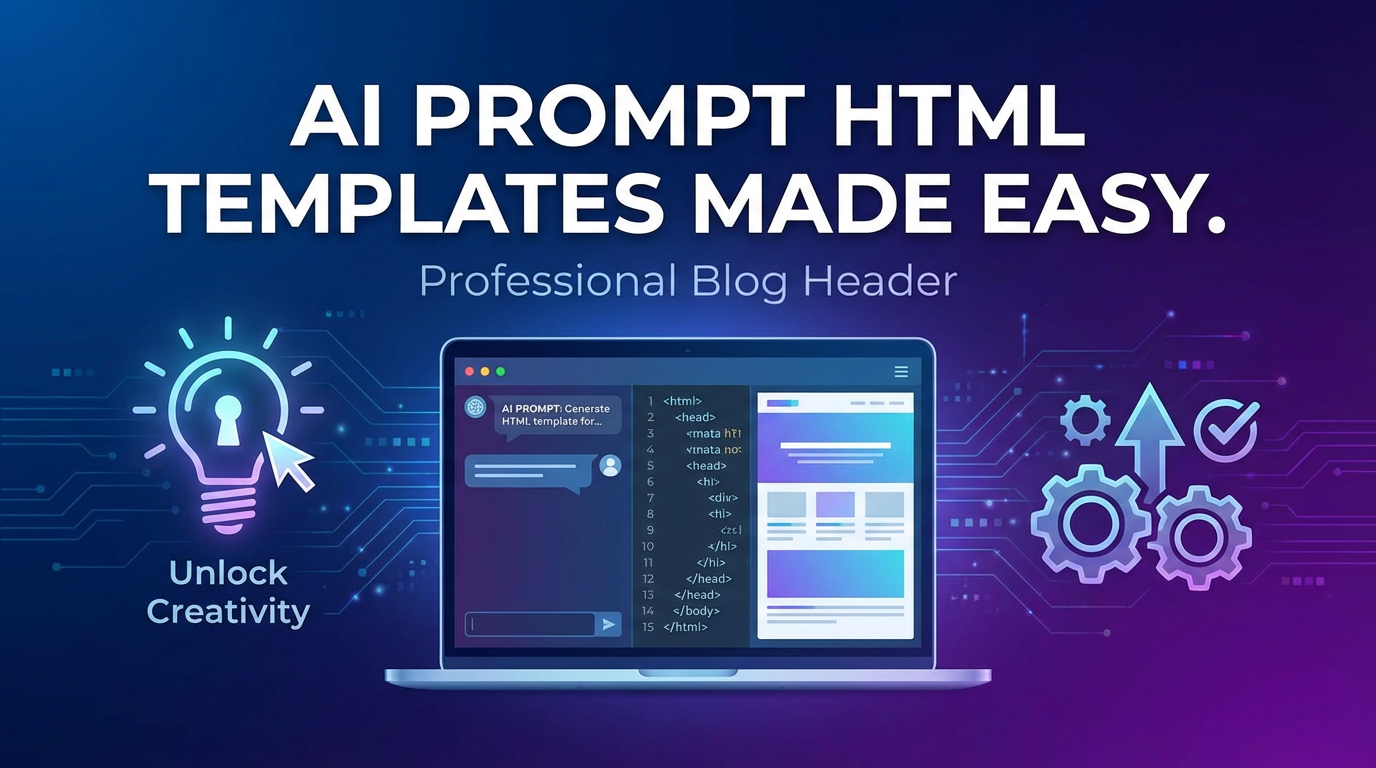


The relentless march of artificial intelligence, particularly in the realm of generative models, has profoundly reshaped the digital landscape, democratizing capabilities once confined to advanced researchers and specialized data scientists. From composing sophisticated articles and crafting compelling marketing copy to generating stunning visual art and even writing functional code, AI has become an indispensable tool across virtually every industry. However, beneath the surface of these awe-inspiring capabilities lies a crucial, often overlooked, layer of interaction: the prompt. The quality, specificity, and structure of a prompt directly dictate the utility and brilliance of an AI's output. Yet, for many, the art of prompt engineering remains an intricate, sometimes frustrating, endeavor, demanding a nuanced understanding of AI model behaviors and syntax that can be a significant barrier to entry. This complexity, while a testament to the power of these models, inadvertently limits their accessibility and hinders the creative potential of a broader user base.
Imagine a world where interacting with sophisticated AI models feels as intuitive and straightforward as filling out a simple online form. Picture a scenario where you no longer need to meticulously remember arcane syntax, specific parameters, or the precise phrasing required to elicit a desired response from an AI. This vision is not a distant dream but a tangible reality rapidly taking shape through the ingenious application of AI Prompt HTML Templates. These templates represent a paradigm shift in how users engage with artificial intelligence, transforming a often daunting textual interaction into a guided, intuitive, and highly structured experience. By abstracting the underlying complexities of prompt engineering into user-friendly HTML interfaces, these templates empower individuals of all technical aptitudes to harness the full creative and analytical power of AI. They not only streamline workflows and enhance productivity but also unlock unprecedented avenues for innovation, making AI an even more accessible and powerful partner in the creative process.
The advent of AI Prompt HTML Templates signifies a crucial evolution in the human-AI interface. No longer are users forced to communicate with AI exclusively through raw, unstructured text inputs, which, while flexible, demand considerable expertise to master effectively. Instead, these templates provide a scaffolding, a visual blueprint that guides the user through the process of constructing an optimal prompt. They embody a user-centric approach, prioritizing clarity, ease of use, and consistency, thereby ensuring that even novice users can achieve professional-grade AI outputs. Furthermore, for organizations and development teams, these templates serve as invaluable assets, standardizing AI interactions, reducing errors, and fostering collaborative innovation. They are not merely static forms but dynamic interfaces capable of adapting to various AI models and use cases, offering a versatile solution for integrating AI into existing applications and workflows.
This comprehensive guide will delve deep into the transformative power of AI Prompt HTML Templates. We will explore their fundamental architecture, elucidate the practical benefits they offer, and provide insights into their implementation and management. We will uncover how these templates act as a crucial bridge, connecting human intent with artificial intelligence capabilities, thereby facilitating a more productive and intuitive partnership. Crucially, we will also examine the essential infrastructure that underpins the seamless operation and deployment of these templates, particularly highlighting the indispensable roles of an AI Gateway, an LLM Gateway, and a robust API Developer Portal. These foundational technologies are not merely ancillary components but vital orchestrators that ensure the efficiency, security, scalability, and discoverability of AI services powered by these innovative templates, ultimately paving the way for a future where creativity truly knows no bounds, amplified by accessible and powerful AI.
1. The Evolution of AI Prompting: From Command Line to Creative Canvas
The journey of human-AI interaction has been a fascinating and rapidly accelerating one, marked by continuous innovation aimed at making complex computational power more accessible and user-friendly. In its nascent stages, interacting with artificial intelligence systems was primarily the domain of computer scientists and programmers. Early AI systems, often rule-based or symbolic, required precise, often arcane, commands entered via command-line interfaces. Users had to understand specific syntax, function calls, and data structures, making the interaction rigid, error-prone, and largely inaccessible to individuals without specialized technical training. The outputs were often predictable and narrowly defined, constrained by the explicit instructions provided. This era, while foundational, laid bare the significant chasm between human intuition and machine logic, highlighting the imperative for more natural and intuitive forms of communication.
The landscape began to shift dramatically with the advent of machine learning and, more recently, the explosion of deep learning, particularly large language models (LLMs) and generative adversarial networks (GANs). Models like OpenAI's GPT series, Anthropic's Claude, Google's Bard (now Gemini), Midjourney, and DALL-E have ushered in an era where AI can understand and generate human-like text, create astonishing imagery, and even produce audio and video content with remarkable fidelity. This revolution brought with it a new form of interaction: "prompting." Instead of explicit commands, users now provide natural language instructions, known as prompts, to guide the AI's generation process.
However, this newfound flexibility introduced its own set of challenges, giving rise to the specialized skill of "prompt engineering." Crafting an effective prompt is less about coding and more about the art of clear, concise, and strategic communication. A well-engineered prompt can unlock the full potential of a generative AI, yielding highly relevant, creative, and precise outputs. Conversely, a poorly constructed prompt can lead to vague, irrelevant, or even nonsensical results, often described as "garbage in, garbage out." The challenges associated with traditional, unstructured prompting are multifaceted and can be a significant barrier for many users:
- Verbosity and Ambiguity: Users often struggle to find the right balance between providing enough detail and overwhelming the AI. Vague prompts lead to generic outputs, while overly verbose ones might confuse the model or dilute the core intent.
- Syntax and Structure Sensitivity: Despite understanding natural language, LLMs often perform better with prompts that adhere to certain structural patterns, utilize specific keywords, or include examples (few-shot prompting). Discovering these optimal patterns often requires extensive trial-and-error.
- Contextual Nuances: Providing the right context is crucial. Users need to anticipate what information the AI requires to perform the task accurately, which can be challenging without deep familiarity with the model's training data and biases.
- Parameter Management: Many advanced AI models accept various parameters beyond the main text prompt, such as temperature (creativity), max tokens (response length), top-k/top-p (sampling strategies), and specific style guides. Integrating these parameters effectively into a single, cohesive prompt can be complex.
- Consistency and Reproducibility: Achieving consistent outputs across multiple generations or different users can be difficult with free-form prompting. Variations in phrasing, even minor ones, can lead to divergent results, hindering reproducibility and standardization.
- Scalability for Teams: In a team or organizational setting, ensuring that all users are generating prompts optimally and consistently is a major hurdle. Training everyone in prompt engineering is resource-intensive and often impractical.
These inherent complexities highlight a critical need for structured, user-friendly interfaces that can abstract away the intricate details of prompt engineering, making AI truly accessible to a wider audience. The current paradigm, while powerful, often demands users to become de facto prompt engineers, a role that not everyone desires or has the time to master. The goal should be to allow users to focus on their creative intent and strategic objectives, rather than the mechanics of communicating with an AI. This is precisely where the concept of AI Prompt HTML Templates emerges as a revolutionary solution, transforming the sometimes-daunting task of prompt creation into an intuitive and guided experience, effectively turning the abstract "command line" of AI into a vibrant "creative canvas."
2. What are AI Prompt HTML Templates? A Deep Dive
AI Prompt HTML Templates represent a sophisticated yet intuitive solution to the challenges inherent in direct, unstructured AI prompting. At their core, these templates are pre-structured web forms or interactive interfaces, typically built using HTML, CSS, and JavaScript, designed to guide users in the meticulous process of crafting effective prompts for artificial intelligence models. Instead of confronting users with a blank text field and the daunting task of formulating a perfect prompt from scratch, these templates offer a guided experience, breaking down complex prompt requirements into manageable, understandable components. They act as a sophisticated mediator, translating user inputs from a friendly graphical interface into the precise, optimized textual prompts that AI models understand best.
Consider a template for generating a blog post. Instead of users typing "Write a blog post about renewable energy, focus on solar power, make it optimistic, for a general audience, around 1000 words, include benefits and challenges, use a catchy title," a prompt template would present a series of distinct input fields:
- Topic: [Text input field, e.g., "Renewable Energy"]
- Specific Focus: [Text input field, e.g., "Solar Power"]
- Tone: [Dropdown menu: "Optimistic," "Neutral," "Critical"]
- Target Audience: [Dropdown menu: "General Public," "Industry Experts," "Students"]
- Desired Word Count: [Number input field, e.g., "1000"]
- Key Aspects to Include: [Checkboxes: "Benefits," "Challenges," "Environmental Impact," "Economic Opportunities"]
- Call to Action: [Text input field, optional]
Once the user fills out these fields, the template, powered by underlying JavaScript logic, dynamically constructs the final, optimized prompt string. This string is then sent to the AI model. For instance, the generated prompt might look something like: "Generate a detailed and optimistic blog post about renewable energy, specifically focusing on solar power. The target audience is the general public. The article should be approximately 1000 words and cover both the benefits and challenges of solar power. Please ensure the tone is highly positive and encouraging. Suggest a catchy and engaging title." This structured approach ensures that all necessary parameters are included, the prompt adheres to an optimal format, and the AI receives clear, unambiguous instructions.
The key components of AI Prompt HTML Templates often include:
- Input Fields: Standard HTML form elements like text boxes (
<input type="text">,<textarea>), dropdowns (<select>), radio buttons, checkboxes, number inputs, and date pickers. These capture specific pieces of information from the user. - Instructional Text and Placeholders: Clear labels, descriptive placeholders, and helper text guide the user on what information to provide in each field, often with examples or constraints.
- Dynamic Elements (JavaScript): JavaScript is critical for making templates interactive. It can be used for:
- Conditional Logic: Showing or hiding fields based on previous selections (e.g., if "Image Style" is selected as "Abstract," then show "Color Palette" input).
- Real-time Preview: Displaying a dynamically generated prompt string as the user fills out fields, allowing for immediate feedback and adjustments.
- Character Counters/Validators: Ensuring inputs meet specific length or format requirements.
- Data Fetching: Populating dropdowns with options fetched from an API.
- CSS for Styling: Enhancing the user experience with intuitive layouts, clear visual hierarchy, and an aesthetically pleasing design that makes the template easy and enjoyable to use.
The benefits derived from employing AI Prompt HTML Templates are substantial and far-reaching:
- Simplification and Accessibility: They abstract away the complexity of prompt engineering, making sophisticated AI tools accessible to non-technical users, content creators, marketers, and business professionals who may lack the expertise to craft optimal prompts manually.
- Consistency and Standardization: Templates enforce a consistent structure and set of parameters for prompts, which is invaluable for teams. This leads to more uniform and predictable AI outputs, essential for maintaining brand voice, quality standards, and compliance.
- Guidance and Error Reduction: By guiding users through required inputs, templates minimize the chances of omitting crucial information or providing ambiguous instructions. This significantly reduces the trial-and-error often associated with prompting.
- Modularity and Reusability: Template components can be designed to be modular and reusable. A "tone selector" or "word count estimator" can be integrated into various templates, accelerating development and maintaining consistency across different AI applications.
- Enhanced User Experience (UX): A well-designed template provides a far more intuitive and engaging experience than a plain text box. Users feel more in control, understand the AI's capabilities better, and can achieve desired results more efficiently. This boosts user satisfaction and adoption.
- Accelerated Workflow: For repetitive tasks, templates drastically reduce the time spent formulating prompts. Once a template is created, generating new content or data becomes a matter of quickly filling out a few fields.
- Facilitates Experimentation: By making prompt variations easy to generate through changing input fields, templates encourage users to experiment with different parameters and approaches, leading to the discovery of more effective prompting strategies.
Consider a product description creator template: it might have fields for product name, key features (bullet points), target audience, tone (e.g., luxurious, budget-friendly), and desired length. An image style selector template for AI art generation could include dropdowns for art style (e.g., Impressionist, Cyberpunk), artist inspiration (e.g., Van Gogh, H.R. Giger), color palette, and scene elements. These examples underscore how AI Prompt HTML Templates transform abstract AI interaction into a concrete, guided, and highly effective creative process, ultimately making AI a more powerful and user-friendly extension of human creativity.
3. The Mechanics of Implementation: Building Your Own Prompt Templates
Bringing AI Prompt HTML Templates to life involves a thoughtful blend of front-end development for the user interface and back-end integration to process inputs and interact with AI models. This section will walk through the technical aspects, from constructing the visual form to routing data through essential infrastructure like an AI Gateway.
Front-end Development: Crafting the User Interface
The front-end is where the user directly interacts with your prompt template. It's built primarily using HTML for structure, CSS for styling, and JavaScript for dynamic behavior.
- Start with a basic HTML form (
<form>). This form will encapsulate all your input elements. - Use appropriate semantic HTML tags for clarity and accessibility.
- Input Types: Leverage the full range of HTML input types to collect various data:
<input type="text">: For short, free-form text like titles, names, or keywords.<textarea>: For longer text inputs like descriptions, main content ideas, or specific instructions.<select>and<option>: For dropdown menus where users choose from a predefined list (e.g., "Tone: Professional, Casual, Humorous").<input type="radio">: For mutually exclusive choices (e.g., "Output Format: JSON, Markdown, Plain Text").<input type="checkbox">: For selecting multiple options (e.g., "Include: Introduction, Conclusion, Examples").<input type="number">: For numerical values like desired word count or temperature settings.
- Labels and Placeholders: Always pair input fields with
<label>tags for accessibility and provideplaceholdertext to give users hints about expected input. - Fieldsets and Legends: Group related inputs using
<fieldset>and<legend>to improve form organization and readability. - CSS Styling:
- Apply CSS to make your form visually appealing, user-friendly, and responsive across different devices.
- Focus on clear layout, adequate spacing, legible fonts, and intuitive color schemes.
- Use frameworks like Bootstrap or Tailwind CSS for rapid development and consistent design.
- Prompt Construction Logic: This is the core of the template. When the user interacts with the form (e.g., types in a field, selects an option), JavaScript captures these values. It then uses string concatenation and conditional logic to assemble the final, optimized prompt string.
- For example, if "benefits" is checked, the JS might add "Discuss the key benefits" to the prompt.
- Event Listeners: Attach event listeners (e.g.,
input,change,submit) to form elements to trigger prompt generation or preview updates. - Real-time Preview: Display the dynamically generated prompt in a
<div>ortextareaelement as the user fills out the form. This provides immediate feedback and allows users to fine-tune their inputs. - Conditional Fields: Implement logic to show or hide certain input fields based on previous selections, making the form more contextual and less cluttered.
- Validation: Client-side validation using JavaScript ensures that required fields are filled, inputs are in the correct format, and numerical values are within specified ranges before submission.
- API Interaction (Front-end to Back-end): When the user clicks "Generate" or "Submit," JavaScript collects all the input data and sends it to your back-end server using
fetchorXMLHttpRequest. This data is typically sent as a JSON object.
JavaScript for Dynamic Behavior:```javascript document.addEventListener('DOMContentLoaded', () => { const form = document.getElementById('aiPromptForm'); const previewElement = document.querySelector('#generatedPromptPreview pre');
const updatePromptPreview = () => {
    const topic = document.getElementById('topic').value;
    const focus = document.getElementById('focus').value.split(',').map(s => s.trim()).filter(s => s.length > 0);
    const tone = document.getElementById('tone').value;
    const wordCount = document.getElementById('wordCount').value;
    const selectedSections = Array.from(document.querySelectorAll('input[name="sections"]:checked'))
                              .map(checkbox => checkbox.value);

    let prompt = `Generate a blog post about "${topic}". `;

    if (focus.length > 0) {
        prompt += `The main focus areas are: ${focus.join(', ')}. `;
    }

    prompt += `The tone should be ${tone}. `;
    prompt += `Aim for approximately ${wordCount} words. `;

    if (selectedSections.length > 0) {
        prompt += `Include the following sections: ${selectedSections.map(s => s.charAt(0).toUpperCase() + s.slice(1)).join(', ')}.`;
    }

    previewElement.textContent = prompt.trim();
};

// Update preview on any input change
form.addEventListener('input', updatePromptPreview);
form.addEventListener('change', updatePromptPreview); // For select and checkboxes

// Initial preview generation
updatePromptPreview();

// Handle form submission (sending to backend)
form.addEventListener('submit', async (e) => {
    e.preventDefault();
    const formData = new FormData(form);
    const data = Object.fromEntries(formData.entries());

    // Get selected checkboxes separately as FormData handles them weirdly
    data.sections = Array.from(document.querySelectorAll('input[name="sections"]:checked'))
                       .map(checkbox => checkbox.value);

    console.log('Sending data to backend:', data);

    // In a real application, you'd send 'data' to your backend API
    // const response = await fetch('/api/generate-blog-post', {
    //     method: 'POST',
    //     headers: {
    //         'Content-Type': 'application/json',
    //     },
    //     body: JSON.stringify(data),
    // });
    // const result = await response.json();
    // console.log('AI Response:', result);

    alert('Form submitted! Check console for data being sent. (Backend interaction is commented out for demo)');
});
}); ```
HTML Structure:```htmlBlog Post Generator
    <label for="topic">Topic:</label>
    <input type="text" id="topic" name="topic" placeholder="e.g., Future of AI in Healthcare" required>

    <label for="focus">Key Focus Areas (comma-separated):</label>
    <textarea id="focus" name="focus" rows="3" placeholder="e.g., diagnostics, patient care, drug discovery"></textarea>

    <label for="tone">Tone:</label>
    <select id="tone" name="tone">
        <option value="informative">Informative</option>
        <option value="optimistic">Optimistic</option>
        <option value="critical">Critical</option>
        <option value="neutral">Neutral</option>
    </select>

    <label for="wordCount">Desired Word Count (approx.):</label>
    <input type="number" id="wordCount" name="wordCount" min="300" max="2000" value="800">

    <div>
        <p>Include Sections:</p>
        <input type="checkbox" id="intro" name="sections" value="introduction" checked>
        <label for="intro">Introduction</label>

        <input type="checkbox" id="benefits" name="sections" value="benefits">
        <label for="benefits">Benefits</label>

        <input type="checkbox" id="challenges" name="sections" value="challenges">
        <label for="challenges">Challenges</label>

        <input type="checkbox" id="conclusion" name="sections" value="conclusion" checked>
        <label for="conclusion">Conclusion</label>
    </div>

    <button type="submit">Generate Prompt</button>
</fieldset>

<div id="generatedPromptPreview">
    <h3>Generated Prompt Preview:</h3>
    <pre></pre>
</div>
```
Back-end Integration: Processing and AI Interaction
The back-end server (e.g., Node.js, Python/Flask/Django, Go, Java) receives the user's input data from the front-end, finalizes the prompt construction (if not fully done on the client-side), and makes the actual API call to the AI model.
- Receiving Data: The back-end endpoint receives the JSON data from the front-end via a POST request.
- Final Prompt Assembly: The server might perform additional logic, such as:
- Injecting secret API keys or internal configuration parameters that shouldn't be exposed on the front-end.
- Further refining the prompt based on server-side business rules or user roles.
- Combining the user's structured inputs into the final, model-specific prompt string.
- Making API Calls to AI Models:Why an AI Gateway/LLM Gateway is Essential Here:An AI Gateway (or LLM Gateway specifically for Large Language Models) acts as an intermediary layer between your application's back-end and various AI service providers. It centralizes the management of AI API calls, offering a myriad of benefits:For instance, a powerful tool like ApiPark serves as an open-source AI Gateway and API Management Platform. It allows developers to quickly integrate over 100+ AI models under a unified management system. When you're building AI prompt HTML templates, APIPark's ability to offer a "Unified API Format for AI Invocation" means your back-end doesn't have to worry about the specific nuances of OpenAI's API versus Google's — it just sends a standardized request to APIPark, which then handles the translation and forwarding. This significantly simplifies AI usage and reduces maintenance costs as AI models or prompts evolve. Furthermore, APIPark's "Performance Rivaling Nginx" ensures that your gateway can handle high volumes of AI requests efficiently, supporting large-scale traffic even with demanding AI applications.
- This is where the server interacts with the chosen AI service (e.g., OpenAI, Anthropic, Hugging Face, custom LLMs).
- It sends the prepared prompt and any required model parameters (e.g.,
temperature,max_tokens) to the AI model's API endpoint. - Crucially, this is where an AI Gateway or LLM Gateway becomes not just beneficial, but often indispensable. Instead of directly calling
api.openai.com/v1/chat/completions, your back-end sends the request to your own AI Gateway endpoint.
- Unified API Interface: It abstracts away the differences in API formats, authentication methods, and parameter names across different AI models (e.g., OpenAI vs. Anthropic). Your back-end can send a consistent request to the gateway, and the gateway translates it to the specific AI provider. This means if you decide to switch from GPT-4 to Claude, your application code doesn't need significant changes, only the gateway's configuration. This is critical for agility and future-proofing your AI strategy.
- Authentication and Authorization: The gateway can manage and secure all your AI API keys, preventing their exposure in client-side or even application back-end code. It can also enforce authentication and authorization rules for who can access which AI models or prompt templates.
- Rate Limiting and Throttling: Prevent your application from hitting API rate limits imposed by AI providers, ensuring consistent service availability and optimal resource utilization.
- Caching: Cache AI responses for common prompts, reducing latency and API costs for repetitive requests.
- Load Balancing and Routing: If you use multiple instances of an AI model or different providers, the gateway can intelligently route requests to the most available or cost-effective service.
- Cost Tracking and Monitoring: Gain centralized visibility into your AI API usage, spending, and performance metrics, which is crucial for budget management and operational insights.
- Security: Add an extra layer of security by filtering malicious prompts, sanitizing inputs, and monitoring for unusual activity.
- Handling Responses:
- The AI model returns a response (e.g., the generated text, image URL).
- The back-end processes this response, potentially formatting it or storing it in a database.
- The processed response is then sent back to the front-end.
- Displaying Results (Front-end):
- The front-end receives the AI-generated content.
- It then displays this content to the user in an appropriate format (e.g., plain text, formatted HTML, an image display).
Version Control and Management
As you develop more templates and refine existing ones, effective management becomes crucial. * Source Code Management: Store all HTML, CSS, and JavaScript files for your templates in a version control system like Git. This allows for tracking changes, collaboration, and easy rollback. * Template Repository: For a larger organization, consider building a dedicated repository or library of templates, making them easily discoverable and reusable across different projects. * Configuration Management: If templates rely on configuration files (e.g., lists of dropdown options fetched dynamically), manage these configurations separately and integrate them into your deployment pipeline.
By systematically addressing both the front-end user experience and the robust back-end integration, especially leveraging an AI Gateway like APIPark, developers can build powerful, user-friendly, and scalable AI Prompt HTML Templates that truly unlock the creative potential of artificial intelligence for everyone.
APIPark is a high-performance AI gateway that allows you to securely access the most comprehensive LLM APIs globally on the APIPark platform, including OpenAI, Anthropic, Mistral, Llama2, Google Gemini, and more.Try APIPark now! 👇👇👇
4. Unleashing Creativity and Productivity with Templates
The true power of AI Prompt HTML Templates lies in their capacity to transform abstract AI capabilities into practical, productivity-boosting tools across an astonishing array of applications. By streamlining the interaction with complex AI models, these templates not only democratize access to cutting-edge technology but also unleash new levels of creativity and efficiency for individuals and organizations alike. Let's explore how these templates can revolutionize various domains.
For Content Creation: A Catalyst for Storytelling
Content creation is perhaps one of the most immediate and impactful beneficiaries of AI prompt templates. The constant demand for fresh, engaging, and high-quality content across diverse platforms—blogs, social media, marketing campaigns, video scripts—often overwhelms creators. Templates provide a structured framework that accelerates the ideation and drafting process, allowing writers to focus on refinement and strategic messaging rather than struggling with initial generation.
- Blog Post Generators: A template can guide users to input a topic, target audience, desired tone, key takeaways, and relevant keywords. The AI then drafts a comprehensive post, saving hours of initial writing time. Imagine inputting "The benefits of remote work for employee well-being" and receiving a well-structured article that requires only minor edits for personalized anecdotes or specific data points.
- Social Media Copywriters: Templates for platforms like Instagram, Twitter, or LinkedIn can feature fields for post type (e.g., announcement, question, tip), product/service, and desired hashtags. The AI can generate multiple variants tailored to each platform's character limits and engagement styles.
- Ad Copy Generators: Marketing teams can use templates to generate A/B test variations for headlines, body copy, and calls to action. Fields for product benefits, target demographics, and desired emotional appeal (e.g., urgency, excitement) ensure relevant and persuasive output.
- Video Script Outlines: Templates can help structure video content by prompting for video topic, target length, key scenes, dialogue snippets, and calls to action, creating a solid foundation for video production.
- Email Marketing Campaigns: Craft personalized email sequences for different customer segments, from welcome series to promotional offers, ensuring consistent branding and messaging with minimal manual effort.
These templates don't replace the human writer; rather, they augment their capabilities, acting as a highly efficient first-draft assistant, freeing up creative energy for higher-level strategic thinking, unique insights, and emotional resonance.
For Software Development: Coding with a Co-Pilot
The realm of software development, traditionally seen as a highly technical and analytical field, is also being profoundly transformed by AI prompt templates. Developers can leverage these tools to accelerate various stages of the development lifecycle, from initial concept to deployment and maintenance.
- Code Generation: Templates can prompt for desired functionality, programming language, input/output requirements, and specific libraries. The AI can then generate boilerplate code, function stubs, or even complete small modules. For example, a template asking for "Python function to connect to a PostgreSQL database and fetch user data" can produce functional code that developers can then adapt.
- Documentation Generation: Writing clear and comprehensive documentation is often a tedious task. Templates can take code snippets or descriptions of functionalities and generate API documentation, user guides, or inline comments, ensuring consistency and completeness.
- Test Case Creation: Developers can input function definitions or desired behaviors, and templates can guide the AI to generate a suite of unit tests, integration tests, or even performance test scenarios, improving code quality and reliability.
- Debugging and Error Explanation: When faced with cryptic error messages, a template can allow developers to paste the error and relevant code, prompting the AI to explain the error, suggest solutions, or even refactor problematic code sections.
- Migration and Refactoring Assistance: Templates can help automate aspects of code migration (e.g., from Python 2 to Python 3) or suggest refactoring strategies based on desired design patterns.
By automating repetitive or pattern-based coding tasks, templates enable developers to focus on architectural design, complex problem-solving, and innovative feature development, significantly boosting productivity and reducing technical debt.
For Design and Art: Expanding the Visual Imagination
Generative AI has opened up entirely new frontiers in art and design, allowing artists, marketers, and even casual users to create stunning visuals with unprecedented ease. AI Prompt HTML Templates are crucial here for guiding the complex and often abstract parameters involved in image generation.
- Image Generation Parameters: Templates can include fields for:
- Art Style: (e.g., "Photorealistic," "Impressionist," "Anime," "3D Render")
- Artist Influence: (e.g., "Inspired by Van Gogh," "In the style of Studio Ghibli")
- Subject Matter: (e.g., "A futuristic cityscape," "A serene forest scene")
- Color Palette: (e.g., "Vibrant and warm," "Monochromatic," "Pastel")
- Lighting and Mood: (e.g., "Golden hour lighting, melancholic," "Dynamic neon lighting, energetic")
- Composition: (e.g., "Wide shot," "Close-up portrait") This structured input helps users, regardless of their artistic background, to precisely articulate their vision to the AI, moving beyond vague descriptions to truly specific artistic direction.
- Style Transfer Prompts: Templates can guide users to upload a source image and select a target style, allowing the AI to apply the artistic characteristics of one image to the content of another.
- Texture and Asset Creation: Game developers or 3D artists can use templates to generate specific textures (e.g., "rusty metal," "ancient stone," "cosmic dust") or even simple 3D assets based on textual descriptions.
These templates empower designers to rapidly prototype ideas, explore diverse visual styles, and generate unique assets, transforming the creative workflow and pushing the boundaries of visual expression.
For Business Applications: Intelligence at Your Fingertips
Beyond creative and technical fields, AI Prompt HTML Templates are proving invaluable in a wide range of business applications, enhancing decision-making, customer service, and operational efficiency.
- Market Analysis Summaries: Input raw market data, competitor reports, or industry news, and a template can guide the AI to generate concise summaries, identify key trends, or highlight potential risks and opportunities.
- Customer Service Responses: Templates can help customer service agents quickly generate personalized yet consistent responses to common queries, improving response times and customer satisfaction. Fields for customer issue, product involved, and desired tone (e.g., empathetic, informative) ensure appropriate communication.
- Report Generation: For financial, sales, or operational reports, templates can allow users to input key metrics, timeframes, and desired insights, enabling the AI to draft comprehensive reports, including data interpretations and recommendations.
- Legal Document Drafting: While requiring human oversight, templates can assist in drafting preliminary versions of legal clauses, contracts, or policy documents based on specified parameters and legal precedents.
- Meeting Minute Summaries: Input raw meeting transcripts, and a template can guide the AI to extract key decisions, action items, and participants, creating clear and concise meeting minutes.
Personalization and Brand Voice
One of the most powerful aspects of these templates is their ability to be tailored. Organizations can customize templates to reflect their specific brand voice, terminology, and operational requirements. This ensures that all AI-generated content or outputs align with the company's identity and strategic goals. For instance, a marketing agency can have templates pre-configured with their clients' brand guidelines, ensuring every AI-generated tweet or blog post maintains the correct tone and style. This level of personalization makes AI an even more integral and trustworthy part of an organization's toolkit.
In essence, AI Prompt HTML Templates are not just technical tools; they are enablers of innovation. They unlock human potential by removing the friction from AI interaction, allowing individuals and teams to focus on what they do best: thinking creatively, solving problems, and driving progress. The shift from cryptic command-line interactions to intuitive, guided forms is a monumental step towards a future where AI truly becomes a seamless and powerful extension of our cognitive and creative abilities.
5. The Role of Infrastructure: AI Gateways and API Developer Portals in Template Management
While AI Prompt HTML Templates provide an intuitive front-end for users, their effective and scalable deployment relies heavily on robust underlying infrastructure. Specifically, an AI Gateway, an LLM Gateway, and a comprehensive API Developer Portal are not merely supplementary tools but indispensable components that ensure the security, efficiency, scalability, and discoverability of the AI services powered by these templates. They form the backbone of any sophisticated AI integration strategy, bridging the gap between front-end user interfaces and disparate back-end AI models.
AI Gateway / LLM Gateway: The Orchestrator of AI Interactions
An AI Gateway, often specifically referred to as an LLM Gateway when dealing predominantly with large language models, serves as a crucial intermediary layer that manages, secures, and optimizes all interactions between your applications (including those powered by HTML prompt templates) and various AI service providers. Instead of your back-end directly communicating with multiple AI APIs, all AI-related traffic is routed through the gateway. This centralization offers profound advantages:
- Unified API Interface: One of the most significant benefits is the abstraction of complexity. Different AI models (e.g., OpenAI, Anthropic, Google Gemini, custom-trained models) often have distinct API endpoints, authentication mechanisms, request formats, and response structures. An AI Gateway normalizes these differences, presenting a single, unified API to your applications. This means your back-end code, which prepares the final prompt string from the HTML template's inputs, only needs to know how to talk to the gateway, not each individual AI provider. This significantly reduces development effort, simplifies maintenance, and enables seamless switching between AI models without altering your core application logic.
- Centralized Authentication and Authorization: AI API keys are highly sensitive. A gateway allows you to store and manage these keys securely, preventing their exposure in client-side code or even in application servers. It can enforce sophisticated authentication and authorization policies, ensuring that only legitimate applications or users can access specific AI models or features.
- Rate Limiting and Throttling: AI providers often impose strict rate limits on API calls. An AI Gateway can implement intelligent rate limiting and throttling mechanisms, queuing requests and releasing them at an optimal pace, thereby preventing your application from hitting these limits and ensuring continuous service availability.
- Caching: For common prompts or frequently accessed AI functionalities, the gateway can cache responses. This reduces latency for users, decreases the load on AI providers, and significantly lowers operational costs by minimizing redundant API calls.
- Load Balancing and Routing: If your organization uses multiple instances of an AI model, employs a mix of public and private LLMs, or even balances requests across different regions, the gateway can intelligently route incoming requests to the most available, cost-effective, or geographically appropriate endpoint. This enhances reliability and performance.
- Cost Management and Monitoring: By centralizing all AI traffic, a gateway provides a single point for collecting detailed telemetry data on API usage. This includes call volumes, latency, error rates, and spending breakdown by model or application. This visibility is invaluable for budget control, performance optimization, and making informed decisions about AI resource allocation.
- Security and Compliance: Gateways can implement advanced security measures, such as input sanitization to prevent prompt injection attacks, data encryption in transit, and auditing capabilities to ensure compliance with data privacy regulations.
- Version Management: As AI models evolve or new versions are released, the gateway can manage different model versions, allowing applications to continue using older versions while newer ones are tested and gradually rolled out.
For organizations integrating AI at scale, an AI Gateway is not just a feature; it's a necessity. It ensures that the creative potential unlocked by HTML prompt templates can be realized securely, efficiently, and sustainably. Products like ApiPark exemplify a robust solution in this space. As an open-source AI Gateway and API Management Platform, APIPark is specifically designed to manage and integrate over 100+ AI models. Its key features directly address the challenges outlined above. For instance, APIPark's "Unified API Format for AI Invocation" ensures that changes in AI models or prompts do not affect the application, a critical capability when leveraging diverse prompt templates. Furthermore, its "Prompt Encapsulation into REST API" feature allows users to quickly combine AI models with custom prompts to create new, specialized APIs (e.g., sentiment analysis), which can then be exposed and consumed through your prompt templates. APIPark's impressive "Performance Rivaling Nginx" with over 20,000 TPS on modest hardware guarantees that your AI-powered applications, no matter how popular, will remain responsive and stable. This powerful capability ensures that your HTML prompt templates, no matter how popular, can handle high traffic volumes efficiently without performance bottlenecks.
API Developer Portal: The Marketplace for AI Services
While the AI Gateway handles the technical orchestration, an API Developer Portal focuses on the human element – making these AI capabilities, including those exposed via prompt templates, discoverable, consumable, and manageable for developers and internal teams. It acts as a centralized hub, a marketplace where developers can find, learn about, and integrate the AI services that power your interactive prompt templates.
- Centralized API Catalog: The portal provides a comprehensive, searchable catalog of all available AI services and APIs. This includes not only the raw AI model APIs but also custom-built APIs derived from prompt templates (e.g., "Blog Post Generator API," "Product Description Creator API"). This makes it easy for different departments or developers to discover and utilize the necessary AI functionalities. APIPark's "API Service Sharing within Teams" feature directly supports this, allowing for centralized display of all API services, fostering internal collaboration and reuse.
- Comprehensive Documentation: Each API and prompt template is accompanied by detailed documentation, including:
- Descriptions of functionality and use cases.
- Input parameters (matching the fields in your HTML templates) and expected output formats.
- Code examples in various programming languages.
- Tutorials and getting started guides.
- Examples of optimal prompt construction using the template.
- Subscription Management and Access Control: Developers can subscribe to specific AI APIs or bundles of services. The portal often includes features for access approval, ensuring that callers must subscribe to an API and await administrator approval before invocation. APIPark's "API Resource Access Requires Approval" feature is critical here, preventing unauthorized API calls and enhancing data security.
- Key Management: Developers can generate and manage their API keys directly from the portal, which are then used to authenticate their requests through the AI Gateway.
- Testing and Experimentation Tools: Many portals include interactive API explorers or sandbox environments where developers can test API calls directly within the browser, experiment with different prompt template inputs, and view responses in real-time.
- Usage Analytics and Monitoring: Developers can view their own API consumption metrics, helping them monitor their usage, troubleshoot issues, and understand billing. For administrators, the portal provides an aggregated view of API usage across all consumers. APIPark's "Detailed API Call Logging" and "Powerful Data Analysis" features provide comprehensive insights into API calls, historical trends, and performance changes, enabling proactive maintenance and issue tracing.
- Team Collaboration and Tenant Management: For larger enterprises, an API Developer Portal, particularly one with multi-tenant capabilities, is essential. It allows for the creation of multiple teams or tenants, each with independent applications, data, user configurations, and security policies, while sharing underlying infrastructure. APIPark's "Independent API and Access Permissions for Each Tenant" feature supports this, enabling tailored environments for different business units or client groups, optimizing resource utilization and security.
- Feedback and Support Mechanisms: Portals often include forums, ticketing systems, or direct contact options for developers to ask questions, report bugs, or provide feedback on API services and prompt templates.
The Synergy of Templates, Gateways, and Portals
The triumvirate of AI Prompt HTML Templates, AI Gateways (or LLM Gateways), and API Developer Portals creates a powerful, end-to-end solution for leveraging AI effectively:
- AI Prompt HTML Templates make AI accessible and intuitive for end-users, simplifying prompt engineering and standardizing inputs.
- The AI Gateway (like ApiPark) then takes these refined inputs, securely manages the call to the appropriate AI model, handles translation, rate limiting, caching, and ensures optimal performance and cost efficiency. It encapsulates "Prompt Encapsulation into REST API," turning complex prompts into easily consumable services.
- The API Developer Portal provides the platform for discovering these AI-powered services (including those generated from templates), offering comprehensive documentation, secure access, and monitoring capabilities for developers and internal teams. It facilitates "End-to-End API Lifecycle Management," from design and publication to invocation and decommissioning, governing the entire ecosystem.
Without a robust AI Gateway, managing diverse AI models for your templates becomes a complex, costly, and insecure undertaking. Without an effective API Developer Portal, the AI services powered by your templates would remain undiscoverable, unmanaged, and underutilized within your organization. Together, these infrastructure components transform the promise of AI Prompt HTML Templates into a scalable, secure, and incredibly powerful reality, ensuring that creativity is not only unlocked but also effectively managed and distributed across the enterprise.
6. Best Practices and Future Trends
As AI Prompt HTML Templates gain traction as a vital interface for interacting with artificial intelligence, adhering to best practices in their design and deployment becomes paramount. Simultaneously, anticipating future trends will ensure that these tools remain at the forefront of AI accessibility and innovation.
Best Practices for Designing Effective Prompt Templates
Creating truly impactful prompt templates goes beyond merely placing input fields on a page. It requires a deep understanding of user psychology, AI capabilities, and iterative design principles.
- Clarity and Simplicity:
- Concise Labels: Use clear, unambiguous labels for all input fields. Avoid jargon where possible.
- Descriptive Placeholders: Provide example inputs in placeholder text to guide users.
- Intuitive Layout: Organize fields logically, grouping related inputs. Use white space effectively to reduce cognitive load.
- Progressive Disclosure: For complex templates, reveal advanced options only when necessary, preventing initial overwhelm.
- Guidance and Guardrails:
- Helper Text: Offer short, contextual explanations for each field, detailing its purpose and impact on the AI's output.
- Validation: Implement both client-side and server-side validation to ensure inputs are in the correct format, within acceptable ranges, and meet specific requirements. This prevents malformed prompts from reaching the AI.
- Sensible Defaults: Pre-fill certain fields with intelligent default values to reduce user effort and encourage best practices (e.g., default "Tone" to "Neutral" or "Professional").
- Clear Constraints: Explicitly state any limitations, such as character limits for inputs or expected output lengths.
- Flexibility and Customization:
- Optional Fields: Distinguish between mandatory and optional inputs, allowing users to provide as much or as little detail as they prefer for less critical aspects.
- Dropdowns vs. Free Text: Use dropdowns or radio buttons for well-defined choices to ensure consistency, but provide free-text fields for unique, open-ended inputs where user creativity is essential.
- Allow Overrides: For advanced users, consider an option to view and even manually edit the final generated prompt before submission, offering ultimate control.
- User Feedback and Iteration:
- Real-time Preview: As discussed, a dynamic preview of the generated prompt is invaluable. Users can immediately see how their inputs translate into AI instructions.
- Clear Feedback on Submission: Inform users when the prompt has been submitted successfully and provide clear indications of progress (e.g., loading spinners) while waiting for AI responses.
- User Testing: Conduct regular user testing with individuals of varying technical proficiency to identify pain points, ambiguities, and areas for improvement.
- A/B Testing: Experiment with different template designs, field orderings, or wording to optimize user engagement and output quality.
- Performance and Scalability:
- Efficient Front-end Code: Ensure JavaScript is optimized to avoid performance bottlenecks, especially for templates with complex dynamic logic.
- Robust Back-end: Design your back-end to handle concurrent requests efficiently, leveraging technologies like message queues for asynchronous AI calls if response times are critical.
- Leverage AI Gateway Features: Utilize the caching, rate-limiting, and load-balancing capabilities of your AI Gateway (like APIPark) to ensure your templates remain responsive and reliable under heavy load.
Ethical Considerations in Template Design
As with any AI application, ethical considerations are paramount when designing prompt templates. These tools can amplify both the positive and negative aspects of AI.
- Bias Mitigation: Be mindful of potential biases embedded in AI models. Template design can help mitigate this by:
- Promoting diverse inputs (e.g., suggesting inclusive language options).
- Warning users about potential biases for sensitive topics.
- Providing options for specifying demographic details in a responsible way if it's relevant to the task (e.g., "target audience: diverse range of ages and backgrounds").
- Transparency: Clearly communicate to users that the output is AI-generated. Avoid presenting AI-generated content as purely human-created without disclosure.
- Responsible Use: Design templates that discourage the generation of harmful, hateful, misleading, or unethical content. Implement content filters on the AI Gateway level to block such outputs.
- Data Privacy: Ensure that any personal or sensitive data entered into templates is handled in accordance with privacy regulations (e.g., GDPR, CCPA) and is not inadvertently exposed to AI models or third parties without consent.
Future Trends in AI Prompt HTML Templates
The landscape of AI is constantly evolving, and so too will the methodologies for interacting with it. Several exciting trends are likely to shape the future of AI Prompt HTML Templates:
- AI-Assisted Template Generation: Just as AI can write content, it will increasingly assist in designing the templates themselves. Imagine describing the desired AI task, and an AI then generates a suitable HTML form with recommended input fields and logic.
- Integration with Low-Code/No-Code Platforms: Templates will become even easier to build and deploy within popular low-code/no-code environments (e.g., Webflow, Bubble, Zapier), enabling non-developers to rapidly create AI-powered applications.
- Voice-Driven Template Interactions: As voice AI matures, users will be able to fill out template fields using natural spoken language, making AI interaction even more hands-free and intuitive.
- Adaptive and Contextual Templates: Templates will become smarter, dynamically adapting their fields and options based on user history, previous inputs, or real-time context. For example, a template might suggest specific keywords based on trending topics in the user's industry.
- Multi-Modal Templates: Beyond text and images, templates will increasingly support multi-modal inputs and outputs, allowing users to combine text, image, audio, and video inputs to generate rich, integrated AI responses.
- Embedded AI Agents: Templates might evolve to incorporate mini-AI agents that can interact with the user within the template itself, asking clarifying questions or offering suggestions to refine the prompt before submission.
- Blockchain and Decentralized AI: As AI services become more distributed, templates might integrate with decentralized AI platforms, leveraging blockchain for transparent usage tracking and immutable prompt histories.
The evolution of AI Prompt HTML Templates signifies a crucial step towards making artificial intelligence a truly democratic and universally accessible technology. By merging the power of sophisticated AI with the familiarity and flexibility of web interfaces, these templates are not just simplifying interaction but actively expanding the horizons of human creativity and productivity. The future of AI interaction is not about mastering complex commands, but about intuitive guidance, collaborative creation, and seamless integration, all orchestrated by robust infrastructure and thoughtful design.
Conclusion
The journey from complex, command-line AI interactions to the intuitive, guided experience offered by AI Prompt HTML Templates represents a pivotal moment in the democratization of artificial intelligence. What was once the exclusive domain of prompt engineers and data scientists is now becoming accessible to a far broader audience, empowering content creators, developers, designers, and business professionals alike to harness the transformative power of generative AI. These templates, meticulously crafted from HTML, CSS, and JavaScript, act as intelligent interpreters, translating human intent expressed through user-friendly forms into the precise, optimized prompts that sophisticated AI models require.
We have explored how AI Prompt HTML Templates serve as a fundamental catalyst for unlocking creativity and dramatically enhancing productivity across various sectors. From accelerating content generation for marketing and streamlining code development, to guiding artistic creation and optimizing business operations, their impact is profound. By providing structure, guidance, and consistency, templates reduce the cognitive load of prompt engineering, minimize errors, and ensure that AI outputs are not just generated, but are highly relevant, consistent, and aligned with specific objectives. This shift allows individuals and teams to redirect their creative energy and intellectual focus from the mechanics of AI communication to the higher-level strategic thinking and innovation that only human intelligence can provide.
Crucially, the seamless operation and scalable deployment of these innovative templates are underpinned by indispensable infrastructure: the AI Gateway, the LLM Gateway, and the API Developer Portal. These technologies are not optional enhancements but foundational pillars that ensure the security, efficiency, and manageability of your AI ecosystem. An AI Gateway centralizes and optimizes all AI model interactions, abstracting complexities, enforcing security, and managing costs. Specifically, products like ApiPark stand out by offering an open-source AI Gateway and API Management Platform that integrates over 100 AI models with a unified API format, ensuring high performance and simplified AI invocation. Concurrently, a robust API Developer Portal serves as the public face, enabling developers to discover, subscribe to, and manage the AI services powered by these templates, complete with documentation, access controls, and usage analytics. Together, this infrastructure creates a resilient and scalable environment where AI services can thrive, evolve, and deliver consistent value.
The future of AI interaction is undeniably user-centric and intuitive. As we continue to refine the design of these templates, incorporating best practices for clarity, guidance, and flexibility, and as the underlying infrastructure continues to evolve with features like AI-assisted template generation and multi-modal interactions, the partnership between humans and AI will only grow stronger and more synergistic. AI Prompt HTML Templates are not merely a convenience; they are a strategic imperative for any organization looking to fully integrate artificial intelligence into its operations, unlocking boundless creative potential and driving unprecedented levels of efficiency and innovation.
Frequently Asked Questions (FAQs)
- What is the primary benefit of using AI Prompt HTML Templates over direct text prompting? The primary benefit is simplification and consistency. AI Prompt HTML Templates abstract away the complexities of prompt engineering, guiding users through structured input fields to generate optimized prompts. This reduces errors, ensures all necessary parameters are included, and provides consistent output quality, making AI accessible to a wider audience, including non-technical users, while saving significant time compared to manual, trial-and-error prompting.
- How does an AI Gateway, like APIPark, enhance the functionality and deployment of AI Prompt HTML Templates? An AI Gateway (or LLM Gateway) acts as a centralized proxy between your applications and various AI models. For AI Prompt HTML Templates, it provides a unified API interface, meaning your backend can communicate with a single endpoint regardless of the underlying AI model. It manages authentication securely, enforces rate limits, caches responses, routes requests efficiently, and provides centralized cost tracking and monitoring. This ensures your templates are powered by a scalable, secure, and cost-effective AI backend, handling high traffic and abstracting model-specific complexities. ApiPark specifically offers a "Unified API Format for AI Invocation" and "Performance Rivaling Nginx" to ensure seamless and high-performance AI integration.
- Can AI Prompt HTML Templates be customized for specific organizational needs or brand voices? Absolutely. One of the significant advantages of AI Prompt HTML Templates is their high degree of customizability. Organizations can tailor templates to include specific fields relevant to their industry, incorporate internal terminology, and even pre-configure sections to ensure AI-generated content adheres to their unique brand voice, style guides, and compliance requirements. This ensures consistency across all AI-assisted outputs and aligns them with organizational objectives.
- What role does an API Developer Portal play in managing AI services that are exposed via prompt templates? An API Developer Portal is crucial for making the AI services, including those created from prompt templates, discoverable and consumable within an organization or externally. It provides a centralized catalog of available APIs, comprehensive documentation, tools for managing API keys and subscriptions, and analytics on API usage. For prompt templates, the portal helps developers understand how to integrate the backend services that process template inputs, offers access control (like APIPark's "API Resource Access Requires Approval"), and facilitates team collaboration, ensuring effective governance and widespread adoption of AI capabilities.
- Are there any ethical considerations when designing and implementing AI Prompt HTML Templates? Yes, ethical considerations are vital. When designing templates, it's crucial to consider bias mitigation by promoting diverse inputs and warning users about potential biases in AI models. Transparency is key; users should be aware that the content is AI-generated. Templates should also be designed to discourage the generation of harmful, unethical, or misleading content, with robust content filtering mechanisms in place, potentially at the AI Gateway level. Additionally, data privacy must be ensured, protecting sensitive user inputs in accordance with relevant regulations.
🚀You can securely and efficiently call the OpenAI API on APIPark in just two steps:
Step 1: Deploy the APIPark AI gateway in 5 minutes.
APIPark is developed based on Golang, offering strong product performance and low development and maintenance costs. You can deploy APIPark with a single command line.
curl -sSO https://download.apipark.com/install/quick-start.sh; bash quick-start.sh

In my experience, you can see the successful deployment interface within 5 to 10 minutes. Then, you can log in to APIPark using your account.

Step 2: Call the OpenAI API.