Unlock Easy User Self-Registration with Keycloak for Your Clients!



Introduction
In the digital age, user self-registration has become a crucial component for any modern application or service. It not only provides convenience to the users but also reduces the workload on the support team. Keycloak, a popular open-source solution for user authentication and authorization, offers a robust framework for implementing user self-registration. This article delves into the process of setting up user self-registration with Keycloak, integrating it with an API Gateway, and enhancing the user experience.
Understanding Keycloak
Keycloak is an identity and access management solution that provides simple, comprehensive, and easy-to-use authentication and authorization services for applications. It can be integrated with a wide range of applications to manage user registration, login, and other security-related operations. Keycloak uses JWT (JSON Web Tokens) for secure transmission of authentication information, which makes it a secure and scalable choice for user authentication.
Keycloak's Features for Self-Registration
- User Registration Endpoint: Keycloak provides a built-in endpoint for user registration, allowing new users to sign up using a web interface.
- Customizable User Registration Form: You can customize the user registration form to include additional fields based on your application's requirements.
- Email Verification: Keycloak allows you to send an email to the user to verify their email address before they can log in.
- User Roles and Permissions: You can define roles and permissions for different types of users, ensuring that each user has access only to the resources they need.
- Single Sign-On (SSO) and Federated Identity: Keycloak supports SSO and allows integration with external identity providers for a seamless user experience.
Setting Up Keycloak for Self-Registration
To set up Keycloak for user self-registration, follow these steps:
- Download and Install Keycloak: You can download Keycloak from keycloak.org and install it on your local machine or a server.
- Create a New Realm: In Keycloak, a realm represents a set of users and clients. Create a new realm for your application.
- Enable User Registration: Go to the "Realm Settings" page and enable the "User Registration" option.
- Customize the Registration Flow: You can customize the registration flow by adding additional fields, defining validation rules, and configuring the email verification process.
- Test the Registration Process: Once you have configured the registration flow, test it to ensure that new users can successfully register and log in.
APIPark is a high-performance AI gateway that allows you to securely access the most comprehensive LLM APIs globally on the APIPark platform, including OpenAI, Anthropic, Mistral, Llama2, Google Gemini, and more.Try APIPark now! 👇👇👇
Integrating Keycloak with an API Gateway
Integrating Keycloak with an API Gateway can enhance the security and user experience of your application. Here are some benefits of this integration:
- Secure API Access: By using Keycloak for authentication, you can ensure that only authorized users can access your APIs.
- Single Sign-On: Users can use their Keycloak credentials to access multiple APIs, reducing the need for multiple logins.
- Token-based Authentication: Keycloak generates JWT tokens for authenticated users, which can be used by the API Gateway for authorization.
To integrate Keycloak with an API Gateway like APIPark, follow these steps:
- Create a New Client in Keycloak: Create a new client in Keycloak for your API Gateway.
- Configure the API Gateway: Configure the API Gateway to use Keycloak for authentication. This typically involves setting up the client ID and client secret obtained from Keycloak.
- Define the Security Rules: Define security rules in the API Gateway to check for valid JWT tokens from Keycloak.
Enhancing User Experience with Self-Registration
A seamless and intuitive self-registration process can significantly enhance the user experience. Here are some tips for improving the user registration experience:
- Simplify the Registration Form: Keep the registration form simple and user-friendly. Avoid requiring unnecessary information.
- Provide Clear Instructions: Clearly explain how to complete the registration process.
- Offer Email Verification: Send an email verification link to the user's email address to ensure that the email is valid.
- Provide Instant Feedback: Inform users of their registration status immediately after they submit the registration form.
- Customize the User Experience: Customize the user experience based on the user's role or preferences.
Conclusion
User self-registration is a critical component of any modern application. By using Keycloak for authentication and an API Gateway like APIPark for secure API access, you can provide a seamless and secure user experience. In this article, we have explored how to set up user self-registration with Keycloak, integrate it with an API Gateway, and enhance the user experience. By following these steps, you can unlock easy user self-registration for your clients and improve their overall experience with your application.
Table: Keycloak Features for Self-Registration
| Feature | Description |
|---|---|
| User Registration Endpoint | A built-in endpoint for new users to sign up using a web interface. |
| Customizable Form | The ability to add additional fields based on your application's requirements. |
| Email Verification | Sends an email to the user to verify their email address. |
| User Roles and Permissions | Defines roles and permissions for different types of users. |
| SSO and Federated Identity | Supports Single Sign-On and integration with external identity providers. |
Frequently Asked Questions (FAQ)
- What is Keycloak? Keycloak is an open-source solution for user authentication and authorization that provides simple, comprehensive, and easy-to-use services for applications.
- How do I enable user self-registration in Keycloak? To enable user self-registration, go to the "Realm Settings" page in Keycloak and enable the "User Registration" option.
- Can I customize the user registration form in Keycloak? Yes, you can customize the user registration form to include additional fields based on your application's requirements.
- What is an API Gateway, and why is it important for user self-registration? An API Gateway is a server that acts as an intermediary between a client application and one or more APIs. It helps manage API requests and responses, and it's important for user self-registration to ensure secure access to the application's APIs.
- How can I integrate Keycloak with APIPark for enhanced security? To integrate Keycloak with APIPark, create a new client in Keycloak for APIPark, configure APIPark to use Keycloak for authentication, and define security rules in APIPark to check for valid JWT tokens from Keycloak.
🚀You can securely and efficiently call the OpenAI API on APIPark in just two steps:
Step 1: Deploy the APIPark AI gateway in 5 minutes.
APIPark is developed based on Golang, offering strong product performance and low development and maintenance costs. You can deploy APIPark with a single command line.
curl -sSO https://download.apipark.com/install/quick-start.sh; bash quick-start.sh
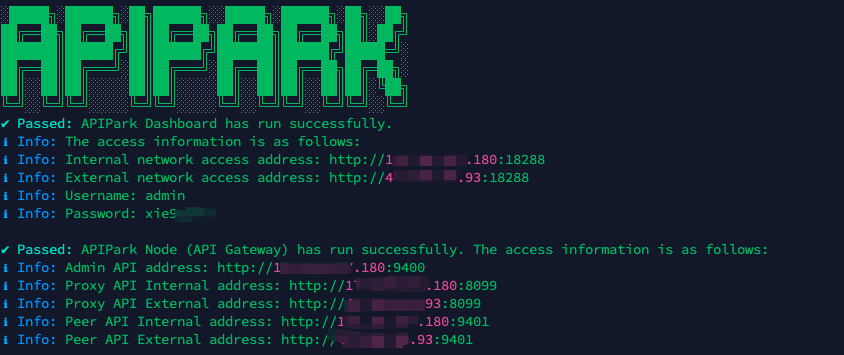
In my experience, you can see the successful deployment interface within 5 to 10 minutes. Then, you can log in to APIPark using your account.
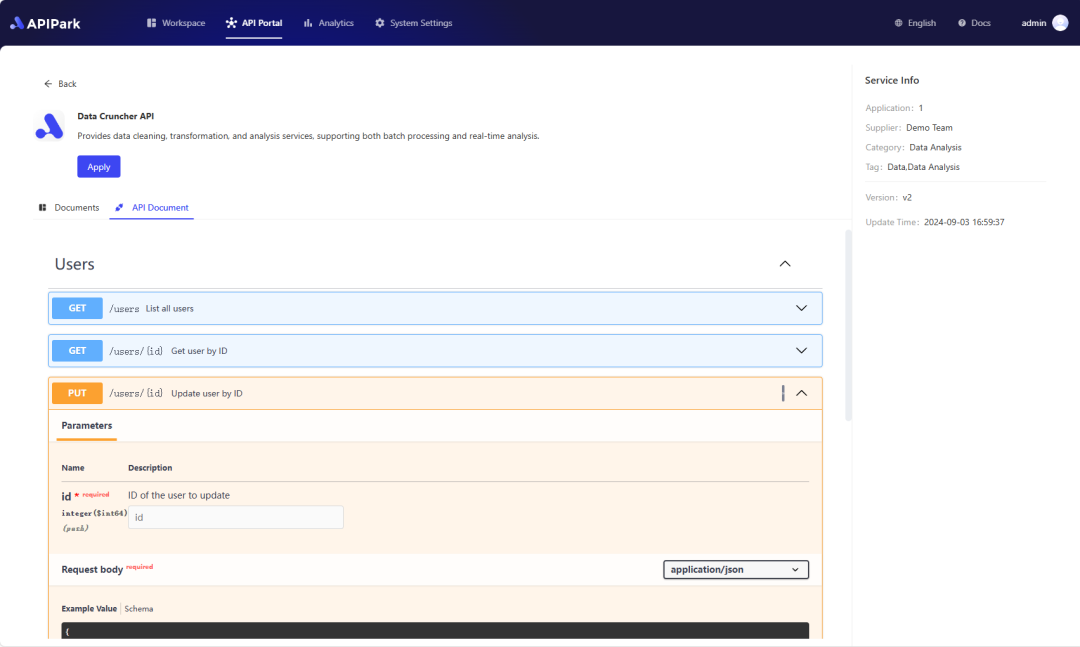
Step 2: Call the OpenAI API.