Unlock Local Dev: kubectl port-forward Explained


In the intricate landscape of modern application development, Kubernetes has emerged as the de facto standard for orchestrating containerized workloads. It provides unparalleled power in terms of scalability, resilience, and resource management. However, this power often comes with a steep learning curve, particularly when developers transition from traditional local development environments to interacting with services running within a distributed cluster. One of the most common and often frustrating hurdles is simply accessing and debugging these remote services from a local machine. It's a fundamental challenge that, if not addressed effectively, can significantly impede productivity and introduce unnecessary complexities into the development workflow.
The traditional paradigm of localhost development, where all services run directly on a developer's machine, offers immediate feedback and straightforward debugging. But when applications are deployed into Kubernetes, they reside in an isolated network environment, tucked away behind layers of abstraction, network policies, and virtual IPs. Services are no longer directly addressable by localhost from outside the cluster. This isolation, while crucial for production stability and security, creates a significant disconnect for developers trying to iterate quickly on features or diagnose issues. How does one connect a local frontend to a backend microservice running in Kubernetes? How does an IDE debugger attach to a remote api endpoint? How can a local database client inspect a database instance inside the cluster? This is precisely where kubectl port-forward steps in, acting as an indispensable bridge, a developer's secret weapon that elegantly cuts through the Kubernetes network maze.
This comprehensive guide will meticulously unravel the intricacies of kubectl port-forward. We will explore its fundamental principles, delve into its practical applications with detailed examples, dissect its underlying mechanics, discuss critical security considerations, and compare it with alternative methods. By the end, you will not only understand how to use this powerful command but also appreciate its profound impact on streamlining the local development experience with Kubernetes, transforming potential frustration into seamless productivity.
The Conundrum of Kubernetes Networking: Why Direct Access Isn't Trivial
Before we dive into the solution, it's essential to grasp the problem. Kubernetes, by design, creates a highly isolated and dynamic network environment for your applications. When you deploy a container, it runs inside a Pod, which is the smallest deployable unit in Kubernetes. Each Pod gets its own unique IP address, but this IP address is internal to the cluster's network. It's like having an internal phone number within a large office building; you can call other extensions, but outside callers need a different, external number.
Furthermore, Pods are ephemeral. They can be created, destroyed, and rescheduled on different nodes at any time. This dynamic nature means that relying on a Pod's IP address directly is impractical and unreliable. To provide a stable endpoint for applications, Kubernetes introduces the concept of Services. A Service acts as an abstraction layer, providing a consistent IP address and DNS name for a set of Pods. For example, a Deployment might create three instances of your backend-api Pod. A Service named backend-api would then load-balance traffic across these three Pods.
However, even with Services, the default Service type (ClusterIP) still exposes the application only within the cluster. This is ideal for inter-service communication (e.g., your frontend Pod talking to your backend Pod), but it doesn't solve the problem of accessing these services from outside the cluster, specifically from a developer's local workstation. Attempting to directly ping or connect to a ClusterIP from your laptop will fail because it's simply not routable from your external network. This fundamental isolation, while a cornerstone of Kubernetes' robust architecture, creates a significant impedance mismatch for local development workflows, necessitating a specialized tool to bridge this gap. Developers need a way to bypass the external gateway infrastructure and establish a direct, albeit temporary, link to their services.
Bridging the Gap: Introducing kubectl port-forward
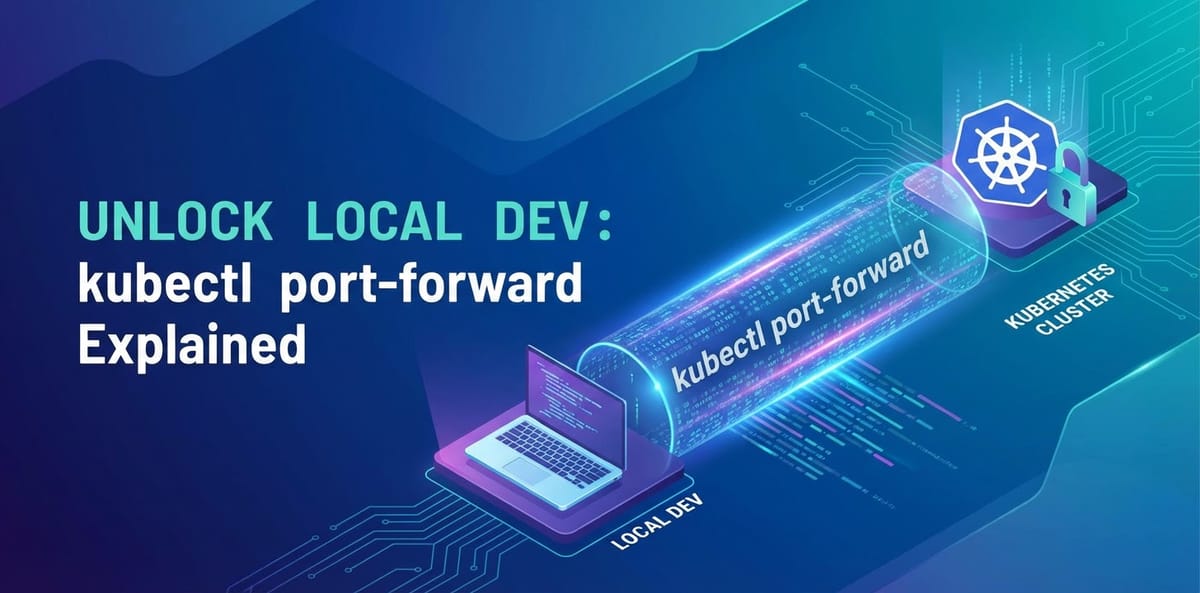
kubectl port-forward is the command-line utility designed specifically to address the challenge of accessing Kubernetes services from your local machine. It creates a secure, temporary, and direct tunnel from a specified local port on your workstation to a port on a Pod, Service, or Deployment within your Kubernetes cluster. Think of it as opening a temporary, private portal directly to your application or database running inside the cluster, without exposing it publicly to the internet or reconfiguring complex networking rules.
The core concept is elegant in its simplicity: kubectl port-forward listens on a port on your local machine. Any traffic directed to this local port is then securely forwarded through the Kubernetes api server and Kubelet (the agent running on each node) to the designated target port within a Pod. This process effectively makes a remote service appear as if it's running on localhost from the perspective of your development tools. For example, if your backend api is running on port 8080 inside a Pod, you can use port-forward to make it accessible on localhost:8000 on your laptop. Then, your local frontend application, debugger, or cURL command can interact with localhost:8000 as if the backend were running natively on your machine. This capability drastically simplifies debugging, local development, and the testing of api endpoints that are otherwise unreachable.
It's crucial to understand that kubectl port-forward is a client-side operation. It doesn't modify any Kubernetes resources, nor does it open up permanent network routes. The tunnel exists only for the duration of the kubectl port-forward command's execution. Once the command is terminated, the connection is closed, and the local port is freed. This temporary and localized nature makes it an incredibly safe and flexible tool for developers, providing on-demand access without the security implications or administrative overhead associated with public exposures like NodePort or LoadBalancer services. It truly acts as your personal gateway into the cluster's internal network, tailored for your immediate development needs.
Deconstructing the Syntax: How to Command Your Tunnel
The power of kubectl port-forward lies in its directness and flexibility. It can target various Kubernetes resources, making it adaptable to different access requirements. Let's break down the fundamental syntax and its variations.
The most common form of the command is:
kubectl port-forward <resource-type>/<resource-name> <local-port>:<remote-port> -n <namespace>
Let's dissect each component:
<resource-type>: This specifies the type of Kubernetes resource you want to target. The most common types arepod,service, anddeployment.pod: This is the most granular target. When you specify a Pod,port-forwarddirectly tunnels to a port on that specific Pod. This is useful for debugging a particular instance of an application or accessing a unique Pod that might not be part of aService.service: When targeting aService,kubectl port-forwardwill automatically select one of the Pods backing thatServiceand forward traffic to it. This is generally preferred for accessing applications because Services provide a stable abstraction over potentially changing Pods. It means you don't have to constantly update yourport-forwardcommand if a Pod restarts or gets replaced.deployment: Similar to targeting aService, targeting aDeploymentwill causekubectl port-forwardto select one of the Pods managed by thatDeployment. This is often a convenient shorthand, especially when you know your application is managed by aDeploymentand you don't want to explicitly look up theServiceorPodname.
<resource-name>: This is the specific name of the Pod, Service, or Deployment you wish to forward traffic to. For example,my-backend-pod-abc12,my-backend-service, ormy-backend-deployment.<local-port>: This is the port number on your local machine thatkubectl port-forwardwill listen on. When you accesslocalhost:<local-port>, the traffic will be forwarded into the cluster. You can choose any available port on your local machine.<remote-port>: This is the port number inside the target Pod (or the port defined by the Service) that your application is listening on. This is often the port your application exposes itsapior serves its content (e.g., 8080, 3000, 5432).-n <namespace>(optional but highly recommended): This flag specifies the Kubernetes namespace where the target resource resides. If omitted,kubectlwill default to the currently configured namespace in yourkubeconfigfile (usuallydefault). Explicitly stating the namespace is a best practice for clarity and to prevent accidentally targeting resources in the wrong namespace.
Basic Examples:
- Forwarding to a specific Pod: Let's say you have a Pod named
my-api-7b8c9d-xyz78running your backendapiand it's listening on port 8080. You want to access it fromlocalhost:3000.bash kubectl port-forward pod/my-api-7b8c9d-xyz78 3000:8080Now, openinghttp://localhost:3000in your browser or making a request withcurl http://localhost:3000/healthwill hit theapiendpoint inside that specific Pod. - Forwarding to a Service: You have a Service named
my-api-servicethat routes to your backend Pods, and the application inside the Pods listens on port 8080. You want to access it vialocalhost:8000.bash kubectl port-forward service/my-api-service 8000:8080 -n defaultThis is generally more robust askubectlwill manage which Pod it connects to if one fails or restarts. - Forwarding to a Deployment: Your application is managed by a
Deploymentnamedmy-api-deployment, and it exposes port 8080. You want to access it locally on port 9000.bash kubectl port-forward deployment/my-api-deployment 9000:8080 -n my-app-namespaceThis command will select an available Pod from themy-api-deploymentin themy-app-namespaceand establish the tunnel.
Understanding these basic forms is the gateway to unlocking efficient local development with Kubernetes. This command, while simple in appearance, provides a direct and invaluable api interaction point for developers.
Practical Use Cases: Unlocking Development Superpowers
kubectl port-forward isn't just a theoretical tool; it's a workhorse that solves a myriad of common development challenges. Its versatility makes it an indispensable part of a Kubernetes developer's toolkit, dramatically streamlining workflows for debugging, testing, and interacting with remote services.
1. Local Debugging of Remote Applications
This is arguably the most critical and frequently used application of kubectl port-forward. Imagine you're developing a microservice, and you've deployed it to a Kubernetes cluster for integration testing or to reproduce a bug that only occurs in the cluster environment. You need to attach your local debugger (e.g., VS Code, IntelliJ, GoLand) to the running application to step through the code, inspect variables, and understand its runtime behavior.
Without port-forward, connecting a debugger would be incredibly complex, often involving exposing ports directly on the node, which is insecure and cumbersome. With port-forward, it becomes trivial.
Example: Suppose your Java Spring Boot application is running in a Pod and has remote debugging enabled, listening on port 5005. You want to connect your IntelliJ IDEA debugger from your local machine.
kubectl port-forward deployment/my-java-app 5005:5005 -n dev-env
Once this command is running, you can configure your IntelliJ (or any IDE) remote debugger to connect to localhost:5005. The debugger will then communicate directly with your application running inside the Kubernetes Pod as if it were a local process. This provides an invaluable feedback loop, allowing developers to diagnose issues with precision and confidence, avoiding the time-consuming process of deploying new versions just to add logging statements. It transforms the remote debugging experience, making it as seamless as debugging a local application, and significantly accelerating the bug-fixing cycle for any api endpoint.
2. Accessing Database Instances in the Cluster
Applications often rely on databases. During development, you might need to connect your local database client (e.g., DBeaver, psql, MongoDB Compass) to a database instance running within your Kubernetes cluster to inspect data, execute queries, or verify schema changes. Directly connecting to a database Pod's internal IP is, again, not feasible.
Example: You have a PostgreSQL database running in your cluster, managed by a StatefulSet, and exposed via a Service named postgres-db on its default port 5432. You want to connect your local psql client.
kubectl port-forward service/postgres-db 5432:5432 -n database-namespace
Now, from your local machine, you can run:
psql -h localhost -p 5432 -U myuser -d mydb
This establishes a secure connection to the PostgreSQL instance within Kubernetes. This is also incredibly useful for connecting other data tools, such as RedisInsight for a Redis instance (port 6379), or MongoDB Compass for a MongoDB replica set (port 27017). This effectively gives you a temporary gateway to your data stores without exposing them broadly.
3. Testing Local Frontends Against Remote Backends
A common development pattern involves a local frontend application (e.g., a React, Angular, or Vue app) that consumes apis from a backend service. When the backend is deployed in Kubernetes, port-forward provides the ideal way to connect these two pieces without deploying the frontend to the cluster or changing its api endpoint configurations.
Example: Your frontend application, running on localhost:3000, needs to communicate with a backend api running in Kubernetes, exposed by a Service named backend-api-service on port 8080.
kubectl port-forward service/backend-api-service 8080:8080 -n my-app-namespace
Now, your local frontend, configured to make api calls to http://localhost:8080/api/data, will seamlessly interact with the backend service running inside your Kubernetes cluster. This setup allows for rapid iteration on the frontend while relying on a stable, cluster-deployed backend, mimicking a more production-like environment for integration testing.
4. Accessing Administrative Interfaces and Dashboards
Many tools deployed in Kubernetes, such as Prometheus, Grafana, Jaeger, or custom api dashboards, expose web-based administrative interfaces. These are usually intended for internal use and not publicly exposed. kubectl port-forward is the perfect way to temporarily access these dashboards from your local browser.
Example: You want to view the Prometheus dashboard, which is served by a Pod or Service named prometheus-server on port 9090.
kubectl port-forward service/prometheus-server 9090:9090 -n monitoring
Now, open your browser and navigate to http://localhost:9090. You will see the Prometheus dashboard, allowing you to check metrics, configure alerts, and troubleshoot your application's performance. The same principle applies to Grafana, Kubernetes Dashboard, Jaeger UI, or any other web-based tool. This provides a secure and ephemeral gateway to critical monitoring and management apis.
5. Temporary Exposure for Collaboration (with caution)
While primarily a local tool, in specific scenarios, port-forward can facilitate temporary collaboration within a tightly controlled network environment. If a colleague on the same local network needs to access a service you have port-forwarded (and your firewall allows it), they could potentially reach your localhost:<local-port> if they know your machine's IP address. However, this is generally discouraged for anything beyond highly informal and temporary debugging and should never be used for broader team access or in environments where security is a concern. For more robust collaboration, proper networking solutions or shared development environments are preferred.
These examples highlight how kubectl port-forward empowers developers by effectively extending the cluster's network to their local machine, simplifying direct api interactions and significantly enhancing the local development and debugging experience.
Advanced Techniques and Options for the Power User
While the basic syntax of kubectl port-forward is straightforward, a deeper understanding of its advanced features and common pitfalls can unlock even greater efficiency and prevent frustration. Mastering these aspects will allow you to tailor the command precisely to your needs and resolve issues effectively.
Specifying Target Namespace (-n or --namespace)
As mentioned, always explicitly specify the namespace using -n <namespace-name>. This is not just a best practice for clarity but also crucial for preventing errors if your kubeconfig's default context is not the one you intend to use.
kubectl port-forward service/my-app-service 8080:8080 -n production-namespace
Multiple Port Forwards in One Command
You can forward multiple ports from the same target resource in a single kubectl port-forward command. This is particularly useful when an application exposes several ports (e.g., an api port and a metrics port, or different microservices within a multi-container Pod).
# Forward local 8000 to remote 8080, and local 9000 to remote 9090 from the same Pod
kubectl port-forward pod/my-multi-port-app 8000:8080 9000:9090 -n my-app-namespace
This single command establishes two independent tunnels, streamlining access to different api endpoints or services within the same Pod.
Running in the Background
By default, kubectl port-forward runs in the foreground, blocking your terminal. While this is useful for short-lived debugging sessions, you often want to keep a tunnel open while continuing to use your terminal for other tasks.
- Using
&(Ampersand) for backgrounding: Appending&to the command will run it in the background in Unix-like shells. You'll get a job ID, and you can later bring it to the foreground withfgor kill it withkill <job-id>.bash kubectl port-forward service/my-backend 8080:8080 -n dev-ns & - Using
nohup(No Hang Up):nohupallows a command to run even after you close the terminal session, which is useful for longer-term tunnels that you don't want to accidentally kill. You'd typically combine it with&.bash nohup kubectl port-forward service/my-backend 8080:8080 -n dev-ns > /dev/null 2>&1 &This redirects standard output and error to/dev/nullto keep your terminal clean. Remember to manage these background processes carefully.
Addressing Error: unable to listen on any of the requested ports
This error commonly occurs when the specified <local-port> is already in use by another process on your machine.
Solutions: * Choose a different local port: Simply pick another available port (e.g., 8081 instead of 8080). * Identify and kill the conflicting process: * Linux/macOS: Use lsof -i :<local-port> to find the PID, then kill <PID>. * Windows (PowerShell): Get-NetTCPConnection -LocalPort <local-port> | Select-Object -ExpandProperty OwningProcess | Get-Process | Stop-Process (use with caution). * Use 0 for an ephemeral local port: If you don't care about the exact local port number and just need any available port, you can specify 0 as the local port. kubectl will then automatically select a free port and print it to the console.
```bash
kubectl port-forward service/my-app 0:8080
# Output might be: Forwarding from 127.0.0.1:49152 -> 8080
#                    Forwarding from [::1]:49152 -> 8080
```
This is extremely useful in scripting or when you just need quick access without manually finding a free port.
IPv6 Considerations
kubectl port-forward supports both IPv4 and IPv6. By default, it will listen on both 127.0.0.1 and [::1] (localhost for IPv4 and IPv6 respectively). If you encounter issues or need to explicitly bind to a specific address, you can use the --address flag.
kubectl port-forward service/my-app 8080:8080 --address 0.0.0.0 # Binds to all IPv4 interfaces
kubectl port-forward service/my-app 8080:8080 --address 127.0.0.1 # Binds only to IPv4 localhost
Binding to 0.0.0.0 allows other devices on your local network to access the forwarded port via your machine's IP address (e.g., http://your_machine_ip:8080). Remember, this still does not expose your service publicly to the internet, only to your immediate local network, and should be used with awareness of your local network environment's security.
These advanced options transform kubectl port-forward from a simple utility into a versatile tool, enabling developers to integrate it seamlessly into complex development workflows and handle various scenarios efficiently, becoming a true gateway to your cluster's apis.
APIPark is a high-performance AI gateway that allows you to securely access the most comprehensive LLM APIs globally on the APIPark platform, including OpenAI, Anthropic, Mistral, Llama2, Google Gemini, and more.Try APIPark now! 👇👇👇
Under the Hood: The Mechanics of the Tunnel
Understanding how kubectl port-forward actually works provides deeper insight into its capabilities and limitations. It's not magic, but a well-orchestrated series of communication steps within the Kubernetes architecture.
When you execute a kubectl port-forward command, the following sequence of events unfolds:
- Kubectl to API Server: Your
kubectlclient first communicates with the KubernetesAPIserver. It essentially tells theAPIserver, "I want to establish a port-forwarding connection to this specific Pod (or a Pod backing this Service/Deployment) on this remote port." - API Server to Kubelet: The
APIserver, upon receiving this request, identifies the node where the target Pod is running. It then instructs the Kubelet on that particular node to initiate a streaming connection. Kubelet is the agent that runs on each worker node in the Kubernetes cluster, responsible for managing Pods and their containers. - Kubelet to Pod: The Kubelet receives the instruction and sets up a connection into the target Pod, specifically to the container and port specified. This connection is typically established using the container runtime (e.g., containerd or Docker) and involves features like
execorattachto stream data. - The Tunnel is Established: A secure, bidirectional data stream (a tunnel) is now established from your local machine, through the
kubectlclient, to theAPIserver, then to the Kubelet on the node, and finally into the target Pod. - Traffic Flow:
- When your local application or browser connects to
localhost:<local-port>,kubectlintercepts this traffic. - It then encapsulates this traffic and sends it through the established tunnel to the
APIserver. - The
APIserver relays it to the Kubelet. - The Kubelet injects the traffic into the specified port of the target Pod.
- Any responses from the application within the Pod follow the reverse path back to your local machine.
- When your local application or browser connects to
This entire process happens over a single TCP connection that kubectl maintains with the API server. The communication between kubectl and the API server, and between the API server and Kubelet, is secured using TLS (Transport Layer Security), leveraging your kubeconfig credentials for authentication and authorization. This ensures that only authorized users can establish these tunnels, making it a secure gateway for local access.
Key Characteristics of the Tunnel:
- Ephemeral: The tunnel exists only as long as the
kubectl port-forwardcommand is running. Once the command terminates, the connection is broken. - Client-Side: The entire setup is initiated from your
kubectlclient. No changes are made to your Kubernetes resources, network policies, or firewall rules within the cluster. - Secure: It leverages existing Kubernetes authentication and authorization mechanisms. Your
kubeconfigdetermines what you canport-forwardto. If you don't have permissions to access a specific Pod or Service,port-forwardwill fail. - Direct: It bypasses any
Ingresscontrollers,LoadBalancers, orNodePortsthat might be configured for public access. It's a direct route for a single client (your machine) to a singleapiendpoint (your Pod/Service).
Understanding this internal mechanism reinforces why kubectl port-forward is such a powerful and secure tool for local development. It provides a direct gateway to your cluster's internal network without compromising the overall cluster security or requiring complex network reconfigurations.
Security Considerations: A Local Gateway with Guardrails
While kubectl port-forward is an incredibly useful and generally secure tool for local development, it's essential to understand its security implications to use it responsibly. Its security posture is inherently tied to your Kubernetes access credentials and the context in which it's used.
- Authentication and Authorization: The most critical security aspect is that
kubectl port-forwardrespects yourkubeconfigand Kubernetes RBAC (Role-Based Access Control) policies. You can only forward ports to resources (Pods, Services, Deployments) that your Kubernetes user account has permission to access. If your user lacks the necessary permissions (e.g.,get,list,portforwardverbs on Pods), the command will fail with an authorization error.- Implication: This is a strong security mechanism. It means that an unauthorized user cannot simply use
port-forwardto gain access to sensitive services within your cluster. They first need valid credentials and appropriate permissions.
- Implication: This is a strong security mechanism. It means that an unauthorized user cannot simply use
- Local Exposure, Not Public Exposure: A common misconception is that
port-forwardexposes your service to the internet. This is not true by default. When you runkubectl port-forward service/my-app 8080:8080, it typically binds the local port (8080) only to your machine's loopback interface (127.0.0.1and[::1]). This means only processes running on your local machine can accesshttp://localhost:8080.- Implication: This makes it very safe for debugging sensitive internal services. The
apiis not exposed to the broader network or internet.
- Implication: This makes it very safe for debugging sensitive internal services. The
- Binding to All Interfaces (
--address 0.0.0.0): As discussed in advanced options, using--address 0.0.0.0will bind the local port to all network interfaces on your machine. This means that other devices on your local network (e.g., other computers on the same Wi-Fi) could potentially access the forwarded service using your machine's IP address (e.g.,http://your-laptop-ip:8080).- Implication: While not public internet exposure, this does expand the accessibility. Use this with caution, especially in untrusted local networks (like public Wi-Fi) or if the forwarded service contains highly sensitive information. Always be aware of who else is on your local network.
- Temporary Nature: The ephemeral nature of the
port-forwardtunnel is a security benefit. It exists only for the duration of the command. Once the command is terminated, the accessgatewayis closed. This minimizes the window of potential vulnerability compared to permanently exposed services. - Sensitive Data Access: If you're forwarding a database port or an internal
apithat handles sensitive data, be mindful of what you're doing locally. Ensure your local machine is secure, especially if you're making local copies of data or exposing the forwarded port to your local network. Theport-forwarditself is secure, but your local handling of the data it provides is your responsibility.
Best Practices for Secure Usage:
- Principle of Least Privilege: Always use
kubectl port-forwardwith a Kubernetes user account that has the minimal necessary permissions to access only the resources it needs. - Default to Loopback: Unless you explicitly need to share the forwarded port with other devices on your local network, avoid
--address 0.0.0.0. - Terminate When Done: Close
port-forwardtunnels as soon as you are finished with them. Don't leave them running in the background indefinitely. - Awareness of Local Network: If using
--address 0.0.0.0, be aware of the security posture of your local network environment. - Audit Logging: Remember that
port-forwardoperations are typically logged by the KubernetesAPIserver, which can be useful for auditing purposes in a regulated environment.
In summary, kubectl port-forward provides a secure, authorized, and isolated gateway for local development. Its primary security relies on the robustness of Kubernetes RBAC and its default binding to the local loopback interface. By adhering to best practices, developers can leverage this powerful tool without introducing undue security risks.
Alternatives and When kubectl port-forward Shines Brightest
While kubectl port-forward is an excellent tool for specific scenarios, it's not the only way to access services in Kubernetes, nor is it always the right solution. Understanding its place among other options is crucial for making informed decisions about your network gateway strategy.
Let's compare kubectl port-forward with other common Kubernetes service exposure mechanisms and broader api management solutions.
| Feature / Method | kubectl port-forward |
NodePort Service |
LoadBalancer Service |
Ingress Controller |
APIPark (API Gateway) |
|---|---|---|---|---|---|
| Purpose | Local dev, debugging, ephemeral access | Expose a service on each node's IP | Expose a service externally via a cloud LB | HTTP/S routing, host/path based | Comprehensive API/AI Gateway & Management |
| Scope of Exposure | Local machine only (or local network with --address 0.0.0.0) |
Cluster nodes' IPs, specific port (30000-32767) |
External IP, usually public internet | Public internet (usually via LoadBalancer/NodePort) | Internal & External (managed by the platform) |
| Permanence | Temporary (until command terminates) | Permanent (as long as Service exists) | Permanent | Permanent | Permanent |
| Configuration Complexity | Low (single CLI command) | Medium (Service manifest) | Medium (Service manifest, cloud integration) | High (Ingress, IngressClass, backend Service) | High (Platform deployment & configuration) |
| Security | High (tied to RBAC, local by default) | Medium (exposed on all nodes) | Lower (public internet exposure) | Medium-Low (public internet exposure) | High (built-in security, auth, rate limiting) |
| Use Case | Dev, debugging, testing local clients | Internal cluster access, demo apps | Public internet exposure for simple apps | Advanced routing, multiple services, TLS | Full lifecycle management of APIs & AI Models, enterprise-grade |
| URL/Endpoint | localhost:<local-port> |
<node-ip>:<node-port> |
<load-balancer-ip>:<service-port> |
https://<your-domain>/<path> |
https://<apipark-domain>/<api-path> |
| Cost Implication | None | Minimal (node resources) | Moderate (cloud LB costs) | Low (controller resource) to High (cloud LB costs) | Moderate (self-hosted) to High (commercial support/hosting) |
When kubectl port-forward Shines:
- Rapid Local Development and Debugging: This is its primary and most impactful use case. When you need to quickly iterate on code, connect an IDE debugger, or test a local frontend against a remote backend
apiwithout complex setup,port-forwardis unmatched. - Accessing Internal Tools: For dashboards like Prometheus, Grafana, Jaeger, or any other internal
apimanagement UI that shouldn't be publicly exposed,port-forwardprovides a secure, on-demandgateway. - Database Access: Connecting a local database client to a database running in the cluster for inspection or management.
- Temporary and Secure Access: When you need a quick, temporary, and secure way to interact with a cluster service without making any persistent changes to your cluster configuration.
When to Consider Alternatives:
- Permanent Public Exposure: If your service needs to be permanently accessible from the internet for users or other applications,
NodePort,LoadBalancer, orIngressare the appropriate solutions.NodePort: Exposes a service on a static port on each worker node's IP address. Useful for internal cluster access or when you have control over externalLoadBalancermapping.LoadBalancer: Automatically provisions an externalLoadBalancer(in cloud environments) with a public IP, routing traffic to your service. Ideal for publicly exposing single services.Ingress: The most sophisticated option for exposing HTTP/S services. It provides URL-based routing, virtual hosting, and TLS termination, allowing multiple services to share a singleLoadBalancerorNodePort. It acts as an HTTPgatewayfor your cluster.
- Broader API Management and AI Gateway Needs: When your application landscape involves numerous
apis, especially those interacting with various AI models,kubectl port-forwardbecomes insufficient. It's a point-to-point tunnel, not a comprehensive management platform. In such scenarios, robust API management platforms and dedicated AIgatewaysolutions are essential.
This is where products like APIPark come into play. While kubectl port-forward is invaluable for individual developer productivity, managing a complex ecosystem of apis, particularly those integrating with 100+ AI models like OpenAI's GPT, Google's Gemini, or Hugging Face models, demands a different level of infrastructure. APIPark, as an Open Source AI Gateway & API Management Platform, offers features such as quick integration of numerous AI models with a unified api format, prompt encapsulation into REST apis, end-to-end api lifecycle management, and enterprise-grade performance and security. It acts as a centralized gateway for both traditional REST apis and sophisticated AI apis, providing authentication, cost tracking, and detailed logging that kubectl port-forward simply isn't designed to handle. For organizations looking to streamline api consumption, ensure security, and optimize the use of cutting-edge AI services across teams, APIPark provides the necessary foundation far beyond the scope of a developer's local tunnel. It represents a strategic gateway for enterprise-level api and AI model governance, complementing the local development capabilities offered by kubectl port-forward by providing a robust, scalable, and manageable solution for production environments.
- Advanced Networking/Security Requirements: For complex multi-cluster communication, service mesh integration (like Istio or Linkerd), or strict enterprise security policies, solutions like VPNs, service meshes, or dedicated network policies are required, which go far beyond what
kubectl port-forwardcan offer.
In conclusion, kubectl port-forward is not a one-size-fits-all solution, but it is the undisputed champion for local Kubernetes development and debugging. It fills a critical niche by providing a simple, secure, and temporary gateway for developers to interact with their services inside the cluster, complementing the broader, more permanent api exposure and management strategies needed for production environments.
Common Pitfalls and Troubleshooting Strategies
Even with its straightforward nature, kubectl port-forward can sometimes throw a curveball. Understanding common pitfalls and having a systematic troubleshooting approach can save significant development time and frustration.
1. Port Already in Use (Local Port Conflict)
Symptom: Error: unable to listen on any of the requested ports: ... address already in use Cause: The <local-port> you specified is already being used by another application or process on your local machine.
Troubleshooting: * Check and kill the conflicting process: * Linux/macOS: lsof -i :<local-port> to identify the PID, then kill <PID>. * Windows (PowerShell): Get-NetTCPConnection -LocalPort <local-port> | Select-Object -ExpandProperty OwningProcess | Get-Process | Stop-Process (exercise caution). * Choose a different local port: The simplest solution is often to just pick a new, unused port (e.g., 8081 instead of 8080). * Use ephemeral port: Use 0 for the local port (kubectl port-forward service/my-app 0:8080) to let kubectl automatically assign an available port.
2. Incorrect Resource Name or Type
Symptom: Error from server (NotFound): pods "..." not found, or services "..." not found, etc. Cause: You've made a typo in the Pod, Service, or Deployment name, or you've specified the wrong resource type (e.g., pod/my-service instead of service/my-service).
Troubleshooting: * Verify names: Double-check the exact spelling of your resource names using kubectl get pods, kubectl get services, or kubectl get deployments in the correct namespace (-n). * Verify resource type: Ensure you're using pod/, service/, or deployment/ correctly. * Check namespace: Confirm you're in the correct namespace or have specified it with -n <namespace>.
3. Wrong Remote Port
Symptom: Connection timeouts, empty responses, or unexpected errors when trying to access the forwarded service. Cause: The <remote-port> you specified does not match the port your application inside the Pod is actually listening on.
Troubleshooting: * Inspect Pod definition: Use kubectl describe pod <pod-name> -n <namespace> and look for the Containers section, specifically the Ports field, to see what ports the containers are exposing. * Inspect Service definition: Use kubectl describe service <service-name> -n <namespace> to see the Port and TargetPort of the Service. The TargetPort is what the Service maps to on the Pods, and this is typically the port your application listens on. * Check application logs: Look at the logs of your application (kubectl logs <pod-name> -n <namespace>) to see if it explicitly states which port it's binding to.
4. Pod Not Running or Ready
Symptom: Error: Unable to listen on port 8080: ... no such host (if targeting a Pod that isn't running) or error: cannot port-forward to a pod that is not running: ... Cause: The target Pod is not in a Running state, or it's not yet Ready (e.g., still initializing, crash-looping, or in Pending state).
Troubleshooting: * Check Pod status: Use kubectl get pods -n <namespace> to verify the status of the target Pod. Ensure its STATUS is Running and its READY status shows 1/1 (or X/X if multiple containers). * Examine Pod events and logs: If the Pod isn't running, use kubectl describe pod <pod-name> -n <namespace> to check Events for clues, and kubectl logs <pod-name> -n <namespace> to see application startup errors.
5. Network Policies Blocking Access
Symptom: The port-forward command runs successfully, but when you try to access localhost:<local-port>, you get connection refused or timeouts. Cause: Kubernetes Network Policies might be configured in a way that prevents traffic from the Kubelet's port-forwarding mechanism from reaching your application Pod, or prevents the Pod from binding to the desired port. This is less common for port-forward as it's typically an "internal" stream from Kubelet, but misconfigured policies can interfere.
Troubleshooting: * Verify network policies: Review any Network Policy resources (kubectl get networkpolicies -n <namespace> -o yaml) that apply to your target Pod. Ensure they don't explicitly block internal traffic from the Kubelet or loopback. This is a more advanced scenario. * Test without policies (if possible and safe): In a test environment, temporarily disable or modify relevant network policies to isolate if they are the cause.
6. Kubeconfig Issues
Symptom: Error: You must be logged in to the server (unauthorized) or The connection to the server localhost:8080 was refused - did you specify the right host or port? Cause: Your kubeconfig file is incorrectly configured, you're not authenticated to the cluster, or your context is pointing to the wrong cluster/user.
Troubleshooting: * Check current context: kubectl config current-context * List contexts: kubectl config get-contexts * Switch context: kubectl config use-context <context-name> * Verify authentication: Try a simple kubectl get pods to ensure you can interact with the cluster at all.
By systematically going through these troubleshooting steps, you can effectively diagnose and resolve most issues encountered while using kubectl port-forward, maintaining it as a reliable gateway for your local development efforts.
Best Practices for Integrating kubectl port-forward into Your Workflow
To truly maximize the benefits of kubectl port-forward and prevent it from becoming a source of frustration, it's crucial to integrate it thoughtfully into your daily development workflow. Adopting a few best practices can transform it from a reactive troubleshooting tool into a proactive enhancer of productivity.
- Use Services for Stability, Not Just Pods: Whenever possible,
port-forwardto aServicerather than a specificPod. Pods are ephemeral and can be replaced or rescheduled. If youport-forwardto a Pod, and that Pod dies, your tunnel breaks. Forwarding to aServiceallowskubectlto automatically reconnect to a new healthy Pod backing thatService, providing a more robust and stable connection.- Exception: When you need to debug a specific Pod instance (e.g., one with a particular problematic state or logs), then targeting the Pod directly is appropriate.
- Choose Local Ports Wisely and Consistently: Develop a convention for local ports. For instance, you might map remote port 8080 to local port 8080 for a backend
api, or use9xxxfor administrative interfaces. This reduces cognitive load and avoids frequent "port already in use" errors. If you're building a script, consider using0for an ephemeral port and parsing the output. - Combine with Other Tools:
kubectl port-forwardworks seamlessly with other local development tools.- IDE Debuggers: Connect your debugger to remote Pods.
- Database Clients: Use DBeaver, DataGrip, psql, MongoDB Compass.
- Local Frontend Servers: Point your React/Angular/Vue development server to
localhost:<local-port>for backendapiaccess. curl/Postman/Insomnia: Testapiendpoints directly from your local machine.
- Document and Share: If your team frequently uses
port-forwardfor specific services, document the commands, recommended local ports, and target remote ports. This onboarding new team members and ensures consistency across the team.
Manage Background Processes: If you're running port-forward in the background (using & or nohup), keep track of these processes. Regularly use jobs (in bash/zsh) or ps aux | grep 'kubectl port-forward' to see what's running. Terminate tunnels when they are no longer needed to free up local ports and resources.```bash
List background jobs
jobs
Bring job 1 to foreground
fg %1
Kill job 1
kill %1 ```
Automate with Scripts and Aliases: For frequently accessed services, create shell aliases or small scripts. This saves typing, ensures consistency, and allows you to quickly establish complex port-forward setups.Example ~/.bashrc or ~/.zshrc alias: bash alias pf-backend='kubectl port-forward service/my-backend-service 8080:8080 -n my-app-dev' alias pf-db='kubectl port-forward service/my-db-service 5432:5432 -n database-dev' Then, simply type pf-backend or pf-db.Example simple script pf_app.sh: ```bash
!/bin/bash
NAMESPACE=${1:-"dev-default"} LOCAL_PORT=${2:-"8000"} REMOTE_PORT=${3:-"8080"} SERVICE_NAME="my-app-service"echo "Forwarding $SERVICE_NAME in namespace $NAMESPACE from localhost:$LOCAL_PORT to remote:$REMOTE_PORT" kubectl port-forward service/$SERVICE_NAME $LOCAL_PORT:$REMOTE_PORT -n $NAMESPACE `` Usage:./pf_app.sh my-namespace 8001 8080`
Always Specify the Namespace (-n): As a foundational rule, always explicitly state the target namespace. This prevents accidental port-forward attempts to resources in the wrong namespace (e.g., default when you intended dev or staging). It adds clarity and reduces errors, especially in environments with many namespaces.```bash
Bad (relies on current context)
kubectl port-forward service/my-app 8080:8080
Good (explicit and clear)
kubectl port-forward service/my-app 8080:8080 -n dev-team-a ```
By incorporating these practices, kubectl port-forward transitions from being just a command to an integral, seamless, and powerful gateway component of your Kubernetes development ecosystem. It allows developers to focus on writing code and solving business problems rather than wrestling with complex network configurations, ultimately boosting the efficiency of interacting with the numerous apis and services within a Kubernetes cluster.
Conclusion: kubectl port-forward as the Developer's Essential Gateway
The journey through the capabilities of kubectl port-forward reveals not just a simple command-line utility, but an indispensable bridge connecting the isolated world of Kubernetes clusters with the familiar comfort of a developer's local workstation. In an era where microservices architectures and containerization are paramount, the ability to fluidly interact with remote services from localhost is no longer a luxury, but a fundamental requirement for efficient development. kubectl port-forward fulfills this critical need with unparalleled elegance and security.
We've explored how this command deftly navigates the inherent complexities of Kubernetes networking, providing a direct, ephemeral, and secure gateway to your applications, databases, and administrative interfaces. From debugging a stubborn bug in a remote microservice to testing a local frontend against a cluster-deployed backend api, or even inspecting a database instance that lives deep within your Kubernetes environment, kubectl port-forward transforms potential hours of configuration headaches into seconds of productive work. Its simple syntax belies a sophisticated underlying mechanism that leverages Kubernetes' own api server and Kubelet, ensuring that access remains authenticated, authorized, and confined to the developer's machine unless explicitly broadened with caution.
While solutions like NodePort, LoadBalancer, and Ingress serve vital roles in exposing services permanently and publicly, they are ill-suited for the rapid, iterative demands of local development. kubectl port-forward carves out its unique niche by offering a personal, temporary gateway that empowers individual developers without compromising the broader cluster's security or stability. And as the landscape of apis grows more intricate, particularly with the proliferation of AI models, specialized platforms like APIPark emerge to manage the larger ecosystem of apis at an enterprise scale, providing robust AI Gateway and API Management capabilities that complement kubectl port-forward's local-scope utility.
By understanding its mechanics, mastering its advanced options, and integrating it with best practices into your daily workflow, kubectl port-forward becomes more than just a command; it becomes an extension of your development environment. It democratizes access to your Kubernetes workloads, allowing you to focus on innovation and problem-solving rather than infrastructure plumbing. For any developer working with Kubernetes, embracing kubectl port-forward is not merely a choice, but a strategic enhancement to their productivity, making it an essential api interaction tool and a true local development superpower.
Frequently Asked Questions (FAQs)
1. What is the primary purpose of kubectl port-forward?
The primary purpose of kubectl port-forward is to establish a secure, temporary tunnel from a specific port on your local machine to a port on a Pod, Service, or Deployment running inside your Kubernetes cluster. This allows developers to access and interact with remote services, such as application APIs, databases, or administrative dashboards, as if they were running directly on localhost. It's crucial for local development, debugging, and testing without exposing services publicly.
2. Is kubectl port-forward secure for accessing sensitive data or services?
Yes, kubectl port-forward is generally secure for local development. It adheres to Kubernetes RBAC (Role-Based Access Control), meaning you can only forward ports to resources that your kubeconfig user account is authorized to access. By default, it binds the local port only to your machine's loopback interface (127.0.0.1), meaning the service is only accessible from your local machine, not from other devices on your network or the public internet. However, using the --address 0.0.0.0 flag exposes the forwarded port to your local network, requiring caution regarding your local network's security.
3. Can I use kubectl port-forward to expose my service to the internet?
No, kubectl port-forward is explicitly not designed to expose your services to the public internet in a production-ready manner. It creates a temporary, client-side tunnel primarily for local development and debugging. For public internet exposure, you should use Kubernetes Service types like NodePort or LoadBalancer, or implement an Ingress controller, which are designed for robust, scalable, and secure public access.
4. What's the difference between kubectl port-forward service/my-app ... and kubectl port-forward pod/my-app-... ...?
When you port-forward to a Pod, you are creating a tunnel to a specific instance of your application. If that Pod restarts or is rescheduled, your port-forward connection will break. When you port-forward to a Service, kubectl automatically selects a healthy Pod behind that Service to establish the tunnel. If the initial Pod fails, kubectl will attempt to reconnect to another available Pod, providing a more stable connection for general application access. Use Service for general access and Pod when you need to target a very specific instance (e.g., for targeted debugging).
5. How can I run kubectl port-forward in the background and manage it?
You can run kubectl port-forward in the background in Unix-like shells by appending & to the command (e.g., kubectl port-forward service/my-app 8080:8080 &). To manage background jobs, use the jobs command to list them. You can bring a job to the foreground with fg %<job_number> or terminate it with kill %<job_number>. For longer-running background tasks that persist even after closing the terminal, consider using nohup in conjunction with &. Always remember to terminate background tunnels when they are no longer needed to free up local ports and resources.
🚀You can securely and efficiently call the OpenAI API on APIPark in just two steps:
Step 1: Deploy the APIPark AI gateway in 5 minutes.
APIPark is developed based on Golang, offering strong product performance and low development and maintenance costs. You can deploy APIPark with a single command line.
curl -sSO https://download.apipark.com/install/quick-start.sh; bash quick-start.sh

In my experience, you can see the successful deployment interface within 5 to 10 minutes. Then, you can log in to APIPark using your account.

Step 2: Call the OpenAI API.