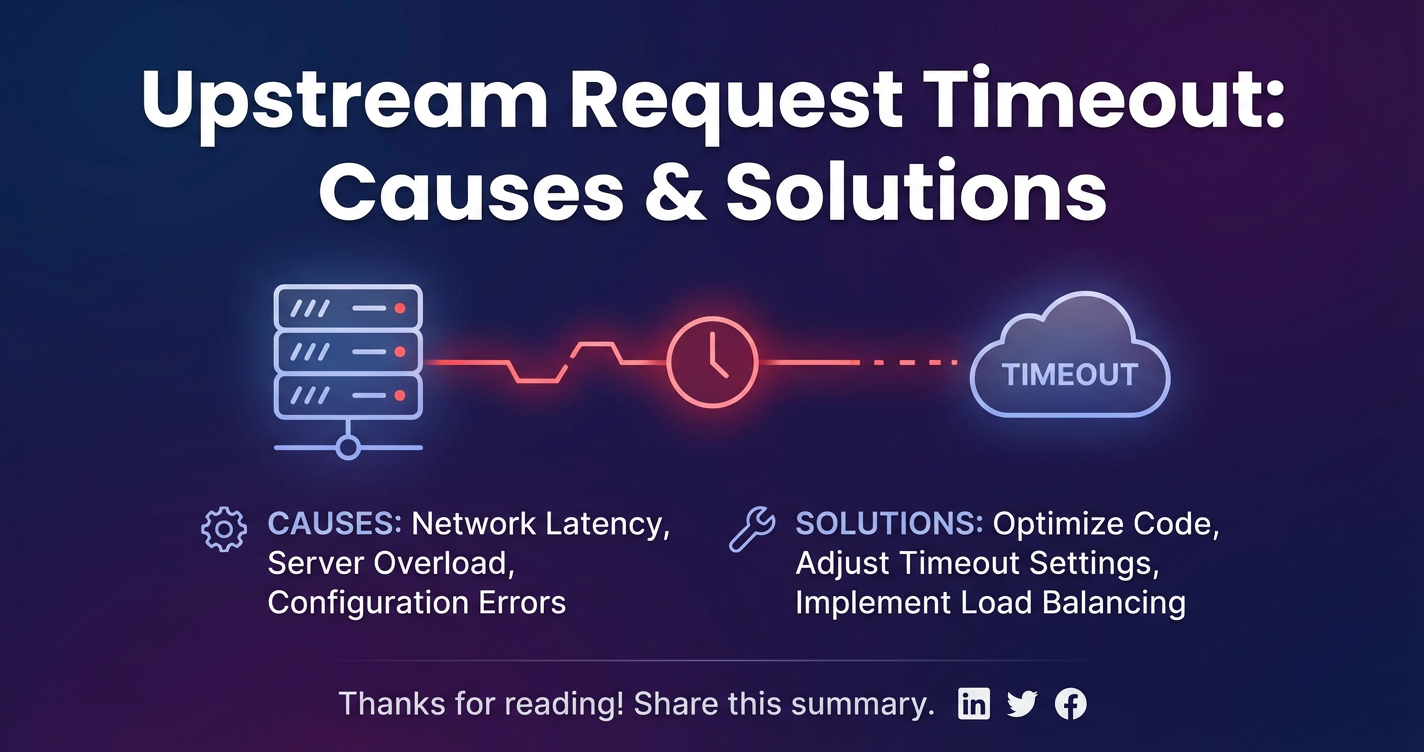
Upstream Request Timeout: Causes & Solutions


In the intricate tapestry of modern distributed systems, where myriad services communicate ceaselessly to deliver seamless user experiences, the specter of "upstream request timeout" looms large as a critical operational challenge. This seemingly innocuous error message, often cryptic to the end-user, can signal profound underlying issues within an application's infrastructure, leading to degraded performance, frustrating user experiences, and significant operational overhead. From a simple user perspective, it manifests as a slow-loading page, an unresponsive application feature, or a transaction that never completes. For developers and system architects, it's a red flag, indicating a bottleneck, a misconfiguration, or a cascading failure waiting to happen somewhere deeper in the service chain.
At its core, an upstream request timeout occurs when a client or an intermediary service, such as an API Gateway, sends a request to another service (the "upstream" service) and does not receive a response within a predefined period. This period, known as the timeout duration, is a crucial control mechanism designed to prevent resources from being perpetually consumed by unresponsive services. Without timeouts, a single slow or dead service could potentially hog connections, threads, and memory, leading to resource exhaustion and a complete system collapse. Therefore, while timeouts are essential for system resilience, their frequent occurrence is a clear indicator that the system is not operating optimally.
The prevalence of microservices architectures, coupled with the widespread adoption of APIs as the primary means of inter-service communication, has amplified the complexity of diagnosing and resolving these timeouts. Each API call, whether internal or external, introduces a potential point of failure and delay. A request might traverse multiple services, databases, message queues, and network hops before a final response is compiled. Any slowdown at any point in this chain can contribute to an upstream timeout. Understanding the root causes requires a holistic view of the system, encompassing network infrastructure, service performance, database efficiency, and the configuration of all intermediary components, especially the ubiquitous API Gateway.
This comprehensive article will delve deep into the anatomy of upstream request timeouts, meticulously dissecting their most common causes. We will explore the critical role of the API Gateway in managing these interactions and how its configuration directly impacts system resilience. More importantly, we will present a suite of robust, actionable solutions, ranging from architectural design patterns and performance optimizations to advanced monitoring strategies and effective configuration management. By the end, readers will possess a profound understanding of how to anticipate, diagnose, and effectively mitigate upstream request timeouts, ensuring the stability, performance, and reliability of their distributed API-driven systems.
Understanding the Architecture: The Pivotal Role of an API Gateway in Request Flow
In the vast and interconnected landscape of modern application development, especially within microservices ecosystems, the API Gateway stands as a critical architectural component. It acts as the single entry point for all client requests, serving as a façade that shields the internal complexity of the backend services from the outside world. Without a robust API Gateway, clients would need to directly interact with numerous individual microservices, leading to increased complexity on the client side, difficulties in managing cross-cutting concerns like authentication and rate limiting, and a brittle system architecture.
The fundamental purpose of an API Gateway is multifaceted. Firstly, it routes requests from clients to the appropriate backend service, effectively acting as a traffic controller. When a client makes an API call, it doesn't know (nor should it need to know) the specific IP address or port of the microservice it intends to reach. Instead, it sends the request to the API Gateway, which then intelligently forwards it to the correct upstream service based on predefined rules, paths, or headers. This routing capability is pivotal for decoupling clients from services, allowing independent deployment and scaling of individual components.
Beyond simple routing, an API Gateway also encapsulates a myriad of cross-cutting concerns. It can handle authentication and authorization, ensuring that only legitimate and permitted users can access specific APIs. It can enforce rate limiting and throttling policies, protecting backend services from being overwhelmed by a sudden surge of traffic, which could otherwise lead to performance degradation or even denial of service. Additionally, a gateway can perform request and response transformations, aggregate multiple backend service calls into a single client response, implement caching, and provide centralized logging and monitoring capabilities. These features significantly enhance the security, reliability, and maintainability of the entire system.
The request flow in an API-driven distributed system typically follows a well-defined path: 1. Client Initiates Request: A mobile app, web application, or another service sends an HTTP/HTTPS request. 2. Request Reaches API Gateway: The API Gateway receives the incoming request. 3. Gateway Processes Request: The gateway performs various operations: * Authentication and Authorization checks. * Rate Limiting enforcement. * Request validation and transformation. * Determines the target upstream service. 4. Gateway Forwards to Upstream Service: The API Gateway then forwards the processed request to the appropriate backend microservice. This is the "upstream request" that is the focus of our discussion. 5. Upstream Service Processes Request: The backend service performs its business logic, potentially interacting with databases, message queues, or other internal/external services. 6. Upstream Service Sends Response: Once the upstream service has finished processing, it sends a response back to the API Gateway. 7. Gateway Processes Response: The gateway may perform response transformations, add headers, or log the response. 8. Gateway Sends Response to Client: Finally, the API Gateway sends the response back to the original client.
Timeouts can manifest at various stages within this elaborate dance. A client might timeout while waiting for a response from the API Gateway. More critically for this discussion, the API Gateway itself might timeout while waiting for a response from the upstream service. This is the quintessential "upstream request timeout." Furthermore, an upstream service, while processing a request, might make its own internal calls to other services or databases, and these internal calls can also experience timeouts. Each layer has its own timeout configurations, and understanding how they interact is paramount.
The gateway's role in managing these timeouts is indispensable. It acts as a resilient buffer, protecting clients from perpetually waiting on unresponsive backend services. By configuring appropriate timeouts at the gateway level, system operators can ensure that resources are not tied up indefinitely. However, setting these timeouts too aggressively can lead to premature timeouts for legitimate, long-running operations, while setting them too leniently can defeat their purpose entirely, allowing slow services to consume valuable resources. Therefore, the strategic configuration and diligent monitoring of the API Gateway are not merely best practices but fundamental requirements for building robust and high-performing distributed systems. An effective API Gateway is not just a router; it's a traffic cop, a bouncer, and a safety net, all rolled into one, tirelessly working to maintain order and performance across the entire API landscape.
Deep Dive into Causes of Upstream Request Timeout
Understanding why an upstream request timeout occurs is the first critical step towards resolving it effectively. The causes are rarely monolithic; instead, they often stem from a complex interplay of factors across network, service, database, and configuration layers. Identifying the precise root cause requires a systematic approach and deep insights into the entire request flow.
1. Network Latency and Congestion
The underlying network infrastructure is the circulatory system of any distributed application. Any impediment within this system can directly translate into delays and, ultimately, timeouts.
- Physical Distance and Geographic Distribution: Services deployed across different data centers, cloud regions, or even continents inherently incur higher network latency due to the physical distance data must travel. While light speed is fast, it's not instantaneous, and round-trip times (RTTs) can add up significantly, especially for chatty APIs. If an API Gateway is in Europe and an upstream service is in Asia, the latency will be considerably higher than if they were in the same availability zone.
- Intermediary Network Devices: The path between the gateway and the upstream service is rarely direct. It often involves multiple routers, switches, firewalls, and load balancers. Each of these devices introduces a small amount of processing delay. Misconfigurations (e.g., inefficient routing tables, restrictive firewall rules, overly complex NAT rules) or performance issues (e.g., overloaded network appliance CPU) in any of these intermediaries can exacerbate latency. A firewall rule that causes packets to be inspected excessively or dropped can lead to retransmissions and significant delays.
- Bandwidth Limitations and Network Saturation: If the network link between the gateway and the upstream service (or within the upstream service's network segment) has insufficient bandwidth, or if the link becomes saturated due to high traffic volume from other applications, data transmission will slow down. This "traffic jam" causes packets to queue up, increasing delivery times and making the upstream service appear unresponsive. This is particularly noticeable with large payload transfers or during peak usage hours.
- Packet Loss and Retransmissions: Network congestion, faulty hardware, or even software bugs in network drivers can lead to packet loss. When packets are lost, the sender (e.g., the API Gateway) must retransmit them. This retransmission mechanism, inherent in TCP, introduces significant delays, as the sender waits for an acknowledgment that never arrives before resending the data. Each retransmission cycle adds to the overall request latency, pushing it closer to the timeout threshold.
2. Upstream Service Performance Issues
Often, the network is merely a messenger, and the real culprit lies within the upstream service itself. The service might be struggling to process requests efficiently due to various internal factors.
- CPU/Memory Exhaustion: If an upstream service's instances are running low on CPU cycles or memory, they will struggle to process incoming requests at an adequate pace. This could be due to:
- Inefficient Code: Unoptimized algorithms, excessive loops, or heavy computation on the main thread.
- Memory Leaks: Applications slowly consuming more memory over time, leading to frequent garbage collection cycles or eventual out-of-memory errors.
- Insufficient Resource Allocation: The service might simply not be provisioned with enough CPU or memory to handle its typical load.
- Database Bottlenecks: Databases are often the slowest component in an application stack, and they frequently become the bottleneck for upstream services.
- Slow Queries: Poorly optimized SQL queries, missing indexes, or complex joins can cause database operations to take an excessive amount of time.
- Connection Pooling Issues: An exhausted database connection pool means the application has to wait for an available connection, queuing up requests. Misconfigured pool sizes (too small or too large) can lead to contention or resource waste.
- Database Server Overload: The database server itself might be struggling due to high concurrency, slow disk I/O, insufficient memory, or complex transactions.
- Deadlocks: Two or more transactions waiting indefinitely for each other to release locks, effectively halting processing for affected requests.
- External Service Dependencies: Most modern microservices are not isolated; they often depend on other internal or external APIs (e.g., payment gateways, identity providers, third-party data services).
- Dependency Slowdown: If a service's dependency is slow or unresponsive, the calling service will be blocked, waiting for that external call to complete. This propagates the latency upstream.
- Dependency Timeout: If the dependent service times out its own call to an external service, this delay adds to the overall processing time of the original request.
- Inefficient Code/Algorithms: Beyond just CPU/memory, the actual logic within the service can be inherently slow.
- Synchronous Blocking Operations: Performing long-running I/O operations (like file system access or network calls) synchronously on the main thread can block other requests.
- Unoptimized Data Structures: Using inefficient data structures for large datasets can lead to O(N^2) or worse performance where O(N) would suffice.
- Excessive Logging: Overly verbose logging, especially to a slow I/O sink, can introduce significant overhead.
- Thread Pool Exhaustion: Many application servers and frameworks use thread pools to handle incoming requests. If the service experiences a sudden surge in requests, or if individual requests take an unusually long time to process (blocking threads), the thread pool can become exhausted. New incoming requests will then be queued or rejected, appearing as timeouts to the API Gateway.
- Garbage Collection Pauses (JVM applications): In Java applications (and other garbage-collected languages), "stop-the-world" garbage collection pauses can halt all application threads for short periods. If these pauses become frequent or prolonged due to memory pressure or misconfigured garbage collectors, they can significantly impact request processing times, leading to timeouts.
3. Misconfiguration
Often, the problem isn't a failure, but a misunderstanding or incorrect setup of the various components.
- Inconsistent Timeout Settings: This is one of the most common configuration culprits.
- Gateway Timeout Too Low: The API Gateway is configured with a timeout (e.g., 5 seconds) that is shorter than the actual processing time required by the upstream service for certain complex requests (e.g., 10 seconds). The gateway will prematurely cut off the request, even if the upstream service would eventually succeed.
- Upstream Service Internal Timeout Too High or Non-existent: Conversely, the upstream service might not have a timeout configured for its own external dependencies. If it calls a third-party API that hangs indefinitely, the upstream service will also hang, causing the API Gateway to timeout on it.
- Client Timeout Mismatch: Sometimes, the client-side timeout is shorter than the API Gateway's, leading to client-side timeouts even before the gateway has had a chance to respond. While technically a client-side timeout, it can still mask underlying upstream issues.
- Load Balancer Settings:
- Incorrect Health Checks: If a load balancer's health checks are too lenient or misconfigured, it might continue sending traffic to an unhealthy upstream service instance, exacerbating timeout issues.
- Connection Draining Issues: During deployments or scale-downs, if connection draining is not properly handled, existing connections might be abruptly terminated, leading to timeouts.
- Firewall Rules: Overly strict or improperly configured firewall rules can sometimes cause delays in connection establishment or even block response packets, leading to perceived timeouts. If a firewall silently drops packets, the client or gateway will wait until its timeout expires.
- DNS Resolution Issues: Slow or unreliable DNS servers can significantly delay the initial connection establishment between the API Gateway and the upstream service. If DNS resolution itself times out or is excessively slow, the connection cannot even begin.
- Resource Limits in Orchestration Platforms: In containerized environments (Kubernetes, Docker Swarm), resource limits (CPU/memory requests and limits) might be set too low for an upstream service, effectively starving it of resources even if the underlying host has plenty available. This results in throttling or scheduling delays that look like timeouts.
4. High Traffic Volume / Throttling
While seemingly straightforward, high traffic can uncover latent issues and contribute directly to timeouts.
- Sudden Surge in Requests: A sudden and unanticipated increase in traffic can overwhelm an upstream service that is not adequately scaled or designed for such load. This leads to queue buildup, thread pool exhaustion, and slow processing, resulting in timeouts.
- Rate Limiting Policies: While often a good protection mechanism, if an API Gateway or the upstream service itself implements rate limiting, hitting these limits might result in requests being queued, delayed, or outright rejected. If the rejection isn't immediate, but involves a delay until the rate limit resets, it can contribute to a timeout for the client waiting for a non-success response. In some cases, a graceful throttling might involve delaying a response instead of sending an immediate 429 status code, which can then exceed timeout thresholds.
5. Distributed System Specifics
The inherent complexity of distributed systems introduces unique challenges that can lead to timeouts.
- Service Mesh Complexity: When a service mesh (e.g., Istio, Linkerd) is introduced, it adds a sidecar proxy container to each service instance. While beneficial for traffic management and observability, this extra hop introduces its own latency. Misconfigurations within the service mesh (e.g., incorrect routing, policy enforcement delays, proxy resource limits) can add to the overall request path and push services past their timeout limits.
- Circuit Breaker Misconfiguration: Circuit breakers are designed to prevent cascading failures by quickly failing requests to an unhealthy service. However, if a circuit breaker is misconfigured (e.g., too aggressive in opening, too slow in closing, or incorrect failure thresholds), it might prematurely open the circuit to a service that is only experiencing transient issues, or it might prevent requests from reaching a recovering service, leading to more widespread unavailability and perceived timeouts.
- Eventual Consistency Delays: In systems relying on eventual consistency, data might not be immediately available after an update. If a client makes a request to an upstream service expecting to read recently written data, and that data has not yet propagated across the distributed system, the upstream service might wait or retry, adding latency that can lead to timeouts.
By meticulously examining these potential causes, system administrators and developers can narrow down the source of upstream request timeouts and devise targeted, effective solutions. This diagnostic process often involves a combination of log analysis, performance monitoring, network diagnostics, and configuration reviews across all layers of the application stack.
APIPark is a high-performance AI gateway that allows you to securely access the most comprehensive LLM APIs globally on the APIPark platform, including OpenAI, Anthropic, Mistral, Llama2, Google Gemini, and more.Try APIPark now! 👇👇👇
Comprehensive Solutions to Upstream Request Timeout
Successfully addressing upstream request timeouts requires a multi-faceted approach that spans monitoring, optimization, robust design patterns, and careful configuration. There isn't a single silver bullet, but rather a combination of strategies tailored to the specific root causes identified.
1. Proactive Monitoring and Alerting
The cornerstone of any resilient system is comprehensive observability. You cannot fix what you cannot see.
- Key Metrics Collection: Implement robust monitoring for all critical components:
- Latency: Monitor request latency at the API Gateway level (time to receive a response from upstream) and within individual upstream services (time to process a request). Track average, 95th, and 99th percentile latencies, as averages can hide sporadic slowdowns.
- Error Rates: Track HTTP 5xx errors (server-side errors, including timeouts from upstream services) at the gateway and for each upstream service.
- Resource Utilization: Continuously monitor CPU usage, memory consumption, disk I/O, and network I/O for all service instances, databases, and intermediary network devices. High utilization often correlates with performance bottlenecks.
- Database Metrics: Monitor query execution times, connection pool usage, lock contention, and transaction rates.
- Thread Pool Metrics: Track active threads, queue sizes, and thread pool exhaustion for application servers.
- Network Metrics: Monitor packet loss, retransmissions, and bandwidth utilization between critical components.
- Tools and Dashboards: Utilize specialized monitoring tools and platforms to collect, visualize, and analyze these metrics.
- Prometheus & Grafana: A powerful combination for time-series data collection and dynamic dashboard visualization.
- ELK Stack (Elasticsearch, Logstash, Kibana): Excellent for centralized log aggregation and analysis, allowing you to quickly search for timeout errors and correlate them with other events.
- Application Performance Monitoring (APM) Solutions: Tools like Datadog, New Relic, AppDynamics, or open-source alternatives provide deep insights into application code, database queries, and inter-service communication, often with distributed tracing capabilities.
- Intelligent Alerting: Configure alerts based on predefined thresholds for critical metrics. Alerts should be actionable and notify the appropriate teams.
- Threshold-based alerts: e.g., "Upstream service latency > 2 seconds for 5 minutes."
- Rate-of-change alerts: e.g., "Error rate increased by 20% in the last 5 minutes."
- Anomaly detection: Utilize machine learning to identify unusual patterns that might precede failures.
- Distributed Tracing: Implement distributed tracing (e.g., using OpenTelemetry, Jaeger, Zipkin) to visualize the entire path of a request across multiple services. This helps pinpoint exactly which service or database call is causing the delay within a complex transaction.
A good API Gateway solution plays a critical role here. For instance, a platform like ApiPark, an open-source AI gateway and API management platform, provides "Detailed API Call Logging" and "Powerful Data Analysis." This allows businesses to quickly trace and troubleshoot issues in API calls, ensuring system stability and data security. By analyzing historical call data, APIPark helps display long-term trends and performance changes, enabling preventive maintenance before issues occur. Such features are invaluable for identifying the precise moment and component where a timeout originates.
2. Optimize Upstream Service Performance
Directly improving the efficiency of the upstream services themselves often yields the most significant results.
- Code Review and Optimization:
- Identify Bottlenecks: Use profiling tools (e.g., JProfiler, VisualVM, Go pprof) to pinpoint CPU-intensive code sections, excessive memory allocations, or long-running I/O operations.
- Refactor Inefficient Algorithms: Replace O(N^2) or higher complexity algorithms with more efficient ones (e.g., O(N log N) or O(N)).
- Optimize Database Interactions: Reduce the number of database queries, eager load related data to avoid N+1 problems, and utilize ORM features effectively.
- Asynchronous Processing: For long-running or non-critical tasks (e.g., sending emails, processing large files, complex calculations), offload them to asynchronous workers or message queues (e.g., Kafka, RabbitMQ, SQS). The API can return an immediate
202 Acceptedstatus, indicating that the request has been received and will be processed later, preventing the API Gateway from timing out.
- Resource Scaling:
- Horizontal Scaling: Add more instances of the upstream service. This distributes the load across multiple servers, increasing throughput and overall capacity. Container orchestration platforms like Kubernetes excel at this.
- Vertical Scaling: Upgrade the existing instances with more powerful hardware (more CPU, RAM). This can be effective for services that are inherently CPU-bound and difficult to parallelize.
- Auto-scaling: Implement auto-scaling policies to automatically adjust the number of service instances based on real-time load metrics (e.g., CPU utilization, request queue length).
- Caching Strategies:
- Application-level Caching: Cache frequently accessed data in memory within the service instance (e.g., using Guava Cache, Ehcache, Caffeine).
- Distributed Caching: Use external caching layers like Redis or Memcached for data shared across multiple service instances. This reduces the load on the database.
- CDN (Content Delivery Network): For static assets or semi-static API responses, a CDN can serve content closer to the user, bypassing the upstream service entirely for many requests.
- Database Optimization:
- Indexing: Ensure appropriate indexes are created on frequently queried columns to speed up query execution. Regularly review and optimize indexes.
- Query Tuning: Analyze slow queries using database performance monitoring tools and rewrite them for efficiency.
- Connection Pooling: Configure connection pool sizes appropriately to balance concurrency and resource usage.
- Sharding/Partitioning: For very large datasets, consider sharding or partitioning the database to distribute data and query load across multiple database servers.
- Read Replicas: Use read replicas to offload read traffic from the primary database, improving its performance for writes and complex queries.
- Microservices Granularity: Review the design of your microservices. Are they too coarse-grained (monolithic in disguise) or too fine-grained (leading to excessive inter-service communication)? Striking the right balance can reduce internal dependencies and improve individual service performance.
3. Configure Timeouts Effectively
Strategic configuration of timeouts at every layer is paramount to prevent resource exhaustion and provide timely feedback without prematurely cutting off legitimate requests.
- Layered Approach: Implement a consistent timeout strategy across all components:
- Client Timeout: The client making the request should have a timeout (e.g., 60 seconds).
- API Gateway Timeout (Upstream Timeout): The API Gateway's timeout for waiting on an upstream service should be slightly longer than the maximum expected processing time for that upstream service, but significantly shorter than the client's timeout (e.g., 45-50 seconds). This ensures the gateway can respond to the client (even with an error) before the client times out.
- Upstream Service Internal Timeout: If the upstream service itself makes calls to other dependencies (databases, other microservices, external APIs), it must have its own timeouts for these internal calls (e.g., 10-30 seconds, depending on the dependency). These should be shorter than the API Gateway's timeout for the upstream service.
- Read vs. Connect Timeouts: Differentiate between connection timeouts (time to establish a connection) and read/response timeouts (time to receive data after a connection is established). Both need careful configuration. A connection timeout prevents waiting indefinitely for a non-existent or blocked server, while a read timeout prevents hanging on a slow or unresponsive server.
- Retries with Backoff and Jitter: For transient network issues or temporary service glitches, implement automatic retry mechanisms.
- Exponential Backoff: Increase the wait time between retries exponentially (e.g., 1s, 2s, 4s, 8s).
- Jitter: Add a small random delay (jitter) to the backoff period to prevent all retries from hammering the service simultaneously, which can create a thundering herd problem.
- Maximum Retries: Define a sensible maximum number of retries to prevent indefinite attempts.
- Idempotency: Ensure the API operations being retried are idempotent, meaning calling them multiple times has the same effect as calling them once.
4. Network Optimization
Optimizing the network path can directly reduce latency and packet loss.
- Proximity Deployment: Deploy related services (e.g., API Gateway and its upstream services) in the same data center, cloud region, or even the same availability zone to minimize network latency.
- Bandwidth Upgrades: Ensure adequate network bandwidth between all critical components. Monitor network utilization to identify saturated links.
- Network Device Configuration: Review and optimize the configuration of load balancers, firewalls, and routers. Ensure health checks are correctly configured for load balancers to avoid sending traffic to unhealthy instances. Optimize firewall rules to be as efficient as possible without compromising security.
- DNS Optimization: Use fast, reliable, and geographically proximate DNS resolvers. Consider caching DNS resolutions at the API Gateway or service level where appropriate to reduce external dependencies.
5. Implement Resiliency Patterns
Architectural patterns designed for distributed systems can significantly improve tolerance to failures and slowdowns.
- Circuit Breakers: Implement circuit breakers (e.g., using Hystrix, Resilience4j, or built-in service mesh features) for calls to external or unreliable dependencies. A circuit breaker monitors failures; if a threshold is met, it "opens" the circuit, quickly failing subsequent calls to that dependency instead of waiting for a timeout. After a period, it attempts to "half-open" to test if the service has recovered. This prevents cascading failures and allows the failing service to recover without being continuously bombarded.
- Bulkheads: Isolate resources (e.g., thread pools, connection pools) for different types of requests or different dependencies. This prevents a failure or slowdown in one part of the system from consuming all resources and affecting other, healthy parts. For example, allocate a separate thread pool for calls to a potentially slow external API.
- Rate Limiting/Throttling: Implement rate limiting at the API Gateway and/or within upstream services to protect them from being overwhelmed by excessive traffic. This ensures a graceful degradation of service rather than a complete collapse.
- Load Shedding: In extreme overload scenarios, gracefully shed load by rejecting non-critical requests or providing degraded service (e.g., returning cached data, simplifying responses) to protect core functionalities.
6. Effective Deployment and Scaling Strategies
The way services are deployed and scaled profoundly impacts their ability to handle load and recover from issues.
- Containerization (Docker) & Orchestration (Kubernetes): Leverage containerization for consistent environments and orchestration platforms like Kubernetes for automated deployment, scaling, healing, and resource management. Kubernetes can automatically restart failing containers and scale instances based on demand.
- Blue/Green or Canary Deployments: Implement deployment strategies that minimize downtime and reduce the risk of introducing performance regressions.
- Blue/Green: Run two identical production environments (blue and green). Deploy new versions to the inactive environment, test thoroughly, then switch traffic to it.
- Canary: Gradually roll out new versions to a small subset of users, monitoring performance and errors before a full rollout. This helps catch performance issues early.
- Graceful Shutdown: Ensure that services are designed for graceful shutdown, allowing them to finish processing in-flight requests and close connections properly when being terminated or scaled down. This prevents client-side and gateway timeouts during deployments.
7. Chaos Engineering
Proactively identifying vulnerabilities before they impact users is a hallmark of resilient systems.
- Inject Failures: Regularly and intentionally inject failures (e.g., network latency, service delays, resource exhaustion, dependency failures) into your system in a controlled environment.
- Test Resilience: Observe how the system reacts to these failures. Does it recover gracefully? Do the circuit breakers engage as expected? Are the timeouts configured appropriately?
- Identify Weak Points: Chaos engineering helps uncover hidden weaknesses, misconfigurations, and single points of failure that might otherwise only surface during a real production incident. Tools like Chaos Monkey or Gremlin can facilitate this.
By combining these solutions, from detailed monitoring and targeted service optimization to robust architectural patterns and proactive testing, organizations can significantly reduce the occurrence of upstream request timeouts, enhance the reliability and performance of their API-driven applications, and ultimately deliver a superior user experience. This systematic approach transforms timeout occurrences from alarming incidents into manageable, predictable events, or even prevents them entirely.
Example Scenario and Troubleshooting Workflow
To illustrate how these concepts come together, let's consider a common scenario and a systematic troubleshooting workflow.
Scenario: E-commerce Product Detail API Timeout
A customer tries to view a product page on an e-commerce website. The browser sends a request to GET /products/{productId}. This request goes through an API Gateway, which forwards it to the ProductService microservice. The ProductService then fetches product details from a ProductDB and retrieves inventory levels from an InventoryService. Suddenly, users start reporting that product pages are taking excessively long to load or are failing with a "504 Gateway Timeout" error.
Initial Observation: Monitoring dashboards show a spike in 504 Gateway Timeout errors for the GET /products/{productId} API endpoint. The API Gateway's latency metrics to ProductService are also showing a significant increase.
Troubleshooting Workflow:
- Check API Gateway Logs and Metrics (e.g., APIPark's logging):
- Action: Immediately review the API Gateway logs (if using a robust platform like APIPark, leverage its "Detailed API Call Logging") for the
/products/{productId}endpoint. Look for specific timeout messages indicating theProductServicewas unresponsive. - Expected Findings: Confirm the
504errors are indeed originating from the gateway timing out on theProductService. Note the duration reported by the gateway before it timed out (e.g.,proxy_read_timeoutexceeded). - Initial Hypothesis:
ProductServiceis slow or unresponsive.
- Action: Immediately review the API Gateway logs (if using a robust platform like APIPark, leverage its "Detailed API Call Logging") for the
- Inspect Upstream Service Metrics (
ProductService):- Action: Dive into the
ProductService's performance metrics:- CPU and Memory Usage: Is
ProductServiceinstance CPU spiking to 100%? Is memory consumption unusually high or exhibiting a continuous upward trend (potential leak)? - Request Latency: How long is
ProductServicetaking to process individualGET /products/{productId}requests internally? Compare this to historical baselines. - Thread Pool/Active Requests: Is the
ProductService's thread pool exhausted? Are there many requests queued up?
- CPU and Memory Usage: Is
- Expected Findings: Let's assume CPU is high, and internal request latency is consistently exceeding the API Gateway's timeout threshold (e.g., API Gateway has a 30s timeout,
ProductServiceinternal processing time is now 40-50s). - Refined Hypothesis:
ProductServiceis under heavy load or has a performance regression.
- Action: Dive into the
- Analyze
ProductServiceDependencies (Database andInventoryService):- Action: If
ProductServiceis slow, its dependencies are the next suspects.- Database Metrics (
ProductDB): CheckProductDB's query execution times for the queries made byProductService. Look for slow queries, lock contention, or high connection pool usage. InventoryServiceMetrics: IsInventoryServiceshowing increased latency or errors whenProductServicecalls it?- Distributed Tracing (if available): Use distributed tracing (e.g., from APIPark's analysis or an APM tool) to see the full trace of a
GET /products/{productId}request. Identify exactly which internal call (toProductDBorInventoryService) is consuming the most time.
- Database Metrics (
- Expected Findings: Suppose distributed tracing reveals that the
ProductDBquery forproduct_detailsis now taking 35 seconds, whereas it typically takes 5 seconds. - Root Cause Hypothesis: A recent change to
ProductDBor a new query pattern is causing a slow query.
- Action: If
- Database Diagnostics (
ProductDB):- Action: Access
ProductDBdirectly.- Query Analysis: Examine the specific
product_detailsquery. Is it missing an index? Has the data volume changed drastically? - Database Logs: Look for errors, warnings, or long-running query entries in the database logs.
- Explain Plan: Run an
EXPLAINorEXPLAIN ANALYZEon the problematic query to understand its execution plan and identify bottlenecks (e.g., full table scans, inefficient joins).
- Query Analysis: Examine the specific
- Expected Findings: Discovery of a missing index on the
product_idcolumn after a recent schema migration. The database is now performing a full table scan for every product detail request. - Confirmed Root Cause: Missing database index leading to critically slow queries.
- Action: Access
- Implement Immediate Mitigation and Long-Term Solution:
- Immediate Mitigation:
- Add Missing Index: Quickly apply the missing index to
ProductDB. This should immediately resolve the slow query issue. - Scale
ProductService(if needed): If the service was overwhelmed before the index was identified (e.g., due to a brief traffic surge combined with the slow query), temporarily scale outProductServiceinstances. - Adjust Gateway Timeout (Cautiously): If the index fix will take time, and a slightly longer timeout is acceptable for a short period, consider increasing the API Gateway's timeout temporarily while stressing the importance of a permanent fix. (This is a band-aid, not a solution).
- Add Missing Index: Quickly apply the missing index to
- Long-Term Solution:
- Automate Schema Migrations and Reviews: Implement robust processes for schema changes, including mandatory review of index implications.
- Automated Performance Testing: Integrate performance tests into CI/CD pipelines to catch slow queries or performance regressions before deployment to production.
- Enhanced Monitoring: Ensure
ProductDB's index usage and query performance are part of continuous monitoring and alerting. - Timeout Alignment: Review and align all timeouts: client > API Gateway >
ProductService>ProductDB/InventoryService. Ensure the API Gateway timeout is comfortably higher than the expected maxProductServiceprocessing, which in turn should be higher than its dependencies.
- Immediate Mitigation:
This methodical troubleshooting approach, empowered by robust monitoring and tracing (like that offered by APIPark), allows teams to move beyond mere symptom management to pinpoint and eradicate the true root causes of upstream request timeouts, thus restoring service integrity and user confidence.
Conclusion: Mastering Resilience in an API-Driven World
The journey through the complexities of upstream request timeouts illuminates a fundamental truth about modern distributed systems: they are inherently intricate, dynamic, and prone to failures. While the concept of a "timeout" might appear simple on the surface, its manifestations are often symptoms of deep-seated issues that can span network infrastructure, application code, database performance, and critical configuration layers. In an increasingly API-driven world, where services communicate over networks as their lifeblood, mastering the art of diagnosing and mitigating these timeouts is not merely an operational task but a strategic imperative for business continuity and customer satisfaction.
We have traversed the critical architectural landscape, highlighting the indispensable role of the API Gateway as the frontline guardian and traffic controller for all incoming requests. Its strategic placement makes it a powerful point of control and observability, but also a central point where upstream issues surface. The detailed exploration of causes – from insidious network latency and resource-starved upstream services to subtle misconfigurations and the inherent challenges of distributed architectures – underscores the sheer breadth of potential failure points. Understanding these diverse origins is the first step towards building truly resilient systems.
Crucially, the solutions presented offer a comprehensive toolkit for proactive prevention and reactive resolution. From the unwavering necessity of granular monitoring and intelligent alerting, allowing teams to foresee and react to anomalies, to the meticulous optimization of service code and database interactions, which directly address performance bottlenecks. The strategic configuration of timeouts across all layers, coupled with the implementation of robust resiliency patterns like circuit breakers and bulkheads, provides the architectural fortitude to withstand transient failures and prevent cascading collapses. Furthermore, embracing modern deployment strategies and even the proactive chaos engineering mindset ensures that systems are battle-tested and continually refined for resilience.
The modern software landscape demands continuous vigilance and a holistic understanding of how every component interacts. Tools and platforms that centralize API management, observability, and analytics, such as ApiPark, become indispensable allies in this endeavor. By offering features like detailed API call logging, powerful data analysis, and unified management, such API Gateway solutions empower developers and operations teams to gain the insights necessary to identify, troubleshoot, and prevent upstream timeouts before they impact the end-user experience.
Ultimately, mastering upstream request timeouts is an ongoing commitment to excellence in system design, operational discipline, and continuous learning. It is about fostering a culture where every timeout is seen not as a failure, but as an opportunity to understand, improve, and fortify the system. By embracing the strategies outlined in this article, organizations can transform the challenge of timeouts into a pathway towards building more robust, performant, and reliable API-driven applications that stand resilient against the complexities of the distributed world.
Frequently Asked Questions (FAQs)
1. What exactly is an "upstream request timeout" and how does it differ from a client-side timeout? An "upstream request timeout" occurs when an intermediary service (like an API Gateway) or a calling service sends a request to a backend service (the "upstream" service) and does not receive a response within a predefined time limit. The intermediary then terminates its waiting connection to the upstream and often returns an error (e.g., 504 Gateway Timeout) to its client. A client-side timeout, on the other hand, happens when the initial client (e.g., a web browser or mobile app) times out while waiting for a response directly from the API Gateway or the first service it contacted. While both result in a lack of response for the client, an upstream timeout specifically points to an issue between components in the backend architecture, often deeper than the initial client-gateway interaction.
2. Why are API Gateways so crucial in managing upstream timeouts? API Gateways are crucial because they are the central point of ingress for most requests in a microservices architecture. They act as a critical control plane where timeouts can be configured to protect both the client and the backend services. By setting an appropriate upstream timeout at the gateway, it prevents clients from hanging indefinitely on unresponsive services and also protects the gateway's own resources (connections, threads) from being consumed by stalled backend calls. Furthermore, an advanced gateway can provide aggregated logging and metrics, offering the first line of defense for detecting and diagnosing these timeouts. Solutions like APIPark, for example, are designed to centralize this control and observability, making timeout management more efficient.
3. What are the most common root causes of upstream request timeouts? The most common root causes fall into several categories: * Network Issues: High latency, congestion, or packet loss between the gateway and the upstream service. * Upstream Service Performance: The backend service is slow due to CPU/memory exhaustion, inefficient code, database bottlenecks, or delays from its own external dependencies. * Misconfiguration: Inconsistent or too-short timeout settings across different layers of the system, incorrect load balancer health checks, or restrictive firewall rules. * High Traffic: The upstream service being overwhelmed by a sudden surge in requests that it cannot handle efficiently. Diagnosing these often requires a systematic review of monitoring data, logs, and configurations across the entire request path.
4. How can I effectively set timeout values in a complex distributed system? Effective timeout configuration requires a layered approach, ensuring that timeouts cascade logically: * Client Timeout > API Gateway Timeout > Upstream Service Internal Call Timeout. * The API Gateway's timeout for an upstream service should be slightly longer than the maximum expected processing time for that upstream service, allowing for slight variations. * The upstream service's internal timeouts for its dependencies should be even shorter, ensuring it fails fast internally if a dependency is unresponsive, allowing the upstream service to potentially return an error to the gateway before the gateway itself times out. * Differentiate between connection timeouts (for establishing a connection) and read/response timeouts (for receiving data). Regular review and adjustment of these values based on performance metrics are essential.
5. Besides setting timeouts, what architectural patterns or practices can help prevent upstream request timeouts? Several architectural patterns and practices are vital for preventing upstream request timeouts: * Monitoring and Alerting: Comprehensive observability with tools like Prometheus, Grafana, or APM solutions to detect slowdowns proactively. * Service Optimization: Continuous profiling and optimization of service code, database queries, and resource allocation. * Asynchronous Processing: Offloading long-running tasks to message queues to free up request threads. * Caching: Implementing caching at various layers to reduce load on backend services and databases. * Circuit Breakers and Bulkheads: Isolating failures and preventing cascading outages by quickly failing requests to unhealthy dependencies and segmenting resources. * Rate Limiting: Protecting upstream services from being overwhelmed by excessive traffic. * Auto-scaling: Dynamically adjusting service instances based on load to ensure sufficient capacity. * Chaos Engineering: Proactively injecting failures to test system resilience and identify weak points.
🚀You can securely and efficiently call the OpenAI API on APIPark in just two steps:
Step 1: Deploy the APIPark AI gateway in 5 minutes.
APIPark is developed based on Golang, offering strong product performance and low development and maintenance costs. You can deploy APIPark with a single command line.
curl -sSO https://download.apipark.com/install/quick-start.sh; bash quick-start.sh

In my experience, you can see the successful deployment interface within 5 to 10 minutes. Then, you can log in to APIPark using your account.

Step 2: Call the OpenAI API.