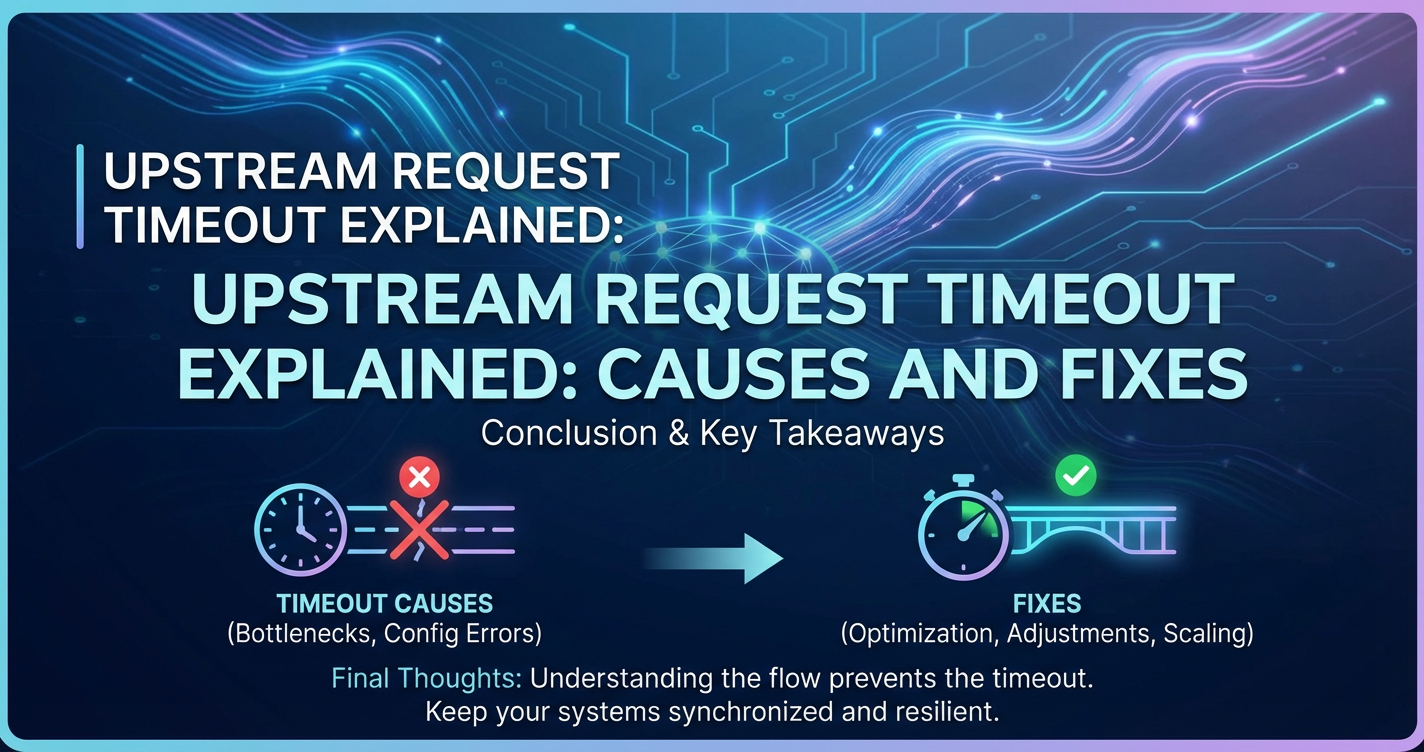
Upstream Request Timeout Explained: Causes and Fixes


The architecture of modern web services, especially those built on the principles of microservices, has brought about unprecedented flexibility, scalability, and resilience. However, this complexity also introduces new challenges, one of the most critical and often elusive being the "Upstream Request Timeout." This pervasive issue can manifest as anything from a minor annoyance for users to a complete system outage, impacting reputation and revenue. Understanding the intricacies of upstream request timeouts, from their root causes to the most effective mitigation strategies, is paramount for any organization striving for high-performance and reliable digital experiences. At the heart of managing this complexity often lies the API gateway, acting as the crucial intermediary that orchestrates communication between diverse services and external consumers.
This comprehensive guide delves deep into the phenomenon of upstream request timeouts. We will dissect what they are, explore the myriad of factors that contribute to their occurrence, and arm you with robust diagnostic techniques and actionable solutions. From fine-tuning backend services and optimizing network infrastructure to strategically configuring your gateway and implementing advanced resilience patterns, we will cover every facet necessary to build a more robust and responsive system. By the end of this exploration, you will possess a holistic understanding of how to prevent, detect, and resolve these timeouts, ensuring the seamless operation of your APIs and the satisfaction of your users.
Understanding the Modern Distributed Landscape: The Context of Upstream Timeouts
In today's digital ecosystem, applications are rarely monolithic giants. Instead, they are increasingly composed of numerous smaller, independent services, each dedicated to a specific business capability – a paradigm known as microservices architecture. This architectural shift, while offering immense benefits in terms of development velocity, independent deployment, and fault isolation, inherently increases the complexity of inter-service communication. Each user request, instead of being handled by a single application, might traverse a sophisticated network of services, database calls, and external integrations before a response is ultimately formulated.
At the vanguard of this intricate web of communication stands the API gateway. Functioning as the single entry point for all client requests, an API gateway acts as a reverse proxy, routing requests to the appropriate backend services, often performing additional functions like authentication, authorization, rate limiting, caching, and logging. It shields the complexity of the microservices architecture from the client, presenting a unified and simplified API interface. For instance, a mobile application requesting user profile data might send a single API call to the gateway, which then fan-outs this request to an identity service, a user data service, and perhaps a recommendation engine, aggregating their responses before returning a cohesive result to the client. This centralization of API management is critical for scalability and security, but it also places the gateway in a highly critical position: any failure or bottleneck here, or in the services it routes to, can have far-reaching implications.
The gateway itself is responsible for more than just routing; it's a traffic cop, a bouncer, and a quality control inspector all rolled into one. It manages the lifecycle of requests from the moment they arrive until a response is sent back. Crucially, it also manages the expectations of how long these downstream services should take to respond. This is where the concept of a "timeout" becomes profoundly important. In such a distributed setup, any single component that takes too long to process a request can hold up the entire chain, leading to frustrated users and potentially cascading system failures. The API gateway, therefore, plays a pivotal role in enforcing these time limits and gracefully handling scenarios where backend services fail to meet them. Without proper timeout configurations and robust API management strategies, the very benefits of microservices can quickly turn into a chaotic mess of unpredictable delays and service disruptions, underscoring the vital need to understand and mitigate upstream request timeouts effectively.
Diving Deep into Upstream Request Timeouts
To truly grasp the implications and solutions for upstream request timeouts, we must first precisely define what they entail and understand the underlying mechanisms that trigger them. This detailed exploration forms the bedrock for effective diagnosis and remediation in any complex distributed system.
Defining "Upstream" and "Timeout"
In the context of an API gateway and distributed systems, the term "upstream" refers to the target service or resource that the gateway is trying to communicate with on behalf of a client. When a client sends a request to the API gateway, the gateway acts as a proxy, forwarding this request to one or more backend services to fulfill the client's original intent. These backend services are considered "upstream" from the API gateway's perspective. For example, if your API gateway routes a /users request to a UserService microservice, then the UserService is "upstream" to the gateway. This terminology is crucial because timeouts often occur in this specific segment of the request path, between the gateway and its designated backend service.
A "timeout," in this context, is a predefined duration that a system component, such as the API gateway, is willing to wait for a response from another component (the upstream service) before abandoning the operation. When this duration elapses without a successful response being received, the waiting component "times out," indicating that the operation could not be completed within the acceptable timeframe. This isn't just about a slow response; it's about a response that is too slow according to established limits. The decision to time out is a defensive mechanism designed to prevent client connections from hanging indefinitely, free up system resources, and prevent a single slow service from bringing down the entire API chain. Without timeouts, a perpetually unresponsive upstream service could lead to resource exhaustion on the gateway and potentially impact other unrelated requests, causing a wider system failure.
The Mechanism of a Timeout
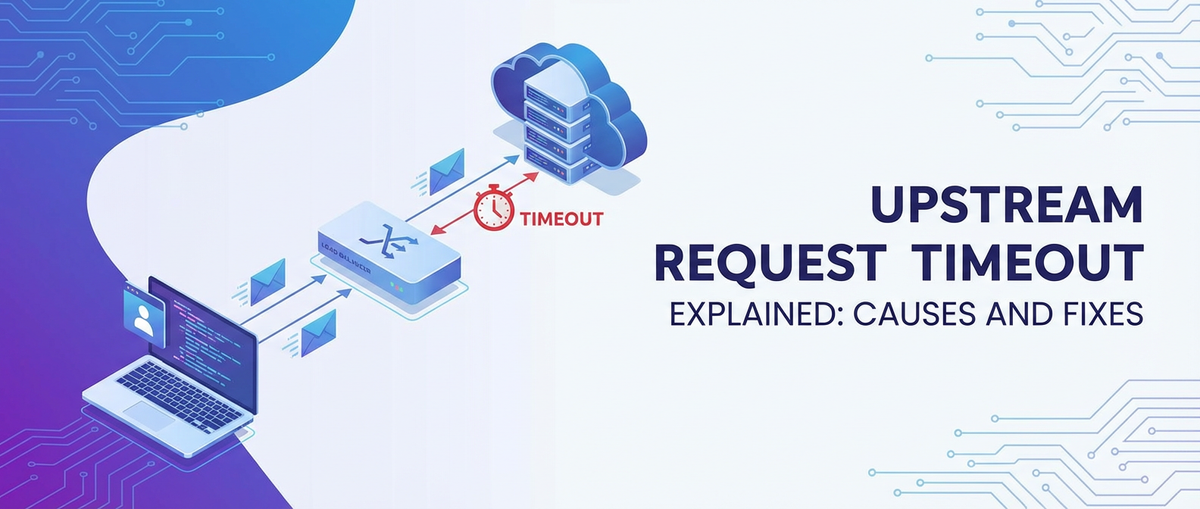
The process by which an upstream request timeout is triggered and handled is a fundamental aspect of API gateway operation. When the API gateway receives a client request and determines the appropriate upstream service to route it to, it initiates a connection and sends the request to that service. Concurrently, a timer is started. This timer is configured with a specific duration, often expressed in milliseconds or seconds.
During this waiting period, the API gateway expects to receive a response from the upstream service. This response could be the final data requested by the client, an error message, or an intermediate status update. If the upstream service processes the request promptly and sends back a response before the timer expires, the API gateway then forwards this response to the original client, and the operation completes successfully.
However, if the upstream service fails to respond within the allocated timeout period, the timer on the API gateway expires. At this precise moment, the gateway severs its connection to the unresponsive upstream service. It then generates an error response, typically an HTTP 504 Gateway Timeout status code, and sends this error back to the client. It's critical to understand that this action by the gateway does not necessarily stop the processing that might still be occurring on the upstream service. The upstream service might continue to work on the request in isolation, unaware that the gateway has already given up waiting. This can sometimes lead to "orphaned" processes on backend servers, which might eventually complete their work and then find no gateway to send their response to, wasting computational resources.
The Impact of Upstream Request Timeouts
The consequences of frequent or widespread upstream request timeouts can be severe, extending beyond mere inconvenience to impact user experience, system stability, and business objectives.
- Poor User Experience: This is often the most direct and noticeable impact. Users faced with slow loading times, unresponsive applications, or constant "504 Gateway Timeout" error messages will quickly become frustrated. This can lead to decreased engagement, abandonment of tasks, and a perception of unreliability, ultimately driving users away from the application or service. A user trying to make a critical purchase or access vital information expects immediate responsiveness, and repeated timeouts directly undermine this expectation.
- Cascading Failures and System Instability: One of the most dangerous aspects of timeouts in distributed systems is their potential to trigger cascading failures. If one upstream service becomes slow or unresponsive, the
API gateway(or other calling services) might accumulate open connections and pending requests waiting for that service. This can exhaust thegateway's resources (e.g., thread pools, memory, file descriptors), causing it to become unresponsive even to requests for other, healthy services. This "ripple effect" can bring down large portions of the system, even if the initial problem was confined to a single, seemingly minor service. This effect is precisely what resilience patterns like circuit breakers aim to prevent, by quickly failing requests to unhealthy services rather than waiting indefinitely. - Resource Exhaustion: Each request that times out but continues to be processed on the upstream service (an "orphaned" request) consumes valuable CPU, memory, and other resources on that service without delivering a useful outcome. If numerous requests time out in this manner, the upstream service can become overwhelmed by these ghost processes, leading to further performance degradation, increased latency, and even crashes. This exhaustion exacerbates the problem, creating a vicious cycle of timeouts and resource depletion.
- Operational Overhead and Troubleshooting Challenges: Timeouts are notoriously difficult to diagnose. Pinpointing the exact cause—whether it's network latency, a slow database query, inefficient application code, or an external third-party
APIcall—requires sophisticated monitoring and tracing tools. Operations teams spend significant time and effort sifting through logs, metrics, and traces to identify bottlenecks, which can delay incident resolution and divert resources from development efforts. The distributed nature of the problem means that a timeout reported at theAPI gatewaymight originate many hops deeper in the service mesh. - Data Inconsistencies and Failed Transactions: In transactional systems, a timeout can lead to partial operations. For example, if a payment
APItimes out after deducting money but before confirming the transaction with a vendor, it can result in an inconsistent state or a failed business process that requires manual reconciliation. This not only frustrates users but also introduces significant operational and financial risks.
In summary, upstream request timeouts are not merely technical glitches; they are critical symptoms of underlying systemic issues that demand meticulous attention. A robust API gateway strategy, coupled with resilient backend services and comprehensive observability, is essential to navigate these challenges and maintain a high-performing, reliable digital infrastructure.
Common Causes of Upstream Request Timeouts
Identifying the root causes of upstream request timeouts is a complex endeavor, as they can originate from virtually any point within a distributed system. A holistic understanding requires examining the backend services, the network infrastructure, the API gateway itself, and even the client's behavior. Each layer presents its own set of potential pitfalls that can lead to an untimely timeout.
1. Backend Service Issues
The most frequent culprit behind upstream timeouts lies within the backend services themselves. These are the applications designed to perform the actual business logic, and their inefficiencies or failures directly impact the response time seen by the API gateway.
a. Slow Database Queries
Database interactions are often the slowest part of a request's lifecycle. An unoptimized SQL query, a missing index on a frequently queried column, or a complex join operation involving large tables can dramatically increase the time it takes for a database to return data. For instance, a query fetching user transaction history might involve scanning millions of records without proper indexing, leading to execution times far exceeding typical API gateway timeouts. Furthermore, contention for database resources, such as locks on rows or tables, can cause queries to block, further delaying responses. If multiple services concurrently try to write to the same table without efficient locking mechanisms, a queue of waiting queries can quickly build up, pushing individual transaction times past acceptable limits.
b. Inefficient Application Logic and Code
Poorly written or inefficient code within the backend service can be a significant source of delays. This includes algorithms with high time complexity (e.g., O(n^2) operations on large datasets), excessive synchronous I/O operations, or simply suboptimal programming practices. For example, a service that iterates through a large collection in memory without proper filtering, or performs redundant calculations for each request, will inevitably consume more CPU cycles and take longer to respond. Likewise, improper use of concurrency primitives, such as thread starvation due to long-running synchronous tasks within an asynchronous framework, can prevent the service from processing requests in a timely manner, leading to a backlog.
c. Resource Contention on Backend Servers
Even with efficient code, a backend service can struggle if its underlying server resources are exhausted or contended. * CPU Overload: If the CPU utilization of a server hosting the service consistently hits 100%, new requests will queue up, waiting for CPU cycles to become available. * Memory Exhaustion: A service experiencing memory leaks or inefficient memory usage might start swapping data to disk (using swap space), which is significantly slower than RAM, thereby increasing processing times. Eventually, it might crash or become unresponsive if it runs out of memory entirely. * I/O Bottlenecks: Heavy disk I/O operations, such as reading or writing large files, or intense logging to slow storage, can become a bottleneck. Similarly, network I/O for external calls can also contribute, if the service is waiting for data from another internal or external API. * Thread Pool Exhaustion: Many application servers and frameworks use thread pools to handle incoming requests. If the thread pool is exhausted (all threads are busy processing long-running requests), new incoming requests will have to wait for a thread to become available, leading to delays that can exceed the gateway's timeout.
d. External Dependencies Being Slow
Modern services rarely operate in isolation. They frequently depend on other internal microservices, third-party APIs (e.g., payment gateways, external data providers, authentication services), or message queues. If any of these downstream dependencies are slow or unresponsive, the calling backend service will be forced to wait. For instance, a user registration service might call an email notification service, an analytics service, and a CRM API. If the CRM API is experiencing high latency, the registration service will effectively wait for it, potentially timing out the API gateway in the process. This "upstream of the upstream" scenario is common and often hard to diagnose without distributed tracing.
e. Service Degradation Due to Bugs or Misconfigurations
Bugs can introduce insidious performance issues. This could be anything from an infinite loop in a rarely hit code path to a race condition that causes deadlocks. Misconfigurations, such as incorrect caching settings (e.g., caching too little or for too short a period), logging at an excessively verbose level in production, or misconfigured connection pools to databases or other services, can also significantly degrade performance and lead to timeouts. For example, a connection pool that is too small might cause requests to wait for an available database connection, while one that is too large might overwhelm the database.
2. Network Latency and Congestion
The physical and logical network infrastructure forms the arteries of a distributed system. Any issues here can directly translate into delayed packets and, consequently, timeouts.
a. Physical Network Issues
Faulty network hardware (routers, switches, NICs), damaged cables, or poorly optimized network topologies can introduce latency and packet loss. While often rare in well-maintained data centers, these issues can lead to intermittent or persistent delays, making communication between the API gateway and backend services unreliable.
b. Network Congestion
If the network links between the API gateway and the upstream services become saturated with traffic, packets will be queued, leading to increased latency. This can happen during peak load times or due to a sudden surge in traffic, causing a bottleneck at the network layer. Congestion can also be exacerbated by unoptimized network configurations or a lack of sufficient bandwidth.
c. DNS Resolution Delays
Before the API gateway can communicate with an upstream service by its hostname, it needs to resolve that hostname to an IP address via DNS. While typically very fast, slow or misconfigured DNS servers, or frequent DNS lookups for dynamic service discovery, can introduce small but cumulative delays. In rare cases, DNS server outages can completely prevent communication, leading to timeouts.
d. Firewall/Security Appliance Overheads
Security measures, while essential, can add processing overhead. Firewalls, intrusion detection/prevention systems (IDS/IPS), or proxy servers performing deep packet inspection between the API gateway and upstream services can introduce latency. If these appliances are overloaded or misconfigured, they can become a bottleneck, delaying traffic and causing timeouts.
3. API Gateway Configuration
The API gateway itself, despite being the orchestrator, can be a source of timeouts if not properly configured. Its role is to protect and manage, but incorrect settings can turn it into a choke point.
a. Insufficient Timeout Values
The most direct cause stemming from API gateway configuration is simply setting the timeout value too low. If the gateway is configured to wait only 2 seconds for a response, but the upstream service typically takes 3 seconds for a complex operation, every such request will time out. Timeout values must be chosen carefully, balancing responsiveness with allowing sufficient time for legitimate processing. Different services or even different API endpoints within a service might require distinct timeout durations. A generic, one-size-fits-all timeout can be problematic.
b. Misconfigured Load Balancing
The API gateway often distributes requests among multiple instances of an upstream service using load balancing. If the load balancer is misconfigured (e.g., routing traffic to an unhealthy instance, using an inefficient algorithm, or failing to update its list of healthy instances quickly enough), requests can be sent to unresponsive servers. This can lead to increased latency for those requests and eventual timeouts.
c. Connection Pool Exhaustion
Similar to backend services, the API gateway often maintains a pool of connections to upstream services to avoid the overhead of establishing a new TCP connection for every request. If this connection pool is too small, the gateway might be unable to open new connections when needed, causing requests to queue up internally within the gateway itself while waiting for an available connection, ultimately leading to timeouts.
d. Too Aggressive Circuit Breaker Settings
While circuit breakers are vital for resilience, if configured too aggressively (e.g., tripping after too few failures or having a very short reset timeout), they might prevent traffic from reaching a perfectly capable service that experienced a momentary blip. This can sometimes lead to an unnecessary increase in "failed" requests, some of which might be timeouts, as the gateway quickly blocks requests rather than waiting a reasonable amount.
4. Client-Side Behavior
While less common, client-side actions can indirectly contribute to upstream timeouts by placing undue strain on the system.
a. Sending Excessively Large Requests
If a client sends an API request with a very large payload (e.g., a massive JSON body or a large file upload), the API gateway and the upstream service will spend more time just receiving and parsing this data. This increased data transfer time can push the overall request processing duration beyond the timeout limit.
b. Unexpected Request Patterns (Spikes)
A sudden, unanticipated surge in traffic from clients (a "thundering herd" problem) can overwhelm an upstream service that is not adequately scaled or configured to handle such loads. While the service might be perfectly performant under normal conditions, the sheer volume of concurrent requests can lead to resource exhaustion and delays, causing timeouts for many of those requests.
5. Resource Exhaustion (Across the Stack)
Beyond specific components, general resource limits across the entire deployment can manifest as timeouts.
a. Operating System Limits
The underlying operating system on which the API gateway or backend services run has limits. For instance, the maximum number of open file descriptors, TCP connections, or available ephemeral ports can be exhausted under heavy load. When these limits are hit, new connections cannot be established, and existing ones might be forcefully closed or delayed, leading to timeouts.
b. Container/VM Resource Limits
In containerized (e.g., Kubernetes) or virtualized environments, individual containers or VMs are often allocated specific CPU, memory, and I/O limits. If a service consistently hits these limits, the scheduler will throttle its resources, leading to performance degradation and timeouts, even if the underlying physical host has available capacity.
c. Message Queue Backlogs
If an asynchronous pattern is used with message queues (e.g., Kafka, RabbitMQ), but the API client expects an immediate response (which is then retrieved from the queue), a large backlog in the message queue can cause significant delays. While the API gateway might get an immediate acknowledgment that the message was placed, if the ultimate status API or callback takes too long due to queue depth, the overall transaction can appear to time out to the end user.
Understanding this exhaustive list of causes is the first crucial step. Effective diagnosis often involves systematically ruling out possibilities across these categories, utilizing robust monitoring and logging tools to pinpoint the exact bottleneck.
APIPark is a high-performance AI gateway that allows you to securely access the most comprehensive LLM APIs globally on the APIPark platform, including OpenAI, Anthropic, Mistral, Llama2, Google Gemini, and more.Try APIPark now! 👇👇👇
Diagnosing Upstream Request Timeouts
Diagnosing upstream request timeouts effectively requires a systematic approach, relying heavily on observability tools to gather data from various layers of your distributed system. Without adequate monitoring, timeouts become black boxes, leaving engineers to grope in the dark.
1. Monitoring Tools: Your Eyes and Ears
Effective diagnosis begins with a robust monitoring stack capable of collecting, aggregating, and visualizing metrics, logs, and traces.
a. API Gateway Logs
The API gateway itself is the first line of defense and the primary source of information for timeouts it detects. Its access logs should record every request, including its duration, the upstream service it routed to, and the final HTTP status code. Crucially, these logs will clearly show 504 Gateway Timeout errors. Detailed error logs can also provide insights into why the gateway decided to time out, sometimes indicating the specific upstream service that failed to respond. It's important to configure the gateway to log not just the fact of a timeout, but potentially also the connection attempt details and any observed delays.
b. Backend Service Logs
When a timeout occurs at the API gateway, the next step is to examine the logs of the suspected upstream service. Did the request even reach the backend service? If so, at what time did it arrive, and how long did the service take to process it internally? Did the service encounter any internal errors, database deadlocks, or external API call failures? Correlating timestamps between API gateway logs and backend service logs is critical to determine if the backend was slow, unresponsive, or simply never received the request due to network issues. Detailed debugging logs, even if only enabled temporarily, can sometimes reveal the exact line of code or external call that introduced latency.
c. Distributed Tracing
In a microservices architecture, a single client request can fan out to dozens of internal services. Distributed tracing tools (e.g., OpenTelemetry, Jaeger, Zipkin) are indispensable for visualizing the entire request flow across these services. A trace captures the latency of each "span" (an operation within a service or an inter-service call) and aggregates them into a complete picture. When an upstream timeout occurs, a distributed trace can immediately highlight which specific service in the chain took an excessive amount of time, or where the request dropped off entirely, making it possible to pinpoint the exact bottleneck. For example, a trace might show that Service A called Service B, and Service B then called a database, and the overwhelming majority of the latency was spent waiting for the database response within Service B.
d. Metrics (Latency, Error Rates, Resource Utilization)
Metrics provide quantitative data about the performance and health of your services and infrastructure. * Latency Metrics: Track the average, P95, and P99 latency for each API endpoint at both the API gateway and individual backend services. Spikes in these metrics often correlate directly with timeout incidents. * Error Rate Metrics: Monitor the rate of 5xx errors (especially 504s) from the API gateway and internal errors (e.g., 500s) from backend services. A surge in 504s is a clear indicator of upstream timeouts. * Resource Utilization Metrics: For every server and container hosting your API gateway and backend services, monitor CPU utilization, memory usage, disk I/O, and network I/O. High utilization in any of these areas can indicate a bottleneck that directly causes slow processing and timeouts. * Connection Pool Metrics: For services that manage connection pools (e.g., database connections, HTTP client connections), monitor the number of active, idle, and waiting connections. Exhaustion of these pools can lead to delays.
e. Network Monitoring Tools
Sometimes the problem isn't the service or the gateway, but the network itself. Tools like ping, traceroute, MTR (My Traceroute), and specialized network performance monitoring solutions can help assess latency, packet loss, and identify network congestion or misconfigurations between your API gateway and upstream services. Observing abnormal latency or packet loss on these paths can quickly point to a network-related timeout cause.
2. Troubleshooting Steps: A Methodical Approach
Once you have the right tools, a systematic approach to troubleshooting can help zero in on the problem efficiently.
a. Reproduce the Issue
If possible, try to consistently reproduce the timeout. This could involve simulating specific user actions, replaying failed requests, or using load testing tools to recreate conditions under which the timeout occurs. Reproducibility makes it easier to test fixes and confirm resolutions. If the issue is intermittent, understanding the conditions under which it does happen (e.g., during peak hours, after a deployment) is crucial.
b. Isolate the Problematic Service
Use your API gateway logs and distributed traces to identify which specific upstream service (or dependency within that service) is responsible for the delay. If the API gateway is reporting 504s for requests to /users, focus your initial investigation on the UserService. If the UserService logs show it calling AuthService and taking a long time to return, then the AuthService becomes the next target.
c. Examine Logs and Metrics for Anomalies
- Correlate Timestamps: Match the timeout event in the
API gatewaylogs with activity in the backend service logs around that same time. Did the backend service receive the request? How long did it take to process it internally? Did it log any errors or warnings? - Look for Resource Spikes: Check resource utilization metrics (CPU, memory, network I/O) for the problematic service. Are they unusually high around the time of the timeout? Is there an unexpected number of open database connections or queued messages?
- Identify Slow Operations: Within the backend service logs, look for indications of slow database queries, long-running external
APIcalls, or other time-consuming operations. Application performance monitoring (APM) tools can be invaluable here, providing granular insights into method-level latency.
d. Perform Load Testing to Identify Bottlenecks
If timeouts occur under heavy load, use load testing tools (e.g., JMeter, Locust, K6) to simulate high traffic volumes. Gradually increase the load while monitoring your system's performance. This can help identify the exact threshold at which a service begins to degrade, revealing bottlenecks in CPU, memory, database capacity, or network throughput. Load testing can also expose race conditions or resource contention issues that only manifest under stress.
e. Check Network Connectivity and Latency
If logs and metrics suggest the backend service isn't even receiving the request, or that the latency between the gateway and the service is unusually high, use network tools. * ping the upstream service from the API gateway host to check basic connectivity and round-trip time. * traceroute or MTR can help identify specific network hops that are introducing excessive latency or packet loss. * Verify firewall rules and security group configurations to ensure traffic isn't being blocked or delayed.
A systematic approach, coupled with powerful observability tools, transforms the daunting task of diagnosing upstream request timeouts into a manageable and solvable problem. By diligently collecting data and following a logical troubleshooting path, engineers can quickly pinpoint the root cause and move towards implementing effective solutions.
Effective Strategies and Fixes for Upstream Request Timeouts
Addressing upstream request timeouts requires a multi-faceted approach, tackling potential issues across the entire stack, from individual backend services to the network infrastructure and, critically, the API gateway configuration. Implementing a combination of these strategies builds a resilient system capable of handling unexpected delays and preventing cascading failures.
1. Optimizing Backend Services
The most fundamental way to prevent timeouts is to ensure that backend services are inherently fast and robust.
a. Performance Tuning
- Database Indexing and Query Optimization: Analyze slow queries using database profiling tools. Add appropriate indexes to frequently queried columns, restructure complex joins, and consider materialized views for highly aggregated data. Optimize database schema for read/write patterns.
- Caching Strategies: Implement caching at various layers. Application-level caching (e.g., in-memory caches, Redis) for frequently accessed, immutable, or slow-to-generate data can drastically reduce database load and response times. Database query caching can also be beneficial for identical queries. Ensure cache invalidation strategies are in place to maintain data freshness.
- Efficient Algorithms and Code Refactoring: Review application code for inefficient algorithms (e.g., O(N^2) loops on large datasets) and refactor them to use more efficient alternatives (e.g., hash maps for lookups, optimized sorting). Identify and eliminate redundant computations or unnecessary I/O operations within the request path.
- Connection Pool Management: Configure database and external service connection pools optimally. A pool that's too small causes contention and waiting; one that's too large can overwhelm the backend resource. Monitor connection pool usage and adjust settings dynamically if supported by your framework.
b. Resource Scaling
- Horizontal Scaling (Scaling Out): Distribute the load across multiple instances of a service. This is the most common approach for stateless services. By running more copies of your backend service, you increase its capacity to handle concurrent requests, reducing the load on individual instances and improving overall response times. Container orchestration platforms like Kubernetes excel at this.
- Vertical Scaling (Scaling Up): Increase the computational resources (CPU, memory) of existing server instances. While often simpler to implement initially, it has diminishing returns and is usually more expensive than horizontal scaling for large loads. It can be useful for stateful services or those with specific hardware requirements.
c. Asynchronous Processing
For long-running operations (e.g., generating reports, processing large files, sending multiple notifications), instead of having the API gateway or client wait synchronously, adopt asynchronous patterns: * Message Queues: The backend service can quickly place a task onto a message queue (e.g., Kafka, RabbitMQ) and immediately return an HTTP 202 Accepted response to the API gateway/client, indicating that the request has been received and will be processed. A separate worker service consumes tasks from the queue and performs the long-running operation. * Webhooks or Polling: Clients can later check the status of their operation via a separate API endpoint (polling) or receive a notification via a webhook once the asynchronous task is complete. This decouples the immediate API response from the actual completion of the task, effectively bypassing the timeout issue for the initial API call.
d. Circuit Breakers and Retries
These are critical resilience patterns for distributed systems. * Circuit Breakers: Implement circuit breakers (e.g., using libraries like Hystrix or resilience4j) around calls to external dependencies or other microservices. When an upstream service fails or becomes consistently slow (e.g., exceeding a certain error rate or latency threshold), the circuit breaker "trips" open, preventing further requests from being sent to that unhealthy service for a configurable period. Instead, it immediately returns a fallback response or an error, protecting the calling service from waiting indefinitely and preventing cascading failures. After a cool-down period, the circuit may enter a "half-open" state, allowing a few test requests to determine if the upstream service has recovered. * Retries with Backoff: For transient errors (e.g., network glitches, momentary service unavailability), implementing automatic retries in the calling service can improve reliability. Crucially, these retries should use an exponential backoff strategy (waiting longer between each subsequent retry) and have a maximum number of attempts to avoid overwhelming an already struggling service. Retries should generally only be used for idempotent operations to prevent unintended side effects.
e. Bulkheading
Inspired by shipbuilding, bulkheading involves partitioning resources (e.g., thread pools, connection pools) based on the upstream service they call. If one upstream service becomes slow and exhausts its dedicated resource pool, it won't affect other services that use different, isolated resource pools. This prevents a single faulty component from impacting the performance of the entire application.
f. Graceful Degradation
When a critical dependency is unavailable or slow, design your services to gracefully degrade. This means providing a partial response, a cached response, or fallback functionality rather than a complete failure. For example, if a recommendation engine is timing out, a product page might still load, but without personalized recommendations, displaying generic bestsellers instead. This maintains core functionality and a better user experience even during partial outages.
2. Network Enhancements
Optimizing the network path between your API gateway and backend services is essential for reducing latency and preventing congestion-related timeouts.
a. Content Delivery Networks (CDNs)
For static or cacheable content, using a CDN can significantly reduce the load on your origin servers and bring content closer to the end-users. While primarily beneficial for client-facing performance, a less burdened origin server means more resources for dynamic API calls, indirectly helping with timeouts.
b. Optimized Routing and Load Balancing
Ensure your network infrastructure (load balancers, routers) is configured for optimal routing paths, minimizing hops and latency. In cloud environments, utilize private network links or VPC peering for inter-service communication to bypass public internet routes, which are inherently less reliable and higher latency.
c. Adequate Bandwidth Provisioning
Ensure that all network links between your API gateway and backend services have sufficient bandwidth to handle peak traffic loads without becoming saturated. Monitor network throughput and latency to identify potential bottlenecks.
d. Reducing Hops and Network Complexity
Simplify your network architecture where possible. Each device (router, switch, firewall) a packet traverses adds latency. Review your network topology to minimize unnecessary intermediaries.
e. MTU Optimization
Ensure Maximum Transmission Unit (MTU) settings are optimal across your network path to prevent packet fragmentation, which can introduce overhead and latency.
3. API Gateway Configuration Best Practices
The API gateway is your central control point for managing upstream traffic. Proper configuration here is critical for timeout prevention and management.
a. Appropriate Timeout Values
- Granular Timeouts: Avoid a single, global timeout for all routes. Configure distinct timeout values for different
APIendpoints or upstream services. Critical, fast-pathAPIs (e.g., authentication) might have shorter timeouts, while complex, data-intensive operations (e.g., report generation) might allow for longer timeouts, if asynchronous processing isn't feasible. - Consider Upstream SLOs: Set
API gatewaytimeouts based on the Service Level Objectives (SLOs) or expected latency of your backend services, plus a small buffer for network transit. The timeout should be long enough to allow the backend to do its job but short enough to prevent indefinite waiting. - Connection vs. Read/Write Timeouts: Many gateways allow configuring different timeouts:
- Connection Timeout: How long to wait to establish a connection to the upstream service.
- Read/Write Timeout: How long to wait for data (bytes) to be sent/received over an established connection.
- Total Request Timeout: The overall time from sending the request to receiving the full response. Understanding these distinctions allows for more precise control.
When seeking robust solutions for managing and mitigating upstream request timeouts, particularly within complex microservice architectures, an advanced API gateway like APIPark proves invaluable. APIPark, as an open-source AI gateway and API management platform, offers features that directly support best practices in API configuration and performance. Its "End-to-End API Lifecycle Management" helps regulate API management processes, ensuring that timeout settings, load balancing, and versioning are consistently applied across published APIs. With "Performance Rivaling Nginx," achieving over 20,000 TPS with minimal resources and supporting cluster deployment, APIPark is designed to handle large-scale traffic without becoming a bottleneck itself, thereby reducing gateway-side latency contributors to timeouts. Its "Detailed API Call Logging" and "Powerful Data Analysis" capabilities are instrumental for diagnosing timeouts, allowing businesses to quickly trace and troubleshoot issues and display long-term trends to proactively identify performance degradation. Moreover, by offering a "Unified API Format for AI Invocation," APIPark simplifies the use and maintenance of AI models, which can often be complex and prone to latency, thus indirectly contributing to more reliable and faster API responses.
b. Intelligent Load Balancing Strategies
Beyond simple round-robin, configure your API gateway with more intelligent load balancing algorithms: * Least Connections: Route new requests to the server with the fewest active connections. * Least Response Time: Route requests to the server that has historically responded the fastest. * Weighted Load Balancing: Assign different weights to backend instances based on their capacity or performance. * Health Checks: Configure active and passive health checks. The gateway should continuously monitor the health of upstream services and remove unhealthy instances from the load balancing pool, preventing requests from being routed to unresponsive servers.
c. Connection Pooling to Upstream Services
The API gateway should efficiently manage its own connection pool to backend services. Optimal sizing and graceful handling of connection closures or re-establishments are crucial to avoid gateway-side bottlenecks that can manifest as timeouts.
d. Rate Limiting and Throttling
Implement rate limiting at the API gateway to protect backend services from being overwhelmed by too many requests from specific clients or overall traffic surges. By dropping or delaying requests that exceed predefined thresholds, the gateway can ensure that backend services maintain their performance and avoid timeouts for legitimate traffic.
e. Caching at the Gateway
For API responses that are frequently requested and don't change often, API gateway caching can significantly reduce the load on backend services and improve response times. The gateway can serve cached responses directly to clients, bypassing the upstream service entirely for those requests, thus eliminating the possibility of an upstream timeout.
f. Traffic Shaping/Prioritization
In advanced gateway configurations, it might be possible to prioritize certain types of requests over others (e.g., critical business APIs over less critical analytical APIs) to ensure that essential services remain responsive even under high load.
4. Client-Side Mitigation
Clients also have a role to play in managing timeouts and interacting gracefully with APIs.
a. Request Optimization
Clients should strive to send efficient requests. This includes: * Reducing Payload Size: Only send necessary data. * Batching Requests: Where appropriate, clients can batch multiple small requests into a single, larger request to reduce the number of API calls, although this needs to be balanced against the risk of the larger request timing out. * Using Pagination: For large datasets, clients should use pagination to retrieve data in smaller, manageable chunks rather than requesting everything at once.
b. Client-Side Timeouts and Retries
Clients should implement their own timeouts for API calls to prevent hanging indefinitely if the API gateway or backend service fails to respond. Similar to server-side retries, client applications should also implement retry logic with exponential backoff for transient API errors.
5. Proactive Monitoring and Alerting
Even with all the above fixes, problems can still arise. Proactive monitoring ensures that you detect and respond to issues before they become critical.
a. Comprehensive Observability
Invest in a full observability stack (logs, metrics, traces) that covers your entire API and microservices ecosystem. Ensure all components are instrumented to provide rich, actionable data.
b. Real-time Alerting
Configure alerts for key metrics: * High P99 latency for critical APIs. * Increase in 504 Gateway Timeout errors. * Spikes in CPU, memory, or network I/O utilization on API gateway or backend servers. * Exhaustion of connection pools or thread pools. * High queue depths in message queues. Set thresholds carefully to avoid alert fatigue, but ensure critical issues are flagged immediately.
c. Predictive Analytics
Leverage historical data to identify trends and predict potential bottlenecks before they manifest as outages. Tools that can forecast resource needs or detect anomalous behavior can provide early warnings, allowing for proactive scaling or optimization.
The Importance of a Holistic Approach
Ultimately, there is no single "magic bullet" for solving upstream request timeouts. It demands a holistic, layered approach that considers every component of your distributed system. From the meticulous optimization of individual backend services and the robust configuration of your API gateway to the resilience patterns woven into your application code and the vigilant monitoring of your infrastructure, each element plays a crucial role.
Successful mitigation requires continuous vigilance, ongoing performance tuning, and an agile response to emerging issues. Regular load testing, chaos engineering, and routine reviews of API performance and gateway configurations are essential practices. By embracing this comprehensive strategy, organizations can build highly resilient, performant, and reliable API ecosystems that deliver exceptional user experiences, even in the face of complex operational challenges. The investment in understanding and addressing upstream request timeouts is an investment in the long-term stability and success of your digital services.
Conclusion
Upstream request timeouts are an inherent, yet often perplexing, challenge in the intricate world of distributed systems and microservices architectures. While seemingly simple in their manifestation—a delay too long, an operation unfinished—their roots can extend deep into the very fabric of your digital infrastructure, encompassing everything from database query inefficiencies and network bottlenecks to API gateway misconfigurations and external service dependencies.
This deep dive has underscored that effectively tackling upstream request timeouts is not merely about adjusting a single parameter; it demands a comprehensive, multi-layered strategy. It begins with a profound understanding of your backend services, optimizing their performance, enhancing their resilience through patterns like circuit breakers and asynchronous processing, and ensuring they have adequate resources to function under pressure. Concurrently, the network infrastructure must be robust, efficient, and free from congestion, serving as the reliable connective tissue for your services.
Crucially, the API gateway emerges as the central point of control and often the first line of defense. Its meticulous configuration, encompassing granular timeout settings, intelligent load balancing, and proactive health checks, is paramount. Solutions like APIPark, an open-source AI gateway and API management platform, offer powerful tools that streamline API lifecycle management, boost performance, and provide invaluable insights through detailed logging and data analysis. Such platforms empower organizations to not only prevent timeouts but also to rapidly diagnose and resolve them when they inevitably occur.
Finally, the journey towards a resilient system is iterative. Continuous monitoring, proactive alerting, and a commitment to perpetual refinement are non-negotiable. By embracing a holistic approach—from the code within your services to the network pathways they traverse and the gateway that orchestrates their dance—you can transform the specter of upstream request timeouts into a manageable aspect of building highly performant, stable, and user-centric digital experiences. The effort invested in this understanding and remediation directly translates into enhanced system reliability, improved user satisfaction, and the sustained success of your API-driven initiatives.
5 Frequently Asked Questions (FAQs)
Q1: What exactly is an "upstream request timeout" and how does it differ from a regular "timeout"? A1: An "upstream request timeout" specifically refers to a situation where a component in a distributed system (most commonly an API gateway or another microservice acting as a client) fails to receive a response from a downstream or backend service (its "upstream" service) within a predefined time limit. A regular "timeout" is a broader term, simply meaning any operation that exceeds its allocated time, but "upstream" specifies the direction and context of the communication failure within a service architecture. For instance, a web browser timing out while waiting for a response from an API gateway is a client-side timeout, whereas the API gateway timing out waiting for a microservice is an upstream request timeout.
Q2: What are the immediate signs that my system is experiencing upstream request timeouts? A2: The most immediate and obvious sign for end-users is often an HTTP 504 Gateway Timeout error message displayed in their browser or application. For system administrators and developers, monitoring tools will typically show a spike in 504 status codes originating from the API gateway. Other indicators include increased latency metrics for specific API endpoints, a rise in error rates for backend services, and potentially elevated CPU or memory utilization on the affected services or the API gateway itself as resources are held waiting for unresponsive components. Detailed API gateway logs would explicitly record these timeout events.
Q3: How do I determine the correct timeout value for my API gateway and backend services? A3: Determining the correct timeout values requires a balance between responsiveness and allowing sufficient time for legitimate processing. It's crucial to avoid a "one-size-fits-all" approach. 1. Understand Service Latency: Profile your backend services under typical and peak loads to understand their expected P95 or P99 latency for each API endpoint. 2. Add a Buffer: Set the API gateway timeout slightly higher than the expected maximum latency of the upstream service to account for network variability and minor fluctuations. 3. Consider Operation Type: Critical, fast operations (e.g., user lookup) should have shorter timeouts (e.g., 1-3 seconds). Longer, more complex operations (e.g., report generation) might require longer timeouts (e.g., 10-30 seconds), or ideally, should be designed with asynchronous processing patterns to avoid blocking. 4. Granularity: Configure timeouts at a granular level – per route, per service, or even per API endpoint – rather than a single global setting. Regularly review and adjust these values as your services evolve and performance characteristics change.
Q4: Can a single slow backend service bring down my entire system due to timeouts? A4: Yes, absolutely. This is known as a cascading failure. If a single backend service becomes slow or unresponsive, the API gateway (or other calling services) might accumulate open connections and pending requests waiting for that service. This can exhaust the gateway's or calling service's resources (e.g., thread pools, memory, file descriptors), causing it to become unresponsive even to requests for other, healthy services. This "ripple effect" can degrade or bring down large portions of the system. Implementing resilience patterns like circuit breakers, bulkheading, and robust API gateway configurations are essential to isolate failures and prevent them from spreading.
Q5: What role does an API gateway play in preventing and resolving upstream request timeouts? A5: The API gateway plays a pivotal role. * Prevention: It enforces configured timeout values, preventing client connections from hanging indefinitely. It can also implement rate limiting to protect backend services from overload, use intelligent load balancing to distribute requests efficiently to healthy instances, and perform caching to reduce calls to upstream services. Platforms like APIPark offer comprehensive API lifecycle management which inherently supports these proactive measures. * Diagnosis: The API gateway logs are the primary source of information when a 504 Gateway Timeout occurs, indicating which upstream service failed to respond. Advanced API gateways often integrate with monitoring and distributed tracing tools, providing crucial insights into where the latency originated. * Resolution: By intelligently routing traffic away from unhealthy services (via health checks and load balancing) and implementing circuit breakers, the API gateway can contain the impact of a failing upstream service and enable faster recovery, preventing cascading failures.
🚀You can securely and efficiently call the OpenAI API on APIPark in just two steps:
Step 1: Deploy the APIPark AI gateway in 5 minutes.
APIPark is developed based on Golang, offering strong product performance and low development and maintenance costs. You can deploy APIPark with a single command line.
curl -sSO https://download.apipark.com/install/quick-start.sh; bash quick-start.sh

In my experience, you can see the successful deployment interface within 5 to 10 minutes. Then, you can log in to APIPark using your account.

Step 2: Call the OpenAI API.