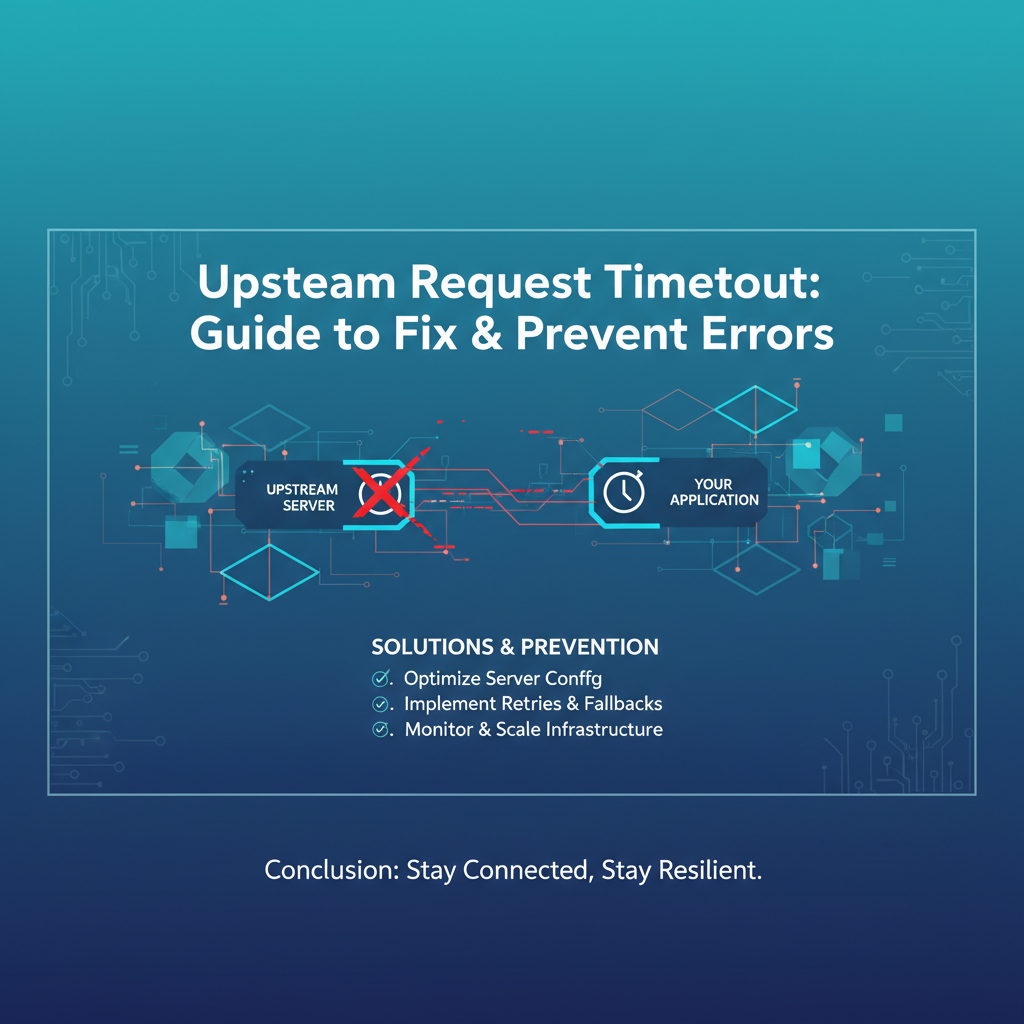
Upstream Request Timeout: Guide to Fix & Prevent Errors


In the intricate tapestry of modern distributed systems, API communication serves as the vital circulatory system, enabling disparate services to interact, share data, and collectively deliver value to users. From mobile applications querying backend services to microservices communicating within a complex cloud native architecture, the reliability and performance of these interactions are paramount. At the heart of this complex interplay often sits an API gateway, acting as the traffic cop, managing, securing, and routing requests to various upstream services. However, even with the most sophisticated architectures, a common and often frustrating issue arises: the upstream request timeout.
An upstream request timeout occurs when a service, typically an API gateway, sends a request to another service (the "upstream" service) and does not receive a response within a predefined period. This seemingly simple failure mechanism can unravel the stability of an entire system, leading to poor user experiences, cascading failures, and significant operational headaches. It's a clear signal that something in the chain of command, from network latency to an overwhelmed backend, is not performing as expected. Understanding, diagnosing, and effectively mitigating these timeouts is not merely a technical challenge but a critical aspect of ensuring the resilience and trustworthiness of any application reliant on interconnected services.
This comprehensive guide will delve deep into the anatomy of upstream request timeouts. We will explore their root causes, dissect their far-reaching implications, and equip you with a robust arsenal of diagnostic tools and preventative strategies. From granular service optimization to leveraging the advanced capabilities of an API gateway, our goal is to empower developers, SREs, and architects to not only fix existing timeout issues but to build systems inherently resilient to them, ensuring seamless and efficient API interactions across the board.
1. Understanding Upstream Request Timeouts
To effectively combat upstream request timeouts, we must first establish a clear understanding of what constitutes an "upstream request" and how timeouts manifest in this context. The journey of a request in a typical distributed system often involves multiple hops, and each hop introduces potential points of failure, including the dreaded timeout.
1.1 What is an Upstream Request? The Role of the API Gateway
In a microservices architecture or any system utilizing a proxy pattern, the term "upstream request" refers to a request initiated by an intermediary service to a target backend service. Imagine a client application (e.g., a web browser or a mobile app) that wants to fetch user data. Instead of directly calling the "User Service," it first sends its request to an API gateway.
The API gateway acts as a single entry point for all client requests, offering a unified interface to various backend services. Its responsibilities are manifold: routing requests to the appropriate microservice, applying policies like authentication, authorization, rate limiting, and caching, and often transforming requests and responses. When the API gateway receives the client's request for user data, it then acts as a "client" to the actual "User Service," sending an "upstream request" to retrieve the data. The "User Service" is therefore the "upstream service" in this interaction. This pattern provides immense benefits in terms of security, manageability, and complexity abstraction, but it also introduces an additional layer where timeouts can occur. The health and responsiveness of these upstream services are critical to the overall performance observed by the end-user.
1.2 Defining Timeouts: More Than Just Waiting
A timeout, at its core, is a predetermined duration that a system waits for a certain event to complete before it gives up. In the context of upstream requests, this means the API gateway (or any calling service) has a configured maximum amount of time it will wait for the upstream service to send back a response. If that duration elapses without a successful response, the connection is typically terminated, and an error is returned.
It's crucial to differentiate between various types of timeouts, as their symptoms and remedies can vary:
- Connection Timeout: This occurs when the calling service (e.g., the API gateway) attempts to establish a connection with the upstream service but fails to do so within the specified time. This often points to network connectivity issues, an unavailable upstream service (e.g., down, port not listening), or firewall problems preventing the initial handshake.
- Read Timeout (or Socket Timeout): Once a connection is established, the read timeout specifies how long the calling service will wait to read data from the upstream service's response stream. If the upstream service is slow to generate the response, or if the network experiences severe latency after the connection is made, a read timeout can occur. This is often indicative of the upstream service taking too long to process the request or send its data.
- Write Timeout: Less common in typical request-response cycles but relevant for streaming data or large payloads, a write timeout occurs if the calling service takes too long to write its entire request body to the upstream service. This could be due to network congestion or the upstream service being slow to accept the incoming data.
- Gateway Timeout (HTTP 504): This is the most common HTTP status code returned by an API gateway when an upstream request times out. It explicitly signals that the gateway did not receive a timely response from the backend server it needed to fulfill the request.
- Service Unavailable (HTTP 503): While not exclusively a timeout, this can sometimes be a symptom of persistent upstream timeouts, leading the gateway or load balancer to mark the upstream service as unhealthy, thus returning a 503 error to clients.
The distinction between these timeouts is vital for diagnosis. A connection timeout suggests an infrastructure or availability problem, whereas a read timeout typically points to performance issues within the upstream application itself or severe network degradation during data transfer.
1.3 Why Do Upstream Request Timeouts Occur? Unpacking the Root Causes
Upstream request timeouts are rarely due to a single, isolated factor. They are often a symptom of underlying systemic issues, ranging from network infrastructure problems to application-level performance bottlenecks. Understanding these diverse causes is the first step towards effective remediation.
- Network Latency or Instability: The physical or virtual network connecting the API gateway to the upstream service is a critical component. High latency, packet loss, or intermittent network instability can significantly delay requests and responses, causing timeouts. This can be due to overloaded network hardware, misconfigured routing, or even transient cloud provider issues. If the network path is long or traverses unreliable segments, the chances of a timeout increase.
- Upstream Service Overload or Bottleneck: This is perhaps the most common culprit. When an upstream service receives more requests than it can handle, its processing queues can swell, leading to requests backing up and taking an unacceptably long time to process. This overload can stem from:
- CPU Exhaustion: The service instances simply don't have enough processing power to handle the concurrent workload.
- Memory Pressure: Excessive memory usage can lead to frequent garbage collection pauses, slowing down application threads.
- Disk I/O Bottlenecks: Services that frequently read from or write to disk can be throttled if the underlying storage is slow or overloaded.
- Database Bottlenecks: Many applications are database-bound. Slow queries, insufficient connection pools, deadlocks, or an overloaded database server can severely impact the upstream service's ability to respond quickly.
- Thread Pool Exhaustion: Application servers often use thread pools to handle concurrent requests. If all threads are busy with long-running tasks, new requests will queue up and eventually time out.
- Slow or Complex Business Logic in Upstream Service: Sometimes, the upstream service is simply designed to perform a computationally intensive or data-intensive operation that inherently takes a long time. If this processing exceeds the configured timeout, even under normal load, a timeout will occur. Examples include complex financial calculations, large data aggregations, or extensive report generation.
- Misconfigured Timeouts on Gateway or Upstream: Timeout values are critical configuration parameters. If the API gateway has a very aggressive timeout (e.g., 5 seconds), but the upstream service is legitimately designed to sometimes take 10 seconds for certain operations, timeouts are inevitable. Conversely, if the upstream service's internal processes have extremely long or non-existent timeouts for its own dependencies, it might hang indefinitely, leading to the API gateway timing out first.
- Deadlocks or Infinite Loops in Upstream Application: Software bugs can lead to situations where an application thread gets stuck in a deadlock (waiting for a resource held by another thread, which in turn is waiting for a resource held by the first) or an infinite loop. In such cases, the service stops responding to new requests on that thread, eventually leading to a timeout for the caller.
- External Service Dependencies Causing Cascading Failures: Modern services rarely operate in isolation. They often depend on other internal or external services (e.g., third-party payment APIs, caching layers, identity providers). If a dependency itself experiences latency or failures, the upstream service waiting for its response will slow down, potentially exceeding its own processing time and causing the API gateway to time out. This is a classic example of how failures can cascade through a distributed system.
- Resource Leaks: Bugs in application code can lead to resource leaks, such as unclosed database connections, open file handles, or growing memory usage. Over time, these leaks can degrade service performance and ultimately lead to unresponsiveness and timeouts.
Understanding these underlying causes is paramount. Without correctly identifying the root cause, any attempt at a fix will likely be a band-aid solution, offering only temporary relief before the problem resurfaces.
2. The Ramifications of Upstream Request Timeouts
The impact of upstream request timeouts extends far beyond a simple error message. These failures can ripple through an entire ecosystem, affecting user experience, system stability, data integrity, and ultimately, business operations. Ignoring or simply trying to suppress timeout errors is a perilous strategy that can lead to significant long-term damage.
2.1 User Experience Degradation: The Face of Failure
For the end-user, an upstream request timeout often manifests as a slow-loading page, a spinning loader icon that never resolves, or a generic error message (e.g., "Request failed," "Something went wrong," or directly an HTTP 504 Gateway Timeout). This directly translates to a frustrating and dissatisfying experience.
- Slow Responses: Even if a request eventually succeeds after a retry, the initial delay caused by the timeout makes the application feel sluggish and unresponsive. Users expect immediate feedback, and even a few seconds of extra waiting can lead to annoyance.
- Failed Requests: When a timeout occurs, the original request often fails. This means the user's action (e.g., submitting an order, posting a comment, fetching data) was not completed. They might lose unsaved work, be forced to re-enter information, or simply abandon the interaction entirely.
- Perception of Unreliability: Repeated timeouts erode user trust. If an application consistently fails to perform basic operations, users will perceive it as unreliable and may seek alternative services or products. This is especially damaging for critical business functions like e-commerce transactions or financial services.
- Increased Support Burden: Frustrated users often turn to customer support. A high volume of timeout-related inquiries can overwhelm support teams, increasing operational costs and diverting resources from other important tasks.
2.2 System Instability: The Domino Effect
Timeouts are not isolated events; they can be harbingers of broader system instability, triggering a chain reaction that degrades the performance and availability of other services.
- Cascading Failures: When an upstream service times out, the API gateway might be configured to retry the request. If the upstream service is already struggling, these retries can exacerbate the problem, adding more load and pushing it further into an overloaded state. Furthermore, other services that depend on the failing upstream service might also start to experience timeouts or errors, leading to a "domino effect" across the entire system. A single slow service can bring down a whole microservices architecture.
- Resource Exhaustion on Gateway and Upstream: If an API gateway is constantly waiting for timed-out requests, it holds open connections and allocates resources (CPU, memory, network sockets) for those requests. If many requests time out concurrently, the gateway itself can become resource-starved, impacting its ability to process other, healthy requests. Similarly, the failing upstream service might exhaust its own resources (e.g., database connections, thread pools) trying to process the original slow requests, making it even less responsive.
- Service Degradation: Beyond outright failures, timeouts contribute to overall service degradation. Latency increases across the board, throughput decreases, and the system operates far below its optimal performance, even for requests that eventually succeed. This can push other services to their limits, triggering further issues.
2.3 Data Inconsistency: The Hidden Danger
One of the more insidious consequences of timeouts is the potential for data inconsistency, which can be challenging to detect and rectify.
- Partial Updates: Imagine a multi-step transaction where an update is partially committed to a database before the upstream service times out while attempting to commit the remaining changes. The calling service (e.g., API gateway) might assume the entire operation failed and instruct the client to retry, but the database now holds an inconsistent state.
- Retries Leading to Duplicate Operations: If a client or gateway retries a timed-out request without knowing the original request's actual status, it could lead to duplicate actions. For instance, a payment API call that times out might have actually processed the payment on the bank's side. A retry would then charge the customer twice, creating significant customer dissatisfaction and requiring manual reconciliation. This underscores the importance of designing APIs with idempotency in mind, where repeated identical requests have the same effect as a single request.
- Out-of-Sync Data: If a system relies on data synchronization between multiple services, and one of these synchronization APIs consistently times out, the data across different services can become out of sync, leading to incorrect business decisions or operational errors.
2.4 Business Impact: Beyond the Technical
Ultimately, the technical issues caused by upstream request timeouts translate directly into tangible business consequences.
- Lost Revenue: For e-commerce platforms or services where transactions are key, timeouts directly equate to lost sales. If users cannot complete purchases, revenue is lost.
- Damaged Reputation and Brand Trust: Consistent outages and poor performance can severely damage a company's reputation. In today's interconnected world, negative experiences spread rapidly through social media and review platforms, impacting brand loyalty and customer acquisition.
- Operational Overhead: Diagnosing, troubleshooting, and recovering from timeout incidents consume significant time and resources from engineering, operations, and support teams. This diverts valuable personnel from developing new features or strategic initiatives.
- SLA Violations: For businesses that offer Service Level Agreements (SLAs) to their customers or partners, frequent timeouts can lead to non-compliance, resulting in financial penalties and strained relationships.
2.5 Monitoring and Alerting Challenges: The Blind Spots
Timeouts also pose challenges for effective monitoring and alerting strategies.
- Misleading Metrics: A simple "error rate" metric might not distinguish between network errors, application errors, or timeouts. This lack of granularity can make it difficult to pinpoint the exact nature of the problem. Similarly, average response time metrics can be skewed by timed-out requests, making it seem like the service is faster than it actually is for successful requests.
- Alert Fatigue: If timeout alerts are not properly configured or if the underlying issues are not addressed, teams can become desensitized to a constant barrage of notifications. This "alert fatigue" can lead to genuine, critical issues being overlooked.
- Difficulty in Correlation: Pinpointing which specific upstream service is causing the timeout when a request traverses multiple services requires sophisticated tracing and logging, which is often not fully implemented in systems until after they face significant problems.
In summary, upstream request timeouts are not just technical glitches; they are critical indicators of systemic weaknesses that can lead to severe operational, financial, and reputational damage. Proactive strategies for diagnosis, remediation, and prevention are indispensable for maintaining a healthy and resilient distributed system.
3. Diagnosing Upstream Request Timeouts
When an upstream request timeout strikes, the ability to quickly and accurately diagnose the root cause is paramount. Without a systematic approach and the right tools, troubleshooting can quickly become a frustrating and time-consuming process of guesswork. Effective diagnosis relies on gathering comprehensive information and utilizing a suite of observability tools.
3.1 Gathering Information: The Forensic Approach
Before diving into tools, the first step is to collect as much contextual information about the incident as possible. This acts like a forensic investigation, providing crucial clues.
- Error Messages and Status Codes: The most immediate piece of evidence is the error message received by the client or recorded by the API gateway. An HTTP 504 Gateway Timeout is a clear signal of an upstream timeout. However, also look for any accompanying error descriptions that might provide more detail (e.g., "upstream connection timed out," "read timeout from upstream").
- Request IDs and Timestamps: Modern distributed systems should implement request tracing with unique identifiers (e.g.,
X-Request-ID). This ID allows you to correlate logs across multiple services involved in handling a single request. The timestamp of the timeout is equally important, helping you narrow down log searches and correlate with other system events. - Client Information: Knowing the client's IP address, user agent, or any other client-specific identifiers can help determine if the issue is widespread or isolated to a specific client or type of client.
- Target Upstream Service: Crucially, identify which specific upstream service and potentially which endpoint within that service was being called when the timeout occurred. This narrows down the scope of your investigation significantly.
- Frequency and Pattern: Is the timeout sporadic or consistent? Does it occur only during peak hours, after a new deployment, or for specific types of requests? Patterns can reveal underlying causes (e.g., load-related issues, recent code changes).
3.2 Tools and Techniques: Your Diagnostic Toolkit
With the initial information in hand, it's time to leverage specialized tools designed for observing and analyzing distributed systems.
- Monitoring Systems (Metrics Collection):
- Purpose: To continuously collect and visualize key performance indicators (KPIs) and resource utilization across your infrastructure and applications. Tools like Prometheus, Grafana, Datadog, New Relic, or Dynatrace are indispensable.
- Key Metrics to Examine:
- API Gateway Metrics:
- Request Duration/Latency: Specifically, look at the 95th or 99th percentile latency for requests forwarded to the problematic upstream service. A sudden spike indicates a slowdown.
- Error Rates: An increase in 504 or 503 errors from the gateway.
- Upstream Connection/Read Timeouts: Many gateways explicitly expose metrics for these types of timeouts.
- Active Connections/Requests: High numbers might indicate backlog.
- Upstream Service Metrics:
- CPU Utilization: Sustained high CPU (e.g., >80-90%) is a strong indicator of an overloaded service.
- Memory Usage: Spikes or constant high memory can lead to excessive garbage collection, impacting performance.
- Network I/O: High inbound/outbound traffic might indicate data transfer bottlenecks or network saturation.
- Disk I/O: For services interacting with local storage, high read/write operations or latency can be a bottleneck.
- Thread Pool Utilization: If all application threads are consistently busy, new requests will queue up.
- Database Connection Pool Metrics: Low available connections, high usage, or increased wait times for connections.
- Garbage Collection Activity: Frequent or long GC pauses can stall application execution.
- API Gateway Metrics:
- Action: Correlate spikes in gateway timeouts with resource utilization or performance degradation in the target upstream service at the same timestamp.
- Distributed Tracing:
- Purpose: To visualize the end-to-end journey of a single request as it propagates through multiple services, queues, and databases. Tools like Jaeger, Zipkin, OpenTelemetry, or commercial offerings integrated with APMs (Application Performance Monitoring) are crucial.
- How it Helps: When a timeout occurs, distributed tracing allows you to see exactly which "span" (an operation within a service) took an excessively long time. You can identify the specific service, the internal method call, or even the database query that was the bottleneck. This provides a granular view that simple metrics cannot offer.
- Action: Search for the request ID associated with the timeout and analyze its trace. Look for spans with abnormally long durations, especially those belonging to the upstream service that timed out.
- Logging:
- Purpose: To capture detailed, event-based information from your applications and infrastructure. Centralized log management systems like the ELK stack (Elasticsearch, Logstash, Kibana), Splunk, Graylog, or cloud-native solutions (CloudWatch Logs, Azure Monitor Logs, Google Cloud Logging) are essential.
- Key Logs to Examine:
- API Gateway Logs: Look for error messages (504s), upstream service addresses, and the duration the gateway waited before timing out. Correlate with request IDs.
- Upstream Service Application Logs: Search for specific error messages, stack traces, warnings about slow operations (e.g., "query took > 500ms"), resource warnings (e.g., "thread pool exhausted"), or any unusual activity around the timeout timestamp. Pay attention to application-level errors or exceptions that might precede a slowdown.
- Database Logs: If the upstream service interacts with a database, examine database logs for slow queries, deadlocks, or connection issues occurring at the time of the timeout.
- Action: Filter logs by timestamp and request ID. Look for patterns or specific error messages that indicate a struggle within the upstream service leading up to the timeout.
- Network Diagnostics:
- Purpose: To diagnose connectivity and latency issues between the API gateway and the upstream service.
- Tools:
ping: Checks basic network reachability and round-trip time.traceroute/tracert: Maps the network path and identifies potential bottlenecks or high-latency hops.MTR(My Traceroute): Combinespingandtraceroutefor continuous network path monitoring, revealing packet loss and latency at each hop.tcpdump/Wireshark: For deep packet inspection. Can reveal if packets are being sent but not acknowledged, or if there's an application-level delay in sending the response.
- Action: If network metrics from your monitoring system suggest high latency, use these tools to directly test connectivity from the API gateway server (or a similar location) to the upstream service server.
- Load Testing / Performance Testing:
- Purpose: To proactively simulate various traffic loads and identify the breaking points and performance characteristics of your services under stress.
- Tools: JMeter, k6, Locust, Gatling, or commercial tools.
- Action: Replicate the timeout scenario by gradually increasing load on the upstream service. Monitor metrics and logs during the test to see where the service starts to degrade and eventually time out. This helps in confirming the root cause, especially if it's load-related.
3.3 Step-by-Step Troubleshooting Guide
Here's a practical, ordered approach to diagnosing an upstream request timeout:
- Verify the Error: Confirm it's an HTTP 504 Gateway Timeout or an equivalent error indicating an upstream timeout. Note the exact time and any request IDs.
- Check API Gateway Logs: Search API gateway logs for the specific request ID and timestamp. Confirm the upstream service it was trying to reach and look for explicit timeout messages.
- Monitor Upstream Service Health: Immediately check the monitoring dashboards for the suspected upstream service. Look for spikes in CPU, memory, disk I/O, network I/O, or thread pool utilization around the timeout time.
- Analyze Upstream Service Logs: Dive into the upstream service's application logs. Filter by the request ID (if available) and time. Look for:
- Slow query warnings or errors.
- Long-running task indications.
- External dependency call failures or timeouts within the upstream service itself.
- Resource warnings (e.g., "database connection pool exhausted").
- Application-level errors or exceptions that might block processing.
- Examine Distributed Traces: If tracing is enabled, find the trace for the failed request. Identify the span within the upstream service that took an excessive amount of time. This often pinpoints the exact function or database call that caused the delay.
- Verify Network Connectivity: If upstream service metrics appear healthy but timeouts persist, perform network diagnostics (ping, traceroute) from the API gateway to the upstream service to rule out network issues.
- Review Configuration: Double-check the timeout configurations on both the API gateway and the upstream service for the specific endpoint. Ensure they are consistent and reasonable for the expected workload.
By systematically following these steps and leveraging the appropriate tools, you can transform the daunting task of diagnosing upstream request timeouts into an efficient and effective process, leading to quicker resolution and a deeper understanding of your system's behavior.
4. Strategies to Fix Existing Upstream Request Timeouts
Once the root cause of an upstream request timeout has been identified through diligent diagnosis, the next critical step is to implement effective solutions. These solutions can range from immediate, temporary fixes to more comprehensive, long-term architectural and code optimizations. It’s important to distinguish between these, as a temporary fix should never be mistaken for a permanent resolution.
4.1 Immediate Actions: Temporary Relief and Crisis Management
When a system is actively experiencing timeouts, the priority is to alleviate the immediate pain and restore service stability. These actions are often quick to implement but may not address the underlying problem.
- Increase Timeout Values (Cautiously): The simplest and often first instinct is to increase the timeout configuration on the API gateway or the calling service. For instance, if the timeout is 30 seconds and the upstream service occasionally takes 35 seconds, bumping it to 60 seconds might provide temporary relief.
- Caution: This is rarely a solution and often just masks the symptom. Indiscriminate timeout increases can lead to clients waiting for excessively long periods, consuming resources on the gateway (and upstream service) for requests that might never complete, and delaying the detection of actual performance issues. It should only be considered a very temporary measure, strictly accompanied by an investigation to find the true bottleneck.
- Restart Services: For transient issues such as memory leaks, thread lock-ups, or temporary resource contention that isn't immediately obvious, restarting the problematic upstream service (or even the API gateway if it's resource-bound) can sometimes clear the state and bring it back to a healthy operating condition.
- Caution: This is a blunt instrument. It might interrupt ongoing legitimate requests and doesn't solve the underlying problem. It's often a last resort or a tactic to buy time while a deeper investigation or fix is prepared.
- Rollback Deployments: If the timeouts started shortly after a new code deployment to the upstream service, rolling back to the previous stable version is often the quickest way to restore service. This strongly suggests a regression or performance bug introduced in the new code.
- Best Practice: Have robust CI/CD pipelines that enable quick, automated rollbacks.
- Traffic Shifting / Load Shedding: If a specific upstream service instance is failing or degrading, some API gateways and load balancers allow for traffic shifting (directing requests away from the unhealthy instance). In extreme cases of overwhelming load, load shedding (selectively rejecting some requests) might be necessary to protect the core service functionality and prevent a total collapse.
- Consideration: Load shedding means some users will be explicitly denied service, but it can prevent the outage from impacting all users.
4.2 Long-Term Solutions: Addressing the Root Causes
True and lasting fixes require addressing the fundamental reasons why the upstream service is slow or unresponsive. These solutions often involve code optimization, infrastructure scaling, and architectural improvements.
- Optimize Upstream Service Code: This is often where the most significant gains can be made, especially if the root cause points to inefficient application logic.
- Database Query Optimization:
- Indexing: Ensure appropriate indexes are in place for frequently queried columns. Missing or inefficient indexes are a common cause of slow database operations.
- Efficient Joins: Refactor queries to use more efficient join types and avoid N+1 query problems, where a loop makes
Nadditional queries for each item in a result set. - Query Profiling: Use database tools to profile slow queries and identify bottlenecks.
- Batching Operations: Instead of making many small database calls, batch updates or inserts into single, larger operations.
- Algorithm Efficiency: Review computationally intensive parts of the code. Can a more efficient algorithm be used (e.g., O(log n) instead of O(n^2))?
- Caching Strategies:
- In-Memory Caching: For frequently accessed, relatively static data, an in-memory cache (e.g., Caffeine in Java, LRU cache in Python) can dramatically reduce the need to hit the database or external services.
- Distributed Caching: For shared state across multiple service instances, use distributed caches like Redis or Memcached. This reduces load on the primary data store and provides faster data retrieval. Cache invalidation strategies are key here.
- Asynchronous Processing for Long-Running Tasks:
- If an API request involves a task that takes a significant amount of time (e.g., generating a complex report, processing a large file, sending multiple notifications), consider offloading it to an asynchronous processing system.
- Use message queues (e.g., Kafka, RabbitMQ, SQS) to decouple the request-response cycle. The upstream service can quickly acknowledge the request and place the long-running task on a queue, returning an immediate "202 Accepted" response to the API gateway. A separate worker service then processes the task asynchronously. The client can later query for the status of the task.
- Externalizing Heavy Computations: For extremely heavy tasks, consider dedicated microservices or serverless functions (e.g., AWS Lambda, Azure Functions) that are optimized and scaled independently for these specific workloads.
- Database Query Optimization:
- Resource Scaling: If the upstream service is consistently hitting resource limits, scaling is necessary.
- Vertical Scaling: Upgrade the existing instances with more CPU, memory, or faster disk I/O. This is often simpler but has limits and can be more expensive.
- Horizontal Scaling: Add more instances of the upstream service. This distributes the load across multiple machines, increasing overall capacity and resilience. Requires stateless services and proper load balancing.
- Auto-Scaling: Implement automatic scaling based on load metrics (e.g., CPU utilization, request queue length). Cloud providers offer robust auto-scaling groups that can dynamically adjust the number of service instances.
- Database Optimization: Beyond query optimization, the database itself might need tuning.
- Connection Pooling: Ensure application connection pools are configured optimally, neither too small (causing connection contention) nor too large (overwhelming the database).
- Database Sharding/Replication: For very high-volume databases, consider sharding (splitting data across multiple database instances) or read replicas (for scaling read-heavy workloads).
- Database Server Tuning: Optimize database server configurations (e.g., buffer sizes, query cache settings).
- Network Infrastructure Improvements: If network latency or instability is the root cause.
- Bandwidth Upgrades: Ensure there's sufficient network bandwidth between the API gateway and upstream services.
- Latency Reduction: Co-locate services where possible (e.g., in the same availability zone or even subnet) to minimize network hops. Use high-performance network hardware.
- Reliability Enhancements: Implement redundant network paths or utilize services from cloud providers designed for high network availability.
- Refined Timeout Configuration: Once performance is optimized, revisit timeout settings with a more informed perspective.
- Granular Timeouts: Instead of a single, global timeout, configure different timeouts for different API endpoints based on their expected processing times. A simple
GET /usersendpoint might have a 5-second timeout, while a complexPOST /reports/generatemight have a 60-second timeout (assuming asynchronous processing is not feasible). - Layered Timeouts: Implement timeouts at multiple layers: client-side, API gateway, internal service-to-service calls, and database drivers. Ensure these are consistent and cascade logically. For instance, the client timeout should be slightly longer than the gateway timeout, which should be slightly longer than the upstream service's internal processing time. This ensures that the outer layer times out gracefully rather than waiting indefinitely.
- Granular Timeouts: Instead of a single, global timeout, configure different timeouts for different API endpoints based on their expected processing times. A simple
By combining these immediate actions for crisis management with robust, long-term solutions that address the core performance bottlenecks, organizations can significantly reduce the occurrence of upstream request timeouts and build a more resilient and responsive system.
APIPark is a high-performance AI gateway that allows you to securely access the most comprehensive LLM APIs globally on the APIPark platform, including OpenAI, Anthropic, Mistral, Llama2, Google Gemini, and more.Try APIPark now! 👇👇👇
5. Preventing Upstream Request Timeouts: Best Practices
Preventing upstream request timeouts is a proactive endeavor that requires a holistic approach encompassing robust API gateway management, diligent service design, rigorous testing, comprehensive observability, and disciplined operational practices. It's about building resilience into the system from the ground up rather than merely reacting to failures.
5.1 Robust API Gateway Management
The API gateway is a critical control point for managing upstream requests. Its features can be leveraged extensively to prevent timeouts and enhance overall system stability.
- Centralized Timeout Configuration: While granular timeouts are important, managing them effectively requires a centralized system. An API gateway should provide a mechanism to configure, modify, and apply timeouts consistently across various upstream services and specific API endpoints. This prevents inconsistencies and simplifies management.
- Circuit Breaker Patterns: This is one of the most powerful patterns for preventing cascading failures. A circuit breaker monitors calls to an upstream service. If the error rate or latency for that service exceeds a predefined threshold, the circuit "trips" open. Subsequent requests to that service are immediately rejected by the API gateway without even attempting to call the unhealthy upstream. After a configurable "sleep window," the circuit enters a "half-open" state, allowing a few test requests to pass through. If these succeed, the circuit closes; otherwise, it opens again.
- Benefits: Prevents overwhelming an already struggling service, allowing it to recover. Reduces latency for clients by failing fast instead of waiting for a timeout.
- Implementation: Libraries like Hystrix (Java), Resilience4j (Java), or built-in features of gateways like Nginx with OpenResty, Kong, or Spring Cloud Gateway provide circuit breaker capabilities.
- Rate Limiting: To prevent an upstream service from being overwhelmed by an excessive number of requests, the API gateway can enforce rate limits. This means only a certain number of requests (e.g., 100 requests per second per user, or 1000 requests per minute globally) are allowed to pass to the upstream service. Excess requests are rejected with an HTTP 429 Too Many Requests status code.
- Benefits: Protects backend services from abuse, accidental overloading, and denial-of-service attacks. Ensures fair usage of resources.
- Load Balancing: The API gateway typically includes load balancing capabilities to distribute incoming requests evenly across multiple healthy instances of an upstream service. This prevents any single instance from becoming a bottleneck and improves overall throughput.
- Strategies: Round-robin, least connections, weighted least connections, IP hash.
- Health Checks: Load balancers and API gateways regularly perform health checks on upstream service instances. If an instance fails a health check (e.g., doesn't respond to a ping, or a specific
/healthendpoint returns an error), it is temporarily removed from the pool of available instances, preventing traffic from being sent to it. This is crucial for avoiding timeouts due to unhealthy instances. - API Management Platforms: For organizations managing numerous APIs, a comprehensive API management platform can provide all these gateway features and more in a unified, manageable way. These platforms abstract away the complexity of implementing circuit breakers, rate limiting, and sophisticated routing. For example, a robust platform like APIPark offers an open-source AI gateway and API management platform that simplifies the entire API lifecycle. It can manage traffic forwarding, load balancing, and versioning, ensuring robust API governance and performance. By providing capabilities like end-to-end API lifecycle management and detailed API call logging, APIPark helps to prevent timeout-related errors by offering granular control and deep insights into API performance and behavior.
5.2 Service Design Principles
How individual services are designed plays a huge role in their resilience to timeouts.
- Idempotency: Design APIs to be idempotent where possible. An idempotent operation produces the same result whether it's called once or multiple times. This is crucial for retries: if a request times out, and the client retries, an idempotent API ensures that the retry doesn't cause unintended side effects (e.g., double charging a customer).
- Bounded Contexts: In microservices, services should have clear, well-defined responsibilities and minimal dependencies on each other. This reduces the blast radius of failures; a problem in one service is less likely to affect others.
- Stateless Services: Design services to be stateless whenever possible. This makes horizontal scaling much simpler and allows any instance to handle any request, improving resilience.
- Bulkhead Pattern: Isolate components within a service or between services to prevent a failure in one from consuming all resources and affecting others. For example, using separate thread pools for different types of database calls or external API calls.
- Graceful Degradation: Design your application to provide partial functionality or a degraded experience when certain dependencies are unavailable or slow, rather than failing entirely. For example, if a recommendation engine is slow, simply don't show recommendations rather than failing the entire product page load.
5.3 Development and Testing
Proactive testing is indispensable for identifying potential timeout issues before they impact production.
- Performance Testing (Load, Stress, Endurance):
- Load Testing: Simulate expected production load to ensure services can handle it within acceptable response times.
- Stress Testing: Push services beyond their normal operating limits to find their breaking points and observe how they behave under extreme stress. This helps identify where timeouts begin to occur.
- Endurance Testing: Run tests for extended periods to detect resource leaks, memory exhaustion, or performance degradation over time.
- Integration Testing: Verify that APIs interact correctly with their dependencies (databases, other microservices, external APIs) under various load conditions.
- Unit Testing: While not directly for timeouts, well-written unit tests for individual components ensure the correctness and efficiency of core logic, reducing the chances of performance bugs.
- Chaos Engineering: Proactively inject failures (e.g., introduce network latency, kill service instances, exhaust CPU) into your system in a controlled environment to observe how it responds. This helps uncover weaknesses and validate your circuit breakers, retry mechanisms, and recovery procedures, preparing you for real-world outages.
5.4 Observability
You can't fix what you can't see. Comprehensive observability is the bedrock of preventing and quickly resolving timeouts.
- Comprehensive Monitoring: Implement detailed monitoring for every service. Track not just overall request latency and error rates but also specific metrics like:
- Latency of calls to internal dependencies.
- Queue lengths.
- Database connection pool usage.
- Garbage collection pauses.
- Resource utilization (CPU, memory, disk, network) for all service instances.
- Centralized Logging: Ensure all services emit structured logs with correlation IDs for every request. Use a centralized logging system to aggregate, search, and analyze logs efficiently. Detailed logs are crucial for identifying the specific code paths or external calls that lead to timeouts.
- Distributed Tracing: As discussed in diagnosis, distributed tracing provides end-to-end visibility of requests. It is a powerful preventative tool, allowing developers to identify and optimize slow operations before they manifest as production timeouts. Regularly review traces for slow paths.
- Effective Alerting: Configure alerts with appropriate thresholds for key metrics related to performance and error rates (e.g., 99th percentile latency exceeding X ms, 504 error rate exceeding Y%). Implement on-call rotations and ensure alerts are actionable and routed to the right teams, preventing alert fatigue by focusing on critical issues.
5.5 Deployment and Operations
Operational practices and deployment strategies significantly influence the stability and resilience of services.
- Continuous Integration/Continuous Deployment (CI/CD): Automate the build, test, and deployment process. This reduces human error, ensures that all code changes go through rigorous testing, and enables faster, more frequent, and safer deployments. Automated testing, including performance tests, should be part of the CI/CD pipeline.
- Blue/Green or Canary Deployments: Minimize the risk of introducing timeout-causing bugs into production.
- Blue/Green: Deploy a new version (Green) alongside the old (Blue). Once tested, shift all traffic to Green. If issues arise, traffic can be instantly rolled back to Blue.
- Canary Deployments: Gradually roll out a new version to a small subset of users (canary). Monitor its performance and error rates. If stable, gradually increase traffic to the new version. If problems occur, roll back or fix the canary.
- Runbook Automation: Document common troubleshooting steps for various timeout scenarios. Where possible, automate these steps into runbooks that can be executed quickly by operations teams, reducing the mean time to recovery (MTTR).
- Capacity Planning: Regularly review service growth and projected load increases. Perform capacity planning to ensure infrastructure can handle future demand, preventing resource exhaustion and timeouts.
- Regular Code Reviews: Peer code reviews can catch potential performance pitfalls or inefficient designs before they are deployed.
By embedding these best practices throughout the entire software development lifecycle, from initial design and development through testing, deployment, and ongoing operations, organizations can significantly reduce the likelihood and impact of upstream request timeouts, ensuring a more resilient and performant API ecosystem.
6. Advanced Concepts and Considerations
While the foundational strategies for fixing and preventing timeouts are crucial, a deeper dive into advanced concepts can further harden systems against these common failures, especially in complex, large-scale, or highly distributed environments.
6.1 Timeouts in a Serverless/FaaS Environment
Serverless functions (Function as a Service, FaaS, like AWS Lambda, Azure Functions, Google Cloud Functions) introduce a different dynamic to timeouts. While they abstract away infrastructure management, developers must still contend with timeout configurations, but often at the function level and typically enforced by the FaaS platform itself.
- Platform-Enforced Timeouts: FaaS platforms usually impose a maximum execution duration for functions (e.g., 15 minutes for AWS Lambda). If a function exceeds this, it's forcibly terminated, leading to a timeout for the caller. This requires developers to design functions to be efficient and to offload long-running tasks.
- Statelessness and Cold Starts: While inherently stateless, serverless functions can suffer from "cold starts" where the initial invocation takes longer due to environment setup. This initial latency might push some requests over the edge, causing timeouts if the client or invoking service has a tight timeout.
- Integration Timeouts: When a serverless function interacts with other AWS services (DynamoDB, SQS, S3, external APIs), those integrations also have their own timeouts. It's vital to configure the function's internal HTTP client (if making external calls) with appropriate timeouts that are less than the function's overall timeout to allow for error handling and retries within the function itself.
- Asynchronous Patterns: Many serverless patterns inherently favor asynchronous processing (e.g., Lambda invoked by SQS, or event-driven architectures). This naturally mitigates synchronous timeouts, as the initial invocation can quickly queue a message and return, with the actual processing happening independently.
6.2 Asynchronous Communication and Event-Driven Architectures
One of the most effective architectural patterns for mitigating synchronous upstream request timeouts is to shift towards asynchronous communication and event-driven architectures.
- Decoupling Services: Instead of a direct synchronous API call, services communicate by publishing events to a message broker (e.g., Kafka, RabbitMQ, SQS) and consuming events from it.
- Benefits:
- Improved Responsiveness: The calling service doesn't have to wait for the processing to complete. It can publish an event and immediately return a success status (e.g., "202 Accepted") to its client.
- Enhanced Resilience: If the consuming service is temporarily down or overloaded, the events persist in the queue and can be processed once the service recovers. This prevents direct timeouts and cascading failures.
- Scalability: Producers and consumers can scale independently, allowing for more efficient resource utilization.
- Considerations: Introduces eventual consistency, which needs to be managed. Debugging event flows can be more complex than synchronous request-response cycles.
6.3 Retries with Exponential Backoff and Jitter
Intelligent retry mechanisms are critical for handling transient timeouts without overwhelming the upstream service. Simply retrying immediately can exacerbate the problem.
- Exponential Backoff: Instead of retrying immediately after a failure, wait for an increasingly longer period between successive retries (e.g., 1 second, then 2 seconds, then 4 seconds, etc.). This gives the struggling upstream service time to recover.
- Jitter: Add a random component to the backoff delay. If all clients retry at exactly the same exponential interval, they can create a "thundering herd" problem, where a sudden surge of retries hits the service simultaneously. Jitter helps to spread out these retries, preventing synchronized re-overloads.
- Max Retries and Max Delay: Always set a maximum number of retries and a maximum total delay to prevent indefinite retrying, which consumes resources and can lead to very long waits for the client.
- Idempotency is Key: Retries are only safe for idempotent operations or if the system can reliably determine if the original request completed successfully despite the timeout.
6.4 Client-Side Timeouts
While this guide focuses on upstream timeouts (between gateway and backend), it's important not to forget client-side timeouts. The client calling the API gateway should also have a well-configured timeout.
- Matching Expectations: Client timeouts should generally be slightly longer than the API gateway's overall timeout for a specific API to allow the gateway to respond with a 504. If the client times out before the gateway, the client receives a generic network error, which is less informative than a 504.
- User Experience: An excessively long client timeout can lead to frustrated users waiting indefinitely. An appropriate client timeout balances waiting for a valid response with giving up and informing the user of a failure.
6.5 Idempotency and Compensation
Beyond just making individual operations idempotent, consider how to handle failures in multi-step transactions or complex workflows where timeouts can occur.
- Idempotency Keys: For non-idempotent operations, clients can send an idempotency key with each request. The server can use this key to detect and ignore duplicate requests, even if they arrive after a timeout.
- Compensation Patterns: For long-running, multi-step business transactions, if a step fails (e.g., due to a timeout), a compensation transaction can be initiated to undo any previously committed steps. This is a complex pattern often used in Saga patterns for distributed transactions. It ensures that the overall business process remains consistent even in the face of partial failures and timeouts.
These advanced concepts represent powerful tools in the arsenal of building resilient distributed systems. By thoughtfully incorporating them alongside robust API gateway management and service optimization, organizations can construct highly available, performant, and failure-tolerant architectures that effectively mitigate the challenges posed by upstream request timeouts.
7. Conclusion
The modern digital landscape is intricately woven with the threads of API communication. In this complex web, the upstream request timeout emerges as a critical failure point, capable of unraveling user experience, destabilizing entire systems, and inflicting tangible business damage. From network congestion and overloaded backend services to inefficient code and misconfigured API gateways, the root causes are diverse and often interconnected.
Our journey through this guide has underscored the imperative of a multi-faceted approach to managing these timeouts. We began by dissecting the core concept, clarifying the role of the API gateway as an intermediary, and distinguishing between various types of timeouts. We then explored the wide-ranging ramifications, emphasizing that a timeout is rarely an isolated technical glitch but rather a symptom of deeper systemic vulnerabilities that can lead to cascading failures, data inconsistencies, and significant operational overhead.
The diagnostic phase highlighted the importance of a systematic investigation, leveraging robust monitoring systems, distributed tracing, and centralized logging to pinpoint bottlenecks. Armed with this diagnostic clarity, we then moved to actionable strategies: from immediate, albeit temporary, fixes like cautious timeout increases and service restarts, to the enduring solutions rooted in upstream service optimization, intelligent resource scaling, and refined timeout configurations.
Crucially, the focus shifted from reaction to prevention. We delved into best practices, emphasizing the pivotal role of robust API gateway features such as circuit breakers, rate limiting, and intelligent load balancing. We saw how platforms like APIPark, an open-source AI gateway and API management platform, simplify the implementation of these critical gateway functions, offering comprehensive control and observability that are essential for building resilient API ecosystems. Furthermore, we explored the impact of diligent service design principles, rigorous testing methodologies (including performance and chaos engineering), comprehensive observability, and disciplined operational practices. Finally, advanced concepts like asynchronous architectures, intelligent retry mechanisms, and idempotency patterns offered deeper layers of resilience for the most demanding environments.
Ultimately, mastering upstream request timeouts is not about eliminating every possible delay, but about building systems that are inherently resilient, observable, and capable of gracefully handling inevitable failures. It's about proactive engineering, continuous improvement, and a commitment to delivering a seamless, reliable experience to every user. By embracing the strategies outlined in this guide, organizations can transform the challenge of timeouts into an opportunity to build more robust, performant, and trustworthy API-driven applications that stand the test of time and traffic.
8. Summary Table: Common Timeout Types and Resolution Strategies
| Timeout Type | Description | Common Causes | Diagnosis Tools | Key Fixes & Prevention Strategies |
|---|---|---|---|---|
| Connection Timeout | Failure to establish a network connection within a specified time. | Network issues, service down/unreachable, firewall, DNS resolution issues. | ping, traceroute, network monitoring, API gateway logs. |
Network infrastructure review, ensure service availability, correct firewall rules, verify DNS. |
| Read Timeout (Socket Timeout) | Connection established, but no data received within a specified time. | Upstream service overloaded/slow, complex business logic, database bottleneck, external dependency issues, long GC pauses. | Distributed tracing, upstream service metrics (CPU, memory, DB connections), application logs, load testing. | Optimize upstream service code (queries, algorithms), implement caching, scale resources (horizontal/vertical), asynchronous processing for long tasks, database optimization, refined internal timeouts, circuit breakers. |
| API Gateway Timeout (504) | The API gateway did not receive a timely response from the upstream service. |
Combination of network issues, upstream service overload/slow, misconfigured timeouts. | API gateway logs, upstream service logs, monitoring dashboards (gateway & upstream), distributed tracing. |
All of the above (Connection and Read Timeouts). Implement comprehensive API gateway management (rate limiting, load balancing, health checks, circuit breakers via platforms like APIPark). Ensure aligned timeout configurations across layers. |
| Client-Side Timeout | The client application gave up waiting for a response from the API gateway. |
API gateway slow/timed out, misconfigured client timeout. |
Client application logs, network diagnostics. | Adjust client-side timeout to be slightly longer than API gateway timeout. Improve overall system performance to reduce response times. |
9. Frequently Asked Questions (FAQ)
Q1: What is the difference between an upstream request timeout and a network timeout?
A1: A "network timeout" is a broad term that can refer to any timeout occurring due to network-related issues, such as a connection timeout (failure to establish a connection) or a read timeout (failure to receive data over an established connection). An "upstream request timeout" specifically refers to a scenario where an intermediary service (like an API gateway) initiates a request to another backend service (the "upstream" service) and fails to receive a response within its configured timeout period. While network issues can certainly cause an upstream request timeout, the latter often encompasses broader issues like application-level performance bottlenecks, slow database queries, or resource exhaustion within the upstream service itself, not just pure network problems.
Q2: How can I determine if an upstream request timeout is due to network issues or my application's performance?
A2: The primary way to distinguish is through comprehensive monitoring and distributed tracing. If it's a network issue, you'd typically see high latency or packet loss reported by network monitoring tools (e.g., ping, traceroute), and API gateway logs might show "connection timed out" errors. Upstream service metrics (CPU, memory, thread pool usage) would appear normal, but the API gateway still can't connect. If it's application performance, upstream service metrics would likely show high CPU, memory pressure, thread pool exhaustion, or slow database queries. Distributed traces would pinpoint long-running operations within the upstream service's application logic. API gateway logs might indicate a "read timeout" as the connection was established but no data was sent back promptly.
Q3: Is it always a good idea to increase the timeout value to fix upstream request timeouts?
A3: No, increasing timeout values is rarely a long-term solution and can often mask underlying performance problems. While a slight, cautious increase might buy you time to diagnose a transient issue, indiscriminately raising timeouts can lead to clients waiting for excessively long periods, consuming valuable resources on your API gateway and upstream services for requests that might never complete. This degrades user experience and can hide critical bottlenecks. The best approach is always to diagnose and fix the root cause of the slowness, rather than just extending the wait time.
Q4: How does an API gateway help prevent upstream request timeouts?
A4: An API gateway plays a crucial role in preventing upstream request timeouts by providing a centralized point to implement various resilience patterns. It can: 1. Enforce Timeouts: Configure specific timeouts for different upstream APIs. 2. Implement Circuit Breakers: Quickly fail requests to an unhealthy upstream service, preventing cascading failures. 3. Perform Health Checks: Routinely verify the health of upstream instances and route traffic only to healthy ones. 4. Rate Limiting: Protect upstream services from being overwhelmed by too many requests. 5. Load Balancing: Distribute requests evenly across multiple service instances, preventing single points of failure. Platforms like APIPark centralize these capabilities, making it easier to manage and enforce these rules consistently.
Q5: What is idempotency, and why is it important for dealing with timeouts?
A5: Idempotency means that an operation can be applied multiple times without changing the result beyond the initial application. For example, setting a value is idempotent, but incrementing a counter is not. Idempotency is crucial for handling timeouts because when a request times out, you don't always know if the upstream service processed it or not. If the operation is idempotent, retrying the request is safe because even if the original request succeeded, the retry won't cause unintended side effects (like double-charging a customer). This minimizes data inconsistency and allows for more robust retry mechanisms, often paired with exponential backoff and jitter.
🚀You can securely and efficiently call the OpenAI API on APIPark in just two steps:
Step 1: Deploy the APIPark AI gateway in 5 minutes.
APIPark is developed based on Golang, offering strong product performance and low development and maintenance costs. You can deploy APIPark with a single command line.
curl -sSO https://download.apipark.com/install/quick-start.sh; bash quick-start.sh

In my experience, you can see the successful deployment interface within 5 to 10 minutes. Then, you can log in to APIPark using your account.

Step 2: Call the OpenAI API.