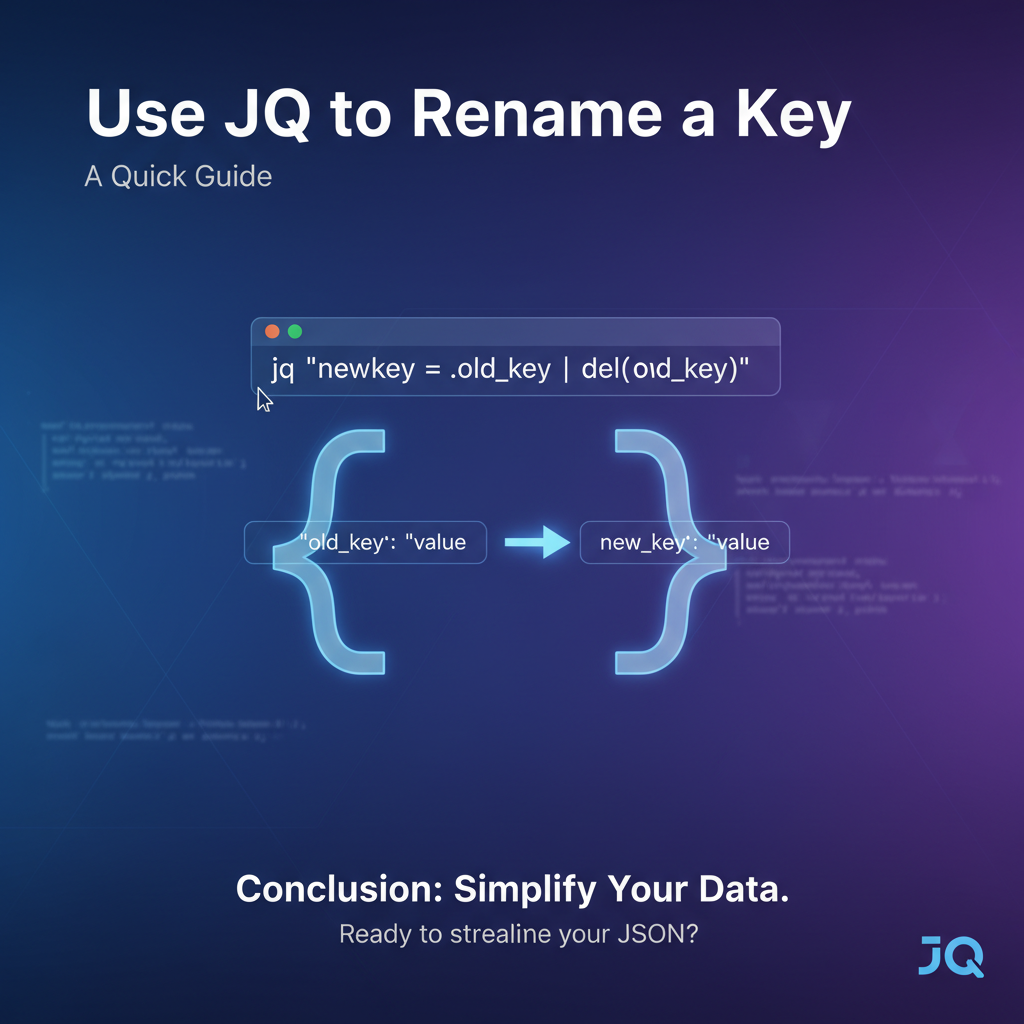
Use JQ to Rename a Key: A Quick Guide



In the vast and ever-evolving landscape of modern software development, data reigns supreme. Information, primarily structured and exchanged in JavaScript Object Notation (JSON) format, flows through countless apis, microservices, and data pipelines, acting as the lifeblood of interconnected systems. From frontend applications consuming data to backend services exchanging payloads, and from configuration files to log aggregators, JSON's lightweight, human-readable nature has solidified its position as the de facto standard for data interchange. However, the journey of this data is rarely straightforward. It often requires meticulous transformation, shaping, and refinement to meet the specific demands of diverse consumers or internal processing logic. Among these myriad transformations, the seemingly simple act of renaming a key within a JSON object emerges as a surprisingly frequent and crucial operation. This comprehensive guide delves deep into jq, the command-line JSON processor, to equip you with the mastery needed to confidently and efficiently rename keys, whether they are nestled at the top level or buried deep within complex, nested structures.
Understanding the "why" behind key renaming is as critical as knowing the "how." Imagine integrating two disparate systems, each with its own naming conventions for identical data points. One api might return user identifiers as userId, while another expects customer_id. Or consider a scenario where a legacy database schema uses prod_num, but a modern frontend application prefers productIdentifier for better readability and consistency with contemporary design patterns. Without a robust mechanism to bridge these semantic gaps, developers would be forced into cumbersome, error-prone manual parsing or inefficient string manipulations. This is precisely where jq shines, offering a powerful, declarative, and highly efficient solution for manipulating JSON data directly from the command line, making it an indispensable tool for anyone working with apis, data processing, or system integration.
This guide will take you on a journey from jq fundamentals to advanced techniques for key renaming. We will explore various methods, ranging from straightforward top-level key changes to intricate recursive transformations and conditional renaming. Each technique will be accompanied by detailed explanations, practical examples, and considerations for common pitfalls and best practices. By the end of this extensive exploration, you will not only be proficient in using jq to rename keys but also possess a deeper understanding of its capabilities, enabling you to tackle a wide array of JSON transformation challenges with confidence and precision.
The Ubiquity of JSON and the Imperative for Transformation
Before we dive into the mechanics of jq, let's briefly contextualize why JSON transformation, and specifically key renaming, is such a fundamental requirement in modern computing. JSON's simplicity and universality have made it the lingua franca for data exchange across virtually all technology stacks. RESTful apis, GraphQL endpoints, configuration files for microservices, inter-process communication, and even data storage in NoSQL databases frequently leverage JSON. Its hierarchical structure naturally represents complex relationships between data elements, making it intuitive for both humans and machines to parse and generate.
However, this ubiquity also brings challenges. Different teams, organizations, or even different versions of the same system often evolve with their own unique conventions for naming fields. For instance, a customer resource api from one vendor might use id for its primary key, first_name, last_name, and email_address for contact details. Another api for a similar resource might use customerID, givenName, familyName, and contactEmail. When building an application that needs to consume data from both these apis, or when creating a unified api gateway that standardizes outputs for various downstream consumers, the disparity in key names becomes a significant hurdle.
Without transformation, this leads to: 1. Increased Code Complexity: Application code would need to incorporate conditional logic or multiple parsing routines to handle different key names, making it harder to maintain and extend. 2. Inconsistent Data Models: Internal data structures might become fragmented, mirroring the inconsistencies of external apis, rather than adhering to a clean, unified domain model. 3. Reduced Reusability: Logic written for one api's data format cannot be easily reused for another without significant modifications. 4. Integration Headaches: Merging data from multiple sources becomes a combinatorial explosion of conditional checks and data massaging.
The ability to seamlessly rename keys allows developers to: * Harmonize Data: Create a consistent data representation across an application or an entire ecosystem, abstracting away the idiosyncrasies of external data sources. * Improve Readability and Maintainability: Align data keys with internal coding standards, domain language, or user interface requirements, making code easier to understand and debug. * Facilitate Data Migration: Adapt existing JSON data to new schemas or database structures without rewriting large portions of data generation or consumption logic. * Enhance API Gateway Capabilities: An api gateway can serve as a powerful central point for enforcing data contracts. By transforming backend responses, it ensures that all consumers receive data in a predictable, standardized format, regardless of the underlying service's output. This is where tools like jq can be invaluable for prototyping or even for implementing basic transformations within the gateway itself, or in services interacting with it. For more advanced, robust, and scalable api management and transformation, platforms such as APIPark offer comprehensive features that build upon the principles jq embodies, providing powerful mechanisms for api lifecycle management, including sophisticated data transformations as part of its gateway capabilities. When APIPark routes requests and responses, it can apply rules to ensure data consistency, and understanding jq provides a strong foundation for defining such transformation rules.
Traditional text-based find-and-replace tools fall short because JSON is a structured format. Renaming a key might need to be conditional, applied only at certain depths, or within specific arrays, or depend on the value associated with that key. Simple string replacement could inadvertently modify values that happen to contain the old key name, or it might rename keys that should remain unchanged. jq addresses these limitations head-on, providing a programmatic and context-aware approach to JSON manipulation that respects its underlying structure.
Introducing JQ: The Swiss Army Knife for JSON
jq is a lightweight and flexible command-line JSON processor. It's often described as sed for JSON data, but this comparison only scratches the surface of its capabilities. At its core, jq takes JSON input, applies a filter (a program written in jq's own powerful language), and produces JSON output. Its design philosophy emphasizes functional programming, allowing users to chain multiple filters together to build complex data transformations.
Key Features and Philosophy
- Filter-Based:
jqoperates through filters. A filter is a program that takes an input and produces an output. The simplest filter is.which simply outputs its input. - Pipelining: Filters can be chained together using the pipe
|operator, where the output of one filter becomes the input of the next. This allows for constructing complex transformations step-by-step. - Declarative Syntax:
jq's language is declarative, meaning you describe what you want to achieve rather than how to achieve it. - Powerful Selectors: It provides intuitive ways to select specific parts of a JSON document, whether by key, index, or value.
- Rich Set of Built-in Functions:
jqcomes with a plethora of built-in functions for arithmetic, string manipulation, array operations, object manipulation, and more. - JSON in, JSON out: A core principle is that it always deals with JSON, ensuring valid JSON output (unless explicitly formatted otherwise).
Installation Guide (Brief)
jq is widely available and easy to install across various operating systems.
- macOS: Using Homebrew:
bash brew install jq - Linux (Debian/Ubuntu): Using APT:
bash sudo apt-get update sudo apt-get install jq - Linux (Fedora/CentOS): Using DNF/YUM:
bash sudo dnf install jq # or sudo yum install jq - Windows:
- Using Chocolatey:
choco install jq - Download the executable from the official
jqwebsite and add it to your PATH.
- Using Chocolatey:
After installation, you can verify it by running jq --version.
Basic JQ Syntax: Input, Filter, Output
The general syntax for using jq is:
jq '<jq_filter>' <input_file>
or
echo '<json_string>' | jq '<jq_filter>'
Example: Let's start with a simple JSON object:
{
  "name": "Alice",
  "age": 30
}
To simply pretty-print this:
echo '{"name": "Alice", "age": 30}' | jq '.'
Output:
{
  "name": "Alice",
  "age": 30
}
To extract just the name:
echo '{"name": "Alice", "age": 30}' | jq '.name'
Output:
"Alice"
Notice how jq maintains JSON types, so "Alice" is output as a JSON string.
Core Concepts for Key Renaming in JQ
Renaming keys in jq fundamentally involves a two-step process: creating a new key with the desired name and the original value, and then deleting the old key. This approach ensures that data integrity is maintained throughout the transformation. To execute this, we'll leverage several core jq filters and constructs.
1. Selecting Keys: . and .key Operators
The . operator is the most basic selector. * . by itself refers to the entire input. * .keyName accesses the value associated with keyName in an object. * .[ "key with spaces" ] is used for keys that contain special characters or spaces.
Example:
echo '{"user": {"id": 123, "name": "Bob"}}' | jq '.user.id'
# Output: 123
2. Object Construction/Deconstruction: {}
Object construction ({}) is crucial. You can create new objects or project existing data into a new structure. * { "newKey": .oldKey }: Creates a new object with newKey whose value is taken from .oldKey of the input. * { .key1, .key2 }: A shorthand to create an object from existing keys, e.g., if input is {"a":1, "b":2}, then { .a } yields {"a":1}.
3. Deleting Keys: del()
The del() filter removes specified keys from an object. * del(.keyName): Deletes keyName from the current object. * del(.path.to.key): Deletes a nested key.
Example:
echo '{"name": "Alice", "age": 30}' | jq 'del(.age)'
# Output: {"name": "Alice"}
4. map Filter: Applying Operations to Arrays of Objects
When dealing with arrays of objects, you often need to apply the same transformation to each element. The map filter is designed for this. * map(filter): Applies filter to each element of an array, collecting the results into a new array.
Example:
echo '[{"id": 1}, {"id": 2}]' | jq 'map(.id + 1)'
# Output: [2, 3]
5. walk Filter: Recursively Traversing Structures
For deeply nested or unknown structures, walk is incredibly powerful. It applies a filter to every element in a JSON document, including objects, arrays, and their contents, recursively. * walk(filter): Applies filter to every value in the input, descending into arrays and objects. If filter modifies the element, the modified element is used for further recursion.
6. with_entries Filter: Manipulating Key-Value Pairs
The with_entries filter transforms an object into an array of {"key": k, "value": v} pairs, allows you to apply a filter to these pairs, and then transforms the array back into an object. This is exceptionally useful for programmatic or conditional key renaming. * with_entries(filter): Converts an object {"a": 1, "b": 2} to [{"key": "a", "value": 1}, {"key": "b", "value": 2}], applies filter to each element of this array, and then converts it back to an object.
Example:
echo '{"name": "Alice", "age": 30}' | jq 'with_entries(.key |= ascii_upcase)'
# Output: {"NAME": "Alice", "AGE": 30}
Here, .key |= ascii_upcase modifies the key field of each {"key": k, "value": v} object in the temporary array.
Now, let's explore these concepts in action with practical key renaming scenarios.
Method 1: Renaming a Single Top-Level Key (Simple Case)
The most straightforward scenario involves renaming a key directly within the root JSON object.
Scenario: You have an object with a key named oldKey and you want to rename it to newKey, keeping its value intact.
Input JSON (data.json):
{
  "productCode": "P1001",
  "description": "Premium Widget",
  "price": 29.99
}
We want to rename productCode to itemCode.
Technique: The core idea is to first create the new key with the value from the old key, and then delete the old key.
jq '.itemCode = .productCode | del(.productCode)' data.json
Step-by-step Breakdown:
'...': The entire expression is enclosed in single quotes to protect it from shell interpretation..itemCode = .productCode: This is the assignment operator. It creates a new key nameditemCodeat the top level and assigns it the value currently held byproductCode. At this stage, the object temporarily contains bothproductCodeanditemCode.- Initial State:
{"productCode": "P1001", "description": "Premium Widget", "price": 29.99} - After
.itemCode = .productCode:{"productCode": "P1001", "description": "Premium Widget", "price": 29.99, "itemCode": "P1001"}
- Initial State:
|: The pipe operator passes the result of the first operation (.itemCode = .productCode) as the input to the next operation.del(.productCode): This filter then deletes theproductCodekey from the object that was passed to it.- After
del(.productCode):{"description": "Premium Widget", "price": 29.99, "itemCode": "P1001"}
- After
Output:
{
  "description": "Premium Widget",
  "price": 29.99,
  "itemCode": "P1001"
}
The key productCode has been successfully renamed to itemCode.
Variations and Considerations:
- Using
(.)for cleaner syntax (identity filter): Sometimes, for better readability when chaining, you might see(.)used as an identity filter before starting a sequence of assignments/deletions. It doesn't change the functionality but can sometimes make complex chains clearer.bash jq '(.) | .itemCode = .productCode | del(.productCode)' data.jsonThis is effectively the same as the previous example for top-level keys. - Handling Missing Keys Gracefully: What if
productCodemight not always exist? IfproductCodeis missing,.productCodewill evaluate tonull. The assignment.itemCode = nullwill still occur, anddel(.productCode)will simply do nothing. This is generally robust.json { "description": "Another Widget", "price": 19.99 }Applying the samejqfilter to this input:bash jq '.itemCode = .productCode | del(.productCode)' data_without_productcode.jsonOutput:json { "description": "Another Widget", "price": 19.99, "itemCode": null }If you specifically want to avoid creatingitemCodeifproductCodeis missing, you'd need a conditional approach (covered in Method 5). - Order of Operations: The order is important. If you
del(.oldKey)before assigning.newKey = .oldKey,newKeywill not get the value, asoldKeywould already be gone.
Method 2: Renaming a Key Within a Nested Object
JSON's hierarchical nature means keys are often deeply nested within other objects. Renaming such keys requires specifying the full path to the key.
Scenario: You have a JSON object with nested structures, and you need to rename a key that is not at the top level.
Input JSON (nested_data.json):
{
  "orderId": "ORD-12345",
  "customer": {
    "legacyCustomerId": "CUST-001",
    "name": {
      "firstName": "John",
      "lastName": "Doe"
    },
    "contact": {
      "emailAddress": "john.doe@example.com",
      "phone": "555-1234"
    }
  },
  "items": [...]
}
We want to rename customer.legacyCustomerId to customer.clientId.
Technique: Similar to the top-level rename, but we use path expressions to target the specific nested key.
jq '.customer.clientId = .customer.legacyCustomerId | del(.customer.legacyCustomerId)' nested_data.json
Step-by-step Breakdown:
.customer.clientId = .customer.legacyCustomerId: This assigns the value of.customer.legacyCustomerIdto a new key.customer.clientId. Notice how we build the path to the desired key using dot notation (.parent.child.grandchild).jqautomatically creates intermediate objects if they don't exist, but in this case,customeralready exists.- After assignment, the
customerobject temporarily contains bothlegacyCustomerIdandclientId.
- After assignment, the
|: Pipes the modified object to the next filter.del(.customer.legacyCustomerId): This removes thelegacyCustomerIdkey from within thecustomerobject.
Output:
{
  "orderId": "ORD-12345",
  "customer": {
    "name": {
      "firstName": "John",
      "lastName": "Doe"
    },
    "contact": {
      "emailAddress": "john.doe@example.com",
      "phone": "555-1234"
    },
    "clientId": "CUST-001"
  },
  "items": []
}
The key legacyCustomerId nested within customer has been successfully renamed to clientId.
Handling Potential Nulls or Missing Paths with ?: What if customer itself might be missing, or legacyCustomerId within customer? Accessing a non-existent key with . will result in null. However, trying to access a field of null (e.g., null.someKey) will cause an error in jq. The ? operator provides a safe way to access potentially missing keys.
Consider del(.customer.legacyCustomerId). If customer is null, del will try to delete from null, which can be problematic. The assignment A = B will assign null to A if B is null. But del requires an object.
To make the path access safer, jq offers .? (optional chaining). For instance, del(.customer?.legacyCustomerId) would not throw an error if customer was missing or null. However, for the renaming pattern, if customer is null, then .customer.clientId = .customer.legacyCustomerId would effectively become .customer.clientId = null, and del(.customer.legacyCustomerId) would still try to operate on a non-existent path.
A more robust way for renaming in potentially missing paths is to use conditional logic (Method 5) or ensure the path exists before attempting the rename. For del, if a path does not lead to an object (e.g., del(.a.b) where a is null), it often silently fails or simply doesn't find anything to delete, which can be desirable. The primary concern is usually assignment into null.
Let's say customer might be null.
echo '{"orderId": "ORD-123", "customer": null}' | jq '.customer.clientId = .customer.legacyCustomerId | del(.customer.legacyCustomerId)'
Output:
jq: error (at <stdin>:1): Cannot index null with string "clientId"
This fails because customer is null, so .customer.clientId attempts to index null, which is not allowed.
To safely rename, one might wrap the operation in an if statement or use the ? operator for both assignment and deletion paths.
jq 'if .customer | type == "object" then .customer.clientId = .customer.legacyCustomerId | del(.customer.legacyCustomerId) else . end' nested_data.json
This ensures the operation only proceeds if customer is an object. Alternatively, use object construction:
jq '.customer |= (if type == "object" then (.clientId = .legacyCustomerId | del(.legacyCustomerId)) else . end)' nested_data.json
Here, .customer |= (...) applies the filter (...) to the customer object specifically. The if type == "object" check makes it safe.
Method 3: Renaming a Key in an Array of Objects
Data often comes as an array of objects, where each object has a similar structure, and you need to apply the same key renaming transformation to all of them.
Scenario: You have an array of product objects, and each object has a productId key that needs to be renamed to id.
Input JSON (products.json):
[
  {
    "productId": "A001",
    "name": "Laptop Pro",
    "category": "Electronics"
  },
  {
    "productId": "A002",
    "name": "Monitor Ultra",
    "category": "Electronics"
  },
  {
    "productId": "A003",
    "name": "Keyboard Ergonomic",
    "category": "Peripherals"
  }
]
We want to rename productId to id for every object in the array.
Technique: The map filter is perfectly suited for this. It iterates over each element of an array, applies a sub-filter to it, and collects the results into a new array.
jq 'map(.id = .productId | del(.productId))' products.json
Elaborate on map and its power:
map(filter): This filter takes an array as input. For each item in that array, it sets the current context (.) to that item and then applies thefilterprovided within the parentheses. The results of applying thefilterto each item are then collected into a new array, which is the output ofmap.
Step-by-step Breakdown:
map(...): Thejqprocessor identifies the input as an array and prepares to apply the inner filter to each element.- For the first object:
{"productId": "A001", "name": "Laptop Pro", "category": "Electronics"}.id = .productId: Createsidwith the value "A001".|: Passes the modified object.del(.productId): DeletesproductId.- Result for first object:
{"name": "Laptop Pro", "category": "Electronics", "id": "A001"}
- This process repeats for the second and third objects in the array.
mapcollects these transformed objects into a new array.
Output:
[
  {
    "name": "Laptop Pro",
    "category": "Electronics",
    "id": "A001"
  },
  {
    "name": "Monitor Ultra",
    "category": "Electronics",
    "id": "A002"
  },
  {
    "name": "Keyboard Ergonomic",
    "category": "Peripherals",
    "id": "A003"
  }
]
All productId keys in the array have been successfully renamed to id.
Complex map Scenarios: Combining with select
Sometimes, you only want to rename keys in some objects within an array, based on certain conditions. You can combine map with select.
Scenario: Only rename productId to id for products in the "Electronics" category. For others, leave it as productId.
jq 'map(if .category == "Electronics" then (.id = .productId | del(.productId)) else . end)' products.json
Explanation: * if .category == "Electronics": Checks if the current object's category field is "Electronics". * then (.id = .productId | del(.productId)): If true, perform the renaming as before. The parentheses ensure the assignment and deletion are grouped as a single expression. * else . end: If false, the . (identity filter) simply returns the original object unchanged.
Output:
[
  {
    "name": "Laptop Pro",
    "category": "Electronics",
    "id": "A001"
  },
  {
    "name": "Monitor Ultra",
    "category": "Electronics",
    "id": "A002"
  },
  {
    "productId": "A003",
    "name": "Keyboard Ergonomic",
    "category": "Peripherals"
  }
]
Notice how productId for "Keyboard Ergonomic" remains unchanged because its category is "Peripherals".
Method 4: Renaming Multiple Keys Simultaneously
When a JSON object has several keys that need renaming, you can combine the techniques discussed so far.
Scenario: An api response contains user_id, first_name, and last_name, but your application expects userId, firstName, and lastName.
Input JSON (user_profile.json):
{
  "user_id": "U007",
  "first_name": "James",
  "last_name": "Bond",
  "email": "james.bond@mi6.gov"
}
Techniques:
4.1. Chaining Multiple Assignments and Deletions
This is the most direct extension of Method 1. You simply chain the assignment-then-delete pairs for each key.
jq '.userId = .user_id | del(.user_id) |
    .firstName = .first_name | del(.first_name) |
    .lastName = .last_name | del(.last_name)' user_profile.json
Explanation: Each | pipes the output of the preceding operation to the next. The jq processor processes the transformations sequentially. This is readable for a few keys but can become unwieldy for many.
Output:
{
  "email": "james.bond@mi6.gov",
  "userId": "U007",
  "firstName": "James",
  "lastName": "Bond"
}
4.2. Using Object Construction (If you're fine dropping other keys or reconstructing completely)
If you only care about a specific set of keys and want to explicitly define the new structure, you can construct a new object. This method inherently drops any keys not explicitly included in the new object.
jq '{
    userId: .user_id,
    firstName: .first_name,
    lastName: .last_name,
    email: .email
}' user_profile.json
Explanation: * { ... }: This initiates object construction. * newKey: .oldKey: For each desired key, you specify its new name and the path to its value in the input.
Output:
{
  "userId": "U007",
  "firstName": "James",
  "lastName": "Bond",
  "email": "james.bond@mi6.gov"
}
Pros: Very clear and concise for reconstructing an object with a predefined set of keys. Cons: All other keys in the original object that are not listed will be dropped. This might not be desirable if you want to retain all other keys. To retain all other keys, you'd combine this with + . (object union):
jq '(.userId = .user_id | del(.user_id) |
     .firstName = .first_name | del(.first_name) |
     .lastName = .last_name | del(.last_name)) + .' user_profile.json
This version first applies all renames (which creates new keys and deletes old ones, resulting in an object with the renamed keys and potentially null for the old values if not deleted right away, but the del fixes it). Then, it merges this transformed object with the original object (.). Wait, that's not quite right for merging if you want to retain unmodified original keys. The + . would simply merge the modified parts back into the original, which might re-add the deleted keys if del wasn't fully applied.
A better way to keep all other keys while using a more structured renaming might be to use the as $o syntax:
jq '{
    userId: .user_id,
    firstName: .first_name,
    lastName: .last_name
} as $renamed | (. - {user_id, first_name, last_name}) + $renamed' user_profile.json
Explanation for the more robust object reconstruction: 1. { userId: .user_id, ... } as $renamed: Creates a new object $renamed containing only the new keys and their values. 2. (. - {user_id, first_name, last_name}): This is object subtraction. It takes the original object (.) and removes the user_id, first_name, and last_name keys. The {user_id, first_name, last_name} is a shorthand for {"user_id": .user_id, "first_name": .first_name, "last_name": .last_name} but used in the context of subtraction it means "remove these keys if they exist". 3. + $renamed: Merges the object with the old keys removed with the $renamed object (which contains the new keys). Object union (+) prioritizes keys from the right-hand side if duplicates exist, but here keys are distinct.
This approach is more complex but powerful when you want full control over which keys remain and which are added, without the sequential chaining.
4.3. Using with_entries for Programmatic Renaming Based on Conditions or Mapping
For more dynamic or numerous key renames, especially if you have a predefined mapping of old names to new names, with_entries is a powerful and elegant solution.
Scenario: Rename old_id, old_name, old_status to id, name, status.
Input JSON (status_report.json):
{
  "report_id": "RPT-001",
  "old_id": "ITEM-123",
  "old_name": "Legacy Item",
  "old_status": "ACTIVE",
  "timestamp": "2023-10-27T10:00:00Z"
}
Let's define a mapping for renaming: old_id -> id old_name -> name old_status -> status
Technique using with_entries:
jq 'with_entries(
    .key |= if . == "old_id" then "id"
            elif . == "old_name" then "name"
            elif . == "old_status" then "status"
            else .
            end
)' status_report.json
Explanation: 1. with_entries(...): Transforms the input object into an array of {"key": k, "value": v} pairs. 2. .key |= ...: This is the update assignment operator. It takes the current value of .key and pipes it into the expression on the right, then assigns the result back to .key. 3. if . == "old_id" then "id" ... else . end: This conditional block checks the value of .key (which is the current key name from the original object). * If .key is "old_id", it reassigns .key to "id". * If it's "old_name", it reassigns to "name". * If it's "old_status", it reassigns to "status". * else .: For any other key, the . (identity filter) means the key remains unchanged. 4. After all key fields in the temporary array are processed, with_entries reconstructs the object with the potentially modified key names.
Output:
{
  "report_id": "RPT-001",
  "id": "ITEM-123",
  "name": "Legacy Item",
  "status": "ACTIVE",
  "timestamp": "2023-10-27T10:00:00Z"
}
This method is incredibly powerful for programmatic and conditional key renaming, especially when you have a list of keys to transform.
APIPark is a high-performance AI gateway that allows you to securely access the most comprehensive LLM APIs globally on the APIPark platform, including OpenAI, Anthropic, Mistral, Llama2, Google Gemini, and more.Try APIPark now! 👇👇👇
Method 5: Conditional Key Renaming
Sometimes, you only want to rename a key if a specific condition is met, for example, if the key exists, or if its value meets certain criteria.
Scenario: Rename itemId to productId, but only if itemId exists and its value is a string. If itemId is a number or missing, leave it as is or handle it differently.
Input JSON (items_cond.json):
[
  {"itemId": "SKU123", "name": "Shirt"},
  {"itemId": 456, "name": "Pants"},
  {"name": "Socks"}
]
Technique: Use if ... then ... else ... end within the map filter (or directly on an object).
jq 'map(
    if has("itemId") and (.itemId | type) == "string" then
        (.productId = .itemId | del(.itemId))
    else
        .
    end
)' items_cond.json
Explanation: 1. map(...): Applies the conditional filter to each object in the array. 2. if has("itemId") and (.itemId | type) == "string": * has("itemId"): Checks if the current object possesses a key named itemId. This is more robust than just checking if .itemId is null, as null can be a valid value for an existing key. * (.itemId | type) == "string": Pipes the value of itemId to the type filter, which returns its JSON type (e.g., "string", "number", "boolean", "array", "object", "null"). This checks if the type is "string". * Both conditions must be true for the then block to execute. 3. then (.productId = .itemId | del(.itemId)): If the conditions are met, perform the standard rename. 4. else . end: Otherwise (if itemId is missing, or not a string), return the original object unchanged.
Output:
[
  {
    "name": "Shirt",
    "productId": "SKU123"
  },
  {
    "itemId": 456,
    "name": "Pants"
  },
  {
    "name": "Socks"
  }
]
As expected, only the first object's itemId was renamed, because it was the only one that matched both conditions (existed and was a string).
Method 6: Recursive Key Renaming (Deep Structures)
When you need to rename a key that might appear at any depth within a deeply nested or irregularly structured JSON document, manually specifying paths becomes impractical. The walk filter is the perfect tool for this recursive traversal and transformation.
Scenario: You have a complex JSON document where various objects might have an id field that represents a database ID. You want to rename all occurrences of id to uniqueId to differentiate them from other types of identifiers.
Input JSON (deep_data.json):
{
  "documentId": "DOC-XYZ",
  "data": {
    "sections": [
      {
        "id": "SEC-A",
        "title": "Introduction",
        "content": {
          "paragraph": {
            "id": "PARA-1",
            "text": "First paragraph text."
          },
          "image": {
            "caption": "Image of data",
            "metadata": {
              "id": "IMG-META-1",
              "source": "internal"
            }
          }
        },
        "tags": ["summary", "abstract"]
      },
      {
        "id": "SEC-B",
        "title": "Conclusion"
      }
    ]
  },
  "metadata": {
    "authorId": "AUTH-123",
    "lastModified": "2023-10-27",
    "systemInfo": {
      "processId": "PID-456",
      "config": {
        "id": "CFG-001",
        "version": "1.0"
      }
    }
  }
}
We want to rename all id keys to uniqueId.
Technique: Use the walk filter combined with with_entries for the actual renaming logic.
jq 'walk(if type == "object" then
    with_entries(
        .key |= if . == "id" then "uniqueId" else . end
    )
else
    .
end)' deep_data.json
Explanation of walk(f) and its application:
walk(f): This filter recursively applies a filterfto every value in the input JSON. It first appliesfto the current element, and then if the current element is an array or an object, it recursively callswalkon its elements. The filterfis applied to each value before its contents are walked. This means if you rename a key, the renamed key is what gets walked, not the original.if type == "object" then ... else . end: This is crucial. We only want to attempt renaming on objects, not on strings, numbers, booleans, or arrays themselves.with_entries(...): If the current element (.) is an object, we usewith_entriesto iterate over its key-value pairs..key |= if . == "id" then "uniqueId" else . end: This is the same conditional key renaming logic from Method 4.3. It checks if the current key name (.) is"id"and, if so, renames it to"uniqueId"; otherwise, it leaves the key name as is.
Step-by-step Execution (Conceptual):
walkstarts at the root object.- It sees the root is an object, so
if type == "object"is true. - It applies
with_entriesto the root object.documentIdremainsdocumentId.datais notid, so it remainsdata.metadatais notid, so it remainsmetadata.
- Then,
walkrecurses intodata. - Inside
data, it findssections(an array).walkrecurses into the array elements. - For the first element of
sections(an object):idis found,with_entriesrenames it touniqueId.titleremainstitle.contentremainscontent.
walkrecurses intocontent.- Inside
content, it findsparagraph(an object).walkrecurses. - Inside
paragraph,idis found and renamed touniqueId. - This process continues for all nested objects, ensuring every
idkey is caught and renamed.
Output:
{
  "documentId": "DOC-XYZ",
  "data": {
    "sections": [
      {
        "uniqueId": "SEC-A",
        "title": "Introduction",
        "content": {
          "paragraph": {
            "uniqueId": "PARA-1",
            "text": "First paragraph text."
          },
          "image": {
            "caption": "Image of data",
            "metadata": {
              "uniqueId": "IMG-META-1",
              "source": "internal"
            }
          }
        },
        "tags": [
          "summary",
          "abstract"
        ]
      },
      {
        "uniqueId": "SEC-B",
        "title": "Conclusion"
      }
    ]
  },
  "metadata": {
    "authorId": "AUTH-123",
    "lastModified": "2023-10-27",
    "systemInfo": {
      "processId": "PID-456",
      "config": {
        "uniqueId": "CFG-001",
        "version": "1.0"
      }
    }
  }
}
As you can see, all occurrences of id at any level are now uniqueId. This is immensely powerful for standardizing identifiers across complex api payloads or configuration files without knowing their exact structure beforehand.
Method 7: Renaming Keys Programmatically (Dynamic Renaming)
In advanced scenarios, the mapping from old keys to new keys might not be hardcoded in the jq filter but provided externally or derived dynamically. jq can handle this by using its powerful object manipulation and lookup capabilities.
Scenario: You receive data where keys are in snake_case (e.g., user_name, email_address), but your application requires camelCase (userName, emailAddress). You have a separate mapping that defines these transformations.
Input JSON (dynamic_input.json):
{
  "user_name": "Alice Wonderland",
  "email_address": "alice@example.com",
  "login_count": 123,
  "last_login_at": "2023-10-27T14:30:00Z",
  "api_key": "some_secret_key"
}
Mapping (conceptual): Instead of a long if/elif chain, we can use a lookup table.
TABLE: Example Key Renaming Mapping
| Old Key | New Key | Notes |
|---|---|---|
user_name |
userName |
Standard camelCase conversion |
email_address |
emailAddress |
Standard camelCase conversion |
login_count |
loginCount |
Standard camelCase conversion |
api_key |
apiKey |
api to API transformation for consistency |
Technique 7.1: Using with_entries with a Hardcoded Lookup Object
Even for programmatic renaming, with_entries remains the primary tool. We can define a jq object that acts as our lookup table.
jq '
    # Define a lookup map for renaming
    {
        "user_name": "userName",
        "email_address": "emailAddress",
        "login_count": "loginCount",
        "last_login_at": "lastLoginAt",
        "api_key": "apiKey"
    } as $renameMap |

    # Apply the renaming using with_entries
    with_entries(
        # If the current key is in our renameMap, use the new name; otherwise, keep the original key.
        .key |= ($renameMap[.key] // .)
    )
' dynamic_input.json
Explanation: 1. { ... } as $renameMap: This defines a jq object where keys are the old names and values are the new names. This object is then assigned to a variable $renameMap. Variables in jq are denoted by a $ prefix. 2. with_entries(...): Converts the input object into key-value pairs. 3. .key |= ($renameMap[.key] // .): This is the core logic. * $renameMap[.key]: Tries to look up the current key (.key) in our $renameMap. * If user_name is the current key, $renameMap["user_name"] evaluates to "userName". * If report_id (not in our map) is the current key, $renameMap["report_id"] evaluates to null. * // .: This is the "alternative" operator. If the left-hand side ($renameMap[.key]) evaluates to null or false, then the right-hand side (.) is used. * So, if $renameMap[.key] yields a new name, that new name is used. * If $renameMap[.key] yields null (meaning the key isn't in our map), then the original .key (the current key name itself) is used. 4. The result of this expression is assigned back to .key, effectively renaming it if a match was found in $renameMap, or leaving it unchanged otherwise.
Output:
{
  "userName": "Alice Wonderland",
  "emailAddress": "alice@example.com",
  "loginCount": 123,
  "lastLoginAt": "2023-10-27T14:30:00Z",
  "apiKey": "some_secret_key"
}
This is significantly cleaner than a long if/elif chain for numerous renames.
Technique 7.2: External Mapping File as Input (More Dynamic)
For truly dynamic scenarios, the mapping itself might come from a separate JSON file. jq can read multiple inputs.
Mapping File (rename_map.json):
{
  "user_name": "userName",
  "email_address": "emailAddress",
  "login_count": "loginCount",
  "last_login_at": "lastLoginAt",
  "api_key": "apiKey"
}
jq command: We use --slurpfile or --argfile to load the mapping. --argfile is better for a single JSON object.
jq --argfile renameMap rename_map.json '
    with_entries(
        .key |= ($renameMap[.key] // .)
    )
' dynamic_input.json
Explanation: * --argfile renameMap rename_map.json: This option reads the content of rename_map.json and assigns it as a jq variable named $renameMap (automatically prefixed with $). * The rest of the filter is identical to Technique 7.1.
This approach makes your jq script highly reusable and adaptable, as the renaming rules can be changed without modifying the script itself. This flexibility is crucial in api gateways or data integration pipelines where transformation rules might evolve independently of the processing logic. For example, an api gateway might dynamically load transformation rules based on the requesting client or the target service version, similar to how APIPark facilitates flexible api management.
Integrating JQ into Workflows (Beyond Simple Renaming)
While this guide focuses on key renaming, jq's true power lies in its ability to integrate seamlessly into broader data processing and api workflows. Renaming is often just one step in a chain of transformations.
1. Shell Scripting
jq is a command-line utility, making it a natural fit for shell scripts. * Processing multiple files: Use find or for loops with jq. bash for file in *.json; do jq '.newKey = .oldKey | del(.oldKey)' "$file" > "processed_$file" done * Piping output: jq often sits in the middle of a grep, curl, or awk pipeline. bash curl -s "https://api.example.com/data" | jq '.results[] | select(.status == "active") | .id = .legacyId | del(.legacyId)'
2. API Interaction: Processing API Responses
This is one of jq's most common use cases. When fetching data from apis, responses often contain more data than needed, or keys that don't match your internal conventions. jq can immediately transform this raw api output.
Imagine an api gateway that standardizes outputs from various backend services. An api gateway, like the robust platform offered by APIPark, acts as a crucial intermediary, managing everything from authentication and rate limiting to complex data transformations. While APIPark provides its own powerful features for api lifecycle management, including response transformation, understanding jq empowers developers to quickly prototype and test such transformations. For instance, if a microservice returns {"prod_id": "P123"}, but all external consumers expect {"productId": "P123"} for consistency, the api gateway can implement this key renaming. Using jq to model and verify this transformation locally ensures that the gateway's configuration will produce the desired harmonized output.
Furthermore, APIPark, being an open-source AI gateway and api management platform, allows for extensive customization and integration. Developers building services that interact with APIPark (or are managed by it) can use jq to preprocess data before sending it to the gateway or post-process responses received from APIPark to tailor them to specific application needs. This ensures data contracts are met consistently, regardless of the underlying service implementations.
3. Data Pipelining and ETL Processes
In Extract, Transform, Load (ETL) pipelines, jq serves as an efficient transformation engine for JSON data. * Data Normalization: Rename keys, flatten structures, or extract specific fields to prepare data for analytical databases or data lakes. * Schema Enforcement: Ensure outgoing JSON conforms to a specific schema by renaming, adding, or removing keys.
4. Configuration Management
Many modern applications use JSON or YAML (which is often convertible to JSON) for configuration. jq can be used to: * Update Configuration: Programmatically change values or rename configuration keys across multiple config files. * Generate Specific Configurations: Create specialized config files for different environments (dev, staging, prod) by transforming a master configuration.
Performance Considerations and Best Practices
While jq is generally fast, especially for its in-memory operations, efficiency becomes a concern with very large JSON files or complex transformations.
1. Large JSON Files: Streaming JSON, jq -c
jq -c(compact output): By default,jqpretty-prints its output. For very large outputs that will be piped to another tool,jq -cwill produce compact, single-line JSON, which is faster to write and potentially faster for the next tool to parse.- Streaming JSON (ndjson): If your input is a stream of distinct JSON objects (newline-delimited JSON, or NDJSON),
jq -s(slurp) should be avoided as it reads the entire input into memory as an array. Instead,jqprocesses each line as a separate JSON object by default, which is efficient for streaming.bash # Input is multiple JSON objects, each on a new line echo '{"id":1}' | jq '.newId = .id | del(.id)' echo '{"id":2}' | jq '.newId = .id | del(.id)' # ... works fine with streaming
2. Efficiency of Different JQ Filters
- Avoid unnecessary recursion: While
walkis powerful, use it only when truly necessary. For known, fixed paths, direct path access (.a.b.c) is more efficient. selectvs.if/then/else:selectfilters out entire inputs.if/then/elseallows for conditional transformation within an input. Choose the one that matches your intent. For key renaming,if/then/elsewithinmaporwith_entriesis usually appropriate.- Object construction (
{...}) for selective output: If you only need a few keys from a large object, reconstructing a new object ({key1: .key1, key2: .key2}) is more efficient than keeping the entire object and deleting unwanted keys, especially if most keys are unneeded.
3. Readability and Maintainability of Complex JQ Scripts
- Line breaks and indentation:
jqfilters can be spread across multiple lines for readability. This is highly recommended for complex filters. - Comments:
jqsupports C-style/* ... */comments.bash jq ' /* Renaming user identifiers */ .userId = .user_id | del(.user_id) | /* Renaming contact details */ .contact.email = .contact.emailAddress | del(.contact.emailAddress) '
Named filters (functions) using def: For truly complex or reusable logic, you can define your own jq functions. ```bash jq ' def rename_user_id: .userId = .user_id | del(.user_id); def rename_email_address: .contact.email = .contact.emailAddress | del(.contact.emailAddress);
. | rename_user_id | rename_email_address
' ``` This greatly enhances modularity and readability.
4. Error Handling: try/catch, // null for Safe Access
// null(Alternative operator): As seen with dynamic renaming,expr // defaultprovides a fallback ifexprevaluates tonullorfalse. This is excellent for safe access to potentially missing keys.bash jq '.id // "default_id"' # If .id is null or missing, use "default_id"try EXP catch HANDLER: For more robust error handling,jqhastry/catch. IfEXPthrows an error,HANDLERis executed.bash jq 'try (.a.b = .a.c) catch {"error": .}'This can prevent your entire script from crashing if an unexpected input breaks a part of your filter.
Advanced JQ Features (Briefly)
While key renaming forms the core of this guide, jq's capabilities extend much further. A brief mention of advanced features can inspire further exploration:
- Variables (
as $var): We've seenas $renameMap. Variables allow you to store intermediate results or reusable values. - Functions (
def name: filter;): Defining custom filters (functions) makes complexjqprograms modular, readable, and reusable. - Regular Expressions:
jqhas built-in functions liketest,match,sub, andgsubfor powerful string pattern matching and replacement, which can be invaluable for transforming key names based on patterns (e.g., converting allsnake_casetocamelCaseprogrammatically, not just a fixed list).
Common Pitfalls and Troubleshooting
Even with jq's expressive syntax, mistakes happen. Knowing common pitfalls can save significant debugging time.
1. Syntax Errors
- Unmatched Brackets/Parentheses/Quotes: Ensure all
{},[],(), and quotes are properly matched.jqwill usually give a clear error message indicating the position. - Missing Commas: When constructing objects or arrays, items must be separated by commas (e.g.,
{key1: "val1", key2: "val2"}). - Incorrect
|Usage: The pipe|separates filters. It expects a valid input on its left and a valid filter on its right. Trying to pipe into a non-filter expression (e.g.,.a | = .b) will fail.
2. Quoting Issues in Shell
- Single vs. Double Quotes:
jqfilters often contain characters that have special meaning in the shell (e.g.,$,!,"). Using single quotes'...'for the entirejqfilter is the safest practice as it prevents shell interpretation. - Nested Quotes: If your
jqfilter itself needs to contain single quotes (e.g., for string literals), you'll need to use double quotes for the outer filter or escape the inner single quotes, which can get messy. Often, it's easier to use double quotes for the outer filter"and escape any double quotes inside the filter\".bash # Bad: '{"key": "value"}' - shell ends filter at first ' # Good: '"{\"key\": \"value\"}"' # Or, even better, if you don't need shell expansion, use single quotes and escape: jq '."my key with spaces"'
3. Handling Different Data Types
- Indexing Non-Objects: Trying to access
.keyon a string, number, boolean, ornullwill result in an error ornulloutput, depending on context. Always ensure your context is an object when using.keyor an array when using.[index].type == "object"ortype == "array"checks are your friends. - Arithmetic on Non-Numbers: Attempting
+or-on strings ornullwill cause errors. nullPropagation: Be aware that missing keys often evaluate tonull. Ifnullthen becomes an input to an operation that doesn't handlenullgracefully, it can lead to unexpected results or errors. The//operator is useful here.
4. Debugging with Intermediate Outputs
- Insert
.ordebug: To see the output at an intermediate step in a pipe, you can insert.ordebugat that point.bash echo '{"a": 1, "b": 2}' | jq '.a + 1 | debug | . + 2' # DEBUG: 2 # Output: 4Thedebugfilter prints its input to stderr and passes it unchanged to the next filter, which is incredibly useful for understanding complex pipelines. - Break down complex filters: If a filter is not working, break it into smaller parts and test each part independently.
By understanding these potential pitfalls and applying systematic debugging, you can efficiently troubleshoot your jq filters and ensure robust JSON transformations.
Conclusion
The ability to precisely and efficiently transform JSON data is a cornerstone skill in the modern digital landscape. From harmonizing disparate api responses to preparing data for analytical pipelines, the challenges of data heterogeneity are ever-present. Within this context, the task of renaming keys, though seemingly minor, holds significant importance in maintaining data consistency, improving readability, and enabling seamless system integrations.
This extensive guide has walked you through the intricate world of jq, demonstrating its unparalleled power and flexibility for JSON manipulation. We began by establishing the fundamental reasons why jq is indispensable for working with apis and data, moving beyond the limitations of simple text processing. We then delved into the core concepts of jq, building a solid foundation for understanding its filter-based approach.
Through a series of detailed methods, we explored how to rename keys in virtually any scenario: * From simple top-level keys to deeply nested structures. * From single keys to multiple simultaneous renames. * From static renaming to conditional and dynamic, programmatic transformations using lookup tables. * Crucially, we tackled the complex task of recursive key renaming with the powerful walk filter, allowing you to standardize keys throughout an entire JSON document regardless of its depth.
We also discussed how jq integrates into broader workflows, from shell scripting to vital api interaction, emphasizing its role alongside api gateways like APIPark. Such platforms manage api lifecycles and ensure data consistency, making jq a perfect companion for prototyping and refining the transformation logic required at various points in the api ecosystem. Finally, we equipped you with performance considerations, best practices for writing maintainable jq scripts, and essential troubleshooting tips to navigate common challenges.
Mastering jq is not just about learning a tool; it's about gaining a powerful paradigm for interacting with structured data. Its declarative, functional approach fosters a deeper understanding of data flow and transformation logic. As you continue to work with apis, microservices, and complex data sets, the techniques learned in this guide will undoubtedly empower you to handle JSON data with greater confidence, efficiency, and precision. We encourage you to continue experimenting with jq, exploring its rich set of filters and functions, and pushing the boundaries of what you can achieve with JSON data. The more you practice, the more intuitive its language will become, transforming you into a true jq wizard.
Frequently Asked Questions (FAQs)
Q1: What is JQ and why is it preferred over simple text find/replace for JSON?
A1: JQ is a lightweight and flexible command-line JSON processor. It's preferred over simple text find/replace because JSON is a structured data format, and JQ understands this structure. Simple text replacement can inadvertently modify values that match a key name, or it might rename keys indiscriminately across different parts of a document. JQ allows for precise, context-aware transformations, enabling you to target keys based on their path, their values, or specific conditions, ensuring data integrity and preventing unintended side effects. It treats JSON as objects and arrays, not just a string of characters, providing robust and reliable manipulation.
Q2: What are the fundamental steps involved in renaming a key using JQ?
A2: The fundamental process in JQ for renaming a key involves two main steps: 1. Create the new key: Assign the value of the old key to a new key with the desired name (e.g., .newKey = .oldKey). At this stage, the object temporarily contains both the old and new keys with the same value. 2. Delete the old key: Remove the original key from the object (e.g., del(.oldKey)). These two operations are typically chained together using the pipe | operator, ensuring the transformation occurs sequentially and safely within the JSON structure.
Q3: How do I rename a key that is nested deep within a JSON structure or appears in an array of objects?
A3: For nested keys, you specify the full path using dot notation (e.g., .parent.child.oldKey). The rename operation then applies at that specific path: .parent.child.newKey = .parent.child.oldKey | del(.parent.child.oldKey). For keys within an array of objects, the map filter is used. map(filter) applies the provided filter to each object in the array. So, map(.newKey = .oldKey | del(.oldKey)) would rename the key in every object in the array.
Q4: Can JQ handle renaming keys dynamically based on a separate mapping or conditions?
A4: Yes, JQ is very capable of dynamic and conditional key renaming. You can use the with_entries filter to convert an object's key-value pairs into an array, apply a conditional logic (e.g., if .key == "old_name" then "new_name" else . end) to rename the key field of these pairs, and then convert them back into an object. For truly dynamic renaming from an external source, you can load a JSON mapping file using jq --argfile renameMap mapping.json and then use $renameMap[.key] as a lookup in your with_entries filter, often combined with the // . (alternative) operator for keys not found in the map.
Q5: Is JQ suitable for large-scale data transformations, and what are some performance considerations?
A5: JQ is highly efficient for many data transformation tasks, even with moderately large JSON files. For very large files, performance considerations include: * Streaming JSON (NDJSON): If your data is newline-delimited JSON, JQ processes it line by line by default, which is efficient. Avoid jq -s (slurp) for such inputs, as it tries to load the entire input into memory. * Compact Output: Use jq -c to produce compact, single-line JSON output, which can be faster for writing and for subsequent tools to process compared to pretty-printed output. * Filter Efficiency: While walk is powerful for recursive operations, for known and fixed paths, direct path access (.a.b.c) is generally more efficient. * Memory Usage: Complex filters or large inputs processed with jq -s or filters that build large intermediate arrays can consume significant memory. Always consider the data size relative to available memory. Overall, jq is a powerful api and data processing tool that, when used thoughtfully, can handle substantial transformation workloads efficiently.
🚀You can securely and efficiently call the OpenAI API on APIPark in just two steps:
Step 1: Deploy the APIPark AI gateway in 5 minutes.
APIPark is developed based on Golang, offering strong product performance and low development and maintenance costs. You can deploy APIPark with a single command line.
curl -sSO https://download.apipark.com/install/quick-start.sh; bash quick-start.sh

In my experience, you can see the successful deployment interface within 5 to 10 minutes. Then, you can log in to APIPark using your account.

Step 2: Call the OpenAI API.