Using jwt.io: Decode, Verify, & Understand JWTs
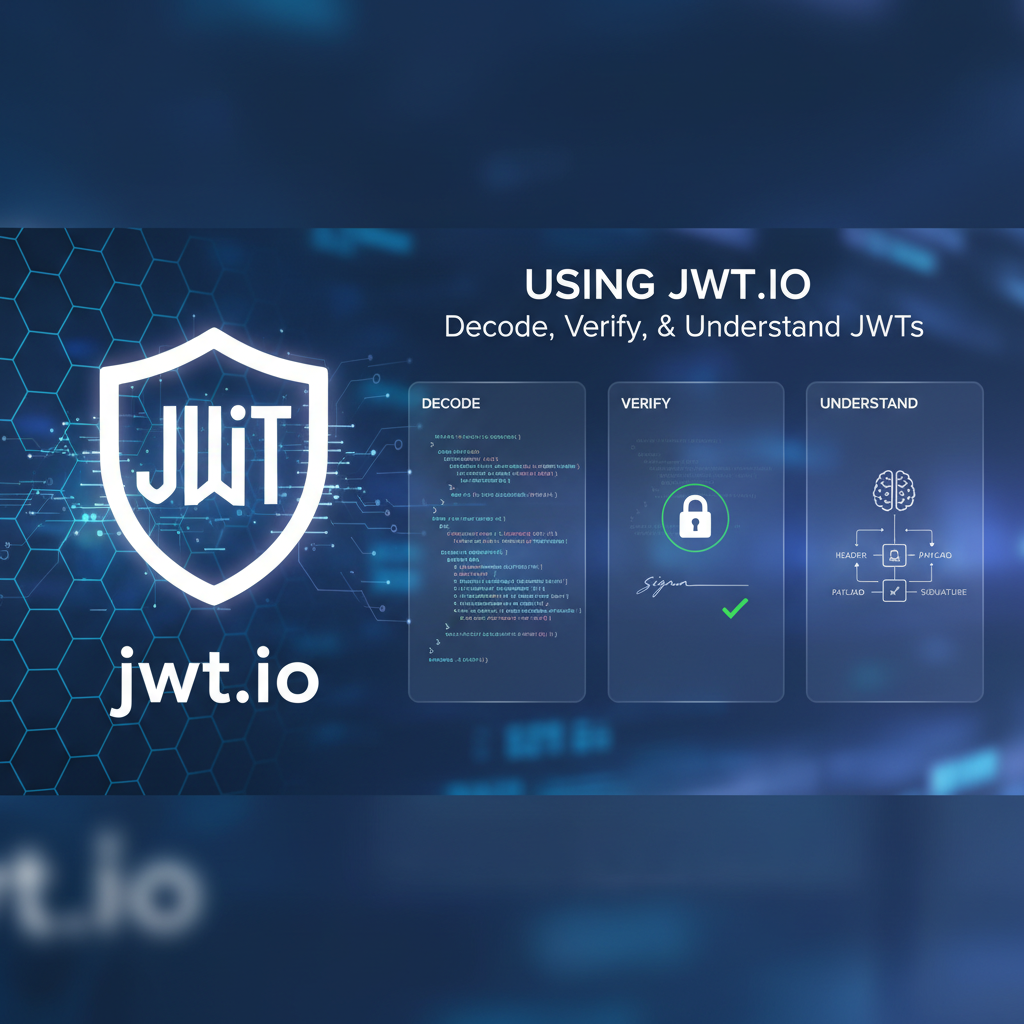


The Indispensable Role of JSON Web Tokens (JWTs) in Modern Web Security
In the intricate landscape of modern web and application development, where distributed systems, microservices, and single-page applications reign supreme, the need for a robust, secure, and stateless mechanism for authentication and authorization has become paramount. Traditional session-based authentication, while effective in monolithic architectures, often presents significant challenges in horizontally scaled environments, particularly when dealing with cross-domain communication or mobile applications. This is precisely where JSON Web Tokens, or JWTs, have emerged as a transformative solution, offering a compact, URL-safe means of transmitting information between parties as a JSON object. At their core, JWTs are not just about authentication; they are about securely conveying claims between entities, ensuring the integrity and authenticity of these claims without requiring a constant, server-side session lookup.
The shift towards API-driven architectures has dramatically amplified the relevance of JWTs. Every interaction, from a user logging into a mobile app to a microservice requesting data from another, often traverses an API, demanding a standardized and efficient method to assert identity and permissions. JWTs provide this standard, allowing identity providers to issue tokens that applications can use to prove their users' identities and access rights to various backend services. This stateless nature is a significant advantage, reducing server load and complexity, especially in high-traffic environments. However, while the concept of JWTs is elegantly simple, their implementation and, more importantly, their secure handling require a deep understanding of their structure, cryptographic principles, and common pitfalls. This is where tools like jwt.io become not just useful, but absolutely indispensable for developers, security professionals, and architects alike. It acts as a digital workbench, demystifying the opaque string of characters that constitutes a JWT and empowering users to decode, verify, and ultimately understand these critical components of modern web security.
Navigating the Complexity: Why jwt.io is Your Essential Companion
The raw string of a JWT appears as a seemingly random collection of characters, typically three base64url-encoded parts separated by dots. Without the right tools, it's impossible to discern the information contained within or to confirm its legitimacy. This opacity can be a barrier to understanding, debugging, and securing applications that rely heavily on JWTs. Developers frequently encounter situations where they need to inspect the contents of a token issued by an authentication server, debug why an API request is being rejected due to invalid token claims, or verify that a token has not been tampered with. Manually decoding base64url strings and then cryptographically verifying signatures is a tedious, error-prone, and often impractical task, especially during active development or incident response.
This is precisely the gap that jwt.io fills with remarkable efficacy. It provides an intuitive, web-based interface that simplifies the entire process. Users can paste a JWT string, and instantly, jwt.io will parse its components, decode the header and payload into human-readable JSON, and provide an interactive mechanism to verify the token's signature using various cryptographic algorithms and keys. Beyond mere functionality, jwt.io serves as an educational platform, visually demonstrating the structure of a JWT and the impact of different signing algorithms and keys. It transforms a complex cryptographic artifact into an accessible and understandable data structure, enabling developers to quickly gain insights into token claims, troubleshoot authentication issues, and reinforce their understanding of JWT security best practices. For anyone working with secure API endpoints and distributed authorization, jwt.io is not merely a convenience; it's a fundamental tool for ensuring the correct and secure operation of their systems.
The Foundational Blocks: Deconstructing the Anatomy of a JWT
To effectively utilize jwt.io and grasp the implications of its decoding and verification features, one must first possess a solid understanding of the fundamental structure of a JSON Web Token. A JWT is elegantly simple in its composition, yet powerful in its implications, consisting of three distinct parts separated by dots (.): the Header, the Payload, and the Signature. Each part plays a crucial role in defining the token's operational parameters, the information it carries, and its cryptographic integrity. This tripartite structure is designed to be compact and URL-safe, making it ideal for transmission in API request headers, query parameters, or even embedded within HTML. The beauty of this design lies in its modularity and the clear separation of concerns, allowing for efficient processing and robust security.
Part 1: The Header – Orchestrating the Cryptographic Dance
The first component of a JWT is the Header, which is a JSON object that typically contains two essential fields: typ (Type) and alg (Algorithm). These fields act as metadata, informing the receiving application how to interpret and verify the token.
The typ field, short for "Type," specifies that the object is a JSON Web Token. Its value is almost always "JWT," serving as a clear identifier that this particular string adheres to the JWT specification. While seemingly trivial, this type declaration is important for parsers to correctly identify and process the token, especially in environments where multiple token types might coexist. It provides an initial cue, much like a file extension, that tells the system what kind of data structure it is about to encounter.
Far more critical for security and processing is the alg field, which stands for "Algorithm." This field declares the cryptographic algorithm used to sign the JWT's signature. The choice of algorithm is paramount, as it dictates the security strength and the type of key required for verification. The JSON Web Algorithm (JWA) specification defines a range of supported algorithms, broadly categorized into two main groups: HMAC (Hash-based Message Authentication Code) algorithms and Public/Private Key Pair algorithms.
HMAC algorithms, such as HS256 (HMAC using SHA-256), HS384 (HMAC using SHA-384), and HS512 (HMAC using SHA-512), rely on a single, shared secret key. The same secret key is used both to sign the token and to verify its signature. This symmetric cryptography is typically simpler to implement and faster, making it suitable for scenarios where the issuer and the consumer of the token can securely share a secret, such as within a microservices architecture where services trust each other or where an API gateway handles the signing and verification for internal services. The security of HMAC-signed tokens is entirely dependent on the secrecy of this shared key; if the key is compromised, an attacker can forge valid tokens.
Public/Private Key Pair algorithms, such as RS256 (RSA Signature with SHA-256), RS384, RS512, ES256 (ECDSA Signature with SHA-256), ES384, and ES512, leverage asymmetric cryptography. Here, a private key is used by the issuer to sign the token, while a corresponding public key is used by the receiver to verify the signature. This setup offers enhanced security and flexibility, as the private key can remain securely with the issuer, while the public key can be widely distributed without compromising the signing process. This is particularly advantageous in scenarios where multiple consumers need to verify tokens issued by a single entity (e.g., an identity provider issuing tokens to various client applications or an API gateway needing to verify tokens from an external identity provider) but should not have access to the signing key. The security of these algorithms relies on the computational difficulty of deriving the private key from the public key and the integrity of the key pair.
The header, once constructed, is then Base64url-encoded. This encoding mechanism ensures that the JSON object is represented in a format that is safe for transmission across URLs, eliminating characters that might otherwise cause parsing issues or require additional escaping. It's important to note that Base64url encoding is not encryption; it's merely an encoding scheme that can be easily reversed, meaning the header's contents are publicly visible.
Here's an example of a typical JWT Header:
{
  "alg": "HS256",
  "typ": "JWT"
}
This header indicates that the token is a JWT and its signature has been generated using the HMAC SHA-256 algorithm. When a service receives this token, it will first decode this header to understand which algorithm it must use for the subsequent verification step, underscoring the header's role as the initial instruction set for token processing.
Part 2: The Payload – Carrying the Claims and Information
The second crucial component of a JWT is the Payload, which is also a JSON object. This part of the token is where the actual information, or "claims," are stored. Claims are statements about an entity (typically the user) and additional data. The JWT specification defines several standard, or "registered," claims, which are recommended for interoperability and provide semantic meaning. Beyond these, developers can also include custom claims tailored to their specific application requirements. Like the header, the payload is Base64url-encoded, making its contents readable by anyone who obtains the token. This characteristic highlights that sensitive information should not be stored directly in the payload unless it is also encrypted using a separate mechanism (e.g., JWE), as it is not inherently confidential.
Let's delve into some of the most common registered claims:
iss(Issuer): This claim identifies the principal that issued the JWT. It's often a URL or a unique identifier for the authentication server or service that generated the token. For example,https://auth.example.com. This helps relying parties ensure that the token originated from a trusted source.sub(Subject): This claim identifies the principal that is the subject of the JWT. It typically represents the user ID or some unique identifier for the user to whom the token was issued. It should be unique within the context of the issuer. For instance,user123orauth0|johndoe.aud(Audience): This claim identifies the recipients that the JWT is intended for. It can be a single string or an array of strings. The receiving application or API gateway must verify that its identifier is present in theaudclaim; otherwise, it should reject the token. This prevents a token issued for one service from being used by another. For example,https://api.example.com/orders.exp(Expiration Time): This claim identifies the expiration time on or after which the JWT MUST NOT be accepted for processing. The value is a Unix timestamp (seconds since epoch). This is a critical security feature, ensuring that tokens have a limited lifespan and cannot be used indefinitely if compromised. It's crucial for applications to strictly enforce this claim.nbf(Not Before): This claim identifies the time before which the JWT MUST NOT be accepted for processing. Similar toexp, its value is also a Unix timestamp. This allows for tokens to be issued in advance but not become valid until a specified future time.iat(Issued At): This claim identifies the time at which the JWT was issued. Its value is a Unix timestamp. While not strictly enforced by receivers, it can be useful for auditing purposes or for determining a token's age.jti(JWT ID): This claim provides a unique identifier for the JWT. It can be used to prevent the token from being replayed (replay attacks) or for implementing token revocation mechanisms, especially for single-use tokens or when managing sessions.
In addition to these registered claims, developers can define and include any number of custom claims to carry application-specific data. For instance, a custom claim named role could contain admin, or department could contain engineering. These claims are incredibly powerful for implementing fine-grained authorization logic within applications and services. For example, an API gateway might inspect a permissions custom claim to determine if a user has access to a specific API endpoint.
Here’s an example of a typical JWT Payload:
{
  "sub": "1234567890",
  ""name": "John Doe",
  "admin": true,
  "iss": "urn:example:issuer",
  "aud": "urn:example:audience",
  "exp": 1704067199, // Expires on Dec 31, 2023, 23:59:59 GMT
  "iat": 1703980800  // Issued on Dec 31, 2023, 00:00:00 GMT
}
This payload tells us that the token was issued for user "1234567890," whose name is "John Doe" and has administrator privileges. It also specifies the issuer, intended audience, and validity period. Understanding these claims is crucial for both issuing correct tokens and for applications to make informed authorization decisions based on the token's content. The ability to inspect these claims quickly using jwt.io is a significant aid in debugging and development.
Part 3: The Signature – Guaranteeing Integrity and Authenticity
The third and arguably most critical component of a JWT is the Signature. Its purpose is twofold: to verify that the token has not been tampered with since it was issued (integrity) and to confirm that the token was indeed created by the legitimate issuer (authenticity). Without a valid signature, the claims within the header and payload cannot be trusted, rendering the token effectively useless for security purposes. The signature is not Base64url-encoded JSON; rather, it is the raw cryptographic output of the signing process, subsequently Base64url-encoded for URL safety.
The process of generating the signature involves several steps:
- Concatenation: The Base64url-encoded Header and the Base64url-encoded Payload are concatenated together, separated by a dot (
.). This forms the "signing input" string. - Algorithm Application: The algorithm specified in the Header's
algfield is then applied to this signing input string.- For HMAC algorithms (e.g., HS256): The algorithm takes the signing input string and a secret key as inputs. It computes a cryptographic hash (e.g., SHA-256) of the signing input using the secret key. The output of this hash function is the signature.
- For Public/Private Key Pair algorithms (e.g., RS256, ES256): The algorithm takes the signing input string and the issuer's private key as inputs. It cryptographically signs the signing input using the private key. The output of this signature generation is the signature.
- Base64url Encoding: The resulting cryptographic signature (raw byte array) is then Base64url-encoded to produce the final, URL-safe signature component of the JWT.
The complete JWT is then formed by concatenating the Base64url-encoded Header, the Base64url-encoded Payload, and the Base64url-encoded Signature, separated by dots: Base64url(Header).Base64url(Payload).Base64url(Signature).
When a JWT is received by a client application, an API, or an API gateway, the verification process mirrors the signature generation:
- The receiver takes the Base64url-encoded Header and Payload from the received token.
- It re-computes the signing input string (Header + "." + Payload).
- Using the algorithm specified in the header and the appropriate key (the shared secret for HMAC, or the public key corresponding to the issuer's private key for RSA/ECDSA), it generates its own signature.
- Finally, it compares its computed signature with the signature provided in the received JWT. If the two signatures match, the token is considered valid and untampered, and its claims can be trusted. If they do not match, the token has either been altered or was signed with a different key, and it must be rejected.
This signature mechanism is the cornerstone of JWT security. It ensures that even though the header and payload are readable (encoded, not encrypted), their integrity and authenticity are guaranteed. Without this cryptographic signature, an attacker could easily modify the claims within the payload (e.g., changing admin: false to admin: true) and impersonate a legitimate user. The reliance on a secret key or a private key makes such tampering detectable, upholding the trustworthiness of the token's assertions. Understanding how the signature is formed and verified is fundamental to both creating secure systems that use JWTs and to effectively using jwt.io for validation and debugging.
Unveiling the Power of jwt.io – Your Digital Workbench
Having established a firm understanding of JWT anatomy, we can now pivot to the practical application of this knowledge using jwt.io. This web-based tool, maintained by Auth0, has become the de facto standard for interacting with JWTs, offering an intuitive interface to decode, inspect, and verify these tokens. Its importance cannot be overstated for anyone dealing with authentication and authorization in modern API ecosystems. From quick debugging sessions to in-depth security analysis, jwt.io provides instant visibility into the otherwise opaque structure of a JWT.
A First Look at the jwt.io Interface
Upon navigating to jwt.io, users are greeted with a clean, three-column layout that is both functional and informative. This design allows for a seamless workflow, guiding the user through the process of understanding and validating a JWT.
- Left Panel (Encoded): This is the primary input area. Users paste their JWT string into the large text box here. As soon as a valid JWT is entered, the interface automatically updates the other two panels. This instant feedback loop is one of jwt.io's most powerful features, eliminating guesswork and dramatically speeding up debugging.
- Middle Panel (Decoded): This panel is further divided into two sections:
- Header: Displays the decoded JSON object of the JWT header. This is where you'll see the
alg(algorithm) andtyp(type) claims, as discussed earlier. - Payload: Presents the decoded JSON object of the JWT payload, revealing all the claims (registered and custom) carried by the token, such as
iss,sub,aud,exp,iat, and any other application-specific data. These two sections offer immediate human-readable insight into the token's contents, which is invaluable for understanding its purpose and validity.
- Header: Displays the decoded JSON object of the JWT header. This is where you'll see the
- Right Panel (Signature Verification): This critical section is dedicated to the cryptographic validation of the JWT.
- Algorithm Selection: This dropdown automatically reflects the
algspecified in the decoded header. It allows users to confirm the algorithm or manually adjust it if the header is missing or incorrect. - Key/Secret Input: Depending on the selected algorithm, this area prompts for either a shared secret (for HMAC algorithms) or a public key/certificate (for RSA/ECDSA algorithms). This is where the magic of verification happens.
- Verification Result: Below the key input, jwt.io displays a clear message indicating whether the signature is "verified" or "invalid." This immediate feedback is essential for confirming the token's integrity and authenticity.
- Algorithm Selection: This dropdown automatically reflects the
The genius of jwt.io lies in its interactivity. As you type or paste a JWT, or modify the secret/key, the interface updates in real-time. This dynamic behavior makes it an excellent tool for experimenting with different algorithms, understanding the impact of key changes, and observing how even minor alterations to the token invalidate its signature. It's a highly visual and interactive way to explore the cryptographic principles underlying JWTs, which might otherwise seem abstract.
Live Example Walk-Through: Decoding Your First JWT
Let's embark on a step-by-step journey with a sample JWT to illustrate how jwt.io empowers users. Consider the following JWT, which we'll use for our demonstration:
eyJhbGciOiJIUzI1NiIsInR5cCI6IkpXVCJ9.eyJzdWIiOiIxMjM0NTY3ODkwIiwibmFtZSI6IkpvaG4gRG9lIiwiaWF0IjoxNTE2MjM5MDIyLCJleHAiOjE2MTYyMzkwMjJ9.bW5H9s-4vD-c7tE-4jV-6l8_0Q_3S-6o-2v0-0Q-6S-4vD
(Note: The above JWT is a simplified example; its expiration is in the past. Real-world JWTs would have much longer Base64url strings)
Step-by-step decoding process:
- Paste the JWT: Navigate to jwt.io and paste the provided JWT string into the "Encoded" text area in the left panel.
- Observe the Decoded Header: Instantly, the "Header" section in the middle panel will display:
json { "alg": "HS256", "typ": "JWT" }This confirms that our token is a JWT and was signed using the HMAC SHA-256 algorithm. This immediate visual confirmation is incredibly helpful for quickly understanding the token's cryptographic context. If thealgwerenone, it would instantly flag a potential security vulnerability, asnonealgorithms are often misused for bypassing authentication. - Inspect the Decoded Payload: Simultaneously, the "Payload" section will update:
json { "sub": "1234567890", "name": "John Doe", "iat": 1516239022, "exp": 1616239022 }Here, we can clearly see the claims carried by the token: a subject ID (sub), a name (name), the issued at time (iat), and the expiration time (exp). Theiatvalue1516239022corresponds to2018-01-18 00:30:22 UTC, andexpvalue1616239022corresponds to2021-03-16 00:30:22 UTC. jwt.io even provides a human-readable interpretation of these timestamps, making it easy to check token validity periods at a glance. For an API developer, quickly seeing thesuborroleclaims in the payload is crucial for debugging authorization issues. - Prepare for Signature Verification: In the right panel, observe the "Signature Verification" section. The algorithm dropdown will automatically select
HS256, matching thealgin our header. Below it, there will be an input field labeled "your-secret." - Perform Signature Verification (Requires the Secret): For
HS256, we need the shared secret that was used to sign this token. Let's assume our secret isyour-256-bit-secret. Pasteyour-256-bit-secretinto the "your-secret" input field. The "Signature Verification" box will then display either "Signature Verified" in green or "Signature Invalid" in red. For our example, if we use the correct secret, it would show "Signature Verified."
This simple walk-through demonstrates the power and simplicity of jwt.io. Within seconds, you can take an unfamiliar JWT string and extract its core information, understand how it was signed, and confirm its cryptographic integrity. This capability is not just a convenience; it's a fundamental requirement for building, maintaining, and troubleshooting secure APIs and applications that rely on JWTs for authentication and authorization. Whether you are an application developer debugging a user login flow or a security engineer auditing API gateway logs, jwt.io will be an invaluable asset in your toolkit.
Decoding JWTs with jwt.io – A Deep Dive into Information Retrieval
Decoding a JWT is the initial step in understanding its contents and a prerequisite for verification. While the act of pasting a token into jwt.io provides an instant visual breakdown, a deeper appreciation of this process, its implications, and common pitfalls is crucial for anyone working with secure systems. Decoding reveals the claims, which are the very essence of the token, informing identity, permissions, and session context.
The Decoding Process: Unpacking the Base64url Strings
As discussed in the anatomy section, a JWT is composed of three Base64url-encoded parts. Decoding these parts is essentially the reversal of the Base64url encoding process, converting the URL-safe string representation back into its original byte array, which for the header and payload, are UTF-8 encoded JSON strings.
When you paste a JWT into jwt.io, the tool performs the following actions automatically and instantaneously:
- Splitting the Token: It first splits the input string at the
.characters, separating the Base64url-encoded Header, Payload, and Signature. - Base64url Decoding the Header: The first segment is taken and Base64url decoded. This transforms
eyJhbGciOiJIUzI1NiIsInR5cCI6IkpXVCJ9back into its original JSON string:{"alg":"HS256","typ":"JWT"}. - JSON Parsing the Header: This JSON string is then parsed into a human-readable JSON object, which is displayed in the "Header" section of the middle panel.
- Base64url Decoding the Payload: The second segment is similarly decoded. This transforms
eyJzdWIiOiIxMjM0NTY3ODkwIiwibmFtZSI6IkpvaG4gRG9lIiwiaWF0IjoxNTE2MjM5MDIyLCJleHAiOjE2MTYyMzkwMjJ9back into its original JSON string:{"sub":"1234567890","name":"John Doe","iat":1516239022,"exp":1616239022}. - JSON Parsing the Payload: This JSON string is then parsed into a human-readable JSON object, which is displayed in the "Payload" section.
- Base64url Decoding the Signature (Internal): The third segment, the signature, is also Base64url decoded. While its raw byte form isn't directly displayed in the "Decoded" panel, this decoded signature is internally used for the verification process.
The immediate display of the Header and Payload in a structured JSON format is the primary value of the decoding functionality. It presents the raw, otherwise unintelligible string in a clear, semantic representation, making the claims immediately accessible.
What Insights Can Be Gained from Decoding?
Decoding a JWT provides a wealth of information, crucial for various development and security tasks:
- Understanding Token Purpose: By inspecting the
iss(issuer) andaud(audience) claims, you can quickly determine who issued the token and for which service or application it is intended. This is vital for ensuring that a token is not being misused or sent to an unintended recipient. An API gateway would use these claims to route requests and enforce policies. - Identifying the Subject: The
sub(subject) claim immediately tells you which user or entity the token represents. This is fundamental for debugging user-specific issues or verifying user context. Custom claims likeuser_idoremailcan further enrich this understanding. - Checking Permissions and Roles: If the token contains custom claims for roles (e.g.,
"roles": ["admin", "editor"]) or permissions (e.g.,"permissions": ["read:products", "write:orders"]), decoding instantly reveals these access grants. This is incredibly useful for validating authorization logic within your application or confirming if an API request has the necessary permissions. - Assessing Token Lifespan: The
iat(issued at) andexp(expiration time) claims provide crucial information about the token's validity period. You can quickly see when a token was issued and when it will expire. jwt.io often provides a human-readable conversion of these Unix timestamps, simplifying the check for expired tokens, which is a common reason for failed API calls. - Debugging Claim Issues: If your application isn't behaving as expected regarding user identity or permissions, decoding the JWT is often the first step in diagnosing the problem. You might find a missing claim, an incorrectly formatted claim, or an unexpected value that is causing issues in your backend logic or at the API gateway.
- Understanding Signing Algorithm: The
algclaim in the header immediately informs you about the cryptographic algorithm used for signing. This is essential for the subsequent verification step, as it dictates the type of key (secret or public) required. It also flags potential security risks if an insecure algorithm likenoneis specified.
Common Decoding Errors and Troubleshooting
While jwt.io is highly resilient, you might occasionally encounter issues when pasting a token. These usually stem from invalid token formats rather than errors with the tool itself:
- "Invalid JWT token": This is the most common error. It means the string you pasted does not adhere to the standard JWT format (three Base64url-encoded parts separated by dots).
- Troubleshooting: Check for extra spaces, missing dots, or truncated tokens. Ensure you've copied the entire token string. Sometimes, logging systems might truncate long tokens, or copy-pasting might inadvertently miss parts.
- Malformated Base64url: If one of the parts is not valid Base64url, jwt.io will fail to decode it.
- Troubleshooting: This is rare unless the token was deliberately corrupted or improperly generated. Double-check the source of the token.
- Non-JSON Header/Payload: If the decoded header or payload isn't valid JSON, jwt.io will still decode the Base64url but might display a parsing error or raw text in the JSON viewer.
- Troubleshooting: This indicates an issue with how the token was originally created, where non-JSON content was encoded in the header or payload section. Review the token generation logic.
It is critical to remember that decoding a JWT does not equate to verifying it. Decoding simply reveals the contents of the header and payload, which, as Base64url encoded strings, are publicly readable. An attacker could easily modify the payload of a decoded token, re-Base64url encode it, and present a seemingly valid token. Without proper signature verification, these tampered claims would be accepted. This distinction is paramount for security. Decoding is for inspection; verification is for trust.
Security Implications of Decoding (Not Verification)
The ease with which jwt.io decodes tokens underscores a fundamental security principle: JWTs are not encrypted by default. Their contents (header and payload) are visible to anyone who intercepts the token. This has significant security implications:
- Confidentiality: Do not store sensitive, confidential information directly in the JWT payload unless the entire JWT is then encrypted using a mechanism like JSON Web Encryption (JWE). Information like credit card numbers, personal health information, or highly sensitive internal identifiers should never reside in a plain JWT payload.
- Information Disclosure: Even non-confidential information can sometimes reveal system architecture or internal logic if not carefully managed. Be mindful of what claims are included.
- Tampering Risk (if not verified): While decoding makes contents visible, the signature is what prevents unauthorized modification. Relying solely on decoded claims without verification is a severe security vulnerability. Any application or API gateway consuming JWTs must always verify the signature before trusting any claims.
In summary, decoding with jwt.io is a powerful debugging and inspection tool, providing immediate clarity into the structure and claims of a JWT. However, it is only the first step. The true security guarantee of a JWT comes from its signature, which leads us to the critical next step: verification.
APIPark is a high-performance AI gateway that allows you to securely access the most comprehensive LLM APIs globally on the APIPark platform, including OpenAI, Anthropic, Mistral, Llama2, Google Gemini, and more.Try APIPark now! 👇👇👇
Verifying JWTs with jwt.io – The Crucial Security Step
While decoding a JWT provides visibility into its contents, the real security value of a JSON Web Token lies in its signature. Without verification, any decoded information is untrustworthy, as an attacker could easily alter the header or payload and re-encode it. Verification is the cryptographic process that ensures two fundamental properties: the integrity of the token (it hasn't been tampered with) and its authenticity (it was issued by a trusted party). jwt.io excels at simplifying this complex cryptographic operation, making it accessible for developers to confirm the validity of their tokens.
Why Verification is Essential: Integrity and Authenticity
Imagine a scenario where a user, "Alice," logs in and receives a JWT. This token contains a claim {"role": "user"}. If an attacker could simply decode this token, change user to admin, re-encode it, and then use it to access an administrative API endpoint, the entire security model would collapse. This is where the signature comes into play.
- Integrity: The signature acts as a cryptographic checksum over the header and payload. Any alteration, even a single character change, in either the header or the payload will cause the recomputed signature to mismatch the original signature in the token. This immediate mismatch signals that the token has been tampered with, and it must be rejected. This protects against unauthorized modifications of claims.
- Authenticity: The signature is generated using a secret key (for HMAC) or a private key (for RSA/ECDSA) known only to the issuer. By successfully verifying the signature using the corresponding key (the shared secret or the public key), the receiving party can be assured that the token was indeed issued by the legitimate, trusted entity. This prevents impersonation and the forging of tokens by unauthorized parties.
Without robust signature verification at every point where a JWT is consumed—be it a client-side application, a backend microservice, or an API gateway—the system is critically vulnerable to various attacks, including privilege escalation, data breaches, and unauthorized access.
How jwt.io Facilitates Verification: The 'Signature Verification' Section
The 'Signature Verification' section in the right panel of jwt.io is the heart of its security functionality. It provides an interactive environment to test the integrity and authenticity of a JWT against a given key.
- Algorithm Auto-Detection: When you paste a JWT, jwt.io automatically reads the
algclaim from the decoded header and pre-selects the corresponding algorithm in the dropdown menu (e.g.,HS256,RS256,ES256). This is crucial because using the wrong algorithm or key will inevitably lead to a "Signature Invalid" result, even if the token is otherwise valid. - Key/Secret Input: This is where you provide the cryptographic key required for verification. The type of input required depends entirely on the selected algorithm:
- For Symmetric Algorithms (e.g., HS256): You'll need to input the exact shared "secret" string or byte array that was used to sign the token. This secret must be kept confidential and shared only between the issuer and the verifier.
- For Asymmetric Algorithms (e.g., RS256, ES256): You'll need to input the "public key" or a certificate containing the public key that corresponds to the private key used by the issuer. This public key is generally safe to distribute.
- Real-time Feedback: As you input the key/secret, jwt.io dynamically computes the signature based on the token's header and payload using the specified algorithm and key. It then compares this computed signature with the signature present in the JWT.
- If they match, a prominent green "Signature Verified" message appears.
- If they don't match, a red "Signature Invalid" message is displayed, indicating a potential issue.
Different Types of Keys for Verification:
Understanding the types of keys is paramount for successful verification:
1. Symmetric Secret (for HMAC Algorithms like HS256, HS384, HS512)
HMAC algorithms use a single, shared secret key for both signing and verification. This means the issuer and the verifier must possess the identical secret.
- Key Characteristics:
- A string of characters (or byte array) with sufficient entropy.
- Must be kept strictly confidential.
- The length of the secret generally impacts security. For
HS256, a 256-bit (32-byte) secret is ideal, though many libraries accept string inputs that are then hashed to the appropriate length.
- jwt.io Usage: Simply paste the exact secret string into the "your-secret" text area.
- Typical Use Cases:
- Internal microservices communication where services trust each other and can securely exchange a secret.
- When an API gateway signs tokens for internal applications or verifies tokens from its own authentication service, and all components are within a trusted boundary.
- Legacy systems or simpler setups where key distribution is less complex.
2. Public/Private Key Pairs (for RSA Algorithms like RS256, RS384, RS512 and ECDSA Algorithms like ES256, ES384, ES512)
Asymmetric algorithms use a pair of mathematically linked keys: a private key for signing and a public key for verification.
- Key Characteristics:
- Private Key: Used only by the issuer to sign tokens. Must be kept extremely confidential.
- Public Key: Derived from the private key, it can be freely distributed. Anyone with the public key can verify tokens signed by the corresponding private key, but they cannot sign new tokens or forge existing ones.
- Public keys are often distributed as X.509 certificates or in PEM (Privacy-Enhanced Mail) format.
- jwt.io Usage:
- Select the appropriate RSA or ECDSA algorithm in the dropdown.
- Paste the public key (or the entire certificate including the public key) into the "public key" text area. The format is typically PEM encoded (e.g.,
-----BEGIN PUBLIC KEY-----...-----END PUBLIC KEY-----or-----BEGIN CERTIFICATE-----...-----END CERTIFICATE-----).
- Typical Use Cases:
- OpenID Connect and OAuth 2.0 where an Identity Provider (IdP) issues tokens and multiple client applications or API gateways need to verify them without sharing a secret.
- Large-scale distributed systems where secure key management and distribution become more complex.
- Scenarios requiring non-repudiation, as the private key holder is unequivocally identified.
Demonstrating HMAC Verification
Let's revisit our example JWT: eyJhbGciOiJIUzI1NiIsInR5cCI6IkpXVCJ9.eyJzdWIiOiIxMjM0NTY3ODkwIiwibmFtZSI6IkpvaG4gRG9lIiwiaWF0IjoxNTE2MjM5MDIyLCJleHAiOjE2MTYyMzkwMjJ9.bW5H9s-4vD-c7tE-4jV-6l8_0Q_3S-6o-2v0-0Q-6S-4vD
Assume the shared secret used to sign this token is: your-256-bit-secret
- Paste the JWT into jwt.io.
- Observe that
HS256is automatically selected under 'Signature Verification'. - In the "your-secret" input box, type or paste
your-256-bit-secret. - jwt.io will immediately display "Signature Verified" in green.
Now, try changing just one character in the secret, e.g., your-256-bit-secreta. The verification status will instantly change to "Signature Invalid" in red. This vividly demonstrates how sensitive the signature verification is to the correctness of the key.
Demonstrating RSA/ECDSA Verification (using Public Keys/Certificates)
For RSA/ECDSA verification, we'll need a different example JWT and its corresponding public key. Let's imagine a JWT signed with RS256:
Sample RS256 JWT: eyJhbGciOiJSUzI1NiIsInR5cCI6IkpXVCJ9.eyJzdWIiOiIxMjM0NTY3ODkwIiwibmFtZSI6IkpvaG4gRG9lIiwiYWRtaW4iOnRydWUsImlhdCI6MTUxNjIzOTAyMn0.ihI6j92D2c7h92X-f8e9j7D-a8v9c2s-7e9b2c-6v8j0d-5f8e9j7D-a8v9c2s-7e9b2c-6v8j0d (Note: This JWT is illustrative and not signed with the below key. In a real scenario, the signature would match)
Corresponding Public Key (PEM format):
-----BEGIN PUBLIC KEY-----
MIIBIjANBgkqhkiG9w0BAQEFAAOCAQ8AMIIBCgKCAQEAy8V323c2+B6+...
...g8d9vG4q3e/QIDAQAB
-----END PUBLIC KEY-----
(This is a truncated example public key for illustration)
- Paste the RS256 JWT into jwt.io.
- Observe that
RS256is automatically selected under 'Signature Verification'. - In the "public key" input box, paste the entire public key string (including
-----BEGIN PUBLIC KEY-----and-----END PUBLIC KEY-----). - If the JWT was indeed signed with the private key corresponding to this public key, jwt.io would display "Signature Verified."
Common Verification Issues and Troubleshooting
Encountering "Signature Invalid" is a common occurrence during development or debugging. Here are typical reasons and troubleshooting steps:
- Wrong Key/Secret: This is by far the most frequent issue.
- Troubleshooting: Double-check that you are using the exact shared secret for HMAC or the correct public key for RSA/ECDSA. Even a single character difference will invalidate the signature. Ensure there are no leading/trailing spaces or invisible characters. For RSA/ECDSA, ensure the public key is correctly formatted (PEM encoding).
- Incorrect Algorithm: The
algin the header might beHS256, but you are attempting to verify withRS256, or vice-versa.- Troubleshooting: Always ensure the algorithm selected in the 'Signature Verification' panel matches the
algclaim in the decoded header. jwt.io usually auto-selects this, but manual overrides or misconfigurations can occur.
- Troubleshooting: Always ensure the algorithm selected in the 'Signature Verification' panel matches the
- Tampered Token: If the token has been altered in any way (even a minor change in the payload), the signature will be invalid.
- Troubleshooting: If the key is correct and the algorithm matches, an invalid signature strongly suggests tampering. This is a critical security alert.
- Token Expired (
expclaim) or Not Yet Valid (nbfclaim): While an expired token will still have a cryptographically valid signature (meaning it wasn't tampered with), many libraries and API gateways will reject it based on theexpclaim after signature verification. jwt.io highlights these claims but doesn't automatically fail signature verification for them, as that's a separate logical validation step.- Troubleshooting: Check the
expandnbfclaims in the decoded payload. Ifexpis in the past, the token is logically expired.
- Troubleshooting: Check the
noneAlgorithm Abuse: If thealgisnone, jwt.io will tell you "Signature is empty" and warns that the token is insecure. Some systems might be vulnerable to accepting tokens withalg: noneif not properly configured.- Troubleshooting: Never accept tokens with
alg: noneunless you have a very specific, controlled, and securely isolated reason (which is rare). This is a well-known vulnerability.
- Troubleshooting: Never accept tokens with
What jwt.io Cannot Do (and What Your Application Must Handle)
It's important to understand the limitations of jwt.io. It verifies the cryptographic signature, but it does not perform all the logical validations required for a secure application:
- Claim Validation: jwt.io won't automatically check if
expis in the past, ifaudmatches your application, ifissis trusted, or ifjtihas been revoked. Your application's API gateway or backend service must perform these logical validations after the signature has been successfully verified. - Revocation: JWTs are generally stateless. Once issued, they are valid until they expire, assuming the signature is correct. jwt.io has no concept of token revocation lists or blacklists. Your application needs a strategy for revoking tokens before their natural expiration (e.g., if a user logs out or credentials are compromised).
- Replay Attacks: If a token is intercepted, it could be "replayed" before its
exptime. Whilejtican help prevent this for single-use tokens, it's a complex topic beyond simple signature verification.
In conclusion, signature verification using jwt.io is an indispensable step in ensuring the trustworthiness of JWTs. It provides immediate feedback on the integrity and authenticity of a token, arming developers with the confidence that the claims presented are legitimate. However, it's crucial to integrate this understanding with comprehensive claim validation and other security practices within your application and API gateway for a truly robust security posture.
Understanding JWT Best Practices & Security Considerations
While JWTs offer a powerful and efficient mechanism for authentication and authorization in modern API ecosystems, their effective and secure implementation demands adherence to best practices and a deep awareness of potential security pitfalls. Merely generating and verifying tokens is insufficient; the context, lifespan, storage, and surrounding infrastructure play equally critical roles in maintaining system security. Neglecting these aspects can transform a robust cryptographic primitive into a significant vulnerability.
1. Choosing Appropriate Algorithms: HS256 vs. RS256/ES256
The choice of signing algorithm, as declared in the JWT header's alg claim, is one of the most fundamental security decisions.
- Symmetric (HMAC): HS256, HS384, HS512
- Pros: Simpler to implement, faster performance.
- Cons: Requires both the issuer and the verifier to possess the identical secret key. This necessitates secure key distribution and management. If the secret is compromised, an attacker can both forge and verify tokens, leading to catastrophic security breaches.
- Best Use Cases:
- Within a tightly controlled microservices environment where services can securely share a secret.
- When an API gateway both issues and verifies tokens for internal traffic, or when the gateway is the sole verifier for an internal service.
- Security Note: Always use a sufficiently long and random secret. For HS256, a 256-bit (32-byte) secret generated cryptographically is recommended. Avoid hardcoding secrets or using easily guessable strings.
- Asymmetric (RSA/ECDSA): RS256, RS384, RS512, ES256, ES384, ES512
- Pros: Enhanced security due to separate signing (private) and verification (public) keys. The public key can be widely distributed without compromising the signing process. This is ideal for scenarios with multiple token consumers. Offers non-repudiation.
- Cons: More complex key management (generating, storing, rotating private keys), slightly slower performance than HMAC.
- Best Use Cases:
- OpenID Connect and OAuth 2.0, where an Identity Provider issues tokens to many different client applications or API gateways.
- Public APIs where third-party developers need to verify tokens issued by your service.
- Environments where the issuer and verifiers are distinct entities that cannot securely share a secret.
- Security Note: Private keys must be extremely well protected, often in hardware security modules (HSMs) or secure key vaults. Public keys should be fetched from trusted sources (e.g., JWKS endpoints).
- The
noneAlgorithm: This "algorithm" explicitly states that the token is unsigned.- Security Warning: Never, ever accept tokens signed with
alg: nonefrom untrusted sources. This is a well-known vulnerability (CVE-2015-2922) where attackers can craft unsigned tokens with arbitrary claims if the verifying library or API gateway blindly trusts thealgheader without validating the signature. Always whitelist allowed algorithms and strictly enforce signature verification.
- Security Warning: Never, ever accept tokens signed with
2. Expiration Times (exp) and "Not Before" (nbf) Claims
Token lifespan management is critical for security.
exp(Expiration Time):- Best Practice: Always include an
expclaim and enforce its validation. Short expiration times (e.g., 5-15 minutes) reduce the window of opportunity for attackers if a token is compromised. - Considerations: For longer user sessions, use refresh tokens. When a short-lived access token expires, a longer-lived refresh token (which should be more securely stored and have more stringent validation) can be exchanged for a new access token.
- jwt.io Insight: jwt.io will display the
exptimestamp, allowing you to quickly see if a token is logically valid from a time perspective.
- Best Practice: Always include an
nbf(Not Before):- Best Practice: Use
nbfwhen you want a token to be valid only after a specific time, even if it's issued earlier. This can be useful for preventing tokens from being used prematurely. - Considerations: Always validate
nbfif present.
- Best Practice: Use
3. Audience (aud) and Issuer (iss) Claims
These claims provide crucial context about who issued the token and who it's intended for, preventing token misuse.
aud(Audience):- Best Practice: Your application or API gateway should always validate that its own identifier (or the identifier of the specific service it manages) is present in the
audclaim of any received JWT. If theaudclaim does not match, the token should be rejected. This prevents a token issued for service A from being used to access service B.
- Best Practice: Your application or API gateway should always validate that its own identifier (or the identifier of the specific service it manages) is present in the
iss(Issuer):- Best Practice: Always validate the
issclaim to ensure the token originated from a trusted identity provider or authentication service. If theissclaim doesn't match a known and trusted issuer, the token should be rejected. This prevents tokens from being issued by malicious third parties.
- Best Practice: Always validate the
4. Revocation Strategies (for Stateless JWTs)
One of the defining characteristics of JWTs is their statelessness. Once issued and signed, they generally cannot be "revoked" by the server until their exp time. This is efficient but presents a challenge when a user logs out, or their credentials are compromised.
- Short Expiration Times + Refresh Tokens: This is the most common strategy. When a user logs out, you simply invalidate the refresh token (which is typically stateful and stored server-side) without needing to explicitly revoke the short-lived access token.
- Blacklisting/Revocation List: For critical security events (e.g., password change, account compromise), you can maintain a server-side blacklist of
jti(JWT ID) claims for tokens that have been revoked before their expiration. Every incoming token'sjtimust then be checked against this list by the API gateway or backend service. This introduces state, but for critical scenarios, it's a necessary trade-off. - Session Database (Hybrid Approach): Store minimal session information linked to the
jtiin a database (e.g., Redis). On logout, delete the entry. This allows for quick lookup and effective revocation.
5. Storing JWTs Securely
Where and how JWTs are stored client-side significantly impacts security.
- HttpOnly Cookies:
- Pros: Cookies with the
HttpOnlyflag cannot be accessed via client-side JavaScript, significantly mitigating XSS (Cross-Site Scripting) attacks where malicious scripts might try to steal tokens. Also automatically sent with every request by the browser. - Cons: Vulnerable to CSRF (Cross-Site Request Forgery) attacks if not adequately protected (e.g., with CSRF tokens,
SameSite=StrictorLaxattributes). Can be difficult to use across different subdomains or separate client/server origins. - Best Practice: Set
Secureflag for HTTPS-only transmission. UseSameSite=Lax(default) orStrictto mitigate CSRF.
- Pros: Cookies with the
- Local Storage/Session Storage:
- Pros: Accessible via JavaScript, making them convenient for client-side applications (SPAs, mobile apps).
- Cons: Highly vulnerable to XSS. If a malicious script is injected, it can easily read and steal tokens from local storage, granting an attacker full access to the user's account. This is generally discouraged for access tokens.
- Best Practice: Avoid storing sensitive access tokens here. If you must, implement stringent Content Security Policy (CSP) and other XSS prevention measures. Consider using memory storage for short-lived tokens.
- Memory (JavaScript Variables):
- Pros: Least vulnerable to persistent client-side storage attacks, as tokens are held only in runtime memory.
- Cons: Lost on page refresh or navigation. Requires re-authentication or use of refresh tokens.
- Best Practice: Ideal for very short-lived access tokens used for single requests or within a single component lifespan.
For refresh tokens, which are longer-lived and more powerful, stricter storage mechanisms (e.g., encrypted HttpOnly cookies or a secure server-side store with one-time use refresh tokens) are imperative.
6. Protecting the Signing Key
The security of your JWTs ultimately hinges on the secrecy and integrity of the signing key (for HMAC) or the private key (for RSA/ECDSA).
- Key Generation: Use cryptographically secure random number generators (CSPRNGs) for generating secrets. For asymmetric keys, follow established key generation best practices.
- Key Storage: Store keys in secure environments.
- Avoid hardcoding keys in application code.
- Use environment variables, secret management services (e.g., AWS Secrets Manager, Azure Key Vault, HashiCorp Vault), or hardware security modules (HSMs).
- Ensure proper file permissions on servers.
- Key Rotation: Regularly rotate signing keys to limit the impact of a potential compromise. This requires a strategy for handling tokens signed with old keys (e.g., accepting both old and new keys for a transition period).
7. JWTs in Microservices Architectures
JWTs are particularly well-suited for microservices due to their stateless nature.
- Decentralized Verification: Each microservice can independently verify the JWT it receives using the public key (or shared secret), without needing to communicate with a central authentication service for every request. This reduces latency and improves scalability.
- Centralized Issuance: A dedicated authentication service or an API gateway typically handles the issuance of JWTs after user authentication.
- Claims-Based Authorization: Custom claims in the JWT can be used by individual microservices for fine-grained authorization decisions, rather than constantly querying a permissions database.
- Service-to-Service Communication: JWTs can also be used for authenticating and authorizing inter-service calls, ensuring that only trusted services can communicate.
By adhering to these best practices and understanding the security implications, developers can leverage the full power of JWTs to build secure, scalable, and efficient API-driven applications. The knowledge gained from tools like jwt.io, combined with robust implementation strategies, forms the bedrock of modern web security.
Advanced Topics & Use Cases of JWTs
Beyond the fundamental decode and verify operations, JWTs underpin a variety of advanced security paradigms and are integral to several widely adopted protocols. Understanding these broader applications provides a more complete picture of their versatility and strategic importance in complex systems. From securing complex data structures to enabling federated identity, JWTs extend far beyond simple authentication tokens.
Nested JWTs
While typically a JWT contains a header, payload, and signature, it's possible for a JWT to be "nested" within another structure, usually for enhanced security or specific protocol requirements. The primary mechanism for this is JSON Web Encryption (JWE), where a JWT (the inner content) is encrypted using JWE. However, "nested JWTs" can also refer to a JWT whose payload itself contains another JWT. This is less common but can be useful in very specific scenarios, for instance, when an identity provider issues a token for a user, and a downstream service needs to embed an additional token with specific claims relevant to its own sub-system without altering the original token's signature.
A more practical and common interpretation of "nested JWTs" involves the interplay between JWTs and JWEs. In this scenario, a JWT might be created for authentication and authorization claims. To protect the confidentiality of these claims, the entire JWT is then encrypted using JWE. This results in a JWE token whose payload is the original JWT.
- Process:
- Create an inner JWT with desired claims (e.g.,
alg: HS256). - Take this JWT string and make it the plaintext for a JWE operation.
- Encrypt the JWT using a JWE algorithm (e.g.,
alg: A128KW,enc: A128CBC-HS256). This generates a JWE.
- Create an inner JWT with desired claims (e.g.,
- Use Cases:
- When the claims within the JWT are highly sensitive and must not be revealed to intermediate parties or even the client, but still need the integrity and authenticity guarantees of a JWT.
- Securing information exchange between two parties where confidentiality is paramount.
jwt.io supports JWE parsing, allowing users to decode and decrypt these complex structures, offering visibility into the underlying JWT once the correct decryption key is provided. This highlights the modularity of the JOSE (JSON Object Signing and Encryption) standards, allowing JWTs and JWEs to be combined for comprehensive security.
JWE (JSON Web Encryption) vs. JWT
It's crucial to distinguish between JWT and JWE:
| Feature | JSON Web Token (JWT) | JSON Web Encryption (JWE) |
|---|---|---|
| Primary Goal | Integrity & Authenticity (Proof of Sender & Data) | Confidentiality & Integrity (Proof of Sender & Private Data) |
| Data Visibility | Public (Encoded, not Encrypted) | Private (Encrypted) |
| Components | Header, Payload, Signature | JWE Header, Encrypted Key, Initialization Vector, Ciphertext, Authentication Tag |
| Key Usage | Signing Key (Secret or Private Key) | Encryption Key (Symmetric or Public Key) & Decryption Key (Symmetric or Private Key) |
| Algorithms | HMAC (HS256), RSA (RS256), ECDSA (ES256) | Key Management (e.g., RSA-OAEP, A128KW), Content Encryption (e.g., A128CBC-HS256, A256GCM) |
| Use Case | Authentication, Authorization, Information Exchange | Protecting sensitive data during transit or at rest, secure claims in JWTs |
| jwt.io Support | Decode & Verify | Decode & Decrypt (with correct key) |
While JWT ensures that the data hasn't been tampered with and comes from a trusted source, JWE ensures that the data cannot be read by unauthorized parties. They are often used in conjunction: a JWT is first created, and then that JWT is the content that gets encrypted by JWE. This layered approach provides both authenticity/integrity and confidentiality.
Using JWTs for OAuth 2.0 and OpenID Connect
JWTs are foundational to modern identity and access management protocols like OAuth 2.0 and OpenID Connect (OIDC).
- OAuth 2.0 (Authorization Framework):
- OAuth 2.0 focuses on delegated authorization, allowing a user to grant a third-party application access to their resources on another service (e.g., a user allowing an app to access their Google Photos).
- While OAuth 2.0 primarily defines how to get an access token, it doesn't specify the format of the access token itself. However, JWTs have become the de facto standard for access tokens due to their statelessness and ability to carry claims.
- When an OAuth client receives an access token (often a JWT) from an Authorization Server, it sends this token to a Resource Server (your API), which then validates the token. The claims within the JWT (e.g.,
sub,aud,scope) inform the Resource Server about the user's identity and permissions, allowing it to authorize the request without a direct call back to the Authorization Server for every API call. jwt.iois invaluable here for debugging access tokens issued by OAuth providers, allowing developers to inspect scopes, expiration, and other claims.
- OpenID Connect (Identity Layer on top of OAuth 2.0):
- OIDC extends OAuth 2.0 by providing an identity layer, specifically designed for user authentication. It defines a standard way for clients to obtain user identity information (an "ID Token") from an Authorization Server.
- ID Tokens are always JWTs. They contain standard claims about the authenticated user, such as
iss(issuer of the token, i.e., the IdP),sub(unique user identifier),aud(the client ID for which the token is intended),exp(expiration time),iat(issued at time), and oftenname,email,picture, etc. - The client application verifies the ID Token's signature using the Identity Provider's public key (often obtained from a JWKS endpoint), and then validates its claims (e.g.,
aud,exp,iss). A valid ID Token confirms the user's identity. - For developers integrating with OIDC,
jwt.iois an indispensable tool for debugging ID Tokens, verifying their signatures against the IdP's JWKS, and inspecting the user claims.
Practical Application: Securing an API
Consider a typical scenario for securing an API endpoint using JWTs, often involving an API gateway:
- User Authentication: A user logs into a client application (web, mobile). The client sends credentials to an Authentication Service.
- JWT Issuance: The Authentication Service validates the credentials and, upon success, generates an Access Token (a JWT) and often a Refresh Token. The Access Token contains claims like
sub,exp,aud(e.g., the identifier of the API), and potentiallyrolesorpermissions. This JWT is signed using a private key (RS256) or a shared secret (HS256). - Token Storage: The client application securely stores the Access Token (e.g., in an HttpOnly cookie or in memory).
- API Request: For every subsequent API request, the client includes the Access Token, typically in the
Authorizationheader as a Bearer Token (e.g.,Authorization: Bearer <JWT>). - API Gateway Interception & Verification: All incoming requests to the API first hit an API gateway. The gateway plays a critical role here:
- It intercepts the request and extracts the JWT from the
Authorizationheader. - It verifies the JWT's signature using the appropriate public key (obtained from a JWKS endpoint of the Authentication Service) or shared secret.
- It validates the claims:
exp(is it expired?),nbf(is it valid yet?),iss(is it from a trusted issuer?),aud(is it intended for this API gateway or its managed services?). - It might also perform preliminary authorization checks based on
rolesorpermissionsclaims present in the JWT.
- It intercepts the request and extracts the JWT from the
- Request Forwarding: If the JWT is valid and authorized by the gateway, the API gateway forwards the request to the appropriate backend microservice, potentially enriching the request with the decoded JWT claims for downstream authorization decisions.
- Backend Microservice Authorization: The backend microservice receives the request. It might perform its own (faster) local JWT verification (especially if the gateway has already passed the decoded claims) or directly use the claims passed by the gateway for fine-grained authorization (e.g., "Can this user
deletethis specificresource?"). - Response: The microservice processes the request and returns a response, which passes back through the API gateway to the client.
In this flow, jwt.io becomes an invaluable debugging tool at multiple stages: * Client-side: To inspect tokens received from the Authentication Service. * API Gateway: To verify if the gateway is correctly validating tokens against the issuer's keys. * Backend Microservice: To understand why a microservice might be rejecting a token or misinterpreting claims.
The modularity and flexibility of JWTs, combined with powerful tools like jwt.io and the strategic placement of an API gateway, enable robust and scalable security architectures for modern applications.
The Role of JWTs in Modern API Management
In today's interconnected digital landscape, APIs are the lifeblood of applications, facilitating data exchange and service interaction across disparate systems. Effective API management is therefore paramount for security, performance, and scalability. JSON Web Tokens (JWTs) have emerged as a cornerstone of modern API management strategies, particularly when integrated with a robust API gateway. They streamline authentication and authorization, enabling centralized policy enforcement and significantly enhancing the overall security posture of an API ecosystem.
How API Gateways Leverage JWTs for Authentication and Authorization
An API gateway acts as a single entry point for all client requests to backend services. In an architecture leveraging JWTs, the gateway becomes the primary enforcement point for token validation, offloading this crucial task from individual backend services.
- Centralized Authentication Proxy: When a client sends an API request with a JWT in the
Authorizationheader, the API gateway intercepts it. Instead of each backend service needing to implement its own JWT validation logic, the gateway handles this centrally. It's configured with the necessary public keys (for RSA/ECDSA) or shared secrets (for HMAC) of the trusted JWT issuers. - Signature Verification and Claim Validation: The gateway first verifies the JWT's signature to ensure its integrity and authenticity. Following this, it performs critical claim validations:
- Expiration (
exp): Rejecting expired tokens. - "Not Before" (
nbf): Rejecting tokens not yet valid. - Issuer (
iss): Ensuring the token comes from a trusted identity provider. - Audience (
aud): Confirming the token is intended for the specific API or service managed by the gateway. - Custom Claims: Validating application-specific claims (e.g.,
scope,role,permissions) to make initial authorization decisions.
- Expiration (
- Policy Enforcement: Based on the validated claims, the API gateway can enforce various policies before routing the request:
- Rate Limiting: Limiting the number of requests per user (identified by
subclaim) or per application (identified byclient_idclaim) within a given timeframe. - Access Control: Granting or denying access to specific API endpoints based on user roles or permissions embedded in the JWT. For example, only users with
adminrole can access/adminendpoints. - Traffic Management: Routing requests to specific versions of a service or to different geographic regions based on JWT claims.
- Data Transformation: Enriching requests with decoded JWT claims (e.g., user ID, roles) before forwarding them to backend services, simplifying downstream authorization.
- Rate Limiting: Limiting the number of requests per user (identified by
By centralizing these concerns at the gateway, individual microservices can focus on their core business logic, assuming that any request reaching them has already been authenticated, authorized at a coarse level, and its JWT has been validated. This significantly reduces redundant code, improves consistency, and enhances the overall security posture.
The Benefits of a Robust API Gateway in Handling JWTs at Scale
A well-implemented API gateway offers substantial advantages when dealing with JWTs in high-scale and complex environments:
- Decoupling and Simplification: It decouples backend services from authentication and core authorization logic. Services don't need to know the intricacies of JWT verification; they receive trusted requests.
- Performance Optimization: The gateway can cache public keys or validation results, significantly speeding up token verification, especially for frequently accessed APIs. It prevents each backend service from repeatedly performing costly cryptographic operations.
- Enhanced Security: Centralized validation ensures consistent application of security policies. It's easier to update cryptographic algorithms, revoke keys, or implement new security checks at a single point (the gateway) rather than across dozens of services. The gateway can also filter out malformed or suspicious tokens before they reach valuable backend resources.
- Scalability: By offloading verification, backend services can scale independently, focusing on processing business requests rather than security overhead. The gateway itself can be scaled horizontally to handle large volumes of token-authenticated requests.
- Observability and Auditing: An API gateway provides a central point for logging all API calls, including details about the JWTs used. This rich logging data is invaluable for auditing, monitoring, troubleshooting, and detecting security incidents. It allows for detailed analysis of who accessed what, when, and with what permissions.
- Flexibility and Agility: The gateway can mediate between different token formats or authentication mechanisms, even if backend services expect something different. This allows for easier integration of new services or updates to authentication standards without impacting all existing services.
The synergy between JWTs and an API gateway creates a powerful and efficient architecture for securing modern APIs. JWTs provide a stateless, standardized security token, while the API gateway provides the centralized intelligence and enforcement layer to leverage these tokens effectively at scale.
For organizations building and managing a multitude of APIs, particularly in the realm of AI and microservices, a specialized platform like APIPark offers a comprehensive solution. APIPark stands out as an open-source AI Gateway & API Management Platform designed to streamline the integration, management, and deployment of both AI and REST services. It provides critical features that directly complement and enhance the secure use of JWTs in an API ecosystem. With APIPark, you can integrate over 100 AI models and manage them with a unified system for authentication and cost tracking, which naturally extends to handling JWT-based authentication for these services. Its ability to standardize request data formats ensures that changes in underlying AI models or prompts don't impact applications, simplifying maintenance while providing robust security through end-to-end API lifecycle management, including traffic forwarding, load balancing, and versioning of published APIs. Such a platform is instrumental for enterprises seeking to efficiently govern their diverse API offerings, ensuring both security and performance.
Centralized Policy Enforcement
Centralized policy enforcement is one of the most significant advantages of using an API gateway with JWTs. Instead of scattering access control logic across numerous microservices, policies can be defined and enforced at the gateway level.
- Role-Based Access Control (RBAC): The gateway can inspect a
roleclaim in the JWT and allow access only if the user possesses the required role for a specific endpoint. - Scope-Based Authorization: For OAuth 2.0 scenarios, the gateway can verify that the JWT's
scopeclaim contains the necessary permissions for the requested operation. - Attribute-Based Access Control (ABAC): More advanced gateways can use a combination of JWT claims (e.g.,
department,country,user_id) along with other contextual information (e.g., IP address) to make very granular authorization decisions. - Conditional Access: Policies can dictate access based on the strength of the token (e.g., different permissions for tokens issued via MFA vs. single-factor), time of day, or geographical location, all enforced centrally.
This centralized approach not only simplifies development and reduces the chance of security vulnerabilities but also provides a consistent and auditable enforcement layer across the entire API estate.
In conclusion, JWTs have revolutionized API authentication and authorization by providing a stateless, verifiable, and compact token format. When combined with a sophisticated API gateway, they form the backbone of a highly efficient, secure, and scalable API management strategy, enabling organizations to build, deploy, and govern their APIs with confidence and control. The integration of such tools, including specialized platforms like APIPark, becomes essential for navigating the complexities of modern API ecosystems.
Conclusion: Mastering JWTs for Secure and Scalable API Architectures
The journey through the world of JSON Web Tokens, from their fundamental anatomy to their intricate role in modern API management, underscores their profound impact on how we design, secure, and scale distributed systems. JWTs are far more than just arbitrary strings; they are a sophisticated mechanism for securely conveying claims, designed to provide integrity and authenticity in stateless environments. Their compact, URL-safe nature makes them ideal for the demands of web, mobile, and microservices architectures, where efficient, decentralized authentication and authorization are paramount.
Tools like jwt.io serve as an indispensable bridge, demystifying the opaque nature of these tokens and transforming complex cryptographic principles into an accessible and interactive experience. For developers, security engineers, and architects, jwt.io is the essential workbench for:
- Decoding: Instantly revealing the header and payload, allowing quick inspection of claims like issuer, subject, audience, and expiration times. This immediate visibility is crucial for debugging authentication flows and understanding token context.
- Verifying: Confirming the cryptographic integrity and authenticity of a token using the appropriate secret or public key. This step is the bedrock of JWT security, ensuring that tokens haven't been tampered with and originate from trusted sources. Without proper verification, any claims within the token are untrustworthy.
- Understanding: Through hands-on experimentation, jwt.io solidifies the comprehension of how different algorithms work, the impact of key management, and the crucial distinction between encoding and encryption.
Beyond the mechanics of JWTs, their successful implementation hinges on a deep commitment to best practices. This includes carefully selecting signing algorithms (symmetric vs. asymmetric) based on the specific security and distribution needs, diligently managing token lifespans with appropriate expiration and "not before" claims, and robustly validating issuer and audience claims to prevent misuse. Furthermore, secure storage strategies (HttpOnly cookies over local storage for access tokens), stringent key protection, and well-defined revocation mechanisms are non-negotiable for building resilient systems.
The integration of JWTs with an API gateway represents the zenith of modern API management. The gateway transforms into a powerful, centralized policy enforcement point, offloading authentication and initial authorization from backend services. This architecture facilitates consistent security, enhances performance through efficient token validation, and simplifies overall system design, allowing microservices to focus on their core business logic. Platforms like APIPark, an open-source AI Gateway & API Management platform, exemplify how advanced solutions can further streamline these processes, providing unified management, enhanced security, and efficient scaling for diverse API services, including those utilizing JWTs for robust access control.
In an era where APIs define the digital frontier, mastering JWTs and leveraging powerful tools and platforms to manage them is no longer optional but a fundamental requirement. By embracing the principles of JWT security and utilizing resources like jwt.io and robust API gateway solutions, organizations can build secure, scalable, and trustworthy applications that thrive in the complex, interconnected world of tomorrow. The journey to secure APIs is continuous, but with JWTs as a cornerstone, developers are well-equipped to navigate its challenges and opportunities.
Frequently Asked Questions (FAQ)
1. What is the primary difference between JWT and JWE, and when should I use each?
JWT (JSON Web Token) primarily focuses on ensuring the integrity and authenticity of data. Its header and payload are Base64url-encoded, meaning they are publicly readable but cryptographically signed to prove they haven't been tampered with and originate from a trusted issuer. You use JWTs for authentication and authorization, where the claims (like user ID, roles, permissions) need to be verifiable but don't necessarily need to be secret.
JWE (JSON Web Encryption) focuses on confidentiality. It encrypts the entire payload, ensuring that only authorized parties with the correct decryption key can read its contents. You use JWE when the information you're transmitting is sensitive (e.g., personal data, financial details) and must be kept secret, in addition to having its integrity protected.
Often, they are used together: a JWT is first created to carry claims and ensure authenticity, and then that entire JWT is encrypted using JWE to add confidentiality, resulting in a "nested" JWT/JWE structure.
2. Is it safe to store JWTs in local storage in a web application?
Storing JWTs (specifically access tokens) in local storage is generally discouraged due to its vulnerability to Cross-Site Scripting (XSS) attacks. If an attacker successfully injects a malicious script into your web application, that script can easily read the access token from local storage and use it to impersonate the user, bypassing security measures.
A more secure alternative for web applications is to store access tokens in HttpOnly, Secure, and SameSite cookies. The HttpOnly flag prevents client-side JavaScript from accessing the cookie, mitigating XSS risks. The Secure flag ensures the cookie is only sent over HTTPS, protecting against interception. The SameSite attribute (e.g., Lax or Strict) helps mitigate Cross-Site Request Forgery (CSRF) attacks. For mobile apps or non-browser clients, secure credential storage mechanisms provided by the operating system should be used.
3. What is a refresh token, and how does it relate to JWTs?
A refresh token is a long-lived credential used to obtain new, short-lived access tokens (often JWTs) after the current access token has expired. Because access tokens are typically designed with short expiration times for security reasons (reducing the window of opportunity if compromised), refresh tokens provide a way for users to maintain their session without having to re-authenticate with their username and password every time an access token expires.
- Access Token (JWT): Short-lived, used for accessing protected resources (APIs). Sent with every API request.
- Refresh Token: Long-lived, used only to get a new access token. It is typically more securely stored (e.g., HttpOnly cookie, secure server-side database) and has more stringent validation and revocation mechanisms.
When an access token expires, the client sends the refresh token to the authentication server (or an API gateway configured to handle this), which validates it and issues a new access token. This separation of concerns improves security by limiting the exposure of powerful, long-lived credentials.
4. Why is signature verification so crucial for JWTs, even if I trust the source?
Signature verification is the most critical security step for JWTs because it guarantees both the integrity and authenticity of the token.
- Integrity: It ensures that the header and payload of the JWT have not been tampered with since the token was issued. If even a single character in the header or payload is changed, the recomputed signature will not match the original, immediately flagging the token as invalid.
- Authenticity: It confirms that the token was indeed issued by the legitimate and trusted entity (the party holding the secret or private key). Without this, an attacker could forge tokens with arbitrary claims and impersonate users or services.
Even if you trust the source, a JWT might be intercepted and modified by an attacker in transit, or the key used to sign it could be compromised. Trusting a JWT's claims without verifying its signature is a severe security vulnerability that can lead to unauthorized access, privilege escalation, and data breaches. Your API gateway and all backend services must rigorously perform signature verification for every incoming JWT.
5. How does an API gateway utilize JWTs in a microservices architecture?
In a microservices architecture, an API gateway plays a pivotal role in handling JWTs, acting as a central enforcement point for security and traffic management:
- Centralized Authentication & Authorization: The gateway intercepts all incoming requests to your microservices. It's configured to validate JWTs (signature verification, claims like
exp,iss,aud, and custom permissions) before forwarding requests. This offloads authentication logic from individual microservices, simplifying their development. - Policy Enforcement: Based on the validated JWT claims, the gateway can enforce various policies centrally, such as rate limiting (per user/client), access control (e.g., allowing specific roles to access certain API endpoints), and routing decisions.
- Request Enrichment: After validating a JWT, the gateway can extract its claims (e.g.,
user_id,roles) and inject them into the request header or body before forwarding to the downstream microservice. This allows microservices to receive trusted user context without needing to re-validate the token themselves. - Security and Observability: By centralizing JWT handling, the gateway provides a single point for auditing, logging, and monitoring all API access, improving security posture and operational visibility across the entire microservice ecosystem.
This approach ensures consistent security across all microservices, improves performance by preventing redundant validation, and simplifies the overall architecture.
🚀You can securely and efficiently call the OpenAI API on APIPark in just two steps:
Step 1: Deploy the APIPark AI gateway in 5 minutes.
APIPark is developed based on Golang, offering strong product performance and low development and maintenance costs. You can deploy APIPark with a single command line.
curl -sSO https://download.apipark.com/install/quick-start.sh; bash quick-start.sh

In my experience, you can see the successful deployment interface within 5 to 10 minutes. Then, you can log in to APIPark using your account.

Step 2: Call the OpenAI API.