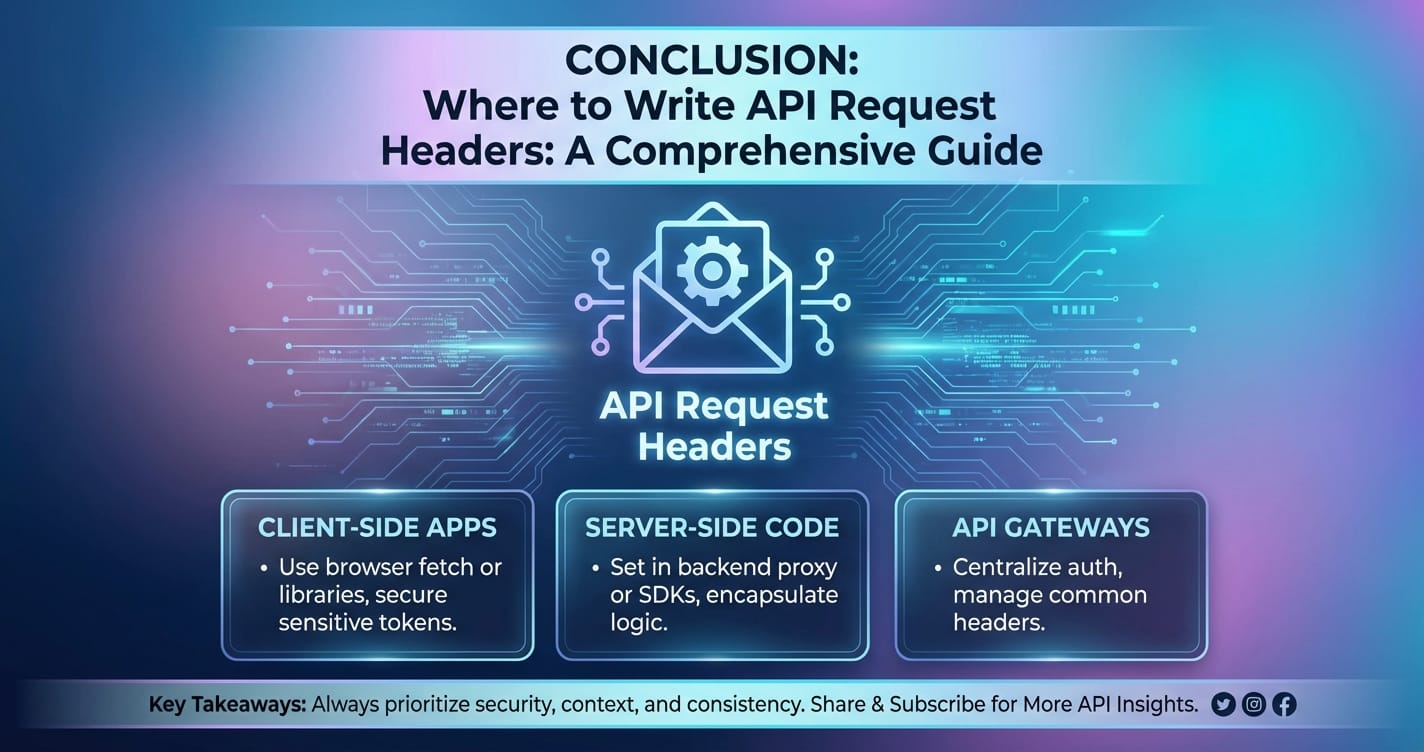
Where to Write API Request Headers: A Comprehensive Guide



The intricate dance of data exchange across the modern web is largely orchestrated by Application Programming Interfaces, or apis. At the heart of every api request lies a critical component often overlooked but universally essential: the request header. These unassuming pieces of metadata carry vital instructions and context that dictate how servers process incoming requests, manage security, and deliver tailored responses. Without a precise understanding of where and how to properly construct and transmit these headers, even the most meticulously designed API interactions can falter. This guide embarks on an exhaustive journey into the world of api request headers, demystifying their purpose, exploring their diverse applications, and detailing the myriad environments and methodologies available for their creation and deployment.
We will delve deep into the fundamental structure of headers, dissecting the most common and crucial examples that every developer encounters. From the ubiquitous Authorization header that guards access to sensitive resources, to the Content-Type header that specifies data formats, and the Accept header that dictates preferred response types, each plays a pivotal role in ensuring seamless communication. Furthermore, we will navigate through the practical landscape of tools and programming languages that serve as the conduits for header transmission, from the simplicity of command-line utilities like curl to sophisticated api development environments such as Postman, and the robust HTTP client libraries embedded within popular programming languages. Understanding these mechanisms is not merely a matter of technical proficiency; it is the cornerstone of building reliable, secure, and high-performing applications that interact effectively with the vast network of apis powering today's digital infrastructure.
Fundamentals of API Request Headers: The Unseen Architects of Communication
At its core, an api request header is a piece of metadata transmitted alongside the main request body, providing crucial context about the request, the client making it, and the type of response expected. Think of it as the cover letter accompanying a meticulously crafted report: while the report contains the primary information, the cover letter provides essential details about the sender, the recipient, and the purpose of the communication. In the realm of HTTP, which underpins most api interactions, headers are fundamental to the protocol's operation. They allow clients and servers to negotiate the terms of their exchange, ensuring that data is correctly interpreted, security protocols are honored, and specific operational requirements are met.
Each header consists of a case-insensitive name followed by a colon and its value (e.g., Content-Type: application/json). These name-value pairs are appended to the beginning of an HTTP message, preceding the actual request body. While the request body carries the primary data payload (e.g., JSON data for a new user record), headers provide the critical instructions that allow the server to understand and process that payload effectively. For instance, without a Content-Type header indicating application/json, a server might struggle to correctly parse an incoming JSON payload, potentially leading to errors or malformed data interpretations.
The distinction between request headers and response headers is crucial. Request headers are sent by the client to the server, informing the server about the client's intentions, capabilities, and authentication credentials. Conversely, response headers are sent by the server back to the client, providing information about the server's response, the resource being sent, caching instructions, and any errors that occurred. This guide focuses primarily on request headers, as they are the elements a developer actively constructs and includes when initiating an api call.
Headers can be broadly categorized, though many overlap in their functionalities:
- General Headers: Apply to both requests and responses but do not relate to the data being transmitted (e.g.,
Cache-Control,Connection). - Request Headers: Provide information about the client making the request, or to specify the resource being requested more precisely (e.g.,
User-Agent,Accept,Authorization). - Entity Headers: Provide information about the body of the request or response, such as its content type or length (e.g.,
Content-Type,Content-Length).
Understanding these fundamental distinctions and the structure of headers is the bedrock upon which effective api integration is built. It's not just about sending data; it's about sending data with clear, unambiguous instructions that ensure the server understands precisely what is being asked of it and how to respond appropriately, thus facilitating robust and reliable api communication.
Common API Request Headers and Their Uses: A Deep Dive into Practical Applications
To truly master api interactions, one must become intimately familiar with the most frequently encountered request headers. Each header serves a distinct purpose, contributing to the security, efficiency, and proper functioning of the api call. We will now explore these essential headers in detail, providing context and practical examples for their usage.
Authentication Headers: Safeguarding Access to Resources
Authentication is paramount for secure apis, ensuring that only authorized clients can access specific resources or perform certain operations. Request headers are the primary mechanism for conveying authentication credentials from the client to the server.
Authorization: This is arguably the most critical header for secureapis. It carries credentials to authenticate a user agent with a server. Its value typically consists of a scheme (e.g.,Bearer,Basic,Digest) followed by the actual token or credential.BearerToken: Widely used with OAuth 2.0 and JWTs (JSON Web Tokens). The client obtains a token (often an access token) after a successful authentication flow and then sends it in subsequent requests.Authorization: Bearer <your_access_token>This token is a string that proves the bearer's identity and permissions. It's crucial to protect these tokens, as anyone possessing them can impersonate the authorized user.BasicAuthentication: A simpler, though less secure, method where the username and password are concatenated with a colon (username:password) and then base64 encoded. This encoded string is prefixed with "Basic ".Authorization: Basic <base64_encoded_username:password>While easy to implement, Basic authentication is susceptible to eavesdropping if not combined with HTTPS, as the credentials are only encoded, not encrypted.DigestAuthentication: An older, more complex scheme offering better security than Basic by using a cryptographic hash of the credentials rather than sending them directly. Less common in modern RESTapis.
API-Key: Manyapis use a simple API key for authentication, especially for public or rate-limited access where full user authentication isn't required. The API key is a unique string assigned to a client, which is then sent in a custom header or query parameter. Often, it's sent in a custom header likeX-API-Keyor sometimes directly asAPI-Key.X-API-Key: your_unique_api_key_stringAPI keys provide a straightforward way to identify clients and enforce usage policies, but they should be treated as sensitive credentials.
Content Negotiation Headers: Specifying Data Formats and Preferences
Content negotiation is the process by which a client and server agree on the best representation of a resource when multiple options are available. Headers play a crucial role in this negotiation.
Accept: This header specifies the media types (MIME types) that the client is willing to accept in the response. It allows clients to express their preference for JSON, XML, plain text, or other formats.Accept: application/json Accept: text/xml, application/json;q=0.9, */*;q=0.8Theqparameter indicates a quality factor, allowing clients to prioritize preferred formats. If a server can't provide any of the requested types, it typically responds with a 406 Not Acceptable status code.Accept-Charset: Indicates the character sets that the client prefers in the response (e.g.,utf-8).Accept-Encoding: Specifies the content encodings (e.g.,gzip,deflate,br) that the client understands and can handle. Servers can then compress responses to reduce network traffic.Accept-Language: Informs the server about the natural languages the client prefers for the response (e.g.,en-US,en;q=0.9,fr;q=0.8). This is useful forapis that return localized content.Content-Type: This header is critical for requests that send a body (e.g., POST, PUT, PATCH). It tells the server the media type of the request body, allowing the server to parse the data correctly.application/json: For sending JSON formatted data. This is the most commonContent-Typefor modern RESTapis.Content-Type: application/jsonapplication/x-www-form-urlencoded: Used for submitting simple form data, where key-value pairs are URL-encoded.multipart/form-data: Essential for uploading files, as it allows for multiple parts (e.g., file content, text fields) within a single request body.text/xml: For sending XML formatted data.
Content-Length: Indicates the size of the request body in bytes. This allows the server to know how much data to expect and helps in detecting truncated messages.Content-Encoding: Specifies the encoding applied to the request body (e.g.,gzip).
Caching Headers: Optimizing Performance and Reducing Load
While many caching headers are found in responses, clients can also use them to make conditional requests, helping reduce redundant data transfers and server load.
If-Modified-Since: Sends the date and time a resource was last modified. If the server's version of the resource hasn't changed since that date, it responds with a 304 Not Modified status code, indicating the client can use its cached version.If-None-Match: Sends anETag(entity tag) that represents a specific version of a resource. If the server's resource version matches theETag, it responds with 304 Not Modified. This is generally more robust thanIf-Modified-SinceasETags can detect changes even if the modification date remains the same (e.g., content changes but date is not updated).
Client Information and Context Headers: Providing Additional Details
These headers provide the server with more information about the client and the context of the request.
User-Agent: Identifies the client software initiating the request (e.g., browser name and version, operating system, application name). Useful for analytics, debugging, and tailoring responses to specific client capabilities.Referer: (Note: The spelling is a common misspelling of "referrer," but it's the standard HTTP header name). Indicates the URI of the page or resource that linked to the current resource. Useful for tracking where requests originate from.Host: Specifies the domain name of the server (for virtual hosting) and optionally the port number. Required for HTTP/1.1 requests.
Security Headers (Beyond Authentication): Enhancing Protection
Some headers, while not directly for authentication, contribute to the overall security posture of an api interaction.
Origin: Used in cross-origin resource sharing (CORS) requests. It indicates the origin of the request (scheme, host, and port). Servers use this to determine if they should allow the cross-origin request. Preflight requests (OPTIONS method) are sent by browsers for complex CORS requests, carryingOrigin,Access-Control-Request-Method, andAccess-Control-Request-Headersto negotiate access.X-Forwarded-For: A de facto standard header for identifying the originating IP address of a client connecting to a web server through an HTTP proxy or load balancer. The proxy adds this header, containing the original client's IP.
Custom Headers: Extending Functionality
Developers can define and use custom headers for specific application-level needs that aren't covered by standard HTTP headers. Conventionally, custom headers are prefixed with X- (e.g., X-Request-ID, X-Correlation-ID), though this convention is less strictly enforced in HTTP/2 and newer api designs often omit it for non-standard but officially recognized headers.
X-Request-ID: A common custom header used to track individual requests through complex microservices architectures. A unique ID is generated at the entry point (e.g., a load balancer orapi gateway) and passed along in this header to all downstream services, facilitating logging and tracing.X-Tenant-ID: In multi-tenant applications, this header might identify the specific tenant associated with the request, allowing theapito access tenant-specific data or apply tenant-specific logic.
Understanding and correctly applying these headers is fundamental to successful api integration. They empower developers to build robust, secure, and efficient systems that communicate effectively across the modern web, regardless of the underlying complexity of the services involved.
Tools and Environments for Writing/Setting API Request Headers: Your Toolkit for API Interaction
Once you understand what API request headers are and why they are important, the next critical step is to learn where and how to actually write and transmit them. Developers interact with apis using a variety of tools and programming languages, each offering distinct methods for header management. Mastering these tools is essential for effective api development, testing, and integration.
Command Line Tools: Quick, Efficient, and Ubiquitous
For rapid testing, scripting, and interacting with apis from terminals, command-line tools are indispensable.
wget: Primarily designed for downloading files,wgetis less suited for complexapiinteractions involving various request methods or bodies. However, it can add headers using the--headeroption, similar tocurl. It's generally not the first choice forapidevelopment.
httpie: A modern, user-friendly alternative to curl, httpie simplifies api testing with a more intuitive syntax and color-coded output. It automatically infers Content-Type for JSON data and handles various headers elegantly.```bash
Example 1: GET request with an Authorization header
http GET https://api.example.com/data Authorization:"Bearer your_jwt_token" Accept:application/json
Example 2: POST request with JSON body
http POST https://api.example.com/users name=Bob email=bob@example.com ``httpie` is excellent for developers who prefer clarity and conciseness on the command line.
curl: The undisputed king of command-line HTTP clients, curl is pre-installed on most Unix-like systems and widely available elsewhere. It offers granular control over every aspect of an HTTP request, including headers. To add a header, use the -H or --header flag, followed by the "Header-Name: Header-Value" pair. You can specify multiple -H flags for multiple headers.```bash
Example 1: Basic GET request with an Authorization header
curl -H "Authorization: Bearer your_jwt_token" \ -H "Accept: application/json" \ https://api.example.com/data
Example 2: POST request with JSON body and Content-Type header
curl -X POST \ -H "Content-Type: application/json" \ -d '{"name": "Alice", "email": "alice@example.com"}' \ https://api.example.com/users ``curl's versatility makes it a go-to for debugging and quick verification ofapiendpoints. Its verbose mode (-v`) is also incredibly helpful for seeing the exact request headers sent and response headers received.
Browser Developer Tools: Inspecting Live API Interactions
Web browsers are constantly making api requests in the background to fetch data, load images, and interact with web services. Their built-in developer tools provide a powerful window into these interactions, allowing you to inspect, understand, and even modify request headers.
- Chrome DevTools (or similar in Firefox/Safari):While developer tools are primarily for inspection, extensions like ModHeader (for Chrome) or Requestly (cross-browser) allow you to add, modify, or remove headers for outgoing requests directly from your browser, which is incredibly useful for testing
apis that require specific headers (e.g., custom authentication headers for a staging environment) without altering the application code.- Open Developer Tools (F12 or right-click -> Inspect).
- Navigate to the "Network" tab.
- Perform an action on the webpage that triggers an
apirequest. - Select the desired request from the list.
- In the right-hand panel, choose the "Headers" tab. Here you will see:
- General information (Request URL, Request Method, Status Code).
- Request Headers: All headers sent by the browser for this specific request. This is invaluable for understanding how frameworks, JavaScript libraries, and browser defaults influence header transmission.
- Response Headers: Headers sent back by the server.
API Development & Testing Platforms: Streamlining API Workflows
Dedicated api platforms offer a graphical user interface (GUI) for constructing, sending, and testing api requests, making them essential tools for complex api development cycles. They provide features like environment variables, scripting, and team collaboration.
- Postman: One of the most popular tools for
apidevelopment and testing.Postman's environment variables allow you to store common header values (likeBearertokens orAPI-Keys) and reuse them across multiple requests and collections, streamlining testing across differentapienvironments (development, staging, production).- Open Postman and create a new request.
- Enter the
apiendpoint URL and select the HTTP method (GET, POST, PUT, DELETE, etc.). - Click on the "Headers" tab below the URL bar.
- Here, you'll see a table where you can add header
KEYs andVALUEs. Postman often suggests common headers as you type. - For
Authorizationheaders, Postman provides a dedicated "Authorization" tab with various helper types (Bearer Token, Basic Auth, OAuth 2.0, API Key), which simplifies the process of constructing these headers. When you select a type, Postman automatically generates the correctAuthorizationheader in the "Headers" tab. - For requests with a body (e.g., POST), navigate to the "Body" tab and select the appropriate format (e.g.,
rawfor JSON). Postman will often automatically set theContent-Typeheader based on your selection, though you can override it.
- Insomnia: Similar to Postman, Insomnia offers a clean interface for
apidevelopment. The process for adding headers is largely identical: define headers in a dedicated "Headers" section, and leverage authentication helpers forAuthorizationheaders. - Thunder Client (VS Code Extension): For developers who prefer to stay within their IDE, Thunder Client offers a lightweight
apitesting experience directly within Visual Studio Code. It provides a straightforward interface for adding headers to requests, mimicking the functionality of standaloneapiclients.
These platforms are invaluable for their ability to manage complex api workflows, automate tests, and facilitate collaboration among development teams, significantly reducing the overhead associated with manual api interaction and header management.
Programming Languages/Libraries: Programmatic Control
For building applications that interact with apis, programmatic control over headers is essential. Every major programming language offers HTTP client libraries that allow you to construct and send requests, including all necessary headers.
- JavaScript (
fetchAPI, Axios): In modern web development (browser and Node.js environments),fetchis the nativeapifor making HTTP requests, and Axios is a popular third-party library.fetchAPI: Headers are passed in theinitobject as aHeadersobject or a plain object.```javascript const url = "https://api.example.com/data"; const headers = new Headers({ "Authorization": "Bearer your_jwt_token", "Accept": "application/json" });fetch(url, { method: "GET", headers: headers }) .then(response => response.json()) .then(data => console.log(data)) .catch(error => console.error('Error:', error));// For POST with JSON body const postUrl = "https://api.example.com/users"; const postData = { name: "David", email: "david@example.com" };fetch(postUrl, { method: "POST", headers: { "Content-Type": "application/json", "Authorization": "Bearer your_jwt_token" }, body: JSON.stringify(postData) }) .then(response => response.json()) .then(data => console.log(data)) .catch(error => console.error('Error:', error)); ```- Axios: Provides a more convenient and feature-rich interface.```javascript import axios from 'axios';const url = "https://api.example.com/data"; const headers = { "Authorization": "Bearer your_jwt_token", "Accept": "application/json" };axios.get(url, { headers: headers }) .then(response => console.log(response.data)) .catch(error => console.error('Error:', error));// For POST with JSON body const postUrl = "https://api.example.com/users"; const postData = { name: "Eve", email: "eve@example.com" };axios.post(postUrl, postData, { headers: { "Content-Type": "application/json", "Authorization": "Bearer your_jwt_token" }}) .then(response => console.log(response.data)) .catch(error => console.error('Error:', error)); ```
- Java (
HttpURLConnection, Apache HttpClient, OkHttp): Java offers several ways to make HTTP requests.- Apache HttpClient / OkHttp: These are more robust third-party libraries offering advanced features and simpler
apis for complex scenarios. They generally provide builder patterns to construct requests and add headers.
- Apache HttpClient / OkHttp: These are more robust third-party libraries offering advanced features and simpler
C# (HttpClient): The modern approach in .NET for HTTP requests.```csharp using System; using System.Net.Http; using System.Net.Http.Headers; using System.Text; using System.Threading.Tasks;public class ApiClient { private static readonly HttpClient client = new HttpClient();
public static async Task Main(string[] args)
{
    // GET example
    client.DefaultRequestHeaders.Authorization =
        new AuthenticationHeaderValue("Bearer", "your_jwt_token");
    client.DefaultRequestHeaders.Accept.Add(
        new MediaTypeWithQualityHeaderValue("application/json"));

    HttpResponseMessage response = await client.GetAsync("https://api.example.com/data");
    response.EnsureSuccessStatusCode(); // Throws an exception if the status code is not 2xx
    string responseBody = await response.Content.ReadAsStringAsync();
    Console.WriteLine(responseBody);

    // POST example
    string jsonContent = "{\"name\": \"Grace\", \"email\": \"grace@example.com\"}";
    var content = new StringContent(jsonContent, Encoding.UTF8, "application/json");

    // You can add headers per request if needed, or modify DefaultRequestHeaders
    HttpRequestMessage request = new HttpRequestMessage(HttpMethod.Post, "https://api.example.com/users");
    request.Headers.Authorization = new AuthenticationHeaderValue("Bearer", "your_jwt_token");
    request.Content = content;

    HttpResponseMessage postResponse = await client.SendAsync(request);
    postResponse.EnsureSuccessStatusCode();
    string postResponseBody = await postResponse.Content.ReadAsStringAsync();
    Console.WriteLine(postResponseBody);
}
} ```
HttpURLConnection (built-in):```java import java.net.HttpURLConnection; import java.net.URL; import java.io.BufferedReader; import java.io.InputStreamReader; import java.io.OutputStream; import java.nio.charset.StandardCharsets;public class ApiClient { public static void main(String[] args) throws Exception { URL url = new URL("https://api.example.com/data"); HttpURLConnection connection = (HttpURLConnection) url.openConnection(); connection.setRequestMethod("GET"); connection.setRequestProperty("Authorization", "Bearer your_jwt_token"); connection.setRequestProperty("Accept", "application/json");
    int responseCode = connection.getResponseCode();
    if (responseCode == HttpURLConnection.HTTP_OK) {
        BufferedReader in = new BufferedReader(new InputStreamReader(connection.getInputStream()));
        String inputLine;
        StringBuilder response = new StringBuilder();
        while ((inputLine = in.readLine()) != null) {
            response.append(inputLine);
        }
        in.close();
        System.out.println(response.toString());
    } else {
        System.out.println("GET request failed. Response Code: " + responseCode);
    }

    // POST example
    URL postUrl = new URL("https://api.example.com/users");
    HttpURLConnection postConnection = (HttpURLConnection) postUrl.openConnection();
    postConnection.setRequestMethod("POST");
    postConnection.setRequestProperty("Content-Type", "application/json");
    postConnection.setRequestProperty("Authorization", "Bearer your_jwt_token");
    postConnection.setDoOutput(true); // Indicate that we want to write to the connection output stream

    String jsonInputString = "{\"name\": \"Frank\", \"email\": \"frank@example.com\"}";
    try (OutputStream os = postConnection.getOutputStream()) {
        byte[] input = jsonInputString.getBytes(StandardCharsets.UTF_8);
        os.write(input, 0, input.length);
    }

    int postResponseCode = postConnection.getResponseCode();
    System.out.println("POST Response Code: " + postResponseCode);
    // ... read response similar to GET
}
} ```
Python (requests library): The requests library is famous for its simplicity and elegance in Python. You pass headers as a dictionary to the headers parameter.```python import requestsurl = "https://api.example.com/data" headers = { "Authorization": "Bearer your_jwt_token", "Accept": "application/json" }response = requests.get(url, headers=headers) print(response.json())
For POST requests with JSON body
post_url = "https://api.example.com/users" data = {"name": "Charlie", "email": "charlie@example.com"} post_headers = { "Content-Type": "application/json", "Authorization": "Bearer your_jwt_token" }response = requests.post(post_url, json=data, headers=post_headers) # requests handles Content-Type if 'json' param is used print(response.status_code) print(response.json()) ```
Each of these programming environments offers robust mechanisms for setting request headers, allowing developers to craft precise and fully specified api interactions from within their applications. The choice of tool depends on the context: command-line for quick tests, browser tools for inspection, api clients for development workflows, and programming libraries for building integrated software.
Headers in the Context of API Gateways and Management: Orchestrating the API Ecosystem
As api ecosystems grow in complexity, with numerous microservices, diverse authentication schemes, and stringent security requirements, the role of an api gateway becomes indispensable. An api gateway acts as a single entry point for all api calls, sitting between clients and the backend services. Its primary functions include routing requests, load balancing, authentication, authorization, rate limiting, monitoring, and—critically for our discussion—processing and transforming request headers.
What is an API Gateway?
An api gateway is essentially a reverse proxy that accepts api requests, enforces security policies, applies transformations, and routes them to the appropriate backend service. It abstracts the underlying architecture from the client, simplifying api consumption and centralizing cross-cutting concerns. Instead of clients needing to know the specific endpoints and authentication mechanisms for each microservice, they interact solely with the gateway.
How API Gateways Process, Transform, and Manage Headers
The api gateway is a powerful point of control for headers throughout the api lifecycle:
- Centralized Authentication and Authorization: One of the most significant benefits of an
api gatewayis offloading authentication and authorization from individual backend services.- When a client sends an
Authorization: Bearer <token>header, theapi gatewaycan intercept this header. It then validates the token (e.g., verifying a JWT signature, checking its expiry, or calling an identity provider). - Upon successful validation, the gateway might remove the original
Authorizationheader and replace it with internal headers containing extracted user information (e.g.,X-User-ID,X-User-Roles) before forwarding the request to the backend service. This way, backend services receive trusted, parsed identity information without needing to implement their own token validation logic. - For
API-Keybased authentication, the gateway can enforce API key validity, rate limits associated with the key, and then potentially strip theX-API-Keyheader before sending the request to the internal service, which no longer needs to know about the external key.
- When a client sends an
- Header Transformation and Enrichment:
api gateways can add, modify, or remove headers based on predefined rules or dynamic logic.- Adding Headers: A gateway might add correlation IDs (
X-Request-ID) to requests entering the system, which are then propagated through all downstream services for distributed tracing and logging. It could also add headers indicating the client's original IP address (X-Forwarded-For) if it's behind another proxy. - Modifying Headers: The gateway can rewrite headers to conform to internal service expectations. For instance, if an external
Accept: application/vnd.mycompany.v2+jsonheader needs to be mapped to an internalAccept: application/jsonfor a specific service version, the gateway handles this translation. - Removing Headers: Sensitive headers (like certain
Authorizationschemes orX-API-Key) can be removed before forwarding to backend services to prevent accidental exposure of credentials or to simplify the backend's header parsing.
- Adding Headers: A gateway might add correlation IDs (
- Rate Limiting and Throttling: The
api gatewaycan inspect headers (e.g.,AuthorizationorX-API-Key) to identify the client and apply rate limits. It might then add specific headers to the response (e.g.,X-RateLimit-Limit,X-RateLimit-Remaining,X-RateLimit-Reset) to inform the client about their current rate limit status. - Security Policies and Header Enforcement: Beyond authentication,
api gateways enforce various security policies, often leveraging headers. They can validateOriginheaders for CORS, inspectContent-Typefor potential injection attacks, or enforce strict header requirements before allowing requests to proceed. This centralized policy enforcement significantly enhances the overall security posture of theapilandscape. - Traffic Management and Routing: Headers can influence how requests are routed to specific backend services or versions. For example, a custom
X-Versionheader might direct a request to a particular version of a microservice for A/B testing or canary deployments.
APIPark: An Open-Source AI Gateway & API Management Platform
This is where a robust api gateway like APIPark becomes invaluable. As an open-source AI gateway and API management platform, APIPark provides sophisticated mechanisms for managing, integrating, and deploying both AI and REST services. It offers centralized control over authentication and access permissions, often leveraging request headers to enforce security policies, validate api keys, and manage user identity. APIPark's ability to encapsulate prompts into REST APIs and manage end-to-end API lifecycles directly involves how headers are defined, processed, and transformed throughout the api's journey, ensuring consistency and security across diverse services. For instance, APIPark's quick integration of over 100 AI models relies on unifying the api format for AI invocation, which includes standardizing how authentication and content headers are handled, shielding internal applications from the specifics of each AI model's interaction. This centralized header management, among other features, contributes to APIPark's promise of enhanced efficiency, security, and data optimization for developers and enterprises.
The strategic placement of an api gateway like APIPark ensures that header management is not a fragmented responsibility spread across numerous services but a centralized, governed process. This not only improves security and consistency but also streamlines development by reducing the boilerplate code required in individual microservices to handle common concerns related to headers.
APIPark is a high-performance AI gateway that allows you to securely access the most comprehensive LLM APIs globally on the APIPark platform, including OpenAI, Anthropic, Mistral, Llama2, Google Gemini, and more.Try APIPark now! 👇👇👇
Headers and API Documentation (OpenAPI/Swagger): The Blueprint for API Communication
Effective api communication relies not only on correctly forming requests but also on clearly documenting the expectations for those requests. This is where OpenAPI (formerly known as Swagger) comes into play. OpenAPI Specification (OAS) is a language-agnostic, human-readable format for describing RESTful apis. It serves as a universal blueprint, detailing everything from available endpoints and operations to input parameters, authentication methods, and, crucially for our discussion, the specific api request headers that clients are expected to send.
What is OpenAPI?
OpenAPI is a powerful standard for defining the structure and capabilities of an api. An OpenAPI document, typically written in YAML or JSON, provides a comprehensive description of an api's surface area. This description can then be used by various tools to:
- Generate interactive
apidocumentation (like Swagger UI). - Generate client SDKs in various programming languages.
- Generate server stubs for rapid backend development.
- Perform
apitesting and validation. - Manage and monitor
apis, often integrated withapi gateways.
How OpenAPI Definitions Specify Expected Headers
Within an OpenAPI document, headers are defined as a type of parameter. For each operation (e.g., GET /users, POST /products), you can specify the parameters it accepts, including those delivered in the request headers.
Here’s a simplified example of how an OpenAPI definition would specify an Authorization header and a custom X-Request-ID header for a particular endpoint:
paths:
  /secure-resource:
    get:
      summary: Retrieves a secure resource
      parameters:
        - in: header
          name: Authorization
          schema:
            type: string
            format: bearer
            description: Bearer token for authentication
          required: true
          example: Bearer eyJhbGciOiJIUzI1Ni...
        - in: header
          name: X-Request-ID
          schema:
            type: string
            format: uuid
            description: Unique request ID for tracing
          required: false
          example: a1b2c3d4-e5f6-7890-1234-567890abcdef
      responses:
        '200':
          description: Resource retrieved successfully
          content:
            application/json:
              schema:
                type: object
                properties:
                  id:
                    type: string
                  data:
                    type: string
        '401':
          description: Unauthorized
In this snippet:
in: headerexplicitly states that these parameters are expected in the request headers.name: Authorizationandname: X-Request-IDspecify the exact header names.schemadefines the data type and format (e.g.,string,bearer,uuid).required: true/falseindicates whether the header is mandatory for the request.descriptionprovides human-readable context.exampleoffers a concrete illustration of what the header value should look like.
Importance of Documenting Headers for Consumers
Documenting request headers thoroughly in an OpenAPI specification is crucial for several reasons:
- Clarity for API Consumers: Developers consuming an
apineed to know precisely what headers are expected, what their format should be, and which are mandatory. Clear documentation prevents guesswork, reduces integration errors, and improves developer experience. Without this, a developer might send a token in the wrong format or omit a required custom header, leading to frustrating authentication failures orapimisuse. - Facilitating Client SDK Generation: Tools that generate client SDKs directly from
OpenAPIspecifications will automatically include methods and parameters for setting these documented headers. This means developers using the SDK don't have to manually craft headers; the SDK handles it based on theOpenAPIdefinition. This greatly simplifies client-side development. - Enabling API Gateway Configuration:
api gateways can consumeOpenAPIdefinitions to automatically configure their policies. For example, if anOpenAPIdocument specifies a requiredAuthorizationheader with abearerformat, theapi gatewaycan be configured to validate this token automatically before forwarding the request, enhancing security and reducing configuration effort. - Consistency and Standardization:
OpenAPIencourages a consistent approach toapidesign and documentation. By defining headers within the spec, it ensures that all operations requiring similar context (e.g., authentication) use the same header names and formats. - Automated Validation and Testing:
OpenAPIdefinitions can be used by testing tools to validate that requests sent to theapiadhere to the defined header requirements. This automated validation helps catch issues early in the development cycle.
Using OpenAPI Tools to Validate Header Usage
Interactive documentation generated from OpenAPI (like Swagger UI) often provides a "Try it out" feature where users can input values for headers directly, and the tool will construct the request with those headers. This immediate feedback loop is invaluable for api consumers. Moreover, during development, OpenAPI linters and validators can check if your api implementation or proxy configuration correctly handles the headers as defined in your OpenAPI spec, ensuring that the api behaves as documented.
In essence, OpenAPI transforms the implicit expectations of api request headers into explicit, machine-readable, and human-understandable instructions. It is the architect's blueprint for how apis communicate, ensuring that every participant in the api ecosystem—from the client developer to the api gateway administrator—has a clear, shared understanding of header requirements, leading to more robust and maintainable integrations.
Best Practices for API Request Headers: Crafting Reliable and Secure Interactions
Beyond simply knowing how to set headers, understanding the best practices for their use is paramount for building robust, secure, and maintainable api integrations. Adhering to these principles can prevent common pitfalls, enhance performance, and improve the overall developer experience.
Consistency in Naming and Casing
HTTP header names are, by standard, case-insensitive. However, consistently using a specific casing style (e.g., Pascal-Case like Content-Type or Kebab-Case like x-request-id) within your api can prevent confusion and potential issues with less forgiving clients or proxies. More importantly, custom headers should follow clear naming conventions. Avoid overly generic names that might conflict with future standard HTTP headers. For custom headers, using a prefix like X- was a common practice (X-API-Key), though modern RFCs discourage this for headers that are not strictly experimental or non-standard, preferring fully qualified, descriptive names. For example, instead of X-App-Tenant, consider App-Tenant-Id if it's meant to be a permanent, application-specific header. Consistency across your entire api landscape (all microservices, all client applications) is key.
Security Considerations: Protecting Your API and Its Users
Headers are often the first line of defense for api security. Improper handling can lead to vulnerabilities.
- Sensitive Data: Never put truly sensitive data (like unencrypted passwords or private keys) directly in headers. While
Authorizationheaders carry tokens, these tokens should be opaque and short-lived, with the actual sensitive information stored securely on the server side and referenced by the token. EvenBearertokens should always be transmitted over HTTPS (TLS/SSL) to encrypt the communication channel and prevent eavesdropping. - Authentication Token Management: Implement secure practices for managing authentication tokens:
- Short Expiry: Tokens (especially
Bearertokens) should have a short lifespan to minimize the window of opportunity for attackers if a token is compromised. - Refresh Tokens: Use refresh tokens (if applicable) for obtaining new access tokens without requiring users to re-authenticate, but keep refresh tokens highly secure and transmit them only over secure channels.
- Revocation: Have a mechanism to revoke compromised tokens immediately.
- Short Expiry: Tokens (especially
- CORS (Cross-Origin Resource Sharing): Understand and correctly configure CORS headers (primarily on the server-side in responses, but informed by the client's
Originheader). Misconfigurations can lead to Cross-Site Request Forgery (CSRF) or allow unauthorized domains to make requests, potentially exposing yourapito untrusted origins. - Preventing Header Injection: Ensure that header values are properly sanitized and validated, especially if they are derived from user input. Malicious input could lead to header injection attacks, where an attacker inserts extra headers or manipulates existing ones.
Performance Implications: Keep It Lean
While headers are essential, an excessive number of large headers can introduce unnecessary overhead, impacting performance.
- Minimize Redundant Headers: Only send headers that are truly necessary for each request. Avoid sending the same large, unchanging custom header with every request if it could be managed through other means (e.g., session cookies, or context passed at the
api gatewaylevel). - Header Compression (HTTP/2 and HTTP/3): Modern HTTP versions (HTTP/2 and HTTP/3) include header compression mechanisms (HPACK for HTTP/2, QPACK for HTTP/3) which significantly reduce the overhead of repetitive headers. Even with compression, minimizing unique header counts and sizes is good practice.
Version Control for Custom Headers
If you introduce custom headers, treat them like any other part of your api contract. Document their purpose, expected values, and whether they are optional or required. If a custom header's behavior changes or if it's deprecated, communicate this clearly through your api documentation and versioning strategy. Over time, custom headers can become a form of implicit contract; managing them properly is crucial for api evolution.
Comprehensive Documentation
As discussed with OpenAPI, clear, comprehensive, and up-to-date documentation for all request headers is non-negotiable.
- Purpose and Context: Explain why each header is needed and what value it expects.
- Mandatory vs. Optional: Clearly mark which headers are required for the request to succeed.
- Examples: Provide concrete examples of header values for various scenarios (e.g., different authentication tokens, different content types).
- Error Handling: Document specific error responses (e.g., 401 Unauthorized for missing/invalid
Authorizationheader, 406 Not Acceptable for unsupportedAcceptheader) that might occur if headers are incorrect.
Robust Error Handling for Header Issues
Your client applications should be prepared to handle errors related to missing or malformed headers gracefully. Servers typically respond with specific HTTP status codes for header-related issues:
- 400 Bad Request: Often indicates a malformed header, incorrect content type for the request body, or missing required non-authentication headers.
- 401 Unauthorized: Typically means the
Authorizationheader is missing or the provided credentials are invalid. - 403 Forbidden: Implies the client is authenticated but does not have permission to access the requested resource.
- 406 Not Acceptable: The server cannot produce a response in a format acceptable to the client (based on the
Acceptheader). - 415 Unsupported Media Type: The server cannot process the request entity because the
Content-Typeheader indicates an unsupported format.
Client applications should interpret these status codes and provide meaningful feedback to users or log errors for debugging.
Leveraging Standards Over Custom Solutions
Whenever a standard HTTP header exists for a specific purpose (e.g., Authorization, Content-Type, Accept-Language), use it rather than inventing a custom header. Standard headers are well-understood by intermediaries (proxies, caches, firewalls), programming libraries, and developers. They promote interoperability and reduce the learning curve for api consumers. Custom headers should be reserved for genuinely unique, application-specific metadata.
Testing Strategies for Headers
Include header validation in your api testing strategy:
- Unit Tests: For
apiclient code, ensure that headers are correctly constructed and sent. - Integration Tests: Verify that the
apiserver correctly processes valid headers and rejects invalid or missing ones with appropriate error codes. - Security Tests: Actively try to manipulate headers to expose vulnerabilities (e.g., try to bypass authentication by omitting or faking
Authorizationheaders).
By diligently applying these best practices, developers can create api interactions that are not only functional but also secure, efficient, easy to understand, and resilient to common issues, fostering a healthier and more reliable api ecosystem.
Advanced Scenarios and Troubleshooting: Navigating Complexities in API Headers
While the basic use of request headers is straightforward, certain advanced scenarios introduce complexities that developers must understand. Furthermore, troubleshooting header-related issues is a common part of api development.
CORS Preflight Requests: The Browser's Security Handshake
Cross-Origin Resource Sharing (CORS) is a browser security mechanism that restricts web pages from making requests to a different domain than the one from which the web page itself was loaded. For "complex" cross-origin requests (e.g., those using methods other than GET, HEAD, or POST, or those with custom headers, or a Content-Type other than application/x-www-form-urlencoded, multipart/form-data, or text/plain), browsers automatically issue a "preflight" request before the actual request.
The preflight request uses the OPTIONS HTTP method and includes specific request headers:
Origin: The origin of the web page making the request (e.g.,https://www.example.com).Access-Control-Request-Method: The actual HTTP method that will be used in the subsequent request (e.g.,POST,PUT).Access-Control-Request-Headers: A comma-separated list of any custom headers that the actual request will include (e.g.,Authorization, X-Custom-Header).
The server's response to this OPTIONS request must include specific CORS response headers (e.g., Access-Control-Allow-Origin, Access-Control-Allow-Methods, Access-Control-Allow-Headers) indicating whether the actual request is allowed. Only if the preflight is successful will the browser send the actual request. If the server does not respond with the appropriate Access-Control-Allow headers, the browser will block the actual request, often showing a CORS error in the console.
Understanding preflight requests is critical when developing frontend applications that interact with apis hosted on different domains, as it directly impacts how custom headers (like Authorization) are handled and permitted by the browser.
Proxy and Load Balancer Headers: Unmasking the Client's True Identity
When api requests traverse through proxies, load balancers, or api gateways, the immediate client IP address seen by the backend server is often that of the intermediary, not the original client. To preserve information about the true client and the original request context, these intermediaries typically add or modify specific headers:
X-Forwarded-For: This is the most common header for identifying the originating IP address of a client connecting to a web server through an HTTP proxy or load balancer. The proxy adds this header, containing the original client's IP. If there are multiple proxies, it appends each proxy's IP address.X-Forwarded-For: <client_ip>, <proxy1_ip>, <proxy2_ip>X-Forwarded-Proto: Indicates the protocol (HTTP or HTTPS) that the client used to connect to the proxy or load balancer. This is useful when the proxy handles TLS termination, and the backend service needs to know if the original request was secure.X-Forwarded-Proto: httpsX-Real-IP: Another common header, similar toX-Forwarded-For, but typically containing only the most recent client IP (or the very first, depending on configuration). Some proxies preferX-Real-IPoverX-Forwarded-Forfor simpler cases.
Developers of backend services must be aware of these headers and configure their apis to correctly parse them to obtain the actual client's IP address and protocol, especially for logging, security, and geographic-based features. Relying solely on the immediate Remote-Addr of the connection can lead to incorrect client identification.
Debugging Common Header Issues: A Systematic Approach
Header-related problems are a frequent source of api errors. A systematic approach to debugging can save significant time.
- 401 Unauthorized:
- Cause: Missing
Authorizationheader, malformed token, expired token, or invalid credentials. - Troubleshooting:
- Verify the
Authorizationheader is present and correctly formatted (e.g.,Bearerprefix is correct, token is not truncated). - Check the token for expiry.
- Ensure the token is valid for the specific
apiand scope. - If using
Basicauth, re-encode the username:password. - Inspect the
api gatewayor server logs for authentication errors.
- Verify the
- Cause: Missing
- 400 Bad Request:
- Cause: Often due to a missing required custom header, incorrect
Content-Typefor the request body, or a header value not conforming to expected format (e.g., UUID format expected, but garbage sent). - Troubleshooting:
- Compare your sent headers against the
apidocumentation (OpenAPIspec). Are all required headers present? - Is the
Content-Typeheader correct for thePOST/PUTbody you're sending? (e.g.,application/jsonfor JSON data). - Check for any specific format requirements for header values.
- Compare your sent headers against the
- Cause: Often due to a missing required custom header, incorrect
- 406 Not Acceptable:
- Cause: The server cannot produce a response in a media type specified in the client's
Acceptheader. - Troubleshooting:
- Examine the
Acceptheader you're sending. Isapplication/json(or the desired type) included? - Check the
apidocumentation for supported response media types. - Try sending a more permissive
Accept: */*temporarily to see if the server responds, then narrow down the specific type it supports.
- Examine the
- Cause: The server cannot produce a response in a media type specified in the client's
- 415 Unsupported Media Type:
- Cause: The
Content-Typeheader of your request body is one that the server does not support for that specific endpoint. - Troubleshooting:
- Verify the
Content-Typeheader matches what the server expects (e.g.,application/jsonvs.application/xml). - Ensure the request body's actual format matches the
Content-Typeheader.
- Verify the
- Cause: The
Using Header Inspection Tools
For robust troubleshooting, leverage specialized tools:
- Browser Developer Tools (Network Tab): As mentioned, crucial for frontend
apicalls. Look at both request and response headers in detail. Pay attention to preflightOPTIONSrequests and their headers/responses for CORS issues. curl -v/httpie --verbose: These command-line flags provide verbose output, showing the full HTTP request (including headers) and response (including headers) exchanged over the wire. This is often the most direct way to see exactly what is being sent and received.- Proxy Tools (e.g., Fiddler, Charles Proxy, mitmproxy): These tools sit between your client and the
apiserver, allowing you to intercept, inspect, and even modify HTTP requests and responses in real-time. This is invaluable for debugging complex interactions, especially with mobile apps or other clients where directcurlusage isn't feasible.
By understanding these advanced scenarios and employing a systematic debugging approach with the right tools, developers can efficiently identify and resolve header-related issues, ensuring their api interactions are as smooth and reliable as possible.
The Future of API Headers and Related Technologies: Evolving Landscape
The world of apis is in constant flux, driven by evolving web standards, new communication protocols, and innovative architectural patterns. While the fundamental concept of request headers remains steadfast, the underlying mechanisms for handling them and the context in which they operate are continuously evolving. Understanding these trends provides insight into the future direction of api design and interaction.
HTTP/2 and HTTP/3 Header Compression
One of the most significant advancements affecting headers came with HTTP/2 and continues with HTTP/3. In HTTP/1.x, headers are sent as plain text with each request, often leading to considerable overhead, especially for requests that share many common headers (like User-Agent, Accept, Authorization).
- HTTP/2 (HPACK): Introduced HPACK, a compression algorithm specifically designed for HTTP headers. HPACK works by maintaining a dynamic table of previously seen header fields (both by client and server) and encoding subsequent headers by referencing entries in this table or encoding differences. This drastically reduces the size of repeated headers, leading to improved performance, especially in scenarios with many small requests (e.g., single-page applications or microservices communication).
- HTTP/3 (QPACK): Built upon the principles of HPACK but adapted for QUIC (Quick UDP Internet Connections), the transport layer protocol used by HTTP/3. QPACK addresses some of the head-of-line blocking issues that HPACK could still exhibit over multiple streams, further optimizing header compression for the unique characteristics of QUIC.
These compression techniques mean that while developers still "write" headers in the same logical way (name-value pairs), the underlying network transmission is far more efficient. This frees developers to use more headers for richer context without incurring a proportional performance penalty, though minimizing unnecessary headers remains good practice.
GraphQL and Header Usage
While RESTful apis rely heavily on different HTTP methods and URL paths for operations, GraphQL operates over a single endpoint, typically using POST requests. In GraphQL, the operation (query, mutation, subscription) is defined within the request body, not by the URL or method.
However, HTTP headers remain crucial for GraphQL apis:
- Authentication: The
Authorizationheader (e.g.,Bearertoken) is still the primary method for authenticating GraphQL requests. - Content-Type: Typically
application/jsonfor the GraphQL request body. - Custom Headers: Custom headers are used for purposes like tracing (
X-Request-ID), tenant identification (X-Tenant-ID), or passing context for specific GraphQL features (e.g.,GraphQL-Complexity-Budgetfor limiting query complexity). - Cache Control: While GraphQL has its own caching mechanisms, HTTP caching headers (like
Cache-Control) can still be relevant at the edge or CDN level for caching entire GraphQL responses, especially for read-heavy queries.
The shift to GraphQL doesn't diminish the importance of headers; it simply recontextualizes their role, emphasizing their use for cross-cutting concerns (authentication, tracing, context) rather than operation-specific routing.
Emerging Standards and Protocols
The api landscape is always exploring new standards:
- Server-Sent Events (SSE) / WebSockets: While these protocols are persistent connections and don't involve a header-per-request model like traditional HTTP, the initial connection handshake often involves HTTP headers for authentication and protocol negotiation. For example, a WebSocket handshake begins with an HTTP request that includes
Upgrade: websocketandConnection: Upgradeheaders. Subsequent messages over the WebSocket do not carry HTTP headers. - Webhooks: Webhooks involve
apicalls triggered by events. The receiving endpoint (yourapi) will receive aPOSTrequest, and the headers will carry vital information about the event, its origin, and crucially, security signatures (X-Hub-Signatureor similar custom headers) to verify the authenticity of the webhook call. - Microservice Communication: Within highly distributed microservice architectures, service mesh technologies (like Istio, Linkerd) intercept and manage inter-service communication. These meshes often add their own headers (e.g., for tracing, circuit breaking, traffic routing based on metadata) to requests as they traverse the mesh, providing advanced control and observability without requiring individual services to implement this logic.
The Continuous Relevance of Headers in API Design
Despite the evolution of protocols and api styles, HTTP request headers will remain a foundational element of api communication. Their utility in conveying metadata, managing security, and facilitating content negotiation is deeply ingrained in how the web operates. As apis become more sophisticated—serving AI models, powering real-time experiences, and enabling complex business processes—the ability to precisely control and understand request headers will only grow in importance. Developers who master the art and science of api request headers will be well-equipped to build the next generation of interconnected applications, regardless of the specific technologies or architectural patterns that emerge. The future of apis is intertwined with the intelligent and secure use of these silent, yet powerful, messengers.
Conclusion: Mastering the Art of API Request Headers
The journey through the intricate landscape of api request headers reveals them not as mere technicalities, but as the unsung heroes of digital communication. They are the essential pieces of metadata that provide context, enforce security, dictate preferences, and ultimately, enable the seamless interaction between diverse systems across the globe. From the foundational understanding of their structure and purpose to the practical application of common headers, and the mastery of various tools and programming languages for their creation and transmission, every aspect underscores their critical role in the modern api ecosystem.
We've explored how crucial headers are for authentication, ensuring that sensitive resources are protected from unauthorized access, and for content negotiation, allowing clients and servers to intelligently adapt to each other's capabilities and preferences. The discussion extended to the pivotal role of api gateways, such as APIPark, in orchestrating header management, centralizing authentication, and enforcing security policies across complex microservice architectures. Furthermore, the importance of comprehensive documentation through standards like OpenAPI was highlighted as the blueprint for unambiguous api contracts, streamlining development and preventing integration headaches.
Adhering to best practices—consistency, security, performance optimization, and robust error handling—is not just about following rules; it's about engineering resilient and efficient api interactions. The ability to troubleshoot common header-related issues methodically, armed with the right tools, is an invaluable skill for any developer. Looking ahead, while HTTP/2 and HTTP/3 bring advancements in header compression, and GraphQL shifts the paradigm of operations, the fundamental utility of headers for conveying vital metadata persists. They remain the silent, yet powerful, messengers that define the terms of every api conversation.
Mastering api request headers is more than a technical skill; it's a deep understanding of how the web truly communicates. It empowers developers to build secure, efficient, and reliable applications that can confidently navigate the vast, interconnected world of apis. By diligently applying the knowledge and practices outlined in this comprehensive guide, you are not just writing code; you are becoming a master of api communication, ready to tackle the complexities and opportunities of the digital future.
FAQ
Here are 5 frequently asked questions about api request headers:
1. What is the fundamental difference between Content-Type and Accept headers?
Answer: The Content-Type header is used in requests (typically POST, PUT, PATCH) to inform the server about the media type (format) of the data being sent in the request body. For example, Content-Type: application/json tells the server that the request body contains JSON data. Conversely, the Accept header is used in requests to tell the server which media types the client is willing to accept in the response. For example, Accept: application/json indicates that the client prefers to receive a JSON response. In essence, Content-Type specifies what you are sending, and Accept specifies what you want to receive.
2. Are custom headers (e.g., X-Request-ID) a good practice? When should they be used?
Answer: Custom headers can be good practice when used appropriately, serving to convey application-specific metadata that isn't covered by standard HTTP headers. They are particularly useful for cross-cutting concerns like tracing (X-Request-ID for correlating requests across microservices), tenant identification (X-Tenant-ID in multi-tenant applications), or passing specific flags that influence application logic. However, it's best to prioritize standard HTTP headers first. When creating custom headers, ensure they are well-documented (e.g., in OpenAPI specifications), consistently named, and avoid generic names that might conflict with future HTTP standards. Over-reliance on custom headers can also lead to fragmented api design, so use them judiciously.
3. How do api gateways interact with and manage headers?
Answer: api gateways play a crucial role in managing headers by acting as an intermediary between clients and backend services. They can intercept, inspect, transform, add, or remove headers. Common functionalities include: * Authentication Offloading: Validating Authorization or API-Key headers and then potentially replacing them with internal identity headers for backend services. * Header Enrichment: Adding tracing headers (X-Request-ID) or client IP headers (X-Forwarded-For). * Header Transformation: Rewriting headers to match backend service expectations or normalizing custom headers. * Security Enforcement: Applying policies based on header values, such as CORS validation or rate limiting. This centralization simplifies backend services and enhances overall api security and consistency. Platforms like APIPark exemplify how an API gateway centralizes these critical header management functions.
4. What are some common security considerations when dealing with api request headers?
Answer: Security is paramount for api request headers. Key considerations include: * HTTPS/TLS: Always transmit sensitive headers (especially Authorization tokens) over HTTPS to encrypt the communication and prevent eavesdropping. * Token Management: Ensure authentication tokens (e.g., Bearer tokens) are opaque, short-lived, and, if compromised, can be revoked immediately. Avoid placing plain text passwords directly in headers. * CORS Configuration: Correctly configure Cross-Origin Resource Sharing (CORS) headers on the server side to prevent unauthorized domains from making cross-origin requests, thus mitigating risks like CSRF. * Input Validation: Validate and sanitize all header values, especially those derived from user input, to prevent header injection attacks. * Sensitive Data: Refrain from placing highly sensitive, non-authentication data directly in headers, as they can sometimes be logged or exposed more easily than encrypted body content.
5. Why is documenting api request headers important, especially with OpenAPI?
Answer: Documenting api request headers is vital for clarity, maintainability, and fostering a good developer experience. Clear documentation, often achieved using standards like OpenAPI (formerly Swagger), explicitly defines: * Required vs. Optional: Which headers are mandatory for a request to succeed. * Purpose and Format: What each header signifies and its expected value format (e.g., string, UUID, bearer token). * Examples: Concrete instances of valid header values. This prevents developers from guessing, reduces integration errors, and simplifies client SDK generation. Furthermore, well-documented headers enable api gateways to automatically configure validation rules and ensure consistency across the entire api ecosystem, making apis easier to consume, debug, and maintain.
🚀You can securely and efficiently call the OpenAI API on APIPark in just two steps:
Step 1: Deploy the APIPark AI gateway in 5 minutes.
APIPark is developed based on Golang, offering strong product performance and low development and maintenance costs. You can deploy APIPark with a single command line.
curl -sSO https://download.apipark.com/install/quick-start.sh; bash quick-start.sh

In my experience, you can see the successful deployment interface within 5 to 10 minutes. Then, you can log in to APIPark using your account.

Step 2: Call the OpenAI API.