Blue Green Upgrade on GCP: Your Guide to Zero-Downtime Deployments
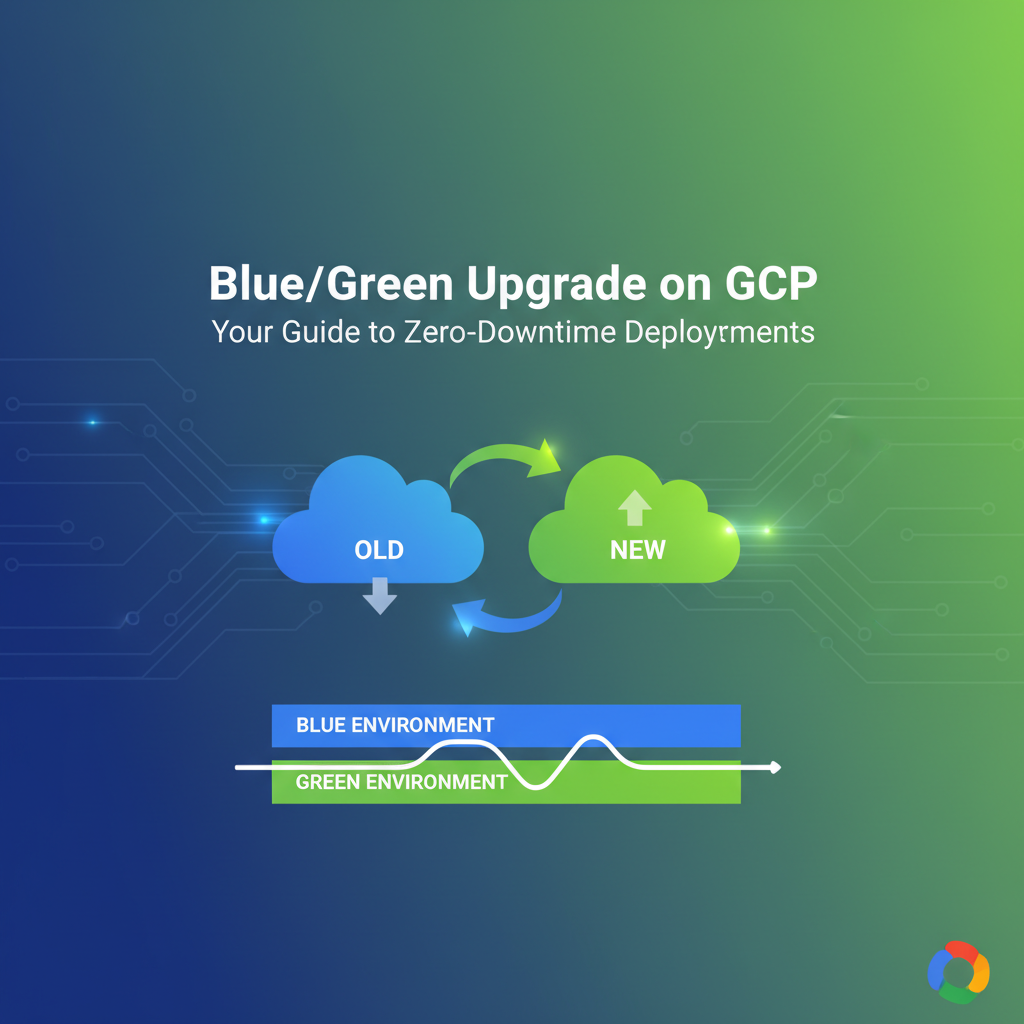


In the relentless pursuit of agile development and uninterrupted service, modern enterprises face the paramount challenge of deploying new software versions without disrupting user experience. The concept of "zero-downtime deployment" has evolved from a lofty ideal into a critical operational mandate, driving innovation in deployment strategies. Among these, Blue-Green Deployment stands out as a robust, battle-tested methodology, offering a sanctuary of stability in an otherwise turbulent development landscape. This comprehensive guide delves into the intricate world of Blue-Green Deployments specifically within the Google Cloud Platform (GCP) ecosystem, equipping you with the knowledge and actionable insights to achieve seamless, risk-averse upgrades, ensuring your applications remain perpetually available, responsive, and resilient.
The digital age demands an always-on presence. Every second of downtime can translate into tangible financial losses, reputational damage, and a frustrated user base. Traditional deployment models, often involving scheduled maintenance windows or disruptive in-place upgrades, are relics ill-suited for the dynamic demands of contemporary applications. Blue-Green Deployment emerges as a paradigm shift, allowing organizations to roll out new features, critical bug fixes, or infrastructure updates with confidence, knowing that a fully functional, last-known good version of their application is always just a flip of a switch away. This article will unravel the foundational principles of Blue-Green Deployment, explore its profound benefits, detail how various GCP services can be leveraged to implement this strategy effectively, and provide a deep dive into practical architectural considerations and implementation steps, culminating in a robust framework for achieving true zero-downtime deployments on Google Cloud. We will also touch upon crucial aspects like monitoring, automation, and the integration of advanced api and gateway solutions, ensuring your deployments are not only smooth but also secure and scalable. The inherent flexibility of GCP provides an ideal Open Platform for orchestrating such sophisticated deployment patterns, offering a rich suite of services that perfectly complement the blue-green methodology.
The Paradigm Shift: From Monolithic Meltdowns to Agile Agility
Before the advent of sophisticated deployment strategies, application updates were often fraught with peril. The typical "big bang" release involved taking the entire application offline, deploying the new version, and then bringing it back up, often accompanied by anxious moments and frantic troubleshooting. This approach was acceptable in an era where software releases were infrequent and user expectations for continuous availability were lower. However, with the rise of the internet, e-commerce, and SaaS models, continuous delivery and continuous deployment (CD) became imperative. Organizations began breaking down monolithic applications into smaller, more manageable microservices, increasing the frequency of deployments. This shift necessitated a deployment strategy that could keep pace, minimize risk, and eliminate the dreaded downtime.
The challenges with traditional deployments were manifold: * Downtime: The most obvious drawback, leading to lost revenue and customer dissatisfaction. * Rollback Complexity: If a new version introduced critical bugs, reverting to the previous stable state was often a time-consuming and error-prone process, sometimes requiring another full deployment cycle. * Testing Gaps: Testing in a staging environment could never perfectly replicate the complexities of a live production system, leading to unforeseen issues post-deployment. * Maintenance Windows: Forcing users into scheduled downtime, often during off-peak hours, was inconvenient for global applications with diverse user bases. * Fear of Deployment: The high-risk nature of deployments often led to developers and operations teams being overly cautious, slowing down the release cycle and hindering innovation.
These pain points highlighted the need for a fundamentally different approach—one that could offer rapid, reliable, and reversible deployments without ever interrupting service. This is where Blue-Green Deployment truly shines, providing a robust framework to navigate the complexities of modern software delivery with grace and confidence, ensuring that the application remains operational even as significant changes are being introduced beneath the surface. It represents a mature evolution in DevOps practices, allowing businesses to adapt quickly to market demands while maintaining an unwavering commitment to service continuity.
What is Blue-Green Deployment?
At its core, Blue-Green Deployment is a technique that reduces downtime and risk by running two identical production environments, aptly named "Blue" and "Green." At any given time, only one of these environments is live, serving user traffic.
Let's break down the mechanics:
- The "Blue" Environment: This is the currently live production environment, serving all user traffic. It hosts the stable, previously deployed version of your application.
- The "Green" Environment: This is the identical, but inactive, environment. When a new version of the application is ready for deployment, it is deployed to the Green environment. This environment is typically provisioned with the same infrastructure, configurations, and data (or a synchronized replica) as the Blue environment.
- Testing in Green: Once the new application version is deployed to the Green environment, it undergoes rigorous testing. This can involve automated tests, smoke tests, integration tests, and even a small subset of internal or canary users, depending on the strategy. This testing occurs in a production-like setting, but without impacting the live Blue environment.
- Traffic Switch: If the new version in the Green environment passes all tests and is deemed stable, traffic is then seamlessly switched from the Blue environment to the Green environment. This switch is typically performed at the load balancer or gateway level, often by changing a DNS pointer or reconfiguring routing rules. This is the critical moment when the Green environment becomes the new live production system.
- The "Old Blue" Becomes New "Green": Once traffic is fully shifted, the old Blue environment becomes the new inactive "Green" environment. It's kept around for a period, acting as an immediate rollback option. If any unforeseen issues arise with the new live (now Green) version, traffic can be quickly switched back to the old stable (now Blue) environment.
- Decommission or Update: After a confidence period, if the new version proves stable, the old Blue environment can either be decommissioned, scaled down, or updated with the latest code to become the staging ground for the next deployment cycle. This cycle then repeats indefinitely, with "Blue" and "Green" roles continually swapping.
This methodology provides several distinct advantages. It eliminates downtime because the old version continues to serve traffic until the new version is fully verified. It offers an instantaneous rollback mechanism, as reverting to the previous stable state is as simple as switching traffic back to the original environment. Furthermore, it significantly reduces deployment risk, as issues can be detected and resolved in the isolated Green environment before affecting live users. The clarity and simplicity of this approach, despite the underlying infrastructure complexity, make it an indispensable tool for maintaining high availability and accelerating release cycles.
Why Blue-Green Deployment Matters for GCP Users
Google Cloud Platform, with its vast array of services and inherent scalability, provides an exceptionally fertile ground for implementing Blue-Green Deployments. Leveraging GCP's robust infrastructure services for this strategy brings numerous benefits tailored for cloud-native applications:
- Achieving True Zero-Downtime: This is the primary driver. GCP's global load balancers, flexible networking, and traffic management capabilities allow for near-instantaneous traffic shifts, ensuring that users never experience service interruptions during deployments. This capability is paramount for global applications where "off-peak hours" are virtually non-existent.
- Reduced Deployment Risk: By fully testing a new application version in a live-like environment before it receives production traffic, GCP users can catch integration issues, performance regressions, and unexpected behaviors that might not manifest in a traditional staging environment. The ability to quickly roll back traffic to the previous version minimizes the blast radius of any post-deployment anomalies.
- Faster Rollbacks: The old "Blue" environment serves as a readily available, fully functional rollback target. In the event of critical issues, reverting to the stable version is a matter of reconfiguring the traffic router, a process that takes seconds to minutes, not hours. This dramatically improves recovery time objectives (RTO).
- Simplified Operations: Automating the provisioning and deployment process on GCP using tools like Deployment Manager, Terraform, or Cloud Build simplifies the management of two identical environments. The cloud's elastic nature means resources can be spun up and torn down programmatically, reducing manual intervention and human error.
- Cost Optimization through Elasticity: While running two production-scale environments might initially seem more expensive, GCP's pay-as-you-go model and granular resource allocation can mitigate this. The old "Blue" environment, once traffic is shifted, can be scaled down or even paused (for some services) to reduce costs until the next deployment cycle. Furthermore, the reduced risk and downtime translate into significant savings from avoided incidents and improved developer productivity.
- Enhanced Scalability and Resilience: Implementing Blue-Green on GCP naturally encourages building resilient, scalable applications. The need for identical environments drives infrastructure-as-code practices, promoting consistency and reducing configuration drift. The ability to run two environments concurrently means you're effectively operating with built-in redundancy, bolstering your application's overall resilience.
- Seamless Integration with CI/CD Pipelines: GCP's suite of developer tools, including Cloud Build and Cloud Source Repositories, integrates smoothly with Blue-Green strategies. Automated pipelines can provision the Green environment, deploy the new code, run tests, and orchestrate the traffic switch, providing a highly automated and efficient deployment workflow.
- Flexibility Across Compute Services: Whether you're running stateless microservices on Cloud Run, containerized applications on Google Kubernetes Engine (GKE), virtual machines on Compute Engine, or managed services on App Engine, GCP offers diverse options to implement Blue-Green Deployments, adapting to various architectural patterns and application needs.
In essence, Blue-Green Deployment on GCP is not just a deployment strategy; it's a philosophy that underpins continuous delivery, risk mitigation, and operational excellence, allowing businesses to remain agile and competitive in a fiercely demanding digital landscape.
GCP Services for Blue-Green Deployments
Google Cloud Platform offers a rich tapestry of services that can be woven together to orchestrate effective Blue-Green Deployments. The choice of services depends largely on your application's architecture, specific requirements, and chosen compute platform.
1. Compute Engine (Instance Groups & Load Balancers)
For applications running on traditional virtual machines, Compute Engine provides the fundamental building blocks.
- Managed Instance Groups (MIGs): These are crucial for blue-green. You can create two separate MIGs—one for "Blue" (current live) and one for "Green" (new version). MIGs ensure that a specified number of instances are always running, automatically recovering failed instances, and integrating with autoscaling. This allows you to manage the scaling of your blue and green environments independently.
- External HTTP(S) Load Balancer (or Internal Load Balancer): This service acts as the traffic director. The load balancer frontend IP addresses remain constant, but its backend services can be configured to point to either the Blue MIG or the Green MIG. During a Blue-Green switch, you simply update the load balancer's URL map or backend service configuration to direct traffic to the new Green environment. This is a rapid, non-disruptive change.
- Instance Templates: To ensure that Blue and Green environments are truly identical except for the application version, you use instance templates. These define the machine type, boot disk image, network settings, and startup scripts for instances within a MIG. For a new deployment, you'd create a new instance template reflecting the new application version and associate it with the Green MIG.
2. Google Kubernetes Engine (GKE)
GKE is a powerhouse for containerized applications and microservices, offering native constructs that simplify Blue-Green Deployments.
- Deployments: In Kubernetes, a Deployment manages a set of identical pods. For Blue-Green, you would typically have two distinct Deployments:
my-app-blueandmy-app-green. Each Deployment points to a different container image tag representing the application version. - Services: A Kubernetes Service provides a stable network endpoint for a set of pods. For Blue-Green, you'd define a single Service (e.g.,
my-app-service) that always points to the currently active set of pods. The key is to have the Service select pods based on labels. During a Blue-Green switch, you update the Service's selector to point from the "blue" labeled pods to the "green" labeled pods. This change is almost instantaneous within the cluster. - Ingress / Gateway: For external access to your GKE applications, an Ingress resource or a higher-level gateway solution (like the GCP Load Balancer provisioned by Ingress, or a dedicated api gateway such as APIPark for managing sophisticated API traffic) routes external HTTP(S) traffic to internal Kubernetes Services. You can configure the Ingress to initially direct traffic to the Blue Service, and then update its backend configuration to point to the Green Service during the switch. Advanced Ingress controllers can also handle traffic splitting (canary releases) which can be a precursor to a full blue-green switch.
- Namespaces: For stronger isolation, you might deploy Blue and Green environments into separate Kubernetes namespaces (e.g.,
prod-blue,prod-green), though this adds complexity to inter-service communication.
3. App Engine (Standard & Flexible)
App Engine, GCP's fully managed platform for web applications and mobile backends, has built-in features that closely align with Blue-Green concepts.
- Versions: App Engine allows you to deploy multiple "versions" of your application. Each version runs independently. This inherently supports the Blue-Green paradigm where "Blue" is the currently serving version and "Green" is the newly deployed version.
- Traffic Splitting: App Engine offers fine-grained control over traffic splitting. You can direct 100% of traffic to the stable "Blue" version, deploy a new "Green" version, test it, and then instantly switch 100% of traffic to the "Green" version with a single command or API call. You can even gradually shift traffic (e.g., 10%, then 50%, then 100%) as a form of canary release before a full Blue-Green switch. This is a highly simplified and effective way to manage zero-downtime deployments.
4. Cloud Run
Cloud Run, a managed compute platform that enables you to run stateless containers via web requests or Pub/Sub events, offers perhaps the simplest way to perform Blue-Green deployments.
- Revisions: Each deployment to Cloud Run creates a new "revision." You can deploy multiple revisions of the same service.
- Traffic Management: Cloud Run allows you to manage traffic distribution across different revisions. You can deploy a new revision (your "Green" environment), test it using its unique URL, and then update the service's traffic configuration to instantly route 100% of incoming requests to the new revision, effectively performing a Blue-Green switch. The old revision (your "Blue" environment) remains available and ready for an instant rollback.
5. Cloud Load Balancing (as a standalone traffic director)
Beyond its integration with Compute Engine and GKE, Cloud Load Balancing can be used independently to direct traffic to various backend services, which could be anything from different App Engine versions to GKE clusters in separate regions. Its global nature and advanced traffic management features are key to a seamless Blue-Green switch.
6. Cloud DNS
While load balancers handle traffic routing for HTTP(S) requests, for services accessed via raw IP or other protocols, or when shifting traffic between completely separate environments (e.g., two distinct VPCs or regions), Cloud DNS plays a vital role. Updating DNS records (e.g., A records or CNAMEs) to point to the new Green environment's IP addresses or load balancer can facilitate the switch. However, DNS changes are subject to TTL (Time-To-Live) propagation delays, which can introduce a brief period of inconsistency, making load balancer-based switching generally preferred for immediate zero-downtime.
7. Database Considerations (Cloud SQL, Cloud Spanner, Firestore)
Databases present a unique challenge in Blue-Green deployments, as stateful data cannot simply be "switched."
- Backward Compatibility: The most critical principle is to ensure new application versions are always backward compatible with the existing database schema. This means schema changes should be additive (e.g., adding new columns, tables) rather than destructive (e.g., renaming/deleting columns) in the first deployment. Destructive changes should only occur after the new application version is fully live and stable, and the old version is no longer needed.
- Replication: Use managed database services like Cloud SQL with read replicas or Cloud Spanner, which offers global consistency. For a blue-green switch, both environments often connect to the same database instance(s) to avoid data synchronization issues.
- Database Migrations: Database schema migrations must be handled carefully. Tools like Flyway or Liquibase can manage versioned schema changes. It’s often best to apply database schema changes in stages:
- Apply non-breaking schema changes (e.g., add a column) that are compatible with both the old and new application versions.
- Deploy the new application version (Green) which uses the new schema but still works with the old schema for existing data.
- Switch traffic to Green.
- After the old Blue environment is no longer needed, you can apply breaking schema changes or remove old columns.
- Data Synchronization: For scenarios requiring separate database instances for Blue and Green, real-time data synchronization (e.g., using change data capture - CDC) becomes necessary, adding significant complexity. This is typically reserved for highly isolated environments or disaster recovery strategies rather than standard Blue-Green.
The judicious selection and configuration of these GCP services are paramount to building a robust, automated, and truly zero-downtime Blue-Green deployment pipeline. Each service brings its own strengths to the table, and understanding their interplay is key to successful implementation.
Architecting Your Blue-Green Strategy on GCP
Designing an effective Blue-Green deployment strategy on GCP involves more than just selecting services; it requires careful consideration of architecture, traffic flow, data consistency, and monitoring. The goal is to create a seamless transition that is both reliable and easily reversible.
1. Setting up the "Blue" and "Green" Environments
The fundamental requirement is to have two environments that are as identical as possible in terms of infrastructure, configuration, and dependencies, differing only in the version of the application code they host.
- Infrastructure as Code (IaC): This is non-negotiable for Blue-Green. Use tools like Terraform, Google Cloud Deployment Manager, or Ansible to define and provision your GCP resources. This ensures consistency between Blue and Green, prevents configuration drift, and makes it easy to spin up and tear down environments. A single IaC template should define the entire environment, with parameters to specify whether it's the "Blue" or "Green" instance, or the specific application version.
- Containerization: For applications, containerization (Docker) combined with orchestration (Kubernetes/GKE or Cloud Run) greatly simplifies environment consistency. A container image encapsulates your application and its dependencies, ensuring it runs identically everywhere.
- Configuration Management: Store all application configurations (e.g., environment variables, feature flags) in a centralized, version-controlled system (e.g., Cloud Secret Manager, ConfigMaps in Kubernetes, or external configuration services). This ensures both Blue and Green environments access the same configuration settings, preventing subtle differences from causing issues.
- Shared Services: Core infrastructure components like shared databases, caching layers (Memorystore), message queues (Pub/Sub), and logging/monitoring systems (Cloud Logging, Cloud Monitoring) should typically be shared across both Blue and Green environments. This avoids complex data synchronization challenges and ensures consistent observability. However, ensure these shared services are robust enough to handle the combined load if both environments briefly operate concurrently.
2. Traffic Routing Mechanisms
The heart of Blue-Green is the ability to swiftly and safely switch traffic.
- GCP Load Balancers (HTTP(S) / Internal): These are the preferred method for most web applications.
- External HTTP(S) Load Balancer: For internet-facing applications, this global load balancer allows you to configure backend services. You'd create two backend services, one pointing to the Blue environment (e.g., a GKE Service or a Compute Engine MIG) and another pointing to the Green environment. The traffic switch involves updating the URL map to direct 100% of traffic to the Green backend service. The change is propagated globally very quickly.
- Internal HTTP(S) Load Balancer: For internal microservices, the internal load balancer provides similar capabilities within your VPC, enabling Blue-Green for internal API endpoints.
- Kubernetes Ingress / Service: Within GKE, an Ingress resource can manage external access. You can configure the Ingress to point to a Kubernetes Service that, in turn, selects pods based on labels (e.g.,
app: my-app, version: bluevs.app: my-app, version: green). The switch is an update to the Service selector or Ingress backend configuration. - Cloud Run Traffic Management: This is the most straightforward. Cloud Run services have built-in traffic management. You deploy a new revision (Green) and then update the service configuration to allocate 100% of traffic to the new revision, instantly cutting over.
- DNS: As mentioned, while possible, DNS changes have propagation delays (TTL) and caching issues that make them less ideal for immediate, zero-downtime switches compared to load balancers. They are better suited for scenarios where a few minutes of inconsistency are acceptable or for switching between entirely separate, geographically distinct deployments.
3. Database Schema Migrations and Data Sync
This is often the trickiest part of Blue-Green. The cardinal rule is to decouple application deployments from destructive database schema changes.
- Evolutionary Database Design: Adopt an approach where schema changes are backward-compatible.
- Phase 1 (Additive Change): Deploy database changes that add new tables, columns, or indexes. Ensure these changes don't break the existing "Blue" application.
- Phase 2 (New App Deployment): Deploy the "Green" application version. This version can now utilize the new schema elements while still being compatible with the old schema elements that the "Blue" version uses.
- Phase 3 (Traffic Switch): Switch traffic to "Green." The new application is now live.
- Phase 4 (Cleanup): After confidence in "Green" and after the "Blue" environment is no longer needed (and potentially decommissioned), perform any destructive schema changes (e.g., drop old columns/tables).
- Shared Database Instance: In most Blue-Green setups, both Blue and Green environments connect to the same backend database instance(s) (e.g., Cloud SQL, Cloud Spanner, Firestore). This eliminates complex data synchronization issues between two separate databases.
- Database Migration Tools: Use idempotent database migration tools (e.g., Liquibase, Flyway, Alembic for Python) as part of your CI/CD pipeline. These tools manage schema versioning and apply changes transactionally.
4. Monitoring and Rollback Strategies
An effective Blue-Green strategy requires robust monitoring and a clear rollback plan.
- Comprehensive Monitoring (Cloud Monitoring, Prometheus, Grafana): Monitor both Blue and Green environments independently before and after the traffic switch. Key metrics include:
- Application Health: Latency, error rates (5xx errors), CPU/memory utilization, request throughput.
- Infrastructure Health: VM health, disk I/O, network performance.
- Business Metrics: User sign-ups, transaction volume, conversion rates (to detect regressions that might not manifest as technical errors). Use Cloud Monitoring for GCP-native metrics, Cloud Logging for aggregated logs, and potentially Cloud Trace for distributed tracing in microservices architectures.
- Alerting: Set up alerts for critical thresholds on both environments. During the Green deployment and post-switch, pay close attention to any anomalies.
- Automated Rollback Triggers: Ideally, your CI/CD pipeline should be capable of automatically initiating a rollback if critical alerts are triggered immediately after a switch.
- Manual Rollback Procedures: Have a well-documented, tested manual rollback procedure. This usually involves simply switching traffic back to the original "Blue" environment at the load balancer or gateway level.
- Pre-computed Rollback State: The existence of the old "Blue" environment is your pre-computed rollback state, making the actual rollback process incredibly fast and reliable.
By meticulously planning these architectural components, organizations can leverage GCP's power to build a Blue-Green deployment pipeline that not only minimizes downtime but also maximizes confidence and efficiency in their software delivery process.
APIPark is a high-performance AI gateway that allows you to securely access the most comprehensive LLM APIs globally on the APIPark platform, including OpenAI, Anthropic, Mistral, Llama2, Google Gemini, and more.Try APIPark now! 👇👇👇
Step-by-Step Implementation Guide (Conceptual & GCP-Specific)
Let's walk through concrete examples of implementing Blue-Green Deployments on GCP for different compute services.
Scenario 1: Compute Engine with Managed Instance Groups and External HTTP(S) Load Balancer
This scenario is suitable for traditional web applications or API services running on VMs.
Prerequisites: * A VPC network and subnets. * Firewall rules allowing ingress traffic to your application ports. * An existing "Blue" environment (Managed Instance Group, Instance Template, and Backend Service) serving traffic via an External HTTP(S) Load Balancer.
Implementation Steps:
- Define a New Instance Template (Green):
- Create a new Compute Engine instance template that includes the updated application code (e.g., a new Docker image version in the startup script, or a new golden image). Ensure it's identical to the "Blue" template in all other aspects (machine type, network, disk size, etc.).
- Example (using
gcloud):bash gcloud compute instance-templates create my-app-template-v2 \ --machine-type=e2-medium \ --image-family=debian-11 \ --image-project=debian-cloud \ --tags=http-server,https-server \ --metadata startup-script='#! /bin/bash # Install web server, deploy my-app-v2.0 apt-get update apt-get install -y apache2 echo "Hello World from version 2.0" | tee /var/www/html/index.html systemctl enable apache2 systemctl start apache2'This template defines how instances in the "Green" environment will be provisioned, specifically indicating that they will run version 2.0 of the application.
- Create a New Managed Instance Group (Green):
- Using the new instance template, create a completely separate Managed Instance Group (MIG) for your "Green" environment. This MIG will host your new application version.
- Configure autoscaling for the Green MIG to match the Blue MIG's capacity or to a minimum capacity needed for testing.
- Example:
bash gcloud compute instance-groups managed create my-app-mig-green \ --base-instance-name=my-app-green \ --size=2 \ --template=my-app-template-v2 \ --zone=us-central1-c \ --initial-delay=30 # Allow app to startThis command provisions the 'Green' environment, ready for deployment and testing of the new application version.
- Create a New Backend Service for Green:
- The existing External HTTP(S) Load Balancer likely has a backend service pointing to
my-app-mig-blue. Create a new backend service that points tomy-app-mig-green. - Configure health checks for the Green backend service to ensure new instances are healthy before receiving traffic.
- Example:
bash gcloud compute backend-services create my-app-backend-green \ --protocol=HTTP \ --port-name=http \ --health-checks=my-app-health-check \ --global gcloud compute backend-services add-backend my-app-backend-green \ --instance-group=my-app-mig-green \ --instance-group-zone=us-central1-c \ --globalThe separate backend service allows independent configuration and traffic management for the Green environment.
- The existing External HTTP(S) Load Balancer likely has a backend service pointing to
- Test the Green Environment (Optional but Recommended):
- Before switching live traffic, you can perform internal testing. If possible, configure a temporary hostname or an internal load balancer to direct a small amount of test traffic to the
my-app-backend-greenwithout affecting the live public users. - Run automated integration tests, performance tests, and user acceptance tests against this Green environment. Monitor its logs and metrics (Cloud Logging, Cloud Monitoring) for any anomalies.
- Before switching live traffic, you can perform internal testing. If possible, configure a temporary hostname or an internal load balancer to direct a small amount of test traffic to the
- Shift Traffic to Green:
- This is the critical step. Update the URL map of your External HTTP(S) Load Balancer to direct 100% of traffic from
my-app-backend-bluetomy-app-backend-green. This is an atomic operation within the load balancer. - Example: Assume
my-app-url-mapis your existing URL map andmy-app-proxyis your target HTTP proxy.bash gcloud compute url-maps add-path-matcher my-app-url-map \ --path-matcher-name=default-matcher \ --default-service=my-app-backend-green \ --path-rules="/techblog/en/"(Note: The exact command depends on your URL map's structure. Often it's anupdateorset-default-serviceoperation.) - Monitor traffic and application performance closely in Cloud Monitoring during and immediately after the switch. Verify that the new version is serving requests correctly and that error rates remain low.
- This is the critical step. Update the URL map of your External HTTP(S) Load Balancer to direct 100% of traffic from
- Monitor and Stabilize:
- Continuously monitor the "Green" environment, which is now live. Pay attention to all key metrics (latency, errors, resource utilization, business KPIs).
- If no issues are detected within a predefined confidence interval (e.g., 30 minutes, 1 hour, or several days), the deployment is considered stable.
- Rollback (if necessary):
- If critical issues are detected in the new "Green" environment, immediately switch traffic back to the "Blue" environment by updating the URL map to point back to
my-app-backend-blue. - Example:
bash gcloud compute url-maps add-path-matcher my-app-url-map \ --path-matcher-name=default-matcher \ --default-service=my-app-backend-blue \ --path-rules="/techblog/en/" - This rapid rollback capability is a primary benefit of Blue-Green.
- If critical issues are detected in the new "Green" environment, immediately switch traffic back to the "Blue" environment by updating the URL map to point back to
- Decommission or Re-purpose Blue:
- Once the "Green" environment (now the live production) is stable and the confidence interval has passed, the "Blue" environment (
my-app-mig-blueandmy-app-backend-blue) can be scaled down, deleted, or updated with the latest application version to become the staging environment for the next Blue-Green deployment. This completes the cycle.
- Once the "Green" environment (now the live production) is stable and the confidence interval has passed, the "Blue" environment (
Scenario 2: Google Kubernetes Engine (GKE)
GKE offers a more native way to implement Blue-Green using Kubernetes Deployments and Services.
Prerequisites: * A running GKE cluster. * kubectl configured to connect to your cluster. * Your application packaged as a Docker image and stored in Container Registry (GCR) or Artifact Registry.
Implementation Steps:
- Initial Blue Deployment:
- You have an existing Kubernetes Deployment and Service (e.g.,
my-app-deployment-blueandmy-app-service) running version 1.0 of your application. Themy-app-servicepoints to pods labeledapp: my-app, version: blue. - An Ingress resource (
my-app-ingress) routes external traffic tomy-app-service.
- You have an existing Kubernetes Deployment and Service (e.g.,
- Create Green Deployment Manifest:
- Prepare a new Kubernetes Deployment manifest (
my-app-deployment-green.yaml) for version 2.0 of your application. - Crucially, this Deployment should use a different image tag (e.g.,
my-app:2.0) and different labels for its pods (e.g.,app: my-app, version: green). - Example
my-app-deployment-green.yaml:yaml apiVersion: apps/v1 kind: Deployment metadata: name: my-app-deployment-green labels: app: my-app version: green # New version label spec: replicas: 3 selector: matchLabels: app: my-app version: green template: metadata: labels: app: my-app version: green spec: containers: - name: my-app image: gcr.io/your-project-id/my-app:2.0 # New image version ports: - containerPort: 8080
- Prepare a new Kubernetes Deployment manifest (
- Deploy Green Environment:
- Apply the Green Deployment manifest to your GKE cluster. This will create new pods running version 2.0 alongside your existing Blue pods.
- Example:
kubectl apply -f my-app-deployment-green.yaml - These new pods are not yet receiving live traffic because the
my-app-serviceis still selectingversion: bluepods.
- Test Green Environment (Internal):
- You can set up a temporary internal Kubernetes Service or port-forward directly to a Green pod to run internal tests against version 2.0 without exposing it externally.
- Alternatively, if you have an advanced Ingress controller or a dedicated api gateway like APIPark configured in your cluster, you might temporarily route a small percentage of traffic to the Green service for canary testing before the full switch. APIPark, as an Open Platform for AI gateway and API management, can be instrumental here, allowing you to manage API versions and traffic routing to different backend services (blue/green) with great granularity, ensuring your API consumers have a consistent experience even during backend upgrades.
- Shift Traffic to Green (Service Selector Update):
- The core of the GKE Blue-Green switch is updating the existing
my-app-service's selector to point to theversion: greenpods. - Example:
bash kubectl patch service my-app-service -p '{"spec":{"selector":{"version":"green"}}}' - Immediately, the
my-app-servicewill begin routing traffic to the new Green pods. The Ingress, which points tomy-app-service, will then direct external traffic to the new version. - Monitor your application's metrics (via Cloud Monitoring, Prometheus) and logs (Cloud Logging) closely.
- The core of the GKE Blue-Green switch is updating the existing
- Monitor and Stabilize:
- As with Compute Engine, diligently monitor the live "Green" environment. Observe error rates, latency, resource consumption, and business KPIs.
- Allow a sufficient confidence period.
- Rollback (if necessary):
- If issues arise, revert the
my-app-serviceselector back toversion: blue. - Example:
bash kubectl patch service my-app-service -p '{"spec":{"selector":{"version":"blue"}}}' - Traffic will instantly revert to the stable version 1.0.
- If issues arise, revert the
- Cleanup Old Blue:
- Once version 2.0 (Green) is fully stable, you can delete the
my-app-deployment-blueand its associated replica sets and pods. - Example:
kubectl delete deployment my-app-deployment-blue
- Once version 2.0 (Green) is fully stable, you can delete the
Scenario 3: Cloud Run (Simplified Blue-Green)
Cloud Run makes Blue-Green incredibly simple due to its built-in revision management and traffic splitting.
Prerequisites: * A Cloud Run service running (version 1.0). * Your application packaged as a Docker image.
Implementation Steps:
- Deploy New Revision (Green):
- Deploy your new application version (v2.0) to your existing Cloud Run service. This automatically creates a new "revision." By default, this new revision will not receive traffic.
- Example:
bash gcloud run deploy my-service \ --image gcr.io/your-project-id/my-app:2.0 \ --platform managed \ --region us-central1 \ --no-traffic # Crucial for Blue-Green - The
--no-trafficflag ensures the new revision is deployed but doesn't immediately get traffic. The previous revision (v1.0) continues to handle 100% of requests.
- Test Green Revision:
- Each Cloud Run revision has a unique, stable URL (e.g.,
my-service-v2-xyz.run.app). You can use this URL to perform direct tests against the new Green revision without affecting live users. - Run automated tests, manual checks, and internal verification.
- Each Cloud Run revision has a unique, stable URL (e.g.,
- Shift Traffic to Green:
- Once confident, update the Cloud Run service to route 100% of traffic to the new Green revision (v2.0).
- Example:
bash gcloud run services update-traffic my-service \ --to-latest \ --platform managed \ --region us-central1(Alternatively, you can specify--to-revisions=my-service-v2=100if you want to be explicit about the revision name rather than just--to-latest). - This is an immediate and atomic traffic switch.
- Monitor and Stabilize:
- Monitor Cloud Run metrics (request count, latency, error rates) in Cloud Monitoring. Observe logs in Cloud Logging.
- Rollback (if necessary):
- If issues arise, immediately revert traffic back to the previous stable revision (v1.0).
- Example:
bash gcloud run services update-traffic my-service \ --to-revisions=my-service-v1=100 \ --platform managed \ --region us-central1(You'll need to know the name of the previous stable revision).
- Cleanup Old Revisions:
- Cloud Run keeps old revisions for a period. You can manually delete old, unused revisions to keep your service tidy, but they generally don't incur significant costs unless they have active instances or specific resource allocations.
These conceptual guides, when combined with your CI/CD pipeline (e.g., Cloud Build), can form a powerful and automated Blue-Green deployment system on GCP. The key is to standardize the process with Infrastructure as Code and comprehensive automation for provisioning, deploying, testing, and switching traffic.
Integrating Observability: The Eyes and Ears of Zero-Downtime
Implementing Blue-Green Deployments without robust observability is akin to flying blind. To truly achieve zero-downtime, you need to know exactly what's happening in both your "Blue" (old production) and "Green" (new production) environments before, during, and after a traffic switch. GCP offers a powerful suite of integrated tools for this purpose.
- Cloud Logging:
- Centralized Log Aggregation: Cloud Logging automatically collects logs from most GCP services (Compute Engine, GKE, Cloud Run, App Engine, Load Balancers, etc.). This provides a single pane of glass for all your application and infrastructure logs.
- Structured Logging: Encourage your applications to emit structured logs (JSON format). This makes logs easily queryable and filterable, allowing you to quickly identify issues specific to a Blue or Green environment (e.g., by adding a
versionorenvironmentfield to log entries). - Log-based Metrics: You can create custom metrics directly from log entries. For example, count error messages specific to your Green environment immediately after a deployment to trigger alerts or even an automated rollback.
- Real-time Analysis: Use the Logs Explorer for real-time log analysis and filtering during a deployment. Create alerts based on specific log patterns (e.g., increased error rates, unusual warnings).
- Cloud Monitoring:
- Unified Metric Collection: Cloud Monitoring collects metrics from all your GCP resources, applications, and custom metrics. This includes CPU usage, network I/O, latency, error rates, request counts, and custom application-level metrics.
- Dashboards for Blue & Green: Create dedicated dashboards that display key performance indicators (KPIs) for both your Blue and Green environments side-by-side. This visual comparison is crucial for immediately spotting regressions in the Green environment. Metrics to compare might include:
- Request Latency: Is the new version slower?
- Error Rates (HTTP 5xx): Are there more errors?
- Resource Utilization: Is the new version consuming more CPU/memory?
- Throughput: Is it handling requests correctly?
- Business Metrics: Are conversions, sign-ups, or other critical business flows impacted?
- Alerting Policies: Configure robust alerting policies based on thresholds for these metrics. For instance, an alert for a spike in 5xx errors or increased latency in the Green environment post-switch can trigger immediate investigation or an automated rollback. Leverage the concept of alert "burn rates" to catch issues quickly.
- Uptime Checks: Set up uptime checks to verify the accessibility and responsiveness of your Green environment's endpoints before and after the traffic switch.
- Cloud Trace & Cloud Profiler:
- Distributed Tracing (Cloud Trace): For microservices architectures, Cloud Trace provides end-to-end visibility into requests as they flow through different services. This is invaluable for debugging performance bottlenecks or identifying where errors originate in a complex Blue-Green environment. You can filter traces by application version to see performance characteristics specific to Blue or Green.
- Performance Profiling (Cloud Profiler): If you notice performance degradation in your Green environment, Cloud Profiler can help identify the exact code paths consuming the most CPU, memory, or I/O, allowing for targeted optimization.
- Service Level Objectives (SLOs) and Service Level Indicators (SLIs):
- Define clear SLIs (e.g., 99% of requests served within 200ms) and SLOs (e.g., 99.9% uptime per month). Cloud Monitoring allows you to set up SLOs and track their compliance. During a Blue-Green deployment, you're essentially verifying that the Green environment meets or exceeds the established SLOs before it becomes the primary environment.
By deeply integrating these observability tools into your Blue-Green deployment process, you transform potential blind spots into informed decision-making points. This level of insight ensures that any issues, however subtle, are detected swiftly, allowing for immediate remediation or a rapid rollback, thereby upholding the promise of zero-downtime.
Automation: The Heartbeat of Efficient Blue-Green
Manual Blue-Green deployments are cumbersome, error-prone, and negate many of the benefits of the strategy. Automation is not merely a convenience; it's a fundamental requirement for a robust and repeatable Blue-Green pipeline, especially on a dynamic platform like GCP. A fully automated CI/CD pipeline ensures consistency, speed, and reliability.
1. Continuous Integration (CI)
The CI phase focuses on building and testing code changes.
- Cloud Source Repositories / GitHub / GitLab: Store your application code, Infrastructure as Code (IaC) templates (Terraform, Deployment Manager), and CI/CD pipeline definitions in version control.
- Cloud Build: GCP's native CI/CD service is highly integrated with other GCP services.
- Trigger Builds: Configure Cloud Build to automatically trigger on pushes to specific branches (e.g.,
main,develop). - Build Artifacts: Cloud Build can build Docker images, run unit tests, integration tests, and static code analysis.
- Store Artifacts: Push Docker images to Artifact Registry (or Container Registry) and store any other build artifacts (e.g., test reports) in Cloud Storage.
- Trigger Builds: Configure Cloud Build to automatically trigger on pushes to specific branches (e.g.,
- Automated Testing: Unit tests, integration tests, and contract tests (for apis and microservices) are paramount. These tests should be executed as part of the CI pipeline to catch bugs early, before deploying to any environment.
2. Continuous Delivery / Deployment (CD)
The CD phase takes the validated artifacts and orchestrates their deployment to various environments, including Blue-Green production.
- Infrastructure Provisioning (Terraform / Deployment Manager):
- Your CD pipeline should use IaC tools to provision the "Green" environment's infrastructure. This includes Compute Engine MIGs, GKE Deployments, Cloud Run services, Load Balancers, and any networking components.
- Ensure your IaC scripts are parameterized to differentiate between Blue and Green environments, allowing you to create identical infrastructure with different application versions.
- Application Deployment:
- Deploy the newly built application artifacts (e.g., Docker images) to the provisioned Green environment.
- For GKE, this means applying the new Deployment manifest. For Compute Engine, it means creating a new Instance Template and a new MIG. For Cloud Run, deploying a new revision.
- Automated Testing in Green:
- Once the Green environment is deployed, the CD pipeline should automatically trigger comprehensive integration tests, end-to-end tests, performance tests, and security scans against only the Green environment.
- This is the stage where the new version is validated in a production-like setting without impacting live users.
- Traffic Switching Orchestration:
- This is the critical step. The CD pipeline should be responsible for orchestrating the traffic switch.
- For Load Balancers: Update the URL map configuration to point to the Green backend service.
- For GKE: Patch the Kubernetes Service selector to point to the Green Deployment's pods.
- For Cloud Run: Update traffic management to direct 100% to the new revision.
- This step should ideally be triggered manually (e.g., a "go/no-go" decision by a human operator) or based on strict automated gates (e.g., all monitoring alerts must be clear for X minutes).
- Monitoring Integration and Health Checks:
- The CD pipeline should integrate with Cloud Monitoring to observe the health of the Green environment before and after the switch.
- Automated health checks (e.g., HTTP probes for web servers) are vital. If health checks fail during provisioning or immediately after the switch, the pipeline should halt or trigger a rollback.
- Automated Rollback:
- Implement an automated rollback mechanism within the CD pipeline. If critical alerts are triggered by Cloud Monitoring or if post-deployment smoke tests fail, the pipeline should automatically revert the traffic switch, pointing back to the Blue environment.
- This rapid response minimizes the impact of unforeseen issues.
- Notifications:
- Integrate with notification services (e.g., Cloud Pub/Sub, SendGrid, Slack via webhooks) to inform relevant teams about deployment status, successful switches, rollbacks, and any pipeline failures.
Tool Chain Example (Table)
| Phase | Activity | GCP Service / Tool | Role in Blue-Green |
|---|---|---|---|
| Source Control | Code & IaC management | Cloud Source Repositories, GitHub, GitLab | Stores application code, IaC (Terraform, YAML), and pipeline definitions for consistency across Blue/Green. |
| Build & Test (CI) | Build application, run unit/integration | Cloud Build, Docker, Maven/Gradle/NPM | Builds container images, executes initial tests for new app version, pushes artifacts (Docker images) to Artifact Registry, ensures core functionality. |
| Image Registry | Store container images | Artifact Registry, Container Registry | Centralized, versioned storage for application images, ensuring the exact same image is deployed to Green and potentially for future Blue environments. |
| IaC Provisioning | Create Green infrastructure | Terraform, Google Cloud Deployment Manager | Programmatically provisions identical infrastructure for the "Green" environment (MIGs, GKE deployments, Load Balancers, etc.) from templates. |
| Deployment | Deploy new app version to Green | gcloud commands, kubectl, Cloud Run deploy |
Deploys the new application version to the isolated Green environment. |
| Pre-Switch Test | Validate Green environment | Custom scripts, test frameworks (Selenium, Cypress), Load testing | Runs comprehensive tests against the Green environment (internal API calls, UI tests, performance tests) to ensure stability before going live. |
| Traffic Switching | Route live traffic | Cloud Load Balancer (URL Map), Kubernetes Service (kubectl patch) |
Orchestrates the atomic switch of live user traffic from Blue to Green. This is the heart of the zero-downtime claim. |
| Observability | Monitor Blue & Green environments | Cloud Monitoring, Cloud Logging, Cloud Trace | Provides real-time metrics, logs, and traces for both environments, enabling comparison and rapid detection of anomalies in the Green environment. Critical for "go/no-go" decision. |
| Rollback | Revert to previous state | gcloud commands, kubectl patch, Cloud Run traffic management |
Automated or manual process to instantly switch traffic back to the stable Blue environment if issues are detected post-switch. |
| API Management | Manage external/internal API endpoints | APIPark, Apigee, GKE Ingress, Cloud Endpoints | APIPark can act as a sophisticated api gateway managing different versions of APIs during Blue-Green, providing a unified access point. It facilitates consistent API governance and traffic routing, ensuring seamless transitions for API consumers. |
By meticulously automating each step, organizations can transform Blue-Green deployments from a complex manual undertaking into a streamlined, high-confidence operation that accelerates release cycles and maintains unwavering service availability on GCP.
Advanced Considerations and Best Practices
While the core principles of Blue-Green Deployment remain consistent, several advanced considerations and best practices can further enhance its effectiveness and address common challenges, particularly within a sophisticated cloud environment like GCP.
1. Database Management: The Achilles' Heel
As discussed, databases are often the most challenging aspect. * Schema Evolution Strategy: Always prioritize backward-compatible schema changes. Additive changes (adding columns, tables, indexes) can be deployed before the application. Destructive changes (renaming, dropping columns/tables) should only occur after the new application version is fully stable and the old version has been decommissioned. * Dual-Write/Read Strategy: For complex, large-scale data migrations or scenarios where temporary data divergence is acceptable, a "dual-write" approach can be used. Both old and new application versions write to both old and new data structures. During this period, the application might read from both, prioritizing the new structure. This allows for gradual data migration and validation before fully cutting over. * Managed Database Services: Leverage GCP's managed database services like Cloud SQL, Cloud Spanner, and Firestore. They handle replication, backups, and patching, allowing you to focus on schema evolution rather than operational overhead. Ensure your database instances are scaled adequately to handle the potentially increased load if both Blue and Green environments briefly query them simultaneously.
2. Stateful Applications and Session Management
For applications that maintain state (e.g., user sessions, shopping carts): * Externalize State: Decouple state from the application instances. Use external, shared state stores like Memorystore (Redis/Memcached), Cloud Firestore, or Cloud Spanner. This ensures that user sessions persist regardless of which Blue or Green instance serves the request. * Sticky Sessions: While often discouraged in microservices, if absolutely necessary, some load balancers can configure sticky sessions. However, this complicates Blue-Green switches as users might stick to the old Blue environment, delaying the full cutover. It's generally better to design for statelessness. * Graceful Shutdown: Configure your application to handle graceful shutdowns, allowing in-flight requests to complete before an instance is terminated during scaling down or decommissioning of the old Blue environment.
3. Testing Strategies: Beyond the Basics
- Canary Release as a Precursor: Instead of an instant 100% switch, consider a phased approach. First, deploy Green. Then, use traffic splitting capabilities (available in App Engine, Cloud Run, GKE Ingress, or advanced api gateway solutions) to direct a small percentage (e.g., 1-5%) of live traffic to the Green environment. This "canary release" allows you to observe the new version's performance with real user traffic on a small scale before a full Blue-Green cutover.
- Synthetic Monitoring: Implement synthetic transactions (e.g., user login, product search) using tools like Cloud Monitoring's uptime checks or dedicated synthetic monitoring platforms. Run these against both Blue and Green to continuously validate core functionalities.
- Chaos Engineering: Once a Blue-Green process is mature, introduce controlled failures in the old Blue environment before decommissioning it. This verifies that the traffic switch and rollback mechanisms work robustly under stress.
4. Cost Management
Running two full production environments can be costly. * Right-Sizing: Ensure both Blue and Green environments are right-sized for their expected load. Don't over-provision resources unnecessarily. * Scale Down / Pause: Immediately after a successful switch, scale down the old Blue environment as much as possible, or pause instances if the compute service allows it (e.g., stop Compute Engine VMs). This minimizes idle resource costs. * Automation: Automated provisioning and de-provisioning of resources using IaC helps avoid leaving unused resources running. * Ephemeral Environments: If possible, treat the "Green" environment as ephemeral, spinning it up only when a new release is ready and decommissioning the old "Blue" once the new "Green" is stable.
5. Security Implications
- Identical Security Posture: Ensure both Blue and Green environments inherit identical security configurations, including firewall rules, IAM policies, network security groups, and vulnerability scanning.
- Secrets Management: Use Cloud Secret Manager to securely store and access secrets. Ensure both environments access secrets in the same secure manner.
- Compliance: Validate that the Green environment, with the new application version, remains compliant with all relevant security and regulatory standards before it goes live.
6. Handling External Dependencies and APIs
When your application relies on external apis or internal microservices, coordinating changes across Blue-Green deployments becomes critical. * Versioned APIs: Design your APIs with versioning (e.g., api.example.com/v1/resource, api.example.com/v2/resource). This allows the new Green environment to call v2 while the old Blue environment still calls v1, facilitating a smooth transition. * API Gateway: An api gateway serves as a single entry point for all API calls, providing centralized control over routing, security, and traffic management. This is where an advanced Open Platform like APIPark comes into play. APIPark is an open-source AI gateway and API management platform that allows you to manage, integrate, and deploy AI and REST services with ease. In a Blue-Green context, APIPark can expose a unified API endpoint to your consumers while intelligently routing requests to either the Blue or Green backend services based on your deployment strategy. This means you can update your backend services transparently to your API consumers, ensuring zero downtime for them. APIPark can also handle prompt encapsulation, unified API formats for AI invocation, and end-to-end API lifecycle management, making it an invaluable tool for complex, microservices-driven applications undergoing blue-green upgrades. Learn more at ApiPark. By leveraging an API Gateway, you can: * Abstract Backend Complexity: The gateway can hide the Blue/Green switch from API consumers, ensuring they always hit the same stable endpoint. * Traffic Splitting: Easily configure the gateway to route a percentage of traffic to the Green environment, enabling canary releases for APIs. * API Versioning: Manage and route requests to different API versions, allowing for graceful deprecation and migration. * Authentication & Authorization: Centralize security policies, ensuring consistent access control regardless of the backend environment. * Idempotency: Design API calls and operations to be idempotent, meaning performing them multiple times has the same effect as performing them once. This is crucial during traffic shifts or rollbacks where requests might be retried or duplicated.
7. Post-Deployment Checks and Learning
- Retrospective: After each deployment, conduct a retrospective. What went well? What could be improved? Document lessons learned.
- Pipeline Improvement: Continuously refine your CI/CD pipeline and IaC templates based on retrospective findings.
- Monitoring Refinement: Adjust monitoring dashboards and alerting thresholds based on observed application behavior.
By incorporating these advanced considerations and best practices, organizations can build highly resilient, efficient, and cost-effective Blue-Green deployment pipelines on GCP, solidifying their commitment to continuous delivery and uninterrupted service.
Challenges and Pitfalls
While Blue-Green Deployment offers significant advantages, it's not without its challenges. Awareness of these potential pitfalls is key to successful implementation and mitigation.
- Increased Infrastructure Costs (Initially):
- Challenge: The most apparent drawback is the need to provision and maintain two full production-scale environments, potentially doubling infrastructure costs for a period. This might be a barrier for smaller organizations with tight budgets.
- Mitigation: Leverage GCP's elasticity. Scale down the old "Blue" environment immediately after a successful switch. Utilize auto-scaling and serverless options (like Cloud Run) that are cost-effective at low utilization. Implement strong IaC to ensure unused resources are quickly de-provisioned. Consider strategies where the "Blue" environment is scaled down to minimal resources until the next deployment cycle, when it becomes the "Green" environment.
- Database Schema and Data Migration Complexity:
- Challenge: This is often the most significant hurdle. Ensuring backward and forward compatibility of database schemas, handling data migrations without downtime, and maintaining data consistency between Blue and Green environments (especially if they have separate databases) can be extremely complex. Destructive schema changes are particularly problematic.
- Mitigation: Strict adherence to evolutionary database design (additive changes first). Use transactional database migration tools. Prioritize a single, shared database instance for both environments. If separate databases are unavoidable, invest in robust Change Data Capture (CDC) or asynchronous replication mechanisms, but be aware of the increased complexity. Careful planning and testing of data migration scripts are non-negotiable.
- Stateful Applications and Session Management:
- Challenge: Applications that store user session data or other state within their instances are difficult to manage in a Blue-Green context. Switching traffic can lead to lost sessions or inconsistent user experiences if the state isn't correctly managed.
- Mitigation: Externalize state to shared, highly available services (e.g., Memorystore for Redis, Cloud Firestore). Design applications to be stateless wherever possible. If state must reside within the application, implement mechanisms for session replication or sticky sessions, but understand the trade-offs (e.g., sticky sessions can impede smooth traffic shifting).
- Managing External Dependencies and Integrations:
- Challenge: If your application integrates with many external APIs, third-party services, or other microservices, ensuring that both Blue and Green environments interact correctly with these dependencies (and that these dependencies can handle requests from both) can be tricky. Issues can arise if external services have rate limits or if their APIs change.
- Mitigation: Employ API versioning for all external and internal apis. Utilize an api gateway like APIPark to abstract backend services, manage traffic routing, and provide a stable interface to consumers. Mock external services for testing. Ensure your dependency configurations (e.g., API keys, endpoint URLs) are managed consistently across Blue and Green.
- Complexity of Automation and CI/CD Pipeline:
- Challenge: Building and maintaining a fully automated CI/CD pipeline for Blue-Green Deployments requires significant upfront investment in scripting, IaC, and integration with monitoring and rollback mechanisms. This can be a steep learning curve for teams new to advanced DevOps practices.
- Mitigation: Start simple. Automate the most critical steps first. Leverage managed GCP services like Cloud Build, Terraform, and Cloud Monitoring for easier integration. Adopt modular IaC to manage complexity. Invest in training and expertise within your team.
- Monitoring and Alerting Overhead:
- Challenge: Effective Blue-Green requires comprehensive monitoring of both environments, often with distinct dashboards and alerts during the deployment phase. This can lead to increased monitoring overhead and potential alert fatigue if not managed carefully.
- Mitigation: Design monitoring dashboards to visually compare Blue and Green metrics side-by-side. Focus on critical SLIs/SLOs. Use log-based metrics to detect subtle issues. Automate alert suppression for known, transient conditions. Integrate alerts with automated rollback triggers.
- Long-Running Processes and Background Jobs:
- Challenge: Applications with long-running background jobs, message queue processors, or cron jobs pose a challenge. How do you ensure these jobs complete in the old Blue environment before decommissioning, while new jobs start correctly in Green?
- Mitigation: Design jobs to be idempotent. Use external queues (Cloud Pub/Sub) for task coordination. Implement graceful shutdown mechanisms for workers. For cron jobs, ensure only one environment (Blue or Green) is configured to run them at any given time, perhaps by using a mutex or leader election mechanism.
Addressing these challenges requires careful planning, robust architectural design, significant automation, and a strong commitment to continuous improvement. However, the benefits of zero-downtime deployments and rapid rollbacks often far outweigh these complexities, making Blue-Green an invaluable strategy for modern, cloud-native applications on GCP.
Conclusion
The journey to zero-downtime deployments on Google Cloud Platform, while intricate, is ultimately a transformative one. Blue-Green Deployment stands as a cornerstone of this journey, offering a methodical, risk-averse path to continuous delivery without compromising service availability. By running two identical production environments—"Blue" for the current stable version and "Green" for the new release—organizations can execute seamless transitions, test new features in a live-like setting, and most importantly, roll back instantly should unforeseen issues arise. This methodology liberates development teams, fosters innovation, and ensures an uninterrupted, high-quality experience for end-users, directly translating into business value and customer loyalty.
GCP provides an unparalleled toolkit for implementing Blue-Green strategies, from the granular control of Compute Engine and the container orchestration power of Google Kubernetes Engine, to the simplified traffic management of App Engine and Cloud Run. Services like Cloud Load Balancing act as the agile traffic controllers, while Cloud Monitoring and Cloud Logging provide the essential eyes and ears, offering deep insights into the health and performance of both environments. The integration of robust CI/CD pipelines, driven by tools like Cloud Build and Infrastructure as Code, automates the complex choreography of provisioning, deploying, testing, and switching, turning what could be a precarious operation into a reliable, repeatable process.
Beyond the core mechanics, embracing advanced considerations such as careful database schema evolution, externalizing application state, employing sophisticated testing methodologies like canary releases, and strategically leveraging an api gateway like APIPark for managing API versions and traffic flow, further refines the Blue-Green paradigm. These best practices not only mitigate common challenges but also elevate the overall resilience and agility of your application ecosystem. While initial investments in automation and architectural refactoring are necessary, the long-term gains in reduced downtime, accelerated release cycles, and enhanced operational confidence far outweigh the complexities.
In the fast-evolving digital landscape, where user expectations for continuous service are paramount, Blue-Green Deployment on GCP is not just a technical strategy; it's a strategic imperative. It empowers businesses to innovate rapidly, adapt swiftly to market demands, and maintain an unwavering commitment to operational excellence, ensuring their applications remain always-on, always-available, and always evolving.
5 Frequently Asked Questions (FAQs)
1. What is the main difference between Blue-Green Deployment and Canary Deployment? The main difference lies in the traffic switch mechanism and risk profile. Blue-Green Deployment involves an immediate, 100% switch of traffic from the old "Blue" environment to the new "Green" environment once the "Green" is fully tested and validated. It offers an instant rollback. Canary Deployment, on the other hand, gradually rolls out the new version to a small subset of users (the "canary") and progressively increases the traffic share while continuously monitoring for issues. Canary allows for risk to be mitigated slowly over time, while Blue-Green is more of a binary switch with an immediate safety net. Both can be combined, where a canary release might precede a full blue-green switch to get early feedback.
2. How does Blue-Green Deployment affect my database? Database management is often the most challenging aspect. The best practice is to have both Blue and Green environments connect to the same database instance(s) to avoid data synchronization issues. Schema changes must be backward-compatible; additive changes (new columns/tables) are typically deployed first, compatible with both old and new application versions. Destructive changes (deleting/renaming columns) should only be applied after the new application version is fully stable and the old environment is no longer in use. Tools for database migration (e.g., Liquibase, Flyway) are crucial for managing schema evolution.
3. Is Blue-Green Deployment always more expensive due to running two environments? Initially, running two full production-scale environments can increase infrastructure costs. However, GCP's elastic nature helps mitigate this. The old "Blue" environment can be scaled down or even paused (for some services) after the traffic switch to minimize costs. The investment in Blue-Green also often pays for itself by preventing costly downtime, reducing emergency rollback efforts, and accelerating release cycles, which translates into business value. Strategic use of serverless services like Cloud Run can further reduce the cost overhead.
4. Can Blue-Green Deployments be automated on GCP? Absolutely, automation is critical for successful Blue-Green Deployments on GCP. A robust CI/CD pipeline, often built with Cloud Build and Infrastructure as Code (e.g., Terraform or Google Cloud Deployment Manager), can automate every step: provisioning the Green environment, deploying the new application version, running tests, performing the traffic switch, and even triggering automated rollbacks based on monitoring alerts from Cloud Monitoring and Cloud Logging. This automation ensures consistency, speed, and reliability.
5. How can APIPark assist with Blue-Green Deployments on GCP? APIPark, as an Open Platform AI gateway and API management platform, can play a significant role in Blue-Green Deployments, especially in microservices architectures or when managing external APIs. It acts as a unified entry point, allowing you to seamlessly route API traffic to either the Blue or Green backend services without altering the API consumers' endpoints. This means you can perform a Blue-Green switch at the backend while ensuring zero downtime for your API clients. APIPark's features like API versioning, traffic splitting capabilities, and centralized API lifecycle management can streamline the transition process, making API updates transparent and controlled during your Blue-Green upgrade cycles on GCP.
🚀You can securely and efficiently call the OpenAI API on APIPark in just two steps:
Step 1: Deploy the APIPark AI gateway in 5 minutes.
APIPark is developed based on Golang, offering strong product performance and low development and maintenance costs. You can deploy APIPark with a single command line.
curl -sSO https://download.apipark.com/install/quick-start.sh; bash quick-start.sh

In my experience, you can see the successful deployment interface within 5 to 10 minutes. Then, you can log in to APIPark using your account.

Step 2: Call the OpenAI API.