Configure redirect provider authorization.json: A Guide


The digital landscape of today is intrinsically linked with interconnected services, where applications constantly exchange data and functionalities. This intricate web of interactions is largely facilitated by Application Programming Interfaces (APIs), acting as the fundamental conduits for modern software. However, with connectivity comes the paramount responsibility of security, particularly when sensitive user data or critical system operations are involved. Ensuring that only authorized entities can access specific resources is not merely a best practice; it is a foundational requirement for trust, integrity, and regulatory compliance in the digital realm.
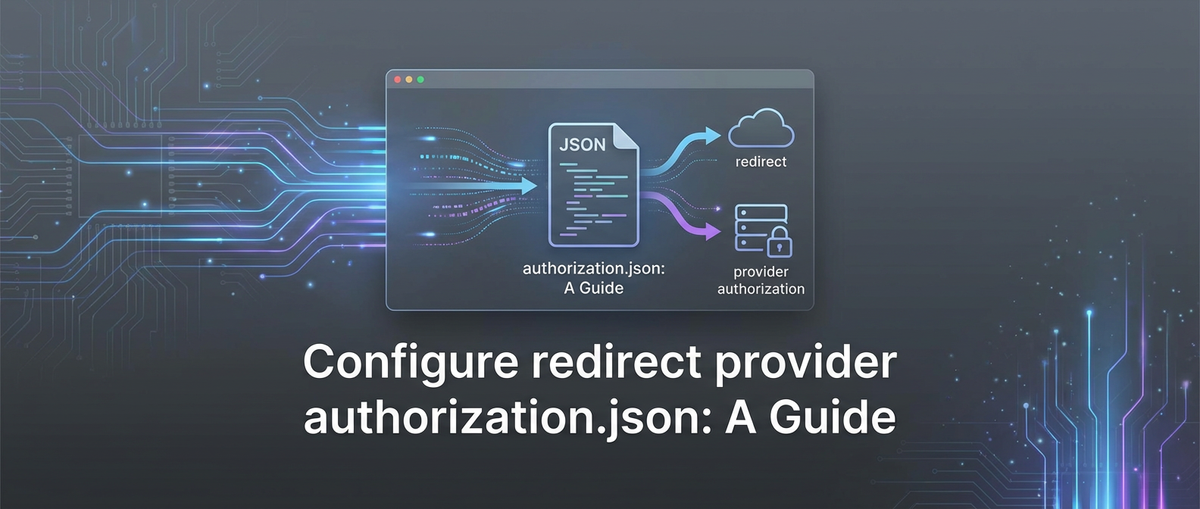
At the heart of secure API interactions, especially those involving user authentication through external identity providers, lies a meticulously crafted configuration – a digital blueprint that dictates how an application trusts and communicates with these external systems. While the specific file name might vary across frameworks and implementation contexts, the conceptual essence of authorization.json (or a similarly purposed configuration file) represents this critical blueprint. It serves as the definitive source for detailing the parameters necessary to engage in redirect-based authentication flows, such as those governed by OAuth 2.0 and OpenID Connect. This guide embarks on an exhaustive exploration of configuring such a redirect provider authorization.json file, delving into its core components, best practices for security, and its symbiotic relationship with an API gateway.
An API gateway emerges as an indispensable component in this architectural paradigm, acting as the centralized enforcement point for all API traffic. It not only streamlines request routing and load balancing but, crucially, provides a unified layer for authentication, authorization, and security policy enforcement. The configuration within authorization.json dictates how individual services behind the gateway interact with identity providers, while the API gateway itself orchestrates the overall flow, validating tokens, and ensuring that only authenticated and authorized requests reach the backend services.
This comprehensive article aims to equip developers, architects, and security professionals with a profound understanding of configuring redirect provider authorization, emphasizing the critical role of authorization.json and the overarching security posture enhanced by an API gateway. We will navigate through the nuances of redirect flows, dissect the essential elements of authorization configuration, outline robust security practices, and troubleshoot common pitfalls, all while reinforcing the importance of a well-secured and efficiently managed API ecosystem. By the end of this guide, readers will possess the knowledge to design and implement secure, scalable, and resilient authentication mechanisms for their modern applications and services.
Chapter 1: Understanding Redirect-Based Authentication Flows
In the vast and interconnected world of modern web applications, the need for secure and seamless user authentication is paramount. Users expect to log in once and access multiple services without repeatedly entering their credentials, while developers require robust mechanisms to delegate authentication responsibilities securely. This is where redirect-based authentication flows, predominantly embodied by OAuth 2.0 and OpenID Connect (OIDC), become indispensable. Understanding these flows is the first critical step before delving into the specifics of authorization.json.
The Evolution of Authentication Delegation
Historically, applications would often require users to provide their credentials directly, leading to security vulnerabilities such as credential stuffing and the burden of managing user passwords across multiple services. The advent of delegated authentication, particularly through OAuth 2.0, revolutionized this approach. Instead of an application asking for a user's password, it asks for permission to access specific resources on behalf of the user from a trusted identity provider (IdP) like Google, Facebook, Microsoft Azure AD, or Okta. The core principle is that the user authenticates directly with the IdP, and the IdP then grants the application permission, typically in the form of an access token.
OAuth 2.0: The Authorization Framework
OAuth 2.0 is an authorization framework that enables an application to obtain limited access to a user's account on an HTTP service, such as an API. It does this by delegating user authentication to the service that hosts the user account and authorizing third-party applications to access that user account. It's crucial to understand that OAuth 2.0 is about authorization (what an application can do), not authentication (who the user is), although it is often used as a building block for authentication.
The typical OAuth 2.0 flow involves several key actors: * Resource Owner: The user who owns the data or resources. * Client: The application requesting access to the resource owner's data. * Authorization Server: The server that authenticates the resource owner and issues access tokens to the client (this is often part of the Identity Provider). * Resource Server: The server hosting the protected resources, capable of accepting and responding to protected resource requests using access tokens.
The most common redirect-based flow in OAuth 2.0 is the Authorization Code Grant. This flow is highly recommended for confidential clients (applications capable of maintaining the confidentiality of their credentials, like web servers).
- Authorization Request: The client redirects the user's browser to the Authorization Server's
/authorizeendpoint. This request includes parameters likeclient_id,redirect_uri,scope, andresponse_type=code. - User Authentication & Consent: The Authorization Server authenticates the user (if not already logged in) and prompts them to grant or deny the client's requested permissions (scopes).
- Authorization Code Grant: If the user grants permission, the Authorization Server redirects the user's browser back to the
redirect_urispecified by the client, appending anauthorization_codeand astateparameter. - Token Exchange: The client's backend server receives the
authorization_code. It then makes a direct, server-to-server request to the Authorization Server's/tokenendpoint, exchanging theauthorization_codefor anaccess_token(and often arefresh_tokenandid_tokenif OpenID Connect is also involved). This request also includesclient_idandclient_secretfor authentication. - Resource Access: The client uses the
access_tokento make authenticated requests to the Resource Server (often through an API gateway), which validates the token and grants access to the protected resources.
OpenID Connect (OIDC): Authentication on Top of OAuth 2.0
While OAuth 2.0 provides authorization, OpenID Connect (OIDC) builds on top of OAuth 2.0 to provide identity verification. OIDC defines a standard way for clients to obtain basic profile information about an end-user from an Authorization Server. The key addition in OIDC is the ID Token, a JSON Web Token (JWT) that carries verifiable claims about the end-user (e.g., user ID, name, email).
In an OIDC flow using the Authorization Code Grant: * Steps 1-4 are largely similar to OAuth 2.0. * In step 4, the client also receives an id_token along with the access_token. * The id_token can be validated by the client to confirm the user's identity and retrieve basic profile information, without needing to make additional calls to a separate user info endpoint immediately.
The Critical Role of Redirect URIs
The redirect_uri (also known as callback URL) is arguably one of the most critical components in these redirect-based flows. It is the URL to which the Authorization Server sends the user's browser back after they have authenticated and granted (or denied) permissions.
- Security: The Authorization Server must only redirect to pre-registered, whitelisted
redirect_uris to prevent phishing and unauthorized code interception attacks. If an attacker could specify an arbitraryredirect_uri, they could potentially intercept theauthorization_codeorid_token. - Flexibility: Applications often need multiple
redirect_uris – for development, staging, production environments, or even different application entry points (e.g., a web app and a mobile app using custom URI schemes). - State Management: A
stateparameter is often included in the initial authorization request and returned by the Authorization Server. The client should verify that thestateparameter returned matches the one sent to mitigate Cross-Site Request Forgery (CSRF) attacks.
Why authorization.json is Crucial for Defining These
Given the complexity and security implications of these flows, applications require a robust and structured way to configure their interaction with various identity providers. This is where a conceptual authorization.json file comes into play. It consolidates all the necessary parameters – client_id, client_secret, redirect_uris, scopes, and provider-specific endpoints – into a single, manageable manifest.
By centralizing these configurations, developers can: * Improve Maintainability: All identity provider settings are in one place. * Enhance Security: Sensitive information (like client_secret) can be managed more carefully. * Facilitate Switching Providers: If an application needs to integrate with a new IdP, the changes are localized within this configuration. * Enable API Gateway Integration: An API gateway can leverage these configurations to implement centralized authentication policies, validating tokens and managing access to downstream api services.
The next chapter will delve deeper into the structure and elements typically found within such an authorization.json file, illustrating how it serves as the definitive guide for your application's authentication journey.
Chapter 2: The Significance of authorization.json in Provider Configuration
As we've established, modern applications frequently integrate with multiple external identity providers (IdPs) to handle user authentication. Whether it's signing in with Google, Azure AD, Okta, or a custom OAuth 2.0 server, the application needs a clear, precise set of instructions to initiate and complete these authentication flows. This is the fundamental purpose of authorization.json, or any similarly structured configuration file that serves as a manifest for identity provider details. While the exact naming and format might vary depending on the framework (e.g., appsettings.json in .NET, .env files with specific keys in Node.js, or dedicated configuration objects in Spring Boot), the conceptual role of authorization.json remains consistent: to centralize and define the parameters for interacting with external authorization providers.
What is authorization.json (Conceptually)?
Imagine authorization.json as a passport control manual for your application. Each entry in this manual details how to interact with a specific country's (identity provider's) passport office. It specifies what documents (client ID, client secret) to present, which entry points (authorization endpoints) to use, where to send the user back after verification (redirect URIs), and what privileges (scopes) to request.
Typically, such a file would be a JSON document, owing to its human-readability and widespread support across programming languages and environments. It acts as a configuration repository, containing vital metadata about each configured external authorization provider. The goal is to abstract away the specifics of each provider's endpoints and requirements from the application's core logic, making the system more modular and maintainable.
Common Elements Found in an authorization.json Configuration
While specific providers might introduce unique parameters, the core elements commonly found in a redirect provider configuration include:
ProviderName(e.g., "Google", "AzureAD", "Okta"): A descriptive identifier for the specific identity provider being configured. This allows the application to reference the correct set of parameters when initiating an authentication flow for that provider.ClientId: A unique string issued by the Authorization Server upon registration of the client application. Thisclient_ididentifies the client to the Authorization Server. It's public and included in the initial authorization request.ClientSecret: A confidential string also issued by the Authorization Server, known only to the client and the Authorization Server. Thisclient_secretis used to authenticate the client when exchanging an authorization code for an access token at the/tokenendpoint. It must be kept strictly confidential.RedirectUris(orCallbackUrls): An array of URLs to which the Authorization Server is permitted to redirect the user's browser after authentication and consent. These URLs must be pre-registered with the identity provider for security reasons. The application's backend endpoint for handling the redirect response will typically be one of these.Scopes: An array of strings defining the permissions the application is requesting from the user. Examples includeopenid,profile,email(for OIDC), or custom scopes specific to a resource server (e.g.,api.read,api.write). The principle of least privilege dictates requesting only necessary scopes.Authority(orIssuer): The base URL of the identity provider's Authorization Server. This URL is used to discover other endpoints (like/authorize,/token,/userinfo) through the OpenID Connect discovery document (often found at/.well-known/openid-configuration).ResponseType: Specifies the desired response from the authorization endpoint. For the Authorization Code Grant flow, this is typicallycode. For implicit flow (less recommended now), it might betokenorid_token token.GrantType: Specifies the type of grant being requested when exchanging the authorization code for a token. For Authorization Code Grant, this isauthorization_code. Other common types includeclient_credentialsfor machine-to-machine communication orrefresh_tokenfor renewing access tokens.PkceRequired: A boolean flag indicating whether Proof Key for Code Exchange (PKCE) should be used. PKCE is a security extension for OAuth 2.0 that prevents authorization code interception attacks, especially important for public clients (e.g., mobile apps, SPAs) that cannot securely store aclient_secret.MetadataUrl(Optional but Recommended): The URL of the OpenID Connect discovery document. If provided, the application can dynamically discover all other necessary endpoints (authorization_endpoint,token_endpoint,jwks_uri, etc.) from this single URL, reducing the need for hardcoding and improving resilience to endpoint changes.
Why It's Distinct from Other Configuration Files
While an application might have a general config.json or appsettings.json for database connection strings, logging levels, or feature flags, authorization.json is distinct due to its specialized focus on external authentication providers. This separation of concerns offers several advantages:
- Security Context: It isolates sensitive authentication-related parameters, making it easier to apply specific security measures such as encryption, secret management, or access controls solely to this file/configuration section.
- Compliance: For audit and compliance purposes, having a clear separation of authentication settings helps demonstrate how external access is managed.
- Scalability & Microservices: In a microservices architecture, different services might require access to different identity providers or specific scopes. A centralized gateway managing these configurations, informed by such authorization definitions, becomes critical. An API gateway acts as a single point of entry, enforcing authentication policies consistently across all microservices, and utilizing the
authorization.jsonconfigurations to orchestrate secure user flows.
How It Acts as a Manifest for Identity Providers
Consider the architecture where an API gateway fronts multiple backend services. When a user attempts to log in using an external identity provider, the application (or the gateway itself) consults authorization.json to gather the necessary information to initiate the redirect flow.
- Initiation: Upon a user's choice to "Login with Google," the application retrieves Google's
ClientId,RedirectUri, andScopesfromauthorization.json. - Redirection: It then constructs the authorization URL using these parameters and redirects the user's browser to Google's Authorization Server.
- Callback Handling: Once Google redirects back, the application, informed by its
RedirectUrisinauthorization.json, knows which handler endpoint to invoke. This handler then uses the storedClientSecret(if applicable) and the receivedauthorization_codeto make a secure backend request to Google's token endpoint to exchange for anaccess_tokenandid_token. - Token Validation and Session Creation: The API gateway (or the application's authentication service) validates these tokens against Google's public keys (whose URI might also be defined or discovered via
Authorityinauthorization.json) and then establishes a session for the user, granting access to protected api resources.
The centralized nature of this configuration, particularly when managed by an API gateway, significantly enhances the security posture and operational efficiency of the entire system. It ensures consistency, simplifies updates, and provides a clear audit trail for how your application interacts with external identity providers. The subsequent chapters will delve into the practical steps of setting up environments, deep-diving into each configuration element, and integrating these concepts with an API gateway.
Chapter 3: Setting Up Your Development Environment for Authorization Providers
Before you can effectively configure authorization.json and integrate redirect-based authentication, a foundational understanding of the development environment setup is crucial. This chapter guides you through the necessary prerequisites and the initial steps involved in registering your application with an actual OAuth provider, obtaining essential credentials, and defining the all-important redirect URIs. Without these groundwork elements, your authorization.json will lack the necessary details to function correctly.
Prerequisites for Development
Regardless of your chosen programming language or framework, certain fundamental tools and concepts are universally required to begin:
- A Development Environment: This typically includes:
- Operating System: Windows, macOS, or Linux, configured with your preferred terminal or IDE.
- Programming Language Runtime: Depending on your stack, this could be Node.js for JavaScript/TypeScript, .NET SDK for C#, Java Development Kit (JDK) for Java, Python interpreter, Go compiler, etc. Ensure you have a stable and supported version installed.
- Integrated Development Environment (IDE): Visual Studio Code, IntelliJ IDEA, Visual Studio, PyCharm, Eclipse, etc., chosen for productivity and debugging capabilities.
- Version Control System: Git is essential for managing your code, collaborating with teams, and deploying changes.
- Understanding of Web Concepts:
- HTTP/HTTPS: A firm grasp of how web requests and responses work, including headers, methods, and status codes. HTTPS is non-negotiable for secure authentication flows.
- Domains and Ports: Knowledge of how applications are accessed via domains (e.g.,
localhost,mydomain.com) and ports (e.g.,80,443,3000,8080). During development, you'll often uselocalhostwith specific port numbers. - Networking Basics: Familiarity with concepts like firewalls and proxy servers, which might impact connectivity to external identity providers.
- Basic Application Setup:
- A barebones web application or API project configured to listen for HTTP requests. This will be the "client" in the OAuth flow that initiates the redirect and handles the callback.
- For testing redirect flows locally, ensure your application can run on
localhostand is accessible. Sometimes, tools likengrokorlocaltunnelare invaluable for exposing your local development server to the internet, making it reachable by external identity providers if they require public-facing redirect URIs.
Registering Your Application with an OAuth Provider
This is a critical step where you introduce your application to the chosen identity provider. The process is remarkably similar across major providers, though the UI and specific terminology may differ slightly. We'll use common examples to illustrate.
Example 1: Google API Console (for Google Sign-In)
- Navigate to Google Cloud Console: Go to
console.developers.google.comand log in with your Google account. - Create a New Project: If you don't have one, create a new project to host your application's credentials.
- Enable APIs & Services: Search for and enable the "Google People API" or other relevant APIs if your application needs to access specific Google services beyond basic authentication.
- Create Credentials:
- In the left navigation, go to "APIs & Services" > "Credentials".
- Click "Create Credentials" and select "OAuth client ID".
- Configure Consent Screen: Before creating an OAuth client ID, you'll likely need to configure the OAuth consent screen. This is what users see when they're asked to grant your application permissions. Provide an "Application name," "User support email," and potentially a "Developer contact email." For internal development, you can often choose "Internal" user type.
- Application Type: Select "Web application." For mobile or desktop apps, choose the appropriate type.
- Name: Give your OAuth client ID a descriptive name (e.g., "MyWebApp Dev").
- Authorized JavaScript origins: For single-page applications (SPAs) that directly interact with Google's API, specify the origins (e.g.,
http://localhost:3000,https://yourdomain.com). This is less critical for server-side authorization code flows unless you are using Google's client-side SDK. - Authorized redirect URIs: This is the most crucial part for redirect-based flows. Enter the full URLs where Google should send the user back after authentication. For local development, this might be
http://localhost:5000/signin-googleorhttps://localhost:5001/callback. For production, it would behttps://yourdomain.com/signin-google. You can add multiple URIs.
Example 2: Microsoft Azure Active Directory (for Azure AD/Microsoft Accounts)
- Azure Portal: Go to
portal.azure.comand log in. - Azure Active Directory: Navigate to "Azure Active Directory" in the left pane.
- App Registrations: Select "App registrations" > "New registration".
- Register an Application:
- Name: Give your application a meaningful name.
- Supported account types: Choose who can use your application (e.g., "Accounts in this organizational directory only," "Accounts in any organizational directory," or "Personal Microsoft accounts").
- Redirect URI: Select "Web" as the platform. Enter your redirect URIs here, similar to Google (e.g.,
https://localhost:5001/signin-oidc,https://yourdomain.com/auth/callback).
Example 3: Okta Developer Console
- Okta Developer Dashboard: Sign up for an Okta developer account and navigate to your dashboard.
- Applications: Go to "Applications" > "Applications" > "Create App Integration".
- Create App Integration:
- Sign-in method: Choose "OIDC - OpenID Connect".
- Application type: Select "Web Application".
- App Integration Name: Give it a name.
- Grant type: Ensure "Authorization Code" is selected.
- Sign-in redirect URIs: Add your redirect URIs (e.g.,
http://localhost:8080/authorization-code/callback,https://yourdomain.com/callback). - Sign-out redirect URIs: (Optional) If you have a logout flow, add these.
Obtaining client_id and client_secret
After successfully registering your application, the identity provider will issue you a client_id and, for confidential clients, a client_secret.
client_id: This is usually readily visible on your application's details page within the IdP's console. It's a public identifier.client_secret: For web applications or other confidential clients, theclient_secretis typically generated once and displayed to you. It's critical to copy and store this securely immediately, as it may not be retrievable again (only regenerated). Some providers might require you to explicitly generate a new client secret if you lose the original. For public clients (like SPAs or mobile apps), aclient_secretis not used, and instead, PKCE (Proof Key for Code Exchange) is employed for security.
Defining Valid Redirect URIs in the Provider's Console
As emphasized, redirect URIs are the cornerstone of security in redirect-based flows. It is imperative to:
- Whitelist All Valid URIs: Every single URL where your application expects to receive an authorization code or token back from the IdP must be explicitly registered in the IdP's console. This includes:
- Development URLs (e.g.,
http://localhost:PORT/path) - Staging URLs
- Production URLs
- Potentially custom URI schemes for mobile applications (e.g.,
myapp://callback)
- Development URLs (e.g.,
- Be Precise: Ensure the URIs exactly match what your application sends in the authorization request. Trailing slashes, port numbers, and URL schemes (HTTP vs. HTTPS) are all significant.
- Use HTTPS for Production: Never use
http://for production redirect URIs. Always enforcehttps://to protect the authorization code and tokens from interception. - Avoid Generic URIs: Do not use wildcard characters (e.g.,
*) in productionredirect_uris unless explicitly allowed by the provider and thoroughly understood, as this significantly weakens security.
Once you have gathered your client_id, client_secret, and a definitive list of redirect_uris, you have the foundational data points necessary to populate your authorization.json configuration file. These credentials and URLs will dictate how your application, and potentially your API gateway, securely interacts with external identity providers, forming the bedrock of your authentication strategy. The next chapter will take these elements and show how they translate into a structured authorization.json.
Chapter 4: Deep Dive into authorization.json Configuration Elements
With a solid understanding of redirect-based authentication and the initial setup process, we can now meticulously examine the individual configuration elements that comprise authorization.json. Each parameter plays a crucial role in orchestrating a secure and functional authentication flow. Misconfigurations in any of these elements can lead to security vulnerabilities, broken flows, or simply an inability to communicate with the identity provider.
Let's dissect the key components, detailing their purpose, typical values, and critical security considerations.
client_id: The Public Identifier
- Explanation: The
client_idis a unique identifier issued by the Authorization Server when your application is registered. It publicly identifies your application to the Authorization Server. It's not a secret and is often embedded in client-side code or publicly visible in network requests. - Typical Value: A long, alphanumeric string (e.g.,
123456789012-abcdefghijklmnopqrstuvwxyz.apps.googleusercontent.com). - Purpose: The Authorization Server uses the
client_idto look up your application's registered details, including itsredirect_uris and allowedscopes. It ensures that the authorization request originates from a recognized client. - Security Considerations:
- While public, it still needs to be correctly managed. If an attacker knows your
client_id, they can craft malicious authorization requests, though they cannot compromise yourclient_secretor directly gain access without other factors. - Ensure the
client_idin yourauthorization.jsonexactly matches the one provided by your IdP. Typos are a common cause ofunauthorized_clienterrors. - For multi-tenant api gateway solutions, each tenant or application might have its own
client_idfor each provider, managed centrally by the gateway.
- While public, it still needs to be correctly managed. If an attacker knows your
client_secret: The Confidential Key
- Explanation: The
client_secretis a confidential string known only to your application (specifically, your backend server or API gateway) and the Authorization Server. It's used to authenticate your application when it directly communicates with the Authorization Server (e.g., at the/tokenendpoint to exchange an authorization code). - Typical Value: Another long, complex alphanumeric string (e.g.,
GOCSPX-1AbcDEfGhIJKLmnopQRSTuVWxYzA_1b2c3d4e5f). - Purpose: It proves that the request to exchange an authorization code for an access token comes from the legitimate, registered client, not an imposter. This prevents an attacker who might have intercepted an
authorization_codefrom using it. - Security Considerations:
- Absolute Confidentiality: The
client_secretmust never be exposed in client-side code, sent in browser requests, or committed directly into public source control repositories. - Secure Storage: Store
client_secrets securely.- Environment Variables: A common approach for development and deployment (e.g.,
CLIENT_SECRET_GOOGLE=value). - Secret Management Systems: For production, use dedicated secret management solutions like HashiCorp Vault, AWS Secrets Manager, Azure Key Vault, or Kubernetes Secrets. These systems encrypt and manage access to secrets.
- Encrypted Configuration Files: If stored in a file, ensure the file is encrypted at rest and access is heavily restricted.
- Environment Variables: A common approach for development and deployment (e.g.,
- Rotation: Regularly rotate
client_secrets, especially if there's any suspicion of compromise. - Public Clients: For single-page applications (SPAs) or mobile apps (considered "public clients" because they cannot keep a secret confidential),
client_secrets are not used. Instead, PKCE (Proof Key for Code Exchange) is mandated.
- Absolute Confidentiality: The
redirect_uris (Callback URLs): The Secure Return Path
- Explanation: This is an array of URLs where the Authorization Server is allowed to redirect the user's browser back after they have authenticated and granted consent. Your application's backend will have a specific endpoint configured to receive and process these callbacks.
- Typical Value: An array of full URLs, including scheme, host, port (if not default), and path (e.g.,
["https://app.example.com/auth/callback", "https://localhost:5001/signin-google"]). - Purpose: Critical for security. The IdP will only redirect to one of these pre-registered URIs, preventing malicious actors from intercepting authorization codes by specifying their own URL.
- Security Considerations:
- Exact Match: The
redirect_urisent in the initial authorization request must exactly match one of the pre-registered URIs in the IdP's configuration and in yourauthorization.json. - HTTPS Enforcement: All production
redirect_uris must usehttps://. HTTP redirects are vulnerable to eavesdropping and man-in-the-middle attacks. - No Wildcards in Production: Avoid using wildcards (
*) in productionredirect_uris as they open up a wide range of redirection attacks. Each specific URI should be explicitly listed. - Validation on Callback: Your application (or API gateway) must validate the
redirect_uriupon receiving the callback to ensure it's one of your known, legitimate URIs. - State Parameter: Always include and validate the
stateparameter to prevent CSRF attacks. Thestateparameter, a randomly generated, unguessable string, should be unique per authorization request and stored securely (e.g., in a session) until the callback, where it's matched against the incomingstate.
- Exact Match: The
scopes: Requesting Permissions
- Explanation: An array of strings defining the specific permissions your application is requesting from the user. These permissions dictate what resources your application can access on the user's behalf.
- Typical Value:
["openid", "profile", "email", "https://www.googleapis.com/auth/calendar.readonly"].openid: Required for OpenID Connect to signal an authentication request.profile: Requests access to the user's default profile claims (name, picture, etc.).email: Requests access to the user's email address.
- Purpose: Enables the principle of least privilege. Your application should only request the minimum necessary
scopesto perform its intended functions. This improves security and user trust. - Security Considerations:
- Least Privilege: Request only the
scopesyour application absolutely needs. Over-requesting scopes can make users hesitant to grant access and increases the attack surface if youraccess_tokenis compromised. - Provider Specificity:
scopesare often provider-specific. Consult the IdP's documentation for validscopevalues. - User Consent: Users are typically shown a consent screen listing the requested
scopes. Clearly explaining why each scope is needed can improve user experience and reduce abandonment.
- Least Privilege: Request only the
authority / issuer: Identity Provider's Endpoint
- Explanation: The base URL of the identity provider's Authorization Server. This URL is often the "issuer" identifier for JWTs and is used to discover other important endpoints.
- Typical Value:
https://accounts.google.com,https://login.microsoftonline.com/{tenantId}/v2.0,https://dev-123456.okta.com/oauth2/default. - Purpose: Establishes trust and allows your application to locate the IdP's various endpoints (e.g.,
/authorize,/token,/jwks_uri). - Security Considerations:
- Trust Anchor: This URL acts as a trust anchor. Your application (or API gateway) will validate incoming tokens (ID tokens, access tokens) against the
issuerclaim within the token, ensuring it matches the configuredauthority. This prevents tokens issued by malicious or incorrect identity providers from being accepted. - HTTPS: Always use
https://for theauthorityURL. - Dynamic Discovery: Many modern identity providers support OpenID Connect Discovery. By providing the
authority, your application can often dynamically fetch the.well-known/openid-configurationdocument to get all other endpoints, making your configuration more robust and less prone to breaking if endpoints change.
- Trust Anchor: This URL acts as a trust anchor. Your application (or API gateway) will validate incoming tokens (ID tokens, access tokens) against the
response_type / grant_type: Defining the Flow
- Explanation: These parameters specify the type of OAuth 2.0 grant flow being used.
response_type: Used in the initial authorization request to indicate what types of tokens or codes are expected from the/authorizeendpoint.grant_type: Used in the token exchange request to indicate the type of grant being performed at the/tokenendpoint.
- Typical Values:
response_type:code(for Authorization Code Grant),id_token(for Implicit flow, less recommended),code id_token(hybrid flow).grant_type:authorization_code(for Authorization Code Grant),client_credentials,refresh_token.
- Purpose: Directs the Authorization Server on how to process the request and what to return.
- Security Considerations:
- Authorization Code Grant is Preferred: For confidential clients (web servers), the
response_type=codeandgrant_type=authorization_codeflow is generally the most secure due to the backend-to-backend token exchange protecting theclient_secretand authorization code. - Implicit Flow Warnings:
response_type=token(Implicit flow) is generally discouraged due to vulnerabilities like token leakage in browser history or referrer headers, and the inability to use refresh tokens. It's largely superseded by Authorization Code Grant with PKCE for public clients.
- Authorization Code Grant is Preferred: For confidential clients (web servers), the
pkce_required: Enhancing Security for Public Clients
- Explanation: A boolean flag that indicates whether Proof Key for Code Exchange (PKCE) should be used. PKCE is an extension to the Authorization Code flow designed to protect public clients (which cannot securely store a
client_secret) from authorization code interception attacks. - Typical Value:
trueorfalse. For public clients, it must betrue. - Purpose: PKCE works by having the client generate a high-entropy cryptographically random string called a
code_verifierfor each authorization request. It then derives acode_challengefrom thecode_verifierand sends thecode_challenge(along with theclient_idandredirect_uri) to the authorization endpoint. When the authorization code is received, the client sends it to the token endpoint along with the originalcode_verifier. The Authorization Server then validates that thecode_challengederived from the receivedcode_verifiermatches thecode_challengeit initially received. This ensures that only the client that initiated the authorization request can exchange the authorization code for tokens. - Security Considerations:
- Mandatory for Public Clients: PKCE is crucial for SPAs and mobile apps. Without it, an intercepted authorization code could be exchanged for tokens by an attacker.
- Recommended for Confidential Clients: While primarily for public clients, using PKCE even with confidential clients adds an extra layer of defense against code injection attacks, though it's less critical when a
client_secretis also used.
Other Provider-Specific Settings
Depending on the identity provider and your needs, authorization.json might also include:
jwks_uri: The URL to the JSON Web Key Set (JWKS) document, containing the public keys used by the IdP to sign ID Tokens and access tokens. Your application (or API gateway) uses these public keys to verify the signature of incoming tokens.token_endpoint: The URL where your application exchanges the authorization code for tokens.userinfo_endpoint: The URL where your application can fetch additional user profile information using theaccess_token(ifprofileoremailscopes were granted and the information wasn't already in the ID token).cookie_samesite: For some frameworks, configuration related toSameSitecookie policy can be important for security and browser compatibility.prompt: An OAuth parameter that can control the authentication experience (e.g.,loginto force re-authentication,consentto force re-prompting for consent).
Example authorization.json Structure
Let's put these elements together into a hypothetical authorization.json structure for multiple providers.
{
  "IdentityProviders": {
    "Google": {
      "ClientId": "123456789012-abcdefghijklmnopqrstuvwxyz.apps.googleusercontent.com",
      "ClientSecret": "GOCSPX-1AbcDEfGhIJKLmnopQRSTuVWxYzA_1b2c3d4e5f",
      "RedirectUris": [
        "https://app.example.com/auth/callback/google",
        "https://localhost:5001/auth/callback/google"
      ],
      "Scopes": [
        "openid",
        "profile",
        "email"
      ],
      "Authority": "https://accounts.google.com",
      "ResponseType": "code",
      "GrantType": "authorization_code",
      "PkceRequired": false,
      "MetadataUrl": "https://accounts.google.com/.well-known/openid-configuration"
    },
    "AzureAD": {
      "ClientId": "a1b2c3d4-e5f6-7890-1234-567890abcdef",
      "ClientSecret": "AzuresEcReT-a1b2c3d4e5f6g7h8i9j0k1l2m3n4o5p6",
      "RedirectUris": [
        "https://app.example.com/auth/callback/azuread",
        "https://localhost:5001/auth/callback/azuread"
      ],
      "Scopes": [
        "openid",
        "profile",
        "email",
        "api://a1b2c3d4-e5f6-7890-1234-567890abcdef/access_as_user"
      ],
      "Authority": "https://login.microsoftonline.com/{tenantId}/v2.0",
      "ResponseType": "code",
      "GrantType": "authorization_code",
      "PkceRequired": false,
      "MetadataUrl": "https://login.microsoftonline.com/{tenantId}/v2.0/.well-known/openid-configuration"
    },
    "Okta": {
      "ClientId": "0oabCdeFgHIJKLMnoPqR",
      "ClientSecret": "Okta_SeCrEt_0oabCdeFgHIJKLMnoPqRstUvWxYz",
      "RedirectUris": [
        "https://app.example.com/auth/callback/okta",
        "https://localhost:5001/auth/callback/okta"
      ],
      "Scopes": [
        "openid",
        "profile",
        "email"
      ],
      "Authority": "https://dev-123456.okta.com/oauth2/default",
      "ResponseType": "code",
      "GrantType": "authorization_code",
      "PkceRequired": true,
      "MetadataUrl": "https://dev-123456.okta.com/oauth2/default/.well-known/openid-configuration"
    }
  },
  "DefaultProvider": "Google",
  "SessionCookie": {
    "Name": ".MyApp.Auth",
    "Domain": "example.com",
    "HttpOnly": true,
    "Secure": true,
    "SameSite": "Lax",
    "ExpirationMinutes": 60
  }
}
This table summarizes the core components of authorization.json:
| Configuration Element | Description | Key Security Aspect | Recommended Practice |
|---|---|---|---|
ClientId |
Unique identifier for your application. | Public, but ensures IdP recognizes your app. | Must match IdP registration; used in auth requests. |
ClientSecret |
Confidential key for your application. | Essential for client authentication at token endpoint. | NEVER expose client-side; use env vars or secret manager. Rotate regularly. |
RedirectUris |
Whitelisted URLs for callback after authentication. | Prevents authorization code/token interception. | HTTPS only for production; exact match with IdP registration; no wildcards. Always validate. |
Scopes |
Permissions requested by your application. | Principle of least privilege. | Request only necessary scopes; consult IdP docs. |
Authority |
Base URL of the Identity Provider's Authorization Server. | Trust anchor for token validation. | HTTPS only; use for dynamic discovery of endpoints. Validate against JWT issuer claim. |
ResponseType |
What is expected from the authorization endpoint. | Determines the OAuth flow type. | code (Authorization Code Grant) is generally preferred for security. |
GrantType |
What is expected at the token endpoint. | Determines the OAuth flow type. | authorization_code for exchanging authorization codes. |
PkceRequired |
Flag for Proof Key for Code Exchange. | Critical for public client security (SPAs, mobile apps). | Set to true for public clients; recommended for all clients for defense in depth. |
MetadataUrl |
URL for OpenID Connect discovery document. | Dynamic discovery of endpoints. | Reduces hardcoding, increases resilience to IdP changes. |
Understanding and correctly configuring each of these elements is fundamental to building a secure, reliable, and compliant authentication system. The integration of these configurations with an API gateway further centralizes and strengthens the security posture, which will be the focus of our next chapter.
APIPark is a high-performance AI gateway that allows you to securely access the most comprehensive LLM APIs globally on the APIPark platform, including OpenAI, Anthropic, Mistral, Llama2, Google Gemini, and more.Try APIPark now! 👇👇👇
Chapter 5: Implementing Redirect Provider Logic with an API Gateway
While authorization.json provides the static configuration for interacting with identity providers, the dynamic orchestration of these authentication flows, especially across a complex microservices architecture, demands a robust intermediary. This is precisely where an API gateway becomes not just beneficial, but often indispensable. An API gateway acts as the singular entry point for all client requests to your backend services, centralizing concerns like routing, load balancing, caching, and, most critically, security and authentication.
The Role of an API Gateway in Managing Authentication Flows
An API gateway is the frontline defender and orchestrator of your api ecosystem. In the context of redirect-based authentication, its role is multifaceted and significantly enhances the overall security and efficiency:
- Centralized Authentication Enforcement: Instead of each backend service needing to implement its own authentication logic, the API gateway can handle authentication for all inbound requests. This ensures consistency, reduces development effort across services, and provides a single point for auditing and policy management. When a client initiates a login flow with an external identity provider, the gateway can act as the "client" from the IdP's perspective, managing the redirection and token exchange.
- Intercepting Requests and Initiating Redirects: When a user attempts to access a protected api resource, the API gateway intercepts the request. If the user is unauthenticated, the gateway can redirect the user's browser to the appropriate Authorization Server's
/authorizeendpoint, constructing the URL based on theclient_id,redirect_uri, andscopesdefined in itsauthorization.json(or equivalent configuration). This offloads the initial redirection logic from the application itself. - Handling Callbacks and Token Exchange: Once the identity provider authenticates the user and redirects back to the configured
redirect_uri, this callback often lands on the API gateway or a dedicated authentication service behind it. The gateway is then responsible for:- Receiving the Authorization Code: Capturing the
authorization_codefrom the redirect URL. - State Parameter Validation: Crucially, validating the
stateparameter to prevent CSRF attacks. The gateway would have stored thestateassociated with the initial request and compares it to the incomingstate. - Backend Token Exchange: Making a secure, server-to-server request to the IdP's
/tokenendpoint to exchange theauthorization_codeforaccess_tokenandid_token(andrefresh_token). This request uses theclient_secretsecurely stored on the gateway side. - Token Validation: After receiving the tokens, the gateway validates them:
- ID Token Validation: Verifying the JWT signature using the IdP's public keys (from
jwks_uri), checkingexp(expiry),iss(issuer),aud(audience), andnonce(if used). - Access Token Validation: While often opaque, if it's a JWT, its signature and claims (e.g.,
scope,aud) are validated. The gateway might also perform an introspection call to the IdP if the token is opaque.
- ID Token Validation: Verifying the JWT signature using the IdP's public keys (from
- Receiving the Authorization Code: Capturing the
- Session Management and Token Injection: Upon successful authentication and token validation, the API gateway establishes a session for the user. It can then either issue its own session token (e.g., a signed JWT) to the client, or store the received
access_tokenandrefresh_tokensecurely and inject theaccess_tokeninto subsequent requests to backend services. This shields backend services from directly handling external tokens and simplifies their authentication logic. - Traffic Management and Load Balancing: Beyond authentication, the gateway transparently routes authenticated requests to the appropriate backend services, distributing load and handling failovers, without the client needing to know the internal topology of the microservices.
Integrating authorization.json Configurations with API Gateway Policies
The conceptual authorization.json configuration we discussed in Chapter 4 becomes the foundational data for the API gateway's authentication policies.
- Provider Definitions: The gateway loads the
ClientId,ClientSecret,RedirectUris,Scopes, andAuthorityfor each identity provider from its configuration. These are then used by the gateway's internal authentication modules. - Dynamic Endpoint Discovery: Leveraging the
AuthorityandMetadataUrlfromauthorization.json, the gateway can dynamically discover the IdP's authorization, token, and JWKS endpoints. This makes the gateway resilient to changes in IdP infrastructure. - Policy Enforcement: For each api endpoint, the API gateway defines policies that specify which authentication method is required (e.g., "requires Google authentication," "requires Azure AD authentication"). When a request comes in, the gateway checks the policy:
- If authentication is required and no valid session/token exists, the gateway initiates the redirect flow using the configured
authorization.jsondetails for the specified provider. - If a token is present, the gateway validates it against the appropriate IdP's configuration (e.g., verifying a JWT signed by Google using Google's public keys, whose
jwks_uriis known fromauthorization.jsonor discovery).
- If authentication is required and no valid session/token exists, the gateway initiates the redirect flow using the configured
Security Considerations for the API Gateway
The API gateway is a critical security component, and its own security is paramount:
- Protecting the API Gateway Itself: The gateway must be hardened, regularly patched, and deployed in a secure network segment. Its administration interfaces must be protected by strong authentication and authorization.
- Secure Storage of Client Secrets: As discussed,
client_secrets (and any other sensitive credentials like API keys for backend services) must be stored in environment variables, hardware security modules (HSMs), or dedicated secret management systems, accessible only by the gateway. - Token Validation Rigor: The gateway must perform comprehensive validation of all incoming tokens (ID tokens, access tokens) from identity providers. This includes:
- Signature Verification: Ensuring the token was signed by the legitimate IdP using the correct public key.
- Expiration Check: Ensuring the token is not expired.
- Issuer Validation: Confirming the
issclaim matches the expectedauthority. - Audience Validation: Confirming the
audclaim matches theclient_idor the intended recipient of the token. - Nonce Validation: For OIDC, verifying the
nonceparameter to mitigate replay attacks.
- Rate Limiting and Throttling: Implement rate limiting on the gateway to protect both your own services and the identity provider from abuse or denial-of-service attacks.
- Logging and Monitoring: Comprehensive logging of authentication attempts, successes, and failures is essential for detecting anomalies and security incidents. The gateway should integrate with a centralized logging and monitoring solution.
Enhancing API Management with APIPark
In the context of robust API gateway functionality and comprehensive api management, solutions exist that streamline these complex authentication and lifecycle tasks. For instance, consider a platform like APIPark. APIPark is an open-source AI gateway and API management platform designed to simplify the management, integration, and deployment of both AI and REST services.
APIPark's capabilities directly address many of the challenges involved in managing authentication across a diverse set of APIs and identity providers. Its "End-to-End API Lifecycle Management" feature is particularly relevant, as it assists with regulating API management processes, managing traffic forwarding, load balancing, and versioning of published APIs. This type of platform can take the conceptual authorization.json configurations and integrate them into a more managed and observable system. By centralizing authentication policies and facilitating quick integration of various services, APIPark helps ensure that the intricate details of redirect provider configurations are applied consistently and securely across all your API services. Its ability to provide "Independent API and Access Permissions for Each Tenant" and ensure "API Resource Access Requires Approval" further underscores the level of control and security that such a dedicated API gateway and management platform can offer, making it an excellent example of how centralized solutions simplify complex authorization requirements.
The strategic deployment of an API gateway, informed by a well-structured authorization.json, transforms a potentially chaotic collection of services into a well-governed, secure, and efficient api ecosystem. It provides the necessary controls to manage user authentication, protect valuable resources, and streamline development efforts, laying a strong foundation for future growth and innovation. The subsequent chapter will delve into even more advanced security considerations and best practices to further harden this foundation.
Chapter 6: Advanced Security Considerations and Best Practices
Configuring authorization.json and deploying an API gateway are foundational steps towards secure authentication. However, the rapidly evolving threat landscape demands continuous vigilance and the implementation of advanced security measures. This chapter extends our discussion to crucial best practices and advanced considerations that further fortify your redirect-based authentication flows and your overall api security posture.
State Parameter: Preventing Cross-Site Request Forgery (CSRF)
The state parameter is a critical security mechanism in OAuth 2.0 and OpenID Connect flows.
- Threat: Without the
stateparameter, an attacker could initiate an authorization request with the victim's browser and then intercept the authorization code. If the attacker could then exchange this code for a token (e.g., in an Implicit flow, or if the Authorization Code flow client didn't validate origin orredirect_urithoroughly), they could gain unauthorized access to the victim's account. This is a CSRF attack. - Mitigation:
- Generate a Random String: Before redirecting the user to the Authorization Server, your application (or API gateway) must generate a cryptographically secure, unguessable random string for the
stateparameter. - Store Securely: Store this
stateparameter in the user's session (e.g., in an HTTP-only, secure,SameSite=Laxcookie, or server-side in a temporary storage linked to the session ID). - Send in Authorization Request: Include the
stateparameter in the initial authorization request URL to the IdP. - Validate on Callback: When the IdP redirects back to your
redirect_uri, thestateparameter will be included in the URL. Your application/gateway must retrieve the storedstateand compare it to the incomingstate. If they do not match, the request must be rejected as potentially malicious.
- Generate a Random String: Before redirecting the user to the Authorization Server, your application (or API gateway) must generate a cryptographically secure, unguessable random string for the
- Best Practice: Always use the
stateparameter and validate it rigorously. It adds a crucial layer of protection against CSRF attacks.
PKCE (Proof Key for Code Exchange): Crucial for Public Clients
PKCE, as briefly mentioned, is an essential security extension for OAuth 2.0.
- Threat: For public clients (like SPAs, mobile apps) that cannot securely store a
client_secret, if an authorization code is intercepted (e.g., by a malicious app on the user's device), an attacker could exchange it for an access token. - Mitigation:
- Generate
code_verifier: The client (e.g., SPA, mobile app) generates a high-entropy, cryptographically randomcode_verifierfor each authorization request. - Derive
code_challenge: Acode_challengeis derived from thecode_verifierusing a one-way transformation (e.g., SHA256 hashing). - Send
code_challenge: Thecode_challengeis sent along with theclient_id,redirect_uri, andstateto the Authorization Server's/authorizeendpoint. - Store
code_verifier: The client securely stores thecode_verifier(e.g., in local storage for SPAs, or securely on the device for mobile apps). - Token Exchange with
code_verifier: When the Authorization Code is received at theredirect_uri, the client sends it to the/tokenendpoint along with the originalcode_verifier. - Server Validation: The Authorization Server re-derives the
code_challengefrom the receivedcode_verifierand compares it to thecode_challengeit initially received. If they don't match, the token exchange is denied.
- Generate
- Best Practice: PKCE is now considered mandatory for all OAuth 2.0 Authorization Code flows, regardless of client type, for defense in depth. Ensure your
authorization.json(or equivalent config) indicatesPkceRequired: trueif applicable, and that your client implementation correctly performs the PKCE steps.
Token Validation: JWTs, Signature Verification, Expiry, Audience, Issuer
Once your application or API gateway receives ID tokens and access tokens (especially if they are JWTs), rigorous validation is critical.
- Signature Verification:
- Purpose: Ensures the token was indeed issued by the legitimate Authorization Server and has not been tampered with.
- Method: The API gateway (or validation service) retrieves the Authorization Server's public keys (from its
jwks_uri, which is dynamically discovered via theauthorityinauthorization.json) and uses them to verify the token's cryptographic signature.
- Expiration Check (
expclaim):- Purpose: Ensures the token has not outlived its validity period.
- Method: Compare the
exp(expiration time) claim in the JWT with the current time. Tokens that are expired must be rejected.
- Issuer Validation (
issclaim):- Purpose: Ensures the token was issued by the expected Authorization Server.
- Method: Compare the
iss(issuer) claim in the JWT with theauthorityconfigured in yourauthorization.jsonfor that provider. Mismatches indicate a potentially rogue issuer.
- Audience Validation (
audclaim):- Purpose: Ensures the token is intended for your application.
- Method: Compare the
aud(audience) claim in the JWT with your application'sclient_id. If theaudclaim contains multiple values, ensure yourclient_idis one of them. Reject tokens not intended for your client.
- Nonce Validation (
nonceclaim - for OIDC):- Purpose: Mitigates replay attacks for ID Tokens.
- Method: A unique, cryptographically random
nonceshould be generated by the client, sent in the initial authorization request, and then verified against thenonceclaim in the returned ID Token.
- Best Practice: Implement all these validation steps. Libraries exist in most languages (e.g.,
jsonwebtokenin Node.js,System.IdentityModel.Tokens.Jwtin .NET) that simplify JWT validation, but ensure they are configured correctly with the IdP's metadata.
Rate Limiting and Throttling: Protecting Endpoints
- Purpose: Prevents abuse, denial-of-service (DoS) attacks, and brute-force attempts against your authentication endpoints and the Authorization Server.
- Method:
- On the API Gateway: Configure the API gateway to limit the number of requests a single IP address or client can make to authentication-related endpoints (e.g.,
/login,/tokenexchange endpoint) within a given time frame. - Per-User/Per-Client Limits: Implement more granular limits once a user or client is identified, to prevent excessive token refreshes or repeated failed login attempts.
- On the API Gateway: Configure the API gateway to limit the number of requests a single IP address or client can make to authentication-related endpoints (e.g.,
- Best Practice: Aggressive rate limiting on authentication paths is a fundamental security measure.
Secure Storage of Credentials: Beyond client_secret
While we extensively discussed client_secret storage, the principle extends to all sensitive data.
- Environment Variables: Good for development and non-critical environments.
- Secret Managers: Essential for production. Solutions like HashiCorp Vault, AWS Secrets Manager, Azure Key Vault, Google Secret Manager, or Kubernetes Secrets provide:
- Encryption at Rest and In Transit: Secrets are encrypted when stored and when accessed.
- Fine-grained Access Control: Only authorized services (e.g., your API gateway) can retrieve specific secrets.
- Auditing: All access to secrets is logged.
- Rotation: Automated rotation of secrets.
- Hardware Security Modules (HSMs): For the highest level of security, particularly for cryptographic keys, HSMs provide physical protection and tamper detection.
- Best Practice: Never hardcode secrets. Utilize robust secret management systems for all production environments.
Logging and Monitoring: Detecting Malicious Attempts
- Purpose: To detect, investigate, and respond to security incidents.
- Method:
- Comprehensive Logging: Log all authentication events: successful logins, failed logins (including reason), token issuance, token validation failures, permission errors.
- Contextual Information: Include relevant context in logs: IP address, user agent, timestamps,
client_id, error codes. - Centralized Logging: Aggregate logs from your application and API gateway into a centralized logging system (e.g., ELK Stack, Splunk, Datadog) for easier analysis.
- Alerting: Configure alerts for suspicious activities: multiple failed login attempts from a single IP, unexpected
redirect_uris, unusual token validation errors, or attempts to access unauthorized api resources. - Auditing: Regularly review audit logs for anomalies.
- Best Practice: Implement a robust logging, monitoring, and alerting strategy. Early detection is key to mitigating security breaches. As mentioned in the APIPark features, "Detailed API Call Logging" and "Powerful Data Analysis" are crucial for quickly tracing issues and understanding long-term trends, highlighting the importance of integrated monitoring solutions in an API gateway.
Input Validation: Sanitize All Incoming Data
- Purpose: Prevents injection attacks and unexpected behavior.
- Method:
- Query Parameters/Form Data: Rigorously validate all parameters received in the
redirect_uri(e.g.,code,state,error). Ensure they conform to expected formats and lengths. - User Input: Any user-supplied data that influences authentication (e.g., username, password if direct login is supported, or chosen provider) must be sanitized and validated.
- Query Parameters/Form Data: Rigorously validate all parameters received in the
- Best Practice: "Never trust user input." Validate and sanitize everything.
Handling Errors and Edge Cases Gracefully
- Purpose: Provides a good user experience and prevents information leakage.
- Method:
- Generic Error Messages: Avoid revealing sensitive internal details in error messages (e.g., "invalid client secret" vs. "authentication failed").
- User-Friendly Redirects: If an authentication flow fails, redirect the user to a clear, informative error page.
- Retry Mechanisms: Implement sensible retry logic for transient errors when communicating with the IdP.
- Best Practice: Design for failure. Anticipate common error scenarios and handle them securely and gracefully.
Regular Security Audits and Penetration Testing
- Purpose: Identifies vulnerabilities before attackers do.
- Method:
- Code Reviews: Conduct peer code reviews specifically looking for security flaws in authentication logic.
- Vulnerability Scanning: Use automated tools to scan your application and infrastructure for known vulnerabilities.
- Penetration Testing: Engage security professionals to attempt to exploit vulnerabilities in your system.
- Best Practice: Make security auditing a continuous part of your development lifecycle.
By meticulously implementing these advanced security considerations and best practices, alongside a well-configured authorization.json and a robust API gateway, you can significantly enhance the resilience and trustworthiness of your application's authentication mechanisms, protecting both your users and your valuable api resources.
Chapter 7: Troubleshooting Common Authorization Configuration Issues
Even with a thorough understanding and careful configuration, issues are bound to arise during development and deployment of redirect-based authentication. Troubleshooting these problems efficiently requires a systematic approach, starting with common error messages and understanding their root causes. This chapter outlines frequently encountered issues related to authorization.json configuration and how to diagnose and resolve them.
Before diving into specific errors, remember these general troubleshooting steps:
- Check Logs: Always start by examining the logs of your application, API gateway, and any authentication services. Error messages there are often more detailed than what the user sees.
- Verify Configuration: Double-check your
authorization.json(or equivalent) against the identity provider's console settings. Even a single character typo can cause significant issues. - Network Connectivity: Ensure your application and API gateway can reach the identity provider's endpoints (authorization, token, JWKS). Firewalls, proxies, or DNS issues can block these connections.
- Browser Developer Tools: Use your browser's developer tools (Network tab, Console tab) to inspect redirects, request headers, response bodies, and cookies. This provides client-side visibility into the authentication flow.
- Time Synchronization: Ensure your servers' clocks are synchronized (NTP). Skewed clocks can cause issues with token expiry validation.
invalid_redirect_uri Error
This is one of the most common and frustrating errors in redirect-based authentication.
- Symptom: The user is redirected to the identity provider, attempts to log in, but then sees an error page from the IdP (e.g., "The redirect URI provided is not registered for this client application") or an error in your application's logs if the IdP attempts to redirect to a mismatched URI.
- Cause: The
redirect_uriparameter sent in your application's initial authorization request to the IdP does not exactly match any of theredirect_uris pre-registered in the identity provider's application configuration console. - Diagnosis & Resolution:
- Inspect the
redirect_uriin the Authorization Request: In your browser's network tab, find the initial request to the IdP's/authorizeendpoint. Copy the fullredirect_urifrom this request. - Compare to IdP Console: Go to your application's registration settings in the IdP's console (e.g., Google Cloud Console, Azure AD App Registrations, Okta Applications). Paste the
redirect_uriyou copied and compare it meticulously with every registered URI.- Common Mismatches:
- HTTP vs. HTTPS:
http://localhost:5000is different fromhttps://localhost:5000. In production, always usehttps://. - Trailing Slashes:
https://example.com/callbackis different fromhttps://example.com/callback/. - Case Sensitivity: Some IdPs are case-sensitive.
- Port Numbers:
http://localhost:3000is different fromhttp://localhost:5000. - Domain:
http://localhostis different fromhttp://127.0.0.1. - Path: Ensure the entire path matches, e.g.,
/auth/callbackvs./signin-oidc.
- HTTP vs. HTTPS:
- Common Mismatches:
- Update
authorization.jsonor IdP Configuration: Correct the mismatch. It's often safer to update the IdP's registeredredirect_uris to match what your application sends, especially if your application generates the URI dynamically. - Check
authorization.json: Ensure theRedirectUrisarray in your configuration file contains all necessary URIs for development, staging, and production environments, and that the application is selecting the correct one for the current environment.
- Inspect the
unauthorized_client Error
This error indicates that the client application is not authorized to use the requested grant type or is not recognized.
- Symptom: Often returned by the Authorization Server's
/tokenendpoint when your application attempts to exchange the authorization code. - Cause:
- Incorrect
client_idorclient_secret: Theclient_idorclient_secretsent to the/tokenendpoint does not match the IdP's records. - Invalid
grant_type: Thegrant_typeparameter in the token exchange request is incorrect or not permitted for your client type. - Misconfigured Client Type: The application type (e.g., "Web application," "Single-page application," "Native application") registered with the IdP does not match how your application is being used or the flow it's attempting.
- Incorrect
- Diagnosis & Resolution:
- Verify
client_idandclient_secret: Double-check these values in yourauthorization.jsonagainst the IdP's console. Ensureclient_secretis stored and retrieved securely (e.g., environment variables) and is not truncated or corrupted. - Verify
grant_type: Ensure yourauthorization.jsonspecifies the correctGrantType(e.g.,authorization_code) and that your application is sending it correctly in the token exchange request. - Check Client Type in IdP: In the IdP's console, confirm the registered application type. For web applications using Authorization Code Grant, it should typically be "Web." If it's a public client (SPA/Mobile) and you're trying to use a
client_secret(which public clients don't use), that's an issue. EnsurePkceRequiredistruefor public clients. - Confirm Permissions: Some IdPs might have additional permissions or settings that need to be enabled for your client application to perform token exchanges.
- Verify
invalid_scope Error
This indicates that one or more of the requested scopes are either invalid or not authorized for your client.
- Symptom: The IdP returns an error indicating
invalid_scope, either during the initial authorization request or during the token exchange. - Cause:
- Typo in
scope: A misspelled scope name. - Unsupported
scope: The identity provider does not support the requested scope. - Unauthorized
scope: Your application (client) has not been granted permission by the IdP administrator to request that specific scope. This is common in enterprise environments.
- Typo in
- Diagnosis & Resolution:
- Check
authorization.jsonScopes: Carefully review theScopesarray in yourauthorization.jsonfor typos. - Consult IdP Documentation: Refer to the identity provider's official documentation for a list of valid and supported scopes. Some scopes might require specific APIs to be enabled or administrator consent.
- Verify IdP Client Configuration: In the IdP's console, ensure that your client application is configured to be able to request the desired scopes. For custom APIs, you often need to define these scopes first and then grant your client access to them.
- Reduce Scopes: Temporarily remove optional scopes and only request
openid,profile,emailto see if the core authentication works. Then reintroduce scopes one by one to pinpoint the problematic one.
- Check
Incorrect authority or MetadataUrl
These issues prevent your application/gateway from finding the IdP's endpoints.
- Symptom: Connection errors, unknown issuer errors, or failure to discover endpoints (e.g.,
jwks_uri). - Cause:
- Typo in URL: Incorrect
authorityorMetadataUrlinauthorization.json. - Network Blocking: Firewalls or proxies preventing access to the IdP's discovery endpoint or JWKS endpoint.
- IdP Downtime: The IdP's discovery endpoint is temporarily unavailable.
- Typo in URL: Incorrect
- Diagnosis & Resolution:
- Verify URLs: Double-check the
AuthorityandMetadataUrlagainst the IdP's documentation. - Test Connectivity: From the server where your application/gateway is running, try to
curltheMetadataUrl(e.g.,curl https://accounts.google.com/.well-known/openid-configuration). You should receive a JSON response listing various endpoints. If not, investigate network issues. - Proxy Configuration: If you're behind a corporate proxy, ensure your application/gateway is configured to use it for outbound HTTPS requests.
- DNS Resolution: Ensure the hostname in the
authorityURL resolves correctly to an IP address.
- Verify URLs: Double-check the
CORS Issues (Cross-Origin Resource Sharing)
While more common for client-side JavaScript direct API calls, CORS can sometimes indirectly affect authentication flows, especially during token exchange if client-side code is involved in making XHR/fetch requests across origins.
- Symptom: Browser console errors indicating a CORS policy violation, typically preventing a request (e.g., to the
/tokenendpoint or/userinfoendpoint) from completing. - Cause: The browser prevents a web page from making requests to a different domain than the one that served the web page, unless the server explicitly grants permission via CORS headers.
- Diagnosis & Resolution:
- Check Browser Console: Look for
CORS errormessages. - Inspect Network Requests: Examine the headers of the failed request. The server's response would typically be missing
Access-Control-Allow-Originheaders. - Configure CORS on the API Gateway/Backend: If your client-side code is making direct calls to your API gateway or backend authentication service, ensure your gateway or backend is configured to send appropriate CORS headers (
Access-Control-Allow-Origin,Access-Control-Allow-Methods,Access-Control-Allow-Headers) allowing requests from your client's origin (e.g.,http://localhost:3000for development,https://yourdomain.comfor production). - Understand Flow: Remember that the Authorization Code Grant flow typically involves client-side redirects and then server-side (backend-to-backend) token exchange, which bypasses browser CORS restrictions. If you're seeing CORS errors, it might indicate an incorrect implementation trying to do a client-side token exchange.
- Check Browser Console: Look for
state Parameter Mismatch or Missing
- Symptom: Authentication flow fails after redirect, with an error message like "State parameter mismatch" or "Invalid state."
- Cause:
- Not Storing
state: The application/gateway failed to store thestateparameter before initiating the redirect. - Incorrect Retrieval: The application/gateway failed to retrieve the correct
stateparameter associated with the user's session upon callback. - Session Issues: Session management problems (e.g., cookies not being set or sent correctly, session expiring prematurely, multiple tabs interfering with each other's state).
- Not Storing
- Diagnosis & Resolution:
- Verify
stateGeneration and Storage: Debug the code path where thestateparameter is generated. Ensure it's stored securely (e.g., in an encrypted, HTTP-only,SameSite=Laxcookie, or a server-side cache keyed by a session ID). - Verify
stateRetrieval and Comparison: Debug the callback handler. Ensure thestateparameter from the incoming request is correctly extracted and compared against the storedstate. - Check Cookie Settings: If using cookies for state, ensure their
Domain,Path,Secure, andHttpOnlyattributes are correctly set.SameSiteattribute (e.g.,LaxorNonewithSecure) is important for cross-site requests. - Multitabbing: If users open multiple login tabs, each might overwrite the
statefor the other. Design your state management to handle this, perhaps by storing a uniquestateper tab/request.
- Verify
Troubleshooting authentication issues requires patience and a systematic approach. By understanding the underlying OAuth/OIDC flows, the role of each parameter in authorization.json, and the common pitfalls, you can diagnose and resolve most configuration problems effectively, ensuring a smooth and secure user experience. The API gateway plays a central role here, offering a consolidated point for monitoring, logging, and policy enforcement that simplifies debugging.
Conclusion: Mastering Secure Redirect Provider Authorization
Navigating the complexities of modern authentication and authorization is a formidable task, yet one that is absolutely essential for the security and integrity of any application. This comprehensive guide has taken us on a deep dive into the critical components of configuring redirect provider authorization, particularly through the lens of a conceptual authorization.json file. We've journeyed from understanding the fundamental mechanics of OAuth 2.0 and OpenID Connect to meticulously dissecting each element within the configuration, and finally to integrating these settings with the strategic power of an API gateway.
The authorization.json file, or its equivalent, stands as a testament to the structured approach required for secure identity delegation. It is not merely a collection of parameters, but a carefully crafted blueprint that dictates how your application establishes trust and interacts with external identity providers. Every client_id, client_secret, redirect_uri, and scope serves a specific purpose, collectively forming the backbone of your application's ability to authenticate users and manage their permissions securely. Misconfiguration in any of these elements can unravel the entire security fabric, underscoring the importance of precision and meticulous attention to detail.
Crucially, the role of an API gateway in this architecture cannot be overstated. As the centralized traffic cop for all api interactions, it transcends basic routing to become the primary enforcement point for authentication and authorization policies. An API gateway simplifies the integration of multiple identity providers, centralizes token validation, streamlines session management, and provides a unified layer of security across an entire microservices ecosystem. It offloads complex security logic from individual backend services, allowing them to focus on their core business functions while ensuring consistent and robust protection at the perimeter. Platforms like APIPark exemplify how a dedicated API gateway and API management solution can integrate and enhance these authorization capabilities, offering features like unified API formats, prompt encapsulation, end-to-end API lifecycle management, and detailed logging for comprehensive governance.
Moreover, our exploration of advanced security considerations and best practices has highlighted that robust authentication goes beyond initial configuration. Measures like the stringent validation of the state parameter to prevent CSRF, the mandatory implementation of PKCE for public clients, thorough token validation (signature, expiry, issuer, audience), aggressive rate limiting, and the secure storage of credentials are not optional extras but fundamental safeguards. A proactive approach to logging, monitoring, and regular security audits further strengthens the defense against an ever-evolving threat landscape.
In conclusion, mastering secure redirect provider authorization requires a holistic understanding of the underlying protocols, meticulous configuration of identity provider settings (as embodied by authorization.json), and the strategic deployment of an API gateway to centralize and enforce these security policies. By embracing these principles, developers and organizations can build applications that are not only functional and scalable but also inherently secure, fostering trust with their users and protecting invaluable digital assets. The future of secure api interactions hinges on a continuous commitment to best practices, robust tooling, and an adaptable approach to emerging security challenges.
Frequently Asked Questions (FAQ)
- What is the primary purpose of
authorization.jsonin the context of API authentication? The conceptualauthorization.json(or a similarly purposed configuration file) serves as a centralized manifest for defining how an application interacts with external identity providers (IdPs) for redirect-based authentication flows like OAuth 2.0 and OpenID Connect. It contains crucial parameters such asclient_id,client_secret,redirect_uris, andscopes, enabling the application to correctly initiate authentication requests, handle callbacks, and exchange authorization codes for tokens. Its primary purpose is to simplify configuration, enhance maintainability, and ensure secure communication with IdPs by centralizing sensitive authentication parameters. - How does an API Gateway enhance the security of redirect-based authentication? An API gateway acts as a centralized enforcement point for all API traffic, playing a critical role in enhancing authentication security. It can:
- Centralize Authentication: Handle all authentication logic, including redirect initiation and token validation, for all backend services.
- Secure Credential Storage: Store
client_secrets and other sensitive IdP credentials securely in one place. - Perform Rigorous Token Validation: Validate incoming tokens (ID tokens, access tokens) from IdPs for signature, expiry, issuer, and audience.
- Enforce Policies: Apply consistent authentication and authorization policies across all APIs, reducing the burden on individual services.
- Rate Limiting & Monitoring: Implement rate limiting and provide detailed logging for authentication events, helping detect and prevent abuse.
- What are
redirect_urisand why are they so critical for security?Redirect_uris(also known as callback URLs) are specific URLs registered with an identity provider where the user's browser is sent back after successful authentication and consent. They are critical for security because the IdP will only redirect to these pre-registered, whitelisted URIs. This prevents attackers from intercepting authorization codes or tokens by providing their own malicious URL, thereby mitigating phishing and authorization code interception attacks. It is crucial to use HTTPS for all productionredirect_urisand avoid using wildcards. - What is PKCE and why is it recommended for all OAuth 2.0 Authorization Code flows, especially for public clients? PKCE (Proof Key for Code Exchange) is an extension to the OAuth 2.0 Authorization Code flow that provides an additional layer of security. It works by having the client generate a one-time secret (
code_verifier) and a derived hash (code_challenge) for each authorization request. Thecode_challengeis sent in the initial request, and thecode_verifieris sent with the token exchange request. The Authorization Server then verifies that thecode_verifiermatches thecode_challenge. PKCE is crucial for public clients (e.g., SPAs, mobile apps) that cannot securely store aclient_secret, as it prevents an intercepted authorization code from being exchanged for tokens by an unauthorized client. It's now recommended for all Authorization Code flows for defense in depth. - How can I securely store sensitive configuration values like
client_secretto avoid security breaches? Storingclient_secretand other sensitive configuration values securely is paramount. Best practices include:- Environment Variables: For development and less sensitive environments, use environment variables to inject secrets at runtime, keeping them out of source code.
- Dedicated Secret Management Systems: For production, utilize specialized secret management solutions like HashiCorp Vault, AWS Secrets Manager, Azure Key Vault, or Kubernetes Secrets. These systems provide encryption at rest and in transit, fine-grained access control, auditing capabilities, and often support automated secret rotation.
- Avoid Hardcoding: Never hardcode secrets directly into your application code or commit them to source control, even in private repositories.
- Access Control: Ensure that only authorized components (e.g., your API gateway or authentication service) have access to retrieve these secrets.
🚀You can securely and efficiently call the OpenAI API on APIPark in just two steps:
Step 1: Deploy the APIPark AI gateway in 5 minutes.
APIPark is developed based on Golang, offering strong product performance and low development and maintenance costs. You can deploy APIPark with a single command line.
curl -sSO https://download.apipark.com/install/quick-start.sh; bash quick-start.sh

In my experience, you can see the successful deployment interface within 5 to 10 minutes. Then, you can log in to APIPark using your account.

Step 2: Call the OpenAI API.