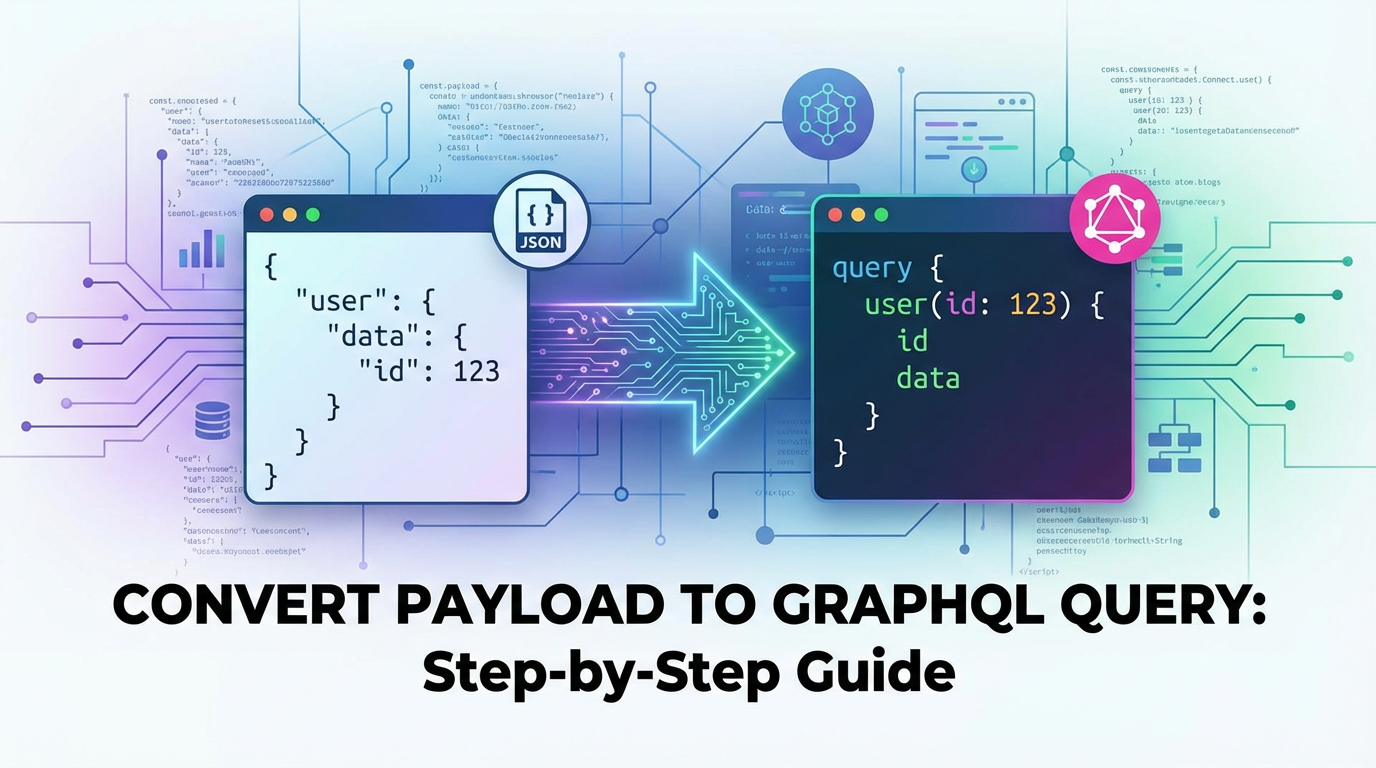
Convert Payload to GraphQL Query: Step-by-Step Guide


The landscape of modern application development is ceaselessly evolving, driven by an insatiable demand for efficiency, flexibility, and precise data management. In this dynamic environment, the way we fetch and manipulate data through Application Programming Interfaces (APIs) has undergone a significant transformation. For decades, the Representational State Transfer (REST) architectural style dominated the API ecosystem, providing a robust and scalable method for interacting with web services. However, as applications grew more complex, and client-side requirements became more granular, developers often found themselves grappling with the inherent limitations of REST, particularly issues like over-fetching (receiving more data than needed) and under-fetching (requiring multiple requests to gather all necessary data). This challenge prompted the emergence of innovative alternatives, with GraphQL standing out as a powerful paradigm shift.
GraphQL, developed by Facebook and open-sourced in 2015, introduces a novel approach where the client dictates the exact data it needs, rather than the server dictating what's available. This fundamental shift empowers developers to craft highly efficient data requests, significantly reducing network payload sizes and optimizing application performance. It provides a robust type system that allows clients to specify the structure of the data they require, offering unparalleled flexibility and reducing the iterations needed to align frontend and backend development. The declarative nature of GraphQL queries ensures that clients only receive the data they ask for, eliminating the inefficiencies common in traditional RESTful interactions.
However, the transition to GraphQL, or even its integration into existing systems, presents a unique set of challenges. One of the most critical and often overlooked aspects is the conversion of various data payloads—ranging from standard JSON objects and historical XML structures to complex form data—into well-formed and executable GraphQL queries. This process is not merely a syntactic translation; it requires a deep understanding of both the incoming data structure and the target GraphQL schema, alongside an intelligent mapping strategy to transform arbitrary input into a precise, targeted query or mutation. For developers and architects accustomed to the fixed endpoints and predictable responses of REST, adapting to the query-centric philosophy of GraphQL, especially when starting with an existing payload, can feel like navigating uncharted territory.
This comprehensive guide is meticulously crafted to demystify the process of converting diverse data payloads into GraphQL queries. We will embark on a step-by-step journey, dissecting the core principles of GraphQL, analyzing the anatomy of various payload formats, and outlining practical strategies for mapping, constructing, and executing GraphQL requests. Our aim is to equip you with the knowledge and techniques required to confidently bridge the gap between your existing data inputs and the powerful, flexible world of GraphQL, ultimately enhancing the efficiency and agility of your data interactions through modern API management practices. Whether you're integrating legacy systems, processing user input, or orchestrating microservices, mastering this conversion is paramount for unlocking the full potential of your GraphQL initiatives.
Understanding GraphQL Fundamentals: The Language of Data Precision
Before we delve into the mechanics of converting payloads, a foundational understanding of GraphQL's core tenets is indispensable. GraphQL is more than just an alternative to REST; it's a query language for your API and a server-side runtime for executing those queries using a type system you define for your data. This dual nature allows for unparalleled flexibility and precision in data fetching and manipulation.
At its heart, GraphQL operates on a schema, a contract between the client and the server, meticulously defining all the types and fields available in your API. This schema is written using the GraphQL Schema Definition Language (SDL) and serves as a single source of truth for your data model. Unlike REST, where clients typically interact with fixed endpoints representing resources (e.g., /users, /products), GraphQL exposes a single endpoint that clients interact with, sending queries or mutations to request specific data structures.
Core Concepts of GraphQL
- Schema Definition Language (SDL): The backbone of any GraphQL API. The SDL allows you to define object types, their fields, and the relationships between them. For instance, you might define a
Usertype with fields likeid,name, andemail, and anOrdertype that links back to aUser. The type system ensures that queries are validated against the schema, providing immediate feedback on malformed requests and offering strong guarantees about the data types returned. This strict typing is a cornerstone of GraphQL's reliability and developer experience. - Queries: The primary operation for fetching data from your GraphQL server. A query specifies exactly which fields the client needs, allowing for highly optimized data retrieval. Instead of receiving a predefined blob of data, the client crafts a query that mirrors the desired response shape. For example, instead of fetching an entire user object, you might query
user(id: "123") { name email }to get only the name and email for a specific user. This eliminates over-fetching, a common performance bottleneck in REST APIs. - Mutations: While queries are for reading data, mutations are for writing, updating, or deleting data. They are conceptually similar to HTTP POST, PUT, and DELETE requests in REST but are explicitly defined within the GraphQL schema. Mutations are typically structured to take an
inputobject as an argument, allowing for structured and validated data submission. For example, anupdateUsermutation might accept anUpdateUserInputobject containing the user's ID and the fields to be updated. - Subscriptions: A powerful feature for real-time data updates. Subscriptions allow clients to subscribe to specific events and receive data pushed from the server whenever that event occurs. This is particularly useful for applications requiring live updates, such as chat applications, stock tickers, or notification systems, offering a more efficient alternative to long polling or WebSockets with manual event handling.
- Arguments: Fields in GraphQL can accept arguments, allowing clients to pass parameters to filter, sort, or paginate data. This mechanism enhances the flexibility of queries, enabling dynamic data retrieval without altering the query structure itself. For example,
products(limit: 10, offset: 5)allows fetching a specific subset of products. Arguments are strongly typed, ensuring that only valid parameter types are passed, which further contributes to the robustness of the API. - Variables: For dynamic queries or mutations, hardcoding values directly into the query string can be cumbersome and insecure. GraphQL variables provide a mechanism to pass dynamic values separate from the query string. This improves caching, security (by preventing injection attacks), and readability. Variables are defined at the top of a query or mutation and then referenced within the operation using a dollar sign (
$). The client then sends a separatevariablesobject alongside the query. - Fragments: A powerful feature for reusing parts of GraphQL queries. When you need to fetch the same set of fields on multiple different types, or on the same type in different parts of a query, fragments allow you to define a reusable selection set. This promotes modularity, reduces repetition, and makes queries more maintainable. For instance, you could define a
UserFieldsfragment that includesid,name, andemail, and then apply this fragment wherever user data is fetched.
The strength of GraphQL lies in its ability to empower the client. Instead of a server dictating what's available at a fixed endpoint, the client specifies precisely what it needs, reducing network overhead and improving application performance. This model simplifies frontend development by eliminating the need for complex data aggregation logic on the client side. By embracing this query-centric paradigm, developers gain unprecedented control over their data interactions, leading to more efficient, scalable, and delightful user experiences. Understanding these fundamentals is the bedrock upon which successful payload conversion to GraphQL queries is built, ensuring that every transformation is purposeful and aligned with the API's capabilities.
APIPark is a high-performance AI gateway that allows you to securely access the most comprehensive LLM APIs globally on the APIPark platform, including OpenAI, Anthropic, Mistral, Llama2, Google Gemini, and more.Try APIPark now! 👇👇👇
The Anatomy of a Payload: Deconstructing Data for GraphQL Conversion
Before we can convert any data into a GraphQL query, we must first deeply understand the structure and content of the "payload" itself. A payload, in the context of API interactions, refers to the data sent in the body of an HTTP request, typically containing information that the server needs to process. This could be user input from a form, data from another service, or even a batch of information from a file. The challenge in converting these diverse payloads to GraphQL lies in accurately deconstructing their components and mapping them to the specific fields and arguments defined within your GraphQL schema.
Common Payload Formats
Modern applications and legacy systems alike generate data in various formats. Recognizing these formats and their intrinsic structures is the first step towards effective conversion.
- JSON (JavaScript Object Notation): Without a doubt, JSON is the most ubiquitous data format in contemporary web APIs. Its human-readable, lightweight, and language-independent nature makes it ideal for data interchange. JSON payloads typically consist of key-value pairs, nested objects, and arrays.
- Structure: Hierarchical, with objects
{}representing collections of key-value pairs, and arrays[]representing ordered lists of values. Keys are strings, and values can be strings, numbers, booleans, null, other objects, or arrays. - Example:
json { "userId": 1, "productName": "Laptop", "quantity": 2, "details": { "color": "silver", "warrantyYears": 1 }, "tags": ["electronics", "portable"] } - Implication for GraphQL: JSON's hierarchical nature maps very naturally to GraphQL's nested object types. Keys can often directly correspond to GraphQL fields, and nested objects to custom GraphQL types. Values can become field values or arguments.
- Structure: Hierarchical, with objects
- XML (Extensible Markup Language): While less common in modern RESTful APIs compared to JSON, XML remains prevalent in enterprise environments, especially with SOAP APIs and older integration systems. Its verbose nature and tag-based structure require a different parsing approach.
- Structure: Tree-like, defined by tags and attributes. Data is enclosed within opening and closing tags.
- Example:
xml <order> <userId>1</userId> <product> <name>Laptop</name> <quantity>2</quantity> </product> <details color="silver" warrantyYears="1"/techblog/en/> <tags> <tag>electronics</tag> <tag>portable</tag> </tags> </order> - Implication for GraphQL: XML elements and attributes often need to be carefully parsed and flattened or restructured to fit GraphQL's object model. An XML element's text content usually maps to a scalar field, while attributes might map to field arguments or properties of a nested object. Tools or custom logic are typically required to transform XML into a more JSON-like structure before GraphQL conversion.
- Form Data (URL-encoded or multipart/form-data): Commonly used for web form submissions, especially when dealing with file uploads (multipart/form-data) or simple key-value pairs (application/x-www-form-urlencoded).
- Structure: A series of key-value pairs, often flattened.
application/x-www-form-urlencodedencodes data into a single string using URL encoding (e.g.,key1=value1&key2=value2).multipart/form-datais more complex, allowing for binary data and multiple parts, each with its own headers. - Example (URL-encoded):
username=john.doe&email=john%40example.com&age=30 - Implication for GraphQL: Form data typically provides a flat list of parameters. These parameters usually map to arguments of a GraphQL mutation or fields of an
inputobject. Handlingmultipart/form-datawith file uploads often requires a specific GraphQL specification (graphql-multipart-request-spec) and corresponding server-side implementation. For conversion, the key-value pairs are extracted and then mapped.
- Structure: A series of key-value pairs, often flattened.
Analyzing a Payload: Identifying GraphQL Equivalents
Regardless of the format, the goal of payload analysis is to extract meaningful data points and understand their relationships, preparing them for mapping to GraphQL.
- Identify Data Structures: Determine if the payload represents a single entity, a collection of entities, or a complex nested structure. This directly informs whether you'll be constructing a single GraphQL query/mutation or a more elaborate one involving nested types.
- Extract Field Names and Values: For JSON, these are typically the keys and their associated values. For XML, they are element names, attribute names, and their content. For form data, they are the parameter names and their values. These extracted names will be the primary candidates for GraphQL field names or argument names.
- Determine Data Types: Understand the intrinsic type of each value (string, number, boolean, array, object). This is crucial for matching them to GraphQL's scalar types (String, Int, Float, Boolean, ID) or custom object types. Incorrect type mapping can lead to validation errors.
- Recognize Relationships: If the payload contains nested objects or linked identifiers, these suggest relationships that should be represented in your GraphQL schema (e.g., a
userIdin anorderpayload implies a relationship to aUsertype). - Identify Intent: Is the payload intended to retrieve data (implying a GraphQL Query) or to modify data (implying a GraphQL Mutation)? This context is vital for choosing the correct GraphQL operation type. For instance, a payload with an
idmight indicate a query for a specific record, while a payload with newnameandemailmight signify an update or creation mutation.
Understanding the anatomy of diverse payloads is the critical preparatory step for a successful GraphQL conversion. It's akin to knowing the ingredients before starting to cook; without this detailed understanding, any attempt at transformation will be haphazard and prone to errors. This analysis forms the foundation upon which we will build our GraphQL schema and subsequently, the precise queries and mutations needed to interact with our API effectively.
Step 1: Define Your GraphQL Schema – The Contract for Conversion
The absolute prerequisite for converting any payload into a GraphQL query or mutation is a well-defined and stable GraphQL schema. Without a schema, you lack the contract that specifies what data can be requested, how it's structured, and what operations are available. The schema acts as the blueprint, guiding every step of your payload conversion process. It dictates the names of fields, the types of data expected, and the arguments fields can accept, ensuring that your generated GraphQL requests are valid and executable.
The Importance of a Well-Defined Schema
A robust schema offers several critical benefits for payload conversion:
- Validation: It provides a strong type system that validates queries before execution, catching errors early. This means your conversion logic can rely on the schema to inform correct field names, types, and argument structures.
- Self-Documentation: A GraphQL schema is inherently self-documenting. Tools like GraphiQL or GraphQL Playground can introspect the schema and present an interactive documentation browser, which is invaluable for understanding how payload data should map to the available GraphQL operations.
- Predictability: Both clients and servers can predict the exact shape of data that will be returned for any given query, simplifying client-side data handling and reducing unexpected issues.
- Evolution: A schema provides a structured way to evolve your API. As your data models change, the schema is updated, and client developers can understand these changes through introspection. This is vital when converting payloads from evolving source systems.
How to Design Your GraphQL Schema for Payload Conversion
Designing a schema involves translating your application's data models and business logic into GraphQL types. When thinking about payload conversion, consider how incoming data will map to these types.
- Start with Business Objects: Identify the core entities in your domain. For an e-commerce application, these might be
User,Product,Order,Category,Review. Each of these will typically become atypein your GraphQL schema.```graphql type User { id: ID! name: String! email: String! address: Address orders: [Order!]! }type Product { id: ID! name: String! description: String price: Float! category: Category reviews: [Review!] } ``` - Define Fields and Scalar Types: For each
type, specify its fields and their corresponding scalar types. GraphQL's built-in scalar types are:When defining these, think about the data types you expect in your incoming payloads. If a payload contains anisActiveproperty with "true" or "false" strings, your schema should define anisActive: Boolean.ID: A unique identifier, often serialized as a String.String: UTF-8 character sequence.Int: Signed 32-bit integer.Float: Signed double-precision floating-point value.Boolean:trueorfalse.!(Non-Null): Appended to a type to indicate that the field is non-nullable. If a non-nullable field resolves tonull, a GraphQL error is thrown.[](List): Used to indicate an array of a specific type (e.g.,[String!]is a list of non-null strings).
- Define Custom Object Types and Relationships: For nested data structures within your payload (e.g., a user having an
addressobject), define separate GraphQL types for these.graphql type Address { street: String city: String zip: String country: String }Relationships between types are expressed by having a field of one type return another type, or a list of another type (e.g.,Userhasorders: [Order!]!). - Define Root Types:
Query,Mutation,Subscription: These special types define the entry points for clients to interact with your API.QueryType: Lists all the possible queries a client can make to fetch data.graphql type Query { user(id: ID!): User users(limit: Int, offset: Int): [User!]! product(id: ID!): Product products(category: String): [Product!]! }Notice the arguments (id,limit,offset,category). These are crucial for accepting dynamic values from your payload to filter or specify queries.MutationType: Lists all the operations that can modify data. Mutations typically acceptinputtypes.graphql type Mutation { createUser(input: CreateUserInput!): User! updateUser(id: ID!, input: UpdateUserInput!): User! deleteUser(id: ID!): Boolean! createProduct(input: CreateProductInput!): Product! }SubscriptionType (if needed): For real-time data push.graphql type Subscription { productUpdated(id: ID!): Product! }
- Define
InputTypes for Mutations: For mutations, it's a best practice to defineinputtypes. These are special object types prefixed withInput(conventionally) and allow you to group arguments together for easier validation and extensibility. This is particularly important when converting complex payload objects for creation or update operations.```graphql input CreateUserInput { name: String! email: String! password: String! address: AddressInput }input UpdateUserInput { name: String email: String address: AddressInput }input AddressInput { street: String city: String zip: String country: String }`` This structure directly guides how a JSON payload for user creation or update would map. For example, a JSON payload{"name": "Alice", "email": "alice@example.com"}would map directly to theinputargument ofcreateUser`.
Best Practices for Schema Design
- Consistency in Naming: Follow consistent naming conventions (e.g., camelCase for fields, PascalCase for types). This makes mapping from payloads more predictable.
- Nullability: Be explicit about which fields can be
nulland which cannot. This informs your payload validation logic. - Pagination: Implement standardized pagination (e.g., cursor-based or offset-based) for lists to efficiently handle large datasets, especially if your payloads might request large collections.
- Versioning: While GraphQL APIs are often touted as "versionless," schema evolution needs careful management. Avoid breaking changes if possible, or use techniques like extending existing types rather than changing them fundamentally.
- Documentation: Add descriptions to your types and fields in the SDL to make your schema truly self-documenting.
Defining a precise and comprehensive GraphQL schema is the foundational step in the payload conversion journey. It serves as the authoritative guide, ensuring that every piece of data extracted from an incoming payload finds its correct and validated place within a GraphQL query or mutation. Without this contract, any attempt at converting arbitrary payloads would be a shot in the dark, inevitably leading to errors and inconsistencies.
Step 2: Map Payload Fields to GraphQL Fields and Arguments – The Core Transformation
This is where the actual intelligence of the conversion process resides. Having analyzed your incoming payload and established your GraphQL schema, the next critical step is to systematically map the data points from your payload to the appropriate fields and arguments within your GraphQL operations. This involves more than just a direct translation; it often requires understanding context, transforming data types, and sometimes even applying conditional logic.
Direct Mapping: The Simplest Scenario
In the most straightforward cases, a payload's keys can directly correspond to GraphQL field names, and their values can be directly assigned.
Payload Example (JSON):
{
  "id": "user123",
  "name": "John Doe",
  "email": "john.doe@example.com"
}
GraphQL Schema Snippet:
type User {
  id: ID!
  name: String!
  email: String!
}

type Query {
  user(id: ID!): User
}

input UpdateUserInput {
  name: String
  email: String
}

type Mutation {
  updateUser(id: ID!, input: UpdateUserInput!): User!
}
Mapping Logic: * If the payload is for fetching, id might map to a query argument: query { user(id: "user123") { ... } }. * If the payload is for updating, name and email map to fields within an UpdateUserInput object: { updateUser(id: "user123", input: { name: "John Doe", email: "john.doe@example.com" }) { ... } }. The id from the payload would map to the id argument of the mutation.
Nested Payloads to Nested GraphQL Types
Payloads often contain nested objects, which naturally map to custom object types in GraphQL.
Payload Example:
{
  "orderId": "ORD456",
  "customer": {
    "customerId": "CUST789",
    "name": "Jane Smith"
  },
  "items": [
    { "itemId": "PROD001", "quantity": 1 },
    { "itemId": "PROD002", "quantity": 3 }
  ]
}
GraphQL Schema Snippet:
type Order {
  id: ID!
  customer: Customer!
  items: [OrderItem!]!
}

type Customer {
  id: ID!
  name: String!
}

type OrderItem {
  id: ID!
  quantity: Int!
  product: Product # Assuming a Product type exists
}

type Query {
  order(id: ID!): Order
}
Mapping Logic: * orderId maps to order's id argument. * The customer object in the payload maps to the customer field of the Order type, and its nested customerId and name map to Customer's id and name fields respectively. * The items array maps to the items field, with each object in the array mapping to an OrderItem type. The itemId could map to OrderItem's id, and quantity to OrderItem's quantity.
This recursive mapping is powerful for maintaining data integrity and structure.
Payload Values as GraphQL Arguments
Sometimes, payload data doesn't directly become a field value but rather an argument to filter or specify a query/mutation.
Payload Example:
{
  "filterByCategory": "Electronics",
  "limitResults": 5,
  "orderBy": "price_asc"
}
GraphQL Schema Snippet:
enum ProductOrderBy {
  price_asc
  price_desc
  name_asc
}

type Query {
  products(category: String, limit: Int, orderBy: ProductOrderBy): [Product!]!
}
Mapping Logic: * filterByCategory maps to the category argument. * limitResults maps to the limit argument. * orderBy maps to the orderBy argument, potentially requiring conversion from a string to an enum type.
This demonstrates how a flat payload can contribute to arguments, enabling dynamic query behavior.
Handling Arrays and Lists
Arrays in payloads typically map to GraphQL list types. When an array of objects is present, each object within the array will map to an instance of the corresponding GraphQL type.
Payload Example:
{
  "newTags": ["AI", "Machine Learning", "Cloud"]
}
GraphQL Schema Snippet:
input CreateProductInput {
  name: String!
  description: String
  tags: [String!]
}

type Mutation {
  createProduct(input: CreateProductInput!): Product!
}
Mapping Logic: newTags array maps directly to the tags field (which is [String!]) within CreateProductInput.
Transforming Data Types
Payloads might contain data in a format different from what GraphQL expects. For instance, a boolean might be represented as a string ("true", "false"), or a date as a string in a specific format.
Payload Example:
{
  "isActive": "true",
  "createdDate": "2023-10-26T10:00:00Z"
}
GraphQL Schema Snippet:
scalar DateTime # Custom scalar for dates

type User {
  isActive: Boolean!
  createdDate: DateTime!
}
Mapping Logic: * isActive: The string "true" must be converted to a boolean true. * createdDate: The string "2023-10-26T10:00:00Z" might need to be parsed into a DateTime object if your GraphQL server expects it in that format, or passed as a string if the DateTime scalar handles string parsing. This conversion logic usually resides in the server's scalar implementation or the client-side conversion utility.
Conditional Logic in Mapping
Sometimes, the structure of the GraphQL query or mutation depends on the content of the payload itself.
Scenario: A payload might contain either a userId or a userEmail. Your GraphQL API allows fetching a user by either ID or email, but not both simultaneously.
Payload Example 1: {"userId": "123"} Payload Example 2: {"userEmail": "test@example.com"}
GraphQL Schema Snippet:
type Query {
  userById(id: ID!): User
  userByEmail(email: String!): User
}
Mapping Logic: * If userId is present, construct query { userById(id: "123") { ... } }. * If userEmail is present, construct query { userByEmail(email: "test@example.com") { ... } }. * You would need logic to prioritize (e.g., if both are present, use userId) or handle errors if conflicting data is provided.
The Role of an Intermediary Layer or API Gateway
For organizations dealing with a myriad of APIs, including legacy systems, diverse message queues, or a vast array of AI models, an advanced API gateway can be an indispensable component in facilitating this payload mapping. While direct client-side logic can handle basic conversions, complex scenarios involving conditional transformations, data normalization across disparate sources, or integration with external services often demand a more robust, centralized solution.
An API gateway acts as the single entry point for all API requests, providing a crucial layer where such transformations can occur. Platforms like ApiPark excel in this domain. As an open-source AI gateway and API management platform, ApiPark is specifically designed to manage, integrate, and deploy AI and REST services with ease. Its capability to unify API formats, standardize request data across various AI models, and even encapsulate custom prompts into REST APIs demonstrates a strong foundation for managing complex data transformations. This means that an incoming payload, regardless of its original format or complexity, can first be processed by ApiPark's transformation engine. This engine can normalize data, apply schema validations, and then intelligently convert the processed payload into the precise GraphQL query or mutation structure required by your backend GraphQL service.
By leveraging an API gateway for payload transformation, developers can offload complex mapping logic from individual microservices or client applications. This not only centralizes transformation rules, making them easier to manage and update, but also enhances the overall resilience and performance of the API ecosystem. For instance, if you're integrating with 100+ AI models, each potentially having slightly different input requirements, ApiPark can normalize these diverse inputs into a unified format before passing them to a GraphQL service, significantly simplifying the development and maintenance overhead. The gateway ensures that the backend GraphQL service always receives a well-formed request, abstracting away the intricacies of varied payload origins. This strategic placement of transformation logic within the API gateway simplifies the entire process, making the conversion of raw, diverse payloads into precise GraphQL queries a more streamlined, reliable, and scalable endeavor.
The table below summarizes common payload components and their GraphQL counterparts, providing a quick reference for mapping.
| Payload Component | Description | GraphQL Equivalent | Notes
🚀You can securely and efficiently call the OpenAI API on APIPark in just two steps:
Step 1: Deploy the APIPark AI gateway in 5 minutes.
APIPark is developed based on Golang, offering strong product performance and low development and maintenance costs. You can deploy APIPark with a single command line.
curl -sSO https://download.apipark.com/install/quick-start.sh; bash quick-start.sh

In my experience, you can see the successful deployment interface within 5 to 10 minutes. Then, you can log in to APIPark using your account.

Step 2: Call the OpenAI API.