FastAPI: Map One Function to Multiple Routes
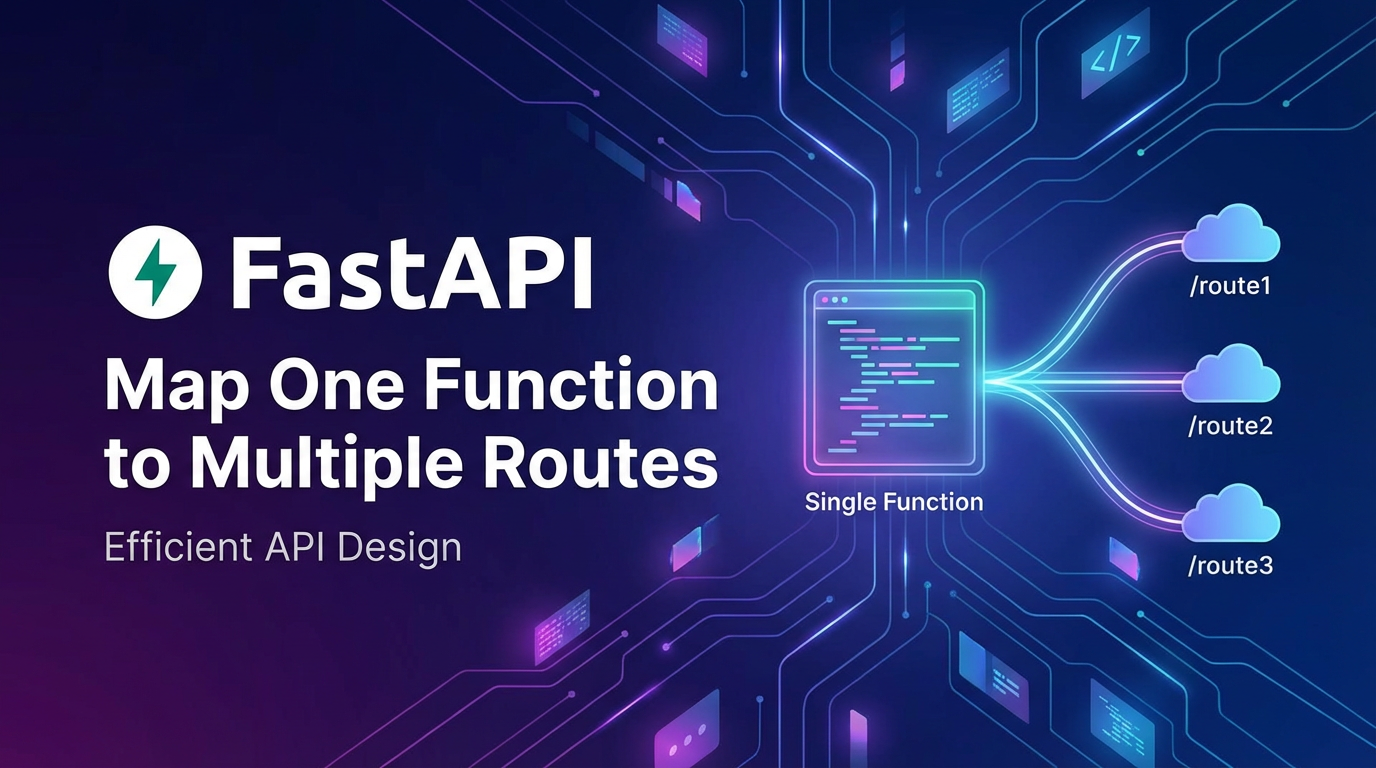


In the rapidly evolving landscape of modern web development, building robust, scalable, and maintainable Application Programming Interfaces (APIs) is paramount. FastAPI, a modern, fast (high-performance) web framework for building APIs with Python 3.7+ based on standard Python type hints, has quickly emerged as a favorite among developers. Its inherent speed, automatic interactive API documentation (thanks to OpenAPI), and strong type checking make it an exceptionally powerful tool for crafting high-quality web services. However, as APIs grow in complexity, developers often face the challenge of managing redundant code, inconsistent behaviors, and tangled route definitions. A common yet powerful pattern to address these concerns is mapping a single Python function to multiple distinct API routes.
This comprehensive guide delves deep into the art and science of leveraging FastAPI to map one function to multiple routes. We will explore the fundamental principles behind this technique, elucidate its myriad benefits for code reusability and maintainability, and provide an exhaustive walkthrough of various implementation strategies, from the simplest decorator chaining to more advanced programmatic approaches and custom abstractions. Furthermore, we will contextualize this pattern within broader API management strategies, discussing its implications for OpenAPI documentation, testing, and how it intersects with the capabilities of an api gateway. By the end of this article, you will possess a profound understanding of how to elegantly structure your FastAPI applications, leading to more efficient development cycles and superior API governance.
Understanding FastAPI's Routing Mechanism: The Foundation of Flexible API Design
Before we plunge into the intricacies of mapping functions to multiple routes, it's essential to grasp the core of FastAPI's routing system. FastAPI builds upon Starlette, a lightweight ASGI framework, and Pydantic for data validation and serialization. This powerful combination allows developers to define API endpoints with remarkable clarity and efficiency.
At its most basic, defining a route in FastAPI involves decorating a Python asynchronous function with a path operation decorator (e.g., @app.get(), @app.post(), @app.put(), @app.delete()). These decorators link a specific HTTP method and URL path to the function that will handle incoming requests to that endpoint.
Consider a simple api endpoint for retrieving items:
from fastapi import FastAPI

app = FastAPI()

@app.get("/techblog/en/items/{item_id}")
async def read_item(item_id: int):
    """
    Retrieves a single item by its ID.
    """
    return {"item_id": item_id, "name": f"Item {item_id}"}
In this example, @app.get("/techblog/en/items/{item_id}") registers the read_item function to handle GET requests made to paths matching /items/{item_id}. The {item_id} part signifies a path parameter, which FastAPI automatically extracts, validates (as an integer in this case due to the type hint), and passes to the function.
FastAPI's routing isn't just about simple paths; it supports a rich set of features:
- Path Parameters: As seen above, dynamic segments in the URL.
- Query Parameters: Optional key-value pairs appended to the URL after a
?. FastAPI automatically parses these and validates them based on type hints. - Request Body: For
POST,PUT,DELETEmethods, data sent in the request body (e.g., JSON) is automatically parsed and validated using Pydantic models. - Dependencies: A powerful system for injecting common logic (authentication, database sessions, configurations) into path operations.
- Response Models: Defining the structure of the
api's output, ensuring consistent responses and aidingOpenAPIdocumentation.
A hallmark of FastAPI's design is its tight integration with OpenAPI (formerly Swagger). As you define your routes and models with type hints, FastAPI automatically generates OpenAPI schema for your api. This schema powers the interactive documentation UI (Swagger UI and ReDoc) available at /docs and /redoc by default, providing a living, always-up-to-date reference for your api consumers. This automatic OpenAPI generation is a critical aspect, as it ensures that any changes to your route definitions, including those involving multiple paths for a single function, are accurately reflected in your api's documentation without manual intervention. The precision with which FastAPI generates OpenAPI specifications underscores its utility in building discoverable and well-documented apis, significantly reducing friction for developers integrating with your services.
The Core Concept: Why Map One Function to Multiple Routes?
The practice of mapping a single backend function to multiple distinct api routes might initially seem counter-intuitive, especially when one considers the traditional one-to-one relationship between a route and its handler. However, this pattern offers a wealth of benefits that significantly enhance the maintainability, flexibility, and consistency of your apis. It's a powerful application of the Don't Repeat Yourself (DRY) principle, which is a cornerstone of efficient software engineering.
The DRY Principle (Don't Repeat Yourself)
At its heart, the DRY principle advocates for reducing repetition of software patterns, replacing them with abstractions or single, canonical data representations. When a piece of business logic is replicated across multiple functions, each serving a slightly different route, you create a maintenance nightmare. A bug fix or feature enhancement in that logic would necessitate changes in every single duplicated instance. This not only increases the likelihood of human error (missing an instance, introducing inconsistencies) but also inflates the development effort required for even minor updates.
By centralizing common logic into a single function and mapping it to various routes, you ensure that the core behavior is defined in one place. Any modifications or improvements to this logic are immediately reflected across all associated routes, drastically simplifying maintenance and reducing the surface area for bugs.
Enhanced Maintainability and Consistency
Consider an api that needs to expose different entry points to access the same underlying resource or perform the same fundamental operation. For instance, you might have /products and /catalog both leading to the same product listing logic, or /users/{user_id} and /profile/{profile_id} both retrieving user details. If the logic for retrieving these details (e.g., querying a database, applying business rules, transforming data) is identical or nearly identical, duplicating it is inefficient.
Mapping a single function ensures that: * Consistency of Behavior: All routes tied to that function will exhibit the exact same behavior, reducing the chances of subtle discrepancies that can confuse api consumers. * Simplified Updates: When the data retrieval method or business rules for "getting an item" change, you only update one function. This is far less error-prone than updating multiple functions. * Reduced Code Footprint: Less code means fewer potential bugs and a codebase that is easier to navigate and understand.
Flexibility in API Evolution and Versioning
Modern apis are rarely static; they evolve over time. New features are added, old ones are deprecated, and sometimes, entirely new versions are introduced. Mapping one function to multiple routes provides immense flexibility in managing this evolution:
- Handling Legacy Routes: When you introduce a new, more descriptive or RESTful route, you might need to keep an older, perhaps less optimal, route active for a grace period to support existing clients. By mapping both the old and new routes to the same handling function, you can gracefully transition clients without immediately breaking their integrations.
- API Versioning Strategies: While mapping to multiple routes isn't a complete versioning strategy in itself, it can be a component. For instance,
/v1/items/{item_id}and/v2/items/{item_id}might initially point to the same function, with conditional logic inside the function to differentiate behavior based on the version, or gradually migrate to new functions asv2diverges. This allows for parallel support of differentapiversions while reusing as much core logic as possible. - Different Access Patterns: Sometimes, different types of users or client applications might naturally expect different URL patterns for the same resource. Mapping allows you to cater to these diverse expectations without duplicating backend logic.
Streamlined Refactoring and Readability
When it comes time to refactor a component of your api, having business logic centralized makes the task significantly simpler and safer. You can focus on improving one function, confident that its improvements will propagate to all connected endpoints. Furthermore, for developers new to the project, seeing multiple routes pointing to a single, well-named function immediately signals code reuse and clarity, making the codebase easier to grasp. This pattern, when applied judiciously, inherently promotes a cleaner, more organized, and more understandable project structure, which is invaluable for long-term project health and team collaboration.
In essence, mapping one function to multiple routes in FastAPI is not merely a syntactic trick; it's a powerful design pattern that underpins the development of robust, maintainable, and adaptable apis. It allows developers to maintain consistency, reduce redundancy, and gracefully manage the evolution of their services, all while leveraging FastAPI's intuitive and performant framework.
Methods for Mapping One Function to Multiple Routes in FastAPI
FastAPI provides several elegant ways to map a single function to multiple routes, each with its own strengths and ideal use cases. Understanding these methods will empower you to choose the most appropriate approach for your specific requirements, balancing simplicity with flexibility.
Method 1: Decorator Chaining (The Simplest Approach)
The most straightforward way to associate a single function with multiple paths is by chaining multiple path operation decorators directly above the function definition. This method is incredibly intuitive and highly readable, making it suitable for scenarios where the logic for all routes is identical, without any need for route-specific differentiation within the function itself.
Syntax and Example:
You simply place multiple @app.get(), @app.post(), etc., decorators one after another, immediately preceding the function definition.
from fastapi import FastAPI, HTTPException

app = FastAPI()

# Example: Mapping a product retrieval function to multiple descriptive routes
@app.get("/techblog/en/products/{product_id}")
@app.get("/techblog/en/items/{item_id}") # Alternative route for the same product retrieval logic
async def get_product_or_item(product_id: int):
    """
    Retrieves product details using an ID.
    This function serves both /products/{product_id} and /items/{item_id}.
    """
    # In a real application, you would query a database here
    # For demonstration, let's assume some dummy data
    if product_id == 1:
        return {"id": product_id, "name": "Laptop", "price": 1200.00}
    elif product_id == 2:
        return {"id": product_id, "name": "Mouse", "price": 25.00}
    else:
        raise HTTPException(status_code=404, detail="Product not found")

@app.get("/techblog/en/status")
@app.get("/techblog/en/health")
async def get_application_status():
    """
    Returns the current status of the application.
    This serves both /status and /health endpoints.
    """
    return {"status": "ok", "uptime": "24h"}

# To demonstrate POST requests
@app.post("/techblog/en/create-user")
@app.post("/techblog/en/register-user")
async def create_new_user(user_data: dict):
    """
    Registers a new user in the system.
    This function handles both /create-user and /register-user POST requests.
    """
    # In a real scenario, you'd use a Pydantic model for user_data
    # and save to a database.
    return {"message": "User created successfully", "user": user_data}
In this example, get_product_or_item will respond to requests for both /products/{product_id} and /items/{item_id}. Similarly, get_application_status is reachable via /status and /health. FastAPI automatically handles the path parameter extraction correctly, regardless of which route was matched.
Pros: * Simplicity: Extremely easy to understand and implement. * Readability: Clearly shows that multiple paths point to the same handler. * Automatic OpenAPI Documentation: FastAPI correctly generates OpenAPI entries for all listed routes, ensuring your documentation is accurate.
Cons: * Limited Flexibility: The function itself has no inherent way to know which specific route was used to call it. If you need slightly different behaviors based on the incoming path, this method alone is insufficient. * Verbosity for Many Routes: If you have many (e.g., 10+) routes pointing to the same function, the decorator list can become quite long.
Ideal Use Cases: * Providing alias paths for resources (e.g., /users and /accounts). * Gracefully deprecating old routes by having them point to the same logic as new routes. * Any scenario where the exact same logic needs to be executed for different URLs, without any path-specific customization within the handler.
Method 2: Programmatic Route Addition with app.add_api_route() (More Control)
While decorator chaining is convenient, FastAPI also offers a programmatic way to add routes using the app.add_api_route() method (or router.add_api_route() when using APIRouter). This method provides finer control, especially when you need to dynamically register routes or when you prefer a more explicit registration process separate from the function definition.
Syntax and Example:
app.add_api_route(path, endpoint, methods, response_model, status_code, tags, ...)
from fastapi import FastAPI, HTTPException
from typing import Dict, Any

app = FastAPI()

# A core function that retrieves some configuration
async def get_app_config() -> Dict[str, Any]:
    """
    Retrieves the application's configuration settings.
    """
    return {"version": "1.0.0", "environment": "production", "debug_mode": False}

# Programmatically add multiple routes to the same function
app.add_api_route("/techblog/en/config", get_app_config, methods=["GET"], tags=["Configuration"])
app.add_api_route("/techblog/en/settings", get_app_config, methods=["GET"], tags=["Configuration", "Admin"])
app.add_api_route("/techblog/en/admin/config", get_app_config, methods=["GET"], tags=["Admin"])


# Another example with path parameters
async def get_user_details(user_id: int):
    """
    Retrieves details for a specific user.
    """
    if user_id == 101:
        return {"id": user_id, "name": "Alice Smith", "email": "alice@example.com"}
    elif user_id == 102:
        return {"id": user_id, "name": "Bob Johnson", "email": "bob@example.com"}
    else:
        raise HTTPException(status_code=404, detail="User not found")

app.add_api_route("/techblog/en/users/{user_id}", get_user_details, methods=["GET"], tags=["Users"])
app.add_api_route("/techblog/en/profile/{user_id}", get_user_details, methods=["GET"], tags=["Users", "Profile"])
Here, get_app_config and get_user_details are defined as regular functions, and then app.add_api_route() is called multiple times to register different paths to them. Notice how we can specify different tags for OpenAPI documentation for each route, even though they point to the same function, offering more granular control over how the api is presented.
Pros: * Dynamic Route Registration: Routes can be registered conditionally or from external configurations, offering more dynamic application setup. * Granular Control: Allows for setting different metadata (e.g., tags, response_model, status_code) for each route, even if they share the same handler. * Separation of Concerns: Route definitions can be separated from function logic, especially useful in large applications where route tables might be managed centrally.
Cons: * Less Concise for Simple Cases: For a few simple routes, decorator chaining is more succinct. * Requires Explicit Method Definition: You must explicitly list HTTP methods (e.g., methods=["GET"]).
Ideal Use Cases: * When routes need distinct OpenAPI metadata (e.g., different tags or response models) while sharing core logic. * Registering routes from a configuration file or a plugin system. * Complex scenarios where routes are generated dynamically.
Method 3: Conditional Logic within the Function (The Flexible Approach)
When the logic for multiple routes is mostly the same but requires subtle adjustments based on which specific route was invoked, you can introduce conditional logic directly within the handling function. This approach leverages FastAPI's ability to inject the Request object, allowing the function to inspect details about the incoming request, such as its URL path.
Syntax and Example:
You'll need to import Request from fastapi and declare it as a parameter in your function.
from fastapi import FastAPI, Request, HTTPException
from typing import Dict, Any

app = FastAPI()

@app.get("/techblog/en/metrics/v1/summary")
@app.get("/techblog/en/metrics/v2/detailed")
async def get_metrics(request: Request) -> Dict[str, Any]:
    """
    Retrieves application metrics, with different levels of detail
    based on the invoked route version.
    """
    path = request.url.path
    metrics_data = {
        "timestamp": "2023-10-27T10:00:00Z",
        "cpu_usage": "35%",
        "memory_usage": "60%",
        "active_connections": 150
    }

    if "/techblog/en/v1/summary" in path:
        # For v1, return a summary
        return {
            "version": "v1",
            "summary": "Application is running normally",
            "active_connections": metrics_data["active_connections"]
        }
    elif "/techblog/en/v2/detailed" in path:
        # For v2, return detailed metrics
        metrics_data["detailed_reports"] = ["report_a.log", "report_b.json"]
        metrics_data["disk_io"] = "20MB/s"
        return {
            "version": "v2",
            "details": metrics_data
        }
    else:
        # This case should ideally not be reached if routes are defined correctly
        raise HTTPException(status_code=500, detail="Unknown metric path")
In this example, the get_metrics function handles two distinct routes: /metrics/v1/summary and /metrics/v2/detailed. By inspecting request.url.path, the function dynamically alters its response, providing a summarized view for v1 and a more granular one for v2.
Pros: * High Flexibility: Allows for route-specific logic within a single, shared function. * Centralized Core Logic: The fundamental operation (e.g., "get metrics") remains centralized.
Cons: * Increased Complexity: The function can become cluttered with conditional statements if there are many route-specific variations, potentially reducing readability and increasing the chance of errors. * Tight Coupling: The function becomes tightly coupled to the specifics of the routes it serves.
Ideal Use Cases: * Minor variations in api responses or processing based on api version (as shown). * Situations where an api needs to behave slightly differently for internal versus external calls to the same conceptual resource. * Implementing A/B testing logic where different client groups hit the same base endpoint but receive varied responses.
Method 4: Dependency Injection for Route-Specific Context (Elegant Customization)
FastAPI's dependency injection system is incredibly powerful and can be leveraged to provide route-specific context to a shared function without cluttering the function with conditional logic. Instead, a dependency function determines the context based on the request and injects it.
Syntax and Example:
You define a dependency that can inspect the request and return relevant data. The main function then consumes this dependency.
from fastapi import FastAPI, Request, Depends, HTTPException
from typing import Dict, Any, Literal

app = FastAPI()

# Define a dependency to determine the context (e.g., 'summary' or 'detailed')
def get_metrics_context(request: Request) -> Literal["summary", "detailed"]:
    if "/techblog/en/v1/summary" in request.url.path:
        return "summary"
    elif "/techblog/en/v2/detailed" in request.url.path:
        return "detailed"
    raise HTTPException(status_code=500, detail="Invalid metrics path for context")

@app.get("/techblog/en/metrics/v1/summary")
@app.get("/techblog/en/metrics/v2/detailed")
async def get_metrics_with_context(
    context: Literal["summary", "detailed"] = Depends(get_metrics_context)
) -> Dict[str, Any]:
    """
    Retrieves application metrics, with detail level determined by an injected context.
    """
    base_metrics = {
        "timestamp": "2023-10-27T10:00:00Z",
        "cpu_usage": "35%",
        "memory_usage": "60%",
        "active_connections": 150
    }

    if context == "summary":
        return {
            "version": "v1",
            "type": "summary",
            "status": "ok",
            "active_connections": base_metrics["active_connections"]
        }
    elif context == "detailed":
        base_metrics["detailed_reports"] = ["report_a.log", "report_b.json"]
        base_metrics["disk_io"] = "20MB/s"
        return {
            "version": "v2",
            "type": "detailed",
            "data": base_metrics
        }
Here, get_metrics_context is a dependency that reads the request path and returns either "summary" or "detailed". The get_metrics_with_context function then receives this context string, making its logic cleaner and easier to test in isolation. The core business logic remains in one place, but the decision-making for variations is offloaded to a dependency.
Pros: * Cleaner Function Logic: The main function remains focused on its core task, receiving the necessary context ready for use. * Testability: Dependencies can be easily mocked during testing, simplifying unit tests for the main function. * Reusability of Dependencies: The get_metrics_context dependency could potentially be reused for other functions that need similar context. * Separation of Concerns: Logic for determining route-specific variations is separate from the main business logic.
Cons: * Slightly More Boilerplate: Requires defining a separate dependency function. * Increased Abstraction: Can be less immediately obvious for developers unfamiliar with FastAPI's dependency injection.
Ideal Use Cases: * When variations in behavior are complex enough to warrant abstracting the context determination. * When multiple functions might benefit from the same context-determining logic. * Ensuring the main function's logic is as pure and testable as possible.
Method 5: Custom Decorators or Helper Functions (Advanced Abstraction)
For highly recurring patterns, especially when dealing with a large number of routes that need to map to the same function with similar metadata, you might consider creating your own custom decorator or helper function. This is an advanced technique that leverages Python's decorator syntax to encapsulate the route registration logic.
Syntax and Example:
This involves writing a Python decorator function that takes paths as arguments and then applies the FastAPI decorators internally.
from fastapi import FastAPI, Depends, HTTPException, Request
from typing import Callable, List, Dict, Any, Union, Literal

app = FastAPI()

# Custom decorator to map a function to multiple GET routes
def map_get_routes(*paths: str):
    def decorator(func: Callable):
        for path in paths:
            # Here you can add custom logic, e.g., for tags or other metadata based on path
            # For simplicity, let's just apply the standard @app.get decorator
            app.add_api_route(path, func, methods=["GET"])
        return func
    return decorator

@map_get_routes("/techblog/en/data/summary", "/techblog/en/reports/overview")
async def get_summary_data() -> Dict[str, Any]:
    """
    Provides summary data for various reports and dashboards.
    """
    return {"status": "success", "data": "This is a summary of key metrics."}

@map_get_routes("/techblog/en/api/v1/resource", "/techblog/en/legacy/resource")
async def get_resource_unified_endpoint(request: Request):
    """
    Fetches a resource, demonstrating the use of request object within
    a function mapped by a custom decorator.
    """
    return {"message": f"Accessed via {request.url.path}"}

# You can even make the custom decorator take more arguments for dynamic metadata
def map_routes_with_tags(methods: Union[str, List[str]], *paths: str, base_tag: str):
    if isinstance(methods, str):
        methods = [methods]
    def decorator(func: Callable):
        for path in paths:
            # You can derive specific tags or other metadata here
            specific_tags = [base_tag, f"auto-tag-{path.replace('/', '_')}"]
            app.add_api_route(path, func, methods=methods, tags=specific_tags)
        return func
    return decorator

@map_routes_with_tags(methods="GET", paths="/techblog/en/admin/info", "/techblog/en/admin/details", base_tag="Admin")
async def get_admin_info():
    """
    Provides administrative information.
    """
    return {"admin_level": "basic", "permissions": ["read_logs"]}
In this example, map_get_routes is a custom decorator that, when applied, iterates through the provided paths and registers each one with the decorated function using app.add_api_route(). This creates a very clean api for the developer. The map_routes_with_tags example further shows how such a decorator can be extended to dynamically apply OpenAPI metadata like tags based on the path or other parameters.
Pros: * Extreme Readability and Conciseness: For specific patterns, it offers the cleanest code at the point of use. * High Reusability: The custom decorator itself can be reused across many different functions and applications. * Encapsulation of Complexity: The logic for applying multiple routes and potentially setting metadata is hidden within the decorator.
Cons: * Higher Initial Development Cost: Requires a deeper understanding of Python decorators and FastAPI's add_api_route method. * Debugging Complexity: Issues within the custom decorator can be harder to trace.
Ideal Use Cases: * Large projects with highly standardized routing patterns. * Creating a DSL (Domain Specific Language) for routing within your application. * When you need to apply a consistent set of metadata or configurations to multiple routes programmatically.
Table: Comparison of Methods for Mapping One Function to Multiple Routes
To help you decide which method is best for your scenario, here's a comparative table summarizing the pros, cons, and ideal use cases for each approach:
| Method | Pros | Cons | Ideal Use Cases |
|---|---|---|---|
| 1. Decorator Chaining | - Simplest to implement and understand. - Highly readable for direct mapping. - Automatic OpenAPI generation. |
- No route-specific context within function. - Can be verbose for many routes. |
- Providing alias paths (e.g., /items and /products).- Gracefully deprecating old routes. - Any scenario where identical logic serves multiple URLs without differentiation. |
2. Programmatic add_api_route() |
- Granular control over route metadata (tags, response model). - Dynamic route registration possible. - Separation of concerns (logic vs. routing config). |
- Less concise for simple static routes. - Requires explicit method definition. |
- When routes need distinct OpenAPI metadata (e.g., different tags or summaries).- Registering routes from external configurations (e.g., plugins). - Complex dynamic routing scenarios. |
3. Conditional Logic (via Request) |
- High flexibility for route-specific behavior. - Core logic remains centralized. |
- Can lead to cluttered, less readable functions. - Tight coupling of function to route details. |
- Minor variations in api responses based on api version or other request path details.- A/B testing where a single endpoint needs to behave differently based on request attributes. |
| 4. Dependency Injection | - Cleaner function logic (receives pre-processed context). - Enhanced testability of main function. - Reusable context-determining dependencies. - Separation of concerns. |
- Slightly more boilerplate (separate dependency function). - Increased abstraction level. |
- When variations are complex enough to abstract context determination. - When multiple functions can benefit from the same context. - Prioritizing clean, testable core business logic. |
| 5. Custom Decorators | - Extremely concise and readable at the point of use. - High reusability across projects. - Encapsulates complex routing logic. |
- Higher initial development cost. - Requires deep Python decorator knowledge. - Can complicate debugging of routing issues. |
- Large projects with highly standardized, recurring routing patterns. - Creating a domain-specific language (DSL) for routing. - Automating the application of consistent metadata or configurations to many routes. |
By understanding these different methods, you can select the most appropriate strategy for your specific use case, striking a balance between simplicity, control, and maintainability in your FastAPI api design. Each method contributes to building more robust, DRY, and adaptable APIs, which is a significant advantage in any development environment.
APIPark is a high-performance AI gateway that allows you to securely access the most comprehensive LLM APIs globally on the APIPark platform, including OpenAI, Anthropic, Mistral, Llama2, Google Gemini, and more.Try APIPark now! 👇👇👇
Best Practices and Considerations for Multi-Route Functions
While mapping one function to multiple routes offers substantial benefits, it's crucial to implement this pattern thoughtfully. Adhering to best practices ensures that the advantages are realized without introducing new complexities or pitfalls.
Clarity and Readability: When to Use Which Method
The primary goal of this pattern is to enhance code clarity and maintainability. Therefore, choosing the right method is paramount:
- Prioritize Simplicity: For truly identical logic across a few routes, Decorator Chaining is often the clearest and most concise. Don't over-engineer.
- Balance Control with Complexity: If you need distinct
OpenAPImetadata or dynamic registration, Programmaticadd_api_route()offers the necessary control without excessive complexity. - Manage Conditional Logic: If your function needs to behave differently, Dependency Injection is generally preferred over direct conditional logic within the function (
Requestobject) as it keeps the function cleaner and more testable. Reserve directRequestinspection for very minor, self-contained differences or when a dependency would be overkill. - Abstract Wisely: Custom Decorators are powerful but should be reserved for recurring, complex patterns where the initial investment in abstraction pays off over many usages. An ill-conceived custom decorator can obscure more than it clarifies.
Always ask yourself: "Will a new developer easily understand what's happening here?" If the answer is no, reconsider your approach.
Error Handling Across Multiple Routes
When a single function serves multiple routes, its error handling must be robust enough to cater to all potential entry points. * Consistent Error Responses: Ensure that exceptions raised within the shared function result in consistent HTTP status codes and error messages, regardless of which route triggered them. FastAPI's HTTPException is excellent for this. * Global Exception Handlers: For common error types (e.g., database connection issues, validation failures), leverage FastAPI's global exception handlers (@app.exception_handler()) to provide a consistent api error response format across your entire application, irrespective of the specific route or handler function. * Logging: Implement comprehensive logging within your shared function to trace which route invoked it and under what conditions, especially when debugging issues specific to certain endpoints.
Documentation: Ensuring OpenAPI Accuracy
One of FastAPI's standout features is its automatic OpenAPI (Swagger UI) documentation generation. When mapping one function to multiple routes, it's crucial that the documentation accurately reflects all entry points: * FastAPI Handles It: For decorator chaining, FastAPI automatically lists all paths associated with the function in the OpenAPI spec. * Explicit Control with add_api_route(): When using add_api_route(), you have granular control over tags, summary, description, response_model, etc., for each individual route. Use this to provide precise documentation for each endpoint. * Docstrings: Write clear, concise docstrings for your shared functions. FastAPI uses these for the operation's description in OpenAPI. If a route needs a more specific summary, you can provide it in the decorator or add_api_route() call.
Testing Strategies
Thorough testing is non-negotiable. When a function serves multiple routes, your testing strategy needs to cover all access patterns: * Unit Tests for the Core Logic: Test the shared function's business logic in isolation, ensuring it performs correctly given various inputs. This should be independent of FastAPI's routing. * Integration Tests for Routes: For each distinct route mapped to the function, write an integration test that sends a request to that specific URL and verifies the response. This confirms that FastAPI's routing mechanism correctly directs requests and that any route-specific context (if using dependencies or conditional logic) is correctly applied. * Parameter Combinations: If routes involve different path or query parameter names, ensure tests cover these variations. For example, if /items/{item_id} and /products/{product_id} both map to the same function, test both item_id and product_id passing correctly.
Security: Access Control and API Gateways
When multiple routes lead to the same underlying logic, security becomes a critical concern. * Authentication and Authorization: Ensure that your authentication and authorization mechanisms are consistently applied to all routes. FastAPI's dependency injection is ideal for this, allowing you to define dependencies (e.g., Depends(get_current_user), Depends(has_admin_privileges)) that are applied at the route level. This ensures that even if two routes hit the same function, they might require different security clearances. * Rate Limiting: If different routes have different expected traffic patterns or sensitivity, apply specific rate limits to each route using FastAPI's dependencies or middleware. * API Gateway Integration: This is where an api gateway becomes particularly valuable. An api gateway acts as a single entry point for all api requests, sitting in front of your FastAPI application. It can enforce security policies (authentication, authorization, WAF), handle rate limiting, transform requests, and route traffic to the appropriate backend service. Even if your FastAPI service uses internal multi-route mapping, an api gateway provides an external layer of api governance, traffic management, and security, shielding your internal service details from direct external exposure.
Performance Considerations
Generally, mapping one function to multiple routes has a negligible performance impact. The overhead of an additional decorator or an add_api_route() call is minimal. The main performance considerations remain standard for any api: efficient database queries, optimized business logic, and proper asynchronous programming. However, if your conditional logic within a function becomes excessively complex, it could introduce minor overhead. This is another reason why pushing complex conditional logic into optimized dependencies is often a better pattern.
When to AVOID this Pattern
While powerful, this pattern isn't a silver bullet. * Divergent Concerns: If two routes genuinely serve fundamentally different business purposes, even if they share some superficial similarities, it's usually better to create separate functions. Forcing them into one function will lead to convoluted conditional logic, reduced readability, and increased maintenance burden. * Completely Different Data Models: If the request body or response model for two routes is drastically different, having them share a function can make type hinting and Pydantic validation awkward or overly generic.
In summary, mapping one function to multiple routes in FastAPI is a sophisticated technique that, when applied with careful consideration for best practices, significantly contributes to building maintainable, consistent, and well-documented APIs. By thoughtfully addressing clarity, error handling, documentation, testing, and security, you can harness the full power of this pattern to streamline your development process and enhance the robustness of your FastAPI applications.
The Role of API Gateways in Multi-Route Scenarios
While FastAPI excels at internal api routing and management within a single service, the broader landscape of api governance, especially in microservices architectures or for large enterprises, often necessitates a more comprehensive solution: the api gateway. An api gateway serves as the single entry point for all clients, routing requests to the appropriate backend services, and handling a myriad of cross-cutting concerns. It perfectly complements FastAPI's internal routing capabilities, adding layers of functionality that are crucial for robust api ecosystems.
What is an API Gateway?
An api gateway is a fundamental component in modern api architectures. It acts as a reverse proxy, sitting between clients and a collection of backend services (often microservices). Its primary functions include:
- Request Routing: Directing incoming requests to the correct backend service based on defined rules.
- Authentication and Authorization: Centralizing security checks, ensuring only authorized clients access specific endpoints.
- Rate Limiting and Throttling: Controlling the number of requests a client can make within a given period to prevent abuse and ensure fair usage.
- Traffic Management: Load balancing across multiple instances of a service, circuit breaking to prevent cascading failures, and request caching.
- Request/Response Transformation: Modifying requests before they reach the backend service or transforming responses before they are sent back to the client.
- API Composition: Aggregating multiple backend service calls into a single response, simplifying client-side development.
- Monitoring and Logging: Providing a centralized point for collecting metrics, logs, and traces for all
apiinteractions.
How an API Gateway Complements FastAPI's Routing
In the context of mapping one function to multiple routes in FastAPI, an api gateway offers external capabilities that extend the internal efficiencies achieved:
- Unified API Surface: Even if your FastAPI service internally exposes a resource via
/productsand/items(both mapped to the same function), anapi gatewaycan present these as distinct external endpoints, or even combine them under a different, more abstract externalapipath. It offers a consistentapisurface to consumers, regardless of the internal complexities of your services. - Centralized Security for Multiple Services: If you have multiple FastAPI services, each managing its own internal routes and potentially using multi-route functions, an
api gatewayprovides a single point for authentication and authorization. It can offload these tasks from individual FastAPI services, allowing them to focus purely on business logic. For example, anapi gatewaymight validate JWT tokens before forwarding any request to your FastAPIapi, ensuring that your internal services only process authenticated requests. - Traffic Management and Load Balancing: An
api gatewaycan distribute requests across multiple instances of your FastAPI application (if deployed in a cluster), providing high availability and scalability. This is critical forapis that experience high traffic, ensuring that the performance of your FastAPI service, even with complex multi-route functions, is maintained. - Version Management and Deprecation Strategy: An
api gatewaycan facilitate sophisticatedapiversioning strategies. For instance,/v1/my-resourcemight route to an older FastAPI service, while/v2/my-resourceroutes to a newer one. It can also manage traffic for deprecated routes, gently transitioning clients to newer versions before fully decommissioning older endpoints, complementing FastAPI's internal handling of legacy routes. - Observability and Analytics: By centralizing all
apitraffic, anapi gatewayprovides a golden source of truth forapimetrics, logging, and tracing. This data is invaluable for understandingapiusage, identifying performance bottlenecks, and troubleshooting issues across your entireapiecosystem.
Introducing APIPark: An Open-Source AI Gateway & API Management Platform
When discussing the vital role of an api gateway in managing diverse APIs, especially in modern architectures leveraging AI and REST services, it's pertinent to mention platforms that offer comprehensive solutions. While FastAPI handles internal routing elegantly within a service, managing disparate APIs across multiple services, handling external security policies, and integrating advanced functionalities often benefits from an external api gateway.
This is precisely where APIPark comes into play. APIPark is an all-in-one AI gateway and API developer portal that is open-sourced under the Apache 2.0 license. It is specifically designed to help developers and enterprises manage, integrate, and deploy AI and REST services with ease. For a FastAPI application that might be mapping one function to multiple routes for internal efficiency, APIPark can act as the crucial external layer, providing features such as:
- End-to-End API Lifecycle Management: From design and publication to invocation and decommission, APIPark assists in regulating
apimanagement processes, ensuring traffic forwarding, load balancing, and versioning of your published FastAPIapis. - Quick Integration of 100+ AI Models: If your FastAPI service consumes or exposes AI functionalities, APIPark's ability to integrate a variety of AI models with a unified management system for authentication and cost tracking can streamline your AI
apistrategy. It standardizes the request data format across AI models, ensuring that changes in underlying AI models do not affect your application or microservices. - Performance Rivaling Nginx: With its robust architecture, APIPark boasts impressive performance, capable of achieving over 20,000 TPS on modest hardware and supporting cluster deployment for large-scale traffic. This ensures that your FastAPI
apis, regardless of their internal routing complexity, are fronted by a high-performance gateway. - Detailed API Call Logging and Data Analysis: APIPark provides comprehensive logging, recording every detail of each
apicall, which is essential for troubleshooting and ensuring system stability. It also analyzes historical call data to display trends and performance changes, helping with preventive maintenance.
An api gateway like APIPark adds another critical layer of flexibility, allowing you to present a unified and secure api surface to consumers, even if your backend services, potentially built with FastAPI using multi-route functions for efficiency, have complex internal routing or integrate various AI models. It enhances security, observability, and scalability of your overall api landscape, offloading these cross-cutting concerns from your individual FastAPI services.
Benefits of Using an API Gateway with FastAPI
Integrating an api gateway with your FastAPI application, whether it utilizes multi-route functions or not, provides numerous advantages:
- Improved Security: Centralized authentication, authorization, and threat protection (like WAF) at the gateway level.
- Enhanced Scalability and Reliability: Load balancing, circuit breaking, and high availability features ensure your
apis can handle fluctuating traffic and remain resilient. - Better Observability: Consolidated logging, monitoring, and analytics give a holistic view of your
apiecosystem's health and usage. - Simplified Client Development: Clients interact with a single, consistent
apiendpoint, abstracting away the complexity of your backend microservices. - Flexible API Evolution: Easier to introduce new services, deprecate old ones, and manage different
apiversions without impacting client integrations.
In conclusion, while FastAPI provides robust and efficient internal routing mechanisms, including the ability to map one function to multiple routes, an api gateway is an indispensable tool for managing the external facing aspects of your apis. It elevates your api architecture by providing centralized control over security, traffic management, and observability, allowing your FastAPI services to focus on delivering core business value, efficiently and securely.
Advanced Scenarios and Use Cases
Beyond the fundamental methods, mapping one function to multiple routes in FastAPI can be extended to address more sophisticated architectural patterns and integration challenges. These advanced scenarios highlight the framework's flexibility and the power of combining its features.
Combining Path and Query Parameters Across Multiple Routes
A shared function can gracefully handle different combinations of path and query parameters depending on the specific route that was invoked. FastAPI's type hint-based parsing simplifies this, but careful design ensures clarity.
Consider a reporting function that might be accessed by an ID or a name, with optional filters:
from fastapi import FastAPI, Query, Path
from typing import Optional, Dict, Any

app = FastAPI()

async def generate_report_logic(
    report_identifier: Optional[Union[int, str]] = None,
    report_name: Optional[str] = None,
    start_date: Optional[str] = Query(None, description="Start date for the report"),
    end_date: Optional[str] = Query(None, description="End date for the report"),
    status_filter: Optional[str] = Query(None, description="Filter by status")
) -> Dict[str, Any]:
    """
    Core logic for generating various reports.
    It can be identified by an ID or a name, and supports date/status filters.
    """
    report_criteria = {
        "identifier": report_identifier,
        "name": report_name,
        "start_date": start_date,
        "end_date": end_date,
        "status_filter": status_filter
    }
    # Simulate report generation based on criteria
    # In a real app, this would involve database queries, data processing etc.
    if report_identifier:
        return {"report_id": report_identifier, "data": f"Report for ID {report_identifier}", "filters": report_criteria}
    elif report_name:
        return {"report_name": report_name, "data": f"Report named '{report_name}'", "filters": report_criteria}
    else:
        return {"message": "No specific report identifier provided, returning general report overview", "filters": report_criteria}

# Route 1: Access report by ID (path parameter)
app.add_api_route("/techblog/en/reports/{report_identifier}", generate_report_logic, methods=["GET"], tags=["Reports"])

# Route 2: Access report by name (query parameter)
# Here, we use a default value for report_identifier in the path operation function
# that ensures it's None if not provided by the path.
# For this specific case, if we want to use the same function, we need to ensure
# that one of the identifying parameters (report_identifier or report_name) is
# actually passed via its respective route.
# A better way might be to have `generate_report_logic` expect a single identifier field
# and the routes pass it in a structured way, or have different path operations
# with a shared helper function.
# Let's adjust `generate_report_logic` to be more flexible, and route definitions.

# Re-thinking to map to the same function cleanly:
# Let's create helper functions that funnel to the core logic for clarity.

async def _get_report_core(
    id_param: Optional[int] = None,
    name_param: Optional[str] = None,
    start_date: Optional[str] = Query(None),
    end_date: Optional[str] = Query(None),
    status_filter: Optional[str] = Query(None)
) -> Dict[str, Any]:
    """Internal core logic for report generation."""
    # In a real application, you'd fetch from DB based on ID or Name
    report_data = {
        "id_param": id_param,
        "name_param": name_param,
        "start_date": start_date,
        "end_date": end_date,
        "status_filter": status_filter,
        "generated_at": "2023-10-27T14:30:00Z"
    }
    return report_data

@app.get("/techblog/en/reports/by-id/{report_id}", tags=["Reports"])
async def get_report_by_id(
    report_id: int,
    start_date: Optional[str] = Query(None),
    end_date: Optional[str] = Query(None),
    status_filter: Optional[str] = Query(None)
) -> Dict[str, Any]:
    """Get report by ID with optional filters."""
    return await _get_report_core(id_param=report_id, start_date=start_date, end_date=end_date, status_filter=status_filter)

@app.get("/techblog/en/reports/by-name", tags=["Reports"])
async def get_report_by_name(
    name: str = Query(..., description="Name of the report"),
    start_date: Optional[str] = Query(None),
    end_date: Optional[str] = Query(None),
    status_filter: Optional[str] = Query(None)
) -> Dict[str, Any]:
    """Get report by name with optional filters."""
    return await _get_report_core(name_param=name, start_date=start_date, end_date=end_date, status_filter=status_filter)
Self-correction during thought process: The original generate_report_logic was trying to be too clever with Optional[Union[int, str]] in path for multiple distinct path parameters. It's better to use an internal helper function (_get_report_core) and have the path operations call that helper, each responsible for extracting its specific path/query parameters and passing them to the core logic. This demonstrates a shared core logic function (_get_report_core) being used by multiple path operation functions (get_report_by_id, get_report_by_name), which itself is a pattern related to "one function (core logic) supporting multiple routes (via dedicated path operations)". This pattern ensures type safety and OpenAPI generation for each specific endpoint while reusing the complex _get_report_core logic.
Middleware Considerations for Shared Logic
When using middleware, it's applied before the request reaches the path operation function. If you have middleware that needs to run for all routes pointing to a shared function, ensure it's defined globally (app.middleware) or at the APIRouter level. If specific routes need unique middleware behavior, you'd apply middleware per route using custom dependencies or by wrapping the add_api_route calls with middleware.
from fastapi import FastAPI, Request, Response
from starlette.middleware.base import BaseHTTPMiddleware
import time

app = FastAPI()

class CustomTimingMiddleware(BaseHTTPMiddleware):
    async def dispatch(self, request: Request, call_next):
        start_time = time.time()
        response = await call_next(request)
        process_time = time.time() - start_time
        response.headers["X-Process-Time"] = str(process_time)
        print(f"Request to {request.url.path} processed in {process_time:.4f} seconds.")
        return response

app.add_middleware(CustomTimingMiddleware)

@app.get("/techblog/en/fast-endpoint")
@app.get("/techblog/en/quick-access")
async def fast_data():
    """Returns some quick data, processed by middleware."""
    time.sleep(0.05) # Simulate some work
    return {"message": "Data retrieved quickly."}

@app.get("/techblog/en/slow-endpoint")
async def slow_data():
    """Returns some slow data, also processed by middleware."""
    time.sleep(0.5) # Simulate heavy work
    return {"message": "Data retrieved slowly."}
Here, CustomTimingMiddleware applies to all endpoints, including those mapped to fast_data. This ensures consistent cross-cutting concerns like timing, logging, or authentication for any route within the application.
Handling Different Request Methods on the Same Core Function
While less common for one specific function to handle, say, both a GET and a POST with the exact same core logic, it's quite common for a resource to be managed by a single Python class or module, where different methods (GET, POST, PUT, DELETE) operate on the same conceptual resource.
If the core function truly needs to respond to different HTTP methods with different logic branches, it could inspect request.method. However, this often leads to less RESTful designs. A more common and recommended approach is to have separate path operation functions for different methods (e.g., get_user, create_user, update_user) that might then call a shared internal helper function for common database interactions or business rules.
from fastapi import FastAPI, Request, HTTPException
from pydantic import BaseModel

app = FastAPI()

class User(BaseModel):
    id: int
    name: str
    email: str

# In-memory store for demonstration
db_users: Dict[int, User] = {
    1: User(id=1, name="Alice", email="alice@example.com")
}

async def _manage_user_core_logic(user_id: int, method: str, payload: Optional[User] = None) -> Union[User, Dict[str, str]]:
    """
    Internal core logic for managing user data.
    """
    if method == "GET":
        if user_id not in db_users:
            raise HTTPException(status_code=404, detail="User not found")
        return db_users[user_id]
    elif method == "PUT":
        if user_id not in db_users:
            raise HTTPException(status_code=404, detail="User not found")
        if payload is None:
            raise HTTPException(status_code=400, detail="Payload required for PUT")
        db_users[user_id] = payload
        return {"message": "User updated", "user": payload}
    elif method == "DELETE":
        if user_id not in db_users:
            raise HTTPException(status_code=404, detail="User not found")
        del db_users[user_id]
        return {"message": "User deleted"}
    else:
        raise HTTPException(status_code=405, detail="Method not allowed for this core logic")

@app.get("/techblog/en/users/{user_id}", tags=["Users"])
@app.get("/techblog/en/profile/{user_id}/details", tags=["Users", "Profile"])
async def get_user(user_id: int):
    """Retrieve user details by ID."""
    return await _manage_user_core_logic(user_id, "GET")

@app.put("/techblog/en/users/{user_id}", tags=["Users"])
async def update_user(user_id: int, user: User):
    """Update user details by ID."""
    return await _manage_user_core_logic(user_id, "PUT", user)

@app.delete("/techblog/en/users/{user_id}", tags=["Users"])
async def delete_user(user_id: int):
    """Delete user by ID."""
    return await _manage_user_core_logic(user_id, "DELETE")
In this refined example, _manage_user_core_logic is the shared internal function. get_user, update_user, and delete_user are distinct FastAPI path operations, each handling a specific HTTP method for the /users/{user_id} route (and get_user also handling /profile/{user_id}/details). This structure is more idiomatic for RESTful APIs, where different HTTP methods imply different actions, even if they operate on the same resource and share some underlying business logic.
tags for OpenAPI Documentation Organization
When using multiple routes for a single function, or a function being part of multiple route handlers, judicious use of tags is essential for organizing your OpenAPI documentation. * Decorator Chaining: You can apply tags directly to the decorators. If multiple decorators point to the same function, all tags from all decorators will be associated with that operation in the OpenAPI spec. * Programmatic add_api_route(): This method offers the most flexibility. You can specify a different list of tags for each add_api_route() call, allowing you to categorize the same underlying operation differently depending on the specific endpoint being documented. For example, /admin/status might have tags=["Admin", "Monitoring"], while /public/status might just have tags=["Monitoring"], even if they call the same function.
This granular control over tags ensures that your OpenAPI documentation remains clean, navigable, and accurately reflects the intended audience and purpose of each api endpoint, regardless of internal implementation details.
These advanced scenarios demonstrate that mapping one function to multiple routes is not merely a syntactic trick but a powerful architectural pattern. When combined with FastAPI's robust features like dependency injection, middleware, and explicit OpenAPI control, it enables the creation of highly flexible, maintainable, and well-documented APIs that can gracefully adapt to complex requirements and evolving needs.
Conclusion
FastAPI stands as a testament to the power of modern Python web development, offering an unparalleled blend of speed, type safety, and automatic documentation. The ability to map a single function to multiple distinct API routes is a powerful feature within this framework, embodying the core principles of code reusability, maintainability, and consistency. This pattern, when applied thoughtfully, drastically reduces code duplication, simplifies future modifications, and enhances the overall clarity and robustness of your API services.
Throughout this extensive guide, we have dissected various methods for achieving this mapping, ranging from the immediate simplicity of decorator chaining to the fine-grained control offered by programmatic route addition, the flexibility of conditional logic, and the elegant abstraction of dependency injection and custom decorators. Each method serves distinct use cases, providing developers with a versatile toolkit to tailor their API designs to specific requirements. We've emphasized that the choice of method should always align with the twin goals of clarity and maintainability, ensuring that the benefits outweigh any potential increase in complexity.
Furthermore, we've explored the critical best practices surrounding multi-route functions, including rigorous error handling, precise OpenAPI documentation, comprehensive testing strategies, and robust security considerations. We've highlighted how an external api gateway, such as APIPark, plays an indispensable role in complementing FastAPI's internal routing prowess. An api gateway provides crucial layers of centralized api management, security, traffic control, and observability, especially vital in complex microservices landscapes or when integrating diverse AI models. This external layer allows your FastAPI applications to focus on their core business logic, safe in the knowledge that cross-cutting concerns are handled efficiently and securely at the perimeter.
Building robust and scalable APIs requires a holistic approach, integrating efficient backend logic with sound architectural patterns and robust api governance. FastAPI empowers developers to achieve highly performant and maintainable services, while smart routing patterns like mapping one function to multiple routes further refine the internal architecture. By adopting these techniques and understanding their implications within the broader api ecosystem, developers can craft sophisticated APIs that are not only powerful and efficient but also a pleasure to develop and evolve. Embrace these patterns, and elevate your FastAPI applications to new heights of excellence and adaptability.
Frequently Asked Questions (FAQs)
Q1: Why would I want to map one function to multiple routes in FastAPI?
A1: The primary reasons are to uphold the Don't Repeat Yourself (DRY) principle, enhance maintainability, and ensure consistency across your API. By centralizing core business logic in a single function, you reduce code duplication, making it easier to update, test, and debug. This is particularly useful for handling legacy routes, creating aliases for resources (e.g., /products and /items), or providing slightly different API versions from the same core logic.
Q2: What's the simplest way to map a function to multiple routes in FastAPI?
A2: The simplest method is decorator chaining. You just stack multiple path operation decorators (e.g., @app.get("/techblog/en/route1"), @app.get("/techblog/en/route2")) directly above your function definition. FastAPI automatically handles the routing and correctly generates OpenAPI documentation for all specified paths. This is ideal when the logic for all routes is identical, without any need for route-specific variations within the function.
Q3: How does mapping one function to multiple routes affect OpenAPI documentation?
A3: FastAPI automatically generates accurate OpenAPI documentation. If you use decorator chaining, all routes pointing to the function will be listed under that operation's details. If you use app.add_api_route() programmatically, you have more granular control, allowing you to specify different tags, summaries, or descriptions for each route, even if they point to the same underlying function. This ensures your documentation remains precise and helpful for API consumers.
Q4: When should I use Dependency Injection instead of conditional logic (using Request) for route-specific behavior?
A4: You should generally prefer Dependency Injection when your function needs to behave differently based on the invoked route. While using request.url.path directly works, it can make the function's logic cluttered and harder to test. Dependencies separate the logic for determining the route-specific context from the core business logic. This results in cleaner, more testable functions and promotes better separation of concerns, especially when variations are complex or when the context-determining logic might be reusable.
Q5: How do api gateways, like APIPark, relate to mapping functions to multiple routes in FastAPI?
A5: An api gateway complements FastAPI's internal routing by providing an external layer of api management. While FastAPI handles internal routing efficiently within your service (including mapping functions to multiple routes), an api gateway sits in front of your FastAPI service(s) to manage external concerns. It provides centralized authentication, authorization, rate limiting, traffic management, and can even aggregate or transform requests. Platforms like APIPark, an open-source AI gateway and API management platform, further extend this by offering features for AI model integration and end-to-end api lifecycle management. The api gateway ensures that even if your FastAPI application has complex internal routing, the external api surface presented to consumers is unified, secure, and scalable.
🚀You can securely and efficiently call the OpenAI API on APIPark in just two steps:
Step 1: Deploy the APIPark AI gateway in 5 minutes.
APIPark is developed based on Golang, offering strong product performance and low development and maintenance costs. You can deploy APIPark with a single command line.
curl -sSO https://download.apipark.com/install/quick-start.sh; bash quick-start.sh

In my experience, you can see the successful deployment interface within 5 to 10 minutes. Then, you can log in to APIPark using your account.

Step 2: Call the OpenAI API.