Demystifying csecstaskexecutionrole for AWS ECS Success
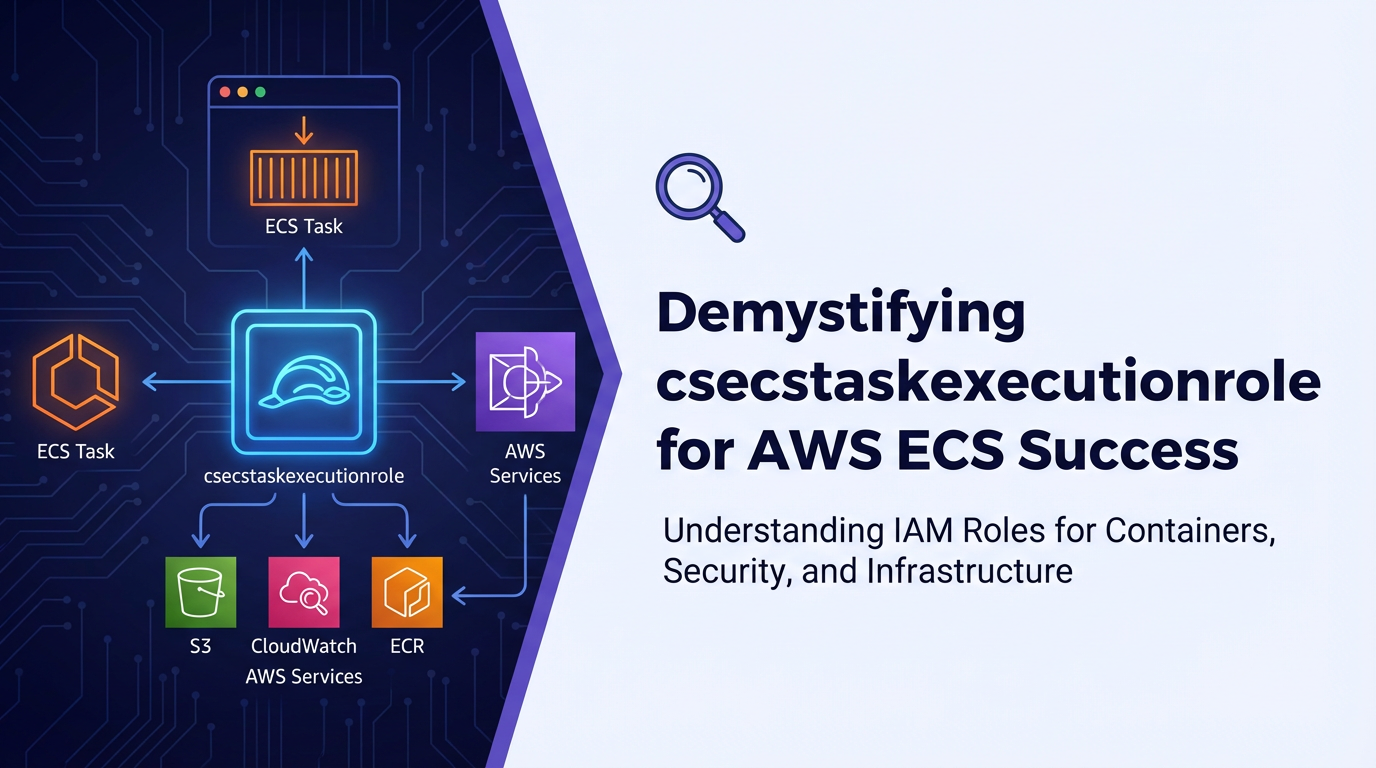


The landscape of cloud-native application deployment has been profoundly reshaped by containerization, and Amazon Elastic Container Service (AWS ECS) stands as a formidable orchestrator in this evolving paradigm. ECS empowers developers to run, manage, and scale containerized applications with unparalleled flexibility and robustness. However, unlocking the full potential of ECS, especially in complex, production-grade environments, hinges upon a meticulous understanding of its underlying access control mechanisms. Among these, the csecstaskexecutionrole emerges as a pivotal, yet often misunderstood, component that dictates the fundamental operational capabilities of your ECS tasks. This comprehensive guide aims to strip away the complexities, providing a deep dive into the csecstaskexecutionrole, its essential functions, best practices for its configuration, and how it subtly underpins the success of your AWS ECS deployments.
Containerized applications, by their very nature, are designed to be isolated and portable. Yet, for these applications to function effectively within the AWS ecosystem, they invariably require the ability to interact with various AWS services. Whether it's pulling container images, pushing logs, fetching sensitive configuration data, or interacting with a myriad of other AWS resources, these operations demand appropriate permissions. This is precisely where the csecstaskexecutionrole, more formally known as the ECS Task Execution IAM Role, enters the picture. It acts as the identity that the ECS agent and the Fargate infrastructure utilize to perform actions on your behalf, ensuring your containers can start up, run, and integrate seamlessly with the broader AWS environment. Without a correctly configured csecstaskexecutionrole, your ECS tasks would be adrift, unable to perform even the most basic initialization steps, leading to frustrating deployment failures and operational bottlenecks. The meticulous management of this role is not merely a matter of security but a foundational element for the reliability and efficiency of your containerized workloads on AWS.
Understanding the AWS ECS Ecosystem: A Foundation for Role Comprehension
Before we delve exclusively into the intricacies of the csecstaskexecutionrole, it is imperative to establish a solid understanding of the AWS ECS ecosystem itself. ECS is a fully managed container orchestration service that allows you to run applications in containers on a cluster of Amazon EC2 instances or using AWS Fargate, a serverless compute engine for containers. This foundational knowledge is crucial because the csecstaskexecutionrole operates within this architectural context, its permissions directly influencing the lifecycle and operational capabilities of every task you deploy.
Clusters: The Orchestration Hub
At the highest level, an ECS deployment begins with a cluster. An ECS cluster is a logical grouping of tasks or container instances that you register with the service. Whether your cluster is powered by Amazon EC2 instances, which you manage, or by AWS Fargate, where AWS manages the underlying infrastructure, the cluster acts as the orchestrator for your containerized applications. It provides the capacity and resources necessary for your tasks to run. Understanding the cluster's role helps in appreciating how IAM policies, including those attached to the csecstaskexecutionrole, define what actions can be performed within and by this cluster's components. For example, if your cluster needs to scale out by launching new EC2 instances, or if Fargate needs to provision new compute resources, the underlying service roles (distinct from the task execution role) govern these high-level cluster operations.
Task Definitions: The Blueprint for Containers
Central to ECS operations are task definitions. A task definition is a JSON-formatted blueprint that describes your application. It specifies details such as:
- Container Images: Which Docker images to use (e.g., from Amazon ECR or Docker Hub).
- CPU and Memory: The resources required by your containers.
- Networking: Port mappings and network modes.
- Environment Variables: Configuration passed to your application.
- Volumes: Data persistence options.
- IAM Roles: Crucially, this is where you specify the
csecstaskexecutionrole(for the ECS agent) and, optionally, a Task Role (for your application code).
The task definition is a static description, but it's the foundation upon which dynamic tasks are launched. Every single parameter within a task definition can impact how your application runs, from performance to security. The specification of the csecstaskexecutionrole within this blueprint is a critical security and operational decision, as it dictates the permissions available for the execution of the task itself, independent of the application logic running inside the container.
Tasks and Services: Running and Maintaining Your Applications
A "task" is an instantiation of a task definition. When you run a task, ECS launches one or more containers as defined in your task definition. Tasks are the smallest deployable units in ECS. For long-running applications, you typically create an "ECS service," which maintains a desired number of tasks, performs load balancing, and manages deployments.
The csecstaskexecutionrole is fundamentally linked to the launch and management of these tasks. When ECS (or Fargate) attempts to start a container, it needs to perform several actions: 1. Pull the container image: Retrieve the specified image from a container registry like Amazon ECR. 2. Mount volumes/secrets: If the task needs access to secrets from AWS Secrets Manager or parameters from AWS Systems Manager Parameter Store, it needs permissions to retrieve them. 3. Push logs: Send container logs to a logging service like Amazon CloudWatch Logs.
All these initial setup and ongoing operational tasks are performed under the identity of the csecstaskexecutionrole. This role ensures that the underlying ECS infrastructure has the necessary authorizations to prepare the environment for your application container before your application code even begins to execute. It's a critical enabler for the very existence and initial functionality of your containerized workloads.
Launch Types: EC2 vs. Fargate
ECS offers two primary launch types:
- EC2 Launch Type: You manage the underlying EC2 instances that host your containers. This gives you more control over the infrastructure but also greater responsibility for patching, scaling, and managing the EC2 fleet. In this model, the ECS agent running on your EC2 instances assumes the
csecstaskexecutionroleto perform operations. - Fargate Launch Type: AWS manages the underlying compute infrastructure. You simply define your task, and Fargate provisions the necessary compute capacity. This is a serverless approach, abstracting away server management. With Fargate, the Fargate infrastructure itself assumes the
csecstaskexecutionroleto perform the execution-related operations.
Regardless of the launch type, the fundamental purpose and permissions of the csecstaskexecutionrole remain consistent: to provide the necessary authorization for the ECS platform to manage your tasks effectively. The choice between EC2 and Fargate primarily impacts who manages the host, not the specific permissions required for task execution.
The Cornerstone of ECS Operations: Demystifying csecstaskexecutionrole
The csecstaskexecutionrole is an AWS Identity and Access Management (IAM) role that grants permissions to the Amazon ECS agent or the AWS Fargate infrastructure. Its primary purpose is to enable the ECS platform to perform actions on your behalf to run and manage your ECS tasks. Without this role, or if it's improperly configured, your ECS tasks simply cannot launch or operate correctly. It is important to distinguish this role from the "Task Role" (or "Task IAM Role"), which grants permissions to the application inside the container itself. While both are critical, they serve distinct purposes. The csecstaskexecutionrole is about the platform's ability to execute the task, whereas the Task Role is about the application's ability to interact with other AWS services.
What it is and Why it's Crucial
The csecstaskexecutionrole is specified in your ECS task definition. It's a service-linked role, meaning it's assumed by a specific AWS service (ECS or Fargate) to perform actions. The trust policy for this role typically allows ecs-tasks.amazonaws.com to assume it. This trust relationship is fundamental, as it explicitly authorizes the ECS service to use the permissions attached to this role.
Its cruciality stems from the foundational operations it enables:
- Image Pulling: Every container task needs to pull its Docker image from a container registry. If you're using Amazon Elastic Container Registry (ECR), the
csecstaskexecutionrolemust have permissions to authenticate with ECR and pull the specified image. Without this, your tasks will fail to start with image pull errors. - Log Publishing: Containerized applications generate logs, which are vital for monitoring, debugging, and auditing. ECS tasks are typically configured to send their logs to Amazon CloudWatch Logs. The
csecstaskexecutionrolegrants the necessary permissions for the ECS agent or Fargate to create log streams and push log events to CloudWatch. - Secrets and Configuration Retrieval: Many applications require sensitive information (e.g., database credentials, API keys) or dynamic configuration. AWS Secrets Manager and AWS Systems Manager Parameter Store are common services used to store and retrieve such data securely. The
csecstaskexecutionroleneeds permissions to fetch these secrets or parameters, making them available to your containers as environment variables or files. - Networking Configuration (Fargate specific): For tasks launched on Fargate, the
csecstaskexecutionrolealso plays a role in configuring the elastic network interface (ENI) for your tasks within your Virtual Private Cloud (VPC). This allows the Fargate infrastructure to provision the necessary network resources for your containers.
In essence, the csecstaskexecutionrole is the identity that the platform uses to get your task up and running, connect it to essential AWS services, and manage its basic lifecycle operations. It's the silent enabler behind every successful ECS task launch.
Default Permissions and Managed Policies
AWS provides a managed policy that is often associated with the csecstaskexecutionrole: AmazonECSTaskExecutionRolePolicy. This policy contains a set of common permissions required for most ECS task execution scenarios. Let's break down some of the key permissions typically found in this managed policy:
ecr:GetAuthorizationToken: Allows the ECS agent to retrieve an authentication token from ECR, which is necessary to authenticate and pull Docker images from private ECR repositories.ecr:BatchCheckLayerAvailability: Verifies the availability of specified image layers in ECR.ecr:GetDownloadUrlForLayer: Retrieves the download URL for an image layer from ECR.ecr:BatchGetImage: Retrieves metadata for multiple images from ECR.logs:CreateLogGroup: Allows the creation of a CloudWatch log group if one doesn't already exist for your task.logs:CreateLogStream: Allows the creation of a CloudWatch log stream within a log group for your task.logs:PutLogEvents: Allows the ECS agent to send log events to a CloudWatch log stream.ssm:GetParameters: Allows the retrieval of parameters from AWS Systems Manager Parameter Store. This is crucial for injecting configuration values securely.secretsmanager:GetSecretValue: Allows the retrieval of secret values from AWS Secrets Manager. Essential for injecting sensitive credentials.kms:Decrypt: If your secrets in Secrets Manager or parameters in Parameter Store are encrypted using AWS Key Management Service (KMS) Customer Master Keys (CMKs), this permission is required to decrypt them.
This set of permissions covers the most fundamental requirements for an ECS task to initialize and operate. While the managed policy is convenient, in production environments, it's often a best practice to create a custom policy tailored precisely to your application's needs, adhering to the principle of least privilege.
Scenarios Where It's Used
The csecstaskexecutionrole is utilized in virtually every ECS task launch, but its specific impact becomes most visible in certain scenarios:
- Pulling Private Images: Any time you pull an image from a private Amazon ECR repository, the
ecrpermissions in this role are invoked. If these are missing, your task will fail to start. - Centralized Logging: If your task definition specifies
awslogsdriver for logging, thelogspermissions are continuously used to stream application logs to CloudWatch. - Secure Configuration Management: When you define
secretsorparametersin your task definition (e.g.,environmentvariables sourced from Secrets Manager or Parameter Store), thesecretsmanagerandssmpermissions come into play during task initialization. - Fargate Network Configuration: For Fargate tasks, this role facilitates the creation and attachment of the necessary ENI to the task, ensuring network connectivity within your VPC. This is an implicit function handled by the Fargate service on behalf of the
csecstaskexecutionrole.
Understanding these scenarios helps in diagnosing issues related to the role and ensures that your custom policies grant exactly the permissions needed for each specific use case.
Common Pitfalls and Misconfigurations
Misconfiguring the csecstaskexecutionrole is a frequent source of deployment failures in ECS. Here are some common pitfalls:
- Missing Permissions: The most common issue is simply not granting the necessary permissions. Forgetting
ecr:GetAuthorizationTokenfor private ECR repos, orlogs:PutLogEventsfor CloudWatch, will immediately halt task execution. - Overly Permissive Roles: Conversely, granting too many permissions (e.g.,
*on certain actions or resources) violates the principle of least privilege, increasing your security risk. While the managedAmazonECSTaskExecutionRolePolicyis a good starting point, it might contain permissions your specific task doesn't need. - Incorrect Trust Policy: The trust policy for the role must explicitly allow
ecs-tasks.amazonaws.comto assume it. If this is misconfigured, the ECS service won't be able to use the role at all. - KMS Key Access Issues: If your secrets or parameters are encrypted with a custom KMS key, the
csecstaskexecutionrolemust havekms:Decryptpermission on that specific key. A common mistake is to grantkms:Decryptbut not specify the correct ARN for the key, or for the key policy itself not to allow thecsecstaskexecutionroleto use it. - Resource ARNs Not Specific Enough: When granting permissions to services like Secrets Manager or Parameter Store, always specify the full Amazon Resource Name (ARN) of the secret or parameter. Using
*for resources is generally discouraged. - Confusing Task Execution Role with Task Role: This is a crucial distinction. The
csecstaskexecutionroleis for the platform; the Task Role is for your application. If your application inside the container needs to write to S3, for example, those permissions belong in the Task Role, not thecsecstaskexecutionrole. Assigning application-specific permissions to thecsecstaskexecutionroleis a security risk and indicates a misunderstanding of their distinct purposes.
Careful review of task definitions, IAM policies, and CloudTrail logs are essential to diagnose and rectify these misconfigurations, ensuring the smooth operation of your ECS workloads.
Best Practices for Defining and Managing csecstaskexecutionrole
Effective management of the csecstaskexecutionrole goes beyond simply making your tasks run; it's about optimizing for security, maintainability, and operational efficiency. Adhering to best practices ensures that your ECS deployments are not only functional but also robust and secure against potential threats.
Principle of Least Privilege: Your Guiding Star
The principle of least privilege is perhaps the most critical security tenet to apply when defining any IAM role, and the csecstaskexecutionrole is no exception. This principle dictates that any entity (in this case, the ECS service assuming the role) should only have the minimum permissions necessary to perform its intended function, and nothing more.
While the AWS-managed policy AmazonECSTaskExecutionRolePolicy provides a convenient starting point, it often grants more permissions than a specific task truly needs. For production environments, it is strongly recommended to:
- Create Custom IAM Policies: Instead of using the managed policy directly, create your own customer-managed IAM policies.
- Audit Required Permissions: Analyze your task definition and application behavior to identify exactly which AWS service actions (
ecr:,logs:,ssm:,secretsmanager:,kms:) are necessary for the task execution role. - Specify Resource ARNs: Whenever possible, restrict permissions to specific resources using their Amazon Resource Names (ARNs). For example, instead of allowing
secretsmanager:GetSecretValueon*, specifyarn:aws:secretsmanager:region:account-id:secret:my-app/db-credentials-??????. This dramatically reduces the blast radius in case of compromise. - Avoid Wildcards: Use wildcards (
*) sparingly and only when absolutely necessary, and always restrict them to specific action prefixes (e.g.,s3:Get*rather thans3:*).
By meticulously crafting custom policies, you minimize the attack surface, making it much harder for an attacker to leverage an compromised csecstaskexecutionrole to gain unauthorized access to other AWS resources.
Differentiating Task Execution Role and Task Role
This distinction is so fundamental that it warrants constant reinforcement.
csecstaskexecutionrole(Task Execution Role): Permissions for the ECS platform (ECS agent or Fargate infrastructure) to:- Pull container images.
- Push logs to CloudWatch.
- Retrieve secrets/parameters from SSM/Secrets Manager.
- (Fargate) Configure network interfaces.
- Task Role (Task IAM Role): Permissions for the application code running inside your container to interact with other AWS services, such as:
- Reading/writing data to S3 buckets.
- Interacting with DynamoDB tables.
- Sending messages to SQS queues or SNS topics.
- Calling other AWS APIs (e.g., Lambda, Step Functions).
Confusing these two roles and assigning application-specific permissions to the csecstaskexecutionrole is a common anti-pattern that introduces unnecessary security risks. If your application needs to write to an S3 bucket, those S3 write permissions belong only in the Task Role, which your application assumes. The csecstaskexecutionrole has no business knowing about your application's S3 interactions.
Versioning and Lifecycle Management of Policies
IAM policies, like code, should be treated as versioned artifacts. When you update the permissions for your csecstaskexecutionrole, treat it as a deployment.
- Use Infrastructure as Code (IaC): Define your IAM roles and policies using tools like AWS CloudFormation, AWS CDK, Terraform, or Pulumi. This ensures that your IAM configurations are declarative, version-controlled, and consistently applied across environments.
- Small, Incremental Changes: Avoid monolithic policy changes. Make small, focused updates to policies, testing them thoroughly before deploying to production.
- Review and Audit Regularly: Periodically review your
csecstaskexecutionrolepolicies to ensure they still adhere to the principle of least privilege and that no unnecessary permissions have crept in over time. Automated tools like AWS IAM Access Analyzer can help identify unused or overly broad permissions.
Monitoring and Auditing Access
Even with meticulously crafted policies, continuous monitoring and auditing are indispensable.
- AWS CloudTrail: CloudTrail records API calls made to your AWS account. By analyzing CloudTrail logs, you can see which principals (including the
csecstaskexecutionrole) are performing which actions, when, and from where. This is invaluable for security auditing, compliance, and troubleshooting. - Amazon CloudWatch Logs: Monitor the logs generated by your ECS tasks themselves. Errors related to permissions (e.g., "Access Denied") will often appear here, providing direct clues about missing permissions in either the
csecstaskexecutionroleor the Task Role. - AWS Security Hub / GuardDuty: Integrate with these services for anomaly detection and security posture management. They can help identify suspicious activity related to IAM roles.
A proactive monitoring strategy allows you to quickly detect and respond to unauthorized access attempts or permission-related operational failures, significantly bolstering the security and reliability of your ECS deployments.
Using Condition Keys for Enhanced Control
AWS IAM policies allow the use of condition keys to add an extra layer of granularity to your permissions. Condition keys let you specify conditions under which a policy statement is effective. For the csecstaskexecutionrole, this might include:
aws:SourceVpcoraws:SourceVpce: Restrict actions to requests originating from a specific VPC or VPC endpoint.aws:RequestTag: Allow actions only if the requesting resource (e.g., an ECS task) has a specific tag.ecr:RepositoryName: When grantingecrpermissions, specifically limit them to certain ECR repositories.
{
    "Version": "2012-10-17",
    "Statement": [
        {
            "Effect": "Allow",
            "Action": [
                "ecr:GetAuthorizationToken",
                "ecr:BatchCheckLayerAvailability",
                "ecr:GetDownloadUrlForLayer",
                "ecr:BatchGetImage"
            ],
            "Resource": "*",
            "Condition": {
                "ArnEquals": {
                    "ecr:RepositoryName": [
                        "my-app-repo",
                        "my-other-app-repo"
                    ]
                }
            }
        }
    ]
}
In the example above, the ECR actions are permitted only if the request is for the repositories "my-app-repo" or "my-other-app-repo". This significantly tightens the security posture compared to granting ECR access to all repositories.
By leveraging condition keys, you can create highly refined and secure policies for your csecstaskexecutionrole, minimizing the attack surface and enhancing compliance.
Advanced Scenarios and Permissions for csecstaskexecutionrole
While the core functions of the csecstaskexecutionrole revolve around image pulling, logging, and secret retrieval, certain advanced scenarios might necessitate additional, carefully considered permissions. It's crucial to evaluate each additional permission against the principle of least privilege.
Integrating with Other AWS Services (Indirectly)
The csecstaskexecutionrole does not directly grant your application access to arbitrary AWS services like S3 or DynamoDB. That's the domain of the Task Role. However, there can be indirect integrations where the platform needs permissions to facilitate your task's interaction with other AWS services.
For instance, consider a scenario where your ECS task definition itself dynamically registers an api endpoint with a service discovery mechanism (though usually, this is handled by a Service Role or an external CI/CD process, not the Task Execution Role directly). If the ECS platform itself needed to call route53:ChangeResourceRecordSets to register a task's IP, those permissions would reside in the csecstaskexecutionrole. This is an uncommon pattern for this specific role, as application-level service discovery is typically handled by the application's Task Role or via ECS service discovery features.
A more direct example would be if your ECS task, during its startup, needed to fetch additional configuration files from an S3 bucket that were not secrets or parameters (e.g., large configuration files, model artifacts). If these were fetched by the ECS agent or Fargate infrastructure before your application even starts, then the csecstaskexecutionrole would need s3:GetObject permissions. However, in most designs, the application itself would fetch such data, making it a Task Role responsibility. This highlights the importance of understanding who (platform vs. application) performs the action.
Fine-Grained Access Control and Cross-Account Access
When operating in multi-account AWS environments, or when strict separation of duties is required, fine-grained access control and cross-account access become paramount.
- Cross-Account ECR Pulls: If your container images reside in an ECR repository in a different AWS account, your
csecstaskexecutionrolein the consuming account needsecr:GetAuthorizationTokenand image pull permissions. Crucially, the ECR repository policy in the source account must explicitly allow thecsecstaskexecutionrolefrom the target account to perform these actions. This is a common requirement in large organizations with shared image repositories. - Shared Secrets/Parameters: Similarly, if secrets or parameters are stored in a central "secrets account," the
csecstaskexecutionrolein the application account needsssm:GetParametersorsecretsmanager:GetSecretValuepermissions, and the resource policy on the secret/parameter in the source account must grant access to thecsecstaskexecutionrolefrom the target account. If KMS encryption is involved, the KMS key policy must also explicitly allow cross-account decryption by thecsecstaskexecutionrole.
Implementing cross-account access requires careful coordination of both identity-based policies (attached to the role) and resource-based policies (attached to ECR repositories, Secrets Manager secrets, KMS keys).
Example Policy for csecstaskexecutionrole with Fine-Grained Access
Let's look at a comprehensive example of a custom csecstaskexecutionrole policy demonstrating fine-grained control:
{
    "Version": "2012-10-17",
    "Statement": [
        {
            "Effect": "Allow",
            "Action": [
                "ecr:GetAuthorizationToken",
                "ecr:BatchCheckLayerAvailability",
                "ecr:GetDownloadUrlForLayer",
                "ecr:BatchGetImage"
            ],
            "Resource": "*",
            "Condition": {
                "ArnEquals": {
                    "ecr:RepositoryName": [
                        "my-ecs-repo-app1",
                        "my-ecs-repo-common"
                    ]
                }
            }
        },
        {
            "Effect": "Allow",
            "Action": [
                "logs:CreateLogGroup",
                "logs:CreateLogStream",
                "logs:PutLogEvents"
            ],
            "Resource": [
                "arn:aws:logs:region:account-id:log-group:/ecs/my-app1-log-group:*",
                "arn:aws:logs:region:account-id:log-group:/ecs/common-services/*"
            ]
        },
        {
            "Effect": "Allow",
            "Action": [
                "ssm:GetParameters"
            ],
            "Resource": [
                "arn:aws:ssm:region:account-id:parameter/my-app1/*",
                "arn:aws:ssm:region:account-id:parameter/common-configs/api-endpoint"
            ]
        },
        {
            "Effect": "Allow",
            "Action": [
                "secretsmanager:GetSecretValue"
            ],
            "Resource": [
                "arn:aws:secretsmanager:region:account-id:secret:my-app1/db-credentials-??????",
                "arn:aws:secretsmanager:region:account-id:secret:shared-api-key-??????",
                "arn:aws:secretsmanager:region:account-id:secret:prod/apipark-license-key-???????"
            ]
        },
        {
            "Effect": "Allow",
            "Action": [
                "kms:Decrypt"
            ],
            "Resource": [
                "arn:aws:kms:region:account-id:key/my-app1-kms-key-id",
                "arn:aws:kms:region:account-id:key/shared-secrets-kms-key-id",
                "arn:aws:kms:region:account-id:key/apipark-security-key"
            ],
            "Condition": {
                "StringEquals": {
                    "kms:ViaService": "secretsmanager.region.amazonaws.com"
                }
            }
        }
    ]
}
This policy demonstrates several best practices: * Resource Specificity: Most actions are limited to specific ARNs for log groups, SSM parameters, and Secrets Manager secrets. * Condition Keys: ECR permissions are conditional on the repository name, and KMS decrypt is conditional on the service being Secrets Manager, reducing its potential misuse. * Principle of Least Privilege: Only essential actions are allowed.
Table: Comparison of Task Execution Role vs. Task Role
To further solidify the distinction between these two critical roles, here's a comparative table:
| Feature | ECS Task Execution Role (csecstaskexecutionrole) |
ECS Task Role (Task IAM Role) |
|---|---|---|
| Purpose | Grants permissions to the ECS platform (agent/Fargate) to manage task lifecycle. | Grants permissions to the application code inside the container to interact with AWS services. |
| Assumed By | ecs-tasks.amazonaws.com (ECS service principal). |
ecs-tasks.amazonaws.com (as the application's identity). |
| Key Responsibilities | Pull container images, push logs, fetch secrets/parameters, (Fargate) network setup. | Access S3, DynamoDB, SQS, SNS, invoke Lambda, call other AWS APIs, etc. |
| Policy Example Actions | ecr:GetAuthorizationToken, logs:PutLogEvents, ssm:GetParameters, secretsmanager:GetSecretValue, kms:Decrypt. |
s3:GetObject, s3:PutObject, dynamodb:GetItem, dynamodb:PutItem, sqs:SendMessage. |
| When to Use | Always required for every task. Essential for task startup and basic operations. | Required when your application needs to interact with any AWS service. |
| Impact of Misconfig | Task fails to start, image pull errors, logging failures, secret retrieval issues. | Application throws "Access Denied" errors when attempting AWS API calls. |
| Default Policy | AmazonECSTaskExecutionRolePolicy (managed). |
No default managed policy; specific to application needs. |
Understanding this table is fundamental to correctly securing and operating your ECS workloads.
APIPark is a high-performance AI gateway that allows you to securely access the most comprehensive LLM APIs globally on the APIPark platform, including OpenAI, Anthropic, Mistral, Llama2, Google Gemini, and more.Try APIPark now! 👇👇👇
Integrating AI Gateway and API Management with ECS
As organizations move towards microservices architectures and leverage advanced AI capabilities, the management of APIs becomes increasingly complex. Services deployed on ECS often expose apis, or consume apis from other services, both internal and external. This is where an api gateway becomes an invaluable component in your architecture, sitting at the edge of your microservices to manage traffic, enforce security, and provide a unified api experience.
When you deploy microservices on AWS ECS, particularly those that expose apis to consumers, an API gateway acts as a crucial intermediary. It can handle concerns like authentication, authorization, rate limiting, and traffic routing, offloading these responsibilities from your individual microservices. This separation of concerns allows your ECS tasks to focus purely on their business logic, while the gateway provides the necessary operational robustness for your api landscape.
Consider a scenario where you're deploying an AI inference service on ECS. This service might expose a RESTful api to accept input data and return predictions. Managing access to this api, tracking its usage, and potentially transforming requests or responses can be challenging. For advanced API management, especially in microservices architectures running on ECS, developers often turn to robust api gateway solutions. For instance, an open-source AI gateway and API management platform like APIPark can be deployed alongside or in front of ECS services. APIPark provides capabilities for quick integration of 100+ AI models, a unified api format for AI invocation, prompt encapsulation into REST apis, and end-to-end api lifecycle management. This means your ECS-deployed AI services can benefit from centralized api governance, improved security, and enhanced developer experience, all managed through a powerful gateway. While the csecstaskexecutionrole ensures your AI inference task can start and pull its model, APIPark then governs how consumers interact with the api exposed by that running task.
The Role of an api gateway with ECS Services
An API gateway integrates with ECS in several ways: * Load Balancing and Routing: It typically sits behind a load balancer (like an Application Load Balancer, ALB) which then routes traffic to your ECS services. * Security: It can apply security policies, perform authentication (e.g., JWT validation), and protect your backend ECS services from direct exposure. * Traffic Management: It offers features like rate limiting, request throttling, and caching to optimize performance and prevent abuse. * Monitoring and Analytics: An api gateway provides a centralized point for collecting metrics and logs related to api calls, offering valuable insights into usage patterns and performance. This aligns with APIPark's detailed api call logging and powerful data analysis features. * Unified Access: It provides a single entry point for all your apis, simplifying discovery and consumption for api users.
When deploying an api gateway like APIPark within your AWS environment, it typically runs on EC2 instances or as containers on ECS/EKS itself. The csecstaskexecutionrole would apply to APIPark's own containers if it were deployed on ECS, allowing APIPark to pull its images, log its operations, and retrieve any necessary secrets for its configuration (e.g., database credentials, license keys). This illustrates how the csecstaskexecutionrole is foundational even for infrastructure components that manage your application's apis.
Model Context Protocol (MCP) in AI/ML Workloads on ECS
For advanced AI/ML workloads deployed on ECS, especially those involving large language models (LLMs) or complex inference engines, the interaction patterns become highly specialized. Here, a Model Context Protocol (MCP) might define the standardized way context, parameters, and data are exchanged with the model. While the csecstaskexecutionrole ensures the ECS task has the necessary AWS permissions to access model artifacts (e.g., from S3) or log inference results (e.g., to CloudWatch), the MCP governs the internal logic of how the model itself processes requests and maintains session state.
An MCP is not an AWS IAM construct; it's a conceptual or formalized protocol specific to how a machine learning model expects to receive its input, maintain conversational state (for generative AI), and return its output. For example: * Input Format: An MCP might define that all input prompts must be JSON objects with specific keys for "text", "user_id", and "session_id". * Context Management: For conversational AI, the MCP would specify how previous turns of conversation (the "context") are passed to the model to enable coherent responses. * Metadata: It might define how metadata about the model version or specific parameters used for inference are passed.
When an AI service running on ECS processes a request that adheres to an MCP, the csecstaskexecutionrole has already fulfilled its purpose: it allowed the task to start, pulled the model's Docker image, and fetched any API keys for external model providers from Secrets Manager. The application code inside the container then receives the request (perhaps via an API gateway like APIPark, which might even help in transforming requests to fit the MCP), processes it according to the MCP, interacts with the loaded ML model, and returns a response.
The csecstaskexecutionrole ensures the infrastructure is ready for the ML application. The api gateway ensures the external interface to the ML application is well-managed. The MCP ensures the internal communication with the ML model is standardized and effective. These three components work in concert to deliver robust, scalable AI services on ECS.
Troubleshooting csecstaskexecutionrole Issues
Despite best intentions and adherence to best practices, permission-related issues can arise. Effective troubleshooting of csecstaskexecutionrole problems is a crucial skill for anyone managing ECS deployments. Most problems manifest during task launch or shortly thereafter, leading to tasks being stuck in a PENDING state, repeatedly failing, or crashing quickly.
Common Error Messages and Their Meanings
Understanding the specific error messages is the first step in diagnosing csecstaskexecutionrole issues.
AccessDeniedException: This is the most common and explicit error. It means thecsecstaskexecutionroleattempted to perform an action (e.g.,ecr:GetAuthorizationToken,logs:PutLogEvents,secretsmanager:GetSecretValue) and was explicitly denied by an IAM policy.- Clue: Look for the specific action (
ecr,logs,secretsmanager,ssm,kms) and resource (arn) mentioned in the error message. - Fix: Add the missing permission to the
csecstaskexecutionrole's policy, or verify the resource's policy allows the role.
- Clue: Look for the specific action (
ImagePullFailed/CannotPullContainerError: These errors indicate that the ECS agent or Fargate infrastructure couldn't retrieve the container image.- Clue: Check if the image path is correct. If it's a private ECR repository, the
csecstaskexecutionrolelikely lacksecr:GetAuthorizationTokenor otherecr:*permissions. If it's cross-account, ensure both the role policy and the ECR repository policy grant access. - Fix: Grant necessary
ecr:*permissions, verify repository ARN, ensure cross-account policies are correct.
- Clue: Check if the image path is correct. If it's a private ECR repository, the
ResourceNotFoundException: This typically means a specified resource (e.g., a secret in Secrets Manager, a parameter in SSM, or a KMS key) does not exist or thecsecstaskexecutionroledoesn't have permissions to see that it exists.- Clue: Verify the ARN of the resource in your task definition.
- Fix: Correct the ARN, or ensure the role has
secretsmanager:DescribeSecretorssm:DescribeParameters(thoughGetactions usually suffice if the resource exists).
KMS.NotFoundException/KMS.AccessDeniedException: If you're using KMS for encryption of secrets or parameters, these errors indicate problems with thecsecstaskexecutionrole's ability to use the KMS key.- Clue: The
csecstaskexecutionroleneedskms:Decryptpermission on the specific KMS key used to encrypt the secret/parameter. Also, the KMS key policy itself must allow thecsecstaskexecutionroleto performkms:Decrypt. - Fix: Add
kms:Decryptto the role policy (with resource ARN of the key), and verify/update the KMS key policy.
- Clue: The
LogGroupNotFoundException/LogStreamNotFoundException: When using theawslogsdriver, these indicate issues with CloudWatch Logs.- Clue: The
csecstaskexecutionroleneedslogs:CreateLogGroup,logs:CreateLogStream, andlogs:PutLogEvents. - Fix: Grant appropriate
logs:*permissions, ensuring resource ARNs for log groups/streams are correctly specified.
- Clue: The
Debugging Strategies
When faced with csecstaskexecutionrole issues, a systematic approach is key:
- Check Task Events and Status:
- Go to the ECS console, navigate to your cluster, then services, and check the "Events" tab for the service or the "Tasks" tab for individual task failures. AWS ECS provides detailed error messages in the task events, which are often the most direct source of information.
- Look for the
StoppedReasonfor failed tasks.
- Examine CloudWatch Logs:
- Check the
/aws/ecs/containerinsightslog group or your specific task log group for any relevant messages from the ECS agent or the application itself. If the task fails very early (e.g., image pull), you might not see application logs, but agent logs could be informative. - If the task failed to push logs, you won't see logs in CloudWatch from the task, but you might see errors in the ECS service events.
- Check the
- Use AWS CloudTrail:
- CloudTrail is your ultimate source of truth for "who did what, when, and where." Filter CloudTrail events by the
csecstaskexecutionrole's ARN or by the source IP of the ECS agent/Fargate infrastructure. - Look for
AccessDeniedevents, which will precisely tell you which action was denied and against which resource. This is invaluable for identifying missing permissions.
- CloudTrail is your ultimate source of truth for "who did what, when, and where." Filter CloudTrail events by the
- IAM Policy Simulator:
- The AWS IAM Policy Simulator is a powerful tool. You can select your
csecstaskexecutionrole, specify the AWS service actions (e.g.,ecr:GetAuthorizationToken), and the target resource ARNs (e.g., your ECR repository ARN). The simulator will tell you whether the role would be allowed or denied that action, and which policy statement is responsible. This can help you validate your policies without running a task.
- The AWS IAM Policy Simulator is a powerful tool. You can select your
- Simplify and Isolate:
- If you have a complex task definition, try to simplify it. Remove all but the essential components (e.g., just pull an image and log to CloudWatch) to isolate the failing permission.
- Temporarily attach the
AmazonECSTaskExecutionRolePolicymanaged policy. If this resolves the issue, it confirms a permission problem in your custom policy, and you can then systematically re-add permissions while testing. Remember to revert to a least-privilege policy for production.
By combining these strategies, you can systematically pinpoint and rectify csecstaskexecutionrole issues, ensuring your ECS tasks launch and operate reliably.
Impact on DevOps and CI/CD
The csecstaskexecutionrole is not just a static configuration; it's a dynamic element that needs to evolve with your applications and infrastructure. Its robust management is deeply intertwined with successful DevOps practices and efficient CI/CD pipelines. Automating the creation, updates, and validation of this role is crucial for maintaining agility and security.
Automating Role Creation and Updates
In modern DevOps, manual IAM role creation is an anti-pattern. It's prone to human error, difficult to replicate, and hard to audit. Instead, csecstaskexecutionrole should be managed as code:
- Infrastructure as Code (IaC): Tools like AWS CloudFormation, AWS CDK, Terraform, or Pulumi should be used to define the
csecstaskexecutionrole, its trust policy, and its attached IAM policies. This ensures:- Version Control: The role definition is stored in source control (Git), allowing for history tracking, rollbacks, and collaborative development.
- Consistency: The same role definition can be deployed consistently across development, staging, and production environments.
- Repeatability: You can tear down and rebuild your infrastructure, including IAM roles, reliably.
- Auditability: Changes to the role are tracked in Git commits, providing an audit trail.
- Modularization: For larger organizations, consider creating modular IaC templates for common
csecstaskexecutionrolepatterns (e.g., a base policy for all Fargate tasks, an additional policy for tasks using specific secrets). This promotes reuse and reduces duplication.
Automating these processes ensures that your csecstaskexecutionrole evolves gracefully with your application's requirements without becoming an operational bottleneck or a security vulnerability.
Integrating with Deployment Pipelines
Your CI/CD pipeline should ideally encompass the entire lifecycle of your application, from code commit to deployment. This includes the management and validation of the csecstaskexecutionrole:
- Policy Linting and Validation:
- As part of your CI pipeline, integrate tools that can lint and validate your IAM policies against best practices (e.g., cfn-lint for CloudFormation, terraform validate for Terraform).
- Consider using AWS IAM Access Analyzer for static analysis of your policies to identify overly permissive access.
- Automated Deployment of Role Changes:
- Changes to the
csecstaskexecutionrole's policy should be deployed through your CI/CD pipeline, just like application code. This ensures proper review, testing, and approval processes are followed.
- Changes to the
- Testing Environment Validation:
- Your staging or testing environments should accurately reflect production configurations, including the
csecstaskexecutionrole. This allows you to catch permission-related issues early in the development cycle, long before they impact production. Automated integration tests can verify that tasks launch successfully and access required resources.
- Your staging or testing environments should accurately reflect production configurations, including the
- Pipeline for Security Scans:
- Integrate security scanning tools that can evaluate the effectiveness of your
csecstaskexecutionroleand Task Roles. These tools can help identify potential privilege escalation paths or misconfigurations that might not be immediately obvious.
- Integrate security scanning tools that can evaluate the effectiveness of your
By tightly integrating the management of the csecstaskexecutionrole into your CI/CD pipeline, you establish a robust, secure, and efficient process for deploying and operating containerized applications on AWS ECS. This holistic approach is a hallmark of mature DevOps practices, transforming what could be a complex security burden into an automated, reliable component of your infrastructure.
Performance and Scalability Considerations
While the csecstaskexecutionrole primarily deals with access control, its configuration can indirectly influence the performance and scalability of your ECS environment. Efficient role management contributes to a smoother, faster task lifecycle, especially at scale.
How Efficient Role Management Contributes
- Reduced Overhead for Identity and Access Management: When
csecstaskexecutionrolepolicies are fine-grained and well-defined, the AWS IAM service can evaluate permissions more quickly. While the performance impact of IAM policy evaluation is generally low, in scenarios with thousands of tasks launching concurrently or very complex, large policies, streamlined evaluation can contribute to faster task startup times. Simpler policies are often easier for IAM to process. - Faster Troubleshooting: When problems inevitably arise, a well-structured and least-privilege
csecstaskexecutionrolemakes troubleshooting significantly faster. Errors will clearly point to missing permissions rather than ambiguous failures due to overly broad access. This reduces downtime and speeds up incident response, which directly impacts the perceived performance and availability of your services. - Improved Resource Utilization: Misconfigured roles can lead to tasks failing to start, consuming compute capacity without ever becoming healthy. By ensuring the
csecstaskexecutionroleis always correct, tasks launch successfully and promptly, leading to better utilization of your ECS cluster's resources, especially in auto-scaling scenarios. If tasks consistently fail to launch due to permission issues, auto-scaling mechanisms might trigger more capacity than needed, or fail to scale out effectively, impacting both cost and availability. - Security Posture and Compliance: While not directly a "performance" metric, a strong security posture contributes to operational stability. Securely configured roles reduce the risk of security incidents, which can have devastating impacts on service availability and performance. Compliance requirements often mandate least privilege, and a well-managed
csecstaskexecutionroleensures these are met, avoiding costly audits and potential legal ramifications.
Impact of Overly Permissive Roles
Overly permissive roles, while seemingly making initial deployments easier by avoiding AccessDenied errors, introduce subtle and significant drawbacks:
- Increased Security Risk: This is the most obvious drawback. A compromised
csecstaskexecutionrolewith excessive permissions can be exploited to gain unauthorized access to a wider array of AWS resources, potentially leading to data breaches, resource manipulation, or even account compromise. This has direct implications for the security and trustworthiness of your services, ultimately impacting their perceived performance in a broader sense. - Difficult Troubleshooting: When a task fails with an overly permissive role, it's harder to pinpoint the exact root cause. The error might not be a direct
AccessDeniedbut a functional failure due to an unexpected interaction or a subtle configuration bug, made more complex by the wide-open permissions. - Compliance Violations: Many regulatory frameworks (e.g., HIPAA, PCI DSS, GDPR) mandate the principle of least privilege. Overly permissive roles are non-compliant, exposing your organization to fines and legal action.
- Maintenance Burden: Managing policies with wildcards or unnecessary permissions becomes difficult over time. It's hard to tell what permissions are actually being used versus those that are just present, leading to "permission sprawl" and making future audits and policy refinements challenging.
In summary, while the csecstaskexecutionrole itself doesn't directly consume compute resources, its meticulous configuration is an invisible hand guiding the efficiency, security, and scalability of your entire AWS ECS deployment. It's an investment in robust operations that pays dividends in reliability and peace of mind.
Conclusion
The csecstaskexecutionrole is far more than just another IAM role; it is the fundamental enabler for your AWS ECS tasks, providing the essential permissions for the ECS platform to manage their lifecycle. From pulling container images and streaming logs to securely fetching secrets and configuring network interfaces, this role underpins the very ability of your containerized applications to run effectively within the AWS ecosystem. Its meticulous configuration, guided by the principle of least privilege and informed by a clear distinction from the application's Task Role, is paramount for both operational reliability and robust security.
By understanding its core functions, embracing best practices like custom policies and resource-specific ARNs, and integrating its management into your DevOps and CI/CD pipelines, you transform the csecstaskexecutionrole from a potential source of frustration into a powerful tool for building scalable, secure, and resilient containerized applications. Whether your ECS tasks are serving web applications, processing data, or powering advanced AI models that leverage API gateways like APIPark and adhere to sophisticated Model Context Protocols, the csecstaskexecutionrole remains the unsung hero, ensuring the underlying platform has the authorization it needs to bring your applications to life. Mastering this critical component is a definitive step towards achieving true AWS ECS success.
Frequently Asked Questions (FAQ)
1. What is the difference between csecstaskexecutionrole and the Task IAM Role?
The csecstaskexecutionrole (ECS Task Execution Role) grants permissions to the ECS platform (ECS agent or Fargate infrastructure) to perform actions like pulling container images from ECR, pushing logs to CloudWatch, and fetching secrets/parameters for the task. The Task IAM Role, on the other hand, grants permissions to the application code running inside your container to interact with other AWS services, such as reading from S3, writing to DynamoDB, or invoking Lambda functions. They serve distinct purposes, with the Task Execution Role handling platform-level operations and the Task Role handling application-level interactions.
2. Is csecstaskexecutionrole always required for an ECS task?
Yes, the csecstaskexecutionrole is always required for an ECS task. It's fundamental for the ECS service to perform the necessary actions to launch and manage your container, even if your task itself doesn't directly interact with other AWS services. Without it, tasks will typically fail to start due to an inability to pull container images or push logs.
3. What are the minimum permissions required for csecstaskexecutionrole?
At a minimum, the csecstaskexecutionrole needs permissions to: 1. Pull container images: ecr:GetAuthorizationToken, ecr:BatchCheckLayerAvailability, ecr:GetDownloadUrlForLayer, ecr:BatchGetImage (if using ECR). 2. Push logs to CloudWatch: logs:CreateLogGroup, logs:CreateLogStream, logs:PutLogEvents. If you use AWS Secrets Manager or Systems Manager Parameter Store in your task definition, you'll also need secretsmanager:GetSecretValue and/or ssm:GetParameters, along with kms:Decrypt if your secrets/parameters are KMS-encrypted.
4. How can I troubleshoot Access Denied errors related to csecstaskexecutionrole?
- Check ECS Service Events/Task
StoppedReason: This is often the first place for explicit error messages. - Review CloudWatch Logs: Look for any logs from the ECS agent (if applicable) or task logs (if logging was successfully initialized).
- Consult AWS CloudTrail: Filter CloudTrail events by the
csecstaskexecutionrole's ARN.AccessDeniedevents will explicitly state the action that was denied and the resource it was denied against. - Use IAM Policy Simulator: Test your
csecstaskexecutionroleagainst the specific actions and resources that are failing to verify if the policy grants the necessary permissions.
5. Can csecstaskexecutionrole be used to access an API gateway like APIPark?
No, the csecstaskexecutionrole is for the ECS platform's operational tasks (e.g., pulling images, logging). If your application running inside an ECS task needs to call an api exposed by an API gateway (like APIPark) or any other external api, those permissions belong in the Task IAM Role. The Task Role would grant your application permission to make outbound network calls, possibly to specific API gateway endpoints or other AWS services that APIPark might interact with for its internal operations, but csecstaskexecutionrole itself is not involved in your application's api interactions.
🚀You can securely and efficiently call the OpenAI API on APIPark in just two steps:
Step 1: Deploy the APIPark AI gateway in 5 minutes.
APIPark is developed based on Golang, offering strong product performance and low development and maintenance costs. You can deploy APIPark with a single command line.
curl -sSO https://download.apipark.com/install/quick-start.sh; bash quick-start.sh

In my experience, you can see the successful deployment interface within 5 to 10 minutes. Then, you can log in to APIPark using your account.

Step 2: Call the OpenAI API.