How to Fix: An Invalid OAuth Response Was Received
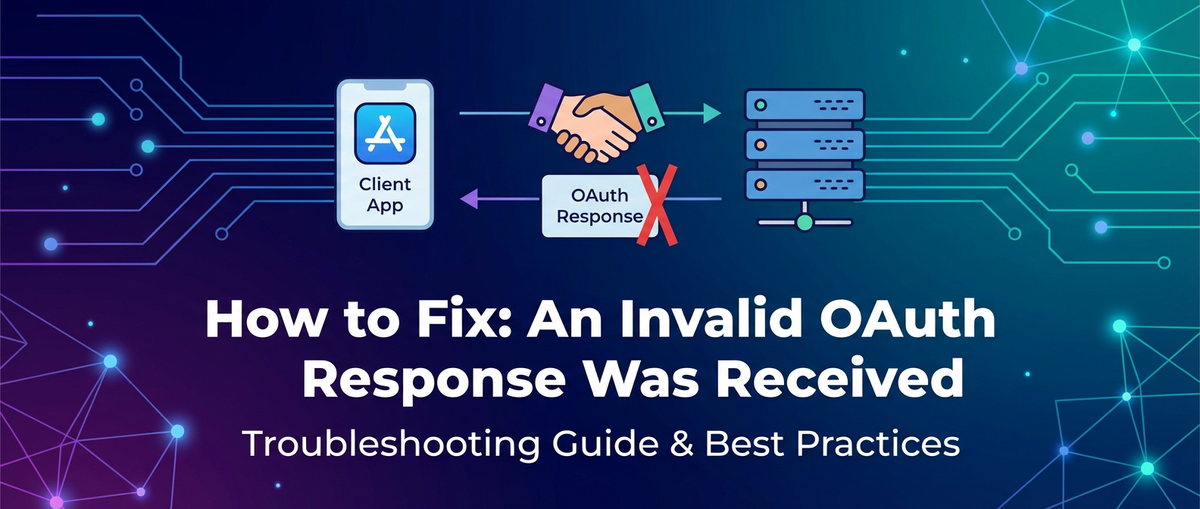


In the intricate tapestry of modern software architecture, where applications communicate seamlessly across networks, the reliability and security of these interactions are paramount. At the heart of secure inter-application communication lies OAuth 2.0, an industry-standard protocol for authorization. It empowers users to grant third-party applications limited access to their resources without exposing their credentials. However, the delicate dance of tokens, redirects, and secrets in an OAuth flow can sometimes stumble, culminating in the enigmatic and often frustrating error message: "An Invalid OAuth Response Was Received."
This seemingly simple message can hide a multitude of underlying issues, from subtle configuration mismatches to deeper network communication failures. For developers and system administrators, encountering this error can be a significant roadblock, potentially halting development, disrupting user experience, and even raising security concerns. The complexity of modern systems, which often involve multiple interconnected apis, sophisticated api gateways, and increasingly, specialized AI Gateway solutions, means that diagnosing and resolving such an error requires a systematic, in-depth understanding of the OAuth protocol and the environment in which it operates.
This comprehensive guide is designed to demystify "An Invalid OAuth Response Was Received." We will embark on a detailed exploration of OAuth 2.0, dissecting its core components and flows to establish a foundational understanding of what constitutes a "valid" response. Following this, we will meticulously examine the most common culprits behind this error, ranging from straightforward misconfigurations to complex token validation failures and network impediments. Crucially, we will provide a robust set of diagnostic strategies and practical troubleshooting steps, equipping you with the knowledge and tools to effectively pinpoint and rectify the problem. By the end of this article, you will not only understand why this error occurs but also possess the expertise to approach its resolution with confidence and precision, ensuring the smooth and secure operation of your API-driven applications.
Understanding the Foundation: OAuth 2.0 and its Expectations
Before diving into the myriad ways an OAuth response can become "invalid," it is essential to firmly grasp the fundamentals of OAuth 2.0. At its core, OAuth 2.0 is an authorization framework, not an authentication protocol, though it is often used in conjunction with OpenID Connect (OIDC) to provide authentication. Its primary purpose is to enable a third-party application (the "Client") to obtain limited access to an HTTP service (the "Resource Server") on behalf of a user (the "Resource Owner"). This access is granted via an authorization server, without the client ever needing the user's login credentials.
The elegance of OAuth 2.0 lies in its delegation model, which carefully orchestrates interactions between four key roles:
- Resource Owner: The entity capable of granting access to a protected resource. This is typically the end-user.
- Client: The application requesting access to a protected resource on behalf of the Resource Owner. This could be a web application, a mobile app, or a server-side application.
- Authorization Server: The server that authenticates the Resource Owner, obtains authorization, and issues access tokens to the Client. It is the gatekeeper of access.
- Resource Server: The server hosting the protected resources, capable of accepting and responding to protected resource requests using access tokens.
The interaction typically unfolds through a series of "authorization grant types," each suited for different client scenarios. The most common grant types include:
- Authorization Code Grant: This is the most widely used and recommended grant type for confidential clients (applications capable of maintaining the confidentiality of their credentials), such as web servers. It involves a redirection to the Authorization Server, where the user authenticates and authorizes the client. The Authorization Server then redirects back to the client with an authorization code, which the client exchanges for an access token directly with the Authorization Server. This two-step process prevents access tokens from being exposed in the browser's URL.
- Implicit Grant: Primarily used for public clients (e.g., single-page applications or mobile apps) that cannot securely store a client secret. The access token is returned directly in the redirect URI after the user's authorization. While simpler, it is less secure and generally discouraged in favor of Authorization Code with PKCE (Proof Key for Code Exchange).
- Client Credentials Grant: Used when the client itself is the Resource Owner, or when the client is requesting access to protected resources under its control, not a user's. The client authenticates directly with the Authorization Server using its client ID and client secret, receiving an access token for direct API access. This is common for service-to-service communication, often facilitated through an
api gateway. - Resource Owner Password Credentials Grant: This grant type involves the client directly collecting the user's username and password and sending them to the Authorization Server. This is highly discouraged due to security risks and should only be used by trusted first-party applications in very specific, controlled scenarios.
- Refresh Token Grant: After an access token expires, a client can use a refresh token (obtained during the initial authorization flow) to request a new access token without re-involving the Resource Owner. This maintains a persistent session without repeated user interaction.
A "valid" OAuth response is one that adheres to the specifications of the protocol for the particular grant type being used. This includes several critical aspects:
- HTTP Status Codes: A successful response typically carries an HTTP 200 OK status code. Errors are communicated via appropriate 4xx or 5xx status codes, often accompanied by an
erroranderror_descriptionfield in the response body, as defined by the OAuth 2.0 specification. - Response Format: Responses from the Authorization Server (e.g., during the token exchange) are usually JSON-formatted, containing specific parameters like
access_token,token_type,expires_in, and potentiallyrefresh_tokenandscope. The absence or malformation of these expected parameters can render a response invalid. For instance, anaccess_tokenthat is not a correctly formatted JWT (JSON Web Token) if JWTs are expected, or anexpires_invalue that is not an integer, would lead to an invalid response. - Required Parameters: Each step of the OAuth flow has specific required parameters. For example, the token endpoint exchange for an authorization code grant requires
grant_type=authorization_code,code,redirect_uri, andclient_id(andclient_secretfor confidential clients). Missing any of these or providing incorrect values will result in an error from the Authorization Server, which the client might interpret as an "invalid response." - Security Considerations: The response must be delivered over HTTPS/TLS to prevent eavesdropping and tampering. Any deviation, such as a redirect to an insecure HTTP endpoint when HTTPS is expected, can invalidate the perceived response or trigger security warnings.
Understanding these foundational elements is the first and most crucial step in diagnosing the "Invalid OAuth Response" error. Without a clear picture of what a successful OAuth transaction looks like, troubleshooting becomes a blind pursuit. The error message simply states that something is wrong with the response received; our task is to methodically uncover precisely which expectation was not met and why. In complex environments leveraging an api gateway or an AI Gateway, these gateways often play a pivotal role in enforcing or facilitating OAuth flows, adding another layer of configuration and potential points of failure to consider.
Common Causes of "An Invalid OAuth Response Was Received"
The seemingly generic error message "An Invalid OAuth Response Was Received" can mask a wide array of underlying problems. Systematically breaking down the potential causes is critical for effective troubleshooting. These issues generally fall into several categories: configuration mismatches, token format and validation issues, network and communication problems, server-side anomalies, and client-side implementation flaws.
1. Configuration Mismatches
These are arguably the most common and often simplest to fix, yet can be infuriatingly elusive. Even a single character out of place can derail an entire OAuth flow.
- Client ID/Secret Errors:
- Incorrect
client_id: Every client application registered with the Authorization Server is assigned a uniqueclient_id. If the client sends aclient_idthat doesn't match the one registered, the Authorization Server will reject the request. This can be due to typos, copy-paste errors, or using credentials from a different environment (e.g., development vs. production). - Incorrect
client_secret: For confidential clients, theclient_secretis used to authenticate the client application itself when exchanging an authorization code for an access token. A mismatch here will lead to immediate rejection by the Authorization Server, typically with an "invalid_client" error. - Expired/Revoked Credentials: While less common for
client_idandclient_secretthemselves, the Authorization Server might have policies to expire or revoke credentials after a certain period or due to security incidents.
- Incorrect
- Redirect URI (Callback URL) Mismatches:
- This is an exceptionally common culprit. The
redirect_urisent by the client in the initial authorization request must exactly match one of the pre-registered redirect URIs configured for the client application on the Authorization Server. - Exact Match Requirement: "Exact" means precisely identical, including:
- Protocol:
httpvs.https. A redirect tohttp://localhost/callbackwill fail if registered ashttps://localhost/callback. - Domain:
myapp.comvs.www.myapp.com. - Path:
/callbackvs./oauth/callback. - Case Sensitivity:
/Callbackvs./callback. - Trailing Slashes:
myapp.com/callback/vs.myapp.com/callback. - Port Numbers:
localhost:8080/callbackvs.localhost/callback.
- Protocol:
- Any discrepancy will cause the Authorization Server to reject the authorization request or the token exchange, as it's a critical security measure to prevent code interception and replay attacks.
- This is an exceptionally common culprit. The
- Scope Definition Discrepancies:
scopeparameters define the extent of the access requested by the client (e.g.,openid,profile,email,read:data).- Requesting Unauthorized Scopes: If the client requests a
scopethat the Authorization Server doesn't recognize or that the client isn't authorized to request, the Authorization Server might respond with an "invalid_scope" error, or simply omit granting that scope. If the client then expects a specific scope in the response that wasn't granted, it might deem the response invalid. - Scope Casing: Some Authorization Servers are case-sensitive with scopes.
- Authorization Server Endpoint Misconfigurations:
- Incorrect Endpoint URLs: The client application must be configured with the correct URLs for the Authorization Server's endpoints:
- Authorization Endpoint: Where the user is redirected for consent.
- Token Endpoint: Where the client exchanges the authorization code for tokens.
- UserInfo Endpoint: (for OIDC) Where the client can retrieve user profile information.
- JWKS Endpoint: Where the client can fetch the public keys to validate JWTs.
- Mistyping any of these URLs, or pointing to a non-existent or incorrect environment, will lead to connection errors or unexpected responses.
- Incorrect Endpoint URLs: The client application must be configured with the correct URLs for the Authorization Server's endpoints:
2. Token Format and Validation Issues
Once an access token or ID token is issued, its integrity and validity are paramount. Issues here often manifest when the client tries to use or validate the token.
- Malformed JWTs:
- If the Authorization Server issues tokens in JWT format, an "invalid response" could mean the received JWT is malformed. A JWT consists of three base64url-encoded parts separated by dots: Header, Payload, and Signature. Any corruption in this structure will make it unreadable or unverifiable.
- Incorrect Encoding: Non-standard base64url encoding.
- Missing Sections: A JWT with fewer or more than two dots.
- Expired Tokens:
- Both Access Tokens and Refresh Tokens have an
exp(expiration) claim. If a client attempts to use an expired access token, the Resource Server (or theapi gatewayprotecting it) will reject it. If the client tries to use an expired refresh token, the Authorization Server will refuse to issue a new access token. While the initial token response might have been valid, subsequent attempts to use the token will fail, leading to an "invalid_token" error that the client might generalize as an "invalid OAuth response."
- Both Access Tokens and Refresh Tokens have an
- Incorrect Signing Algorithm or Key:
- When a client (or an
api gateway) receives a JWT, it must verify its signature using the public key provided by the Authorization Server (typically via its JWKS endpoint). - If the client uses the wrong public key, the wrong signing algorithm (e.g., trying to verify an RS256 token with an HS256 key), or if the key itself is corrupted/outdated, the signature validation will fail, rendering the token untrustworthy.
- Key Rotation Issues: Authorization Servers periodically rotate their signing keys. If the client's cached JWKS is not refreshed, it might attempt to validate a token signed with a new key using an old, invalid key.
- When a client (or an
- Audience (
aud) Claim Mismatches:- The
aud(audience) claim in a JWT specifies the intended recipient of the token. A Resource Server (orapi gateway) receiving a token must verify that its own identifier is present in theaudclaim. If theaudclaim does not include the Resource Server's identifier, the token is considered invalid for that specific server. This is a common security check.
- The
- Issuer (
iss) Claim Mismatches:- The
iss(issuer) claim identifies the principal that issued the JWT (i.e., the Authorization Server). The client or Resource Server receiving a token must verify that theissclaim matches the expected Authorization Server's identifier. A mismatch indicates that the token might have been issued by an unauthorized party.
- The
3. Network and Communication Problems
OAuth relies heavily on secure and reliable network communication. Interruptions or misconfigurations at this layer can lead to the "invalid response" error, even if the application logic is perfect.
- TLS/SSL Certificate Issues:
- Invalid, Expired, or Untrusted Certificates: All OAuth communication must occur over HTTPS. If the Authorization Server's (or client's) TLS/SSL certificate is expired, not issued by a trusted Certificate Authority, or configured incorrectly (e.g., hostname mismatch), the client's HTTP library will refuse to establish a secure connection, interpreting it as a failed or invalid response.
- Certificate Pinning Issues: If the client application uses certificate pinning, and the server's certificate changes, the client will reject the connection.
- Firewall/Proxy Blocking:
- Corporate firewalls, proxy servers, or even local antivirus software can block outbound connections from the client to the Authorization Server, or inbound connections from the Authorization Server (e.g., the redirect). This results in timeouts or connection refused errors, which the application might generalize.
- Port Blocking: Ensure the necessary ports (typically 443 for HTTPS) are open between all communicating components.
- DNS Resolution Failures:
- If the client cannot resolve the hostname of the Authorization Server to an IP address, it cannot initiate a connection. This can be caused by misconfigured DNS servers, network outages, or incorrect host entries.
- HTTP Header Issues:
- Missing
Content-Type: During token exchange, the client usually sends data inapplication/x-www-form-urlencodedformat. If theContent-Typeheader is missing or incorrect, the Authorization Server might fail to parse the request body. - Incorrect
AuthorizationHeader: When using client credentials or sending aclient_secretin the header, an incorrectly formattedAuthorization: Basic [base64_encoded_credentials]header will result in authentication failure. - CORS Issues: While less direct for "invalid OAuth response," if a frontend JavaScript application is making direct calls to the Authorization Server's endpoints, and CORS headers are not correctly configured on the Authorization Server, the browser might block the response, leading to perceived invalidity.
- Missing
4. Server-Side Issues (Authorization Server and Resource Server)
Sometimes, the problem isn't with the client or network, but with the servers providing the OAuth services.
- Authorization Server Misbehavior:
- Bugs: The Authorization Server itself might have a bug that causes it to generate malformed tokens, respond with incorrect status codes, or fail to process valid requests correctly.
- Overload/Performance Issues: If the Authorization Server is under heavy load, it might respond slowly, time out, or return generic error messages due to internal processing failures.
- Internal Logic Errors: The Authorization Server's internal logic for validating
client_ids,scopes, or generating tokens might be flawed.
- Resource Server Misconfiguration:
- After a client successfully obtains an access token, it presents this token to the Resource Server (often via an
api gateway) to access protected resources. - If the Resource Server is misconfigured to validate tokens (e.g., using the wrong public key, audience, or issuer, or simply not performing validation at all), it might reject valid tokens, leading the client to believe the original OAuth flow was invalid.
- Misconfigured
api gateway: Anapi gatewayoften sits in front of Resource Servers, responsible for intercepting and validating tokens. If theapi gateway's OAuth policy is misconfigured (e.g., expecting a different issuer or audience, or not correctly forwarding context to the backend), it can erroneously reject a valid token.
- After a client successfully obtains an access token, it presents this token to the Resource Server (often via an
5. Client-Side Implementation Flaws
The client application's own code can also be the source of the problem.
- Incorrect Parsing of Response:
- The client might correctly receive a valid JSON response from the Authorization Server, but its code fails to parse it correctly, leading to null values or unexpected data types. For example, trying to read
expires_inas a string when it's an integer, or accessing a non-existent field. - URL Encoding/Decoding Issues: Incorrectly encoding parameters sent to the Authorization Server, or incorrectly decoding parameters received in redirect URIs (e.g., the authorization
code), can lead to mismatches or corrupted data.
- The client might correctly receive a valid JSON response from the Authorization Server, but its code fails to parse it correctly, leading to null values or unexpected data types. For example, trying to read
- Failure to Handle Errors Gracefully:
- A client application might receive a valid error response from the Authorization Server (e.g., HTTP 400 Bad Request with an
erroranderror_descriptionfield). However, if the client doesn't explicitly check for these error fields and instead blindly expects a success response, it might interpret the error response as an "invalid OAuth response" rather than a specific, diagnosable OAuth error.
- A client application might receive a valid error response from the Authorization Server (e.g., HTTP 400 Bad Request with an
- State Parameter Mismatches:
- The
stateparameter is a critical security measure in the authorization code flow, used to prevent CSRF attacks. The client generates a randomstatevalue, sends it in the authorization request, and expects to receive the exact samestatevalue back in the redirect URI. If these values don't match, the client must reject the response to prevent malicious attacks, leading to an "invalid response" error.
- The
By systematically examining each of these potential causes, developers can narrow down the problem space and move closer to a solution. In many modern api architectures, especially those integrating AI services via an AI Gateway, these layers of complexity mean that a single OAuth flow might traverse multiple components, making a clear diagnostic path even more crucial.
Diagnostic Strategies and Tools
When faced with an "Invalid OAuth Response Was Received" error, a systematic approach to diagnosis is key. Leveraging the right tools and strategies can transform a daunting, opaque problem into a manageable, solvable challenge. The goal is to gather as much information as possible about the entire OAuth flow, from the initial client request to the final Authorization Server response, and any intermediate steps handled by an api gateway.
1. Detailed Logging: The First Line of Defense
Robust logging is arguably the most crucial diagnostic tool. Without detailed logs from all interacting components, troubleshooting becomes akin to operating in the dark.
- Client Application Logs:
- Request Details: Log the full URLs, headers, and body of every outbound request made by your client to the Authorization Server (e.g., the authorization endpoint and the token endpoint).
- Response Details: Log the full HTTP status code, headers, and body of every inbound response received from the Authorization Server.
- Error Messages: Capture any exceptions, stack traces, or internal error messages generated by your client's OAuth library or custom code during parsing or validation.
- Timestamping: Ensure all log entries are accurately timestamped to reconstruct the sequence of events.
- Correlation IDs: Implement correlation IDs that span across requests and responses, allowing you to trace a single OAuth flow through multiple log files.
- API Gateway Logs:
- If your architecture includes an
api gatewayor anAI Gateway, its logs are invaluable. Gateways often act as interceptors, potentially modifying requests or responses, or enforcing their own security policies. - Inbound/Outbound Traffic: Log requests hitting the gateway and responses leaving it. This helps determine if the gateway is altering the OAuth traffic in an unexpected way.
- Authentication/Authorization Decisions: Many
api gateways have built-in OAuth validation. Log the outcome of these internal validation steps. Did the gateway successfully validate the token? Did it reject it and why? - Policy Enforcement: Log any policies applied by the gateway that might affect the OAuth flow (e.g., rate limiting, IP whitelisting, header transformations).
- If your architecture includes an
- Authorization Server Logs:
- If you manage the Authorization Server, its logs provide the definitive perspective. This is where you'll find the actual reason why a request was rejected or why a response was generated in a particular way.
- Incoming Requests: Details of the requests received from your client (
client_id,redirect_uri,scope,code). - Validation Failures: Specific error messages related to
client_idvalidation,client_secretmismatch,redirect_urimismatch,scopevalidation failures, or issues during token generation. - Internal Errors: Any server-side exceptions or performance issues that might lead to malformed or delayed responses.
2. Browser Developer Tools
For client-side OAuth flows (like Authorization Code Grant), the browser's developer tools are indispensable.
- Network Tab:
- Inspect Redirects: Trace the full sequence of HTTP redirects from your client to the Authorization Server and back. Pay close attention to the
redirect_uribeing sent and the parameters (likecodeandstate) being returned in the URL. - Request/Response Payloads: Examine the exact request headers, bodies, and response headers/bodies for calls to the Authorization Server's token endpoint. Look for expected parameters and correct JSON structure.
- HTTP Status Codes: Identify any non-200 status codes.
- TLS/SSL Errors: The browser will typically show explicit warnings or errors if there are problems with the TLS certificate.
- Inspect Redirects: Trace the full sequence of HTTP redirects from your client to the Authorization Server and back. Pay close attention to the
- Console Tab:
- Look for JavaScript errors that might indicate problems with parsing the Authorization Server's response or handling the redirect.
- Any
console.logstatements strategically placed in your client-side code can also provide immediate feedback.
3. API Testing Tools (Postman, Insomnia, curl)
These tools allow you to isolate and simulate specific parts of the OAuth flow, bypassing your application code and frontend complexities.
- Simulate Token Exchange: Directly make POST requests to the Authorization Server's token endpoint.
- Construct the request body with
grant_type,client_id,client_secret,code, andredirect_urias if your client were sending them. - This helps determine if the Authorization Server is correctly configured to issue tokens when presented with valid parameters.
- You can then systematically change parameters (e.g., an incorrect
redirect_uri, an invalidclient_secret) to see how the Authorization Server responds and compare it to its documentation.
- Construct the request body with
- Validate Token Usage: Once you obtain an access token, use it to make requests to a protected Resource Server (or through your
api gateway) to verify it's accepted. - TLS/SSL Check with
curl:curl -v https://your-auth-server.com/endpoint: The-v(verbose) flag shows the full request and response, including the TLS handshake process. This can quickly reveal certificate issues or connection problems.
4. JWT Debuggers (e.g., jwt.io)
If you receive a token but suspect it's malformed or invalid, a JWT debugger is invaluable.
- Paste the received access token or ID token into a debugger like
jwt.io. - It will parse the token into its Header, Payload, and (if a valid signature key is provided) verify the Signature.
- Inspect Claims: Check the
exp(expiration),nbf(not before),iss(issuer),aud(audience), andiat(issued at) claims for correctness. Ensure theexpclaim isn't in the past. - Signature Verification: If you have the Authorization Server's public key (e.g., from its JWKS endpoint), paste it into the debugger to verify the token's signature. This helps confirm if the token was tampered with or if the wrong key is being used for validation.
5. Network Analyzers (Wireshark)
For highly complex or low-level network issues, tools like Wireshark can capture and analyze raw network traffic. This is a more advanced technique, but it can reveal:
- Packet Loss: Are packets reaching the target?
- TLS Handshake Failures: Detailed step-by-step of the TLS handshake to diagnose certificate or protocol negotiation problems.
- Unexpected Redirects: Any network-level redirects not visible in browser tools.
6. Authorization Server Documentation
Always, always refer to the Authorization Server's official documentation. It will clearly define:
- Expected request parameters for each endpoint.
- Required headers.
- Expected success response formats.
- Specific error codes and their meanings (e.g., "invalid_client," "invalid_grant," "unauthorized_client").
- Details on public key retrieval for JWT validation.
By methodically applying these diagnostic strategies and leveraging the appropriate tools, you can systematically gather evidence, pinpoint anomalies, and ultimately identify the root cause of the "Invalid OAuth Response Was Received" error. In environments where an api gateway or an AI Gateway manages multiple apis, these diagnostic steps are particularly important for isolating which component in the chain is introducing the problem. For instance, robust API management platforms, such as ApiPark, often provide powerful data analysis and detailed API call logging capabilities that can greatly accelerate this diagnostic process by offering a centralized view of all API traffic and authentication outcomes.
APIPark is a high-performance AI gateway that allows you to securely access the most comprehensive LLM APIs globally on the APIPark platform, including OpenAI, Anthropic, Mistral, Llama2, Google Gemini, and more.Try APIPark now! 👇👇👇
Step-by-Step Troubleshooting Guide
Resolving "An Invalid OAuth Response Was Received" requires a methodical, step-by-step approach. By systematically eliminating potential causes, you can narrow down the problem and identify the specific misconfiguration or bug. Here's a practical guide to troubleshooting this error:
Step 1: Verify Basic Configuration - The "Obvious" Checks
Start with the most common and often overlooked configuration details. A small typo here can cause significant headaches.
- Client ID and Client Secret:
- Check Exact Match: Ensure the
client_idandclient_secretused by your client application are identical to those registered with the Authorization Server. This includes casing. - Environment Check: Are you using credentials for the correct environment (e.g., development, staging, production)? It's a common mistake to mix them up.
- Expiration/Revocation: Confirm the
client_secrethasn't expired or been revoked by the Authorization Server's administrator.
- Check Exact Match: Ensure the
- Redirect URI (Callback URL):
- Absolute Criticality: This is one of the most frequent sources of error. The
redirect_uriparameter sent in the authorization request must exactly match one of the registered URIs for your client application on the Authorization Server. - Examine All Parts: Pay obsessive attention to protocol (
httpvs.https), domain, subdomains, port number, path, and trailing slashes. Evenhttps://example.com/callbackis different fromhttps://example.com/callback/. - Case Sensitivity: Some Authorization Servers are case-sensitive for redirect URIs.
- Absolute Criticality: This is one of the most frequent sources of error. The
- Scopes:
- Requested vs. Registered: Ensure the
scopes your client requests are valid and registered for yourclient_idon the Authorization Server. Don't request scopes you don't need or aren't authorized for.
- Requested vs. Registered: Ensure the
- Authorization Server Endpoints:
- Correct URLs: Double-check that your client is configured with the correct URLs for the Authorization Endpoint, Token Endpoint, and any other relevant endpoints (e.g., UserInfo, JWKS). Confirm there are no typos, extra slashes, or incorrect protocols.
Step 2: Inspect the Raw Response - What Did the Server Actually Send?
The generic error message from your application needs to be peeled back to reveal the true response from the Authorization Server.
- Use Browser Developer Tools (Network Tab):
- Initiate the OAuth flow from your application.
- In the Network tab, filter for requests to your Authorization Server's domain.
- Follow Redirects: Observe the initial redirect to the Authorization Endpoint, the subsequent redirect back to your
redirect_uri(looking for thecodeandstateparameters in the URL), and finally, the POST request to the Token Endpoint. - Examine Token Endpoint Response: Select the request to the Token Endpoint. Look at the "Headers" and "Response" tabs.
- HTTP Status Code: Is it 200 OK? Or is it a 4xx (e.g., 400 Bad Request, 401 Unauthorized) or 5xx (e.g., 500 Internal Server Error)? This is the most immediate indicator of where the problem lies.
- Response Body: If it's an error, OAuth 2.0 specifies that the response body should contain
erroranderror_descriptionfields. These fields are goldmines for diagnosing the issue (e.g.,{"error": "invalid_grant", "error_description": "Authorization code expired"}). - Successful Response Body: If it's 200 OK, check if the expected parameters (
access_token,token_type,expires_in,refresh_token) are present and correctly formatted (e.g.,expires_inis an integer).
- Use API Testing Tools (Postman/Insomnia/curl):
- Manually construct a POST request to your Authorization Server's Token Endpoint using the
client_id,client_secret,redirect_uri, and thecodeyou obtained from the initial authorization step. - Send the request and meticulously examine the raw response. This eliminates any potential issues with your client's parsing logic.
- Manually construct a POST request to your Authorization Server's Token Endpoint using the
Step 3: Validate the Token (if one was received)
If your client did receive an access_token but still reported an "invalid response," the token itself might be the issue, or your client's validation logic.
- Use a JWT Debugger (e.g.,
jwt.io):- Paste the received
access_token(andid_tokenif applicable) intojwt.io. - Check
exp(Expiration) Claim: Is the token already expired? This is a very common issue, especially during testing with short-lived tokens. - Check
nbf(Not Before) Claim: Is the token not yet valid? (Less common, but possible). - Check
iss(Issuer) Claim: Does it match the expected Authorization Server's identifier? - Check
aud(Audience) Claim: Does it include the identifier of your Resource Server or client application? - Verify Signature: Obtain the Authorization Server's public key (often from its JWKS endpoint, e.g.,
/.well-known/openid-configuration/jwks) and paste it into the debugger to verify the token's signature. If it fails, there's a problem with the token's integrity or the key used for verification.
- Paste the received
Step 4: Check Network Connectivity and TLS/SSL
Network issues can silently kill an OAuth flow.
- Ping and Traceroute:
- From the machine running your client, try
pingandtraceroute(ortracerton Windows) to the Authorization Server's domain. This checks basic connectivity and identifies any network hops that might be failing.
- From the machine running your client, try
- TLS/SSL Certificate Verification:
- Use
curl -v https://your-auth-server.com/(or any endpoint). The-vflag provides verbose output, showing the entire TLS handshake. Look for:- "SSL certificate problem" or similar errors.
- Incorrect certificate chain.
- Expired certificate dates.
- Hostname mismatch in the certificate (common if using IP addresses or incorrect domains).
- Ensure your client's operating system or runtime environment trusts the Certificate Authority that issued the Authorization Server's certificate.
- Use
- Firewall/Proxy Settings:
- Temporarily disable local firewalls (if safe to do so) to rule them out.
- If you're behind a corporate proxy, ensure your application is correctly configured to use it for outbound HTTPS requests to the Authorization Server. Proxies can also inspect and interfere with TLS traffic.
Step 5: Review Authorization Server Logs
If you have access to the Authorization Server's logs, they are often the definitive source of truth.
- Search for Your
client_id: Filter the logs for requests originating from yourclient_idduring the time of the error. - Look for Specific Error Messages: Authorization Servers log detailed reasons for rejecting requests. Common messages include:
invalid_client:client_idorclient_secretmismatch.invalid_grant: Authorization code expired, used more than once, or is invalid.unauthorized_client: Client not authorized for the requested grant type.invalid_scope: Requested scopes are invalid or unauthorized.redirect_uri_mismatch: Theredirect_uriprovided doesn't match a registered one.server_error: An internal error on the Authorization Server.
- Timestamps: Correlate timestamps in the Authorization Server logs with your client's logs to ensure you're looking at the same event.
Step 6: Isolate the Problem - Reduce Complexity
- Simple Test Client:
- If your main application is complex, try creating a minimal, bare-bones client using a well-known OAuth library (or even just
curlcommands) to perform the OAuth flow. If this simple client works, the issue is likely within your application's specific implementation.
- If your main application is complex, try creating a minimal, bare-bones client using a well-known OAuth library (or even just
- Bypass API Gateway (Temporarily & Safely):
- If an
api gatewayis in front of your Resource Server, and you suspect it's interfering with token validation, try making a request directly to the Resource Server (if possible and secure to do so, e.g., in a development environment) using the obtained access token. If the direct call works, theapi gateway's configuration is suspect. - If the
api gatewayis also proxying the Authorization Server, bypass that as well to see if it's introducing any issues. - Many organizations, especially those using sophisticated platforms like ApiPark as an
AI Gatewayor generalapi gateway, rely heavily on its capabilities. While bypassing it for diagnosis can be useful, remember that the final solution must work with the gateway's policies.
- If an
Step 7: Consider the Role of the api gateway or AI Gateway
Modern architectures frequently deploy an api gateway to centralize security, traffic management, and observability for their apis. When an AI Gateway is involved, it adds specialized handling for AI models and their apis. These gateways can either facilitate or inadvertently complicate OAuth flows.
- Token Validation: Is your
api gatewayconfigured to validate access tokens before forwarding requests to the Resource Server? If so, check its internal logging for token validation failures.- Is it using the correct JWKS endpoint for public keys?
- Is it validating
aud,iss,expclaims correctly?
- Request/Response Transformation: Is the
api gatewaymodifying the OAuth request parameters or the Authorization Server's response in any way (e.g., adding/removing headers, transforming payload)? Such transformations could render a valid response invalid from the client's perspective. - Authentication/Authorization Policies: Does the
api gatewayhave specific policies that might be interfering with the OAuth flow or rejecting requests before they even reach the backend? - Caching: Is the
api gatewaycaching tokens or metadata (like JWKS keys) incorrectly, leading to stale or invalid data being used?
By meticulously following these steps, you can systematically uncover the root cause of the "Invalid OAuth Response Was Received" error, turning a vague problem into a clear, actionable solution.
Prevention and Best Practices
While robust troubleshooting is essential for rectifying issues, implementing preventive measures and adhering to best practices can significantly reduce the likelihood of encountering "An Invalid OAuth Response Was Received" in the first place. Proactive measures in development, deployment, and monitoring contribute to a more stable and secure API ecosystem.
- Automated Testing for OAuth Flows:
- Integrate End-to-End Tests: Develop automated integration tests that simulate the entire OAuth 2.0 flow from client initiation to successful token acquisition and resource access. This includes tests for various grant types, token expiration, and refresh token usage.
- Unit Tests for Parsing/Validation: Write unit tests for your client application's OAuth library or custom code that handles parsing Authorization Server responses and validating tokens. Use known-good and known-bad token examples to ensure correct behavior.
- Regression Testing: Ensure that changes to client, Authorization Server, or
api gatewayconfigurations do not introduce new OAuth failures.
- Strict Configuration Management and Version Control:
- Centralized Configuration: Store all OAuth-related configurations (Client IDs, secrets, redirect URIs, endpoint URLs, scopes) in a centralized, version-controlled system. Avoid hardcoding these values.
- Environment-Specific Configurations: Clearly separate configurations for different environments (development, staging, production) to prevent mix-ups. Use configuration as code principles where possible.
- Peer Review: Implement a review process for all OAuth configuration changes to catch potential typos or mismatches before deployment.
- Clear and Comprehensive Documentation:
- Internal Documentation: Maintain detailed internal documentation for your application's OAuth integration, including:
- The specific OAuth grant type(s) used.
- Required
client_ids,client_secrets, andredirect_uris for each environment. - Expected
scopes. - Authorization Server endpoint URLs.
- Any specific nuances or customizations in your implementation.
- API Gateway Documentation: If using an
api gatewayorAI Gateway, document its role in the OAuth flow, including any policies for token validation, request/response modification, or authentication.
- Internal Documentation: Maintain detailed internal documentation for your application's OAuth integration, including:
- Robust Error Handling and User Feedback:
- Specific Error Messages: Instead of a generic "Invalid OAuth Response," parse the Authorization Server's
erroranderror_descriptionfields and present more specific, actionable messages to developers (in logs) and users (if appropriate and safe). - Graceful Degradation: Design your application to handle OAuth failures gracefully, perhaps by prompting the user to re-authenticate or informing them that a specific feature is unavailable.
- Developer-Friendly Output: When logging errors, include as much context as possible (request headers, response body, timestamps, correlation IDs) to aid in debugging.
- Specific Error Messages: Instead of a generic "Invalid OAuth Response," parse the Authorization Server's
- Proactive Monitoring and Alerting:
- OAuth Endpoint Monitoring: Implement continuous monitoring for the availability and response times of your Authorization Server's endpoints.
- Token Validation Metrics: Monitor the success and failure rates of token validation on your Resource Servers or
api gateway. High error rates here are a strong indicator of problems. - Certificate Expiration Alerts: Set up alerts for upcoming TLS/SSL certificate expirations on both your Authorization Server and any components (like an
api gateway) that rely on them.
- Stay Updated with Libraries and Frameworks:
- Security Patches: Regularly update your client-side OAuth libraries and frameworks to benefit from security patches and bug fixes.
- Protocol Enhancements: Newer versions of OAuth libraries often incorporate best practices and support for extensions like PKCE (Proof Key for Code Exchange), which enhances security, especially for public clients.
- Security Best Practices for
client_secretand Tokens:- Confidentiality: Ensure
client_secrets are kept confidential, never exposed in client-side code, and stored securely. Rotate them regularly. - Token Lifetimes: Configure appropriate expiration times for access tokens and refresh tokens. Use short-lived access tokens and longer-lived, single-use refresh tokens.
- Token Revocation: Implement mechanisms for token revocation in case of compromise.
- Confidentiality: Ensure
By embedding these practices into your development and operational workflows, you can build a more resilient system that anticipates and mitigates the very issues that lead to an "Invalid OAuth Response Was Received" error. This foresight not only saves significant debugging time but also strengthens the overall security posture of your applications and apis.
In today's interconnected world, where systems frequently communicate through a myriad of apis, ensuring their security and reliable operation is paramount. This is especially true for advanced setups involving AI Gateways, which act as crucial intermediaries for accessing artificial intelligence services. A robust api gateway not only streamlines traffic but also provides vital security layers, including centralized authentication and authorization. For developers and enterprises navigating these complexities, tools that offer comprehensive API management become invaluable. For instance, an open-source AI Gateway and API management platform like ApiPark can significantly enhance the control and visibility over your API landscape, offering features such as unified API format for AI invocation, end-to-end API lifecycle management, and detailed call logging – features that are incredibly useful when diagnosing OAuth issues or ensuring the security of AI-driven applications. Such platforms provide a solid foundation for managing thousands of apis, ensuring that issues like an "Invalid OAuth Response" are not only quickly diagnosed but also proactively prevented through centralized governance and monitoring.
Common OAuth Error Codes and Their Potential Causes
To aid in the diagnostic process, here's a table summarizing common OAuth 2.0 error codes (as defined by the specification and often seen in Authorization Server responses), their likely causes, and initial troubleshooting steps. Understanding these specific codes is far more helpful than a generic "Invalid OAuth Response."
| OAuth Error Code | HTTP Status | Description | Potential Causes | Initial Troubleshooting Steps |
|---|---|---|---|---|
invalid_request |
400 Bad | The request is missing a required parameter, includes an unsupported parameter value, or is otherwise malformed. | - Missing required parameters (client_id, redirect_uri, scope, code, grant_type).- Incorrectly formatted parameters (e.g., non-URL-encoded values). - Using an unsupported response_type or grant_type.- Malformed JSON in request body. |
- Check your client's request to the Authorization Server meticulously against the OAuth 2.0 spec and the Authorization Server's documentation. - Use API testing tools (Postman, curl) to send minimal, correct requests and compare.- Review client-side logs for parameter construction issues. |
unauthorized_client |
401 | The authenticated client is not authorized to use this grant type or request the specific resources. | - Client application is not configured to use the requested grant_type (e.g., trying to use client_credentials when only authorization_code is allowed).- Client is restricted from accessing certain apis or resources. |
- Verify the client_id and client_secret are correct and for the right environment.- Check the client's configuration on the Authorization Server: ensure the requested grant type is enabled for that client. - Consult Authorization Server documentation for client authorization rules. |
access_denied |
400 Bad | The resource owner or authorization server denied the request. | - User explicitly denied consent during the authorization process. - Authorization Server has internal policies that prevent the grant (e.g., due to user's risk score). |
- If user-driven, inform the user about the denial (e.g., "Access Denied by User"). - If server-driven, check Authorization Server logs for specific reasons for denial. - No immediate client-side fix other than re-requesting authorization if appropriate. |
unsupported_response_type |
400 Bad | The Authorization Server does not support the requested response_type value. |
- Client requested a response_type (e.g., token, code) not supported by the Authorization Server's configuration for that endpoint or client. |
- Ensure the response_type in your authorization request matches what the Authorization Server supports (e.g., for authorization_code flow, it should usually be code).- Check Authorization Server documentation for supported response_type values. |
invalid_scope |
400 Bad | The requested scope is invalid, unknown, or malformed, or exceeds the scope granted by the resource owner. | - Client requested scopes that are not registered for the client_id or not supported by the Authorization Server.- scope parameter is malformed (e.g., incorrect separator).- User did not consent to all requested scopes. |
- Verify the exact spelling and casing of requested scopes against Authorization Server's registered scopes for your client.- Request only necessary scopes.- Check Authorization Server logs for "invalid scope" details. |
server_error |
500 Internal | The Authorization Server encountered an unexpected condition that prevented it from fulfilling the request. | - An unhandled exception or bug on the Authorization Server. - Database connectivity issues on the Authorization Server. - Overload or resource exhaustion on the Authorization Server. |
- This indicates an issue on the Authorization Server itself. Check the Authorization Server's internal logs immediately for stack traces or error messages. - Contact the Authorization Server administrator/support team. |
temporarily_unavailable |
503 Service | The Authorization Server is currently unable to handle the request due to a temporary overloading or maintenance of the server. | - Authorization Server is under heavy load. - Server is undergoing maintenance. |
- Implement retry logic in your client with exponential backoff. - Check Authorization Server status pages or announcements. - This is usually a temporary issue. |
invalid_client |
401 | Client authentication failed (e.g., unknown client, no client authentication included, or unsupported authentication method). | - Incorrect client_id or client_secret.- Client authentication not provided for a confidential client. - Unsupported client authentication method used (e.g., trying to send secret in body when server expects header). |
- Double-check client_id and client_secret for exact match and correct environment.- Ensure client authentication (e.g., Authorization: Basic header for confidential clients) is correctly implemented for the token exchange endpoint.- Review Authorization Server documentation for expected client authentication methods. |
invalid_grant |
400 Bad | The provided authorization grant (e.g., authorization code, refresh token) is invalid, expired, revoked, or was issued to another client. | - The code (authorization code) has expired (often very short-lived, e.g., 10 minutes).- The code has already been used (codes are typically one-time use).- Incorrect redirect_uri was used during the code exchange (must match initial).- refresh_token is expired or revoked. |
- Ensure code is exchanged for a token immediately after receipt and only once.- Verify redirect_uri in the token exchange matches the initial authorization request exactly.- For refresh token issues, check refresh_token expiration and ensure it hasn't been revoked.- Check Authorization Server logs for specific invalid_grant reasons. |
unsupported_grant_type |
400 Bad | The Authorization Server does not support the requested grant_type. |
- Client requested a grant_type (e.g., password, jwt_bearer) that the Authorization Server has not enabled or does not support. |
- Verify the grant_type you are using (e.g., authorization_code, client_credentials) is configured and supported by the Authorization Server and your client.- Check Authorization Server documentation. |
This table provides a powerful starting point for understanding and addressing the errors hidden behind the generic "Invalid OAuth Response."
Conclusion
The error message "An Invalid OAuth Response Was Received" can be a significant hurdle, but it is rarely an insurmountable one. By understanding the foundational principles of OAuth 2.0, meticulously examining the common pitfalls in configuration and implementation, and employing a systematic troubleshooting methodology, developers and system administrators can effectively diagnose and resolve these issues.
The journey begins with a clear comprehension of what a "valid" OAuth response entails, followed by a diligent review of all interacting components – from the client application and its parsing logic to the api gateway (or AI Gateway) and the Authorization Server itself. Robust logging, browser developer tools, and API testing utilities are your indispensable allies in this process, providing the granular visibility needed to pinpoint exact failures. Moreover, adhering to best practices in configuration management, automated testing, and proactive monitoring significantly reduces the occurrence of such errors, fostering a more secure and reliable API landscape.
Ultimately, mastering the art of troubleshooting OAuth issues not only fixes immediate problems but also deepens your understanding of secure API interactions. It reinforces the importance of precision in configuration, resilience in design, and vigilance in operation. By applying the strategies outlined in this guide, you transform a source of frustration into an opportunity for strengthening your system's integrity and ensuring the seamless flow of secure authorization across your application ecosystem.
Frequently Asked Questions (FAQ)
- What does "An Invalid OAuth Response Was Received" actually mean? This generic error indicates that your client application received a response from the Authorization Server (or an intermediate component like an
api gateway) that did not conform to the expected OAuth 2.0 specification for a successful authorization or token exchange. It could be due to incorrect HTTP status codes, missing required parameters, malformed data (e.g., a corrupted JSON Web Token), or an unexpected error structure from the server. - What are the most common causes of this error? The top causes include:
- Redirect URI Mismatches: The
redirect_urisent by the client does not exactly match one registered on the Authorization Server. - Client ID/Secret Errors: Incorrect
client_idorclient_secretused by the client. - Expired/Invalid Authorization Code or Refresh Token: Attempting to use a code or token that has already expired or been used.
- Scope Mismatches: Requesting scopes not supported or authorized for the client.
- TLS/SSL Certificate Issues: Problems with certificate trust, expiration, or configuration on the server or client side.
- Redirect URI Mismatches: The
- How can I effectively diagnose this error? The most effective diagnostic steps involve:
- Detailed Logging: Ensure comprehensive logging on your client application,
api gateway, and Authorization Server, capturing full request/response headers and bodies. - Browser Developer Tools: Use the Network tab to inspect the full redirect flow, HTTP status codes, and response payloads.
- API Testing Tools (e.g., Postman,
curl): Simulate individual OAuth steps to isolate the problem and examine raw server responses. - JWT Debuggers (e.g.,
jwt.io): Validate the structure, claims (exp,aud,iss), and signature of any received tokens. - Authorization Server Logs: Check the Authorization Server's specific error messages for precise reasons for denial.
- Detailed Logging: Ensure comprehensive logging on your client application,
- How do
api gateways andAI Gateways impact OAuth flows, and how can they contribute to this error?api gateways, including specializedAI Gateways, sit between clients and backend services, often handling security and traffic management. They can impact OAuth by:- Token Validation: The gateway might perform its own token validation (e.g., checking
exp,aud,iss). If its configuration for this validation is incorrect, it might reject valid tokens. - Request/Response Transformation: Gateways can modify headers or body content, potentially corrupting OAuth requests or responses.
- Network Policies: Firewall or routing policies on the gateway could block OAuth traffic.
- To diagnose, check the gateway's internal logs for authentication/authorization decisions and any transformations applied.
- Token Validation: The gateway might perform its own token validation (e.g., checking
- What preventive measures can I take to avoid "Invalid OAuth Response" errors?
- Automated Testing: Implement end-to-end tests for all OAuth flows.
- Configuration Management: Use version control for all OAuth configurations, ensuring environment-specific settings are clear.
- Clear Documentation: Maintain up-to-date documentation for all OAuth parameters and expected behaviors.
- Robust Error Handling: Parse specific OAuth error codes (
invalid_grant,invalid_client) from the Authorization Server and provide detailed feedback. - Proactive Monitoring: Monitor the availability of OAuth endpoints and token validation success rates, and set up alerts for certificate expirations.
🚀You can securely and efficiently call the OpenAI API on APIPark in just two steps:
Step 1: Deploy the APIPark AI gateway in 5 minutes.
APIPark is developed based on Golang, offering strong product performance and low development and maintenance costs. You can deploy APIPark with a single command line.
curl -sSO https://download.apipark.com/install/quick-start.sh; bash quick-start.sh

In my experience, you can see the successful deployment interface within 5 to 10 minutes. Then, you can log in to APIPark using your account.

Step 2: Call the OpenAI API.