Dynamic Log Viewer: Real-Time Insights for Debugging


In the relentless march of technological advancement, where software systems grow ever more intricate, distributed, and critical to daily operations, the ability to understand their internal workings in real-time has transitioned from a mere convenience to an absolute necessity. Modern applications, characterized by their microservices architectures, cloud-native deployments, and heavy reliance on Application Programming Interfaces (APIs), generate a continuous, high-velocity torrent of operational data. This data, encapsulated within logs, holds the definitive narrative of system behavior, performance, and emergent issues. Without an effective means to harness and interpret this deluge of information, developers and operations teams risk flying blind, facing prolonged debugging cycles, escalating downtime, and ultimately, a compromised user experience.
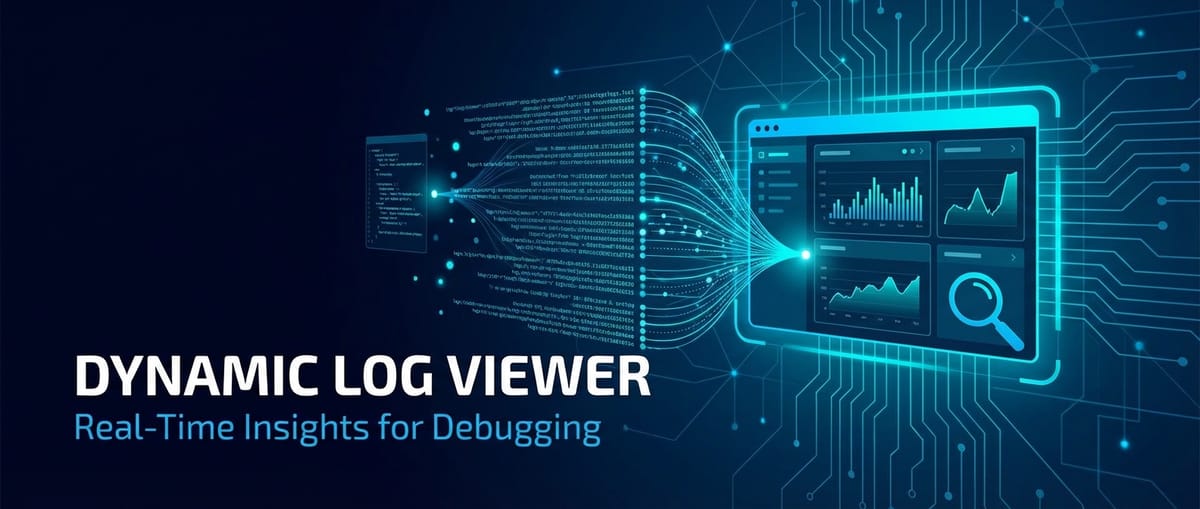
Enter the Dynamic Log Viewer, a sophisticated instrument engineered to pierce through the opacity of complex systems and deliver instantaneous, actionable insights. Far removed from the static, file-based log inspection methods of yesteryear, a dynamic log viewer provides a live, interactive window into the pulse of an application. It empowers engineers to monitor log streams as they happen, apply intricate filters on the fly, and correlate events across disparate services, all with the speed and precision demanded by today's hyper-connected digital landscape. This capability is particularly critical in environments where api gateways serve as the crucial traffic cop, orchestrating millions of api calls per day, each generating its own trail of events that must be meticulously tracked for effective debugging and performance optimization. This comprehensive exploration delves into the foundational principles, indispensable features, architectural underpinnings, and strategic importance of dynamic log viewers, illustrating how they are not just tools, but essential allies in the perpetual quest for robust, reliable, and high-performing software.
The Evolution of Logging and the Genesis of Dynamic Viewing
The journey of logging mirrors the evolution of software itself, progressing from rudimentary text files to highly structured, queryable data streams. In the nascent days of computing, logging was a simple affair: applications would write status messages, errors, and informational notes to a local file. Debugging involved painstakingly opening these files, often using basic command-line tools like grep and tail, to search for specific patterns or errors. This approach, while functional for monolithic applications running on single servers, quickly revealed its limitations as systems grew in complexity.
The inherent drawbacks of traditional logging became glaringly obvious with the advent of distributed systems. When an application was spread across multiple servers, or worse, across numerous distinct services, each generating its own set of log files, manually sifting through them became an insurmountable task. The sheer volume of logs, coupled with the need to correlate events across different machines and services, introduced significant delays into the debugging process. A critical issue might span multiple components, with key diagnostic information scattered across a dozen log files, each on a different server. The time to diagnose (MTTD – Mean Time To Detect) and subsequently resolve (MTTR – Mean Time To Resolve) issues ballooned, directly impacting system availability and operational costs.
This challenge spurred the development of centralized logging solutions. Pioneers in this space, such as the ELK stack (Elasticsearch, Logstash, Kibana), Splunk, and Graylog, revolutionized how logs were collected, stored, and analyzed. These platforms introduced the concept of log aggregation, where logs from all services and servers were funneled into a central repository. Once aggregated, these logs could be indexed, making them searchable and queryable across the entire system. This was a monumental leap forward, enabling engineers to search for specific error messages, filter by service or timestamp, and even build dashboards to visualize log patterns. While these centralized systems offered vast improvements over local file inspection, they primarily focused on historical analysis. There was still a gap in providing truly real-time, interactive insights without significant latency.
The demand for immediacy, especially in high-transaction environments and those driven by an api gateway managing myriad api calls, gave rise to the dynamic log viewer. This next generation of logging tool didn't just aggregate and index; it prioritized the real-time stream. It recognized that the most critical debugging often occurs during or immediately after an event, where the ability to watch logs unfold live, like a continuous telemetry feed, is paramount. This shift from batch processing and retrospective analysis to continuous, dynamic observation fundamentally changed the debugging paradigm. It empowered teams to identify, understand, and react to anomalies as they happened, drastically reducing the time spent identifying the root cause of issues and accelerating the path to resolution. The velocity and volume of logs generated by modern applications, especially those heavily leveraging apis, necessitate this level of dynamic observability, ensuring that operational teams are always one step ahead in maintaining system health and stability.
Core Features and Capabilities of a Dynamic Log Viewer
A dynamic log viewer is more than just a terminal tail -f command on steroids; it's a sophisticated ecosystem designed to bring clarity and control to the chaotic world of log data. Its power lies in a carefully curated set of features that collectively transform raw log entries into actionable intelligence, facilitating rapid debugging and proactive system management.
Real-time Tail and Streaming Capabilities
At its heart, a dynamic log viewer's most fundamental feature is its ability to display log data as it is generated, in real-time. This "live tail" functionality provides an uninterrupted stream of events as they occur across the entire system. Unlike traditional methods that require refreshing a page or re-executing a command, a dynamic viewer continuously updates, pushing new log entries to the user interface milliseconds after they are generated. This continuous flow is indispensable for observing system behavior during critical events, such as a new deployment, a performance spike, or an ongoing incident. It allows engineers to literally watch the system respond and generate logs, providing an immediate feedback loop that is impossible with historical analysis alone. For an api gateway handling thousands of requests per second, this real-time tail enables operators to instantly see incoming api calls, their processing stages, and any errors that might arise, providing unparalleled visibility into the data plane.
Advanced Filtering and Searching Mechanisms
The sheer volume of logs in a modern distributed system, especially one orchestrated by an api gateway, can be overwhelming. A dynamic log viewer must provide robust filtering and searching capabilities to distill this noise into meaningful signals. This goes beyond simple keyword matching, incorporating: * Structured Query Languages: Allowing users to construct complex queries using logical operators (AND, OR, NOT), field-based conditions (e.g., level:ERROR AND service:authentication), and comparison operators. * Regular Expressions (Regex): For pattern matching that requires more flexibility than simple text search, enabling engineers to find specific formats of IDs, error codes, or data structures. * Time-based Filters: Focusing on specific time windows, from the last few seconds to broader historical ranges, which is crucial for incident response or post-mortems. * Source-based Filters: Easily limiting logs to a specific service, host, container, pod, or even a particular api endpoint being managed by an api gateway.
These advanced filters empower users to quickly narrow down vast log streams to only the relevant entries, accelerating problem identification.
Highlighting, Formatting, and Visualization
Raw log entries, especially those in unstructured formats, can be difficult to parse visually. Dynamic log viewers enhance readability through: * Syntax Highlighting: Automatically applying color coding to different log levels (e.g., red for ERROR, yellow for WARN, green for INFO), keywords, or even structured log fields (like JSON keys/values). This provides immediate visual cues about the severity and nature of an event. * Pretty-Printing: Automatically formatting structured logs (JSON, XML) into a human-readable, indented format. This is invaluable when debugging api request/response bodies or complex application states logged in structured formats. * Table View and Field Extraction: Presenting structured log data in a tabular format, where each field is a column, making it easy to compare values across multiple log entries. * Graphical Visualizations: While primarily a log viewer, some sophisticated dynamic tools integrate basic charting capabilities to show log volume over time, error rates, or distribution of log levels, offering a quick dashboard-like overview.
Log Aggregation and Centralization
While the "viewer" aspect focuses on presentation, the underlying infrastructure for a dynamic log viewer must robustly handle log aggregation. It collects logs from an incredibly diverse array of sources: application servers, databases, load balancers, message queues, container orchestrators (Kubernetes), serverless functions, and crucially, api gateways. This aggregation typically involves agents (like Filebeat, Fluentd, Logstash) installed on individual hosts or integrated into application code, which push logs to a central ingestion pipeline. This centralization is fundamental; without it, real-time cross-system debugging would be impossible. The unified view of all logs is what transforms disparate data points into a coherent narrative of system behavior.
Structured Logging Support and Query Optimization
Modern applications are increasingly adopting structured logging, where logs are emitted as machine-readable data (e.g., JSON, key-value pairs) rather than plain text. This includes fields like timestamp, level, service_name, request_id, user_id, message, and potentially specific api parameters or gateway metrics. A dynamic log viewer that fully supports structured logging can parse these fields, index them, and allow for highly efficient, field-based querying. For instance, instead of searching for "user with ID 123 failed login", one can query event_type:login_failed AND user_id:123. This precision dramatically reduces query times and improves the accuracy of debugging, especially important when analyzing complex api interactions or api gateway routing decisions.
Tracing and Correlation IDs
In distributed systems, an operation often spans multiple services. An api request might hit an api gateway, then pass through an authentication service, a business logic service, and a database service before returning a response. Debugging such a flow requires linking log entries across all these services. Dynamic log viewers facilitate this through: * Correlation IDs (Trace IDs): By injecting a unique ID at the start of a request (e.g., at the api gateway) and propagating it through all subsequent service calls, log entries associated with that request can be uniquely identified. The dynamic log viewer can then filter or group logs by this correlation ID, presenting a complete end-to-end trace of a single operation. * Span IDs: Further breaking down a trace into individual operations (spans) within a service, providing even more granular insight into the duration and dependencies of each step.
This capability is perhaps one of the most powerful features for debugging microservices and api-driven architectures, enabling engineers to reconstruct the entire lifecycle of a request, pinpointing exactly where and when an error occurred within a complex distributed transaction.
Alerting and Notifications
Beyond passive viewing, dynamic log viewers can be configured for proactive monitoring. They can integrate with alerting systems to trigger notifications (e.g., via email, Slack, PagerDuty) when specific log patterns or thresholds are met. Examples include: * A sudden surge in ERROR-level logs from a critical service. * The appearance of a specific critical error message. * An increase in api gateway authentication failures above a certain rate. * Absence of expected "heartbeat" logs from a service.
This proactive alerting capability transforms debugging from a reactive exercise into a preventative measure, allowing teams to address issues before they escalate or impact users.
Historical Data Analysis
While real-time viewing is paramount, the ability to delve into historical log data remains crucial for root cause analysis, compliance, and auditing. Dynamic log viewers typically provide robust mechanisms to navigate through archived logs, apply the same powerful filtering and search capabilities, and extract insights from past events. This is essential for understanding long-term trends, identifying intermittent issues, or conducting post-mortems for incidents that have already occurred. For an api gateway, analyzing historical api call patterns can reveal usage trends, performance degradation over time, or evolving attack vectors.
User Interface and Experience (UI/UX)
Finally, the efficacy of a dynamic log viewer is heavily dependent on its user interface. A well-designed UI should be: * Intuitive: Easy to navigate, with clear controls for filtering, searching, and managing log streams. * Responsive: Capable of handling high volumes of real-time data without lagging or freezing. * Customizable: Allowing users to save favorite queries, create custom dashboards, or personalize display settings. * Collaborative: Supporting shared views or queries among team members.
A superior UI reduces cognitive load, allowing engineers to focus on interpreting data rather than wrestling with the tool itself, thereby significantly enhancing the overall debugging experience.
The Indispensable Role in Modern Architectures
The architectural paradigms dominating modern software development—microservices, serverless functions, containerization, and the pervasive use of APIs—are inherently complex and distributed. In these environments, the traditional debugging toolkit often falls short. Dynamic log viewers emerge as a critical enabler, providing the necessary visibility and agility to troubleshoot and maintain these intricate systems.
Debugging in Microservices Architectures
Microservices decompose monolithic applications into a collection of small, independently deployable services that communicate primarily through APIs. While offering benefits like scalability and resilience, this decomposition introduces significant debugging challenges: * Distributed Transactions: A single user request might traverse dozens of microservices. If an error occurs, pinpointing the exact service responsible can be a nightmare without a centralized, correlated log view. Dynamic log viewers, leveraging correlation IDs, provide the end-to-end tracing needed to follow a request's journey across service boundaries in real-time. Engineers can filter logs by a specific request_id and watch the corresponding log entries unfold across multiple services, identifying the precise point of failure. * Service-to-Service Communication: Issues often arise at the interface between services. A dynamic viewer can highlight api request failures, timeout errors, or unexpected response formats between microservices, allowing teams to quickly diagnose integration problems. * Ephemeral Nature: Microservice instances can scale up and down rapidly, making it difficult to access logs from specific, short-lived instances. Centralized log aggregation with dynamic viewing ensures that logs from all instances, regardless of their lifespan, are captured and accessible.
Monitoring and Debugging Serverless Functions
Serverless computing (e.g., AWS Lambda, Azure Functions) presents unique logging and debugging challenges due to its event-driven, ephemeral nature: * Cold Starts: Understanding the performance impact of cold starts on api invocations requires detailed logging of function startup times, which a dynamic viewer can help monitor in real-time. * Invocation Tracking: Each function invocation is a separate execution. A dynamic log viewer, especially one integrated with cloud provider logging services, can stream logs from individual invocations, allowing developers to trace the execution flow of a specific function instance. * Limited Access: Developers often don't have direct access to the underlying server. Logs become the primary (and often only) window into function behavior, making a dynamic, easily searchable viewer indispensable for diagnosing issues like configuration errors, permission problems, or runtime exceptions.
Navigating Logs in Containerized Environments and Kubernetes
Containers (Docker) and orchestration platforms (Kubernetes) introduce another layer of abstraction and dynamism: * Dynamic Pods: Kubernetes pods can be scheduled, rescheduled, and terminated frequently. Accessing logs directly from containers can be challenging as they are ephemeral. Log agents running within or alongside pods ensure logs are streamed out before a container or pod disappears. * Multi-Container Pods: A single pod can contain multiple containers, each generating logs. A dynamic log viewer consolidates these streams, presenting a unified view of the pod's activity. * Kubernetes Events: Beyond application logs, Kubernetes generates its own stream of events (pod creation/deletion, scaling events, resource issues). A holistic dynamic log viewer can integrate these events, providing context for application log anomalies. Debugging networking issues, persistent volume mounts, or container startup failures becomes vastly simpler when all relevant log data is centralized and viewable in real-time.
The Critical Role for APIs and API Gateways
Perhaps nowhere is the immediate feedback of a dynamic log viewer more crucial than in systems heavily reliant on APIs and particularly the api gateway. The api gateway is the frontline, handling all incoming api traffic, enforcing security, routing requests, applying rate limiting, and often transforming requests. It is a critical choke point where visibility is paramount.
- Debugging API Request/Response Cycles: Every
apicall generates logs detailing the incoming request, internal processing, and the outgoing response. A dynamic log viewer allows engineers to watch these events unfold for specificapiendpoints, identifying malformed requests, incorrect authentication headers, or unexpected response payloads. This is vital forapidevelopers to test and debug their interfaces efficiently. - Monitoring API Gateway Traffic and Health: An
api gatewaycan be a single point of failure. A dynamic log viewer provides real-time insights into the health of thegatewayitself:- Routing Issues: Identifying if requests are being routed incorrectly to downstream services.
- Authentication/Authorization Failures: Instantly seeing spikes in 401/403 errors, indicating a potential security misconfiguration or attack.
- Rate Limiting Violations: Observing when clients hit their
apiusage limits, prompting proactive communication or adjustments. - Performance Bottlenecks: Detecting slow
apiresponses either due togatewayoverhead or issues with downstream services. By monitoring thegateway's logs, operations teams can quickly ascertain if thegatewayitself is stressed or if it's merely reflecting issues from backend services.
Leveraging Dynamic Logs with APIPark: For instance, platforms like ApiPark, an open-source AI gateway and API management platform, provide detailed API call logging, recording every facet of an API interaction. This rich data, when streamed into a dynamic log viewer, becomes an invaluable asset for tracing requests, identifying performance bottlenecks, or diagnosing authentication issues right at the api gateway layer. APIPark's comprehensive logging capabilities mean that every request, its parameters, response, and any errors, are meticulously recorded. When ingested by a dynamic log viewer, this data can be filtered by api endpoint, client ID, or response status, offering granular control and real-time visibility into the health and performance of all managed APIs. This synergy between a robust api gateway and a dynamic log viewer ensures that businesses can quickly trace and troubleshoot issues in API calls, ensuring system stability and data security. The detailed logs from APIPark, when combined with a dynamic log viewer's capabilities, offer powerful data analysis, allowing for the detection of long-term trends and performance changes, which is crucial for proactive maintenance and preventing issues before they impact users.
The ability to instantly see what's happening at the api layer is paramount. If an external client reports an api issue, a dynamic log viewer allows support teams to immediately check the api gateway logs for that client's requests, seeing the exact error they encountered without delay. This responsiveness drastically improves customer satisfaction and reduces issue resolution times. The visibility offered by a dynamic log viewer into the api gateway's operations is not just for debugging; it's a critical component of security monitoring, performance analysis, and operational intelligence.
| Feature Aspect | Traditional Log Viewing (e.g., grep, file tail) |
Dynamic Log Viewer |
|---|---|---|
| Real-time Access | Manual refresh/re-execution, limited streaming | Continuous, automatic streaming of new logs |
| Log Aggregation | Manual collection from various hosts | Automatic, centralized collection from all sources |
| Search & Filtering | Basic regex, line-by-line matching | Advanced query language, field-based, regex, time |
| Cross-System Context | Extremely difficult, manual correlation | Correlation IDs, unified view across services |
| Data Format Handling | Plain text, manual parsing | Structured log parsing (JSON, key-value), pretty-printing |
| Visual Cues | Limited (terminal colors) | Syntax highlighting, color-coded levels |
| Proactive Alerting | Not natively supported | Integrated alerting on log patterns/thresholds |
| Performance | Can be slow on large files | Optimized for high-volume, real-time data |
| UI/UX | Command-line, basic text editor | Interactive web interface, rich features |
| Scalability | Poor for distributed environments | Designed for large-scale, distributed systems |
APIPark is a high-performance AI gateway that allows you to securely access the most comprehensive LLM APIs globally on the APIPark platform, including OpenAI, Anthropic, Mistral, Llama2, Google Gemini, and more.Try APIPark now! 👇👇👇
Technical Deep Dive: How Dynamic Log Viewers Work
Understanding the technical underpinnings of a dynamic log viewer reveals the sophisticated engineering required to deliver real-time insights from massive, distributed log streams. It's a complex interplay of data ingestion, streaming, storage, indexing, and presentation layers.
Log Ingestion and Collection
The journey of a log entry begins at its source: the application, service, or infrastructure component generating it. Dynamic log viewers rely on robust ingestion mechanisms to collect these logs: * Agents/Collectors: Lightweight software agents (e.g., Fluentd, Logstash, Filebeat, Vector) are deployed on individual hosts, within containers, or alongside applications. These agents are configured to monitor specific log files, standard output (stdout/stderr), or network ports. They then parse the logs (often converting them to a structured format like JSON), enrich them with metadata (e.g., hostname, service name, api endpoint), and forward them to a central ingestion pipeline. * SDKs/Libraries: Applications can directly send logs to the ingestion pipeline using specific SDKs or logging libraries. This method is common for structured logging and often provides more control over log content and formatting. * API Gateways: An api gateway like APIPark itself is a significant source of logs, detailing every api call, its headers, body, response, latency, and any errors. These gateway logs are crucial and are typically forwarded through agents or direct integration into the central logging system.
Streaming Architectures: The Backbone of Real-time
Once collected, logs need to be transported efficiently and reliably to the processing and storage layers. This is where streaming architectures play a pivotal role: * Message Queues/Brokers: Technologies like Apache Kafka, Amazon Kinesis, RabbitMQ, or Google Pub/Sub serve as high-throughput, fault-tolerant message brokers. Log agents publish logs to these queues, which act as a buffer and distribution hub. This decouples log producers from consumers, ensuring that even if downstream components are temporarily unavailable or overwhelmed, no log data is lost. It also enables multiple consumers (e.g., an indexing service, an archiving service, an alerting engine) to process the same log stream independently. * Scalability: These streaming platforms are designed for horizontal scalability, capable of handling petabytes of data per day with low latency, which is essential for environments generating high volumes of api traffic logs.
Storage Solutions: Balancing Speed and Retention
Logs are often stored in specialized databases optimized for time-series data and full-text search: * Elasticsearch: A popular choice due to its powerful search capabilities, scalability, and ability to handle structured and unstructured log data. Logs are indexed, allowing for fast, complex queries. * OpenSearch: A community-driven, open-source fork of Elasticsearch, offering similar capabilities. * NoSQL Databases: Other options like MongoDB or Cassandra might be used for specific log types or archival purposes, though they might require additional layers for full-text search. * Object Storage (for Archival): For long-term retention and compliance, logs (often in their raw or compressed form) are frequently moved to cost-effective object storage solutions like Amazon S3, Google Cloud Storage, or Azure Blob Storage after a certain period in the primary indexing store.
Indexing and Querying: Unlocking Insights
The ability to quickly search and filter logs is directly dependent on effective indexing: * Inverted Indexes: Used by search engines like Elasticsearch, an inverted index maps words or terms to the documents (log entries) in which they appear. This allows for extremely fast full-text searches. * Field-based Indexing: For structured logs, individual fields (e.g., level, service_name, request_id) are indexed, enabling highly efficient, targeted queries on specific attributes. * Query Languages: Users interact with the indexed data using specialized query languages (e.g., Elasticsearch's Query DSL, Lucene query syntax, or custom high-level languages). These languages allow for complex combinations of full-text search, field-based filtering, range queries, and aggregations.
Real-time Processing and Transformation
Before logs reach the storage layer or are presented to the viewer, they often undergo real-time processing: * Stream Processing Engines: Frameworks like Apache Flink, Spark Streaming, or Kafka Streams can process log data in real-time as it flows through the message queue. This enables: * Data Enrichment: Adding geographical location based on IP address, looking up user details from a separate database based on user_id, or adding contextual metadata. * Transformation: Reformatting log entries, masking sensitive data (e.g., credit card numbers, PII), or extracting specific values. * Anomaly Detection: Identifying unusual patterns or spikes in log volume or error rates in real-time. * Aggregation for Metrics: Calculating metrics (e.g., api error rate, average api latency) from log streams and forwarding them to a monitoring system.
Frontend Technologies: The User Experience
The dynamic log viewer's user interface is the final link in the chain, responsible for presenting the processed logs in an interactive, real-time manner: * WebSockets: The cornerstone of real-time communication. WebSockets establish a persistent, bidirectional communication channel between the client (web browser) and the server. This allows the server to push new log entries to the client as soon as they become available, without the client needing to constantly poll for updates. This is crucial for the "live tail" experience. * Single-Page Application (SPA) Frameworks: Modern frontend frameworks like React, Angular, or Vue.js are used to build rich, interactive user interfaces that can efficiently render and update large volumes of data. * Server-Side Rendering/APIs: A backend api layer serves as the interface between the frontend and the log storage/indexing system. This layer handles query processing, data retrieval, and potentially further transformation before sending data to the client via WebSockets or REST APIs. * Client-Side Filtering and Presentation: While much of the heavy lifting for filtering happens server-side, some presentation-level filtering, highlighting, and formatting can occur client-side for immediate user feedback.
This intricate architecture, with its layers of data ingestion, real-time streaming, intelligent storage, and sophisticated frontends, collectively enables dynamic log viewers to provide the lightning-fast, comprehensive insights necessary for debugging today's complex, api-driven software systems.
Best Practices for Maximizing Dynamic Log Viewer Utility
Merely deploying a dynamic log viewer isn't sufficient; its true power is unlocked when coupled with intelligent logging practices within the applications themselves. Adhering to certain best practices ensures that the logs generated are not just abundant, but also rich, consistent, and easily consumable by the viewer, transforming it into an even more potent debugging instrument.
Embrace Structured Logging
This is arguably the single most impactful best practice. Instead of emitting unstructured text strings, applications should log data in a structured, machine-readable format, most commonly JSON. * Why it helps: Structured logs contain distinct fields (e.g., timestamp, level, service_name, request_id, user_id, message, api_path, http_status). A dynamic log viewer can parse these fields, index them, and allow for precise, field-based queries. Searching for level:ERROR AND service:billing is vastly more efficient and accurate than a regex search on unstructured text. For an api gateway, structured logs can include fields like client_ip, api_key, latency_ms, upstream_service, making debugging api interactions incredibly detailed. * Implementation: Use logging libraries in your programming language that support structured output (e.g., Logback in Java, Serilog in .NET, Zap or Logrus in Go, Bunyan in Node.js).
Implement Consistent Logging Levels
Every log entry should be assigned an appropriate severity level. Standard levels include: * DEBUG: Highly granular information useful for local development and detailed troubleshooting. Should generally be disabled in production. * INFO: General operational messages, indicating normal application flow, significant events (e.g., api request received, user logged in). * WARN: Potential issues that don't immediately disrupt functionality but might indicate future problems (e.g., deprecated api usage, slow query). * ERROR: Problems that disrupt normal operation but the application can recover (e.g., failed api call, database connection error). * FATAL: Critical errors that typically lead to application termination or severe system failure. * Why it helps: Consistent levels allow dynamic log viewers to filter logs by severity, enabling engineers to quickly focus on critical issues (ERROR/FATAL) or drill down into diagnostic details (DEBUG) when needed. It also facilitates setting up effective alerts.
Inject Contextual Information
Logs are far more useful when they carry contextual metadata that helps link them to specific operations or users. * Correlation IDs/Trace IDs: As discussed, inject a unique ID at the beginning of an api request (e.g., in the api gateway) and propagate it through all downstream services. Log every event with this ID. This allows a dynamic log viewer to reconstruct the entire journey of a request across a distributed system. * User IDs/Session IDs: When applicable, include user or session identifiers in logs to track user-specific issues. * Request Details: For apis, include api path, HTTP method, client IP, and perhaps a truncated request body (carefully considering sensitive data). * Service Version: Log the version of the service or application generating the log. This is crucial for debugging after deployments. * Why it helps: Contextual information transforms isolated log entries into a coherent narrative, making it much easier to diagnose issues that span multiple services or affect specific users or api calls.
Mask Sensitive Data
Security and compliance are paramount. Logs should never contain sensitive information such as: * Passwords * Credit card numbers (PCI-DSS) * Personally Identifiable Information (PII) like national IDs, full names (GDPR, HIPAA) * API keys or secret tokens * Why it helps: Prevents data breaches, reduces the risk of compliance violations, and ensures that your log viewing infrastructure doesn't become a security liability. * Implementation: Implement robust redaction or masking logic in your logging framework or at the log ingestion pipeline (e.g., using Logstash filters or stream processing functions).
Optimize Log Performance and Volume
While logs are vital, excessive logging can create its own set of problems: * Performance Overhead: Generating too many logs, especially verbose DEBUG logs in production, can impact application performance due to disk I/O, CPU cycles for formatting, and network bandwidth for transmission. * Cost: Log ingestion, storage, and indexing can be expensive, especially at scale. * Noise-to-Signal Ratio: Overly verbose logs make it harder to find meaningful information. * Why it helps: Reduces operational costs, minimizes performance impact, and improves the signal-to-noise ratio in the log stream. * Implementation: Carefully manage logging levels in different environments (e.g., INFO in production, DEBUG in staging). Implement sampling for very high-volume, less critical logs. Consider asynchronous logging to minimize application thread blocking.
Integrate with CI/CD Pipelines
Proactive detection of issues is always better than reactive debugging in production. * Automated Log Analysis in CI: During integration or acceptance testing, incorporate checks that analyze logs for unexpected errors or warnings. * Log-Based Alerts on Deployment: Configure temporary alerts for critical log patterns immediately after a new deployment to quickly identify regressions. * Why it helps: Catches issues earlier in the development lifecycle, preventing them from reaching production and impacting users. A dynamic log viewer can be used to monitor the logs of newly deployed services or api gateway configurations in a staging environment before promotion to production.
By diligently applying these best practices, organizations can transform their log data from a mere record of events into a powerful, real-time diagnostic asset. This proactive and structured approach not only maximizes the utility of a dynamic log viewer but fundamentally enhances the overall observability, reliability, and security of modern software systems, especially those managing a complex ecosystem of apis.
Challenges and Future Trends in Dynamic Log Viewing
While dynamic log viewers offer unparalleled advantages in debugging and operational intelligence, their implementation and ongoing management come with a unique set of challenges. Furthermore, the field is continuously evolving, with new trends promising to further enhance their capabilities.
Challenges
- Data Volume and Cost Management: Modern distributed systems, particularly those with high
apithroughput or extensive microservices, generate an astronomical volume of logs. Ingesting, processing, indexing, and storing this data can become prohibitively expensive, both in terms of infrastructure costs (compute, storage, network) and licensing fees for commercial solutions. Managing this cost while retaining critical debugging fidelity is a constant balancing act. Strategies involve intelligent sampling, aggressive data retention policies, and tiering storage based on log age and access frequency. - Security and Compliance: Logs often contain sensitive operational data, even after efforts to mask PII. Ensuring the security of log data in transit and at rest, along with strict access controls, is paramount. Compliance requirements like GDPR, HIPAA, and SOC 2 necessitate careful consideration of data residency, retention periods, and audit trails for log access. A compromise of the logging infrastructure could be as damaging as a compromise of the application itself.
- Noise vs. Signal: Drowning in Logs: While structured logging helps, the sheer volume of
INFOandDEBUGlevel logs can still make it difficult to identify the truly critical events. Debugging often becomes a process of filtering out noise rather than finding a clear signal. This "alert fatigue" can lead to missed critical issues. Fine-tuning logging levels, implementing sophisticated filtering rules, and developing robust correlation mechanisms are ongoing battles. - Complexity of Setup and Maintenance: Building and maintaining a robust, scalable dynamic log viewing system, especially a self-hosted one based on technologies like the ELK stack, requires significant expertise in distributed systems, database administration, and network engineering. This complexity can be a barrier for smaller teams or those lacking specialized DevOps resources. Even managed services require careful configuration and monitoring.
- Integration Challenges: Integrating log collectors with diverse application frameworks, infrastructure components, and cloud services can be challenging. Ensuring consistent log formats, proper metadata enrichment, and reliable data transmission across heterogeneous environments requires careful planning and ongoing maintenance. This is particularly true for custom
apisolutions that may not fit standard logging patterns.
Future Trends
- AI/ML for Log Analysis and Anomaly Detection: This is perhaps the most exciting frontier. AI and Machine Learning algorithms are increasingly being applied to log data to:
- Automated Anomaly Detection: Identify unusual patterns (e.g., sudden spikes in error rates, deviations from normal
apicall volumes, unusualapi gatewayaccess patterns) that human operators might miss. - Root Cause Analysis Automation: Group similar errors, suggest potential root causes based on historical data, and correlate events across services more intelligently than simple correlation IDs.
- Log Clustering and Pattern Recognition: Automatically identify recurring log patterns, reducing the amount of raw data a human needs to sift through.
- Predictive Insights: Forecast potential issues before they impact users, based on leading indicators in log streams. This could involve predicting an
apiservice degradation based on subtle changes in its log output.
- Automated Anomaly Detection: Identify unusual patterns (e.g., sudden spikes in error rates, deviations from normal
- Enhanced Observability Platforms: The trend is moving beyond just "logs" to a more holistic "observability" approach, which integrates logs, metrics, and traces into a single platform. Dynamic log viewers will increasingly become a component of these broader observability suites, allowing engineers to seamlessly pivot from a metric graph to relevant log entries, or from a distributed trace to the detailed logs of a specific span. This integrated view provides a richer context for debugging.
- Contextual AI-Assisted Debugging: Imagine a dynamic log viewer that not only shows you the log stream but also, powered by an underlying AI model, suggests potential causes for an error, links to relevant documentation, or even proposes fixes based on observed patterns. This moves beyond passive viewing to active, intelligent assistance. This could be particularly transformative for
api gatewaylogs, where an AI could analyzeapiusage patterns to flag potential security threats or efficiency issues. - Serverless-Native Logging Solutions: As serverless adoption grows, logging solutions are evolving to be more tightly integrated with serverless platforms, offering more granular control, automated collection, and cost optimization specific to the ephemeral nature of functions.
- Open Standards and Interoperability: Efforts like OpenTelemetry aim to standardize how telemetry data (logs, metrics, traces) is collected and exported. This will lead to greater interoperability between different logging tools and platforms, reducing vendor lock-in and simplifying the adoption of advanced dynamic log viewing capabilities.
The future of dynamic log viewing is poised to be more intelligent, integrated, and proactive. As software systems continue to grow in complexity and criticality, the tools that provide real-time insights into their behavior will remain at the forefront of operational excellence and debugging efficiency, constantly adapting to meet the evolving demands of the digital world.
Conclusion
In the fast-paced, ever-evolving landscape of modern software development and operations, the ability to rapidly diagnose and resolve issues is a cornerstone of success. Systems are no longer monolithic, but intricate tapestries of microservices, serverless functions, and containerized applications, all interconnected and orchestrated by APIs, often via a central api gateway. This complexity, while offering unparalleled flexibility and scalability, simultaneously introduces profound debugging challenges. The sheer volume, velocity, and distributed nature of operational data necessitate a sophisticated approach to understanding system behavior.
The Dynamic Log Viewer stands as an indispensable tool in this paradigm. It transcends the limitations of traditional, static log analysis by offering a live, interactive window into the pulse of an application. By providing real-time log streaming, powerful filtering capabilities, structured data support, and crucially, the ability to trace events across distributed services using correlation IDs, it empowers developers and operations teams with unprecedented visibility. Whether it's pinpointing a misconfigured api endpoint at the api gateway layer, tracking a complex transaction across multiple microservices, or identifying a subtle performance degradation in a serverless function, a dynamic log viewer delivers the precision and speed required to cut through the noise and get to the root cause.
The strategic integration of detailed logging capabilities, such as those offered by platforms like ApiPark, with a robust dynamic log viewer, further amplifies this power. Such synergy ensures that every api call, every gateway decision, and every system event is meticulously recorded and instantly accessible for analysis. By adhering to best practices like structured logging, consistent logging levels, and the inclusion of rich contextual information, organizations can transform their raw log data into an invaluable asset for proactive monitoring, rapid debugging, and continuous improvement.
Ultimately, the dynamic log viewer is more than just a utility; it is a critical enabler of operational excellence, security, and system stability in the age of distributed computing. It reduces Mean Time To Detect (MTTD) and Mean Time To Resolve (MTTR), thereby minimizing downtime, enhancing user experience, and safeguarding business continuity. As we look towards an increasingly AI-driven and interconnected future, the evolution of these tools, integrating advanced analytics and predictive intelligence, will continue to redefine the art and science of debugging, ensuring that even the most complex systems remain transparent, manageable, and resilient.
FAQ
1. What is a Dynamic Log Viewer and how does it differ from traditional logging? A Dynamic Log Viewer is a sophisticated tool that provides real-time, interactive access to log streams generated by software systems. Unlike traditional logging, which often involves manually inspecting static log files (e.g., using grep or tail -f), a dynamic viewer automatically aggregates logs from multiple sources, indexes them, and streams them live to a user interface. It offers advanced features like powerful filtering, searching with structured queries, syntax highlighting, and the ability to correlate events across distributed services using unique identifiers, drastically accelerating debugging and operational insights compared to manual, file-based methods.
2. Why is a Dynamic Log Viewer particularly important for systems using APIs and API Gateways? Systems heavily reliant on APIs and API Gateways generate a massive volume of highly critical log data. An api gateway acts as the entry point for numerous api calls, handling routing, authentication, and security. A dynamic log viewer is crucial here because it allows operations teams to: * Monitor api request/response cycles in real-time. * Instantly detect authentication/authorization failures or routing issues at the api gateway. * Pinpoint performance bottlenecks associated with specific api endpoints. * Trace the full journey of an api request across multiple downstream microservices. Without real-time insights, diagnosing issues affecting api consumers or backend services becomes significantly slower and more complex.
3. What are "structured logs" and why are they important for a Dynamic Log Viewer? Structured logs are log entries formatted as machine-readable data, typically JSON or key-value pairs, rather than unstructured text. They contain distinct fields (e.g., timestamp, level, service_name, request_id, api_path). They are vital for a Dynamic Log Viewer because they allow the viewer to: * Parse and index logs efficiently, enabling highly precise, field-based queries (e.g., level:ERROR AND service:auth). * Extract specific data points (like latency_ms or http_status) for analysis and visualization. * Automate log processing and correlation with greater accuracy. This machine-readable format transforms logs from simple text records into queryable data, significantly enhancing debugging capabilities.
4. How does a Dynamic Log Viewer help debug distributed microservices applications? Microservices applications are inherently complex, with operations often spanning many independent services. A Dynamic Log Viewer addresses this by: * Centralized Aggregation: Collecting logs from all microservices into a single, searchable platform. * Correlation IDs/Trace IDs: Enabling the injection and propagation of unique identifiers for each user request. The viewer can then filter or group all log entries by this ID, showing the entire "trace" of a request across all services involved. * Real-time Visibility: Allowing engineers to watch log streams from multiple services simultaneously, providing immediate feedback on how a request is progressing and where it might be failing in the distributed chain. This capability is essential for understanding end-to-end transaction flows and quickly isolating the root cause of issues in complex distributed environments.
5. What are the key best practices for making the most of a Dynamic Log Viewer? To maximize the utility of a Dynamic Log Viewer, follow these key best practices: * Structured Logging: Always emit logs in a machine-readable format like JSON. * Consistent Logging Levels: Use standard severity levels (DEBUG, INFO, WARN, ERROR, FATAL) consistently across all services. * Contextual Information: Include relevant metadata like correlation IDs, user IDs, service versions, and api path details in every log entry. * Mask Sensitive Data: Ensure no sensitive information (passwords, PII, API keys) is ever logged. * Optimize Log Volume: Manage logging levels carefully to avoid excessive noise and control costs, especially in production environments. * Integrate with CI/CD: Incorporate log analysis into your continuous integration/delivery pipelines to catch issues earlier.
🚀You can securely and efficiently call the OpenAI API on APIPark in just two steps:
Step 1: Deploy the APIPark AI gateway in 5 minutes.
APIPark is developed based on Golang, offering strong product performance and low development and maintenance costs. You can deploy APIPark with a single command line.
curl -sSO https://download.apipark.com/install/quick-start.sh; bash quick-start.sh

In my experience, you can see the successful deployment interface within 5 to 10 minutes. Then, you can log in to APIPark using your account.

Step 2: Call the OpenAI API.