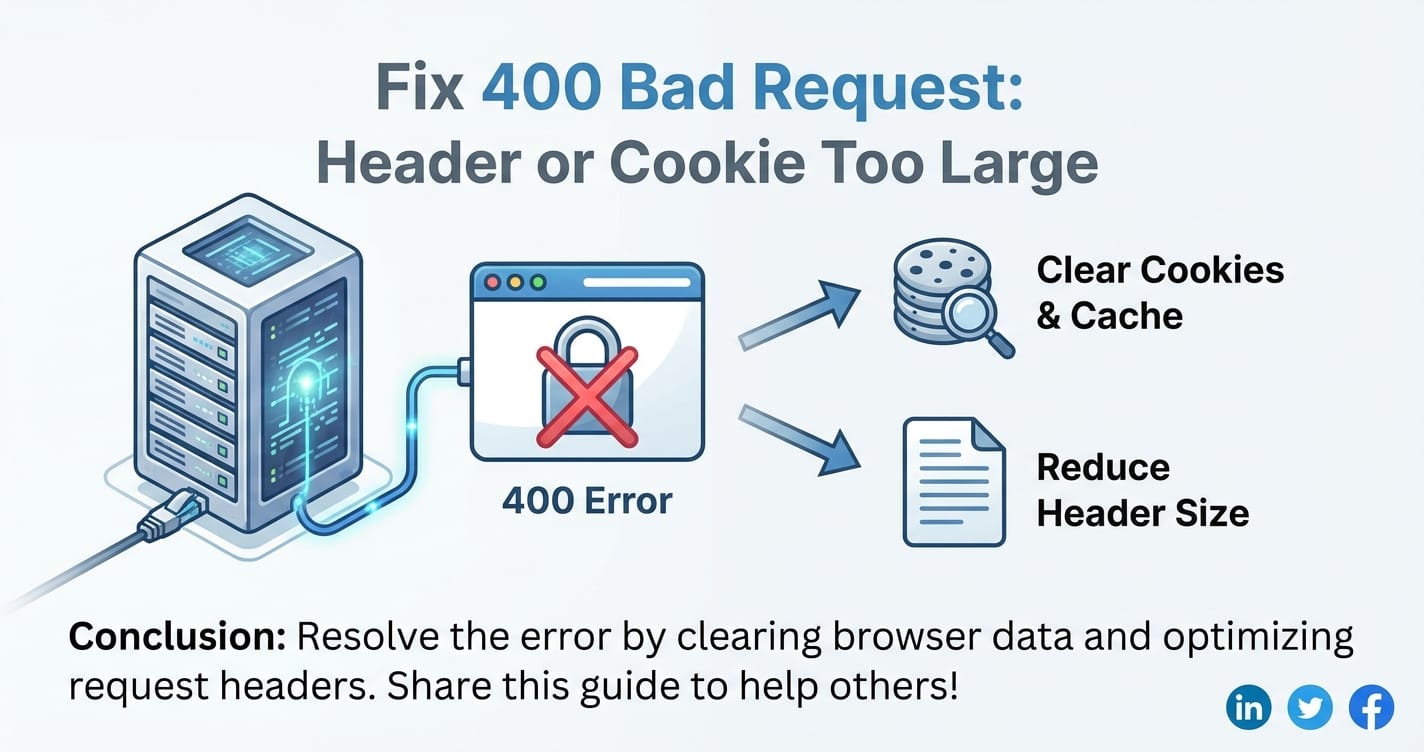
Fix 400 Bad Request: Header or Cookie Too Large



The digital landscape is rife with subtle challenges that can disrupt the seamless flow of information. Among the most perplexing and frustrating errors that web developers, system administrators, and even end-users encounter is the ubiquitous "400 Bad Request." While this status code broadly signals that the server cannot understand or process the request due to a client error, a particularly insidious variant is when the accompanying message points to "Header or Cookie Too Large." This specific error indicates that the HTTP request sent by the client, whether it's a web browser, a mobile application, or an API client, has exceeded the server's predefined limits for the size of its request headers or the aggregate size of its cookies.
This is not merely a transient glitch; it's a symptom of a deeper architectural or operational issue, one that can significantly impair user experience, disrupt critical business processes, and even pose security risks if not properly addressed. Understanding the root causes of this error requires a meticulous exploration of the HTTP protocol, web server configurations, client-side behaviors, and the intricate dance between various components in a modern web infrastructure, including api gateway solutions that often sit at the forefront of handling requests. This comprehensive guide will delve into the intricacies of diagnosing and resolving the "400 Bad Request: Header or Cookie Too Large" error, providing actionable insights for professionals grappling with this challenge. We will navigate through the client-side culprits, dissect server-side configurations, explore the role of intermediaries like proxies and load balancers, and offer a suite of proactive strategies to prevent its recurrence, all while maintaining a human touch in our explanations.
Chapter 1: Deciphering the 400 Bad Request – The Fundamentals of HTTP and Limits
Before we can effectively troubleshoot and fix the "400 Bad Request: Header or Cookie Too Large" error, it's imperative to establish a foundational understanding of what HTTP status codes signify and, more specifically, the roles of headers and cookies within the HTTP request-response cycle. This context is not merely academic; it provides the essential framework for diagnosing the problem accurately.
The Language of the Web: HTTP Status Codes
The Hypertext Transfer Protocol (HTTP) is the backbone of data communication on the World Wide Web. When a client (e.g., your browser) sends a request to a server, the server processes that request and responds with a status code, a three-digit number that communicates the outcome of the request. These codes are categorized into five classes:
- 1xx Informational: The request was received, continuing process.
- 2xx Success: The request was successfully received, understood, and accepted.
- 3xx Redirection: Further action needs to be taken to complete the request.
- 4xx Client Error: The request contains bad syntax or cannot be fulfilled.
- 5xx Server Error: The server failed to fulfill an apparently valid request.
The "400 Bad Request" falls squarely into the client error category. It's a generic catch-all for when the server believes the client has sent a malformed request. While it doesn't always specify the exact nature of the problem, the explicit message "Header or Cookie Too Large" narrows the focus considerably, pointing directly to the size of specific components within the HTTP request. This clarity is a valuable starting point, telling us that the issue isn't with the server being down (500-level error) or authorization failures (401/403), but rather with the sheer volume of data being sent in the request's metadata.
The Role of Headers in HTTP Requests
Every HTTP request and response carries a set of headers – metadata that provides contextual information about the message body, the sender, the receiver, or the transaction itself. These headers are structured as key-value pairs (e.g., User-Agent: Mozilla/5.0, Accept-Encoding: gzip, deflate). In an HTTP request, headers convey critical information such as:
- User-Agent: Identifies the client software.
- Host: The domain name of the server (for virtual hosting).
- Accept: Acceptable media types for the response.
- Authorization: Credentials for authenticating a user agent with a server.
- Referer: The address of the previous web page from which a link to the current page was followed.
- Custom Headers: Application-specific headers often used for custom authentication tokens, tracing IDs, or other bespoke metadata.
Each header contributes to the overall size of the request. While individually they might seem insignificant, a multitude of headers, or even a single header with an unusually long value, can quickly inflate the total request header size beyond acceptable limits. For instance, a long-lived session identifier or a complex security token embedded directly into a custom header could become a significant contributor to this issue.
The Significance of Cookies
Cookies are small pieces of data that websites store on a user's web browser. They are a specific type of HTTP header, specifically the Cookie header in requests and Set-Cookie header in responses. Their primary purpose is to remember stateful information, which is otherwise impossible in the stateless HTTP protocol. Common uses for cookies include:
- Session Management: Keeping a user logged in, remembering shopping cart contents.
- Personalization: Remembering user preferences, themes, or layouts.
- Tracking: Monitoring user behavior across websites for analytics or advertising.
When a browser makes a request to a domain, it automatically sends all cookies associated with that domain along with the request. The cumulative effect of numerous cookies, some potentially very large (e.g., storing complex JSON objects directly), can easily push the "Cookie" header's size beyond what the server or an intermediary is configured to handle. Third-party cookies, often from embedded advertising or analytics scripts, further exacerbate this problem by adding to the cookie burden without directly serving the primary application's functionality.
Why Size Limits Exist: Performance, Security, and Resource Management
The imposition of limits on header and cookie sizes is not arbitrary; it's a critical aspect of sound web infrastructure design, driven by several fundamental concerns:
- Performance Optimization: Processing extremely large headers consumes more server CPU cycles and memory. Each byte needs to be parsed, allocated, and potentially stored. While modern servers are powerful, an unrestricted header size could open the door to inefficient resource utilization, particularly under high traffic loads.
- DDoS Protection: Large requests, especially in headers, can be a vector for Denial-of-Service (DDoS) attacks. An attacker could craft deliberately oversized requests to overwhelm a server's processing capabilities, making it unresponsive to legitimate traffic. By limiting header size, servers can quickly reject malicious requests before they consume too many resources.
- Memory Management: Each incoming request requires memory allocation on the server to store its headers. If headers are excessively large, this can lead to memory exhaustion, especially for high-concurrency servers. Strict limits ensure that server memory is used efficiently and predictably.
- Network Efficiency: While headers are typically small, an accumulation of very large headers over many requests can add up to significant bandwidth consumption, particularly for clients on slower connections.
- Application Logic Simplicity: Encouraging developers to keep header data concise promotes cleaner application design. Complex, large data should ideally reside in the request body (for POST/PUT requests) or be managed server-side, not in the metadata.
These limits are enforced at various layers of the web infrastructure, from the web server itself to any upstream proxies, load balancers, or api gateway solutions that handle incoming traffic. When the "400 Bad Request: Header or Cookie Too Large" error appears, it signifies that one of these layers has detected an infraction of its configured size constraints. Understanding these underlying principles is the first step towards effectively diagnosing and rectifying the issue, ensuring that the web application operates efficiently and securely.
Chapter 2: Common Causes of "Header or Cookie Too Large" – A Deep Dive into Culprits
The "400 Bad Request: Header or Cookie Too Large" error is rarely due to a single, isolated factor. More often, it's a confluence of circumstances, stemming from either the client's behavior, the server's configuration, or a combination of both. To effectively troubleshoot, we must methodically examine the common causes from both ends of the communication channel, acknowledging that intermediaries like proxies and load balancers also play a crucial role.
Client-Side Factors: The User's Browser and Application
While the error message originates from the server, the seed of the problem often lies with the client's HTTP request.
- Excessive Number of Cookies:
- The Problem: Modern websites and web applications frequently rely on numerous cookies for various functions. Session cookies, authentication tokens, personalization preferences, marketing trackers, analytics identifiers, and third-party advertising cookies all accumulate. Each time a request is made to a domain (and its subdomains), the browser sends all relevant cookies. Over time, particularly during extended browsing sessions or interactions with complex applications, the sheer quantity of cookies can swell the
Cookieheader to an unmanageable size. - Implications: A large number of small cookies can collectively exceed limits, even if no single cookie is particularly large. This is common in environments with many integrated third-party services.
- Example: A user might visit multiple pages, log in and out, interact with various widgets, and trigger several tracking scripts, each setting new cookies.
- The Problem: Modern websites and web applications frequently rely on numerous cookies for various functions. Session cookies, authentication tokens, personalization preferences, marketing trackers, analytics identifiers, and third-party advertising cookies all accumulate. Each time a request is made to a domain (and its subdomains), the browser sends all relevant cookies. Over time, particularly during extended browsing sessions or interactions with complex applications, the sheer quantity of cookies can swell the
- Large Individual Cookies:
- The Problem: Beyond the quantity, the size of individual cookies can be problematic. While cookies are intended for small pieces of data, developers sometimes store relatively large JSON objects, base64-encoded strings, or extensive session data directly within a cookie. This might happen due to misconfigured application logic, a misunderstanding of cookie best practices, or an attempt to maintain client-side state without a server-side session store.
- Implications: A single oversized cookie can immediately trigger the "too large" error. This is often an application-level design flaw.
- Example: A complex single-page application (SPA) might try to store a user's entire profile or a large part of its application state in a cookie for persistence across refreshes, instead of using server-side sessions or client-side storage mechanisms like
localStorage.
- Browser Extensions and Add-ons:
- The Problem: Many browser extensions enhance functionality, protect privacy, or automate tasks. However, some extensions can inadvertently interfere with HTTP requests by injecting their own, potentially large, custom headers or by adding numerous cookies. Security extensions, ad blockers, developer tools, and VPN clients are common culprits.
- Implications: This introduces an unpredictable variable. The issue might only affect users with specific extensions, making it harder to diagnose without access to client-side configurations.
- Example: A debugging extension might inject verbose tracing headers into every request, or a privacy extension might add a unique identifier that, when combined with other data, pushes the header size over the limit.
- Misconfigured Client-Side Scripts or Applications:
- The Problem: Client-side JavaScript code in web applications or native mobile applications might be erroneously adding custom headers with excessively long values. This could be due to a bug, an overly verbose logging mechanism, or an attempt to transmit large amounts of data in headers rather than the request body.
- Implications: This is an application bug that needs to be addressed by developers. It indicates a fundamental misunderstanding of how HTTP headers should be used.
- Example: An application might mistakenly encode an entire client-side cache or a large form payload into a custom HTTP header for a GET request, which is an anti-pattern.
Server-Side Factors: Configuration and Intermediaries
Even if the client behaves perfectly, the server infrastructure itself can impose limits that are too restrictive for the legitimate traffic it's meant to handle.
- Web Server Configurations:
- The Problem: Popular web servers like Apache, Nginx, and IIS have configurable directives that dictate the maximum permissible size for request headers. If these limits are set too low, even moderately sized, legitimate requests can be rejected.
- Apache HTTP Server: The
LimitRequestFieldSizedirective (andLimitRequestLine) controls the maximum size of any single HTTP request header field and the request-line itself. The default is often 8190 bytes (8KB). - Nginx: The
large_client_header_buffersdirective defines the maximum number and size of buffers for reading large client request headers. If a header exceeds the buffer size, Nginx returns a 400 error. Theclient_header_buffer_sizealso plays a role for individual headers. - Microsoft IIS: Configuration settings like
maxRequestHeadersandmaxUrlwithin thehttpRuntimesection (ormaxFieldLengthandmaxRequestBytesinrequestLimitsfor specific request filtering) control the total size of headers and the URL. - Implications: Default settings are often conservative. As applications grow in complexity and require more headers or cookies, these defaults can become bottlenecks.
- Proxy Servers and Load Balancers:
- The Problem: In modern distributed architectures, requests often traverse multiple layers of proxies, load balancers, and api gateway solutions before reaching the origin server. Each of these intermediaries can impose its own, potentially different, limits on header sizes.
- Common Intermediaries:
- Reverse Proxies (e.g., HAProxy, Varnish Cache): These can have their own
max-header-sizeor buffer size settings. - Cloud Load Balancers (e.g., AWS Application Load Balancer (ALB), Google Cloud Load Balancer, Azure Load Balancer): These services often have fixed or configurable limits. For instance, AWS ALBs have a default limit of 16KB for the total request line and headers.
- Content Delivery Networks (CDNs) (e.g., Cloudflare, Akamai): CDNs also act as reverse proxies and can enforce their own header size limits, sometimes with different tiers for enterprise customers.
Api Gateway: Products like ApiPark, which serves as an AI Gateway and LLM Gateway, sit in front of backend services to manage API traffic. They can enforce policies on request sizes, perform header transformations, and add their own headers (e.g., for tracing, authentication). If the gateway's limits are too low, or if it adds too much metadata, it can become the source of the 400 error. API gateways are designed to provide a unified entry point for all API calls, simplifying management and enhancing security. However, their configurations for request processing, including header size limits, must be carefully aligned with the needs of the backend services and clients.
- Reverse Proxies (e.g., HAProxy, Varnish Cache): These can have their own
- Implications: The error might be generated by an upstream component, not the final web server, making diagnosis trickier. The server logs might not show the error if the request never reaches the server.
- Application-Specific Headers and Session Data:
- The Problem: Custom headers added by the application itself, or by middleware components, can sometimes become excessively large. This is especially true for authentication tokens (like large JWTs that contain extensive claims), tracing IDs from distributed tracing systems, or overly verbose referrer policies. If a server-side session framework is misconfigured and attempts to store too much data in a cookie, it also falls under this category.
- Implications: This points to a design flaw in the application or its middleware.
- Example: A microservices architecture might use a large JWT for propagating user context across services. If this JWT includes many granular permissions, roles, and other user data, it can quickly grow, especially if base64 encoded.
Understanding these multifaceted causes is the cornerstone of effective troubleshooting. The next chapter will focus on how to systematically diagnose which of these factors is truly at play when you encounter the "400 Bad Request: Header or Cookie Too Large" error.
Chapter 3: Diagnosing the Problem – A Systematic Approach to Unraveling the 400 Error
When faced with a "400 Bad Request: Header or Cookie Too Large" error, a systematic and methodical approach to diagnosis is crucial. Jumping to conclusions or randomly tweaking configurations can lead to wasted time and potentially introduce new issues. This chapter outlines a step-by-step methodology, leveraging readily available tools and log analysis, to pinpoint the exact cause.
Initial Triage: Scoping the Problem
Before diving into technical details, it’s important to understand the scope and context of the error:
- Reproducibility: Can the error be consistently reproduced by specific users, on specific pages, or after specific actions? Is it intermittent, or does it happen every time?
- Affected Population: Is it affecting all users, a subset of users, or just a single user? Does it happen across different browsers or only one?
- Recent Changes: Have there been any recent deployments, code changes, server configuration updates, or new integrations (e.g., new third-party scripts, new api gateway policies)? Often, the error appears after a change.
- Error Message Variation: Does the error message consistently say "Header or Cookie Too Large," or are there other variants of "400 Bad Request" that might indicate a different underlying issue? Confirming the exact message ensures you're chasing the right problem.
Browser Developer Tools: Your Client-Side Microscope
The browser's built-in developer tools are invaluable for inspecting client-side requests and identifying potential culprits.
- Network Tab:
- Objective: To inspect the HTTP request that triggered the 400 error and analyze its headers and cookies.
- Steps:
- Open Developer Tools (F12 or right-click -> Inspect Element).
- Navigate to the "Network" tab.
- Reproduce the error.
- Look for the request that returned the
400status code. It will typically be highlighted in red or show the 400 status. - Click on the problematic request.
- Examine the "Headers" sub-tab:
- Request Headers: Carefully review all request headers. Look for custom headers with unusually long values. Pay close attention to the
Cookieheader. - Cookie Header Size: Many browser dev tools don't explicitly show the size of the
Cookieheader. You may need to copy its value into a text editor and check its length in bytes (or characters, which is a good proxy). A value exceeding a few kilobytes (e.g., >4KB or >8KB) is highly suspicious.
- Request Headers: Carefully review all request headers. Look for custom headers with unusually long values. Pay close attention to the
- Insights: This helps identify if the client is indeed sending an oversized
Cookieheader or other specific request headers that are too large. You can often see the exact string value being sent.
- Application Tab (Storage Section):
- Objective: To inspect the cookies stored for the problematic domain.
- Steps:
- In Developer Tools, navigate to the "Application" tab.
- Under "Storage" on the left sidebar, expand "Cookies."
- Select the domain in question.
- Review the list of cookies:
- Quantity: Count the number of cookies. A large number (e.g., dozens or hundreds) can contribute to the aggregate size.
- Individual Size: Look for cookies with unusually large "Value" fields. Some browsers show the size of individual cookies.
- Insights: This helps determine if an excessive number of cookies, or one or more very large cookies, are being stored by the browser and subsequently sent with each request.
- Console Tab:
- Objective: To check for any client-side JavaScript errors that might be related to cookie manipulation or header injection.
- Steps: Review the console output for errors or warnings, especially around the time the 400 error occurred.
- Insights: Less direct for this specific 400 error, but good for holistic client-side debugging.
Server-Side Logs: The Server's Perspective
If the request reaches an intermediary or the origin server, logs will often contain valuable diagnostic information.
- Web Server Error Logs (Apache, Nginx, IIS):
- Objective: To see if the web server itself is reporting the 400 error due to header size limits.
- Locations:
- Apache: Typically in
/var/log/apache2/error.logor/var/log/httpd/error_log. - Nginx: Typically in
/var/log/nginx/error.log. - IIS: Event Viewer logs, or specific IIS logs if configured.
- Apache: Typically in
- What to Look For: Search for the specific error message ("Header Too Large," "Client sent too large request line," "client_request_header_too_large") or messages indicating a 400 status code associated with the problematic request's timestamp and client IP.
- Insights: If the error is logged here, it confirms the web server itself is rejecting the request based on its configuration limits.
- Proxy/Load Balancer Logs:
- Objective: To determine if an upstream proxy or load balancer is rejecting the request before it even reaches the web server.
- Locations: Varies widely depending on the specific product (e.g., HAProxy logs, AWS CloudWatch logs for ALB/ELB, Cloudflare logs, api gateway logs).
- What to Look For: Similar to web server logs, search for 400 errors or messages related to oversized requests at the timestamp of the error.
- Insights: If the web server logs are clean but the client receives a 400, it strongly suggests an intermediary is the culprit. An api gateway like ApiPark provides comprehensive API call logging and powerful data analysis, which can be invaluable in quickly tracing and troubleshooting such issues, especially if it's the gateway itself enforcing limits or adding headers. The detailed logs can show precisely which request parameters triggered the rejection.
Specialized Tools for Header/Cookie Analysis
Sometimes, browser dev tools aren't granular enough, or you need to simulate requests.
curlCommand-Line Tool:- Objective: To programmatically send requests with specific headers and cookies to test server limits.
- Example Usage:
curl -v --header "X-Custom-Header: $(head /dev/urandom | tr -dc A-Za-z0-9_ | head -c 10000)" https://yourdomain.com/(Sends a 10KB custom header).curl -v --cookie "large_cookie=$(head /dev/urandom | tr -dc A-Za-z0-9_ | head -c 8000)" https://yourdomain.com/(Sends an 8KB cookie).
- Insights: Allows for precise testing of server limits by crafting requests that intentionally exceed various sizes. The
-v(verbose) flag shows the full request and response, including headers.
- API Development Tools (Postman, Insomnia):
- Objective: Similar to
curl, but with a graphical interface, useful for building and sending complex requests, including those with many or large headers/cookies. - Usage: Create a request, add custom headers and cookie values, and observe the response.
- Insights: Excellent for developers to test their API endpoints and ensure that authentication tokens or other application-specific headers don't accidentally become too large.
- Objective: Similar to
By following this diagnostic process, you can systematically narrow down the potential causes of the "400 Bad Request: Header or Cookie Too Large" error, distinguishing between client-side excesses, web server misconfigurations, or intermediary limitations. Once the cause is identified, the next step is to implement a targeted and effective solution.
APIPark is a high-performance AI gateway that allows you to securely access the most comprehensive LLM APIs globally on the APIPark platform, including OpenAI, Anthropic, Mistral, Llama2, Google Gemini, and more.Try APIPark now! 👇👇👇
Chapter 4: Comprehensive Solutions – Fixing the "Header or Cookie Too Large" Error
Once the diagnosis is complete and the root cause of the "400 Bad Request: Header or Cookie Too Large" error has been identified, it's time to implement targeted solutions. These solutions span client-side adjustments, server-side configuration tweaks, and application-level refinements, often requiring a multi-pronged approach for robust resolution.
Client-Side Solutions: Empowering Users and Developers
Addressing client-side issues primarily involves either reducing the amount of data sent by the browser or educating users on how to manage their browsing environment.
- Clearing Browser Cookies:
- Action: This is the quickest, albeit temporary, fix for end-users. Instructing users to clear their browser's cookies for the problematic domain often resolves the issue instantly by removing accumulated, potentially excessive, cookie data.
- Limitations: This doesn't address the underlying cause of why cookies grew too large in the first place, so the problem might recur. It also logs the user out and resets preferences.
- Disabling Problematic Browser Extensions:
- Action: If diagnosis points to a specific browser extension injecting large headers or cookies, advise users to temporarily disable or remove that extension.
- Considerations: This is a user-specific solution. Developers might need to inform users about known conflicts or provide guidance.
- Developer Considerations: Minimizing Client-Side Data:
- Reduce Cookie Usage:
- Store Session Data Server-Side: Instead of storing large amounts of user-specific data in cookies, store it in server-side session stores (e.g., Redis, database) and only send a small session ID cookie to the client. This is a fundamental best practice for scalability and security.
- Use Local Storage/Session Storage: For client-only data that doesn't need to be sent with every HTTP request (e.g., UI preferences, temporary application state), use
localStorageorsessionStorage. These are client-side only and do not contribute to HTTP header size. - Optimize Cookie Payload: If a cookie must contain data, ensure it's minimal and necessary. Avoid storing complex JSON objects directly.
- Set Appropriate Expiry and Scope: Ensure cookies expire when they are no longer needed and are scoped correctly to specific paths or subdomains to prevent unnecessary transmission.
- Optimize Custom Headers:
- Review Application Logic: Developers should audit their client-side JavaScript or native application code to ensure no unintended large custom headers are being added to requests.
- Transmit Data in Body: For
POSTorPUTrequests, large data payloads should always be sent in the request body, not in headers. Headers are for metadata, not transactional data. - Efficient Authentication Tokens: If using JWTs (JSON Web Tokens), ensure the payload contains only essential claims. Overloading a JWT with excessive user permissions or metadata can make it very large.
- Reduce Cookie Usage:
Server-Side Solutions: Adjusting Infrastructure Limits
These solutions involve modifying the configuration of web servers, proxies, and api gateway components. It's crucial to understand the implications of increasing these limits. While it fixes the immediate problem, excessively high limits can open the door to DDoS vulnerabilities.
- Adjusting Web Server Configurations:
- Apache HTTP Server:
- Directive:
LimitRequestFieldSize(for individual header fields) andLimitRequestLine(for the request line itself). - Location:
httpd.confor a virtual host configuration file. - Example:
apache # Increase the limit for individual header fields to 16KB LimitRequestFieldSize 16384 # Increase the limit for the request line to 16KB (optional, usually not the main issue) LimitRequestLine 16384 - Restart: After modification, restart Apache (
sudo systemctl restart apache2orsudo service httpd restart).
- Directive:
- Nginx:
- Directive:
large_client_header_buffers(number and size of buffers for reading large headers) andclient_header_buffer_size(size of the buffer for the request line and general headers). - Location:
nginx.conf(withinhttp,server, orlocationblocks). - Example:
nginx http { # ... # Allocate 4 buffers, each 16KB, for large client headers large_client_header_buffers 4 16k; # Allocate a 16KB buffer for the request line and general headers client_header_buffer_size 16k; # ... } - Reload: After modification, reload Nginx (
sudo systemctl reload nginxorsudo service nginx reload).
- Directive:
- Microsoft IIS:
- Settings: Primarily through
httpRuntimeinweb.configorrequestFilteringinapplicationHost.config. - Example (web.config):
xml <system.web> <httpRuntime maxRequestHeaders="32" maxUrlLength="2048" maxQueryStringLength="2048" /> </system.web> <system.webServer> <security> <requestFiltering> <requestLimits maxAllowedContentLength="30000000"> <headerLimits> <!-- Increase maximum header size to 16KB per header --> <add header="Content-Type" sizeLimit="16384" /> <!-- You may need to add this for other specific headers or rely on maxRequestHeaders in httpRuntime --> </headerLimits> </requestLimits> </requestFiltering> </security> </system.webServer> - Restart/Apply: Changes usually apply immediately or after an application pool recycle.
- Settings: Primarily through
- Trade-offs: Increasing these limits broadly accommodates larger requests but can consume more server resources and potentially make the server more vulnerable to HTTP flood attacks if not balanced with other security measures.
- Apache HTTP Server:
- Optimizing Proxy/Load Balancer Settings:
- General Approach: Consult the documentation for your specific proxy, load balancer, or CDN. Each will have its own configuration directives or management console settings.
- HAProxy:
- Directive:
tune.maxrewrite(for request/response rewrite buffer) and oftenhttp-request set-headerorhttp-request replace-headerif headers are being manipulated. Explicitmax-header-sizemight be applicable in newer versions or specific configurations. - Example:
frontend my_frontend bind *:80 mode http option http-buffer-request # Buffer entire request for processing # tune.maxrewrite 16384 # May be relevant for very large rewrites
- Directive:
- AWS Application Load Balancer (ALB):
- ALB has a maximum request header size limit (including the request line) of 16KB. This limit is generally not configurable by users. If you hit this limit, it means your application or client is sending too much data, and the primary solution is to reduce header/cookie size at the source or use a different architectural pattern.
- Cloudflare:
- Cloudflare has varying header size limits based on plan (e.g., generally 8KB, with enterprise plans offering higher limits up to 32KB). If you are hitting Cloudflare's limits, you may need to reduce your header size, upgrade your plan, or consider a custom configuration.
Api GatewayConsiderations (e.g., ApiPark):- Policy Enforcement: An
api gatewayis often the first point of contact for API requests. It can enforce policies on request headers, including size limits. If anapi gatewayis rejecting requests, its configuration needs to be checked. - Header Transformation: AI Gateway and LLM Gateway solutions, like ApiPark, can perform header transformations. This is an opportunity to modify or strip unnecessary headers before they reach backend services, effectively reducing the overall request size.
- Authentication Offloading: If the
api gatewayhandles authentication, it might receive large authentication tokens from the client. The gateway should ideally validate these tokens and then pass a smaller, internal authentication context to the backend, preventing the large token from traversing the entire internal network. - Logging and Analytics: ApiPark offers detailed API call logging and powerful data analysis features. These tools can be instrumental in identifying if the gateway itself is adding excessive headers, if specific clients are sending oversized requests, or if an internal service is generating too large a response header. By analyzing historical call data, you can spot trends and proactively address potential issues before they cause widespread outages.
- Deployment:
ApiParkcan be quickly deployed and configured to manage API traffic, including setting appropriate limits and policies, which makes it a powerful tool for preventing and resolving such issues in a controlled environment.
- Policy Enforcement: An
- Application-Level Refinements:
- Reduce Custom Header Size: Developers should review any custom HTTP headers their applications or middleware generate. Ensure they carry only essential information and are as concise as possible.
- Example: Instead of sending a full user object in a custom header, send a user ID, and let the backend retrieve the user object from a database.
- Optimize Authentication Tokens (JWTs): If using JWTs, minimize the number and size of claims within the token. Only include information that is absolutely necessary for the immediate recipient to make an authorization decision. For more extensive user data, prefer server-side lookups based on a minimal token.
- Avoid Unnecessary HTTP Headers: Review if any middleware or libraries are adding headers that are not strictly required for the application's functionality. Many frameworks or logging libraries might add verbose headers by default.
- Proper Session Management: Reinforce server-side session management. The
Set-Cookieheader should only contain a small session ID. All other session data should reside on the server. - Garbage Collection for Cookies: Ensure that application logic properly invalidates and removes expired or unused cookies. Persistent cookies that are no longer needed can accumulate and contribute to the problem.
- Reduce Custom Header Size: Developers should review any custom HTTP headers their applications or middleware generate. Ensure they carry only essential information and are as concise as possible.
Here's a comparison table of common web server configuration directives for header size limits:
| Web Server | Directive/Setting | Default Value (approx.) | Common Location | Description |
|---|---|---|---|---|
| Apache | LimitRequestFieldSize |
8190 bytes (8KB) | httpd.conf, VirtualHost |
Maximum size in bytes allowed for an HTTP request header field. If a header exceeds this, a 400 Bad Request error is returned. |
LimitRequestLine |
8190 bytes (8KB) | httpd.conf, VirtualHost |
Maximum size in bytes allowed for the HTTP request-line itself (e.g., GET /index.html HTTP/1.1). |
|
| Nginx | large_client_header_buffers |
4 8k (4 buffers of 8KB) | http, server, location |
Sets the number and size of buffers for reading large client request header fields. If a request line or a request header field does not fit into one of these buffers, or if the number of buffers allocated is exceeded, a 400 error is returned. |
client_header_buffer_size |
1k | http, server, location |
Sets buffer size for reading client request header. For most requests, a 1K buffer is sufficient. When the request line or a request header field does not fit into this buffer, larger buffers configured by large_client_header_buffers are used. |
|
| IIS | httpRuntime.maxRequestHeaders |
30 | web.config |
Maximum number of request headers. This limits the count of headers, not their size. |
httpRuntime.maxRequestLength |
4MB | web.config |
Maximum file upload size. Primarily for request body size, not headers. | |
requestLimits.headerLimits |
N/A | applicationHost.config |
Allows setting size limits for specific headers. For example, <add header="User-Agent" sizeLimit="1024" />. This is more granular. |
|
requestLimits.maxQueryString |
2048 bytes (2KB) | applicationHost.config |
Maximum length of the query string. | |
requestLimits.maxUrl |
4096 bytes (4KB) | applicationHost.config |
Maximum length of the request URL path. |
Addressing the "Header or Cookie Too Large" error requires a holistic strategy. While increasing server limits might offer a quick fix, a more sustainable approach involves optimizing client-side data transmission and refining application logic. By combining these solutions, you can build a more resilient and efficient web infrastructure.
Chapter 5: Proactive Strategies and Best Practices – Preventing Future 400 Bad Requests
Rectifying an existing "400 Bad Request: Header or Cookie Too Large" error is essential, but equally important is adopting proactive strategies to prevent its recurrence. Building a robust, scalable, and secure web application requires forward-thinking design principles and continuous monitoring. This final chapter outlines best practices that encompass design philosophy, architectural choices, monitoring, and the strategic use of tools like api gateway solutions.
Design for Scale: Architecture and Application Logic
The most effective prevention starts at the design phase of an application. By making thoughtful architectural choices, you can inherently reduce the likelihood of oversized headers and cookies.
- Embrace Statelessness (Where Appropriate):
- Principle: Whenever possible, design services to be stateless. This means that each request from the client to the server contains all the information necessary to understand the request, and the server does not store any client context between requests.
- Benefit: Reduces the need for server-side sessions, which in turn minimizes the reliance on session ID cookies and prevents the temptation to store large amounts of data in them.
- Implementation: Use authentication tokens (like JWTs) that are self-contained but kept minimal. For user preferences or complex state, leverage client-side
localStorageor server-side persistent storage accessed by an ID, not in a cookie.
- Minimalist Header Approach:
- Principle: Treat HTTP headers as precious real estate, reserved only for essential metadata.
- Benefit: Keeps request sizes small, improves performance, and reduces the chance of hitting limits.
- Implementation:
- Audit Custom Headers: Regularly review all custom headers added by your application, frameworks, and middleware. Eliminate any that are unnecessary or redundant.
- Efficient Authentication: If using JWTs, include only the most critical claims (e.g., user ID, roles). Avoid embedding extensive user profiles or permissions directly into the token payload that would significantly increase its size.
- Tracing and Correlation IDs: While essential for distributed systems, ensure these IDs are concise (e.g., UUIDs) and avoid verbose, human-readable strings.
- Efficient Cookie Management Policy:
- Principle: Develop a clear policy for cookie usage within your application.
- Benefit: Prevents accidental cookie bloat and ensures compliance with privacy regulations.
- Implementation:
- Clear Purpose: Every cookie should have a defined, necessary purpose.
- Minimal Data: Store only the bare minimum required information in cookies (e.g., session ID, simple preferences).
- Appropriate Scope and Expiry: Set cookies with the narrowest possible
PathandDomainto prevent them from being sent unnecessarily. Configure appropriateExpiresorMax-Ageattributes to ensure cookies are deleted when no longer needed. UseHttpOnlyandSecureflags for security. - Avoid Third-Party Cookie Overload: Regularly audit third-party scripts and integrations to understand their cookie footprint. Negotiate for leaner cookie usage where possible.
- Leverage Request Body for Data Transmission:
- Principle: Use the HTTP request body (for POST, PUT, PATCH requests) to transmit large amounts of data.
- Benefit: The request body typically has much higher size limits (often in megabytes or gigabytes, configurable via
max_body_sizein Nginx,LimitRequestBodyin Apache,maxAllowedContentLengthin IIS), making it suitable for complex payloads, file uploads, or extensive form data. - Implementation: Educate developers to consciously differentiate between metadata (headers) and payload data (body). Never attempt to stuff large datasets into headers.
Monitoring and Alerting: Early Detection is Key
Proactive monitoring allows for the early detection of trends that might lead to "Header or Cookie Too Large" errors before they impact users.
- Log Analysis for 400 Errors:
- Implementation: Configure your web servers, proxies, and api gateway to log
400 Bad Requesterrors comprehensively. Utilize log aggregation and analysis tools (e.g., ELK Stack, Splunk, Datadog) to centralize and search these logs. - Focus: Look for specific messages related to header/cookie size. Track the frequency of these errors and identify patterns (e.g., specific user agents, IP addresses, URLs).
- Implementation: Configure your web servers, proxies, and api gateway to log
- Header Size Monitoring:
- Implementation: If your infrastructure allows (e.g., through custom logging or middleware), consider logging the actual size of incoming request headers or specific problematic headers (like
Cookie). This can provide an early warning if header sizes are gradually increasing. - Alerting: Set up alerts for an unusual spike in 400 errors or when logged header sizes approach predefined thresholds. This enables your operations team to investigate before the problem becomes widespread.
- Implementation: If your infrastructure allows (e.g., through custom logging or middleware), consider logging the actual size of incoming request headers or specific problematic headers (like
The Role of API Gateways in Prevention and Management
An api gateway is a critical component in a modern microservices architecture, acting as a single entry point for all API requests. Solutions like ApiPark offer powerful features that are instrumental in preventing and managing issues like oversized headers and cookies.
- Centralized Policy Enforcement:
- Functionality: An
api gatewayallows you to define and enforce policies globally or per API. This includes policies for request size limits, header whitelisting/blacklisting, and header transformation. - Benefit: Ensures consistent limits across all your backend services, preventing individual service misconfigurations from causing issues.
AI Gateway/LLM GatewayContext: For an AI Gateway or LLM Gateway specifically, while large prompt/response data typically resides in the body, the gateway can ensure that any custom headers used for model versioning, user context, orAI Gateway-specific authentication remain within acceptable bounds. It acts as a guardrail. ApiPark provides end-to-end API lifecycle management, ensuring that API designs and policies are consistently applied from creation to retirement.
- Functionality: An
- Authentication and Authorization Offloading:
- Functionality: Gateways can handle authentication and authorization for all incoming requests, reducing the burden on backend services. After validating a potentially large authentication token (e.g., from an OAuth provider), the gateway can pass a much smaller, internal identifier to the backend service.
- Benefit: This significantly reduces the size of headers traversing your internal network, as backend services receive only minimal context rather than the full, verbose authentication payload.
- Request/Response Transformation:
- Functionality: An
api gatewaycan inspect and modify request and response headers. - Benefit: This capability can be used to remove unnecessary headers, compress header values, or even rewrite headers to be more concise before forwarding them to upstream services. For example, if a client sends a very long
Refererheader, the gateway could shorten it or remove it if not critical. - APIPark's Unified API Format & Prompt Encapsulation: ApiPark unifies API formats for AI invocation and encapsulates prompts into REST APIs. This standardization helps ensure that API requests, including their headers, are consistent and optimized, reducing the chance of accidental bloat due to varied client implementations or complex prompt parameters finding their way into headers.
- Functionality: An
- Traffic Management and Load Balancing:
- Functionality: Gateways inherently manage traffic routing, load balancing, and rate limiting.
- Benefit: By efficiently distributing traffic and managing API versions, they help maintain system stability, indirectly reducing the likelihood of errors that might generate large headers (e.g., preventing overwhelming a single backend that might then produce oversized error responses). APIPark's performance rivaling Nginx (20,000+ TPS with an 8-core CPU) ensures it can handle large-scale traffic efficiently without itself becoming a bottleneck for header processing.
- Detailed Analytics and Logging:
- Functionality: As mentioned in Chapter 3, ApiPark provides comprehensive API call logging and powerful data analysis.
- Benefit: These features allow businesses to monitor header sizes over time, identify specific APIs or clients contributing to the problem, and analyze performance trends. This data is invaluable for proactive maintenance and identifying potential issues before they escalate.
Regular Audits and Code Reviews: Continuous Improvement
Finally, preventing future issues requires a culture of continuous improvement within development and operations teams.
- Periodic Code Reviews:
- Focus: Include a specific check for how cookies are being set and retrieved, and how custom HTTP headers are generated.
- Questions: Is this data absolutely necessary in a cookie/header? Can it be moved to server-side storage or
localStorage? Is the data minimal and efficient?
- Infrastructure Configuration Audits:
- Focus: Periodically review web server, proxy, and api gateway configurations to ensure that header size limits are appropriate for current application needs and security posture.
- Alignment: Ensure consistency of these limits across different layers of your infrastructure.
By integrating these proactive strategies, from initial design decisions to ongoing monitoring and the strategic deployment of robust api gateway solutions like ApiPark, organizations can significantly reduce the incidence of "400 Bad Request: Header or Cookie Too Large" errors, leading to a more stable, efficient, and user-friendly web experience. The continuous effort in optimizing HTTP communication is a testament to building resilient digital services in an ever-evolving landscape.
Conclusion
The "400 Bad Request: Header or Cookie Too Large" error, while seemingly a minor hiccup, is a potent indicator of underlying challenges in web application design, server configuration, or client-side behavior. It underscores the critical importance of understanding the HTTP protocol's nuances, particularly the finite boundaries imposed on request headers and cookies. As web applications grow in complexity, integrate more third-party services, and evolve towards microservices architectures often fronted by an api gateway, the chances of encountering this error increase proportionally.
This comprehensive guide has illuminated the various facets of this problem, starting from its fundamental causes rooted in excessive client-side cookie accumulation or oversized custom headers. We delved into the server-side complexities, highlighting how web server directives and intermediary components like proxies, load balancers, and AI Gateway solutions (such as ApiPark) enforce their own limits. Crucially, we outlined a systematic diagnostic process, leveraging browser developer tools and server logs, to accurately pinpoint the source of the issue.
The solutions presented offer a tiered approach: empowering users with simple fixes, optimizing client-side application logic for leaner data transmission, and meticulously adjusting server and LLM Gateway configurations. However, the true strength lies not just in remediation, but in prevention. By embracing proactive strategies – designing for statelessness, adopting minimalist header principles, implementing rigorous cookie management, and continuously monitoring with the aid of powerful analytics provided by platforms like APIPark – developers and operations teams can forge a more resilient and efficient web infrastructure.
Ultimately, solving and preventing the "Header or Cookie Too Large" error is a testament to meticulous engineering. It requires a harmonious blend of technical expertise, architectural foresight, and a commitment to best practices. By mastering these principles, professionals can ensure their web applications not only function flawlessly but also scale effectively, delivering a superior experience for all users in the intricate digital ecosystem.
Frequently Asked Questions (FAQ)
1. What exactly does "400 Bad Request: Header or Cookie Too Large" mean? This error indicates that the HTTP request sent by your browser or client application to the server contains headers (including the Cookie header) that exceed the maximum size limit configured on the server, an intermediary proxy, or an api gateway. The server cannot process the request because its metadata is too voluminous, often for security, performance, or resource management reasons.
2. Is this error primarily a client-side or server-side problem? It can originate from both sides. Client-side factors include an excessive number of cookies, very large individual cookies (e.g., from misconfigured applications), or browser extensions injecting large headers. Server-side factors involve web server (e.g., Apache, Nginx) or intermediary (e.g., load balancer, AI Gateway) configurations with limits set too low for the actual traffic, or application logic producing overly large custom headers or session cookies. Diagnosis is key to determine the specific culprit.
3. How can I quickly check if my browser's cookies are the issue? The fastest way to test is to clear your browser's cookies for the specific website experiencing the error. In most browsers (Chrome, Firefox, Edge), you can usually do this by going to Settings -> Privacy and Security -> Clear browsing data and selecting Cookies and other site data for a specific time range or for the specific site. If clearing cookies resolves the error, it indicates that cookie accumulation was a significant factor.
4. What are the common server configuration settings I should check to fix this? For Apache, check LimitRequestFieldSize and LimitRequestLine in httpd.conf or virtual host files. For Nginx, look at large_client_header_buffers and client_header_buffer_size in nginx.conf. For IIS, examine httpRuntime and requestFiltering settings in web.config or applicationHost.config. Remember that increasing these limits should be done cautiously, as overly large limits can pose security risks.
5. How can an api gateway like ApiPark help prevent this error? An api gateway is crucial for prevention and management. It can enforce centralized policies on request header sizes, perform header transformations to reduce their size before reaching backend services, and offload authentication (validating large tokens and passing minimal context internally). For LLM Gateway use cases, it can streamline API invocation. Furthermore, robust logging and analytics features, as offered by ApiPark, provide insights into header sizes and API traffic patterns, enabling proactive identification and resolution of potential issues before they impact users.
🚀You can securely and efficiently call the OpenAI API on APIPark in just two steps:
Step 1: Deploy the APIPark AI gateway in 5 minutes.
APIPark is developed based on Golang, offering strong product performance and low development and maintenance costs. You can deploy APIPark with a single command line.
curl -sSO https://download.apipark.com/install/quick-start.sh; bash quick-start.sh

In my experience, you can see the successful deployment interface within 5 to 10 minutes. Then, you can log in to APIPark using your account.

Step 2: Call the OpenAI API.