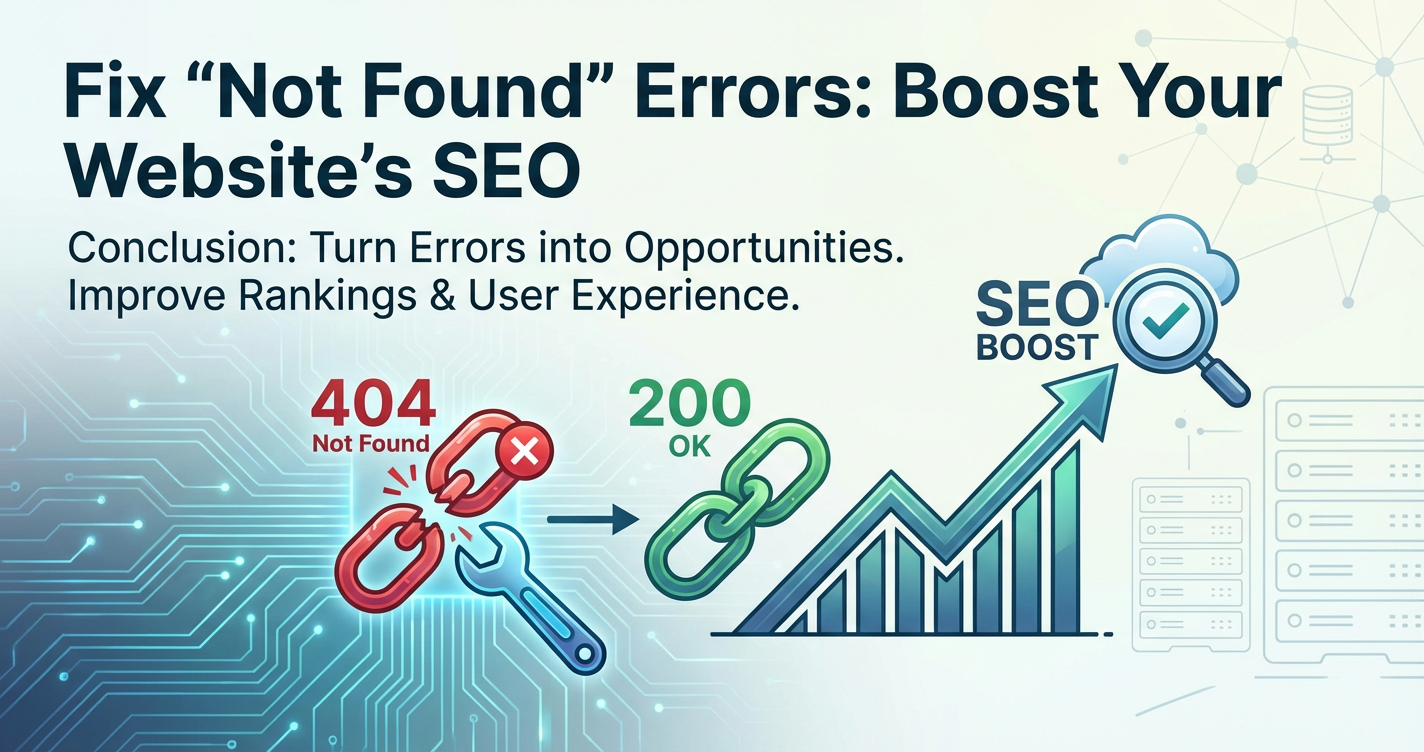
Fix "Not Found" Errors: Boost Your Website's SEO


In the intricate tapestry of the internet, where billions of web pages vie for attention and relevance, the simple "404 Not Found" error stands as a stark barrier, a digital dead end. Far from being a mere technical glitch, these errors represent a significant hurdle for user experience, a red flag for search engine crawlers, and a potential detriment to a website's overall search engine optimization (SEO) performance. Understanding, identifying, and effectively remedying these pervasive issues is not just a matter of good website maintenance; it is a critical strategic imperative for anyone striving to maintain a strong online presence and achieve higher rankings in search engine results. This comprehensive guide will delve deep into the anatomy of "Not Found" errors, explore their far-reaching SEO implications, and provide actionable strategies to not only fix them but also leverage their management to significantly boost your website's visibility and authority.
The digital landscape is constantly evolving, with content being created, updated, moved, and deleted at an unprecedented pace. This dynamism, while beneficial for information flow, inherently introduces the risk of links breaking and pages disappearing. When a user or a search engine bot requests a URL that no longer exists on your server, the server responds with an HTTP status code 404, signifying "Not Found." This response indicates that the server itself is operational and reachable, but the specific resource requested by the client (a web page, image, document, or even an API endpoint) cannot be located. The journey from a user clicking a link to encountering a 404 page is often frustrating, leading to an immediate erosion of trust and a higher likelihood of them abandoning your site in favor of a competitor's. For search engines, a proliferation of 404 errors signals a poorly maintained website, potentially impacting its crawl budget, indexation rates, and ultimately, its ranking capabilities. By meticulously addressing these errors, you not only improve user experience but also send strong positive signals to search engines, reinforcing your site's reliability and authority.
The Nuances of "Not Found" Errors: Hard 404s vs. Soft 404s
Before embarking on a remediation strategy, it is crucial to understand that not all "Not Found" errors are created equal. There are distinct categories, each with its own set of implications for SEO and requiring slightly different approaches for resolution. The primary distinction lies between what are known as "hard 404s" and "soft 404s." Grasping this difference is foundational to effective error management and preventing potential misconfigurations that could inadvertently harm your SEO efforts.
Hard 404s: The Explicit Dead End
A hard 404 is the unequivocal declaration by your server that a requested resource does not exist. When a web server receives a request for a URL that maps to no file or directory on its system, it will respond with an HTTP status code of 404 Not Found. This is the correct and expected behavior for a truly missing page. From an SEO perspective, a hard 404 is generally well-understood by search engines. When a crawler encounters a 404 status, it interprets it as a clear signal that the page has been permanently removed or never existed, and consequently, it will typically remove that URL from its index over time (if it was indexed) and stop attempting to crawl it as frequently. This is, in a way, a clean break, allowing search engines to efficiently prune their indices of irrelevant or non-existent content, thereby optimizing their own resources and, by extension, your site's crawl budget.
However, even a hard 404, while technically correct, can be problematic if it occurs for a page that should exist or one that used to receive significant traffic or hold SEO value. If valuable content is deleted without proper redirection, the link equity (PageRank) associated with that URL is effectively lost, harming the overall authority of your domain. Moreover, persistent hard 404s, especially for internal links, indicate a broken site structure, frustrating users and forcing them to navigate away. The key with hard 404s is to ensure they are intentional for genuinely absent content and, more importantly, that any valuable "dead" pages are redirected appropriately rather than just returning a simple 404.
Soft 404s: The Deceptive Dead End
Soft 404s represent a more insidious problem, often more damaging to SEO than their hard counterparts because they are inherently misleading. A soft 404 occurs when a server responds with an HTTP status code of 200 OK (indicating success) for a page that, in reality, contains little to no content or presents a "Not Found" message to the user. Essentially, the server tells the browser and search engine bots, "Yes, I found something here, everything's fine!" while the user sees an empty page, an error message, or irrelevant content.
Search engines, particularly Google, are highly sophisticated at detecting soft 404s. They analyze both the HTTP status code and the actual content on the page. If a page returns a 200 OK status but its content is sparse, generic, or explicitly indicates an error (e.g., "Page not found," "This item is no longer available"), Google will classify it as a soft 404. The danger here is multifaceted:
- Wasted Crawl Budget: Search engines will continue to crawl these "found" pages, expending valuable crawl budget on content that provides no value. For large sites, this can prevent more important pages from being discovered and indexed promptly.
- Diluted Ranking Signals: If a search engine mistakenly indexes numerous soft 404 pages, these low-quality or non-existent pages can dilute the overall quality signals of your website, potentially impacting your entire domain's ranking.
- User Frustration: Users encountering a page that looks like an error but isn't explicitly labeled as such can be even more confusing than a clear 404 page. They might struggle to understand why they're not getting the expected content.
- Duplicate Content Issues: In some cases, a poorly configured CMS might redirect all broken links to a generic search page or a category page, which then returns a
200 OK. If multiple broken links resolve to the same "successful" but irrelevant page, search engines might perceive this as duplicate content, which can also negatively impact rankings.
Fixing soft 404s typically involves ensuring that pages that are truly "Not Found" return a correct 404 or 410 Gone status code, or better yet, are properly redirected to relevant, existing content. This involves a more nuanced approach to server configuration, CMS settings, and potentially even how dynamic content generation handles missing data. The distinction between hard and soft 404s is therefore not merely academic; it dictates the precision with which you must address these errors to safeguard and enhance your SEO.
The SEO Ramifications of "Not Found" Errors
Beyond the immediate frustration of a user hitting a dead link, the existence of "Not Found" errors, particularly in large numbers or for critical pages, sends a cascade of negative signals to search engines. These signals can chip away at your website's authority, diminish its visibility, and ultimately undermine all the hard work invested in content creation and link building. Understanding these ramifications is key to appreciating the urgency and strategic importance of comprehensive 404 error management.
Impact on Crawl Budget
Every website, regardless of its size, is allocated a specific "crawl budget" by search engines like Google. This budget dictates how many pages Googlebot will crawl on your site within a given timeframe. It's not an unlimited resource; Google aims for efficiency, prioritizing websites that offer valuable, fresh, and readily accessible content. When search engine crawlers encounter a significant number of 404 errors (both hard and soft), a portion of this precious crawl budget is wasted.
Consider a scenario where Googlebot spends its allocated time repeatedly visiting URLs that return 404s. This means less time is available for crawling new, updated, or important pages that should be indexed. For large e-commerce sites with thousands of products or content-rich blogs, this can be particularly damaging. If valuable new content isn't being discovered because the crawler is stuck in a loop of broken links, your site's ability to rank for new keywords or showcase fresh information is severely hampered. Effectively managing 404s, therefore, frees up crawl budget, allowing search engines to more efficiently discover and index your most important assets.
Dilution of Link Equity (PageRank)
Backlinks from authoritative external websites are a cornerstone of SEO, acting as "votes of confidence" that signal to search engines the credibility and value of your content. This link equity, often referred to as PageRank, flows through internal and external links, distributing authority across your site. When an external website links to a page on your site that subsequently returns a 404 error, that precious link equity is effectively lost. It hits a dead end, unable to flow to other valuable pages on your site.
Similarly, if your own internal linking structure contains numerous links pointing to 404 pages, you're not only creating a poor user experience but also preventing the internal distribution of PageRank. Each broken internal link represents a missed opportunity to reinforce the authority of other relevant pages. Over time, a high volume of broken links, both internal and external, can significantly dilute the overall link equity of your domain, causing your site's authority to wane in the eyes of search engines. Implementing proper redirects for valuable 404 pages ensures that this link equity is preserved and passed on to relevant existing content.
Negative User Experience (UX)
While not a direct ranking factor in the same way backlinks are, user experience has an undeniable, indirect impact on SEO. Search engines increasingly prioritize websites that offer a seamless and satisfying experience to visitors. A website riddled with 404 errors is inherently user-unfriendly. When users click on a link expecting specific content and instead encounter a "Page Not Found" message, their immediate reaction is often frustration and disappointment.
This negative experience can lead to:
- High Bounce Rates: Users quickly leave your site after encountering an error.
- Reduced Time on Site: They don't linger to explore other content.
- Lower Conversion Rates: Frustrated users are less likely to make a purchase, fill out a form, or subscribe to a newsletter.
- Negative Brand Perception: A site with many broken links appears unprofessional and unreliable.
These user behavior metrics, while not directly telling Google "this site has 404s," do indicate a lack of quality and relevance. If users are consistently bouncing from your site, Google might interpret this as a signal that your content isn't meeting user intent, potentially pushing your rankings down. A well-designed custom 404 page can mitigate some of this frustration by guiding users back to valuable content, but prevention through fixing the underlying errors is always superior.
Damage to Reputation and Trust
In the long term, a website that frequently serves 404 errors can suffer significant damage to its online reputation. Users and even other webmasters will begin to perceive the site as neglected, unreliable, or unprofessional. This erosion of trust can impact not only direct traffic but also the willingness of other reputable sites to link to your content, further hindering your SEO efforts. For businesses, a poor online reputation directly translates to lost leads, diminished sales, and a struggle to build a loyal customer base. Maintaining a clean, error-free website is a fundamental aspect of building and preserving digital trust.
Identifying "Not Found" Errors: Your Digital Detective Toolkit
Before you can fix "Not Found" errors, you first need to know where they lurk. Identifying these digital dead ends requires a systematic approach and the judicious use of various tools. Relying solely on anecdotal user reports is insufficient; a proactive and comprehensive strategy is essential to uncover both hard and soft 404s across your entire domain.
Google Search Console (GSC): Your Primary Ally
For anyone managing a website, Google Search Console (GSC) is an indispensable, free tool that offers a treasure trove of insights into how Google interacts with your site. Its "Coverage" report is particularly vital for identifying 404 errors.
- Coverage Report: Navigate to the "Coverage" section in GSC. Here, you'll find a summary of all URLs Google has attempted to crawl on your site. The report categorizes URLs into "Error," "Valid with warnings," "Valid," and "Excluded." Within the "Error" section, look for specific error types like "Submitted URL not found (404)" and "Server error (5xx)." While 5xx errors are different from 404s, they can sometimes manifest as issues that effectively prevent access to a page.
- "Not Found (404)" Status: GSC specifically lists URLs that returned a 404 status code during Google's crawling process. Each entry typically shows the date Google last crawled the URL and, crucially, a "Referring page" column. This column indicates where Google found the link to the 404 page, which is invaluable for tracing internal broken links on your site or identifying external links you might need to address.
- Validation Fix: After implementing fixes for the identified 404s (e.g., setting up 301 redirects), you can use GSC's "Validate Fix" feature. This prompts Google to re-crawl the affected URLs to confirm that the errors have been resolved, providing a direct feedback loop on your remediation efforts.
Regularly checking GSC, ideally weekly or monthly depending on your site's size and update frequency, should be a cornerstone of your SEO maintenance routine.
Website Crawlers and Audit Tools
While GSC provides Google's perspective, dedicated website crawler tools offer a comprehensive, site-wide audit from your own server's perspective. These tools simulate a search engine bot, systematically navigating your site's internal links and reporting on various issues, including 404s.
- Screaming Frog SEO Spider: This is perhaps the most popular and powerful desktop crawler. It allows you to crawl your entire website (or a specific section) and generate detailed reports on HTTP status codes. You can filter the results specifically for "Client Error (4xx)" codes, making it easy to spot all internal links that point to 404 pages. Screaming Frog can also identify external links on your pages that point to 404s on other websites, allowing you to clean up your outgoing link profile.
- Ahrefs Site Audit: Ahrefs' Site Audit tool, part of its larger SEO suite, performs a similar function but is cloud-based. It crawls your site, identifies various SEO issues, and provides detailed reports on 4xx errors, along with suggestions for fixing them. It's excellent for scheduled, automated audits.
- SEMrush Site Audit: Similar to Ahrefs, SEMrush offers a robust site audit feature that uncovers broken links and other technical SEO issues, including both internal and external 404s. It often provides clear recommendations for resolution.
- Other Tools: Many other SEO tools (e.g., Moz Pro, Sitebulb) offer site auditing capabilities that include 404 detection. The key is to choose a tool that fits your budget and technical proficiency, and then use it consistently.
These tools are particularly useful for identifying soft 404s, as they can be configured to analyze page content for common "Not Found" phrases even if the server returns a 200 OK status.
Server Log Files: The Raw Data Source
For the technically inclined, server log files offer the most granular and unfiltered view of all requests made to your server, including those that resulted in 404 errors. Every time a browser, bot, or any other client requests a resource from your web server, an entry is recorded in the server logs (e.g., Apache access logs, Nginx access logs).
These logs contain:
- The IP address of the client making the request.
- The date and time of the request.
- The specific URL requested.
- The HTTP status code returned by the server.
- The
Referer(the page from which the request originated). - The
User-Agent(identifying the client, e.g., Googlebot, Chrome browser).
By analyzing these logs, you can filter specifically for 404 status codes. This provides a real-time, comprehensive list of all requested URLs that were not found, along with the source of the request. This is particularly valuable for identifying:
- High-Volume 404s: URLs that are frequently requested but don't exist, indicating potential widespread broken links or common user typos.
- External Links to 404s: By examining the
Refererfield, you can identify external websites that are linking to non-existent pages on your site, allowing you to reach out to the linking site to update their link. - Spam/Malicious Requests: Sometimes, 404s are generated by bots probing your site for vulnerabilities, and log files can help differentiate these from legitimate broken links.
While parsing log files can be more complex and require some technical expertise (or dedicated log analysis software), they provide an undeniable source of truth about your server's behavior and the precise nature of the "Not Found" errors it's serving.
Browser Extensions
For quick, on-the-fly checks, various browser extensions can help identify broken links as you navigate a website. Extensions like "Check My Links" for Chrome can crawl a single page you're viewing and highlight any broken links. While not suitable for comprehensive site audits, they can be useful for spot-checking newly published content or specific sections of your site.
By combining the insights from Google Search Console, the comprehensive reports from site audit tools, and the raw data of server logs, you can build a robust understanding of your website's "Not Found" error landscape, setting the stage for effective remediation.
Root Causes of "Not Found" Errors: Diagnosing the Digital Ailments
Understanding why 404 errors occur is as important as identifying them. Without diagnosing the root cause, your fixes might only be temporary or, worse, incomplete. "Not Found" errors seldom arise spontaneously; they are typically the symptoms of underlying issues related to content management, server configuration, or external factors. Pinpointing these origins allows for more strategic and durable solutions.
1. Typographical Errors and User Mistakes
One of the most common and often unavoidable causes of 404s is simple human error. Users might mistype a URL in their browser's address bar, resulting in a request for a non-existent page. Similarly, if someone manually links to your site from an external resource and makes a typo, that incoming link will also lead to a 404. While you can't control every keystroke of every user, understanding this common cause informs the design of your custom 404 page, guiding users back to relevant content rather than leaving them stranded.
2. Broken Internal and External Links
- Broken Internal Links: These are links within your own website that point to pages that no longer exist or have moved. This is a critical issue as it directly impacts user navigation and the flow of link equity. Common culprits include:
- Content Deletion: A page was deleted, but internal links pointing to it were not updated.
- URL Changes: A page's URL was changed (e.g., slug modification in a CMS), but internal links weren't redirected or updated.
- CMS Migrations: During a site migration or platform change, old internal link structures might not map correctly to the new ones.
- Broken External Links: These are links from other websites that point to non-existent pages on your site. As discussed, these lead to a loss of valuable link equity. While you can't directly edit external websites, identifying these allows you to either implement redirects on your end or reach out to the linking webmasters to correct their links.
Regular audits with tools like Screaming Frog are essential for catching both internal and external broken links.
3. Deleted Pages or Products Without Redirection
This is a particularly common issue for e-commerce sites or content-heavy blogs. Products go out of stock permanently, old articles become irrelevant, or service pages are consolidated. When these pages are simply deleted from the server without implementing a proper 301 redirect, any existing links (internal or external) will immediately result in a 404. This is a significant SEO misstep, as it wastes existing link equity and frustrates users who might have bookmarked the page or found it through an older search result.
4. Server Configuration Issues
Sometimes, the problem isn't a missing page but a server misconfiguration that prevents the page from being found or correctly served.
- Incorrect Rewrite Rules: In
.htaccessfiles (Apache) or Nginx configuration, poorly written URL rewrite rules can inadvertently direct legitimate requests to non-existent paths, resulting in 404s. - File Permissions: Incorrect file or directory permissions can prevent the web server from accessing a file, leading to a 404 even if the file exists.
- Missing Index Files: If a directory is requested and it doesn't contain an
index.htmlorindex.php(and directory listing is disabled), the server might return a 404. - DNS Issues (indirectly): While less common for 404s (more often leading to "server not found" errors), misconfigured DNS could, in rare cases, point a subdomain or specific path to a non-existent server or configuration, leading to a cascade of errors.
5. Content Management System (CMS) Idiosyncrasies
CMS platforms like WordPress, Joomla, Drupal, or custom-built solutions can sometimes be a source of 404s due to their inherent complexities:
- Permalinks/Slugs: Changing a post's or page's permalink (URL slug) in WordPress, for instance, without a proper redirect plugin or manual redirect, will break all old links.
- Plugin Conflicts: A new plugin or theme might interfere with URL routing, leading to pages becoming inaccessible.
- Missing Media Files: Images or other media files uploaded through the CMS might be deleted from the media library but remain linked in posts, causing 404s for those specific assets.
- Category/Tag Deletion: Deleting categories or tags that have associated archive pages might leave behind broken links if the CMS doesn't automatically handle the redirects.
6. Website Migrations and Relaunches
Perhaps the most common catalyst for a significant spike in 404 errors is a website migration or redesign. Changing domain names, moving to a new CMS, restructuring URL paths, or consolidating content can introduce a massive number of broken links if not meticulously planned and executed. A robust redirection strategy is absolutely paramount during such transitions to preserve SEO authority and user experience. Failing to map old URLs to new ones will inevitably result in a catastrophic loss of traffic and search engine rankings.
7. API and Gateway-Related Errors
In modern web applications, especially those built on microservices architectures or relying heavily on external data, API (Application Programming Interface) calls are fundamental. These apis serve as the backbone for retrieving dynamic content, processing transactions, and integrating various services. A "Not Found" error originating from an api endpoint can have direct repercussions for the end-user website and its perceived completeness.
- Missing API Endpoints: If your website makes a request to an
apiendpoint that has been deprecated, moved, or never existed, theapiserver will respond with a 404. Thisapi404 might then cause specific sections of your web page to fail to load, display incomplete information, or even trigger a client-side error that looks like a website 404 to the user, even if the main page URL itself returns a200 OK. - Incorrect
APICall Parameters: Even if theapiendpoint exists, incorrect parameters in theapirequest (e.g., a missing product ID, an invalid user token, or a malformed query string) can lead theapito respond with a 404 for that specific resource, as it cannot fulfill the request as specified. API GatewayMisconfiguration: Anapi gatewayacts as a central entry point for managing and routingapitraffic to various backend services. If anapi gatewayis misconfigured, it might fail to correctly route a request to the intended backendapiservice. For example, if a routing rule is incorrect or a target backend service is unavailable, theapi gatewayitself might return a 404 to the client (your website) because it cannot locate the downstream service, or it might propagate a 404 received from an upstream service. This scenario is particularly critical in microservices environments where manyapis might be involved in rendering a single page.- Backend Service Downtime/Deletion: If a backend service behind the
api gatewaygoes down or is decommissioned without proper updates to the gateway's routing, any requests intended for that service will result in a 404.
These api-related 404s are often harder to debug from a purely front-end perspective because the main website URL might be fine. They require deeper inspection of network requests and api logs. Proactive api management, including robust documentation, versioning, and monitoring, is essential to mitigate these types of "Not Found" errors. Tools that centralize api management, like an api gateway, are crucial for preventing these errors by ensuring correct routing, authentication, and service discovery.
By understanding these diverse root causes, you can approach "Not Found" errors with a diagnostic mindset, leading to more effective and long-lasting solutions.
APIPark is a high-performance AI gateway that allows you to securely access the most comprehensive LLM APIs globally on the APIPark platform, including OpenAI, Anthropic, Mistral, Llama2, Google Gemini, and more.Try APIPark now! 👇👇👇
Fixing "Not Found" Errors: A Comprehensive Strategic Playbook
Once you've identified the "Not Found" errors and understood their root causes, the next crucial step is to implement effective solutions. The approach you take will depend on the nature of the missing content and its historical SEO value. Not every 404 requires the same fix; some warrant redirection, others content restoration, and some simply need a better user experience on the error page itself.
1. Implementing 301 Redirects: The SEO-Friendly Forward
A 301 redirect is the most common and SEO-friendly way to handle a page that has moved permanently. The 301 Moved Permanently HTTP status code tells browsers and search engines that a URL has been permanently changed and that all future requests should go to the new URL. Crucially, a 301 redirect passes on approximately 90-99% of the link equity (PageRank) from the old URL to the new one, preserving the SEO value accumulated by the original page.
When to Use 301 Redirects:
- Page moved: The content of a page has been moved to a new URL.
- Page deleted with relevant replacement: A page has been deleted, but there's a highly relevant existing page that can serve as a suitable replacement (e.g., an old product page redirected to a category page, or an outdated article redirected to an updated one).
- Domain change: You've moved your entire website to a new domain.
- Consolidating content: Multiple pages with similar content are merged into a single, more authoritative page.
- URL canonicalization: Redirecting non-preferred versions of a URL (e.g.,
http://example.comtohttps://www.example.com).
How to Implement 301 Redirects:
The method for implementing 301 redirects varies depending on your web server and CMS:
Apache (via .htaccess): For Apache servers, you can add RedirectMatch 301 or RewriteRule directives to your .htaccess file. ```apache # Redirect a single page Redirect 301 /old-page.html /new-page.html
Redirect an entire directory
RedirectMatch 301 ^/old-directory/(.*)$ /new-directory/$1
Redirect entire domain (to new domain)
RewriteEngine On RewriteCond %{HTTP_HOST} ^old-domain.com$ [OR] RewriteCond %{HTTP_HOST} ^www.old-domain.com$ RewriteRule (.*)$ https://www.new-domain.com/$1 [R=301,L] *Caution:* Be extremely careful when editing `.htaccess` files, as syntax errors can bring down your entire site. * **Nginx (via `nginx.conf`):** For Nginx servers, 301 redirects are typically configured in the `nginx.conf` file within the `server` block.nginx
Redirect a single page
location = /old-page.html { return 301 /new-page.html; }
Redirect an entire directory
location /old-directory/ { rewrite ^/old-directory/(.*)$ /new-directory/$1 permanent; } `` After modifying Nginx configuration, always test the configuration (sudo nginx -t) and then reload Nginx (sudo systemctl reload nginx). * **CMS Plugins:** Most popular CMS platforms offer plugins or built-in functionality for managing redirects. * **WordPress:** Plugins like "Redirection" or "Yoast SEO Premium" allow you to easily set up 301 redirects from within the WordPress dashboard without touching code. * **Shopify:** Shopify has a built-in "URL Redirects" section under "Online Store > Navigation" to manage redirects. * **Custom CMS:** Your developer team will need to implement redirects programmatically or via the CMS's routing configuration. * **API Gateway(e.g., [APIPark](https://apipark.com/)):** In microservices architectures or for sites heavily relying onapis, anapi gatewaycan also be configured to handle certain types of redirects or rewrite URLs before forwarding requests to backend services. While its primary role isapimanagement, intelligent routing rules can preventapi-related 404s by forwarding requests to correct endpoints if a backend service's path changes. This is less about public web page redirects and more about internal service routing, but it effectively prevents "Not Found" errors from propagating to the end-user. For instance, if a backend service changes itsapipath from/v1/productsto/v2/items, theapi gatewaycan be configured to transparently redirect/v1/productsto/v2/items`, thus preventing client applications from seeing a 404.
2. Custom 404 Pages: Turning a Negative into an Opportunity
While 301 redirects are ideal for preserving SEO value, it's inevitable that some users will still encounter a 404 error, whether due to a typo, an outdated bookmark, or a link from an unfixable external source. Instead of serving a generic, unhelpful "Not Found" message, a well-designed custom 404 page can mitigate user frustration and guide them back to valuable content.
Best Practices for Custom 404 Pages:
- Maintain Branding: The 404 page should match your website's overall design, branding, and navigation. Users should immediately recognize they are still on your site.
- Clear and Concise Message: Clearly state that the page was not found, but do so in a friendly, empathetic tone. Avoid technical jargon.
- Helpful Navigation: Provide clear options for users to get back on track:
- A prominent link to your homepage.
- Links to popular or important pages (e.g., "Top Products," "Latest Articles," "Contact Us").
- A search bar.
- Your main navigation menu.
- Noindex Tag: Crucially, ensure your custom 404 page returns a
404 Not FoundHTTP status code (not a200 OK). Additionally, it's good practice to include ameta robots="noindex"tag in the HTML header. This explicitly tells search engines not to index the 404 page itself, preventing it from being mistakenly treated as valuable content and potentially causing soft 404 issues if it were to accidentally return a200 OKstatus. - Engagement Element (Optional): Some sites add a touch of humor, a relevant image, or even a small interactive element to further soften the blow of encountering an error.
Remember, a custom 404 page is a fallback. Its purpose is to salvage user experience when a true 404 occurs, not to replace proper redirection or content management.
3. Content Restoration or Recreation
Sometimes, a page that is returning a 404 error was actually a valuable asset that was accidentally deleted or mistakenly moved without a redirect. If a page had significant traffic, generated leads, or accumulated valuable backlinks, consider restoring or recreating the content.
- Restoration: If the content exists in a backup, simply restore it to its original URL. This is the cleanest solution for accidental deletions.
- Recreation: If restoration isn't possible, but the topic is still highly relevant and valuable, recreate the content. Ensure the new page is optimized and then update any internal links pointing to it. If the old URL had significant external backlinks, you might consider reaching out to the linking websites to update their links to your new content.
This strategy is particularly relevant for core service pages, evergreen articles, or top-performing product pages that should never have gone missing.
4. Implementing 410 Gone Status: The Permanent Deletion Signal
While 301 redirects are for content that has moved, a 410 Gone HTTP status code is for content that has been permanently and intentionally removed and has no suitable replacement. This tells search engines more emphatically than a 404 that the resource is gone and should be de-indexed immediately.
When to Use 410 Gone:
- Old campaign pages: Content for past promotions that will never return and has no relevant equivalent.
- Outdated product pages: Products that are permanently discontinued and have no similar replacement.
- Spam pages: Pages that were created for SEO spam or malicious purposes and need to be removed from the index quickly.
A 410 can be implemented similarly to a 301 in .htaccess or Nginx configuration, simply changing the status code. For example, in Apache: Redirect 410 /old-obsolete-page.html. Use 410s judiciously, as they are a strong signal of permanent removal.
5. URL Canonicalization: Preventing Duplicate Content and Implicit 404s
While not directly fixing explicit 404s, proper URL canonicalization can prevent issues that might be perceived as 404s or cause soft 404s due to duplicate content. Canonical tags (<link rel="canonical" href="...">) tell search engines which version of a URL is the preferred, authoritative one when multiple URLs point to the same or very similar content.
How it Helps with 404s (Indirectly):
- Preventing Indexation of Problematic URLs: If your site inadvertently creates multiple URLs for the same content (e.g.,
example.com/page,example.com/page?sessionid=123,example.com/page/), and one of these non-canonical versions later breaks or returns minimal content, search engines might interpret this as a soft 404 or a duplicate content issue. By consistently canonicalizing to one version, you guide search engines to the correct, existing URL, preventing confusion. - Consolidating Link Equity: Canonical tags ensure that all link equity pointing to various versions of a page is consolidated into the preferred version, preventing the dilution of PageRank that can occur with perceived duplicate content.
Canonical tags are typically implemented in the <head> section of your HTML. Many CMS platforms and SEO plugins provide easy ways to manage them.
6. Robots.txt and Meta Noindex: Understanding Their Role (and Misuse)
It's important to clarify that robots.txt and meta noindex tags are generally not appropriate for fixing 404 errors. They serve different purposes in crawl and index management.
robots.txt: This file tells search engine crawlers which parts of your site they are allowed to crawl. If a page is disallowed inrobots.txtand also returns a 404, it might lead to a conflicting signal.robots.txtshould be used for pages you don't want crawlers to access (e.g., admin areas, staging sites), not for pages that don't exist. Disallowing a page that returns a 404 inrobots.txtcan prevent Google from seeing the 404 status code, meaning the page might remain in the index longer, causing a "blocked by robots.txt" error in GSC.meta noindex: This tag, placed in the<head>of a page, tells search engines not to index that specific page. It should be used for pages you want crawlers to access (so they can see thenoindextag) but don't want to appear in search results (e.g., internal search results pages, login pages, low-value but necessary utility pages). A page that returns a 404 error should not also have anoindextag, as the 404 status itself is the signal for de-indexation.
These tools are for managing existing pages, not for communicating that a page is missing. For actual missing pages, 301, 410, or a correct 404 status are the proper signals.
7. Server-Side Configuration: Direct Control Over 404 Handling
For granular control, especially in non-CMS environments or for specific server behaviors, direct server configuration is key.
- Apache
ErrorDocumentDirective: You can specify a custom page to be served when a 404 error occurs.apache ErrorDocument 404 /custom-404.htmlEnsure/custom-404.htmlactually returns a404status code itself (some configurations might accidentally serve it as a200 OK). - Nginx
error_pageDirective: Similarly, Nginx allows you to define custom error pages.nginx error_page 404 /custom_404.html; location = /custom_404.html { internal; # Prevents direct access to the error page }This ensures that when a 404 occurs, the user seescustom_404.htmlwhile the server still sends the404status code. - CMS Settings: Most CMS platforms have sections where you can specify a custom 404 page directly from the admin interface.
By implementing these strategies, you can systematically address "Not Found" errors, turning potential SEO liabilities into opportunities for improved site health, user satisfaction, and search engine visibility.
Proactive Prevention: Safeguarding Your Site Against Future 404s
While fixing existing "Not Found" errors is critical, a truly robust SEO strategy incorporates proactive measures to prevent these errors from occurring in the first place. Prevention is always more efficient and less costly than reactive remediation. By embedding these practices into your regular website management workflow, you can significantly reduce the incidence of 404s and maintain a healthier, more SEO-friendly online presence.
1. Meticulous Content Management and URL Best Practices
The most direct way to prevent 404s stemming from content changes is through disciplined content management:
- Plan URL Structures: Design logical, descriptive, and future-proof URL structures (permalinks) from the outset. Avoid unnecessary parameters, stick to lowercase, use hyphens for spaces, and keep them concise. A well-thought-out URL structure reduces the likelihood of changes later that could lead to broken links.
- Before Deleting Content: Always evaluate the SEO value (traffic, backlinks, user engagement) of a page before deleting it. If a page has value, implement a 301 redirect to a relevant alternative. If it's truly obsolete with no replacement, consider a 410 Gone status. Never just delete a page and let it return a default 404 if it ever had any external or internal links.
- Before Changing URLs: If a URL must change, always set up a 301 redirect from the old URL to the new one immediately. Many CMS platforms offer automatic redirection for slug changes, but always verify this behavior.
- Content Inventory: Maintain an up-to-date inventory of your website's pages, especially for larger sites. This makes it easier to track changes, identify potential issues, and plan redirects.
2. Rigorous Pre- and Post-Migration Planning
Website migrations, whether involving a new domain, a new CMS, or a significant site restructure, are high-risk events for generating a deluge of 404 errors. Proactive planning is paramount:
- URL Mapping: Create a comprehensive old-URL-to-new-URL mapping document. Every single old URL that generated traffic or had backlinks should be mapped to its corresponding new URL.
- 301 Redirect Strategy: Implement all mapped 301 redirects before the new site goes live, or immediately upon launch. Test these redirects extensively in a staging environment.
- Pre-Launch Crawl: Before going live, crawl the new site (and the old site, if possible) to identify any internal broken links or potential 404s in the new structure.
- Post-Launch Monitoring: Immediately after launch, intensively monitor Google Search Console for new 404 errors, server logs for 404 spikes, and use a site crawler to perform a full audit of the live site. Be prepared to quickly implement additional redirects or fixes as issues emerge.
3. Regular Broken Link Checks
Don't wait for Google to tell you about 404s. Implement a routine schedule for checking for broken links:
- Monthly Site Crawls: Use a tool like Screaming Frog, Ahrefs Site Audit, or SEMrush Site Audit to perform a full crawl of your website at least once a month. Prioritize fixing internal 404s immediately.
- Google Search Console Reviews: Check the "Coverage" report in GSC weekly or bi-weekly to catch new 404s Google has discovered.
- Server Log Analysis: Periodically review server logs for frequent 404 requests, which can indicate ongoing issues or problematic external links.
- External Link Monitoring: Some tools can help you monitor external websites linking to your site. If a valuable backlink suddenly points to a 404, you can address it.
4. Robust API Management and API Gateway Configuration
For modern web applications, where data and functionality are often served through APIs, proactive API management is a direct measure to prevent client-side "Not Found" errors. An api gateway is a critical component in this ecosystem.
APIVersioning and Deprecation Strategy: Implement clearapiversioning (e.g.,/api/v1/products,/api/v2/products). When anapiendpoint is updated or deprecated, ensure a smooth transition. This might involve setting up redirects within theapi gatewayfrom oldapipaths to new ones, allowing client applications time to migrate without encountering 404s.- Centralized
APIDocumentation: Comprehensive and up-to-dateapidocumentation ensures that developers (both internal and external) correctly understand and invoke yourapis, reducing errors due to incorrect calls. API Gatewayfor Routing and Management: Leveraging anapi gatewayis crucial. Theapi gatewayacts as a traffic cop, routing requests to the correct backend services. Proper configuration of thegatewayensures that:- Requests are always directed to active, existing
apiendpoints. - If a backend service changes its path, the
gatewaycan rewrite or redirect the request internally, so the client application never sees a 404. - The
gatewaycan provide fallback mechanisms or custom error responses forapis that are temporarily unavailable, preventing a hard 404 from the backend from propagating directly to the client. - For organizations managing a diverse array of
apis and microservices, platforms like APIPark offer an open-source AI gateway and API management solution that centralizes the control and lifecycle ofapis. By providing unifiedapiformats, robust routing capabilities, and detailed logging, APIPark helps reduceapi-related "Not Found" errors. Its ability to manage, integrate, and deploy AI and REST services with ease means thatapiendpoints are less likely to go missing or be misconfigured, thus reducing the chances of your website components failing to load due toapi404s. This integrated approach ensuresapistability, directly contributing to the overall reliability and SEO performance of your website by preventing broken content due toapicall failures.
- Requests are always directed to active, existing
APIMonitoring and Alerting: Implement monitoring for yourapiendpoints andapi gatewayto detect 404 responses or other error codes in real-time. Set up alerts so your development or operations team can quickly respond to and fixapi-related issues before they impact a significant number of users or web pages.- Load Balancing and High Availability: Ensure that your
apibackend services are load-balanced and configured for high availability. If one instance of a service goes down, theapi gatewayshould automatically route traffic to a healthy instance, preventing service unavailability that could lead to 404s.
5. Training and Documentation
Educate your content creators, developers, and marketing teams on the importance of URLs, the impact of broken links, and the procedures for implementing redirects or handling content changes. A clear internal process for managing content lifecycle, from creation to archival, is fundamental to preventing the generation of new 404s.
By embracing these proactive measures, your website can move beyond a reactive stance towards "Not Found" errors, establishing a foundation of stability and reliability that inherently supports and enhances your SEO efforts.
Measuring Success: Monitoring Your 404 Remediation Efforts
Fixing "Not Found" errors is not a one-time task; it's an ongoing process. Once you've implemented your remediation strategies, it's crucial to continuously monitor your website to ensure the fixes are effective and to catch any new errors that may arise. Measuring success involves tracking key metrics and using the same tools that helped you identify the problems in the first place.
1. Google Search Console: The Continuous Feedback Loop
Your primary tool for monitoring should remain Google Search Console (GSC).
- Coverage Report Analysis: After fixing 404s and initiating validation in GSC, regularly check the "Coverage" report. You should see a decrease in "Submitted URL not found (404)" errors. The "Valid" section should ideally increase, indicating that previously problematic URLs are now being correctly crawled and indexed (if redirected to valid pages).
- "Valid with warnings" and "Excluded" Sections: Keep an eye on these as well. Sometimes, a poorly implemented redirect or an issue with your custom 404 page could cause a URL to move from "Error" to "Valid with warnings" or "Excluded" in an unintended way.
- Crawl Stats Report: In GSC (under Settings), the "Crawl stats" report can show you how Googlebot's activity on your site is changing. A reduction in the number of URLs crawled that resulted in a 404 status code is a positive sign. An increase in the total pages crawled (if you've added new content) without a corresponding increase in 404s indicates more efficient crawl budget utilization.
2. Website Crawler Tools: Your Internal Audit Record
Continue to use your preferred website crawler (e.g., Screaming Frog, Ahrefs Site Audit) on a regular schedule (e.g., monthly).
- Baseline Comparison: Compare new audit reports to previous ones. You should see a clear reduction in 4xx errors reported.
- Identify New Issues: Regular crawls will help you catch any new internal broken links or other 4xx errors that might have been introduced since your last audit, allowing for quick remediation.
- Redirect Chain Detection: Advanced crawlers can also identify redirect chains (e.g., Old URL -> Redirect 1 -> Redirect 2 -> New URL), which can slow down page loading and dilute link equity. While not 404s themselves, long redirect chains are inefficient and should be optimized.
3. Server Log File Analysis: Real-Time Performance
For sites with high traffic or complex api interactions, granular server log analysis remains invaluable.
- Filter for 404s: Regularly filter your server logs to count 404 responses. A decreasing trend indicates successful remediation.
- Referer Tracking: Pay attention to the
Refererfield for 404s. If you see persistent 404s from specific external sites, it might be worth reaching out to those webmasters again. API-Specific 404s: If you identifiedapi-related 404s, monitorapi gatewayorapiservice logs specifically for404status codes. A decrease here, especially for criticalapiendpoints, is a strong indicator of improvedapistability and indirectly, better website SEO. Tools like APIPark provide detailed API call logging and powerful data analysis features, allowing businesses to quickly trace and troubleshoot issues inapicalls and analyze historical call data to display long-term trends. This helps ensure system stability and data security, directly supporting the website's reliability.
4. User Experience Metrics: The Ultimate Judge
Ultimately, your SEO efforts aim to improve user experience. Monitor these metrics in Google Analytics or similar tools:
- Bounce Rate: A decrease in overall bounce rate, or specifically for pages that previously had broken links, suggests improved user flow.
- Time on Site/Pages per Session: An increase in these metrics indicates that users are finding relevant content and engaging more deeply with your site, rather than hitting dead ends.
- Conversion Rates: If 404s were hindering crucial user journeys (e.g., purchasing, signing up), a noticeable increase in conversion rates for those pathways is a strong indicator of success.
- Organic Search Traffic: Over the long term, successful 404 remediation, combined with other SEO efforts, should contribute to an increase in organic search traffic and improved rankings for relevant keywords.
Table: Key Metrics for 404 Remediation Success
| Metric Category | Specific Metric | Tool for Monitoring | Desired Trend | Significance |
|---|---|---|---|---|
| SEO Technical | GSC 404 Errors | Google Search Console | Decreasing | Direct indicator of reduced crawl errors for Googlebot. |
| Crawled URLs (404 status) | GSC Crawl Stats, Server Logs | Decreasing | Improved crawl budget utilization, less waste on non-existent pages. | |
| Internal Broken Links | Site Crawler (Screaming Frog, Ahrefs) | Decreasing | Better internal link equity flow and user navigation. | |
| Redirect Chains | Site Crawler | Decreasing/Optimized | Faster page load, efficient link equity transfer. | |
| User Experience | Bounce Rate | Google Analytics | Decreasing | Users finding relevant content, less frustration. |
| Time on Site / Pages per Session | Google Analytics | Increasing | Enhanced user engagement and content discovery. | |
| Conversion Rate | Google Analytics, CRM | Increasing | Directly impacts business goals due to smoother user journeys. | |
| API Health | API 404 Responses | API Gateway Logs (APIPark), Monitoring Tools | Decreasing | Stable dynamic content, reliable website functionality, fewer partial page errors. |
| API Latency | API Gateway Logs, Monitoring Tools | Stable/Decreasing | Faster data retrieval, contributing to overall page speed and UX. |
By diligently tracking these metrics, you can not only confirm the effectiveness of your 404 remediation efforts but also gain valuable insights into the ongoing health and performance of your website, ensuring it remains an authoritative and user-friendly resource in the ever-evolving digital landscape.
Conclusion: The Unseen Power of a Seamless Web Experience
The seemingly innocuous "404 Not Found" error, often dismissed as a minor inconvenience, holds disproportionate power to undermine the painstakingly crafted foundations of a website's SEO. From consuming precious crawl budget and diluting hard-earned link equity to eroding user trust and damaging brand reputation, the proliferation of these digital dead ends can silently sabotage even the most ambitious online strategies. However, understanding and proactively managing these errors is not merely a defensive tactic; it is a profound opportunity to enhance your website's overall health, amplify its authority, and significantly boost its visibility in the competitive landscape of search engine results.
By meticulously identifying the various forms of 404s, from the explicit hard 404s to the insidious soft 404s, and by diagnosing their root causes—whether typographical errors, broken links, server misconfigurations, or complex api and gateway issues—website administrators gain the strategic clarity needed for effective intervention. The deployment of intelligent 301 redirects, the careful design of user-centric custom 404 pages, the thoughtful restoration of valuable content, and the precise application of 410 Gone statuses are not just technical fixes; they are deliberate signals to both users and search engines that your website is well-maintained, reliable, and committed to providing a seamless experience.
Furthermore, in today's interconnected digital ecosystem, where dynamic content is often powered by a multitude of apis, robust api management is an indirect yet critical aspect of preventing "Not Found" errors. API gateways, such as APIPark, play an indispensable role in ensuring that the backend services underpinning your website are always accessible, correctly routed, and resilient to change. By centralizing api control and providing unified invocation, APIPark helps to mitigate api-related 404s, ensuring that your website's components load as expected and contribute positively to user experience and SEO. This holistic approach, encompassing both front-end and backend considerations, fortifies your website against the insidious impact of broken links.
Ultimately, preventing and fixing "Not Found" errors is a continuous journey that demands vigilance, a systematic approach, and a commitment to best practices. Through regular monitoring via Google Search Console, diligent site audits, and granular server log analysis, you can ensure that your remediation efforts yield lasting results. The reward for this diligence is a website that not only ranks higher and attracts more organic traffic but also cultivates a loyal user base built on trust and an uninterrupted flow of information. Embrace the power of impeccable website maintenance; fix "Not Found" errors, and watch your website's SEO ascend to new heights.
5 FAQs on Fixing "Not Found" Errors for SEO
1. What is the difference between a 404 Not Found and a soft 404, and why does it matter for SEO? A 404 Not Found (hard 404) is an explicit HTTP status code indicating that the requested resource truly does not exist on the server. Search engines understand this signal and will eventually de-index the page. A soft 404 occurs when a server returns a 200 OK status (meaning "found") for a page that, in reality, contains little to no content, displays a "Not Found" message to the user, or redirects to an irrelevant page. Soft 404s are more damaging for SEO because search engines waste crawl budget trying to index these valueless "found" pages, potentially diluting your site's quality signals and delaying the indexing of actual valuable content. It matters for SEO because soft 404s are misleading and prevent search engines from efficiently managing your site's index.
2. When should I use a 301 redirect versus a 410 Gone status code for a missing page? Use a 301 redirect (Moved Permanently) when a page's content has moved to a new URL, or when a page has been deleted but there is a highly relevant existing page that can serve as a suitable replacement. A 301 passes on the vast majority of link equity (PageRank) to the new page, preserving its SEO value. Use a 410 Gone (Gone) status code when a page has been permanently and intentionally removed from your site, and there is absolutely no suitable alternative or replacement. A 410 tells search engines more emphatically than a 404 to immediately remove the page from their index, which is useful for truly obsolete or problematic content that should never return.
3. How can an API Gateway, like APIPark, help prevent "Not Found" errors on my website? An api gateway acts as a central control point for all api traffic, routing requests to various backend services. For modern websites relying on apis for dynamic content, an api gateway prevents "Not Found" errors by ensuring proper routing and service availability. If a backend api endpoint changes its path, the api gateway can be configured to transparently redirect or rewrite requests, so the client application (and thus your website) never sees a 404. Platforms like APIPark provide robust api management, unified api formats, and detailed logging, which collectively reduce api-related "Not Found" errors and indirectly contribute to your website's overall stability and SEO performance by ensuring all dynamic content loads correctly.
4. What are the most important tools for identifying "Not Found" errors on my website? The three most important tools are: * Google Search Console (GSC): Specifically, the "Coverage" report, which shows you all URLs Google attempted to crawl that resulted in a 404 error, along with referring pages. * Website Crawler Tools: Desktop software like Screaming Frog SEO Spider or cloud-based solutions like Ahrefs Site Audit or SEMrush Site Audit. These tools systematically crawl your site to find all internal and external broken links and other 4xx errors. * Server Log Files: These raw logs provide the most granular data on all requests to your server, allowing you to filter for 404 status codes and identify where these requests originated.
5. Besides fixing the errors, what proactive steps can I take to prevent future 404s and boost my SEO? Proactive prevention is key: * Meticulous Content Management: Always plan URL structures carefully, and implement 301 redirects whenever you delete content or change URLs. * Rigorous Migration Planning: For site redesigns or domain changes, create a comprehensive old-to-new URL map and implement 301s before launch. * Regular Audits: Schedule monthly website crawls using tools like Screaming Frog and routinely check GSC for new errors. * Robust API Management: For api-driven sites, use api versioning, centralized documentation, and an api gateway (like APIPark) to manage and monitor api endpoints, preventing api-related 404s that can break website content. * Educate Your Team: Ensure everyone involved in content creation and website management understands the importance of URL integrity and redirect protocols.
🚀You can securely and efficiently call the OpenAI API on APIPark in just two steps:
Step 1: Deploy the APIPark AI gateway in 5 minutes.
APIPark is developed based on Golang, offering strong product performance and low development and maintenance costs. You can deploy APIPark with a single command line.
curl -sSO https://download.apipark.com/install/quick-start.sh; bash quick-start.sh

In my experience, you can see the successful deployment interface within 5 to 10 minutes. Then, you can log in to APIPark using your account.

Step 2: Call the OpenAI API.