Unlock JWT Secrets: Decode & Verify with `jwt io`
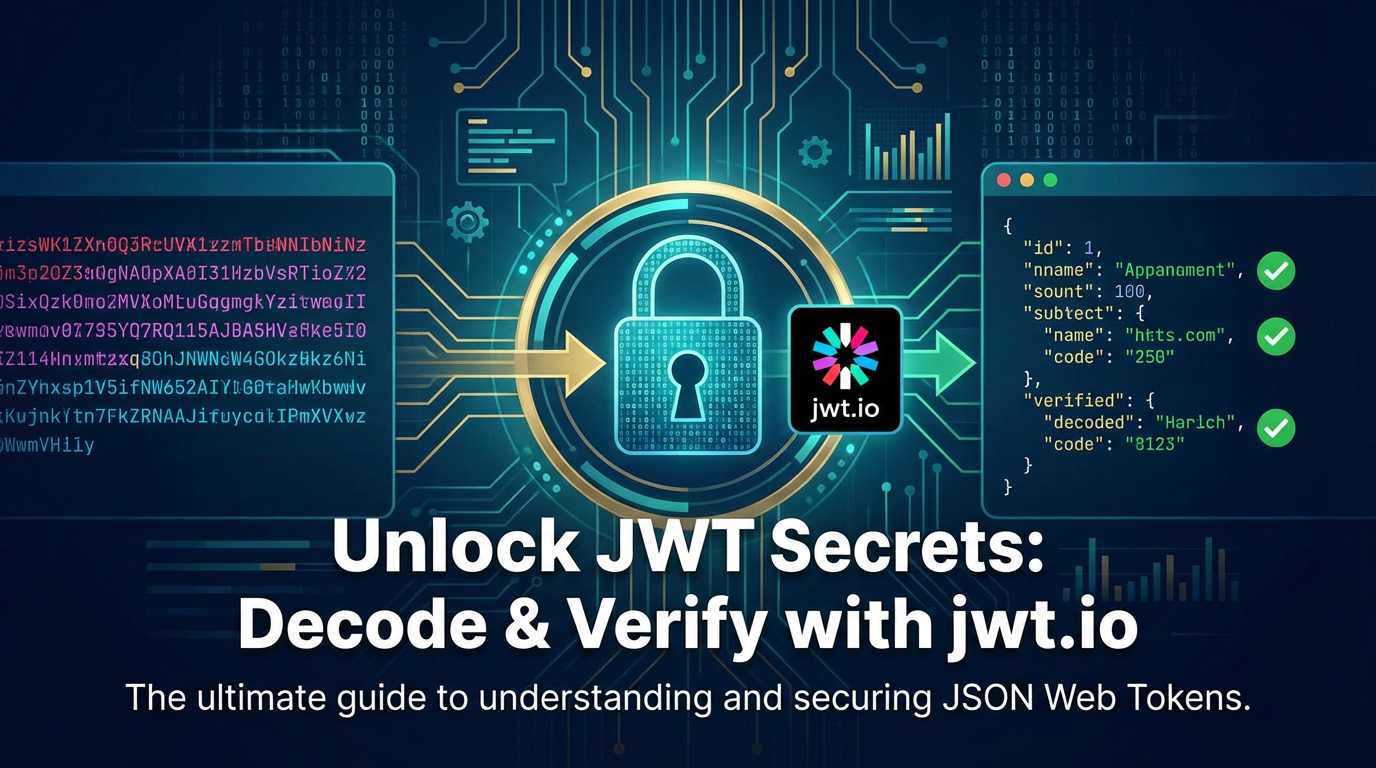


In the sprawling, interconnected landscape of modern web applications, the integrity and security of communication channels are paramount. Every click, every data exchange, and every authenticated interaction hinges on robust mechanisms that guarantee who is accessing what, and whether that access is legitimate. Amidst this complex ecosystem, JSON Web Tokens (JWTs) have emerged as a ubiquitous and powerful standard for securely transmitting information between parties. These compact, URL-safe tokens are not merely arbitrary strings; they are structured, signed packages of data that hold the key to user identity and authorization across distributed systems, particularly in the realm of microservices and API interactions.
However, the very power of JWTs—their self-contained nature and cryptographic signature—also presents a challenge: how does one truly understand what’s inside a JWT, and more critically, how does one ascertain its authenticity and prevent malicious tampering? This is where tools like jwt.io become indispensable. Far more than just a simple decoder, jwt.io stands as a beacon for developers, security professionals, and architects seeking to demystify JWTs. It provides an intuitive, interactive platform to dissect, analyze, and verify these tokens, transforming an opaque string into a transparent, verifiable data structure.
This comprehensive guide will embark on an extensive journey through the intricate world of JWTs. We will start by meticulously deconstructing their fundamental anatomy, exploring each component that contributes to their formidable capabilities. We will then dive deep into the practicalities of using jwt.io to not only decode the secrets held within a JWT's payload but also to understand the critical process of signature verification—the cornerstone of JWT security. Beyond mere mechanics, we will delve into advanced concepts, crucial security considerations, and the pivotal role JWTs play in modern API gateway architectures. By the end of this exploration, you will possess a profound understanding of JWTs, equipping you with the knowledge and tools to confidently implement, debug, and secure token-based authentication systems in your own applications, ensuring the integrity of your digital interactions.
1. Understanding JWT Fundamentals: The Foundation of Secure Digital Identity
Before we can effectively decode and verify JWTs, it is imperative to grasp their underlying principles and architecture. A JWT is not just a random string of characters; it is a meticulously crafted, self-contained package designed for efficiency, security, and interoperability. Its widespread adoption stems from its ability to address key challenges in distributed authentication and authorization, moving beyond traditional session-based approaches that often struggle in stateless or horizontally scaled environments.
1.1 What is a JWT? (JSON Web Token)
A JSON Web Token (JWT, pronounced "jot") is an open standard (RFC 7519) that defines a compact and self-contained way for securely transmitting information between parties as a JSON object. This information can be verified and trusted because it is digitally signed. The "self-contained" aspect is particularly powerful: all necessary information about the user and their permissions is embedded directly within the token itself, reducing the need for constant database lookups on the server side. This significantly improves scalability and performance, especially in highly distributed systems where multiple services might need to validate a user's identity without direct access to a central authentication store.
Compared to traditional server-side session tokens, which typically store a simple ID that references a session object on the server, JWTs offer several distinct advantages. Session tokens require state management on the server, meaning the server must remember which token belongs to which user. This can be problematic for horizontal scaling, as sessions might need to be shared across multiple server instances or externalized to a separate session store, introducing complexity and potential bottlenecks. JWTs, by contrast, are stateless. Once issued, the server doesn't need to retain any memory of the token's existence until its expiration, relying solely on cryptographic verification to confirm its authenticity.
The primary use cases for JWTs revolve around authorization and information exchange. In authorization scenarios, once a user logs in, the server issues a JWT. This token is then sent with every subsequent request to access protected routes, acting as proof of authentication. The server can then verify the token and grant access to the user based on the claims contained within it. For information exchange, JWTs can be used to securely transmit specific pieces of data between two parties, knowing that the data has not been tampered with. This is crucial for scenarios like Single Sign-On (SSO), where a user authenticated by one service can gain access to multiple related services without re-authenticating each time, all facilitated by a securely exchanged JWT. The compactness of JWTs, being URL-safe, also makes them ideal for inclusion in URL parameters, POST body, or HTTP headers, making them highly versatile for web-based communication.
1.2 The Anatomy of a JWT
A JWT is characteristically composed of three distinct parts, separated by dots (.): the Header, the Payload, and the Signature. Each part serves a unique and critical function, working in concert to create a secure and verifiable token. Understanding these individual components is foundational to both decoding and verifying a JWT effectively.
1.2.1 The Header
The header typically consists of two parts: the type of the token, which is JWT, and the signing algorithm being used, such as HMAC SHA256 or RSA. This information is crucial because it tells the recipient how the token is structured and, more importantly, how to verify its signature. Without knowing the algorithm, verifying the token would be impossible, as the correct cryptographic function and key would be unknown.
Here's an example of a header represented as a JSON object:
{
  "alg": "HS256",
  "typ": "JWT"
}
alg(Algorithm): Specifies the signing algorithm. Common values includeHS256(HMAC using SHA-256),RS256(RSA using SHA-256), andES256(ECDSA using P-256 and SHA-256). The choice of algorithm dictates whether a shared secret or a public/private key pair is used for signing and verification.typ(Type): Declares that the token is a JWT. While seemingly simple, this helps parsers and API consumers quickly identify the token's format.
This JSON object is then Base64Url-encoded to form the first part of the JWT.
1.2.2 The Payload
The payload, also known as the JWT Claims Set, contains the actual information, or "claims," about the entity (typically, the user) and additional metadata. Claims are statements about an entity (typically, the user) and additional data. There are three types of claims: registered, public, and private claims. The richness and flexibility of the payload allow for a wide range of use cases, from simple authentication to complex authorization rules.
Here's an example of a payload:
{
  "sub": "1234567890",
  "name": "John Doe",
  "iat": 1516239022,
  "exp": 1516242622,
  "aud": "your-app",
  "iss": "auth.example.com",
  "role": "admin"
}
- Registered Claims: These are a set of predefined claims that are not mandatory but are recommended to provide a set of useful, interoperable claims.
iss(Issuer): Identifies the principal that issued the JWT. This helps the recipient determine if the token originated from a trusted source.sub(Subject): Identifies the principal that is the subject of the JWT. This is typically a unique identifier for the user.aud(Audience): Identifies the recipients that the JWT is intended for. The recipient must identify itself with a value in the audience claim, or else the JWT should be rejected. This prevents tokens from being used by unintended applications.exp(Expiration Time): Identifies the expiration time on or after which the JWT MUST NOT be accepted for processing. It's a numeric date value representing seconds since the Unix epoch. Crucial for token lifespan management.nbf(Not Before Time): Identifies the time before which the JWT MUST NOT be accepted for processing. Also a numeric date value. Useful for delaying token activation.iat(Issued At Time): Identifies the time at which the JWT was issued. Can be used to determine the age of the JWT.jti(JWT ID): Provides a unique identifier for the JWT. This can be used to prevent the token from being replayed, especially in conjunction with a blacklist or revocation list.
- Public Claims: These are claims defined by those who use JWTs. To avoid collisions, they should be defined in the IANA JSON Web Token Claims Registry or be a URI that contains a collision-resistant name space. For example, a custom URL like
https://example.com/jwt_claims/premium_user. - Private Claims: These are custom claims created to share information between parties that agree on their use. They are not registered or public and are purely application-specific. For instance,
role: "admin"ordepartment: "engineering". While flexible, care must be taken to ensure clarity and avoid naming conflicts within an organization.
Like the header, this JSON object is then Base64Url-encoded to form the second part of the JWT.
1.2.3 The Signature
The signature is the cryptographic heart of the JWT, providing its security guarantees. It is used to verify that the sender of the JWT is who it says it is and to ensure that the message hasn't been tampered with along the way. This is achieved by combining the encoded header, the encoded payload, a secret (for symmetric algorithms like HMAC) or a private key (for asymmetric algorithms like RSA/ECDSA), and the algorithm specified in the header.
The signature is created as follows:
- Take the Base64Url-encoded header.
- Take the Base64Url-encoded payload.
- Concatenate them with a dot (
.) in between:Base64Url(header) + "." + Base64Url(payload). - Apply the cryptographic algorithm (e.g., HMAC SHA256) using the secret or private key to this concatenated string.
For an HS256 signature, the process looks like this:
HMACSHA256(
  Base64UrlEncode(header) + "." +
  Base64UrlEncode(payload),
  secret
)
The output of this cryptographic operation is then Base64Url-encoded to form the third and final part of the JWT.
Together, these three parts—Header.Payload.Signature—create the complete JWT string, a compact yet incredibly powerful unit of secure information exchange. The separation of concerns, with the header describing the token, the payload carrying the data, and the signature ensuring its integrity, is a testament to the elegant design of the JWT standard.
2. Decoding JWTs with jwt.io - The First Step in Transparency
Having understood the theoretical underpinnings of JWTs, the next crucial step is to gain practical insight into their structure. This is where jwt.io shines as an indispensable tool, offering an immediate, visual interpretation of any given JWT. While decoding a JWT doesn't confirm its authenticity, it's the essential first phase to understand the data it carries, allowing developers to inspect claims and debug issues efficiently.
2.1 Introduction to jwt.io
jwt.io is a free, open-source online tool designed specifically for interacting with JSON Web Tokens. It provides an interactive interface that allows users to paste a JWT and instantly see its decoded header and payload. More importantly, it also facilitates the verification process by allowing users to input a secret or public key, thereby calculating and comparing the signature to determine the token's validity. Its popularity among developers stems from its sheer simplicity, immediacy, and its role in demystifying what often appears as an arcane string of characters.
The interface of jwt.io is remarkably straightforward, typically divided into three main panels:
- Encoded: A large text area on the left where you paste or type your JWT.
- Decoded: Two panels in the middle, displaying the parsed Header and Payload in a human-readable JSON format. This is where the "secrets" of the claims truly become transparent.
- Verify Signature: A panel on the right, where you interact with signature verification. This is where you select the algorithm and input the secret or public key required to check the token's integrity.
For developers working with authentication and authorization, jwt.io is more than just a convenience; it's a vital debugging aid. It helps answer critical questions like: "Is my token actually being generated with the correct claims?" or "Is the expiration time set as I intended?" By providing instant feedback, it significantly reduces the time spent troubleshooting token-related issues during development and integration.
2.2 Hands-on Decoding Process
Let's walk through the step-by-step process of decoding a JWT using jwt.io. This practical exercise will solidify your understanding of how the tool works and what insights it immediately provides.
- Obtain a JWT: The first step is to have a JWT in hand. This might come from a login response from your API, an authorization server, or even a test token you've generated yourself. For demonstration purposes, let's consider a generic example JWT (this is a placeholder; real tokens are much longer):
eyJhbGciOiJIUzI1NiIsInR5cCI6IkpXVCJ9.eyJzdWIiOiIxMjM0NTY3ODkwIiwibmFtZSI6IkpvaG4gRG9lIiwiaWF0IjoxNTE2MjM5MDIyLCJleHAiOjE1MTYyNDI2MjIsImF1ZCI6InlvdXItYXBwIiwiaXNzIjoiYXV0aC5leGFtcGxlLmNvbSIsInJvbGUiOiJhZG1pbiJ9.SflKxwRJSMeKKF2QT4fwpMeJf36POk6yJV_adQssw5c - Navigate to
jwt.io: Open your web browser and go tohttps://jwt.io/. You'll immediately see the interactive interface ready for use. - Paste the Token: Locate the large text area on the left-hand side, typically labeled "Encoded" or similar. Paste your entire JWT string into this area. As soon as you paste the token,
jwt.ioautomatically begins processing it. - Observe Decoded Header and Payload: Almost instantaneously, the central panels will populate with the decoded JSON structures of the Header and the Payload.
- Header Panel: You will see something similar to this, formatted as a JSON object:
json { "alg": "HS256", "typ": "JWT" }This tells you that the token is a JWT and uses the HMAC SHA-256 algorithm for its signature. - Payload Panel: Below the header, you will see the decoded payload, also as a JSON object:
json { "sub": "1234567890", "name": "John Doe", "iat": 1516239022, "exp": 1516242622, "aud": "your-app", "iss": "auth.example.com", "role": "admin" }Here, you can inspect all the claims: the subject ID (sub), the user's name (name), the issue date (iat), the expiration date (exp), the intended audience (aud), the issuer (iss), and any custom claims likerole. Theiatandexpvalues, being Unix timestamps, might need a quick mental conversion or an external tool if you want to know the exact human-readable date and time, butjwt.iooften provides a tooltip or a conversion helper next to them.
- Header Panel: You will see something similar to this, formatted as a JSON object:
This immediate visual feedback is incredibly powerful. It allows developers to confirm that the claims they expect to be present are indeed in the token and that their values are correct. Any discrepancies between what's expected and what's decoded can point to issues in the token generation process on the server side.
2.3 What Decoding Reveals (and Doesn't)
It's crucial to understand the distinct implications of decoding versus verifying a JWT, a distinction often overlooked by those new to the technology.
What Decoding Reveals:
- Header Information: It immediately shows the signing algorithm (
alg) and the token type (typ). This is foundational for knowing how to proceed with verification. - Payload Contents (Claims): You can see all the claims embedded within the token, including registered, public, and private claims. This means you can identify the subject, issuer, audience, expiration time, and any custom data relevant to your application. This raw data is available to anyone who obtains the token, as it's only Base64Url-encoded, not encrypted.
- Structure: It visually confirms the three-part structure of the JWT.
What Decoding Doesn't Reveal (or Guarantee):
- Authenticity: Decoding does not tell you if the token was issued by a legitimate source. Anyone can Base64Url-encode a header and a payload and present it as a JWT.
- Integrity: Critically, decoding does not tell you if the token's header or payload has been tampered with since it was issued. An attacker could modify claims (e.g., change a user's role from "guest" to "admin") in the encoded payload, and simply decoding it would show the manipulated claims without any indication of foul play.
- Secrecy: The information in the header and payload is not encrypted. Base64Url encoding is an encoding scheme, not an encryption method. Therefore, no sensitive or confidential information should ever be placed directly into the JWT payload unless the entire JWT is subsequently encrypted using JWE (JSON Web Encryption), which is a separate, more complex standard. The purpose of JWTs is integrity and authentication, not confidentiality of the claims themselves.
In essence, decoding a JWT with jwt.io is akin to reading a message written in clear text. You can understand its content, but you don't know who wrote it or if someone altered it after it was originally composed. For true security, you need to verify the signature, which we will explore in the next section. This distinction is paramount for securing any API that relies on JWTs; relying solely on decoding is a critical security vulnerability.
3. Verifying JWTs - Ensuring Integrity and Authenticity
While decoding a JWT unveils its contents, it is the process of verification that provides the bedrock of trust and security. Verification is the cryptographic handshake that confirms the token's authenticity, guaranteeing that it originated from a trusted issuer and has not been altered since its creation. Without successful verification, any information derived from the token's payload is unreliable and potentially malicious.
3.1 Why Verification is Paramount
The signature part of a JWT is not merely decorative; it is the cryptographic proof of its integrity and authenticity. When a server receives a JWT, it performs a series of checks, the most important of which is signature verification.
- Preventing Tampering: Imagine a scenario where a malicious actor intercepts a JWT and attempts to alter a claim, such as changing a user's
rolefrom "user" to "admin." Without a signature, this alteration would go unnoticed. The signature acts as a checksum and a cryptographic seal. If any part of the header or payload is changed, even by a single character, recalculating the signature with the original key will produce a different result, leading to a signature mismatch. This immediately flags the token as invalid and tampered with, preventing unauthorized access or privilege escalation. - Preventing Impersonation: The signature also ensures that the token was indeed issued by a legitimate server. By verifying the signature using a known secret key (for HMAC) or a public key corresponding to the issuer's private key (for RSA/ECDSA), the recipient can trust that the token originates from an authentic source and not from an impostor attempting to forge an identity. This establishes a critical trust relationship between the issuer and the recipient, central to secure API interactions.
- Mitigating Replay Attacks (with
jti,exp): While the signature itself doesn't directly prevent replay attacks (where an attacker resends a valid, non-expired token), it's a foundational component. Coupled with claims likeexp(expiration time) andjti(JWT ID), the signature ensures that even if a token is replayed, its inherent validity (e.g., not expired, not blacklisted viajti) can be trusted before application-level logic is applied.
In essence, the signature transforms a simple data package into a trustworthy credential. It's the difference between receiving an unsigned note that anyone could have written and a notarized document whose origin and content integrity are legally guaranteed.
3.2 How Signatures Work
The mechanism behind JWT signatures relies on well-established cryptographic principles. The type of algorithm specified in the header (alg) dictates whether a symmetric or asymmetric key approach is used.
3.2.1 Symmetric Signing (e.g., HMAC with HS256)
Symmetric algorithms, like HMAC (Hash-based Message Authentication Code), use a single, shared secret key for both signing and verification. This means the issuer and the recipient of the token must both possess the exact same secret.
- Signing Process: The issuer takes the Base64Url-encoded header and payload, concatenates them, and then computes an HMAC hash using the specified algorithm (e.g., SHA256) and their shared secret key. The resulting hash is the signature.
- Verification Process: When the recipient receives the token, they perform the exact same computation: they take the token's header and payload (after decoding and re-encoding to preserve the original form), concatenate them, and then compute an HMAC hash using the same shared secret key and algorithm. If the freshly computed signature matches the signature provided in the JWT, the token is deemed valid. If they don't match, it indicates tampering or an incorrect secret.
The security of HMAC-signed JWTs heavily relies on the secrecy and strength of the shared key. If the secret key is compromised, an attacker can forge valid tokens.
3.2.2 Asymmetric Signing (e.g., RSA with RS256, ECDSA with ES256)
Asymmetric algorithms, such as RSA (Rivest–Shamir–Adleman) and ECDSA (Elliptic Curve Digital Signature Algorithm), use a pair of mathematically linked keys: a private key and a public key.
- Signing Process: The issuer signs the Base64Url-encoded header and payload using their private key. This private key is kept strictly confidential by the issuer. The output of this cryptographic operation is the signature.
- Verification Process: The recipient verifies the signature using the issuer's corresponding public key. The public key can be freely distributed and does not need to be kept secret. The recipient uses the public key to decrypt or validate the signature against the token's header and payload. If the signature is valid according to the public key, the token is authentic.
The advantage of asymmetric signing is that the recipient does not need to possess the sensitive private key, only the public key. This is particularly beneficial in scenarios where multiple services (recipients) need to verify tokens issued by a central authority (issuer), reducing the risk associated with distributing shared secrets. For example, an API gateway might use a public key to verify tokens issued by an identity provider, without ever having access to the identity provider's private signing key.
Both symmetric and asymmetric signature mechanisms are designed to provide a tamper-evident seal. Any modification to the header or payload will invalidate the signature, signaling a breach of integrity.
3.3 Verification with jwt.io
jwt.io not only decodes but also empowers you to perform the crucial verification step, providing immediate feedback on a token's integrity. The process varies slightly depending on whether you're using a symmetric (shared secret) or asymmetric (public key) algorithm.
3.3.1 Step-by-Step for HMAC (Symmetric Key)
For algorithms like HS256, HS384, or HS512, you'll need the exact secret key used to sign the token.
- Paste Your JWT: As before, paste your JWT into the "Encoded" panel on
jwt.io. The header and payload will automatically decode. - Locate "Verify Signature" Panel: On the right-hand side, you'll find the "Verify Signature" section.
- Select Algorithm:
jwt.iowill usually auto-detect the algorithm from the decoded header. Ensure the dropdown correctly displays, for example, "HMACSHA256". - Enter Your Secret: Below the algorithm selection, there will be a text field labeled "your-secret" or similar. Crucially, you must enter the exact secret key that your server used to sign the token. This secret is case-sensitive and must match perfectly.
- Important Note: If your secret key is Base64-encoded before being used in the signing process by your backend library, you might need to check the "secret base64 encoded" checkbox below the input field on
jwt.io. This tellsjwt.ioto decode your input string before using it for verification, mirroring how some libraries handle secrets. Most simple string secrets do not require this.
- Important Note: If your secret key is Base64-encoded before being used in the signing process by your backend library, you might need to check the "secret base64 encoded" checkbox below the input field on
- Observe Verification Result: As you type the secret,
jwt.iocontinuously re-calculates the signature.- Green "Signature Verified" message: If the calculated signature matches the token's signature, a clear green message indicating "Signature Verified" will appear. This means the token is authentic and untampered, given the secret you provided is correct.
- Red "Invalid Signature" message: If the signatures do not match, a red "Invalid Signature" message will be displayed. This could mean the token has been tampered with, the wrong secret key was used, or the token was signed with a different algorithm or key entirely.
3.3.2 Step-by-Step for RSA/ECDSA (Asymmetric Key)
For algorithms like RS256, RS384, ES256, etc., you will need the public key or certificate that corresponds to the private key used for signing.
- Paste Your JWT: Again, paste your JWT into the "Encoded" panel.
- Locate "Verify Signature" Panel: Go to the "Verify Signature" section.
- Select Algorithm:
jwt.iowill typically auto-detect the algorithm (e.g., "RS256"). - Enter Your Public Key/Certificate: Below the algorithm, instead of a simple "secret" field, you'll see a larger text area for the public key. This usually needs to be in PEM format (e.g., starting with
-----BEGIN PUBLIC KEY-----and ending with-----END PUBLIC KEY-----, or-----BEGIN CERTIFICATE-----if it's a certificate containing the public key).- Paste the entire public key or certificate string, including the
BEGINandENDmarkers.
- Paste the entire public key or certificate string, including the
- Observe Verification Result:
jwt.iowill use the provided public key to verify the signature.- Green "Signature Verified" message: Indicates a successful verification.
- Red "Invalid Signature" message: Suggests tampering, an incorrect public key (e.g., belonging to a different private key pair), or an algorithm mismatch.
3.3.3 Interpreting the Verification Result
The immediate visual feedback from jwt.io on signature verification is incredibly valuable for debugging:
- "Signature Verified" (Green): This is the ideal outcome. It confidently states that, based on the secret/public key you provided, the token's header and payload have not been altered since it was signed. This is a fundamental step in trusting the claims within the token.
- "Invalid Signature" (Red): This is a critical warning. It means the cryptographic signature calculated from the header, payload, and the provided key does not match the signature embedded in the token. Potential causes include:
- Incorrect Key: The most common issue. You might be using the wrong secret or public key. Double-check its value, including any leading/trailing spaces or newline characters.
- Tampering: The token's header or payload might have been maliciously modified by an unauthorized party.
- Algorithm Mismatch: The token was signed with an algorithm different from the one
jwt.io(or your application) is attempting to verify with. Ensure thealgin the decoded header matches your expectation. - Key Encoding Issues: For symmetric secrets, ensure the "secret base64 encoded" checkbox on
jwt.iois correctly set if your secret is indeed Base64 encoded by your application.
Successful signature verification is the gateway to processing the claims within the token safely. Without it, the data in the payload should be treated as untrustworthy and discarded.
3.4 Common Verification Errors and Beyond the Signature
While signature verification is central, a valid signature is only one piece of the puzzle. Several other checks are crucial for fully trusting a JWT, particularly regarding its lifespan and intended use. jwt.io helps visualize the claims that facilitate these additional checks, though the actual enforcement must happen in your application logic.
- Incorrect Secret/Key: As mentioned, this is the most frequent cause of "Invalid Signature." Always confirm the key is identical to the one used for signing, accounting for any encoding.
- Algorithm Mismatch: The
algclaim in the header specifies the signing algorithm. If your verification logic (orjwt.io) attempts to verify with a different algorithm (e.g., trying to verify anHS256token with anRS256public key), verification will fail. A particularly dangerous vulnerability, known as the "alg: none" attack, involves an attacker changing thealgclaim to "none" and stripping the signature, hoping the recipient blindly accepts it without verification. Robust JWT libraries explicitly disable or require explicit configuration for the "none" algorithm. - Expired Tokens (
expclaim): Theexp(expiration time) claim is a crucial security measure.jwt.iowill highlight if the token is expired by showing a warning message, but it doesn't prevent decoding. Your application must explicitly check this claim. If the current time is after theexptime, the token should be rejected, even if the signature is valid. This prevents long-lived tokens from being indefinitely abused if compromised. - "Not Before" Tokens (
nbfclaim): Thenbf(not before time) claim indicates that the token should not be accepted before a certain time. If the current time is before thenbftime, the token should be rejected. This is useful for future-dated tokens or to handle clock skew in distributed systems.jwt.iowill also visually indicate if a token is not yet active. - Audience (
aud) and Issuer (iss) Mismatch: While the signature confirms who signed the token,audandissclaims confirm who the token is for and who issued it. Your application should verify that:- The
issclaim matches the expected issuer (e.g.,auth.example.com). This ensures the token came from a trusted identity provider. - The
audclaim contains an identifier for your application (e.g.,your-app). This prevents tokens issued for one application from being used to access another.jwt.iowill display these claims, but your application code is responsible for comparing them against your configured values.
- The
By meticulously performing all these checks—signature verification, exp, nbf, iss, and aud validation—your API can ensure that it is processing not just a syntactically correct token, but a cryptographically secure, timely, and appropriately scoped credential. Failing to implement comprehensive verification opens the door to a multitude of security vulnerabilities.
APIPark is a high-performance AI gateway that allows you to securely access the most comprehensive LLM APIs globally on the APIPark platform, including OpenAI, Anthropic, Mistral, Llama2, Google Gemini, and more.Try APIPark now! 👇👇👇
4. Advanced JWT Concepts and Best Practices
Securing modern web applications with JWTs extends far beyond merely decoding and verifying a signature. It involves a nuanced understanding of their lifecycle, potential vulnerabilities, and strategic integration into complex architectures. Adopting best practices in key management, algorithm selection, and token lifecycle management is paramount for building truly resilient systems.
4.1 JWT Security Considerations
The stateless nature and self-contained information within JWTs are powerful advantages, but they also introduce specific security challenges that must be addressed proactively. A robust JWT implementation requires careful consideration of several critical areas.
4.1.1 Key Management: The Bedrock of Trust
The signing key (whether symmetric secret or asymmetric private key) is the single most critical asset in a JWT-based system. Its compromise renders all issued tokens forgeable.
- Secure Storage: Signing keys must be stored securely, ideally in hardware security modules (HSMs), specialized key management services (KMS), or at the very least, in environment variables or configuration files that are not committed to version control and are only accessible by the issuing service. Never hardcode keys in application code.
- Key Rotation: Implement a regular key rotation policy. If a key is compromised, the impact is limited to tokens signed with that specific key within a defined timeframe. Regular rotation makes it harder for attackers to exploit compromised keys for extended periods. When rotating keys, ensure that applications can verify tokens signed with both the old and new keys for a transition period.
- Key Strength: Use cryptographically strong keys. For HMAC, secrets should be sufficiently long and random (e.g., 256 bits or more). For RSA/ECDSA, use appropriate key lengths (e.g., 2048-bit RSA or P-256/P-384 for ECDSA).
4.1.2 Algorithm Choice: Beyond "None"
The algorithm specified in the alg header field dictates how the signature is generated and verified.
- Avoid "None": The "none" algorithm, while part of the JWT specification, essentially signifies an unsigned token. It presents a critical vulnerability if not explicitly handled and rejected by verification libraries. Attackers can change the
algto "none" and remove the signature, making the token appear valid to a vulnerable verifier. Always ensure your JWT library explicitly forbids or strictly controls the use of the "none" algorithm for incoming tokens. - Choose Strong Algorithms: Prefer robust, well-vetted cryptographic algorithms.
HS256(HMAC-SHA256) is a good choice for symmetric signing when the secret can be securely shared.RS256(RSA-SHA256) orES256(ECDSA-SHA256) are excellent for asymmetric signing, particularly when an identity provider needs to issue tokens verified by multiple independent API consumers without sharing a secret.
4.1.3 Token Expiration (exp): Short-Lived Tokens are Safer
The exp (expiration time) claim is fundamental to JWT security.
- Short-Lived Tokens: Issue JWTs with short expiration times (e.g., 5-15 minutes). While this means clients need to obtain new tokens more frequently, it significantly reduces the window of opportunity for an attacker to exploit a stolen token. If a token is compromised, its utility is short-lived.
- Refresh Tokens: To improve user experience with short-lived access tokens, implement a refresh token mechanism. When an access token expires, the client can use a longer-lived, usually single-use, refresh token to request a new access token (and potentially a new refresh token) from the authorization server. Refresh tokens are typically stored more securely (e.g., HttpOnly cookies) and often require server-side storage for revocation purposes, effectively reintroducing some state for managing long-term sessions securely.
4.1.4 Audience (aud) and Issuer (iss): Scope and Origin Control
These claims are vital for ensuring that a token is used in its intended context.
- Validate
aud: Always verify that theaudclaim in the token matches the identifier of your application or API. This prevents tokens issued for Service A from being accepted by Service B, even if they share the same issuer. - Validate
iss: Always verify that theissclaim matches your expected token issuer. This ensures that the token genuinely comes from your trusted identity provider or authentication service, preventing forged tokens from unrecognized sources.
4.1.5 JTI (JWT ID): Preventing Replay Attacks (with State)
The jti (JWT ID) claim provides a unique identifier for the token.
- Blacklisting/Revocation: While JWTs are inherently stateless, the
jticlaim can be used to implement a form of explicit token revocation or blacklisting. If a token needs to be invalidated before its natural expiration (e.g., user logs out, password reset, security incident), itsjtican be added to a server-side blacklist. Any subsequent request with thatjtiwould be rejected, even if the token is still cryptographically valid. This reintroduces state but addresses a critical security need for immediate revocation. This is often done in conjunction with short-lived access tokens and revocable refresh tokens.
4.1.6 XSS/CSRF Protection: Secure Token Storage
Where and how JWTs are stored on the client side profoundly impacts security.
- HttpOnly Cookies: Storing JWTs (especially refresh tokens) in
HttpOnlycookies helps mitigate XSS (Cross-Site Scripting) attacks, as client-side JavaScript cannot access them. However, this method can be vulnerable to CSRF (Cross-Site Request Forgery) attacks if not properly protected (e.g., with CSRF tokens). - Local Storage/Session Storage: Storing access tokens in
localStorageorsessionStoragemakes them easily accessible by client-side JavaScript, simplifying application logic. However, this makes them highly vulnerable to XSS attacks, where malicious injected scripts could steal the token. - Security Trade-offs: The choice depends on your application's specific security profile and the sensitivity of the data. For high-security applications, a combination of short-lived access tokens in memory/local storage (with careful XSS prevention) and HttpOnly refresh tokens is often recommended, coupled with stringent anti-CSRF measures.
4.2 JWT Revocation (Beyond Statelessness)
One of the often-cited advantages of JWTs is their statelessness, meaning the server doesn't need to maintain a record of issued tokens. However, this very characteristic makes immediate revocation a challenge. If a token is compromised or a user logs out, the desire is to invalidate it instantly, rather than waiting for its natural exp to pass.
- The Challenge: A truly stateless JWT, once signed and issued, is valid until its expiration. There's no inherent server-side mechanism to "take it back" without reintroducing state.
- Strategies for "Revocation":
- Short Expiry + Refresh Tokens: This is the most common and recommended approach. Access tokens are kept very short-lived (minutes). If a user logs out, their refresh token is immediately revoked (blacklisted on the server), preventing them from minting new access tokens. The currently active access token will expire quickly anyway.
- Blacklisting (
jti): For critical, immediate revocation of an active access token, itsjtican be added to a server-side blacklist (e.g., in a fast cache like Redis). Before processing any request, the server checks if the incomingjtiis on the blacklist. This works but reintroduces state and requires fast, scalable storage for the blacklist. - Changing Signing Keys: A drastic measure. If a critical security breach occurs, changing the signing key (for both symmetric and asymmetric systems) will effectively invalidate all previously issued tokens signed with the old key, as they can no longer be verified. This has significant operational overhead and disrupts all active sessions.
The "stateless" nature of JWTs primarily applies to the access token itself during its validity period. For robust session management and revocation capabilities, refresh tokens and/or blacklisting mechanisms often introduce a controlled amount of state back into the system, finding a balance between scalability and security.
4.3 JWT and API Gateways
The rise of microservices and complex API architectures has amplified the need for efficient and centralized authentication and authorization. This is precisely where API gateways play a pivotal role, often becoming the first line of defense and validation for incoming requests, with JWTs at the heart of their security strategy.
An API gateway acts as a single entry point for all client requests, routing them to the appropriate backend microservices. Before forwarding any request, a robust API gateway can perform crucial tasks like authentication, authorization, rate limiting, and traffic management. This centralized approach significantly simplifies the security burden on individual backend services, which can then trust that any request reaching them has already been authenticated and authorized by the gateway.
- Centralized Validation: When a client sends a request with a JWT in the
Authorizationheader, the API gateway can intercept it. Instead of each microservice having to implement its own JWT validation logic, the gateway handles this centrally. It verifies the JWT's signature (using a known secret or public key), checks its expiration (exp), audience (aud), issuer (iss), and potentially other claims likejtiagainst a blacklist. - Reducing Burden on Backend Services: By offloading JWT validation to the gateway, backend services receive pre-authenticated requests. This simplifies their development, reduces duplicate code, and allows them to focus solely on their business logic, knowing that the user's identity and permissions have already been established. The gateway can then forward relevant claims (e.g., user ID, roles) as custom headers to the downstream services.
- Enhanced Security Posture: Centralized validation at the API gateway also strengthens the overall security posture. Security policies, key management, and algorithm configurations can be managed in one place, reducing the risk of inconsistent or flawed implementations across multiple services. It also makes it easier to implement advanced security features like bot detection, WAF (Web Application Firewall), and detailed logging of authentication attempts.
This is where platforms like APIPark come into play. APIPark is an open-source AI gateway and API management platform that is explicitly designed to handle these types of challenges. As an API gateway, APIPark offers capabilities for quick integration and unified management, including robust authentication mechanisms that are crucial for securing JWT-based access. It can act as that central point for authenticating requests, validating JWTs, and then routing those requests to the appropriate backend services, whether they are traditional REST APIs or cutting-edge AI models. By standardizing the request data format and offering features like end-to-end API lifecycle management and detailed call logging, APIPark ensures that every API call, including those authenticated by JWTs, is handled securely, efficiently, and transparently. Its ability to perform at high TPS rates (over 20,000 TPS on modest hardware) ensures that the gateway itself doesn't become a bottleneck, even with complex JWT validation rules in place. This level of comprehensive management is essential for enterprises dealing with a multitude of APIs and diverse authentication requirements.
4.4 Using JWTs in Microservices Architectures
In microservices, where applications are composed of many small, independent services, JWTs are a natural fit for managing user identity and authorization across service boundaries.
- Propagation of Identity: Once a user authenticates at an identity service (often proxied by an API gateway), a JWT is issued. This JWT, containing user identity and roles, can then be passed from service to service as the request traverses the microservices landscape. Each service can independently verify the token's signature and extract the necessary claims to make authorization decisions without needing to communicate back to a central identity provider for every request.
- Decentralized Authorization Checks: While authentication often happens at the gateway, individual microservices can perform fine-grained authorization checks based on the claims in the JWT. For example, a "product service" might check the
roleclaim in the JWT to determine if the user has permission to update product information. This push-down of authorization logic to the individual services allows for greater autonomy and scalability. - Statelessness for Services: The stateless nature of JWTs means that individual microservices don't need to maintain session state for users, making them easier to scale horizontally and deploy independently.
However, careful design is required. Overloading JWTs with too many claims can make them large, impacting performance. Sensitive data should not be placed in the JWT payload unless the entire token is encrypted (JWE). The security of the JWT relies heavily on the cryptographic key, and proper key management becomes even more critical in a distributed environment.
5. Practical Applications and Scenarios
Understanding the theoretical aspects and best practices of JWTs is invaluable, but their true utility shines through in practical applications. From the typical user login flow to debugging complex authentication issues, JWTs are at the core of many modern API interactions, and jwt.io remains a constant companion for developers.
5.1 Real-world JWT Flow (Login to Resource Access)
Let's illustrate a typical end-to-end flow of how JWTs are used in a web application accessing a protected API:
- User Login: A user navigates to a web application (e.g., a Single Page Application or mobile app) and provides their credentials (username/password) to log in.
- Authentication Request: The client application sends these credentials to an authentication server or the API gateway's authentication endpoint.
- Credential Verification: The authentication server verifies the credentials against its user store (e.g., database, LDAP).
- JWT Issuance: If the credentials are valid, the authentication server generates a JWT. This JWT contains claims about the user (e.g.,
sub,iss,aud,exp,role, etc.) and is signed using the server's private key (for asymmetric algorithms) or a shared secret (for symmetric algorithms). It might also issue a refresh token for long-term session management. - Token Sent to Client: The authentication server sends the newly minted JWT (the access token) back to the client application. The refresh token, if used, is typically sent in an HttpOnly cookie or through a secure channel.
- Client Stores JWT: The client application stores the access token. Common storage locations include
localStorage,sessionStorage, or in-memory (for short-lived tokens, though this means the token is lost on page refresh). For single-page applications,localStorageis often chosen for convenience, despite its XSS vulnerability risks if proper mitigations aren't in place. - Client Makes Protected API Request: When the user wants to access a protected resource (e.g., fetch user profile data, make a purchase), the client application attaches the JWT to the
Authorizationheader of the HTTP request, typically in theBearertoken format:Authorization: Bearer <your_jwt_token>. - API Gateway/Resource Server Receives Request: The API gateway (or the resource server directly, if no gateway is present) intercepts the request.
- JWT Verification: The gateway/server performs comprehensive JWT verification:
- It checks the token's signature using the appropriate key (
jwt.iocan help debug if this step fails). - It validates the
exp(expiration time),nbf(not before time),iss(issuer), andaud(audience) claims. - It might also check if the
jti(JWT ID) is on a blacklist (for revocation).
- It checks the token's signature using the appropriate key (
- Authorization Decision: If the JWT is valid and verified, the gateway/server extracts the claims (e.g., user ID, roles) and uses them to make an authorization decision—is this user allowed to access this specific resource or perform this action?
- Resource Access/Rejection: If authorized, the request is forwarded to the appropriate backend service, potentially with the user claims passed along as internal headers. The backend service then processes the request. If authorization fails or the token is invalid, the request is rejected (e.g., with a 401 Unauthorized or 403 Forbidden status).
- Token Expiration and Refresh (Optional): If the access token expires, the client uses the refresh token (if available) to request a new access token from the authentication server, restarting from step 4, without requiring the user to re-enter credentials.
This flow illustrates how JWTs provide a streamlined and secure mechanism for managing user sessions and permissions across distributed API ecosystems.
5.2 Debugging JWT Issues with jwt.io
jwt.io is an invaluable debugger for a multitude of JWT-related problems. Its interactive nature allows for rapid diagnosis, transforming hours of head-scratching into minutes of targeted investigation.
- Troubleshooting Signature Errors:
- "Invalid Signature" is the most common issue. The first step is always to paste the problematic token into
jwt.io. - Check
alg: Is thealgin the decoded header what you expect? If your application is configured forHS256but the token showsRS256, you have an algorithm mismatch. - Verify Secret/Key: Carefully copy and paste your signing secret (for HMAC) or public key/certificate (for RSA/ECDSA) into
jwt.io's verification panel.- Typos: Even a single incorrect character will result in an invalid signature.
- Encoding: If using HMAC, ensure the "secret base64 encoded" checkbox is correctly set (or unset) if your application's JWT library base64-encodes the secret before using it. This is a subtle but frequent pitfall.
- Line Endings/Spaces: For public keys in PEM format, ensure no extra spaces or newline characters have been inadvertently added or removed during copying.
- Has the Token Been Modified? If you are certain the key is correct, an "Invalid Signature" definitively points to tampering. This could be malicious or an unintended side effect of some intermediary processing that modified the token string.
- "Invalid Signature" is the most common issue. The first step is always to paste the problematic token into
- Inspecting Claim Values:
- Missing Claims: Are all the claims your application expects actually present in the token's payload? For instance, if your authorization logic depends on a
roleclaim, butjwt.ioshows it's missing, the issue lies in the token generation, not the verification. - Incorrect Claim Values: Are
sub,iss,aud, or any custom claims holding the correct values? A common mistake is anaudclaim that doesn't match the consuming service's identifier, leading to rejection even with a valid signature. - Time-Related Claims (
exp,nbf):jwt.iowill visually indicate if a token is expired or not yet active based on these claims. If your application rejects a token, butjwt.ioshows it's valid time-wise, check for clock skew between your server and the token issuer, or an issue in your application's time zone handling.
- Missing Claims: Are all the claims your application expects actually present in the token's payload? For instance, if your authorization logic depends on a
- Identifying Encoding Problems:
- If
jwt.iocan't even decode the header or payload (e.g., displays an error or garbled text), it suggests the token itself is malformed or not properly Base64Url-encoded. This usually points to issues during the token creation process. - Characters that are not URL-safe will often break
jwt.io's parsing or cause issues when transmitted. The Base64Url encoding specification handles this by replacing+with-and/with_, and removing padding (=).
- If
By using jwt.io systematically, developers can quickly narrow down the source of JWT-related errors, whether they originate from token generation, transmission, or the verification process itself. It's a fundamental tool in the modern developer's arsenal for working with secure API authentication.
5.3 Programmatic JWT Handling (Briefly mention libraries)
While jwt.io is excellent for inspection and debugging, real-world applications require programmatic handling of JWTs. This involves libraries and SDKs that implement the JWT standard for generation, signing, and verification within your application code.
Virtually every major programming language has robust, well-maintained libraries for JWT handling:
- Node.js:
jsonwebtokenis a widely used library. - Python:
PyJWTis the go-to for Python applications. - Java:
java-jwtand various Spring Security modules provide comprehensive support. - Go:
github.com/golang-jwt/jwtis a popular choice. - .NET:
Microsoft.IdentityModel.Tokensoffers full JWT capabilities.
These libraries handle the low-level details of Base64Url encoding, cryptographic hashing, and signature generation/verification, allowing developers to focus on the business logic of issuing and consuming tokens. They also typically offer built-in validation for standard claims like exp, nbf, iss, and aud, reducing the risk of common security pitfalls.
It's important to remember that jwt.io serves as a diagnostic tool, providing a visual representation and verification mechanism for tokens that are ultimately generated and processed programmatically by these libraries in production environments. The combination of strong library implementations and tools like jwt.io for debugging forms a powerful approach to secure API authentication.
Conclusion
The journey through the realm of JSON Web Tokens reveals a sophisticated yet elegant standard that has profoundly reshaped the landscape of digital authentication and authorization. From their compact, self-contained structure to the cryptographic assurances provided by their digital signatures, JWTs offer a compelling solution for secure information exchange in today's distributed and stateless architectures. Their ubiquitous presence across web applications, mobile platforms, and especially within microservices interacting through APIs, underscores their foundational importance.
Throughout this extensive exploration, we've meticulously dissected the anatomy of a JWT, distinguishing between its transparent header and payload, and its cryptographically sealed signature. We've highlighted the critical difference between decoding—which merely unveils information—and verification—which unequivocally confirms integrity and authenticity. It is this verification step, often fortified by robust API gateways like APIPark that ensure centralized authentication and robust API management, that safeguards our digital interactions against tampering and impersonation.
The indispensable jwt.io tool has served as our guiding light, providing an intuitive, hands-on interface to demystify these tokens. It empowers developers to swiftly inspect claims, troubleshoot complex signature errors, and gain immediate insights into the validity and content of any JWT. This immediate feedback loop is critical for efficient development and rigorous debugging in the fast-paced world of API development.
However, the power of JWTs comes with a significant responsibility. Their effective and secure implementation hinges upon a steadfast adherence to best practices: diligent key management, careful algorithm selection, the strategic use of short-lived tokens alongside refresh token mechanisms, and rigorous validation of all standard claims. Overlooking these security considerations can transform a powerful security primitive into a glaring vulnerability, exposing sensitive APIs and user data to risk.
As digital ecosystems continue to evolve, the principles of secure, verifiable, and efficient identity propagation will remain paramount. JWTs, when properly understood and meticulously implemented, will continue to play a pivotal role in establishing trust across complex systems, enabling seamless and secure communication. Armed with the knowledge to decode, verify, and responsibly manage JWTs, developers are well-equipped to build the next generation of secure and scalable API-driven applications.
Frequently Asked Questions (FAQ)
1. What is the fundamental difference between decoding and verifying a JWT?
Decoding a JWT means taking the Base64Url-encoded header and payload and converting them back into human-readable JSON objects. This process reveals the information contained within the token (e.g., user ID, roles, expiration time) but does not confirm its authenticity or integrity. Anyone with a JWT can decode it, as Base64Url is an encoding scheme, not an encryption method. Verifying a JWT, on the other hand, is a cryptographic process that uses the token's signature, along with a secret key or public key, to confirm two crucial aspects: (1) that the token was indeed issued by the legitimate sender, and (2) that its header and payload have not been tampered with since it was signed. A successfully verified token can be trusted; a merely decoded one cannot.
2. Why is jwt.io so widely used by developers, and what are its limitations?
jwt.io is widely used because it provides an immediate, interactive, and visual way to inspect and verify JWTs. It's an invaluable debugging tool for developers to quickly check claim values, confirm algorithm usage, and troubleshoot signature errors without writing any code. Its simplicity makes understanding complex JWTs accessible. However, its limitations are important to note: it's a diagnostic and testing tool, not a production-grade library for handling JWTs within your application. Furthermore, jwt.io does not handle JWE (JSON Web Encryption), so it won't decrypt encrypted JWTs, and it cannot prevent common attack vectors like "alg: none" attacks if not used carefully by the developer. It's a window into the token, but your application's code is responsible for actual, secure implementation.
3. Can sensitive information be stored in a JWT payload?
Generally, no, sensitive information should not be stored directly in a JWT payload unless the entire JWT is subsequently encrypted using JSON Web Encryption (JWE). This is because the payload, while Base64Url-encoded, is not encrypted and can be easily decoded by anyone who intercepts the token. While the signature protects the integrity of the payload (preventing tampering), it does not protect its confidentiality. For truly confidential data, either use JWE (which is more complex), or avoid putting the sensitive data in the token and instead use a token to reference a server-side storage location where the sensitive data is stored securely.
4. How do API Gateways enhance JWT security in a microservices architecture?
API Gateways significantly enhance JWT security by centralizing the authentication and authorization process. Instead of each individual microservice having to implement and manage its own JWT validation logic, the API Gateway acts as a single entry point that intercepts all incoming requests. It performs comprehensive JWT verification (signature, exp, aud, iss, etc.) at the edge of the network. This offloads the security burden from backend services, ensures consistent security policies, simplifies development, and allows for advanced security features (like centralized logging, rate limiting, and WAF integration) to be applied uniformly. Products like APIPark exemplify this, providing an efficient platform to manage and secure APIs, including the critical handling of JWT authentication.
5. What is the biggest security risk with JWTs, and how can it be mitigated?
The biggest security risk with JWTs typically lies in the compromise of the signing key (for symmetric algorithms) or the private key (for asymmetric algorithms). If an attacker gains access to the key, they can forge valid JWTs, impersonating legitimate users or services. This risk is mitigated through robust key management practices: * Secure Storage: Store keys in Hardware Security Modules (HSMs), Key Management Services (KMS), or highly secured environment variables, never hardcoded. * Key Rotation: Regularly rotate signing keys to limit the impact of any potential compromise. * Strong Algorithms: Use strong, industry-standard cryptographic algorithms (e.g., HS256, RS256, ES256) and avoid insecure options like the "none" algorithm. * Short Expiration Times: Implement short exp times for access tokens and use refresh tokens for longer sessions, making compromised access tokens useful for a very limited duration.
🚀You can securely and efficiently call the OpenAI API on APIPark in just two steps:
Step 1: Deploy the APIPark AI gateway in 5 minutes.
APIPark is developed based on Golang, offering strong product performance and low development and maintenance costs. You can deploy APIPark with a single command line.
curl -sSO https://download.apipark.com/install/quick-start.sh; bash quick-start.sh

In my experience, you can see the successful deployment interface within 5 to 10 minutes. Then, you can log in to APIPark using your account.

Step 2: Call the OpenAI API.