Fixing 'proxy/http: failed to read response from v2ray' Error
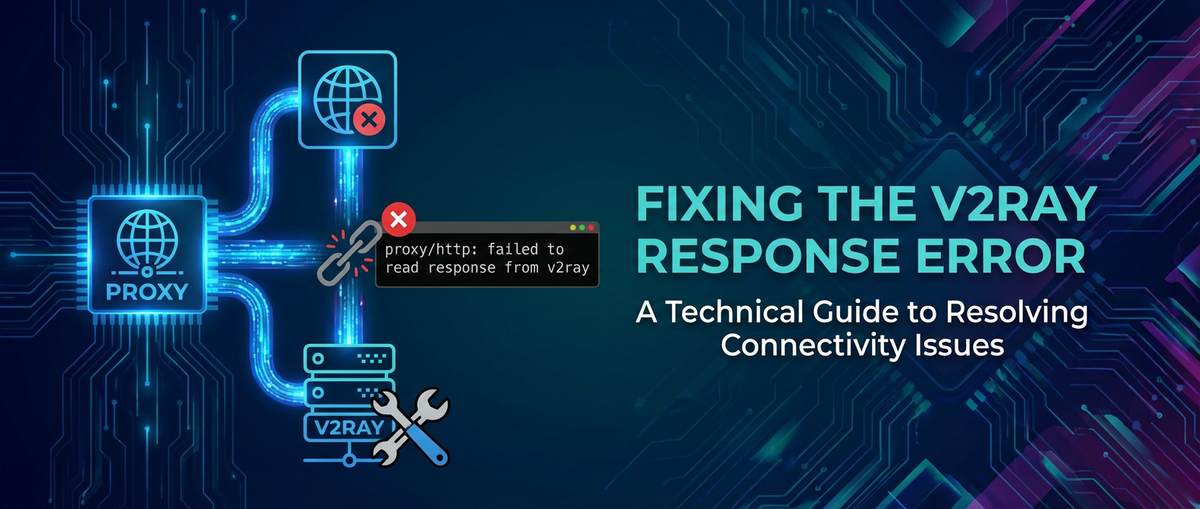


Introduction: Navigating the Labyrinth of Network Proxy Errors
In the intricate world of modern internet connectivity, where security, privacy, and access circumvention are paramount, proxy servers like V2Ray play a pivotal role. These tools, often deployed as sophisticated traffic shapers and obfuscators, are indispensable for individuals and organizations seeking to establish secure and unrestricted connections. However, even the most robust systems are not immune to operational hiccups, and few errors are as perplexing and frustrating as 'proxy/http: failed to read response from v2ray'. This seemingly cryptic message can halt critical operations, disrupt seamless browsing, and severely impede data flow, especially when dealing with high-stakes scenarios such as LLM Proxy deployments or crucial api interactions through a gateway.
This comprehensive guide is meticulously crafted to demystify this error, delving into its root causes, offering a systematic diagnostic approach, and providing actionable solutions. Our aim is to equip you with the knowledge and tools necessary to not only resolve this specific issue but also to foster a deeper understanding of V2Ray's operational mechanics and general network troubleshooting principles. By dissecting the error message, examining the common scenarios that trigger it, and walking through detailed rectification steps, we aspire to transform a moment of frustration into an opportunity for enhanced system stability and operational excellence. Whether you are a system administrator maintaining complex infrastructure, a developer integrating api services, or an end-user navigating censorship, this article promises to be your definitive resource for conquering the 'failed to read response' conundrum.
The increasing reliance on distributed systems, microservices architectures, and AI-driven applications means that robust network infrastructure and reliable proxy solutions are more critical than ever. In environments where large language models (LLMs) are accessed via dedicated LLM Proxy servers, or where api calls traverse multiple gateway layers, an error like this can have cascading effects, impacting data integrity, processing speed, and ultimately, application performance. Therefore, a thorough understanding of this error and its resolution is not merely a technical necessity but a strategic imperative for maintaining operational continuity and achieving desired service levels.
Deconstructing the Error: Understanding 'proxy/http: failed to read response from v2ray'
The error message 'proxy/http: failed to read response from v2ray' is remarkably specific, yet its implications can be broad, pointing to a breakdown in communication between a client (or an upstream proxy/application) and a V2Ray server. To effectively troubleshoot, it's essential to break down each component of this message and understand what it signifies within the context of network communication.
proxy/http: This prefix indicates that the error is originating from a component acting as an HTTP proxy, or at least attempting to establish an HTTP-like connection. It suggests that the client, or an intermediary service, is expecting an HTTP response but is failing to receive or properly interpret it. This often means the client is configured to use V2Ray as an HTTP proxy, or the communication channel, regardless of the underlying V2Ray protocol, is expected to deliver an HTTP-compatible stream. In many modern applications, especially those interacting withapiendpoints, HTTP is the de facto standard, making this component a crucial indicator of the communication layer involved.failed to read response: This is the core of the problem. It implies that the client successfully initiated a connection to what it believes is the V2Ray server but then encountered an issue when trying to receive data back. It's not a connection failure (e.g., "connection refused" or "timeout"), but rather a failure during the data transfer phase after the connection has been established. This could mean:- No response at all: The V2Ray server might have accepted the connection but failed to send any data back within an expected timeframe.
- Incomplete response: The server might have sent some data, but not the full, expected response, leading to a premature connection close or a read error.
- Malformed response: The server might have sent data, but it was not in a format the client expected or could parse, leading to a read failure even if bytes were received. This is particularly relevant if there's a protocol mismatch or corruption.
- Delayed response: The response might be excessively delayed, causing the client to time out while waiting, even if the server is eventually able to generate one.
from v2ray: This explicitly identifies the V2Ray server as the source of the communication failure. It tells us that the client successfully targeted a V2Ray instance, but that instance failed to deliver the expected response. This narrows down the problem domain significantly, shifting our focus to the V2Ray server's operational status, its configuration, and the network path leading to it, rather than a generic network issue or a problem with the client application itself, beyond its interaction with V2Ray. When V2Ray is acting as agatewayfor various services, including anLLM Proxy, this specific attribution helps pinpoint the exact point of failure in a potentially complex service chain.
In essence, this error points to a communication breakdown where the client's expectation of a prompt and proper data stream from the V2Ray server is unmet. This can stem from a myriad of underlying issues, ranging from subtle configuration errors on either end to significant network disruptions or resource limitations. Understanding these nuances is the first critical step toward effective troubleshooting and eventual resolution. The challenge lies in systematically eliminating potential causes until the true culprit is identified, a process that requires both technical acumen and methodical patience.
Delving into V2Ray and its Role as a Gateway
V2Ray, often considered the spiritual successor or a more advanced alternative to Shadowsocks, is a powerful and versatile platform for building custom proxy networks. Developed as part of Project V, it's designed to provide advanced network functionality, including proxying, traffic shaping, and obfuscation, making it an indispensable tool for enhancing privacy, security, and circumventing internet restrictions. More recently, the Project V community has largely migrated to Xray, a fork of V2Ray that focuses on performance and active development, though the core principles and configuration paradigms remain largely similar. When we refer to V2Ray in this context, we are generally encompassing Xray as well, given their shared heritage and operational overlap.
What is V2Ray? A Deeper Look
At its core, V2Ray is a modular proxy framework. Unlike simpler proxy solutions, V2Ray isn't just about forwarding traffic; it's about intelligent traffic management. It supports a multitude of protocols (VMess, VLESS, Trojan, Shadowsocks, Socks, HTTP) and transport layers (TCP, mKCP, WebSocket, HTTP/2, QUIC, gRPC, and TLS), allowing for highly flexible and obfuscated network configurations. This flexibility is what makes it so powerful, enabling users to create highly customized gateway solutions that can mimic legitimate traffic patterns, making detection and blocking more challenging.
V2Ray operates by establishing secure tunnels between a client and a server. The client configuration dictates how local applications connect to the V2Ray client, and the server configuration specifies how the V2Ray server receives these connections and forwards them to the internet. The chosen protocol and transport layer define the characteristics of this tunnel – whether it's encrypted, how it handles data packets, and what it looks like to network observers. For instance, using WebSocket over TLS (WSS) can make V2Ray traffic appear as standard web traffic, blending in with regular HTTPS connections, which is a common tactic for circumvention.
V2Ray as a Gateway: Beyond Simple Proxying
The term gateway perfectly encapsulates V2Ray's operational philosophy. A gateway acts as an entry or exit point in a network, facilitating communication between different network segments or protocols. V2Ray, in its various deployments, often functions precisely in this capacity:
- Internet Access Gateway: For many users, V2Ray serves as the primary
gatewayto the internet, especially when facing censorship. All their internet traffic is routed through the V2Ray client, which then securely forwards it to the V2Ray server, which in turn egresses the traffic to the destination on the open internet. This effectively bypasses local restrictions by creating a secure tunnel through them. - Application-Specific Proxy Gateway: In more sophisticated setups, V2Ray can act as a
gatewayfor specific applications or services. For example, a developer might configure certainapicalls from their application to go through V2Ray to access restricted resources or to ensure a secure channel for sensitive data exchange. Here, V2Ray isn't proxying all traffic, but acting as a specializedgatewayfor particular data streams. - LLM Proxy and AI Service Gateway: With the rise of Large Language Models (LLMs) and other AI services, V2Ray can be integrated into
LLM Proxyarchitectures. Imagine a scenario where anLLM Proxyserver acts as an intermediary, forwarding requests from numerous internal applications to external LLM providers. If these external providers are geo-restricted or require enhanced security, theLLM Proxymight route its outbound requests through a V2Ray instance. In this context, V2Ray acts as a securegatewayfor theLLM Proxy, ensuring that AI inference requests are delivered reliably and securely, masking their origin or providing an encrypted channel. The'failed to read response'error in such an environment could critically disrupt AI service availability, making its resolution paramount. - Internal Network Security Gateway: Enterprises might utilize V2Ray (or similar secure tunneling solutions) as part of their internal network security architecture. It could act as a
gatewayfor remote employees to securely access internal resources, or to segment network traffic between different departments, ensuring that all data flow adheres to specific security policies and is encrypted end-to-end.
The power of V2Ray lies in its configurability, allowing it to adapt to a myriad of gateway roles. However, this very power introduces complexity. Misconfigurations, subtle network quirks, or unexpected environmental factors can easily lead to communication failures, manifesting as the 'failed to read response' error. Understanding V2Ray's intended role and the specific protocols/transports in use is crucial for effective troubleshooting, as it directs our attention to the correct layers of the network stack and the relevant configuration parameters.
APIPark is a high-performance AI gateway that allows you to securely access the most comprehensive LLM APIs globally on the APIPark platform, including OpenAI, Anthropic, Mistral, Llama2, Google Gemini, and more.Try APIPark now! 👇👇👇
Common Scenarios Leading to the Error
The 'proxy/http: failed to read response from v2ray' error, while specific in its wording, can be a symptom of various underlying issues. Understanding these common scenarios is key to narrowing down the diagnostic scope and efficiently identifying the root cause. Each scenario highlights a different aspect of the client-V2Ray-server interaction or the broader network environment.
1. V2Ray Server Not Running or Inaccessible
This is arguably the simplest, yet most frequently overlooked, cause. If the V2Ray service on the server isn't active, has crashed, or is otherwise unresponsive, any client attempting to connect will likely establish a TCP connection (as the port might still be open by the OS or a lingering process) but receive no meaningful data back, leading to a "failed to read response" rather than a "connection refused."
- Symptoms: The client initiates a connection, but no data flows. Server logs might show no incoming connections or a service crash immediately after startup.
- Context: Often happens after a server reboot, an update that failed to restart the service, or a manual stop operation that wasn't followed by a restart. Resource exhaustion could also cause the V2Ray process to terminate unexpectedly.
2. Firewall Interference (Client or Server Side)
Firewalls, both local and network-based, are designed to restrict traffic. If a firewall is misconfigured, it can block specific ports or protocols, preventing the V2Ray client from reaching the server, or preventing the server from sending its response back to the client.
- Symptoms: Connection attempts might appear to hang or time out silently. On the server, V2Ray might show it's listening, but no incoming connection logs appear from the client's IP.
- Context: Common with new server deployments, changes to security groups in cloud environments (e.g., AWS, GCP, Azure), or updates to local firewall rules (e.g.,
ufw,firewalld,iptableson Linux, Windows Defender Firewall). This is especially pertinent when V2Ray is acting as a crucialgatewayforapitraffic or anLLM Proxy.
3. V2Ray Server-Side Configuration Errors
The V2Ray configuration file (config.json) is complex, and even minor errors can lead to significant operational issues. Mismatches between client and server settings are a prime suspect.
- Protocol Mismatch: The server might be expecting a VMess connection, but the client is sending VLESS, or vice-versa.
- Port Mismatch: The server is listening on port X, but the client is configured to connect to port Y.
- UUID/AlterID Mismatch (VMess): Incorrect user IDs or alteration IDs will prevent successful authentication, leading to the server dropping the connection without sending a proper response.
- Transport Settings Mismatch: If the server expects WebSocket over TLS and the client is trying a raw TCP connection, or if
pathorhostsettings for WebSocket are incorrect, the initial connection might succeed, but the subsequent handshake fails, leading to no readable response. This is a very common point of failure for obfuscated connections. - TLS Configuration Issues: Incorrect TLS certificates, key files, or SNI (Server Name Indication) settings on the server can cause the TLS handshake to fail, resulting in no encrypted data stream for the client to read.
inbound/outboundMisconfiguration: Errors in defining how V2Ray receives (inbound) or forwards (outbound) traffic can break the chain. For instance, if theoutboundis misconfigured, V2Ray might accept the client connection but fail to proxy traffic to the internet, leaving the client waiting indefinitely for a response.
4. Client-Side Configuration Errors
Just as with the server, the client's V2Ray configuration or the application's proxy settings can be a source of error.
- Incorrect Proxy Address/Port: The client is trying to connect to the wrong IP address or port, possibly pointing to a non-V2Ray service or an unresponsive host.
- Protocol/Transport Mismatch: Similar to server-side issues, if the client is configured for raw TCP while the server expects WSS, the connection will fail after initiation.
- Authentication Errors: Wrong UUID, AlterID, or password will prevent successful connection establishment with the server.
- Local Firewall/Proxy Interference: The client's own local firewall or another local proxy might be intercepting or blocking the connection to V2Ray.
- DNS Resolution Issues: If the client cannot resolve the V2Ray server's domain name, it cannot initiate the connection.
5. Network Connectivity Issues and Instability
Even with perfect configurations, underlying network problems can disrupt communication.
- Packet Loss/High Latency: Severe packet loss or extremely high latency can cause timeouts during response reading, even if the connection is technically open.
- ISP Throttling/Blocking: Internet Service Providers (ISPs) or national firewalls might actively detect and throttle or block V2Ray traffic, leading to erratic behavior, including connection resets or incomplete responses. This is a common battleground for
gatewayservices designed for circumvention. - MTU Issues: Maximum Transmission Unit (MTU) mismatches can lead to packet fragmentation issues, which might cause some responses to be incomplete or malformed.
- Routing Problems: Incorrect routing tables on either end, or intermediate network devices, can direct traffic to black holes or introduce delays.
6. Resource Exhaustion on the V2Ray Server
A V2Ray server under heavy load or with insufficient resources can struggle to process incoming requests and generate timely responses.
- High CPU/Memory Usage: The server might be too busy to handle new connections or process data streams, leading to delays and dropped connections.
- Disk I/O Bottlenecks: If logging is extensive or V2Ray's operational data is written to a slow disk, it can introduce delays.
- Open File Limit Exceeded: Each connection consumes a file descriptor. If the server hits its open file limit, it won't be able to establish new connections or maintain existing ones, leading to client failures. This is particularly relevant for
gatewaydeployments handling numerous concurrentapirequests orLLM Proxyqueries.
7. Upstream Gateway or LLM Proxy Interference
If the V2Ray server itself is behind another gateway or part of a larger LLM Proxy chain, that upstream component can introduce issues.
- Upstream Gateway Misconfiguration: The
gatewaymight not be forwarding requests to V2Ray correctly, or it might be modifying headers or payload in an unexpected way. - Upstream Gateway Overload: If the
gatewayitself is overloaded, it might fail to proxy requests to V2Ray efficiently, leading to delays or dropped connections from V2Ray's perspective. - Double NAT Issues: Complex NAT setups can sometimes interfere with connection persistence or port forwarding.
Each of these scenarios requires a distinct approach to diagnosis and resolution. The key is to start with the most common and simplest checks and then progressively move towards more complex investigations, systematically eliminating possibilities.
Comprehensive Troubleshooting Guide: A Systematic Approach
Resolving the 'proxy/http: failed to read response from v2ray' error demands a systematic, step-by-step approach. Jumping to complex solutions without basic checks often leads to wasted time and increased frustration. This guide outlines a logical progression of troubleshooting steps, starting with fundamental verifications and moving towards advanced diagnostics.
Phase 1: Initial Checks and Basic Verifications
Before diving deep into configurations, ensure the obvious isn't the culprit.
- Verify V2Ray Service Status (Server Side)
- Action: Connect to your V2Ray server (via SSH for Linux, or access its management interface). Use system commands to check if the V2Ray service (or Xray service) is running and healthy.
- Commands (Linux):
bash sudo systemctl status v2ray # or xray, if you're using Xray sudo systemctl is-active v2ray sudo systemctl is-enabled v2ray # Check if it starts on boot - Expected Output: The service should be reported as
active (running). If it'sinactive,failed, ordead, restart it. - Restart Command:
sudo systemctl restart v2ray(orxray). - Importance: If the service isn't running, it cannot respond. This is often the simplest fix.
- Basic Network Connectivity (Client to Server)
- Action: From your client machine (the one experiencing the error), attempt to ping the V2Ray server's IP address or domain name.
- Commands:
bash ping your_v2ray_server_ip_or_domain - Expected Output: You should see successful replies (low latency, no packet loss).
- If Ping Fails: This indicates a fundamental network issue. Check your internet connection, router, local firewall, and the server's network configuration.
- Action (from server): Ping external websites (e.g.,
ping google.com) to ensure the server itself has outbound internet access. - Importance: If the client can't even reach the server at a basic ICMP level, no proxy communication will succeed.
- Check Open Ports (Server Side)
- Action: Verify that the V2Ray server is actually listening on the port configured for its inbound connection.
- Commands (Linux):
bash sudo netstat -tuln | grep your_v2ray_port sudo ss -tuln | grep your_v2ray_port - Expected Output: You should see an entry like
tcp 0 0 0.0.0.0:your_v2ray_port 0.0.0.0:* LISTENor:::your_v2ray_portif listening on IPv6. - If Port Not Listening:
- Double-check your V2Ray
config.jsonfor the correctportin theinboundssection. - Ensure V2Ray is running (refer to Step 1).
- Check for other applications already using that port (
sudo lsof -i :your_v2ray_port).
- Double-check your V2Ray
- Importance: If V2Ray isn't listening, the client cannot establish a proper connection.
Phase 2: Firewall and Security Group Verification
Firewalls are a common culprit. They can block connections silently, leading to "failed to read response" rather than "connection refused" if the TCP handshake is incomplete or packets are dropped mid-stream.
- Server-Side Firewall Rules
- Action: Check the firewall status on your V2Ray server.
- Commands (Linux -
ufw):bash sudo ufw status verboseEnsure the V2Ray port (e.g., 443, 80, or a custom port) isALLOWed. If you use WebSocket over TLS, ensure HTTPS (port 443) is open. - Commands (Linux -
firewalld):bash sudo firewall-cmd --list-allCheck if the V2Ray port or service is allowed in the active zone. - Commands (Linux -
iptables): If using rawiptables, list rules:sudo iptables -L -n -v. This is more complex and usually found in advanced setups. - Action (Cloud Provider Security Groups): If your server is hosted on a cloud platform (AWS EC2, Google Cloud Compute, Azure VM), navigate to its security group/network access control list (ACL) settings. Ensure that the V2Ray port is open for inbound traffic from your client's IP range (or
0.0.0.0/0for testing, though not recommended for production). - Importance: An improperly configured firewall will prevent the client's connection from reaching V2Ray or V2Ray's response from reaching the client.
- Client-Side Firewall Rules
- Action: Temporarily disable your client's local firewall (e.g., Windows Defender Firewall, macOS Firewall,
ufwon Linux client) to rule it out. - Windows: Go to Control Panel -> System and Security -> Windows Defender Firewall -> Turn Windows Defender Firewall on or off.
- macOS: System Settings -> Network -> Firewall.
- Linux (
ufw):sudo ufw disable. - Retest: After disabling, try to connect again. If it works, re-enable the firewall and create a specific rule to allow V2Ray traffic.
- Importance: Client-side firewalls can block outbound connections or inbound responses from the local V2Ray client to the local application, even if they're on the same machine.
- Action: Temporarily disable your client's local firewall (e.g., Windows Defender Firewall, macOS Firewall,
Phase 3: V2Ray Configuration Verification (Server and Client)
This is where most of the 'failed to read response' errors reside due to the complexity and specificity of V2Ray's configuration.
3.1. Server-Side config.json Deep Dive
Access your V2Ray/Xray config.json file (typically located at /etc/v2ray/config.json or /usr/local/etc/v2ray/config.json for V2Ray, and similar paths for Xray).
inboundsSection: This defines how V2Ray receives connections.port: Must match the port your client is connecting to.listen: Often0.0.0.0(all interfaces) or a specific IP. If it's set to127.0.0.1, V2Ray will only accept local connections.protocol: (e.g.,vmess,vless,trojan,shadowsocks). Ensure this exactly matches the client's expectation.settings:clients: For VMess/VLESS, ensureid(UUID) matches the client. For VMess, also checkalterId.decryption: For VLESS, should benone.
streamSettings: This is critical for transport layer configuration.network: (e.g.,tcp,wsfor WebSocket,grpc,kcp). Must match client.security: (e.g.,tls,none). Must match client.- If
securityistls:certificates: EnsurecertificateFileandkeyFilepaths are correct and the files exist and are readable by the V2Ray user.alpn: If specified, ensure client uses compatible ALPN.fingerprint: If using TLS fingerprinting, ensure client matches.- Validity: Use
openssl x509 -in /path/to/cert.pem -text -nooutto check certificate expiry and details.
- If
networkisws(WebSocket):path: Must match the client's WebSocket path exactly.headers(Host): If specified, ensure client's SNI or Host header matches.
- If
networkisgrpc:serviceName: Must match the client's gRPC service name exactly.
outboundsSection: Defines how V2Ray forwards traffic.protocol: Usuallyfreedomfor direct internet access.settings: If you're chaining V2Ray to another proxy, ensure those settings are correct. An issue here can cause V2Ray to accept client connections but fail to forward, leading to a "failed to read response" from the client's perspective.
- JSON Syntax Validation: Even a single misplaced comma or bracket can render the configuration invalid. Use an online JSON validator or a linter (like
jq) to check syntax.- Command:
jq . /etc/v2ray/config.json(installjqif not present:sudo apt install jq). Ifjqoutputs valid JSON, your syntax is likely correct.
- Command:
3.2. Client-Side V2Ray Configuration or Application Proxy Settings
- V2Ray Client Configuration (if applicable): If you're using a V2Ray client (like V2RayN, V2RayNG, Qv2ray, or command-line V2Ray/Xray), review its settings for your server.
- Address and Port: Ensure the server IP/domain and port are correct.
- Protocol and Transport Settings: Exactly match the server's
inboundsprotocolandstreamSettings(network,security,path,host,serviceName, etc.). - User ID (UUID) and AlterID: Ensure they are correct and match the server's
clientssection. - TLS Settings: If TLS is used, ensure SNI is correct, and if
allowInsecureis set on the client, understand its implications for security.
- Application Proxy Settings: If your application (e.g., browser, custom script making
apicalls,LLM Proxy) is configured to use V2Ray as a proxy, check its proxy settings.- Proxy Type: Is it set to HTTP, HTTPS, SOCKS5, or a system proxy? Ensure it matches what V2Ray's inbound is configured to accept.
- Proxy Address and Port: Ensure these point to your V2Ray client's listening address and port (e.g.,
127.0.0.1:1080for SOCKS,127.0.0.1:8080for HTTP). - Authentication: If your V2Ray client is configured with local authentication, ensure the application provides it.
Phase 4: Detailed Logging Analysis
Logs are your eyes and ears into V2Ray's operation. They often contain explicit error messages that point directly to the problem.
- V2Ray Server Logs
- Action: Check the V2Ray/Xray server logs immediately after a client connection attempt that results in the error.
- Location: Typically
/var/log/v2ray/access.logand/var/log/v2ray/error.log(or similar for Xray). The exact location might be configured inconfig.jsonunderlog. - Commands (Linux):
bash sudo journalctl -u v2ray -f # Real-time logs for systemd service tail -f /var/log/v2ray/error.log tail -f /var/log/v2ray/access.log - What to Look For:
- Connection accepted/rejected: Do you see the client's IP trying to connect?
- Handshake failures: "TLS handshake error," "malformed request," "protocol mismatch," "authentication failed."
- Read/write errors: Indicates issues during data transfer.
- Outbound errors: If V2Ray fails to connect to the internet after accepting the client connection.
- Resource limits: "Too many open files," "out of memory."
- Increase Log Level: In
config.json, temporarily setlog.logleveltodebugorinfofor more verbose output (remember to set it back towarningorerrorfor production). Restart V2Ray after changing.
- V2Ray Client Logs (if applicable)
- Action: If using a V2Ray client application, check its internal logs. They might provide insights into why it failed to connect to the server or process the response.
Phase 5: Network Diagnostics and Advanced Tools
If configuration and basic checks haven't yielded results, more advanced network tools can provide deeper insights.
tcpdumpor Wireshark- Action (Server Side): Use
tcpdumpon the V2Ray server to capture packets on the V2Ray port. - Command:
sudo tcpdump -i eth0 -nn port your_v2ray_port -vvv(replaceeth0with your server's network interface). Run this, then attempt a client connection. - Action (Client Side): Use Wireshark on the client machine to observe the traffic going to and from the V2Ray server.
- What to Look For:
- TCP Handshake (SYN, SYN-ACK, ACK): Does it complete successfully?
- TLS Handshake: If
securityistls, observe the Client Hello, Server Hello, Certificate exchange. Look for alerts or resets. - Expected Protocol Traffic: After handshakes, do you see VMess, VLESS, or HTTP/SOCKS traffic? Is it encrypted?
- Resets/Fin packets: Who is initiating the connection close?
- Packet drops/retransmissions: Indicates network instability.
- Importance:
tcpdump/Wireshark provides a raw, unbiased view of network activity, showing exactly what data is being sent and received (or not received).
- Action (Server Side): Use
traceroute/mtr- Action: From the client, trace the route to the V2Ray server.
- Commands:
bash traceroute your_v2ray_server_ip_or_domain mtr your_v2ray_server_ip_or_domain # mtr provides continuous statistics - What to Look For: High latency at specific hops, packet loss at intermediate routers. This can indicate an upstream network issue or an ISP blocking.
- HTTP Client (e.g.,
curl) with Proxy- Action: If your V2Ray client is exposing an HTTP or SOCKS proxy, use
curlto test it directly. - Commands (assuming local V2Ray client on SOCKS5
127.0.0.1:1080):bash curl -x socks5h://127.0.0.1:1080 https://www.google.com - Commands (assuming local V2Ray client on HTTP
127.0.0.1:8080):bash curl -x http://127.0.0.1:8080 https://www.google.com - Expected Output: Successful fetch of Google's homepage.
- Importance: This isolates the problem, allowing you to confirm if the V2Ray client is correctly proxying requests to the V2Ray server and receiving responses. If
curlworks, the issue might be with your application's specific proxy configuration.
- Action: If your V2Ray client is exposing an HTTP or SOCKS proxy, use
Phase 6: Resource Management and Server Health
An overloaded server can behave erratically, failing to respond even with correct configurations.
- Check System Resources (Server Side)
- Action: Monitor CPU, memory, and disk I/O.
- Commands:
bash top # Real-time process monitoring htop # Enhanced top free -h # Memory usage df -h # Disk space usage - What to Look For: High CPU usage by V2Ray or other processes, exhausted RAM leading to swap usage, full disk.
- Importance: Resource starvation directly impacts V2Ray's ability to process connections and generate responses.
- Open File Limits (Server Side)
- Action: Check the maximum number of open file descriptors allowed for the V2Ray process.
- Command:
cat /proc/$(pgrep v2ray)/limits(replacev2raywithxrayif applicable). Look forMax open files. - Increase Limits: If the limit is low (e.g., 1024) and you have many connections, you might need to increase it in
/etc/security/limits.confor by configuring systemd (for service units). - Importance: Each network connection consumes a file descriptor. High traffic
gatewayorLLM Proxydeployments can quickly hit these limits.
APIPark: Enhancing Gateway Reliability for API and LLM Proxies
In complex modern architectures, especially those involving LLM Proxy services and multiple api endpoints, managing the myriad of proxies, gateways, and security configurations can quickly become overwhelming. This complexity often contributes to hard-to-diagnose errors like 'failed to read response'. Here, robust API management platforms become indispensable.
For organizations leveraging V2Ray or similar technologies as part of their gateway infrastructure to secure api calls or to manage access to LLM Proxy services, maintaining consistency and visibility across all these layers is paramount. This is precisely where a solution like APIPark comes into play. APIPark is an open-source AI gateway and API management platform designed to simplify the integration, management, and deployment of AI and REST services.
Imagine you have a series of api endpoints for your LLM Proxy that need to be routed through V2Ray for security or censorship circumvention. Without a centralized gateway management system, each api might require its own proxy configuration, leading to inconsistencies and a higher likelihood of configuration errors. APIPark helps consolidate this by offering a unified API gateway that can integrate with over 100+ AI models, standardize api invocation formats, and manage the entire API lifecycle.
By centralizing api traffic through a powerful gateway like APIPark, you gain critical visibility and control. APIPark's features, such as end-to-end API lifecycle management, detailed API call logging, and powerful data analysis, can help identify bottlenecks or misconfigurations much earlier in the process. Instead of debugging individual V2Ray instances or client applications for a 'failed to read response' error, APIPark could provide insights into whether the request even reached its managed gateway, how it was processed, and if any upstream api service (including your V2Ray LLM Proxy component) responded as expected.
For instance, APIPark's comprehensive logging capabilities record every detail of each api call. If an LLM Proxy request fails due to a V2Ray issue downstream, APIPark's logs could quickly pinpoint the last successful interaction point, showing that the request was correctly forwarded by APIPark but received no proper response from the subsequent gateway (V2Ray). This significantly streamlines troubleshooting, reducing the time spent identifying where the communication chain broke.
Furthermore, APIPark's ability to encapsulate prompts into REST apis and provide independent api and access permissions for each tenant can help manage the complexity often associated with secure and scalable LLM Proxy deployments. By using APIPark as a central gateway for all your api and LLM Proxy needs, you can reduce the surface area for configuration errors, enhance security, and ensure more reliable operation, mitigating the very types of errors we are discussing. You can explore more about this robust platform at ApiPark.
Troubleshooting Checklist Summary
To make the troubleshooting process more structured, here's a table summarizing the key checks:
| Category | Check Item | Description | Priority |
|---|---|---|---|
| Server Status | V2Ray/Xray Service Running? | systemctl status v2ray/xray |
High |
| V2Ray/Xray Listening on Port? | netstat -tuln | grep PORT or ss -tuln | grep PORT |
High | |
| Network & Firewall | Client Ping Server? | ping SERVER_IP from client |
High |
| Server Firewall Rules (Inbound)? | ufw status, firewall-cmd --list-all, Cloud Security Groups |
High | |
| Client Firewall Rules (Outbound)? | Temporarily disable local client firewall | Medium | |
| Server Config | config.json JSON Syntax Valid? |
jq . /etc/v2ray/config.json |
High |
Inbound port & listen Correct? |
Matches client, listen is 0.0.0.0 or public IP |
High | |
Inbound protocol Match Client? |
vmess, vless, trojan, shadowsocks |
High | |
Inbound streamSettings.network Match Client? |
tcp, ws, grpc, kcp |
High | |
Inbound streamSettings.security Match Client? |
tls, none |
High | |
| TLS Certs Valid & Accessible? | Check paths, expiry, permissions if security is tls |
High | |
WS/gRPC path/serviceName Match Client? |
Exactly match if using WebSocket/gRPC | High | |
VMess/VLESS id/alterId Match Client? |
User authentication credentials | High | |
| Client Config | V2Ray Client Config Correct? | Server IP/Domain, Port, Protocol, Security, Paths, IDs all match server | High |
| Application Proxy Settings Correct? | Local proxy type (HTTP/SOCKS), address, port pointing to V2Ray client | Medium | |
| Logging | Server V2Ray/Xray Logs Reviewed? | journalctl -u v2ray -f, /var/log/v2ray/error.log for explicit errors |
High |
| Client V2Ray Client Logs Reviewed? | Check client application's internal logs | Medium | |
| Advanced Network | curl with Proxy Test? |
curl -x socks5h://localhost:PORT https://example.com |
Medium |
tcpdump/Wireshark Analysis? |
Observe raw packet flow for handshakes, resets, drops | Low | |
traceroute/mtr to Server? |
Check for high latency or packet loss at hops | Low | |
| Server Health | CPU/Memory/Disk Usage? | top, free -h, df -h |
Medium |
| Open File Limits? | cat /proc/$(pgrep v2ray)/limits |
Low |
By meticulously working through this comprehensive guide and checklist, you will significantly increase your chances of identifying and resolving the 'proxy/http: failed to read response from v2ray' error, restoring reliable operation to your V2Ray gateway, LLM Proxy, or general api infrastructure.
Preventive Measures and Best Practices
While robust troubleshooting is crucial for resolving immediate issues, implementing preventive measures and adhering to best practices can significantly reduce the incidence of errors like 'proxy/http: failed to read response from v2ray' in the first place. Proactive maintenance and intelligent system design contribute to a more stable, secure, and resilient proxy environment, particularly vital for critical gateway functions or LLM Proxy deployments.
1. Regular Updates and Patching
Keeping V2Ray/Xray components and the underlying operating system up-to-date is paramount. Software updates often include bug fixes, performance improvements, and security patches that address known vulnerabilities or resolve compatibility issues.
- V2Ray/Xray Binaries: Regularly check for new releases and update your client and server binaries. Use official installation scripts or package managers where possible to ensure integrity.
- Operating System: Apply OS security updates and package upgrades to address underlying system-level issues that could impact V2Ray's performance or stability.
- Dependencies: Ensure that any required dependencies (e.g., Go language runtime if compiling from source, specific libraries for TLS) are also kept current.
- Importance: Outdated software can lead to unexpected behavior, obscure bugs, and security risks, which might manifest as communication failures or stability problems.
2. Robust Monitoring and Alerting
Proactive monitoring allows you to detect issues before they escalate into widespread outages. Setting up comprehensive monitoring for your V2Ray gateway is a critical best practice.
- V2Ray Service Status: Monitor the V2Ray/Xray process itself. Use tools like
systemdorsupervisordto automatically restart the service if it crashes. Implement external checks to ensure the service is not just running but actively accepting connections. - Resource Utilization: Keep an eye on CPU, memory, network I/O, and disk usage on your V2Ray server. High resource consumption can indicate a bottleneck or an impending crash. Set thresholds for alerts.
- Network Connectivity: Monitor the network path between your client and server (e.g., using
pingor synthetic transactions). Look for increased latency, packet loss, or complete outages. - Log Monitoring: Centralize and analyze V2Ray logs. Look for recurring error patterns, authentication failures, or connection anomalies. Tools like ELK Stack (Elasticsearch, Logstash, Kibana) or Splunk can be invaluable for this.
- Application-Level Checks: For
LLM Proxyorapiintegrations, implement health checks that specifically test the end-to-end communication through V2Ray. This provides the most realistic assessment of service availability. - Importance: Early detection of performance degradation or minor errors can prevent major service disruptions, ensuring continuous availability for
apiandLLM Proxytraffic.
3. Clear and Consistent Configuration Management
Given V2Ray's intricate configuration, consistency and clarity are vital.
- Version Control: Store your
config.jsonfiles in a version control system (e.g., Git). This allows you to track changes, revert to previous working configurations, and collaborate on configurations effectively. - Centralized Configuration: For multiple V2Ray instances, consider a centralized configuration management tool (e.g., Ansible, Puppet, Chef) to push consistent configurations across all your servers.
- Documentation: Maintain thorough documentation of your V2Ray setup, including chosen protocols, ports, TLS settings, UUIDs, and network diagrams. This is especially helpful when onboarding new team members or debugging complex issues.
- Client-Server Synchronization: Ensure that client configurations precisely match server
inboundssettings. Even minor discrepancies in protocol, port, security (TLS/none),path, orUUIDcan lead to persistent errors. - Importance: Inconsistent configurations are a primary source of
'failed to read response'errors. A disciplined approach to configuration reduces human error and streamlines debugging.
4. Network Hardening and Security
Securing your V2Ray gateway and its environment is critical to prevent malicious interference or accidental misconfiguration.
- Least Privilege: Run the V2Ray service with the minimum necessary user privileges. Avoid running it as
rootunless absolutely necessary. - Firewall Rules: Strictly configure firewalls (both server and client-side, including cloud security groups) to only allow necessary inbound and outbound traffic on specific ports. Close all unused ports.
- Fail2ban/IP Whitelisting: Use tools like Fail2ban to automatically block IPs that exhibit suspicious login attempts or repeated connection failures. For critical internal
apiorLLM Proxyconnections, consider whitelisting only known client IP addresses. - Strong TLS Configuration: If using TLS, ensure you use valid, up-to-date certificates from trusted CAs. Configure strong TLS cipher suites and disable outdated protocols (e.g., TLS 1.0/1.1). Regularly review TLS best practices.
- Attack Surface Reduction: Avoid exposing V2Ray management interfaces or unnecessary services to the public internet.
- Importance: A secure
gatewayprevents unauthorized access and manipulation, ensuring that your proxy service remains stable and trustworthy for yourapiandLLM Proxytraffic.
5. Capacity Planning and Scalability
Anticipate future demand and design your V2Ray gateway infrastructure to scale.
- Resource Allocation: Provision your V2Ray servers with adequate CPU, memory, and network bandwidth to handle expected load. Over-provisioning slightly is often better than under-provisioning.
- Horizontal Scaling: Consider deploying multiple V2Ray servers behind a load balancer or an API
gateway(like APIPark) for high availability and load distribution. This not only increases capacity but also provides redundancy. If one V2Ray instance experiences an issue, traffic can be seamlessly routed to another. - Network Optimization: Tune kernel parameters related to TCP/IP stack (e.g.,
sysctlsettings fornet.core.somaxconn,net.ipv4.tcp_tw_reuse) for high-concurrency environments. - Importance: Resource exhaustion is a common cause of
'failed to read response'errors under load. Proper capacity planning prevents performance degradation and ensures the reliability of yourgatewayandLLM Proxyservices.
By integrating these preventive measures and best practices into your operational workflow, you can build a more resilient and less error-prone V2Ray deployment. This proactive approach not only minimizes the occurrence of frustrating errors but also enhances the overall security, performance, and manageability of your network infrastructure, allowing your api and LLM Proxy services to operate with greater stability.
Conclusion: Mastering the Art of Proxy Troubleshooting
The 'proxy/http: failed to read response from v2ray' error, while initially daunting, is ultimately a solvable problem. It serves as a stark reminder of the intricate layers involved in modern network communication and the meticulous attention to detail required to maintain robust proxy infrastructures. By systematically dissecting the error message, understanding V2Ray's fundamental role as a versatile gateway, and methodically applying the comprehensive troubleshooting steps outlined in this guide, you gain not just a fix, but a deeper mastery of network diagnostics.
We've traversed the landscape of potential culprits, from basic service availability and firewall configurations to the nuanced complexities of V2Ray's config.json on both server and client, and the silent failures indicated by network logs. We've emphasized the importance of a structured approach, starting with the simplest checks and progressively moving towards more advanced tools like tcpdump and curl, ensuring that no stone is left unturned. The role of resource management and server health was also highlighted as a critical, often overlooked, aspect of proxy stability, especially in high-demand scenarios such as LLM Proxy deployments.
Furthermore, we introduced the concept of leveraging robust API management platforms, such as ApiPark, as a strategic measure to streamline gateway complexities and enhance visibility, thereby proactively reducing the likelihood of such errors in large-scale api and AI service integrations. These platforms provide the crucial management and monitoring capabilities that are difficult to achieve with disparate proxy solutions alone, acting as a powerful central gateway for managing diverse api needs, including those for LLM Proxy services.
Ultimately, preventing future occurrences of this error hinges on embracing best practices: maintaining vigilant updates, implementing thorough monitoring and alerting, exercising diligent configuration management, securing your network, and planning for scalable capacity. These proactive measures transform your V2Ray gateway from a potential point of failure into a resilient and reliable component of your network infrastructure.
Resolving the 'failed to read response' error is more than just fixing a bug; it's an opportunity to strengthen your understanding, refine your processes, and build a more stable digital environment. Armed with the knowledge and techniques presented here, you are well-equipped to face this challenge and ensure seamless, secure, and efficient communication across your networks.
Frequently Asked Questions (FAQ)
1. What does 'proxy/http: failed to read response from v2ray' specifically mean?
This error indicates that your client (or an application acting as a proxy) successfully established a network connection to your V2Ray server but then failed to receive a complete or properly formatted response back from the V2Ray service. It's not a connection refusal, but rather a breakdown in communication after the initial connection handshake has taken place. This can be due to various reasons, including server-side processing errors, misconfigured protocols/transports, network instability during data transfer, or resource exhaustion on the V2Ray server.
2. How can I quickly check if my V2Ray server is even running and accessible?
First, SSH into your V2Ray server and check the service status with sudo systemctl status v2ray (or xray). Ensure it reports active (running). Second, verify the V2Ray port is open and listening using sudo netstat -tuln | grep your_v2ray_port or sudo ss -tuln | grep your_v2ray_port. Finally, from your client machine, attempt a basic ping your_v2ray_server_ip_or_domain to confirm fundamental network reachability. If any of these fail, you have a foundational issue to address before deep-diving into configuration.
3. My V2Ray configuration looks correct, but I still get the error. What should I check next?
If configuration seems fine, the next critical step is to analyze V2Ray server logs. Increase the loglevel in your config.json to debug or info, restart V2Ray, and monitor journalctl -u v2ray -f or tail -f /var/log/v2ray/error.log while attempting a client connection. Look for explicit error messages related to TLS handshakes, protocol mismatches, authentication failures, or outbound connection issues. Also, consider temporary disabling firewalls on both client and server to rule them out as silent blockers.
4. Can this error be related to an LLM Proxy or API Gateway setup?
Absolutely. If your V2Ray instance is part of a larger LLM Proxy chain or acts as a gateway for various api calls, this error can severely impact those services. For example, an LLM Proxy trying to reach an AI model via V2Ray would fail if V2Ray can't read a response. Misconfigurations in the upstream gateway or LLM Proxy that modify traffic unexpectedly, or the V2Ray server itself being unable to process the high volume of api requests, can lead to this error. Solutions like APIPark can help manage such complex gateway setups and provide better visibility, reducing these types of issues.
5. What are common server-side V2Ray configuration pitfalls that lead to this error?
Common server-side configuration issues include: * Protocol/Transport Mismatch: Client and server expecting different protocols (e.g., VMess vs. VLESS) or transport layers (e.g., TCP vs. WebSocket over TLS). * Incorrect UUID or AlterId: For VMess/VLESS, client authentication details must precisely match server settings. * TLS Certificate Problems: Expired, invalid, or inaccessible certificate files, or SNI mismatch if a domain is used. * WebSocket/gRPC path or serviceName: These must exactly match between client and server for successful handshakes. * listen Address: If set to 127.0.0.1, V2Ray will only accept local connections, preventing external clients. Always validate your config.json using a JSON linter and ensure all parameters align with your client's configuration.
🚀You can securely and efficiently call the OpenAI API on APIPark in just two steps:
Step 1: Deploy the APIPark AI gateway in 5 minutes.
APIPark is developed based on Golang, offering strong product performance and low development and maintenance costs. You can deploy APIPark with a single command line.
curl -sSO https://download.apipark.com/install/quick-start.sh; bash quick-start.sh

In my experience, you can see the successful deployment interface within 5 to 10 minutes. Then, you can log in to APIPark using your account.

Step 2: Call the OpenAI API.