Handling FastAPI Return Null: A Practical Guide
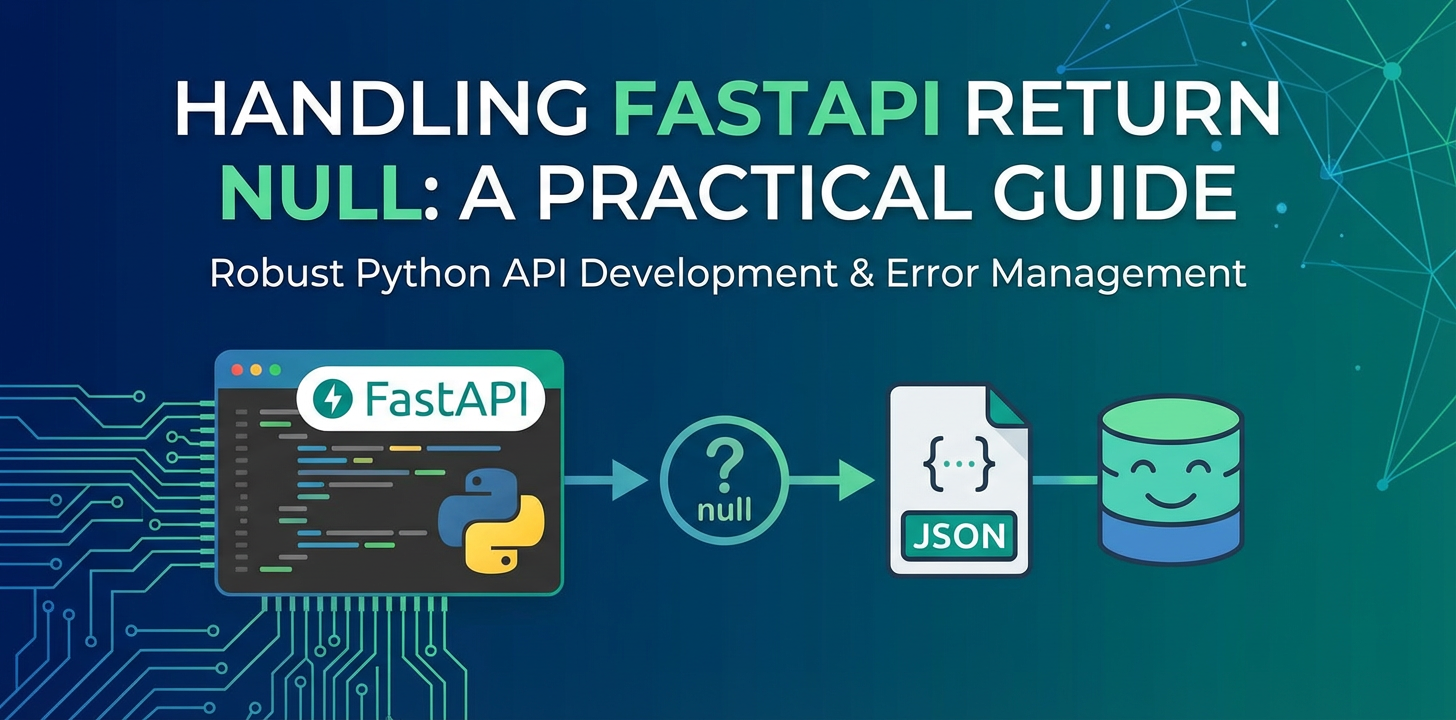


FastAPI has rapidly ascended to become one of the most beloved Python web frameworks, celebrated for its blazing speed, intuitive design, and automatic generation of OpenAPI documentation. Built on Starlette and Pydantic, it offers a robust foundation for building high-performance asynchronous APIs. Developers flock to FastAPI for its type hinting capabilities, which enforce data validation and serialization, significantly reducing common API development pitfalls. However, with great power comes the nuanced challenge of handling None values – Python's equivalent of "null" – which, if not managed deliberately, can lead to confusion, unexpected client behavior, and brittle API contracts. This comprehensive guide delves into the intricacies of managing None in FastAPI, offering practical strategies, best practices, and a deep understanding of how to design resilient and predictable APIs that gracefully handle the absence of data.
The concept of "null" or "empty" can be deceptively simple yet profoundly complex when translated across programming languages, data serialization formats, and diverse client expectations. In the context of an api, a null value can signify various things: an optional field that simply isn't present, a piece of data that genuinely has no value, or even an error state. Misinterpreting or mishandling None can break client applications, lead to incorrect business logic, or expose sensitive information if not properly filtered. Our exploration will cover the philosophical underpinnings of None in Python and JSON, FastAPI's powerful mechanisms for dealing with it through Pydantic models and endpoint definitions, and advanced strategies for ensuring data consistency across your api landscape, touching upon the role of api gateway solutions in this endeavor.
By the end of this guide, you will possess a profound understanding of how to leverage FastAPI's features to declare, validate, and respond with None values in a clear, consistent, and maintainable manner, bolstering your api's robustness and enhancing the developer experience for your consumers. We will also explore how a clear OpenAPI specification, automatically generated by FastAPI, serves as the definitive contract for how your api handles nulls, making client-side integration much smoother.
Understanding "Null" in Python and JSON: The Foundation
Before diving into FastAPI's specific implementations, it's crucial to solidify our understanding of what "null" means in the two primary contexts relevant to web APIs: Python and JSON. These distinctions are fundamental to correctly designing and interpreting api behaviors.
Python's None: The Absence of Value
In Python, None is a special constant that represents the absence of a value or a null value. It is an object of its own type, NoneType. It's not the same as an empty string (""), an empty list ([]), or zero (0). None signifies that a variable, a function's return, or an object's attribute currently holds no meaningful data.
Key characteristics of None: * Singleton: There is only one None object in Python. All occurrences of None refer to this single instance. This allows for efficient comparisons using is None rather than == None. * Falsy: In a boolean context, None evaluates to False. This property is often used in conditional statements, e.g., if some_variable: will be False if some_variable is None. * Type Hinting: With the advent of type hinting (PEP 484 and PEP 585), Python provides clear ways to indicate that a variable or function parameter/return might legitimately be None. The standard way to express this is Optional[Type] from the typing module, or more recently, using the union operator Type | None (Python 3.10+). For example, username: Optional[str] or username: str | None means username can either be a string or None.
The philosophical debate around None often revolves around whether it signifies "unknown," "not applicable," "not yet provided," or "intentionally empty." For api design, being precise about this meaning for each field is paramount.
JSON's null: The Serialized Absence
When Python objects are serialized into JSON for transmission over HTTP, Python's None value is consistently mapped to JSON's null. JSON null serves a similar purpose: it explicitly indicates that a value is missing or inapplicable for a particular field.
Consider the following Python dictionary:
data = {
    "product_name": "Wireless Headphones",
    "description": None,
    "price": 129.99,
    "manufacturer": "TechCo"
}
When this dictionary is serialized to JSON, it becomes:
{
    "product_name": "Wireless Headphones",
    "description": null,
    "price": 129.99,
    "manufacturer": "TechCo"
}
Crucially, there's a significant difference between a field explicitly having a null value in JSON and a field being entirely absent from the JSON payload.
- Field with
nullvalue: The key exists, and its value isnull. This implies the field is known, but its content is empty or unassigned.json { "field_a": null, "field_b": "value" } - Missing field: The key simply does not appear in the JSON object. This can imply the field is optional and was not provided, or that it's not applicable in this context.
json { "field_b": "value" }
Pydantic, the data validation library at the heart of FastAPI, plays a crucial role in managing this distinction, allowing developers to define precisely how their apis should treat missing fields versus fields explicitly set to null. This nuance is vital for creating robust and predictable apis that cater to diverse client expectations.
FastAPI's Core Mechanisms for Handling None
FastAPI leverages Pydantic for its strong data validation and serialization capabilities. This integration provides a powerful and intuitive way to define how None values are handled in both incoming requests and outgoing responses.
Pydantic Models: The Cornerstone of Data Validation
Pydantic models are central to FastAPI's data handling. They allow you to define the structure and types of your data, and critically, how None values are permitted or enforced.
Declaring Optional Fields: Optional[Type] or Type | None
The most common way to allow a field to accept None is by using type hints.
from typing import Optional
from pydantic import BaseModel

class UserProfile(BaseModel):
    id: int
    username: str
    email: Optional[str] = None # Or email: str | None = None (Python 3.10+)
    bio: Optional[str] # No default, means it's optional but if provided, must be str or None
    age: Optional[int] = Field(default=None, description="User's age, if provided.")
Let's break down these declarations:
email: Optional[str] = None: This declaresemailas an optional string field. If the client doesn't provide anemailin the request body, or if they explicitly send"email": null, Pydantic will setemailtoNone. The= Nonepart provides a default value, meaning if the field is completely absent from the incoming JSON, it will still default toNonerather than raising a validation error.bio: Optional[str]: This also declaresbioas an optional string. However, since no default value is provided (= None), Pydantic will treat a completely missingbiofield in the request as "unset." If the client does providebio, it must be a string ornull. If a field is declaredOptionalwithout a default value, it means it's not required, but if it's sent, it must conform to the specified type ornull. If a client sends a payload withoutbio,biowon't be present in the model instance unless it's later assigned. This behavior can be crucial when differentiating between an explicitlynullvalue and a field that was never supplied.age: Optional[int] = Field(default=None, description="..."): Here, we use Pydantic'sFieldutility for more granular control, including adding metadata like adescriptionforOpenAPI. The behavior is similar toemail: Optional[str] = None, where the field defaults toNoneif not provided.
Pydantic V1 vs. V2 Nuances: While the Optional[Type] syntax is largely consistent, Pydantic V2 (which FastAPI has largely adopted) refines how None is handled. In V1, you might have explicitly used allow_none=True on Field for a field to accept None and be optional. In V2, Type | None (or Optional[Type]) directly communicates that None is a valid type for the field. The distinction between a field being "missing" and "explicitly null" is often managed by whether a default value (like = None) is provided.
If a field is declared simply as field: str, Pydantic will enforce that it must be a string and cannot be None or missing. Any attempt to send null for such a field, or to omit it if it's not optional, will result in a validation error (a 422 Unprocessable Entity HTTP status code in FastAPI).
None as a Valid Return Value for Endpoints
FastAPI endpoints can also directly return None from their path operation functions. When an endpoint returns None, FastAPI's internal JSON serializer will convert this into a JSON null in the response body, usually with an HTTP 200 OK status code.
from fastapi import FastAPI, HTTPException
from typing import Optional

app = FastAPI()

@app.get("/techblog/en/items/{item_id}")
async def read_item(item_id: int) -> Optional[dict]:
    if item_id % 2 == 0:
        return {"item_id": item_id, "name": "Even Item"}
    return None # Item not found based on business logic, returning None
In this example, if item_id is odd, the api will return an HTTP 200 OK with a response body of null. While technically valid, this might not always be the clearest way to signal "resource not found." Often, a 404 Not Found status code is more appropriate, which we'll discuss further.
Path, Query, Header, and Cookie Parameters
FastAPI's mechanism for handling None also extends to parameters defined in your path operation functions.
from fastapi import FastAPI, Query, Header
from typing import Optional

app = FastAPI()

@app.get("/techblog/en/search/")
async def search_items(
    query: Optional[str] = Query(None, min_length=3, description="Optional search query"),
    user_agent: Optional[str] = Header(None, alias="User-Agent")
):
    results = []
    if query:
        results.append(f"Searching for: {query}")
    if user_agent:
        results.append(f"Client User-Agent: {user_agent}")
    return {"message": "Search initiated", "details": results}
query: Optional[str] = Query(None, ...): This makes thequeryparameter optional. If the client doesn't provide?query=..., thenquerywill beNone. If they provide?query=some_value, it will be a string. TheQuery(None, ...)explicitly sets the default toNoneand allows further validation likemin_length.user_agent: Optional[str] = Header(None, alias="User-Agent"): Similarly, theUser-Agentheader is optional. If the client doesn't send this header,user_agentwill beNone.
These examples demonstrate how FastAPI seamlessly integrates Optional types and default None values to manage optional input parameters, ensuring that your application doesn't crash if a client omits non-essential data.
Response Models (response_model): Shaping the Output
The response_model argument in FastAPI's path decorators is incredibly powerful for controlling the structure and validation of your api's output. It can also dictate how None values are treated in the final JSON response.
from fastapi import FastAPI
from pydantic import BaseModel, Field
from typing import Optional

app = FastAPI()

class ProductResponse(BaseModel):
    id: int
    name: str
    description: Optional[str] = Field(None, description="Optional product description")
    category: Optional[str] = None
    last_updated_by: Optional[str] = None

class ProductDB: # Mock DB
    def get_product(self, product_id: int):
        if product_id == 1:
            return {"id": 1, "name": "Widget A", "category": "Electronics"}
        return None

db = ProductDB()

@app.get("/techblog/en/products/{product_id}", response_model=ProductResponse)
async def get_product_data(product_id: int):
    product_data = db.get_product(product_id)
    if not product_data:
        # If no product found, we can return None, and FastAPI will attempt to
        # coerce it to ProductResponse, potentially resulting in validation error
        # or an empty model. Better to raise HTTPException for 404.
        raise HTTPException(status_code=404, detail="Product not found")

    # Simulate some fields being None from the DB or business logic
    # The DB might return `description` as missing or `None`
    # We might explicitly set last_updated_by to None if not available
    return ProductResponse(**product_data, last_updated_by=None)

# Example without response_model_exclude_none
@app.get("/techblog/en/products-full/{product_id}", response_model=ProductResponse)
async def get_product_full_data(product_id: int):
    product_data = db.get_product(product_id)
    if not product_data:
        raise HTTPException(status_code=404, detail="Product not found")
    return ProductResponse(**product_data)
    # Output for product_id=1 will be:
    # { "id": 1, "name": "Widget A", "description": null, "category": "Electronics", "last_updated_by": null }
In the get_product_full_data endpoint, even though the database might not have a description or last_updated_by for product ID 1, because our ProductResponse model declares them as Optional[str] (with default None or just optional), FastAPI will serialize them as null in the JSON response. This is the default behavior: if an optional field is not explicitly set in the returned object, it will default to None and then serialize to JSON null.
response_model_exclude_none and response_model_exclude_unset
FastAPI provides powerful options to control the serialization of None values and unset fields in your responses. These are arguments you can pass to your path operation decorator:
response_model_exclude_none=True: This is an extremely useful parameter. When set toTrue, FastAPI will automatically exclude any fields from the JSON response whose value isNone. This means ifdescriptionin ourProductResponseisNone, it simply won't appear in the JSON output, rather than appearing as"description": null. This can significantly reduce payload size and make theapiresponse cleaner, especially for sparse data sets.response_model_exclude_unset=True: This parameter tells FastAPI to exclude fields from the response if they were not explicitly set when the Pydantic model instance was created. It's particularly useful forPATCHoperations where you only want to return the fields that were actually updated or provided, rather than all fields including those that defaulted toNone.
Let's modify the get_product_data endpoint to use response_model_exclude_none:
# ... (previous code for app, ProductResponse, ProductDB)

@app.get("/techblog/en/products-lean/{product_id}", response_model=ProductResponse, response_model_exclude_none=True)
async def get_product_lean_data(product_id: int):
    product_data = db.get_product(product_id)
    if not product_data:
        raise HTTPException(status_code=404, detail="Product not found")

    # Let's say we explicitly set last_updated_by to None because it's not available
    return ProductResponse(**product_data, last_updated_by=None)
    # Output for product_id=1 will be:
    # { "id": 1, "name": "Widget A", "category": "Electronics" }
    # 'description' and 'last_updated_by' are excluded because they are None.
This table summarizes how FastAPI and Pydantic handle different None-related scenarios, providing a quick reference for best practices.
| Feature/Scenario | Description | How FastAPI/Pydantic Handles None |
Best Practice |
|---|---|---|---|
| Optional Field in Pydantic Model | A field that might or might not be present in the data, or might explicitly be None. |
Declared with Optional[Type] or Type | None. If no default is provided (= None), Pydantic distinguishes between a missing field and one explicitly set to null. If = None is provided, a missing field will default to None. Serializes None to JSON null by default. |
Always use explicit type hints like Optional[Type] or Type | None for clarity. Provide = None default if a missing field should be treated as null. |
| Missing Field in Request Body | A client sends a request body but omits an optional field. | If field: Type | None = None is declared, it defaults to None. If field: Type | None (without default), the field is treated as "unset" if missing, and its value won't be in the model instance unless explicitly accessed or defaulted in code. |
Clearly define optionality with default values (= None) when a missing field should be interpreted as None. For PATCH operations, consider Optional[Type] without a default, combined with ... (Ellipsis) to differentiate "not provided" from "explicitly null." |
Endpoint Returns None |
A FastAPI path operation function explicitly returns None. |
Serialized as JSON null. HTTP status code 200 by default. |
While possible, it's often more semantically correct to raise an HTTPException with a specific status code (e.g., 404 Not Found, 204 No Content) for clearer communication of the api's intent. |
response_model_exclude_none=True |
Excludes fields from the response if their value is None. |
None values are removed from the final JSON response, effectively omitting the key-value pair. |
Use when you want to reduce payload size and avoid sending null for fields that are conceptually "not present" or uninitialized, simplifying client-side parsing. |
response_model_exclude_unset=True |
Excludes fields from the response if they were not explicitly set during the Pydantic model's instantiation. | Fields that retain their default values (e.g., None from Optional[str] = None) are excluded. |
Ideal for PATCH responses or other scenarios where you only want to send back explicitly provided/modified fields, not all possible fields. |
Database NULL Values |
Database columns that allow NULL values. |
ORMs (like SQLAlchemy, Tortoise ORM) typically map database NULL to Python None. This None then flows into Pydantic models. |
Ensure Pydantic models accurately reflect database nullability using Optional[Type] to prevent validation errors when retrieving data. |
Understanding and strategically applying these mechanisms allows you to craft apis that are both robust in their data handling and transparent in their contract.
Strategies for Designing APIs with None in Mind
Effective api design transcends merely getting data in and out; it's about establishing clear contracts, anticipating client needs, and gracefully handling edge cases. When it comes to None values, thoughtful design can prevent a myriad of issues.
Explicitly Declaring Optional Fields
The cornerstone of handling None effectively in FastAPI is the explicit declaration of optional fields using Pydantic's type hints.
Benefits: 1. Clear API Contract: When your Pydantic models specify Optional[str], it's immediately clear to anyone reading your code or your OpenAPI documentation that this field might not always be present or might hold a null value. This clarity is invaluable for api consumers. 2. Self-Documenting: FastAPI's automatic OpenAPI generation picks up these type hints and marks the corresponding fields as nullable: true in the schema, making your api truly self-documenting regarding nullability. 3. Preventing Unexpected Errors: By explicitly marking fields as optional, you prevent Pydantic from raising validation errors if a client omits the field or sends null.
Example: User Profile with Optional Fields
Consider a user profile api where some information is optional.
from pydantic import BaseModel, EmailStr
from typing import Optional
from datetime import date

class UserProfileRequest(BaseModel):
    username: str
    first_name: Optional[str] = None
    last_name: Optional[str] = None
    email: Optional[EmailStr] = None # Using EmailStr for email validation
    bio: Optional[str] = None
    birth_date: Optional[date] = None # Optional date field

class UserProfileResponse(UserProfileRequest):
    id: int
    created_at: date
    updated_at: Optional[date] = None # Updated_at might be null if never updated

# Scenario 1: Client provides minimal info
# Request Body: {"username": "johndoe"}
# UserProfileRequest instance:
#   username="johndoe"
#   first_name=None
#   last_name=None
#   email=None
#   bio=None
#   birth_date=None

# Scenario 2: Client provides some optional info
# Request Body: {"username": "janedoe", "email": "jane@example.com", "bio": "Loves Python"}
# UserProfileRequest instance:
#   username="janedoe"
#   first_name=None
#   last_name=None
#   email="jane@example.com"
#   bio="Loves Python"
#   birth_date=None
In this example, providing a default of = None for optional fields is often the most pragmatic approach, as it ensures that the field will always be present in the Pydantic model instance, even if None, simplifying subsequent logic.
When to use Optional vs. when to make a field mandatory: * Use Optional (or Type | None) when the data genuinely might not exist, might not be known, or is not required for the core functionality. Examples include secondary contact information, an optional profile picture URL, or a description field that might be empty. * Make a field mandatory (e.g., username: str) when its presence is absolutely essential for the data's integrity or the api's functionality. Omitting such a field should result in a validation error.
Returning None from Endpoint Functions
While FastAPI allows an endpoint function to return None, converting it to JSON null (with a 200 OK status), this approach requires careful consideration regarding HTTP status codes and api semantics.
Scenarios for returning None: * No Content but Success: In some niche cases, an api might genuinely succeed but have no content to return. For example, a DELETE operation often returns 204 No Content. While returning None from FastAPI would yield a 200 OK with null body, a 204 is more semantically accurate. * Computation Yielded No Result: If an endpoint performs a calculation and the result is legitimately empty or None, returning None might seem intuitive. However, clients often expect a structured response, even for empty results.
Considerations for HTTP Status Codes:
- 200 OK with
null: If a client explicitly requests a single resource that might not exist, and yourapi's contract states thatnullis a valid response for "not found," then returningNoneand getting a 200 OK withnullmight be acceptable. However, this is generally less common and can be confusing. - 204 No Content: For operations like successful
DELETEorPUT/PATCHthat don't need to send back a representation of the modified resource, a 204 status code is ideal. FastAPI allows you to setstatus_code=204in your decorator, and if your function returns nothing (orNone), it will produce an empty body. ```python from fastapi import FastAPI, Response, status@app.delete("/techblog/en/items/{item_id}", status_code=status.HTTP_204_NO_CONTENT) async def delete_item(item_id: int): # Logic to delete item if item_id == 1: return # FastAPI will return 204 No Content with empty body else: raise HTTPException(status_code=404, detail="Item not found")`` * **404 Not Found:** This is almost always the preferred status code for when a client requests a specific resource that does not exist. It's clearer and aligns with standard HTTP semantics. FastAPI providesHTTPException` for this.
Handling Missing Resources (404 Not Found)
The distinction between a resource not existing and a resource existing but having null values is crucial. For the former, a 404 Not Found error is the standard and most intuitive response.
from fastapi import FastAPI, HTTPException, status
from pydantic import BaseModel
from typing import Dict, Optional

app = FastAPI()

class Item(BaseModel):
    name: str
    description: Optional[str] = None
    price: float

# Mock database
items_db: Dict[int, Item] = {
    1: Item(name="Book", description="A sci-fi novel", price=29.99),
    2: Item(name="Pen", price=5.00) # Note: description is None here
}

@app.get("/techblog/en/items/{item_id}", response_model=Item)
async def get_item(item_id: int):
    item = items_db.get(item_id)
    if item is None:
        raise HTTPException(status_code=status.HTTP_404_NOT_FOUND, detail="Item not found")
    return item

# Example calls:
# GET /items/1 -> { "name": "Book", "description": "A sci-fi novel", "price": 29.99 }
# GET /items/2 -> { "name": "Pen", "description": null, "price": 5.00 }
# GET /items/3 -> Returns 404 Not Found with detail "Item not found"
In this pattern: 1. Your service layer (here, items_db.get()) attempts to retrieve the resource. 2. If the resource is None (not found), the endpoint immediately raises an HTTPException with a 404 status. 3. If the resource is found, it's returned, and FastAPI handles the serialization to the response_model, correctly mapping any internal None values to JSON null.
This clear separation enhances api usability and makes debugging easier for clients, as they can reliably distinguish between a non-existent resource and a resource with some missing data.
Conditional Field Inclusion/Exclusion
As discussed earlier, response_model_exclude_none and response_model_exclude_unset are powerful tools for fine-tuning your api responses.
response_model_exclude_none=True: Use this when you want to minimize payload size and avoid sendingnullfor fields that are optional and currently have no value. It cleans up the response and implies "this field is not relevant or available right now."python @app.get("/techblog/en/products/{product_id}", response_model=ProductResponse, response_model_exclude_none=True) async def get_product_filtered(product_id: int): product_data = db.get_product(product_id) if not product_data: raise HTTPException(status_code=404, detail="Product not found") # Imagine product_data for id=2 is {"id": 2, "name": "Tool", "category": "Hardware"} # If ProductResponse has 'description: Optional[str] = None', it will be excluded. return ProductResponse(**product_data) # Response: {"id": 2, "name": "Tool", "category": "Hardware"}
response_model_exclude_unset=True: This is particularly useful for PATCH operations or when returning a partial update where you only want to send back the fields that were actually modified or explicitly provided in the request, not every field in the model. ```python class UpdateProductRequest(BaseModel): name: Optional[str] = None description: Optional[str] = None price: Optional[float] = None@app.patch("/techblog/en/products/{product_id}", response_model=ProductResponse, response_model_exclude_unset=True) async def update_product(product_id: int, update_data: UpdateProductRequest): # In a real app, you'd fetch the product, apply updates, save, then return. # Here, let's simulate updating product ID 1 existing_product = items_db.get(product_id) if not existing_product: raise HTTPException(status_code=404, detail="Product not found")
update_fields = update_data.model_dump(exclude_unset=True) # Get only provided fields
updated_product_dict = existing_product.model_dump()
updated_product_dict.update(update_fields)
items_db[product_id] = ProductResponse(**updated_product_dict)

return items_db[product_id] # Will only include fields that were updated/set
PATCH /products/1 with body {"description": "An updated description"}
The response would only contain "description" and other mandatory fields,
and not implicitly include other optional fields that were not changed.
`` Note thatmodel_dump(exclude_unset=True)on the incomingupdate_datais also a powerful Pydantic V2 feature to get only the fields that were explicitly set by the client, ignoring those that defaulted toNone` because they weren't provided.
These options provide fine-grained control over your api's payload, allowing you to tailor responses to specific use cases and improve efficiency.
APIPark is a high-performance AI gateway that allows you to securely access the most comprehensive LLM APIs globally on the APIPark platform, including OpenAI, Anthropic, Mistral, Llama2, Google Gemini, and more.Try APIPark now! 👇👇👇
Advanced Scenarios and Best Practices
Moving beyond the basic declarations, handling None in real-world FastAPI applications often involves interactions with external systems, complex data transformations, and robust testing strategies.
Database Interactions
Modern web applications are almost universally backed by databases. The way NULL values are handled in databases directly impacts how None values appear in your FastAPI application.
ORM (Object-Relational Mapper) Mapping: ORMs like SQLAlchemy or Tortoise ORM are designed to map database NULL values to Python's None. When you define a column as nullable in your database schema, the corresponding attribute in your ORM model will typically be Optional[Type]. ```python # Example with SQLAlchemy from sqlalchemy import Column, Integer, String, Text from sqlalchemy.orm import declarative_baseBase = declarative_base()class SQLAlchemyProduct(Base): tablename = "products" id = Column(Integer, primary_key=True) name = Column(String, nullable=False) description = Column(Text, nullable=True) # This allows NULL in DB category = Column(String, nullable=True)
When querying:
product = session.query(SQLAlchemyProduct).filter_by(id=1).first()
if product:
print(product.description) # This will be None if DB column is NULL
`` * **Pydantic and Database Models:** When you fetch data from your database, it's crucial that your Pydantic models (used forresponse_modelor internal validation) correctly reflect the nullability of the database fields. If a database column is nullable, its corresponding Pydantic field *must* beOptional[Type](orType | None). If you define a Pydantic field asfield: strbut the database can returnNULL`, you will encounter validation errors.```python from pydantic import BaseModel from typing import Optionalclass ProductSchema(BaseModel): id: int name: str description: Optional[str] # Matches nullable=True in DB category: Optional[str]
If product_from_db.description is None, ProductSchema(**product_from_db) will work.
If ProductSchema.description was just 'str', it would fail.
`` * **HandlingNonefromfirst()orget()methods:** Many ORMs provide methods likefirst()orget()that returnNoneif no matching record is found. This is where your FastAPI endpoint should check forNoneand raise anHTTPException(404)as demonstrated previously. This pattern creates a consistent and understandableapi` for resource retrieval.
External Service Integrations
Modern applications frequently integrate with various external APIs. These external apis may have their own conventions for null values, which might not always align perfectly with your internal standards or client expectations.
- Downstream APIs returning
nullor omitting fields: An externalapimight return"status": nullfor an uninitialized status, or completely omit a field likeprofile_image_urlif the user hasn't uploaded one. Your FastAPI application, acting as a proxy or orchestrator, needs to be robust enough to handle these variations. - Robustness: Default values,
try-except, careful parsing:- Default Values in Pydantic: When consuming external
apiresponses, define your Pydantic models withOptional[Type] = Nonefor fields that might benullor missing from the externalapi. This ensures your internal models always have a value (even ifNone) and prevents crashes. - Defensive Access: When accessing fields from external data, especially if not strictly validated by Pydantic (e.g., if you're just parsing a dict), use
.get()with a default value, or wrap access intry-exceptblocks. ```python # External API response example external_data = {"user_id": 123, "username": "ext_user"} # external_data = {"user_id": 123, "username": "ext_user", "email": null}user_email = external_data.get("email") # Defaults to None if key missing if user_email: # Now you can safely use user_email pass`` * **Data Transformation:** Often, you'll need to transform the data structure and content from an externalapito fit your internal models andapicontract. This transformation is a critical point to normalizenullvalues. For instance, if an externalapisends"age": 0for an unknown age, but yourapiconvention isnullfor unknown age, you'd map0toNone` during the transformation.
- Default Values in Pydantic: When consuming external
This is a scenario where an api gateway becomes incredibly useful. For organizations dealing with numerous apis, both internal and external, an advanced api gateway and management platform can be invaluable. Products like ApiPark, an Open Source AI Gateway & API Management Platform, provide robust features that can assist not just in routing and security, but also in transforming and normalizing api responses. When a backend service, perhaps built with FastAPI, returns null or omits certain fields, api gateways can be configured to fill in default values, filter sensitive null data, or even enrich the response based on business rules, thereby ensuring a consistent OpenAPI contract for consumers. APIPark, with its capabilities for end-to-end API lifecycle management and unified API format for AI invocation, can play a crucial role in maintaining data integrity across diverse services, especially when handling varying null representations from different apis. It acts as a crucial middleware layer, ensuring that your FastAPI application receives data in a predictable format and delivers responses that consistently adhere to your api's contract, even when dealing with upstream inconsistencies.
Client-Side Considerations
The way your FastAPI api handles None/null directly impacts client-side implementation. Different client languages and frameworks interpret null in JSON in varied ways.
- Language-Specific Interpretations:
- JavaScript:
nullin JSON maps directly to JavaScript'snull. JavaScript is often lenient, andnullchecks are common. - Java:
nullin JSON maps to Java'snull. However, accessing fields on anullobject will lead to aNullPointerException. Strong typing often requires explicit checks. - C#:
nullin JSON maps to C#'snull. For value types (int, bool), nullable types (int?,bool?) must be used to representnull. Reference types can benullby default. - Go:
nullin JSON maps tonilfor pointers, slices, maps, interfaces, and channels. For scalar types,nullcannot be represented without using pointers orsql.NullTypestructs.
- JavaScript:
- Importance of Clear API Documentation (OpenAPI Spec): FastAPI's automatic
OpenAPIgeneration is a godsend here. When a Pydantic model field isOptional[Type], FastAPI'sOpenAPIspecification for thatapiwill clearly mark that field withnullable: true. This information is invaluable for client developers:- It tells them explicitly which fields might be
null. - It guides them to implement appropriate
nullchecks in their client code. - It helps them understand whether a
nullvalue means "not provided," "no data," or "unknown."
- It tells them explicitly which fields might be
A well-documented OpenAPI schema is the ultimate source of truth for your api's contract, including its null handling conventions.
Testing for None
Comprehensive testing is non-negotiable for apis, and None handling should be a core part of your test suite.
- Unit Tests for Functions:
- Test functions in your business logic or service layer that might legitimately return
Noneunder certain conditions. - Verify that transformations correctly map external
nulls to internalNones or vice versa.
- Test functions in your business logic or service layer that might legitimately return
- Integration Tests for Endpoints:
- Request Body Validation: Send requests with missing optional fields and with fields explicitly set to
nullto ensure Pydantic validation behaves as expected (e.g., defaults toNoneor raises 422 where appropriate). - Response Body Content:
- Test endpoints that should return
nullvalues for optional fields (e.g.,GET /product/2in our example returnsdescription: null). - Test endpoints with
response_model_exclude_none=Trueto confirmNonefields are indeed omitted. - Test
PATCHoperations usingresponse_model_exclude_unset=Trueto verify only updated fields are returned.
- Test endpoints that should return
- 404 Scenarios: Rigorously test resource retrieval endpoints (e.g.,
GET /items/{item_id}) with non-existent IDs to ensure they correctly return 404 Not Found, with an appropriate error message, rather than a 200 OK withnull. - Error Responses: Ensure that invalid requests (e.g., sending
nullto a non-optionalstrfield) correctly result in 422 Unprocessable Entity with clear validation error details.
- Request Body Validation: Send requests with missing optional fields and with fields explicitly set to
Using FastAPI's TestClient makes writing integration tests straightforward and efficient.
Logging and Monitoring
Even with careful design and testing, unexpected None values can sometimes surface, indicating data corruption, logic errors, or external api changes.
- Logging Critical
Nones: Implement robust logging, especially for scenarios where encountering aNonevalue in a critical path might indicate a problem. For example, if a mandatory field from an external service unexpectedly comes back asnull, log it as a warning or error.python # In a service layer def process_user_data(user: UserProfileRequest): if user.email is None: logger.warning(f"User {user.username} has no email provided. This might impact notifications.") # ... rest of the logic - Monitoring Unexpected
nulls: For production systems, consider monitoringapiresponses for an unexpected high frequency ofnullvalues in fields that are usually populated. This could be an early indicator of issues in upstream systems or data pipelines.
By actively monitoring and logging, you can quickly detect and diagnose issues related to None values, ensuring the stability and reliability of your FastAPI api.
Case Study: Product Management API with Null Handling
Let's tie these concepts together with a practical case study involving a FastAPI api for managing products. We'll demonstrate various scenarios of null handling.
from fastapi import FastAPI, HTTPException, status, Body
from pydantic import BaseModel, Field, EmailStr
from typing import Optional, Dict, List
from datetime import datetime, date

app = FastAPI()

# --- 1. Pydantic Models for Request and Response ---

class ProductBase(BaseModel):
    name: str = Field(..., description="Name of the product. Required.")
    price: float = Field(..., gt=0, description="Price of the product. Must be greater than 0.")

    # Optional fields with default None, meaning if not provided, it's None.
    # If explicitly sent as 'null', it's also None.
    description: Optional[str] = Field(None, description="Optional detailed description.")
    category: Optional[str] = Field(None, description="Product category.")

    # Optional field without a default. This means if the client doesn't send 'brand',
    # it won't be in the model instance unless assigned later.
    # If client sends 'brand': null, it will be None.
    brand: Optional[str] = Field(description="Optional brand name for the product.")

class ProductCreate(ProductBase):
    """Schema for creating a new product."""
    # Inherits optionality from ProductBase for description, category, brand

class ProductUpdate(BaseModel):
    """Schema for updating an existing product (PATCH)."""
    # All fields are optional and can be None, allowing partial updates.
    # Using Field(default=None) explicitly signals optionality with a default None.
    name: Optional[str] = Field(None, description="New name for the product.")
    price: Optional[float] = Field(None, gt=0, description="New price for the product.")
    description: Optional[str] = Field(None, description="New description, can be cleared with null.")
    category: Optional[str] = Field(None, description="New category, can be cleared with null.")
    brand: Optional[str] = Field(None, description="New brand, can be cleared with null.")
    last_updated_by: Optional[EmailStr] = Field(None, description="Email of the user performing the update.")

class ProductInDB(ProductBase):
    """Internal model for products stored in the 'database'."""
    id: int
    created_at: datetime = Field(default_factory=datetime.now)
    updated_at: Optional[datetime] = None

    # Ensure brand is always present, even if None
    brand: Optional[str] = None # Overriding base to ensure presence of brand, defaults to None

    class Config:
        from_attributes = True # Pydantic V2 equivalent of orm_mode = True

class ProductResponse(ProductInDB):
    """Response model for clients, includes all fields."""
    # We could add more fields or exclude sensitive ones here.
    pass

# --- 2. Mock Database ---
# Using a simple dictionary to simulate a database.
products_db: Dict[int, ProductInDB] = {}
next_product_id = 1

def get_product_by_id(product_id: int) -> Optional[ProductInDB]:
    return products_db.get(product_id)

def add_product_to_db(product: ProductInDB):
    global next_product_id
    product.id = next_product_id
    products_db[next_product_id] = product
    next_product_id += 1
    return product

# Initialize with some data
add_product_to_db(ProductInDB(name="Wireless Mouse", price=25.99, category="Peripherals", brand="Logi"))
add_product_to_db(ProductInDB(name="Mechanical Keyboard", price=120.00, description="RGB Backlit", brand="HyperX"))
add_product_to_db(ProductInDB(name="Monitor Stand", price=45.00, description=None)) # Explicit None for description

# --- 3. FastAPI Endpoints ---

@app.post("/techblog/en/products/", response_model=ProductResponse, status_code=status.HTTP_201_CREATED)
async def create_product(product_data: ProductCreate):
    """
    Create a new product.
    - `description`, `category`, `brand` are optional. If not provided, they default to `None`.
    - If explicitly sent as `null`, they will also be `None`.
    """
    new_product_in_db = ProductInDB(**product_data.model_dump())
    added_product = add_product_to_db(new_product_in_db)
    return added_product

@app.get("/techblog/en/products/", response_model=List[ProductResponse], response_model_exclude_none=True)
async def get_all_products():
    """
    Retrieve all products.
    - Fields with `None` values will be excluded from the response due to `response_model_exclude_none=True`.
    """
    return list(products_db.values())

@app.get("/techblog/en/products/{product_id}", response_model=ProductResponse)
async def get_product(product_id: int):
    """
    Retrieve a single product by ID.
    - If product not found, returns 404.
    - `None` values for optional fields will appear as `null` in the JSON response by default.
    """
    product = get_product_by_id(product_id)
    if not product:
        raise HTTPException(status_code=status.HTTP_404_NOT_FOUND, detail="Product not found")
    return product

@app.get("/techblog/en/products-lean/{product_id}", response_model=ProductResponse, response_model_exclude_none=True)
async def get_product_lean(product_id: int):
    """
    Retrieve a single product by ID, excluding fields with `None` values.
    - If product not found, returns 404.
    - Fields with `None` values will be excluded.
    """
    product = get_product_by_id(product_id)
    if not product:
        raise HTTPException(status_code=status.HTTP_404_NOT_FOUND, detail="Product not found")
    return product

@app.patch("/techblog/en/products/{product_id}", response_model=ProductResponse)
async def update_product(
    product_id: int,
    update_data: ProductUpdate,
    current_user_email: str = Header(..., alias="X-Requester-Email", description="Email of the user updating the product.")
):
    """
    Update an existing product partially.
    - Only fields provided in the request body will be updated.
    - Fields explicitly sent as `null` will clear the existing value (set to `None`).
    - The response will show the updated product, with `None` values appearing as `null`.
    """
    existing_product = get_product_by_id(product_id)
    if not existing_product:
        raise HTTPException(status_code=status.HTTP_404_NOT_FOUND, detail="Product not found")

    # Get only the fields that were actually provided in the request
    update_fields = update_data.model_dump(exclude_unset=True)

    # Apply updates to the existing product
    for field, value in update_fields.items():
        if hasattr(existing_product, field):
            setattr(existing_product, field, value)

    existing_product.updated_at = datetime.now()
    existing_product.last_updated_by = current_user_email # Example of setting a new optional field

    products_db[product_id] = existing_product # Save updated product
    return existing_product


@app.delete("/techblog/en/products/{product_id}", status_code=status.HTTP_204_NO_CONTENT)
async def delete_product(product_id: int):
    """
    Delete a product by ID.
    - Returns 204 No Content on success.
    - Returns 404 if product not found.
    """
    if product_id not in products_db:
        raise HTTPException(status_code=status.HTTP_404_NOT_FOUND, detail="Product not found")
    del products_db[product_id]
    return # Returns 204 No Content with empty body
Testing the Scenarios:
- POST
/products/:- Body:
{"name": "USB Hub", "price": 19.99}description,category,brandwill benullin the response (as they default toNone).
- Body:
{"name": "Webcam", "price": 49.99, "description": "HD 1080p", "brand": null}brandwill benullin the response (explicitly provided asnull).categorywill benull(not provided, defaults toNone).
- Body:
- GET
/products/{product_id}:/products/1(Wireless Mouse):{ "id": 1, "name": "Wireless Mouse", "price": 25.99, "description": null, "category": "Peripherals", "brand": "Logi", "created_at": "...", "updated_at": null }descriptionisnullbecause it was not provided during creation.updated_atisnullas it hasn't been updated.
/products/3(Monitor Stand):{ "id": 3, "name": "Monitor Stand", "price": 45.00, "description": null, "category": null, "brand": null, "created_at": "...", "updated_at": null }- Multiple
nullvalues as set during initialization or defaulted.
- Multiple
/products/999(Non-existent): Returns404 Not Foundwith{"detail": "Product not found"}.
- GET
/products-lean/{product_id}:/products-lean/1:{ "id": 1, "name": "Wireless Mouse", "price": 25.99, "category": "Peripherals", "brand": "Logi", "created_at": "..." }descriptionandupdated_atare excluded because their values areNoneandresponse_model_exclude_none=Trueis set.
/products-lean/3:{ "id": 3, "name": "Monitor Stand", "price": 45.00, "created_at": "..." }description,category,brand,updated_atare allNoneand thus excluded.
- PATCH
/products/{product_id}:- Headers:
X-Requester-Email: admin@example.com - Body:
{"description": "An ergonomic wireless mouse."}to/products/1- Updates only
descriptionfor product 1.brandremains "Logi". - Response for product 1 will show the new description and existing values, with
updated_atpopulated andlast_updated_byset.
- Updates only
- Body:
{"brand": null}to/products/1- Updates
brandfor product 1 toNone(clears it). - Response for product 1 will show
brand: null.
- Updates
- Body:
{"price": 130.00, "category": "Gaming"}to/products/2- Updates
priceandcategoryfor product 2.descriptionwhich was "RGB Backlit" remains. - Response will show updated price, new category, and existing description.
- Updates
- Headers:
This case study illustrates how to effectively use FastAPI and Pydantic features to handle None/null values in diverse api operations, ensuring clarity, correctness, and client-friendliness.
Leveraging OpenAPI for Clarity
FastAPI's strongest feature, beyond its performance and ease of use, is its automatic generation of OpenAPI (formerly Swagger) documentation. This OpenAPI specification is not just a pretty interface; it's a machine-readable, language-agnostic description of your api's capabilities, including its data models and, critically, how it handles null values.
FastAPI's Automatic OpenAPI Generation
When you define your Pydantic models with Optional[Type] or Type | None, FastAPI automatically translates this into the OpenAPI schema.
nullable: truein the OpenAPI Spec: For any field in your Pydantic model declared asOptional[Type](orType | None), FastAPI will generate a schema entry that includes"nullable": true. This explicitly tells clients that the field's value might benull.yaml # Excerpt from OpenAPI generated by FastAPI components: schemas: ProductResponse: title: ProductResponse type: object properties: id: title: Id type: integer name: title: Name type: string description: title: Description type: string nullable: true # Explicitly marked as nullable category: title: Category type: string nullable: true # Explicitly marked as nullable # ... other fields required: - id - name # ... other required fieldsThisnullable: trueattribute is the standard wayOpenAPIcommunicates that a field can legally hold anullvalue.
Importance of OpenAPI Spec for Client Development
The OpenAPI specification, with its precise nullability declarations, is paramount for api consumers:
- Client Code Generation: Many tools exist to generate client-side
apiwrappers (SDKs) directly from anOpenAPIspecification. Whennullable: trueis present, these generators will often produce code that correctly handles optionality andnullvalues in the target language (e.g.,Optional<String>in Java,string?in C#,Option<String>in Rust). This significantly reduces the boilerplate and potential for errors in client implementations. - Developer Understanding: For developers manually integrating with your
api, the interactive documentation (like Swagger UI or ReDoc) provided by FastAPI, powered byOpenAPI, immediately shows them which fields are optional and can benull. This prevents ambiguity and misunderstandings. - API Contract Enforcement: The
OpenAPIspec acts as the definitive contract. If yourapiunexpectedly returnsnullfor a field not markednullable: true, it's a contract violation, indicating a bug or an outdated schema. - Validation and Testing:
OpenAPIschemas can be used by testing tools to validateapiresponses against the declared schema, ensuring thatnullvalues appear only where expected and declared.
A clear OpenAPI definition for your api is not merely a nicety; it is a fundamental tool for establishing a robust, understandable, and maintainable api contract. By leveraging FastAPI's capabilities to automatically generate this, you equip your api consumers with the precise information they need to integrate seamlessly and handle null values correctly.
Conclusion
The journey through handling None values in FastAPI is one of precision, clarity, and thoughtful api design. What might initially seem like a trivial detail—the absence of data—unravels into a complex interplay of Python's None, JSON's null, Pydantic's rigorous validation, HTTP semantics, and client expectations.
We've delved into the core mechanisms FastAPI provides, predominantly through Pydantic, to define, validate, and serialize None. From explicitly declaring Optional[Type] fields to strategically using response_model_exclude_none and response_model_exclude_unset, you now possess a rich toolkit to fine-tune your api's behavior. We've also highlighted the critical distinction between a missing resource (best signaled by a 404 Not Found) and a resource with genuinely null attributes (serialized as JSON null).
Beyond FastAPI's internal features, this guide emphasized the broader ecosystem considerations: how None values flow from database NULLs, the challenges of normalizing null data from external apis, and the pivotal role of api gateway solutions like ApiPark in maintaining data consistency across complex service architectures. Crucially, the automatic OpenAPI specification generated by FastAPI stands as your api's ultimate contract, providing machine-readable clarity on which fields can be null, thereby simplifying client-side integration and fostering developer trust.
Ultimately, mastering None handling in FastAPI is about more than just preventing errors; it's about crafting an api that is predictable, robust, and intuitive for its consumers. By embracing explicit type declarations, choosing appropriate HTTP status codes, and leveraging FastAPI's powerful serialization options, you can build apis that communicate their data contracts with unambiguous clarity, paving the way for seamless integration and a superior developer experience.
Frequently Asked Questions (FAQs)
1. What is the difference between an optional field with None as a default and an optional field without a default in FastAPI/Pydantic? An optional field declared as field: Optional[str] = None will always be present in the Pydantic model instance, defaulting to None if the client doesn't provide it in the request body. An optional field declared as field: Optional[str] (without = None) means it's not required. If the client doesn't provide it, the field will be "unset" or absent from the model_dump() with exclude_unset=True. If the client does provide it (either a string or null), it will be set. The explicit default (= None) often simplifies subsequent logic, ensuring the field is always accessible, even if its value is None.
2. When should I return None directly from a FastAPI endpoint, and when should I raise an HTTPException with a 404 status? You should raise an HTTPException(status_code=404, detail="Resource not found") when the client is requesting a specific resource that simply does not exist. This is the standard HTTP way to signal "Not Found." Returning None directly results in a 200 OK status with a JSON null body, which is generally less clear for "resource not found" semantics and can be ambiguous for clients. Returning None might be acceptable in very rare, specific cases where the api contract explicitly states that null as a 200 OK response signifies "no data found for this valid request" (e.g., a search with no results, though even then, an empty list [] is usually preferred).
3. How does response_model_exclude_none=True affect the OpenAPI documentation generated by FastAPI? response_model_exclude_none=True instructs FastAPI to dynamically filter the output JSON during serialization. It does not change the OpenAPI schema itself. If a Pydantic model field is Optional[str], the OpenAPI schema will still mark it as nullable: true, indicating that null could be a valid value for that field according to the model definition. The response_model_exclude_none option is a runtime behavior for cleaning up responses, not a modification of the underlying api contract as declared in OpenAPI.
4. Can an api gateway like APIPark help me manage null values from multiple backend services? Yes, absolutely. An api gateway acts as a crucial middleware layer. When integrating with multiple backend services, especially microservices or external apis, you might encounter inconsistent handling of null values (e.g., some return explicit null, others omit fields, some use empty strings). An api gateway can be configured with transformation rules to normalize these responses. It can fill in default values for missing fields, filter out sensitive null data, or standardize null representations across all services before the response reaches the client. This ensures a consistent api contract for consumers, regardless of backend variations, enhancing overall data integrity and predictability, a key strength of platforms like ApiPark with its unified API format capabilities.
5. What is the best practice for handling partial updates (PATCH) where None might mean "clear value" or "no change"? For PATCH requests, a common best practice is to define your Pydantic update model with Optional[Type] for all fields and without default values (i.e., name: Optional[str]). Then, when processing the update, use update_data.model_dump(exclude_unset=True) to get a dictionary containing only the fields the client explicitly provided. * If a field is not present in update_data.model_dump(exclude_unset=True), it means the client didn't intend to change it. * If a field is present and its value is None (e.g., {"description": null}), it means the client explicitly wants to clear or set that field to null. This approach clearly differentiates between "no change" (field unset) and "clear value" (field set to null).
🚀You can securely and efficiently call the OpenAI API on APIPark in just two steps:
Step 1: Deploy the APIPark AI gateway in 5 minutes.
APIPark is developed based on Golang, offering strong product performance and low development and maintenance costs. You can deploy APIPark with a single command line.
curl -sSO https://download.apipark.com/install/quick-start.sh; bash quick-start.sh

In my experience, you can see the successful deployment interface within 5 to 10 minutes. Then, you can log in to APIPark using your account.

Step 2: Call the OpenAI API.