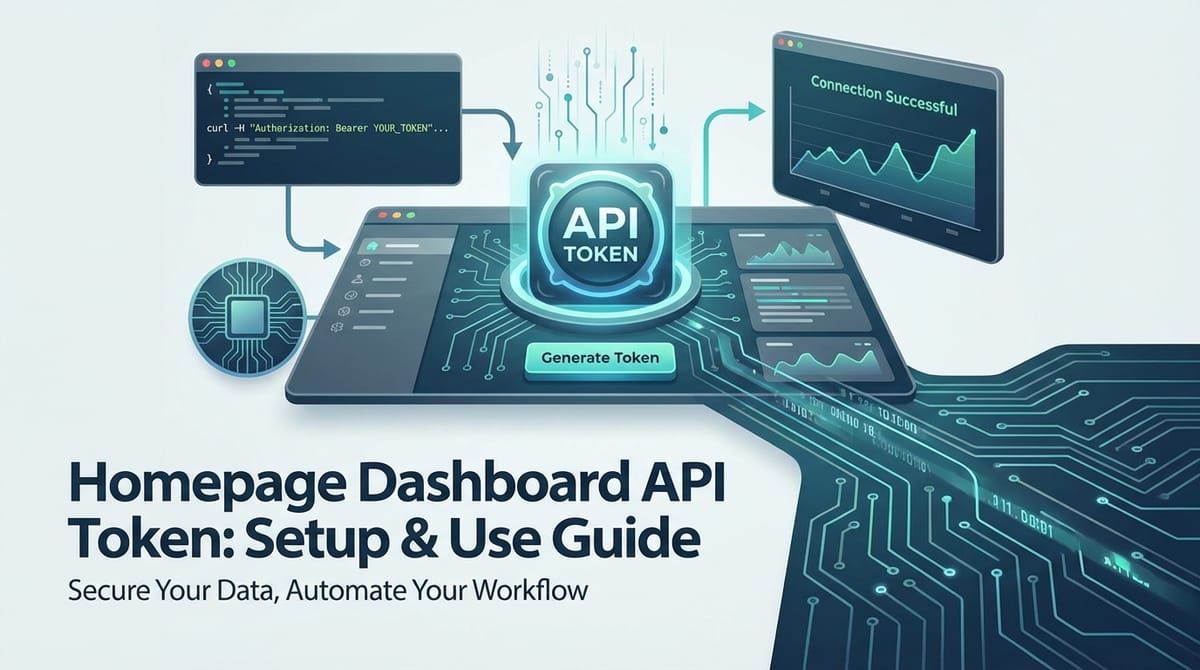
Homepage Dashboard API Token: Setup & Use Guide


In the rapidly evolving landscape of digital services, where applications seamlessly communicate to create richer user experiences, Application Programming Interfaces (APIs) serve as the fundamental backbone. They are the invisible yet indispensable conduits that allow disparate software systems to interact, exchange data, and execute commands. For many businesses and developers, the "homepage dashboard" is the nerve center – a centralized hub that provides critical insights, control panels, and real-time data visualizations for a variety of services, from analytics and user management to content delivery and financial reporting. Accessing and interacting with the programmatic functionalities behind these dashboards is where the API token becomes an absolutely crucial element.
An API token, in essence, is a unique identifier and a secret key that authenticates a user or application when making requests to an API. It acts as a digital passport, verifying identity and ensuring that only authorized entities can access specific resources or perform designated actions. Without a properly set up and securely managed API token, the wealth of data and operational capabilities residing within your dashboard's API remains locked away, rendering powerful automation and integration opportunities unattainable. The process of generating, configuring, and securely utilizing these tokens is not merely a technical step; it is a critical security measure and an enabler for efficient, automated workflows. As organizations increasingly rely on complex ecosystems of microservices, third-party integrations, and even AI-powered functionalities, the role of a robust API Gateway in managing these tokens and enforcing access policies becomes paramount. This comprehensive guide will meticulously walk you through the setup, usage, and security best practices for your Homepage Dashboard API Token, ensuring you can harness its full potential while safeguarding your valuable digital assets. We'll delve into the intricacies of token lifecycle management, integration techniques, troubleshooting common issues, and explore the broader implications of advanced AI Gateway solutions in today's interconnected world.
Chapter 1: Understanding API Tokens in the Modern Digital Landscape
The foundation of modern web and mobile applications rests heavily on the ability of different software components to communicate efficiently and securely. At the heart of this communication lies the Application Programming Interface (API), a set of defined rules that enable applications to interact. Within this interaction, the API token emerges as a cornerstone, acting as both an identity verification and access control mechanism. Understanding its nature and significance is the first step towards mastering its setup and usage.
1.1 What Exactly is an API Token?
An API token, often referred to interchangeably with "API key" or "access token," is a string of alphanumeric characters that serves as a unique credential for an application or user when interacting with an API. Unlike traditional passwords, which grant broad access to a user account, an API token is typically designed to grant specific, limited permissions to API endpoints. Think of it less like a master key to a house, and more like a specific key card that only opens certain doors during specific hours.
When your application sends a request to a server's API, this token is included in the request, usually within the HTTP Authorization header. The server then validates this token against its records. If the token is recognized and valid, and possesses the necessary permissions for the requested action, the server processes the request and returns the appropriate data or performs the requested operation. If the token is missing, invalid, or lacks the required permissions, the server will deny the request, often with an HTTP 401 (Unauthorized) or 403 (Forbidden) status code.
The structure of an API token can vary. Some are simple, opaque strings generated randomly. Others might be structured, like JSON Web Tokens (JWTs), which are self-contained and digitally signed, carrying information about the user and their permissions directly within the token itself. Regardless of its internal structure, its external purpose remains consistent: to provide a secure and manageable way to authenticate and authorize API calls.
1.2 The Indispensable Role of API Tokens in Web Applications
The widespread adoption of API tokens is not accidental; they address several critical needs in the architecture of modern web applications. Their utility extends far beyond mere authentication, impacting security, manageability, and the very fabric of how services integrate.
Firstly and most critically, API tokens enforce security. By requiring a token for every API call, developers can protect their endpoints from unauthorized access and potential misuse. This prevents malicious actors from probing or exploiting services without proper credentials. Tokens help ensure data integrity and confidentiality by restricting access to sensitive information and operational functionalities. They are a primary line of defense against data breaches and service disruptions caused by external threats.
Secondly, API tokens facilitate precise authentication. They verify the identity of the calling application or user. This is crucial in environments where multiple clients or services might be interacting with a single API. Each client can be assigned a unique token, allowing the API provider to distinguish between them and apply specific rules or track usage patterns. This level of granularity is essential for robust system management and auditing.
Beyond authentication, tokens enable fine-grained authorization. A single user account might have the overarching ability to manage all aspects of a service, but individual API tokens generated under that account can be scoped to grant only specific permissions. For example, one token might only allow reading analytics data, while another might permit updating content, and a third could be restricted to creating new user accounts. This adherence to the principle of "least privilege" significantly reduces the attack surface, as a compromised token can only access the functionalities it was explicitly granted.
Furthermore, API tokens are instrumental in rate limiting and usage tracking. By associating each token with specific usage policies, API providers can control the number of requests a particular application can make within a given timeframe. This prevents a single application from overloading the server, ensures fair usage across all consumers, and helps manage infrastructure costs. Detailed tracking of token usage also provides valuable insights into how an API is being consumed, helping developers understand popular endpoints, identify potential bottlenecks, and plan for future scaling.
Finally, API tokens enable seamless integration. They provide a standardized and secure method for diverse services and applications, often developed by different teams or organizations, to communicate. Whether it's a mobile app fetching data from a backend, a third-party analytics tool pulling statistics from your dashboard, or an internal microservice triggering an action in another, API tokens simplify the secure handshake process, allowing developers to focus on functionality rather than complex custom authentication schemes. This interoperability is a cornerstone of the modern interconnected digital ecosystem.
1.3 The Specific Context of "Homepage Dashboard" API Tokens
When we refer to a "Homepage Dashboard" API token, we are talking about credentials specifically designed to interact with the backend services that power your centralized operational or informational dashboard. These dashboards are often critical interfaces for business operations, providing a consolidated view of key performance indicators (KPIs), user activities, content statistics, service health, or financial metrics.
An API token tailored for a dashboard typically grants programmatic access to the data sources and management functionalities that the dashboard visually presents. This could involve:
- Analytics Data: Retrieving real-time traffic statistics, conversion rates, user demographics, or engagement metrics from your marketing or product analytics dashboard.
- User Management: Programmatically listing, creating, updating, or deleting user accounts if your dashboard includes a user management system.
- Content Management: Interacting with a CMS dashboard API to fetch articles, publish new posts, update existing pages, or manage media assets.
- Service Status and Monitoring: Querying the health status of various services, retrieving error logs, or initiating restarts if your dashboard is a monitoring tool.
- E-commerce Operations: Accessing order details, inventory levels, customer information, or sales reports from an e-commerce dashboard.
- IoT Device Management: Managing connected devices, reading sensor data, or sending commands if your dashboard oversees an IoT fleet.
The necessity for a dedicated token for dashboard interaction stems from several factors. Firstly, the data presented on a dashboard is often highly sensitive and critical to business operations. Accessing this data programmatically requires stringent security. Secondly, dashboard APIs typically aggregate data from multiple sources or provide a specific view of the underlying system. A dedicated token allows for precise control over which aggregated data sets or summary functions can be accessed via the API. This ensures that an integration partner or automated script, for instance, only ever sees the data relevant to its function, adhering strictly to the principle of least privilege.
Consider a content management system (CMS) dashboard. An API token might be generated specifically for an external tool that pulls article headlines and publication dates for a weekly newsletter. This token would be granted read-only access to specific content endpoints, preventing the external tool from inadvertently or maliciously altering your website's content. Similarly, an analytics dashboard might issue a token to a BI tool, granting it permission solely to retrieve aggregate visitor data, but not individual user profiles or administrative settings. This careful scoping is why understanding and correctly configuring your Homepage Dashboard API Token is not just a convenience, but a fundamental operational requirement for secure and efficient digital management.
Chapter 2: The Setup Process: Generating Your Homepage Dashboard API Token
Generating an API token might seem like a straightforward task, but it involves several critical steps and considerations to ensure both functionality and security. This chapter will guide you through the typical process of setting up your Homepage Dashboard API Token, emphasizing best practices at each stage. The exact user interface elements might vary slightly depending on your specific dashboard platform, but the underlying principles and objectives remain consistent.
2.1 Pre-requisites for API Token Generation
Before you even navigate to the token generation section of your dashboard, there are a few foundational elements and understandings you need to have in place. These pre-requisites are crucial for a smooth and secure setup experience.
Firstly, you must have an active user account on the dashboard platform. This account typically needs to have sufficient permissions to generate API tokens. In many enterprise-level systems, only administrators or specific developer roles are granted this capability. If you are not an administrator, you may need to request the token from the relevant team or seek elevated permissions for your account. Ensure your account is fully verified and in good standing to avoid any interruptions during the token generation process.
Secondly, it's vital to understand the platform's API policies and terms of service. Every API provider has rules governing how their APIs can be used. These policies often cover usage limits, data retention, acceptable use, and security requirements. Familiarizing yourself with these terms will help you design your integration responsibly and avoid potential violations that could lead to token revocation or account suspension. For instance, some platforms might prohibit scraping data or using their API for competitive analysis, so understanding these boundaries is key.
Thirdly, consider role-based access control (RBAC). If you're operating within a team or enterprise, the user account you use to generate the token will inherently define the maximum scope of what that token can do. Best practice dictates using an account with the minimum necessary privileges for the specific task the API token is intended for. For example, if the token is only for reading analytics, it shouldn't be generated by a super-administrator account that also has permission to delete critical data. Creating a dedicated "service account" or "API user" with limited permissions is often the most secure approach for generating and associating API tokens.
Finally, ensure your developer environment or workspace is prepared. This means having a basic understanding of how you'll consume the API, whether it's through a custom application, a script, or an integration platform. While not strictly a pre-requisite for generating the token, having this context helps you define the token's scope and permissions accurately, ensuring it meets your integration needs from the outset. This forward-thinking approach minimizes the need for regeneration or modification later on.
2.2 Navigating the Dashboard/Platform Interface
Once your pre-requisites are met, the next step is to locate the API token generation interface within your dashboard. While specific navigation paths will vary, most modern platforms follow similar logical structures.
You'll typically start by logging into your dashboard. After successful authentication, look for sections commonly labeled: * "Settings" * "Account" * "Developer" * "API Management" * "Integrations" * "Security"
These sections are usually accessible via a main navigation menu, a user profile dropdown, or a dedicated developer portal link. Within these sections, you might find sub-sections like "API Keys," "Access Tokens," "Credentials," or "Applications." The goal is to find the specific area where you can view, create, and manage your API tokens.
For example, on a hypothetical CMS dashboard: 1. Log in to yourcms.com/admin. 2. In the left-hand navigation, click on "Settings." 3. Within the settings menu, locate and click on "Developer Tools" or "API Access." 4. You would then see a list of existing API keys (if any) and an option to "Generate New API Key" or "Create New Token."
It's common for platforms to have dedicated developer documentation or API reference guides that explicitly detail where to find and how to manage API tokens. If you're having trouble locating the section, consult the platform's official documentation – it's often the quickest route to specific instructions. These guides also typically contain essential information about API endpoints, data structures, and request formats, which you will need when actually using your token.
2.3 Step-by-Step Guide to Token Creation
Generating an API token is a multi-step process that demands attention to detail. Each step is designed to secure your API access and ensure the token functions precisely as intended.
Step 1: Accessing the API Management Section
As discussed, navigate through your dashboard's interface to find the dedicated area for API key management. This might be under 'Settings,' 'Developer,' or 'Security.' Once you've located it, you should see an interface that typically lists any existing tokens and provides an option to create a new one. This is often labeled as "New API Key," "Generate Token," or "Create Application Credential."
Step 2: Initiating New Token Generation
Click on the button or link that allows you to create a new API token. This action will usually trigger a form or a wizard that guides you through the configuration process. Some platforms might ask for a confirmation before proceeding, especially if generating tokens is considered a sensitive operation.
Step 3: Defining Token Scope and Permissions
This is arguably the most critical step for security. Token scope refers to the specific functionalities or data sets that the API token will be authorized to access. Most platforms will present a list of checkboxes or dropdowns, allowing you to select granular permissions. These might include:
- Read-only access: Only allows fetching data, not modifying it. (e.g.,
analytics.read,users.view) - Write access: Allows creating or updating data. (e.g.,
content.write,orders.create) - Delete access: Allows removing data. (e.g.,
users.delete,assets.remove) - Specific resource access: Permissions tied to particular endpoints or data types. (e.g.,
dashboard.metrics.read,user.profile.update)
Always adhere to the principle of least privilege. Grant only the minimum necessary permissions required for the task the token will perform. If an integration only needs to read visitor counts, do not grant it permission to manage user accounts or modify website content. This significantly limits the damage a compromised token could inflict. Carefully review each permission option and understand its implications before selecting it.
Step 4: Setting Expiration and Revocation Policies
Many advanced API platforms offer options to configure the lifecycle of the API token. This includes:
- Expiration Date: You might be able to set a specific date or duration after which the token automatically becomes invalid. For temporary integrations or testing, short-lived tokens (e.g., 24 hours, 7 days) are highly recommended. For production systems, you might opt for longer-lived tokens, but this necessitates a robust token rotation strategy.
- Revocation: While not a "setting" during creation, every platform provides a mechanism to manually revoke a token at any time. Familiarize yourself with this process, as it's essential for security incident response (e.g., if a token is suspected of being compromised) or when an integration is no longer needed.
Choosing an expiration policy is a balance between convenience and security. More frequent expirations enhance security but require more frequent token regeneration or automated refresh mechanisms.
Step 5: Naming Your Token (Best Practices)
Before finalizing, you will almost always be prompted to give your new API token a descriptive name. This name is for your internal reference and should clearly indicate the token's purpose, the application or service it's associated with, and potentially its scope.
Examples of good token names: * Analytics_Dashboard_Read_Only_BI_Tool * CMS_Content_Update_Prod_Integration * Mobile_App_User_Auth_Dev_Env * Internal_Monitoring_Service_API
Avoid generic names like "My Token" or "Test Key," as these become unmanageable in environments with multiple tokens and make it difficult to ascertain their purpose if auditing or troubleshooting is required. A well-named token is an aid to security and organization.
Step 6: Confirming and Copying the Token
After configuring all the settings, click the "Generate," "Create," or "Confirm" button. The platform will then display your newly generated API token. This is usually the only time the token will be displayed to you in its entirety. For security reasons, most platforms will not store or re-display the full token after its initial creation. Therefore, it is absolutely critical that you:
- Copy the token immediately. Use the provided "Copy" button if available.
- Store it securely. Do not email it, paste it into public documents, or commit it directly to version control systems (like Git). More on secure storage in Chapter 3.
Once copied, you can usually proceed to close the token display or return to the API key management section. Your token is now ready for use, pending secure integration into your applications.
2.4 The Importance of an API Gateway in Token Management
As api ecosystems grow in complexity, managing individual API tokens across numerous services can become unwieldy and introduce significant security risks. This is where an API Gateway solution becomes indispensable. An API Gateway acts as a single entry point for all api requests, sitting in front of your backend services and handling a multitude of cross-cutting concerns, including authentication, authorization, rate limiting, and request routing.
For Homepage Dashboard API Tokens specifically, an API Gateway can centralize their management by: * Unified Authentication: Instead of each backend service independently validating tokens, the gateway performs this function once. It can validate token formats (e.g., JWTs), check for expiration, and verify the caller's identity before forwarding the request. * Centralized Authorization Policies: The gateway can enforce granular access policies based on the token's permissions, ensuring that requests only reach the backend services they are authorized for. This offloads authorization logic from individual services, simplifying their development and maintenance. * Rate Limiting: An API Gateway is the ideal place to apply and enforce rate limits on a per-token or per-user basis, protecting your backend services from abuse and ensuring fair usage. * Advanced Security Features: Beyond basic token validation, gateways can offer IP whitelisting, threat protection (e.g., SQL injection, XSS prevention), and robust logging for audit trails – all crucial for safeguarding your dashboard's apis. * Simplifying Token Lifecycle: While gateways don't always generate the initial token, they can be configured to integrate with identity providers or token management systems, streamlining token rotation and revocation processes.
A sophisticated solution like APIPark exemplifies how an AI Gateway and API Management Platform can significantly enhance the management of API tokens and the overall api lifecycle. APIPark, as an open-source platform, offers end-to-end API lifecycle management, which inherently includes robust security features for access control. For instance, its "API Resource Access Requires Approval" feature ensures that even after a token is generated, callers must subscribe to an api and await administrator approval, adding an extra layer of authorization. Moreover, its ability to manage independent APIs and access permissions for each tenant (team) means you can create dedicated api spaces with isolated token management policies, which is invaluable for enterprise-level dashboards used by multiple departments.
Furthermore, in an era where dashboards might increasingly incorporate AI Gateway functionalities – for example, a dashboard that displays AI-generated insights or allows interaction with AI models – APIPark's capabilities become even more relevant. It can quickly integrate 100+ AI models and provide a unified api format for AI invocation. This means that if your dashboard's api relies on underlying AI services, APIPark can manage the tokens for those AI apis, encapsulate prompt interactions into standard REST apis, and ensure consistent authentication and cost tracking across all your AI services, simplifying what would otherwise be a complex api integration and token management challenge. By centralizing api security and access via an API Gateway, you create a more secure, scalable, and manageable environment for all your apis, including those powering your critical homepage dashboards.
Chapter 3: Secure Usage of Your Homepage Dashboard API Token
Generating an API token is only half the battle; the other, equally critical half, is using it securely. A powerful API token, granting access to your dashboard's core functionalities, is a valuable asset that, if compromised, could lead to significant data breaches, unauthorized modifications, or service disruptions. This chapter focuses on the robust security practices and integration techniques essential for safely leveraging your Homepage Dashboard API Token.
3.1 Principles of Secure API Token Handling
The security of your API token hinges on how you handle it throughout its lifecycle. Adhering to fundamental security principles is non-negotiable.
3.1.1 Never Hardcode Tokens
The most egregious security mistake is to embed your API token directly into your application's source code, often referred to as "hardcoding." This practice is highly dangerous because: * Visibility: If your code is publicly accessible (e.g., open-source projects, client-side JavaScript that can be inspected), the token becomes immediately visible to anyone. * Version Control Risk: Committing tokens to version control systems (like Git) means they become part of the project's history, even if you try to remove them later. Past commits can still be accessed, exposing the token. * Deployment Inflexibility: Hardcoded tokens make it difficult to switch between development, staging, and production environments, as each might require different tokens. It also complicates token rotation.
Instead, always treat your API token as a sensitive secret that should be externalized from your codebase.
3.1.2 Environment Variables
For most server-side applications and scripts, using environment variables is a standard and recommended practice for storing API tokens. Environment variables are values set outside of your application's code, typically at the operating system level or through your deployment platform.
How it works: 1. You set the token as an environment variable (e.g., DASHBOARD_API_TOKEN="your_super_secret_token"). 2. Your application code then reads this variable at runtime.
Advantages: * Separation of Concerns: The token is not part of the codebase. * Environment Specificity: Easily change tokens for different environments (development, testing, production) without altering code. * Security: Environment variables are generally not committed to version control and are not directly accessible through simple file inspection.
Example (Node.js): const apiToken = process.env.DASHBOARD_API_TOKEN; Example (Python): import os; api_token = os.environ.get("DASHBOARD_API_TOKEN")
3.1.3 Secret Management Systems
For enterprise-grade applications and production environments, relying solely on environment variables can still present challenges, especially in distributed systems, Kubernetes clusters, or multi-cloud deployments. This is where dedicated secret management systems become invaluable. These systems are designed specifically for securely storing, retrieving, and managing sensitive information like API tokens, database credentials, and encryption keys.
Popular secret management systems include: * HashiCorp Vault: A widely used, open-source solution offering dynamic secrets, access control, and auditing. * AWS Secrets Manager / AWS Key Management Service (KMS): Cloud-native services for managing and encrypting secrets in Amazon Web Services. * Azure Key Vault: Microsoft Azure's solution for securely storing and managing cryptographic keys and other secrets. * Google Secret Manager: Google Cloud's equivalent service for managing secrets.
These systems provide advanced features like: * Centralized Storage: All secrets are in one secure place. * Access Control: Granular permissions to control which applications or users can access which secrets. * Auditing: Detailed logs of secret access and modifications. * Automatic Rotation: Some systems can automatically rotate tokens and credentials without human intervention. * Encryption at Rest and in Transit: Secrets are encrypted when stored and when communicated.
Integrating with a secret management system requires a bit more setup but offers the highest level of security for production API tokens.
3.1.4 Secure Storage on Client-Side (If Applicable)
While server-side applications are the primary consumers of most Homepage Dashboard API Tokens, there might be rare cases where a very short-lived, low-privilege token is used directly in a client-side application (e.g., a JavaScript SPA). In such scenarios, direct storage of long-lived tokens in client-side storage mechanisms like localStorage or sessionStorage is generally discouraged due to vulnerabilities like Cross-Site Scripting (XSS) attacks.
If client-side token usage is unavoidable, best practices include: * HTTP-Only Cookies: For session tokens, HttpOnly cookies are more secure as they are inaccessible to client-side JavaScript, mitigating XSS risks. * Short Expiration: Ensure tokens have a very short lifespan to minimize the window of opportunity for attackers. * Limited Scope: Grant only the bare minimum permissions necessary. * Token Refresh Mechanisms: Use a secure backend to refresh tokens rather than exposing refresh tokens directly client-side.
However, for most backend-facing Dashboard API Tokens, direct client-side exposure should be avoided entirely.
3.1.5 HTTPS/SSL: Always Encrypt Communications
This is a non-negotiable security requirement. Always transmit API tokens over HTTPS (HTTP Secure) connections. HTTPS encrypts the communication channel between your application and the API server, preventing eavesdropping and man-in-the-middle attacks where an attacker could intercept and steal your token. Any request sent over unencrypted HTTP exposes your token in plain text, rendering all other security measures futile. Ensure all your api calls are directed to https:// endpoints.
3.2 Integrating the API Token into Your Applications
Once you have securely stored your API token, the next step is to integrate it into your application's api requests. There are standard ways to do this, with the Authorization header being the most common and secure.
3.2.1 Common Authentication Schemes
- Bearer Token in Authorization Header (Most Common and Recommended): This is the industry standard for sending API tokens. The token is prefixed with "Bearer " and included in the
AuthorizationHTTP header.Authorization: Bearer YOUR_API_TOKEN_HEREThis method is preferred because:- It's part of the HTTP standard for authentication.
- Tokens are not logged by default in web server access logs (unlike query parameters).
- It's designed for access tokens (bearer tokens).
- Query Parameters (Discouraged for Sensitive Tokens): Some older or less secure APIs might allow tokens to be passed as a query parameter in the URL:
GET /v1/data?api_token=YOUR_API_TOKEN_HEREThis is strongly discouraged for sensitive Homepage Dashboard API Tokens because:- Exposure in Logs: The token will be visible in web server access logs, browser history, and proxy logs.
- Referer Header Leakage: If your application links to another page, the URL (including the token) can be leaked in the
Refererheader. - URL Caching: URLs with tokens can be cached by browsers or proxies, potentially exposing the token.
- Request Body (Less Common for Simple Tokens): Occasionally, an API might expect the token to be included in the JSON or XML body of a POST or PUT request. This is less common for general API tokens and more typical for initial authentication flows where credentials are exchanged for a token. It offers similar security to header-based methods when used over HTTPS, but the
Authorizationheader remains the standard.
Here's a comparison table of different API token placement methods:
| Method | Location | Security Level (with HTTPS) | Pros | Cons |
|---|---|---|---|---|
| Authorization Header | Authorization: Bearer <token> |
High | Standard, secure, not logged in URLs | Requires proper header construction |
| Query Parameter | URL?api_token=<token> |
Low | Simple to implement | Highly insecure: logged, cached, leaked in referers |
| Request Body | JSON/XML payload | Medium-High | Not exposed in URL, suitable for POST/PUT | Less standard for general API access, can be inadvertently logged in raw request bodies |
| HTTP-Only Cookie | Cookie (set by server) | High (for browser contexts) | Not accessible by JavaScript, tied to domain | Not suitable for server-to-server calls, specific to browser-based web applications |
3.2.2 Example Code Snippets (Conceptual)
Here are conceptual examples in common programming contexts, demonstrating how to include your API token using the Authorization: Bearer header. Remember to replace YOUR_API_TOKEN_VARIABLE with how you securely retrieve your token (e.g., from an environment variable).
- Using
curlfor Quick Testing (Command Line): This is excellent for initial verification and debugging.bash curl -X GET \ 'https://api.yourdashboard.com/v1/data/metrics' \ -H 'Accept: application/json' \ -H "Authorization: Bearer $DASHBOARD_API_TOKEN" # Using environment variable(Note:$DASHBOARD_API_TOKENassumes you have set an environment variable namedDASHBOARD_API_TOKENin your shell.)
Conceptual Python (requests library): Python's requests library is a popular choice for making HTTP requests. ```python import os import requestsapi_token = os.environ.get("DASHBOARD_API_TOKEN")if not api_token: print("DASHBOARD_API_TOKEN environment variable not set.", file=os.stderr) exit(1)headers = { "Authorization": f"Bearer {api_token}", "Accept": "application/json" }try: response = requests.get("https://api.yourdashboard.com/v1/data/users", headers=headers) response.raise_for_status() # Raise an exception for HTTP errors (4xx or 5xx)
data = response.json()
print("Dashboard Users Data:", data)
except requests.exceptions.HTTPError as http_err: print(f"HTTP error occurred: {http_err}", file=os.stderr) print(f"Response content: {response.text}", file=os.stderr) except Exception as err: print(f"Other error occurred: {err}", file=os.stderr) ```
Conceptual JavaScript (Fetch API - Node.js or Modern Browser): For a backend Node.js application or a secure client-side (if applicable and very short-lived tokens are managed by a backend). ```javascript // In a Node.js environment, load from .env or process.env // require('dotenv').config(); const apiToken = process.env.DASHBOARD_API_TOKEN;if (!apiToken) { console.error("DASHBOARD_API_TOKEN environment variable not set."); process.exit(1); }async function fetchDashboardData() { try { const response = await fetch('https://api.yourdashboard.com/v1/data/overview', { method: 'GET', headers: { 'Authorization': Bearer ${apiToken}, 'Accept': 'application/json' } });
    if (!response.ok) {
        // Handle HTTP errors
        const errorBody = await response.json();
        throw new Error(`HTTP error! Status: ${response.status}, Message: ${errorBody.message || JSON.stringify(errorBody)}`);
    }

    const data = await response.json();
    console.log('Dashboard Data:', data);
} catch (error) {
    console.error('Error fetching dashboard data:', error);
}
}fetchDashboardData(); ```
3.2.3 Handling API Responses and Errors
Robust error handling is crucial for any api integration. When making requests, you should always anticipate various responses from the api server, including successful data, authentication failures, authorization issues, and server errors.
- HTTP Status Codes: These are numerical codes sent by the server with each response, indicating the outcome of the request.
2xx Success(e.g.,200 OK,201 Created,204 No Content): The request was successful. You should parse the response body for the requested data.4xx Client Errors(e.g.,400 Bad Request,401 Unauthorized,403 Forbidden,404 Not Found,429 Too Many Requests): Indicates an issue with the client's request.401 Unauthorized: Token is missing, invalid, or expired. Often indicates an issue with yourAuthorizationheader or the token itself.403 Forbidden: Token is valid, but lacks the necessary permissions for the requested action or resource.429 Too Many Requests: Rate limit exceeded.
5xx Server Errors(e.g.,500 Internal Server Error,502 Bad Gateway,503 Service Unavailable): Indicates an issue on theapiserver's side.
- Parsing JSON Responses: Most modern APIs return data in JSON format. Your application should be able to parse this JSON to extract the relevant information. Ensure your
Acceptheader is set toapplication/jsonto inform the server of your preferred response format. - Implementing Retry Mechanisms with Exponential Backoff: For transient network errors (
5xxerrors, or sometimes429), implementing a retry mechanism can improve the resilience of your integration. Exponential backoff is a strategy where you wait for progressively longer periods between retries. For example, wait 1 second, then 2 seconds, then 4 seconds, etc., before making another attempt. This prevents overwhelming the server with repeated failed requests and allows the server time to recover. Always include a maximum number of retries to prevent infinite loops.
3.3 Advanced Security Practices & Lifecycle Management
Beyond the basic secure handling and integration, sophisticated API token management requires ongoing vigilance and proactive strategies.
3.3.1 Token Rotation
Regularly changing (rotating) your API tokens is a fundamental security practice, much like changing passwords. If a token is compromised but you don't realize it, rotating it will render the old, compromised token invalid, cutting off attacker access. The frequency of rotation depends on your security posture and compliance requirements. For high-privilege tokens, rotation might be quarterly or even monthly. Automating token rotation using secret management systems or api gateway features is highly recommended.
3.3.2 Revocation
Have a clear and quick process for revoking tokens. If a token is suspected of compromise, is no longer needed (e.g., an integration is decommissioned, or an employee leaves), or has been accidentally exposed, it must be revoked immediately. Most api dashboards provide a "Revoke" or "Delete" option next to each token in the API management section. Prompt revocation limits the window of opportunity for attackers.
3.3.3 IP Whitelisting
Some api providers allow you to configure IP whitelisting for your API tokens. This feature restricts API access only to requests originating from a predefined list of trusted IP addresses. If your application or server has a static public IP address, whitelisting that IP adds a powerful layer of security. Even if an attacker gains access to your token, they cannot use it unless they are also originating requests from one of the whitelisted IPs. This is a highly effective defense against external attacks.
3.3.4 Monitoring API Usage
Actively monitor the usage of your API tokens. Many api dashboards or api gateway solutions provide detailed logs and analytics on api calls. Look for: * Unusual Spikes in Traffic: Could indicate a DDoS attack or a compromised token being abused. * Access from Unexpected Geographic Locations: Might signal a breach or unauthorized use. * Repeated Failed Authentication Attempts: Could be a brute-force attack. * Access to Unauthorized Endpoints: Even if a 403 Forbidden error is returned, repeated attempts to access unauthorized resources using a valid token might indicate an attacker probing your system.
Detailed API call logging, a feature often provided by api gateway solutions like APIPark, is invaluable here. APIPark records every detail of each api call, allowing businesses to quickly trace and troubleshoot issues, detect anomalies, and ensure system stability and data security. This granular logging is a cornerstone of proactive security and operational excellence.
3.3.5 Audit Logs
Beyond general usage monitoring, ensure that your dashboard platform or api gateway maintains audit logs of actions related to API tokens themselves. This includes who generated a token, who modified its permissions, and who revoked it, along with timestamps. These logs are crucial for forensic analysis in the event of a security incident and for compliance purposes.
By integrating these secure usage principles and lifecycle management strategies, you can transform your Homepage Dashboard API Token from a potential vulnerability into a powerful, controlled instrument for digital automation and integration, safeguarding your invaluable dashboard data and functionalities.
APIPark is a high-performance AI gateway that allows you to securely access the most comprehensive LLM APIs globally on the APIPark platform, including OpenAI, Anthropic, Mistral, Llama2, Google Gemini, and more.Try APIPark now! 👇👇👇
Chapter 4: Common Challenges and Troubleshooting
Despite careful setup and adherence to best practices, you might occasionally encounter issues when using your Homepage Dashboard API Token. Troubleshooting these problems effectively requires understanding common error types and employing systematic debugging strategies. This chapter outlines typical challenges and provides guidance on how to resolve them.
4.1 401 Unauthorized Errors
A 401 Unauthorized HTTP status code is perhaps the most common error when working with API tokens. It explicitly means that the request lacks valid authentication credentials.
Potential Causes and Solutions: * Incorrect Token: The token you're sending is simply wrong. * Solution: Double-check that you've copied and pasted the token correctly. Even a single character difference can invalidate it. Regenerate the token if you suspect it's corrupted or you're unsure of its exact value, ensuring you copy it correctly this time. * Expired Token: The token has passed its expiration date and is no longer valid. * Solution: Check the token's expiration policy (if applicable) in your dashboard's API management section. Generate a new token and update your application with the fresh one. * Wrong Header Format: The Authorization header is malformed. This is often a subtle issue. * Solution: Ensure the header is exactly Authorization: Bearer YOUR_API_TOKEN (note the space between "Bearer" and your token). Any deviation, like a missing space, incorrect capitalization of "Bearer," or extra characters, can cause this error. * Token Not Sent: The token is not being included in your request at all. * Solution: Verify your code or curl command to ensure the Authorization header is correctly added to the outgoing request. Use network inspection tools (browser developer tools, tcpdump, Wireshark) to confirm the header is present in the actual HTTP request payload. * Incorrect Environment Variable Loading: If you're using environment variables, your application might not be loading them correctly. * Solution: Debug your application's environment variable loading logic. Print the value of the loaded token (carefully, not in production logs) to confirm it's what you expect.
4.2 403 Forbidden Errors
A 403 Forbidden error indicates that the server understands your request and your token is valid, but you do not have the necessary permissions to access the requested resource or perform the specified action. This is often more frustrating than a 401 because it suggests partial success in authentication.
Potential Causes and Solutions: * Insufficient Permissions (Scope Issues): The API token you're using does not have the required scope or privileges for the specific endpoint or action. For instance, you might have a read-only token attempting a write operation. * Solution: Review the permissions granted to your API token in your dashboard's API management section. If necessary, generate a new token with broader (but still least-privileged) permissions, or modify the existing token's scope if the platform allows it. Match the token's scope precisely to the api call's requirements. * IP Whitelisting Blocking Access: If IP whitelisting is enabled for your token, the request might be coming from an IP address that is not on the approved list. * Solution: Check if IP whitelisting is configured for your token. Ensure that the public IP address of the server or network from which your application is making requests is included in the approved list. This is a common issue when deploying from a development environment to production. * Account Suspended/Rate Limit Ban: In rare cases, the underlying user account or the api key itself might have been suspended or temporarily banned due to policy violations or excessive rate limit breaches. * Solution: Check your dashboard's account status or contact support for clarification.
4.3 429 Too Many Requests
The 429 Too Many Requests status code signifies that you have exceeded the API's rate limits. The server is temporarily preventing further requests to protect itself from overload.
Potential Causes and Solutions: * Rate Limit Exceeded: Your application is making requests faster than the api allows. * Solution: * Implement Rate Limiting on Your Side: Design your application to respect the api's rate limits. * Implement Exponential Backoff: When a 429 is received, pause and then retry with increasing delays. Many APIs include Retry-After headers in the 429 response, indicating how long you should wait before trying again. Always honor this header. * Caching: Cache api responses where possible to reduce the number of redundant requests to the api. * Optimize Queries: Fetch only the data you need and combine multiple small requests into larger, more efficient ones if the api supports it. * Request Higher Limits: If your legitimate usage consistently exceeds the default limits, contact the api provider to inquire about increasing your rate limits, which might be available on commercial plans or specific agreements.
4.4 Network Issues
Sometimes, the problem isn't with your token or the api, but with the network path between your application and the api server.
Potential Causes and Solutions: * Firewalls or Proxy Configurations: Your network's firewall or proxy server might be blocking outgoing api requests or modifying headers. * Solution: Check your local network's firewall rules. If using a corporate network, consult with your IT department regarding proxy settings or network egress rules. Ensure your application is correctly configured to use any required proxy. * DNS Resolution Problems: Your system might be unable to resolve the API server's domain name to an IP address. * Solution: Try ping or nslookup on the API domain (api.yourdashboard.com) from your server to ensure DNS resolution is working. * TLS/SSL Certificate Issues: Less common, but sometimes outdated SSL libraries or incorrect certificate configurations can prevent secure connections. * Solution: Ensure your operating system and application's SSL libraries are up to date. Verify that the API server's SSL certificate is valid and trusted by your system.
4.5 Debugging Strategies
Effective troubleshooting relies on systematic debugging.
- Checking Server Logs: If you have access to the logs of the
apiserver (often through your dashboard provider's platform or anapi gatewaylike APIPark), these are invaluable. Server-side logs provide detailed information about received requests, processing outcomes, and any internal errors that occurred. APIPark, for example, offers powerful data analysis capabilities, analyzing historical call data to display long-term trends and performance changes, which can help in preventive maintenance before issues occur and rapid diagnosis when they do. - Using API Clients (Postman, Insomnia): Tools like Postman or Insomnia provide a user-friendly interface to construct and send HTTP requests. You can manually enter your API token and test different endpoints and headers. This helps isolate whether the issue is with your code or with the token/API configuration itself. If it works in Postman but not your app, the problem is likely in your application's code.
- Inspecting Network Requests in Browser Dev Tools: If your application is a web frontend, use your browser's developer tools (Network tab) to inspect the outgoing HTTP requests. You can see the exact headers, payload, and response codes/bodies, which is critical for verifying that your token is being sent correctly and what response the server is actually returning.
- Simplify and Isolate: When facing complex issues, try to simplify your request. Start with the simplest possible
apicall that requires your token and verify it works. Then gradually add complexity until the error reappears. This helps pinpoint the exact change that introduces the problem. - Read API Documentation: Re-read the
apidocumentation carefully. Developers often overlook small details, specific parameter requirements, or header expectations that are clearly outlined in the official docs.
By approaching troubleshooting methodically, leveraging available tools, and understanding the common pitfalls, you can efficiently resolve issues with your Homepage Dashboard API Token and keep your integrations running smoothly.
Chapter 5: The Evolving Landscape of API Security and Management
The digital world is dynamic, and with it, the strategies for API security and management must also evolve. While simple API tokens remain foundational, the increasing sophistication of integrations, the prevalence of AI, and the ever-present threat of cyberattacks necessitate more advanced approaches. This chapter explores the broader context of API security and management, touching upon more complex authentication frameworks and the transformative role of AI Gateway solutions.
5.1 Beyond Simple Tokens: OAuth 2.0 and OpenID Connect
While a direct API token (like a bearer token) is suitable for server-to-server communication or when an application directly owns its credentials, many modern applications require more nuanced authentication and authorization, especially when dealing with user data or third-party access. This is where frameworks like OAuth 2.0 and OpenID Connect come into play.
OAuth 2.0 is an authorization framework that enables applications to obtain limited access to user accounts on an HTTP service (like Facebook, Google, or your dashboard) without giving away the user's password. Instead, it allows users to grant a third-party application permission to access their resources on a service, using an access token. This access token is typically a bearer token, similar in concept to our API token, but it's delegated by the user, not directly issued to the application for its own use. OAuth 2.0 is designed for scenarios where: * Third-party applications need to access resources on behalf of a user (e.g., a photo editing app accessing your cloud storage). * Users want to grant limited permissions (e.g., read-only access to their profile, but not write access). * The application does not store the user's password.
OpenID Connect (OIDC) is an identity layer built on top of OAuth 2.0. While OAuth 2.0 is about authorization (what you can do), OIDC is about authentication (who you are). It allows clients to verify the identity of the end-user based on the authentication performed by an authorization server, as well as to obtain basic profile information about the end-user in an interoperable and REST-like manner. OIDC is used for: * Single Sign-On (SSO): Users log in once to an identity provider (e.g., Google, Okta) and are authenticated across multiple applications. * Identity Verification: Applications need to confirm the user's identity securely.
When to use these instead of simple bearer tokens: * If your Homepage Dashboard API requires third-party applications to access user-specific data, or if you need to integrate with a broader identity ecosystem, OAuth 2.0 and OIDC offer a more robust and secure solution than simply issuing a direct API token. They are more complex to implement but provide superior security and user experience for delegated authorization and identity. For simple server-to-server integrations with a fixed set of dashboard data, a direct API token remains perfectly viable.
5.2 The Rise of AI Gateway and Intelligent API Management
The emergence of artificial intelligence (AI) and machine learning (ML) models has added a new layer of complexity and opportunity to api management. As organizations increasingly integrate AI capabilities into their products and services, the need for specialized AI Gateway solutions becomes apparent. These gateways go beyond traditional API Gateway functions to specifically address the unique challenges of managing AI apis.
When integrating numerous api models, whether they are large language models (LLMs), image recognition APIs, or sentiment analysis tools, several challenges arise: * Diverse api Formats: Different AI models often have varying request and response formats, requiring significant translation logic in your application. * Authentication & Authorization: Managing tokens and access control for dozens of different AI service providers can be a logistical nightmare. * Cost Tracking: Monitoring and controlling the consumption costs across multiple AI apis is complex. * Prompt Engineering: Iterating on and managing prompts for AI models can be difficult to integrate into standard api workflows.
An AI Gateway addresses these issues by acting as an intelligent proxy specifically optimized for AI services. It can standardize invocation formats, centralize authentication, enforce usage policies, and provide critical observability into AI api consumption. This is where solutions like APIPark excel.
APIPark is an open-source AI Gateway & API Management Platform designed to help developers and enterprises manage, integrate, and deploy both AI and REST services with ease. Its key features directly support the evolving landscape of api security and management, extending to your Homepage Dashboard API Token in several ways:
- Quick Integration of 100+ AI Models: If your dashboard relies on AI for insights (e.g., automatically summarizing data, detecting anomalies), APIPark can unify access to these diverse AI models, ensuring consistent authentication and cost tracking.
- Unified API Format for AI Invocation: This standardizes requests to AI models, meaning changes in underlying AI models or prompts won't break your dashboard's integrations, simplifying AI usage and reducing maintenance costs. This also means fewer unique
apitokens to manage per AI service, as theAI Gatewayhandles the specific authentication details for each. - Prompt Encapsulation into REST API: Users can combine AI models with custom prompts to create new, specialized
apis (e.g., a "dashboard sentiment analysisapi"). APIPark helps manage the tokens and access for these new, AI-poweredapis just like any other RESTapi. - End-to-End API Lifecycle Management: For all your
apis, including your Homepage Dashboard API and any underlying AI services, APIPark assists with managing the entire lifecycle – design, publication, invocation, and decommission. This includes regulating management processes, traffic forwarding, load balancing, and versioning. This comprehensive approach naturally extends to the secure generation and management of all associated API tokens. - API Service Sharing within Teams & Independent Access Permissions: APIPark allows centralized display of services and creation of multiple teams (tenants) with independent applications, data, user configurations, and security policies. This means API tokens for different teams or dashboard segments can be managed with distinct access rules and permissions, reinforcing the principle of least privilege.
- Detailed API Call Logging & Powerful Data Analysis: As mentioned in Chapter 3, APIPark provides comprehensive logging for every
apicall, crucial for security auditing and troubleshooting. Its powerful data analysis capabilities track historical usage, identify trends, and enable preventive maintenance, benefiting the security and performance of your Homepage Dashboard API Token usage.
By leveraging an AI Gateway and api management platform like APIPark, organizations can effectively manage the growing complexity of their api ecosystems, secure their data, and accelerate their adoption of AI, all while streamlining the critical tasks associated with API token setup and usage.
5.3 Future Trends in API Security
The landscape of API security is continuously evolving, driven by new threats, technological advancements, and stricter compliance requirements. Several key trends are shaping its future:
- Zero Trust Architectures: Moving away from the traditional perimeter-based security model, Zero Trust dictates that no user, device, or application is trusted by default, even if they are inside the network. Every
apirequest, even from an authenticated token, undergoes continuous verification. This means not just checking if a token is valid, but also assessing the context (device health, user behavior, request location) of each request in real-time. - Behavioral Analytics for Anomaly Detection: Instead of relying solely on static rules, future
apisecurity will heavily incorporate machine learning to establish baseline patterns of normal API usage. Any deviation from these patterns—such as an unusual number of requests from a specific token, access to endpoints not typically used, or requests from unfamiliar geographical locations—will trigger alerts or automatic blocking. This proactive approach helps detect compromised tokens or insider threats before significant damage occurs. - Automated Vulnerability Scanning and Penetration Testing: The continuous delivery model of modern software development requires security testing to be integrated throughout the development pipeline. Automated tools for scanning API endpoints for common vulnerabilities (like OWASP API Security Top 10) and even performing automated penetration tests will become standard, ensuring that security flaws are caught early, reducing the risk of token exploitation.
- API Security Gateways with Advanced Threat Protection:
API Gatewaysolutions will continue to integrate more sophisticated threat detection and mitigation capabilities, including advanced bot protection, API abuse prevention, and real-time anomaly detection, often powered by AI. These gateways will play an even more crucial role in protecting APIs at scale, acting as the intelligent first line of defense against a wide array of cyber threats. - Enhanced API Governance and Compliance: With increasing data privacy regulations (e.g., GDPR, CCPA),
apiproviders and consumers will face greater scrutiny regarding how data is accessed and managed via APIs.API Gatewayand management platforms will evolve to offer more robust features for enforcing data residency, consent management, and compliance auditing for API calls, including the meticulous tracking of which tokens access what sensitive data.
The secure setup and use of your Homepage Dashboard API Token is not an isolated task but a vital component within this larger, increasingly complex and intelligent API ecosystem. By understanding these broader trends and embracing advanced solutions, developers and organizations can ensure their api integrations remain robust, compliant, and resilient against future challenges.
Conclusion
The Homepage Dashboard API Token stands as a powerful key, unlocking the programmatic potential of your critical dashboard data and functionalities. Throughout this guide, we've navigated its definition, the meticulous steps involved in its generation, and the absolute imperative of its secure handling. From understanding its role in authentication and authorization to delving into the nuances of defining scope and managing its lifecycle, we've underscored that an API token is more than just a string of characters—it's a digital credential demanding respect and rigorous security protocols.
We've explored the best practices that transform a mere token into a fortified access mechanism: avoiding hardcoding, leveraging environment variables, embracing robust secret management systems, and ensuring all transmissions occur over encrypted channels like HTTPS. Integrating the token correctly into your applications, primarily through the secure Authorization: Bearer header, and implementing comprehensive error handling, are pivotal for building resilient and reliable api integrations. Furthermore, proactive strategies such as token rotation, immediate revocation, IP whitelisting, and vigilant usage monitoring are not optional add-ons but essential components of a mature API security posture.
The journey through troubleshooting common 401 Unauthorized, 403 Forbidden, and 429 Too Many Requests errors has equipped you with the diagnostic tools to swiftly address potential roadblocks. And looking forward, we've glimpsed the evolving landscape of API security, acknowledging the rise of advanced frameworks like OAuth 2.0 and OpenID Connect for delegated authorization, and recognizing the transformative role of specialized solutions like an AI Gateway. Platforms such as APIPark exemplify how comprehensive api management and AI Gateway functionalities can unify disparate services, standardize complex AI integrations, and provide a secure, efficient foundation for managing all your apis, including those crucial for your homepage dashboard.
Ultimately, mastering the setup and secure use of your Homepage Dashboard API Token is not just a technical accomplishment; it is a strategic advantage. It empowers you to automate workflows, integrate with essential tools, extract valuable insights, and build sophisticated applications that enhance your digital ecosystem. By adhering to the principles and practices outlined in this guide, you ensure that this power is wielded responsibly, safeguarding your data, maintaining operational integrity, and paving the way for innovation. Embrace these guidelines, and unlock the full, secure potential of your dashboard's API.
Frequently Asked Questions (FAQs)
1. What is the primary difference between an API Token and a traditional password? An API token is a machine-readable credential primarily used for programmatic access to specific API endpoints, often with limited, predefined permissions (scope). It acts as a digital key card for certain rooms. A traditional password, on the other hand, is a user-centric credential designed for human login to an entire account, typically granting broad access to all account functionalities. API tokens are generally preferred for server-to-server or application-to-API communication due to their granular control and reduced risk profile compared to exposing full account passwords.
2. Why is it so important to avoid hardcoding my API Token directly into my application's source code? Hardcoding API tokens is a major security vulnerability because it makes your token immediately visible to anyone who has access to your codebase (e.g., if your code is open-source, or if it's committed to a public version control repository). A hardcoded token can also be easily extracted by attackers if your application is ever compromised or decompiled. This could lead to unauthorized access, data breaches, and significant security incidents. Always use environment variables, secret management systems, or other secure externalization methods.
3. What should I do if I suspect my Homepage Dashboard API Token has been compromised? If you suspect a compromise, the first and most critical step is to immediately revoke the compromised token from your dashboard's API management section. Most platforms provide a "Revoke" or "Delete" option for each token. After revocation, generate a new token with appropriate permissions and securely update your applications with this new token. Additionally, review API usage logs for any unusual activity prior to the revocation to understand the extent of potential unauthorized access.
4. How can an API Gateway, like APIPark, help in managing my Dashboard API Tokens and security? An API Gateway centralizes token management by acting as a single entry point for all API requests. It can enforce unified authentication (validating tokens), centralize authorization policies (checking token permissions), apply rate limits, and provide advanced security features like IP whitelisting and threat protection. Solutions like APIPark specifically offer end-to-end API lifecycle management, including granular access control, detailed API call logging, and the ability to manage independent access permissions for different teams. This offloads security complexities from individual services and enhances overall API security and governance.
5. I'm receiving a 403 Forbidden error when using my API token. What are the most likely causes and how can I fix it? A 403 Forbidden error typically means your API token is valid (you're authenticated), but it lacks the necessary permissions (authorization) to access the specific resource or perform the action you're requesting. The most likely causes are: * Insufficient Token Scope: The token's permissions are too restrictive for the API call. * IP Whitelisting: Your request is originating from an IP address not approved for the token. * Account-Specific Restrictions: The underlying user account might have other restrictions.
To fix it, first, check your dashboard's API management section to verify the exact permissions granted to your token. If necessary, generate a new token with broader (but still least-privileged) permissions. If IP whitelisting is active, ensure your application's public IP is included. Finally, consult the API documentation to confirm the required permissions for the specific endpoint you are trying to access.
🚀You can securely and efficiently call the OpenAI API on APIPark in just two steps:
Step 1: Deploy the APIPark AI gateway in 5 minutes.
APIPark is developed based on Golang, offering strong product performance and low development and maintenance costs. You can deploy APIPark with a single command line.
curl -sSO https://download.apipark.com/install/quick-start.sh; bash quick-start.sh

In my experience, you can see the successful deployment interface within 5 to 10 minutes. Then, you can log in to APIPark using your account.

Step 2: Call the OpenAI API.