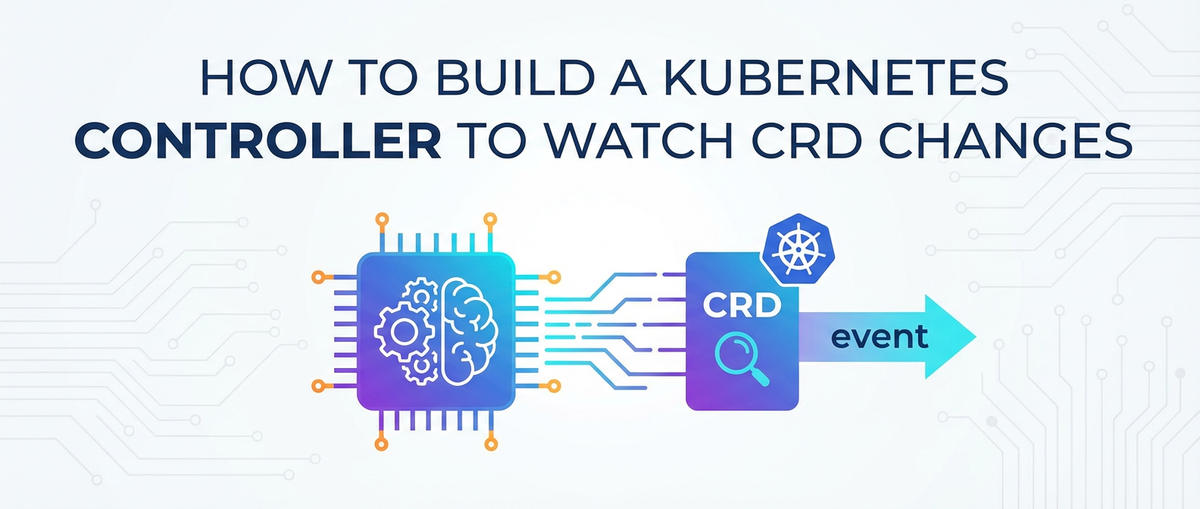
How to Build a Kubernetes Controller to Watch CRD Changes


Kubernetes has rapidly become the de facto standard for deploying, scaling, and managing containerized applications. Its powerful declarative API and robust control plane allow organizations to orchestrate complex workloads with unprecedented efficiency. However, the true strength of Kubernetes lies not just in its built-in resources, but in its extensibility. Through Custom Resource Definitions (CRDs), users can extend the Kubernetes API with their own resource types, making Kubernetes a highly adaptable open platform. But merely defining a new resource isn't enough; to imbue these custom resources with meaningful behavior and automation, one must build a Kubernetes controller.
This comprehensive guide will walk you through the intricate process of building a Kubernetes controller specifically designed to watch for changes in your Custom Resources. We'll delve deep into the foundational concepts, explore the necessary tooling, provide step-by-step implementation details, and discuss advanced considerations crucial for robust, production-ready controllers. Whether you're aiming to automate infrastructure provisioning, manage complex application lifecycles, or integrate external systems, understanding how to build a CRD controller is a cornerstone of advanced Kubernetes mastery. This knowledge is particularly pertinent for those looking to manage custom API endpoints or configure specialized gateway services, where precise, automated responses to declarative state changes are paramount.
1. Understanding Kubernetes Controllers and CRDs: The Foundation of Automation
Before we plunge into the practicalities of coding, a solid grasp of the underlying Kubernetes architecture and the concepts of controllers and Custom Resource Definitions is essential. These components form the very bedrock upon which our custom automation logic will be built.
1.1 Kubernetes Architecture Recap: A Brief Overview of the Control Plane
Kubernetes operates on a declarative model, striving to maintain a desired state across its cluster. This intricate ballet is orchestrated by the Kubernetes control plane, a set of core components that manage the cluster's lifecycle. At its heart lies the kube-apiserver, the front-end for the Kubernetes control plane. It exposes the Kubernetes API, which is the central hub for all communication, enabling users and internal components to interact with the cluster. All requests, whether from kubectl or another controller, flow through this API server.
Behind the API server, etcd serves as the cluster's consistent and highly available key-value store, where all cluster data – including resource definitions, state, and configurations – is stored. The kube-scheduler assigns newly created Pods to available worker nodes based on various constraints and requirements. Finally, and most critically for our discussion, the kube-controller-manager runs various controller processes. These controllers are the "brain" of Kubernetes, continuously monitoring the cluster's state and making changes to reconcile the actual state with the desired state declared by users. Understanding this interplay is vital, as our custom controller will seamlessly integrate into this existing control loop, leveraging the same API and mechanisms as Kubernetes' native controllers.
1.2 The Role of Controllers: Bridging Desired and Actual States
A Kubernetes controller is fundamentally an active reconciliation agent. Its primary purpose is to continuously observe the current state of a specific set of resources within the cluster and compare it against the desired state as expressed in the resource definitions. If a discrepancy is found, the controller takes corrective actions to bring the actual state closer to the desired state. This continuous cycle of observation, comparison, and action is known as the "reconciliation loop."
Consider the Deployment controller: when you create a Deployment object, you declare the desired number of replicas for your application. The Deployment controller watches for new or updated Deployment objects. Upon detecting one, it creates or updates ReplicaSet objects. The ReplicaSet controller, in turn, watches its ReplicaSet objects and ensures that the specified number of Pods are running. If a Pod crashes or is terminated, the ReplicaSet controller detects this deviation from the desired state and creates a new Pod to replace it. This cascading effect, where controllers watch resources and create/update other resources, is how Kubernetes maintains the stability and resilience of your applications. Our custom controller will operate on the same principle, but instead of built-in resources like Deployments or ReplicaSets, it will focus on our own Custom Resources, making Kubernetes an even more powerful open platform for automation.
1.3 Custom Resource Definitions (CRDs): Extending Kubernetes' Core Capabilities
While Kubernetes provides a rich set of built-in resources (Pods, Services, Deployments, etc.), real-world applications often have unique operational requirements that don't fit neatly into these predefined categories. This is where Custom Resource Definitions (CRDs) come into play. CRDs allow you to define your own custom resource types and extend the Kubernetes API in a declarative, Kubernetes-native way.
When you define a CRD, you're essentially telling the Kubernetes API server to recognize a new kind of object. This object will have its own schema, versioning, and can be managed using kubectl just like any native Kubernetes resource. For instance, if you're building a system to manage API gateway configurations, you might define a ServiceGateway CRD or an APIRoute CRD. These custom resources could encapsulate all the necessary parameters for configuring an API gateway, such as routing rules, load balancing algorithms, authentication policies, and rate limits. The beauty of CRDs is that they integrate seamlessly into the existing Kubernetes ecosystem: they are stored in etcd, accessible via the API server, and can be subjected to standard Kubernetes mechanisms like RBAC (Role-Based Access Control) and watch operations. By leveraging CRDs, developers can transform Kubernetes into a highly specialized control plane tailored to their specific domain, effectively turning it into an immensely flexible and truly open platform. This extensibility is crucial for building operators and advanced automation solutions that deeply embed custom logic within the Kubernetes environment, making the management of even complex API services a native Kubernetes experience.
2. Setting Up Your Development Environment: Tools of the Trade
Embarking on the journey of building a Kubernetes controller requires a well-prepared development environment. The right tools and configurations can significantly streamline the development process, reducing friction and allowing you to focus on the core logic of your controller. This section outlines the essential prerequisites and introduces the powerful frameworks that will serve as your allies.
2.1 Prerequisites: The Essential Foundation
Before writing a single line of code for your controller, ensure your development machine is equipped with the following:
- Go Language (v1.16+ recommended): Kubernetes controllers are predominantly written in Go. The
controller-runtimeproject, which we'll use, is a Go library. Familiarity with Go's syntax, concurrency primitives, and module system is highly beneficial. Ensure yourGOPATHand other environment variables are correctly configured. A modern Go installation also ensures compatibility with the latest features and performance enhancements relevant to controller development. - Docker or a Compatible Container Runtime (e.g., containerd, Podman): Your controller will ultimately run as a containerized application within your Kubernetes cluster. Docker is the most common tool for building and managing container images locally. Having a functional Docker daemon is critical for testing your controller before deployment. This allows you to build the controller image, tag it, and push it to a registry if necessary, mimicking its eventual deployment environment.
- Kubernetes Cluster (Minikube, Kind, or a Cloud Cluster): You'll need a live Kubernetes cluster to deploy and test your controller.
- Minikube: A lightweight Kubernetes implementation that creates a single-node cluster on your local machine. It's excellent for local development and quick iterations. It's easy to set up and manage, providing a full-fledged Kubernetes environment without consuming excessive resources.
- Kind (Kubernetes in Docker): Runs local Kubernetes clusters using Docker containers as "nodes." Kind is particularly useful for testing multi-node scenarios and continuous integration pipelines. Its ephemeral nature makes it perfect for spin-up/tear-down testing cycles.
- Cloud-based Cluster (GKE, EKS, AKS): For more realistic testing or collaborative development, a cloud-hosted Kubernetes cluster offers greater scalability and resilience, though it might incur costs and require more complex setup for local access. Ensure your
kubectlis configured to interact with your chosen cluster.
- Kubectl: The command-line tool for interacting with Kubernetes clusters. You'll use
kubectlextensively to deploy CRDs, create custom resources, inspect logs, and debug your controller. Ensure it's installed and configured to connect to your development cluster. Having a recent version is always recommended for access to the latest features and bug fixes.
A well-configured environment with these components will provide a stable and efficient platform for developing, testing, and iterating on your Kubernetes controller.
2.2 Essential Tools: Kubebuilder and Controller-Runtime
While it's technically possible to write a Kubernetes controller from scratch, it would be an arduous and error-prone undertaking. Fortunately, the Kubernetes community has developed powerful frameworks that abstract away much of the boilerplate, allowing developers to focus on the business logic. The two primary contenders in this space are Kubebuilder and Operator SDK. Both leverage the controller-runtime library, which provides the core building blocks for controllers. For this guide, we'll primarily focus on Kubebuilder due to its widespread adoption and comprehensive feature set.
controller-runtime: This Go library provides a set of high-level APIs and abstractions for building Kubernetes controllers. It simplifies common tasks such as:- Manager: Orchestrates multiple controllers, webhooks, and shared caches.
- Client: Provides an interface to interact with the Kubernetes API server (create, get, update, delete resources).
- Informer/Lister: Efficiently watches for resource changes and provides a local, read-only cache of objects, reducing direct API server load.
- Reconciler: Encapsulates the core reconciliation logic for a specific resource type.
- Webhooks: Facilitates admission control (validation and mutation of resources before they are persisted). The
controller-runtimelibrary is the backbone of modern Kubernetes controller development, providing a robust and performant foundation.
- Kubebuilder: This is a framework for building Kubernetes APIs using
controller-runtime. It acts as a project generator and CLI tool that streamlines the entire development lifecycle, from scaffolding a new project to generating boilerplate code for CRDs, controllers, and even webhooks. Key features of Kubebuilder include:- Project Scaffolding: Creates a new Go module with all the necessary directory structure,
Makefile, and configuration files. - CRD Generation: Automatically generates Go types for your Custom Resources from declarative comments in your Go code, ensuring proper schema definition and validation.
- Controller Scaffolding: Generates the basic structure for your controller's
Reconcilefunction andSetupWithManagermethod, making it easy to start implementing your logic. - Manifest Generation: Creates Kubernetes deployment manifests (RBAC, CRD, Deployment) from your Go code, simplifying deployment.
- Testing Utilities: Provides helpers for writing unit and integration tests for your controller.
- Project Scaffolding: Creates a new Go module with all the necessary directory structure,
By using Kubebuilder and controller-runtime, you can significantly accelerate controller development, ensuring your custom logic benefits from the best practices and performance optimizations that the Kubernetes community has cultivated. This integrated approach allows developers to focus on the unique business logic that their custom API resources or gateway configurations require, rather than getting bogged down in boilerplate code.
2.3 Initializing a New Project with Kubebuilder
With the prerequisites in place and an understanding of the tools, the first practical step is to initialize your new controller project using Kubebuilder. This command will set up the basic structure and boilerplate code, preparing your workspace for development.
First, ensure Kubebuilder is installed. You can typically download it from its GitHub releases page or install it via Homebrew on macOS.
# Example for installing Kubebuilder (check official docs for latest version)
# OS= $(go env GOOS)
# ARCH=$(go env GOARCH)
# curl -L -o kubebuilder https://go.kubebuilder.io/dl/latest/$(OS)/$(ARCH)
# chmod +x kubebuilder && mv kubebuilder /usr/local/bin/

kubebuilder init --domain example.com --repo github.com/your-username/my-controller
Let's break down this command:
kubebuilder init: This is the command to initialize a new project.--domain example.com: This flag specifies the domain for your API group. Kubernetes API groups are typically structured asgroup.domain. Using a reverse domain name likeexample.comensures uniqueness. So, if your resource group isgatewayand your domain isexample.com, your full API group would begateway.example.com. This helps in avoiding collisions with other CRDs in the cluster, especially crucial in multi-tenant or open platform environments.--repo github.com/your-username/my-controller: This specifies the Go module path for your project. Kubebuilder uses Go modules for dependency management, and this path will be used in yourgo.modfile. Replaceyour-usernameandmy-controllerwith your actual GitHub username and desired project name.
Upon running this command, Kubebuilder will generate a directory structure that looks something like this:
my-controller/
├── Makefile                # Build, test, and deploy commands
├── go.mod                  # Go module definition
├── go.sum                  # Go module checksums
├── main.go                 # Main entry point for the controller manager
├── Dockerfile              # Dockerfile for building the controller image
├── PROJECT                 # Kubebuilder project configuration
├── config/                 # Kubernetes manifests for deployment
│   ├── crd/                # CRD definitions
│   │   └── bases/          # Base CRD manifests
│   ├── rbac/               # Role-Based Access Control manifests
│   ├── manager/            # Controller Deployment, Service Account, RoleBinding
│   └── samples/            # Example Custom Resource instances
└── hack/                   # Helper scripts
The main.go file will contain the entry point for your controller manager, which orchestrates all the controllers and webhooks running within your application. The config/ directory is particularly important, as it will house all the Kubernetes manifests required to deploy your controller, including the CRD itself, RBAC rules, and the Deployment for your controller Pod. This scaffolding provides a robust starting point, significantly reducing the manual effort involved in setting up a new Kubernetes controller project and allowing you to quickly move to defining your custom resources and implementing the core reconciliation logic.
3. Defining Your Custom Resource (CRD): Sculpting Your Kubernetes Extension
With the project initialized, the next crucial step is to define the Custom Resource Definition (CRD) that your controller will manage. This involves specifying the schema of your custom object, which essentially dictates the structure and types of data that your custom resource instances will hold. This process transforms Kubernetes into an open platform specifically tailored to your needs, whether those involve orchestrating complex API interactions or managing intricate gateway configurations.
3.1 Designing Your CRD: What Kind of Resource Are We Tracking?
The design of your CRD is perhaps the most critical conceptual step, as it directly impacts how users interact with your custom resource and how your controller interprets their intent. You need to identify the real-world concept or desired system state that you want to manage declaratively within Kubernetes.
Let's consider an example relevant to the keywords api and gateway. Imagine you want to manage custom routing rules for an API gateway within your Kubernetes cluster. You might want to define a custom resource that describes a specific API endpoint and how traffic should be routed to it.
A possible CRD for this scenario could be APIRoute. This APIRoute could define: * Host: The domain name for which this route is valid (e.g., api.example.com). * PathPrefix: The URL path prefix that this route should match (e.g., /users/). * BackendService: The Kubernetes Service that traffic should be forwarded to (e.g., user-service:8080). * Authentication: What authentication method should be applied (e.g., jwt, oauth2, none). * RateLimit: How many requests per second are allowed (e.g., 100req/s). * Middleware: A list of custom processing steps (e.g., logging, metrics, transformation).
The structure of your CRD should reflect the declarative nature of Kubernetes. It should specify the desired state rather than imperative commands. For example, instead of "configure a route," you declare "there should be a route with these properties." This design choice makes your custom resource intuitive for Kubernetes users and straightforward for your controller to interpret and act upon. It allows you to model complex operational concerns, such as managing your API gateway's configurations, directly within the Kubernetes ecosystem.
3.2 Generating the CRD Go Type: kubebuilder create api
Once you have a clear idea of your CRD's structure, Kubebuilder can generate the necessary Go types and controller boilerplate for you. This is done with the kubebuilder create api command.
Let's continue with our APIRoute example.
kubebuilder create api --group gateway --version v1 --kind APIRoute
Let's break down this command:
kubebuilder create api: This command instructs Kubebuilder to generate the API types and controller for a new Custom Resource.--group gateway: This specifies the API group for your custom resource. Combined with the--domainfromkubebuilder init, this will form the full API group (e.g.,gateway.example.com).--version v1: This defines the API version of your custom resource (e.g.,v1,v1beta1). It's good practice to start withv1for stable resources.--kind APIRoute: This is theKindof your custom resource (e.g.,Pod,Deployment). This will be the name used when creating instances of your CRD, likekubectl create -f my-apiroute.yaml.
Upon executing this command, Kubebuilder will generate several files:
api/v1/apiroute_types.go: This file will contain the Go struct definitions for yourAPIRoutecustom resource, includingAPIRouteSpecandAPIRouteStatus.controllers/apiroute_controller.go: This file will contain the basic structure for your controller'sReconcilemethod andSetupWithManagermethod.- Updates to
main.goto register the new API types and controller.
You'll then need to modify api/v1/apiroute_types.go to define the fields for your APIRouteSpec and APIRouteStatus. Kubebuilder uses Go struct tags to generate the OpenAPI v3 schema for your CRD.
Example api/v1/apiroute_types.go modification:
package v1

import (
    metav1 "k8s.io/apimachinery/pkg/apis/meta/v1"
)

// APIRouteSpec defines the desired state of APIRoute
type APIRouteSpec struct {
    // INSERT CUSTOM FIELDS - these will be the configurable parts of your API route
    // Host defines the domain name for which this route is valid.
    // +kubebuilder:validation:Required
    Host string `json:"host"`

    // PathPrefix defines the URL path prefix this route should match.
    // E.g., "/techblog/en/users/" will match /users/profile, /users/settings, etc.
    // +kubebuilder:validation:Required
    PathPrefix string `json:"pathPrefix"`

    // BackendService specifies the Kubernetes Service to which traffic should be forwarded.
    // Format: <service-name>:<port>
    // +kubebuilder:validation:Required
    BackendService string `json:"backendService"`

    // Authentication specifies the authentication method to apply to this route.
    // E.g., "jwt", "oauth2", "none". Defaults to "none".
    // +kubebuilder:default:="none"
    // +kubebuilder:validation:Enum=jwt;oauth2;none;basic
    Authentication string `json:"authentication,omitempty"`

    // RateLimit defines the rate limiting policy for this route (e.g., "100req/s").
    // Optional.
    RateLimit string `json:"rateLimit,omitempty"`

    // Middleware defines a list of custom processing steps to apply.
    // Optional.
    Middleware []string `json:"middleware,omitempty"`
}

// APIRouteStatus defines the observed state of APIRoute
type APIRouteStatus struct {
    // INSERT ADDITIONAL STATUS FIELDS - define observed state of APIRoute
    // Conditions represent the latest available observations of an object's state.
    // +optional
    Conditions []metav1.Condition `json:"conditions,omitempty"`

    // CurrentConfigurationHash is a hash of the currently applied configuration.
    // This helps in quickly checking if the external system configuration is in sync.
    // +optional
    CurrentConfigurationHash string `json:"currentConfigurationHash,omitempty"`

    // DeployedGateway indicates which gateway instance this route is deployed on.
    // +optional
    DeployedGateway string `json:"deployedGateway,omitempty"`
}

//+kubebuilder:object:root=true
//+kubebuilder:subresource:status

// APIRoute is the Schema for the apiroutes API
type APIRoute struct {
    metav1.TypeMeta   `json:",inline"`
    metav1.ObjectMeta `json:"metadata,omitempty"`

    Spec   APIRouteSpec   `json:"spec,omitempty"`
    Status APIRouteStatus `json:"status,omitempty"`
}

//+kubebuilder:object:root=true

// APIRouteList contains a list of APIRoute
type APIRouteList struct {
    metav1.TypeMeta `json:",inline"`
    metav1.ListMeta `json:"metadata,omitempty"`
    Items           []APIRoute `json:"items"`
}

func init() {
    SchemeBuilder.Register(&APIRoute{}, &APIRouteList{})
}
Notice the +kubebuilder:validation and +kubebuilder:default comments. These are annotations that Kubebuilder uses to generate OpenAPI v3 schema validation rules for your CRD, ensuring that users provide valid input when creating or updating APIRoute objects. This is a powerful feature for maintaining data integrity and reducing errors in your API configuration, especially within an open platform that encourages diverse contributions.
3.3 Understanding Spec and Status: Desired vs. Observed State
Central to the Kubernetes declarative API model are the Spec and Status fields of any resource. This distinction is paramount for building effective controllers.
Spec(Specification): This field represents the desired state of the resource. When a user creates or updates a Custom Resource, they populate theSpecwith the configuration they want the system to achieve. For ourAPIRouteexample, theSpecwould containHost,PathPrefix,BackendService,Authentication, etc. This is what the user wants to happen. The controller's primary job is to read thisSpecand take actions to make the actual system state match what's declared here.Status: This field represents the observed state of the resource in the cluster or the external system. It's populated and updated only by the controller to provide feedback to the user about the current state of the custom resource. For ourAPIRoute, theStatusmight indicateConditions(e.g.,Ready,Deployed,Error),CurrentConfigurationHash(a hash of the deployed config for quick comparison), orDeployedGateway(which API gateway instance is handling this route). Users should generally not modify theStatusfield directly. This separation of concerns is fundamental: users declare their intent inSpec, and the controller reports on the reality inStatus. This clear distinction ensures that Kubernetes remains a robust open platform where the desired configuration is consistently reconciled with the operational reality.
3.4 Applying the CRD: Bringing Your Custom Resource to Life
After defining your Go types and running kubebuilder create api, you need to generate the actual CRD manifest and apply it to your Kubernetes cluster.
First, generate the CRD manifest:
make manifests
This command invokes Kubebuilder internally to process your api/v1/apiroute_types.go file (and any other API types you define) and generate the corresponding YAML manifest for your APIRoute CRD. This manifest will be placed in config/crd/bases/gateway.example.com_apiroutes.yaml.
Next, apply the CRD to your Kubernetes cluster:
kubectl apply -f config/crd/bases/gateway.example.com_apiroutes.yaml
Once applied, Kubernetes will recognize apiroutes.gateway.example.com as a new resource type. You can verify this by running:
kubectl get crd | grep apiroute
You should see an output similar to apiroutes.gateway.example.com.
Now, you can even create instances of your custom resource (though your controller won't do anything with them yet). Kubebuilder often generates a sample in config/samples/. You can create one manually:
# config/samples/gateway_v1_apiroute.yaml
apiVersion: gateway.example.com/v1
kind: APIRoute
metadata:
  name: example-apiroute
  namespace: default
spec:
  host: "api.mycompany.com"
  pathPrefix: "/techblog/en/products/"
  backendService: "product-service:8080"
  authentication: "jwt"
  rateLimit: "50req/s"
  middleware:
    - "metrics"
    - "logging"
Then apply it:
kubectl apply -f config/samples/gateway_v1_apiroute.yaml
You can then inspect it:
kubectl get apiroute example-apiroute -o yaml
At this stage, you have successfully extended the Kubernetes API with your custom APIRoute resource. The stage is now set for your controller to spring into action and automate the reconciliation of these custom route definitions with your API gateway system.
4. Implementing the Controller Logic: The Heart of Automation
With your Custom Resource Definition (CRD) in place, the core task now shifts to implementing the controller logic. This is where the magic happens: your code will continuously monitor for changes in APIRoute resources and take the necessary steps to align the actual state of your API gateway with the desired state declared in the CRs. This section will guide you through the intricacies of the reconciliation loop, how to watch resources, and how to handle various events.
4.1 The Reconciliation Loop: How Your Controller Thinks
The entire operational paradigm of a Kubernetes controller revolves around the reconciliation loop. This is a simple, yet profoundly powerful, control mechanism that underpins all automation within Kubernetes. For any given Custom Resource (CR), the controller's Reconcile function is invoked whenever a change is detected for that specific resource.
Here’s how the reconciliation loop works in detail:
- Watch: The controller manager (running
main.go) continuously watches the Kubernetes API server for changes (create, update, delete) to resources it's configured to monitor. In our case, it will watchAPIRouteobjects. - Event Queue: When a change is detected for an
APIRoute(e.g., a newAPIRouteis created, an existing one is modified, or one is deleted), thecontroller-runtimelibrary places a "reconciliation request" into an internal work queue. This request typically contains theNamespacedName(namespace/name) of theAPIRoutethat needs attention. - Dequeue and Reconcile: The controller picks a request from the queue and calls its
Reconcilefunction. This function receives theRequestobject containing theNamespacedName. - Fetch Current State: Inside the
Reconcilefunction, the controller first attempts to fetch the latest version of theAPIRouteobject from the Kubernetes API server using theNamespacedNamefrom the request. This is crucial because the resource might have changed again since the event was originally queued. - Determine Desired State: If the
APIRouteobject is found, itsSpecfield defines the desired state. For ourAPIRouteexample, thisSpecwould contain theHost,PathPrefix,BackendService, etc., that the user wants to configure on the API gateway. - Act to Achieve Desired State: The controller then performs the necessary business logic to bring the external system (e.g., the actual API gateway configuration) into alignment with the
APIRoute.Spec. This might involve:- Calling an external API to create or update a route.
- Updating a configuration file that the API gateway consumes.
- Interacting with other Kubernetes resources (e.g., creating a
ConfigMapor aService).
- Update Status: After attempting to reconcile, the controller updates the
Statusfield of theAPIRouteobject to reflect the observed state. This provides valuable feedback to the user, indicating whether the desired configuration has been successfully applied, if there are any errors, or what the current status of the API gateway integration is. - Error Handling and Requeue: If an error occurs during reconciliation (e.g., connection to the API gateway fails), the
Reconcilefunction can return an error, which tells thecontroller-runtimeto re-queue the request and try again later. This mechanism provides built-in resilience. - Idempotency: It is critical that the
Reconcilefunction is idempotent. This means that executing it multiple times with the same desired state should produce the same outcome and not cause unintended side effects. The controller cannot assume it's only called once per change; it might be called redundantly.
This continuous, self-correcting loop ensures that your Kubernetes cluster and the external systems it manages (like your API gateway) are always moving towards the state declared by your Custom Resources, creating a highly automated and resilient infrastructure.
4.2 Watching Resources: Informing the Controller Manager
For your controller's Reconcile function to be called, the controller-runtime Manager needs to know which resources your controller is interested in. This is configured in the SetupWithManager method within your controllers/apiroute_controller.go file.
The SetupWithManager method configures the manager to watch for events related to your APIRoute Custom Resource. Here's a typical implementation:
package controllers

import (
    "context"

    "k8s.io/apimachinery/pkg/runtime"
    ctrl "sigs.k8s.io/controller-runtime"
    "sigs.k8s.io/controller-runtime/pkg/client"
    "sigs.k8s.io/controller-runtime/pkg/log"

    gatewayv1 "github.com/your-username/my-controller/api/v1" // Your CRD API package
)

// APIRouteReconciler reconciles an APIRoute object
type APIRouteReconciler struct {
    client.Client
    Scheme *runtime.Scheme
}

//+kubebuilder:rbac:groups=gateway.example.com,resources=apiroutes,verbs=get;list;watch;create;update;patch;delete
//+kubebuilder:rbac:groups=gateway.example.com,resources=apiroutes/status,verbs=get;update;patch
//+kubebuilder:rbac:groups=gateway.example.com,resources=apiroutes/finalizers,verbs=update

// Reconcile is part of the main kubernetes reconciliation loop which aims to
// move the current state of the cluster closer to the desired state.
// TODO(user): Modify the Reconcile function to compare the state specified by
// the APIRoute object against the actual cluster state, and then
// perform operations to make the cluster state reflect the state specified by
// the user.
//
// For more details, check Reconcile and its Result here:
// - https://pkg.go.dev/sigs.k8s.io/controller-runtime@v0.16.0/pkg/reconcile
func (r *APIRouteReconciler) Reconcile(ctx context.Context, req ctrl.Request) (ctrl.Result, error) {
    _ = log.FromContext(ctx)

    // Fetch the APIRoute instance
    apiroute := &gatewayv1.APIRoute{}
    if err := r.Get(ctx, req.NamespacedName, apiroute); err != nil {
        if client.IgnoreNotFound(err) != nil {
            log.Log.Error(err, "unable to fetch APIRoute")
            return ctrl.Result{}, err
        }
        // APIRoute not found. It might have been deleted.
        // Ignore not found errors, as they can't be fixed by retrying.
        log.Log.Info("APIRoute resource not found. Ignoring since object must be deleted.")
        return ctrl.Result{}, nil
    }

    // --- Your core reconciliation logic goes here ---

    // Example: Log the spec of the APIRoute
    log.Log.Info("Reconciling APIRoute", "name", apiroute.Name, "host", apiroute.Spec.Host, "pathPrefix", apiroute.Spec.PathPrefix)

    // In a real scenario, you would interact with an API Gateway here
    // For instance, you could make an HTTP request to your API Gateway's admin API
    // to create, update, or delete the route based on apiroute.Spec.

    // Example: Update the APIRoute's Status (this is crucial for user feedback)
    // You might update conditions, deployed gateway, or configuration hash here
    // For now, let's just mark it as "Reconciled"
    apiroute.Status.Conditions = []metav1.Condition{
        {
            Type:               "Reconciled",
            Status:             metav1.ConditionTrue,
            Reason:             "APIRouteProcessed",
            Message:            "APIRoute has been successfully processed by the controller.",
            LastTransitionTime: metav1.Now(),
        },
    }
    apiroute.Status.DeployedGateway = "my-example-api-gateway" // Indicate where it's deployed
    // Generate a hash of the spec to check for changes efficiently
    // specHash, _ := computeHash(apiroute.Spec) // Implement a function to hash your spec
    // apiroute.Status.CurrentConfigurationHash = specHash


    if err := r.Status().Update(ctx, apiroute); err != nil {
        log.Log.Error(err, "unable to update APIRoute status")
        return ctrl.Result{}, err
    }

    // --- End of core reconciliation logic ---

    return ctrl.Result{}, nil
}

// SetupWithManager sets up the controller with the Manager.
func (r *APIRouteReconciler) SetupWithManager(mgr ctrl.Manager) error {
    return ctrl.NewControllerManagedBy(mgr).
        For(&gatewayv1.APIRoute{}). // This tells the controller to watch APIRoute resources
        Complete(r)
}
The +kubebuilder:rbac comments are crucial. They generate the necessary Role-Based Access Control (RBAC) rules that grant your controller the permissions it needs to perform its operations (e.g., get, list, watch, update apiroutes and apiroutes/status). Without these, your controller would lack the authorization to interact with the Kubernetes API server, rendering it ineffective.
Inside SetupWithManager: * ctrl.NewControllerManagedBy(mgr): Initializes a new controller builder managed by the provided manager. * For(&gatewayv1.APIRoute{}): This is the most critical part. It tells the controller to watch for events related to APIRoute objects. Whenever an APIRoute is created, updated, or deleted, the manager will enqueue a request for reconciliation.
This configuration effectively registers your controller with the Kubernetes control plane, allowing it to become an active participant in monitoring and reacting to the declarative state of your custom resources.
4.3 Handling CRD Changes (Create/Update/Delete): The Core Logic
The Reconcile function is where you implement the core business logic to react to the APIRoute changes. This function must be robust and handle the three primary types of events: creation, update, and deletion.
Creation:
When a new APIRoute is created, your Reconcile function will be called. Since apiroute will be fetched successfully, the logic proceeds to configure the API gateway.
// Inside Reconcile function, after fetching apiroute:

// Check if this APIRoute has already been reconciled (e.g., by checking its Status)
// Or, if your external system is idempotent, you can always attempt to create/update.
// For initial creation, we might check if a corresponding route exists in the API Gateway.
// If not, create it.

log.Log.Info("APIRoute created or updated. Configuring external API Gateway.")

// Pseudocode for API Gateway interaction
// 1. Construct the API Gateway configuration payload from apiroute.Spec
//    gatewayConfig := buildGatewayConfigFromSpec(apiroute.Spec)

// 2. Interact with your API Gateway's administrative API
//    apiGatewayClient := getAPIGatewayClient()
//    err = apiGatewayClient.CreateOrUpdateRoute(apiroute.Name, gatewayConfig)
//    if err != nil {
//        log.Log.Error(err, "failed to configure API Gateway for APIRoute", "name", apiroute.Name)
//        // Update status to reflect error
//        apiroute.Status.Conditions = []metav1.Condition{ /* ... error condition ... */ }
//        r.Status().Update(ctx, apiroute) // Always try to update status, even on error
//        return ctrl.Result{}, err // Requeue the request for retry
//    }

// 3. Update the APIRoute Status to reflect successful configuration
//    apiroute.Status.Conditions = []metav1.Condition{ /* ... success condition ... */ }
//    apiroute.Status.DeployedGateway = "my-configured-gateway"
//    // Add a hash of the spec to status for efficient change detection in future reconciles
//    // apiroute.Status.CurrentConfigurationHash = calculateSpecHash(apiroute.Spec)

//    if err := r.Status().Update(ctx, apiroute); err != nil {
//        log.Log.Error(err, "unable to update APIRoute status after creation/update")
//        return ctrl.Result{}, err
//    }

//    log.Log.Info("APIRoute successfully configured in API Gateway", "name", apiroute.Name)
Update:
When an existing APIRoute is modified, the Reconcile function is called again. Your controller needs to detect what changed and update the external system accordingly. A common pattern is to compare the apiroute.Spec with a previously recorded configuration (often stored as a hash in apiroute.Status).
// Inside Reconcile function, after fetching apiroute:

// Hash the current APIRoute.Spec to compare with the last deployed configuration
// currentSpecHash := calculateSpecHash(apiroute.Spec)
// if currentSpecHash == apiroute.Status.CurrentConfigurationHash {
//     log.Log.Info("APIRoute spec has not changed, skipping reconciliation.", "name", apiroute.Name)
//     return ctrl.Result{}, nil // Nothing to do, configuration is already in sync
// }

log.Log.Info("APIRoute spec changed. Updating external API Gateway configuration.")

// Pseudocode for API Gateway interaction
// 1. Construct the API Gateway configuration payload from the updated apiroute.Spec
//    updatedGatewayConfig := buildGatewayConfigFromSpec(apiroute.Spec)

// 2. Interact with your API Gateway's administrative API to update the route
//    err = apiGatewayClient.UpdateRoute(apiroute.Name, updatedGatewayConfig)
//    if err != nil {
//        log.Log.Error(err, "failed to update API Gateway for APIRoute", "name", apiroute.Name)
//        // Update status to reflect error
//        apiroute.Status.Conditions = []metav1.Condition{ /* ... error condition ... */ }
//        r.Status().Update(ctx, apiroute)
//        return ctrl.Result{}, err // Requeue
//    }

// 3. Update the APIRoute Status to reflect successful update
//    apiroute.Status.Conditions = []metav1.Condition{ /* ... success condition ... */ }
//    apiroute.Status.CurrentConfigurationHash = currentSpecHash // Store the new hash
//    if err := r.Status().Update(ctx, apiroute); err != nil {
//        log.Log.Error(err, "unable to update APIRoute status after update")
//        return ctrl.Result{}, err
//    }

//    log.Log.Info("APIRoute successfully updated in API Gateway", "name", apiroute.Name)
Deletion:
When an APIRoute is deleted, the r.Get() call will return a NotFound error. However, before the object is fully removed from etcd, its DeletionTimestamp will be set, and potentially a finalizer will be present. Controllers typically use finalizers to ensure that external resources associated with the CR are properly cleaned up before the CR is completely deleted from Kubernetes.
// Inside Reconcile function, after fetching apiroute:

// Check if the APIRoute is being deleted
if apiroute.ObjectMeta.DeletionTimestamp.IsZero() {
    // Object is not being deleted, proceed with normal reconciliation (create/update)
    // ... (logic from creation/update)
} else {
    // The object is being deleted
    if containsString(apiroute.ObjectMeta.Finalizers, apirouteFinalizer) {
        // Our finalizer is present, so we can do our cleanup
        log.Log.Info("APIRoute is being deleted. Performing cleanup on external API Gateway.", "name", apiroute.Name)

        // Pseudocode for API Gateway interaction
        // 1. Call your API Gateway's administrative API to delete the route
        //    err := apiGatewayClient.DeleteRoute(apiroute.Name)
        //    if err != nil {
        //        log.Log.Error(err, "failed to delete API Gateway route for APIRoute", "name", apiroute.Name)
        //        // If cleanup fails, return the error to re-queue the request and retry.
        //        return ctrl.Result{}, err
        //    }
        log.Log.Info("API Gateway route successfully deleted.", "name", apiroute.Name)


        // Remove our finalizer from the list and update it.
        // This tells Kubernetes that our cleanup is complete, and the object can be removed.
        apiroute.ObjectMeta.Finalizers = removeString(apiroute.ObjectMeta.Finalizers, apirouteFinalizer)
        if err := r.Update(ctx, apiroute); err != nil {
            log.Log.Error(err, "failed to remove finalizer from APIRoute", "name", apiroute.Name)
            return ctrl.Result{}, err
        }
        log.Log.Info("Finalizer removed from APIRoute. Object will now be deleted.", "name", apiroute.Name)
    }

    // Stop reconciliation as the object is being deleted
    return ctrl.Result{}, nil
}

// Helper functions for finalizers (typically defined outside Reconcile)
const apirouteFinalizer = "gateway.example.com/finalizer"

func containsString(slice []string, s string) bool {
    for _, item := range slice {
        if item == s {
            return true
        }
    }
    return false
}

func removeString(slice []string, s string) (result []string) {
    for _, item := range slice {
        if item == s {
            continue
        }
        result = append(result, item)
    }
    return
}
A Note on APIPark Integration: At this juncture, when configuring an API Gateway based on APIRoute CRD changes, it's pertinent to consider a robust open platform solution for managing your API landscape. For managing complex API landscapes, an open platform like APIPark provides a comprehensive API gateway solution for AI and REST services. A custom controller like ours could interact with APIPark's administrative API to programmatically provision, update, or decommission routes, leveraging its capabilities for unified API format, prompt encapsulation into REST APIs, and end-to-end API lifecycle management. This would provide a powerful combination: the declarative control of Kubernetes CRDs with the advanced features of a dedicated API management platform.
By carefully structuring your Reconcile function to handle creation, update, and deletion events idempotently and with proper error handling, you build a resilient and self-healing automation system for your API gateway configuration. This ensures that your Kubernetes cluster remains the single source of truth for your desired state, and your controller diligently maintains that state in the external world.
APIPark is a high-performance AI gateway that allows you to securely access the most comprehensive LLM APIs globally on the APIPark platform, including OpenAI, Anthropic, Mistral, Llama2, Google Gemini, and more.Try APIPark now! 👇👇👇
5. Building, Deploying, and Testing the Controller: Bringing Your Code to Life
Once your controller logic is implemented, the next phase involves transforming your Go code into a runnable container image, deploying it to your Kubernetes cluster, and rigorously testing its functionality. This section covers the practical steps for packaging, deploying, and validating your custom controller.
5.1 Generating Manifests: Kubernetes Configuration Files
Before you can deploy your controller, you need a set of Kubernetes YAML manifests that define everything Kubernetes needs to run your controller. This includes the CRD itself (which we already applied), the Deployment for your controller Pod, the Service Account it runs under, and the necessary RBAC (Role-Based Access Control) permissions.
Kubebuilder simplifies this by generating these manifests based on your Go code and the project's configuration.
make manifests
This command will: * Generate or update the CRD YAML in config/crd/bases/. * Generate or update the RBAC Role, RoleBinding, and ServiceAccount YAMLs in config/rbac/. These are derived from the +kubebuilder:rbac annotations in your controllers/apiroute_controller.go file. * Generate or update the Deployment and Service (if webhooks are enabled) for your controller in config/manager/.
After running make manifests, inspect the generated files, especially those in config/rbac and config/manager, to understand the permissions and deployment strategy for your controller. The RBAC definitions are particularly important, as they dictate precisely what your controller is allowed to do within the cluster (e.g., get, list, watch, update apiroutes).
5.2 Building the Controller Image: Containerizing Your Application
Your controller, being a Go application, needs to be packaged into a Docker image to run within Kubernetes. Kubebuilder provides a convenient Makefile target for this.
First, make sure Docker is running on your machine. Next, set an environment variable for your image name and tag. It's common practice to tag images with the project name and a version, or latest for development.
# Replace 'your-username' with your Docker Hub username or image registry
export IMG="your-username/my-controller:latest"
make docker-build
This command will: * Compile your Go application into a static binary. * Use the Dockerfile generated by Kubebuilder (located in the project root) to build a Docker image. The Dockerfile is typically optimized for Go applications, using multi-stage builds to create a small, efficient image. * Tag the image with the value of the IMG environment variable (e.g., your-username/my-controller:latest).
If you intend to deploy your controller to a remote Kubernetes cluster (e.g., a cloud-based cluster), you'll need to push this image to a container registry that your cluster can access (e.g., Docker Hub, Google Container Registry, Azure Container Registry).
make docker-push
This command will push the locally built image to the specified registry. Ensure you are logged in to your Docker client (docker login) before pushing. If you are using a local cluster like Minikube or Kind, you can sometimes skip the docker-push step by configuring your cluster's Docker daemon to use the same daemon as your host (e.g., eval $(minikube docker-env) or kind load docker-image).
5.3 Deploying to Kubernetes: Running Your Controller in the Cluster
With the image built (and pushed, if necessary), you can now deploy your controller to your Kubernetes cluster. The manifests generated by make manifests include everything needed to create the necessary Kubernetes objects.
make deploy
This command will apply all the YAML manifests located in your config/ directory to your currently configured Kubernetes cluster. Specifically, it will: * Create the Namespace for your controller (if specified). * Create the ServiceAccount for your controller. * Create the Role and RoleBinding to grant the ServiceAccount the necessary permissions. * Create the Deployment that runs your controller Pod(s). * (If webhooks are enabled) Create Service and WebhookConfiguration resources.
You can verify the deployment by checking the Pods in your controller's namespace (usually my-controller-system or default if you didn't customize it):
kubectl get pods -n my-controller-system
You should see a Pod named something like my-controller-manager-xxxxx-yyyyy in a Running state. If the Pod is stuck in Pending or CrashLoopBackOff, check its events and logs:
kubectl describe pod <controller-pod-name> -n my-controller-system
kubectl logs <controller-pod-name> -n my-controller-system
This will provide valuable debugging information if your controller fails to start.
5.4 Testing the Controller: Verifying Functionality
Once your controller is running, it's time to test if it's correctly watching and reacting to your APIRoute CRD changes.
- Create a Sample CR: Use the sample
APIRouteYAML we prepared earlier (config/samples/gateway_v1_apiroute.yaml) or create a new one.bash kubectl apply -f config/samples/gateway_v1_apiroute.yaml - Verify Controller Logs: The most direct way to observe your controller's actions is to tail its logs.
bash kubectl logs -f <controller-pod-name> -n my-controller-systemYou should see log messages indicating that yourReconcilefunction has been called forexample-apiroute, and anylog.Log.Infomessages you added. For instance, you should see:{"level":"info","ts":"...","logger":"controllers.APIRoute","msg":"Reconciling APIRoute","name":"example-apiroute","host":"api.mycompany.com","pathPrefix":"/techblog/en/products/"} - Simulate Deletions: Delete the
APIRouteresource:bash kubectl delete apiroute example-apirouteThe controller logs should show messages indicating that theAPIRouteis being deleted and that cleanup logic (e.g., removing the route from the external API gateway) is being performed, followed by the removal of the finalizer. After cleanup,kubectl get apirouteshould no longer show theexample-apiroute.
Simulate Updates: Modify your config/samples/gateway_v1_apiroute.yaml file (e.g., change rateLimit or authentication) and re-apply it:```bash
Edit config/samples/gateway_v1_apiroute.yaml
For example, change authentication to "oauth2"
kubectl apply -f config/samples/gateway_v1_apiroute.yaml ```Again, check the controller logs. You should see another Reconcile call, and if your logic correctly detects changes (e.g., by comparing spec hash), it would log that an update is being processed. The APIRoute's status should also reflect the latest reconciliation.
Observe Changes (e.g., Status Update): If your Reconcile function updates the Status field of your APIRoute (which it should!), verify this:bash kubectl get apiroute example-apiroute -o yamlYou should see the status block populated with the Conditions, DeployedGateway, etc., that your controller set.```yaml apiVersion: gateway.example.com/v1 kind: APIRoute
... metadata ...
spec: # ... your spec ... status: conditions: - lastTransitionTime: "2023-10-27T10:00:00Z" message: APIRoute has been successfully processed by the controller. reason: APIRouteProcessed status: "True" type: Reconciled deployedGateway: my-example-api-gateway ```
By systematically creating, updating, and deleting your custom resources and observing your controller's reactions in its logs and the resource's status, you can thoroughly test and debug your controller's logic. This iterative process of development, deployment, and testing is fundamental to building reliable and effective Kubernetes controllers.
6. Advanced Controller Concepts and Best Practices: Crafting Robust Automation
Building a basic CRD controller is a significant achievement, but moving beyond simple proof-of-concepts to production-grade solutions requires a deeper understanding of advanced concepts and adherence to best practices. These elements contribute to the robustness, efficiency, and safety of your controller.
6.1 Owner References and Garbage Collection: Managing Dependencies
In Kubernetes, resources often have relationships with each other. For instance, a Deployment owns ReplicaSets, which in turn own Pods. This ownership hierarchy is crucial for automatic garbage collection. When an owner resource is deleted, its owned resources are typically deleted by the Kubernetes garbage collector.
Your custom controller should establish owner references for any Kubernetes resources it creates on behalf of your custom resource. For example, if your APIRoute controller creates a ConfigMap to store API gateway configuration files, that ConfigMap should have an owner reference pointing back to the APIRoute that created it.
This is typically done by setting the OwnerReferences field in the metadata of the owned object:
import (
    metav1 "k8s.io/apimachinery/pkg/apis/meta/v1"
    "k8s.io/apimachinery/pkg/runtime/schema"
)

// Inside your Reconcile function, when creating a dependent resource (e.g., a ConfigMap)
// cm := &corev1.ConfigMap{
//     ObjectMeta: metav1.ObjectMeta{
//         Name:      apiroute.Name + "-config",
//         Namespace: apiroute.Namespace,
//     },
//     Data: map[string]string{
//         "gateway-config.json": "...", // Your API Gateway config
//     },
// }

// Set APIRoute instance as the owner and controller
// This ensures that when apiroute is deleted, this ConfigMap will also be deleted.
// ctrl.SetControllerReference(apiroute, cm, r.Scheme)
//
// Then create the ConfigMap: r.Create(ctx, cm)
ctrl.SetControllerReference is a helper function from controller-runtime that sets the OwnerReference and Controller fields correctly, ensuring proper cascade deletion. This makes your controller's resource management more robust and prevents orphaned resources, a critical aspect of maintaining a clean and efficient Kubernetes environment, particularly for an open platform where various components might interact.
6.2 Finalizers: Preventing Premature Deletion of Resources with External Dependencies
As briefly touched upon in the deletion handling, finalizers are a powerful mechanism to ensure that cleanup logic for external resources is executed before a Kubernetes object is permanently deleted. When you delete a resource with a finalizer, Kubernetes does not immediately remove it. Instead, it sets the metadata.deletionTimestamp and keeps the object, allowing controllers to perform cleanup. Only when all finalizers are removed by the controllers is the object finally purged.
This is essential for resources like our APIRoute, which interacts with an external API gateway. Without a finalizer, deleting the APIRoute might instantly remove the object from Kubernetes, leaving behind dangling configurations in the external API gateway.
The typical flow for finalizers: 1. Add Finalizer: When your controller first processes a new APIRoute (or on subsequent updates if not already present), it should add its unique finalizer to the apiroute.ObjectMeta.Finalizers array. 2. Deletion Detected: When kubectl delete apiroute ... is executed, the apiroute.ObjectMeta.DeletionTimestamp is set, but the object persists because of the finalizer. Your Reconcile function is called. 3. Perform Cleanup: Inside Reconcile, detect the DeletionTimestamp. If set and your finalizer is present, execute all necessary cleanup steps (e.g., call the API gateway's API to remove the route). 4. Remove Finalizer: Once cleanup is successfully completed, remove your finalizer from the apiroute.ObjectMeta.Finalizers array and update the object. Kubernetes will then finalize the deletion. 5. Error Handling: If cleanup fails, return an error from Reconcile to re-queue the request. Do not remove the finalizer until cleanup is successful.
Using finalizers guarantees that your controller always has a chance to clean up external state associated with a custom resource, maintaining consistency between your Kubernetes cluster and integrated external systems, like an external API gateway or other API services on an open platform.
6.3 Webhooks (Admission Controllers): Enhancing API Governance
Webhooks, specifically admission controllers, allow you to intercept requests to the Kubernetes API server before an object is persisted. This provides a powerful mechanism for validating, mutating, and even rejecting resource creation or updates.
There are two main types of admission webhooks: * Validating Webhooks: These check if a resource is valid according to custom rules. For our APIRoute, you could implement a validating webhook to ensure that BackendService points to an existing Service in the same namespace, or that PathPrefix always starts with /. If validation fails, the API server rejects the request. * Mutating Webhooks: These can change a resource before it's saved. You could use a mutating webhook to inject default values for optional fields, automatically add labels, or standardize certain configurations for your APIRoute objects.
Kubebuilder makes it relatively easy to scaffold and implement webhooks. They typically run as separate Pods alongside your controller and expose an HTTPS endpoint that the API server calls. Webhooks significantly enhance the governance of your custom API resources, ensuring data integrity and consistency right at the point of API interaction, making your open platform more robust and user-friendly.
6.4 Event Handlers and Predicates: Fine-tuning Reconciliation Triggers
By default, For(&CRD{}) in SetupWithManager will trigger reconciliation for any change to your APIRoute resource. However, you might want more granular control over when Reconcile is called.
- Predicates: These allow you to filter events. You can define a predicate to ignore updates if only certain fields (e.g.,
metadata.annotations) change, or to only reconcile on specific conditions. This reduces unnecessary reconciliation calls, improving controller efficiency. - Watches: Beyond watching the primary resource, your controller might need to react to changes in other resources that it doesn't own but depends on. For example, if your
APIRouterefers to aSecretfor API key credentials, and thatSecretchanges, yourAPIRoutemight need to be re-reconciled.Watches()allows you to set up watches on these secondary resources and map their changes back to your primaryAPIRoutefor reconciliation.
// Example of adding a watch for a dependent Secret (pseudocode)
// import (
//  corev1 "k8s.io/api/core/v1"
//  "sigs.k8s.io/controller-runtime/pkg/handler"
//  "sigs.k8s.io/controller-runtime/pkg/source"
// )

// func (r *APIRouteReconciler) SetupWithManager(mgr ctrl.Manager) error {
//  return ctrl.NewControllerManagedBy(mgr).
//      For(&gatewayv1.APIRoute{}).
//      // Optionally add a predicate to filter events
//      // WithEventFilter(predicate.GenerationChangedPredicate{}).
//      // Watch a Secret that APIRoute depends on
//      Watches(
//          &source.Kind{Type: &corev1.Secret{}},
//          handler.EnqueueRequestsFromMapFunc(r.mapSecretToAPIRoute),
//          // Optionally add a predicate to filter secret events
//          // WithEventFilter(predicate.NewPredicateFuncs(func(object client.Object) bool {
//          //  return object.GetLabels()["app"] == "my-api-route-related-secret"
//          // })),
//      ).
//      Complete(r)
// }

// // mapSecretToAPIRoute is a mapping function to find relevant APIRoutes for a Secret change
// func (r *APIRouteReconciler) mapSecretToAPIRoute(ctx context.Context, obj client.Object) []ctrl.Request {
//  // Logic to query for APIRoutes that reference this Secret
//  // For example, list all APIRoutes and check their specs.
//  // Return a slice of reconcile.Request for each matching APIRoute.
//  return []ctrl.Request{/* ... */}
// }
This fine-grained control ensures that your controller only performs work when truly necessary, making it more efficient and less resource-intensive.
6.5 Error Handling and Idempotency: Building Resilience
Robust error handling and ensuring idempotency are paramount for any reliable controller.
- Error Handling: Always return an error from your
Reconcilefunction if an operation fails.controller-runtimewill then re-queue the request with an exponential back-off, retrying the reconciliation after a short delay. Avoid infinite loops or silently failing operations. Log descriptive errors to aid in debugging. - Idempotency: As mentioned, your
Reconcilefunction must be idempotent. This means that if you execute it multiple times with the same desired state (theSpec), the external system should end up in the same state, and no unintended side effects should occur. For example, when creating a route in an API gateway, first check if the route already exists. If it does, update it rather than attempting to create it again, which might fail or create duplicates. This is typically achieved by comparing current observed state (fromapiroute.Statusor the external system) with the desired state (fromapiroute.Spec).
6.6 Observability: Logging, Metrics, Tracing
A controller operating silently in the background is a debugging nightmare. Implement comprehensive observability:
- Logging: Use the
logrlogger (integrated withcontroller-runtime) for structured logging. Log at different levels (info, debug, error) and include relevant context (e.g.,APIRoutename, namespace, specific fields being processed). - Metrics: Expose Prometheus metrics (Kubebuilder scaffolds this). Track reconciliation duration, number of reconciliations, errors, and specific events relevant to your controller's logic (e.g., "apiroute_creation_total," "api_gateway_update_errors").
- Tracing: For complex interactions with external APIs or other microservices, consider integrating distributed tracing (e.g., OpenTelemetry) to track the flow of requests and identify bottlenecks across system boundaries.
Good observability allows you to understand your controller's behavior, debug issues quickly, and proactively identify performance problems or resource constraints within your open platform ecosystem.
6.7 Security Considerations: RBAC and External API Calls
Security should be a primary concern when developing controllers:
- RBAC: Ensure your controller's
ServiceAccounthas the minimum necessary permissions (least privilege principle). Review theconfig/rbacmanifests generated by Kubebuilder carefully. For ourAPIRoutecontroller, it needsget,list,watchonapiroutes, andupdate,patchonapiroutes/status. If it creates other Kubernetes resources, it needs permissions for those too. - Securing External API Calls: If your controller interacts with external APIs (like your API gateway's admin API), ensure these calls are secured:
- Use HTTPS for all external communications.
- Store API keys, tokens, or credentials in Kubernetes
Secrets and access them securely within the controller Pod. Avoid hardcoding sensitive information. - Implement proper authentication and authorization when calling external APIs.
- Consider network policies to restrict outbound traffic from your controller Pod only to the necessary external endpoints.
By adhering to these advanced concepts and best practices, you can build Kubernetes controllers that are not only functional but also reliable, efficient, secure, and maintainable, capable of orchestrating complex automation tasks for your API services and gateway infrastructure within an open platform environment.
7. Real-world Applications and Use Cases: Unleashing the Power of CRD Controllers
The ability to extend Kubernetes with custom resources and automate their lifecycle with controllers opens up a vast array of possibilities. CRD controllers move Kubernetes beyond mere container orchestration to become a true control plane for entire domains of infrastructure and application management. Let's explore some compelling real-world applications and use cases.
7.1 Automating Infrastructure Provisioning: Infrastructure as Code Extensibility
One of the most powerful applications of CRD controllers is the automation of infrastructure provisioning. Instead of managing complex infrastructure through external scripts or cloud provider APIs, you can define your desired infrastructure components as Custom Resources within Kubernetes.
For example: * Database Provisioning: A Database CRD could define parameters like database type (PostgreSQL, MySQL), version, size, and backup policy. A controller could then watch these Database CRs and automatically provision, configure, and manage databases in a cloud provider (AWS RDS, Azure SQL, GCP Cloud SQL) or even within the cluster (e.g., a Patroni cluster). * Storage Management: A ObjectStorageBucket CRD could define a desired S3 bucket, its region, and access policies. A controller would then ensure that the bucket exists and is configured as specified. * Networking Configuration: Custom resources for FirewallRules, VPNConnections, or LoadBalancers could allow developers to declare their network requirements in a Kubernetes-native way, with a controller translating these into actual cloud network configurations.
This approach treats infrastructure components as Kubernetes objects, bringing the benefits of declarative management, reconciliation, and Kubernetes' strong consistency model to resources far beyond Pods and Deployments.
7.2 Managing Application Deployments and Lifecycles: Operators for Everything
CRD controllers are the building blocks of Kubernetes Operators. An Operator is essentially an application-specific controller that extends the Kubernetes API to create, configure, and manage instances of complex applications on behalf of a Kubernetes user. They encode human operational knowledge into software.
Examples of Operator use cases: * Stateful Applications: Managing the lifecycle of stateful applications like databases (Cassandra, MongoDB, Redis), message queues (Kafka, RabbitMQ), or data warehouses is notoriously complex. Operators can automate tasks like scaling, backups, upgrades, and failure recovery for these applications, which are often composed of multiple interdependent components. * CI/CD Pipelines: A Pipeline or Workflow CRD could define a CI/CD pipeline. A controller could then interact with Jenkins, GitLab CI, Argo CD, or other tools to trigger builds, deploy artifacts, and report status back to the CR. * Multi-Cloud Deployments: Operators can abstract away cloud-specific details, allowing users to declare an Application CR that is then deployed appropriately across different cloud providers by a multi-cloud operator.
Operators elevate Kubernetes to an application management platform, enabling complex applications to be managed with the same ease and automation as native Kubernetes resources.
7.3 Customizing Network Policies and Traffic Management: Tailored Connectivity
Network configuration and traffic management within Kubernetes can be highly customized using CRDs and controllers.
- Advanced Ingress/Egress Control: While
Ingressis a standard resource, customAPIRoute(as in our example) orTrafficPolicyCRDs can provide more expressive control over L7 routing, load balancing, SSL/TLS termination, and specific API gateway features. A controller can then translate these into configurations for popular API gateways like Nginx, Envoy, Kong, or even cloud-specific load balancers. - Service Mesh Integration: Controllers can be built to interface with service meshes (Istio, Linkerd) to dynamically configure routing rules, fault injection, and traffic splitting based on custom resource definitions like
VirtualServiceorDestinationRule(though these are often directly implemented by the service mesh itself, illustrating the pattern). - Dynamic DNS Updates: A
DNSZoneorDNSRecordCRD could enable automated creation and management of DNS entries in external DNS providers, based on internal KubernetesServiceorIngressresources.
These controllers empower platform teams to provide highly tailored networking capabilities to application developers, managed entirely through Kubernetes.
7.4 Integrating External Systems: Bridging Kubernetes with the Outside World
CRD controllers excel at integrating Kubernetes with systems that exist outside its direct purview, turning Kubernetes into a unified control plane for a diverse ecosystem.
- Cloud Provider APIs: Controllers can manage non-Kubernetes cloud resources directly. Examples include managing cloud IAM policies, creating external load balancers, configuring CDN distributions, or setting up monitoring alerts on specific cloud services.
- External Service Configuration: Beyond infrastructure, controllers can manage configurations in SaaS platforms, external monitoring systems, or custom internal services. For example, a
SaaSAccountCRD could manage user accounts and permissions in an external SaaS application. - Event-Driven Architectures: A
TriggerCRD could define a source of events (e.g., a message queue, a webhook endpoint) and aSinkCRD could define where these events should be delivered. A controller could then wire these together using external event brokers or serverless platforms.
By leveraging CRDs and controllers, Kubernetes can act as a single, declarative interface for managing a wide range of external services and configurations. This is particularly relevant when dealing with modern API landscapes, where microservices need to interact with external APIs or be exposed through a unified API gateway.
Moreover, for organizations leveraging Kubernetes to manage sophisticated API landscapes, integrating with an open platform like APIPark can streamline the governance and deployment of both traditional REST APIs and modern AI models through a unified API gateway. A custom controller could, for instance, define AIModelGateway CRDs, and upon their creation, interact with APIPark's administrative interface to register the AI model, set up its unified API format, and publish it through APIPark's API gateway. This not only provides quick integration of 100+ AI models but also offers end-to-end API lifecycle management, detailed API call logging, and powerful data analysis, all orchestrated declaratively from within Kubernetes. This synergy empowers developers to manage their entire API ecosystem—from custom gateway routes to AI service exposure—as native Kubernetes resources, fostering a truly automated and intelligent open platform.
8. Conclusion: Mastering Kubernetes Extensibility for Future Automation
Building a Kubernetes controller to watch Custom Resource Definition (CRD) changes is a profound journey into the heart of Kubernetes' extensibility. This guide has taken you from the foundational concepts of controllers and CRDs, through the practical steps of setting up a development environment, defining your custom resources, and implementing the core reconciliation logic. We've also explored critical advanced topics, including owner references, finalizers, webhooks, and best practices for observability and security, all of which are essential for developing robust, production-ready automation solutions.
The power of a Kubernetes controller lies in its ability to translate a desired, declarative state, expressed through a Custom Resource, into tangible actions within your cluster or external systems. This pattern of continuous reconciliation provides unparalleled reliability, enabling your infrastructure and applications to self-heal and automatically adapt to declared changes. Whether you are managing intricate API services, automating gateway configurations, provisioning complex infrastructure, or building specialized Operators for specific applications, the CRD controller pattern empowers you to extend Kubernetes into a truly domain-specific open platform.
As the landscape of cloud-native development continues to evolve, the demand for sophisticated automation and highly integrated systems will only grow. By mastering the art of building Kubernetes controllers, you equip yourself with a fundamental skill that allows you to sculpt Kubernetes to meet virtually any operational challenge, bringing consistency, scalability, and resilience to your most complex workflows. Embrace this power, and unlock the full potential of Kubernetes as the ultimate automation engine for the modern enterprise, ensuring that your API infrastructure is always in perfect harmony with your declared intent.
9. FAQ (Frequently Asked Questions)
Here are five frequently asked questions regarding Kubernetes controllers and CRD changes:
1. What is the fundamental difference between a Kubernetes Controller and a simple script that modifies resources? The fundamental difference lies in their operational paradigm and resilience. A simple script is typically imperative and runs once, making changes to resources. If the cluster state deviates later, the script needs to be run again manually. A Kubernetes Controller, on the other hand, is a declarative, continuously running process. It constantly observes the desired state (defined in CRDs) and compares it with the actual state of the cluster or external systems. If any discrepancy is found (due to resource changes, failures, or manual tampering), the controller automatically reconciles the actual state to match the desired state. This self-healing, always-on reconciliation loop provides significantly higher reliability and automation compared to one-off scripts, making Kubernetes an extremely resilient open platform.
2. Why do I need a Custom Resource Definition (CRD) for my controller? Can't I just watch existing Kubernetes resources? While you absolutely can build controllers that watch existing Kubernetes resources (e.g., a controller that watches Deployments and creates custom monitoring alerts), CRDs provide the crucial ability to extend the Kubernetes API with your own domain-specific objects. This means you can define new types of resources that perfectly encapsulate the desired state of your application or infrastructure components, such as an APIRoute for an API gateway or an AIMLModel for AI services. This makes your configurations Kubernetes-native, manageable with kubectl, and integrates them seamlessly into the Kubernetes ecosystem, including RBAC, validation, and watch mechanisms. It allows you to transform Kubernetes into a highly specialized control plane tailored to your unique requirements, beyond its built-in capabilities, leveraging it as a flexible open platform.
3. What is the role of controller-runtime and Kubebuilder in building a controller? controller-runtime is a Go library that provides the core building blocks for Kubernetes controllers, abstracting away much of the complexity of interacting with the Kubernetes API server. It handles reconciliation loops, client access, caching, and more. Kubebuilder is a framework and CLI tool that leverages controller-runtime. It acts as a project generator, scaffolding boilerplate code for CRDs, controllers, and webhooks, and automating the generation of Kubernetes manifests (RBAC, Deployment, CRD schemas). Together, they significantly accelerate controller development by minimizing boilerplate and adhering to best practices, allowing developers to focus on the unique business logic of their API or gateway management solutions.
4. How does a controller handle resource deletion, especially when external systems are involved? When a custom resource that has associated external resources (e.g., an APIRoute in Kubernetes linked to a route in an external API gateway) is deleted, a controller typically uses a finalizer. When kubectl delete is called, Kubernetes sets the DeletionTimestamp on the resource but does not immediately remove it if a finalizer is present. The controller detects this DeletionTimestamp in its reconciliation loop. If its finalizer is present, it executes the necessary cleanup logic on the external system (e.g., calling the API gateway's API to remove the route). Only after the controller successfully completes the cleanup and removes its finalizer from the resource's metadata.finalizers array will Kubernetes proceed with the final deletion of the object. This ensures data consistency and prevents orphaned resources in external systems.
5. How can I ensure my controller is secure and has the right permissions? Security is paramount for Kubernetes controllers. You ensure proper permissions through Role-Based Access Control (RBAC). When you scaffold a controller with Kubebuilder, +kubebuilder:rbac comments in your controller file automatically generate a ClusterRole and RoleBinding for a ServiceAccount that your controller Pod will use. It's crucial to review these generated RBAC manifests carefully and adhere to the principle of least privilege, granting your controller only the minimum necessary permissions (get, list, watch, update, patch, delete) on specific resource types (e.g., apiroutes and apiroutes/status). If your controller interacts with external APIs, ensure all communication is over HTTPS, store sensitive credentials in Kubernetes Secrets, and implement robust authentication/authorization for these external interactions. This comprehensive approach ensures that your controller, as part of your open platform strategy, operates securely and responsibly within your Kubernetes environment.
🚀You can securely and efficiently call the OpenAI API on APIPark in just two steps:
Step 1: Deploy the APIPark AI gateway in 5 minutes.
APIPark is developed based on Golang, offering strong product performance and low development and maintenance costs. You can deploy APIPark with a single command line.
curl -sSO https://download.apipark.com/install/quick-start.sh; bash quick-start.sh

In my experience, you can see the successful deployment interface within 5 to 10 minutes. Then, you can log in to APIPark using your account.

Step 2: Call the OpenAI API.