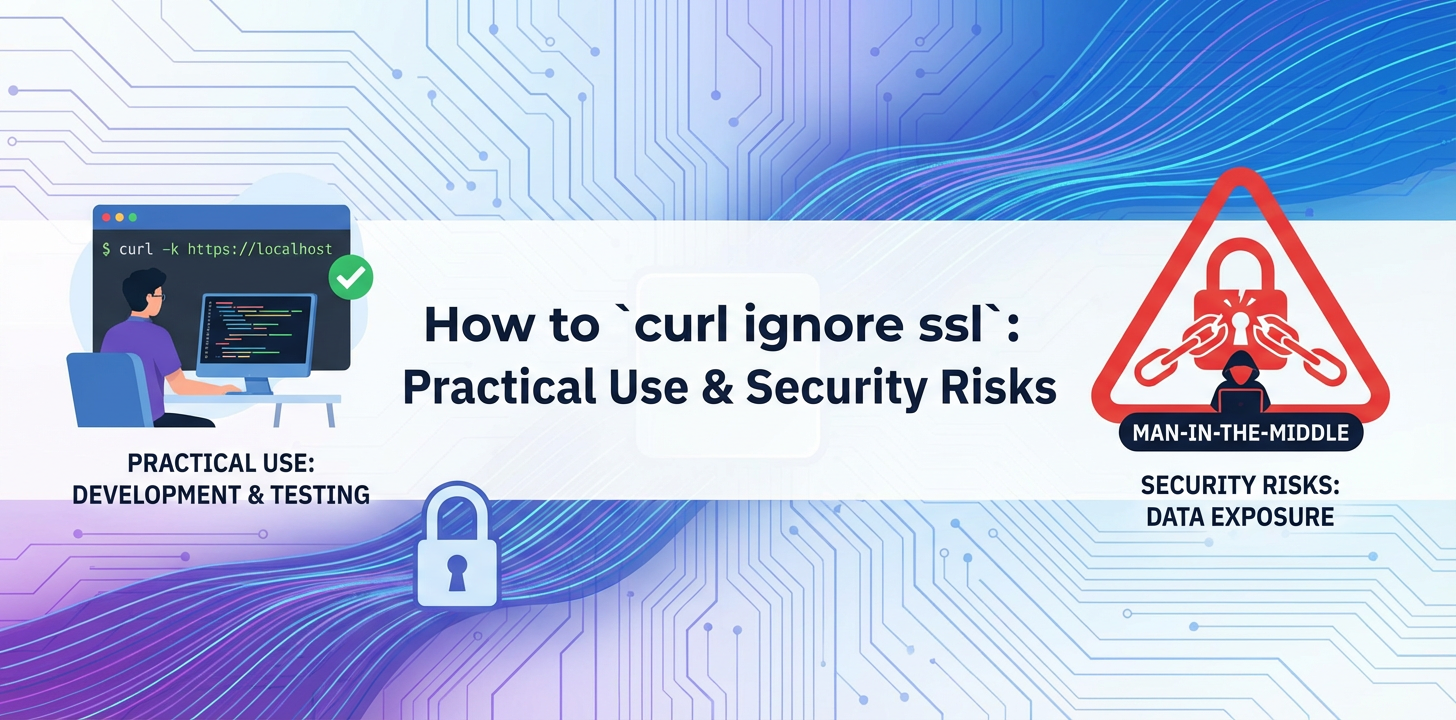
How to `curl ignore ssl`: Practical Use & Security Risks


The digital world, interconnected by an intricate web of data exchanges, relies fundamentally on trust and security. At the heart of this trust, particularly for web-based communications, lies Secure Sockets Layer (SSL) and its successor, Transport Layer Security (TLS). These cryptographic protocols are the unseen guardians, ensuring that data transmitted between a client and a server remains private, untampered with, and genuinely from the expected source. Yet, in the realm of command-line utilities, especially with a versatile tool like curl, there's an option that allows users to bypass this crucial security mechanism: curl --insecure or its shorthand -k.
This article embarks on an exhaustive exploration of curl --insecure. We will dissect its functionality, delve into its appropriate practical use cases in specific controlled environments, and, perhaps most critically, lay bare the significant security risks it introduces when misused. From the fundamental principles of SSL/TLS certificate validation to the intricacies of Man-in-the-Middle attacks, we aim to provide a comprehensive guide that not only educates on how to ignore SSL but, more importantly, when and why one absolutely should not. The goal is to empower developers, system administrators, and security professionals with the knowledge to navigate the complexities of secure communication, distinguishing between expedient shortcuts and perilous vulnerabilities.
The Foundation: Understanding SSL/TLS and Certificate Validation
Before we can truly grasp the implications of ignoring SSL/TLS certificate validation, it's essential to build a solid understanding of what these protocols are, how they function, and why their validation process is so critical. SSL (Secure Sockets Layer), though technically superseded by TLS (Transport Layer Security), is often still used as a blanket term for the cryptographic protocols that secure communication over a computer network. Their primary purpose is to establish an encrypted link between a server and a client (e.g., a web browser or curl), ensuring three core principles: confidentiality, integrity, and authentication.
Confidentiality: Keeping Secrets Private
Confidentiality, in the context of SSL/TLS, means that the data exchanged between the client and the server cannot be read by any unauthorized third party. Imagine sending a sealed letter through the mail; only the sender and the intended recipient can read its contents. SSL/TLS achieves this by encrypting the data using strong cryptographic algorithms. Once an SSL/TLS connection is established, all subsequent communication is scrambled into an unreadable format. If an attacker intercepts this data, they will only see gibberish, rendering the information useless without the correct decryption key. This protection is vital for sensitive information such as login credentials, financial transactions, personal data, and proprietary business information. Without confidentiality, any data transmitted could be easily sniffed and exposed by malicious actors lurking on the network.
Integrity: Ensuring Data Remains Untampered
Data integrity guarantees that the information exchanged between the client and the server has not been altered or tampered with during transit. Continuing with our letter analogy, imagine if someone intercepted your sealed letter, opened it, changed some words, and then re-sealed it, making it appear legitimate. SSL/TLS prevents this by employing cryptographic hash functions and message authentication codes (MACs). These mechanisms create a unique digital fingerprint for the data before it's sent. Upon reception, the client (or server) recalculates this fingerprint. If the calculated fingerprint matches the one sent with the data, it confirms that the data arrived exactly as it was sent, free from any unauthorized modifications. This is crucial for commands, financial transactions, or any data where even a minor alteration could have significant, detrimental consequences. Without integrity checks, an attacker could inject malicious code, alter transaction amounts, or manipulate API requests, leading to system compromise or financial losses.
Authentication: Verifying Identities
Perhaps the most challenging and crucial aspect for our discussion is authentication. This principle ensures that the client is communicating with the intended server and not an impostor. This is where SSL/TLS certificates play their most prominent role. When you visit a website or connect to an API, how do you know you're connecting to the legitimate server of, say, Google or your bank, and not a malicious server pretending to be them? This is achieved through digital certificates, issued by trusted third parties known as Certificate Authorities (CAs).
The Role of Certificate Authorities (CAs)
A Certificate Authority (CA) is a trusted entity that verifies the identity of websites and issues digital certificates. Think of a CA as a digital passport office. When a website owner wants an SSL/TLS certificate, they apply to a CA. The CA performs due diligence to verify the applicant's identity and domain ownership. Once satisfied, the CA issues a digital certificate that contains: - The domain name of the website (e.g., example.com). - The public key of the server. - The name of the organization that owns the certificate. - The CA's digital signature, attesting to the certificate's authenticity. - The certificate's issuance and expiration dates.
The SSL/TLS Handshake and Certificate Validation Process
When a client (like curl) attempts to establish an SSL/TLS connection with a server, a complex but rapid process known as the "handshake" occurs:
- Client Hello: The client initiates the connection by sending a "Client Hello" message, specifying the SSL/TLS versions it supports, preferred cipher suites, and a random number.
- Server Hello: The server responds with a "Server Hello," agreeing on the SSL/TLS version and cipher suite, sending its own random number, and critically, sending its digital SSL/TLS certificate.
- Certificate Verification (The Crucial Step): This is where the client performs a series of checks on the received certificate:
- Signature Verification: The client verifies the CA's digital signature on the certificate. It does this by checking if the signature can be decrypted using the public key of the issuing CA. For this to work, the client must have a pre-installed list of trusted root CA certificates (often called a "CA bundle" or "trust store"). If the CA that signed the server's certificate is not in the client's trust store, or if the signature is invalid, the verification fails.
- Expiration Date Check: The client checks if the certificate is still valid (not expired or not yet active).
- Revocation Status Check: The client checks if the certificate has been revoked by the CA (e.g., via Certificate Revocation Lists (CRLs) or Online Certificate Status Protocol (OCSP)).
- Domain Name Match (Hostname Verification): Crucially, the client checks if the domain name specified in the certificate (the "Common Name" or "Subject Alternative Name") matches the actual hostname it attempted to connect to. This prevents an attacker from using a valid certificate for
attacker.comto impersonateyourbank.com. - Certificate Chain Validation: Many certificates are not signed directly by a root CA but by an intermediate CA, which is itself signed by another intermediate CA, and so on, until a root CA is reached. The client must be able to trace this "chain of trust" back to a trusted root CA in its store.
- Key Exchange and Cipher Specification: If the certificate verification is successful, the client and server exchange keys and establish a unique session key for symmetric encryption, which will be used for all subsequent communication.
- Encrypted Communication: From this point onward, all data transmitted between the client and server is encrypted and authenticated using the agreed-upon session key and cipher suite.
The meticulous nature of this validation process is designed to protect users from Man-in-the-Middle (MITM) attacks, where an attacker intercepts communication between a client and a server, impersonating both to each other. By verifying the server's identity through its certificate, the client ensures it's speaking to the legitimate party, not an eavesdropper or impostor. This robust authentication is the cornerstone of secure online interactions, providing the confidence that your data is not just encrypted, but also being sent to the correct, verified destination.
curl's Default SSL/TLS Behavior: The Sentinel of Security
When you use curl to interact with an HTTPS endpoint without any specific instructions regarding SSL/TLS, it operates with security as its paramount concern. This default behavior is not merely a convenience; it's a fundamental design choice that aligns curl with industry best practices for secure communication. Understanding this default is crucial to appreciating why and when one might be tempted to deviate from it.
By default, when curl connects to a URL starting with https://, it rigorously performs all the certificate validation steps we outlined in the previous section. This means it expects the server to present a valid SSL/TLS certificate that is:
- Signed by a Trusted Certificate Authority (CA):
curlcomes pre-configured with a bundle of trusted root CA certificates, typically sourced from operating system trust stores or a widely recognized list like Mozilla's. If the server's certificate or any certificate in its chain is not signed by one of these trusted CAs,curlwill reject the connection. - Not Expired or Revoked: The certificate must be within its validity period, and
curlwill attempt to check if it has been revoked by the issuing CA. - Matches the Hostname: The domain name specified in the certificate (Common Name or Subject Alternative Name) must precisely match the hostname in the URL
curlis trying to access. A mismatch will lead to a validation failure.
If any of these conditions are not met, curl will refuse to proceed with the connection. It will typically output an error message similar to:
curl: (60) SSL certificate problem: self-signed certificate in certificate chain
or
curl: (66) SSL certificate problem: Invalid certificate chain
or
curl: (51) SSL peer certificate or SSH remote key was not OK
These errors are curl's way of acting as a digital sentinel, alerting you that something is amiss with the server's identity. It's not just a minor inconvenience; it's a critical warning that proceeding could expose your data to risks. The default behavior effectively acts as a shield against potential Man-in-the-Middle (MITM) attacks, ensuring that you are indeed communicating with the legitimate server you intend to reach, and that the encryption keys exchanged are not compromised.
This strong default posture makes curl a reliable tool for interacting with production-grade, publicly accessible HTTPS services, where proper certificate management is assumed and enforced. It's a testament to the principle that secure-by-default systems are inherently safer, shifting the burden of explicit security disablement onto the user, who must then consciously accept the associated risks.
The --insecure / -k Option: What It Does and Doesn't Do
Now that we understand curl's default secure behavior, let's turn our attention to the option that bypasses it: --insecure, or its more commonly used shorthand, -k. This flag is a powerful tool, but like any powerful tool, it must be wielded with extreme caution and a full understanding of its implications.
What --insecure / -k Does
When you invoke curl with the --insecure or -k flag, you are explicitly instructing curl to skip the peer certificate verification step. This means curl will not:
- Check the Certificate Signature: It won't verify if the certificate is signed by a trusted Certificate Authority (CA) in its trust store. This allows connections to servers using self-signed certificates or certificates issued by private, internal CAs that are not globally recognized.
- Validate the Certificate Chain: It won't ensure that the certificate chain can be traced back to a trusted root CA.
- Check for Expiration or Revocation: While
curlmight still parse these fields, it will typically not halt the connection if the certificate is expired or revoked. - Perform Hostname Verification (with a caveat): In many
curlversions and configurations, especially older ones,--insecureimplies skipping hostname verification as well. While newercurlversions or underlying SSL libraries might try to separate these, the general understanding and effect are that hostname verification becomes unreliable or entirely skipped. This meanscurlwill connect even if the domain name in the certificate does not match the URL's hostname.
Crucially, it's vital to understand what --insecure does not do:
- It Does NOT Disable Encryption: The
--insecureflag does not disable SSL/TLS encryption itself. The data transmitted betweencurland the server will still be encrypted. The handshake will still establish a shared secret, and the communication will still be scrambled. The only thing that is bypassed is the validation of the server's identity through its certificate. - It Does NOT Prevent Man-in-the-Middle (MITM) Attacks; It Facilitates Them: This is the most critical misconception. While encryption is still active, the lack of server identity verification means
curlhas no way to confirm if the server it's encrypting data with is the actual intended server. An attacker can intercept the connection, present their own self-signed certificate (or any certificate), andcurl -kwill accept it without question. The attacker can then decrypt the data, read it, potentially modify it, and re-encrypt it before forwarding it to the legitimate server. This is the classic MITM scenario, and--insecureeffectively opens the door wide for it.
The Nuance of Hostname Verification
It's worth emphasizing the hostname verification aspect. While --insecure primarily targets peer certificate validation, the effect on hostname verification can be significant. If curl connects to https://example.com but the server presents a valid certificate for anothersite.com, curl -k will often proceed, effectively ignoring that critical mismatch. This is a severe vulnerability, as it means you could be sending sensitive data to the wrong server entirely, even if the connection looks encrypted. The padlock icon in a browser, which signifies encryption, is often accompanied by a check that the certificate is valid and matches the domain. curl -k essentially removes that second, crucial check.
In summary, curl -k transforms curl from a security-conscious sentinel into a blind follower. It tells curl, "Just connect, I don't care who you're talking to, as long as it's encrypted." This distinction is paramount when weighing the practical benefits against the severe security risks.
Practical Use Cases for curl --insecure (The "Good" - With Extreme Caveats)
Despite the inherent security risks, there are specific, controlled environments where curl --insecure can be a pragmatic tool. These scenarios are typically characterized by a high degree of trust in the local network or server, temporary usage, and the absence of sensitive data being exchanged. It's crucial to stress that these are exceptions, not the rule, and the flag should never be used in production systems or for accessing external, untrusted services.
1. Development Environments and Local Servers
One of the most common and arguably justifiable uses for curl -k is within a developer's local environment. When developing a new API or web service, developers often run the server locally on localhost or a private IP address. These local development servers frequently use:
- Self-Signed Certificates: Generating a "real" SSL certificate for
localhostor a temporary development domain from a public CA is often cumbersome and unnecessary. Developers instead generate self-signed certificates for their local servers. Since these certificates are not issued by a globally trusted CA,curl(by default) would reject the connection.curl -kallows developers to bypass this validation, facilitating rapid iteration and testing of their local APIs without the overhead of certificate management. - Temporary or Mock APIs: Similarly, when interacting with mock APIs or temporary backend services during early development stages, these services might not have properly configured SSL/TLS certificates.
curl -kprovides a quick way to test connectivity and API endpoints without being blocked by certificate errors.
Example Scenario: A backend developer is building a new RESTful API running on https://localhost:8080. They generate a quick self-signed certificate for testing. To send a test request:
curl -k https://localhost:8080/api/users -H "Content-Type: application/json" -d '{"name": "John Doe"}'
This allows the developer to quickly verify their API's functionality without having to add the self-signed certificate to curl's trust store, which might be overkill for a fleeting local setup.
2. Testing Internal APIs with Custom or Untrusted CAs
Many large enterprises or organizations operate their own internal Certificate Authorities (CAs) to issue certificates for internal services and applications. These internal CAs are not typically trusted by public browsers or standard curl installations, as their root certificates are not part of the global CA bundle.
When a developer or QA engineer needs to test an internal API that uses a certificate issued by such an internal CA, curl will by default report a certificate error. In a controlled, isolated internal network where the risk of MITM attacks from external parties is low (but not zero from internal actors), curl -k might be used for convenience.
Example Scenario: A QA team is testing an internal microservice deployed to a staging environment at https://staging-api.corp.local. The certificate is issued by the company's internal CA.
curl -k https://staging-api.corp.local/v1/health -X GET
While convenient, the better practice here would be to properly configure curl to trust the internal CA's root certificate using the --cacert option, which we will discuss later. However, for quick, one-off checks by trusted personnel within a truly secure internal network, -k is sometimes used.
3. Troubleshooting SSL/TLS Issues (Isolating the Problem)
When encountering issues with an HTTPS connection, curl -k can sometimes be a diagnostic tool. If a regular curl command fails due to an SSL error, trying curl -k can help isolate whether the problem lies with:
- The Network/Firewall: If
curl -kstill fails, it suggests a network connectivity issue, firewall blocking, or incorrect URL/port. - The SSL Certificate Configuration: If
curl -ksucceeds where the regularcurlfailed, it strongly indicates that the issue is specifically related to the SSL certificate (e.g., self-signed, expired, wrong hostname, untrusted CA). This helps narrow down the problem space for further investigation.
Example Scenario: A system administrator is debugging why an application cannot connect to an internal service. A regular curl command to https://internal-service.com fails with a certificate error.
curl https://internal-service.com/status
# Output: curl: (60) SSL certificate problem: self-signed certificate

curl -k https://internal-service.com/status
# Output: {"status": "OK"}
This immediately tells the admin that the network path is open, the service is responding, and the core issue is the certificate itself. They can then focus on installing the correct CA certificate or updating the service's certificate.
4. Interacting with Legacy Systems or Proof-of-Concept Integrations
Occasionally, developers might need to interact with older systems that have poorly configured SSL/TLS, expired certificates, or even use deprecated SSL versions that curl's default secure settings would reject. For proof-of-concept work or very short-lived integrations where the data is non-sensitive and the system cannot be immediately updated, -k might be used as a temporary measure. This is a highly risky scenario and should be avoided if at all possible.
It's in these scenarios, where developers are often juggling multiple APIs, some internal, some external, some perhaps even AI models with unique endpoint configurations, that the complexities of managing secure connections can become a bottleneck. While curl -k offers a quick bypass, a more strategic approach involves centralized API management. For instance, platforms like APIPark, an open-source AI gateway and API management platform, offer solutions to streamline API integration and management. APIPark enables the quick integration of 100+ AI models and provides a unified API format for invocation, ensuring that diverse APIs, even those with varying security postures or certificate requirements in testing, can be managed from a single, controlled point. This kind of platform can significantly reduce the need for ad-hoc --insecure flags by providing a managed environment where certificate handling is properly configured and transparently managed, enhancing both developer productivity and overall security posture.
Summary of "Good" Use Cases
In essence, the "good" use cases for curl -k are confined to: * Controlled environments: Local machines, isolated internal networks. * Non-sensitive data: Where the compromise of data would have minimal or no impact. * Temporary usage: For quick tests, debugging, or initial development phases. * Known circumstances: Where the user fully understands why the certificate is invalid and accepts the specific, limited risk.
Never, under any circumstances, should curl -k be used for accessing production systems, public APIs, or any service handling sensitive user data, financial transactions, or critical business operations. The risks far outweigh any convenience in such environments.
Security Risks of curl --insecure (The "Bad and Ugly")
While curl --insecure offers a convenient bypass for certificate validation, its usage outside of extremely controlled and temporary scenarios introduces severe security vulnerabilities. The "bad and ugly" aspects of -k stem from its fundamental compromise of the SSL/TLS authentication mechanism, opening the door to various forms of attacks that can have devastating consequences for data confidentiality, integrity, and user trust.
1. Man-in-the-Middle (MITM) Attacks
This is the most critical and direct threat posed by ignoring SSL/TLS certificate validation. A Man-in-the-Middle attack occurs when an attacker covertly relays and possibly alters the communications between two parties who believe they are directly communicating with each other.
How -k Facilitates MITM: When you use curl -k, you're telling curl to trust any certificate presented by the server, regardless of its authenticity or source. An attacker can position themselves between your curl client and the legitimate server. When curl attempts to connect:
- Interception: The attacker intercepts
curl's connection request to the legitimate server. - Impersonation (to client): The attacker presents their own self-signed or otherwise invalid SSL/TLS certificate to your
curlclient. Because you've used-k,curlaccepts this fraudulent certificate without question. An encrypted tunnel is established betweencurland the attacker. - Impersonation (to server): The attacker simultaneously establishes a separate, legitimate SSL/TLS connection with the actual server (using the server's proper certificate).
- Relay and Compromise: All data sent from your
curlinstance goes to the attacker, who decrypts it, reads it, potentially modifies it, and then re-encrypts it to send to the legitimate server. Responses from the legitimate server follow the reverse path.
Consequences of MITM: * Data Interception (Confidentiality Loss): Any data sent (credentials, API keys, sensitive payload) is exposed to the attacker. They can read all your communications. * Data Modification (Integrity Loss): The attacker can alter requests or responses. Imagine changing a transaction amount, injecting malicious scripts into an API response, or modifying commands sent to a server. * Session Hijacking: If session tokens or authentication cookies are transmitted, the attacker can steal them and impersonate you to the legitimate server. * Code Injection: An attacker could inject malicious code into API responses that your application or script then executes.
2. Impersonation and Phishing
Beyond active MITM, ignoring certificate validation makes it trivial for malicious actors to simply impersonate legitimate services. An attacker could set up a server with a name similar to a trusted service (e.g., paypal-login.com instead of paypal.com), use any certificate they want, and if you use curl -k, your script or command-line interaction will connect to it without indicating any warning. This is a digital form of phishing, where the "site" (or API endpoint) itself is fake.
3. Compromised Trust and Reduced Security Posture
Regularly using curl -k fosters a culture of complacency towards security. Developers and system administrators might become accustomed to bypassing security warnings, leading to a reduced overall security posture for their projects and organizations. This "muscle memory" can easily spill over into production environments, where the consequences are dire. If a development team frequently uses -k for various tasks, it becomes harder to enforce strict security policies for production deployments.
4. Compliance and Regulatory Violations
For organizations operating under strict regulatory frameworks (e.g., HIPAA for healthcare, PCI DSS for financial transactions, GDPR for data privacy, SOC 2 for service organizations), the explicit requirement for secure, authenticated communication is non-negotiable. Using curl -k effectively negates the security guarantees that SSL/TLS provides, making it impossible to demonstrate compliance with these standards. Non-compliance can lead to severe fines, legal repercussions, and reputational damage.
5. Difficulty in Debugging Legitimate SSL Issues
When curl -k is used extensively, it masks genuine SSL/TLS configuration problems. If a server's certificate is indeed misconfigured, expired, or improperly deployed, curl -k will successfully connect, preventing developers from identifying and fixing these underlying issues. This can lead to a false sense of security, only for the problems to surface when a client without the --insecure flag tries to connect (e.g., a web browser or a third-party application).
6. Vulnerability to Untrustworthy CAs
While less common, --insecure could, in theory, allow connections to servers whose certificates are signed by compromised or untrustworthy CAs. Though curl's default trust store is generally reliable, an attacker might manage to get a certificate issued by a rogue CA. Without validation, curl -k would not flag this, potentially exposing the client to further risks.
Summary of Risks
| Risk Category | Description | Immediate Consequence | Long-Term Impact |
|---|---|---|---|
| Man-in-the-Middle | Attacker intercepts and relays communication, impersonating both client and server. | Loss of confidentiality (data theft), loss of integrity (data modification). | Compromised systems, financial fraud, reputational damage, ongoing surveillance. |
| Impersonation/Phishing | Connecting to a fake server pretending to be legitimate. | Sending sensitive data to an attacker. | Account compromise, identity theft, unauthorized access. |
| Reduced Security Posture | Developers/admins become accustomed to bypassing security, leading to lax practices. | Overlooking critical warnings, insecure configurations. | System-wide vulnerabilities, increased attack surface, difficulty enforcing security policies. |
| Compliance Violations | Fails to meet regulatory requirements for secure data handling (e.g., HIPAA, PCI DSS). | Fines, legal action, audits, loss of business licenses. | Severe financial penalties, legal battles, reputational ruin, loss of customer trust. |
| Masked SSL Problems | Prevents identification and resolution of legitimate certificate misconfigurations or expired certificates. | False sense of security, production failures for standard clients. | Downtime, user complaints, continued exposure to unpatched vulnerabilities, reactive rather than proactive security. |
In conclusion, the -k flag is a loaded weapon. While it offers a tempting shortcut in specific, controlled test scenarios, its indiscriminate use in any environment where sensitive data is transmitted or where the identity of the server cannot be absolutely guaranteed by other means is an act of digital self-sabotage. The convenience it offers is a minuscule fraction of the security risks it unleashes.
APIPark is a high-performance AI gateway that allows you to securely access the most comprehensive LLM APIs globally on the APIPark platform, including OpenAI, Anthropic, Mistral, Llama2, Google Gemini, and more.Try APIPark now! 👇👇👇
Alternatives and Best Practices (The "Better" Way)
Given the significant security risks associated with curl --insecure, it is imperative to explore and adopt safer alternatives and best practices. These methods ensure that curl maintains its critical role in verifying server identity while still allowing flexibility for legitimate testing and development scenarios. The goal is to avoid --insecure wherever possible, especially in any environment beyond highly isolated, temporary local development.
1. Properly Managing and Trusting Custom Certificate Authorities (CAs)
For internal networks, development, or staging environments that use certificates issued by private or internal CAs, the correct approach is to configure curl to explicitly trust these CAs. This restores the full chain of trust validation without resorting to disabling security entirely.
- Using
--cacert <file>: This option tellscurlto trust certificates signed by the CA whose root certificate is contained in the specified file. The file should be in PEM format.Scenario: You have an internal CA that issues certificates for your company's services. You've obtained the public root certificate of this CA (e.g.,internal_root_ca.pem).bash curl --cacert /etc/ssl/certs/internal_root_ca.pem https://internal-api.yourcompany.com/dataThis command instructscurlto validate the certificate presented byinternal-api.yourcompany.comagainst theinternal_root_ca.pemfile. If the certificate is properly signed by this CA, is not expired, and matches the hostname, the connection will succeed securely. - Using
--capath <directory>: This option specifies a directory containing multiple CA certificates.curlwill search this directory for a CA certificate that can validate the server's certificate. The files in the directory must be named using the hash value of the certificate subject, followed by.0. This is often used for system-wide trust stores.bash curl --capath /etc/ssl/certs/ https://my-multi-ca-service.com/status - System-Wide Trust Stores: For persistent environments, the best practice is to add your custom CA certificates to the operating system's default trust store. Once added,
curl(and other applications) will automatically trust certificates issued by that CA without needing explicit--cacertflags.- Linux (Debian/Ubuntu): Place
.crtfiles in/usr/local/share/ca-certificates/and runsudo update-ca-certificates. - Linux (RHEL/CentOS): Place
.pemfiles in/etc/pki/ca-trust/source/anchors/and runsudo update-ca-trust extract. - macOS: Use the Keychain Access utility to import certificates.
- Windows: Import into the "Trusted Root Certification Authorities" store.
- Linux (Debian/Ubuntu): Place
2. Hostname Verification (Explicitly!)
While --insecure often bypasses hostname verification, it's a critical security check. If you must use --insecure for peer certificate validation but still want to verify the hostname (e.g., in very specific, highly controlled scenarios with legitimate self-signed certs where you just don't want to add the cert to the trust store), curl offers --resolve to map a hostname to an IP address, which doesn't directly solve hostname validation of the certificate.
A better approach is to ensure that the certificate presented does match the expected hostname. If using self-signed certificates in dev/test, generate them with the correct Common Name (CN) or Subject Alternative Name (SAN) matching your test environment's hostname.
3. Certificate Pinning (--pinnedpubkey or --cert-status)
For advanced security needs, particularly when connecting to critical APIs where you want to ensure you're always connecting to a specific known public key, curl supports certificate pinning.
--pinnedpubkey <hash>: This option tellscurlto expect a server's public key to match a specific hash (e.g., SHA256) you provide. If the server's public key doesn't match, the connection fails, even if the certificate is otherwise valid. This is a very strong form of defense against rogue CAs or compromised intermediate CAs.bash curl --pinnedpubkey "sha256//B1234567890ABCDEF..." https://secure-api.com/dataThis is an advanced feature and requires careful management of the public key hashes.
4. Specialized API Testing Tools
For interacting with APIs, especially during development and testing, dedicated API clients offer a more user-friendly and often more secure experience than raw curl commands. Tools like Postman, Insomnia, or even integrated development environments (IDEs) with API testing features:
- Manage Certificates: They provide graphical interfaces to import client certificates, custom CA certificates, or even ignore SSL validation on a per-request basis, making the decision explicit and localized.
- Environment Variables: Allow you to define environment-specific configurations, including certificate paths, ensuring that production-grade security settings are not accidentally used in development.
- Better Visibility: Offer clearer feedback on SSL errors, helping to diagnose problems more effectively than raw
curloutput.
5. Using a Local Proxy with SSL Termination
In some advanced development or testing setups, you might use a local proxy server (e.g., mitmproxy, Fiddler) that performs SSL termination. curl connects to the proxy (often without SSL or with the proxy's own trusted cert), the proxy then establishes a secure connection to the actual target server. This allows you to inspect traffic and manage certificates at the proxy level.
6. Client Certificates for Mutual TLS
For highly sensitive internal APIs, consider implementing Mutual TLS (mTLS). In mTLS, not only does the client verify the server's certificate, but the server also verifies the client's certificate. This provides two-way authentication, significantly enhancing security. curl supports client certificates with the --cert and --key options:
curl --cert client.crt --key client.key --cacert trusted_server_ca.pem https://secure-internal-service.com/
Here, client.crt is your client's public certificate, client.key is its private key, and trusted_server_ca.pem is the CA certificate used to verify the server.
7. Education and Awareness
Perhaps the most fundamental best practice is continuous education. Ensure that all developers, operations staff, and security personnel understand: * The critical role of SSL/TLS certificate validation. * The severe security implications of --insecure. * The correct, secure alternatives available for various scenarios. * The importance of APIPark in streamlining API security and management. For teams managing a large ecosystem of APIs, particularly those involving AI models or complex microservices, adopting a comprehensive API management platform like APIPark is a strategic move. APIPark centralizes API lifecycle management, provides unified API formats, and allows for granular access control and detailed logging. By integrating diverse APIs into a single, managed platform, APIPark significantly reduces the ad-hoc configurations and temporary compromises (like curl -k) that developers might otherwise resort to, thereby enhancing overall API security and operational efficiency. It provides a robust framework for securely handling authentication, authorization, and certificate management across all integrated services.
By embracing these alternatives and best practices, organizations can foster an environment where curl remains a powerful and versatile tool, but one that is always used with security as a top priority, never blindly sacrificing protection for convenience.
Advanced curl SSL Options: Fine-Grained Control
Beyond the simple --insecure flag, curl offers a rich set of options for granular control over SSL/TLS behavior. Mastering these options allows for precise configuration tailored to specific needs, ensuring security where it's required and flexibility where it's intentionally designed. These options are essential for navigating complex enterprise environments, interacting with diverse APIs, and rigorously testing secure connections.
1. Specifying Trust Anchors (--cacert, --capath)
We've touched upon these, but their importance warrants a deeper dive. These options allow curl to trust specific Certificate Authorities beyond its default system trust store.
--cacert <file>: This is for a single CA certificate file (or a bundle of concatenated CA certificates).- Use Case: Connecting to a service that uses a self-signed certificate you've explicitly decided to trust, or a certificate signed by a specific enterprise internal CA.
- Example:
bash curl --cacert my-enterprise-root-ca.pem https://internal-dashboard.corp/metrics - Detail:
curlwill use only the CA certificates in the specified file to validate the server's certificate chain. If the server's certificate chain doesn't lead back to one of the CAs inmy-enterprise-root-ca.pem, the validation will fail. This is generally preferred over--insecurefor specific trusts.
--capath <directory>: This is for a directory containing multiple CA certificate files.- Use Case: When you have several custom CAs to trust, typically managed by a system administrator in a designated directory.
- Detail: The files in the directory must be hashed (e.g.,
c123abc4.0) socurlcan quickly find the relevant CA.curlwill search this directory for appropriate CA certificates to validate the server's chain. This is less common for individualcurlcommands but useful for system-wide configurations.
2. Client Certificates for Mutual TLS (--cert, --key, --pass)
When the server also needs to authenticate the client (Mutual TLS or mTLS), curl can present a client certificate.
--cert <certificate>: Specifies the path to the client's public certificate file (e.g.,client.crtorclient.pem). This certificate usually contains the client's public key and is signed by a CA that the server trusts.--key <private_key>: Specifies the path to the client's private key file (e.g.,client.keyorclient.pem). This key must correspond to the public key in the--certfile.--pass <passphrase>: If the client's private key is encrypted with a passphrase, this option provides it. For security, avoid putting passphrases directly in scripts; consider using environment variables or other secure methods.Example:bash curl --cert client.pem --key client.key --pass "mysecretpass" https://secure-api.corp/submit_reportThis command establishes a two-way authenticated connection, ensuring both parties are who they claim to be.
3. Controlling SSL/TLS Versions (--tlsv1.0, --tlsv1.1, --tlsv1.2, --tlsv1.3, --sslv2, --sslv3)
curl allows you to restrict the minimum or specific SSL/TLS protocol version to use. This is crucial for security compliance (disabling older, vulnerable versions) or for interoperability with legacy systems that might not support newer protocols.
--tlsv1.2: Forcescurlto use TLS 1.2. If the server doesn't support TLS 1.2, the connection will fail.--tlsv1.3: Forcescurlto use TLS 1.3, the latest and most secure version.--no-sslv2,--no-sslv3: Explicitly disables SSLv2 and SSLv3, which are known to be insecure and should never be used.Example (forcing TLS 1.3 for a secure endpoint):bash curl --tlsv1.3 https://modern-api.example.com/dataExample (connecting to a very old system, extremely risky and discouraged):bash curl --sslv3 https://legacy-system.old/data # AVOID AT ALL COSTS IN PRODUCTION
4. Specifying Cipher Suites (--ciphers)
Cipher suites are sets of algorithms used for key exchange, authentication, encryption, and message authentication. You can specify which cipher suites curl should propose to the server. This is an advanced option typically used for fine-tuning security posture or debugging interoperability issues with specific servers.
- Example:
bash curl --ciphers "ECDHE-RSA-AES256-GCM-SHA384" https://custom-cipher-api.com/This would limitcurlto only try the specified cipher suite.
5. Require SSL/TLS (--ssl-reqd)
This option ensures that SSL/TLS is absolutely required for the connection. If the URL is http:// but the server redirects to https://, curl will still attempt the upgrade. If it cannot establish an SSL/TLS connection (e.g., server doesn't support it or has an invalid cert without -k), it will fail. This adds an extra layer of caution.
- Example:
bash curl --ssl-reqd http://my-secure-service.com/ # Even if URL is HTTP, SSL/TLS is required
6. Certificate Status Request (--cert-status)
This option requests an OCSP (Online Certificate Status Protocol) status for the server certificate. OCSP provides real-time revocation information, which is more timely than CRLs (Certificate Revocation Lists).
- Example:
bash curl --cert-status https://secure-website.com/This adds an extra check to ensure the certificate is not revoked.
7. Resolving Hostnames (--resolve)
While not strictly an SSL option, --resolve can be extremely useful in development and testing scenarios involving SSL/TLS where DNS might not be fully configured yet, or when testing specific IP addresses for a given hostname. This allows you to map a hostname to an IP address directly within curl, bypassing DNS lookups.
- Example: Testing
https://api.example.comwhich resolves to192.168.1.100on your development machine, without modifying your/etc/hostsfile:bash curl --resolve api.example.com:443:192.168.1.100 https://api.example.com/statusThis ensurescurlconnects to the specified IP for the hostname, and then proceeds with SSL validation forapi.example.comon that IP.
By carefully employing these advanced curl SSL options, developers and administrators can build robust, secure, and flexible scripts and workflows that respect the integrity of SSL/TLS while accommodating the practicalities of diverse computing environments. This approach is far superior to simply disabling all security checks with --insecure.
Case Studies and Scenarios: When to Choose Wisely
To solidify our understanding, let's consider a few practical scenarios and analyze the appropriate curl usage, emphasizing the choice between convenience and security.
Case Study 1: Debugging a Local Development API with Self-Signed Certificates
Scenario: A front-end developer is building a web application that consumes a REST API. The API is being developed concurrently by a back-end team and is running on https://localhost:3000 with a self-signed certificate generated for quick development purposes. The front-end developer needs to frequently send curl requests to test API endpoints.
Initial Attempt (Fails Securely):
curl https://localhost:3000/api/users
# Output: curl: (60) SSL certificate problem: self-signed certificate
curl correctly identifies that the certificate is self-signed and not from a trusted CA.
Option 1 (Quick but Risky in General, Acceptable Here): The developer is on their own machine, the network is not exposed, and the data is non-sensitive development data. For rapid iteration, they might use --insecure.
curl -k https://localhost:3000/api/users
# Output: [JSON response from local API]
Justification: In this highly controlled, isolated local environment, where the developer themselves generated the self-signed cert and knows its origin, the risk of a true MITM attack is negligible. It's a pragmatic shortcut for temporary development.
Option 2 (Best Practice, More Effort): The developer could add the self-signed certificate to curl's trust store or use --cacert. 1. Export the public part of the self-signed certificate to a .pem file (e.g., localhost_dev_cert.pem). 2. Use curl --cacert: bash curl --cacert localhost_dev_cert.pem https://localhost:3000/api/users # Output: [JSON response from local API] Justification: This is the technically correct and secure way. It enforces validation, albeit against a specific, known self-signed certificate. For a longer-term local development setup, this is preferred.
Decision: For very quick, one-off local tests, -k is often used due to convenience. For sustained local development, --cacert is better for establishing good habits.
Case Study 2: Automating Interactions with an Internal Staging API
Scenario: A DevOps engineer is writing an automation script that interacts with an internal staging API (https://staging-api.mycompany.com). The API uses a certificate issued by the company's internal Certificate Authority, which is not part of public CA bundles. The script handles some moderately sensitive configuration data.
Initial Attempt (Fails Securely):
curl https://staging-api.mycompany.com/config/get
# Output: curl: (60) SSL certificate problem: self-signed certificate in certificate chain (due to internal CA)
curl correctly flags the unknown internal CA.
Option 1 (Inappropriate and Risky): Using curl -k for an automation script handling even moderately sensitive data in a staging environment.
curl -k https://staging-api.mycompany.com/config/get # DANGEROUS!
Justification (why it's bad): While "internal," a staging environment might still be accessible to various internal networks, and potential for internal MITM or misconfiguration exists. Automating with -k hardcodes insecurity into the process, making it difficult to detect future certificate problems (e.g., if the staging cert expires).
Option 2 (Best Practice): The DevOps engineer obtains the public root certificate for the company's internal CA (company_internal_ca.pem) and installs it system-wide or uses --cacert.
# Assuming company_internal_ca.pem is available
curl --cacert company_internal_ca.pem https://staging-api.mycompany.com/config/get
# Output: [JSON configuration data]
Justification: This is the correct, secure, and robust approach. The script now validates the certificate against a trusted source (the internal CA), ensuring authenticity and integrity. This maintains security while allowing automated interaction. For system-wide use, adding the CA to the OS trust store is even better.
Decision: Option 2 is the only acceptable approach for automation scripts in any environment beyond strictly isolated personal development.
Case Study 3: Integrating with a Public Third-Party API
Scenario: A developer is integrating their application with a public third-party API (e.g., a payment gateway, a weather service). The API is expected to have a fully valid, publicly trusted SSL/TLS certificate.
Initial Attempt (Correct and Expected):
curl https://api.thirdparty.com/data
# Output: [JSON data] (assuming successful connection)
Justification: curl by default validates the certificate against its system's trusted CA bundle. If the third-party API is properly configured, this command will succeed securely, as expected.
What if it Fails? (Critical Alarm): If curl https://api.thirdparty.com/data fails with an SSL error, this is a severe red flag.
- Option 1 (Never use this here): Using
curl -kto bypass the error.bash curl -k https://api.thirdparty.com/data # ABSOLUTELY NEVER DO THIS!Justification: This is extremely dangerous. A failure to validate a public API's certificate almost certainly indicates an active MITM attack, a highly compromised server, or gross misconfiguration on the third-party's side. Bypassing validation with-kmeans you're accepting all those risks, including sending your sensitive API keys and user data directly to an attacker. - Option 2 (Correct Action): Investigate immediately.
- Verify the URL is correct.
- Check for network issues or firewalls.
- Check the third-party API's status page.
- If the issue persists, contact the third-party's support.
- Do not proceed with
curl -k.
Decision: Always trust curl's default behavior for public APIs. An SSL error is a critical warning that must be investigated and resolved without bypassing security.
These case studies underscore a fundamental principle: curl --insecure is a tool for known, controlled, and low-risk bypasses. It is never a solution for unknown certificate errors, public API interactions, or any scenario involving sensitive data or automated processes in non-development environments. The secure alternatives, while sometimes requiring slightly more initial setup, provide robust protection that far outweighs the fleeting convenience of -k.
Regulatory and Compliance Implications
The seemingly innocuous act of using curl --insecure can have profound and far-reaching consequences, particularly for organizations operating under stringent regulatory and compliance frameworks. In today's highly regulated digital landscape, adherence to data privacy, security, and integrity standards is not merely a best practice; it is often a legal and contractual obligation. Bypassing SSL/TLS certificate validation directly undermines the foundational security guarantees that these regulations demand.
1. HIPAA (Health Insurance Portability and Accountability Act)
For any entity handling Protected Health Information (PHI) in the United States, HIPAA mandates strict security safeguards. This includes technical safeguards that ensure the confidentiality, integrity, and availability of electronic PHI (ePHI). SSL/TLS, with its robust authentication and encryption, is a critical component for transmitting ePHI securely. Using curl --insecure for any operation involving ePHI immediately voids these safeguards. It exposes patient data to potential interception and modification, directly violating HIPAA's Security Rule and potentially leading to severe penalties, including hefty fines and even criminal charges.
2. PCI DSS (Payment Card Industry Data Security Standard)
Any organization that stores, processes, or transmits cardholder data must comply with PCI DSS. Requirement 4 of PCI DSS explicitly states: "Encrypt transmission of cardholder data across open, public networks." While SSL/TLS encryption is still active with curl --insecure, the lack of certificate validation means the authenticity of the endpoint cannot be guaranteed. An attacker could easily set up a rogue server to intercept payment data. This violates the core principle of secure transmission and makes an organization non-compliant, risking severe fines, loss of card processing privileges, and reputational damage.
3. GDPR (General Data Protection Regulation)
The GDPR, applicable to any organization processing personal data of EU citizens, mandates technical and organizational measures to ensure a level of security appropriate to the risk. This includes protecting personal data from unauthorized or unlawful processing and accidental loss, destruction, or damage. SSL/TLS is a key technical measure for securing data in transit. Bypassing certificate validation with curl --insecure demonstrates a negligent approach to data security, making personal data vulnerable to interception. This can lead to massive fines (up to 4% of global annual turnover or €20 million, whichever is higher) and significant reputational harm.
4. SOC 2 (Service Organization Control 2)
SOC 2 reports are often required by customers of service organizations (e.g., SaaS providers, cloud hosts) to demonstrate that the organization has adequate controls in place over its information systems relevant to security, availability, processing integrity, confidentiality, and privacy. Secure communication protocols are integral to demonstrating these controls. If internal processes or automated systems use curl --insecure to interact with sensitive data, it highlights a critical control weakness, making it impossible to pass a SOC 2 audit. This can lead to a loss of customer trust and inability to secure contracts requiring SOC 2 compliance.
5. Other Industry-Specific Regulations
Beyond these major frameworks, many industries have their own specific regulations (e.g., FINRA for financial services, NERC CIP for critical infrastructure). Almost universally, these regulations demand robust data security, which includes proper use of cryptographic protocols like SSL/TLS. Deliberately bypassing SSL/TLS validation with curl --insecure will almost certainly constitute a breach of these regulations.
The Impact of Non-Compliance
The ramifications of non-compliance extend far beyond legal and financial penalties:
- Reputational Damage: A data breach or a public revelation of lax security practices can severely damage an organization's reputation, leading to loss of customer trust, market share, and investor confidence.
- Loss of Business: Many clients and partners require suppliers to meet specific security and compliance standards. Non-compliance can lead to lost contracts and inability to operate in certain markets.
- Legal Action: Victims of data breaches caused by inadequate security measures may pursue civil lawsuits against the responsible organization.
- Operational Disruption: Remediation efforts after a security incident, including forensic investigations, system overhauls, and enhanced training, can be costly and disruptive.
In conclusion, while curl --insecure might seem like a minor technical flag, its implications in a regulated environment are anything but minor. It represents a direct contravention of the principles of secure communication and can expose an organization to immense legal, financial, and reputational risks. The secure alternatives are not just technical preferences; they are often mandatory requirements for responsible and lawful data handling.
Conclusion: Balancing Practicality with Unwavering Security
The journey through curl --insecure has revealed a critical dichotomy: the undeniable utility of a quick bypass versus the profound and often unseen dangers it introduces. We've dissected the foundational principles of SSL/TLS, understanding how certificate validation serves as the bedrock of trust, ensuring confidentiality, integrity, and, crucially, the authentication of communicating parties. curl's default secure behavior, acting as a vigilant sentinel, upholds these principles by rigorously scrutinizing server certificates.
The --insecure or -k flag, while offering a tempting shortcut for specific, highly controlled scenarios—such as local development with self-signed certificates or transient debugging—comes at an exorbitant cost when misused. Its primary function is to blind curl to certificate validation errors, thereby opening the door wide to insidious Man-in-the-Middle attacks, impersonation, and the wholesale compromise of data. The convenience it offers is a paltry trade-off for the potential loss of sensitive information, system integrity, and organizational trust.
We have emphasized that the "good" use cases for curl -k are extremely narrow and temporary, confined to environments where the user has absolute control, the network is isolated, and no sensitive data is at risk. For every other scenario, particularly in staging, production, or when interacting with external services and sensitive information, the "bad and ugly" consequences—ranging from compliance violations to severe data breaches—far outweigh any perceived benefit.
Instead of defaulting to --insecure, the enlightened path lies in embracing curl's rich array of advanced SSL options. Tools like --cacert and --capath allow for the precise management of trusted Certificate Authorities, restoring full validation without sacrificing flexibility for internal systems. Client certificates (--cert, --key) enable mutual TLS for robust two-way authentication, while options for specific TLS versions (--tlsv1.2, --tlsv1.3) ensure adherence to modern security standards. Moreover, adopting comprehensive API management solutions such as APIPark can significantly mitigate the need for ad-hoc insecure commands. By centralizing API governance, unifying interaction formats, and providing robust security features, APIPark enables developers to manage diverse APIs, including AI models, in a consistently secure and efficient manner, thus reducing the temptation to bypass critical security checks.
The true mastery of curl lies not in knowing how to disable its security features, but in understanding why they exist and how to leverage them effectively and securely. Every developer, system administrator, and security professional must cultivate an unwavering commitment to secure communication. An SSL/TLS error from curl should never be seen as a nuisance to be bypassed, but as a critical warning that demands immediate investigation. By choosing the secure alternatives and adhering to best practices, we can ensure that our digital interactions remain confidential, integral, and genuinely trustworthy, fortifying the collective security posture against an ever-evolving landscape of threats.
Frequently Asked Questions (FAQ)
1. What exactly does curl --insecure do, and what are its primary risks?
curl --insecure (or -k) instructs curl to skip the validation of the server's SSL/TLS certificate. This means curl will not verify if the certificate is signed by a trusted Certificate Authority, if it's expired, or if the hostname in the certificate matches the URL. The primary risk is enabling Man-in-the-Middle (MITM) attacks, where an attacker can intercept and potentially alter your communication with a server, stealing sensitive data (like credentials or API keys) even though the connection still appears encrypted. It compromises the authentication aspect of SSL/TLS.
2. Is curl --insecure ever safe to use?
It is safe only in extremely limited and controlled scenarios where you have absolute certainty about the server's identity and the network's security, and no sensitive data is being transmitted. Examples include connecting to a local development server with a self-signed certificate on your personal machine or for very temporary diagnostic purposes within a highly isolated internal network where you directly control the server and know why the certificate is invalid. It should never be used for public APIs, production systems, or any scenario involving sensitive data.
3. If curl --insecure still encrypts data, why is it considered insecure?
While curl --insecure maintains encryption, the critical missing piece is authentication. The encryption only protects data from being read by a passive eavesdropper. Without certificate validation, you have no way of knowing if you are encrypting data with the actual intended server or with an impostor (an attacker). The attacker can simply present their own certificate, and curl -k will accept it, allowing them to decrypt your data, read or modify it, and then re-encrypt it to forward to the legitimate server. The encryption is happening, but it's happening between you and the attacker, not between you and the trusted endpoint.
4. What are the best alternatives to curl --insecure for development and internal APIs?
For internal APIs using custom CAs or self-signed certificates in development: * Trust the CA: Use curl --cacert <path_to_ca_cert.pem> to explicitly trust the specific Certificate Authority that signed the server's certificate. For system-wide trust, add the CA certificate to your operating system's trust store. * Client Certificates (Mutual TLS): If the server requires client authentication, use curl --cert <client_cert.pem> --key <client_key.pem>. * Dedicated API Tools: Use API clients like Postman or Insomnia, which offer more sophisticated and explicit ways to manage certificates and SSL validation settings per request or environment, reducing the reliance on ad-hoc -k usage. * API Management Platforms: For broader API ecosystems, consider platforms like APIPark. APIPark streamlines API integration and management, including robust security features, allowing for consistent and secure handling of diverse APIs without resorting to insecure curl flags.
5. How does curl --insecure impact regulatory compliance (e.g., HIPAA, PCI DSS, GDPR)?
Using curl --insecure can lead to severe regulatory non-compliance. Regulations like HIPAA, PCI DSS, and GDPR mandate robust security measures, including secure transmission protocols, to protect sensitive data. Bypassing SSL/TLS certificate validation directly undermines the confidentiality, integrity, and authentication guarantees that these standards require. This can result in significant legal penalties, hefty fines, reputational damage, and loss of business, as it demonstrates a critical failure to implement reasonable security safeguards.
🚀You can securely and efficiently call the OpenAI API on APIPark in just two steps:
Step 1: Deploy the APIPark AI gateway in 5 minutes.
APIPark is developed based on Golang, offering strong product performance and low development and maintenance costs. You can deploy APIPark with a single command line.
curl -sSO https://download.apipark.com/install/quick-start.sh; bash quick-start.sh

In my experience, you can see the successful deployment interface within 5 to 10 minutes. Then, you can log in to APIPark using your account.

Step 2: Call the OpenAI API.