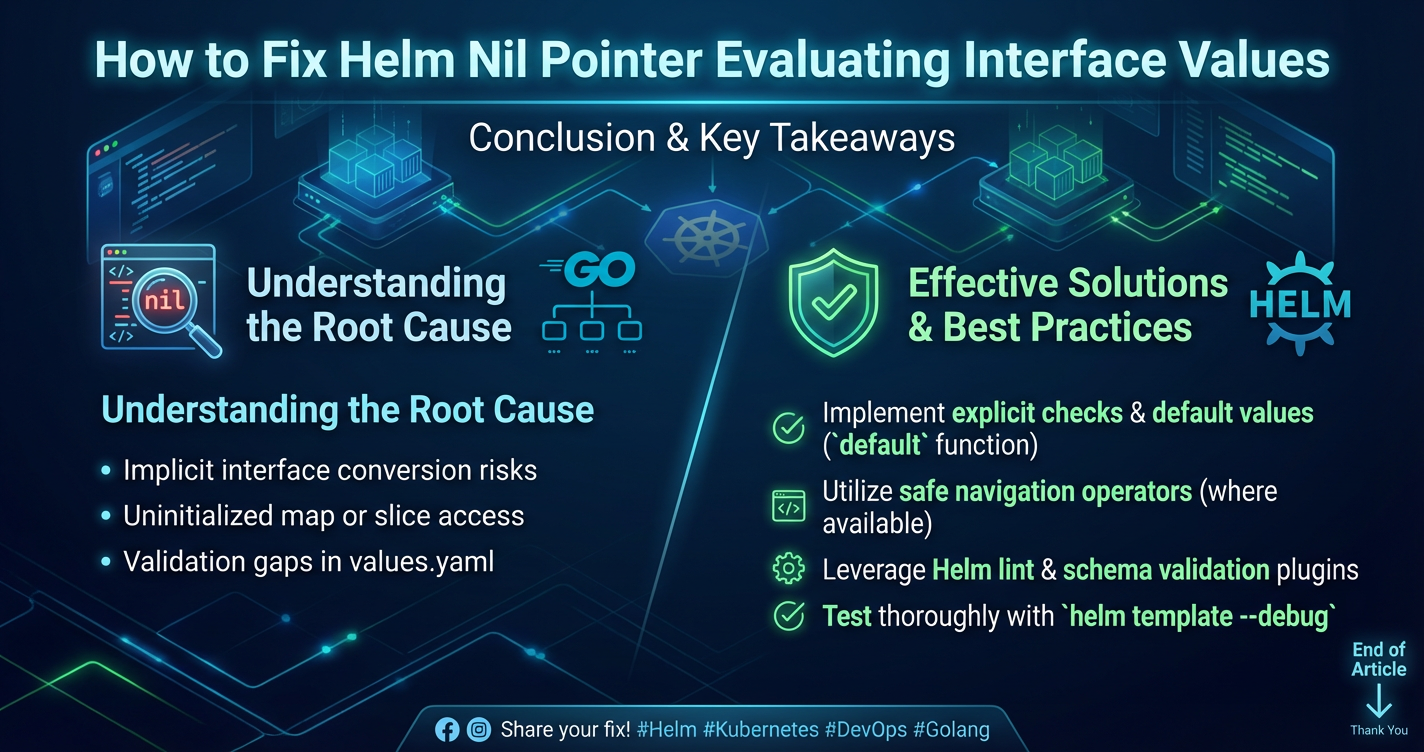
How to Fix Helm Nil Pointer Evaluating Interface Values


In the intricate world of Kubernetes, where applications are orchestrated with unparalleled flexibility and scale, Helm has emerged as the de facto package manager. It simplifies the deployment and management of even the most complex applications by defining them as charts – collections of files that describe a related set of Kubernetes resources. These charts leverage a powerful templating engine, based on Go's text/template package, to dynamically generate manifest files. While incredibly versatile, this templating power can occasionally lead to cryptic errors, one of the most infamous being the "nil pointer evaluating interface values." This error, seemingly innocuous, can halt deployments, disrupt continuous integration pipelines, and frustrate even seasoned developers. It signals a fundamental misalignment between the expected data structure and what the Helm template actually receives, often due to missing values, incorrect scope, or flawed conditional logic.
Understanding and systematically resolving this nil pointer error is not merely a debugging exercise; it is a fundamental skill for anyone operating in a cloud-native environment. A robust deployment strategy is the cornerstone of any reliable API ecosystem, whether you're building a simple microservice or managing an expansive Open Platform. This article will serve as your ultimate guide, dissecting the nature of the Helm nil pointer error, exploring its common manifestations, detailing advanced diagnostic techniques, and outlining best practices to prevent its recurrence. We will delve into the nuances of Helm templating, the critical role of values.yaml, and how a deep understanding of these elements contributes to stable and efficient Kubernetes operations, ensuring your gateway and other critical services run without a hitch.
Demystifying the Helm Nil Pointer Error: What It Means and Why It Haunts Your Deployments
At its core, a "nil pointer evaluating interface values" error in Helm stems from the underlying Go templating engine. In Go, an interface value can be nil if it holds no concrete type and no value. When a Helm template attempts to access a field or call a method on such a nil interface, the Go runtime throws this error. Imagine you have a variable that's supposed to represent a user's profile, but it turns out to be nil (meaning no profile data exists). If your code then tries to access userProfile.name, it will panic because userProfile is nil and doesn't have a name field to access.
In the context of Helm, this typically occurs when the templating engine expects a specific data structure (like a map or a list) from the values.yaml file, a lookup function call, or a predefined Helm object, but instead finds that the expected value is absent or nil. The template then proceeds to try and access a nested field or apply a function to this nil value, leading to the dreaded error. For instance, if your template contains {{ .Values.database.port }} and your values.yaml file either completely omits the database section or defines database as a simple string instead of a map, then .Values.database evaluates to nil. When the engine subsequently tries to access .port on a nil database object, the "nil pointer" error is triggered.
The implications of these errors extend far beyond mere inconvenience. A failed Helm deployment means that your application updates are stalled, new services cannot be rolled out, and critical patches might be delayed. For an API gateway or an Open Platform that serves as the backbone of an organization's digital offerings, such deployment failures can lead to service outages, revenue loss, and significant reputational damage. It underscores the necessity of not only understanding how to fix these errors but, more importantly, how to prevent them through meticulous templating and robust validation practices.
The Anatomy of Helm Templates and Values: Powering Dynamic Kubernetes Manifests
To effectively combat nil pointer errors, one must first grasp the fundamental mechanics of Helm charts and their templating system. A Helm chart is a directory structure containing several key components:
Chart.yaml: Provides metadata about the chart, such as name, version, and description.values.yaml: The primary source of configurable values for the chart. This file contains default configuration settings that can be overridden during deployment.templates/: This directory holds the actual Kubernetes manifest templates, written using Go'stext/templatesyntax. Files here are rendered by Helm to produce executable Kubernetes YAML.charts/: (Optional) Contains subcharts, which are dependencies managed as separate Helm charts.
How Values Are Passed and Interpreted
Helm exposes various objects to the template engine, allowing dynamic content generation:
.Values: This is perhaps the most frequently used object, containing all values specified invalues.yaml, along with any overrides provided viahelm install -for--set. Its structure mirrors the hierarchical nature of YAML. For example, ifvalues.yamlhasimage: { repository: "nginx", tag: "latest" }, then in the template, you would access it as.Values.image.repositoryand.Values.image.tag..Release: Provides information about the release itself, such as.Release.Name(the name of the Helm release),.Release.Namespace(the namespace where it's deployed), and.Release.IsUpgrade..Capabilities: Offers details about the Kubernetes cluster where the chart is being deployed, including Kubernetes version (.Capabilities.KubeVersion.Major,.Capabilities.KubeVersion.Minor) and supportedAPIversions (.Capabilities.APIVersions)..Chart: Contains the data from theChart.yamlfile, like.Chart.Nameand.Chart.Version.
Understanding Go Template Syntax
Helm's templating engine utilizes Go's text/template syntax, which involves various constructs to inject data, control flow, and perform operations:
- Data Access:
{{ .Values.key }}directly inserts the value ofkeyfrom the.Valuesobject. Nested keys are accessed with dots, e.g.,{{ .Values.config.setting }}. - Pipelines: The
|operator allows chaining operations, where the output of one function becomes the input of the next. Example:{{ .Values.list | first }}takes the first element of a list.{{ .Values.password | b64enc }}base64-encodes a password. - Control Flow (Conditionals):
{{ if .Values.enableFeature }} ... {{ end }}allows conditional rendering of template blocks.{{ with .Values.database }} ... {{ end }}temporarily changes the scope (.) to.Values.databaseif it's notnil, making it easier to access its sub-fields without repeating.Values.database. - Loops:
{{ range .Values.items }} ... {{ end }}iterates over lists or maps. - Functions: Helm extends Go templates with a rich set of sprig functions, covering string manipulation, math, cryptography, and more. Examples include
default,required,toYaml,toJson,indent,quote.
The critical aspect here is understanding how nil values propagate through these constructs. If a variable or object being accessed in any of these ways evaluates to nil, and the subsequent operation doesn't account for it, a "nil pointer" error is imminent. For instance, if .Values.database is nil, then {{ .Values.database.name }} will cause an error because you're trying to access name on a non-existent object. Conversely, {{ if .Values.database }} ... {{ end }} would correctly skip the block if database is nil, preventing the error. Mastering this dynamic interaction between data and template logic is paramount for building robust Helm charts.
Common Causes and Diagnostic Strategies for Nil Pointer Errors
The "nil pointer evaluating interface values" error can manifest due to several common pitfalls in Helm chart development. Recognizing these patterns is the first step toward efficient diagnosis and resolution.
3.1 Missing or Misspelled Values in values.yaml
This is perhaps the most frequent culprit. The template expects a specific key or nested structure in values.yaml, but it's either entirely absent or has a typo.
Scenario: Your deployment.yaml template has image: "{{ .Values.images.frontend.repository }}:{{ .Values.images.frontend.tag }}". However, your values.yaml looks like this:
# values.yaml
images:
  frontendService: # Misspelled: should be 'frontend'
    repository: my-app
    tag: v1.0.0
When Helm renders this, .Values.images.frontend will be nil because the key frontend doesn't exist under images. Attempting to access .repository or .tag on a nil object will trigger the error.
Diagnosis: * helm lint: This command often catches basic syntax errors and potential issues in your chart structure, though it might not always pinpoint nil pointer errors related to missing values. * helm template --debug <chart-name> --dry-run: This is your most powerful tool. It renders the templates locally without actually installing them, printing the generated Kubernetes manifests to stdout. Crucially, the --debug flag outputs the values being used and any template rendering errors, often showing the exact line number and variable that caused the nil pointer. Examine the --debug output closely; it will often show a line like Error: render error in "chart-name/templates/deployment.yaml": template: chart-name/templates/deployment.yaml:31:37: executing "chart-name/templates/deployment.yaml" at <.Values.images.frontend.repository>: nil pointer evaluating interface {}.repository. * Manually Inspect values.yaml: Compare the exact path in your template (e.g., .Values.images.frontend.repository) with the structure defined in your values.yaml and any override files. Pay close attention to casing and nesting.
3.2 Incorrect Scope (. Context) Within Templates
The dot (.) in Go templates refers to the current context or scope. This context changes within certain control structures, like with and range blocks. Forgetting this can lead to trying to access a top-level value when the context has shifted.
Scenario: You have a template that iterates over a list of environment variables, and within the loop, you try to access a global image tag.
# deployment.yaml
env:
{{- range .Values.envVars }}
  - name: {{ .name }}
    value: {{ .value }}
{{- end }}
  - name: APP_VERSION
    value: {{ .Values.image.tag }} # This will fail if .Values.envVars exists, but the context '.' is now an individual envVar, not the root scope.
In the example above, inside the range loop, . refers to an individual item in envVars (e.g., { name: "ENV_VAR_NAME", value: "ENV_VAR_VALUE" }). It no longer refers to the root scope containing .Values. Thus, . does not have a .Values field, and attempting to access .Values.image.tag will result in a nil pointer error.
Diagnosis: * helm template --debug: The debug output will clearly show the line where the nil pointer occurs. * Understand Context: When inside range or with blocks, the . changes. To access the top-level scope (which contains .Values), you need to store it as a variable or use $ (root context). A common pattern is {{ $root := . }} at the top of your _helpers.tpl or main template file, then use $root.Values.image.tag instead.
3.3 lookup Function Pitfalls
Helm's lookup function is powerful for querying existing Kubernetes resources during templating (e.g., a ConfigMap or Secret). However, if the target resource does not exist, lookup returns nil. Attempting to access fields on this nil result will trigger the error.
Scenario: You're trying to retrieve a password from a Secret:
{{- $secret := lookup "v1" "Secret" .Release.Namespace "my-database-secret" }}
{{- if $secret }}
# This part is fine.
{{- else }}
# What happens if $secret is nil and you proceed?
{{- end }}
# If you don't wrap access in an if, this will fail if $secret is nil.
databasePassword: {{ $secret.data.password | b64dec }}
If my-database-secret doesn't exist in the specified namespace, $secret will be nil. The subsequent attempt to access $secret.data.password will cause a nil pointer error.
Diagnosis: * kubectl get secret -n <namespace> my-database-secret: Verify that the resource exists in the cluster where Helm is being deployed. * Defensive Templating: Always wrap lookup results in an if condition before attempting to access their fields. Provide a fallback or raise an explicit error if the resource is critical and missing. yaml {{- $secret := lookup "v1" "Secret" .Release.Namespace "my-database-secret" }} {{- if not $secret }} {{- fail "Secret 'my-database-secret' not found in namespace." }} {{- end }} databasePassword: {{ $secret.data.password | b64dec }}
3.4 Conditional Logic Errors (Nil Handling)
Sometimes, developers use if statements, but not defensively enough, or they miss edge cases where a value might be nil.
Scenario: You want to conditionally enable a sidecar container, but the sidecar object might not exist.
# deployment.yaml
{{- if .Values.sidecar.enabled }} # This will fail if .Values.sidecar is nil
- name: {{ .Values.sidecar.name }}
  image: {{ .Values.sidecar.image }}
{{- end }}
If values.yaml does not contain a sidecar top-level key, then .Values.sidecar is nil. The if condition if .Values.sidecar.enabled then attempts to access .enabled on a nil sidecar object, resulting in the error before the if condition can even evaluate whether .enabled is true or false.
Diagnosis & Solution: * Nested if or with: The safest way to handle this is to check for the existence of the parent object first. yaml {{- if .Values.sidecar }} {{- if .Values.sidecar.enabled }} - name: {{ .Values.sidecar.name }} image: {{ .Values.sidecar.image }} {{- end }} {{- end }} Even better, use with: yaml {{- with .Values.sidecar }} {{- if .enabled }} - name: {{ .name }} # Inside 'with', '.' is now .Values.sidecar image: {{ .image }} {{- end }} {{- end }} * default function: If a value is optional, provide a default. yaml image: {{ .Values.image.repository | default "my-default-repo" }}:{{ .Values.image.tag | default "latest" }} * required function: If a value is absolutely mandatory, use required to fail early with a clear message. yaml databaseUser: {{ required "A database username must be provided in .Values.database.username" .Values.database.username }}
3.5 Type Mismatches
Helm's templating engine expects certain types (string, int, bool, map, list). If values.yaml provides a value of an unexpected type, and the template attempts an operation valid for the expected type but invalid for the actual type, it can lead to nil pointer or other runtime errors.
Scenario: Your template expects a map for {{ .Values.service.ports }}, but values.yaml defines ports as a simple string.
# values.yaml
service:
  ports: "8080" # This should be a list of maps, not a string
Your template then tries to range over service.ports or access service.ports.name, which will fail because ports is a string, not an iterable map or list. While this might not always immediately yield a "nil pointer" error, it can lead to subsequent operations on that type failing, which can then cascade into a nil pointer if a function expects a specific interface type.
Diagnosis: * helm template --debug: Inspect the rendered YAML to see what type Helm interpreted. * Examine values.yaml: Ensure data types align with template expectations. Use toYaml or toJson in templates for inspection: yaml {{- toYaml .Values.service.ports }} This will help you see how Helm interprets the value.
3.6 Chart Dependencies Issues
When using subcharts, values can be passed down, and a nil pointer error might originate from a subchart's template trying to access a value that wasn't correctly propagated from the parent or is missing from the subchart's own values.yaml.
Scenario: A subchart expects .Values.global.database.name to be set, but the parent chart's values.yaml doesn't define it under global or fails to pass it to the subchart.
Diagnosis: * helm dependency update and helm dependency build: Ensure all subcharts are correctly fetched and their dependencies are satisfied. * Inspect parent-chart/charts/subchart-name/values.yaml: Check the subchart's default values.yaml. * Review Parent Chart's values.yaml: Look for how values are being passed to the subchart (e.g., subchart-name: section in the parent's values.yaml). * Use helm template --debug on the parent chart: This will render all subcharts and might reveal errors originating deeper in the dependency tree.
3.7 required Function Misuse or Absence
The required function is a valuable tool for explicitly enforcing that certain values must be present. Neglecting to use it for critical configuration can lead to nil pointer errors later, or using it incorrectly can also cause issues.
Scenario: A database password is essential for your application to function, but it's not marked as required.
databasePassword: {{ .Values.dbPassword }} # If .Values.dbPassword is nil, this will pass, but the application will fail at runtime.
This won't cause a template nil pointer if .Values.dbPassword is nil but nothing tries to access a field on it. However, if the Kubernetes manifest expects a non-empty string and gets an empty string (or nil treated as empty), the application itself might crash, or a subsequent template operation on that variable could fail. If you intended for dbPassword to be an object, and then try {{ .Values.dbPassword.secretRef }}, then nil pointer will occur if dbPassword is nil.
Solution: * Employ required: For any value that is absolutely essential for the chart to function or for the application to start correctly. yaml databasePassword: {{ required "A database password must be provided via .Values.dbPassword" .Values.dbPassword }} This will cause helm install or helm upgrade to fail immediately with a clear, user-friendly error message if dbPassword is missing, preventing a nil pointer later down the line or application runtime failures.
APIPark is a high-performance AI gateway that allows you to securely access the most comprehensive LLM APIs globally on the APIPark platform, including OpenAI, Anthropic, Mistral, Llama2, Google Gemini, and more.Try APIPark now! 👇👇👇
Advanced Debugging Techniques for Helm Templating
While helm template --debug is your primary tool, several other techniques can provide deeper insights and help you pinpoint the exact cause of a nil pointer error.
4.1 Leveraging toYaml and toJson for Inspection
When dealing with complex data structures or uncertain scopes, the toYaml and toJson functions are invaluable. They allow you to serialize any Go object into its YAML or JSON string representation directly within your template output. This lets you see exactly what value Helm is interpreting for a given variable or object at a specific point in the template rendering process.
Usage Example: Suppose you're debugging .Values.someComplexConfig and suspect it's nil or malformed. You can temporarily add this to your template:
# In your templates/debug.yaml (or any relevant template)
apiVersion: v1
kind: ConfigMap
metadata:
  name: {{ include "mychart.fullname" . }}-debug-config
data:
  debug_values_root: |-
    {{ toYaml .Values }}
  debug_current_scope: |-
    {{ toYaml . }} # What is the current '.' context?
  debug_specific_object: |-
    {{ if .Values.someComplexConfig }}
    {{ toYaml .Values.someComplexConfig }}
    {{ else }}
    "someComplexConfig is nil or empty"
    {{ end }}
Then run helm template --debug mychart. The generated ConfigMap output will contain the YAML representation of your .Values, the current . scope, or your someComplexConfig object, letting you visually verify its structure and content. This can immediately reveal if an object is unexpectedly nil, a different type, or missing expected sub-fields.
4.2 The printf Function for Inline Debugging
Similar to fmt.Printf in Go or console.log in JavaScript, printf allows you to print formatted strings directly into your generated manifest. This is useful for injecting debug messages or variable values at critical points in your template.
Usage Example: If you're unsure what myVariable holds:
# deployment.yaml
# ...
env:
  - name: DEBUG_VAR_VALUE
    value: "{{ printf "Value of myVariable: %s" myVariable }}"
  - name: APP_TAG
    value: {{ .Values.image.tag | quote }} # Use quote to ensure it's a string, not interpreted as number/bool
Running helm template would then show these debug lines in the rendered YAML. While less structured than toYaml, printf is quick for simple variable inspection.
4.3 Understanding Go Template Error Messages
Helm's error messages for nil pointer issues, while sometimes verbose, often contain precise information if you know how to read them.
A typical error might look like: Error: render error in "mychart/templates/deployment.yaml": template: mychart/templates/deployment.yaml:31:37: executing "mychart/templates/deployment.yaml" at <.Values.database.port>: nil pointer evaluating interface {}.port
Let's break it down: * Error: render error: Indicates a problem during the template rendering phase. * in "mychart/templates/deployment.yaml": Tells you exactly which file the error occurred in. * template: mychart/templates/deployment.yaml:31:37: Pinpoints the exact line (31) and character (37) within that file where the problematic expression starts. * executing "mychart/templates/deployment.yaml" at <.Values.database.port>: Shows the exact expression that was being evaluated. * nil pointer evaluating interface {}.port: This is the core of the message. It means that the part before .port (i.e., .Values.database) evaluated to nil, and the template tried to access .port on that nil value.
This detailed error message directs you precisely to the problem. Your next step should be to examine values.yaml for .Values.database and verify its structure.
4.4 Utilizing helm lint and values.schema.json
While helm lint might not catch all nil pointer errors, it's a crucial first line of defense for detecting syntax errors, best practice violations, and structural issues in your chart. Running helm lint routinely helps maintain chart quality.
For more rigorous validation, especially in Helm 3, consider using a values.schema.json file. This JSON Schema defines the expected structure, types, and constraints for your values.yaml. Helm will automatically validate your values.yaml against this schema during helm install or helm upgrade. If a required field is missing or a type is incorrect, Helm will fail early, preventing many nil pointer errors from ever reaching the template rendering phase.
Example values.schema.json snippet:
{
  "$schema": "http://json-schema.org/draft-07/schema#",
  "title": "MyChart Values Schema",
  "type": "object",
  "properties": {
    "image": {
      "type": "object",
      "properties": {
        "repository": { "type": "string", "description": "The image repository." },
        "tag": { "type": "string", "description": "The image tag." }
      },
      "required": ["repository", "tag"],
      "description": "Image settings for the application."
    },
    "database": {
      "type": "object",
      "properties": {
        "enabled": { "type": "boolean", "default": false },
        "port": { "type": "integer", "minimum": 1, "maximum": 65535 },
        "username": { "type": "string" },
        "password": { "type": "string" }
      },
      "required": ["username", "password"],
      "description": "Database connection details."
    }
  },
  "required": ["image"]
}
If your values.yaml then omits image.tag or database.password, Helm will flag it immediately upon installation, providing a much clearer error than a nil pointer in a deep template. This approach is fundamental for building truly resilient and well-documented charts, especially in an Open Platform environment where multiple teams might contribute to or consume charts.
Best Practices for Preventing Nil Pointer Errors
Proactive measures are far more effective than reactive debugging. By adopting a set of best practices, you can significantly reduce the occurrence of nil pointer errors and streamline your Helm chart development.
5.1 Consistent Naming Conventions and values.yaml Structure
Standardize the naming of your values.yaml keys and their hierarchical structure. For example, always use image.repository and image.tag rather than sometimes imageRepo and other times appImage. A predictable structure makes it easier for chart users and developers to understand where to find or define values, minimizing typos and missing keys. Document your values.yaml extensively with comments.
5.2 Defensive Templating: Always Assume Values Might Be Missing
This is the golden rule. Never assume a value will always be present, especially for optional configurations or data sourced from external lookups.
- Use
defaultFunction: For optional values, provide a sensible default.yaml # If .Values.timeoutSeconds is not set, it defaults to 30. timeout: {{ .Values.timeoutSeconds | default 30 }}s - Extensive Use of
ifBlocks: Always check for the existence of an object before trying to access its sub-fields. For nested structures, check each level. ```yaml {{- if .Values.service }} {{- if .Values.service.ports }} ports: {{- range .Values.service.ports }}- name: {{ .name }} port: {{ .port }} protocol: {{ .protocol | default "TCP" }} {{- end }} {{- end }} {{- end }} ```
- Leverage
withfor Scoped Access: Thewithaction is ideal for conditionally changing the context (.) to a non-nil value, simplifying template logic and preventing errors. ```yaml {{- with .Values.ingress }} # Inside this block, '.' refers to .Values.ingress enabled: {{ .enabled | default false }} host: {{ .host }} paths: {{- range .paths }}- path: {{ .path }} pathType: {{ .pathType | default "Prefix" }} {{- end }} {{- end }}
`` This ensures that if.Values.ingressisnil, the entire block is skipped, preventing anynilpointer errors from accessing.enabled,.host, or.paths`.
- path: {{ .path }} pathType: {{ .pathType | default "Prefix" }} {{- end }} {{- end }}
5.3 Strict values.yaml Validation with values.schema.json
As mentioned earlier, implementing values.schema.json is a powerful way to enforce the expected data types and presence of mandatory values. This shifts validation to an earlier stage, preventing template rendering errors and providing clearer feedback to users. It's an indispensable tool for maintaining the integrity of charts within a shared Open Platform environment.
5.4 Automated Testing for Helm Templates
Manual inspection is prone to error. Integrate automated testing for your Helm charts into your CI/CD pipeline. Tools like helm-unittest allow you to write unit tests for your templates, verifying that they render correctly under different values.yaml scenarios and produce the expected Kubernetes manifests.
helm-unittest: This plugin lets you define test cases that assert the output ofhelm templateagainst expected YAML, ensuring that values are correctly interpolated, conditional blocks work as intended, and nonilpointer errors occur. ```yaml # Example test case using helm-unittest- it: should render deployment with default values asserts:
- hasDocuments: count: 1
- isKind: of: Deployment
- matchRegex: path: metadata.name pattern: RELEASE-NAME-mychart
- equal: path: spec.template.spec.containers[0].image value: "nginx:latest" ```
- it: should render deployment with default values asserts:
5.5 Clear Documentation for values.yaml Options
Good documentation is a form of prevention. Clearly document every configurable option in your values.yaml file, explaining its purpose, default value, and valid types. This helps users provide correct inputs and avoid common misconfigurations that lead to nil pointers. Tools like helm-docs can automate the generation of markdown documentation for your values.yaml based on comments.
5.6 Modularization and Reusability with _helpers.tpl
Break down complex templates into smaller, reusable partials within _helpers.tpl. This improves readability, reduces redundancy, and isolates logic, making it easier to debug errors. Common functions and if conditions can be defined once and reused throughout your chart.
5.7 Continuous Integration (CI) Checks
Incorporate helm lint, helm template, and helm-unittest into your CI pipeline. Every pull request or code change to a Helm chart should trigger these checks. Catching errors early in the development cycle, before they reach production, is crucial for maintaining a stable deployment environment, especially for critical infrastructure like an API gateway or an Open Platform. A failing CI pipeline provides immediate feedback, preventing broken charts from being merged.
Table: Helm Templating Techniques for Nil Value Handling
| Technique | Description | Example Template Usage | Advantages | Disadvantages |
|---|---|---|---|---|
if condition |
Checks if a value is truthy (non-nil, non-empty string/list/map, non-zero number) before attempting to use it. Ideal for conditionally rendering entire blocks or checking for presence. | {{- if .Values.config }}<br> key: {{ .Values.config.value }}<br>{{- end }} |
Prevents access to non-existent fields; controls rendering flow. | Can become verbose for deeply nested checks; requires explicit else or alternative for missing values. |
with action |
Changes the current template context (.) to the value of an expression if that value is non-nil. Simplifies access to sub-fields and skips entire blocks if the parent object is missing. |
{{- with .Values.database }}<br> user: {{ .user }}<br> port: {{ .port | default 5432 }}<br>{{- end }} |
Concise way to handle nil parent objects; automatically sets context, reducing boilerplate. |
Inner content is only rendered if the with expression is non-nil; requires $. or root variable to access top-level context within the with block. |
default function |
Provides a fallback value if the primary value is nil or empty. Best for optional scalar values (strings, numbers, booleans) or simple lists/maps where a default can be provided. |
imageTag: "{{ .Values.image.tag | default "latest" }}"logLevel: "{{ .Values.logging.level | default "info" }}" |
Simple and elegant for providing defaults; avoids nil errors for optional fields. |
Only works for the specific value it's applied to; doesn't prevent nil errors if the parent object of the default-applied value is nil (e.g., .Values.foo.bar | default "baz" will fail if .Values.foo is nil). |
required function |
Explicitly fails the Helm deployment with a custom error message if a specified value is nil or empty. Essential for mandatory configuration parameters. |
dbHost: "{{ required "Database host must be provided via .Values.db.host" .Values.db.host }}" |
Fails early with a clear, user-friendly error; prevents deployment of misconfigured applications. | Halts deployment if the value is missing; not suitable for truly optional parameters. |
values.schema.json |
A JSON Schema file defining the expected structure, types, and constraints for values.yaml. Validates input values before templating begins, catching errors at the earliest possible stage. |
(Defined in values.schema.json file, not template)properties: { image: { type: "object", required: ["tag"] } } |
Catches validation errors before templating; provides clear feedback; enables strict contract for chart configuration. | Requires extra setup and maintenance for the schema file; can be complex for very dynamic or deeply nested configurations. |
This table offers a clear overview of different approaches, highlighting their strengths and weaknesses, to help you choose the most appropriate strategy for various templating scenarios.
The Broader Context: Robust Deployment in an API-Driven World
While a nil pointer error in Helm might seem like a technical detail, its implications are far-reaching, especially in an ecosystem built around APIs. In today's interconnected landscape, applications communicate through APIs, and the reliability of these APIs directly impacts business operations, user experience, and partner integrations. A stable and error-free Helm deployment is not just a nice-to-have; it's a critical enabler for the entire API lifecycle.
Consider an API gateway, which serves as the entry point for all API traffic, handling routing, security, rate limiting, and analytics. If the API gateway itself is deployed via Helm, and a nil pointer error prevents it from starting or upgrading, the entire API ecosystem comes to a standstill. No traffic can flow, no services can be consumed, and the Open Platform that your organization offers becomes inaccessible. This can lead to significant downtime, loss of trust, and missed business opportunities.
This is precisely why platforms like APIPark are so vital. APIPark, an Open Source AI Gateway & API Management Platform, is designed to help developers and enterprises manage, integrate, and deploy AI and REST services with ease. By providing end-to-end API lifecycle management, APIPark ensures that services are not only designed and published efficiently but also invoked and decommissioned reliably. A stable Helm deployment ensures that essential components of such a gateway and Open Platform are always running, preventing disruptions that could affect thousands of API calls and integrations.
APIPark's capabilities, such as quick integration of 100+ AI models, unified API format for AI invocation, and prompt encapsulation into REST APIs, fundamentally rely on a robust deployment environment. If the underlying infrastructure, often managed by Helm, isn't rock-solid, the advanced features that APIPark offers, like detailed API call logging and powerful data analysis, cannot function optimally. Imagine a scenario where a nil pointer error in your Helm chart for the APIPark gateway itself prevents new AI models from being exposed, or disrupts the collection of crucial API performance data. Such an issue could cripple your ability to offer an Open Platform for AI services, hindering innovation and collaboration.
Moreover, APIPark's focus on performance (rivaling Nginx, achieving over 20,000 TPS) and scalability (supporting cluster deployment) highlights the necessity of error-free and efficient deployments. The platform assists with managing traffic forwarding, load balancing, and versioning of published APIs, all of which are directly impacted by the reliability of the underlying Kubernetes deployments. An error-free Helm chart ensures that the APIPark gateway can consistently meet its performance targets and that API services remain highly available.
Furthermore, APIPark's features like API service sharing within teams and independent API and access permissions for each tenant underscore the importance of a predictable and stable environment. When different departments and teams rely on a centralized Open Platform for discovering and utilizing API services, any deployment failure, even a seemingly minor nil pointer, can cascade into widespread operational disruption. By ensuring your Helm charts are robust and thoroughly tested, you are not just fixing a technical bug; you are contributing to the overall stability, security, and efficiency of your organization's entire API-driven strategy. This proactive approach to deployment health is what empowers Open Platforms and API gateways to truly unlock their potential.
Conclusion
The "nil pointer evaluating interface values" error in Helm, while a common source of frustration, is ultimately a solvable problem. By understanding its Go templating roots, meticulously dissecting your values.yaml and template logic, and employing systematic debugging techniques, you can effectively diagnose and rectify these issues. More importantly, by embracing best practices such as defensive templating, strict values.schema.json validation, and comprehensive automated testing, you can proactively prevent these errors, ensuring smoother deployments and a more resilient Kubernetes environment.
In an increasingly API-driven world, where gateways act as critical conduits and Open Platforms foster innovation, the stability of your deployment pipelines is paramount. Every Helm chart, every values.yaml entry, and every line of template code contributes to the overall reliability of your services. Investing time in mastering Helm templating and adopting robust development practices pays dividends in operational stability, reduced downtime, and the successful delivery of high-quality APIs. By taking these steps, you not only fix immediate problems but also build a foundation for a more dependable and scalable cloud-native infrastructure, ready to support the most demanding API and AI workloads.
Frequently Asked Questions (FAQs)
1. What exactly does "nil pointer evaluating interface values" mean in Helm? This error means that a Helm template tried to access a field or apply a function to a variable or object that was nil (empty or non-existent). In Go's text/template engine, when an interface value is nil and an operation is attempted on it, it results in this specific runtime panic. For Helm, this typically happens when a value expected from values.yaml, a lookup function, or the current context (.) is missing or incorrectly structured, and the template proceeds to access a sub-property on that nil entity.
2. What are the most common causes of this Helm error? The most frequent causes include: * Missing or Misspelled Values: A key path in the template (e.g., .Values.service.port) does not exist or is misspelled in values.yaml. * Incorrect Scope: The . (current context) in the template has changed (e.g., inside a range or with block), and the template is trying to access a variable from an incorrect scope. * lookup Function Returning Nil: The lookup function fails to find the specified Kubernetes resource, returning nil, and the template doesn't handle this nil result defensively. * Insufficient Conditional Checks: Not adequately wrapping access to potentially nil objects with if or with blocks before attempting to access their nested fields.
3. How can I effectively debug this error in my Helm charts? The most effective debugging tool is helm template --debug <chart-name> --dry-run. This command renders your templates locally and outputs the full YAML, along with any template errors and the values being used. The error message typically pinpoints the exact file, line number, and expression causing the nil pointer. Additionally, using toYaml or toJson functions within your template can help inspect the actual values of variables at different points. Implementing values.schema.json can also validate your input values before rendering, preventing many errors.
4. What are some best practices to prevent these errors from occurring? Key best practices include: * Defensive Templating: Always assume values might be missing. Use if conditions, with actions, and the default function ({{ .Values.key | default "fallback" }}) to provide fallbacks or skip blocks for missing values. * Strict Validation: Implement values.schema.json to enforce the structure, types, and presence of mandatory values in your values.yaml. * Use required Function: For critical values that must be present, use {{ required "Error message" .Values.mandatoryValue }} to fail early with a clear error. * Automated Testing: Incorporate helm-unittest or similar tools into your CI/CD pipeline to automatically verify template rendering and output. * Consistent Naming and Documentation: Maintain clear naming conventions and extensively document your values.yaml to prevent misconfigurations.
5. How does fixing these Helm errors relate to API management and Open Platforms? Stable Helm deployments are foundational for any reliable API ecosystem. If an API gateway or any critical service within an Open Platform (like those managed by APIPark) fails to deploy due to a nil pointer error, it can lead to service outages, prevent APIs from being exposed, and disrupt operations. By ensuring Helm charts are robust and error-free, you guarantee the continuous availability and performance of your API infrastructure, which is crucial for delivering a dependable Open Platform experience for developers and consumers alike.
🚀You can securely and efficiently call the OpenAI API on APIPark in just two steps:
Step 1: Deploy the APIPark AI gateway in 5 minutes.
APIPark is developed based on Golang, offering strong product performance and low development and maintenance costs. You can deploy APIPark with a single command line.
curl -sSO https://download.apipark.com/install/quick-start.sh; bash quick-start.sh

In my experience, you can see the successful deployment interface within 5 to 10 minutes. Then, you can log in to APIPark using your account.

Step 2: Call the OpenAI API.