How to Fix Redis Connection Refused Error Quickly
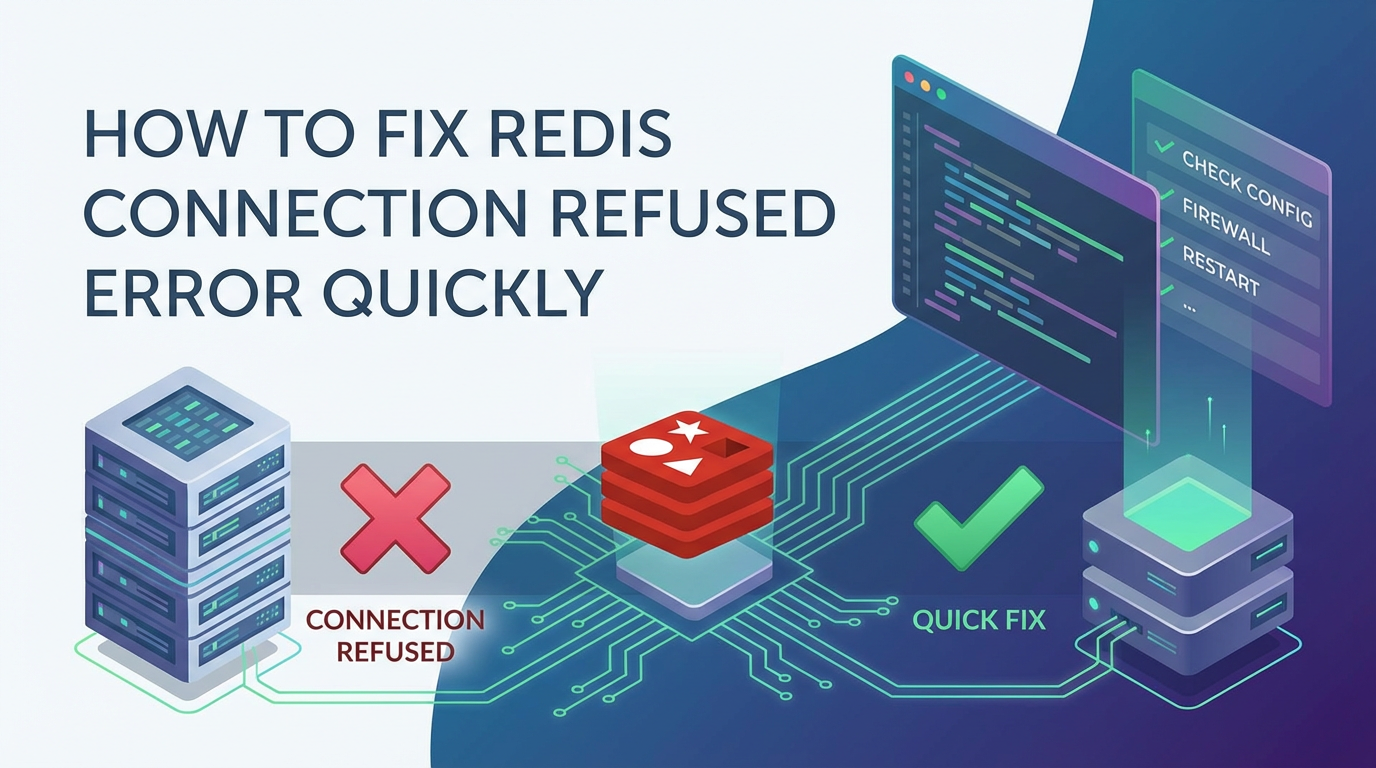


The "Redis Connection Refused" error is a formidable obstacle for developers and system administrators, often bringing applications to a grinding halt. In the fast-paced world of modern computing, where every millisecond of latency can impact user experience and business operations, an unresponsive Redis instance is more than just a minor inconvenience; it's a critical system failure. This comprehensive guide is meticulously designed to equip you with the knowledge and tools to diagnose, troubleshoot, and swiftly resolve the "Redis Connection Refused" error, minimizing downtime and restoring your application's vital data flow. We will delve into the intricacies of Redis, its role in high-performance architectures, and the myriad reasons why a connection might be refused, providing detailed, actionable steps for each scenario.
Introduction: The Unwelcome "Redis Connection Refused"
Redis, short for Remote Dictionary Server, stands as a cornerstone in the landscape of high-performance computing. It's an open-source, in-memory data structure store, renowned for its versatility as a database, cache, and message broker. Its lightning-fast operations, facilitated by keeping data primarily in RAM, make it indispensable for applications demanding real-time data access, session management, leaderboards, real-time analytics, and much more. From serving as a powerful caching layer that offloads databases to acting as a robust message queue for microservices communication, Redis underpins countless critical functionalities across diverse industries. Its ability to handle millions of operations per second with minimal latency has made it a favorite among developers building scalable and responsive systems.
However, even the most robust systems can encounter issues, and among the most frustrating is the "Redis Connection Refused" error. This error signals a fundamental breakdown in communication: your client application is attempting to establish a TCP connection to the Redis server, but the server, for various reasons, is actively rejecting that connection attempt. The ramifications of such an an error are profound. For a client application relying on Redis for caching, a connection refusal can mean increased load on the primary database, leading to performance degradation and potential outages. For applications using Redis for session management, users might be logged out or unable to access their personalized data. In message-driven architectures, a disconnected Redis can halt inter-service communication, causing critical application components to stall. The ripple effects can quickly cascade across an entire system, impacting user experience, data integrity, and ultimately, business continuity. Understanding this error thoroughly, from its network-level implications to its diverse root causes, is the first step towards effectively resolving it. This guide aims to provide a methodical, step-by-step approach to navigate these complexities, empowering you to swiftly bring your Redis instances back online and ensure the resilience of your applications.
Understanding the "Connection Refused" Error: The Root Cause Perspective
At its core, a "Connection Refused" error is a low-level network communication issue, specifically at the TCP/IP layer. When a client attempts to connect to a server on a specific IP address and port, it initiates a TCP handshake. The server is expected to respond to this request. A "Connection Refused" error (often manifested as ECONNREFUSED in operating system error codes) occurs when the client's connection attempt reaches the target machine, but there is no process actively listening on the specified port at that IP address. The operating system on the server machine immediately sends back a TCP RST (reset) packet, indicating that the connection cannot be established. This is distinct from a "Connection Timed Out" error, which typically occurs when the connection attempt never receives a response from the server, often due to a firewall blocking the connection entirely or network routing issues preventing the packet from reaching the destination. In a timeout scenario, the client waits for a period before giving up, whereas "Connection Refused" is an immediate rejection. Understanding this distinction is crucial because it helps narrow down the potential causes significantly: "Refused" almost always points to an issue on the server side (or a configuration mismatch), whereas "Timed Out" often indicates a network path or firewall problem.
Core Troubleshooting Steps: A Methodical Approach
Successfully resolving a "Redis Connection Refused" error requires a systematic, step-by-step approach. Jumping to conclusions can lead to wasted time and further frustration. Instead, follow these detailed diagnostics and resolution procedures to pinpoint and rectify the problem efficiently.
3.1. Verify Redis Server Status: Is Redis Even Running?
It might sound overly simplistic, but one of the most common reasons for a "Connection Refused" error is that the Redis server process isn't actually running on the machine you're trying to connect to. This can happen due to various reasons: a recent system reboot, a crash, or a manual shutdown.
Problem Description: The Redis server daemon, redis-server, is not active on the host machine. The operating system, therefore, has no process bound to the Redis port (default 6379) to accept incoming connections.
Symptoms: * Client applications immediately report "Connection Refused" errors. * Attempts to connect via redis-cli from the server itself also fail with the same error.
Diagnosis: 1. Check for the redis-server process: * Open a terminal on the Redis server machine. * Execute the command: ps aux | grep redis-server * Expected Output: If Redis is running, you should see at least one line containing redis-server along with its process ID (PID) and other details. For example: redis 1234 0.1 0.5 100000 10000 ? Ssl Jan01 0:15 /usr/bin/redis-server 127.0.0.1:6379 * Interpretation: If no such line appears (or only the grep process itself is shown), Redis is not running. * Alternative: On systems using systemd (like modern Linux distributions), you can check the service status: sudo systemctl status redis (or redis-server, depending on your installation's service name). * Expected Output: A "active (running)" status indicates the service is operational. If it's "inactive (dead)" or "failed", Redis is not running or has crashed.
- Examine Redis Log Files:
- Redis logs critical information, including startup errors and crashes. The default location is often
/var/log/redis/redis-server.logor specified in yourredis.conffile (look for thelogfiledirective). - Use
tail -f /var/log/redis/redis-server.logto watch the logs in real-time orcatto review past entries. - Interpretation: Look for recent error messages, especially those occurring around the time of the connection refusal. Common errors include:
- "Port already in use": Another process is binding to 6379.
- "Can't open the log file": Permission issues.
- "Could not create server TCP listening socket": Network or port conflicts.
- "Cannot allocate memory": Server is out of RAM.
- Redis logs critical information, including startup errors and crashes. The default location is often
Resolution: 1. Start Redis: * If Redis is not running, attempt to start it. * On systemd systems: sudo systemctl start redis (or redis-server). * On older SysVinit systems: sudo service redis start. * If starting manually: redis-server /path/to/redis.conf * After starting, immediately re-check its status using systemctl status redis and ps aux | grep redis-server to confirm it's active. 2. Troubleshoot Startup Failures: * If Redis fails to start, the log files are your primary source of information. Address the specific error reported in the logs. * Permission Issues: Ensure the Redis user (or the user running Redis) has read/write permissions for the log file, RDB snapshot file, and AOF file locations. * Configuration Errors: Syntax errors in redis.conf can prevent startup. Validate your configuration file (e.g., redis-server /path/to/redis.conf --test-conf). * Port Conflicts: If "Port already in use" appears, identify the conflicting process using sudo netstat -tulnp | grep 6379 and either stop it or configure Redis to use a different port. * Memory Issues: If "Cannot allocate memory" appears, you might need to increase server RAM or optimize Redis memory usage.
Prevention: * Configure Redis to start automatically on system boot (e.g., sudo systemctl enable redis). * Implement robust monitoring for the Redis process itself, alerting you immediately if it stops unexpectedly. * Regularly review Redis log files for warnings or errors that could indicate underlying instability.
3.2. Check Redis Configuration: The redis.conf Deep Dive
The redis.conf file is the central nervous system of your Redis instance. Incorrect or overly restrictive configurations are frequent culprits behind "Connection Refused" errors, particularly when connecting from external clients.
Problem Description: The redis.conf file contains directives that explicitly prevent connections from certain IP addresses, on specific ports, or require authentication that the client is not providing.
Symptoms: * Clients attempting to connect from specific external IPs fail, while local connections might succeed. * Connections fail consistently, regardless of the client or its location.
Diagnosis: 1. Locate redis.conf: * The default location varies, but common paths include /etc/redis/redis.conf, /etc/redis.conf, or in the Redis installation directory. * If Redis is running, you can find its configuration file path from the ps aux | grep redis-server output (it's often the last argument).
- Inspect Key Directives:
binddirective:- Purpose: This directive tells Redis which network interfaces (IP addresses) it should listen on for incoming connections.
- Common Configuration:
bind 127.0.0.1: Redis will only listen on the loopback interface. This means only clients running on the same machine as Redis can connect. Any external connection will be refused.bind 0.0.0.0: Redis will listen on all available network interfaces. This allows connections from any IP address (assuming firewalls permit).bind 192.168.1.100: Redis will listen only on the specified IP address.
- Diagnosis: If you're trying to connect from an external machine and
bind 127.0.0.1is set, this is your problem. - Resolution:
- For production, it's generally recommended to bind to a specific internal IP address (
bind <your_server_private_ip>) or, if absolutely necessary and secured by a firewall,bind 0.0.0.0. - Crucially: If you change
bindto0.0.0.0or a public IP, you must ensure strong firewall rules are in place to restrict access, otherwise, your Redis instance will be exposed to the internet. - After modifying, save the file and restart Redis (
sudo systemctl restart redis).
- For production, it's generally recommended to bind to a specific internal IP address (
portdirective:- Purpose: Specifies the TCP port Redis listens on. Default is 6379.
- Diagnosis: Ensure your client application is configured to connect to the exact port specified in
redis.conf. Mismatches cause refusal. - Resolution: Adjust either the
redis.confportor the client's connection string to match. Remember to restart Redis after changingport.
protected-modedirective:- Purpose: Introduced in Redis 3.2,
protected-modeis a security feature designed to prevent Redis instances from being accessed by unknown hosts if they are left exposed without authentication or specificbindaddresses. - Common Configuration:
protected-mode yes(default): If Redis is not bound to a specific IP address (i.e.,bind 0.0.0.0or nobinddirective) AND norequirepassis set, Redis will only accept connections from the loopback interface (127.0.0.1).protected-mode no: Disables this security feature. Not recommended for production environments unless explicitly secured by other means (firewall,bindto specific internal IPs).
- Diagnosis: If you're trying to connect externally, and
bind 0.0.0.0is used withoutrequirepass,protected-mode yeswill cause connections to be refused. - Resolution:
- Recommended: Configure
bindto a specific internal IP and/or set a strong password usingrequirepass. - Less Recommended (use with extreme caution and strong firewall): Set
protected-mode no.
- Recommended: Configure
- Purpose: Introduced in Redis 3.2,
requirepass(Authentication):- Purpose: Sets a password that clients must provide to authenticate with the Redis server.
- Diagnosis: If
requirepass your_strong_passwordis set inredis.conf, and your client is not providing this password (or provides an incorrect one), Redis will refuse commands after the connection is established. However, some client libraries might immediately refuse the connection if authentication is expected but not provided. Even if the connection is established, lack of authentication leads toNOAUTHerrors, not typically "Connection Refused" at the TCP level, but it's a critical configuration to check. - Resolution: Ensure your client application's Redis configuration includes the correct password.
Prevention: * Always use a dedicated configuration file for Redis. * Review redis.conf thoroughly after any installation or upgrade. * Follow security best practices: bind to specific internal IPs, enable requirepass with strong passwords, and configure protected-mode yes. * Maintain version control for your redis.conf to track changes.
3.3. Network Accessibility and Firewalls: The Invisible Barrier
Even if Redis is running and correctly configured, network obstacles can prevent clients from reaching it. Firewalls, both on the server itself and within the network infrastructure (e.g., cloud security groups), are primary suspects.
Problem Description: A firewall (either software-based on the Redis server or hardware/cloud-based) is blocking incoming TCP traffic on the Redis port, or there's a routing issue preventing packets from reaching the server.
Symptoms: * redis-cli from the local machine works, but redis-cli from a remote machine fails. * Network tools like telnet or nc also fail to connect to the Redis port from the remote client. * Error messages like "Connection Timed Out" (more likely for blocked packets) or "Connection Refused" (less common for a pure firewall block, but can occur if the firewall explicitly resets connection attempts).
Diagnosis: 1. Local Firewall (on the Redis server): * UFW (Uncomplicated Firewall - common on Ubuntu/Debian): * Check status: sudo ufw status * Look for an "active" status. * Review rules: Check if port 6379 (or your custom Redis port) is allowed. An entry like 6379/tcp ALLOW Anywhere is needed for global access. * Firewalld (common on CentOS/RHEL): * Check status: sudo systemctl status firewalld * List active rules: sudo firewall-cmd --list-all * Ensure the Redis port is listed as "open" for the relevant zone. * Iptables (underlying firewall technology): * List rules: sudo iptables -L -n -v * Look for rules explicitly accepting connections on your Redis port.
- Cloud/External Firewalls (Security Groups, Network ACLs, etc.):
- If your Redis server is hosted in a cloud environment (AWS EC2, Azure VM, GCP Compute Engine), check its associated network security configurations.
- AWS Security Groups: Ensure the Security Group attached to your Redis instance's network interface has an inbound rule allowing TCP traffic on port 6379 (or your custom port) from the IP addresses or security groups of your client applications.
- Azure Network Security Groups (NSGs): Verify the NSG applied to the Redis VM or subnet has an inbound security rule permitting traffic to the Redis port.
- GCP Firewall Rules: Check the VPC network firewall rules to ensure that traffic on the Redis port is allowed to the Redis instance's network tag.
- Interpretation: These are often the cause of "Connection Timed Out" rather than "Refused," but they prevent any connection from being established, making them critical to check.
- Network Connectivity Test:
- From the client machine, use
telnetornc(netcat) to test raw TCP connectivity to the Redis server. - Using
telnet:telnet <redis-host-ip> <redis-port>(e.g.,telnet 192.168.1.100 6379)- Expected Output (Success): If successful, you'll see "Connected to." and a blank screen, allowing you to type Redis commands directly (e.g.,
PINGfollowed by Enter, then+PONG). - Expected Output (Failure - Refused): "Connection refused." This confirms the server actively rejected the connection at the TCP level.
- Expected Output (Failure - Timed Out): "Connection timed out." This indicates a firewall or network routing issue.
- Expected Output (Success): If successful, you'll see "Connected to." and a blank screen, allowing you to type Redis commands directly (e.g.,
- Using
nc(netcat):nc -vz <redis-host-ip> <redis-port>(e.g.,nc -vz 192.168.1.100 6379)- Expected Output (Success): "Connection to6379 port [tcp/*] succeeded!"
- Expected Output (Failure - Refused): The command might hang briefly or immediately return, possibly with an error message indicating the connection failed.
- Expected Output (Failure - Timed Out): The command will hang for a longer period before reporting a timeout.
ping:ping <redis-host-ip>- Purpose: Basic test for host reachability (ICMP). If ping fails, there's a fundamental network path issue (or ICMP is blocked). However, ping success does not guarantee TCP connectivity.
- From the client machine, use
Resolution: 1. Local Firewall: * UFW: sudo ufw allow 6379/tcp (to allow access from anywhere, or specify from <client_ip> to any port 6379). Then sudo ufw reload. * Firewalld: sudo firewall-cmd --permanent --add-port=6379/tcp then sudo firewall-cmd --reload. * Iptables: Add a rule: sudo iptables -A INPUT -p tcp --dport 6379 -j ACCEPT (then save iptables rules, which varies by OS). 2. Cloud/External Firewalls: * Log into your cloud provider's console and modify the relevant security group, NSG, or firewall rule to allow inbound TCP traffic on the Redis port from the necessary source IPs (e.g., your application servers' IPs). Be as restrictive as possible to enhance security. 3. Network Routing: If ping fails or telnet consistently times out, investigate your network routing tables, VPNs, or network infrastructure. This might require network administrator intervention.
Prevention: * Document all firewall rules, both local and cloud-based. * Adopt a "least privilege" approach: only open ports and allow access from specific, necessary IP ranges. * Implement network monitoring to detect unreachable hosts. * If using an API Gateway like APIPark to expose services that rely on Redis, ensure that APIPark itself has the necessary network access to the Redis instance. APIPark's comprehensive API lifecycle management includes ensuring the health and accessibility of backend services. If an api request routed through APIPark fails due to Redis being inaccessible, APIPark's detailed call logging could help identify the affected backend service and point towards a network or Redis-specific issue.
3.4. Client-Side Configuration: The Connecting Application's Perspective
Sometimes, the Redis server is perfectly healthy and accessible, but the client application itself is misconfigured, leading to connection failures.
Problem Description: The client application (e.g., a web server, a microservice, a script) is attempting to connect to the wrong host, port, or is failing to provide necessary authentication details, or it might be experiencing its own resource limitations.
Symptoms: * Redis is running, redis-cli connects locally, telnet from the client works, but the application still fails. * Application logs specifically mention "Connection Refused" alongside the Redis host/port they tried to connect to.
Diagnosis: 1. Connection String/Parameters: * Examine the client application's configuration file or environment variables where Redis connection details are stored. * Verify the Redis host/IP address. Is it correct? Is it a hostname that resolves correctly? * Verify the Redis port. Does it match redis.conf? * Verify the Redis password (if requirepass is set). Is it provided and correct? * Verify the Redis database index (default is 0). While not directly causing "refused," incorrect DB index can lead to data issues. * Example (Node.js): new Redis({ host: '192.168.1.100', port: 6379, password: 'my_secret_password' });
- Client Libraries:
- Ensure the Redis client library in your application is correctly initialized and used.
- Check for any specific connection pooling settings or timeout configurations that might be causing issues.
- Update the client library to the latest stable version, as older versions might have bugs or compatibility issues.
- DNS Resolution:
- If your client is connecting using a hostname (e.g.,
redis.example.com) instead of an IP address, ensure that hostname resolves correctly to the Redis server's IP. - From the client machine, use
ping <redis-hostname>ornslookup <redis-hostname>to verify DNS resolution. - Interpretation: An incorrect DNS entry or a failure in DNS resolution would mean the client tries to connect to the wrong IP, resulting in a refusal or timeout.
- If your client is connecting using a hostname (e.g.,
- Resource Exhaustion on Client:
- While less common for "Connection Refused," client-side resource limits can indirectly contribute.
- Too many open connections: If the client tries to open an excessive number of connections without properly closing them, it can exhaust its own ephemeral ports or file descriptors.
- Check
ulimit -non the client machine for open file descriptor limits. - Monitor the number of open connections from the client using
netstat -an | grep <redis-port>on the client, looking forESTABLISHEDorSYN_SENTstates.
- Check
- Client CPU/Memory: An overloaded client application might struggle to establish new connections efficiently.
Resolution: 1. Correct Connection Parameters: Meticulously cross-reference your client's Redis connection details with the redis.conf on the server. Update any discrepancies. 2. Client Library Best Practices: * Use connection pooling where appropriate to manage connection overhead. * Implement proper error handling and retry mechanisms in your application for transient network issues. * Ensure your client library is compatible with your Redis server version. 3. Fix DNS Issues: * If DNS is failing, correct the DNS record in your DNS provider or update /etc/hosts (for temporary fixes or specific environments). * Consider using IP addresses directly in critical configurations to bypass DNS issues, especially in environments where DNS might be flaky. 4. Client Resource Management: * Optimize your application to reuse connections effectively (e.g., use a single connection pool across an application instance). * Increase ulimit -n for the user running the client application if file descriptor exhaustion is suspected. * Scale up or optimize the client application itself if it's experiencing CPU or memory pressure.
Prevention: * Centralize Redis connection configurations (e.g., using environment variables, configuration management tools) to avoid discrepancies across environments. * Use fully qualified domain names (FQDNs) for Redis hosts, especially in cloud environments, and ensure they are managed by a reliable DNS service. * Implement monitoring for client-side connection errors and resource usage.
3.5. Resource Constraints and System Health: Beyond Redis Itself
While Redis is designed for high performance, it operates within the confines of the underlying server's resources. Exhaustion of these resources, even if Redis itself appears "running," can render it unresponsive or lead to connection refusals.
Problem Description: The server hosting Redis is critically low on essential resources such as memory, CPU, or open file descriptors, preventing Redis from accepting new connections or even crashing it unexpectedly.
Symptoms: * Redis server appears running (via ps aux), but redis-cli cannot connect, or connections are erratic. * System logs indicate out-of-memory errors or high resource utilization. * The server generally feels slow or unresponsive.
Diagnosis: 1. Memory: * Problem: Redis is an in-memory database. If the server runs out of physical RAM, the operating system might start swapping heavily to disk, making Redis extremely slow and unresponsive, or the OOM (Out Of Memory) killer might terminate the redis-server process. Even before OOM, if Redis cannot allocate memory for new clients, it might implicitly refuse connections. * Diagnosis: * Check free memory: free -h or htop. Look at Mem: used/total and Swap: used/total. High swap usage with low free RAM is a strong indicator of memory pressure. * Check Redis memory usage: redis-cli INFO memory. Compare used_memory_human with your server's total RAM. * Review system logs (/var/log/syslog, /var/log/messages, dmesg) for "Out of memory" or "OOM killer" messages. * Resolution: * Increase server RAM. * Optimize Redis memory usage: * Delete unnecessary keys. * Configure eviction policies (e.g., maxmemory-policy allkeys-lru). * Reduce RDB snapshot frequency or disable AOF rewrite if not critical, as these operations can temporarily increase memory usage. * Tune maxmemory in redis.conf to prevent Redis from consuming all available RAM.
- CPU:
- Problem: While Redis is single-threaded for most operations, heavy command processing or background tasks (like AOF rewrites or RDB saves) can saturate a single CPU core. If the CPU is constantly at 100%, Redis might become unresponsive, leading to connection timeouts or refusals.
- Diagnosis:
- Check CPU usage:
top,htop, ormpstat -P ALL 1. Look for high CPU usage by theredis-serverprocess or overall system load. - Check
redis-cli INFO CPU.
- Check CPU usage:
- Resolution:
- Scale up CPU resources (more cores or faster single core performance).
- Distribute load across multiple Redis instances (sharding).
- Optimize client queries to reduce computationally intensive Redis commands (e.g., large
SMEMBERS,LRANGE). - Tune background save parameters in
redis.confto occur during off-peak hours.
- Disk I/O:
- Problem: While Redis is in-memory, disk I/O is crucial for persistence (RDB snapshots, AOF file). If the disk subsystem is slow or overwhelmed, these background operations can cause Redis to block briefly or become sluggish, potentially affecting its ability to accept new connections.
- Diagnosis:
- Check disk I/O:
iostat -x 1 10,iotop. Look for high%utilorawaittimes for the disk where Redis persistence files are stored. - Check
redis-cli INFO persistence.
- Check disk I/O:
- Resolution:
- Move Redis persistence files to faster storage (SSD/NVMe).
- Reduce the frequency of RDB snapshots or AOF rewrites if I/O is a bottleneck.
- Separate Redis data directory onto a dedicated volume.
- Open File Descriptors:
- Problem: Redis uses file descriptors for every client connection, for listening sockets, and for persistence files. If the operating system's limit for open file descriptors (
ulimit -n) is too low, Redis will be unable to accept new connections once the limit is reached, resulting in "Connection Refused." - Diagnosis:
- Check the current limit for the Redis user:
sudo su - redis_user -c 'ulimit -n'(replaceredis_userwith your Redis process user). - Check the actual number of open file descriptors used by Redis:
ls -l /proc/<redis-pid>/fd | wc -l. - Check Redis logs for messages like "ulimit is lower than recommended."
- Check the current limit for the Redis user:
- Resolution:
- Increase
ulimit -nfor the user running Redis. This is typically done by editing/etc/security/limits.confand adding lines like:redis_user soft nofile 65536 redis_user hard nofile 65536Then restart the Redis service. - Ensure
maxclientsinredis.confis set appropriately, typically lower than yourulimitvalue.
- Increase
- Problem: Redis uses file descriptors for every client connection, for listening sockets, and for persistence files. If the operating system's limit for open file descriptors (
- Network Interface Issues:
- Problem: While rare, underlying hardware issues with the network interface card (NIC), misconfigured network drivers, or even virtual network issues in cloud environments can lead to packets being dropped or connections being reset, manifesting as connection refused or timeout errors.
- Diagnosis:
- Check network interface status:
ip a,ifconfig. - Look for error counters on the interface (
ip -s link show eth0). - Review system logs for network-related errors.
- Check network interface status:
- Resolution:
- Restart network services.
- Update network drivers.
- If in a VM, check the hypervisor's network configuration.
Prevention: * Implement comprehensive system-level monitoring (CPU, Memory, Disk I/O, Network I/O) on your Redis servers. * Set appropriate ulimit -n values from the start. * Right-size your Redis server resources based on anticipated load and data size. * Regularly review redis-cli INFO output for performance metrics and resource usage.
Advanced Diagnostics and Prevention: Ensuring Long-Term Stability
Beyond the immediate fixes, understanding advanced diagnostic tools and implementing proactive measures are key to maintaining a robust and resilient Redis environment. This involves deep dives into network states, direct Redis interactions, and leveraging sophisticated monitoring solutions.
4.1. Leveraging netstat and ss for Deeper Insight
When troubleshooting network connectivity issues like "Connection Refused," command-line utilities netstat (network statistics) and its modern replacement ss (socket statistics) are invaluable. They provide a detailed snapshot of active network connections, listening ports, and routing tables on your server.
Problem Description: You need to confirm if the Redis server is actually listening on the expected IP address and port, and if there are any established connections or blocked attempts.
Diagnosis: 1. Verify Listening Sockets: * Using netstat: sudo netstat -tulnp | grep 6379 * t: TCP connections * u: UDP connections * l: Listening sockets * n: Numeric addresses (don't resolve hostnames) * p: Show process ID and program name (requires sudo) * Expected Output (Success): tcp 0 0 127.0.0.1:6379 0.0.0.0:* LISTEN 1234/redis-server Or if bound to all interfaces: tcp 0 0 0.0.0.0:6379 0.0.0.0:* LISTEN 1234/redis-server * Interpretation: This output clearly shows the Redis server (PID 1234) is in a LISTEN state on 127.0.0.1:6379. If you don't see an entry for your Redis port, or if it's listening on the wrong IP, Redis is either not running correctly or is misconfigured (bind directive). * Using ss (recommended for modern Linux): sudo ss -tulnp | grep 6379 * ss offers similar functionality to netstat but is generally faster and provides more detailed information, especially for a large number of connections. * Expected Output (Success): tcp LISTEN 0 128 127.0.0.1:6379 0.0.0.0:* users:(("redis-server",pid=1234,fd=6)) * Interpretation: Similar to netstat, this confirms the listening state and the process responsible.
- Examine Active Connections:
- Using
netstat:sudo netstat -an | grep 6379a: All connections (listening and non-listening)- Expected Output: You'll see
LISTENentries as above, plus anyESTABLISHED(active connections),TIME_WAIT,CLOSE_WAIT, etc.tcp 0 0 127.0.0.1:6379 0.0.0.0:* LISTEN tcp 0 0 127.0.0.1:6379 127.0.0.1:45678 ESTABLISHED - Interpretation:
ESTABLISHEDindicates an active connection from a client. If you see manyTIME_WAITorCLOSE_WAITstates without correspondingESTABLISHEDconnections, it might indicate issues with client connection management or server cleanup.
- Using
ss:sudo ss -an | grep 6379- Expected Output: Similar to
netstat, showing various connection states. - Interpretation:
ssoften provides more context, such as TCP send/receive queues, which can be useful for diagnosing performance bottlenecks.
- Expected Output: Similar to
- Using
Resolution: * If netstat or ss shows no LISTEN socket for Redis, revisit Section 3.1 (Redis Server Status) and Section 3.2 (Redis Configuration). The server isn't running or isn't configured to listen on the correct interface/port. * If Redis is listening on 127.0.0.1 but you need external access, adjust the bind directive in redis.conf as discussed in Section 3.2. * If you see many connections in SYN_SENT state from a client, it suggests the client is trying to connect but not getting a response from the server, which points towards firewall or network path issues (revisit Section 3.3).
Prevention: * Periodically run ss or netstat as part of your server health checks to ensure critical services are listening on their expected ports. * Integrate network socket monitoring into your observability stack to detect unexpected changes in listening ports or excessive connection states.
4.2. Redis CLI: The Direct Approach
The redis-cli utility is an indispensable tool for direct interaction with a Redis server. It allows you to bypass your application's client library and directly test connectivity and execute commands, providing immediate feedback from the Redis server itself.
Problem Description: You need a definitive way to determine if the Redis server is truly accessible and responsive from the server's perspective, or from a remote host without the complexity of a client application.
Diagnosis: 1. Connecting Locally (from the Redis server itself): * redis-cli * Expected Output (Success): You'll enter the redis-cli prompt (e.g., 127.0.0.1:6379>). * Test: Type PING and press Enter. You should get PONG. * Test: Type INFO and press Enter. This will dump a large amount of server information. * Expected Output (Failure): If Redis is not running or is bound only to 127.0.0.1 and redis-cli tries to connect to a different IP (e.g., if you specify -h), you'll get "Could not connect to Redis at 127.0.0.1:6379: Connection refused". * Interpretation: If redis-cli connects locally and PING returns PONG, the Redis server itself is functional. The problem lies either with network access from external clients or client-side configuration.
- Connecting Remotely (from a client machine):
redis-cli -h <redis-host-ip> -p <redis-port> -a <password>- Replace
<redis-host-ip>,<redis-port>, and<password>with your actual values.
- Replace
- Expected Output (Success): You'll enter the
redis-cliprompt.PINGshould returnPONG. - Expected Output (Failure - Refused): "Could not connect to Redis at:: Connection refused".
- Expected Output (Failure - Authentication): If
requirepassis set and you don't provide the correct password, you might initially connect, butPINGwill return(error) NOAUTH Authentication required. - Interpretation: If
redis-clifails remotely but works locally, the issue is almost certainly a network barrier (firewall,binddirective) or client-side configuration mismatch. If it connects but authentication fails, it's a password issue.
Resolution: * If redis-cli fails locally, revisit Section 3.1 (Redis Server Status) and Section 3.2 (Redis Configuration). The server has an internal problem. * If redis-cli fails remotely, but telnet/nc succeeds (as per Section 3.3), double-check the exact parameters (-h, -p, -a) you are passing to redis-cli. If telnet/nc also fail, the problem is network or firewall related. * If authentication fails, ensure the password in redis.conf matches the one provided to redis-cli and your application.
Prevention: * Always test new Redis installations or configuration changes with redis-cli first, both locally and from a representative client machine. * Keep redis-cli readily available on your monitoring and application servers for quick diagnostic checks.
4.3. Monitoring and Alerting: Proactive Problem Solving
Reactive troubleshooting, while necessary, is less efficient than proactive monitoring and alerting. A robust monitoring strategy for Redis and its surrounding infrastructure is critical for long-term stability and quick resolution of issues before they escalate.
Problem Description: You need a system that continuously checks the health and performance of your Redis instance and its dependencies, providing immediate notifications when problems arise, especially those that could lead to "Connection Refused" errors.
Diagnosis and Implementation: 1. Redis-specific Monitoring: * Prometheus + Grafana: A popular open-source stack. Use the redis_exporter to scrape metrics from Redis (INFO command) and visualize them in Grafana dashboards. Set up alerts for: * Redis process down. * High memory usage. * High CPU usage. * High number of blocked clients. * Replication issues. * RedisInsight: A GUI tool from Redis Labs that provides real-time monitoring, visualization, and management capabilities. Excellent for interactive inspection. * Custom Scripts: Simple shell scripts can periodically run redis-cli PING or redis-cli INFO and check the output, sending alerts via email or Slack if issues are detected.
- System-level Monitoring:
- Monitor the underlying server's health metrics: CPU utilization, memory usage (RAM and swap), disk I/O, and network I/O. Tools like Node Exporter (for Prometheus), Datadog, New Relic, or even basic
sarandvmstatlogs are essential. - Alert on thresholds for these metrics that indicate resource exhaustion (e.g., memory usage > 80%, CPU load average > X).
- Monitor the underlying server's health metrics: CPU utilization, memory usage (RAM and swap), disk I/O, and network I/O. Tools like Node Exporter (for Prometheus), Datadog, New Relic, or even basic
- Integrating with Broader System Monitoring:
- The health of a Redis instance rarely exists in isolation. It impacts the application services that depend on it. Your overall monitoring solution should correlate Redis health with application performance.
- If Redis is down, an application's
apiendpoints that rely on Redis for caching or session management will likely start returning errors or experience increased latency. This is where an API Gateway plays a critical role. - Services typically expose an
apifor communication. An api gateway sits in front of these backend services, routing requests, handling authentication, and often providing observability. If a backend service relies on Redis and Redis experiences a "Connection Refused" error, that service'sapimight become unavailable or start returning internal server errors. - A robust gateway like APIPark, an open-source AI gateway and API management platform, offers powerful monitoring and logging capabilities. APIPark manages the entire API lifecycle, from design to invocation. If an
apimanaged by APIPark connects to a backend service that subsequently tries to connect to a Redis instance and gets a "Connection Refused" error, APIPark's detailed API call logging can quickly show increased error rates for that specificapi. Its data analysis features can visualize these trends, helping operators correlate application-levelapifailures with underlying infrastructure issues. This allows for swift identification that the problem might lie within the Redis layer or its network accessibility, providing crucial early warning. APIPark's ability to provide a unifiedapiformat for AI invocation also ensures that even AI services relying on backend caches (like Redis) can maintain high availability, assuming the underlying infrastructure is well-monitored.
Prevention: * Implement a comprehensive monitoring stack for Redis and its host. * Configure meaningful alert thresholds and escalation policies. * Regularly review performance metrics and logs to identify potential issues before they become critical. * Use an api gateway to centralize observability for your microservices, enabling faster diagnosis of backend issues, including Redis failures, that impact your api consumers.
4.4. Best Practices for Redis Deployment
Preventing "Connection Refused" errors and ensuring Redis stability is an ongoing effort that benefits immensely from adhering to deployment best practices.
Problem Description: Without proper architectural and configuration best practices, Redis instances can become vulnerable to various issues, including resource contention, security breaches, and network instability, all of which can lead to connection failures.
Implementation of Best Practices: 1. Dedicated Server/VM: For production workloads, run Redis on a dedicated server or virtual machine. This isolates Redis from other applications, preventing resource contention and simplifying troubleshooting. 2. Robust Network Configuration: * bind to specific internal IP addresses: As discussed, avoid bind 0.0.0.0 unless absolutely necessary and secured by strong firewalls. Bind to the private IP of the Redis server. * Firewall Rules: Implement strict firewall rules (local and cloud) allowing access to the Redis port only from trusted client IPs or subnets. Never expose Redis directly to the public internet without strong authentication and SSL/TLS (which Redis doesn't support natively without a proxy). 3. Secure Configuration: * requirepass: Always set a strong, complex password using requirepass in redis.conf. * protected-mode yes: Keep this enabled to prevent unintended external access. * Rename Dangerous Commands: Consider renaming or disabling commands like FLUSHALL, KEYS, CONFIG in redis.conf for production instances to prevent accidental or malicious data loss/exposure. 4. Resource Planning: * Memory: Provision enough RAM for your Redis dataset, plus overhead for operations, forks (for RDB/AOF), and the operating system. Avoid swap usage for Redis. * CPU: While mostly single-threaded, a dedicated CPU core or sufficient CPU share is important for responsiveness. * Open File Descriptors (ulimit -n): Set a high limit (e.g., 65536 or higher) for the Redis user. * maxclients: Set maxclients in redis.conf to a reasonable number, lower than your ulimit -n to prevent Redis from attempting too many connections. 5. Persistence Strategy: * Choose between RDB (snapshotting) and AOF (append-only file) or a hybrid approach based on your durability requirements. * Tune persistence parameters (e.g., save frequency, appendfsync) to balance data safety with performance and disk I/O overhead. 6. Regular Backups: * Automate regular backups of your RDB and AOF files to off-site storage. * Test your backup and restore procedures periodically. 7. High Availability (for Critical Applications): * Redis Sentinel: For automatic failover and monitoring of Redis instances, use Sentinel. It provides automatic monitoring, notification, and failover capabilities, significantly increasing resilience. * Redis Cluster: For sharding data across multiple Redis nodes and achieving horizontal scalability, use Redis Cluster. It also provides automatic sharding and failover. 8. Logging: * Configure Redis to log verbosely (loglevel notice or verbose) to a dedicated log file (logfile /var/log/redis/redis-server.log). * Integrate Redis logs with a centralized logging solution (e.g., ELK stack, Splunk) for easier analysis. 9. Updates and Patching: * Keep your Redis server and client libraries updated to the latest stable versions to benefit from bug fixes, performance improvements, and security patches. * Apply OS-level security patches regularly.
By consistently applying these best practices, you can dramatically reduce the likelihood of encountering "Connection Refused" errors and build a highly reliable Redis infrastructure that supports your applications' demands.
Troubleshooting Checklist
To streamline your troubleshooting process, here's a quick checklist summarizing the most common causes and their initial diagnostic steps:
| Category | Potential Cause | Quick Check / Command | Resolution Step(s) |
|---|---|---|---|
| Server Status | Redis server not running | ps aux | grep redis-server, sudo systemctl status redis |
sudo systemctl start redis, check logs for startup errors |
| Redis Configuration | bind directive restricts access |
grep "bind" /etc/redis/redis.conf |
Change bind to appropriate IP (e.g., 0.0.0.0 or specific IP), restart Redis |
Incorrect port |
grep "port" /etc/redis/redis.conf |
Ensure client uses correct port, or change in redis.conf and restart |
|
protected-mode yes (without bind or requirepass) |
grep "protected-mode" /etc/redis/redis.conf |
Set bind, requirepass, or (less ideal) protected-mode no, restart |
|
requirepass configured, client not authenticating |
grep "requirepass" /etc/redis/redis.conf |
Provide correct password in client config | |
| Network/Firewall | Local server firewall blocking port | sudo ufw status, sudo firewall-cmd --list-all |
Allow port 6379/tcp (or custom port) through firewall |
| Cloud/External firewall blocking port | Cloud console (Security Group, NSG, Firewall Rules) | Add inbound rule for Redis port from client IPs | |
| Network path issues / Host unreachable | ping <redis-host-ip>, telnet <redis-host-ip> 6379 |
Diagnose network routing, VPN, or infrastructure issues | |
| Client-Side | Incorrect host/port/password in client config | Application config file, environment variables | Update client connection parameters to match Redis server config |
| DNS resolution failure | nslookup <redis-hostname> from client |
Correct DNS record or use IP address directly | |
| Client resource exhaustion (e.g., file descriptors) | ulimit -n on client, netstat -an on client |
Increase ulimit, optimize client connection pooling |
|
| Server Resources | Out of Memory (OOM) | free -h, dmesg, redis-cli INFO memory |
Increase RAM, optimize Redis memory usage, set maxmemory |
| High CPU utilization | top, htop, redis-cli INFO cpu |
Scale CPU, optimize queries, distribute load (sharding) | |
| Insufficient open file descriptors | sudo su - redis_user -c 'ulimit -n' |
Increase ulimit -n for Redis user, set maxclients in redis.conf |
Conclusion: Mastering Redis Resilience
The "Redis Connection Refused" error, while daunting, is a solvable problem. By approaching it with a methodical, step-by-step diagnostic process, you can systematically eliminate potential causes and pinpoint the precise root of the issue. From verifying the most basic — whether the Redis server is even running — to delving into intricate network configurations, firewall rules, client-side parameters, and underlying server resource constraints, each troubleshooting step brings you closer to a resolution.
Beyond immediate fixes, the true mastery of Redis resilience lies in proactive prevention. Implementing robust monitoring and alerting for both Redis-specific metrics and overall system health ensures that potential problems are identified and addressed before they escalate into critical outages. Adopting best practices for Redis deployment—including secure configurations, careful resource planning, and considering high-availability solutions like Sentinel or Cluster—builds a foundation of stability that safeguards your applications. Furthermore, leveraging powerful tools like an API Gateway, such as APIPark, can enhance your system's overall observability. By centralizing the management and monitoring of your apis, you gain a clearer picture of how backend services, including Redis, impact the end-user experience, enabling faster correlation and resolution of issues across your entire architecture.
Remember, every "Connection Refused" error is an opportunity to learn and strengthen your system. By understanding the underlying mechanics and applying the comprehensive strategies outlined in this guide, you can transform a moment of frustration into a step towards building more robust, reliable, and high-performing applications.
FAQs
1. What is the fundamental difference between "Connection Refused" and "Connection Timed Out" for Redis?
"Connection Refused" (ECONNREFUSED) means the client successfully reached the target server's IP address, but there was no process listening on the specified port to accept the connection. The server's operating system actively sent a TCP RST (reset) packet back, indicating a rejection. In contrast, "Connection Timed Out" typically means the client's connection request never received a response from the server within a certain timeframe. This usually indicates that a firewall (local or network) blocked the connection attempt entirely, or there's a routing issue preventing the packets from reaching the server, rather than an active rejection from the server itself.
2. I can connect to Redis using redis-cli on the server, but my application on a different machine gets "Connection Refused." What's the likely cause?
This scenario almost always points to a network or configuration issue preventing external access. The most common culprits are: * The bind directive in redis.conf is set to 127.0.0.1 (localhost), which prevents external connections. You need to change it to the server's specific private IP or 0.0.0.0 (if properly firewalled). * A local firewall (e.g., ufw, firewalld) on the Redis server is blocking incoming connections on port 6379 (or your custom Redis port) from external IPs. * A cloud or external firewall (e.g., AWS Security Group, Azure NSG) is blocking the connection. Check these first, followed by network connectivity tests (telnet or nc) from the client machine.
3. Is it safe to set bind 0.0.0.0 in redis.conf?
Setting bind 0.0.0.0 makes Redis listen on all available network interfaces, including public ones. While it allows connections from any IP, it is not safe without additional security measures. If you use bind 0.0.0.0, you must implement strict firewall rules (local and/or cloud security groups) to restrict access to Redis port 6379 (or your custom port) only to trusted IP addresses or networks. Additionally, always set a strong password using the requirepass directive and keep protected-mode yes. Failing to do so will expose your Redis instance to the internet, making it vulnerable to attacks.
4. How can an API Gateway help diagnose Redis connection issues?
An API Gateway, like APIPark, sits in front of your backend services and exposes their APIs. If a backend service relies on Redis for caching or session management and Redis experiences a "Connection Refused" error, that service's API will likely start failing or showing increased latency. An API Gateway's robust logging and monitoring features can track API call success rates, error codes, and response times. When an API served through the gateway starts showing an increase in backend errors, it can alert administrators to investigate the upstream services, including their Redis dependencies, providing a crucial early warning system for underlying infrastructure issues that impact the API layer.
5. My Redis server is running, and I've checked firewalls and configuration. What else should I look for?
If the server is running and network paths seem clear, consider these less obvious issues: * Resource Exhaustion: The Redis server might be running out of memory, CPU, or open file descriptors. Check system-level monitoring (free -h, top, ulimit -n) and Redis's INFO command (redis-cli INFO memory, redis-cli INFO clients). * Client-Side Misconfiguration: Double-check the exact hostname, IP, port, and password configured in your client application's connection string. Even a typo can cause refusal. * DNS Resolution: If your client uses a hostname, ensure it resolves correctly to the Redis server's IP address (nslookup <hostname> from the client). * Network Interface Issues: While rare, underlying network card issues or misconfigured drivers can cause problems. Check system logs (dmesg) for network-related errors.
🚀You can securely and efficiently call the OpenAI API on APIPark in just two steps:
Step 1: Deploy the APIPark AI gateway in 5 minutes.
APIPark is developed based on Golang, offering strong product performance and low development and maintenance costs. You can deploy APIPark with a single command line.
curl -sSO https://download.apipark.com/install/quick-start.sh; bash quick-start.sh

In my experience, you can see the successful deployment interface within 5 to 10 minutes. Then, you can log in to APIPark using your account.

Step 2: Call the OpenAI API.