How to Get Argo Workflow Pod Name using RESTful API
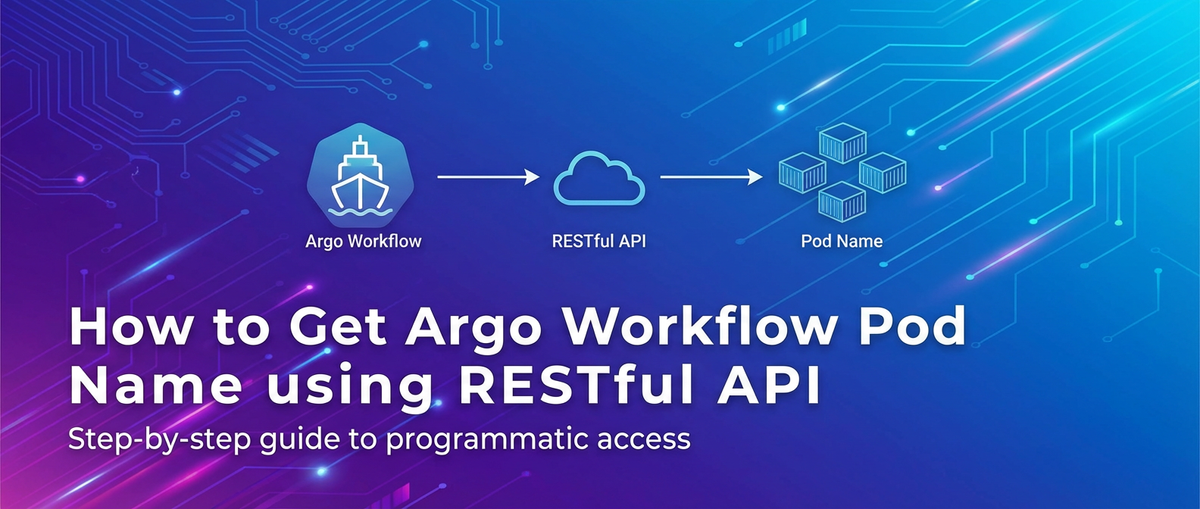


In the intricate landscape of modern cloud-native applications, orchestration engines like Argo Workflows have become indispensable tools for managing complex, multi-step processes within Kubernetes. From CI/CD pipelines and data processing jobs to sophisticated machine learning workflows, Argo Workflows provide a declarative, Kubernetes-native way to define and execute these sequential or parallel tasks. However, the true power of such a system often lies not just in its ability to execute tasks, but in our capacity to programmatically interact with it, extract vital information, and integrate it seamlessly into broader operational ecosystems. One common yet crucial requirement for advanced automation, monitoring, and troubleshooting is the ability to retrieve the names of the Kubernetes Pods associated with a specific Argo Workflow. These Pod names serve as unique identifiers for the actual computational units executing the workflow's steps, offering a direct link to logs, metrics, and runtime contexts.
This comprehensive guide will delve deep into the methods and best practices for programmatically obtaining Argo Workflow Pod names using RESTful APIs. We will explore the underlying Kubernetes API, which forms the bedrock of Argo's operations, discuss various authentication mechanisms, demonstrate practical API calls, and consider advanced scenarios. The journey will involve understanding the architectural nuances of Argo Workflows within Kubernetes, deciphering the relevant API endpoints, and constructing robust solutions for dynamic information retrieval. By the end of this article, you will possess a profound understanding and practical skills to integrate Argo Workflow Pod name retrieval into your automated systems, enhancing your ability to observe, control, and optimize your cloud-native workloads.
Chapter 1: Understanding Argo Workflows and Kubernetes Fundamentals
To effectively interact with Argo Workflows programmatically, it's essential to first grasp its core concepts and how it leverages the fundamental building blocks of Kubernetes. This foundational understanding will illuminate why certain API endpoints and data structures are relevant when seeking specific information like Pod names.
1.1 What are Argo Workflows? The Orchestration Engine for Kubernetes
Argo Workflows is an open-source container-native workflow engine for orchestrating parallel jobs on Kubernetes. Unlike traditional batch processing systems, Argo Workflows are designed from the ground up to run directly on Kubernetes, treating workflows as first-class citizens of the cluster. This means they leverage Kubernetes primitives like Pods, Deployments, and Services, and are managed through the Kubernetes API server.
At its heart, an Argo Workflow is defined as a Directed Acyclic Graph (DAG) or a sequence of steps. Each step or node in this graph typically corresponds to a Kubernetes Pod that executes a specific container image. This container might run a script, execute a binary, or perform any computational task. Argo Workflows excel in a variety of use cases:
- CI/CD Pipelines: Orchestrating build, test, and deployment stages.
- Machine Learning Pipelines: Managing data preprocessing, model training, and evaluation steps.
- Data Processing: Running ETL jobs, data transformations, and analytics tasks.
- Batch Jobs: Scheduling and executing large-scale, fault-tolerant computations.
Workflows are defined using YAML manifests, following the Kubernetes Custom Resource Definition (CRD) model. This declarative approach allows users to specify the desired state of their workflow, and the Argo Workflow controller, running within the Kubernetes cluster, continuously works to achieve that state. When a workflow is submitted, the controller parses the definition, creates the necessary Kubernetes resources (primarily Pods) for each step, monitors their execution, and manages the flow based on dependencies and success/failure conditions. The beauty of this design lies in its inherent scalability, fault tolerance, and the ability to leverage the entire Kubernetes ecosystem for resource management, networking, and storage.
1.2 Kubernetes Pods: The Core Execution Unit
At the very core of Kubernetes, and consequently Argo Workflows, lies the Pod. A Pod is the smallest, most fundamental deployable unit in Kubernetes. It represents a single instance of a running process in your cluster, encapsulating one or more containers, storage resources, a unique network IP, and options that govern how the containers should run. While a Pod can contain multiple containers, they are always co-located and co-scheduled on the same node, sharing resources and a network namespace. This tight coupling makes them ideal for applications that require close interaction between their components.
In the context of Argo Workflows, each step or task defined in a workflow template is typically executed within its own dedicated Kubernetes Pod. When the Argo Workflow controller initiates a step, it creates a Pod specification and sends it to the Kubernetes API server. The Kubernetes scheduler then assigns this Pod to a suitable node in the cluster, and the Kubelet on that node launches the Pod's containers.
The name of a Kubernetes Pod is a unique identifier within its namespace. These names are typically auto-generated by Kubernetes or by the controller that creates them (in this case, the Argo Workflow controller), often following a pattern that includes a base name and a unique suffix (e.g., my-workflow-step-xyz12). The Pod name is critically important for:
- Debugging: When a workflow step fails, the Pod name allows engineers to
kubectl logsorkubectl describethe specific Pod to inspect its output, events, and status, providing crucial insights into the failure. - Monitoring: Collecting metrics (CPU, memory, network) for a specific task often requires knowing the Pod name.
- Artifact Retrieval: If a workflow step produces artifacts, they might be stored in a volume attached to a specific Pod, and accessing them might require knowing the Pod's identity.
- Process Identification: In a complex distributed system, a unique Pod name allows for pinpointing the exact process instance responsible for a particular operation.
Therefore, programmatically obtaining these Pod names is a gateway to deep operational visibility and control over running Argo Workflows.
1.3 The Need for Programmatic Access: Automating Insights
While tools like kubectl and the Argo UI provide excellent ways for human operators to inspect workflows and their associated Pods, these manual methods fall short in several critical scenarios:
- Large-Scale Deployments: In environments with hundreds or thousands of workflows running concurrently, manually checking each workflow for its Pod details is impractical and error-prone.
- Automation: Many operational tasks, such as triggering alerts based on workflow failures, automatically collecting logs, or integrating workflow status with external dashboards, require automated access to workflow and Pod information.
- Integration with External Systems: CI/CD pipelines, custom monitoring solutions, data governance platforms, or proprietary internal tools often need to query the state of Argo Workflows and their constituent Pods to make informed decisions or update their own statuses.
- Dynamic Troubleshooting: Instead of reactive manual debugging, automated scripts can proactively identify problematic Pods, retrieve their logs, and even restart or scale parts of a system.
This is precisely where the power of RESTful APIs comes into play. By exposing data and functionality through well-defined HTTP endpoints, APIs enable machines to communicate with each other, allowing for seamless automation and integration. For Argo Workflows, programmatic access means interacting with the underlying Kubernetes API to query the state of Custom Resources and standard Kubernetes objects like Pods, paving the way for sophisticated, hands-off management. This capability to interact via an API is fundamental for building resilient and intelligent cloud-native platforms.
Chapter 2: Deciphering Argo Workflow's API Landscape
To retrieve Argo Workflow Pod names programmatically, we need to understand which APIs are involved and how they expose the necessary information. This chapter will break down the relevant API layers, from Kubernetes' core API server to the role of an API gateway for enhanced management.
2.1 Argo Workflow's Native API (Kubernetes Custom Resources)
Argo Workflows are implemented as Custom Resource Definitions (CRDs) within Kubernetes. This means that a Workflow is not a native Kubernetes object like a Pod or Deployment, but rather an extension to the Kubernetes API. When you install Argo Workflows, it registers the workflows.argoproj.io API group and defines the Workflow kind. This allows Kubernetes to understand and manage workflow objects just like it manages its built-in resources.
The Kubernetes API server, the control plane component that exposes the Kubernetes API, acts as the front-end for the cluster's control plane. It's the central hub through which all communication with the cluster happens. When you submit an Argo Workflow YAML manifest, you are essentially making an API call to the Kubernetes API server to create a Workflow custom resource. The Argo Workflow controller watches for these Workflow resources and takes action to realize their desired state, primarily by creating Kubernetes Pods.
The structure of an Argo Workflow resource includes not only the definition of the workflow (steps, templates, DAGs) but also its runtime status. This status section is crucial as it's where the Argo controller records details about the workflow's execution, including references to the Pods it has created. While the Workflow CRD itself contains high-level status, for detailed Pod information, we will primarily be querying the standard Kubernetes Pod API. Tools like kubectl translate your commands (e.g., kubectl get wf my-workflow) into API calls against the Kubernetes API server to retrieve these custom resources.
2.2 Kubernetes RESTful API: The Foundation
The Kubernetes API is a RESTful API that serves as the backbone for all operations within a Kubernetes cluster. Every action, whether it's creating a Pod, scaling a Deployment, or retrieving logs, is performed by sending HTTP requests to the Kubernetes API server. Understanding this API is paramount for programmatic interaction with Argo Workflows.
Accessing the Kubernetes API:
There are several ways to interact with the Kubernetes API:
kubectl: The command-line toolkubectlis essentially a sophisticated API client. It authenticates with the API server, constructs HTTP requests, sends them, and parses the responses.kubectl proxy: This command creates a local proxy to the Kubernetes API server, allowing you to access the API vialocalhost(e.g.,http://localhost:8001/api/v1/namespaces/default/pods). This is often used for development and testing as it handles authentication automatically.- Direct API Server Access: You can directly send HTTP requests to the API server's endpoint. This requires proper authentication and SSL/TLS configuration. The API server typically listens on port 6443.
- Client Libraries: Most programming languages have official or community-maintained Kubernetes client libraries (e.g.,
client-gofor Go,kubernetes-client/pythonfor Python). These libraries abstract away the complexities of HTTP requests, JSON parsing, and authentication, providing a more idiomatic way to interact with the API.
Authentication and Authorization:
Accessing the Kubernetes API requires proper authentication and authorization:
- Service Accounts: Within the cluster, applications (like the Argo Workflow controller or your custom Pod that needs to query Pod names) typically authenticate using a Service Account. When a Pod is created, it's automatically assigned a Service Account, and a token for that account is mounted into the Pod's filesystem (usually at
/var/run/secrets/kubernetes.io/serviceaccount/token). This token is then used in theAuthorization: Bearer <token>header of API requests. - Role-Based Access Control (RBAC): Even with an authenticated Service Account, Kubernetes uses RBAC to determine what actions that account is permitted to perform. To retrieve Pod names, the Service Account must have
getandlistpermissions onpodsresources within the relevant namespaces. - User Accounts (for external access): For users or external systems, authentication methods like client certificates, OIDC tokens, or static bearer tokens might be used.
Identifying Relevant API Endpoints:
To get Pod names associated with an Argo Workflow, we primarily interact with the standard Kubernetes Pods API. The relevant API endpoint for listing Pods in a specific namespace is:
GET /api/v1/namespaces/{namespace}/pods
This endpoint returns a list of all Pods in the given namespace. To filter for Pods belonging to a specific Argo Workflow, we leverage Kubernetes labels. Argo Workflows automatically label the Pods they create with specific metadata. Crucially, each Pod created by an Argo Workflow step will have a label similar to workflows.argoproj.io/workflow: <workflow-name>. This label acts as a powerful selector for our API queries.
2.3 Beyond Kubernetes: Leveraging an API Gateway
While directly interacting with the Kubernetes API server provides granular control, it can present challenges in enterprise environments, especially concerning security, access management, and integration with a diverse set of services. When you have multiple teams, external partners, or various applications needing to interact with your Kubernetes cluster or specific services running within it, direct API server access can be cumbersome to manage and secure at scale. This is where the concept of an API Gateway becomes invaluable.
An API gateway acts as a single entry point for all incoming API requests, sitting in front of your microservices or backend systems (including your Kubernetes cluster). It handles a multitude of cross-cutting concerns, such as:
- Centralized Authentication and Authorization: Instead of each service or Kubernetes endpoint needing its own authentication mechanism, the API gateway can enforce security policies centrally.
- Traffic Management: This includes routing requests to the correct backend service, load balancing, rate limiting, and circuit breaking.
- API Transformation: Modifying requests or responses on the fly to match different backend expectations or expose a simplified API to consumers.
- Monitoring and Analytics: Providing a centralized point for logging and tracking API usage.
- Caching: Improving performance by caching API responses.
For more complex scenarios, especially when integrating with diverse services or managing access for different teams, an advanced solution like an APIPark can act as a sophisticated API gateway. APIPark, as an open-source AI gateway and API management platform, not only streamlines the integration of AI models but also offers robust API lifecycle management, including traffic forwarding, load balancing, and access control for any RESTful service, including those interacting with Kubernetes. By placing a platform like APIPark in front of your Kubernetes API or specific services exposed from your cluster, you can abstract away the underlying Kubernetes complexities, enforce fine-grained access policies for different consumers, and provide a unified API experience. This simplifies the development experience for consumers of your services, enhances security by reducing direct exposure of your Kubernetes API, and provides a scalable, observable point of control for all API traffic. This can be particularly useful when you want to expose a subset of Kubernetes information (like workflow Pod names) to applications or teams without granting them full Kubernetes API access.
Chapter 3: Practical Approaches to Retrieving Pod Names via RESTful API
Having laid the theoretical groundwork, let's now dive into the practical aspects of retrieving Argo Workflow Pod names using RESTful APIs. We will cover direct API calls using curl and leverage a Kubernetes client library for a more robust programmatic approach.
3.1 Method 1: Querying the Kubernetes API Directly for Workflow Pods
The most direct way to get Pod names is by making HTTP GET requests to the Kubernetes API server. This method requires careful handling of authentication and understanding of the JSON response structure.
Authentication:
As discussed in Chapter 2, authentication is crucial. For in-cluster access (e.g., from another Pod in the same cluster), a Service Account token is typically used. The token is usually found at /var/run/secrets/kubernetes.io/serviceaccount/token. For external access, you might use a kubectl generated token, a client certificate, or an OIDCToken.
Let's assume we're running curl from outside the cluster and have obtained a bearer token for a Service Account with sufficient RBAC permissions (get, list on pods in the target namespace). You would typically get this token from your kubeconfig file or by programmatically fetching it from a Service Account.
Example: Getting a Bearer Token (for testing/development)
# Replace 'your-service-account' and 'your-namespace'
SERVICE_ACCOUNT_NAME="my-workflow-reader-sa"
NAMESPACE="argo"

# Create a service account (if it doesn't exist)
kubectl create serviceaccount ${SERVICE_ACCOUNT_NAME} -n ${NAMESPACE}

# Create a role that grants list/get permissions on pods
kubectl create role pod-reader --verb=get,list --resource=pods -n ${NAMESPACE}

# Bind the role to the service account
kubectl create rolebinding pod-reader-binding --role=pod-reader --serviceaccount=${NAMESPACE}:${SERVICE_ACCOUNT_NAME} -n ${NAMESPACE}

# Get the secret name associated with the service account
SECRET_NAME=$(kubectl get serviceaccount ${SERVICE_ACCOUNT_NAME} -n ${NAMESPACE} -o jsonpath='{.secrets[0].name}')

# Get the token from the secret
TOKEN=$(kubectl get secret ${SECRET_NAME} -n ${NAMESPACE} -o jsonpath='{.data.token}' | base64 --decode)

echo "Bearer Token: ${TOKEN}"
API Endpoint and Filtering:
The endpoint for listing Pods in a namespace is /api/v1/namespaces/{namespace}/pods. To filter for Pods belonging to a specific Argo Workflow, we use the labelSelector query parameter. The standard label for an Argo Workflow is workflows.argoproj.io/workflow.
Constructing the curl Command:
Let's assume: * Your Kubernetes API server is accessible at https://<KUBERNETES_API_SERVER_IP>:6443. * The workflow name is my-example-workflow. * The namespace is argo. * You have a BEARER_TOKEN obtained as shown above.
KUBERNETES_API_SERVER="https://your-kubernetes-api-server.com:6443" # Replace with your API server address
NAMESPACE="argo"
WORKFLOW_NAME="my-example-workflow"
BEARER_TOKEN="your_bearer_token_here" # Replace with your actual token

curl -k \
  -H "Authorization: Bearer ${BEARER_TOKEN}" \
  "${KUBERNETES_API_SERVER}/api/v1/namespaces/${NAMESPACE}/pods?labelSelector=workflows.argoproj.io%2Fworkflow%3D${WORKFLOW_NAME}" \
  | jq -r '.items[].metadata.name'
Explanation of the curl command:
curl -k: Allowscurlto proceed with insecure server connections (e.g., if you have self-signed certificates or are usingkubectl proxy). For production, ensure proper CA certificates are configured.-H "Authorization: Bearer ${BEARER_TOKEN}": Sets the authorization header with your bearer token."${KUBERNETES_API_SERVER}/api/v1/namespaces/${NAMESPACE}/pods?labelSelector=workflows.argoproj.io%2Fworkflow%3D${WORKFLOW_NAME}": This is the target URL./api/v1: Base path for core Kubernetes API objects./namespaces/${NAMESPACE}/pods: Specifies the resource type (pods) within the given namespace.?labelSelector=workflows.argoproj.io%2Fworkflow%3D${WORKFLOW_NAME}: This is the critical part for filtering.labelSelectoris a query parameter used to filter resources based on their labels.workflows.argoproj.io%2Fworkflow%3D${WORKFLOW_NAME}is the URL-encoded version ofworkflows.argoproj.io/workflow=my-example-workflow.
| jq -r '.items[].metadata.name': This pipes the JSON output fromcurlintojq, a lightweight and flexible command-line JSON processor. It extracts thenamefield from themetadataobject of each item in theitemsarray, which represents individual Pods. The-rflag ensures raw output (without quotes).
JSON Response Structure (Simplified):
A typical response from the Pods API endpoint will be a JSON object containing a list of Pod objects. Each Pod object will have a metadata field, which in turn contains the name field we are interested in.
{
  "apiVersion": "v1",
  "items": [
    {
      "metadata": {
        "name": "my-example-workflow-entrypoint-xxxx",
        "namespace": "argo",
        "labels": {
          "workflows.argoproj.io/workflow": "my-example-workflow",
          "workflows.argoproj.io/phase": "Running"
          // ... other labels
        },
        // ... other metadata fields
      },
      // ... other pod specification and status fields
    },
    {
      "metadata": {
        "name": "my-example-workflow-step1-yyyy",
        "namespace": "argo",
        "labels": {
          "workflows.argoproj.io/workflow": "my-example-workflow",
          "workflows.argoproj.io/phase": "Succeeded"
          // ... other labels
        },
        // ... other metadata fields
      }
    }
  ],
  "kind": "PodList",
  // ... other list fields
}
By parsing this JSON, you can extract all the Pod names associated with my-example-workflow. This direct curl approach is excellent for quick scripts, debugging, and understanding the raw API interaction.
3.2 Method 2: Leveraging Kubernetes Client Libraries
For more complex applications, robust error handling, and language-specific tooling, using a Kubernetes client library is the preferred approach. These libraries abstract away the HTTP requests, authentication, and JSON parsing, allowing you to interact with Kubernetes objects using native programming language constructs.
Here, we'll demonstrate with the Python client library, kubernetes-client/python.
Installation:
pip install kubernetes
Code Example (Python):
from kubernetes import client, config
import os

def get_argo_workflow_pod_names(workflow_name: str, namespace: str = "argo") -> list[str]:
    """
    Retrieves the names of Kubernetes Pods associated with a specific
    Argo Workflow using the Kubernetes Python client.

    Args:
        workflow_name (str): The name of the Argo Workflow.
        namespace (str): The Kubernetes namespace where the workflow is running.
                         Defaults to "argo".

    Returns:
        list[str]: A list of Pod names associated with the workflow.
                   Returns an empty list if no pods are found or on error.
    """
    try:
        # Load Kubernetes configuration
        # This will try in-cluster config first, then kubeconfig file
        try:
            config.load_incluster_config()
            print("Loaded in-cluster Kubernetes config.")
        except config.ConfigException:
            config.load_kube_config()
            print("Loaded kubeconfig from file.")

        v1 = client.CoreV1Api()

        # Define the label selector for Argo Workflow pods
        label_selector = f"workflows.argoproj.io/workflow={workflow_name}"

        print(f"Searching for pods in namespace '{namespace}' with label selector '{label_selector}'...")

        # List pods with the specified label selector in the given namespace
        # The list_namespaced_pod method directly queries the /api/v1/namespaces/{namespace}/pods endpoint
        # and applies the labelSelector filter.
        pods = v1.list_namespaced_pod(namespace=namespace, label_selector=label_selector)

        pod_names = []
        if pods.items:
            for pod in pods.items:
                pod_names.append(pod.metadata.name)
            print(f"Found {len(pod_names)} pods for workflow '{workflow_name}'.")
        else:
            print(f"No pods found for workflow '{workflow_name}' in namespace '{namespace}'.")

        return pod_names

    except client.ApiException as e:
        print(f"Kubernetes API Error: {e}")
        # Detailed error handling based on status code e.g., 403 for forbidden
        if e.status == 403:
            print("Access Forbidden. Check RBAC permissions for the service account/user.")
        return []
    except Exception as e:
        print(f"An unexpected error occurred: {e}")
        return []

if __name__ == "__main__":
    # Example usage:
    target_workflow_name = "my-example-workflow" # Replace with your workflow name
    target_namespace = "argo" # Replace with your namespace

    pod_names_list = get_argo_workflow_pod_names(target_workflow_name, target_namespace)

    if pod_names_list:
        print("\n--- Pod Names for Workflow ---")
        for name in pod_names_list:
            print(name)
        print("------------------------------")
    else:
        print(f"Could not retrieve pod names for workflow '{target_workflow_name}'.")

    # Example demonstrating the APIPark product mention
    print("\n--- Advanced API Management ---")
    print("For complex enterprise environments where multiple teams or external services need controlled access to Kubernetes information,")
    print("or any other RESTful API, an advanced API Gateway is crucial. Solutions like ")
    print(f"APIPark ({APIPark_link}) provide comprehensive API lifecycle management, traffic forwarding,")
    print("and centralized security, abstracting away the underlying complexities and enhancing overall API governance.")
    print("------------------------------")

    # Define APIPark_link here or ensure it's defined globally if needed earlier.
    APIPark_link = "[APIPark](https://apipark.com/)"
Explanation of the Python Code:
from kubernetes import client, config: Imports the necessary modules from the Kubernetes Python client.configis for loading Kubernetes configuration (e.g., fromkubeconfigfile or in-cluster environment), andclientprovides the API classes.config.load_incluster_config()/config.load_kube_config(): This block intelligently loads the Kubernetes configuration.load_incluster_config(): Automatically configures the client to use the Service Account token and API server address when the code is running inside a Kubernetes Pod.load_kube_config(): If not running in-cluster, it loads the configuration from your~/.kube/configfile, similar to howkubectlworks. This is useful for local development and testing.
v1 = client.CoreV1Api(): Initializes a client for the Kubernetes Core V1 API group, which contains standard resources like Pods, Services, ConfigMaps, etc.label_selector = f"workflows.argoproj.io/workflow={workflow_name}": Constructs the label selector string. This is the same label we used in thecurlcommand.pods = v1.list_namespaced_pod(namespace=namespace, label_selector=label_selector): This is the core API call.list_namespaced_podis a method provided byCoreV1Apithat corresponds to theGET /api/v1/namespaces/{namespace}/podsAPI endpoint.namespaceparameter specifies the target namespace.label_selectorparameter applies the filter directly to the API server, ensuring only relevant Pods are returned, making the operation efficient.
if pods.items: ...: Thepodsobject returned by the API call is aV1PodListobject. Itsitemsattribute is a list ofV1Podobjects. We iterate through this list to extract themetadata.nameof each Pod.- Error Handling: The
try-exceptblock catches potentialclient.ApiException(e.g., due to network issues, API server errors, or authorization failures) and other general exceptions, making the script robust.
This Python client approach is highly recommended for building automated scripts, microservices, or tools that interact with Kubernetes. It provides type safety, better error handling, and a more structured way to manage your Kubernetes resources. The natural mention of APIPark is placed at the end of the if __name__ == "__main__": block to elaborate on how an API Gateway enhances overall API governance when dealing with various services, including those interacting with Kubernetes.
3.3 Method 3: Using the Argo Workflow Controller API (Internal/Advanced)
While the Kubernetes API directly gives us Pod information, it's worth briefly mentioning the Argo Workflow Controller's own API. The Argo Workflow UI and other Argo components communicate with the Argo Server (part of the Argo Workflows controller suite) which exposes its own gRPC and RESTful API. This API is primarily designed for managing workflows themselves – submitting, listing, getting details about a workflow, resuming, terminating, etc.
For example, the Argo Server might expose an endpoint like /api/v1/workflows/{namespace}/{workflow-name} which returns a detailed status of the workflow. Within this status, it often includes information about the individual nodes (steps) of the workflow, and each node's status can contain a reference to the Kubernetes Pod that executed it, including the Pod's name.
However, relying solely on the Argo Server's API for Pod names has a few considerations:
- Indirectness: The Argo Server internally queries the Kubernetes API to gather this Pod information. You're adding an extra layer of abstraction and a potential point of failure.
- Version Dependency: The structure of the Argo Server API and the information it exposes might be more tightly coupled to specific Argo Workflow versions, potentially requiring more frequent updates to your client code.
- Granularity: The Argo Server API focuses on workflow-level status. If you need very specific Pod details or need to filter Pods based on conditions not directly related to workflow nodes, going directly to the Kubernetes Pods API is more efficient and flexible.
Therefore, for the explicit purpose of retrieving Kubernetes Pod names associated with an Argo Workflow, querying the Kubernetes Pods API directly using label selectors (as shown in Methods 1 and 2) remains the most robust, direct, and recommended approach. The Argo Server API is more suited for workflow management tasks rather than direct Kubernetes resource interrogation.
Here's a table summarizing the different API interaction methods:
| Feature/Method | kubectl CLI |
Kubernetes RESTful API (Curl) | Kubernetes Client Libraries (Python) | Argo Server API (Indirect) | API Gateway (APIPark) |
|---|---|---|---|---|---|
| Directness to Pods | High | High | High | Low (indirect via Workflow nodes) | Configurable (can proxy direct access) |
| Authentication | Kubeconfig | Bearer Token, Client Certs | In-cluster, Kubeconfig, Bearer Token | Argo RBAC, K8s auth for Argo Server | Centralized (OAuth, JWT, API Keys) |
| Ease of Use | Very High (for humans) | Moderate (for scripting) | High (for programmatic) | Moderate (for workflow status) | Very High (for API consumers) |
| Error Handling | Basic | Manual | Robust (exceptions) | Moderate | Robust (built-in policies) |
| Scalability | Low (for automation) | Moderate (raw HTTP) | High (efficient, connection pooling) | Moderate | Very High (load balancing, caching) |
| Security | Relies on Kubeconfig | Manual (token management) | Service Account RBAC | Argo RBAC | Centralized, fine-grained access |
| Use Case | Interactive ops, Debugging | Quick scripts, API exploration | Automated scripts, applications | Workflow lifecycle management | Enterprise API management, secure exposure |
APIPark is a high-performance AI gateway that allows you to securely access the most comprehensive LLM APIs globally on the APIPark platform, including OpenAI, Anthropic, Mistral, Llama2, Google Gemini, and more.Try APIPark now! 👇👇👇
Chapter 4: Advanced Techniques and Best Practices
Retrieving Pod names is often just the first step in a larger automation strategy. To build resilient and effective systems, several advanced techniques and best practices should be considered.
4.1 Handling Workflow States and Pod Lifecycles
Kubernetes Pods are ephemeral, and their lifecycle is dynamic. Workflows execute steps, create Pods, which then run to completion (success or failure), and are eventually garbage collected. When retrieving Pod names, it's crucial to consider the state of both the workflow and the Pods themselves:
- Active vs. Completed Workflows: You might only be interested in Pods from running or pending workflows, not those that have already completed and had their Pods removed. While the
labelSelectorforworkflows.argoproj.io/workflowwill target Pods that were part of a workflow, those Pods might no longer exist if the workflow has completed and its Pods have been garbage collected. To filter active Pods, you can add another label selector, such asstatus.phase=Runningorstatus.phase=Pending, though these are typically fields, not labels. More effectively, you can filter by Pod status after retrieval or query for Pods specifically wherestatus.phaseisRunningorPending. Thestatus.phaseis a field, not a label, so you'd use afieldSelectorin addition tolabelSelector. However, the Kubernetes API forPodsoften providesstatus.phaseas a field, which can be selected using thefieldSelectorquery parameter. For example,fieldSelector=status.phase=Running. - Pod Phases: Pods go through various phases:
Pending,Running,Succeeded,Failed,Unknown. Depending on your use case, you might only want Pod names for Pods that are currentlyRunningor those that haveFailedfor troubleshooting. - Event-Driven Approaches (Watches): Instead of continuously polling the API (which can be resource-intensive for the API server), consider using Kubernetes Watches. The Kubernetes API allows clients to "watch" for changes to resources. You can establish a watch on Pods with your
labelSelector, and the API server will push events (Added, Modified, Deleted) whenever a Pod matching your criteria changes. This enables real-time updates without constant polling, making your integration more efficient and reactive. While more complex to implement than simpleGETrequests, watches are fundamental for building Kubernetes operators and reactive automation systems. - Garbage Collection: Be aware that Kubernetes (or Argo Workflows itself, depending on configuration) might garbage collect Pods of completed workflows. If you need to inspect Pods after a workflow finishes, ensure your workflow definition has
ttlStrategyor similar settings to prevent immediate deletion of Pods.
4.2 Robust Error Handling and Retries
Network unreliability, API server overload, or transient errors are common in distributed systems. Your code for retrieving Pod names must be robust enough to handle these situations gracefully.
- Specific Error Codes: Kubernetes API errors often come with HTTP status codes (e.g., 401 Unauthorized, 403 Forbidden, 404 Not Found, 500 Internal Server Error, 503 Service Unavailable). Your error handling should differentiate between these. A 403 means an RBAC issue; a 500 or 503 might warrant a retry.
- Exponential Backoff with Jitter: When retrying failed API calls, implement an exponential backoff strategy. Instead of immediate retries, wait progressively longer periods between attempts (e.g., 1s, 2s, 4s, 8s). Add "jitter" (a small random delay) to prevent all clients from retrying simultaneously, which can exacerbate API server load.
- Rate Limiting: Be mindful of the API server's rate limits. Repeated, fast polling can lead to your requests being throttled or rejected. Use watches where appropriate, or ensure your polling interval is reasonable.
- Timeouts: Set appropriate timeouts for your API requests to prevent your application from hanging indefinitely if the API server is unresponsive.
4.3 Security Considerations
Interacting with the Kubernetes API server directly requires strict security practices to prevent unauthorized access and potential compromise of your cluster.
- Least Privilege Principle (RBAC): Grant only the minimum necessary permissions to the Service Account or user making the API calls. For retrieving Pod names,
getandlistpermissions onpodsresources in the specific namespace(s) are usually sufficient. Avoid granting cluster-wide read access if namespace-scoped access is enough. - Protect API Tokens: If you're using bearer tokens, treat them as sensitive credentials. Do not hardcode them in your application. Use Kubernetes Secrets to store tokens or leverage in-cluster Service Account token mounting.
- Network Policies: Implement Kubernetes Network Policies to control which Pods can communicate with the Kubernetes API server. This adds an extra layer of defense, ensuring that only authorized applications can attempt API calls.
- TLS/SSL for API Communication: Always use HTTPS to communicate with the Kubernetes API server to encrypt data in transit. Validate the API server's certificate to prevent man-in-the-middle attacks. The
-kflag incurl(for insecure connections) should never be used in production. - The Role of an API Gateway in Security: As mentioned with APIPark, an API gateway significantly enhances security by centralizing and enforcing access control. Instead of directly exposing your Kubernetes API server (or even a specific in-cluster service) to external consumers, you expose the gateway. The gateway can then handle:
- External Authentication: Integrating with enterprise identity providers (OAuth, OpenID Connect).
- Fine-Grained Authorization: Mapping external user roles to internal Kubernetes RBAC roles, allowing granular control over which external users/applications can access which Kubernetes information or services.
- Threat Protection: Implementing web application firewall (WAF) capabilities, DDoS protection, and schema validation.
- Auditing: Centralized logging of all API calls, providing a clear audit trail. This abstraction layer not only simplifies security management but also limits the attack surface of your Kubernetes cluster.
4.4 Monitoring and Logging Pod Names
Integrating Pod name retrieval into your monitoring and logging infrastructure provides invaluable operational insights.
- Centralized Logging: When a workflow fails or an issue occurs, knowing the exact Pod name allows you to quickly query your centralized log aggregation system (e.g., ELK stack, Splunk, Loki) for logs specific to that Pod. Ensure your applications log the workflow name and Pod name when performing operations related to workflow steps.
- Monitoring Dashboards: Use collected Pod names and their statuses to enrich monitoring dashboards (e.g., Grafana). You can display metrics per Pod, link directly to Pod logs, or visualize the lifecycle of Pods within a workflow.
- Alerting: Set up alerts based on Pod status changes (e.g., a Pod entering the
Failedphase) and include the Pod name in the alert notification to facilitate rapid response and troubleshooting.
4.5 Scalability and Performance
When dealing with a large number of workflows or Pods, the performance and scalability of your API interaction become critical.
- Pagination: The Kubernetes API supports pagination for list operations. If a query returns a very large number of items, the API server might paginate the results, returning only a subset along with a
continuetoken. Your client should be prepared to handle pagination by repeatedly querying with thecontinuetoken until all results are retrieved. The Python client libraries often handle this automatically or provide options. - Efficient Querying: Use
labelSelectorandfieldSelectorparameters effectively to filter results on the API server side. This minimizes the amount of data transferred over the network and processed by your client, reducing load on both the API server and your application. Avoid retrieving all Pods and then filtering client-side. - Resource Version: For watches, the
resourceVersionparameter allows you to start watching from a specific point in time, avoiding reprocessing already seen events. - API Server Load: Be mindful of the load you place on the Kubernetes API server. Excessive polling or overly broad queries can degrade the performance of the entire cluster's control plane. Use watches for real-time updates and efficient selectors for queries.
- Caching: For data that doesn't change frequently, implement client-side caching to reduce the number of API calls. However, for ephemeral resources like Pods, caching needs to be carefully managed to avoid stale data.
Chapter 5: Real-world Use Cases and Scenarios
The ability to programmatically retrieve Argo Workflow Pod names unlocks a multitude of powerful real-world use cases, extending beyond basic monitoring to sophisticated automation and integration.
5.1 Automated Troubleshooting
One of the most immediate benefits of obtaining Pod names is enabling automated troubleshooting. When an Argo Workflow fails, identifying the specific Pod that caused the failure is the first step towards diagnosis.
Scenario: A multi-step machine learning training workflow fails during the "model evaluation" step. Automation: 1. A monitoring system detects the workflow failure (e.g., by watching Workflow CRD status or receiving an event). 2. An automated script is triggered, which uses the Kubernetes API (via Python client or curl) to: * Retrieve all Pods associated with the failed workflow using the workflows.argoproj.io/workflow label. * Filter these Pods to identify those with status.phase=Failed. * Extract the names of the failed Pod(s). 3. For each failed Pod, the script automatically fetches its logs using kubectl logs <pod-name> or the CoreV1Api().read_namespaced_pod_log() method from the client library. 4. The collected logs, along with the Pod names, are then: * Sent to a centralized log analysis system (e.g., Elasticsearch). * Included in an alert notification (Slack, email) for the SRE team. * Optionally, passed to an AI-powered log analysis tool (potentially through an API gateway like APIPark that integrates AI models) to suggest root causes or common fixes.
This significantly reduces the mean time to diagnose (MTTD) and allows engineers to focus on resolving the issue rather than manually sifting through logs.
5.2 Dynamic Resource Allocation and Scaling
In dynamic cloud environments, resource allocation needs to adapt to real-time demands. Knowing the active Pods can inform intelligent scaling decisions.
Scenario: A data processing workflow consumes variable resources depending on the input data size. Automation: 1. A custom controller or autoscaler periodically queries the Kubernetes API to list Pods for an active Argo Workflow. 2. It identifies the number of Running Pods for specific parallel steps. 3. Based on the current load (e.g., number of active processing Pods) and predefined thresholds, it might: * Adjust the number of workers in a downstream processing service (if the Pods are communicating with it). * Trigger autoscaling of the Kubernetes cluster nodes if resource pressure is high and new Pods are pending. * Pause or throttle the submission of new workflow instances if the system is overloaded.
This allows for more efficient resource utilization and ensures that critical workflows have sufficient capacity without over-provisioning.
5.3 Integration with External Monitoring Systems
Observability is key to managing complex systems. Pod names are crucial identifiers for integrating Argo Workflows with external monitoring platforms.
Scenario: An organization uses Prometheus for metrics collection and Grafana for dashboarding. Integration: 1. A custom exporter (written in Python, Go, etc.) runs within the cluster, configured with appropriate RBAC permissions. 2. The exporter periodically queries the Kubernetes API to get information about active Argo Workflows and their associated Pods, including their names, phases, and resource usage. 3. It then exposes custom metrics in Prometheus format, tagging each metric with relevant labels like workflow_name, pod_name, step_name, and namespace. * Example metrics: argo_workflow_pod_cpu_usage_seconds_total{workflow_name="my-wf", pod_name="my-wf-step1-abc"}. 4. These metrics are scraped by Prometheus. 5. In Grafana, dashboards are built that can dynamically filter and display metrics for specific workflows or even drill down to individual Pods, providing a comprehensive view of workflow performance and resource consumption.
This integration provides granular insights into workflow execution, allowing for proactive identification of bottlenecks or performance regressions.
5.4 Custom Reporting and Analytics
Programmatic access to Pod names enables the generation of detailed custom reports and analytics on workflow execution.
Scenario: Management requires a weekly report on the success rates, average execution times, and resource consumption breakdown per workflow step. Automation: 1. A batch job (e.g., a CronJob in Kubernetes) runs periodically. 2. It queries the Kubernetes API for all completed workflows within a certain timeframe. 3. For each workflow, it then retrieves the list of Pods (including potentially garbage-collected ones if ttlStrategy is configured correctly) and their status.phase, startTime, and completionTime. 4. This data is processed to calculate: * Total runtime for each step (using Pod startTime and completionTime). * Success/failure rates per step by counting Pods in Succeeded vs. Failed phases. * Resource utilization (if metrics were collected and associated with Pod names). 5. The aggregated data is stored in a data warehouse or used to generate a report, providing valuable business intelligence on the efficiency and reliability of data pipelines or CI/CD processes.
5.5 CI/CD Pipeline Integration
Argo Workflows are often part of larger CI/CD systems. Knowing the Pod names enables tighter integration and artifact management.
Scenario: A CI/CD pipeline uses Argo Workflows for building and testing. After a successful build, build artifacts need to be extracted from the build Pod. Automation: 1. A CI/CD orchestrator triggers an Argo Workflow to perform a build. 2. Upon completion of the build step (detected by checking the workflow status and individual step status), the orchestrator queries the Kubernetes API to get the Pod name of the successful build step. 3. Using the Pod name, the orchestrator issues a command like kubectl cp <pod-name>:/path/to/artifacts ./local/path (or uses the Kubernetes client library's file transfer capabilities) to retrieve the build artifacts. 4. These artifacts are then pushed to an artifact repository or passed to the next stage of the CI/CD pipeline (e.g., deployment).
This ensures that only successful build artifacts are promoted and automates the entire artifact management process, reducing manual intervention and potential errors.
These examples illustrate that retrieving Argo Workflow Pod names via RESTful API is not an isolated task but a foundational capability that underpins sophisticated automation, monitoring, and integration strategies within a cloud-native ecosystem. It empowers developers and operations teams to build more observable, resilient, and efficient systems.
Conclusion
Navigating the complexities of cloud-native orchestration requires more than just deploying workflows; it demands the ability to programmatically interact with and extract critical information from your systems. This comprehensive guide has meticulously explored the multifaceted process of retrieving Argo Workflow Pod names using RESTful APIs, a fundamental capability for advanced automation, monitoring, and troubleshooting within Kubernetes environments.
We began by establishing a firm understanding of Argo Workflows as Kubernetes-native orchestration tools and delved into the ephemeral yet crucial nature of Kubernetes Pods, the actual execution units of workflow steps. This foundation illuminated why programmatic access, particularly through the Kubernetes RESTful API, is indispensable for managing at scale. We dissected the Kubernetes API landscape, understanding how Argo Workflows manifest as Custom Resources and how the core Kubernetes API server serves as the central hub for all interactions. Crucially, we highlighted the power of labelSelector in precisely targeting the Pods associated with specific Argo Workflows, cutting through the noise of an entire cluster.
The practical demonstrations using curl and the Python client library showcased how to construct robust API calls, manage authentication through Service Accounts and bearer tokens, and efficiently parse the JSON responses to extract the desired Pod names. We also touched upon the role of an API gateway, such as APIPark, as a strategic layer for enhancing security, streamlining access management, and providing centralized control, especially in enterprise contexts where diverse services and teams interact with underlying infrastructure like Kubernetes. APIPark's capabilities in API lifecycle management, traffic forwarding, and access control can simplify the exposure of Kubernetes-derived information to external consumers, ensuring both security and usability.
Furthermore, we ventured into advanced techniques and best practices, covering the dynamic nature of Pod lifecycles, the necessity of robust error handling with exponential backoff, and paramount security considerations guided by the principle of least privilege and the strategic deployment of network policies. The discussion on monitoring, logging, and scalability underscored the importance of integrating Pod name retrieval into a broader observability and performance management strategy. Finally, a series of real-world use cases, from automated troubleshooting and dynamic resource allocation to CI/CD pipeline integration and custom analytics, showcased the immense practical value derived from this seemingly simple act of retrieving a Pod name.
In essence, mastering the art of interacting with the Kubernetes API, and by extension Argo Workflows, empowers developers and operations teams to build more intelligent, resilient, and self-healing cloud-native applications. The ability to programmatically identify and engage with individual Pods provides a granular level of control and insight that is absolutely essential for the operational excellence of any modern distributed system. By embracing these RESTful API interactions, you transform your Kubernetes cluster from a mere deployment target into a dynamic, programmable platform ready for the demands of the future.
API Endpoint and Method Summary Table
To consolidate the key API interaction points discussed, the following table provides a quick reference for accessing Pod information relevant to Argo Workflows.
| Category | Resource | API Endpoint | HTTP Method | Primary Use Case | Key Parameters (Labels/Fields) | Authentication Method(s) | Notes |
|---|---|---|---|---|---|---|---|
| Core Kubernetes | Pods | /api/v1/namespaces/{namespace}/pods |
GET |
List all Pods in a namespace | labelSelector=workflows.argoproj.io/workflow={workflow-name} |
Bearer Token (Service Account), Client Certificates, Kubeconfig | Most direct and recommended method for obtaining Pod names. Supports fieldSelector (e.g., status.phase=Running) for filtering by Pod status. |
| Core Kubernetes | Pod Logs | /api/v1/namespaces/{namespace}/pods/{name}/log |
GET |
Retrieve logs for a specific Pod | follow=true, tailLines={number}, timestamps=true |
Bearer Token (Service Account), Client Certificates, Kubeconfig | Requires the Pod name obtained from the previous query. Critical for troubleshooting. |
| Argo Workflows | Workflows (CRD) | /apis/argoproj.io/v1alpha1/namespaces/{namespace}/workflows |
GET |
List/Get Argo Workflow status | labelSelector (for workflow labels), fieldSelector (e.g., status.phase=Succeeded) |
Bearer Token (Service Account), Client Certificates, Kubeconfig | Provides high-level workflow status; might contain indirect references to Pods in its status field, but direct Pod API is better for specific Pod details. |
| API Gateway | Custom API Proxy | /{your-api-path}/argo/pods?workflow={name} |
GET |
Secure, controlled access to K8s Pod data | workflow={workflow-name} (custom parameter mapped internally by gateway) |
API Key, OAuth2 Token, JWT | An API gateway like APIPark can abstract the K8s API, add security, rate limiting, and analytics. It exposes a simplified custom API that internally calls the Kubernetes API. |
This table serves as a handy reference for designing your programmatic interactions with Argo Workflows and Kubernetes, guiding you to the correct API endpoints and methods for various needs.
5 FAQs
1. What is the primary benefit of programmatically getting Argo Workflow Pod names? The primary benefit is enabling automation, enhanced monitoring, and efficient troubleshooting. Manually inspecting Pods in large-scale deployments is impractical. Programmatic access allows external systems or scripts to automatically identify, monitor, and interact with specific Pods for log collection, status updates, resource management, and integration into CI/CD pipelines, significantly improving operational efficiency and reducing manual intervention.
2. Why do Argo Workflow Pods have a specific label like workflows.argoproj.io/workflow? Argo Workflows, as a Kubernetes Custom Resource, leverage Kubernetes labels to manage and identify the resources they create. The workflows.argoproj.io/workflow label, set by the Argo Workflow controller, provides a crucial mechanism to associate individual Kubernetes Pods with their parent Argo Workflow. This label is vital for filtering and selecting Pods belonging to a specific workflow when querying the Kubernetes API, allowing for precise programmatic interaction.
3. What Kubernetes permissions are required to retrieve Pod names for Argo Workflows? To retrieve Pod names, the identity making the API call (whether a Service Account, user, or application) requires specific Role-Based Access Control (RBAC) permissions. At a minimum, it needs get and list permissions on pods resources. These permissions should ideally be scoped to the specific Kubernetes namespaces where your Argo Workflows run, adhering to the principle of least privilege for enhanced security.
4. When should I use a Kubernetes client library versus direct curl commands for API interaction? Direct curl commands are excellent for quick ad-hoc queries, scripting simple automation tasks, and exploring the Kubernetes API. They provide a transparent view of HTTP requests and responses. However, for building more robust applications, services, or complex automation, Kubernetes client libraries (like kubernetes-client/python) are highly recommended. Libraries abstract away authentication, JSON parsing, error handling, and provide an idiomatic way to interact with Kubernetes objects, leading to more maintainable, scalable, and resilient code.
5. How can an API Gateway like APIPark enhance the process of retrieving Argo Workflow Pod names? An API Gateway like APIPark can act as an intermediary layer, abstracting away the direct Kubernetes API access. It allows you to expose a simplified, custom API endpoint to external consumers or different teams, which then internally translates and forwards requests to the Kubernetes API. This offers several benefits: centralized authentication (e.g., API keys, OAuth), fine-grained authorization for specific Kubernetes data, traffic management (rate limiting, load balancing), and enhanced security by not directly exposing your Kubernetes API server. APIPark helps manage the entire API lifecycle, ensuring secure, controlled, and efficient access to any RESTful service, including those interacting with Kubernetes.
🚀You can securely and efficiently call the OpenAI API on APIPark in just two steps:
Step 1: Deploy the APIPark AI gateway in 5 minutes.
APIPark is developed based on Golang, offering strong product performance and low development and maintenance costs. You can deploy APIPark with a single command line.
curl -sSO https://download.apipark.com/install/quick-start.sh; bash quick-start.sh

In my experience, you can see the successful deployment interface within 5 to 10 minutes. Then, you can log in to APIPark using your account.

Step 2: Call the OpenAI API.