How to Get Argo Workflow Pod Name via RESTful API


In the intricate landscape of modern cloud-native architectures, automation, orchestration, and continuous monitoring have become indispensable pillars for robust and scalable operations. At the heart of this paradigm lies Kubernetes, the de facto standard for container orchestration, and its powerful extensions, such as Argo Workflows. Argo Workflows stands out as a native Kubernetes workflow engine that orchestrates parallel jobs, perfect for complex multi-step pipelines, data processing, and CI/CD. However, as these workflows execute, they spawn numerous transient resources, primarily Kubernetes pods, each serving a specific step or task within the workflow. For developers, operators, and automation engineers, the ability to programmatically interact with these ephemeral resources, particularly to identify and retrieve their unique pod names, is not merely a convenience but a critical necessity for advanced automation, meticulous logging, and nuanced troubleshooting.
This comprehensive guide delves into the mechanisms of obtaining Argo Workflow pod names using the Kubernetes RESTful API. We will navigate the underlying principles of Kubernetes, explore the architecture of Argo Workflows, dissect the intricacies of API authentication and authorization, and provide practical, detailed examples using curl and Python. Our journey will extend beyond mere retrieval, touching upon best practices for API interaction, security considerations, performance implications, and how modern API management solutions can streamline these complex interactions, ensuring both efficiency and robust governance. By the end of this exploration, you will possess a profound understanding and practical toolkit to confidently integrate programmatic pod name retrieval into your operational workflows, unlocking a new level of control and observability over your Argo-orchestrated processes.
Understanding Argo Workflows in Depth
Argo Workflows is a powerful open-source container-native workflow engine for orchestrating parallel jobs on Kubernetes. It enables users to define multi-step workflows as directed acyclic graphs (DAGs) or sequences of steps, where each step runs as a container within a Kubernetes pod. This declarative approach, leveraging Kubernetes Custom Resources (CRDs), makes Argo Workflows inherently scalable, resilient, and deeply integrated with the Kubernetes ecosystem. It's widely adopted for diverse use cases ranging from data processing pipelines, machine learning model training, and scientific simulations to complex CI/CD pipelines.
At its core, an Argo Workflow is defined using a YAML manifest, much like any other Kubernetes resource. This manifest specifies the overall workflow, its entry point, and a collection of templates. These templates are the building blocks of a workflow, defining individual steps, tasks, or sub-workflows. Common template types include:
- Container Templates: Execute a single container image, similar to a basic Kubernetes pod.
- Script Templates: Run a script within a container, useful for complex logic.
- DAG Templates: Orchestrate multiple steps as a Directed Acyclic Graph, defining dependencies between tasks.
- Steps Templates: Execute tasks sequentially.
- Resource Templates: Perform Kubernetes API operations, like creating or deleting a resource.
- Suspend Templates: Pause a workflow until an external event or manual intervention.
When an Argo Workflow is submitted to a Kubernetes cluster, the Argo Controller (a specialized Kubernetes controller) watches for Workflow CRD objects. Upon detecting a new workflow, it begins to instantiate the various steps and tasks defined within it. Crucially, almost every step or task within an Argo Workflow translates into one or more Kubernetes pods. For instance, a simple container template will typically create one pod, while a DAG with several parallel steps will create multiple pods simultaneously. Each of these pods executes a specific part of the workflow, and their lifecycle is managed by Kubernetes in coordination with the Argo Controller.
The lifecycle of an Argo Workflow and its constituent pods is dynamic. A workflow progresses through various phases: Pending, Running, Succeeded, Failed, or Error. As the workflow executes, new pods are created, existing pods transition through Pending, ContainerCreating, Running, Succeeded, or Failed states, and upon completion or failure, they might be terminated or kept for debugging, depending on the workflow's cleanup policies. This ephemeral and distributed nature of pods necessitates programmatic methods for identification and interaction. Knowing the exact pod names associated with specific workflow steps is vital for:
- Troubleshooting and Debugging: When a workflow step fails, attaching to the specific pod or examining its logs is often the first step in diagnosing the issue. Programmatic access to the pod name allows for automated log collection or diagnostic script execution.
- Advanced Monitoring: Integrating workflow execution details with external monitoring systems might require correlation with specific pod metrics or events.
- Custom Automation: Developing custom tools or scripts that need to interact with a specific running workflow step, perhaps to inject data, check intermediate results, or gracefully terminate a long-running process.
- Resource Management: Understanding which pods belong to which workflow step can aid in resource utilization analysis and cost allocation.
Without a reliable way to retrieve these dynamically generated pod names, advanced automation and deep observability into Argo Workflows would be significantly hampered, reducing the power and flexibility that Kubernetes and Argo Workflows promise. This is precisely where the Kubernetes RESTful API becomes our primary tool, offering a standardized and robust interface for interacting with the cluster's resources.
Kubernetes API: The Foundation of Interaction
At the core of Kubernetes' extensibility and manageability lies its API server. The Kubernetes API is not just an interface; it is the control plane for the entire cluster. Every operation, from scheduling a pod to querying the status of a service, creating a deployment, or interacting with custom resources like Argo Workflows, goes through the Kubernetes API server (kube-apiserver). This design ensures a consistent, secure, and declarative way to manage all aspects of your cluster.
The Kubernetes API adheres to RESTful principles, meaning it exposes cluster resources as API objects, which can be manipulated using standard HTTP methods (GET, POST, PUT, DELETE) and standard data formats, predominantly JSON. This adherence to REST makes it highly accessible and interoperable with a wide range of programming languages and tools, allowing for robust programmatic interaction.
Key aspects of the Kubernetes API include:
- Resource Model: Kubernetes resources (Pods, Deployments, Services, Namespaces, ConfigMaps, Secrets, etc.) are represented as API objects. Each object has a well-defined schema, including
metadata(name, namespace, labels, annotations, UID, etc.) andspec(desired state). Thestatusfield, managed by controllers, reflects the current state of the resource. - API Groups and Versions: To manage the complexity and evolution of its vast API, Kubernetes organizes resources into API groups (e.g.,
corefor built-in resources like Pods,appsfor Deployments,argoproj.iofor Argo Workflows). Within each group, resources are versioned (e.g.,v1,v1beta1,v1alpha1). This structured approach allows for independent evolution of different parts of the API. For instance, the core Pod resource is found under/api/v1, while Argo Workflows, being a Custom Resource Definition (CRD), are found under/apis/argoproj.io/v1alpha1. kube-apiserver: This component of the Kubernetes control plane is the front-end for the cluster. It exposes the Kubernetes API and is responsible for processing REST requests, validating them, and updating the state in etcd (the cluster's consistent and highly available key-value store). It also handles authentication, authorization, and admission control.
Given that Argo Workflows are implemented as Custom Resources in Kubernetes, any programmatic interaction with them, including querying their status or the status of their associated pods, inherently involves communicating with the Kubernetes API server. When we seek to retrieve the pod names generated by an Argo Workflow, we are essentially querying the Kubernetes API for Pod resources that meet specific criteria (i.e., being associated with a particular Argo Workflow). The API provides powerful filtering capabilities, such as label selectors, which become crucial for accurately identifying these specific pods among potentially thousands of others running in a busy cluster. Understanding this fundamental relationship between Argo Workflows, Kubernetes resources, and the central API server is the first critical step toward mastering programmatic interaction with your cluster.
The Challenge: Dynamic and Ephemeral Nature of Pods
While the Kubernetes API provides a powerful and consistent interface, the inherent design of containerized, orchestrated environments introduces specific challenges when it comes to identifying and interacting with individual components, especially pods. Pods in a Kubernetes cluster are by design dynamic, ephemeral, and often numerous. Unlike traditional long-running servers with static hostnames, pods can be created, destroyed, rescheduled, and replaced frequently due to scaling events, rolling updates, node failures, or resource constraints. This dynamic lifecycle means that a pod's name, IP address, and even the node it runs on can change at any moment.
This ephemeral nature of pods poses a significant challenge for any automation or monitoring system that needs to target a specific instance or collect information about it. Consider these common scenarios where identifying a specific Argo Workflow pod's name becomes critical:
- Attaching to a Running Pod for Debugging: A workflow step might be stuck or producing unexpected output. An operator might need to
kubectl execinto the container orkubectl attachto its processes to diagnose the issue in real-time. Manually searching for the pod name in a large cluster is inefficient and prone to error, especially if multiple instances of the same workflow are running. Programmatic retrieval allows for quick and precise targeting. - Collecting Specific Logs from a Failed Step: When an Argo Workflow fails, its logs are invaluable for root cause analysis. While Argo UI and CLI provide some log aggregation, for complex or long-running workflows, or for integration with external log analysis platforms, retrieving logs directly from the specific failed pod (or all pods associated with a failed step) is often necessary. Automated scripts relying on pod names can streamline this process.
- Monitoring Resource Usage of Individual Workflow Steps: To optimize resource allocation or identify performance bottlenecks, one might need to track CPU, memory, or network usage for individual steps of an Argo Workflow. This requires identifying the pods corresponding to those steps and then querying their metrics (e.g., via Metrics Server or Prometheus). Programmatic access to pod names facilitates this granular monitoring.
- Integrating with External Monitoring/Alerting Systems: Many organizations use external tools like Prometheus, Grafana, ELK Stack, or custom alert systems. To integrate Argo Workflow events or pod statuses with these systems, metadata including pod names, phases, and associated workflow details are crucial for creating meaningful dashboards and alerts.
- Building Custom Reporting and Auditing: For compliance, billing, or operational insights, detailed reports on workflow execution, including which pods ran, their durations, and outcomes, are often required. Pod names serve as unique identifiers in these reports, linking execution details back to specific instances.
- Triggering Subsequent Actions in External Systems: Imagine a workflow step that generates a large data artifact. A subsequent external system might need to process this artifact. If the artifact is stored on a local volume of the pod (even temporarily), knowing the pod name might be necessary to retrieve it or trigger a specific action related to that pod's output before it's terminated.
The challenge, therefore, is not just how to get a pod name, but how to get the right pod name for a specific context within a dynamic environment. Kubernetes offers powerful mechanisms like labels and selectors to address this, allowing us to filter resources based on metadata rather than relying on ephemeral identifiers. Argo Workflows, by design, leverages these labeling conventions to associate pods with their parent workflows and specific steps, providing the hooks necessary for programmatic discovery through the Kubernetes RESTful API. This abstraction allows us to interact with logical entities (workflows, steps) even as their underlying physical manifestations (pods) come and go.
Prerequisites for Accessing the Kubernetes API
Before we can confidently make API calls to retrieve Argo Workflow pod names, it's essential to understand and correctly configure the fundamental prerequisites for accessing the Kubernetes API: authentication, authorization, and network access. These layers of security and connectivity ensure that only authorized entities can interact with the cluster and that communication is routed correctly.
1. Authentication: Proving Who You Are
Authentication is the process of verifying a client's identity to the Kubernetes API server. Kubernetes supports several authentication methods, each suitable for different use cases:
- Service Accounts (In-Cluster Access): This is the primary method for processes running inside the Kubernetes cluster (e.g., controllers, applications deployed as pods). When a pod is created, if no service account is specified, it's automatically assigned the
defaultservice account in its namespace. Each service account has a corresponding Kubernetes Secret that contains a JSON Web Token (JWT) certificate bundle. The pod's file system is automatically mounted with this JWT at/var/run/secrets/kubernetes.io/serviceaccount/token. Applications within the pod can read this token and present it as a Bearer token in their API requests. This provides a secure and automated way for internal components to authenticate.- Use Case: An Argo Workflow itself (e.g., a script step) needing to query other pods, or a custom controller monitoring Argo Workflows.
- Kubeconfig (External User/Tool Access): This is the standard way for human users and external tools (like
kubectl, CI/CD pipelines, or custom scripts running outside the cluster) to authenticate. Akubeconfigfile (typically~/.kube/config) contains configuration details, including cluster endpoints, authentication information (client certificates, user credentials, OIDC tokens), and contexts (combinations of cluster, user, and namespace).kubectluses this file to determine how to connect and authenticate.- Use Case: A local Python script, a Jenkins job, or a developer's machine querying the cluster.
- Bearer Tokens (Direct API Access): For direct
curlcommands or custom HTTP clients, a Bearer token can be manually obtained from a Service Account secret (not recommended for production external use without proper lifecycle management) or an OIDC provider. This token is then included in theAuthorizationheader of API requests:Authorization: Bearer <YOUR_TOKEN>.- Use Case: Quick testing or debugging from a shell, or in environments where
kubeconfigparsing is overkill, but caution is advised regarding token exposure.
- Use Case: Quick testing or debugging from a shell, or in environments where
2. Authorization: What You Are Allowed to Do
Once authenticated, the API server must determine if the client is authorized to perform the requested action on the specified resource. Kubernetes uses Role-Based Access Control (RBAC) as its primary authorization mechanism. RBAC allows you to define granular permissions:
- Roles and ClusterRoles:
- Role: Defines a set of permissions within a specific namespace. For example, a Role might grant
get,list, andwatchpermissions onpodswithin themy-namespace. - ClusterRole: Defines a set of permissions across all namespaces or for cluster-scoped resources (like
Nodes). A ClusterRole might grantlistpermission on allpodsin the cluster, orgetpermission onnodes.
- Role: Defines a set of permissions within a specific namespace. For example, a Role might grant
- RoleBindings and ClusterRoleBindings:
- RoleBinding: Grants the permissions defined in a Role to a user, group, or Service Account within a specific namespace.
- ClusterRoleBinding: Grants the permissions defined in a ClusterRole to a user, group, or Service Account across all namespaces.
For retrieving Argo Workflow pod names, the principle of least privilege is paramount. You should only grant the necessary permissions. In most cases, a client will only need get and list permissions on pods within the namespace where the Argo Workflow runs, and potentially get on workflows.argoproj.io custom resources to correlate.
Example RBAC for Pod Listing:
To allow a service account named workflow-pod-reader in the argo-workflows namespace to list pods:
# Role to grant pod listing permissions
apiVersion: rbac.authorization.k8s.io/v1
kind: Role
metadata:
  name: pod-reader-role
  namespace: argo-workflows # Target namespace for the workflow
rules:
- apiGroups: [""] # "" indicates the core API group
  resources: ["pods"]
  verbs: ["get", "list", "watch"] # Required for reading pod information
---
# Service Account to be used by your application
apiVersion: v1
kind: ServiceAccount
metadata:
  name: workflow-pod-reader
  namespace: argo-workflows
---
# RoleBinding to link the Service Account to the Role
apiVersion: rbac.authorization.k8s.io/v1
kind: RoleBinding
metadata:
  name: read-pods-for-workflow-reader
  namespace: argo-workflows
subjects:
- kind: ServiceAccount
  name: workflow-pod-reader
  namespace: argo-workflows
roleRef:
  kind: Role
  name: pod-reader-role
  apiGroup: rbac.authorization.k8s.io
You would apply these YAML manifests to your cluster using kubectl apply -f <filename.yaml>. Then, configure your application or kubeconfig to use the workflow-pod-reader service account.
3. Network Access: Reaching the API Server
Finally, your client needs network connectivity to the Kubernetes API server. The API server typically listens on port 6443 (HTTPS).
kubectl proxy(Local/Development): For local development or testing,kubectl proxyis the simplest way to establish a secure, authenticated connection to your API server. It runs locally and acts as a reverse proxy, handling authentication and routing requests to the cluster.bash kubectl proxy --port=8001This will make the Kubernetes API accessible athttp://localhost:8001.- Direct Access (Not Recommended for External Exposure): While technically possible to directly expose the API server endpoint, it is highly discouraged for external access due to security risks. The API server usually has internal network access within the cluster, and its external exposure is typically managed by cloud providers or specific ingress configurations.
- Within a Pod (In-Cluster): Pods automatically have network access to the API server via the
kubernetesservice (e.g.,https://kubernetes.default.svc). The environment variablesKUBERNETES_SERVICE_HOSTandKUBERNETES_SERVICE_PORTare automatically injected for this purpose.
By carefully configuring authentication, authorization, and network access, you establish a secure and reliable channel for your programmatic interactions with the Kubernetes API, setting the stage for retrieving Argo Workflow pod names.
APIPark is a high-performance AI gateway that allows you to securely access the most comprehensive LLM APIs globally on the APIPark platform, including OpenAI, Anthropic, Mistral, Llama2, Google Gemini, and more.Try APIPark now! 👇👇👇
Methodical Approach: Retrieving Argo Workflow Pod Names via Kubernetes RESTful API
Now that we understand the foundational concepts and prerequisites, let's dive into the practical steps of retrieving Argo Workflow pod names using the Kubernetes RESTful API. The core strategy revolves around leveraging Kubernetes' robust labeling system and its API filtering capabilities to pinpoint the exact pods associated with a given workflow.
Understanding Argo's Pod Naming Convention and Labels
Argo Workflows are designed to integrate seamlessly with Kubernetes. When Argo creates pods for workflow steps, it applies specific labels to these pods, which are crucial for identification. These labels serve as metadata that allow us to filter and query pods programmatically.
The typical naming convention for an Argo Workflow pod follows a pattern like: {workflow-name}-{step-name}-{random-hash}
For example, a workflow named my-data-pipeline with a step named process-data might spawn a pod named my-data-pipeline-process-data-abc12.
More importantly, Argo attaches several key labels to the pods it manages. These labels are the primary mechanism we will use to select the pods belonging to a specific workflow:
workflows.argoproj.io/workflow: This label's value is the name of the parent Argo Workflow. This is the most critical label for our purpose.workflows.argoproj.io/node-name: This label specifies the name of the particular node (step or task) within the workflow that the pod corresponds to.workflows.argoproj.io/phase: Indicates the current phase of the workflow node (e.g.,Running,Succeeded,Failed).app.kubernetes.io/name: Often set toargo-workflow.app.kubernetes.io/part-of: Often set toargo-workflow.
By filtering pods based on the workflows.argoproj.io/workflow label, we can retrieve all pods associated with a specific Argo Workflow instance.
The Key API Endpoint
The Kubernetes API endpoint for listing pods within a specific namespace is:
/api/v1/namespaces/{namespace}/pods
Here, {namespace} should be replaced with the Kubernetes namespace where your Argo Workflow is running. If you want to list pods across all namespaces, you can use /api/v1/pods (which requires ClusterRole permissions).
Crucial Filtering: Label Selectors
To filter the list of pods and retrieve only those belonging to a specific Argo Workflow, we use the labelSelector query parameter. This parameter accepts a comma-separated list of key-value pairs representing the labels we want to match.
For example, to find all pods for an Argo Workflow named my-pipeline, the labelSelector would be: labelSelector=workflows.argoproj.io/workflow=my-pipeline
You can combine multiple label selectors with a comma for logical AND: labelSelector=workflows.argoproj.io/workflow=my-pipeline,workflows.argoproj.io/phase=Running
Detailed curl Example
Let's construct a curl command to retrieve the pod names for an Argo Workflow. This example assumes you have an active Bearer token and know the Kubernetes API server address.
1. Obtain a Bearer Token: If you're operating outside the cluster, you'd typically extract this from a ServiceAccount secret or use a kubeconfig derived token. For demonstration purposes, assume you have a token. If you're inside a pod, it's automatically available at /var/run/secrets/kubernetes.io/serviceaccount/token.
# Example (NOT for production use directly, use RBAC for proper security)
# 1. Get the ServiceAccount token Secret name
SERVICE_ACCOUNT_NAME="workflow-pod-reader" # The SA created in prerequisites
NAMESPACE="argo-workflows" # Namespace of your SA
SECRET_NAME=$(kubectl get sa "$SERVICE_ACCOUNT_NAME" -n "$NAMESPACE" -o jsonpath='{.secrets[0].name}')
# 2. Extract the token from the Secret
TOKEN=$(kubectl get secret "$SECRET_NAME" -n "$NAMESPACE" -o jsonpath='{.data.token}' | base64 --decode)

# You can now use this $TOKEN in your curl command.
# For local development with kubectl proxy:
# API_SERVER="http://localhost:8001"
# For in-cluster access:
# API_SERVER="https://kubernetes.default.svc"
# For external cluster access (replace with your cluster's API endpoint):
API_SERVER="https://YOUR_CLUSTER_API_SERVER_ADDRESS:6443"
2. Construct the curl Command:
Let's assume: * Workflow Name: my-daily-report * Namespace: data-processing * Kubernetes API Server: https://YOUR_CLUSTER_API_SERVER_ADDRESS:6443 (or http://localhost:8001 if using kubectl proxy) * Bearer Token: $TOKEN (obtained above)
curl -k \
  -H "Authorization: Bearer $TOKEN" \
  "${API_SERVER}/api/v1/namespaces/data-processing/pods?labelSelector=workflows.argoproj.io/workflow=my-daily-report"
-kor--insecure: Used to bypass SSL certificate validation for self-signed certificates in development. In production, you should provide proper CA certificates using--cacert /path/to/ca.crt.-H "Authorization: Bearer $TOKEN": Sets the authentication header with your token.
3. Expected JSON Response and Parsing:
The Kubernetes API will return a JSON object containing a list of Pod resources that match your labelSelector. A simplified structure might look like this:
{
  "kind": "PodList",
  "apiVersion": "v1",
  "metadata": {
    "resourceVersion": "123456"
  },
  "items": [
    {
      "metadata": {
        "name": "my-daily-report-fetch-data-abcde",
        "namespace": "data-processing",
        "labels": {
          "workflows.argoproj.io/workflow": "my-daily-report",
          "workflows.argoproj.io/node-name": "my-daily-report.fetch-data"
        },
        "uid": "...",
        "resourceVersion": "..."
      },
      "spec": { ... },
      "status": {
        "phase": "Running",
        "containerStatuses": [ ... ]
      }
    },
    {
      "metadata": {
        "name": "my-daily-report-process-output-fghij",
        "namespace": "data-processing",
        "labels": {
          "workflows.argoproj.io/workflow": "my-daily-report",
          "workflows.argoproj.io/node-name": "my-daily-report.process-output"
        },
        "uid": "...",
        "resourceVersion": "..."
      },
      "spec": { ... },
      "status": {
        "phase": "Pending",
        "containerStatuses": [ ... ]
      }
    }
  ]
}
To extract the pod names, you would typically parse this JSON response and iterate through the items array, accessing item.metadata.name for each pod. Many command-line tools like jq can help with this:
# Using jq to extract only pod names
curl -k \
  -H "Authorization: Bearer $TOKEN" \
  "${API_SERVER}/api/v1/namespaces/data-processing/pods?labelSelector=workflows.argoproj.io/workflow=my-daily-report" | \
  jq -r '.items[].metadata.name'
This would output:
my-daily-report-fetch-data-abcde
my-daily-report-process-output-fghij
Python Implementation Walkthrough (with requests library)
For more robust applications, using a programming language like Python with a dedicated HTTP client library is preferred. The requests library is an excellent choice for its simplicity and power.
1. Setup: Install the requests library:
pip install requests
2. Python Script:
import os
import requests
import json
import ssl
from urllib3.exceptions import InsecureRequestWarning

# Suppress only the single InsecureRequestWarning from urllib3
requests.packages.urllib3.disable_warnings(category=InsecureRequestWarning)

# Configuration for Kubernetes API access
# For in-cluster access (using Service Account token)
KUBERNETES_SERVICE_HOST = os.environ.get('KUBERNETES_SERVICE_HOST')
KUBERNETES_SERVICE_PORT = os.environ.get('KUBERNETES_SERVICE_PORT')

if KUBERNETES_SERVICE_HOST and KUBERNETES_SERVICE_PORT:
    API_SERVER = f"https://{KUBERNETES_SERVICE_HOST}:{KUBERNETES_SERVICE_PORT}"
    try:
        with open("/techblog/en/var/run/secrets/kubernetes.io/serviceaccount/token", "r") as f:
            TOKEN = f.read()
        CA_CERT = "/techblog/en/var/run/secrets/kubernetes.io/serviceaccount/ca.crt"
        VERIFY_SSL = CA_CERT # Use the provided CA certificate for verification
    except FileNotFoundError:
        print("Warning: Running in-cluster but service account token/cert not found. "
              "Falling back to external config (ensure API_SERVER and TOKEN/KUBECONFIG are set).")
        TOKEN = os.environ.get('KUBERNETES_TOKEN') # For external testing or if no SA token
        API_SERVER = os.environ.get('KUBERNETES_API_SERVER', 'http://localhost:8001') # Default to kubectl proxy
        VERIFY_SSL = False # For local testing with kubectl proxy or if using http
else:
    # For external access (e.g., local machine)
    # Get token from environment variable or replace with your actual token
    TOKEN = os.environ.get('KUBERNETES_TOKEN', 'YOUR_EXTERNAL_BEARER_TOKEN_HERE')
    # Or for kubectl proxy
    API_SERVER = os.environ.get('KUBERNETES_API_SERVER', 'http://localhost:8001')
    VERIFY_SSL = False # Often False for local dev with kubectl proxy, or True with proper certs

# --- IMPORTANT ---
# For production use, always use proper SSL verification.
# If API_SERVER is HTTPS and VERIFY_SSL is False, you are vulnerable to MITM attacks.
# For self-signed certificates, pass the path to your CA certificate bundle.
# Example: VERIFY_SSL = "/techblog/en/path/to/your/ca-bundle.crt"
# If using kubectl proxy, VERIFY_SSL = False is usually acceptable as it's a local tunnel.

NAMESPACE = "data-processing"
WORKFLOW_NAME = "my-daily-report"

def get_argo_workflow_pod_names(api_server, token, namespace, workflow_name, verify_ssl=True):
    """
    Retrieves pod names for a specific Argo Workflow using the Kubernetes REST API.

    Args:
        api_server (str): The base URL of the Kubernetes API server.
        token (str): The Bearer token for authentication.
        namespace (str): The Kubernetes namespace where the workflow runs.
        workflow_name (str): The name of the Argo Workflow.
        verify_ssl (bool or str): Whether to verify SSL certificates.
                                  Can be True, False, or a path to a CA bundle.

    Returns:
        list: A list of pod names, or an empty list if none are found or an error occurs.
    """
    endpoint = f"{api_server}/api/v1/namespaces/{namespace}/pods"
    params = {
        "labelSelector": f"workflows.argoproj.io/workflow={workflow_name}"
    }
    headers = {
        "Authorization": f"Bearer {token}",
        "Accept": "application/json"
    }

    print(f"Attempting to connect to: {endpoint} with labelSelector: {params['labelSelector']}")

    try:
        response = requests.get(endpoint, headers=headers, params=params, verify=verify_ssl, timeout=10)
        response.raise_for_status() # Raise an HTTPError for bad responses (4xx or 5xx)

        pod_list = response.json()
        pod_names = [item['metadata']['name'] for item in pod_list.get('items', [])]
        return pod_names

    except requests.exceptions.HTTPError as e:
        print(f"HTTP Error: {e.response.status_code} - {e.response.text}")
    except requests.exceptions.ConnectionError as e:
        print(f"Connection Error: {e}")
    except requests.exceptions.Timeout as e:
        print(f"Timeout Error: {e}")
    except requests.exceptions.RequestException as e:
        print(f"An unexpected error occurred: {e}")
    except json.JSONDecodeError:
        print(f"Failed to decode JSON from response: {response.text}")
    return []

if __name__ == "__main__":
    if not TOKEN and not (KUBERNETES_SERVICE_HOST and KUBERNETES_SERVICE_PORT):
        print("Error: KUBERNETES_TOKEN environment variable not set or not running in-cluster.")
        print("Please set KUBERNETES_TOKEN or ensure script runs within a Kubernetes pod.")
        # If running locally with kubectl proxy, ensure it's started: kubectl proxy --port=8001
        # and KUBERNETES_API_SERVER env var is set to 'http://localhost:8001'
    else:
        print(f"Using API Server: {API_SERVER}")
        if not VERIFY_SSL:
            print("WARNING: SSL verification is disabled. This is INSECURE for production environments.")

        pod_names = get_argo_workflow_pod_names(API_SERVER, TOKEN, NAMESPACE, WORKFLOW_NAME, VERIFY_SSL)

        if pod_names:
            print(f"\nPods for Argo Workflow '{WORKFLOW_NAME}' in namespace '{NAMESPACE}':")
            for name in pod_names:
                print(f"- {name}")
        else:
            print(f"\nNo pods found for Argo Workflow '{WORKFLOW_NAME}' in namespace '{NAMESPACE}' or an error occurred.")
This Python script demonstrates both in-cluster and external access patterns. It reads the service account token and CA cert automatically if run inside a pod. For external access, it expects the token to be provided via an environment variable KUBERNETES_TOKEN or hardcoded (for testing only) and defaults to http://localhost:8001 for the API server (compatible with kubectl proxy). It also includes robust error handling for common requests exceptions.
Table: Important Pod Labels for Argo Workflows
The following table summarizes the key labels applied by Argo Workflows to the pods they manage, which are invaluable for targeted API queries:
| Label Key | Description | Example Value | Usage Context |
|---|---|---|---|
workflows.argoproj.io/workflow |
Crucial: The name of the parent Argo Workflow resource. This is the primary identifier for grouping all pods of a specific workflow. | my-etl-pipeline |
Filtering all pods belonging to a workflow. |
workflows.argoproj.io/node-name |
The unique name of the specific workflow node (step or task) that this pod is executing. | my-etl-pipeline.download-data |
Identifying pods for a particular step within a workflow, useful for granular logging or debugging. |
workflows.argoproj.io/phase |
The current phase of the workflow node represented by this pod. | Running, Succeeded, Failed, Pending |
Filtering for pods that are currently in a specific state (e.g., only failed pods). |
workflows.argoproj.io/pod-name |
Often a copy of the actual Kubernetes metadata.name of the pod, or a base name from which the pod name is derived. |
my-workflow-step-xyz |
Less common for filtering, but can be used for consistency checks. |
app.kubernetes.io/name |
A generic label indicating the application name. For Argo Workflow pods, it's often argo-workflow. |
argo-workflow |
Broader filtering, e.g., to find all Argo-related pods in a namespace. |
app.kubernetes.io/part-of |
Indicates the larger system or application this resource is a part of. Also often argo-workflow. |
argo-workflow |
Similar to app.kubernetes.io/name, provides organizational context. |
Leveraging these labels with the Kubernetes RESTful API provides a robust and flexible method for programmatically discovering and interacting with Argo Workflow pods, empowering advanced automation and operational insights.
Advanced Considerations and Best Practices
Retrieving pod names via the Kubernetes RESTful API is a powerful capability, but for production-grade applications, several advanced considerations and best practices should be observed to ensure robustness, efficiency, and security.
Field Selectors
Beyond label selectors, the Kubernetes API also supports field selectors, which allow you to filter resources based on the values of their fields, not just labels. While label selectors are ideal for filtering based on user-defined metadata, field selectors are useful for system-defined attributes.
Common fields for pods include:
status.phase: Filter by the current phase of the pod (Pending,Running,Succeeded,Failed,Unknown).- Example:
fieldSelector=status.phase=Failed
- Example:
spec.nodeName: Filter by the name of the node where the pod is scheduled.- Example:
fieldSelector=spec.nodeName=k8s-node-01
- Example:
metadata.name: Filter by the exact name of the pod (less useful for dynamic names, but can be combined).- Example:
fieldSelector=metadata.name=my-pod-xyz12
- Example:
You can combine field selectors with commas (logical AND), but generally, you cannot combine field selectors with label selectors in a single fieldSelector parameter; they are separate query parameters.
Example combining label and field selectors: .../pods?labelSelector=workflows.argoproj.io/workflow=my-pipeline&fieldSelector=status.phase=Running
This would retrieve all running pods for the my-pipeline workflow.
JSONPath for More Precise Parsing
While client-side parsing is common, the Kubernetes API (and kubectl) supports JSONPath expressions for directly extracting specific data from a JSON response. While not a direct API query parameter, understanding JSONPath can be useful for quickly sifting through complex responses, especially in scripting environments or when debugging.
Example using jq (a popular command-line JSON processor, often compared to JSONPath in functionality):
# Get pod names and their current phase
curl ... | jq -r '.items[] | "\(.metadata.name) \(.status.phase)"'
For more complex scenarios, client libraries often provide better native object mapping and programmatic access to fields.
Handling Pagination for Large Numbers of Pods
In large clusters with many Argo Workflows and their associated pods, a single API request might return a truncated list of results. The Kubernetes API supports pagination to handle this:
limitparameter: Specifies the maximum number of resources to return.continuetoken: If the API response includes ametadata.continuefield, it indicates that more results are available. The value of this field is a "continuation token" that you can pass as thecontinuequery parameter in the next request to retrieve the next page of results.
Your client code should be prepared to handle pagination by repeatedly making requests with the continue token until all results are retrieved or the continue token is absent.
# Pseudo-code for pagination
all_pods = []
continue_token = None

while True:
    params = {
        "labelSelector": f"workflows.argoproj.io/workflow={workflow_name}",
        "limit": 100 # Request 100 pods per page
    }
    if continue_token:
        params["continue"] = continue_token

    response = requests.get(endpoint, headers=headers, params=params, verify=verify_ssl)
    response.raise_for_status()
    data = response.json()

    all_pods.extend(data.get('items', []))
    continue_token = data.get('metadata', {}).get('continue')

    if not continue_token:
        break

# Process all_pods
Watch API for Real-time Updates
For scenarios requiring real-time updates (e.g., monitoring a workflow's progress, triggering actions immediately when a pod changes phase), constantly polling the API can be inefficient and put unnecessary load on the API server. The Kubernetes API provides a Watch API that allows clients to receive notifications about changes to resources as they happen.
By adding watch=true to your API request (.../pods?labelSelector=...&watch=true), the API server will maintain an open connection and stream events (ADD, MODIFIED, DELETED) as pods are created, updated, or deleted. This is significantly more efficient than polling for status changes. Client libraries often have specific methods or utilities for consuming the Watch API.
Resource Versioning
Every Kubernetes object has a resourceVersion in its metadata. This field is a string that represents the internal version of that object. When making API calls, especially for watching or fetching resources, you can specify resourceVersion to ensure you are operating on a consistent snapshot or to start watching from a specific point in time to avoid missing events.
Robust Error Handling
Production applications must handle API errors gracefully. Common HTTP status codes to anticipate include:
- 401 Unauthorized: Authentication failure (invalid or missing token).
- 403 Forbidden: Authorization failure (insufficient RBAC permissions).
- 404 Not Found: Resource or endpoint does not exist.
- 429 Too Many Requests: Rate limiting imposed by the API server (or an API gateway).
- 500 Internal Server Error: A problem on the API server side.
Implement retry mechanisms with exponential backoff for transient errors (e.g., 429, 500), which means waiting longer between retries each time. Ensure your code catches requests library exceptions like ConnectionError, Timeout, and HTTPError.
Logging and Monitoring API Calls
Maintain comprehensive logs of your API interactions. This includes:
- Request URLs and parameters.
- HTTP status codes and response bodies (especially for errors).
- Latency of API calls.
- Caller identity.
These logs are invaluable for debugging, auditing, and understanding the performance characteristics of your integrations. Integrating with a centralized logging system (e.g., ELK Stack, Splunk) and a monitoring solution (e.g., Prometheus, Grafana) will provide deeper insights into your API consumption and the health of your programmatic interactions.
By incorporating these advanced considerations and best practices, your solutions for retrieving Argo Workflow pod names via the Kubernetes RESTful API will be not only functional but also resilient, scalable, and secure, capable of meeting the demands of production environments.
Managing and Securing API Interactions with API Management Platforms
Direct interaction with the Kubernetes API, while powerful, can become increasingly complex and challenging as organizations scale their cloud-native operations. When multiple teams, applications, and external systems need to programmatically interact with Argo Workflows or other Kubernetes resources, a myriad of operational and security concerns arise. These include:
- Complex Authentication & Authorization: Managing distinct
kubeconfigfiles, Service Account tokens, and granular RBAC roles for every consuming application or team can be cumbersome and error-prone. - Lack of Centralized Observability: Without a unified layer, monitoring API call volumes, latency, and error rates across all consumers becomes fragmented.
- Security Vulnerabilities: Direct exposure of the Kubernetes API server (even internally) increases the attack surface. Ensuring every client adheres to least privilege and secure token management is difficult to enforce uniformly.
- Rate Limiting and Traffic Management: Preventing rogue or misbehaving clients from overwhelming the API server requires a robust mechanism that Kubernetes itself might not provide granularly enough at the client level.
- API Versioning and Lifecycle Management: As the underlying Kubernetes or Argo APIs evolve, managing breaking changes and ensuring backward compatibility for all consumers is a significant challenge.
- Developer Experience: Providing a consistent and easy-to-use interface for developers to discover and consume Kubernetes API functionalities, without needing deep Kubernetes API knowledge, is often overlooked.
This is where robust API management platforms, acting as API gateways, prove invaluable. An API gateway sits in front of your APIs (in this case, the Kubernetes API), acting as a single entry point for all API calls. It intercepts incoming requests, applies various policies, and then routes them to the appropriate backend service.
The benefits of using an API gateway for managing Kubernetes API interactions include:
- Centralized Authentication & Authorization: The gateway can handle authentication (e.g., using API keys, OAuth2, OpenID Connect) and translate these into the appropriate Kubernetes credentials (e.g., impersonating a Service Account), simplifying client-side authentication. It enforces granular access control policies at the gateway level.
- Rate Limiting and Throttling: Protect the Kubernetes API server from overload by implementing request limits per client, per API, or globally.
- Monitoring and Analytics: Collect detailed metrics on API usage, performance, and errors, providing a unified view of all API traffic and enabling proactive issue detection.
- Security Enhancements: Provide an additional layer of security with features like IP whitelisting, threat protection, and ensuring all communication uses HTTPS. It can abstract the internal Kubernetes API endpoint, reducing its direct exposure.
- API Transformation and Composition: Allow for the transformation of request/response bodies or the composition of multiple backend API calls into a single, simplified API endpoint, enhancing developer experience.
- Developer Portal: Offer a self-service portal where developers can discover available API functionalities, read documentation, and manage their API keys.
For organizations leveraging Kubernetes and Argo Workflows at scale, managing access to these critical apis, ensuring their security, and monitoring their performance becomes paramount. Direct interaction with the raw Kubernetes API, while powerful, can be intricate, especially when dealing with multiple teams, varied access permissions, and a need for comprehensive observability.
This is where robust API management platforms prove invaluable. Tools like APIPark can significantly streamline the process. APIPark, an open-source AI gateway and API management platform, offers features that directly address these challenges. By acting as an intermediary, APIPark can help you with end-to-end API lifecycle management, regulating API management processes, managing traffic forwarding, load balancing, and versioning of published APIs. This means you can centralize the exposure of your Kubernetes and Argo API interactions, apply granular access control with approval workflows, and gain detailed call logging and powerful data analysis without directly exposing your Kubernetes API server to all clients.
For instance, instead of each team needing their own Kubernetes RBAC and direct access, you could expose a specific API endpoint via APIPark, say /argo-pods/{workflow-name}, which internally makes the authenticated Kubernetes API call to retrieve pod names. APIPark then handles the API key validation, rate limiting, and access control for this custom endpoint.
Furthermore, its capability for "API Service Sharing within Teams" and "Independent API and Access Permissions for Each Tenant" ensures that different departments can securely consume necessary API functionalities (like retrieving Argo Workflow pod names) without compromising the cluster's security posture. For high-performance needs, APIPark can achieve over 20,000 TPS, ensuring your API management layer doesn't become a bottleneck. APIPark's "Detailed API Call Logging" and "Powerful Data Analysis" features are particularly beneficial when troubleshooting or auditing programmatic access to Kubernetes resources, providing insights into who accessed what, when, and with what outcome, thus enhancing operational efficiency and security. By encapsulating complex Kubernetes API interactions behind a managed gateway, organizations can improve security, enforce governance, and provide a better developer experience.
Alternatives to Direct RESTful API Calls
While the Kubernetes RESTful API is the fundamental layer for all interactions, directly crafting HTTP requests is not always the most convenient or efficient method. Several higher-level abstractions and tools exist that simplify interaction, each with its own advantages. Understanding these alternatives helps in choosing the right tool for the task while still appreciating the underlying API's role.
1. kubectl: The Command-Line Interface
kubectl is the official command-line tool for Kubernetes. It interacts with the Kubernetes API server on your behalf, abstracting away the HTTP requests, authentication, and JSON parsing. For many administrative and diagnostic tasks, kubectl is the go-to tool due to its simplicity and power.
Example for getting Argo Workflow pod names:
# Get all pods in a namespace with a specific workflow label
kubectl get pods -n data-processing -l workflows.argoproj.io/workflow=my-daily-report

# Get only the names
kubectl get pods -n data-processing -l workflows.argoproj.io/workflow=my-daily-report -o name

# Get more detailed JSON output that can be piped to jq
kubectl get pods -n data-processing -l workflows.argoproj.io/workflow=my-daily-report -o json | jq -r '.items[].metadata.name'
Advantages: * Simplicity: Easy to learn and use for basic and many advanced operations. * Convenience: Pre-configured with kubeconfig for authentication and network access. * Ubiquitous: Available wherever Kubernetes is managed.
Disadvantages: * Scripting Overhead: While powerful, parsing kubectl output in shell scripts can sometimes be brittle due to format changes or complex parsing requirements. * Not Native to Application Code: Not directly embeddable within application logic (though you can shell out to it). * Less Granular Control: Abstracts away some low-level API details that might be needed for very specific or optimized interactions.
2. Argo CLI (argo command)
The Argo project provides its own command-line interface, argo, which specifically interacts with Argo Workflows and related resources. It simplifies common workflow operations. The argo CLI communicates with the Argo Server (which in turn uses the Kubernetes API) or directly with the Kubernetes API server for CRDs.
Example for getting workflow details including pods:
# Get a specific workflow's details in JSON format
argo get my-daily-report -n data-processing -o json

# Parse the output to find pod names (requires jq for this specific structure)
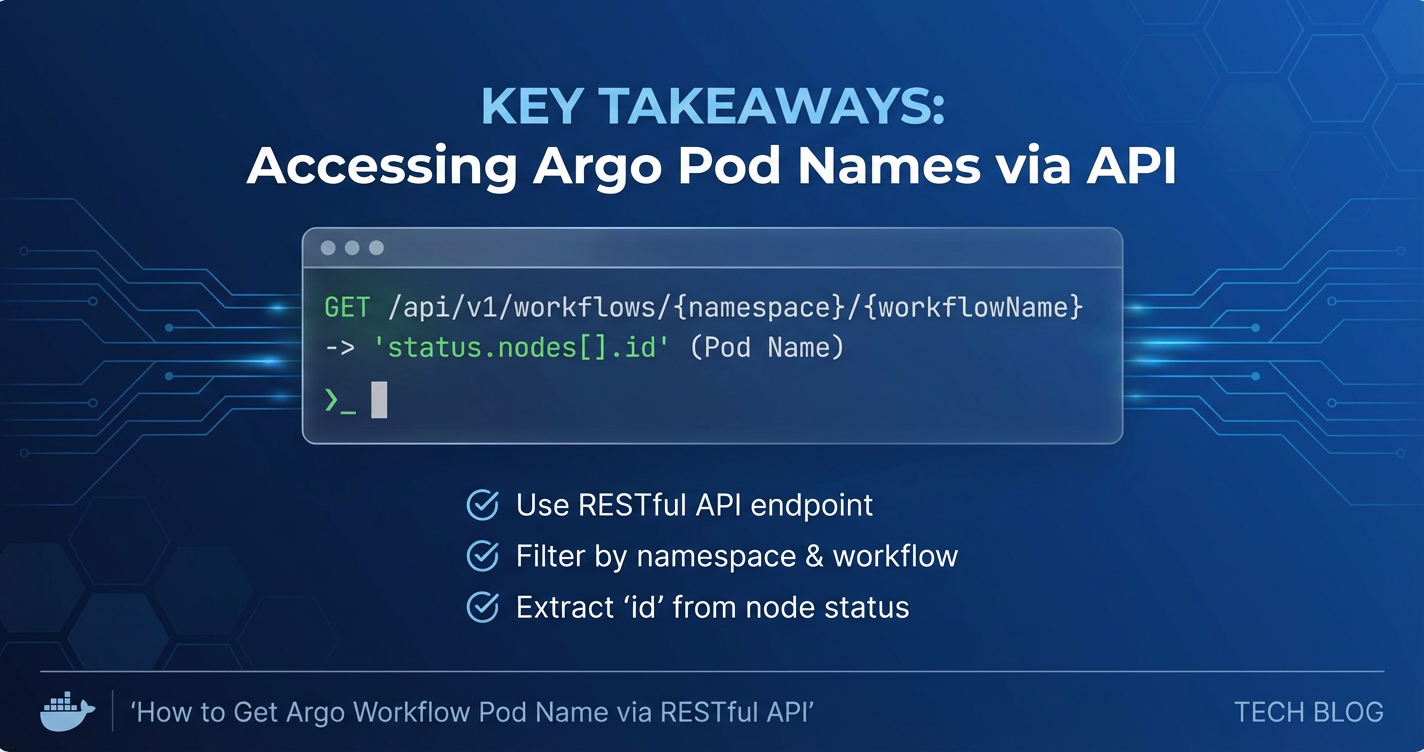
argo get my-daily-report -n data-processing -o json | jq -r '.status.nodes | to_entries[] | .value.id'
Note: The Argo CLI's get command provides node IDs, which are often the pod names, but the structure can vary. A more reliable way might still be kubectl with labels for pod-specific information. The argo CLI is more focused on workflow node status rather than individual pods directly.
Advantages: * Workflow-Centric: Designed specifically for Argo Workflows, simplifying workflow-specific commands. * Abstraction: Abstracts some Kubernetes details relevant to workflows.
Disadvantages: * Niche Tool: Only for Argo Workflows, not general Kubernetes resources. * Still CLI-based: Similar limitations to kubectl when integrating into complex applications. * Requires Argo Server: Some argo CLI commands interact with the Argo Server, which needs to be deployed.
3. Client Libraries (Go, Python, Java, etc.)
Kubernetes officially supports client libraries in several programming languages (Go, Python, Java, JavaScript, Ruby, C#). These libraries provide a higher-level, object-oriented interface for interacting with the Kubernetes API. They handle API endpoint construction, request serialization, response deserialization, authentication, and error handling, making programmatic interaction much cleaner and safer within application code.
Python Client Library Example (conceptual):
from kubernetes import client, config

# Load Kubernetes configuration (from kubeconfig or in-cluster)
config.load_kube_config() # or config.load_incluster_config()

v1 = client.CoreV1Api()
# List pods in a namespace with a label selector
pods = v1.list_namespaced_pod(
    namespace="data-processing",
    label_selector="workflows.argoproj.io/workflow=my-daily-report"
)

for pod in pods.items:
    print(f"- {pod.metadata.name} (Phase: {pod.status.phase})")
Advantages: * Native Integration: Seamlessly integrates into application code, providing type safety and IDE support. * Robustness: Built-in error handling, retry logic, and adherence to API best practices. * Readability and Maintainability: Code is often cleaner and easier to maintain than direct HTTP requests. * Watch API Support: Client libraries typically offer dedicated methods for efficiently using the Watch API.
Disadvantages: * Dependency Management: Requires including the client library as a dependency in your project. * Learning Curve: Still requires understanding of Kubernetes API object models and client library conventions. * Overhead for Simple Tasks: For very simple, one-off queries, kubectl or curl might be quicker.
Why Knowing the Underlying REST API is Still Crucial:
Even when using these higher-level alternatives, understanding the underlying RESTful API remains invaluable. * Debugging: When things go wrong, knowing the exact API endpoint, parameters, and expected JSON structure helps in diagnosing issues at the network level. * Custom Resources: For highly custom or newly introduced Kubernetes resources (like new Argo Workflows CRDs or other custom operators), client libraries might lag slightly. Direct API interaction provides immediate access. * Performance Tuning: For highly performance-sensitive applications, understanding the API can inform optimal query construction and resource usage. * Building Your Own Tools: If you're developing your own Kubernetes-aware controllers or tools, you'll eventually need to interact at a lower level or understand how client libraries abstract it.
In summary, while kubectl, argo CLI, and client libraries offer convenient abstractions, the Kubernetes RESTful API is the foundational mechanism. Choosing the right tool depends on the context: command-line tools for quick diagnostics and scripting, client libraries for robust application development, and direct RESTful calls for deep dives, custom tooling, or situations where no suitable abstraction exists.
Conclusion
The dynamic and ephemeral nature of resources within a Kubernetes cluster, particularly the pods orchestrated by tools like Argo Workflows, necessitates sophisticated programmatic interaction. As we have thoroughly explored, retrieving the names of these transient pods is not merely a technical exercise but a crucial enabler for advanced automation, detailed monitoring, and effective troubleshooting in cloud-native environments.
Our journey began by establishing a firm understanding of Argo Workflows' role as a powerful Kubernetes-native orchestration engine and how its steps inherently translate into Kubernetes pods. We then delved into the Kubernetes API, the very heart of cluster interaction, emphasizing its RESTful design and the importance of its resource model, API groups, and versions. The core challenge of dynamic pod names was highlighted, underscoring the necessity for robust programmatic solutions over manual inspection.
A significant portion of our exploration focused on the essential prerequisites for API access: rigorous authentication mechanisms like Service Accounts and Bearer tokens, granular authorization via RBAC policies, and ensuring proper network connectivity to the API server. With these foundations in place, we meticulously detailed the methodical approach to retrieving Argo Workflow pod names. We learned how Argo Workflows' judicious application of labels, particularly workflows.argoproj.io/workflow, allows for precise filtering using the /api/v1/namespaces/{namespace}/pods endpoint. Practical curl and Python examples demonstrated the construction of API requests, handling authentication headers, applying label selectors, and parsing the JSON responses to extract the desired pod names. A dedicated table summarized the critical labels, serving as a quick reference for future API interactions.
Beyond basic retrieval, we ventured into advanced considerations, discussing the utility of field selectors, the importance of handling pagination for large datasets, and the efficiency of the Watch API for real-time monitoring. Robust error handling with exponential backoff and comprehensive logging were underscored as non-negotiable best practices for production systems.
Finally, we addressed the broader operational landscape, recognizing that direct API interaction, while powerful, can become complex at scale. This led us to the vital role of API management platforms. Products like APIPark emerge as indispensable tools for centralizing API access, enhancing security, imposing rate limits, providing unified observability, and improving developer experience across an organization's API ecosystem. By acting as an intelligent intermediary, APIPark can abstract the complexities of direct Kubernetes API access, ensuring that critical operations like retrieving Argo Workflow pod names are managed securely and efficiently. We also briefly touched upon alternatives like kubectl, the argo CLI, and client libraries, acknowledging their conveniences while reiterating the foundational importance of understanding the underlying RESTful API.
In conclusion, the ability to programmatically obtain Argo Workflow pod names via the Kubernetes RESTful API is a cornerstone of modern cloud-native operations. By mastering the techniques outlined in this guide and leveraging best practices for API management and security, you can unlock unparalleled levels of automation, observability, and control over your containerized workflows, driving greater efficiency and resilience in your infrastructure. This power, when wielded thoughtfully and securely, transforms complex orchestration into manageable, intelligent automation.
Frequently Asked Questions (FAQs)
1. Why is it important to retrieve Argo Workflow pod names programmatically? Programmatic retrieval of Argo Workflow pod names is crucial for advanced automation, debugging, and monitoring. Pods are ephemeral and dynamically named; manual identification is inefficient. Automation scripts need these names to collect logs, attach for debugging, integrate with external monitoring systems, or perform custom actions on specific workflow steps, enhancing observability and control over workflow execution.
2. What are the key pieces of information needed to query for Argo Workflow pods using the Kubernetes API? You primarily need the Kubernetes API server's address, a valid authentication token (e.g., a Service Account Bearer token), the Kubernetes namespace where the Argo Workflow is running, and most importantly, the name of the specific Argo Workflow. The workflow name is used with the workflows.argoproj.io/workflow label selector to filter the pods.
3. What Kubernetes API endpoint is used to get pod names, and how do I filter the results? The core API endpoint is /api/v1/namespaces/{namespace}/pods. To filter for Argo Workflow-specific pods, you use the labelSelector query parameter, like labelSelector=workflows.argoproj.io/workflow=YOUR_WORKFLOW_NAME. You can also combine this with fieldSelector (e.g., status.phase=Running) for more refined filtering.
4. What are the security considerations when accessing the Kubernetes API programmatically? Security is paramount. Always adhere to the principle of least privilege by configuring precise RBAC roles (Roles and RoleBindings) that grant only the necessary get and list permissions on pods within the relevant namespaces. Ensure authentication tokens are securely managed and never hardcoded in production. For external access, use proper SSL/TLS verification (CA certificates) and avoid directly exposing the API server. API management platforms like APIPark can add an additional layer of security and access control.
5. Are there alternatives to direct RESTful API calls for getting Argo Workflow pod names? Yes, while the RESTful API is foundational, higher-level tools abstract its complexity. You can use kubectl (e.g., kubectl get pods -l workflows.argoproj.io/workflow=...), the argo CLI for workflow-specific details, or official Kubernetes client libraries (e.g., in Python, Go) which provide object-oriented interfaces, handle authentication, and simplify parsing. These alternatives are often more convenient for application development or quick diagnostics, but understanding the underlying REST API remains crucial for debugging and custom implementations.
🚀You can securely and efficiently call the OpenAI API on APIPark in just two steps:
Step 1: Deploy the APIPark AI gateway in 5 minutes.
APIPark is developed based on Golang, offering strong product performance and low development and maintenance costs. You can deploy APIPark with a single command line.
curl -sSO https://download.apipark.com/install/quick-start.sh; bash quick-start.sh

In my experience, you can see the successful deployment interface within 5 to 10 minutes. Then, you can log in to APIPark using your account.

Step 2: Call the OpenAI API.