How to List Gcloud Container Ops API: Practical Examples


In the rapidly evolving landscape of cloud computing, managing containerized applications efficiently is paramount for businesses striving for agility, scalability, and resilience. Google Cloud Platform (GCP) stands at the forefront of this revolution, offering a robust suite of services designed for container orchestration and management. From Kubernetes Engine (GKE) to Cloud Run and Artifact Registry, GCP provides powerful tools to deploy, scale, and manage your microservices architecture. At the heart of interacting with these services lies the API (Application Programming Interface) – the fundamental mechanism through which software components communicate and exchange data. Understanding how to discover, list, and interact with these Gcloud Container Ops APIs is not just a technicality; it's a strategic skill that empowers developers and operations teams to fully leverage the cloud's potential, automate workflows, and build sophisticated, interconnected systems.
This comprehensive guide delves into the practical aspects of listing Gcloud Container Ops APIs, providing a detailed roadmap for developers, system administrators, and cloud architects. We will explore various methods, from command-line interfaces to the Google Cloud Console and programmatic approaches, ensuring you gain a holistic understanding of how to navigate GCP's extensive API ecosystem. Beyond merely listing, we will discuss the broader context of API management, the critical role of an API gateway, and the significance of standardized specifications like OpenAPI in streamlining development and integration. By the end of this article, you will be equipped with the knowledge and examples necessary to effectively manage your container operations on GCP, transforming theoretical understanding into actionable insights.
Navigating the Gcloud Ecosystem: A Foundation for Container Operations
Google Cloud Platform is a vast and intricate network of interconnected services, each designed to address specific computing needs. At its core, GCP operates on an API-first principle, meaning that virtually every interaction, configuration, and data exchange with any GCP service is facilitated through an underlying API. For container operations, this principle is particularly pronounced, as the orchestration and management of containers inherently demand sophisticated programmatic control. Before we dive into listing specific APIs, it's crucial to establish a foundational understanding of the key GCP services that constitute "Container Ops."
Google Kubernetes Engine (GKE): GKE is Google's managed service for deploying, managing, and scaling containerized applications using Kubernetes. Kubernetes, an open-source system for automating deployment, scaling, and management of containerized applications, is the de-facto standard for container orchestration. GKE abstracts away much of the operational complexity of running Kubernetes clusters, allowing users to focus on their applications rather than infrastructure. Interactions with GKE, such as creating clusters, deploying workloads, managing nodes, and configuring networking, are all performed by making calls to the Kubernetes Engine API. This API is immensely powerful, exposing granular control over every aspect of your cluster, making its discoverability and understanding paramount for advanced users.
Cloud Run: For those seeking a serverless approach to containers, Cloud Run offers a fully managed platform that automatically scales containerized applications from zero to many. It eliminates the need to manage servers, Kubernetes clusters, or even scale instances, allowing developers to deploy code quickly and efficiently. While simpler in its operational surface area compared to GKE, Cloud Run is still powered by a robust set of APIs that enable programmatic deployment, configuration, and monitoring of services. The Cloud Run API allows for integration with CI/CD pipelines, automated service updates, and custom management tools, providing flexibility even within a serverless paradigm.
Artifact Registry (formerly Container Registry): Storing and managing container images is a foundational aspect of any containerized workflow. Artifact Registry provides a universal package manager for language packages and Docker images, seamlessly integrating with GKE, Cloud Run, and other GCP services. It offers a secure, scalable, and highly available repository for your container images, ensuring they are readily accessible for deployment. The Artifact Registry API is crucial for automating image lifecycle management, including pushing new images, listing existing images, applying vulnerability scans, and managing permissions, making it an indispensable part of container operations.
Cloud Build: To automate the process of building and deploying container images, Cloud Build offers a continuous integration/continuous delivery (CI/CD) platform. It allows users to define custom build steps, execute them on demand or triggered by source code changes, and produce container images that can then be pushed to Artifact Registry and deployed to GKE or Cloud Run. Cloud Build's API is central to orchestrating these build pipelines, enabling programmatic initiation of builds, monitoring their status, and retrieving build logs, thus completing the automation loop for containerized applications.
Understanding that "Gcloud Container Ops API" is not a single, monolithic API but rather a collection of specialized APIs, each governing a particular aspect of container management, is key. Each of these services, from GKE to Cloud Run, Artifact Registry, and Cloud Build, exposes its own distinct API, all unified under the broader umbrella of Google Cloud Platform's API ecosystem. Mastering the techniques for listing and interacting with these individual APIs allows for fine-grained control and deep integration capabilities within your cloud environment.
The Core Concept: What is an API and Why is it Essential?
Before we delve into the practicalities of listing Gcloud Container Ops APIs, it's fundamental to firmly grasp what an API (Application Programming Interface) truly is and why it has become the bedrock of modern software development and cloud computing. In simplest terms, an API acts as a messenger, delivering your request to a service provider and then delivering the response back to you. Think of it like a waiter in a restaurant: you (the application) tell the waiter (the API) what you want from the kitchen (the server), and the waiter conveys your order and brings back your meal. You don't need to know how the kitchen prepares the food; you just need to know how to order from the menu the waiter provides.
In the digital realm, APIs define the methods and protocols that different software components use to communicate with each other. They specify how software should interact, outlining the kinds of requests that can be made, how to make them, the data formats that should be used, and the types of responses that can be expected. This standardization is crucial for enabling interoperability between diverse systems and applications, regardless of their underlying technologies or programming languages.
There are various types of APIs, each with its own characteristics and use cases. The most prevalent type in modern web and cloud services, including Google Cloud Platform, is REST (Representational State Transfer) API. REST APIs leverage standard HTTP methods (GET, POST, PUT, DELETE) to perform operations on resources, making them lightweight, scalable, and easy to use. Other types include SOAP (Simple Object Access Protocol), which is older and more complex, and GraphQL, a newer query language for APIs that allows clients to request exactly the data they need. For Gcloud Container Ops, most interactions you'll encounter will be through RESTful APIs or client libraries built on top of them.
The importance of APIs in today's software landscape cannot be overstated. They enable:
- Modularity and Reusability: APIs allow developers to build complex applications by composing smaller, independent services. Instead of reinventing the wheel, developers can integrate existing functionalities exposed via APIs.
- Integration: APIs are the glue that connects disparate systems, allowing them to share data and functionality. This is particularly vital in cloud environments where applications often span multiple services and providers.
- Innovation: By opening up their data and functionality through APIs, companies can foster innovation by allowing third-party developers to build new applications and services on top of their platforms. This creates vibrant ecosystems, as seen with countless SaaS platforms and cloud providers.
- Automation: APIs are fundamental to automation. Tasks that would otherwise require manual intervention can be scripted and executed programmatically through API calls, leading to increased efficiency, reduced errors, and faster deployments, especially critical in CI/CD pipelines for containerized applications.
The Critical Role of an API Gateway
As the number of APIs consumed and exposed by an organization grows, managing them effectively becomes a significant challenge. This is where an API gateway comes into play. An API gateway acts as a single entry point for all API requests, sitting between clients and backend services. It serves as a facade, abstracting the complexity of the underlying microservices architecture and providing a centralized point for managing various aspects of API traffic.
An API gateway offers a multitude of benefits:
- Security: It enforces authentication, authorization, and rate limiting policies, protecting backend services from malicious attacks and overuse. This includes integrating with IAM (Identity and Access Management) systems to verify user and service identities.
- Traffic Management: Gateways can handle load balancing, routing requests to appropriate backend services, and applying throttling to prevent resource exhaustion.
- Transformation and Orchestration: They can transform request and response payloads, aggregate multiple service calls into a single response, and implement caching to improve performance.
- Monitoring and Analytics: An API gateway provides a central point for collecting metrics, logging API calls, and monitoring API performance, offering valuable insights into usage patterns and potential issues.
- Simplified Client Interaction: Clients interact with a single, well-defined endpoint provided by the gateway, rather than needing to know the specifics of each backend service. This simplifies client-side development and reduces coupling.
In the context of Gcloud Container Ops, where you might be interacting with GKE, Cloud Run, Artifact Registry, and other services, potentially across multiple projects and teams, the value of an API gateway is immense. It provides a unified layer for governing how your applications and users interact with these underlying cloud APIs, enhancing security, scalability, and observability.
Managing a multitude of APIs, understanding their specifications, and ensuring secure, efficient access can be a significant challenge. This is where specialized platforms like ApiPark come into play. APIPark, an open-source AI gateway and API management platform, streamlines the entire API lifecycle. It not only simplifies the integration of various AI models but also offers a unified API format, prompt encapsulation into REST APIs, and robust end-to-end management for both AI and traditional REST services. For organizations leveraging Gcloud Container Ops and other cloud services, a solution like APIPark provides a centralized hub to govern API access, ensure compliance, and enhance operational efficiency, acting as a powerful API gateway for all your internal and external API needs, including those interacting with Gcloud's extensive api ecosystem. It can provide a crucial layer of abstraction and management over direct interactions with Google Cloud's granular APIs, making complex cloud operations more manageable and secure.
Preparing Your Environment for Gcloud API Interaction
Before you can effectively list or interact with any Gcloud Container Ops APIs, your local development or operational environment needs to be properly configured. This involves installing the necessary tools, authenticating your identity, and selecting the correct project. A well-prepared environment ensures smooth execution of commands and reliable access to your Google Cloud resources.
The Google Cloud SDK (gcloud CLI)
The primary tool for interacting with Google Cloud from your command line is the Google Cloud SDK, which includes the gcloud command-line tool. The gcloud CLI is a versatile utility that allows you to manage resources and developers services on GCP. It acts as a powerful interface to the underlying GCP APIs, abstracting away the complexities of direct HTTP requests.
Installation: The Google Cloud SDK can be installed on various operating systems (Linux, macOS, Windows). The installation process typically involves downloading an installer or using a package manager. For instance, on Linux, you might use curl to fetch the installation script:
curl -sSO https://dl.google.com/dl/cloudsdk/channels/rapid/install_google_cloud_sdk.sh
bash install_google_cloud_sdk.sh --quiet
After installation, you'll need to initialize the SDK:
gcloud init
This command guides you through authenticating with your Google account, selecting a default GCP project, and configuring your gcloud environment. It's a critical first step that sets up the necessary credentials and defaults for subsequent commands.
Authentication and Authorization
Secure access to GCP resources is paramount. Google Cloud employs a robust Identity and Access Management (IAM) system, which allows you to define who has what access to which resources. When interacting with APIs, your identity needs to be authenticated, and your account or service account needs to be authorized with the correct permissions.
User Authentication: For interactive sessions, you'll typically authenticate with your Google user account:
gcloud auth login
This command opens a browser window, prompts you to log in with your Google account, and grants gcloud access to your GCP resources. Once authenticated, gcloud stores your credentials locally.
For non-interactive environments, such as CI/CD pipelines or server applications, it's best practice to use Service Accounts. A service account is a special type of Google account that represents a non-human user and can be authenticated to access GCP resources.
Service Account Authentication: 1. Create a Service Account: In the GCP Console, navigate to IAM & Admin > Service Accounts, then create a new service account. 2. Grant Permissions: Assign the necessary IAM roles to the service account. For example, if you want to manage GKE clusters, the service account might need roles like Kubernetes Engine Admin or Container Developer. Always follow the principle of least privilege, granting only the permissions absolutely required. 3. Generate a Key File: Create a JSON key for the service account. This file contains the credentials needed to authenticate. 4. Authenticate with the Key File: Set the GOOGLE_APPLICATION_CREDENTIALS environment variable to the path of your service account key file:
```bash
export GOOGLE_APPLICATION_CREDENTIALS="/techblog/en/path/to/your/keyfile.json"
gcloud auth application-default login
```

Alternatively, you can specify the key file directly with certain `gcloud` commands using `--account` or `--key-file`. Using `gcloud auth application-default login` with the environment variable is common for applications using Google Cloud client libraries, as it allows them to automatically find the credentials.
Project Setup
Every resource in Google Cloud belongs to a project. A project acts as a container for resources, enabling you to manage billing, APIs, permissions, and resources together. Before interacting with any APIs, you must ensure your gcloud environment is configured to target the correct GCP project.
During gcloud init, you would have selected a default project. You can change the active project at any time:
gcloud config set project your-project-id
To verify your current project configuration:
gcloud config list project
It's good practice to always explicitly specify the project ID in your gcloud commands using the --project flag, especially in scripts, to avoid any ambiguity:
gcloud container clusters list --project=your-project-id
Enabling APIs
Many Google Cloud APIs are not enabled by default for new projects. Before you can interact with a specific API, you might need to enable it. You can check the status and enable APIs either through the GCP Console or using the gcloud CLI.
GCP Console: Navigate to "APIs & Services" > "Enabled APIs & Services". Here, you can see all APIs currently enabled for your project. To enable a new API, go to "API Library," search for the desired API (e.g., "Kubernetes Engine API," "Cloud Run Admin API," "Artifact Registry API"), and click the "Enable" button.
gcloud CLI: You can list all available services and check their status:
gcloud services list --available | grep container
This command will display a long list of services. You can filter it with grep to find container-related APIs like container.googleapis.com (Kubernetes Engine API), run.googleapis.com (Cloud Run Admin API), and artifactregistry.googleapis.com (Artifact Registry API).
To enable a specific API using the CLI:
gcloud services enable container.googleapis.com
gcloud services enable run.googleapis.com
gcloud services enable artifactregistry.googleapis.com
Once your environment is set up with the SDK installed, proper authentication configured, the correct project selected, and the necessary APIs enabled, you are ready to explore and interact with Gcloud Container Ops APIs effectively. This methodical preparation lays the groundwork for seamless cloud operations and powerful automation.
APIPark is a high-performance AI gateway that allows you to securely access the most comprehensive LLM APIs globally on the APIPark platform, including OpenAI, Anthropic, Mistral, Llama2, Google Gemini, and more.Try APIPark now! 👇👇👇
Practical Examples: Listing Gcloud Container Ops API
With your environment prepared, we can now dive into the practical methods for listing and understanding the various APIs related to Gcloud Container Operations. As established, "Gcloud Container Ops API" is a broad term encompassing multiple specific APIs. Our goal here is to demonstrate how to discover these underlying APIs and the services they govern.
The gcloud command-line tool, while appearing as a single utility, actually acts as a high-level client for numerous underlying Google Cloud APIs. When you run a gcloud container command, for example, it translates that command into one or more calls to the Kubernetes Engine API. Understanding this relationship helps demystify how gcloud interacts with the cloud services.
Method 1: Using gcloud CLI to List Related Services and APIs
The gcloud CLI provides several commands to discover and manage APIs and services. These commands are invaluable for both initial exploration and ongoing management.
Listing All Available Services: To get a comprehensive list of all Google Cloud services that can be enabled for your project, use the gcloud services list --available command. This command queries the Google Service Usage API to retrieve metadata about all public GCP services.
gcloud services list --available
This output will be extensive. To narrow it down to container-related services, you can filter the output using grep:
gcloud services list --available | grep -i container
Example output (abbreviated):
NAME                                   TITLE
...
artifactregistry.googleapis.com        Artifact Registry API
cloudbuild.googleapis.com              Cloud Build API
containeranalysis.googleapis.com       Container Analysis API
container.googleapis.com               Kubernetes Engine API
containerregistry.googleapis.com       Container Registry API
run.googleapis.com                     Cloud Run Admin API
...
From this list, you can identify the official service names and their corresponding titles. The NAME column typically represents the API identifier (e.g., container.googleapis.com for the Kubernetes Engine API). This is the identifier you would use with gcloud services enable if the API is not yet active.
Listing Enabled Services: To see which APIs are currently enabled for your active project:
gcloud services list --enabled
Again, you can filter for container-specific APIs:
gcloud services list --enabled | grep -i container
This is useful for verifying that the necessary APIs are active before attempting to use their functionalities.
Exploring gcloud container Commands and Their Implicit API Calls: Many gcloud commands provide a direct interface to manipulate resources that are managed by specific APIs. While these commands don't explicitly "list" the API themselves, they demonstrate interaction patterns with those APIs.
Let's look at some core gcloud container commands and the underlying APIs they abstract:
- Listing GKE Clusters: The command
gcloud container clusters listfetches information about Kubernetes clusters in your project. This command internally makes calls to the Kubernetes Engine API (container.googleapis.com).bash gcloud container clusters listExample Output:NAME LOCATION MASTER_VERSION MASTER_IP MACHINE_TYPE NODE_VERSION NUM_NODES STATUS my-gke-cluster us-central1 1.27.3-gke.100 34.123.45.67 e2-medium 1.27.3-gke.100 3 RUNNINGThe structured output you see is a parsed response from the Kubernetes Engine API. If you wanted to see more verbose details or the raw API response (thoughgclouddoesn't directly show raw API calls easily without debug flags), you'd find a rich JSON object returned by the API call, containing all cluster attributes. - Listing Artifact Registry Images: To list container images stored in Artifact Registry, you would use commands under
gcloud artifacts docker. This interacts with the Artifact Registry API (artifactregistry.googleapis.com).bash gcloud artifacts repositories list --location=us-central1 gcloud artifacts docker images list us-central1-docker.pkg.dev/your-project-id/my-repoExample Output for images list:DIGEST IMAGE_SIZE TAGS sha256:abcdef123... 24MB v1.0.0, latest sha256:12345678... 23MB v0.9.0Again, these commands are a convenient wrapper over the Artifact Registry API, which provides methods for listing repositories, images, and image metadata. - Listing Cloud Run Services: For serverless containers managed by Cloud Run, the
gcloud run services listcommand interacts with the Cloud Run Admin API (run.googleapis.com).bash gcloud run services list --region=us-central1Example Output:SERVICE REGION URL LAST DEPLOYED BY LAST DEPLOYED AT my-web-app us-central1 https://my-web-app-xxxxx-uc.a.run.app user@example.com 2023-10-27T10:30:00ZThis command retrieves service definitions and status information from the Cloud Run Admin API.
Table of Common Gcloud Container Commands and Underlying APIs:
To consolidate this understanding, here's a table summarizing common gcloud commands for container operations and the primary Google Cloud APIs they interact with:
| gcloud Command Category | Example Command | Primary Google Cloud API Interacted With | API Identifier (if applicable) | Purpose |
|---|---|---|---|---|
| Google Kubernetes Engine (GKE) | gcloud container clusters list |
Kubernetes Engine API | container.googleapis.com |
List managed Kubernetes clusters. |
gcloud container node-pools list |
Kubernetes Engine API | container.googleapis.com |
List node pools within a GKE cluster. | |
gcloud container operations list |
Kubernetes Engine API | container.googleapis.com |
List cluster operations (e.g., upgrades). | |
| Cloud Run | gcloud run services list |
Cloud Run Admin API | run.googleapis.com |
List deployed Cloud Run services. |
gcloud run jobs list |
Cloud Run Admin API | run.googleapis.com |
List Cloud Run jobs. | |
| Artifact Registry | gcloud artifacts repositories list |
Artifact Registry API | artifactregistry.googleapis.com |
List artifact repositories. |
gcloud artifacts docker images list |
Artifact Registry API | artifactregistry.googleapis.com |
List Docker images within a repository. | |
| Cloud Build | gcloud builds list |
Cloud Build API | cloudbuild.googleapis.com |
List recent build requests. |
gcloud builds triggers list |
Cloud Build API | cloudbuild.googleapis.com |
List Cloud Build triggers. | |
| Container Analysis | gcloud container images describe |
Container Analysis API | containeranalysis.googleapis.com |
Describe container image vulnerabilities. |
This table illustrates the direct correlation between the high-level gcloud commands and the specific underlying APIs that facilitate those operations. When you use gcloud, you're effectively leveraging a pre-built client for these APIs.
Method 2: Exploring APIs via Google Cloud Console
The Google Cloud Console provides a user-friendly graphical interface to manage your resources and discover APIs. This visual approach can be particularly helpful for new users or for quickly browsing available services.
- Navigate to "APIs & Services": In the GCP Console, use the navigation menu on the left side (typically the hamburger icon) and go to "APIs & Services."
- "Enabled APIs & Services": This page lists all APIs that are currently enabled for your selected project. You can filter the list or sort it by name to quickly find container-related APIs like "Kubernetes Engine API," "Cloud Run Admin API," or "Artifact Registry API." Clicking on an API will take you to its dashboard, showing usage metrics, quotas, and links to documentation.
- "API Library": To discover new APIs or check the status of potentially disabled ones, go to the "API Library" within "APIs & Services." Here, you can search for APIs. Type keywords like "container," "Kubernetes," "Cloud Run," or "Artifact Registry" into the search bar.When you search and find an API (e.g., "Kubernetes Engine API"), clicking on it will take you to a dedicated page that provides: * A brief description of the API. * Its current status (Enabled/Disabled). * An "Enable" button if it's currently disabled. * Links to documentation, tutorials, and support. * Usage metrics once the API is active.This console-based approach is intuitive and provides direct access to official documentation, which often includes details about the API's endpoints, methods, and data models.
Method 3: Programmatic API Discovery (Google Discovery API)
For developers building tools or integrations that need to dynamically discover API capabilities, Google provides the Google Discovery API. This is an API that serves as a machine-readable directory of other Google APIs. It allows you to programmatically fetch information about Google APIs, including their resources, methods, parameters, and authentication scopes.
While not typically used for simple "listing" in an operational context, it's a powerful tool for: * Client Library Generation: Tools can use Discovery documents to automatically generate client libraries in various programming languages. * IDE Integration: Development environments can use Discovery documents to provide autocomplete and validation for API calls. * Dynamic Tooling: Building applications that can interact with various Google services without hardcoding every API detail.
You can explore the Discovery API documentation and its output. For example, to list all discoverable APIs, you can make a simple HTTP GET request to the Discovery API's endpoint: https://www.googleapis.com/discovery/v1/apis. The response will be a large JSON document listing all discoverable Google APIs, including their names, versions, and a discoveryLink which points to the detailed Discovery Document for that specific API. Within that specific Discovery Document (e.g., for container.googleapis.com), you'll find the full specification of the API's resources, methods, and schema.
For most day-to-day operations and even for automation scripts, relying on gcloud commands or Google Cloud client libraries (which internally use Discovery API or pre-compiled specifications) is more common and convenient. However, understanding the existence of the Discovery API provides insight into how Google manages its massive API ecosystem.
By leveraging these various methods—the powerful gcloud CLI for direct interaction, the intuitive GCP Console for visual discovery, and the underlying Discovery API for programmatic metadata retrieval—you gain a comprehensive set of tools to effectively list, understand, and manage the Gcloud Container Ops APIs. This multi-faceted approach ensures that whether you're a hands-on operator or a software developer, you have the means to interact efficiently with Google Cloud's container services.
Integrating with Gcloud Container Ops APIs: Beyond Listing
Listing Gcloud Container Ops APIs is merely the first step. The true power lies in integrating with them to automate tasks, build custom applications, and extend the functionality of your cloud environment. This involves using client libraries, making direct REST API calls, and understanding the role of API specifications like OpenAPI.
Developing with Client Libraries
For programmatic interaction with Google Cloud APIs, using Google's official client libraries is the recommended approach. These libraries are available for popular programming languages such as Python, Java, Node.js, Go, C#, PHP, and Ruby. They handle authentication, retry logic, error parsing, and marshalling/unmarshalling data, significantly simplifying API interactions.
Let's consider an example using Python to list GKE clusters, leveraging the Kubernetes Engine API client library:
from google.cloud import container_v1
import google.auth

def list_gke_clusters(project_id, location):
    """Lists GKE clusters in a specific project and location."""
    credentials, project = google.auth.default() # Automatically picks up gcloud auth or GOOGLE_APPLICATION_CREDENTIALS

    # Creates a client for the Kubernetes Engine API
    client = container_v1.ClusterManagerClient(credentials=credentials)

    # The `parent` argument expects a string in the format:
    # `projects/{project_id}/locations/{location}`
    parent = f"projects/{project_id}/locations/{location}"

    try:
        response = client.list_clusters(parent=parent)
        print(f"GKE Clusters in {project_id}/{location}:")
        if response.clusters:
            for cluster in response.clusters:
                print(f"  Name: {cluster.name}, Status: {cluster.status.name}, Master Version: {cluster.current_master_version}")
        else:
            print("  No clusters found.")
    except Exception as e:
        print(f"Error listing clusters: {e}")

if __name__ == "__main__":
    # Replace with your GCP project ID and desired region
    YOUR_PROJECT_ID = "your-gcp-project-id"
    YOUR_LOCATION = "us-central1" # e.g., us-central1, asia-southeast1

    list_gke_clusters(YOUR_PROJECT_ID, YOUR_LOCATION)
This Python example demonstrates how a few lines of code, using the google-cloud-container library, can perform an operation equivalent to gcloud container clusters list. The client library handles the low-level HTTP requests to container.googleapis.com, serializes the request, deserializes the response, and manages authentication, making the developer experience much smoother. Similar client libraries exist for Artifact Registry, Cloud Run, and other GCP services.
Direct REST API Calls
While client libraries are convenient, there might be scenarios where you need to make direct HTTP requests to the REST endpoints, perhaps for very specific integrations, debugging, or using a language without an official client library. Google Cloud APIs are typically RESTful, meaning you can interact with them using standard HTTP methods.
To make direct API calls, you'll need: 1. The API Endpoint: Each API has a base URL (e.g., https://container.googleapis.com/v1). 2. Authentication Token: You'll need an OAuth 2.0 access token, which can be obtained using gcloud auth print-access-token for your authenticated user or a service account. 3. HTTP Client: Tools like curl or programming language HTTP libraries (e.g., Python's requests) can be used.
Example using curl to list GKE clusters:
# Get an access token (valid for 1 hour by default)
ACCESS_TOKEN=$(gcloud auth print-access-token)

# Replace with your GCP project ID and location
PROJECT_ID="your-gcp-project-id"
LOCATION="us-central1"

# Make the API call to list clusters
curl -X GET \
  -H "Authorization: Bearer ${ACCESS_TOKEN}" \
  -H "Content-Type: application/json" \
  "https://container.googleapis.com/v1/projects/${PROJECT_ID}/locations/${LOCATION}/clusters"
This curl command directly hits the Kubernetes Engine API endpoint, sending an authenticated GET request. The response will be a JSON object containing the cluster details, matching the structure documented in the API reference. This method gives you the most granular control but requires a deeper understanding of the API's request and response formats.
The Significance of OpenAPI Specification
As APIs become the primary interface for software interaction, standardizing their description becomes critical. This is where the OpenAPI Specification (formerly known as Swagger Specification) plays a pivotal role. OpenAPI is a language-agnostic, human-readable, and machine-readable interface description language for RESTful APIs. It allows developers to define the API's operations, parameters, authentication methods, and data models in a standardized JSON or YAML format.
The benefits of using OpenAPI are numerous:
- Documentation: An OpenAPI document serves as a single source of truth for API documentation, making it easy for developers to understand how to interact with the API without needing to infer details from code.
- Client Generation: Tools can consume an OpenAPI document to automatically generate client SDKs in various programming languages, accelerating development.
- Server Stubs: Similarly, server-side stubs can be generated, aiding in rapid API prototyping and development.
- Testing: Automated testing tools can use the OpenAPI definition to validate API requests and responses against the defined schema.
- API Gateway Integration: API gateways often leverage OpenAPI specifications to configure routing, apply policies, and validate requests, ensuring that incoming calls conform to the API's contract.
- Consistency and Governance: For organizations with many APIs, OpenAPI promotes consistency in API design and provides a foundation for API governance frameworks.
While Google Cloud APIs don't typically expose a single, consolidated OpenAPI document for their entire ecosystem in a way that, say, a microservice might, individual services and their underlying APIs are designed with strong contracts that align with many principles found in OpenAPI. Developers often use OpenAPI to describe the wrappers or custom APIs they build on top of Google Cloud services. For example, if you create a custom API endpoint that orchestrates a series of GKE or Cloud Run operations, you would define that custom API using OpenAPI.
This is particularly relevant when considering solutions that manage API interactions across multiple platforms. For instance, an API gateway like ApiPark thrives on structured API definitions. APIPark, by design, focuses on providing a unified API format for AI invocation and prompt encapsulation into REST APIs. It leverages standardized API descriptions, often compatible with OpenAPI principles, to manage the entire API lifecycle, including design, publication, invocation, and decommission. By using an API gateway that understands and can process OpenAPI specifications, organizations gain a robust framework for managing both their internal APIs and their interactions with external services, including Google Cloud's extensive api landscape. It allows for centralizing governance, security, and traffic management, thereby transforming a complex web of individual API calls into a well-managed and observable API ecosystem.
API Management and Monitoring
Once you're regularly integrating with Gcloud Container Ops APIs, managing and monitoring their performance and usage becomes crucial. Google Cloud offers built-in tools for this:
- Cloud Monitoring: Provides visibility into the performance, uptime, and overall health of your GCP services. You can create dashboards, set up alerts, and log metrics related to API calls.
- Cloud Logging: Captures log data from all your GCP services, including API requests and responses. This is invaluable for troubleshooting, auditing, and understanding how your applications are interacting with APIs.
- API & Services Dashboard: In the GCP Console, each API has its own dashboard showing request rates, error rates, and latency, allowing you to quickly identify issues or usage trends.
- Quotas: Google Cloud APIs have quotas to protect services from abuse and ensure fair usage. Monitoring your quota consumption is essential to prevent unexpected service interruptions.
Effective API management and monitoring, whether directly through GCP tools or via an API gateway with robust analytics features like APIPark, ensure that your integrations remain stable, performant, and secure.
Advanced Considerations and Best Practices
Moving beyond the fundamentals of listing and integrating with Gcloud Container Ops APIs, several advanced considerations and best practices can significantly enhance the reliability, security, and efficiency of your cloud operations. These aspects are crucial for building resilient, scalable, and maintainable systems in the cloud.
Version Control for APIs
Just like software code, APIs evolve over time. Google Cloud APIs, especially those as comprehensive as the Kubernetes Engine API, often release new versions to introduce features, improve performance, or deprecate older functionalities. Understanding API versioning is vital to prevent breaking changes in your applications.
Google Cloud typically uses a versioning scheme in its API endpoints and client libraries (e.g., v1, v2, alpha, beta). * Stable versions (e.g., v1, v2) are generally backwards-compatible, meaning that applications built against an older stable version should continue to work with newer stable versions without modification, though new features might not be accessible. * Alpha and Beta versions are experimental or pre-production. They might introduce breaking changes and are not recommended for production workloads. They are useful for testing upcoming features.
When integrating with APIs, always specify the desired version to ensure consistency. For client libraries, this is usually handled by importing a specific version module (e.g., google.cloud.container_v1). For direct REST calls, the version is part of the URL (e.g., https://container.googleapis.com/v1/projects/...). Regularly reviewing API release notes and planning for upgrades are essential best practices for long-term API consumers. An API gateway can also play a role here by managing different API versions and routing traffic appropriately, or even providing version-agnostic abstractions to client applications.
Error Handling and Retries
Interacting with remote APIs, especially over a network, is inherently susceptible to transient errors such as network timeouts, temporary service unavailability, or rate limiting. Robust applications must implement comprehensive error handling and retry mechanisms.
Common Error Types: * HTTP 4xx Client Errors: Indicate issues with the request itself (e.g., 400 Bad Request, 401 Unauthorized, 403 Forbidden, 404 Not Found). These typically require changes to the application's logic or permissions. * HTTP 5xx Server Errors: Indicate issues on the API server side (e.g., 500 Internal Server Error, 503 Service Unavailable). These are often transient and can sometimes be resolved by retrying the request. * Rate Limiting (HTTP 429 Too Many Requests): When you exceed the allowed number of requests within a time window.
Retry Strategies: * Exponential Backoff: This is a standard strategy where you wait for progressively longer periods between retries. For example, wait 1 second, then 2 seconds, then 4 seconds, and so on, up to a maximum number of retries or a maximum delay. This prevents overwhelming the server with immediate retries. * Jitter: Adding a small, random delay to the exponential backoff interval (jitter) helps to prevent all clients from retrying at exactly the same time, which can create a "thundering herd" problem. * Idempotency: For operations that modify state (POST, PUT, DELETE), ensure that repeated requests have the same effect as a single request. This is critical for safe retries. Google Cloud APIs often specify whether methods are idempotent.
Google Cloud client libraries typically include built-in retry logic with exponential backoff, making it easier to build resilient applications. However, understanding the underlying principles allows you to customize or implement your own retry logic when making direct API calls.
Cost Management
While listing APIs doesn't directly incur significant costs, extensive API usage and the resources managed through these APIs certainly do. Understanding the billing models and quota management for Google Cloud APIs is essential for cost optimization.
- API Quotas: APIs have usage quotas (e.g., requests per minute, calls per day) that prevent individual projects from consuming excessive resources and affecting other users. Exceeding quotas results in
429 Too Many Requestsor403 Forbiddenerrors. You can monitor and, in some cases, request increases for quotas through the GCP Console (APIs & Services > Quotas). - Billing: While many APIs have a generous free tier, beyond certain usage limits, you will be billed for API calls. For example, some data retrieval operations or advanced analysis APIs might have a cost per call or per data unit processed. Always consult the pricing pages for individual GCP services to understand potential costs associated with API usage.
- Resource Costs: The most significant costs often come from the resources managed by the APIs (e.g., GKE clusters, Cloud Run instances, Artifact Registry storage). Automating resource provisioning and de-provisioning through APIs can lead to cost savings if done wisely (e.g., shutting down idle resources) or cost overruns if not managed carefully.
Automation: APIs for CI/CD and Infrastructure as Code
The API-first nature of Google Cloud makes it a perfect fit for automation, which is critical for modern cloud-native development.
- CI/CD Pipelines: Gcloud Container Ops APIs are fundamental for continuous integration and continuous deployment. Cloud Build, for example, heavily uses APIs to trigger builds, push images to Artifact Registry, and deploy them to GKE or Cloud Run. Automating these steps through API calls ensures consistent, repeatable, and fast delivery of containerized applications.
- Infrastructure as Code (IaC): Tools like Terraform, Pulumi, and Google Cloud Deployment Manager interact with GCP APIs to provision and manage infrastructure. Instead of manually clicking through the console, you define your infrastructure in code, which is then translated into API calls to create, update, or delete resources. This approach provides version control, auditability, and consistent environments.
Leveraging APIs for automation dramatically reduces manual effort, minimizes human error, and accelerates the development and deployment lifecycle, which is particularly beneficial in complex container orchestration scenarios.
Security Audits and Compliance
With programmatic access to your cloud resources, security becomes paramount. Regularly auditing API access and ensuring compliance with security policies are non-negotiable best practices.
- IAM Policies: Regularly review IAM roles and permissions assigned to users and service accounts. Ensure the principle of least privilege is always followed. Use custom roles if built-in roles grant too many permissions.
- API Keys vs. OAuth: Understand the difference between API keys (simpler but less secure) and OAuth 2.0 (more robust authentication and authorization). For most programmatic access, OAuth 2.0 with service accounts is the preferred method.
- Audit Logs: Google Cloud Audit Logs (part of Cloud Logging) record admin activity, data access, and system events. Regularly reviewing these logs helps detect unauthorized API calls, configuration changes, or suspicious activities.
- Vulnerability Scanning: For container images managed via Artifact Registry, enable Container Analysis for vulnerability scanning to identify and mitigate known security risks in your dependencies.
- Network Security: Restrict network access to your APIs where possible. For instance, ensure GKE clusters have private endpoints or that Cloud Run services are accessible only from trusted networks if required.
By diligently applying these advanced considerations and best practices, organizations can fully harness the power of Gcloud Container Ops APIs, ensuring that their containerized applications are not only efficient and scalable but also secure and compliant within the dynamic cloud environment. This holistic approach transforms API interaction from a mere technical task into a strategic capability.
Conclusion
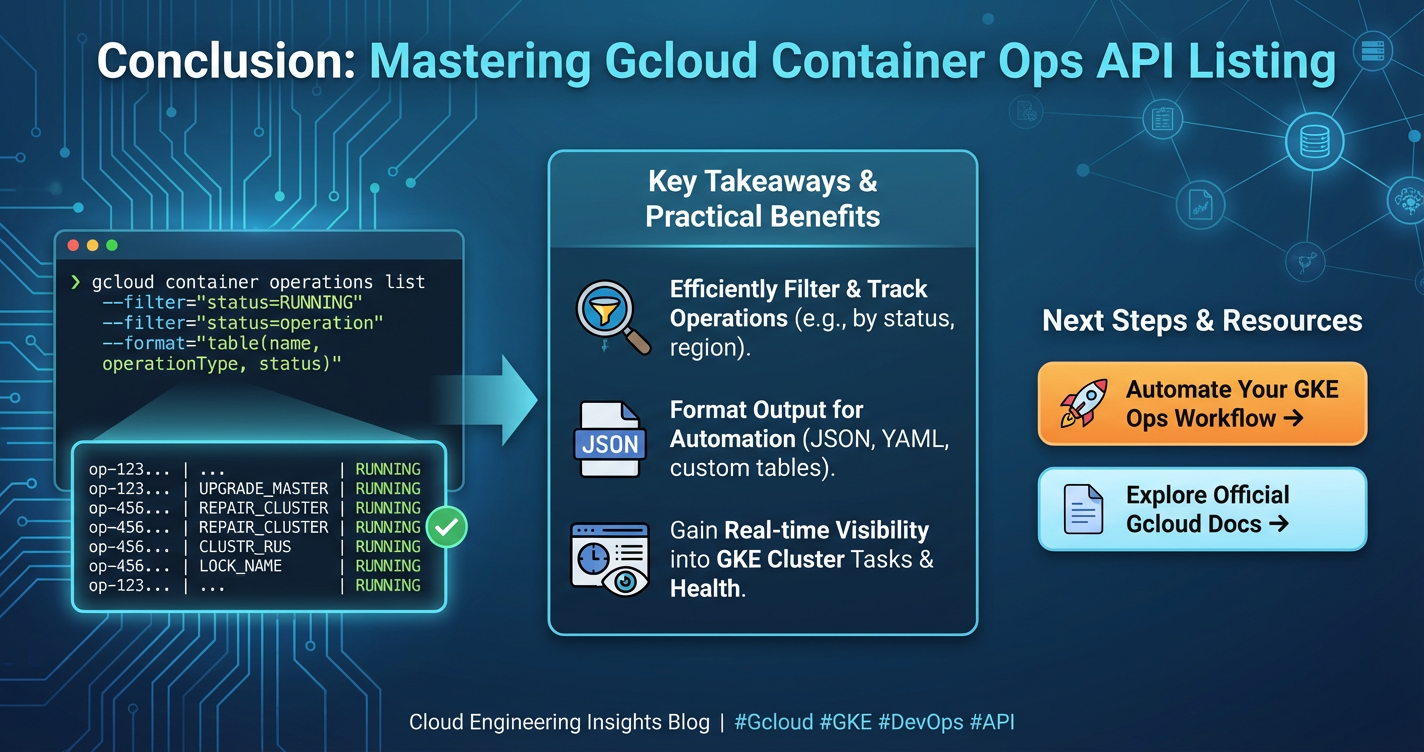
The journey through understanding and listing Gcloud Container Ops APIs reveals the intricate, yet powerful, API-first architecture that underpins Google Cloud Platform. From orchestrating complex Kubernetes clusters in GKE to deploying serverless containers on Cloud Run and managing images in Artifact Registry, every interaction is a testament to the versatility and extensibility offered by GCP's comprehensive API ecosystem. We've explored various methods, from the hands-on gcloud command-line interface and the intuitive Google Cloud Console to the programmatic depths of client libraries and direct REST calls, providing you with a robust toolkit for discovering and engaging with these critical interfaces.
Beyond simple listing, this guide emphasized the pivotal role of an API gateway in managing the ever-growing number of APIs, acting as a crucial central point for security, traffic management, and monitoring. Platforms like ApiPark exemplify how an open-source AI gateway and API management solution can streamline the entire API lifecycle, offering a unified approach to governance, particularly beneficial in a hybrid environment where Gcloud Container Ops APIs integrate with other services, including those driven by AI. Furthermore, the discussion on OpenAPI highlighted the importance of standardized API specifications in fostering clarity, automation, and consistent development practices across diverse API landscapes.
By embracing these methods and best practices—from meticulous environment setup and robust error handling to strategic cost management, extensive automation, and unwavering security audits—developers and operations teams can unlock the full potential of Google Cloud's container services. The ability to effectively list, understand, and integrate with these APIs is not merely a technical skill; it is a strategic imperative that empowers organizations to build more agile, scalable, and resilient applications, propelling them forward in the era of cloud-native computing. The cloud landscape is ever-evolving, and a deep understanding of its API foundations ensures continuous adaptability and innovation.
Frequently Asked Questions (FAQ)
Q1: What exactly is the "Gcloud Container Ops API"?
A1: The term "Gcloud Container Ops API" isn't a single, monolithic API but rather a collective reference to the various Application Programming Interfaces (APIs) provided by Google Cloud Platform (GCP) that govern container-related operations. This includes APIs for services like Google Kubernetes Engine (GKE) (via container.googleapis.com), Cloud Run (via run.googleapis.com), Artifact Registry (via artifactregistry.googleapis.com), and Cloud Build (via cloudbuild.googleapis.com). Each of these APIs allows programmatic interaction with their respective services for tasks such as creating clusters, deploying services, managing images, and orchestrating build pipelines.
Q2: Why do I need to list Gcloud APIs?
A2: Listing Gcloud APIs is crucial for several reasons. First, it helps you discover which APIs are available and relevant to your container operations. Second, it allows you to verify which APIs are currently enabled for your project, as many APIs must be explicitly activated before use. Third, understanding the names and functions of these APIs is fundamental for developing automation scripts, using client libraries, or making direct API calls, ensuring you interact with the correct service and endpoint. It provides visibility into the vast ecosystem of services that can be leveraged.
Q3: How do I enable a Gcloud API if it's not active?
A3: You can enable a Gcloud API using either the Google Cloud Console or the gcloud command-line interface (CLI). In the console, navigate to "APIs & Services" > "API Library," search for the desired API (e.g., "Kubernetes Engine API"), and click the "Enable" button. Using the gcloud CLI, you can enable an API with the command: gcloud services enable <API_IDENTIFIER>, where <API_IDENTIFIER> is the API's service name (e.g., container.googleapis.com). Ensure you have the necessary IAM permissions (serviceusage.services.enable) to perform this action.
Q4: Can I manage Gcloud Container Ops APIs programmatically?
A4: Absolutely. Programmatic management is a core strength of Google Cloud. You can interact with Gcloud Container Ops APIs using Google's official client libraries available for various programming languages (Python, Java, Node.js, etc.). These libraries simplify authentication, request formatting, and response parsing. Alternatively, for more granular control or specific use cases, you can make direct RESTful HTTP requests to the API endpoints using tools like curl, ensuring you properly authenticate with an OAuth 2.0 access token. This programmatic approach is essential for automation, CI/CD pipelines, and integrating cloud services into custom applications.
Q5: What is the role of an API Gateway in managing cloud APIs like those in Gcloud?
A5: An API Gateway acts as a single entry point for all API requests, sitting between client applications and backend services, including cloud APIs like those from Gcloud. Its role is to centralize management of various aspects such as security (authentication, authorization, rate limiting), traffic management (routing, load balancing, throttling), request/response transformation, and monitoring. For organizations using multiple Gcloud APIs and potentially other services, an API Gateway provides a unified layer to govern access, enforce policies, enhance observability, and simplify client interactions. Solutions like APIPark further extend this by offering specialized capabilities for managing AI and REST services, acting as a crucial abstraction layer over complex cloud api ecosystems.
🚀You can securely and efficiently call the OpenAI API on APIPark in just two steps:
Step 1: Deploy the APIPark AI gateway in 5 minutes.
APIPark is developed based on Golang, offering strong product performance and low development and maintenance costs. You can deploy APIPark with a single command line.
curl -sSO https://download.apipark.com/install/quick-start.sh; bash quick-start.sh

In my experience, you can see the successful deployment interface within 5 to 10 minutes. Then, you can log in to APIPark using your account.

Step 2: Call the OpenAI API.