How to Send Long Poll HTTP Requests in Python


In the vast and interconnected digital landscape of today, the demand for immediate information and real-time updates has never been higher. From instant messaging applications and live dashboards to financial trading platforms and IoT device monitoring, users expect data to flow seamlessly and instantaneously. The traditional HTTP request-response model, while foundational to the web, often falls short in delivering this level of immediacy without significant inefficiencies. This is where more advanced communication patterns, such as long polling, come into play, offering a compelling bridge between synchronous requests and persistent connections for various real-time scenarios.
This comprehensive guide delves deep into the intricacies of sending long poll HTTP requests using Python. We will unravel the core principles behind long polling, contrast it with other real-time technologies, and provide detailed, practical examples using Python's powerful networking libraries. Beyond mere implementation, we will also explore the server-side implications, the critical role of API management, and best practices for building robust and scalable long polling clients. By the end of this journey, you will possess a profound understanding and the practical skills necessary to integrate long polling effectively into your Python applications, enabling them to communicate with servers in a more dynamic and responsive manner.
I. The Art of Real-time Communication in a Connected World: Bridging the Gap
The digital world thrives on speed and immediacy. We live in an era where refreshing a webpage manually to check for new emails or messages feels archaic. Users anticipate push notifications, live updates, and continuously flowing streams of data, often without conscious interaction. This expectation has profoundly shaped how we design and interact with web applications and services. The fundamental challenge lies in enabling a server, which typically responds only when explicitly asked, to proactively send information to its connected clients as soon as new data becomes available.
Traditional HTTP operates on a request-response cycle: a client sends a request, the server processes it, and then sends back a response, after which the connection is typically closed or prepared for a subsequent, independent request. While incredibly efficient for stateless interactions like fetching a static webpage or submitting a form, this model becomes highly inefficient when real-time updates are paramount. Imagine a chat application built purely on this model: the client would have to constantly send requests to the server, perhaps every few seconds, just to ask, "Any new messages yet?" Most of these requests would return empty, wasting bandwidth, consuming server resources unnecessarily, and introducing noticeable latency in actual updates. This inefficient "short polling" method is a classic example of how the basic HTTP paradigm struggles with real-time requirements.
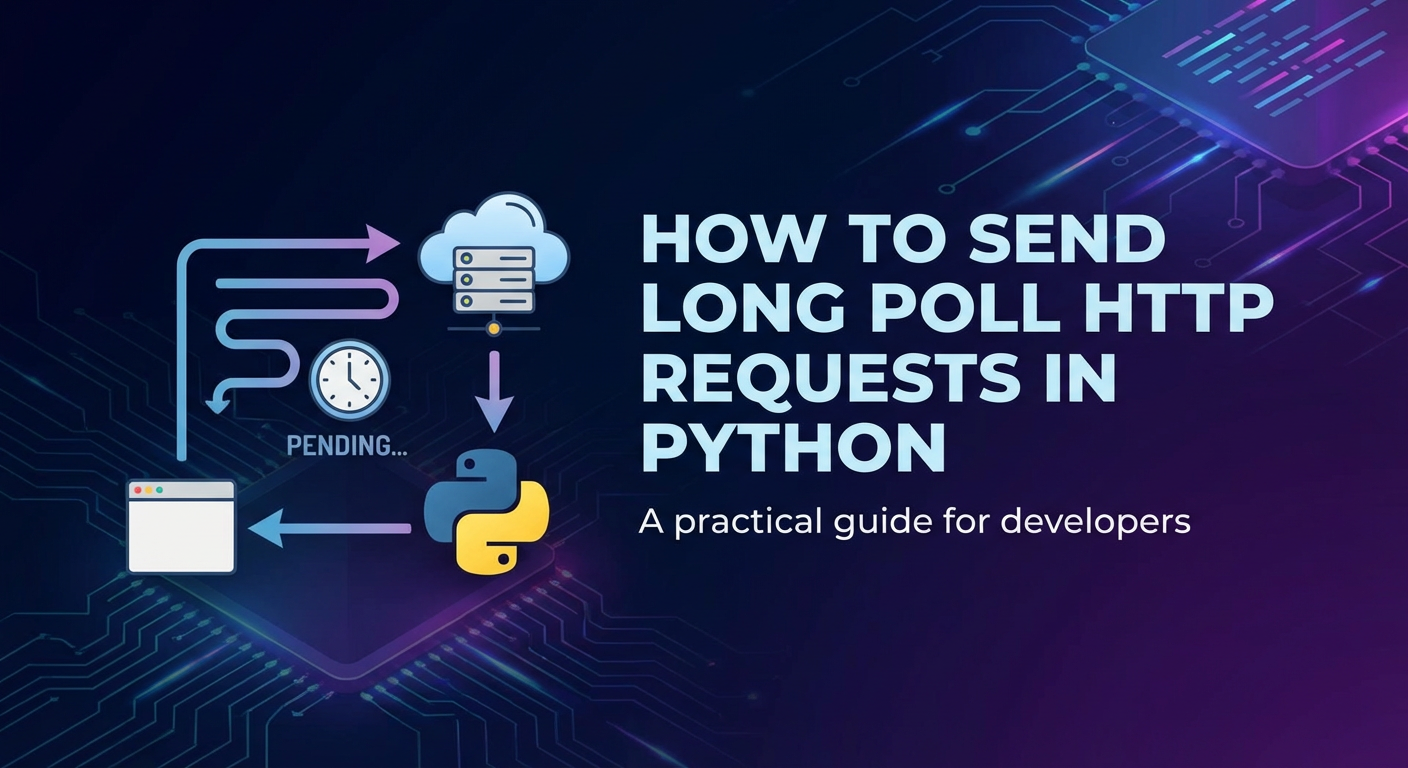
Long polling emerges as an elegant solution to mitigate these inefficiencies, striking a balance between the simplicity of HTTP and the responsiveness required for semi-real-time applications. Instead of repeatedly asking "Is there anything new?", a client sends a request that the server intentionally holds open. The server only responds when it actually has new data to deliver, or when a predefined timeout period elapses. Upon receiving any response, the client immediately initiates a new long poll request, thus maintaining a continuous, albeit indirectly persistent, communication channel. This technique allows servers to "push" updates to clients more efficiently, reducing the number of redundant requests and the associated overhead.
This article aims to demystify the process of implementing long polling on the client side using Python. We will explore various Pythonic approaches, from basic synchronous implementations to advanced asynchronous techniques, equipping you with the tools to build highly responsive applications. As we delve into the technicalities, we will also touch upon the server-side architecture and the crucial role that robust api management and dedicated api gateway solutions play in supporting such communication patterns, ensuring scalability, security, and reliability in complex networked environments. Understanding these complementary aspects is vital for any developer striving to build modern, efficient, and real-time capable systems.
II. Understanding the Fundamentals: HTTP and Connection Models for Dynamic Interaction
Before we plunge into the specifics of long polling, it's essential to firmly grasp the foundational concepts of HTTP and the various models of client-server communication. This understanding provides the necessary context to appreciate why long polling is both a clever hack and a valuable tool in specific scenarios, especially when interacting with diverse apis that might not always offer full-duplex persistent connections.
A. The Standard HTTP Request-Response Cycle: A World of Intermittent Exchanges
At its core, HTTP (Hypertext Transfer Protocol) is a stateless protocol, designed for transmitting hypermedia documents. When a typical browser or client needs information, it initiates a request (e.g., GET /data), sending it to a server. The server processes this request, fetches the requested data, and then sends back a response (e.g., 200 OK with the data, or 404 Not Found). Once the response is delivered, the connection is usually closed, or kept alive briefly (using Connection: keep-alive header) for subsequent, unrelated requests from the same client within a short timeframe. This model is incredibly effective for fetching discrete pieces of information or performing idempotent actions.
However, the stateless and intermittent nature of standard HTTP connections presents significant limitations when applications demand frequent, low-latency updates. If a client needs to be informed of changes on the server almost instantly, it would have to repeatedly send requests – a process known as short polling. This means the client continuously checks for updates, even if no new information is available. Each request incurs overhead: establishing a connection (if not kept alive), sending headers, waiting for a response, and then closing the connection. When most responses are empty, this overhead quickly accumulates, leading to inefficient resource utilization on both the client and server, increased network traffic, and unnecessary battery drain on mobile devices.
B. The Imperative for "Push" Communication: Shifting the Paradigm
The inherent inefficiency of short polling for real-time scenarios led to the exploration of "push" communication paradigms. Instead of the client constantly pulling data, the ideal scenario is for the server to "push" information to the client only when new data is actually available. This paradigm shift significantly reduces redundant network traffic and server load, as no messages are sent unless there's meaningful content to deliver. The challenge, however, is that standard HTTP was not originally designed for servers to initiate communication with clients. Clients always start the conversation.
This gave rise to several clever techniques and new protocols designed to emulate or achieve server-push functionality. Long polling is one such technique, meticulously crafted to simulate server push over the inherently client-initiated HTTP protocol. It maintains the familiar HTTP request structure but manipulates the server's response timing to create a more efficient "push-like" interaction. This approach is particularly valuable when migrating existing systems or interacting with apis that might not support newer, dedicated real-time protocols like WebSockets but still require a degree of immediacy.
C. Exploring Real-time Communication Paradigms: A Spectrum of Solutions
Understanding long polling's place within the broader ecosystem of real-time communication technologies is crucial. Each method offers distinct advantages and disadvantages, making them suitable for different use cases, often influenced by factors like required latency, bidirectional needs, and infrastructure complexity. When working with apis, choosing the right communication method can drastically impact performance and user experience, and sometimes, a robust api gateway is deployed to help manage these diverse interaction styles.
- Short Polling:
- Mechanism: The client sends an HTTP request at regular, predefined intervals (e.g., every 5 seconds). The server responds immediately, even if there's no new data.
- Advantages: Extremely simple to implement for both client and server, compatible with all HTTP infrastructure.
- Disadvantages: Very inefficient for low-frequency updates (many empty responses), high latency for actual updates (up to the polling interval), significant resource overhead on both client and server due to constant connection establishment and teardown.
- Use Cases: Simple, non-critical updates where latency isn't a major concern, or in legacy systems.
- Long Polling (HTTP Push):
- Mechanism: The client sends an HTTP request. The server intentionally holds the connection open, waiting for new data to become available. Once data arrives, or a predefined server-side timeout expires, the server sends a response (with data or an empty one) and closes the connection. The client immediately sends a new request upon receiving any response.
- Advantages: More efficient than short polling (fewer empty responses), lower latency for updates compared to short polling, uses standard HTTP ports (80/443), making it firewall-friendly, simpler to implement than WebSockets in some scenarios.
- Disadvantages: Still incurs overhead for connection establishment and teardown with each event, can be resource-intensive on the server if handling many concurrent long-lived connections, requires careful timeout and error handling, event ordering can be complex.
- Use Cases: Chat applications, notification systems, activity feeds, real-time dashboards with moderate update frequency where WebSockets might be overkill or not supported by the backend
api.
- WebSockets:
- Mechanism: After an initial HTTP handshake, a single, persistent, full-duplex connection is established between the client and server. Both client and server can send data at any time without initiating new requests.
- Advantages: True real-time, low latency, very efficient (minimal overhead after connection establishment), supports bidirectional communication, ideal for high-frequency updates.
- Disadvantages: Requires a dedicated WebSocket server or library, often necessitates changes to network infrastructure (though commonly runs on port 80/443), more complex to implement and manage than long polling, firewalls or proxies can sometimes cause issues.
- Use Cases: Online gaming, collaborative editing, high-frequency financial tickers, live chat rooms, VoIP.
- Server-Sent Events (SSE):
- Mechanism: After an initial HTTP request, the server maintains an open, persistent connection and continuously sends streams of events to the client. It's a unidirectional protocol (server-to-client).
- Advantages: Simpler than WebSockets for server-to-client-only communication, uses standard HTTP, built-in reconnection capabilities in browsers, efficient for streaming text-based data.
- Disadvantages: Unidirectional (client cannot send data back through the same channel without a separate HTTP request), not suitable for binary data or high-frequency bidirectional needs.
- Use Cases: News feeds, stock tickers, live sports scores, progress bars, one-way notification systems.
To summarize the key differences in a structured format:
| Feature | Short Polling | Long Polling | WebSockets | Server-Sent Events (SSE) |
|---|---|---|---|---|
| Communication | Unidirectional (Client-to-Server) | Unidirectional (Client-to-Server, server delays response) | Full-duplex (Bidirectional) | Unidirectional (Server-to-Client) |
| Connection Type | Short-lived, closes after each response | Long-lived (held open), closes after response or timeout | Persistent, single open connection | Persistent, single open connection |
| Protocol | HTTP/1.x, HTTP/2 | HTTP/1.x, HTTP/2 | WS (upgraded from HTTP) | HTTP/1.x, HTTP/2 |
| Latency | High (depends on interval) | Low (more immediate) | Very Low (real-time) | Low (real-time) |
| Overhead | High (many requests) | Moderate (fewer requests, but connections held) | Very Low (after handshake) | Low |
| Firewall/Proxy Friendly | Yes | Yes | Generally Yes (port 80/443) | Yes |
| Complexity | Very Low | Moderate | High | Moderate |
| Use Cases | Simple checks, infrequent updates | Chat, notifications, activity feeds | Gaming, chat, collaborative tools, high-frequency data | News feeds, stock tickers, live scores |
Understanding this spectrum is paramount for making informed decisions about how your Python application communicates with various apis. While WebSockets often represent the pinnacle of real-time communication, long polling remains a robust and often simpler alternative for many scenarios, particularly when you are constrained by existing api design or network infrastructure considerations. The gateway to efficient real-time applications often lies in judiciously choosing the right tool for the job.
III. Deeper Dive into Long Polling Mechanics: The Art of Suspenseful Responses
Long polling, at its heart, is an ingenious adaptation of the standard HTTP request-response cycle to simulate a server-push mechanism. It manipulates the server's response timing, turning a potentially instantaneous exchange into a suspended waiting game. This section dissects the step-by-step process of long polling, highlights its critical parameters, and explores its most common applications.
A. How Long Polling Works - A Step-by-Step Breakdown
The mechanism of long polling, while seemingly complex, is built upon a few fundamental interactions that loop continuously. Imagine a client consistently asking a server, "Do you have anything new for me, and if not, please tell me as soon as you do, or after a maximum of X seconds."
- Client Initiates the Request: The process begins with the client sending a regular HTTP
GETrequest to a specificapiendpoint on the server. This request often includes parameters indicating the client's current state (e.g.,last_event_id, a timestamp, or a version number) so the server knows what updates to send.- Example:
GET /events?lastId=123&timeout=30s
- Example:
- Server Receives and Holds: Upon receiving this request, the server, instead of immediately processing and responding, intentionally holds the connection open. It does not send back an HTTP response header or body right away. This is the crucial difference from short polling. The server enters a waiting state for this specific client connection.
- Server Waits for New Data/Events: During this waiting period, the server monitors for relevant events or new data that pertains to the client who initiated the long poll. This might involve checking an internal queue, subscribing to a message broker, or simply being notified by another part of the server application that new information is ready.
- Data Becomes Available (Event-Triggered Response):
- If new data or an event becomes available before the server's predefined timeout, the server constructs an HTTP response containing this data (e.g., JSON payload of new messages, notifications, or status updates).
- It then sends this response back to the client and, importantly, closes the HTTP connection.
- Timeout Occurs (Timeout-Triggered Response):
- If no new data or event becomes available within the server's predefined timeout period, the server sends a response indicating this. This is often an empty response (e.g.,
204 No Content) or a specific status code that the client interprets as "no new data, please try again." - Crucially, the server still sends a response and closes the connection, regardless of whether data was present. This prevents connections from hanging indefinitely and ensures resources are eventually released.
- If no new data or event becomes available within the server's predefined timeout period, the server sends a response indicating this. This is often an empty response (e.g.,
- Client Receives Response and Reinitiates: As soon as the client receives any response from the server (either with data or due to a timeout), it immediately processes that response. If data was received, it updates its UI or internal state. Then, without delay, the client sends a brand new HTTP
GETrequest to the sameapiendpoint, restarting the entire long polling cycle.
This continuous loop of requesting, waiting, responding, and re-requesting creates the illusion of a persistent, real-time connection. The server effectively pushes updates by responding only when it has something to say, thereby minimizing empty responses compared to short polling.
B. Key Parameters and Considerations for a Robust Implementation
Implementing long polling isn't just about sending requests; it requires careful management of several critical parameters and a thoughtful approach to connection handling to ensure reliability and efficiency. This is where the intricacies of managing client and server interactions, often facilitated by a well-configured api gateway, become paramount.
- Timeout:
- Server-side Timeout: This is the maximum duration the server will hold a connection open before sending a response (even an empty one). It's crucial for resource management, preventing connections from lingering indefinitely, and gracefully handling clients that disconnect unexpectedly. Common values range from 15 seconds to 60 seconds.
- Client-side Timeout: The client should also implement its own timeout. This acts as a safety net, ensuring the client doesn't wait forever if the server fails to respond (e.g., due to a network issue, server crash, or an unusually long server-side processing delay). The client-side timeout should generally be slightly longer than the server-side timeout to avoid a race condition where the client times out just before the server was about to respond.
- Importance: Incorrect timeout values can lead to either excessive server load (if too long) or frequent unnecessary re-requests (if too short), or worse, deadlocks where the client is waiting but the server has already closed its end of the connection.
- Event Handling on the Server:
- The server must have an efficient mechanism to track and notify clients of events. This often involves an event queue, a publish-subscribe (Pub/Sub) system (like Redis Pub/Sub, Kafka, or RabbitMQ), or an in-memory event bus. When a client initiates a long poll, the server's long polling component subscribes to relevant events for that client. When an event occurs, the long poll connection is unblocked, and a response is sent.
- Connection Management:
- Long polling inherently means the server maintains many open connections simultaneously. This requires careful consideration of server resources (memory, CPU, open file descriptors). A server needs to be architected to handle a high volume of concurrent connections efficiently. This is precisely where a robust
api gatewaycan add immense value by offloading connection management, load balancing, and providing connection health monitoring. - The total number of concurrent connections a browser can make to a single domain is also limited (typically 6-8 per origin for HTTP/1.1), which can impact client design if multiple long poll streams are needed.
- Long polling inherently means the server maintains many open connections simultaneously. This requires careful consideration of server resources (memory, CPU, open file descriptors). A server needs to be architected to handle a high volume of concurrent connections efficiently. This is precisely where a robust
- Error Handling and Retries:
- Network glitches, server errors (e.g., 5xx status codes), or client disconnections are inevitable. A robust long polling client must implement comprehensive error handling.
- Retries: If an error occurs or a connection drops, the client should attempt to re-establish the long poll. An exponential backoff strategy is highly recommended: instead of immediately retrying, wait for a short period, then a slightly longer period, and so on, up to a maximum delay. This prevents overwhelming a potentially struggling server with a flood of retry requests.
- Graceful Disconnection: The client should be able to cleanly stop long polling when the application shuts down or the user navigates away.
- Ordering of Events:
- Ensuring clients receive events in the correct sequence is critical for many applications (e.g., chat messages). The client typically sends a
last_event_idor timestamp with each new long poll request. The server uses this to fetch only new events subsequent to that ID. If the client disconnects and reconnects, it sends its latestlast_event_idto prevent missing or re-receiving events. This requires careful state management on both client and server.
- Ensuring clients receive events in the correct sequence is critical for many applications (e.g., chat messages). The client typically sends a
C. Use Cases for Long Polling: Where it Shines
Despite the rise of WebSockets, long polling remains a highly relevant and practical solution for a variety of application scenarios, particularly when a full-duplex, persistent connection isn't strictly necessary, or when working within existing HTTP infrastructure constraints. It offers a good balance between immediacy and implementation complexity for certain types of interactions with apis.
- Chat Applications (Simpler Implementations): While full-fledged, high-performance chat apps often use WebSockets, long polling can power simpler versions effectively. A client sends a long poll to receive new messages from others, and separate standard HTTP POST requests to send messages. This architecture simplifies server-side setup as it avoids the complexities of managing WebSocket connections directly.
- Notifications: Delivering real-time notifications (e.g., new email, new message, friend requests, system alerts) is an ideal use case. The client long polls an
apiendpoint dedicated to notifications, and the server responds only when there's an actual alert to deliver. This is far more efficient than constantly querying for new notifications. - Activity Feeds: Social media feeds, news feeds, or system activity logs often benefit from long polling. Users get updates to their feed as soon as they're posted, without needing to refresh the entire page. This enhances user engagement by providing a more dynamic experience.
- Real-time Dashboards with Moderate Update Frequency: For dashboards displaying metrics that update every few seconds or minutes (rather than milliseconds), long polling can be a perfect fit. It provides a more immediate view than short polling without the overhead of WebSockets, especially if the data stream is primarily unidirectional from server to client.
- Game Updates (Turn-Based or Less Demanding Real-time): In games where updates are event-driven rather than continuous (e.g., turn-based games, simple card games where player actions trigger state changes), long polling can be used to notify players of opponent moves or game state changes.
- IoT Device Monitoring: For monitoring certain IoT devices that report status or sensor data intermittently, a client application could long poll an
apito receive updates when a device status changes or a critical threshold is met, rather than constantly streaming data.
In these contexts, long polling offers a pragmatic solution, leveraging standard HTTP protocols while significantly improving responsiveness over traditional short polling. Its suitability often depends on the specific requirements for latency, bidirectionality, and the existing infrastructure's ability to handle long-lived connections, sometimes augmented by an api gateway which effectively acts as the public-facing gateway for these real-time streams.
APIPark is a high-performance AI gateway that allows you to securely access the most comprehensive LLM APIs globally on the APIPark platform, including OpenAI, Anthropic, Mistral, Llama2, Google Gemini, and more.Try APIPark now! 👇👇👇
IV. Implementing Long Polling in Python: The Client-Side Perspective
Python, with its rich ecosystem of libraries and emphasis on readability, is an excellent choice for implementing long polling clients. We will explore various approaches, starting with synchronous blocking calls and progressing to modern asynchronous techniques, providing practical code examples along the way. This section focuses on how your Python application directly interacts with the api endpoints that support long polling.
A. Prerequisites: Python Environment and the requests Library
Before writing any code, ensure you have a suitable Python environment set up. It's always a good practice to use virtual environments to manage dependencies for your projects.
- Setting up Python (Virtual Environments): If you don't have Python installed, download it from python.org. To create and activate a virtual environment:
bash python3 -m venv venv_long_poll source venv_long_poll/bin/activate # On Windows: venv_long_poll\Scripts\activateOnce activated, your terminal prompt will typically show(venv_long_poll). - Installing
requests: Therequestslibrary is the de facto standard for making HTTP requests in Python. It's user-friendly, robust, and handles many complexities of HTTP under the hood.bash pip install requests - Basic
requestsUsage: A simpleGETrequest looks like this: ```python import requeststry: response = requests.get('https://api.example.com/status', timeout=5) response.raise_for_status() # Raises HTTPError for bad responses (4xx or 5xx) data = response.json() print("Received data:", data) except requests.exceptions.RequestException as e: print(f"An error occurred: {e}")`` Thetimeout` parameter here is a crucial client-side timeout, specifying how long the client will wait for the server to send any bytes before giving up. This is distinct from the server-side long poll timeout, but they work in conjunction.
B. Synchronous Long Polling (Blocking Calls): Simplicity with Caveats
The simplest way to implement long polling in Python is using synchronous requests calls within a loop. However, this approach is blocking, meaning your program will pause execution until the HTTP request completes. While straightforward for a single, isolated long poll, it severely limits the responsiveness of your application if the long poll is happening on the main thread or if you need to perform other tasks concurrently.
Let's assume a hypothetical api endpoint https://api.example.com/events/longpoll that supports long polling. It takes an optional last_event_id and has a server-side timeout.
Code Example 1: Simple Blocking Long Poll
import requests
import time
import json

# Configuration for the long poll
API_ENDPOINT = 'https://api.example.com/events/longpoll'
# Client-side timeout (should be slightly longer than server-side timeout)
CLIENT_TIMEOUT_SECONDS = 35
# Initial event ID, or None if you want to start from the latest
last_event_id = None
# Keep track of the current request iteration for logging
request_count = 0

print("Starting synchronous long poll client...")

while True:
    request_count += 1
    params = {'last_event_id': last_event_id} if last_event_id else {}

    print(f"\n[{request_count}] Sending long poll request. last_event_id: {last_event_id if last_event_id else 'None'}")

    try:
        # requests.get is a blocking call
        response = requests.get(API_ENDPOINT, params=params, timeout=CLIENT_TIMEOUT_SECONDS)
        response.raise_for_status() # Raise an exception for HTTP errors (4xx or 5xx)

        if response.status_code == 200:
            data = response.json()
            if data:
                print(f"[{request_count}] Received new data:")
                print(json.dumps(data, indent=2))
                # Assuming the server returns the last processed event ID in the response
                if 'last_event_id' in data:
                    last_event_id = data['last_event_id']
                elif isinstance(data, list) and data: # If data is a list of events
                    last_event_id = data[-1].get('id') # Take ID of the last event
                else:
                    # Fallback or specific logic if no ID in response
                    print(f"Warning: No 'last_event_id' found in response. Next poll might fetch old data.")
                    # In a real app, you might have specific logic to infer the last_event_id
                    # or handle this scenario to prevent re-fetching.
            else:
                print(f"[{request_count}] Server responded with empty data (200 OK).")
        elif response.status_code == 204: # No Content, explicitly sent by server if timeout occurs without data
            print(f"[{request_count}] Server responded with 204 No Content (timeout without new data).")
        else:
            print(f"[{request_count}] Server responded with unexpected status code: {response.status_code}")

    except requests.exceptions.Timeout:
        print(f"[{request_count}] Client-side timeout occurred after {CLIENT_TIMEOUT_SECONDS} seconds. Retrying...")
    except requests.exceptions.ConnectionError as e:
        print(f"[{request_count}] Connection error: {e}. Retrying in 5 seconds...")
        time.sleep(5) # Wait before retrying on connection error
    except requests.exceptions.HTTPError as e:
        print(f"[{request_count}] HTTP error {e.response.status_code}: {e.response.text}. Retrying in 10 seconds...")
        time.sleep(10) # Wait longer for server-side errors
    except json.JSONDecodeError:
        print(f"[{request_count}] Could not decode JSON from response: {response.text}. Retrying...")
    except Exception as e:
        print(f"[{request_count}] An unexpected error occurred: {e}. Retrying in 5 seconds...")
        time.sleep(5)

    # In a blocking loop, we don't need a sleep here as the request itself is a wait
    # The next iteration immediately sends a new request.
Issues with Responsiveness and UI Blocking: The primary drawback of this synchronous approach is evident: the while True loop, containing the requests.get() call, will completely block the execution of the rest of your Python script. If this were part of a graphical user interface (GUI) application, the UI would freeze until each long poll request completed. For server-side applications, it means that the specific worker handling this loop cannot do anything else. This limitation makes synchronous long polling unsuitable for applications that need to perform other tasks or maintain responsiveness while waiting for api updates.
C. Asynchronous Long Polling with threading: Achieving Concurrency
To overcome the blocking nature of synchronous calls, Python's threading module offers a straightforward way to run the long polling logic concurrently in a separate thread. This allows your main program or other parts of your application to remain responsive while the long poll tirelessly waits for api updates in the background.
Introduction to threading: The threading module allows you to create new threads of execution within the same process. Each thread runs independently, enabling your program to perform multiple tasks seemingly simultaneously. For I/O-bound tasks like network requests, threading can significantly improve responsiveness.
Creating a Separate Thread: You typically define a function that encapsulates the long polling logic and then create a threading.Thread instance targeting that function.
Communicating Results Back: When the long poll thread receives data, it often needs to communicate that data back to the main thread or another part of the application. Python's queue module is ideal for this, providing thread-safe mechanisms for passing messages between threads.
Code Example 2: Long Poll using threading
import requests
import time
import json
import threading
import queue

# Configuration for the long poll
API_ENDPOINT = 'https://api.example.com/events/longpoll'
CLIENT_TIMEOUT_SECONDS = 35

# A queue to put received events into, for the main thread to consume
event_queue = queue.Queue()
# A flag to signal the long poll thread to stop
stop_thread_flag = threading.Event()

def long_poll_worker(event_q, stop_flag):
    """
    Worker function for the long polling thread.
    Continuously sends long poll requests and puts received data into the queue.
    """
    last_event_id = None
    request_count = 0
    print("[LP Thread] Long poll worker started.")

    while not stop_flag.is_set(): # Loop until stop_flag is set
        request_count += 1
        params = {'last_event_id': last_event_id} if last_event_id else {}

        print(f"[LP Thread][{request_count}] Sending long poll request. last_event_id: {last_event_id if last_event_id else 'None'}")

        try:
            response = requests.get(API_ENDPOINT, params=params, timeout=CLIENT_TIMEOUT_SECONDS)
            response.raise_for_status()

            if response.status_code == 200:
                data = response.json()
                if data:
                    print(f"[LP Thread][{request_count}] Received new data (put in queue).")
                    event_q.put(data) # Put data into the queue for processing

                    if 'last_event_id' in data:
                        last_event_id = data['last_event_id']
                    elif isinstance(data, list) and data:
                        last_event_id = data[-1].get('id')
                else:
                    print(f"[LP Thread][{request_count}] Server responded with empty data (200 OK).")
            elif response.status_code == 204:
                print(f"[LP Thread][{request_count}] Server responded with 204 No Content (timeout without new data).")
            else:
                print(f"[LP Thread][{request_count}] Server responded with unexpected status code: {response.status_code}")

        except requests.exceptions.Timeout:
            print(f"[LP Thread][{request_count}] Client-side timeout occurred. Retrying...")
        except requests.exceptions.ConnectionError as e:
            print(f"[LP Thread][{request_count}] Connection error: {e}. Retrying in 5 seconds...")
            time.sleep(5)
        except requests.exceptions.HTTPError as e:
            print(f"[LP Thread][{request_count}] HTTP error {e.response.status_code}: {e.response.text}. Retrying in 10 seconds...")
            time.sleep(10)
        except json.JSONDecodeError:
            print(f"[LP Thread][{request_count}] Could not decode JSON from response: {response.text}. Retrying...")
        except Exception as e:
            print(f"[LP Thread][{request_count}] An unexpected error occurred: {e}. Retrying in 5 seconds...")
            time.sleep(5)

    print("[LP Thread] Long poll worker stopped.")

if __name__ == "__main__":
    print("Main thread started. Initializing long poll worker thread.")

    # Create and start the long poll thread
    lp_thread = threading.Thread(target=long_poll_worker, args=(event_queue, stop_thread_flag), daemon=True)
    lp_thread.start() # Start the thread

    try:
        # Main thread can now do other work or simply monitor the queue
        print("Main thread is now performing other tasks, checking event queue every 2 seconds.")
        while True:
            # Try to get an item from the queue without blocking (timeout=1)
            try:
                event_data = event_queue.get(timeout=1)
                print("\n[Main Thread] Processing new event from queue:")
                print(json.dumps(event_data, indent=2))
                # Here you would integrate the data into your application logic, e.g., update a GUI
            except queue.Empty:
                # No new events in the queue, continue with other main thread tasks
                pass

            # Simulate other work in the main thread
            print(".", end='', flush=True) # Indicate main thread is active
            time.sleep(1) # Small sleep to avoid busy-waiting, but still responsive

            # Example: stop after 30 seconds for demonstration
            # if time.time() - start_time > 30:
            #     break

    except KeyboardInterrupt:
        print("\n[Main Thread] KeyboardInterrupt detected. Stopping long poll thread...")
        stop_thread_flag.set() # Signal the worker thread to stop
        lp_thread.join(timeout=CLIENT_TIMEOUT_SECONDS + 10) # Wait for the thread to finish gracefully
        if lp_thread.is_alive():
            print("[Main Thread] Warning: Long poll thread did not stop gracefully. Force exiting.")
        else:
            print("[Main Thread] Long poll thread stopped successfully.")

    print("Main thread exiting.")
Discussion: * Daemon Threads: Setting daemon=True for the lp_thread ensures that the thread will automatically terminate when the main program exits, even if it hasn't finished its while loop. This is useful for background tasks, but if you need to guarantee resource cleanup or final writes, daemon=False and explicit join() calls with timeouts are necessary. * Joining Threads: The lp_thread.join() call in the KeyboardInterrupt handler attempts to wait for the worker thread to complete its current request and exit gracefully. A timeout is provided to prevent the main thread from waiting indefinitely if the worker thread gets stuck. * Thread Safety: The queue.Queue is inherently thread-safe, making it a reliable way to pass data between threads without worrying about race conditions. * Advantages: This approach allows your main application to remain responsive. GUI applications, for instance, can update their interfaces or process user input while new events are being fetched in the background.
While threading is effective for I/O-bound tasks in Python, it's not without its limitations (e.g., Global Interpreter Lock for CPU-bound tasks). For truly high-performance, massively concurrent I/O, asyncio often provides a more scalable and resource-efficient solution, especially when dealing with many parallel long poll api calls.
D. The Modern Approach: asyncio and aiohttp for Asynchronous I/O
For applications requiring high concurrency and efficient resource utilization, especially when managing multiple api interactions or several long poll streams simultaneously, Python's asyncio framework paired with the aiohttp library is the modern and recommended approach. asyncio provides a robust foundation for writing concurrent code using async and await syntax, allowing your program to perform I/O operations without blocking the entire execution.
Introduction to asyncio: asyncio is a library to write concurrent code using the async/await syntax. It's built around an event loop, which schedules and manages various tasks. When an await expression is encountered during an I/O operation (like a network request), the current task yields control back to the event loop, allowing other tasks to run. Once the I/O operation completes, the event loop resumes the original task. This differs from threading, where each thread has its own call stack and OS scheduler manages switching. asyncio is cooperative multitasking.
Why asyncio is Superior for I/O-bound Tasks: * Resource Efficiency: Unlike threads, which consume significant memory and require OS context switching, asyncio tasks (coroutines) are lightweight. A single asyncio event loop can manage thousands of concurrent I/O operations with minimal overhead. * Scalability: This lightweight nature makes asyncio highly scalable for applications that spend most of their time waiting for external resources (like network api responses or database queries). * Reduced Complexity: While the initial learning curve might seem steeper, async/await often leads to more readable and less error-prone concurrent code compared to complex thread synchronization mechanisms.
Installing aiohttp: aiohttp is an asynchronous HTTP client/server framework built on asyncio. It provides an async interface for making HTTP requests.
pip install aiohttp
Implementing Long Polling using aiohttp.ClientSession:
Code Example 3: Long Poll using asyncio and aiohttp
import asyncio
import aiohttp
import json
import time

# Configuration for the long poll
API_ENDPOINT = 'https://api.example.com/events/longpoll'
CLIENT_TIMEOUT_SECONDS = 35

async def async_long_poll_worker(session: aiohttp.ClientSession, event_handler_coro):
    """
    Asynchronous worker for long polling.
    Utilizes aiohttp for non-blocking HTTP requests.
    """
    last_event_id = None
    request_count = 0
    print("[Async LP Task] Async long poll worker started.")

    while True: # Loop indefinitely until the task is cancelled
        request_count += 1
        params = {'last_event_id': last_event_id} if last_event_id else {}

        print(f"\n[Async LP Task][{request_count}] Sending long poll request. last_event_id: {last_event_id if last_event_id else 'None'}")

        try:
            # aiohttp.ClientTimeout defines read timeout (for data) and connect timeout
            # total=None means no total timeout, let read/connect timeouts govern
            timeout = aiohttp.ClientTimeout(total=None, connect=5, sock_read=CLIENT_TIMEOUT_SECONDS)

            async with session.get(API_ENDPOINT, params=params, timeout=timeout) as response:
                response.raise_for_status() # Raise an exception for HTTP errors

                if response.status == 200:
                    data = await response.json()
                    if data:
                        print(f"[Async LP Task][{request_count}] Received new data.")
                        # Call the async event handler (another coroutine)
                        await event_handler_coro(data)

                        if 'last_event_id' in data:
                            last_event_id = data['last_event_id']
                        elif isinstance(data, list) and data:
                            last_event_id = data[-1].get('id')
                    else:
                        print(f"[Async LP Task][{request_count}] Server responded with empty data (200 OK).")
                elif response.status == 204:
                    print(f"[Async LP Task][{request_count}] Server responded with 204 No Content (timeout without new data).")
                else:
                    print(f"[Async LP Task][{request_count}] Server responded with unexpected status code: {response.status}.")

        except aiohttp.ClientConnectorError as e:
            print(f"[Async LP Task][{request_count}] Connection error: {e}. Retrying in 5 seconds...")
            await asyncio.sleep(5) # Asynchronous sleep
        except asyncio.TimeoutError:
            print(f"[Async LP Task][{request_count}] Client-side read timeout occurred after {CLIENT_TIMEOUT_SECONDS} seconds. Retrying...")
        except aiohttp.ClientResponseError as e:
            print(f"[Async LP Task][{request_count}] HTTP error {e.status}: {e.message}. Retrying in 10 seconds...")
            await asyncio.sleep(10)
        except json.JSONDecodeError:
            response_text = await response.text() # Get raw text for debugging
            print(f"[Async LP Task][{request_count}] Could not decode JSON from response: {response_text}. Retrying...")
        except asyncio.CancelledError:
            print(f"[Async LP Task] Long poll task cancelled gracefully.")
            break # Exit the loop if task is cancelled
        except Exception as e:
            print(f"[Async LP Task][{request_count}] An unexpected error occurred: {e}. Retrying in 5 seconds...")
            await asyncio.sleep(5)

# Example asynchronous event handler
async def handle_event_data(data):
    """
    A separate async function to process incoming events.
    This could involve updating a database, sending another API request, etc.
    """
    print(f"[Event Handler] Processing event: {json.dumps(data, indent=2)}")
    # Simulate some async processing
    await asyncio.sleep(0.5)
    print("[Event Handler] Event processed.")

async def main():
    """
    Main asynchronous function to set up and run the long poll.
    """
    print("Main async function started. Initializing aiohttp ClientSession.")

    # ClientSession should be created once per application and reused
    # It manages connection pooling and configuration.
    async with aiohttp.ClientSession() as session:
        # Start the long poll worker as an asyncio task
        long_poll_task = asyncio.create_task(async_long_poll_worker(session, handle_event_data))

        print("Main task is now performing other asynchronous work (e.g., serving a web page, managing other tasks).")
        start_time = time.monotonic()
        try:
            while True:
                # Simulate other async work
                print(".", end='', flush=True)
                await asyncio.sleep(1) # Yield control to the event loop

                # Example: allow running for a certain duration
                if time.monotonic() - start_time > 60: # Stop after 60 seconds for demonstration
                    print("\n[Main Task] Simulated work finished. Stopping long poll task.")
                    break

        except KeyboardInterrupt:
            print("\n[Main Task] KeyboardInterrupt detected. Cancelling long poll task...")
        finally:
            long_poll_task.cancel() # Request the task to cancel
            try:
                await long_poll_task # Await its completion to handle CancelledError gracefully
                print("[Main Task] Long poll task completed after cancellation.")
            except asyncio.CancelledError:
                print("[Main Task] Long poll task was successfully cancelled.")

    print("Main async function exiting.")

if __name__ == "__main__":
    # Python 3.7+ uses asyncio.run() to simplify running the main coroutine
    asyncio.run(main())
Discussion: * aiohttp.ClientSession: This object is crucial. It manages connection pooling, cookies, and other HTTP-related states efficiently. It should be created once and reused for all requests within your application. Using async with ensures the session is properly closed. * aiohttp.ClientTimeout: This provides fine-grained control over various timeouts: total (overall request limit), connect (time to establish connection), sock_read (time to read new data on an established connection). For long polling, sock_read is the most relevant timeout to set, slightly longer than the server's long poll timeout. * asyncio.create_task(): This schedules a coroutine (async_long_poll_worker in this case) to run concurrently on the event loop. The main function can then perform other awaitable operations without being blocked by the long poll. * asyncio.CancelledError: This exception is raised when task.cancel() is called. It's important to catch this in your async functions to perform cleanup and exit gracefully. The finally block and await long_poll_task in main ensure that cancellation is handled correctly. * Advantages: asyncio is highly efficient for managing many concurrent network operations. If your application needs to handle multiple simultaneous long poll connections to different api endpoints, or if it combines long polling with a web server (aiohttp can also be a server) or other asynchronous tasks, this approach scales much better than threading. It also leads to cleaner, more explicit control flow for asynchronous operations.
E. Handling Timeouts and Server Responses: Robustness in Communication
A successful long polling client isn't just about sending requests; it's about intelligently interpreting responses and gracefully handling a myriad of potential scenarios, including explicit timeouts and various server api response statuses.
- Client-side Timeout Configuration:
requests: Thetimeoutparameter inrequests.get()is a "connect timeout" and a "read timeout." If the server doesn't respond with any bytes within the specified duration,requests.exceptions.Timeoutis raised. This should always be set to be slightly longer than the server-side long poll timeout. For example, if the server times out after 30 seconds, a client-side timeout of 35 seconds is reasonable.aiohttp:aiohttp.ClientTimeoutoffers more granular control.sock_readis the key for long polling, defining how longaiohttpwill wait for new data on an already established connection. Again, set this just above the server's expected long poll timeout.- Purpose: The client-side timeout prevents your application from hanging indefinitely if the server crashes, becomes unresponsive, or if there's a network partition preventing the server's response from reaching the client.
- Interpreting Different Server Responses: The server's response status code and body are critical for the client to understand what happened and how to proceed.
200 OK(with data): This is the ideal scenario. The server had new events and responded with a JSON (or other format) payload. The client should process this data and immediately send a new long poll request. Crucially, the response should ideally contain alast_event_idor similar marker to help the client ensure event ordering and prevent re-fetching.200 OK(empty data): Some servers might respond with200 OKbut an empty JSON object{}or array[]if the timeout occurred without new data. The client should interpret this as "no new data" and immediately send a new long poll.204 No Content: This HTTP status code explicitly means the server successfully processed the request but has no content to send in the response body. Many long pollingapis use this status when their internal timeout expires without any new events for the client. The client should interpret this as "no new data, please try again" and immediately send a new long poll request.503 Service Unavailable: This indicates a server-side issue, possibly due to overload or maintenance. The client should implement an exponential backoff strategy before retrying. This means waiting for increasing intervals (e.g., 1s, 2s, 4s, 8s, up to a maximum) before sending the next request, to avoid overwhelming a struggling server.4xx Client Error: These typically indicate issues with the client's request itself (e.g.,400 Bad Request,401 Unauthorized,404 Not Found). The client should log these errors, possibly alert the user, and may need to adjust its request parameters or authentication before retrying, or stop polling if the error is persistent and unrecoverable (e.g., invalidapikey).- Connection Errors: (
requests.exceptions.ConnectionError,aiohttp.ClientConnectorError) These occur when the client cannot even establish a connection to the server (e.g., server offline, network cable unplugged). Implement robust retry logic with exponential backoff.
Implementing Exponential Backoff for Retries: This is a vital strategy for fault tolerance. Instead of immediate retries, an exponential backoff algorithm increases the waiting time between retries for consecutive failures. ```python import time import randomMAX_RETRIES = 5 BASE_RETRY_DELAY_SECONDS = 1 current_retry_count = 0while current_retry_count < MAX_RETRIES: try: # ... long poll request logic ... # If successful, reset current_retry_count = 0 current_retry_count = 0 break # Exit retry loop on success except (requests.exceptions.ConnectionError, requests.exceptions.Timeout, requests.exceptions.HTTPError) as e: current_retry_count += 1 if current_retry_count >= MAX_RETRIES: print("Max retries reached. Giving up.") raise # Re-raise the exception or handle final failure
    delay = BASE_RETRY_DELAY_SECONDS * (2 ** (current_retry_count - 1)) + random.uniform(0, 0.5)
    print(f"Error: {e}. Retrying in {delay:.2f} seconds (attempt {current_retry_count}/{MAX_RETRIES}).")
    time.sleep(delay) # For synchronous code
    # await asyncio.sleep(delay) # For asynchronous code
`` Adding a small random jitter (random.uniform(0, 0.5)`) to the delay helps prevent a "thundering herd" problem where many clients simultaneously retry after the same delay, potentially overwhelming the server again.
F. Practical Considerations for Robust Clients: Building Resilience
Beyond the core logic, a robust long polling client demands attention to details that ensure reliability, security, and efficient resource management in real-world deployments.
- Error Handling and Logging:
- Comprehensive
try...exceptblocks are essential to catch network errors, HTTP errors, JSON decoding issues, and unexpected exceptions. - Logging: Use Python's
loggingmodule to record detailed information about request attempts, responses, errors, and retries. This is invaluable for debugging and monitoring in production environments. Log levels (INFO, WARNING, ERROR, DEBUG) help manage verbosity.
- Comprehensive
- Reconnection Logic and State Management:
- If a long poll connection drops due to a client or server error, the client must attempt to reconnect using the retry logic discussed above.
- State (
last_event_id): When reconnecting, it's crucial for the client to send its last successfully processedlast_event_idto the server. This prevents the client from receiving duplicate events (if the server sends all events since the last known ID) or, more critically, missing events that occurred while the client was disconnected. The server'sapimust be designed to handle this parameter correctly, typically by sending events after the provided ID.
- Resource Management:
- Connection Pooling:
requestsandaiohttp.ClientSessionboth automatically handle connection pooling, reusing underlying TCP connections for efficiency. Ensureaiohttp.ClientSessionis used as a context manager (async with) to guarantee proper cleanup. - Graceful Shutdown: When your application needs to exit, ensure that long polling threads or
asynciotasks are gracefully stopped. For threads, use a flag (threading.Event). Forasynciotasks, usetask.cancel()andawait taskto allow forCancelledErrorhandling. This prevents resources from being leaked or connections abruptly terminated in a way that might cause server-side issues.
- Connection Pooling:
- Security:
- Authentication: Long poll requests often interact with protected
apiendpoints. Ensure that your client properly authenticates (e.g., usingAuthorizationheaders with API keys, OAuth 2.0 tokens, or session cookies). Tokens should be managed securely, refreshed before expiration, and protected against leakage. - HTTPS: Always use HTTPS (
https://) for allapicommunication to encrypt data in transit and protect against eavesdropping and man-in-the-middle attacks.requestsandaiohttphandle SSL/TLS certificate verification by default. - Input Validation (if applicable): While long polling typically involves
GETrequests, if your client sends any data in parameters, ensure it's properly validated and sanitized to prevent injection attacks or malformed requests.
- Authentication: Long poll requests often interact with protected
By meticulously addressing these practical considerations, you can build long polling clients in Python that are not only functional but also resilient, secure, and ready for production environments, capable of maintaining reliable real-time api interactions.
V. Server-Side Implications and the Role of API Management
While this guide primarily focuses on the client-side implementation of long polling in Python, it is impossible to discuss the topic comprehensively without understanding its profound implications for the server. A robust long polling client is only as good as the server api it interacts with. Furthermore, in any complex ecosystem of apis, whether they involve real-time communication or not, an api gateway becomes an indispensable component, especially one designed for high performance and comprehensive api management like APIPark.
A. Server-Side Architecture for Long Polling: Managing the Wait
Implementing long polling on the server side presents a unique set of architectural challenges, primarily centered around efficiently managing numerous open connections and notifying clients when events occur.
- Event Queues and Publish-Subscribe Patterns: At the core of a long polling server is an event delivery system. When a client initiates a long poll, the server stores a reference to that client's open connection. When an event occurs (e.g., a new message, a status change), the server needs to:
- Identify which connected clients are interested in this event.
- Retrieve the relevant client connection.
- Send the event data as an HTTP response.
- Close the connection. This typically involves a publish-subscribe (Pub/Sub) model. An event producer (e.g., a chat message sender) publishes an event to a topic. The long polling server acts as a subscriber to these topics. When an event arrives on a subscribed topic, the server iterates through the waiting clients for that topic, delivers the event, and closes their connections. Technologies like Redis Pub/Sub, Apache Kafka, or RabbitMQ are commonly used for this decoupled event distribution.
- Scalability Challenges: Maintaining Many Open Connections: The most significant challenge for a long polling server is managing a large number of concurrent, long-lived HTTP connections. Each open connection consumes server resources (memory for connection state, file descriptors, potentially a thread or
asynciotask). Traditional blocking web servers (like Apache withmod_phpor certain WSGI servers without asynchronous capabilities) are poorly suited for long polling because they allocate a thread per connection, quickly exhausting resources. Modern asynchronous web frameworks (e.g., Python's FastAPI/Starlette/Django Channels, Node.js Express, Go'snet/http, Java's Spring WebFlux) are much better equipped as they can handle thousands of concurrent connections with a small number of worker processes or threads by leveraging non-blocking I/O. - Load Balancing Strategies for Long-Lived Connections: In a distributed environment, long polling servers need to be load balanced. However, traditional round-robin load balancing can be problematic if a client consistently long polls a specific server. If the client's subsequent long poll requests hit a different server, that server won't have the context (e.g., the
last_event_idstate) of the previous connection. This can lead to missed events or inconsistent behavior. Sticky sessions (where a client's requests are always routed to the same backend server) are often employed for long polling. This ensures that the server holding the client's long poll request is the same one that receives event notifications for that client. However, sticky sessions can complicate scaling and make graceful server shutdowns more challenging. Alternatively, a shared event bus (like Redis) allows any server instance to respond, decoupling state from the individual server instance.
B. The Crucial Role of an API Gateway: Orchestrating Real-time Flows
As the number and complexity of apis grow, particularly those employing specialized communication patterns like long polling, the need for robust api management becomes paramount. An api gateway is a central piece of infrastructure that acts as a single entry point for all client requests, routing them to the appropriate backend services. More than just a router, it performs a multitude of crucial functions, becoming the very gateway through which all api traffic, including long poll requests, must pass.
- What is an
api gateway? Anapi gatewaysits between clients and backend services. It takes allapirequests, determines the correct backend service, and routes them. Before forwarding, it can apply various policies like authentication, authorization, rate limiting, logging, and transformation. It effectively centralizes many cross-cutting concerns that would otherwise need to be implemented in each individual backend service. - How an
api gatewayHandles Long Poll Requests: When long pollingapis are involved, theapi gatewayplays an even more critical role in ensuring efficiency, security, and scalability:- Connection Management and Pooling: An advanced
api gatewaycan intelligently manage and optimize the underlying TCP connections, abstracting some of the complexities of long-lived connections from the backend services. It can pool connections and ensure efficient resource utilization. - Load Balancing Across Backend Long Poll Servers: Gateways are adept at sophisticated load balancing. For long polling, they can employ algorithms like least connections or even use sticky sessions (if required by the backend) to route requests consistently. This ensures that the long-lived connections are distributed evenly and reliably across the available backend servers, preventing any single server from becoming a bottleneck.
- Authentication and Authorization Before Reaching the Backend: Before a long poll request ever reaches your custom backend logic, the
api gatewaycan handle all authentication (e.g., validating API keys, OAuth tokens) and authorization checks. This offloads a significant security burden from your backend long polling service and provides a centralized point of control for access policies. Only authenticated and authorized requests are forwarded, saving backend resources. - Rate Limiting: To protect your backend long polling servers from abuse or overload, the
api gatewaycan enforce rate limits. If a client attempts to send long poll requests too frequently (e.g., immediately after a network error, ignoring backoff), the gateway can reject subsequent requests, shielding your backend. - Monitoring the Health and Performance of Long-Poll Endpoints: A good
api gatewaycontinuously monitors the health and performance of the backend services it routes to. If a long polling server becomes unhealthy or unresponsive, the gateway can detect this and stop routing new requests to it, ensuring clients only interact with healthy services. It can also collect metrics like average response times for long poll connections, number of active connections, and error rates. - Centralized Logging for Troubleshooting: All requests, including long poll attempts and their resolutions, pass through the
api gateway. This allows for centralized and comprehensive logging, which is invaluable for debugging issues, trackingapiusage, and auditing. If a client reports a problem with long polling, logs from theapi gatewayprovide the first line of defense in diagnosing whether the issue is client-side, network-related, or originating in the backend.
- Connection Management and Pooling: An advanced
- Introducing APIPark: For organizations building and consuming numerous
apis, especially those with real-time requirements like long polling, the complexity of managing these interactions grows exponentially. This is where an advancedapi gatewayand API management platform becomes indispensable. Consider a solution like APIPark. APIPark is an open-source AI gateway and API management platform designed to help developers and enterprises manage, integrate, and deploy AI and REST services with ease. Its capabilities directly address many of the challenges associated with orchestratingapiecosystems that involve dynamic communication patterns like long polling.APIPark's End-to-End API Lifecycle Management helps regulate API management processes, manage traffic forwarding, load balancing, and versioning of published APIs. For long polling, this means that thegatewaycan ensure that your long pollapis are properly configured, scaled, and managed throughout their operational life. Its Performance Rivaling Nginx with the ability to achieve over 20,000 TPS on modest hardware means it can handle the high concurrent connection load characteristic of long polling without becoming a bottleneck. Furthermore, APIPark's Detailed API Call Logging and Powerful Data Analysis features are invaluable. They provide comprehensive logs for everyapicall, allowing businesses to quickly trace and troubleshoot issues in long pollapicalls and analyze historical call data to display long-term trends and performance changes. This proactive monitoring and troubleshooting is essential for maintaining the stability and reliability of real-time communication systems.
C. Distinguishing Long Polling from other gateway Functionalities
It's important to clarify the distinction between long polling as a communication pattern and a gateway as an infrastructure component. * Long Polling: This is a client-server communication technique used to achieve a push-like effect over HTTP. It describes how the client and server interact to exchange data. * Gateway: In networking, a gateway is a node that serves as an access point to another network or a service. It is a general term for network components that translate protocols or provide access. * api gateway: This is a specific type of gateway designed for managing api traffic. It is a server-side component that sits in front of one or more backend api services.
Therefore, long polling is a method that an api (served by a backend service) might implement, while an api gateway is the infrastructure that manages access to that api. They are complementary. A long polling api can be deployed behind an api gateway, leveraging the gateway's capabilities for security, scalability, and monitoring, thus forming a robust, production-ready real-time system.
D. Scaling Long Polling Systems: Beyond a Single Server
For apis expecting a high volume of clients, scaling long polling systems effectively is paramount. This involves strategies that go beyond a single backend server.
- Horizontal Scaling of Backend Servers: The most common approach is to deploy multiple instances of your long polling backend service. An
api gatewayor a load balancer then distributes incoming long poll requests across these instances. As discussed, sticky sessions might be needed if state is held on individual servers. - Leveraging Message Brokers to Decouple Event Producers from Long-Poll Consumers: For highly scalable and resilient long polling, message brokers (like Kafka, RabbitMQ, or AWS SQS/SNS) are invaluable.
- Event producers (e.g., microservices that generate new data) publish events to the message broker.
- The long polling backend servers (consumers) subscribe to these events.
- When a long poll request comes in, a server holds the connection and waits for an event from the message broker. When an event arrives, the server retrieves it from the broker, delivers it to the waiting client, and closes the connection. This architecture decouples the event generation from the long polling response, making the system highly scalable and resilient. It allows long polling servers to be stateless (or near-stateless), as the event state is managed by the broker, simplifying load balancing and server scaling. If a long polling server crashes, new requests will simply be routed to another healthy instance, and the message broker ensures events are not lost.
By thoughtfully designing both the client-side Python application and the server-side api infrastructure, often leveraging the robust features of an api gateway like APIPark, developers can build powerful and scalable real-time systems that effectively use long polling to bridge the gap between traditional HTTP and immediate data delivery.
VI. Advanced Topics and Best Practices: Refining Your Long Polling Implementation
Building a functional long polling client is one thing; crafting a resilient, efficient, and secure one requires attention to a host of advanced topics and adherence to best practices. These considerations elevate your Python implementation from merely working to production-ready.
A. Optimizing for Performance and Reliability
Performance and reliability are paramount for any real-time system. Long polling, while more efficient than short polling, still demands careful optimization.
- Choosing Appropriate Timeout Values:
- Server-side: The server's timeout should be long enough to allow for a reasonable window for events to occur, but not so long that it ties up resources unnecessarily. Typically, 20-60 seconds is a common range. Factors like expected event frequency and server capacity influence this.
- Client-side: The client's read timeout must be slightly longer than the server's timeout (e.g., 5-10 seconds longer). This prevents the client from timing out prematurely, just before the server was about to respond due to its own timeout. A premature client timeout results in an unnecessary immediate retry, adding load.
- Impact: Incorrect timeouts can lead to a "thundering herd" effect (many clients retrying simultaneously) or wasted server resources.
- Heartbeat Mechanisms to Detect Stale Connections: While long polling connections are typically short-lived (per event or per timeout), situations can arise where a network interruption prevents the client from receiving the server's response, leaving both sides in an ambiguous state. A server might continue to hold resources for a client that has silently disconnected.
- For the server, implementing a way to detect truly disconnected clients (e.g., using
keep-alivetimeouts at the TCP layer, or a higher-level application heartbeat if the connection is very long-lived) is important for resource cleanup. - For the client, in some long-polling variations, the server might send a periodic "heartbeat" message (e.g., a simple
200 OKwith a non-event payload) within the long poll window if no real data is available, resetting the client's internal connection timer. This is less common for typical long polling (where204 No Contentis more typical) but can be useful in specific scenarios. More often, the client's own robust timeout and retry logic acts as its "heartbeat" to detect dead connections.
- For the server, implementing a way to detect truly disconnected clients (e.g., using
- Client-side Throttling to Prevent Overwhelming the Server: Even with exponential backoff for error retries, a client can still potentially overwhelm a server if it's experiencing frequent, transient errors or if the server is consistently responding with empty data due to its own timeouts.
- Implement a maximum retry delay and a maximum number of consecutive empty responses after which the client might pause for a longer, fixed period, or even stop polling and require manual intervention or a restart.
- This prevents a "tight loop" where the client endlessly re-polls a struggling
apiendpoint.
- Idempotency of Long Poll Requests (if applicable): While long polling
GETrequests are typically idempotent (they don't change server state), consider scenarios where thelast_event_idmight be slightly off. The server should be robust to receiving requests forlast_event_ids it has already processed, simply returning no events or the subsequent events correctly. This guards against duplicate event processing if a client's state is momentarily out of sync.
B. Security Considerations: Protecting Your Real-time Data Streams
Security is paramount. apis, especially those that provide real-time updates, are attractive targets for malicious actors.
- Authentication and Authorization (OAuth 2.0, API keys):
- Every long poll request should be authenticated. This typically involves including an
Authorizationheader with a bearer token (from OAuth 2.0) or a customapikey. - The
api gatewayshould be configured to validate these credentials before forwarding the request to the backend long polling service. - Ensure that authentication tokens are short-lived and refreshed periodically to minimize the window of compromise.
- Authorization checks should verify that the authenticated client is permitted to access the specific event stream it's trying to long poll.
- Every long poll request should be authenticated. This typically involves including an
- HTTPS Enforcement:
- Always, without exception, use HTTPS for all
apicommunication, including long polling. This encrypts the data in transit, protecting sensitive information from eavesdropping and man-in-the-middle attacks. - Python's
requestsandaiohttplibraries verify SSL/TLS certificates by default, which is crucial for preventing connections to malicious servers.
- Always, without exception, use HTTPS for all
- Protection Against DDoS Attacks (often handled by the
api gateway):- A sophisticated
api gatewayor a dedicated Web Application Firewall (WAF) can absorb and mitigate Distributed Denial of Service (DDoS) attacks. For long polling, an attacker might try to open thousands of long-lived connections to exhaust server resources. Thegatewaycan identify and block such patterns. - Client-side throttling and exponential backoff also contribute to overall system resilience against such attacks by reducing the impact of misbehaving clients.
- A sophisticated
- Data Encryption:
- While HTTPS encrypts data in transit, consider end-to-end encryption for highly sensitive data if it needs to remain encrypted even at rest on the server or within internal message queues. This is typically implemented at the application layer.
C. Monitoring and Debugging: Keeping an Eye on the Pulse
Understanding how your long polling system behaves in production, and being able to quickly diagnose issues, is critical.
- Server-Side Logging:
- The server hosting the long polling
apimust have robust logging. This includes logging when connections are opened, when events are delivered, when timeouts occur, and any errors. Detailed logs help trace individual client interactions and diagnose server-side performance issues related to long-lived connections. - The
api gateway(like APIPark) provides comprehensive logs of allapitraffic, offering a high-level view and serving as the first point of investigation for connection issues.
- The server hosting the long polling
- Client-Side Logging:
- Your Python client should log its long polling activities: when requests are sent, when responses are received, any data processed, and especially any errors or retry attempts. This is invaluable for understanding why a client might not be receiving updates or experiencing connectivity problems.
- Use Python's
loggingmodule to output to console, files, or remote logging services.
- Using Network Sniffers (Wireshark) to Inspect Long Poll Traffic:
- For deep debugging, tools like Wireshark or
tcpdumpcan capture network traffic. This allows you to inspect the raw HTTP requests and responses, verify headers, check timeouts, and understand the precise timing of interactions between your Python client and theapiserver. It's particularly useful for identifying issues withConnection: keep-aliveheaders or unexpected connection resets.
- For deep debugging, tools like Wireshark or
- Monitoring Connection Metrics (Number of Open Connections, Average Response Time):
- Instrument your server-side long polling implementation and your
api gateway(if applicable) to expose metrics. Key metrics include:- Number of currently open long poll connections.
- Average duration a long poll connection is held open.
- Number of event-triggered responses vs. timeout-triggered responses.
- Latency for event delivery (from event generation to client receipt).
- Error rates for long poll endpoints.
- Monitoring these metrics provides insights into the health, efficiency, and load on your real-time system, allowing for proactive scaling and issue resolution.
- Instrument your server-side long polling implementation and your
D. When Not to Use Long Polling: Knowing the Limits
While long polling is a versatile technique, it's not a silver bullet for all real-time communication needs. Understanding its limitations helps in choosing the most appropriate technology.
- Very High-Frequency Updates (WebSockets are Better): If your application requires updates many times per second (e.g., live stock tickers with millisecond granularity, high-action online games), the overhead of constantly re-establishing HTTP connections (even with long polling) becomes significant. WebSockets, with their persistent, full-duplex nature, are far more efficient for such high-throughput, low-latency streams.
- Bidirectional Communication Requiring Low Latency (WebSockets): Long polling is primarily a server-to-client push mechanism. While clients can send data back via separate standard HTTP
POSTrequests, this is not a truly bidirectional, low-latency channel. If your application needs continuous, low-latency data exchange in both directions (e.g., collaborative text editors, real-time voice/video chat), WebSockets are the superior choice. - Extremely Resource-Constrained Clients or Servers: While long polling is better than short polling, it still involves more overhead than WebSockets. For ultra-lightweight IoT devices with very limited processing power, battery, or network bandwidth, even long polling might be too demanding. Similarly, on the server side, if your infrastructure cannot efficiently handle thousands of concurrent open TCP connections, long polling might become a scalability bottleneck.
In summary, long polling is an excellent fit for many real-time applications where data flows predominantly from the server to the client, update frequency is moderate, and leveraging existing HTTP infrastructure is a priority. For more demanding, truly interactive, or high-throughput scenarios, other technologies like WebSockets or Server-Sent Events often offer a more optimized solution. Choosing the right tool from this real-time communication toolbox is a fundamental decision in api design and client implementation.
VII. Conclusion: Mastering Real-time Interactions with Python
The journey through the world of long polling HTTP requests in Python reveals a nuanced yet powerful approach to achieving real-time communication over the omnipresent HTTP protocol. We've traversed from the foundational limitations of traditional request-response cycles to the elegant solution that long polling offers, effectively bridging the gap between stateless interactions and the persistent data streams that modern applications demand.
We began by understanding the inefficiencies of short polling and the compelling need for server-push mechanisms, contrasting long polling with its cousins: WebSockets and Server-Sent Events. This contextualization highlighted long polling's unique position—a clever, pragmatic adaptation of HTTP that provides more immediate updates without requiring a complete paradigm shift to a new protocol. Delving into its mechanics, we meticulously broke down the step-by-step process of how a client and server collaborate in a long polling dance, emphasizing the critical role of timeouts, event handling, and robust error management.
The practical implementation in Python showcased the evolution of client-side programming. From the straightforward but blocking synchronous approach with requests, we advanced to the concurrent capabilities offered by threading, allowing applications to remain responsive while waiting for api updates. Finally, we embraced the modern, highly scalable paradigm of asyncio coupled with aiohttp, demonstrating how lightweight coroutines can efficiently manage numerous concurrent long poll connections, a cornerstone for high-performance, real-time Python applications. Throughout these examples, the importance of robust error handling, intelligent retry mechanisms with exponential backoff, and careful state management (like last_event_id) was continuously underscored, transforming mere code into resilient systems.
Crucially, our exploration extended beyond the client, touching upon the server-side architectural considerations inherent in supporting long polling. We recognized the challenges of managing myriad open connections, distributing events, and scaling effectively. This led us to the indispensable role of an api gateway—a central gateway for all api traffic that provides essential services like load balancing, authentication, rate limiting, and comprehensive monitoring. In this context, we noted how a powerful api gateway and API management platform like APIPark can significantly streamline the deployment, management, and scaling of even complex real-time apis, offering features like end-to-end lifecycle management, Nginx-rivaling performance, detailed logging, and powerful data analysis that are vital for ensuring the stability and efficiency of systems relying on long polling.
Mastering long polling in Python empowers developers to inject a layer of real-time responsiveness into their applications, enhancing user experience for notifications, chat features, and dynamic dashboards. While newer technologies like WebSockets may offer superior performance for extremely high-frequency or truly bidirectional communication, long polling remains an invaluable tool in the developer's arsenal, particularly when integrating with existing HTTP apis or when its simplicity and firewall-friendliness are advantageous. By thoughtfully designing both client and server components, and by leveraging robust API management solutions, you can harness the full potential of long polling to create dynamic, interconnected Python applications that thrive in our demand-for-immediacy world.
Frequently Asked Questions (FAQs)
1. What is the fundamental difference between long polling and short polling?
The fundamental difference lies in how the server responds when no new data is available. In short polling, the client sends frequent requests (e.g., every 5 seconds), and the server responds immediately, often with an empty response, if there's no new data. This is inefficient due to many empty responses and high latency for actual updates. In contrast, long polling involves the server holding the client's request open until new data becomes available or a predefined timeout occurs. The server only responds when it has something meaningful to send or when the timeout is reached. Upon receiving any response, the client immediately initiates a new long poll. This significantly reduces empty responses and lowers the latency for updates, simulating a server-push mechanism more efficiently.
2. When should I choose long polling over WebSockets for real-time communication?
You should consider long polling when: * Unidirectional communication: Your application primarily needs server-to-client updates, and client-to-server updates can be handled by separate standard HTTP requests (e.g., sending a chat message). * Moderate update frequency: Updates occur regularly but not at extremely high frequencies (e.g., multiple times per second). * Existing HTTP infrastructure: You need to integrate with existing apis or network environments that are primarily HTTP-based and might not fully support or have infrastructure configured for WebSockets. * Firewall friendliness: Long polling uses standard HTTP ports (80/443), making it generally more compatible with corporate firewalls and proxies than WebSockets in some legacy or restrictive environments. * Simpler implementation: For certain use cases, implementing long polling can be simpler than setting up a full-fledged WebSocket server and client. However, for truly high-frequency, low-latency, or highly interactive bidirectional communication, WebSockets are generally the superior choice.
3. How does an API gateway assist with long polling requests?
An api gateway plays a crucial role in managing and scaling long polling requests, especially in complex api ecosystems. It acts as a single entry point, offloading critical functions from backend services. For long polling, an api gateway can: * Load Balance: Distribute long-lived connections efficiently across multiple backend long polling servers. * Authenticate and Authorize: Validate client credentials (API keys, OAuth tokens) before forwarding requests, protecting your backend. * Rate Limit: Prevent abuse or overload of your long polling api by throttling excessive requests. * Monitor and Log: Provide centralized logging and performance metrics for all long poll traffic, invaluable for debugging and operational insights. * Connection Management: Optimize and manage underlying TCP connections, abstracting some complexities from backend services. A platform like APIPark specifically offers these API management features, improving the reliability, security, and scalability of real-time apis.
4. What are the key challenges of implementing long polling on the server side?
Implementing long polling on the server side presents several challenges: * Connection Management: Efficiently managing a large number of concurrent open HTTP connections, each consuming server resources (memory, file descriptors, potentially threads/tasks). This often requires asynchronous server architectures. * Event Notification: Effectively notifying waiting clients when new data or events become available. This typically involves event queues or publish-subscribe (Pub/Sub) systems to decouple event producers from long polling consumers. * Scalability: Scaling the backend to handle a growing number of simultaneous long poll connections while maintaining performance. This often involves horizontal scaling and sophisticated load balancing strategies (e.g., sticky sessions or stateless design with a shared message broker). * Resource Cleanup: Gracefully handling client disconnections and server shutdowns to ensure that long-lived connections and associated resources are properly released.
5. What is "exponential backoff" and why is it important for long polling clients?
"Exponential backoff" is a strategy for repeatedly retrying a failed operation with progressively longer waiting periods between each attempt. It's crucial for long polling clients because: * Prevents Overloading: If a server or network is experiencing issues, immediate and constant retries from clients would only exacerbate the problem. Exponential backoff gives the server time to recover. * Improves Resilience: It makes the client more resilient to transient network errors, server outages, or temporary rate limits by intelligently adapting its retry frequency. * Resource Efficiency: It reduces unnecessary network traffic and client-side resource consumption during prolonged periods of unreachability or server distress. Typically, the waiting time increases exponentially (e.g., 1 second, then 2 seconds, then 4 seconds, etc., possibly with some random jitter) up to a predefined maximum delay and number of retries, preventing infinite loops of failed attempts.
🚀You can securely and efficiently call the OpenAI API on APIPark in just two steps:
Step 1: Deploy the APIPark AI gateway in 5 minutes.
APIPark is developed based on Golang, offering strong product performance and low development and maintenance costs. You can deploy APIPark with a single command line.
curl -sSO https://download.apipark.com/install/quick-start.sh; bash quick-start.sh

In my experience, you can see the successful deployment interface within 5 to 10 minutes. Then, you can log in to APIPark using your account.

Step 2: Call the OpenAI API.