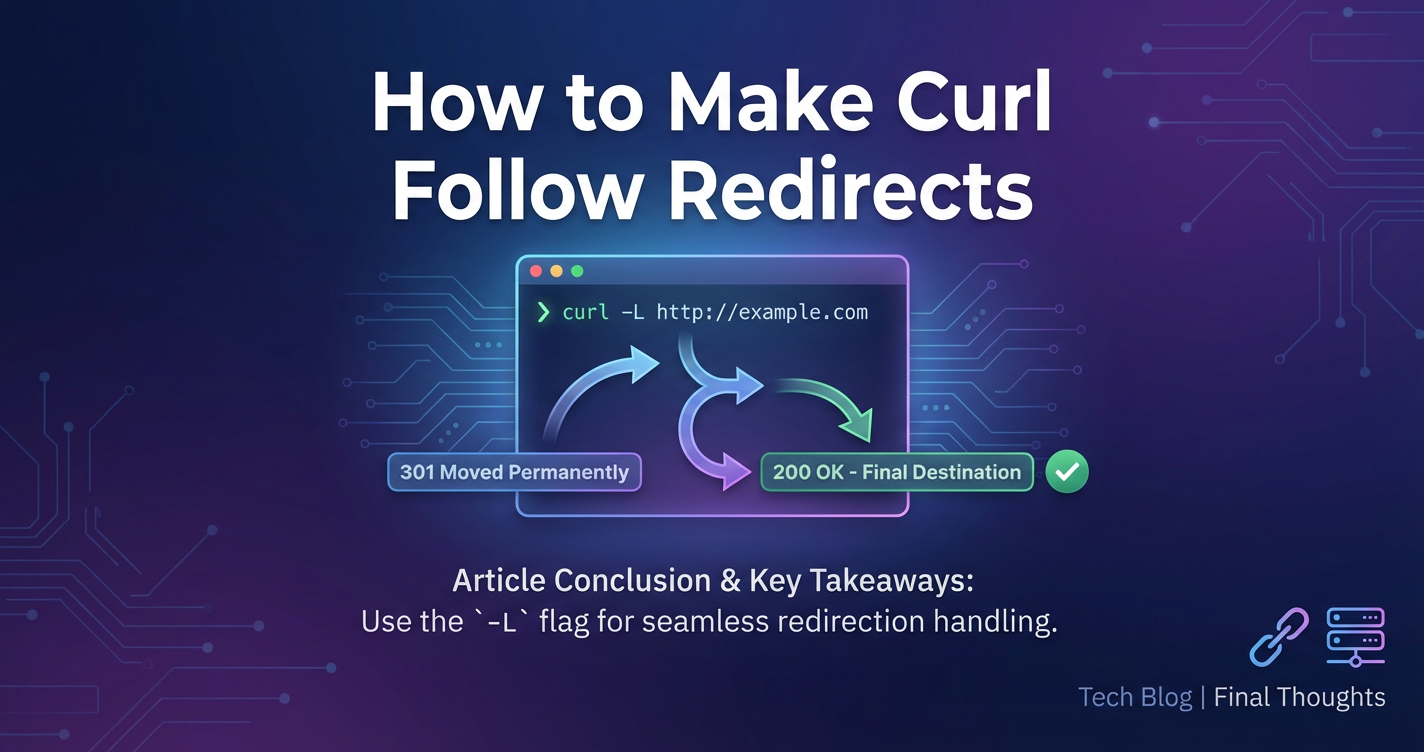
How to Make Curl Follow Redirects


APIPark is a high-performance AI gateway that allows you to securely access the most comprehensive LLM APIs globally on the APIPark platform, including OpenAI, Anthropic, Mistral, Llama2, Google Gemini, and more.Try APIPark now! 👇👇👇
How to Make Curl Follow Redirects: A Comprehensive Guide to Navigating the Web's Shifting Paths
In the intricate landscape of the internet, where web resources are constantly moving, reorganizing, and being optimized, the humble HTTP redirect plays a crucial, often invisible, role. For developers, system administrators, and anyone working with web services, understanding how to interact with these redirects is not just a convenience but a necessity. Among the most potent and widely used command-line tools for interacting with web servers is curl. This guide will meticulously explore the mechanisms within curl that enable it to follow HTTP redirects, transforming it from a static requestor into a dynamic navigator of the web's evolving pathways. We will delve into the nuances of redirect types, the implications for security and data integrity, and best practices for leveraging curl effectively, particularly when interacting with complex API ecosystems often fronted by an API gateway.
The Dynamic Nature of Web Resources and the Role of HTTP Redirects
The internet is far from static. Websites change domains, individual pages move, resources are temporarily unavailable at their original location, and load balancing mechanisms shift traffic between servers. In response to these changes, the Hypertext Transfer Protocol (HTTP) provides a robust mechanism: redirects. An HTTP redirect is a server's way of telling a client (like your browser or curl) that the resource it requested is no longer available at the original URL and provides a new URL where it can be found. Without the ability to follow these redirects, clients would frequently encounter "404 Not Found" errors or simply stop at the first redirection instruction, failing to reach the intended destination.
Understanding redirects is fundamental to robust web interaction. It ensures that operations designed to retrieve or send data to a specific resource can successfully complete, even if the resource's location has changed. This is especially vital in modern application development, where API endpoints might be subject to change for versioning, maintenance, or infrastructure shifts. When building integrations or merely testing services, the inability to handle redirects can lead to frustrating failures and a significant waste of time in debugging. curl, with its powerful array of options, offers precise control over how it manages these redirects, making it an indispensable tool in any developer's toolkit.
Decoding HTTP Redirect Status Codes: The 3xx Family
HTTP status codes are three-digit numbers returned by a server in response to a client's request. They convey the outcome of the request. The 3xx family of status codes specifically indicates redirection. Each code, while signifying a redirect, carries distinct semantic meaning and implies different client behaviors. A deep understanding of these codes is paramount for effectively handling redirects, both programmatically and via tools like curl.
- 301 Moved Permanently: This is arguably the most common redirect. It signifies that the requested resource has been permanently moved to a new URL. When a server responds with a 301, it also provides a
Locationheader in the response, indicating the new URL. Clients are expected to update their bookmarks or cached references to this new URL and use it for all future requests. From an SEO perspective, 301s pass on most of the "link equity" or "ranking power" to the new URL. Forcurl, a 301 means it should repeat the request to the new URL, typically preserving the request method (e.g., if it was a POST, it might become a GET for security/idempotency reasons, though this can be overridden). - 302 Found (Historically "Moved Temporarily"): Originally, 302 was intended for temporary redirects, indicating that the resource could be found at a different URI, but the client should continue to use the original URI for future requests. However, its implementation often led to ambiguity, with many clients incorrectly changing the request method from POST to GET after a 302. This discrepancy led to the introduction of 303 and 307. For
curl, the default behavior for a 302 is similar to a 301 regarding method change (POST to GET), but it won't update its internal "permanent" record of the URL. - 303 See Other: This status code explicitly states that the response to the request can be found under another URI and should be retrieved using a GET method. This is particularly useful after a POST request, where the server has processed the data and wants to direct the client to a confirmation page or a different resource, preventing accidental re-submission if the user hits refresh. The 303 unequivocally tells the client to switch to GET for the subsequent request to the new
Location. - 307 Temporary Redirect: Introduced to address the ambiguity of 302, a 307 signifies that the request should be repeated with another URI, but the original request method must be preserved. If the initial request was a POST, the client must issue a POST to the new URI. This is crucial for maintaining data integrity when temporarily relocating a service or resource. Unlike 301, clients should not update their cached references.
- 308 Permanent Redirect: Analogous to 301 but addressing the method-changing issue of 301, a 308 indicates that the resource has been permanently moved to a new URI, and the request method must not be changed when repeating the request to the new URI. This is ideal when migrating an API endpoint to a new location while ensuring that existing POST or PUT requests continue to function correctly without unintended method alterations.
Understanding these distinctions is vital. While curl's -L option (which we will discuss shortly) generally handles following redirects, its default behavior for method changes can vary between these codes. Knowing when curl might automatically switch a POST to a GET, and how to prevent it, becomes critical when interacting with stateful APIs where the request method carries significant meaning.
curl's Default Behavior: Standing Still at the Crossroads
One of the foundational aspects of curl's design is its commitment to providing precise control to the user. This philosophy extends to how it handles HTTP redirects. By default, curl does not automatically follow redirects. When curl sends a request to a URL that returns a 3xx status code, it will report that response and stop. It will not automatically issue a new request to the URL specified in the Location header.
Let's illustrate this with a simple example. Imagine a website, http://old-domain.com/page, which has been permanently moved to http://new-domain.com/new-page. If you execute a basic curl command:
curl http://old-domain.com/page
Instead of displaying the content of http://new-domain.com/new-page, curl would likely output nothing to the standard output and exit. To see what actually happened, you'd need to add the -v (verbose) or -i (include headers) options:
curl -i http://old-domain.com/page
The output would reveal something akin to:
HTTP/1.1 301 Moved Permanently
Date: Mon, 29 Feb 2024 10:00:00 GMT
Server: Apache/2.4.X (Ubuntu)
Location: http://new-domain.com/new-page
Content-Length: 220
Content-Type: text/html; charset=iso-8859-1

<!DOCTYPE HTML PUBLIC "-//IETF//DTD HTML 2.0//EN">
<html><head>
<title>301 Moved Permanently</title>
</head><body>
<h1>Moved Permanently</h1>
<p>The document has moved <a href="http://new-domain.com/new-page">here</a>.</p>
</body></html>
Here, curl clearly shows the 301 Moved Permanently status code and, critically, the Location header indicating the new URL. It then stops. It's up to the user to manually take this Location URL and issue a new curl command if they wish to access the resource at its new location.
This default behavior, while seemingly inconvenient at first glance, is a deliberate design choice rooted in several important principles:
- Security: Automatically following redirects could expose sensitive information or lead to unintended actions. For example, a redirect from an HTTPS site to an HTTP site could compromise data. Similarly, following redirects blindly might lead
curlto unexpected, potentially malicious, domains. - Control and Transparency: By default,
curlprovides explicit control. It shows you precisely what the server returned, allowing you to inspect the redirect instruction before deciding whether to follow it. This transparency is crucial for debugging and understanding server behavior. - Performance and Resource Management: Each redirect constitutes an additional HTTP request. In scenarios with complex redirect chains, automatically following them could lead to an excessive number of requests, consuming bandwidth and time, potentially even leading to infinite loops.
curl's default ensures that only explicitly requested operations are performed. - Debugging: When developing or testing, you might specifically want to know if a server is issuing a redirect, what type of redirect it is, and where it's redirecting to, rather than just silently ending up at the final destination. This default behavior facilitates such diagnostic efforts.
For these reasons, curl empowers the user to explicitly enable redirect following, offering a granular level of control that balances convenience with security and diagnostic capabilities.
Enabling the Journey: The -L or --location Option
To make curl follow redirects, you need to explicitly tell it to do so using the -L or --location option. This option instructs curl to re-issue the request to the new URL specified in the Location header of a 3xx HTTP response. curl will continue to follow redirects as long as it receives 3xx status codes, up to a default maximum limit, which we will explore later.
Let's revisit our earlier example, but this time, with the -L option:
curl -L http://old-domain.com/page
Now, instead of just showing the 301 response, curl will: 1. Request http://old-domain.com/page. 2. Receive the 301 Moved Permanently response with Location: http://new-domain.com/new-page. 3. Automatically issue a new request to http://new-domain.com/new-page. 4. Display the content retrieved from http://new-domain.com/new-page.
If http://new-domain.com/new-page itself redirected to yet another URL, curl -L would follow that redirect as well, continuing down the chain until it reaches a non-redirect response (e.g., 200 OK, 404 Not Found, 500 Internal Server Error) or hits its maximum redirect limit.
The -L option is indispensable for reliably accessing resources on the modern web. Many short URLs, content delivery networks (CDNs), authentication flows, and dynamic web applications leverage redirects extensively. Without -L, curl would frequently fail to retrieve the intended content, especially when interacting with complex API endpoints that might live behind multiple layers of redirection or load balancing. It simplifies interactions, allowing developers to focus on the data rather than manually traversing redirect paths.
Mastering Redirects: Fine-tuning curl's Behavior
While -L is powerful, curl offers even more granular control over redirect following, allowing you to tailor its behavior to specific scenarios and address potential pitfalls.
Limiting Redirects: --max-redirs <num>
One potential issue with automatically following redirects is the risk of an infinite redirect loop or an excessively long redirect chain. A misconfigured server could redirect indefinitely, or a malicious one might try to exhaust client resources. To mitigate this, curl has a default maximum number of redirects it will follow (usually 50). You can explicitly set this limit using the --max-redirs option:
curl -L --max-redirs 3 http://example.com/start-redirect-chain
In this command, curl will follow a maximum of 3 redirects. If the redirect chain exceeds this number, curl will stop and report an error, indicating that the maximum number of redirects was exceeded. This is a crucial safety mechanism, especially when dealing with unknown or potentially unreliable URLs, or when you know the expected length of a redirect chain for a particular API endpoint.
Handling Request Method Changes: --post301, --post302, --post303, --request-target
As discussed with the 3xx status codes, redirects can sometimes cause curl to change the HTTP request method. Historically, and by default for 301 and 302, curl would change a POST request to a GET request when following a redirect. This behavior, while often desirable for idempotent operations (like navigating to a results page after a form submission), can be problematic when the subsequent request must retain its original method (e.g., continuing a POST request to a new API endpoint).
curl provides specific options to control this behavior:
--post301: Forcescurlto resend a POST request as a POST request, even after a 301 redirect. By default,curlwould change it to GET.--post302: Similar to--post301, but for 302 redirects.--post303: While 303 explicitly dictates a GET, if you had a very specific, non-standard scenario (which is rare), this option might be considered, but it generally goes against the HTTP specification for 303. It's more common to simply let 303 behave as designed.
For 307 Temporary Redirect and 308 Permanent Redirect, curl naturally preserves the request method, adhering to the HTTP specification. You generally don't need explicit --post options for these codes.
Consider an API scenario where you are posting data to api.example.com/v1/data, but the server returns a 307 because the service has temporarily moved to api.example.com/v2/data. Without proper handling, if curl were to change the POST to a GET, your data submission would fail.
Example: Forcing POST on 301/302:
curl -L --request POST --data "key=value" --post301 http://old-api.example.com/resource
This command ensures that if http://old-api.example.com/resource issues a 301, the subsequent request to the redirected URL will also be a POST with the original data.
Another less common but related option is --request-target, which allows you to specify a different request URI than the one derived from the URL. This is rarely needed for standard redirect following but can be useful in advanced HTTP/1.1 proxying or custom server interactions.
Security Implications: --location-trusted and Authentication
When curl follows a redirect, it generally resends most headers that were part of the initial request, including Authorization headers, cookies, and custom headers. While this is often desired for maintaining user sessions or authenticated access across redirects, it poses a significant security risk if you are redirecting from a secure (HTTPS) domain to an insecure (HTTP) domain, or to an entirely different, untrusted domain. Sending credentials over an unencrypted HTTP connection could expose them to eavesdropping.
By default, curl is designed with some safety in mind. It will usually only resend Authorization and Cookie headers to the same host as the initial request or to hosts that are "subdomains" within the same "top-level domain." However, this behavior can still be overridden.
The --location-trusted option forces curl to send authentication headers (like Authorization and Proxy-Authorization) to any host it redirects to, regardless of whether it's the same domain or a secure connection. Use this option with extreme caution, only when you explicitly trust all potential redirect destinations.
Example of a risky operation with --location-trusted:
curl -L --location-trusted -H "Authorization: Bearer my_secret_token" https://secure-api.com/data
If https://secure-api.com/data redirects to http://untrusted-site.com/evil-data-collector, curl with --location-trusted would send your bearer token to the untrusted, unencrypted site. A safer approach is to avoid --location-trusted unless absolutely necessary and to always be aware of the Location header in verbose output when dealing with redirects and sensitive information.
For simpler scenarios, curl's default behavior of retaining cookies and authentication headers for same-origin redirects is generally robust. However, understanding the security implications is crucial, especially when working with external APIs or third-party services where redirect behavior might be outside your direct control.
Redirects and Authentication/Headers: A Deeper Dive
The way curl handles headers and authentication across redirects is a nuanced but critical aspect of its functionality. When -L is enabled, curl makes a best-effort attempt to maintain the context of the original request across the redirect chain.
- Cookies (
-c,-b): If you are usingcurl's built-in cookie engine (via-c <file>to write cookies and-b <file>to read them),curlwill automatically manage cookies across redirects, sending appropriate cookies to the redirected domain based on standard cookie rules (domain, path, secure flag). This is essential for maintaining sessions through redirects, such as in login flows or single sign-on (SSO) processes where an identity provider might redirect back to your application with authentication tokens. - Authorization Headers (
-H "Authorization:..."): By default,curlwill resendAuthorizationheaders to the same host or domains that are part of the original request's domain hierarchy. This means ifapi.example.comredirects tosub.api.example.com, theAuthorizationheader will likely be preserved. However, if it redirects toanother-domain.com, theAuthorizationheader might be stripped for security reasons, unless--location-trustedis used. This default behavior aims to prevent accidental credential leakage to untrusted third parties. - Custom Headers (
-H): Most other custom headers you provide with-Hwill generally be forwarded bycurlacross redirects, assuming they are relevant to the subsequent request. This is important for API versioning headers, content type specifications, or custom tracking headers that need to persist. - User-Agent (
-A): TheUser-Agentstring is always preserved across redirects, as it identifies the client (in this case,curl) to every server in the redirect chain.
The key takeaway here is to be mindful of your headers, especially Authorization and Cookie headers, when redirects lead to different origins or change security contexts (e.g., from HTTPS to HTTP). Always inspect the verbose output (-v) when debugging such scenarios to see exactly which headers are being sent at each step of the redirect chain.
Practical Scenarios and Advanced Use Cases with APIs
Understanding curl's redirect handling is not just theoretical; it's a practical necessity in many real-world development and operational scenarios, particularly when interacting with modern web services and APIs.
Debugging Redirects with curl -v or curl -i
When an API call isn't behaving as expected, and you suspect redirects are involved, curl's verbose (-v) or include headers (-i) options become your best friends.
curl -L -v http://problematic-api.example.com/endpoint
This command will show you: 1. The initial request being sent. 2. The full HTTP response headers, including the 3xx status code and the Location header, if a redirect occurs. 3. curl's internal message indicating it is following the redirect. 4. The next request being sent to the new Location. 5. And so on, for each step in the redirect chain.
This detailed output allows you to pinpoint exactly where a redirect occurs, what kind of redirect it is, and whether the headers (especially authentication) are being preserved as expected. It's invaluable for diagnosing issues like infinite redirect loops, unexpected method changes, or authentication failures across redirects.
Downloading Files from Redirecting URLs
A common use case for curl is downloading files. Many download links, especially for large files or software packages, are served through redirects, often to content delivery networks (CDNs) or geographically optimized mirrors.
curl -L -O https://download.example.com/software-installer.zip
Here, -L ensures curl follows any redirects from the initial download link to the actual file location on a CDN. The -O option then tells curl to save the downloaded file to the local directory with its original filename (e.g., software-installer.zip). Without -L, you might end up downloading an HTML page containing the redirect instruction rather than the actual file.
Interacting with APIs: The Central Role of curl -L
Modern web APIs are often deployed within complex architectures that inherently involve redirects. These redirects serve various purposes:
- Load Balancing and High Availability: An API gateway or load balancer might redirect requests to different backend servers based on traffic, server health, or geographical location. For instance, a request to
api.production.example.commight first hit a load balancer, which then issues a 302 redirect toserver-us-east-1.example.com/api/v1/databased on where the client is located or which server has capacity. - Authentication and Authorization Flows: Many OAuth2 or OpenID Connect flows involve redirects. After a client authenticates with an identity provider, the provider redirects the client back to the application's callback URL, often passing an authorization code or token in the redirect URL's query parameters or fragments.
- Versioning and Migrations: When an API undergoes a major version update, an older endpoint might issue a 301 or 308 redirect to guide clients to the new version, for example, redirecting
api.example.com/v1/userstoapi.example.com/v2/customers. The use of 308 (preserving method) is crucial here for APIs that accept POST/PUT requests. - Canonical URLs: An API might enforce a canonical URL structure, redirecting requests to non-canonical forms (e.g.,
httptohttps, orwwwto non-www) to their preferred form. - Temporary Maintenance or Feature Flags: A 307 redirect might temporarily route requests for a specific API endpoint to a maintenance page or an alternative service instance during an upgrade.
In all these scenarios, when you're using curl to test, debug, or simply interact with an API, -L is almost always a prerequisite for success. Without it, your curl command might get stuck at the first redirection, providing an incomplete or misleading picture of the API's behavior.
As we delve deeper into how curl interacts with various web services and APIs, particularly those managed by sophisticated platforms, the concept of an API gateway becomes increasingly relevant. An API gateway acts as a single entry point for clients, routing requests to appropriate backend services. When testing or consuming APIs exposed through such a gateway, curl often becomes the tool of choice. For instance, platforms like APIPark, an open-source AI gateway and API management platform, simplify the process of integrating and managing various AI and REST APIs. Developers using curl to interact with APIs managed by APIPark would certainly benefit from understanding how to handle redirects, as the gateway itself, or the services behind it, might issue redirects for load balancing, authentication flows, or service migrations. APIPark, by centralizing API management, can orchestrate complex routing and security policies, some of which may involve redirects. Thus, a curl -L command would be essential to navigate these internal redirects seamlessly, ensuring that your requests reach the correct, final API endpoint that APIPark is managing. APIPark's ability to integrate 100+ AI models and encapsulate prompts into REST APIs means that a single logical API endpoint might abstract a complex backend that uses redirects internally for robustness or versioning. Being able to curl -L to such an endpoint ensures reliable interaction.
Working with an API Gateway
An API gateway is a critical component in many microservices architectures and enterprise API strategies. It handles tasks like authentication, authorization, rate limiting, logging, and routing requests to the appropriate backend services. When you curl an API that sits behind a gateway, the gateway itself might issue redirects.
- Authentication Redirects: A gateway might redirect unauthenticated requests to an identity provider's login page, or it might issue a 302 to an internal authentication service before redirecting back to the original API endpoint with an authenticated session.
- Service Discovery Redirects: In dynamic environments, a gateway might redirect based on service discovery, sending a client to the currently active instance of a particular service.
- URL Rewriting and Versioning: The gateway might be configured to rewrite URLs or redirect deprecated API versions to newer ones, effectively managing the API lifecycle as described by platforms like APIPark.
In these contexts, curl -L is not just about convenience; it's about correctly interacting with the orchestrated flow of requests that an API gateway facilitates. Without curl -L, you would frequently fail to even reach the actual backend service, let alone retrieve its response. This highlights the indispensable role of curl's redirect-following capability in the modern ecosystem of APIs and API gateways.
Common Pitfalls and Troubleshooting
Despite curl's robust redirect handling, certain situations can lead to unexpected behavior or errors.
- Infinite Redirect Loops: The most common pitfall is an infinite redirect loop, where
URL_Aredirects toURL_B, andURL_Bredirects back toURL_A(or a longer loop like A -> B -> C -> A).curlwill hit its--max-redirslimit and then fail with an error like "Maximum (50) redirects followed."- Troubleshooting: Use
curl -L -vto trace the redirect path. The verbose output will clearly show the repeating URLs. Once identified, the server configuration causing the loop needs to be corrected.
- Troubleshooting: Use
- Lost POST Data or Incorrect Method Change: If you are sending POST data and
curlsilently changes the method to GET upon a redirect (for 301/302), your data will not be sent to the final destination, leading to incorrect responses or errors.- Troubleshooting: Again,
curl -vis key. It will show the request method used at each step. If you see a POST changing to a GET and it's not desired, use--post301or--post302as appropriate. Always prefer 307 or 308 for POST-preserving redirects in your server logic if possible.
- Troubleshooting: Again,
- Authentication/Header Issues Across Domains: Credentials or custom headers might not be sent to a redirected domain, especially if it's a completely different origin and
--location-trustedis not used.- Troubleshooting: Verify the
Locationheader in verbose output. If it's redirecting to a different domain, explicitly check if yourAuthorizationorCookieheaders are being sent in the subsequent request. If they are not, consider the security implications of forcing them with--location-trustedor adjust your application's authentication flow to handle cross-domain redirects more robustly (e.g., using OAuth callback patterns).
- Troubleshooting: Verify the
- Slow Performance Due to Long Redirect Chains: While not an error, a very long redirect chain can significantly delay response times.
- Troubleshooting: Use
curl -w "@curl-format.txt" -o /dev/null -sLwith a custom format file to measuretime_redirectand totaltime_total. If the redirect chain is excessively long, consider optimizing server-side redirects.
- Troubleshooting: Use
Alternatives to curl for Redirect Handling (Briefly)
While curl is excellent for command-line interactions and scripting, other tools and programming language libraries also handle redirects, often with similar concepts.
- Wget: Another command-line utility,
wget, follows redirects by default. Its behavior is often simpler thancurl's but offers less granular control over redirect types and method changes. - Python's
requestslibrary: In Python, the popularrequestslibrary follows redirects by default. You can disable this withallow_redirects=Falseor inspect the redirect history throughresponse.history. It provides a very developer-friendly interface. - JavaScript's
fetchAPI: In web browsers or Node.js environments,fetchcan handle redirects. By default, it followsmanualredirects, meaning you get a 3xx response and have to manually fetch theLocationheader. However, you can setredirect: 'follow'to make it automatically follow redirects, orredirect: 'error'to stop on redirects. - Other HTTP client libraries: Most modern HTTP client libraries in various programming languages (Java's
HttpClient, Ruby'sHTTParty, Go'snet/http) offer mechanisms to control redirect following, usually defaulting to following them for convenience.
These alternatives demonstrate that the problem of handling redirects is universal in web development, and curl stands out for its directness and command-line versatility.
Summary and Best Practices for curl Redirects
Navigating the dynamic landscape of the web with curl requires a clear understanding of HTTP redirects and how to command curl to handle them. Here's a concise summary of best practices:
- Always Use
-Lfor Web Navigation and API Interaction: For most practical purposes, especially when accessing web pages or interacting with APIs that might involve redirects (which is increasingly common),-Lis essential forcurlto reach the final destination. - Set
--max-redirs: Protect yourself against infinite loops and excessive requests by explicitly setting a reasonable maximum number of redirects. This is good practice for both robustness and security. - Be Mindful of Method Changes: If you are sending POST, PUT, or DELETE requests, and there's a possibility of 301 or 302 redirects, use
--post301or--post302to preserve your request method and data. However, remember that 303 explicitly requests a GET, and 307/308 inherently preserve the method. - Prioritize Security with Headers: Understand when
AuthorizationandCookieheaders are forwarded across redirects. Avoid--location-trustedunless you have absolute confidence in the security of all redirected endpoints. Always prefer HTTPS for all redirects, especially when credentials are involved. - Leverage
curl -vfor Debugging: When redirect issues arise,curl -vis your most powerful diagnostic tool. It provides a detailed trace of the entire request-response cycle, allowing you to see every redirect step, headers sent, and status codes received. - Consider the Role of the API Gateway: Recognize that
curl's redirect handling is particularly important when interacting with APIs exposed through an API gateway. The gateway might itself be orchestrating redirects for various purposes, andcurl -Lensures seamless navigation through these architectural layers, whether for AI APIs managed by platforms like APIPark or traditional REST services. - Server-Side Best Practices: As a server operator or API provider, use the most semantically appropriate 3xx status code (e.g., 308 for permanent POST-preserving moves, 307 for temporary POST-preserving moves, 303 after POSTs to redirect to a result page). This helps clients like
curlbehave correctly by default.
By internalizing these principles, you transform curl from a mere command-line client into a sophisticated tool capable of navigating the complex, redirect-laden pathways of the modern internet and its sprawling ecosystem of APIs.
Table: curl Options for Redirect Management
| Option | Full Form | Description | Default Behavior / Notes | Example Usage |
|---|---|---|---|---|
-L |
--location |
Instructs curl to follow HTTP 3xx redirects. |
curl does not follow redirects by default. This option enables automatic following. |
curl -L http://example.com |
--max-redirs <num> |
Sets the maximum number of redirects curl will follow. |
Default is typically 50. If exceeded, curl exits with an error. Important for preventing infinite loops. |
curl -L --max-redirs 5 http://example.com |
|
--post301 |
Forces curl to retain the POST method when following a 301 redirect. |
By default, curl changes POST to GET for 301 redirects. Use this when the subsequent request must be a POST. |
curl -L -X POST --data "foo=bar" --post301 http://old-api.com |
|
--post302 |
Forces curl to retain the POST method when following a 302 redirect. |
By default, curl changes POST to GET for 302 redirects. Use this when the subsequent request must be a POST. |
curl -L -X POST --data "foo=bar" --post302 http://temp-api.com |
|
--location-trusted |
Sends Authorization and Proxy-Authorization headers to any host curl redirects to, even if the domain changes. |
By default, curl generally restricts sending auth headers to the same host/domain hierarchy for security. Use with extreme caution due to security risks. |
curl -L --location-trusted -H "Auth: XYZ" https://secure.com |
|
-v |
--verbose |
Provides detailed output about the request and response, including redirect steps and headers. | Invaluable for debugging redirect chains, seeing Location headers, status codes, and which headers are sent at each step. |
curl -L -v http://example.com |
-i |
--include |
Includes the HTTP response headers in the output. | Useful for quickly seeing status codes and Location headers without the full verbose output. Combined with -L, it shows headers for each redirect step. |
curl -L -i http://example.com |
-X <method> |
--request <method> |
Specifies the HTTP request method (e.g., GET, POST, PUT). | While not directly a redirect option, it's fundamental for specifying the initial request method, which is then affected by redirect options like --post301. |
curl -L -X POST http://api.example.com |
-H <header> |
--header <header> |
Adds custom headers to the request. | Headers are generally preserved across same-origin redirects but may be stripped for cross-origin redirects (especially Authorization) unless --location-trusted is used. Crucial for API authentication and custom metadata. |
curl -L -H "X-API-Key: 123" http://api.example.com |
-c <file> |
--cookie-jar <file> |
Writes cookies to <file> after the operation. |
curl's cookie engine automatically handles cookies across redirects, preserving sessions. Use -b to read cookies from a file. |
curl -L -c cookies.txt http://login.example.com |
-b <file> |
--cookie <file> |
Reads cookies from <file> for the request. |
Used in conjunction with -c to manage session state across multiple curl commands or to use persistent cookies collected from previous interactions. |
curl -L -b cookies.txt http://authenticated.example.com |
Frequently Asked Questions (FAQs)
1. Why does curl not follow redirects by default? curl does not follow redirects by default to give users explicit control over their requests. This design choice enhances security by preventing unintended requests to potentially malicious or insecure (e.g., HTTP after HTTPS) locations, offers transparency by showing the raw redirect response, and prevents infinite loops or excessive requests that could consume resources. It allows developers to debug redirect chains and understand server behavior step-by-step, which is crucial when interacting with complex API infrastructures.
2. What is the difference between --max-redirs and the default redirect limit? The --max-redirs option allows you to explicitly set a numeric limit on how many HTTP redirects curl will follow when the -L option is active. If you don't specify --max-redirs, curl uses its own internal default limit, which is typically 50. Both serve the same purpose: to prevent curl from getting stuck in an infinite redirect loop or making an unreasonably large number of requests due to a long redirect chain. Setting it explicitly offers more control and can be tailored to the expected behavior of a specific website or API gateway.
3. How does curl handle POST requests when following redirects, and why is this important for APIs? Historically and by default for 301 (Moved Permanently) and 302 (Found) redirects, curl would change a POST request to a GET request when following the redirect. This behavior can be problematic for APIs where the original POST request (containing data) must be preserved. To address this, curl provides --post301 and --post302 options to force it to resend the POST request as a POST after these specific redirect types. For 307 (Temporary Redirect) and 308 (Permanent Redirect), curl naturally preserves the POST method, adhering to the HTTP standard. This distinction is critical for APIs where data submission and idempotency rely on the correct HTTP method being used throughout the entire request flow, even across redirects orchestrated by an API gateway or backend service.
4. Are there any security risks when using curl -L with sensitive data like authentication tokens? Yes, there are significant security risks. When curl -L follows a redirect, it often resends headers, including Authorization and Cookie headers. If a redirect leads from a secure HTTPS connection to an insecure HTTP connection, or to a completely different and untrusted domain, your sensitive data (like API keys or session tokens) could be exposed to eavesdropping or compromise. While curl has some default protections (e.g., not sending Authorization headers to entirely different domains unless forced), it's crucial to be aware. Using curl -L -v to inspect the redirect chain and the Location header is a best practice. The --location-trusted option, which forces curl to send auth headers to any host, should be used with extreme caution and only when all redirect destinations are fully trusted.
5. How does curl's redirect handling apply when interacting with an API gateway like APIPark? When interacting with an API service that is fronted by an API gateway, curl's redirect handling is often essential. An API gateway (such as APIPark) can manage routing, authentication, load balancing, and API versioning, all of which might involve HTTP redirects. For example, an API gateway might issue a redirect for authentication flows, to route a request to a specific backend microservice instance, or to direct clients to a newer version of an API. If you are using curl to test or consume such an API, curl -L enables it to automatically navigate these redirects, ensuring your request reaches the final, intended API endpoint managed by the gateway. Without it, your curl command might get stuck at the gateway's initial redirect, failing to access the actual API functionality.
🚀You can securely and efficiently call the OpenAI API on APIPark in just two steps:
Step 1: Deploy the APIPark AI gateway in 5 minutes.
APIPark is developed based on Golang, offering strong product performance and low development and maintenance costs. You can deploy APIPark with a single command line.
curl -sSO https://download.apipark.com/install/quick-start.sh; bash quick-start.sh

In my experience, you can see the successful deployment interface within 5 to 10 minutes. Then, you can log in to APIPark using your account.

Step 2: Call the OpenAI API.