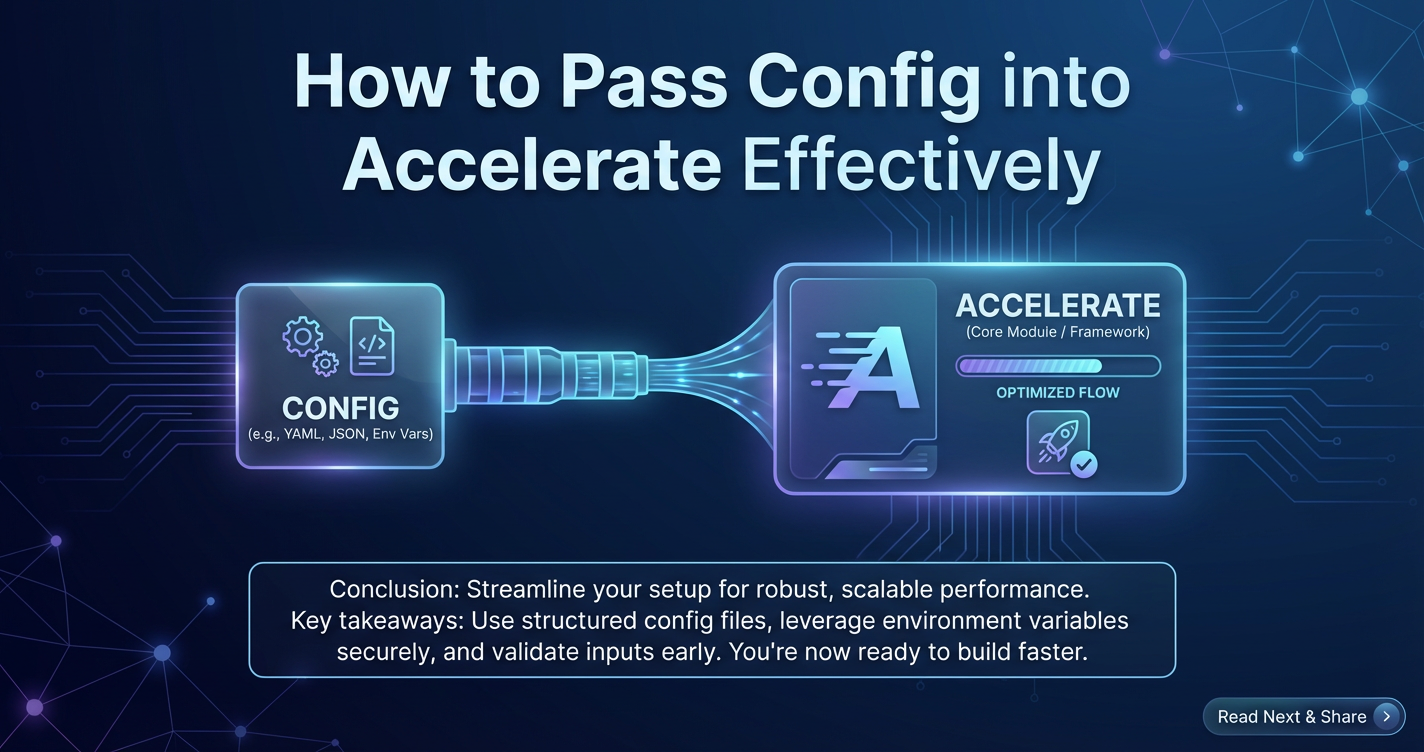
How to Pass Config into Accelerate Effectively



In the dynamic and ever-evolving landscape of machine learning, achieving optimal performance, reproducibility, and scalability is not merely a desirable outcome; it is a fundamental imperative. As models grow in complexity and datasets expand into the terabyte realm, the underlying infrastructure required to train and deploy these sophisticated systems becomes a critical determinant of success. This is precisely where frameworks like Hugging Face Accelerate carve out their invaluable niche, offering a streamlined pathway to execute machine learning workflows across diverse hardware configurations, from single GPUs to vast multi-node clusters, all with minimal code changes. However, the true power of Accelerate is unlocked not just by its existence, but by the mastery of its configuration mechanisms. Effective configuration is the silent architect behind efficient distributed training, the unsung hero ensuring that your meticulously crafted model operates in its ideal environment.
This comprehensive guide delves deep into the art and science of passing configuration into Accelerate effectively. We will dissect the various methodologies available, explore the myriad parameters that sculpt your training environment, and illuminate best practices for managing these settings across the entire machine learning lifecycle. Far from being a mere technical exercise, understanding Accelerate's configuration system means gaining a profound control over your experiments, translating directly into faster iteration cycles, reduced resource consumption, and ultimately, more robust and reliable AI systems. We will navigate the intricacies of defining your context model through careful configuration, explore the conceptual parallels to a Model Context Protocol in standardizing operational definitions, and ultimately discuss how a robust configuration framework, combined with an API gateway like APIPark, bridges the gap from development to production-grade deployment.
The Foundation of Control: Understanding Accelerate's Configuration Landscape
At its core, machine learning involves more than just model architecture and data; it's about the entire execution environment. The choice of hardware, the precision of computations, the strategy for gradient synchronization, and the logging mechanisms all contribute to the final outcome. In distributed training, these choices are amplified, introducing layers of complexity that can quickly become overwhelming. Traditional approaches often force developers to write device-specific code, manage communication primitives manually, and wrestle with environment variables, leading to brittle, non-portable solutions.
Accelerate emerges as a powerful abstraction layer, designed to liberate developers from these low-level concerns. Its philosophy is simple yet profound: write your training loop once, as if you were running on a single device, and let Accelerate handle the heavy lifting of distributing it across multiple GPUs, CPUs, or even multiple machines. The Accelerator object is the central orchestrator, acting as a control gateway to your distributed environment. When you initialize an Accelerator instance, you are, in essence, providing it with a comprehensive blueprint—a context model—of how your training job should be executed. This blueprint encompasses everything from the number of devices to utilize, to the type of mixed precision training, to the strategies for saving checkpoints.
The importance of effective configuration cannot be overstated. Without a well-defined configuration, your distributed training run is akin to a ship without a rudder, drifting aimlessly with no guarantee of reaching its intended destination. Reproducibility, a cornerstone of scientific research and reliable engineering, hinges on precise configuration management. Scaling up experiments, a necessity for tackling larger models and datasets, demands a flexible and robust configuration system that can adapt to varying hardware availabilities. Moreover, efficiency, whether measured in training time or resource consumption, is directly tied to how intelligently your Accelerate configuration maps your computational needs to the available hardware. It's about ensuring that every tensor operation, every gradient update, every communication step is performed in the most optimized manner possible for your given setup.
Core Configuration Modalities in Accelerate
Accelerate offers several powerful and complementary ways to configure your training runs, each with its own advantages and ideal use cases. Understanding these modalities and their precedence rules is key to becoming a proficient Accelerate user.
1. Programmatic Configuration
The most direct and perhaps initially intuitive way to configure Accelerate is programmatically, directly within your Python script. This involves instantiating the Accelerator class and passing arguments directly to its constructor.
Direct Instantiation of Accelerator:
from accelerate import Accelerator

# Example of programmatic configuration
accelerator = Accelerator(
    mixed_precision="fp16",
    gradient_accumulation_steps=2,
    log_with=["wandb", "tensorboard"],
    project_dir="./my_accelerate_project"
)

# Your training loop follows, using accelerator.prepare(), etc.
When you create an Accelerator object, it internally initializes an AcceleratorState object, which encapsulates the current state of your distributed setup. This AcceleratorState holds vital information such as the number of processes, the main process rank, device types, and the chosen backend for distributed communication. You can access this state via accelerator.state.
Advantages: * Maximum Flexibility: Programmatic configuration offers the highest degree of control. You can dynamically adjust settings based on runtime conditions, environment variables, or even prior experimental results. This is particularly useful for sophisticated research experiments where settings might evolve. * Self-Contained Code: All configuration lives within the script, making it easier to see exactly what settings are being applied without consulting external files. For simpler scripts or those meant for very specific, non-reusable setups, this can be convenient. * Integration with Python Logic: Since it's Python code, you can use loops, conditionals, and other programming constructs to generate or modify configurations, enabling complex parameter sweeps or adaptive strategies.
Disadvantages: * Less Portable: If the configuration is hardcoded, moving the script to a different environment (e.g., changing from a 2-GPU machine to an 8-GPU cluster) often requires modifying the Python code itself. This can be cumbersome and error-prone. * Can Clutter Code: Extensive programmatic configuration can make the training script less readable, intermingling infrastructural concerns with core model logic. This violates the principle of separation of concerns. * No Easy Version Control for Config Only: If you only change a configuration parameter, you still need to commit the entire Python file to version control, which might not be ideal for tracking distinct configuration versions.
2. Configuration Files (YAML/JSON)
For more robust and reproducible workflows, Accelerate strongly advocates for the use of configuration files, typically in YAML or JSON format. These files provide a declarative way to specify your distributed training setup, separating infrastructural details from your core training code. The accelerate config command is your primary gateway to generating and managing these files.
Generating a Configuration File:
accelerate config
Running this command interactively prompts you for various details about your desired setup, such as the type of compute environment (e.g., single GPU, multi-GPU, multi-node), mixed precision settings, gradient accumulation, and logging preferences. Upon completion, it saves a default_config.yaml (or config.yaml if you rename it) file in your ~/.cache/huggingface/accelerate/ directory, or in your current working directory if specified.
A typical config.yaml might look like this:
compute_environment: LOCAL_MACHINE
distributed_type: FSDP
downcast_bf16: 'no'
fsdp_config:
  fsdp_auto_wrap_policy: TRANSFORMER_LAYER
  fsdp_backward_prefetch: BACKWARD_PRE
  fsdp_forward_prefetch: false
  fsdp_offload_params: false
  fsdp_sharding_strategy: FULL_SHARD
  fsdp_state_dict_type: FULL_STATE_DICT
  fsdp_sync_module_states: true
  fsdp_use_orig_params: true
machine_rank: 0
main_process_ip: null
main_process_port: null
mixed_precision: bf16
num_machines: 1
num_processes: 8
rdzv_backend: null
same_network: true
use_cpu: false
When you launch your training script using accelerate launch, Accelerate automatically looks for this configuration file. You can also specify a custom path to a config file:
accelerate launch --config_file my_custom_config.yaml my_script.py
Advantages: * Reproducibility: Configuration files are easily version-controlled (e.g., with Git), ensuring that any change to your environment is tracked. This is crucial for replicating experiments or debugging issues across different runs. * Separation of Concerns: It neatly separates infrastructure configuration from application logic, making your Python scripts cleaner and more focused on the ML task at hand. * Portability: The same training script can be run in vastly different environments simply by swapping out the configuration file. This enhances collaboration and simplifies deployment across various hardware. * Human-Readable: YAML and JSON are human-readable formats, making it easy to inspect and understand the settings without diving into Python code.
Disadvantages: * External File Management: Requires managing external files alongside your code, which can sometimes be an overhead for very simple, one-off tasks. * Less Dynamic: While you can load config files dynamically, they are generally static. Generating complex configurations programmatically is more cumbersome than with pure Python.
3. Command Line Interface (CLI) Arguments
Accelerate's accelerate launch command provides a rich set of command-line arguments that allow you to override or specify configuration parameters directly when launching your training script.
accelerate launch \
    --num_processes 4 \
    --mixed_precision fp16 \
    --gradient_accumulation_steps 4 \
    my_script.py
Precedence Rules: It's critical to understand the hierarchy of configuration sources in Accelerate:
- CLI Arguments (Highest Precedence): Any parameter specified on the command line using
accelerate launchwill override settings found in a configuration file or programmatic defaults. - Configuration File (YAML/JSON): Settings loaded from a
config.yaml(or specified via--config_file) take precedence over default values and those defined programmatically within the script if not overridden by CLI arguments. - Programmatic Configuration/Defaults (Lowest Precedence): Values set directly when instantiating
Acceleratoror Accelerate's internal defaults serve as the baseline, overridden by config files and CLI arguments.
This precedence system offers immense flexibility. You can define a baseline configuration in a YAML file, make minor adjustments for specific runs using CLI arguments, and use programmatic settings for highly dynamic or default behaviors.
Advantages: * Quick Overrides: Ideal for making temporary adjustments or running quick experiments without modifying configuration files or code. * Scripting Friendly: Easily integrated into shell scripts or CI/CD pipelines for automated training runs. * Explicit Control: Parameters are explicitly visible at the point of execution.
Disadvantages: * Verbose Commands: For complex configurations, the accelerate launch command can become very long and difficult to read or manage. * Potential for Typos: Manual entry of many arguments increases the risk of typos, leading to subtle bugs. * Less Reproducible (if not scripted): If arguments are typed manually and not recorded, it can be hard to reproduce the exact run later.
4. Environment Variables
While less common for primary Accelerate configuration, environment variables can play a crucial role, especially for sensitive information (e.g., API keys, cloud credentials), system-specific paths, or global toggles that affect multiple tools. Accelerate can pick up certain parameters from environment variables (e.g., CUDA_VISIBLE_DEVICES). Moreover, you can use environment variables to inform your programmatic configuration or even pass them into your training script for other purposes.
export MY_CUSTOM_LR=1e-5
accelerate launch my_script.py
Within my_script.py:
import os
custom_lr = float(os.getenv("MY_CUSTOM_LR", "1e-4")) # default to 1e-4 if not set
Advantages: * Security: Good for secrets as they don't get committed to version control directly. * System-Wide Influence: Can affect the behavior of programs globally or within a specific shell session. * Containerization: Easily managed with Dockerfiles or Kubernetes manifests.
Disadvantages: * Implicit: Their influence is not always immediately obvious from looking at the code or configuration files. * Global Scope: Can sometimes lead to unexpected interactions if not managed carefully.
Deep Dive into Key Accelerate Configuration Parameters
Understanding the mechanisms for configuration is only half the battle; the other half is knowing what to configure. Accelerate exposes a rich set of parameters that allow fine-grained control over various aspects of your distributed training setup.
1. Device Management
These parameters dictate how your model and data are distributed across available computational resources.
num_processes(orn_procin CLI): The total number of processes to launch. In a multi-GPU setup on a single machine, this typically corresponds to the number of GPUs you want to use. For multi-node, it's the total number of processes across all machines.- Impact: Directly influences parallelism. More processes mean more GPUs/CPUs working in parallel.
num_machines: The number of machines (nodes) involved in a multi-node distributed training setup.- Impact: Essential for orchestrating multi-node communication.
gpu_ids: A list of specific GPU IDs to use. Useful when you don't want to use all available GPUs or want to select specific ones (e.g.,[0, 2, 3]).- Impact: Controls resource allocation, especially in shared environments.
use_cpu: A boolean flag to force Accelerate to use CPUs instead of GPUs.- Impact: Critical for environments without GPUs or for debugging, but significantly slower for deep learning.
2. Precision Settings
Controlling the numerical precision of computations is a key optimization technique, especially for large models.
mixed_precision: Specifies the type of mixed precision training to use."no": Full 32-bit floating point precision."fp16": Uses float16 (half-precision) for certain operations, while keeping master weights and some critical operations in float32. Requires GPUs with Tensor Cores (Volta, Turing, Ampere architectures and newer)."bf16": Uses bfloat16 (brain floating point) precision. Offers a wider dynamic range than fp16, closer to fp32, but less precision. Generally preferred for large models, especially Transformers, and requires specific hardware (e.g., Google TPUs, NVIDIA A100/H100, AMD MI100/MI200).- Impact: Reduces memory footprint, potentially speeding up training. FP16 can sometimes lead to gradient underflow/overflow, which is mitigated by BF16's wider range.
downcast_bf16: A boolean flag (or 'no', 'fp16', 'bf16') to indicate whether to cast the model to bf16. Typically set to'no'ifmixed_precisionis already'bf16', or'fp16'if you want to downcast to fp16 for specific reasons.- Impact: Fine-grained control over numerical stability and memory.
3. Optimization Strategies
These parameters help in managing memory, stabilizing training, and optimizing communication.
gradient_accumulation_steps: The number of steps to accumulate gradients before performing an optimizer step. This effectively increases the batch size without requiring more GPU memory.- Impact: Allows training with larger effective batch sizes than what fits into GPU memory, helping stabilize training for small physical batch sizes.
gradient_clipping: Specifies a maximum L2 norm for gradients, preventing exploding gradients.- Impact: Crucial for stabilizing training of certain model architectures (e.g., RNNs, Transformers).
fsdp_config: A dictionary for configuring Fully Sharded Data Parallel (FSDP). FSDP is a more advanced distributed training technique than DDP (Distributed Data Parallel), sharding model parameters, gradients, and optimizer states across GPUs, enabling training of much larger models.- Key parameters within
fsdp_configinclude:fsdp_auto_wrap_policy: Defines how FSDP should shard the model, often by specific module types (e.g.,TRANSFORMER_LAYER).fsdp_sharding_strategy:FULL_SHARD(default, shards all) orSHARD_GRAD_OP(shards gradients and optimizer states only).fsdp_offload_params: Whether to offload parameters to CPU.
- Impact: Enables training of models that are too large to fit on a single GPU (or even multiple GPUs with DDP). Significantly reduces memory consumption per GPU.
- Key parameters within
deepspeed_config: A dictionary for configuring DeepSpeed, another powerful optimization library that can be integrated with Accelerate. DeepSpeed offers a wide range of features like ZeRO optimization (similar to FSDP), offloading, and custom CUDA kernels for extreme scale.- Impact: Provides even more advanced memory and speed optimizations, often pushing the boundaries of what's possible on available hardware.
4. Logging and Reporting
Keeping track of your experiments is vital for scientific progress and debugging.
log_with: A list of experiment trackers to integrate with (e.g.,["wandb"],["tensorboard"],["all"]). Accelerate automatically initializes and syncs with these tools.- Impact: Streamlines experiment tracking, visualization of metrics, and saving model artifacts.
project_dir: The directory where logs and other project-related files should be stored.- Impact: Organizes experimental data, crucial for managing multiple projects.
5. Checkpointing and Resumption
Robust checkpointing is essential for long-running training jobs, allowing recovery from failures or resuming training from a specific point.
save_path: The directory where Accelerate should save and load checkpoints.- Impact: Ensures training progress is preserved and can be resumed.
- Strategies for saving/loading: Accelerate provides methods like
accelerator.save_state()andaccelerator.load_state()which handle saving and loading the model, optimizer, scheduler, andAccelerator's internal state.- Impact: Simplifies fault tolerance and enables iterative development.
6. Distributed Launch Arguments (for Multi-Node)
When operating across multiple machines, these parameters become critical for establishing communication.
main_process_ip: The IP address of the machine designated as the main (rank 0) process. All other machines will connect to this IP.main_process_port: The port on the main process machine that will be used for inter-process communication.rdzv_backend: The rendezvous backend (e.g.,c10d,etcd). This helps coordinate processes across nodes.- Impact: Facilitates the initial handshake and ongoing communication between processes on different machines, which is the cornerstone of multi-node distributed training.
Crafting an Effective Configuration Strategy
Beyond simply knowing the parameters, developing a strategic approach to configuration management is what separates efficient practitioners from those constantly battling setup issues.
Best Practices for Configuration Management:
- Version Control for Config Files: Treat your
config.yamlfiles as first-class citizens in your codebase. Store them in Git (or your preferred VCS) alongside your training scripts. This ensures that every successful experiment's setup is fully reproducible. Tagging specific configurations with release versions or experiment IDs is an excellent practice. - Layered Configurations: For complex projects, consider a layered approach.
- Base Config: A
base_config.yamlwith common settings applicable to most runs (e.g.,mixed_precision: bf16). - Environment-Specific Overrides:
gpu_cluster_config.yaml,cpu_debug_config.yaml, orcloud_instance_config.yamlthat inherit from or override specific parameters in the base config. - Experiment-Specific Overrides: Use CLI arguments for minor, one-off changes in a specific experiment (e.g., learning rate, number of epochs). This creates a robust and flexible system where defaults are established, but specific needs can be met without rewriting base configurations.
- Base Config: A
- Documentation of Configuration Choices: While configuration files are self-descriptive to a degree, add comments to explain why certain choices were made, especially for non-obvious settings. For example,
fsdp_auto_wrap_policy: TRANSFORMER_LAYERmight be accompanied by a note explaining that this was chosen for memory efficiency on a large Transformer model. - Separation of Configuration from Code: Embrace the Accelerate philosophy of external configuration. Your Python training script should ideally be agnostic to the underlying hardware setup, relying on Accelerate to abstract these details away. This makes your code cleaner, more modular, and significantly more portable. Avoid hardcoding environment-specific parameters directly in your script.
- Sanity Checks and Validation: Especially when dealing with complex configurations or multi-node setups, implement sanity checks at the start of your script. For instance, verify that
num_processesmatches the number of actual GPUs available or thatmixed_precisionis compatible with your hardware. Accelerate provides tools likeaccelerator.num_processeswhich can be used for these checks.
Dynamic Configuration and Experiment Tracking:
The world of ML is inherently experimental. Effective configuration must integrate seamlessly with experiment tracking tools to maximize insights.
- Integrating with MLflow, Weights & Biases (W&B): When using
log_with=["wandb"]or["mlflow"], Accelerate automatically logs key configuration parameters. However, you should also manually log yourconfig.yamlcontent or the arguments passed toAcceleratorto ensure a complete record. This allows you to easily compare runs, identify the impact of specific configuration changes, and reproduce desired results. - Programmatic Adjustments based on Experiment Results: In advanced scenarios (e.g., AutoML, hyperparameter optimization), configurations might be generated or adjusted dynamically. A meta-script could read experiment logs, identify promising configurations, and then programmatically generate a new
config.yamlor a set of CLI arguments for subsequent runs.
The context model in Configuration:
A configuration isn't just a list of settings; it's a blueprint that sculpts the very context model in which your machine learning operations unfold. When you specify num_processes: 8 and mixed_precision: bf16 and distributed_type: FSDP, you are defining a sophisticated context model for your training run. This context model precisely describes:
- Hardware Context: The number and type of compute units (e.g., 8 BF16-capable GPUs).
- Data Flow Context: How data is batched, shuffled, and distributed across these units.
- Parallelism Context: The specific distributed strategy (e.g., FSDP) employed for model and optimizer state sharding.
- Numerical Context: The precision of computations, influencing memory and speed tradeoffs.
- Operational Context: Logging destinations, checkpointing frequencies, and error handling mechanisms.
Every choice in your Accelerate configuration contributes to this context model, which then dictates the actual behavior and performance of your training or inference job. A well-defined context model via configuration ensures consistency, predictability, and efficiency, allowing your model to operate within its intended parameters, regardless of the underlying physical setup, as long as the configured environment is met.
Advanced Scenarios and Troubleshooting
As you move beyond basic single-machine, multi-GPU setups, Accelerate continues to provide robust solutions, but understanding configuration nuances becomes even more critical.
Multi-Node, Multi-GPU Setups:
Training extremely large models or on massive datasets often necessitates distributing the workload across multiple physical machines, each equipped with its own set of GPUs.
- Coordinating Configurations: Each node in a multi-node cluster must have a consistent Accelerate configuration. Typically, a shared network file system or a distributed configuration management tool is used to ensure all nodes access the same
config.yamlor receive the same set of CLI arguments. - Network Considerations: The
main_process_ipandmain_process_portparameters become vital. All processes need to know how to connect to the rank 0 process to establish the distributed communication group. Network latency and bandwidth between nodes are critical performance factors that are implicitly part of your distributedcontext modeldefined by the configuration. - Launcher Integration: In cloud environments or on HPC clusters, you often use cluster-specific launchers (e.g., Slurm's
srun, Kubernetes withtorchrun) which then invokeaccelerate launch. These launchers might set environment variables (e.g.,MASTER_ADDR,MASTER_PORT,RANK,WORLD_SIZE) that Accelerate automatically picks up, simplifying the manual configuration process.
Cloud Deployments:
Deploying Accelerate-powered workflows on cloud platforms (AWS SageMaker, Google AI Platform, Azure ML, Kubernetes clusters) introduces another layer of configuration.
- Integrating with Cloud-Specific Resource Managers: Cloud platforms have their own ways of allocating resources and running jobs. Your Accelerate configuration needs to be harmonized with these. For instance, in Kubernetes, you might define resource requests/limits in your Pod spec, and then your Accelerate
num_processeswould align with the number of GPUs allocated to your Pods. - Parameterizing Configurations: Cloud environments often use different instance types or dynamically allocated resources. Your Accelerate configurations should be parameterized to adapt. This could involve using templating engines for
config.yamlor setting environment variables at job submission time to override specific Accelerate parameters. - Storage and Data Access: Configuring data paths to cloud storage (S3, GCS, Azure Blob Storage) is crucial. While not directly an Accelerate parameter, it's an essential part of the overall job configuration that impacts Accelerate's ability to load data.
Debugging Configuration Issues:
Configuration errors can be notoriously difficult to track down because they often manifest as subtle performance degradations or outright failures long after the initial setup.
- Common Pitfalls:
- Typos: Simple spelling mistakes in
config.yamlkeys or CLI arguments are a frequent cause of problems. - Incorrect Paths: Misconfigured
project_diror data paths can lead to file not found errors. - Conflicting Settings: Violations of precedence rules (e.g., trying to set a parameter programmatically that is overridden by a
config.yamlor CLI argument) can lead to unexpected behavior. - Hardware Mismatch: Specifying
mixed_precision: fp16on a GPU that doesn't support Tensor Cores, ordistributed_type: FSDPwith insufficient memory. - Network Problems: In multi-node setups, firewall rules, incorrect IP addresses, or unreachable ports are common culprits.
- Typos: Simple spelling mistakes in
- Using
accelerate config showand Verbose Logging:accelerate config show: This command displays the current Accelerate configuration that would be used if you launched a script, respecting all precedence rules. It's an invaluable tool for verifying your active configuration.- Verbose Logging: Running Accelerate with
ACCELERATE_LOG_LEVEL=DEBUG(as an environment variable) provides highly detailed output, including how it's parsing configuration, initializing communication, and managing devices. This can pinpoint exactly where a configuration issue lies. - Step-by-step Execution: For multi-node issues, isolate the problem by testing communication between individual nodes or reducing the number of processes.
Beyond Training: Inference Configuration:
While Accelerate is primarily known for simplifying distributed training, its underlying principles of efficient resource utilization and configuration extend naturally to the inference stage, particularly for large models.
- Optimizing for Latency, Throughput, Memory: For inference, configurations might focus on different objectives. Batching strategies, model quantization (e.g., converting to int8), or specific hardware acceleration (e.g., NVIDIA TensorRT) become paramount. While Accelerate doesn't directly manage these inference-specific optimizations, its role in defining the
context modelfor a loaded model (e.g., which device to load on, whether to use mixed precision) remains relevant. - Deployment Considerations: How a model, once trained and configured, is served to end-users is the final piece of the puzzle. This often involves packaging the model, creating an API endpoint, and managing access—a role where API
gatewaysolutions shine.
The Role of Configuration in the Model Context and Deployment Lifecycle
The journey of a machine learning model, from raw data to a deployed service, is a complex one, involving numerous stages. Effective configuration acts as a guiding thread throughout this lifecycle, ensuring consistency, efficiency, and robustness.
Standardizing Model Context Protocol (MCP) Concepts:
While Accelerate doesn't strictly adhere to a named "Model Context Protocol" in the formal sense, its robust configuration mechanism offers a practical framework that fulfills many of the conceptual goals such a protocol would aim for. A Model Context Protocol would ideally define a standardized way to describe a model's operational requirements, its inputs, outputs, environmental dependencies, and how it should behave under various conditions.
In Accelerate, a meticulously crafted config.yaml or a well-structured set of programmatic parameters serves a similar purpose: it provides a standardized, explicit set of instructions that define how a model should operate within its execution environment. This "configuration-as-protocol" approach ensures:
- Explicit Operational Definition: Every key parameter, from
num_processestomixed_precisiontofsdp_config, explicitly declares an aspect of the model's operational context. This makes the model's requirements transparent and machine-readable. - Reproducible Environment: By consistently applying the same configuration, the
context modelin which the model runs is standardized, leading to reproducible training and inference results. - Interoperability (Conceptual): While not for model-to-model communication, a standardized configuration across different Accelerate projects or teams promotes a form of operational interoperability. A team member can quickly understand and replicate another's setup by examining the configuration file.
- Lifecycle Management: As models move from development to staging to production, the
context model(defined by configuration) might evolve (e.g., from small-scale GPU training to large-scale multi-node training, then to optimized inference on a CPU cluster). Accelerate's configuration system allows these transitions to be managed systematically.
Therefore, you can view your Accelerate configuration as a practical, executable Model Context Protocol for your specific machine learning operations, dictating the "how-to" of distributed execution.
From Configuration to Service Gateway:
Once a model has been trained and validated with a carefully configured Accelerate setup, the next critical step is to deploy it so that it can serve predictions to applications and users. This is where the concept of an API gateway becomes indispensable.
A well-configured Accelerate model, capable of efficient distributed training or inference, needs a gateway when it transitions into a production service. This gateway acts as the single entry point for all client requests, abstracting away the complexities of the backend ML inference services. It handles crucial functions such as:
- Request Routing: Directing incoming API calls to the correct ML model endpoint, potentially across multiple versions or geographically dispersed services.
- Load Balancing: Distributing traffic evenly across multiple instances of your ML model to ensure high availability and optimal performance.
- Authentication and Authorization: Securing access to your ML APIs, ensuring that only authorized clients can invoke your models.
- Rate Limiting and Throttling: Protecting your backend services from being overwhelmed by excessive requests.
- Monitoring and Analytics: Providing insights into API usage, performance, and potential issues.
- Transformation and Protocol Translation: Adapting client requests to the format expected by the backend ML service, and vice versa.
Without an API gateway, managing access to and the lifecycle of deployed ML models—especially those trained and optimized through advanced techniques like Accelerate's FSDP or DeepSpeed—becomes an unmanageable chore. The transition from a local Accelerate script to a globally accessible, scalable, and secure API requires this intermediary layer. This is where dedicated AI gateways and API management platforms step in.
APIPark: Bridging Configuration to Production Excellence
After meticulously configuring your distributed training and achieving peak model performance with Accelerate, the final frontier is seamless and secure deployment. This is precisely where a robust AI gateway and API management platform like APIPark becomes an indispensable ally. APIPark, an open-source solution under the Apache 2.0 license, acts as the ideal gateway for your Accelerate-trained models, transforming them from localized scripts into high-performance, enterprise-grade AI services accessible via well-managed APIs.
APIPark complements Accelerate by providing the crucial external management layer that orchestrates the exposure, security, and scalability of your deployed ML models. While Accelerate helps you define the internal context model for how your model operates during training and initial inference, APIPark takes over at the boundary, managing how external applications interact with that operational model.
Here’s how APIPark extends the value derived from your careful Accelerate configuration:
- Quick Integration of 100+ AI Models: Imagine you've trained various models using Accelerate for different tasks. APIPark offers the capability to integrate a multitude of AI models, providing a unified management system for authentication and cost tracking across all of them. This means you don't need to build custom
gatewaylogic for each model you deploy; APIPark centralizes this. - Unified API Format for AI Invocation: A key challenge in deploying diverse ML models is standardizing their input and output formats. APIPark addresses this by standardizing the request data format across all AI models. This ensures that changes in underlying AI models or prompts do not necessitate changes in your application or microservices, significantly simplifying AI usage and reducing maintenance costs. This standardized API interface acts as a robust
Model Context Protocolfor external consumers, abstracting away the internal complexities you've managed with Accelerate. - Prompt Encapsulation into REST API: For models (like Large Language Models) where prompt engineering is crucial, APIPark allows users to quickly combine AI models with custom prompts to create new, specialized APIs (e.g., sentiment analysis, translation, or data analysis APIs). This allows you to expose domain-specific intelligence without exposing the raw model or requiring clients to understand intricate prompting techniques.
- End-to-End API Lifecycle Management: Your Accelerate model's journey doesn't end after deployment. APIPark assists with managing the entire lifecycle of APIs, including design, publication, invocation, and decommissioning. It helps regulate API management processes, manage traffic forwarding, load balancing, and versioning of published APIs. This ensures your AI services are stable, up-to-date, and gracefully evolve.
- API Service Sharing within Teams: For large organizations, centralizing access to internal ML models is crucial. APIPark allows for the centralized display of all API services, making it easy for different departments and teams to discover and use the required API services without redundant development efforts.
- Independent API and Access Permissions for Each Tenant: APIPark enables the creation of multiple teams (tenants), each with independent applications, data, user configurations, and security policies, all while sharing underlying applications and infrastructure to improve resource utilization and reduce operational costs. This is vital for secure multi-tenant ML deployments.
- API Resource Access Requires Approval: Security is paramount. APIPark allows for the activation of subscription approval features, ensuring that callers must subscribe to an API and await administrator approval before they can invoke it. This prevents unauthorized API calls and potential data breaches, offering an essential layer of control over your valuable AI assets.
- Performance Rivaling Nginx: Deploying high-performance Accelerate-trained models requires a
gatewaythat can keep up. With just an 8-core CPU and 8GB of memory, APIPark can achieve over 20,000 TPS, supporting cluster deployment to handle large-scale traffic. This performance ensures that your optimized models aren't bottlenecked by the API layer. - Detailed API Call Logging: APIPark provides comprehensive logging capabilities, recording every detail of each API call. This feature is critical for businesses to quickly trace and troubleshoot issues in API calls, ensuring system stability and data security—a necessary counterpart to Accelerate's internal logging for training runs.
- Powerful Data Analysis: Beyond raw logs, APIPark analyzes historical call data to display long-term trends and performance changes, helping businesses with preventive maintenance before issues occur. This operational intelligence is crucial for maintaining the health and efficiency of your deployed Accelerate models.
APIPark Deployment: Getting started with APIPark is remarkably simple, reflecting a commitment to developer efficiency that aligns with Accelerate's mission. It can be quickly deployed in just 5 minutes with a single command line:
curl -sSO https://download.apipark.com/install/quick-start.sh; bash quick-start.sh
By leveraging APIPark, the value derived from your carefully configured Accelerate training runs extends directly into robust, scalable, and secure production AI services. It effectively bridges the gap from sophisticated distributed ML development to enterprise-grade API management. You can learn more about APIPark and its capabilities at ApiPark.
Conclusion
Mastering configuration in Hugging Face Accelerate is not a mere technicality; it is a pivotal skill that empowers machine learning practitioners to unlock the full potential of distributed training. Throughout this extensive exploration, we have dissected the various methods—programmatic, file-based, CLI arguments, and environment variables—each offering distinct advantages and playing a critical role in defining the precise context model for your experiments. We've delved into the myriad parameters that control device allocation, numerical precision, advanced optimization strategies like FSDP and DeepSpeed, and essential practices for logging and checkpointing.
The journey from a single-GPU script to a multi-node, mixed-precision, FSDP-enabled powerhouse is paved with thoughtful configuration. We emphasized that a configuration isn't just a list of settings, but a declaration of intent, a detailed blueprint that dictates the operational context model of your entire ML workflow. This declarative approach, especially through version-controlled configuration files, ensures reproducibility, scalability, and efficiency—cornerstones of modern AI development.
Furthermore, we've explored how the principles of defining this operational context model with Accelerate find conceptual parallels in a Model Context Protocol, providing a standardized understanding of how your models should operate. Finally, we underscored that the lifecycle of a machine learning model extends beyond training. Once an Accelerate-powered model is ready for prime time, an API gateway becomes indispensable for secure, scalable, and manageable deployment. Tools like APIPark provide this essential bridge, transforming your meticulously configured and trained models into robust, enterprise-ready AI services. By seamlessly integrating with solutions like APIPark, the power of Accelerate can be extended to manage the entire API lifecycle, from design and publication to monitoring and analysis, ensuring your AI innovations are not just powerful, but also accessible and secure in the real world. Embracing these advanced configuration strategies and deployment solutions is key to navigating the complexities of modern machine learning and realizing its transformative potential.
Frequently Asked Questions (FAQs)
- What are the primary ways to configure Accelerate, and which one should I use? Accelerate can be configured programmatically within your script, via YAML/JSON configuration files, or through command-line interface (CLI) arguments. For most robust and reproducible projects, using a
config.yamlfile (generated withaccelerate config) is highly recommended as it separates concerns and is easily version-controlled. CLI arguments are excellent for quick overrides, while programmatic configuration offers maximum dynamism for advanced scenarios. - How does Accelerate handle configuration precedence when multiple sources are used? Accelerate follows a clear hierarchy: CLI arguments take the highest precedence, overriding settings from configuration files. Configuration files, in turn, override programmatic defaults or values set directly in the
Acceleratorconstructor. Understanding this order is crucial for debugging unexpected behaviors in your training runs. - Can I use Accelerate for training very large models that don't fit into a single GPU's memory? Absolutely. Accelerate integrates seamlessly with advanced memory optimization techniques like Fully Sharded Data Parallel (FSDP) and DeepSpeed. By configuring
distributed_type: FSDPordistributed_type: DEEPSPEEDin yourconfig.yamland providing the respectivefsdp_configordeepspeed_configdictionaries, you can shard model parameters, gradients, and optimizer states across multiple GPUs (and even multiple machines), enabling the training of models significantly larger than single-GPU capacity. - What is the "context model" in the context of Accelerate configuration? In this article, the "context model" refers to the comprehensive operational environment defined by your Accelerate configuration. It's the blueprint that dictates how your machine learning model will run, encompassing hardware allocation (e.g.,
num_processes), numerical precision (mixed_precision), distributed strategy (fsdp_config), and logging behaviors (log_with). A well-defined Accelerate configuration effectively establishes thiscontext model, ensuring consistency and predictability across different execution environments. - How does APIPark relate to Accelerate in a full machine learning lifecycle? Accelerate excels at simplifying the distributed training and initial inference setup for your machine learning models. APIPark, on the other hand, is an AI gateway and API management platform that comes into play after your models are trained and ready for deployment. It acts as the crucial
gatewaybetween your deployed Accelerate-trained models (which might be complex, distributed services) and the external applications or users consuming them. APIPark manages the API lifecycle, handles routing, load balancing, security, monitoring, and analytics, effectively turning your powerful Accelerate-optimized models into scalable, secure, and easily manageable production AI services.
🚀You can securely and efficiently call the OpenAI API on APIPark in just two steps:
Step 1: Deploy the APIPark AI gateway in 5 minutes.
APIPark is developed based on Golang, offering strong product performance and low development and maintenance costs. You can deploy APIPark with a single command line.
curl -sSO https://download.apipark.com/install/quick-start.sh; bash quick-start.sh

In my experience, you can see the successful deployment interface within 5 to 10 minutes. Then, you can log in to APIPark using your account.

Step 2: Call the OpenAI API.