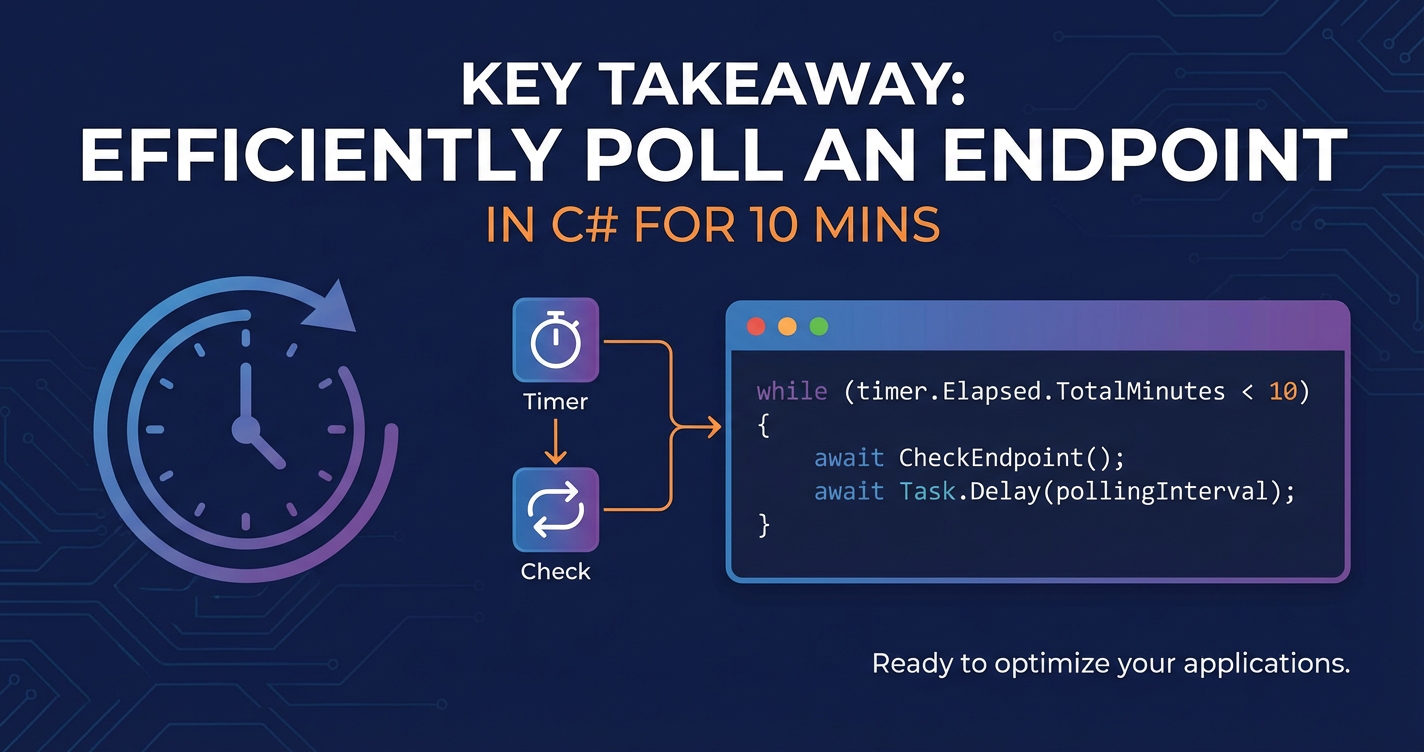
How to Repeatedly Poll an Endpoint in C# for 10 Mins


In the world of modern software development, applications frequently need to interact with external services, often through Application Programming Interfaces (APIs). While manyAPIs are designed for immediate request-response cycles, there are numerous scenarios where an application needs to repeatedly check the status or retrieve data from an endpoint over a period of time – a process commonly known as polling. This could be to monitor the progress of a long-running background task, wait for data to become available, or simply keep a local cache updated.
This article delves into the intricacies of implementing robust and efficientAPIpolling in C#, specifically focusing on how to repeat this operation for a fixed duration, such as 10 minutes. We'll explore various C# constructs, from basic asynchronous loops to more sophisticated timer-based mechanisms and the pivotal role of cancellation tokens, ensuring that your polling logic is not only functional but also resilient, resource-efficient, and maintainable. We will also touch upon the broader ecosystem ofAPImanagement, including the significance of anAPI gatewayin facilitating and securing these interactions.
The Necessity and Nuances of API Polling
Before we dive into the C# specifics, it's crucial to understand why polling is a necessary technique and what challenges it presents. At its core, polling involves a client (your C# application) making periodic requests to a server endpoint to inquire about a particular state or data. This contrasts with push-based models (like webhooks or WebSockets) where the server notifies the client when something happens. While push models are often more efficient for real-time updates, they are not always available or feasible to implement, making polling a vital fallback or primary strategy in many systems.
Common use cases for polling include:
- Long-Running Operations: Imagine initiating a complex report generation or a video encoding task on a remote server. The initialAPIcall might just return a job ID. Your application then needs to poll a "status" endpoint with that ID until the job completes.
- Data Synchronization: If your application displays data that might be updated by other systems, and push notifications aren't an option, periodic polling ensures your view remains relatively current.
- Waiting for External Events: A third-party service might process a payment or an order. Polling allows your application to check for the final status of that transaction.
- Simulating Real-Time Feeds: In some scenarios, where full-duplex communication is overkill or not supported, rapid polling can create the illusion of real-time data streaming for dashboards or monitoring tools.
However, polling is not without its drawbacks. Inefficient polling can lead to:
- Increased Network Traffic: Frequent requests generate more network chatter, consuming bandwidth and increasing latency.
- Server Load: The server has to process every poll request, even if the status hasn't changed, potentially leading to unnecessary resource consumption on the server side.
- Client-Side Resource Consumption: Keeping a polling loop active consumes CPU and memory on the client, especially if not implemented asynchronously.
- Latency vs. Freshness Trade-off: Too infrequent polling means stale data; too frequent polling wastes resources. Finding the right interval is key.
- Error Handling Complexity: What happens if the endpoint is temporarily unavailable, returns an error, or rate limits your requests? Robust error handling is paramount.
Our goal throughout this guide is to mitigate these drawbacks by demonstrating C# techniques that promote efficiency, resilience, and proper resource management, specifically tailored to polling for a defined duration.
Foundations of Asynchronous HTTP Requests in C
Any discussion about network interaction in C# inevitably starts with HttpClient and the async/await pattern. These are the bedrock upon which all robust polling mechanisms are built, ensuring that your application remains responsive while waiting for network operations to complete.
The HttpClient Class: Your Gateway to Web Resources
The HttpClient class, found in the System.Net.Http namespace, is the primary tool for making HTTP requests in .NET. It provides a flexible and powerfulAPIfor sending requests and receiving responses from URIs.
Basic Usage:
using System;
using System.Net.Http;
using System.Threading.Tasks;

public class ApiClient
{
    private readonly HttpClient _httpClient;

    public ApiClient(string baseAddress)
    {
        _httpClient = new HttpClient { BaseAddress = new Uri(baseAddress) };
        // You might add default request headers here, e.g., authentication tokens
        _httpClient.DefaultRequestHeaders.Add("Accept", "application/json");
    }

    public async Task<string> GetAsync(string requestUri)
    {
        try
        {
            HttpResponseMessage response = await _httpClient.GetAsync(requestUri);
            response.EnsureSuccessStatusCode(); // Throws an exception if the HTTP response status code is not 2xx.
            string responseBody = await response.Content.ReadAsStringAsync();
            return responseBody;
        }
        catch (HttpRequestException e)
        {
            Console.WriteLine($"Request exception: {e.Message}");
            throw; // Re-throw to allow caller to handle or log further
        }
    }

    // In a real application, you'd manage HttpClient lifecycle carefully.
    // For simple console apps, a direct instance might be okay, but for
    // long-running services, consider HttpClientFactory.
    public void Dispose()
    {
        _httpClient.Dispose();
    }
}
HttpClient Lifecycle and HttpClientFactory:
A common pitfall with HttpClient is its improper disposal. Creating a new HttpClient instance for every request is resource-intensive and can lead to socket exhaustion under heavy load. Conversely, using a single static instance indefinitely can lead to DNS resolution issues if the targetAPI's IP address changes.
The recommended best practice for modern .NET applications, especially those built on ASP.NET Core, is to use IHttpClientFactory. This factory manages the lifecycle of HttpClient instances, pooling handlers and ensuring proper disposal, while also allowing for named clients, typed clients, and Polly integration for transient fault handling. For simpler console applications, managing a single HttpClient instance for the duration of your polling operation (and disposing it when polling stops) is generally acceptable, but be aware of its limitations for very long-running processes or scenarios with changing target IPs.
Asynchronous Programming with async and await
The async/await keywords are fundamental to performing non-blocking I/O operations in C#, which is critical for efficient polling. When you await an asynchronous operation (like _httpClient.GetAsync()), the current method yields control back to its caller, freeing up the thread to perform other work. Once the awaited operation completes, the remainder of the method resumes execution, often on a different thread pool thread.
This pattern is vital because network requests can take time. If you were to perform them synchronously, your application's UI would freeze, or a server-side process would block a thread, wasting resources. With async/await, your polling logic doesn't hog a thread unnecessarily, making your application more responsive and scalable.
public async Task StartPollingOperation()
{
    Console.WriteLine("Polling started...");
    // Simulate an API call
    await Task.Delay(1000); // Wait for 1 second asynchronously
    Console.WriteLine("API call simulated.");
}
This simple example illustrates how Task.Delay (which is an asynchronous wait) can be awaited without blocking the current thread. This will be a recurring theme in our polling strategies.
JSON Serialization and Deserialization
Most modernAPIs communicate using JSON. C# provides excellent support for working with JSON through System.Text.Json (the default in .NET Core and later) or Newtonsoft.Json.
Example:
using System.Text.Json;

public class ApiResponse
{
    public string Status { get; set; }
    public string Data { get; set; }
}

// Inside your GetAsync method after getting responseBody:
// Assuming responseBody is something like {"Status": "InProgress", "Data": null}
ApiResponse result = JsonSerializer.Deserialize<ApiResponse>(responseBody);
Console.WriteLine($"Current status: {result.Status}");
This capability allows you to easily parse the responses from your polled endpoint and extract the information you need to determine if further polling is required or if the operation has completed.
Polling Strategies in C# for a Fixed Duration
Now that we've covered the basics, let's explore different ways to implement repeated polling in C#, focusing on managing the operation for a specific duration, such as 10 minutes. Our primary goal is to perform the polling non-blockingly and to gracefully stop after the duration expires or if an explicit cancellation is requested.
1. Basic while Loop with Task.Delay
This is arguably the simplest way to implement polling. It uses an async method, a while loop, and Task.Delay to introduce an interval between requests.
using System;
using System.Net.Http;
using System.Threading;
using System.Threading.Tasks;

public class BasicPollingService
{
    private readonly HttpClient _httpClient;
    private readonly TimeSpan _pollingInterval;
    private readonly TimeSpan _totalDuration;

    public BasicPollingService(HttpClient httpClient, TimeSpan pollingInterval, TimeSpan totalDuration)
    {
        _httpClient = httpClient ?? throw new ArgumentNullException(nameof(httpClient));
        _pollingInterval = pollingInterval;
        _totalDuration = totalDuration;
    }

    public async Task StartPolling(string endpointUrl)
    {
        DateTime startTime = DateTime.UtcNow;
        Console.WriteLine($"Polling for endpoint '{endpointUrl}' started at {startTime.ToLocalTime()} for {_totalDuration.TotalMinutes} minutes.");

        while (DateTime.UtcNow - startTime < _totalDuration)
        {
            try
            {
                Console.WriteLine($"Polling attempt at {DateTime.UtcNow.ToLocalTime()}...");
                HttpResponseMessage response = await _httpClient.GetAsync(endpointUrl);
                response.EnsureSuccessStatusCode();
                string content = await response.Content.ReadAsStringAsync();
                Console.WriteLine($"Received response: {content.Substring(0, Math.Min(content.Length, 100))}..."); // Log first 100 chars

                // Example: Check if a specific condition is met to stop early
                if (content.Contains("Completed"))
                {
                    Console.WriteLine("Condition met, stopping polling early.");
                    break;
                }
            }
            catch (HttpRequestException ex)
            {
                Console.Error.WriteLine($"Error during polling: {ex.Message}");
                // Log detailed error, potentially including response body if available
            }
            catch (Exception ex)
            {
                Console.Error.WriteLine($"An unexpected error occurred: {ex.Message}");
            }

            await Task.Delay(_pollingInterval);
        }

        Console.WriteLine($"Polling for endpoint '{endpointUrl}' finished after {(DateTime.UtcNow - startTime).TotalMinutes:F2} minutes.");
    }
}

// Usage example:
// public static async Task Main(string[] args)
// {
//     using var httpClient = new HttpClient { BaseAddress = new Uri("http://localhost:5000/") }; // Replace with your target API
//     var service = new BasicPollingService(httpClient, TimeSpan.FromSeconds(5), TimeSpan.FromMinutes(10));
//     await service.StartPolling("api/status");
// }
Pros: * Simplicity: Easy to understand and implement for straightforward polling needs. * Asynchronous: Task.Delay ensures the polling doesn't block the calling thread.
Cons: * No Explicit Cancellation: This approach doesn't easily allow for external cancellation before the _totalDuration expires. If the application needs to shut down or the user cancels the operation, this loop will continue until the Task.Delay completes or the total duration is met, making graceful shutdown difficult. * Time Drift: Task.Delay is not perfectly accurate and can be subject to small drifts, though for typical polling intervals, this is usually negligible. More importantly, the time spent on the actual HTTP request and processing the response is added to the polling interval, making the effective interval longer than _pollingInterval.
2. Using System.Timers.Timer
System.Timers.Timer is an event-driven timer that raises an event on a specified interval. It operates on a separate thread (or rather, its event handler executes on a ThreadPool thread), making it suitable for UI-independent operations.
using System;
using System.Net.Http;
using System.Threading;
using System.Threading.Tasks;
using System.Timers; // Note: This is different from System.Threading.Timer

public class EventBasedPollingService : IDisposable
{
    private readonly HttpClient _httpClient;
    private readonly string _endpointUrl;
    private readonly System.Timers.Timer _timer;
    private readonly TimeSpan _totalDuration;
    private DateTime _startTime;
    private int _pollingAttempts;
    private CancellationTokenSource _cancellationTokenSource;

    public EventBasedPollingService(HttpClient httpClient, TimeSpan pollingInterval, TimeSpan totalDuration, string endpointUrl)
    {
        _httpClient = httpClient ?? throw new ArgumentNullException(nameof(httpClient));
        _endpointUrl = endpointUrl ?? throw new ArgumentNullException(nameof(endpointUrl));
        _totalDuration = totalDuration;

        _timer = new System.Timers.Timer(pollingInterval.TotalMilliseconds);
        _timer.Elapsed += OnTimedEvent;
        _timer.AutoReset = true; // Raise the Elapsed event repeatedly
    }

    public void Start()
    {
        _startTime = DateTime.UtcNow;
        _pollingAttempts = 0;
        _cancellationTokenSource = new CancellationTokenSource();
        _timer.Start();
        Console.WriteLine($"Event-based polling for '{_endpointUrl}' started at {_startTime.ToLocalTime()} for {_totalDuration.TotalMinutes} minutes.");

        // Optionally, schedule a cancellation for the total duration
        _cancellationTokenSource.CancelAfter(_totalDuration);
    }

    private async void OnTimedEvent(object source, ElapsedEventArgs e)
    {
        _pollingAttempts++;
        Console.WriteLine($"Timer elapsed. Polling attempt {_pollingAttempts} at {DateTime.UtcNow.ToLocalTime()}...");

        // Check if cancellation has been requested or duration elapsed
        if (_cancellationTokenSource.IsCancellationRequested || (DateTime.UtcNow - _startTime >= _totalDuration))
        {
            Stop();
            Console.WriteLine("Polling stopped due to cancellation or duration expiry.");
            return;
        }

        try
        {
            using var requestMessage = new HttpRequestMessage(HttpMethod.Get, _endpointUrl);
            // Pass cancellation token to HttpClient call
            HttpResponseMessage response = await _httpClient.SendAsync(requestMessage, _cancellationTokenSource.Token);
            response.EnsureSuccessStatusCode();
            string content = await response.Content.ReadAsStringAsync();
            Console.WriteLine($"Received response: {content.Substring(0, Math.Min(content.Length, 100))}...");

            if (content.Contains("Completed"))
            {
                Console.WriteLine("Condition met, stopping polling early.");
                Stop();
            }
        }
        catch (OperationCanceledException)
        {
            Console.WriteLine("Polling operation was cancelled.");
            Stop();
        }
        catch (HttpRequestException ex)
        {
            Console.Error.WriteLine($"Error during event-based polling: {ex.Message}");
        }
        catch (Exception ex)
        {
            Console.Error.WriteLine($"An unexpected error occurred during event-based polling: {ex.Message}");
        }
    }

    public void Stop()
    {
        if (_timer.Enabled)
        {
            _timer.Stop();
            _cancellationTokenSource?.Cancel(); // Ensure any outstanding operations are cancelled
            Console.WriteLine($"Polling for '{_endpointUrl}' stopped after {(_pollingAttempts > 0 ? (DateTime.UtcNow - _startTime).TotalMinutes : 0):F2} minutes and {_pollingAttempts} attempts.");
        }
    }

    public void Dispose()
    {
        _timer?.Dispose();
        _cancellationTokenSource?.Dispose();
    }
}

// Usage example:
// public static async Task Main(string[] args)
// {
//     using var httpClient = new HttpClient { BaseAddress = new Uri("http://localhost:5000/") };
//     using var service = new EventBasedPollingService(httpClient, TimeSpan.FromSeconds(5), TimeSpan.FromMinutes(10), "api/status");
//     service.Start();
//
//     // Keep the application alive while the timer is running
//     Console.WriteLine("Press any key to stop polling manually...");
//     Console.ReadKey();
//     service.Stop();
// }
Pros: * Event-Driven: Decouples the polling logic from the main application flow, making it suitable for background tasks. * AutoReset: Simplifies repeated execution. * Integrated Cancellation: By combining with CancellationTokenSource, it provides a mechanism for both timed and explicit cancellation.
Cons: * Potential for Overlapping Operations: If the OnTimedEvent handler takes longer than the Interval to execute, the next event might fire before the previous one completes, leading to concurrentAPIcalls. This can be mitigated by disabling AutoReset and re-enabling it after the async operation completes, or by using a SemaphoreSlim to limit concurrency. * async void: The OnTimedEvent handler uses async void, which can make error handling more challenging as exceptions thrown from async void methods cannot be caught by the caller directly and might crash the process if unhandled. * Thread Pool Overhead: Each Elapsed event is raised on a ThreadPool thread, which is fine for most applications but good to be aware of for extremely high-frequency scenarios.
3. The Robust Approach: Task.Run with CancellationTokenSource and Task.Delay
This strategy combines the best elements of asynchronous programming with explicit cancellation, providing the most robust and flexible solution for timed polling. It involves running a continuous while loop within a Task, using CancellationTokenSource to manage both the total duration and external cancellation requests.
Understanding CancellationTokenSource and CancellationToken
CancellationTokenSource is a powerful mechanism in .NET for coordinating cooperative cancellation among threads or asynchronous operations. * CancellationTokenSource: This object is responsible for generating and managing CancellationTokens. You call Cancel() on the source to signal that cancellation has been requested. It also provides CancelAfter(TimeSpan) or CancelAfter(int milliseconds) to automatically signal cancellation after a specified duration. * CancellationToken: This is a lightweight object that tasks and operations can monitor. It indicates whether cancellation has been requested. Methods like ThrowIfCancellationRequested() will throw an OperationCanceledException if cancellation is pending, allowing for quick exits. Asynchronous operations like HttpClient.SendAsync() and Task.Delay() also accept a CancellationToken and will respond by throwing OperationCanceledException or TaskCanceledException.
This combination allows your polling loop to be interrupted gracefully, either because the 10-minute duration has passed, or because some other part of your application decided to stop the polling.
using System;
using System.Net.Http;
using System.Threading;
using System.Threading.Tasks;

public class RobustPollingService : IDisposable
{
    private readonly HttpClient _httpClient;
    private readonly TimeSpan _pollingInterval;
    private readonly TimeSpan _totalDuration;
    private readonly string _endpointUrl;
    private CancellationTokenSource _cancellationTokenSource;
    private Task _pollingTask;

    public RobustPollingService(HttpClient httpClient, TimeSpan pollingInterval, TimeSpan totalDuration, string endpointUrl)
    {
        _httpClient = httpClient ?? throw new ArgumentNullException(nameof(httpClient));
        _pollingInterval = pollingInterval;
        _totalDuration = totalDuration;
        _endpointUrl = endpointUrl ?? throw new ArgumentNullException(nameof(endpointUrl));
    }

    public void Start()
    {
        if (_pollingTask != null && !_pollingTask.IsCompleted)
        {
            Console.WriteLine("Polling is already running.");
            return;
        }

        _cancellationTokenSource = new CancellationTokenSource();
        // Schedule cancellation after the total duration
        _cancellationTokenSource.CancelAfter(_totalDuration);

        Console.WriteLine($"Robust polling for '{_endpointUrl}' started at {DateTime.UtcNow.ToLocalTime()} for {_totalDuration.TotalMinutes} minutes.");

        _pollingTask = Task.Run(async () =>
        {
            try
            {
                while (!_cancellationTokenSource.IsCancellationRequested)
                {
                    Console.WriteLine($"Polling attempt at {DateTime.UtcNow.ToLocalTime()}...");
                    try
                    {
                        // Pass the cancellation token to the HttpClient request
                        using var requestMessage = new HttpRequestMessage(HttpMethod.Get, _endpointUrl);
                        HttpResponseMessage response = await _httpClient.SendAsync(requestMessage, _cancellationTokenSource.Token);
                        response.EnsureSuccessStatusCode();
                        string content = await response.Content.ReadAsStringAsync();
                        Console.WriteLine($"Received response: {content.Substring(0, Math.Min(content.Length, 100))}...");

                        // Example: Check if a specific condition is met to stop early
                        if (content.Contains("Completed"))
                        {
                            Console.WriteLine("Condition met, stopping polling early.");
                            _cancellationTokenSource.Cancel(); // Signal early cancellation
                            break; // Exit the loop
                        }
                    }
                    catch (OperationCanceledException)
                    {
                        // This exception is expected when cancellation is requested
                        Console.WriteLine("Polling operation cancelled while sending request or reading response.");
                        break; // Exit the loop gracefully
                    }
                    catch (HttpRequestException ex)
                    {
                        Console.Error.WriteLine($"Error during polling attempt: {ex.Message}");
                        // Implement retry logic or circuit breaker patterns here if needed
                    }
                    catch (Exception ex)
                    {
                        Console.Error.WriteLine($"An unexpected error occurred during polling: {ex.Message}");
                    }

                    // Introduce delay using the cancellation token
                    try
                    {
                        await Task.Delay(_pollingInterval, _cancellationTokenSource.Token);
                    }
                    catch (OperationCanceledException)
                    {
                        // This exception is expected when cancellation is requested while delaying
                        Console.WriteLine("Delay cancelled.");
                        break; // Exit the loop gracefully
                    }
                }
            }
            catch (OperationCanceledException)
            {
                // Catch any OperationCanceledException that might propagate from inner awaits
                Console.WriteLine("Polling task was cancelled.");
            }
            finally
            {
                Console.WriteLine($"Robust polling for '{_endpointUrl}' finished.");
            }
        }, _cancellationTokenSource.Token); // Pass token to Task.Run as well
    }

    public async Task StopAsync()
    {
        if (_cancellationTokenSource != null && !_cancellationTokenSource.IsCancellationRequested)
        {
            Console.WriteLine("Stopping polling manually...");
            _cancellationTokenSource.Cancel(); // Request cancellation
        }

        if (_pollingTask != null)
        {
            await _pollingTask; // Wait for the polling task to complete its graceful shutdown
            _pollingTask = null;
        }
    }

    public void Dispose()
    {
        _cancellationTokenSource?.Dispose();
    }
}

// Usage example:
// public static async Task Main(string[] args)
// {
//     using var httpClient = new HttpClient { BaseAddress = new Uri("http://localhost:5000/") };
//     using var service = new RobustPollingService(httpClient, TimeSpan.FromSeconds(5), TimeSpan.FromMinutes(10), "api/status");
//     service.Start();
//
//     Console.WriteLine("Polling is running in the background. Press 'S' to stop manually, or any other key to exit after 10 minutes.");
//     var key = Console.ReadKey();
//     if (key.Key == ConsoleKey.S)
//     {
//         await service.StopAsync();
//     }
//     else
//     {
//         // Allow the polling to run for its full duration, then the task will complete
//         await service.StopAsync(); // Call StopAsync to ensure cleanup, even if already cancelled by duration
//     }
// }
Pros: * Graceful Cancellation: CancellationTokenSource allows for both timed cancellation (e.g., after 10 minutes) and explicit cancellation (e.g., user input, application shutdown), ensuring resources are released promptly. * Non-Blocking: Task.Run offloads the polling loop to a ThreadPool thread, and await Task.Delay keeps it non-blocking. * Robust Error Handling: try-catch blocks within the loop can handle transient network issues without stopping the entire polling operation. OperationCanceledException provides a clean way to exit the loop. * Clear Lifecycle: The _pollingTask allows you to await its completion during shutdown, ensuring all operations have truly ceased.
Cons: * Increased Complexity: Requires a good understanding of async/await, Task.Run, and CancellationTokenSource. * Manual Management: You need to explicitly manage the CancellationTokenSource and the Task lifecycle.
This Task.Run with CancellationTokenSource approach is generally the recommended pattern for long-running, cancellable background tasks in C#, includingAPIpolling for a fixed duration. It provides the best balance of flexibility, responsiveness, and control.
Polling Strategies Comparison Table
To summarize the approaches discussed, here's a comparison table highlighting their key characteristics:
| Feature/Strategy | while loop with Task.Delay |
System.Timers.Timer (Elapsed event) |
Task.Run with CancellationTokenSource & Task.Delay |
|---|---|---|---|
| Simplicity | High | Medium | Low to Medium (requires understanding CancellationToken) |
| Asynchronous I/O | Yes (via await) |
Yes (via async void handler) |
Yes (via await) |
| External Cancellation | No | Yes (needs manual _timer.Stop()) |
Excellent (cooperative CancellationToken) |
| Timed Duration Limit | Manual DateTime.UtcNow comparison |
Manual DateTime.UtcNow comparison (or CancelAfter) |
Excellent (CancellationTokenSource.CancelAfter()) |
| Concurrency Risks | Low (single loop iteration at a time) | High (if Elapsed event fires before previous handler finishes) |
Low (single loop iteration at a time within the task) |
| Error Handling | Basic try-catch |
async void makes error propagation difficult |
Robust with try-catch and OperationCanceledException |
| Resource Management | Simple, HttpClient disposal |
Timer and HttpClient disposal |
CancellationTokenSource and HttpClient disposal |
| Recommended Use | Quick, non-critical, short polls | UI-independent background tasks with specific interval needs | Robust, long-running, cancellable background tasks |
Advanced Considerations for Robust Polling
Beyond the basic implementation, building a truly robust polling mechanism requires addressing several advanced concerns that impact reliability, performance, and the overall user experience.
Retry Mechanisms and Backoff Strategies
Network requests are inherently unreliable. Transient errors (network glitches, temporary server overload, timeouts) are common. Simply failing on the first error is often not acceptable. Implementing a retry mechanism can significantly increase the resilience of your polling logic.
- Fixed Delay Retries: After a failed request, wait a fixed amount of time (e.g., 5 seconds) before retrying. This is simple but can hammer a struggling server if many clients are retrying simultaneously.
- Exponential Backoff Retries: The more times a request fails, the longer you wait before the next retry (e.g., 2s, then 4s, then 8s, up to a maximum). This is much gentler on the server and reduces the chances of a "retry storm."
- Jitter: To prevent all clients from retrying at precisely the same exponential backoff intervals, introduce a small random delay (jitter) within each backoff period.
The Polly library is an excellent choice for implementing these patterns in .NET, offering policies for retries, circuit breakers, timeouts, and more. While a full Polly implementation is beyond the scope of a single section, you can integrate basic retries directly into your while loop:
// Inside the RobustPollingService's Task.Run loop
int retryCount = 0;
const int maxRetries = 5;
TimeSpan initialRetryDelay = TimeSpan.FromSeconds(2);

while (!_cancellationTokenSource.IsCancellationRequested)
{
    Console.WriteLine($"Polling attempt at {DateTime.UtcNow.ToLocalTime()} (Retry: {retryCount})...");
    try
    {
        using var requestMessage = new HttpRequestMessage(HttpMethod.Get, _endpointUrl);
        HttpResponseMessage response = await _httpClient.SendAsync(requestMessage, _cancellationTokenSource.Token);
        response.EnsureSuccessStatusCode();
        string content = await response.Content.ReadAsStringAsync();
        Console.WriteLine($"Received response: {content.Substring(0, Math.Min(content.Length, 100))}...");

        // Reset retry count on success
        retryCount = 0;

        if (content.Contains("Completed"))
        {
            Console.WriteLine("Condition met, stopping polling early.");
            _cancellationTokenSource.Cancel();
            break;
        }
    }
    catch (OperationCanceledException)
    {
        Console.WriteLine("Polling operation cancelled.");
        break;
    }
    catch (HttpRequestException ex)
    {
        Console.Error.WriteLine($"Error during polling attempt: {ex.Message}");
        retryCount++;
        if (retryCount <= maxRetries)
        {
            TimeSpan currentDelay = initialRetryDelay * Math.Pow(2, retryCount - 1); // Exponential backoff
            Console.WriteLine($"Retrying in {currentDelay.TotalSeconds:F1} seconds...");
            try
            {
                await Task.Delay(currentDelay, _cancellationTokenSource.Token);
            }
            catch (OperationCanceledException)
            {
                Console.WriteLine("Retry delay cancelled.");
                break;
            }
        }
        else
        {
            Console.Error.WriteLine($"Max retries ({maxRetries}) exceeded. Stopping polling.");
            _cancellationTokenSource.Cancel();
            break;
        }
    }
    catch (Exception ex)
    {
        Console.Error.WriteLine($"An unexpected error occurred during polling: {ex.Message}");
        // For unexpected errors, you might want to stop or retry based on severity
        _cancellationTokenSource.Cancel(); // Example: Stop on unknown error
        break;
    }

    if (!_cancellationTokenSource.IsCancellationRequested)
    {
        try
        {
            await Task.Delay(_pollingInterval, _cancellationTokenSource.Token);
        }
        catch (OperationCanceledException)
        {
            Console.WriteLine("Main polling delay cancelled.");
            break;
        }
    }
}
This integrated retry logic significantly enhances the fault tolerance of your polling loop.
Rate Limiting and Throttling
ManyAPIs enforce rate limits to protect their infrastructure from abuse and ensure fair usage. If your polling application sends requests too quickly, it might receive HTTP 429 Too Many Requests responses. A well-behaved client should respect these limits.
- Client-Side Rate Limiting: Implement a local counter or a token bucket algorithm to ensure you don't exceed a certain number of requests per time unit. This is proactive.
- Server-Side
Retry-AfterHeader: When anAPI gatewayor server sends a429response, it often includes aRetry-Afterheader indicating how long the client should wait before making another request. Your client should parse this header and pause for the specified duration.
// Extend HttpRequestException handling
// ... inside the try-catch block for HttpRequestException
if (ex.StatusCode == System.Net.HttpStatusCode.TooManyRequests)
{
    Console.Error.WriteLine("Rate limit hit! Checking Retry-After header.");
    if (response != null && response.Headers.RetryAfter != null)
    {
        TimeSpan delay = TimeSpan.FromSeconds(response.Headers.RetryAfter.Delta.GetValueOrDefault(60)); // Default to 60s if not specified
        Console.WriteLine($"Waiting for {delay.TotalSeconds:F1} seconds as per Retry-After header.");
        try
        {
            await Task.Delay(delay, _cancellationTokenSource.Token);
        }
        catch (OperationCanceledException)
        {
            Console.WriteLine("Retry-After delay cancelled.");
            break;
        }
    }
    else
    {
        // No Retry-After header, apply default backoff or stop
        Console.Error.WriteLine("No Retry-After header found, applying standard backoff.");
        // Fallback to existing exponential backoff logic
        // ...
    }
}
// ... rest of the error handling
Resource Management and Disposal
Properly managing resources like HttpClient, CancellationTokenSource, and any timers is crucial to prevent memory leaks and ensure graceful shutdown. * HttpClient: As mentioned, IHttpClientFactory is preferred for long-running services. For simple console apps, ensure the HttpClient is disposed when your polling service is no longer needed (e.g., using using statements or implementing IDisposable). * CancellationTokenSource: Always dispose of CancellationTokenSource instances once they are no longer needed to release any associated resources. This is typically done in the Dispose method of your polling service. * Tasks: While you don't explicitly "dispose" of Task objects, ensuring that _pollingTask completes and is awaited during shutdown prevents dangling operations.
Logging and Monitoring
Effective logging is paramount for understanding the behavior of your polling service. * Verbose Logging: Log every polling attempt, success, failure, retry, and cancellation event. Include timestamps, endpoint URLs, and relevant response details (e.g., HTTP status code, partial content). * Structured Logging: Use libraries like Serilog or NLog to output structured logs (e.g., JSON format) that are easily consumed by log aggregation tools (Elasticsearch, Splunk). * Metrics: Beyond logs, consider emitting metrics (e.g., number of successful polls, failed polls, average response time, time spent in retries) to a monitoring system (Prometheus, Application Insights). This gives you a high-level overview of your polling service's health and performance.
Error Handling and Circuit Breakers
While retries handle transient faults, some errors are persistent (e.g., 401 Unauthorized, 500 Internal Server Error due to a major system outage). Continuously retrying such errors is futile and can exacerbate problems.
- Circuit Breaker Pattern: This pattern helps prevent an application from repeatedly invoking a failing service. If too many consecutive failures occur, the circuit "opens," and subsequent requests immediately fail for a predefined period. After this period, the circuit enters a "half-open" state, allowing a few test requests to pass through. If these succeed, the circuit closes; otherwise, it reopens. Polly also provides excellent circuit breaker implementations.
- Authentication Token Refresh: If yourAPIrequires authentication tokens that expire, your polling service needs logic to detect
401 Unauthorizedresponses and attempt to refresh the token before retrying.
APIPark is a high-performance AI gateway that allows you to securely access the most comprehensive LLM APIs globally on the APIPark platform, including OpenAI, Anthropic, Mistral, Llama2, Google Gemini, and more.Try APIPark now! 👇👇👇
The Role of API Gateways in Polling Scenarios
When your C# application is polling anAPI, it's essential to understand that the endpoint it's interacting with might not be the raw backend service. More often than not, especially in enterprise environments, there's anAPI gatewaysitting in front of the actual services. AnAPI gatewayacts as a single entry point for allAPIcalls, abstracting the complexity of the backend services from the clients.
What is an API Gateway?
AnAPI gatewayis a crucial component in microservices architectures and generalAPImanagement. It handles common concerns like: * Routing: Directing client requests to the appropriate backend service. * Authentication and Authorization: Verifying client identity and permissions before forwarding requests. * Rate Limiting and Throttling: Protecting backend services from overload by controlling the number of requests clients can make. * Traffic Management: Load balancing, caching, and retry mechanisms for backend calls. * Monitoring and Logging: Centralizing the collection ofAPIusage data and errors. * Protocol Translation: Converting client requests (e.g., REST) to backend service protocols (e.g., gRPC). * Security: Applying security policies, firewalling, and threat protection.
How an API Gateway Affects Your Polling Logic
From the perspective of your C# polling application, the presence of anAPI gatewayhas several implications:
- Rate Limits: TheAPI gatewayis the primary enforcer of rate limits. It's crucial for your polling client to respect these, as aggressive polling will quickly lead to
429 Too Many Requestsresponses from thegateway, regardless of the backend service's capacity. Your client-side retry and backoff logic should specifically account for429responses and honorRetry-Afterheaders provided by thegateway. - Authentication: TheAPI gatewaywill typically handle the initial authentication of your client. If your client's authentication token expires or is invalid, thegatewaywill return
401 Unauthorizedor403 Forbiddenerrors. Your polling client must have logic to detect these and potentially refresh authentication tokens. - Security: Thegatewayprovides a layer of security. Your polling requests pass through it, benefiting from its security policies. This means you generally don't have to worry about direct attacks on backend services, but you still need to secure your client's credentials.
- Reliability: AnAPI gatewaycan enhance the reliability of the overall system. If a backend service is temporarily down, a sophisticatedgatewaymight retry the request against another instance, or return a cached response, potentially making your polling experience more stable even if individual services fluctuate.
- Logging and Visibility: Every poll request that passes through theAPI gatewayis likely logged. This gives administrators insight into how clients are using theAPIs, including polling frequency and any issues encountered. This information is invaluable for debugging and performance tuning.
Streamlining API Management with APIPark
For robustapimanagement, especially when dealing with a high volume of requests like those generated by frequent polling, platforms like APIPark offer comprehensive solutions. As an open-source AIgatewayandAPImanagement platform, APIPark provides features like rate limiting, unifiedAPIformat, and detailed call logging, which are invaluable for both the consumers and providers ofAPIs. It helps manage the entire lifecycle of APIs, ensuring that your polling operations interact with well-governed and performant endpoints.
APIPark, being an open-source AIgatewayunder the Apache 2.0 license, simplifies the management, integration, and deployment of both AI and REST services. For developers and enterprises, its capability to quickly integrate 100+ AI models with a unified management system for authentication and cost tracking is a game-changer. Imagine your C# application polling an AI service – APIPark ensures that the underlying AI model can change without impacting your application's polling logic, thanks to its unifiedAPIformat for AI invocation. It can even encapsulate custom prompts into REST APIs, allowing your polling service to check the status of complex AI operations.
Furthermore, APIPark's end-to-endAPIlifecycle management means that the endpoints your C# application polls are well-designed, published, and versioned. Its performance, rivaling Nginx (achieving over 20,000 TPS with modest hardware), means that even aggressive polling from numerous clients won't easily overwhelm thegatewayitself. DetailedAPIcall logging provides insights into every interaction, making it easier to troubleshoot issues arising from your polling client or the backend service. For instance, if your C# application receives unexpected 500 errors, the logs in APIPark can quickly reveal if the issue originated from thegatewayor a downstream service.
In scenarios where different teams or tenants consume the sameAPIs, APIPark allows forAPIservice sharing within teams, with independentAPIand access permissions for each tenant. This ensures that while your C# polling application might be part of one team, its access is governed by specific rules, and other teams won't accidentally interfere with its operations or vice versa. The option forAPIresource access requiring approval further enhances security, preventing unauthorized polling attempts. All these features underline how an advancedAPI gatewaylike APIPark contributes significantly to the robustness and security of any system involving frequentAPIinteractions, including the polling scenarios we're discussing.
Practical C# Example - Full Implementation with Robust Polling
Let's consolidate the best practices discussed into a single, comprehensive C# example that demonstrates robust polling for 10 minutes, including cancellation, basic error handling, and a simple retry mechanism. This example will be designed as a console application for clarity.
using System;
using System.Net.Http;
using System.Threading;
using System.Threading.Tasks;
using System.Net; // For HttpStatusCode

public class PollingApplication : IDisposable
{
    private readonly HttpClient _httpClient;
    private readonly string _endpointUrl;
    private readonly TimeSpan _pollingInterval;
    private readonly TimeSpan _totalPollingDuration;
    private CancellationTokenSource _cancellationTokenSource;
    private Task _pollingTask;

    private const int MaxRetries = 3;
    private readonly TimeSpan _initialRetryDelay = TimeSpan.FromSeconds(2);

    public PollingApplication(string baseAddress, string endpointUrl, TimeSpan pollingInterval, TimeSpan totalPollingDuration)
    {
        _httpClient = new HttpClient { BaseAddress = new Uri(baseAddress) };
        _httpClient.DefaultRequestHeaders.Add("Accept", "application/json"); // Standard header
        _endpointUrl = endpointUrl;
        _pollingInterval = pollingInterval;
        _totalPollingDuration = totalPollingDuration;
    }

    public void StartPolling()
    {
        if (_pollingTask != null && !_pollingTask.IsCompleted)
        {
            Console.WriteLine("Polling is already active.");
            return;
        }

        _cancellationTokenSource = new CancellationTokenSource();
        // Schedule an automatic cancellation after the total duration
        _cancellationTokenSource.CancelAfter(_totalPollingDuration);

        Console.ForegroundColor = ConsoleColor.Green;
        Console.WriteLine($"\n--- Polling Started ---");
        Console.WriteLine($"Target Endpoint: {_httpClient.BaseAddress}{_endpointUrl}");
        Console.WriteLine($"Polling Interval: {_pollingInterval.TotalSeconds} seconds");
        Console.WriteLine($"Total Polling Duration: {_totalPollingDuration.TotalMinutes} minutes");
        Console.WriteLine($"Scheduled to stop at: {DateTime.Now.Add(_totalPollingDuration):HH:mm:ss}");
        Console.ResetColor();

        _pollingTask = Task.Run(async () =>
        {
            try
            {
                int currentRetryCount = 0;
                while (!_cancellationTokenSource.IsCancellationRequested)
                {
                    Console.ForegroundColor = ConsoleColor.Cyan;
                    Console.WriteLine($"\n[Polling at {DateTime.Now:HH:mm:ss}] Attempting to fetch '{_endpointUrl}'...");
                    Console.ResetColor();

                    try
                    {
                        using var requestMessage = new HttpRequestMessage(HttpMethod.Get, _endpointUrl);
                        HttpResponseMessage response = await _httpClient.SendAsync(requestMessage, _cancellationTokenSource.Token);

                        if (response.IsSuccessStatusCode)
                        {
                            string content = await response.Content.ReadAsStringAsync();
                            Console.ForegroundColor = ConsoleColor.Blue;
                            Console.WriteLine($"[SUCCESS] Status: {response.StatusCode}. Content: {content.Substring(0, Math.Min(content.Length, 150))}...");
                            Console.ResetColor();
                            currentRetryCount = 0; // Reset retry count on success

                            // Example condition to stop polling early
                            if (content.Contains("\"status\":\"completed\"")) // Assuming JSON response with a "status" field
                            {
                                Console.ForegroundColor = ConsoleColor.Yellow;
                                Console.WriteLine("Condition met: 'completed' status found. Stopping polling early.");
                                Console.ResetColor();
                                _cancellationTokenSource.Cancel(); // Signal early cancellation
                                break;
                            }
                        }
                        else if (response.StatusCode == HttpStatusCode.TooManyRequests) // HTTP 429
                        {
                            Console.ForegroundColor = ConsoleColor.Red;
                            Console.Error.WriteLine($"[ERROR] Rate Limit Exceeded (429).");
                            Console.ResetColor();

                            // Check for Retry-After header
                            if (response.Headers.RetryAfter != null && response.Headers.RetryAfter.Delta.HasValue)
                            {
                                TimeSpan waitTime = response.Headers.RetryAfter.Delta.Value;
                                Console.WriteLine($"Waiting for {waitTime.TotalSeconds:F1} seconds as per server's Retry-After header.");
                                await Task.Delay(waitTime, _cancellationTokenSource.Token); // Wait and respect cancellation
                            }
                            else
                            {
                                // No Retry-After specified, apply an aggressive backoff strategy
                                Console.WriteLine($"No Retry-After header. Applying aggressive backoff ({_initialRetryDelay.TotalSeconds * 4}s).");
                                await Task.Delay(_initialRetryDelay * 4, _cancellationTokenSource.Token);
                            }
                            continue; // Skip main delay and retry immediately after wait
                        }
                        else
                        {
                            Console.ForegroundColor = ConsoleColor.Red;
                            Console.Error.WriteLine($"[ERROR] Non-success status: {response.StatusCode} ({response.ReasonPhrase})");
                            Console.ResetColor();
                            // Handle other non-success codes, potentially leading to retry or stop
                            // Fall through to retry logic if it's considered a transient error
                            throw new HttpRequestException($"API returned non-success status code: {response.StatusCode}");
                        }
                    }
                    catch (OperationCanceledException)
                    {
                        Console.ForegroundColor = ConsoleColor.Yellow;
                        Console.WriteLine("Polling operation explicitly cancelled.");
                        Console.ResetColor();
                        break; // Exit loop on cancellation
                    }
                    catch (HttpRequestException ex)
                    {
                        Console.ForegroundColor = ConsoleColor.Red;
                        Console.Error.WriteLine($"[ERROR] Network/HTTP request failed: {ex.Message}");
                        Console.ResetColor();

                        currentRetryCount++;
                        if (currentRetryCount <= MaxRetries)
                        {
                            TimeSpan currentDelay = _initialRetryDelay * Math.Pow(2, currentRetryCount - 1); // Exponential backoff
                            Console.WriteLine($"Retrying in {currentDelay.TotalSeconds:F1} seconds (Attempt {currentRetryCount}/{MaxRetries})...");
                            try
                            {
                                await Task.Delay(currentDelay, _cancellationTokenSource.Token);
                            }
                            catch (OperationCanceledException)
                            {
                                Console.ForegroundColor = ConsoleColor.Yellow;
                                Console.WriteLine("Retry delay cancelled.");
                                Console.ResetColor();
                                break;
                            }
                        }
                        else
                        {
                            Console.ForegroundColor = ConsoleColor.Red;
                            Console.Error.WriteLine($"Max retries ({MaxRetries}) exceeded. Stopping polling for '{_endpointUrl}'.");
                            Console.ResetColor();
                            _cancellationTokenSource.Cancel(); // Force cancellation
                            break;
                        }
                        continue; // Skip main delay and retry immediately after error delay
                    }
                    catch (Exception ex)
                    {
                        Console.ForegroundColor = ConsoleColor.Red;
                        Console.Error.WriteLine($"[CRITICAL ERROR] An unexpected exception occurred: {ex.Message}");
                        Console.ResetColor();
                        _cancellationTokenSource.Cancel(); // Critical error, stop polling
                        break;
                    }

                    // Only delay if cancellation hasn't been requested by logic above
                    if (!_cancellationTokenSource.IsCancellationRequested)
                    {
                        Console.WriteLine($"Waiting {_pollingInterval.TotalSeconds} seconds for next poll...");
                        try
                        {
                            await Task.Delay(_pollingInterval, _cancellationTokenSource.Token);
                        }
                        catch (OperationCanceledException)
                        {
                            Console.ForegroundColor = ConsoleColor.Yellow;
                            Console.WriteLine("Main polling delay cancelled.");
                            Console.ResetColor();
                            break;
                        }
                    }
                }
            }
            catch (OperationCanceledException)
            {
                // This catch is for OperationCanceledException thrown directly from Task.Run's CancellationToken
                Console.ForegroundColor = ConsoleColor.Yellow;
                Console.WriteLine("Polling task initiated cancellation or was externally cancelled.");
                Console.ResetColor();
            }
            finally
            {
                Console.ForegroundColor = ConsoleColor.Green;
                Console.WriteLine($"\n--- Polling Finished for '{_endpointUrl}' ---");
                Console.ResetColor();
            }
        }, _cancellationTokenSource.Token); // Pass CancellationToken to Task.Run as well
    }

    public async Task StopPollingAsync()
    {
        if (_cancellationTokenSource != null && !_cancellationTokenSource.IsCancellationRequested)
        {
            Console.ForegroundColor = ConsoleColor.Yellow;
            Console.WriteLine("\nManual stop requested. Signalling cancellation...");
            Console.ResetColor();
            _cancellationTokenSource.Cancel(); // Request cancellation
        }

        if (_pollingTask != null)
        {
            await _pollingTask; // Wait for the polling task to complete its graceful shutdown
            _pollingTask = null;
        }
    }

    public void Dispose()
    {
        _cancellationTokenSource?.Dispose();
        _httpClient?.Dispose();
    }

    public static async Task Main(string[] args)
    {
        // Replace with your actual API base URL and endpoint
        const string apiBaseUrl = "https://jsonplaceholder.typicode.com/"; // A public dummy API for testing
        const string apiEndpoint = "todos/1"; // Example: A resource that might change
        TimeSpan pollInterval = TimeSpan.FromSeconds(5);
        TimeSpan totalDuration = TimeSpan.FromMinutes(10); // Polling for 10 minutes

        using var app = new PollingApplication(apiBaseUrl, apiEndpoint, pollInterval, totalDuration);
        app.StartPolling();

        Console.ForegroundColor = ConsoleColor.Magenta;
        Console.WriteLine("\nPress 'Q' to quit and stop polling manually, or wait for the 10-minute duration to end.");
        Console.ResetColor();

        while (true)
        {
            if (Console.KeyAvailable)
            {
                ConsoleKeyInfo key = Console.ReadKey(true); // true to intercept the key
                if (key.Key == ConsoleKey.Q)
                {
                    await app.StopPollingAsync();
                    break;
                }
            }
            // Allow a small delay to prevent tight loop in Main thread
            await Task.Delay(100);
            if (app._pollingTask?.IsCompleted ?? false) // Check if polling task finished on its own
            {
                 Console.WriteLine("Polling task completed on its own.");
                 break;
            }
        }
        Console.WriteLine("Application exiting.");
    }
}
This comprehensive example demonstrates: * Initialization: Setting up HttpClient and defining polling parameters. * CancellationTokenSource: Used for both automatic 10-minute cancellation (CancelAfter) and manual cancellation (Cancel()). * Task.Run: To execute the polling loop in the background without blocking the main thread. * async / await: For non-blocking HTTP requests and delays. * Robust Error Handling: Specific catches for OperationCanceledException, HttpRequestException, and general Exception. * Retry Logic: Exponential backoff for HttpRequestException up to MaxRetries. * Rate Limit Handling: Explicitly checking for 429 Too Many Requests and respecting Retry-After headers. * Early Exit Condition: A simulated check (content.Contains("\"status\":\"completed\"") to stop polling if a condition is met. * Graceful Shutdown: StopPollingAsync waits for the background task to complete before returning. * Resource Disposal: Implementing IDisposable for HttpClient and CancellationTokenSource.
This example creates a resilient polling client that can gracefully handle various network conditions and user interruptions while adhering to a specified operational duration.
Refinement and Best Practices Summary
To recap and emphasize the most critical takeaways for building effective and robust C#APIpolling mechanisms:
- Embrace Asynchronous Programming: Always use
asyncandawaitwithHttpClientandTask.Delay. This is non-negotiable for responsive applications and efficient resource utilization. Blocking operations will lead to poor performance and an unresponsive user experience. - Utilize
CancellationTokenSource: This is your best friend for managing the lifecycle of long-running operations. It allows you to specify a total duration (CancelAfter) and provide a mechanism for external, manual cancellation. Pass theCancellationTokento all cancellable asynchronous methods (HttpClient.SendAsync,Task.Delay). - Implement Robust Error Handling:
- Catch
HttpRequestExceptionfor network-related issues. - Catch
OperationCanceledExceptionto gracefully handle cancellation requests. - Include a general
Exceptioncatch for unexpected errors. - Differentiate between transient (retriable) and permanent (stop polling) errors based on HTTP status codes or exception types.
- Catch
- Incorporate Retry with Backoff: Transient network issues are common. Using exponential backoff with jitter for retries is crucial for resilience and to avoid hammering the server. Libraries like Polly can simplify this significantly.
- Respect Rate Limits: Proactively manage your request rate and always parse and obey
Retry-Afterheaders forHTTP 429responses. This shows good citizenship and prevents your client from being blocked. AnAPI gatewaywill enforce these limits, and your client needs to interact respectfully with it. - Manage Resources Diligently: Dispose of
HttpClientinstances (preferably viaHttpClientFactoryfor long-running services) andCancellationTokenSourceobjects. Proper disposal prevents resource leaks and ensures clean shutdowns. - Prioritize Logging and Monitoring: Comprehensive logging (structured, verbose) is essential for debugging and understanding the behavior of your polling service. Consider integrating metrics for real-time monitoring of performance and errors.
- Consider Alternatives: While polling is effective, sometimes other approaches are more suitable. For truly real-time updates, investigate push-based mechanisms like WebSockets, Server-Sent Events (SSE), or Webhooks, which allow the server to notify the client without constant client requests. However, when these are not an option, the robust polling strategies outlined here provide a powerful and reliable solution.
By meticulously applying these principles, you can build C# applications that interact withAPIs in a highly efficient, reliable, and respectful manner, ensuring that your polling operations run smoothly for their intended duration and beyond.
Conclusion
Repeatedly polling an endpoint in C# for a specific duration, such as 10 minutes, is a common requirement in many modern applications. While conceptually simple, achieving this robustly, efficiently, and gracefully requires careful attention to asynchronous programming, cancellation, error handling, and resource management. We've explored different strategies, highlighting the advantages of using Task.Run in conjunction with CancellationTokenSource and Task.Delay as the most flexible and resilient approach.
By implementing retry mechanisms with exponential backoff, respectingAPIrate limits, and understanding the vital role of anAPI gatewaylike APIPark in managing and securing these interactions, developers can create C# polling clients that are not only functional but also dependable and performant. The comprehensive example provided showcases how to combine these best practices into a production-ready solution, ensuring your application can reliably monitor long-running tasks, synchronize data, or await external events without compromising system stability or resource efficiency. Mastering these techniques is fundamental for any developer building resilient connected applications in the .NET ecosystem.
FAQ
Q1: What are the primary advantages of using CancellationTokenSource for polling in C#? A1: CancellationTokenSource offers significant advantages by enabling cooperative cancellation. It allows you to both automatically cancel an operation after a specific duration (e.g., 10 minutes using CancelAfter()) and to manually request cancellation from another part of your application. This ensures that long-running polling loops can gracefully shut down, releasing resources and preventing indefinite execution, making your application more responsive and resilient.
Q2: How does an API gateway impact my client-side polling logic? A2: AnAPI gatewaysits in front of backend services and often enforces policies like rate limiting, authentication, and security. From your client's perspective, this means you must respect thegateway's rate limits (e.g., by handling HTTP 429 Too Many Requests responses and Retry-After headers), ensure your authentication tokens are valid, and be aware that thegatewayprovides a layer of abstraction and potential resilience for the backend. Platforms like APIPark exemplify such a gateway, centralizing these concerns.
Q3: Is it always better to use Task.Delay over System.Timers.Timer for polling? A3: For most robust, long-runningAPIpolling scenarios, Task.Delay within an async loop (often wrapped in Task.Run with a CancellationToken) is generally preferred. Task.Delay naturally integrates with async/await and CancellationToken, making it easier to manage the lifecycle and prevent overlapping operations. System.Timers.Timer is event-driven and can be suitable for simpler, UI-independent periodic tasks, but requires more careful handling (e.g., managing AutoReset or using semaphores) to avoid concurrency issues if the event handler itself performs asynchronous work that might exceed the timer interval.
Q4: What should I do if my polling requests consistently receive HTTP 429 Too Many Requests errors? A4: An HTTP 429 error indicates you're hitting theAPI's rate limit, which is often managed by anAPI gateway. You should immediately pause your polling for the duration specified in the Retry-After HTTP header if present. If no Retry-After header is provided, implement a significant exponential backoff delay before retrying. Consistently hitting this error suggests your polling interval is too aggressive or your overall request volume is too high, and you might need to re-evaluate your polling strategy or negotiate higher limits.
Q5: When should I consider alternatives to polling, like WebHooks or WebSockets? A5: You should consider alternatives to polling when near real-time updates are critical, and the server supports a push-based model. WebSockets establish a persistent, bidirectional communication channel, ideal for chat applications or live data feeds. WebHooks allow the server to notify your application when an event occurs, eliminating the need for your client to constantly ask for updates. These push-based methods are generally more efficient for real-time data as they reduce unnecessary network traffic and server load compared to frequent polling. However, if the server doesn't support them, or if the polling frequency is low and data freshness isn't extremely critical, polling remains a valid and often simpler solution.
🚀You can securely and efficiently call the OpenAI API on APIPark in just two steps:
Step 1: Deploy the APIPark AI gateway in 5 minutes.
APIPark is developed based on Golang, offering strong product performance and low development and maintenance costs. You can deploy APIPark with a single command line.
curl -sSO https://download.apipark.com/install/quick-start.sh; bash quick-start.sh

In my experience, you can see the successful deployment interface within 5 to 10 minutes. Then, you can log in to APIPark using your account.

Step 2: Call the OpenAI API.