How to Repeatedly Poll an Endpoint in C# for 10 Minutes


In the intricate world of distributed systems and microservices, interactions between different components often aren't instantaneous. While modern architectures increasingly favor event-driven patterns like webhooks or WebSockets for real-time communication, there remain numerous scenarios where repeatedly checking an external service's status – a technique known as polling – is not just acceptable, but often the most straightforward and robust solution. This article delves deep into the art and science of repeatedly polling an api endpoint in C# for a specific duration, namely 10 minutes, equipping developers with the knowledge and tools to implement this crucial pattern effectively, efficiently, and elegantly.
The act of polling involves a client application periodically sending requests to a server endpoint to inquire about the status of a particular operation or to retrieve updated data. Imagine a scenario where a user uploads a large video file for encoding, initiates a complex report generation, or kicks off a batch process that might take several minutes to complete. The client cannot simply wait indefinitely for a direct response, as this would lead to timeouts, frozen user interfaces, or blocked server threads. Instead, the client initiates the long-running task and then, at regular intervals, asks the server, "Is it done yet?" or "What's the current progress?" This continuous inquiry, for a predetermined period like 10 minutes, forms the core challenge we aim to address with robust C# solutions.
While seemingly simple, implementing a reliable polling mechanism requires careful consideration of several factors: managing asynchronous operations to prevent application unresponsiveness, handling network transients and api errors gracefully, ensuring efficient resource utilization, and, crucially, adhering to a strict time limit to prevent indefinite waits or resource exhaustion. We will explore the foundational C# constructs, dive into practical implementations, and discuss advanced techniques and best practices to build resilient and production-ready polling solutions. Whether you're integrating with a third-party api that doesn't offer push notifications or simply monitoring the status of an internal background job, mastering timed polling in C# is an indispensable skill for any developer building modern applications.
The Art of Waiting: Understanding Polling in Modern Systems
In software development, waiting is rarely a passive act. When an application needs to interact with an external service or wait for a background process, the way it "waits" can significantly impact performance, responsiveness, and resource consumption. Polling, in its essence, is an active form of waiting where the client repeatedly initiates communication to check for a desired state or data. This contrasts sharply with reactive or event-driven models where the server pushes updates to the client.
Why Polling Endures: Scenarios Where It's Indispensable
Despite the rise of more "real-time" communication paradigms like WebSockets and webhooks, polling remains a valid and often necessary approach in several key scenarios:
- Long-Running Operations Without Callback Mechanisms: Many external
apis or legacy systems, especially those designed for batch processing, do not offer webhook callbacks or event subscriptions. In such cases, after initiating a lengthy operation (e.g., video transcoding, complex financial calculations, large data imports), the only way to ascertain its completion or status is to periodically query a statusapiendpoint. - Firewall and Network Restrictions: In enterprise environments, outbound connections from a server (required for webhooks) might be restricted by firewalls, making it difficult or impossible for a server to push updates to a client. Polling, being a client-initiated outbound request, typically faces fewer network hurdles.
- Simplicity and Ease of Implementation: For simpler applications or specific use cases, implementing polling can be significantly less complex than setting up a webhook listener, managing event queues, or establishing persistent WebSocket connections. This can be a deciding factor for rapid prototyping or applications where the "real-time" requirement is less stringent.
- Legacy System Integration: Many older systems expose only traditional RESTful
apis, and retrofitting them with event-driven capabilities might be prohibitively expensive or impossible. Polling becomes the pragmatic choice for integrating with such systems. - Monitoring and Health Checks: Periodically checking the health or specific metrics of a service endpoint is a classic polling use case, ensuring system stability and alerting administrators to potential issues.
- "Near Real-Time" Requirements: When true instantaneity isn't strictly necessary, but updates within a few seconds or minutes are acceptable, polling at regular intervals can perfectly meet the application's needs without the overhead of more complex push mechanisms.
The specific requirement of polling for "10 minutes" implies a scenario where the expected completion time of the underlying operation is known to be substantial, but not indefinite. It's a timeout, a limit beyond which the client should cease waiting and either declare failure, inform the user, or escalate the issue. This fixed duration adds a critical layer of control and resource management to the polling process.
C# as the Language of Choice for Robust API Interactions
C# and the .NET ecosystem provide a rich set of features and libraries that make it an excellent choice for building robust api clients, including those that perform sophisticated polling. Key advantages include:
- Asynchronous Programming (
async/await): Modern C# embraces asynchronous patterns, allowing applications to perform network I/O operations without blocking the main thread, leading to highly responsive user interfaces and scalable server-side applications. - Powerful HTTP Client (
HttpClient): TheHttpClientclass offers a flexible and efficient way to send HTTP requests and handle responses. Its integration withasync/awaitmakes network operations seamless. - Cancellation Tokens: The
CancellationTokenSourceandCancellationTokenmechanism provides a cooperative way to signal and respond to cancellation requests, which is vital for implementing time limits and graceful shutdowns in polling loops. - Rich Ecosystem: Access to a vast array of NuGet packages for logging, dependency injection, and advanced retry policies (like Polly) further simplifies the development of production-grade
apiclients.
Understanding these foundational concepts sets the stage for diving into the practical implementation details of building a C# application that can reliably poll an api endpoint for a defined 10-minute period.
Foundational C# Concepts for Endpoint Interaction
Before constructing our timed polling mechanism, it's essential to solidify our understanding of the core C# features that facilitate efficient and reliable api interactions. These include asynchronous programming, the HttpClient for making network requests, and the proper way to manage delays.
The Power of async and await: Conquering Asynchrony
Modern C# applications, especially those involving I/O-bound operations like network requests, heavily rely on the async and await keywords. This asynchronous programming model is not merely a syntactic sugar; it fundamentally changes how code executes, allowing operations to proceed without blocking the executing thread.
When you call an async method, instead of waiting for it to complete, control immediately returns to the caller. The await keyword then pauses the execution of the async method until the awaited Task (which represents the ongoing asynchronous operation) completes. During this "pause," the thread is not idle; it's released back to the thread pool to perform other work, preventing the application from freezing or becoming unresponsive. Once the Task finishes, the runtime picks up where it left off, potentially on a different thread, and resumes execution.
This non-blocking nature is paramount for our polling scenario. If our polling loop were synchronous and we used Thread.Sleep, the entire application thread would be blocked during the delay, potentially freezing a UI or consuming a server thread unnecessarily. With async/await and Task.Delay, the delays are non-blocking, ensuring efficient resource utilization.
HttpClient: The Gateway to External APIs
The System.Net.Http.HttpClient class is the primary workhorse for making HTTP requests in .NET applications. It provides a flexible and powerful way to interact with RESTful apis, handling everything from setting headers to sending various HTTP methods and processing responses.
Best Practices for HttpClient Management
While seemingly straightforward, HttpClient has nuances that require careful management to avoid common pitfalls:
- Setting Timeouts: Always configure a timeout for
HttpClientrequests to prevent indefinite waits for unresponsive servers. This can be done perHttpClientinstance (as shown above) or per request via aCancellationToken. - Error Handling: Anticipate and gracefully handle network errors (
HttpRequestException) andapierrors (non-2xx HTTP status codes). TheHttpResponseMessage.IsSuccessStatusCodeproperty andHttpResponseMessage.EnsureSuccessStatusCode()method are helpful here.
HttpClient as a Singleton (or Managed by IHttpClientFactory): A frequent mistake is to create a new HttpClient instance for each request. HttpClient is designed to be instantiated once and reused throughout the lifetime of an application. Each HttpClient instance manages its own connection pool, and creating many instances can lead to socket exhaustion, particularly under high load.For modern .NET applications, the recommended approach is to use IHttpClientFactory, which is part of the Microsoft.Extensions.Http NuGet package. IHttpClientFactory provides several benefits: * Manages HttpClient Lifetimes: It handles the proper disposal of internal HttpMessageHandler instances, which are responsible for socket management, preventing socket exhaustion. * Configurable Clients: Allows for named or typed HttpClient instances with different base addresses, default headers, timeouts, and handlers (e.g., for logging, retry policies). * Integrates with Dependency Injection: Easily inject HttpClient instances into your services.Example using IHttpClientFactory:First, register in Program.cs or Startup.cs:csharp builder.Services.AddHttpClient("MyPollingClient", client => { client.BaseAddress = new Uri("https://api.example.com/"); client.DefaultRequestHeaders.Add("Accept", "application/json"); client.Timeout = TimeSpan.FromSeconds(30); // Request timeout });Then, inject and use in your service:```csharp public class PollingService { private readonly HttpClient _httpClient;
public PollingService(IHttpClientFactory httpClientFactory)
{
    _httpClient = httpClientFactory.CreateClient("MyPollingClient");
}

public async Task<string> PollEndpointAsync(CancellationToken cancellationToken)
{
    // ... polling logic ...
    var response = await _httpClient.GetAsync("status", cancellationToken);
    response.EnsureSuccessStatusCode(); // Throws on 4xx/5xx
    return await response.Content.ReadAsStringAsync();
}
} ```
Deserializing API Responses
Most modern apis return data in JSON format. C# provides excellent support for deserializing JSON into .NET objects. System.Text.Json (built-in since .NET Core 3.1) is generally preferred for its performance, though Newtonsoft.Json (Json.NET) remains widely used and offers more features.
using System.Text.Json;

public class StatusResponse
{
    public string Status { get; set; }
    public string Progress { get; set; }
    public string ResultId { get; set; }
}

// Inside your polling logic:
var responseContent = await response.Content.ReadAsStringAsync();
var statusResponse = JsonSerializer.Deserialize<StatusResponse>(responseContent);
Console.WriteLine($"Current status: {statusResponse.Status}");
Managing Time: Thread.Sleep vs. Task.Delay
When introducing pauses in our polling loop, the distinction between Thread.Sleep and Task.Delay is critical, especially in an async context.
Thread.Sleep(milliseconds): This method blocks the current thread for the specified duration. While simple, it's highly inefficient inasyncapplications because it prevents the thread from doing any other useful work. If used in a UI thread, it would freeze the user interface. If used on a server, it would tie up a valuable thread pool thread.Task.Delay(milliseconds)orTask.Delay(TimeSpan): This method returns aTaskthat completes after the specified delay. Whenawait Task.Delay(...)is used, the current method is suspended, and the executing thread is released back to the thread pool. TheTaskis then scheduled to resume the method once the delay expires. This is the correct and efficient way to introduce non-blocking delays inasyncC# code.
For our 10-minute polling requirement, Task.Delay is the only appropriate choice, as it ensures our application remains responsive and efficient throughout the polling duration.
These foundational elements – async/await, HttpClient with IHttpClientFactory, and Task.Delay – form the bedrock upon which we will build our robust timed polling solution. Neglecting best practices for any of these can lead to performance issues, resource leaks, or an unreliable application.
Implementing a Basic Polling Mechanism
With the foundational C# concepts firmly established, let's construct the simplest form of a polling loop. This initial implementation will serve as our starting point, highlighting the core structure before we introduce the critical aspects of time limits and graceful cancellation.
The Simple while Loop with Fixed Delay
At its heart, a polling mechanism is nothing more than a loop that repeatedly performs an action (making an HTTP request) and then waits for a specified interval before the next iteration. For an api endpoint that signals status, the loop continues as long as a certain condition (e.g., "pending" status) is met.
Consider a scenario where we're waiting for a hypothetical batch processing api to report a "Completed" status.
using System;
using System.Net.Http;
using System.Text.Json;
using System.Threading;
using System.Threading.Tasks;

public class JobStatusResponse
{
    public string JobId { get; set; }
    public string Status { get; set; }
    public string Message { get; set; }
    public int ProgressPercentage { get; set; }
}

public class BasicPollingExample
{
    private readonly HttpClient _httpClient;
    private readonly string _jobIdToMonitor;

    public BasicPollingExample(HttpClient httpClient, string jobIdToMonitor)
    {
        _httpClient = httpClient ?? throw new ArgumentNullException(nameof(httpClient));
        _jobIdToMonitor = jobIdToMonitor ?? throw new ArgumentNullException(nameof(jobIdToMonitor));
    }

    public async Task<JobStatusResponse> PollJobStatusAsync(int intervalSeconds = 5)
    {
        Console.WriteLine($"Starting to poll status for Job ID: {_jobIdToMonitor} every {intervalSeconds} seconds...");

        JobStatusResponse lastStatus = null;
        bool jobCompleted = false;

        while (!jobCompleted)
        {
            try
            {
                // Construct the API endpoint URL for checking job status
                string requestUri = $"jobs/{_jobIdToMonitor}/status";
                Console.WriteLine($"Polling API at: {_httpClient.BaseAddress}{requestUri} at {DateTime.Now}");

                // Make the HTTP GET request
                HttpResponseMessage response = await _httpClient.GetAsync(requestUri);

                // Ensure a successful HTTP status code (2xx)
                response.EnsureSuccessStatusCode();

                // Read and deserialize the JSON response
                string jsonResponse = await response.Content.ReadAsStringAsync();
                JobStatusResponse currentStatus = JsonSerializer.Deserialize<JobStatusResponse>(jsonResponse, new JsonSerializerOptions { PropertyNameCaseInsensitive = true });

                if (currentStatus != null)
                {
                    lastStatus = currentStatus;
                    Console.WriteLine($"Job ID: {currentStatus.JobId}, Status: {currentStatus.Status}, Progress: {currentStatus.ProgressPercentage}%");

                    // Define the condition for completion
                    if (currentStatus.Status.Equals("Completed", StringComparison.OrdinalIgnoreCase))
                    {
                        Console.WriteLine($"Job {_jobIdToMonitor} completed successfully!");
                        jobCompleted = true; // Exit the loop
                    }
                    else if (currentStatus.Status.Equals("Failed", StringComparison.OrdinalIgnoreCase) || currentStatus.Status.Equals("Cancelled", StringComparison.OrdinalIgnoreCase))
                    {
                        Console.WriteLine($"Job {_jobIdToMonitor} terminated with status: {currentStatus.Status}. Message: {currentStatus.Message}");
                        jobCompleted = true; // Exit the loop on failure/cancellation too
                        throw new InvalidOperationException($"Job {_jobIdToMonitor} did not complete successfully. Status: {currentStatus.Status}");
                    }
                }
                else
                {
                    Console.WriteLine("API returned an empty or unreadable status response.");
                }
            }
            catch (HttpRequestException httpEx)
            {
                Console.Error.WriteLine($"Network or HTTP error during polling: {httpEx.Message}. Status Code: {httpEx.StatusCode}");
                // In a real application, you might want more sophisticated retry logic here.
            }
            catch (JsonException jsonEx)
            {
                Console.Error.WriteLine($"Error deserializing API response: {jsonEx.Message}");
            }
            catch (Exception ex)
            {
                Console.Error.WriteLine($"An unexpected error occurred during polling: {ex.Message}");
                // Decide whether to continue polling or break on unexpected errors
            }

            // If the job hasn't completed, wait before the next poll attempt
            if (!jobCompleted)
            {
                Console.WriteLine($"Waiting {intervalSeconds} seconds before next poll...");
                await Task.Delay(TimeSpan.FromSeconds(intervalSeconds));
            }
        }
        return lastStatus;
    }

    // Example of how to use this (e.g., in Program.Main)
    public static async Task Main(string[] args)
    {
        using var httpClient = new HttpClient { BaseAddress = new Uri("https://mockapi.example.com/") }; // Replace with your actual API base address
        var poller = new BasicPollingExample(httpClient, "batch_job_123");
        try
        {
            var finalStatus = await poller.PollJobStatusAsync(intervalSeconds: 3);
            Console.WriteLine($"Final job status: {finalStatus?.Status}");
        }
        catch (Exception ex)
        {
            Console.Error.WriteLine($"Polling failed: {ex.Message}");
        }
    }
}
This basic structure demonstrates the core elements: * An async method to ensure non-blocking operation. * An HttpClient to make the actual api calls. * A while loop that continues until a jobCompleted flag is set. * response.EnsureSuccessStatusCode() to immediately throw an exception for non-successful HTTP responses. * JsonSerializer.Deserialize to convert the api response into a strongly typed C# object. * A conditional check (currentStatus.Status.Equals("Completed"...)) to determine if polling should stop. * await Task.Delay() to introduce a non-blocking pause between requests. * Basic try-catch blocks to handle common network and deserialization errors.
Problem: Unbounded Execution and Resource Drain
While the BasicPollingExample provides a functional starting point, it suffers from a significant limitation for our specific requirement: it continues indefinitely until the job status changes or an unhandled error occurs. It has no built-in mechanism to stop after a maximum duration, such as our desired 10 minutes.
Without a time limit, an api that never reports "Completed" (perhaps due to a bug on the server side, or if the job simply takes much longer than anticipated) would cause our client application to:
- Poll Indefinitely: Continuously send requests, potentially overloading the
apiserver and consuming network bandwidth. - Consume Client-Side Resources: While
Task.Delayis non-blocking, the application still needs to manage theHttpClientand theTasks, and if thousands of such polling operations were initiated without limits, it could still lead to resource exhaustion. - Lead to User Frustration: From a user's perspective, if a job isn't completed within a reasonable timeframe, simply waiting forever is not an acceptable outcome. There needs to be a point where the application gives up and informs the user.
Therefore, the next crucial step is to integrate a robust time-limiting mechanism, coupled with graceful cancellation, to transform this basic polling loop into a resilient and production-ready solution that respects our 10-minute maximum duration. This is where Stopwatch and CancellationTokenSource become invaluable tools.
Introducing the 10-Minute Time Limit: Precision and Control
Implementing a strict 10-minute time limit for our polling operation is not just about preventing indefinite loops; it's about providing a controlled, predictable, and robust user experience. We need mechanisms that allow us to accurately track elapsed time and, more importantly, to gracefully signal and respond to the expiration of that time limit. This is where C#'s Stopwatch for timing and CancellationTokenSource for cooperative cancellation shine.
Leveraging Stopwatch for Accurate Timing
The System.Diagnostics.Stopwatch class provides a highly accurate mechanism for measuring elapsed time, ideal for scenarios where precision matters, such as our 10-minute time limit. It's much more reliable for measuring durations than relying on DateTime.Now differences, especially for short intervals or across system clock changes.
How to Integrate Stopwatch
- Initialization: Create a new
Stopwatchinstance before starting the polling loop. - Starting: Call
stopwatch.Start()at the beginning of the polling period. - Checking Elapsed Time: Use
stopwatch.Elapsedto get aTimeSpanobject representing the total elapsed time. - Stopping (Optional): Call
stopwatch.Stop()if you want to pause or stop timing, though for a continuous 10-minute check, it's often started once and checked periodically.
In our polling loop, we'll check stopwatch.Elapsed against our 10-minute maximum duration in each iteration to determine if we should continue.
Graceful Cancellation with CancellationTokenSource
While Stopwatch tells us when to stop, CancellationTokenSource provides the how for stopping gracefully. C# asynchronous programming relies heavily on cooperative cancellation, meaning methods are designed to periodically check a CancellationToken and exit cleanly if cancellation is requested. This is far superior to abruptly terminating threads, which can leave resources in an inconsistent state.
The CancellationTokenSource Mechanism
CancellationTokenSource: This is the producer of cancellation requests. You create an instance, and it holds the state of whether cancellation has been requested.CancellationToken: This is the consumer. You obtain aCancellationTokenfromCancellationTokenSource.Tokenand pass it down to yourasyncmethods (likeHttpClient.GetAsyncorTask.Delay).- Signaling Cancellation: Call
cancellationTokenSource.Cancel()to request cancellation. - Responding to Cancellation:
token.IsCancellationRequested: Check this property in your loop to decide whether to continue.token.ThrowIfCancellationRequested(): This method throws anOperationCanceledExceptionif cancellation has been requested. This is a common and idiomatic way to exitasyncmethods early.CancellationTokenSource.CancelAfter(TimeSpan): This incredibly useful method automatically requests cancellation after a specified duration, making it perfect for our 10-minute limit.
By combining Stopwatch and CancellationTokenSource, we can build a highly robust and reliable polling mechanism that respects the 10-minute boundary.
Bringing It Together: A Robust Timed Polling Function
Let's integrate these concepts into our PollingService to create a production-ready solution for polling an api endpoint for a maximum of 10 minutes.
using System;
using System.Net.Http;
using System.Net.Http.Json; // For ReadFromJsonAsync
using System.Text.Json;
using System.Threading;
using System.Threading.Tasks;
using System.Diagnostics; // For Stopwatch

// Reusing the JobStatusResponse class from previous example
// public class JobStatusResponse
// {
//     public string JobId { get; set; }
//     public string Status { get; set; }
//     public string Message { get; set; }
//     public int ProgressPercentage { get; set; }
// }

public class TimedPollingService
{
    private readonly HttpClient _httpClient;
    private readonly ILogger<TimedPollingService> _logger; // Assuming you're using a logging framework

    // Constructor with IHttpClientFactory and ILogger (for real-world applications)
    public TimedPollingService(IHttpClientFactory httpClientFactory, ILogger<TimedPollingService> logger)
    {
        _httpClient = httpClientFactory.CreateClient("MyPollingClient"); // Use named client configured previously
        _logger = logger ?? throw new ArgumentNullException(nameof(logger));
    }

    /// <summary>
    /// Polls a specified API endpoint for a job status for a maximum duration.
    /// </summary>
    /// <param name="jobIdToMonitor">The ID of the job to monitor.</param>
    /// <param name="maxPollingDuration">The maximum duration to poll for (e.g., 10 minutes).</param>
    /// <param name="pollingInterval">The delay between each poll attempt.</param>
    /// <param name="initialDelay">An optional initial delay before the first poll.</param>
    /// <param name="externalCancellationToken">An optional external CancellationToken to allow caller to cancel.</param>
    /// <returns>The final JobStatusResponse if completed, or the last status if cancelled/timed out.</returns>
    /// <exception cref="OperationCanceledException">Thrown if polling is cancelled by either the maxPollingDuration or the externalCancellationToken.</exception>
    /// <exception cref="HttpRequestException">Thrown for unrecoverable HTTP errors.</exception>
    /// <exception cref="JsonException">Thrown for deserialization errors.</exception>
    public async Task<JobStatusResponse> PollJobStatusWithTimeoutAsync(
        string jobIdToMonitor,
        TimeSpan maxPollingDuration,
        TimeSpan pollingInterval,
        TimeSpan? initialDelay = null,
        CancellationToken externalCancellationToken = default)
    {
        if (string.IsNullOrWhiteSpace(jobIdToMonitor))
            throw new ArgumentException("Job ID cannot be null or empty.", nameof(jobIdToMonitor));
        if (maxPollingDuration <= TimeSpan.Zero)
            throw new ArgumentOutOfRangeException(nameof(maxPollingDuration), "Max polling duration must be positive.");
        if (pollingInterval <= TimeSpan.Zero)
            throw new ArgumentOutOfRangeException(nameof(pollingInterval), "Polling interval must be positive.");

        _logger.LogInformation($"Starting to poll status for Job ID: {jobIdToMonitor}. Max duration: {maxPollingDuration}, Interval: {pollingInterval}.");

        // Create a CancellationTokenSource for our specific polling operation with an automatic timeout
        using var internalCts = new CancellationTokenSource(maxPollingDuration);

        // Link with an optional external cancellation token (e.g., from an API request or application shutdown)
        using var linkedCts = CancellationTokenSource.CreateLinkedTokenSource(internalCts.Token, externalCancellationToken);
        CancellationToken combinedToken = linkedCts.Token;

        // Use Stopwatch to track actual elapsed time more accurately than relying solely on CancellationTokenSource.CancelAfter,
        // especially useful for logging and if polling logic itself takes time.
        Stopwatch stopwatch = Stopwatch.StartNew();

        JobStatusResponse lastStatus = null;
        int pollAttempt = 0;

        try
        {
            if (initialDelay.HasValue && initialDelay.Value > TimeSpan.Zero)
            {
                _logger.LogDebug($"Initial delay of {initialDelay.Value.TotalSeconds} seconds before first poll.");
                await Task.Delay(initialDelay.Value, combinedToken);
            }

            while (true) // Loop indefinitely until success, failure, or cancellation
            {
                combinedToken.ThrowIfCancellationRequested(); // Check for cancellation at the start of each iteration

                pollAttempt++;
                _logger.LogDebug($"Poll attempt {pollAttempt} for Job ID: {jobIdToMonitor}. Elapsed: {stopwatch.Elapsed}.");

                HttpResponseMessage response = null;
                try
                {
                    // Make the HTTP GET request with the combined cancellation token
                    // HttpClient.GetAsync itself supports CancellationToken for cancelling the network operation
                    string requestUri = $"jobs/{jobIdToMonitor}/status";
                    response = await _httpClient.GetAsync(requestUri, combinedToken);

                    // Throw an exception for non-success status codes (e.g., 404 Not Found, 500 Internal Server Error)
                    // These are generally unrecoverable for the current poll attempt.
                    response.EnsureSuccessStatusCode();

                    // Read and deserialize the JSON response. ReadFromJsonAsync is an extension method from System.Net.Http.Json
                    JobStatusResponse currentStatus = await response.Content.ReadFromJsonAsync<JobStatusResponse>(
                        new JsonSerializerOptions { PropertyNameCaseInsensitive = true },
                        combinedToken);

                    if (currentStatus != null)
                    {
                        lastStatus = currentStatus;
                        _logger.LogInformation($"Job ID: {currentStatus.JobId}, Status: {currentStatus.Status}, Progress: {currentStatus.ProgressPercentage}% (Elapsed: {stopwatch.Elapsed})");

                        // Define the success condition
                        if (currentStatus.Status.Equals("Completed", StringComparison.OrdinalIgnoreCase))
                        {
                            _logger.LogInformation($"Job {jobIdToMonitor} completed successfully after {stopwatch.Elapsed}!");
                            return lastStatus; // Exit the loop and return on success
                        }
                        // Define failure/terminal conditions that should stop polling
                        else if (currentStatus.Status.Equals("Failed", StringComparison.OrdinalIgnoreCase) ||
                                 currentStatus.Status.Equals("Cancelled", StringComparison.OrdinalIgnoreCase) ||
                                 currentStatus.Status.Equals("Error", StringComparison.OrdinalIgnoreCase))
                        {
                            _logger.LogError($"Job {jobIdToMonitor} terminated with status: {currentStatus.Status}. Message: {currentStatus.Message}. Elapsed: {stopwatch.Elapsed}");
                            throw new InvalidOperationException($"Job {jobIdToMonitor} did not complete successfully. Final Status: {currentStatus.Status}. Message: {currentStatus.Message}");
                        }
                        // Continue polling if status is still pending or processing
                    }
                    else
                    {
                        _logger.LogWarning($"API returned an empty or unreadable status response for Job ID: {jobIdToMonitor}.");
                        // In a real system, you might count this as an error and implement a retry.
                    }
                }
                catch (HttpRequestException httpEx) when (httpEx.StatusCode != null && ((int)httpEx.StatusCode >= 400 && (int)httpEx.StatusCode < 500))
                {
                    // Client errors (4xx) are often not transient. Stop polling or handle specifically.
                    _logger.LogError(httpEx, $"Client error (4xx) during polling for Job ID: {jobIdToMonitor}. Status Code: {httpEx.StatusCode}. Message: {httpEx.Message}");
                    throw; // Re-throw to propagate this non-recoverable error
                }
                catch (HttpRequestException httpEx) // Catch other HTTP errors, potentially transient (e.g., 5xx, network issues)
                {
                    _logger.LogWarning(httpEx, $"Transient network or HTTP error during polling for Job ID: {jobIdToMonitor}: {httpEx.Message}. Status Code: {httpEx.StatusCode}.");
                    // Implement more sophisticated retry logic here, e.g., with exponential backoff.
                    // For now, we'll just log and continue the loop, potentially waiting a bit longer.
                }
                catch (JsonException jsonEx)
                {
                    _logger.LogError(jsonEx, $"Error deserializing API response for Job ID: {jobIdToMonitor}: {jsonEx.Message}");
                    throw; // Likely a persistent issue with API response format.
                }
                catch (OperationCanceledException)
                {
                    // This will be caught if the combinedToken signals cancellation.
                    _logger.LogWarning($"Polling for Job ID: {jobIdToMonitor} was cancelled after {stopwatch.Elapsed}. Last status: {lastStatus?.Status}");
                    throw; // Re-throw to signal cancellation to the caller
                }
                catch (Exception ex)
                {
                    _logger.LogError(ex, $"An unexpected error occurred during polling for Job ID: {jobIdToMonitor}: {ex.Message}");
                    // Decide whether to continue or break on unexpected errors. For now, re-throw.
                    throw;
                }
                finally
                {
                    response?.Dispose(); // Ensure HttpResponseMessage is disposed
                }

                // If not completed or an error wasn't terminal, wait before next poll
                _logger.LogDebug($"Waiting {pollingInterval.TotalSeconds} seconds before next poll for Job ID: {jobIdToMonitor}...");
                await Task.Delay(pollingInterval, combinedToken); // Delay also accepts CancellationToken
            }
        }
        catch (OperationCanceledException)
        {
            // This catch block handles the re-thrown OperationCanceledException
            // from inside the loop, or from Task.Delay itself.
            _logger.LogInformation($"Polling operation for Job ID: {jobIdToMonitor} was gracefully cancelled. Total elapsed time: {stopwatch.Elapsed}.");
            stopwatch.Stop();
            // You might return a specific status indicating cancellation or re-throw based on requirement.
            throw; // Re-throw to inform the caller that the operation was cancelled.
        }
        catch (Exception ex)
        {
            _logger.LogError(ex, $"Polling for Job ID: {jobIdToMonitor} terminated due to an error. Total elapsed time: {stopwatch.Elapsed}.");
            stopwatch.Stop();
            throw;
        }
        finally
        {
            stopwatch.Stop(); // Ensure stopwatch is stopped
        }
    }
}
Explanation of Key Components:
CancellationTokenSourcewithCancelAfter:using var internalCts = new CancellationTokenSource(maxPollingDuration);This line is crucial. It creates aCancellationTokenSourcethat will automatically signal cancellation aftermaxPollingDuration(our 10 minutes) has passed.CancellationTokenSource.CreateLinkedTokenSource:using var linkedCts = CancellationTokenSource.CreateLinkedTokenSource(internalCts.Token, externalCancellationToken);This allows us to combine our internal 10-minute timer with anexternalCancellationToken. This external token could come from a UI that allows the user to click "Cancel," or from a parentTaskin a larger workflow, or from the host's shutdown signal. If either the internal timer expires or the external token is canceled,combinedTokenwill be signaled.combinedToken.ThrowIfCancellationRequested(): This is checked at the beginning of each loop iteration (and beforeTask.Delay). If cancellation has been requested, it immediately throws anOperationCanceledException, allowing for a clean exit.HttpClient.GetAsyncandTask.Delayalso accept aCancellationToken, so they too will throw anOperationCanceledExceptionif cancellation is signaled while they are awaiting.Stopwatch:Stopwatch.StartNew()andstopwatch.Elapsedare used to accurately log the time elapsed, which is invaluable for debugging and monitoring, and provides another layer of confirmation against themaxPollingDuration.- Robust Error Handling: Separate
catchblocks differentiate between client errors (4xx), which are often non-transient, and otherHttpRequestExceptions (like 5xx or network issues) which might be transient and warrant continued polling (or a retry strategy, which we'll discuss next).JsonExceptionis also explicitly handled. ILogger<TimedPollingService>: Using anILoggerfromMicrosoft.Extensions.Logging(part of .NET's built-in logging framework) is highly recommended for production applications. It allows for structured logging, different log levels (Info, Debug, Warning, Error), and easy integration with various logging providers (console, files, cloud logs, monitoring systems).
This detailed implementation provides a robust, efficient, and controllable way to poll an api endpoint, adhering strictly to a 10-minute maximum duration while also being responsive to external cancellation requests. The use of async/await ensures that the application thread remains free to handle other tasks, preventing performance bottlenecks.
Enhancing Polling Robustness: Error Handling and Resilience
Even the most well-designed api can experience transient issues, network glitches, or temporary overloads. A robust polling mechanism must anticipate these failures and react intelligently, distinguishing between transient errors that warrant a retry and permanent errors that should halt the operation. This section focuses on building resilience into our polling solution through effective error handling and sophisticated retry strategies.
Handling Network Transient Faults
Network requests are inherently unreliable. Connections can drop, servers can briefly become unresponsive, or temporary resource constraints might lead to HTTP 5xx errors (server-side errors). Our polling mechanism should not immediately give up on these transient faults.
Basic try-catch for HttpRequestException
As seen in the previous example, a basic try-catch block around the HttpClient.GetAsync call is the first line of defense. It captures HttpRequestException (for network issues or non-successful HTTP status codes) and JsonException (for deserialization issues).
try
{
    HttpResponseMessage response = await _httpClient.GetAsync(requestUri, combinedToken);
    response.EnsureSuccessStatusCode(); // Throws HttpRequestException for 4xx/5xx
    // ... deserialize ...
}
catch (HttpRequestException httpEx)
{
    _logger.LogWarning(httpEx, $"Network or HTTP error during poll: {httpEx.Message}. Status: {httpEx.StatusCode}");
    // Decide whether to continue or implement retry.
}
catch (JsonException jsonEx)
{
    _logger.LogError(jsonEx, $"Error deserializing response: {jsonEx.Message}");
    // This might be a permanent issue with API format.
    throw;
}
However, simply catching and logging isn't enough for transient faults. We need to introduce a retry mechanism.
Retry Logic with Exponential Backoff and Jitter
Repeatedly retrying immediately after a failure is often counterproductive. If a server is overloaded, hitting it again instantly will only exacerbate the problem. A better approach is exponential backoff, where the delay between retries increases exponentially. This gives the server time to recover.
To prevent a "thundering herd" problem (where many clients retry simultaneously after an outage), it's good practice to add jitter (randomness) to the backoff delay.
Implementing a Custom Retry Mechanism
We can integrate a simple retry strategy directly into our polling loop. Instead of await Task.Delay(pollingInterval), we'll introduce a separate retry delay that incorporates backoff.
// Inside PollJobStatusWithTimeoutAsync method, around the HTTP request logic
// ... (initial setup, CancellationTokenSource, Stopwatch) ...

int pollAttempt = 0;
int retryCount = 0;
TimeSpan currentPollingInterval = pollingInterval; // Start with the base interval

while (true)
{
    combinedToken.ThrowIfCancellationRequested();
    pollAttempt++;
    _logger.LogDebug($"Poll attempt {pollAttempt} for Job ID: {jobIdToMonitor}. Elapsed: {stopwatch.Elapsed}.");

    HttpResponseMessage response = null;
    try
    {
        // ... make HTTP request, EnsureSuccessStatusCode, deserialize ...
        // If successful, reset retryCount and currentPollingInterval
        retryCount = 0;
        currentPollingInterval = pollingInterval;

        // ... success/failure condition checks ...
        if (currentStatus.Status.Equals("Completed", StringComparison.OrdinalIgnoreCase))
        {
            return lastStatus; // Exit on success
        }
        else if (currentStatus.Status.Equals("Failed", StringComparison.OrdinalIgnoreCase))
        {
            throw new InvalidOperationException($"Job {jobIdToMonitor} failed."); // Exit on terminal failure
        }
    }
    catch (HttpRequestException httpEx) when (httpEx.StatusCode != null && (int)httpEx.StatusCode >= 400 && (int)httpEx.StatusCode < 500)
    {
        // Client errors (4xx) are generally not transient, do not retry, just re-throw or handle as terminal.
        _logger.LogError(httpEx, $"Non-retriable client error (4xx) for Job ID: {jobIdToMonitor}: {httpEx.StatusCode}.");
        throw;
    }
    catch (HttpRequestException httpEx) // Catch 5xx errors or network issues for retry
    {
        retryCount++;
        _logger.LogWarning(httpEx, $"Transient HTTP/network error during poll {pollAttempt} for Job ID: {jobIdToMonitor}: {httpEx.Message}. Retrying...");

        // Exponential backoff with jitter
        // Example: 1s, 2s, 4s, 8s, ...
        // Add some random jitter (e.g., up to 20% of the calculated delay)
        double baseDelay = pollingInterval.TotalSeconds;
        double exponentialDelay = baseDelay * Math.Pow(2, retryCount - 1); // retryCount-1 because first error leads to 1st retry
        Random rand = new Random();
        double jitter = rand.NextDouble() * (exponentialDelay * 0.2); // 0-20% jitter
        TimeSpan actualDelay = TimeSpan.FromSeconds(exponentialDelay + jitter);

        // Cap the retry delay to avoid excessively long waits if an operation is truly stuck.
        // Also ensure it doesn't exceed the overall maxPollingDuration less remaining time.
        TimeSpan maxRetryDelay = TimeSpan.FromSeconds(30); // E.g., cap individual retry at 30 seconds
        if (actualDelay > maxRetryDelay) actualDelay = maxRetryDelay;

        // Ensure we don't delay past the maxPollingDuration itself
        TimeSpan remainingTime = maxPollingDuration - stopwatch.Elapsed;
        if (actualDelay > remainingTime)
        {
            _logger.LogWarning($"Calculated retry delay ({actualDelay.TotalSeconds}s) exceeds remaining polling duration ({remainingTime.TotalSeconds}s). Ending polling.");
            throw new OperationCanceledException($"Polling for job {jobIdToMonitor} exceeded max duration due to retry delays.", combinedToken);
        }

        currentPollingInterval = actualDelay; // Use the calculated delay for the next wait
    }
    catch (OperationCanceledException)
    {
        _logger.LogWarning($"Polling for Job ID: {jobIdToMonitor} was cancelled after {stopwatch.Elapsed}. Last status: {lastStatus?.Status}");
        throw;
    }
    catch (Exception ex)
    {
        _logger.LogError(ex, $"An unexpected non-retryable error occurred: {ex.Message}");
        throw; // Propagate unhandled errors
    }

    // Always wait before the next poll, using the adjusted interval if a retry occurred
    _logger.LogDebug($"Waiting {currentPollingInterval.TotalSeconds:F1} seconds before next poll for Job ID: {jobIdToMonitor}...");
    await Task.Delay(currentPollingInterval, combinedToken);
}
The Power of Polly
Implementing retry logic manually can become complex, especially when you need more sophisticated policies (e.g., circuit breakers, fallbacks). The Polly library is a powerful and popular resilience and transient-fault-handling library for .NET that makes this much easier.
Polly allows you to define policies (retry, circuit breaker, timeout, bulkhead, cache, fallback) and then execute your api calls through these policies.
Example using Polly:
First, install the NuGet package: dotnet add package Polly and dotnet add package Polly.Extensions.Http (for HttpClient integration).
using Polly;
using Polly.Extensions.Http;

// ... Inside your service constructor or configuration ...
public TimedPollingService(IHttpClientFactory httpClientFactory, ILogger<TimedPollingService> logger)
{
    // Define a retry policy: handle HttpRequestException and HTTP 5xx errors
    // Retry 3 times with exponential backoff (2s, 4s, 8s base delays), plus jitter.
    var retryPolicy = HttpPolicyExtensions
        .HandleTransientHttpError() // Handles HttpRequestException and HTTP 5xx status codes
        .WaitAndRetryAsync(3, // Max 3 retries for individual HTTP requests within a poll attempt
            retryAttempt => TimeSpan.FromSeconds(Math.Pow(2, retryAttempt)) +
                            TimeSpan.FromMilliseconds(new Random().Next(0, 100)), // Exponential backoff with jitter
            onRetry: (exception, timeSpan, retryCount, context) =>
            {
                logger.LogWarning($"Transient error during API call. Retrying in {timeSpan.TotalSeconds:N1}s ({retryCount} of 3). Exception: {exception.Message}");
            });

    // Configure the HttpClient to use this policy
    httpClientFactory.CreateClient("MyPollingClient")
        .AddPolicyHandler(retryPolicy); // This is configured *once* for the client.
    _httpClient = httpClientFactory.CreateClient("MyPollingClient");
    _logger = logger;
}

// Then, in your PollJobStatusWithTimeoutAsync method, the HTTP call becomes simpler:
// The retry logic is now externalized and handled by Polly.
// The polling loop still handles the overall time limit and repeated calls.
HttpResponseMessage response = await _httpClient.GetAsync(requestUri, combinedToken);
By leveraging Polly, the try-catch block inside your polling loop can focus more on non-transient errors or api-specific business logic, while the transient network fault handling is elegantly managed by the policy.
Defining Success and Failure Conditions
Beyond just HTTP status codes, the true success or failure of an api operation, especially a long-running one, often resides within the response body.
- Success Condition: The polling loop should break and return as soon as the
apiresponse indicates the desired state. For example,currentStatus.Status.Equals("Completed", StringComparison.OrdinalIgnoreCase). - Terminal Failure Condition: Similarly, if the
apiexplicitly reports a "Failed," "Error," or "Cancelled" status, the polling should cease, and the client should handle this as a definitive failure, potentially throwing anInvalidOperationException. - Intermediate States: States like "Pending," "Processing," "Running," or "Queued" mean polling should continue.
Carefully defining these conditions is paramount to prevent polling indefinitely for an operation that has already failed or to prematurely stop for one that is still legitimately processing. This often involves collaborating closely with the api provider's documentation or team.
By incorporating robust error handling, intelligent retry mechanisms with exponential backoff and jitter (either manually or via libraries like Polly), and clear definitions of success/failure, our 10-minute polling solution becomes significantly more resilient to the inherent unpredictability of network communications and external services. This transforms it from a fragile script into a reliable component suitable for production environments.
APIPark is a high-performance AI gateway that allows you to securely access the most comprehensive LLM APIs globally on the APIPark platform, including OpenAI, Anthropic, Mistral, Llama2, Google Gemini, and more.Try APIPark now! 👇👇👇
Advanced Considerations for Enterprise-Grade Polling
While the core mechanics of timed polling in C# are now in place, deploying such a solution in an enterprise environment or at scale introduces a new set of critical considerations. These range from managing the impact on the target api to ensuring the polling client itself is performant, secure, and observable.
API Management and Performance
Frequent polling, especially from many clients, can significantly impact the performance and stability of the target api server. It's crucial to consider the server's perspective.
- Server-Side Load: Each poll is an HTTP request, consuming server resources (CPU, memory, network bandwidth). If your
apiis being polled every few seconds by hundreds or thousands of clients, it can quickly become overloaded. - Rate Limiting:
apiproviders often implement rate limiting to prevent abuse and ensure fair usage. If your polling exceeds these limits, your client will receive HTTP 429 Too Many Requests responses, leading to failures. Your client-side polling logic should ideally respect these limits, potentially backing off if a 429 is received or by consultingRateLimit-Remainingheaders if theapiprovides them. - Cache Utilization: If the
apiresponse changes infrequently, ensure theapiserver leverages caching (e.g., ETag, Last-Modified headers) to reduce the processing load for identical requests. YourHttpClientcan send appropriate headers (If-None-Match,If-Modified-Since) to enable this.
When designing and deploying apis that might be frequently polled, especially for real-time or near real-time updates, robust api management is crucial. Platforms like APIPark offer comprehensive solutions for managing the entire api lifecycle, from design and publication to monitoring and analytics. If your polling scenario involves interacting with various AI models or custom prompts encapsulated into REST apis, APIPark can significantly simplify the integration and management challenges. It standardizes api formats, provides unified authentication, and allows quick creation of new apis, making it easier for your C# application to consistently poll for results. It provides robust capabilities for managing api lifecycle, enforcing access policies, and offering detailed call logging and performance analytics. This can be particularly valuable when you're exposing apis that will be heavily consumed by polling clients, ensuring performance, security, and scalability.
Logging and Observability
In a production system, simply printing to the console is insufficient. Robust logging, monitoring, and alerting are non-negotiable for understanding how your polling solution behaves, diagnosing issues, and proactive maintenance.
- Structured Logging: Use a structured logging framework like Serilog or NLog (which can integrate with
Microsoft.Extensions.Logging). Structured logs (e.g., JSON format) make it much easier to query, filter, and analyze log data in centralized logging systems (ELK stack, Splunk, Azure Monitor, AWS CloudWatch). Log essential details:- Timestamp of each poll attempt.
- Job ID being monitored.
- Current status received from the
api. - Elapsed time for the specific poll request.
- Total elapsed time for the overall polling operation.
- Any errors or warnings, including HTTP status codes.
- Retry attempts and backoff durations.
- Metrics and Monitoring: Integrate with a metrics system (e.g., Prometheus, Application Insights, DataDog). Track key performance indicators (KPIs) for your polling operations:
- Success Rate: Percentage of polls that eventually complete successfully.
- Error Rate: Percentage of polls resulting in terminal failures.
- Average Poll Duration: Time taken for a single
apirequest. - Overall Polling Duration: Time taken from start to completion/timeout for a given job.
- Number of Retries: How many times a transient error led to a retry for a specific poll attempt.
- Alerting: Set up alerts based on these metrics or log patterns. For instance, alert if the error rate exceeds a threshold, if an operation consistently times out after 10 minutes, or if no
apiresponse is received for an extended period.
Resource Management and Scalability
While async/await and Task.Delay prevent thread blocking, managing multiple concurrent polling operations still requires careful resource allocation.
HttpClientManagement: As discussed, usingIHttpClientFactoryis crucial for managingHttpClientinstances and their underlying connections efficiently. Avoid creating newHttpClientinstances repeatedly.- Concurrency Limits: If your application needs to poll many different jobs concurrently, consider implementing a concurrency limiter (e.g., using
SemaphoreSlim) to prevent overwhelming theapiendpoint or exhausting your own client's resources. - Memory Footprint: Be mindful of the data you're storing from
apiresponses. If responses are large, process them efficiently and discard unnecessary data. - Scaling Polling Operations: For very high-volume scenarios (e.g., thousands of distinct jobs needing concurrent polling), a single application instance might not suffice. Consider:
- Distributed Task Queues: Push polling tasks to a message queue (e.g., RabbitMQ, Kafka, Azure Service Bus). Multiple worker processes can then pull tasks and perform the polling.
- Dedicated Polling Services: Deploy dedicated microservices solely responsible for polling specific types of
apis, allowing them to scale independently. - Cloud Functions/Serverless: For infrequent or event-driven polling (e.g., poll for 10 minutes when a new job starts), serverless functions (Azure Functions, AWS Lambda) can be cost-effective, scaling on demand.
Security Best Practices for api Interactions
Security is paramount when interacting with external apis, especially over a prolonged polling period.
- Authentication and Authorization:
- Always use secure authentication methods (e.g., OAuth 2.0 tokens,
apikeys passed in headers). Avoid embedding credentials directly in code. - Ensure the
apikey or token has only the necessary permissions (least privilege principle). - Refresh tokens before they expire during a long polling session.
- Always use secure authentication methods (e.g., OAuth 2.0 tokens,
- Secure Credential Storage: Never hardcode
apikeys or secrets. Store them securely using:- Environment variables.
- Cloud secret management services (Azure Key Vault, AWS Secrets Manager).
dotnet user-secretsfor development.
- HTTPS Enforcement: Always communicate over HTTPS to encrypt data in transit and prevent man-in-the-middle attacks.
HttpClientdefaults to HTTPS if theBaseAddressuseshttps://. - Input Validation and Output Sanitization:
- Validate any data sent to the
apito prevent injection attacks or malformed requests. - Sanitize any data received from the
apibefore displaying it to users or processing it, to prevent cross-site scripting (XSS) or other vulnerabilities.
- Validate any data sent to the
By meticulously addressing these advanced considerations, your C# polling solution will transcend basic functionality, evolving into a resilient, observable, secure, and scalable component capable of handling the demands of complex enterprise applications. The strategic integration of api management platforms and adherence to best practices transforms a simple loop into a robust system actor.
Real-World Application Scenarios
The need to repeatedly poll an api endpoint for a specific duration, such as 10 minutes, arises in numerous practical situations across various domains. Understanding these real-world applications helps contextualize the importance of the robust solution we've developed.
1. Asynchronous Batch Job Completion Monitoring
This is perhaps the most classic polling scenario. Many systems initiate long-running background jobs that cannot provide an immediate synchronous response.
- Scenario: A user initiates a complex data analytics report generation, which might take 5-15 minutes. The front-end application sends a request to the backend
apito start the job, and theapiimmediately returns ajobId. - Polling Logic: The client-side C# application (or a server-side process acting on behalf of the client) then repeatedly polls a
/jobs/{jobId}/statusapiendpoint every 5-10 seconds. It continues to poll for a maximum of, say, 10 minutes. - Outcome: If the job status changes to "Completed" within 10 minutes, the client retrieves the report's URL or data. If 10 minutes pass and the job is still "Processing" or "Pending," the client might display a "Job taking longer than expected" message, suggesting the user check back later, or mark the job as a potential failure for administrator review. This prevents the client from waiting indefinitely and provides a clear user experience even for extended operations.
2. File Processing and Conversion Status
Cloud services often process uploaded files asynchronously for tasks like virus scanning, format conversion, or image manipulation.
- Scenario: A user uploads a high-resolution image to a service for resizing and watermarking. The upload
apireturns afileProcessingId. The actual processing takes time. - Polling Logic: A C# desktop application or web backend polls a
/files/{fileProcessingId}/statusendpoint. The poll could be set for up to 10 minutes, with checks every 3-5 seconds, to wait for statuses like "Processing," "Ready," or "Error." - Outcome: Once the status is "Ready," the client can fetch the processed file. If 10 minutes elapse, the client can indicate a timeout, suggesting the processing might have failed or is exceptionally slow, and perhaps offer to retry the upload or notify the user when complete.
3. Third-Party Service Integration with Asynchronous Workflows
Many external apis, especially those for complex financial transactions, identity verification, or data enrichment, operate asynchronously.
- Scenario: An application integrates with a payment gateway for an international wire transfer. The initial
apicall to initiate the transfer returns atransactionIdand an "Initiated" status. The actual bank processing could take a few minutes. - Polling Logic: The C# backend polls the payment gateway's
/transactions/{transactionId}/detailsendpoint for up to 10 minutes, looking for "Success," "Failed," or "Refunded" statuses. - Outcome: The client updates its internal record for the transaction and notifies the user based on the final status. If 10 minutes pass without a conclusive status, it might flag the transaction for manual review, preventing funds from being held in an indefinite "pending" state without intervention.
4. Sensor Data Synchronization and Device Configuration
In IoT and industrial automation contexts, applications often need to synchronize with devices that update their status or configuration periodically.
- Scenario: An administrator pushes a new configuration update to a fleet of IoT sensors. The
apiconfirms the command has been sent to the device gateway, returning aconfigUpdateId. It takes time for the sensors to receive the update, apply it, and report their new status. - Polling Logic: A C# management application polls a
/devices/{deviceId}/config/{configUpdateId}/statusendpoint for a particular sensor. The polling duration might be 10 minutes (allowing for network latency and device reboot times), checking every 15 seconds. - Outcome: The application confirms that the sensor has successfully applied the configuration. If the 10-minute timeout is reached, it could indicate a communication issue with that specific sensor, prompting further investigation.
5. Data Replication and Synchronization Across Distributed Databases
When data needs to be eventually consistent across multiple database instances or data stores, polling can be used to confirm replication.
- Scenario: A critical record is updated in a primary database. This update needs to be replicated to a read-replica database. The replication process is asynchronous.
- Polling Logic: A C# service might poll an
apiexposed by the read-replica database (or a replication monitoring service) that checks if the specific record (identified by ID and version) has appeared on the replica. This poll could run for 10 minutes, ensuring the replication eventually succeeds. - Outcome: Once the record is confirmed on the replica, the service can proceed. If 10 minutes pass, it signals a potential replication lag or failure, requiring intervention to ensure data consistency.
These examples illustrate that the 10-minute polling requirement is not arbitrary. It represents a practical threshold for many asynchronous operations where eventual consistency or completion is expected within a reasonable, but not instantaneous, timeframe. The robust C# polling solution we've built is perfectly suited to handle these diverse scenarios with resilience and control.
Comparing Polling with Alternative API Interaction Patterns
While this article focuses on the detailed implementation of polling, it's crucial for any architect or developer to understand that polling is but one pattern for api interaction. There are alternatives, each with its own set of advantages and disadvantages, and knowing when to choose which pattern is a hallmark of good system design.
Webhooks: The Event-Driven Push
Webhooks represent an event-driven, server-to-client push model. Instead of the client constantly asking, "Is it done yet?", the server simply notifies the client when something has happened.
- How it works: The client registers a callback URL (a webhook endpoint) with the server. When a specific event occurs (e.g., job completion, file processed), the server makes an HTTP POST request to the client's registered URL, sending event data.
- Advantages:
- Reduced Load: Significantly less network traffic and server load, as notifications are sent only when needed.
- Near Real-Time: Clients receive updates almost instantly after the event occurs.
- Efficiency: Conserves resources on both client and server, as no idle polling requests are made.
- Disadvantages:
- Client Requires a Public Endpoint: The client application needs to be publicly accessible or behind a network accessible to the
apiprovider, often requiring firewall configuration and domain setup. - Security Challenges: Authenticating incoming webhooks and verifying their origin (e.g., using shared secrets, digital signatures) adds complexity.
- Error Handling: The client must reliably process the incoming webhook. What happens if the client's endpoint is down? The server needs retry mechanisms for sending webhooks.
- Idempotency: The client's webhook handler must be idempotent, meaning processing the same event multiple times (due to server retries) doesn't cause adverse effects.
- Client Requires a Public Endpoint: The client application needs to be publicly accessible or behind a network accessible to the
- When to choose: When real-time updates are critical, the server has event-notification capabilities, and the client can expose a secure, reliable endpoint. For example, GitHub webhooks for code commits, Stripe webhooks for payment events.
WebSockets: Full-Duplex, Persistent Connections
WebSockets provide a persistent, full-duplex communication channel over a single TCP connection. Once established, both client and server can send messages to each other at any time, without the overhead of HTTP request/response headers for each message.
- How it works: An initial HTTP request (a "handshake") upgrades the connection to a WebSocket. After that, messages are framed and sent over the persistent connection.
- Advantages:
- True Real-Time: Extremely low latency for bidirectional communication.
- Efficiency: Less overhead than repeated HTTP requests, ideal for high-frequency, small messages.
- Stateful: The persistent connection can maintain state.
- Disadvantages:
- Complexity: More complex to implement and manage than simple HTTP requests.
- Infrastructure Overhead: Requires dedicated server-side WebSocket handling.
- Firewall Compatibility: While generally good, some restrictive firewalls might interfere.
- Scalability: Managing a large number of persistent connections can be resource-intensive for the server.
- When to choose: For truly interactive, real-time applications where both client and server need to push data frequently, such as chat applications, live dashboards, online gaming, or collaborative editing tools.
Server-Sent Events (SSE): Unidirectional Server Push
SSE allows a server to push events to a client over a single, long-lived HTTP connection. Unlike WebSockets, it's unidirectional (server to client only) and uses standard HTTP.
- How it works: The client makes a standard HTTP request, but the server keeps the connection open and periodically sends data in a specific event stream format. The client-side browser's
EventSourceapior a custom HTTP client can consume these events. - Advantages:
- Simpler than WebSockets: Easier to implement for server-to-client push, leveraging standard HTTP.
- Automatic Reconnection:
EventSourceclient automatically handles reconnection if the connection drops. - Firewall Friendly: Works over standard HTTP/HTTPS ports.
- Disadvantages:
- Unidirectional: Only for server-to-client communication. Client-to-server data still requires separate HTTP requests.
- Text-Based: Data is typically text-based.
- Limited Browser Support: While widely supported, less ubiquitous than WebSockets in certain contexts, and
HttpClientneeds to handle streaming.
- When to choose: When you primarily need to stream updates from the server to the client in real-time, and bidirectional communication isn't necessary. Examples include stock tickers, news feeds, or live score updates.
When to Choose Polling
Given these alternatives, when is polling the optimal choice?
- Server Limitations: The
apiprovider does not offer webhooks, WebSockets, or SSE, leaving polling as the only option for obtaining status updates. This is a very common scenario with third-partyapis or legacy systems. - Firewall Constraints: When the client environment cannot expose a public endpoint for webhooks, or restrictive firewalls make push mechanisms unreliable.
- Simplicity and Overhead: For infrequent updates (e.g., every few minutes) or when the complexity of setting up and managing push mechanisms is overkill for the business requirement. Polling is simple to implement and troubleshoot.
- Batch or Non-Urgent Status Checks: When "near real-time" is sufficient, and instant updates are not critical. Many batch processing or report generation tasks fall into this category, where a 10-minute maximum wait is acceptable.
- Robustness Against Client Failure: If the client application crashes, it simply stops polling. When it restarts, it can resume. With webhooks, if the client is down, it misses events (unless the server implements robust queueing and retries for webhooks).
In conclusion, while push-based mechanisms often offer greater efficiency and real-time responsiveness, polling remains a valid, often simpler, and sometimes the only available strategy for interacting with apis, especially for long-running operations with defined time limits like our 10-minute scenario. The key is to implement polling intelligently, with resilience and resource efficiency in mind, as detailed throughout this article.
Table: Key Considerations for Polling an API Endpoint
Effective api polling goes beyond simply making repeated requests. It requires a thoughtful approach to ensure efficiency, reliability, and good citizenship on both the client and server sides. This table summarizes the critical aspects to consider and the best practices for each, especially in the context of C# and a 10-minute time limit.
| Aspect | Description | Best Practice |
|---|---|---|
| Polling Interval | How frequently the endpoint is checked. Too frequent can overwhelm the server, too infrequent can delay updates. | Start with an educated guess based on expected operation duration and api capabilities. Monitor server load and client needs. Consider varying intervals for different stages (e.g., shorter initially, then longer). Use Task.Delay in C#. |
| Time Limit | The maximum duration the polling should continue. Essential for preventing indefinite loops and resource waste. For this article, 10 minutes. | Implement using System.Diagnostics.Stopwatch for accurate measurement and CancellationTokenSource.CancelAfter() for automatic, graceful time-based cancellation in C#. Ensure the loop gracefully exits or throws OperationCanceledException. |
| Error Handling | Strategies for dealing with network issues, api errors (4xx, 5xx), and transient faults. |
Implement try-catch blocks specifically for HttpRequestException and JsonException. Differentiate between transient (e.g., 5xx, network drops) and permanent errors (e.g., 4xx). |
| Retry Policy | How the client attempts to recover from transient errors (e.g., temporary server unavailability, network glitches). | For transient errors, use retry mechanisms with exponential backoff and jitter. Libraries like Polly in C# provide powerful and declarative ways to implement these policies, including circuit breakers for prolonged outages. |
| Success Condition | The criteria for determining if the api operation is complete and successful, allowing polling to stop. |
Beyond HTTP 200 OK, always check specific fields in the api response body (e.g., status: "completed", progress: 100%). The condition should be unambiguous and agreed upon with the api provider. |
| Terminal Failure | Conditions that indicate the operation will not complete successfully (e.g., "Failed," "Cancelled" status from api, or consistent 4xx errors). |
Explicitly define api response statuses that indicate a permanent failure. Upon receiving such a status, stop polling immediately and raise an appropriate error or exception. |
| Resource Management | Impact of polling on client CPU, memory, network connections, and the server's resources. | Use async/await and Task.Delay to avoid blocking threads. Properly manage HttpClient instances (preferably via IHttpClientFactory). Be mindful of memory footprint for large responses. |
| API Rate Limits | Restrictions imposed by the target api on the number of requests within a given timeframe. Ignoring these can lead to api blocking. |
Respect api rate limits. Monitor RateLimit-Remaining headers if provided. Implement client-side throttling or use a library like Polly with a bulkhead policy to avoid hitting limits. |
| Security | Protecting sensitive data, ensuring authenticated access, and preventing unauthorized polling. | Always use HTTPS. Securely store and transmit api keys/tokens (e.g., environment variables, secret managers). Implement robust authentication (e.g., OAuth 2.0). Validate all api responses and client-side inputs. |
| Logging & Monitoring | Recording details of each poll attempt, including timestamps, status, duration, and any errors. Essential for debugging, performance analysis, and operational insights. | Implement comprehensive, structured logging (e.g., with Microsoft.Extensions.Logging). Track key metrics (e.g., success rate, average poll time) using a monitoring system. Set up alerts for critical failures or timeouts. |
| Alternatives | When polling might not be the optimal solution, considering other api interaction paradigms. |
Evaluate Webhooks, WebSockets, or Server-Sent Events (SSE) for real-time, event-driven scenarios. Choose polling when simplicity, lack of server-push options, or firewall compatibility are primary concerns, or for legacy apis. |
| API Management | Centralized control over API design, publication, security, traffic, and analytics, especially crucial for frequently accessed APIs. | Consider using an API Management platform like APIPark to simplify API governance, enforce policies, and monitor performance. This is invaluable when consuming or exposing numerous APIs, including those that are frequently polled. |
Conclusion: Mastering the Art of Timed API Polling
Repeatedly polling an api endpoint for a specific duration, such as 10 minutes, is a fundamental and enduring pattern in modern software development. While often overshadowed by event-driven architectures, its simplicity, resilience in the face of network constraints, and suitability for integrating with a wide array of existing apis make it an indispensable tool in a developer's arsenal. Through this comprehensive exploration, we've dissected the core requirements and meticulously built a robust, enterprise-grade polling solution in C#.
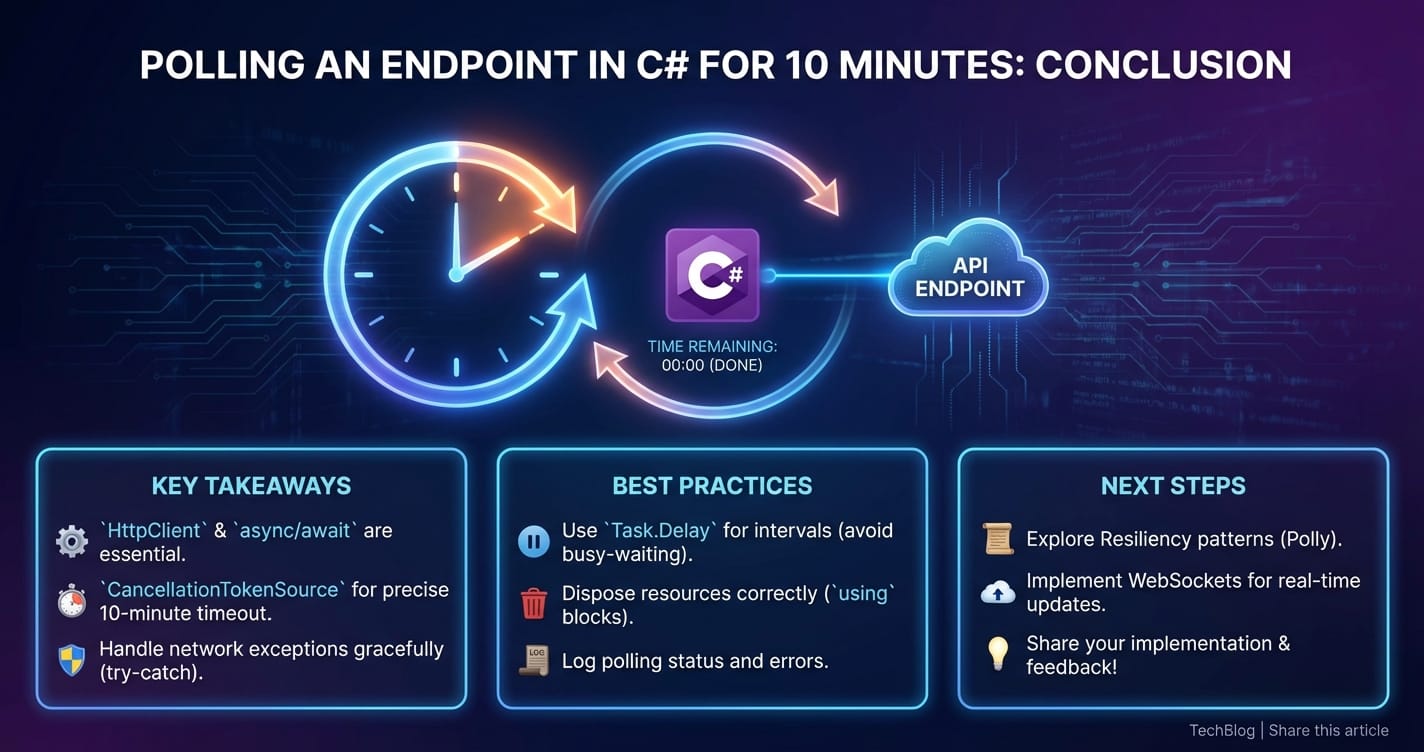
We started by understanding the "why" behind polling, acknowledging scenarios where it's not just a fallback but a pragmatic and effective choice. We then laid the essential groundwork with C#'s powerful asynchronous features (async/await), the versatile HttpClient, and the critical distinction between blocking (Thread.Sleep) and non-blocking (Task.Delay) delays. The journey progressed from a basic, unbounded polling loop to a sophisticated mechanism capable of precisely adhering to a 10-minute time limit, leveraging System.Diagnostics.Stopwatch for accurate timing and, most importantly, CancellationTokenSource for cooperative and graceful cancellation.
Beyond the core logic, we delved into crucial aspects of building resilient systems: handling transient network faults with intelligent retry mechanisms, including exponential backoff and jitter (with a nod to the powerful Polly library), and establishing clear success and terminal failure conditions. Furthermore, we covered advanced considerations vital for production deployments, such as the impact on api performance and rate limits, the indispensable role of comprehensive logging and monitoring, efficient resource management, and stringent security practices. We even highlighted how platforms like APIPark can streamline the management of apis that are frequently consumed by polling clients, ensuring stability and performance.
Finally, by examining real-world application scenarios, we saw how timed polling addresses concrete business challenges, from monitoring long-running batch jobs to synchronizing distributed data, providing a controlled and predictable experience for asynchronous operations. We also contextualized polling by comparing it with alternative api interaction patterns like Webhooks, WebSockets, and Server-Sent Events, emphasizing that the choice of pattern is a strategic decision based on the specific requirements and constraints of each project.
Mastering timed api polling in C# is about striking a delicate balance: being persistent enough to eventually achieve a desired state, but polite enough to not overwhelm the api server, and pragmatic enough to give up gracefully if the operation exceeds its expected window. By adhering to the principles and best practices outlined in this article, developers can build C# applications that interact with external services reliably, efficiently, and with the utmost control, ensuring a stable and performant experience for both users and systems alike.
5 FAQs
Q1: Why is Task.Delay preferred over Thread.Sleep in asynchronous C# polling operations? A1: Task.Delay is preferred because it's non-blocking. When await Task.Delay() is called, the current method is suspended, and the executing thread is released back to the thread pool to perform other tasks. The method resumes after the delay on a potentially different thread. In contrast, Thread.Sleep blocks the current thread entirely, making it idle and unproductive for the duration of the sleep, which can lead to unresponsive applications (in UI contexts) or inefficient resource utilization (in server contexts).
Q2: What is the purpose of CancellationTokenSource and CancellationToken in timed polling? A2: CancellationTokenSource and CancellationToken provide a cooperative mechanism for canceling long-running or asynchronous operations. In timed polling, CancellationTokenSource.CancelAfter() is particularly useful as it automatically signals cancellation after a specified duration (e.g., 10 minutes). The CancellationToken (obtained from the Source) is passed to async methods like HttpClient.GetAsync and Task.Delay, which periodically check if cancellation has been requested. If so, they throw an OperationCanceledException, allowing the polling loop to exit gracefully and cleanly without blocking or leaving resources in an inconsistent state.
Q3: How does IHttpClientFactory improve HttpClient management for polling? A3: IHttpClientFactory (recommended in modern .NET) helps manage HttpClient instances and their underlying HttpMessageHandlers, preventing common issues like socket exhaustion that arise from creating new HttpClient instances for every request. It centralizes configuration, enables named or typed clients with specific settings (like base addresses, headers, and timeouts), and integrates seamlessly with dependency injection. This ensures HttpClients are reused efficiently, and their handlers are properly disposed of over time, leading to more robust and scalable polling solutions.
Q4: When should I use exponential backoff and jitter for retries during polling? A4: Exponential backoff with jitter should be used when retrying transient errors (e.g., HTTP 5xx errors, network timeouts) during polling. Exponential backoff increases the delay between successive retries, giving the struggling api server time to recover. Jitter (adding a small, random amount of time to the delay) prevents a "thundering herd" problem where multiple clients retry simultaneously after a shared outage, further overwhelming the server. This strategy significantly improves the resilience of your polling client and reduces stress on the target api.
Q5: What are the main advantages of polling over Webhooks or WebSockets, and when should I choose it? A5: Polling's main advantages are its simplicity of implementation, its firewall compatibility (as it's client-initiated HTTP requests), and its utility when the target api does not offer push mechanisms like Webhooks or WebSockets. You should choose polling when: 1. The api you're integrating with only supports request/response and no event notifications. 2. Your client application cannot expose a public endpoint for webhooks (e.g., due to network security constraints). 3. "Near real-time" updates (updates every few seconds or minutes) are sufficient, and true instantaneity is not a critical requirement. 4. The overhead and complexity of setting up and managing WebSockets or Webhooks (including server-side logic, queuing, and security) are disproportionate to the task's importance or frequency.
🚀You can securely and efficiently call the OpenAI API on APIPark in just two steps:
Step 1: Deploy the APIPark AI gateway in 5 minutes.
APIPark is developed based on Golang, offering strong product performance and low development and maintenance costs. You can deploy APIPark with a single command line.
curl -sSO https://download.apipark.com/install/quick-start.sh; bash quick-start.sh

In my experience, you can see the successful deployment interface within 5 to 10 minutes. Then, you can log in to APIPark using your account.

Step 2: Call the OpenAI API.