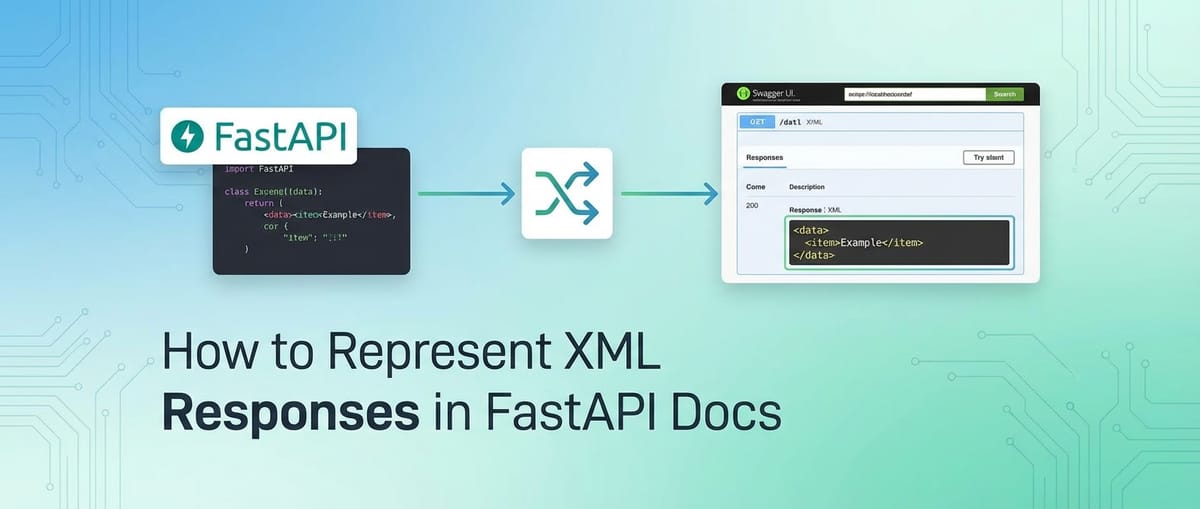
How to Represent XML Responses in FastAPI Docs


In the intricate world of modern software development, Application Programming Interfaces (APIs) serve as the fundamental backbone for communication between diverse systems. FastAPI, a high-performance Python web framework, has rapidly gained immense popularity for building APIs, primarily due to its incredible speed, intuitive design, and automatic generation of interactive documentation based on the OpenAPI standard. This powerful feature, often presented through Swagger UI, allows developers to effortlessly explore, understand, and interact with an api's endpoints. However, while FastAPI's documentation shines brilliantly when dealing with JSON responses, a common and often critical challenge arises when your API needs to communicate using XML.
Many enterprise systems, legacy integrations, or industry-specific standards still predominantly rely on XML for data exchange. Representing these XML responses clearly and accurately within FastAPI's automatically generated documentation can be a nuanced task, as the underlying OpenAPI specification and FastAPI's core mechanisms are inherently JSON-centric. A simple string representation in the documentation often falls short, leaving API consumers without the essential structural understanding and examples they need to integrate effectively. This lack of clarity can lead to increased integration time, misunderstandings, and a frustrated developer experience.
This exhaustive guide aims to demystify the process of effectively documenting XML responses within your FastAPI OpenAPI specification. We will delve into various strategies, from simple descriptive approaches to more advanced custom schema manipulations, providing detailed explanations, practical code examples, and a thorough analysis of their respective advantages and limitations. Our goal is to equip you with the knowledge and tools to ensure that your FastAPI api, regardless of its response format, provides crystal-clear, developer-friendly documentation, fostering seamless integration and enhancing the overall usability of your services. By the end of this journey, you'll be well-prepared to tackle the complexities of XML documentation, ensuring your API's documentation is as robust and comprehensive as the API itself.
Understanding FastAPI's Documentation Prowess and the OpenAPI Standard
Before we dive into the specifics of handling XML, it's crucial to appreciate what makes FastAPI's documentation so exceptional and how it leverages the OpenAPI specification. This foundational understanding will illuminate why XML presents a unique challenge in this predominantly JSON-oriented ecosystem.
FastAPI's Strengths in API Development and Documentation
FastAPI's rapid adoption stems from several core strengths. Firstly, its performance is on par with NodeJS and Go, thanks to its foundation on Starlette for the web parts and Pydantic for data validation and serialization. This combination not only results in blazingly fast APIs but also brings a rigorous approach to data handling. Pydantic models, which are central to defining request bodies, query parameters, and response models in FastAPI, automatically enforce data types, validate incoming data, and serialize outgoing data. This strict type hinting in Python, combined with Pydantic's capabilities, provides a robust and error-resistant foundation for API development.
Secondly, and most relevant to our discussion, FastAPI automatically generates interactive API documentation. Out of the box, when you define an endpoint and specify its response_model using a Pydantic class, FastAPI performs a brilliant translation act. It inspects your Pydantic model, understands its structure, data types, and any constraints you've imposed (like minimum string length or integer range), and then translates this into a JSON Schema. This JSON Schema is a core component of the OpenAPI specification, which then powers the beautiful and interactive user interfaces like Swagger UI and ReDoc, making your API immediately discoverable and testable. This seamless integration from Python type hints to rich, interactive documentation is one of FastAPI's most compelling features, significantly reducing the manual effort traditionally associated with API documentation. It empowers developers to focus on writing business logic, confident that their API will be well-documented for consumers.
The Power and Structure of the OpenAPI Specification
The OpenAPI Specification (OAS), formerly known as Swagger Specification, is a language-agnostic, human-readable description format for RESTful APIs. It allows both humans and machines to discover and understand the capabilities of a service without access to source code, documentation, or network traffic inspection. In essence, it serves as a contract for your API. When FastAPI generates its documentation, it is creating an OpenAPI document (usually a JSON or YAML file) that describes every aspect of your api:
- Paths and Operations: All available endpoints (e.g.,
/items/{item_id}) and the HTTP methods they support (GET, POST, PUT, DELETE). - Parameters: Inputs for operations, including path parameters, query parameters, headers, and cookies, along with their data types and descriptions.
- Request Bodies: The structure of data expected in POST/PUT requests, often defined using JSON Schema.
- Responses: The various possible responses an operation can return, including status codes, descriptions, and, critically, the schema of the response payload.
- Security Schemes: How the api is secured (e.g., API keys, OAuth2).
- Components: Reusable definitions for schemas, parameters, responses, etc., which helps keep the OpenAPI document concise and consistent.
At the heart of representing data structures within OpenAPI is JSON Schema. JSON Schema is a powerful tool for validating the structure of JSON data. Since OpenAPI itself is defined in JSON (or YAML, a superset of JSON), and JSON is the prevalent data interchange format for web APIs, using JSON Schema within OpenAPI for defining request and response bodies is a natural and highly efficient fit. Pydantic models in FastAPI map almost perfectly to JSON Schema, meaning that a Pydantic model like class Item(BaseModel): name: str; price: float automatically translates into an OpenAPI component schema resembling { "type": "object", "properties": { "name": { "type": "string" }, "price": { "type": "number" } } }. This direct mapping is precisely why FastAPI's auto-documentation for JSON is so robust and seamless. The response_model decorator takes a Pydantic model, and FastAPI effortlessly includes its JSON Schema representation in the generated OpenAPI document under the components/schemas section, referencing it from the appropriate path operation's responses section. This entire process is streamlined and automated, making it a joy to work with for JSON-based APIs.
The Challenge of XML in a JSON-Centric World
While FastAPI and OpenAPI excel with JSON, the landscape shifts considerably when XML enters the picture. The inherent design choices, historical contexts, and fundamental differences between JSON and XML create a documentation gap that requires explicit attention.
Historical Context and Continued Relevance of XML
XML (Extensible Markup Language) emerged as a dominant data interchange format in the late 1990s and early 2000s, particularly in enterprise applications and web services like SOAP (Simple Object Access Protocol). Its strength lies in its verbose, self-describing nature, allowing for complex hierarchical data structures, namespaces, and the ability to define custom schemas (XSD - XML Schema Definition) for rigorous validation. Industries such as finance, healthcare, government, and telecommunications adopted XML extensively, building critical infrastructure around it.
Despite the rise of JSON as the preferred format for most modern web APIs due to its lighter syntax, better human readability, and direct mapping to JavaScript objects, XML has not disappeared. Many legacy systems, enterprise service buses (ESBs), and industry-specific standards (e.g., HL7 for healthcare, FpML for finance, various EDI standards) continue to rely heavily on XML. When building a new api with FastAPI that needs to integrate with such existing systems, or when providing a backward-compatible interface, supporting XML responses becomes a non-negotiable requirement. The challenge then becomes how to bridge the gap between FastAPI's JSON-native documentation capabilities and the need to clearly represent these XML payloads to API consumers.
Mismatch with FastAPI's Defaults and Pydantic's Design
FastAPI, by default, is heavily geared towards JSON. Its jsonable_encoder function, used internally to convert Pydantic models or other Python objects into JSON-compatible data, is fundamental to its operation. When you return a Pydantic model from a path operation, FastAPI automatically serializes it to JSON and sets the Content-Type header to application/json. This behavior is deeply ingrained in the framework's design, reflecting the prevalence of JSON in modern web development.
Pydantic models themselves, while incredibly versatile, are designed with JSON serialization and deserialization in mind. Their fields, validators, and serialization hooks are primarily optimized for producing and consuming JSON objects that conform to a JSON Schema. There isn't a direct, built-in mechanism within Pydantic to infer an XML schema (like an XSD) from a BaseModel or to automatically generate XML representations and document them within the OpenAPI specification in the same seamless way it handles JSON. While libraries exist to convert Pydantic models to XML (we'll touch on these later), they don't automatically integrate with FastAPI's OpenAPI generation process for schema descriptions.
The Documentation Gap: Why XML Responses Need Special Attention
Without explicit handling, an XML response in FastAPI's auto-generated documentation typically appears as a generic type: string or type: binary for the text/xml content type. While technically accurate (XML is, after all, a string of characters), this offers virtually no value to an API consumer who needs to understand the structure, elements, and attributes of the XML payload. Imagine seeing type: string for a complex financial transaction XML – it tells you nothing about the <transactionId>, <amount>, or <currency> elements, their data types, or their relationships.
This generic representation creates a significant documentation gap:
- Lack of Structural Clarity: Consumers cannot easily discern the hierarchical structure of the XML, its root element, child elements, and attributes.
- Absence of Data Types: The specific data types of individual XML elements (e.g., integer, string, date, boolean) are not conveyed.
- No Validation Information: Without a schema, consumers lack information about required elements, optional elements, and validation rules.
- Increased Integration Effort: Developers consuming the API are forced to rely on out-of-band documentation, trial-and-error, or reverse-engineering the XML, significantly increasing integration time and potential errors.
- Reduced API Usability: A poorly documented api, especially regarding complex data formats like XML, is inherently less usable and less attractive to potential integrators.
Therefore, to ensure that an XML-returning FastAPI api is truly developer-friendly, we must move beyond the default string representation and proactively enrich the OpenAPI documentation with meaningful examples and structural descriptions. The following sections will explore various strategies to achieve this.
Strategy 1: Describing XML as a String with Examples (The Simplest Approach)
The most straightforward method to represent XML responses in FastAPI's documentation is to treat the XML payload as a plain string, but critically, to provide rich, illustrative examples within the OpenAPI specification. This approach, while not providing a formal XML schema, offers immediate structural clarity to API consumers.
Concept: String Representation with Illustrative Examples
At its core, this strategy acknowledges that text/xml is still a text-based media type. FastAPI's OpenAPI generation will typically represent any non-JSON media type for which it doesn't have an explicit schema mapping as a generic string. The key insight here is that the OpenAPI specification allows us to attach detailed examples to any content type. By embedding a sample XML payload directly within the documentation, we give API consumers a concrete template to work with, showing them exactly what to expect in terms of element names, nesting, and typical values. This is often sufficient for many use cases, especially when the XML structure is stable and not overly complex, or when a formal XSD is provided separately.
Implementation Details: Leveraging responses Parameter
FastAPI provides a powerful responses parameter within its path operation decorators (@app.get(), @app.post(), etc.). This parameter allows you to define custom response documentation for different HTTP status codes, media types, and even specific examples. This is where we will specify our XML response.
To implement this, you'll generally follow these steps:
- Return
PlainTextResponse(or similar): Your FastAPI endpoint should return the XML as a string.starlette.responses.PlainTextResponseis a suitable choice as it sets theContent-Typeheader totext/plainby default, but we will override this in theresponsesdictionary for documentation purposes. For actual XML responses, it's better to usestarlette.responses.Responsedirectly and setmedia_type="text/xml"or create a customXMLResponseclass (which we'll cover in Strategy 4). For documentation purposes, even if you return a simplestr, theresponsesdictionary will guide the UI. - Define
responsesDictionary: Within your path operation decorator, use theresponsesargument. This is a dictionary where keys are HTTP status codes (as strings or integers) and values are dictionaries describing the response. - Specify
text/xmlContent Type: For the relevant status code (e.g.,200), define acontentdictionary. Inside this, settext/xmlas a key. The value fortext/xmlwill be another dictionary that holds theschemaandexamples. - Set
schemato{"type": "string"}: For thetext/xmlcontent type, explicitly state that the payload is astring. This is the simplest and most accurate representation in OpenAPI for a generic XML payload without an explicit XML schema definition. - Provide
exampleorexamples: This is the most crucial part. Under thetext/xmlcontent type, add anexample(for a single example) orexamples(for multiple named examples) field. The value for this field should be a well-formed XML string representing a typical response payload.
Code Example: Illustrating the Simple Approach
Let's walk through a practical example of how to implement this. We'll create a FastAPI endpoint that conceptually returns product information in XML format.
from fastapi import FastAPI, Response
from starlette.responses import PlainTextResponse

app = FastAPI(
    title="XML Response Documentation Example API",
    description="An API demonstrating how to document XML responses in FastAPI.",
    version="1.0.0",
)

# Example XML Data
SAMPLE_PRODUCT_XML = """<?xml version="1.0" encoding="UTF-8"?>
<product>
    <id>PROD001</id>
    <name>Laptop Pro X1</name>
    <category>Electronics</category>
    <price currency="USD">1299.99</price>
    <inStock>true</inStock>
    <features>
        <feature>High-performance processor</feature>
        <feature>16GB RAM</feature>
        <feature>512GB SSD</feature>
    </features>
    <description>A powerful laptop designed for professionals.</description>
</product>"""

SAMPLE_ORDER_XML = """<?xml version="1.0" encoding="UTF-8"?>
<order>
    <orderId>ORD456789</orderId>
    <customer>
        <id>CUST123</id>
        <name>Jane Doe</name>
        <email>jane.doe@example.com</email>
    </customer>
    <items>
        <item>
            <productId>PROD001</productId>
            <quantity>1</quantity>
            <unitPrice currency="USD">1299.99</unitPrice>
        </item>
        <item>
            <productId>ACC005</productId>
            <quantity>2</quantity>
            <unitPrice currency="USD">25.00</unitPrice>
        </item>
    </items>
    <totalAmount currency="USD">1349.99</totalAmount>
    <orderDate>2023-10-27T10:30:00Z</orderDate>
    <status>Processing</status>
</order>"""

@app.get(
    "/techblog/en/products/{product_id}/xml",
    summary="Get product details in XML format",
    description="Retrieves comprehensive details for a specific product, formatted as an XML document. "
                "This endpoint demonstrates how to clearly present XML response structures "
                "within the FastAPI documentation using explicit examples.",
    responses={
        200: {
            "description": "Successfully retrieved product details in XML.",
            "content": {
                "text/xml": {
                    "schema": {"type": "string"},
                    "examples": {
                        "ProductDetailsExample": {
                            "summary": "Example Product XML Response",
                            "description": "A typical XML structure for product information, showing various elements and attributes.",
                            "value": SAMPLE_PRODUCT_XML,
                        },
                    },
                }
            },
        },
        404: {
            "description": "Product not found.",
            "content": {
                "text/xml": {
                    "schema": {"type": "string"},
                    "examples": {
                        "ProductNotFound": {
                            "summary": "Product Not Found Error XML",
                            "description": "Example error response when a product ID is not found.",
                            "value": """<?xml version="1.0" encoding="UTF-8"?>
<error>
    <code>404</code>
    <message>Product with ID 'PROD999' not found.</message>
    <timestamp>2023-10-27T10:35:00Z</timestamp>
</error>""",
                        }
                    }
                }
            }
        },
    },
    tags=["Product Management"],
)
async def get_product_xml(product_id: str):
    """
    Simulates fetching product data and returning it as XML.
    """
    if product_id == "PROD001":
        # In a real API, you would fetch data from a database and convert it to XML.
        # For this example, we return a predefined XML string.
        return Response(content=SAMPLE_PRODUCT_XML, media_type="text/xml")
    else:
        error_xml = f"""<?xml version="1.0" encoding="UTF-8"?>
<error>
    <code>404</code>
    <message>Product with ID '{product_id}' not found.</message>
    <timestamp>2023-10-27T10:35:00Z</timestamp>
</error>"""
        return Response(content=error_xml, media_type="text/xml", status_code=404)

@app.get(
    "/techblog/en/orders/{order_id}/xml",
    summary="Retrieve order details in XML format",
    description="Fetches the full details of a specific order, delivered as a structured XML document. "
                "This endpoint further illustrates how `examples` can be utilized effectively "
                "for diverse XML response scenarios within the **OpenAPI** documentation.",
    responses={
        200: {
            "description": "Successfully retrieved order details in XML.",
            "content": {
                "text/xml": {
                    "schema": {"type": "string"},
                    "example": SAMPLE_ORDER_XML, # Using 'example' for a single simple case
                }
            },
        },
        400: {
            "description": "Invalid order ID format.",
            "content": {
                "text/xml": {
                    "schema": {"type": "string"},
                    "example": """<?xml version="1.0" encoding="UTF-8"?>
<error>
    <code>400</code>
    <message>Invalid order ID format. Must be alphanumeric.</message>
    <timestamp>2023-10-27T10:40:00Z</timestamp>
</error>"""
                }
            }
        }
    },
    tags=["Order Management"],
)
async def get_order_xml(order_id: str):
    """
    Simulates fetching order data and returning it as XML.
    """
    if order_id == "ORD456789":
        return Response(content=SAMPLE_ORDER_XML, media_type="text/xml")
    else:
        error_xml = f"""<?xml version="1.0" encoding="UTF-8"?>
<error>
    <code>400</code>
    <message>Invalid order ID format or order not found.</message>
    <timestamp>2023-10-27T10:40:00Z</timestamp>
</error>"""
        return Response(content=error_xml, media_type="text/xml", status_code=400)

if __name__ == "__main__":
    import uvicorn
    uvicorn.run(app, host="0.0.0.0", port=8000)
In this code:
- We define a FastAPI app with a title and description, which will appear in the Swagger UI.
- The
get_product_xmlendpoint demonstrates returning astarlette.responses.Responseobject withmedia_type="text/xml". - Crucially, in the
@app.getdecorator, theresponsesdictionary is used:200and404are defined as possible status codes.- For each, a
contentdictionary specifiestext/xmlas a media type. - Inside
text/xml,schema: {"type": "string"}informs OpenAPI that the payload is a string. - The
examplesfield (orexamplefor a single entry) provides a detailed, well-formatted XML string (SAMPLE_PRODUCT_XML). This is what Swagger UI will render, allowing users to see the exact structure. We even provide an example for the 404 error response to cover various scenarios.
- The
get_order_xmlendpoint provides another illustrative example, showing the use ofexamplefor a single case directly.
When you run this application and navigate to /docs (e.g., http://127.0.0.1:8000/docs), you will see the /products/{product_id}/xml and /orders/{order_id}/xml endpoints clearly documented. Under the "Responses" section for the 200 status code, you'll find the text/xml media type listed, and when you expand it, the provided XML example will be displayed in a readable, formatted block. This immediately tells the API consumer the expected structure of the XML, even without a formal XSD.
Pros and Cons of Strategy 1
Pros:
- Simplicity: This is the easiest and fastest method to implement. It requires no external libraries beyond FastAPI and Starlette, and minimal changes to your existing code if you're already returning XML strings.
- Direct Clarity: Providing concrete XML examples is incredibly effective for human developers. They can immediately see and copy-paste the expected structure, which is often more practical than deciphering a complex XML Schema.
- FastAPI Native: It uses built-in FastAPI and OpenAPI features (
responsesparameter), ensuring compatibility and maintainability. - Covers Error Responses: You can provide distinct XML examples for different HTTP status codes (e.g., success, not found, bad request), enhancing the documentation's comprehensiveness.
Cons:
- No Formal Schema Validation: The documentation doesn't provide a formal, machine-readable XML Schema Definition (XSD). This means automated tools or client SDK generators that rely on strict schema definitions won't gain deep structural insights.
- Manual Maintenance: If your XML structure changes significantly, you'll need to manually update the example XML strings in your FastAPI code, which can introduce inconsistencies if not carefully managed.
- Scalability for Complex XML: For extremely large, deeply nested, or highly dynamic XML structures, maintaining a single, representative example might become challenging or insufficient to cover all edge cases.
- Lack of Detailed Type Information: While the example shows values, it doesn't explicitly state the data type (e.g., "id" is an integer, "name" is a string) or validation rules in a machine-readable format.
This strategy is an excellent starting point and often perfectly adequate for many APIs, especially those where the XML structure is well-understood, relatively stable, or when the primary goal is clear human readability in the documentation.
Strategy 2: Leveraging OpenAPI's schema Field with a Generic String and External Documentation
Building upon the previous strategy, we can enhance the documentation for XML responses by explicitly referencing an external XML Schema Definition (XSD) within the OpenAPI specification. While the immediate representation in the documentation will still show the XML as a string, this approach provides a formal, machine-readable link to the precise structure, which is invaluable for advanced tooling and rigorous API integration.
Concept: Pointing to an External XSD
The core idea here is to combine the basic string representation in the OpenAPI schema field with an externalDocs object that points to the location of the XML Schema Definition (XSD) file. An XSD is the formal language for describing the structure and data types of XML documents. By referencing an XSD, API consumers can access a definitive, machine-readable contract for the XML payload, enabling them to generate client-side validation rules, parse XML correctly, and understand every nuance of the data structure.
This strategy acknowledges that the OpenAPI specification's native JSON Schema doesn't directly map to XML Schema. Instead of trying to force an XML schema into a JSON Schema structure, we use OpenAPI's capability to link to external resources. This is particularly useful in environments where XSDs are already defined and maintained, such as in enterprise integrations or when adhering to industry-standard XML formats.
Implementation Details: Integrating externalDocs
The externalDocs object is a standard part of the OpenAPI specification. It allows you to provide additional external documentation for various parts of your API, including response schemas.
To implement this:
- Maintain Your XSD: Ensure you have an accessible XSD file that precisely describes your XML response. This file should be hosted at a stable URL that your API consumers can reach.
- Define
responsesDictionary: Similar to Strategy 1, use theresponsesparameter in your path operation decorator. - Specify
text/xmlContent Type: Within thecontentdictionary for the relevant status code, define thetext/xmlmedia type. - Set
schemato{"type": "string"}: Keep the basic schema as{"type": "string"}. This is how OpenAPI will primarily interpret the content. - Add
externalDocs: Crucially, within thetext/xmlmedia type definition, you can add anexternalDocsobject. This object has two key properties:description: A human-readable description of what the external documentation contains (e.g., "Formal XML Schema Definition for Product Data").url: The absolute URL where the XSD file can be accessed.
- Include
examples(Optional but Recommended): Even withexternalDocs, it's highly recommended to still provide anexample(orexamples) of the XML payload. This offers immediate visual understanding, complementing the formal schema definition. Developers often prefer to see a concrete example first before diving into a detailed XSD.
Code Example: Integrating externalDocs
Let's modify our previous product api example to incorporate externalDocs. For this demonstration, we'll assume an XSD file exists at a fictional URL. In a real-world scenario, you would host your XSD files on a public web server or within your internal documentation portal.
from fastapi import FastAPI, Response
from starlette.responses import PlainTextResponse

app = FastAPI(
    title="XML Response with External Docs Example API",
    description="An API demonstrating how to document XML responses in FastAPI "
                "by linking to external XML Schema Definitions (XSDs).",
    version="1.0.0",
)

# Example XML Data (same as before)
SAMPLE_PRODUCT_XML = """<?xml version="1.0" encoding="UTF-8"?>
<product>
    <id>PROD001</id>
    <name>Laptop Pro X1</name>
    <category>Electronics</category>
    <price currency="USD">1299.99</price>
    <inStock>true</inStock>
    <features>
        <feature>High-performance processor</feature>
        <feature>16GB RAM</feature>
        <feature>512GB SSD</feature>
    </features>
    <description>A powerful laptop designed for professionals.</description>
</product>"""

# Fictional URLs for XSDs
PRODUCT_XSD_URL = "https://example.com/schemas/product_v1.0.xsd"
ERROR_XSD_URL = "https://example.com/schemas/error_v1.0.xsd"


@app.get(
    "/techblog/en/products/{product_id}/xml-with-xsd",
    summary="Get product details in XML with XSD reference",
    description="Retrieves comprehensive details for a specific product in XML format. "
                "This endpoint includes a link to the formal XML Schema Definition (XSD) "
                "within the **OpenAPI** documentation, enhancing formal structural clarity "
                "for tools and advanced users.",
    responses={
        200: {
            "description": "Successfully retrieved product details in XML.",
            "content": {
                "text/xml": {
                    "schema": {
                        "type": "string",
                        "externalDocs": {
                            "description": "Formal XML Schema Definition for Product Data",
                            "url": PRODUCT_XSD_URL,
                        },
                    },
                    "examples": {
                        "ProductDetailsExample": {
                            "summary": "Example Product XML Response",
                            "description": "A typical XML structure for product information, showing various elements and attributes. Refer to the external XSD for formal validation rules.",
                            "value": SAMPLE_PRODUCT_XML,
                        },
                    },
                }
            },
        },
        404: {
            "description": "Product not found.",
            "content": {
                "text/xml": {
                    "schema": {
                        "type": "string",
                        "externalDocs": {
                            "description": "Formal XML Schema Definition for Error Responses",
                            "url": ERROR_XSD_URL,
                        },
                    },
                    "examples": {
                        "ProductNotFound": {
                            "summary": "Product Not Found Error XML",
                            "description": "Example error response when a product ID is not found. See the external XSD for error structure details.",
                            "value": """<?xml version="1.0" encoding="UTF-8"?>
<error>
    <code>404</code>
    <message>Product with ID 'PROD999' not found.</message>
    <timestamp>2023-10-27T10:35:00Z</timestamp>
</error>""",
                        }
                    }
                }
            }
        },
    },
    tags=["Product Management - XSD"],
)
async def get_product_xml_with_xsd(product_id: str):
    """
    Simulates fetching product data and returning it as XML, with XSD reference in docs.
    """
    if product_id == "PROD001":
        return Response(content=SAMPLE_PRODUCT_XML, media_type="text/xml")
    else:
        error_xml = f"""<?xml version="1.0" encoding="UTF-8"?>
<error>
    <code>404</code>
    <message>Product with ID '{product_id}' not found.</message>
    <timestamp>2023-10-27T10:35:00Z</timestamp>
</error>"""
        return Response(content=error_xml, media_type="text/xml", status_code=404)

if __name__ == "__main__":
    import uvicorn
    uvicorn.run(app, host="0.0.0.0", port=8000)
When you run this application and visit /docs, you'll notice that the /products/{product_id}/xml-with-xsd endpoint now includes a small "External Docs" icon next to the text/xml response schema. Clicking this icon (or the linked text, depending on the Swagger UI version) will redirect the user to the specified XSD URL, providing them with the formal schema definition. The XML example is still present, offering a quick visual reference.
Pros and Cons of Strategy 2
Pros:
- Formal Schema Reference: Provides a definitive, machine-readable XSD, which is crucial for client code generation, rigorous validation, and in environments with strict XML standards.
- Complements Examples: Works seamlessly with providing illustrative XML examples, offering both a quick visual and a formal definition.
- Separation of Concerns: Keeps the detailed XML schema definition (XSD) separate from the OpenAPI document, allowing XSDs to be managed and versioned independently.
- Compliance: Essential for APIs that must adhere to industry-specific XML standards where XSDs are the primary contract.
Cons:
- Requires External Hosting: The XSD files must be hosted and accessible via a stable URL, adding an external dependency to your documentation.
- No Inline Schema Display: The OpenAPI documentation itself doesn't "understand" or display the internal structure of the XML based on the XSD. It only provides a link. Users still need to navigate away from the Swagger UI to view the detailed schema.
- Maintenance of XSDs: You need to maintain and update the XSD files alongside your api's XML structure, which can be an additional overhead.
- Limited Auto-Tooling: While tools can read XSDs, the direct OpenAPI schema representation for
text/xmlremains a generic string, limiting certain automated checks directly within the OpenAPI context.
Strategy 2 is highly recommended when your API integrates with systems that demand formal XML Schema Definitions, or when your XML payloads adhere to complex, well-defined industry standards. It provides a robust, authoritative reference that goes beyond mere illustrative examples.
Strategy 3: Customizing the OpenAPI Schema Directly (Advanced)
For scenarios requiring the highest degree of control over how XML responses are described within the OpenAPI specification, FastAPI offers the capability to directly manipulate the generated OpenAPI schema. This advanced technique allows you to inject custom information or structure hints that might not be directly supported by standard decorators, providing a more tailored and potentially richer representation within the documentation itself.
Concept: Manual Intervention in the OpenAPI Document
FastAPI generates its OpenAPI schema dynamically by calling app.openapi(). This function returns a Python dictionary that represents the complete OpenAPI specification. By overriding this function or calling it and then modifying the returned dictionary, you gain granular control over every aspect of your api's documentation.
The challenge with XML is that OpenAPI's schema object is fundamentally based on JSON Schema. There isn't a native type: xml or a direct way to embed an XSD structure within a JSON Schema. However, you can leverage this direct access to:
- Enrich
description: Provide a very detailed narrative description of the XML structure, potentially including an XML snippet right within the description. - Define Custom
x-Fields: OpenAPI allows for "specification extensions" usingx-prefixed fields (e.g.,x-xml-schema-definition). You could embed a mini-XSD or a reference to an XSD directly within such a field. While Swagger UI won't natively render these in a special way, custom tools or specialized frontends could parse them. - Mimic Structure (Conceptually): For very simple XML structures, you could conceptually define a
type: objectwithpropertiesthat mirror the top-level elements of your XML, but this is often misleading as it's not a true XML Schema and doesn't account for attributes, text content, or mixed content. For this reason, it's generally not recommended for complex XML. The most practical application here is to provide rich examples and descriptions, possibly with external links.
The primary use case for directly manipulating the app.openapi() dictionary for XML responses is to add extra metadata, very detailed descriptions, or perhaps to inject external schema references more programmatically than via decorators, especially if you have a large number of XML endpoints sharing similar patterns.
Process: Overriding app.openapi()
Here's the general process for customizing the OpenAPI schema:
- Implement Your API: Define your FastAPI application and its endpoints as usual. For endpoints returning XML, you might initially use Strategy 1 or 2 as a base.
- Access the Base Schema: Call
app.openapi()to get the current, automatically generated OpenAPI dictionary. Store this in a variable. - Modify the Schema: Navigate through the dictionary, specifically focusing on the
pathsandresponsessections. Locate thetext/xmlcontent types you want to enhance. - Inject Information:
- Add more detailed
descriptionstrings. - Add custom
x-fields. - Refine
externalDocsif needed. - Avoid trying to represent a full XML schema as a JSON Schema
type: objectunless the XML is extremely simple and aligns perfectly with JSON object structures, which is rarely the case. Focus on metadata and robust examples.
- Add more detailed
- Return Modified Schema: Return the modified dictionary from a custom
app.openapi()function.
Code Example: Customizing OpenAPI Schema for XML Descriptions
This example will demonstrate how to programmatically inject a more detailed description that includes a full XML snippet, potentially along with externalDocs, directly into the OpenAPI schema. This approach gives you fine-grained control over the narrative presented for your XML responses.
from fastapi import FastAPI, Response
from starlette.responses import PlainTextResponse
from fastapi.openapi.utils import get_openapi
from copy import deepcopy

app = FastAPI(
    title="Custom OpenAPI XML Description Example",
    description="Demonstrates advanced customization of OpenAPI schema to enrich XML response documentation.",
    version="1.0.0",
)

# Example XML Data
SAMPLE_PRODUCT_XML = """<?xml version="1.0" encoding="UTF-8"?>
<product>
    <id>PROD001</id>
    <name>Laptop Pro X1</name>
    <category>Electronics</category>
    <price currency="USD">1299.99</price>
    <inStock>true</inStock>
    <features>
        <feature>High-performance processor</feature>
        <feature>16GB RAM</feature>
        <feature>512GB SSD</feature>
    </features>
    <description>A powerful laptop designed for professionals.</description>
</product>"""

SAMPLE_ORDER_STATUS_XML = """<?xml version="1.0" encoding="UTF-8"?>
<orderStatus>
    <orderId>ORD456789</orderId>
    <status>Shipped</status>
    <trackingNumber>TN123456789</trackingNumber>
    <shipDate>2023-10-27T15:00:00Z</shipDate>
</orderStatus>"""

PRODUCT_XSD_URL = "https://example.com/schemas/product_v1.0.xsd"

@app.get(
    "/techblog/en/products/{product_id}/xml-custom-docs",
    summary="Get product details with customized XML documentation",
    description="Retrieves product details in XML. The documentation for this endpoint "
                "is programmatically enhanced to provide richer XML descriptions. "
                "Note that the initial decorator definition is minimal for the XML part, "
                "as most documentation is added via the custom `openapi()` function.",
    responses={
        200: {
            "description": "Product details in XML. See custom OpenAPI function for more details.",
            "content": {
                "text/xml": {
                    "schema": {"type": "string"}, # Basic schema, will be enhanced
                    "examples": { # Keep examples for immediate clarity
                        "DefaultProductExample": {
                            "summary": "Basic Product XML Example",
                            "value": SAMPLE_PRODUCT_XML,
                        }
                    }
                }
            }
        }
    },
    tags=["Product Custom Docs"],
)
async def get_product_xml_custom_docs(product_id: str):
    """
    Simulates fetching product data and returning it as XML.
    """
    return Response(content=SAMPLE_PRODUCT_XML, media_type="text/xml")

@app.post(
    "/techblog/en/orders/status/{order_id}/xml",
    summary="Update order status and get XML confirmation",
    description="Updates the status of an order and returns an XML confirmation. "
                "This endpoint also gets its XML response documentation enriched "
                "via custom OpenAPI schema modification to provide structural hints.",
    responses={
        200: {
            "description": "Order status confirmation in XML.",
            "content": {
                "text/xml": {
                    "schema": {"type": "string"},
                    "examples": {
                        "OrderStatusConfirmation": {
                            "summary": "Order Status XML Confirmation",
                            "value": SAMPLE_ORDER_STATUS_XML
                        }
                    }
                }
            }
        }
    },
    tags=["Order Custom Docs"],
)
async def update_order_status_xml(order_id: str, status: str = "Shipped"):
    """
    Simulates updating order status and returning XML confirmation.
    """
    updated_xml = f"""<?xml version="1.0" encoding="UTF-8"?>
<orderStatus>
    <orderId>{order_id}</orderId>
    <status>{status}</status>
    <timestamp>{datetime.now().isoformat()}Z</timestamp>
</orderStatus>"""
    return Response(content=updated_xml, media_type="text/xml")

# Custom OpenAPI generation function
def custom_openapi():
    if app.openapi_schema:
        return app.openapi_schema

    # Generate the default OpenAPI schema
    openapi_schema = get_openapi(
        title=app.title,
        version=app.version,
        openapi_version=app.openapi_version,
        description=app.description,
        routes=app.routes,
        # tags=app.openapi_tags, # Use if you have global tags defined
    )

    # --- Customize XML response documentation for specific paths ---

    # Path: /products/{product_id}/xml-custom-docs
    path_key = "/techblog/en/products/{product_id}/xml-custom-docs"
    if path_key in openapi_schema["paths"]:
        get_operation = openapi_schema["paths"][path_key]["get"]
        if "responses" in get_operation and "200" in get_operation["responses"]:
            response_200 = get_operation["responses"]["200"]
            if "content" in response_200 and "text/xml" in response_200["content"]:
                xml_content = response_200["content"]["text/xml"]

                # Enhance the description field
                xml_content["schema"]["description"] = (
                    "This is a detailed XML response for product information.\n\n"
                    "The structure includes:\n"
                    "- `<product>` (root element)\n"
                    "- `<id>`: Unique product identifier (string)\n"
                    "- `<name>`: Product name (string)\n"
                    "- `<category>`: Product category (string)\n"
                    "- `<price>`: Product price (float) with a `currency` attribute (string)\n"
                    "- `<inStock>`: Availability status (boolean)\n"
                    "- `<features>`: Container for multiple `<feature>` elements\n"
                    "- `<feature>`: Individual product feature (string)\n"
                    "- `<description>`: Long text description (string)\n\n"
                    "**Example XML Structure:**\n"
                    "```xml\n" + SAMPLE_PRODUCT_XML + "\n```\n\n"
                    "For formal validation, refer to the [Product XSD](" + PRODUCT_XSD_URL + ").\n"
                    "This detailed description is injected programmatically."
                )

                # Optionally add externalDocs if not already there, or override it
                xml_content["schema"]["externalDocs"] = {
                    "description": "Formal XML Schema Definition for Product Data (Programmatically Added)",
                    "url": PRODUCT_XSD_URL,
                }

                # Add a custom x-field if desired for specialized tools
                xml_content["schema"]["x-xml-example-schema"] = {
                    "rootElement": "product",
                    "elements": [
                        {"name": "id", "type": "string"},
                        {"name": "name", "type": "string"},
                        # ... more detailed schema description can go here
                    ]
                }

    # Path: /orders/status/{order_id}/xml (for POST operation)
    path_key_order = "/techblog/en/orders/status/{order_id}/xml"
    if path_key_order in openapi_schema["paths"]:
        post_operation = openapi_schema["paths"][path_key_order]["post"]
        if "responses" in post_operation and "200" in post_operation["responses"]:
            response_200_order = post_operation["responses"]["200"]
            if "content" in response_200_order and "text/xml" in response_200_order["content"]:
                xml_content_order = response_200_order["content"]["text/xml"]

                xml_content_order["schema"]["description"] = (
                    "Confirmation XML for order status update.\n\n"
                    "Expected elements:\n"
                    "- `<orderStatus>` (root)\n"
                    "- `<orderId>`: The ID of the updated order (string)\n"
                    "- `<status>`: The new status (e.g., 'Shipped', 'Delivered') (string)\n"
                    "- `<timestamp>`: The time of the status update (ISO 8601 datetime)\n\n"
                    "```xml\n" + SAMPLE_ORDER_STATUS_XML + "\n```"
                )

    # Cache the generated schema
    app.openapi_schema = openapi_schema
    return app.openapi_schema

# Assign the custom openapi function to the app
app.openapi = custom_openapi

if __name__ == "__main__":
    import uvicorn
    from datetime import datetime
    uvicorn.run(app, host="0.0.0.0", port=8000)
In this enhanced example:
- We define a
custom_openapi()function. This function first calls FastAPI's defaultget_openapi()to generate the base schema. - It then performs modifications on this
openapi_schemadictionary:- It navigates to the
/products/{product_id}/xml-custom-docspath,getoperation,200response, andtext/xmlcontent type. - It then enriches the
schema.descriptionwith a much more verbose, structured explanation of the XML, including an inline XML snippet (using Markdown fences```xml), and a direct link to the XSD. - It also demonstrates adding a custom
x-xml-example-schemafield. - Similar enrichment is applied to the
/orders/status/{order_id}/xmlPOST endpoint.
- It navigates to the
- Finally,
app.openapi = custom_openapiensures that FastAPI uses our customized schema generation logic.
When you access the /docs UI, the descriptions for these XML responses will be significantly richer, often making the need to click away to an XSD less immediate for basic understanding.
Pros and Cons of Strategy 3
Pros:
- Ultimate Control: Provides the highest level of control over the generated OpenAPI document, allowing for highly specific and detailed descriptions that might not be possible via decorators alone.
- Rich Inline Description: Can embed very detailed narrative descriptions, including formatted XML snippets, directly within the Swagger UI, making it highly informative.
- Custom Extensions: Allows for the inclusion of custom
x-fields, which can be valuable for internal tools or specialized documentation systems that can parse these extensions. - Programmatic Consistency: If you have many XML endpoints following similar patterns, you can write generic logic within
custom_openapi()to apply consistent documentation enhancements, reducing manual effort per endpoint.
Cons:
- High Complexity: This is the most complex strategy. It requires a deep understanding of the OpenAPI specification structure and careful manipulation of Python dictionaries, which can be error-prone.
- Maintenance Overhead: Changes to API paths, HTTP methods, or response structures require careful updates to the
custom_openapi()function. It can become difficult to maintain for very large and rapidly evolving APIs. - Fragility: Direct manipulation of the schema dictionary can be fragile. Future updates to FastAPI or the OpenAPI specification might subtly change the expected structure, potentially breaking your custom logic.
- Steep Learning Curve: Not suitable for beginners or teams without solid experience in OpenAPI and programmatic schema manipulation.
- Limited UI Rendering: While you can add
x-fields or elaborate descriptions, Swagger UI's rendering capabilities for custom XML schema structures remain limited; it won't magically interpret an embedded XML schema. It will still primarily showtype: stringfortext/xml.
Strategy 3 is best reserved for highly specific documentation needs where standard decorator-based approaches fall short, or for maintaining programmatic consistency across a large number of similar XML endpoints. It offers unparalleled flexibility but comes with a significant increase in complexity and maintenance burden.
APIPark is a high-performance AI gateway that allows you to securely access the most comprehensive LLM APIs globally on the APIPark platform, including OpenAI, Anthropic, Mistral, Llama2, Google Gemini, and more.Try APIPark now! 👇👇👇
Strategy 4: Using Custom Response Classes for XML Serialization (and documentation thereof)
While the previous strategies focused primarily on documenting XML responses, this approach delves into generating those XML responses within FastAPI and how that choice influences the documentation. Creating a custom XMLResponse class encapsulates the logic for converting Python objects into XML, leading to cleaner, more maintainable endpoint code. When coupled with the documentation strategies discussed, this becomes a powerful combination.
Concept: Encapsulating XML Serialization
FastAPI's default JSONResponse (or starlette.responses.JSONResponse) handles the serialization of Pydantic models to JSON. For XML, we need a similar mechanism. A custom XMLResponse class inherits from starlette.responses.Response and overrides the media_type and render methods. The render method is where the magic happens: it takes a Python object (e.g., a dictionary, a Pydantic model instance) and converts it into an XML string using a suitable library.
The main benefit of this approach is separating the concerns: your FastAPI endpoint focuses on business logic and returning Python data structures, while the XMLResponse class handles the details of converting that data to an XML string with the correct content type.
When it comes to documentation, the custom response class itself doesn't automatically generate an XML schema for OpenAPI. It still serves up text/xml. Therefore, to effectively document the structure of the XML, you still need to explicitly use the responses parameter in your path operation decorators, providing examples and potentially externalDocs as described in Strategies 1 and 2. The custom XMLResponse makes the runtime behavior of your api cleaner and more robust, which in turn makes it easier to provide consistent documentation examples.
Implementation Details: Creating and Using XMLResponse
- Define the
XMLResponseClass:- Import
Responsefromstarlette.responses. - Create a new class, e.g.,
XMLResponse, that inherits fromResponse. - Set
media_type = "text/xml". - Override the
rendermethod. This method will receive thecontent(the Python object you want to serialize) as an argument. Insiderender, you'll use an XML serialization library (e.g.,xml.etree.ElementTree,dicttoxml,untanglefor XML to Python,lxmlfor more advanced XML operations) to convert the content into a bytes string representing the XML.
- Import
- Use
response_classin Path Operations: In your FastAPI path operation decorator, specifyresponse_class=XMLResponse. Your endpoint can then return a Python dictionary or a Pydantic model instance, and theXMLResponseclass will take care of the XML conversion. - Document with
responses: As mentioned, you still need to use theresponsesparameter in your path operation decorator to provideexamples(orexternalDocs) of the XML structure for the documentation. The customXMLResponsetakes care of the runtime serialization, whileresponseshandles the OpenAPI documentation for that media type.
Code Example: Custom XMLResponse with Documentation
We'll use the dicttoxml library for straightforward dictionary-to-XML conversion in our render method. You'll need to install it: pip install dicttoxml.
from fastapi import FastAPI, Response as FastAPIResponse
from starlette.responses import Response
from typing import Any
from dicttoxml import dicttoxml
from datetime import datetime

app = FastAPI(
    title="Custom XMLResponse Class Example API",
    description="An API demonstrating a custom XMLResponse class for runtime serialization "
                "and how to document its XML output in FastAPI.",
    version="1.0.0",
)

class XMLResponse(Response):
    media_type = "text/xml"

    def render(self, content: Any) -> bytes:
        if isinstance(content, dict):
            # dicttoxml expects bytes for element names and attributes
            # It's better to ensure strings are passed and let dicttoxml handle encoding
            xml_bytes = dicttoxml(content, attr_type=False, custom_root='root')
            return xml_bytes
        elif isinstance(content, str):
            # If content is already an XML string, encode it directly
            return content.encode("utf-8")
        else:
            # Handle other types if necessary, or raise an error
            raise ValueError("Unsupported content type for XMLResponse")

# Example data structure (could be a Pydantic model in a real app)
product_data = {
    "product": {
        "id": "PROD002",
        "name": "Mechanical Keyboard",
        "category": "Peripherals",
        "price": {"#text": 150.00, "@attributes": {"currency": "USD"}},
        "inStock": True,
        "features": [
            {"feature": "Cherry MX Switches"},
            {"feature": "RGB Backlight"},
            {"feature": "Aluminum Frame"}
        ],
        "description": "A premium mechanical keyboard for typing enthusiasts."
    }
}

# The XML string for documentation examples (matching the above structure)
SAMPLE_PRODUCT_XML_DOC = """<?xml version="1.0" encoding="UTF-8"?>
<root>
    <product>
        <id>PROD002</id>
        <name>Mechanical Keyboard</name>
        <category>Peripherals</category>
        <price currency="USD">150.0</price>
        <inStock>true</inStock>
        <features>
            <feature>Cherry MX Switches</feature>
            <feature>RGB Backlight</feature>
            <feature>Aluminum Frame</feature>
        </features>
        <description>A premium mechanical keyboard for typing enthusiasts.</description>
    </product>
</root>"""

@app.get(
    "/techblog/en/products/{product_id}/custom-xml-response",
    response_class=XMLResponse, # Use our custom XMLResponse class
    summary="Get product details using custom XMLResponse class",
    description="Fetches product details, serialized to XML using a custom `XMLResponse` class. "
                "The documentation explicitly shows the expected XML structure via examples. "
                "This approach demonstrates clean separation of concerns for XML generation.",
    responses={
        200: {
            "description": "Product details in XML.",
            "content": {
                "text/xml": {
                    "schema": {"type": "string"},
                    "examples": {
                        "ProductDetailsViaCustomResponse": {
                            "summary": "Product XML from Custom Response",
                            "description": "Example of product data serialized into XML by the custom `XMLResponse` class.",
                            "value": SAMPLE_PRODUCT_XML_DOC,
                        }
                    }
                }
            }
        },
        404: {
            "description": "Product not found.",
            "content": {
                "text/xml": {
                    "schema": {"type": "string"},
                    "examples": {
                        "ErrorResponseXML": {
                            "summary": "XML Error Response",
                            "value": """<?xml version="1.0" encoding="UTF-8"?>
<error>
    <code>404</code>
    <message>Product with ID 'PROD999' not found.</message>
    <timestamp>{}</timestamp>
</error>""".format(datetime.now().isoformat(timespec='seconds') + 'Z')
                        }
                    }
                }
            }
        }
    },
    tags=["Product Custom Response"],
)
async def get_product_custom_xml(product_id: str):
    """
    Returns product data as XML using the custom XMLResponse.
    """
    if product_id == "PROD002":
        return product_data # The custom XMLResponse will serialize this dict
    else:
        error_content = {
            "error": {
                "code": 404,
                "message": f"Product with ID '{product_id}' not found.",
                "timestamp": datetime.now().isoformat(timespec='seconds') + 'Z'
            }
        }
        return XMLResponse(content=error_content, status_code=404)

if __name__ == "__main__":
    import uvicorn
    uvicorn.run(app, host="0.0.0.0", port=8000)
In this example:
- We define
XMLResponseinheriting fromstarlette.responses.Response. Itsrendermethod usesdicttoxmlto convert a Python dictionary into an XML byte string. Note thecustom_root='root'to ensure a consistent root element. - The
/products/{product_id}/custom-xml-responseendpoint usesresponse_class=XMLResponse. - The endpoint function
get_product_custom_xmlsimply returns a Python dictionary (product_data). TheXMLResponseclass handles its serialization to XML. - Crucially, the
responsesparameter in the decorator is still used to provide thetext/xmlcontent type with aschema: {"type": "string"}and a concreteexamplesblock, showing the XML output that theXMLResponseclass would generate. This is vital for making the documentation clear.
Pros and Cons of Strategy 4
Pros:
- Clean API Endpoint Logic: API endpoints remain clean, returning Python objects. The complexity of XML serialization is abstracted away into the
XMLResponseclass. - Reusability: The
XMLResponseclass can be reused across multiple endpoints or even multiple FastAPI applications, promoting consistency in XML generation. - Centralized XML Handling: All XML serialization logic resides in one place, making it easier to manage, update (e.g., switch XML libraries), and debug.
- Runtime Content-Type Control: Ensures the
Content-Type: text/xmlheader is correctly set in actual API responses.
Cons:
- No Automatic Schema Generation for OpenAPI: The custom
XMLResponsehandles runtime serialization but does not automatically generate a corresponding XML Schema (like XSD) or detailed structural information for the OpenAPI documentation. You still need to use theresponsesparameter to provideexamplesandexternalDocsfor clarity in the documentation. - Requires External Library (Often): While you could write raw XML serialization, using libraries like
dicttoxml,xml.etree.ElementTree, orlxmlis common, adding a dependency. - Potential for Mismatch: If the
XMLResponse's serialization logic changes, you must remember to update the XML examples in your documentation (responsesparameter) manually to prevent inconsistencies.
Strategy 4 is highly recommended for any FastAPI api that consistently returns XML. It significantly improves the maintainability and readability of your backend code. However, it must be paired with documentation strategies (like Strategy 1 or 2) to ensure the automatically generated OpenAPI docs are genuinely useful for API consumers regarding XML responses.
Choosing the Right Strategy - A Comparative Analysis
With several approaches at our disposal, selecting the most appropriate strategy depends on your specific needs, the complexity of your XML, the expectations of your API consumers, and your team's technical expertise. Let's summarize and compare these strategies to help you make an informed decision.
Comparative Table of XML Documentation Strategies
The table below provides a quick overview of each strategy, highlighting its key characteristics.
| Strategy | Pros | Cons | Complexity | Best Use Case |
|---|---|---|---|---|
| 1. String with Examples | - Simple, quick to implement. - Provides immediate visual clarity to developers. - Uses native FastAPI/OpenAPI features. - Good for various response codes. |
- No formal schema validation (XSD). - Requires manual example updates if XML changes. - Less scalable for highly dynamic/complex XML. - Lacks detailed machine-readable type info. |
Low | Simple APIs, quick prototypes, when XML structure is stable and small, or when human readability is paramount and formal schema isn't strictly required in documentation. |
| 2. String + External Docs | - Provides a formal, machine-readable XSD reference. - Complements visual examples effectively. - Separation of concerns for XSD management. - Essential for compliance/enterprise integrations. |
- Requires external hosting/maintenance of XSDs. - No inline schema display in Swagger UI (only a link). - Still requires manual updates if XSD changes. - XSDs add an extra layer of complexity. |
Medium | Enterprise APIs, legacy integrations, adherence to industry-specific XML standards where XSDs are the primary contract, or when rigorous validation is needed by consumers. |
| 3. Custom OpenAPI Schema | - Ultimate control over OpenAPI document. - Allows rich inline narrative descriptions (incl. XML snippets). - Supports custom x- extensions for specialized tooling.- Programmatic consistency for large APIs. |
- High complexity and steep learning curve. - Significant maintenance overhead and potential for fragility. - Error-prone due to direct dictionary manipulation. - UI rendering limits persist. |
High | Highly specialized documentation needs, expert users, when standard methods are insufficient, or for programmatic enforcement of documentation standards across many similar XML endpoints. |
4. Custom XMLResponse Class |
- Clean, readable API endpoint logic (returns Python objects). - Reusable across endpoints/apps. - Centralized XML serialization logic. - Correct Content-Type header control at runtime. |
- Does not automatically generate OpenAPI schema for XML (still requires Strategy 1/2 for docs). - Requires external XML serialization library. - Manual updates for docs examples. |
Medium | Any FastAPI API that consistently generates XML from Python objects. Best combined with Strategy 1 or 2 for robust documentation. |
Recommendations
- For most common scenarios (simple to moderately complex XML, internal APIs): Strategy 1 (String with Examples) is usually the best balance of effort and clarity. It's easy to implement and provides immediate value to developers.
- For enterprise integrations, industry standards, or highly formal APIs: Strategy 2 (String + External Docs) is crucial. It provides the authoritative XSD that many systems and developers will require for robust integration, complementing the visual examples.
- When you need to generate XML from Python objects: Always consider implementing Strategy 4 (Custom
XMLResponseClass). This cleans up your endpoint code significantly. Remember, this strategy should be combined with Strategy 1 or 2 to ensure your documentation (responsesparameter) accurately reflects the XML structure. - For highly unique, specific, or deeply integrated documentation requirements (with expert teams): Strategy 3 (Custom OpenAPI Schema) offers the ultimate flexibility, but its complexity makes it a last resort for most situations.
In many practical applications, a blended approach is most effective. For instance, you might use a Custom XMLResponse Class (Strategy 4) for generating your XML responses, and then pair it with String with Examples (Strategy 1) for basic documentation, potentially adding External Docs (Strategy 2) for a more formal XSD reference if required by your API consumers. This layered approach allows you to achieve both runtime efficiency and comprehensive, clear documentation.
Best Practices for Documenting XML Responses
Beyond choosing a strategy, adhering to best practices ensures your XML documentation is truly helpful and effective for API consumers.
- Always Provide a Clear Example: This cannot be stressed enough. A concrete XML snippet is often the first thing a developer looks for. It serves as an immediate, tangible representation of the expected data structure, reducing guesswork and accelerating integration. Ensure your examples are valid XML, well-formatted, and representative of typical successful and error responses.
- Use
descriptionFields Extensively: Don't just provide an example; explain it. Leverage thedescriptionfields in your OpenAPI specification (at the path operation, response, and content level) to add narrative context. Describe the purpose of the XML document, explain the root element, highlight key elements and attributes, and point out any conditional elements or business rules that apply. For complex XML, you might even include a simplified structural outline or a link to an internal wiki page for further context. - Link to XSDs/External Schemas (If Available): If your XML responses are defined by formal XSDs, always include a link using
externalDocs. This provides an authoritative source for validation rules, data types, and the complete, unambiguous structure of the XML. It's crucial for tools that generate client SDKs or perform schema validation. Even if you provide rich examples, the XSD remains the ultimate contract. - Consider Tool-Specific Extensions (e.g.,
x-fields): While not universally supported by all OpenAPI UIs,x-fields allow you to embed custom metadata. If your API consumers use specific internal tools or a custom developer portal that can interpret these extensions, they can be a powerful way to convey additional XML-specific information (e.g., custom validation rules, processing instructions, or even a simplified XML-like schema definition that your tool can parse). However, use them judiciously to avoid over-complicating your OpenAPI spec. - Maintain Consistency: Whatever strategy or combination of strategies you choose, apply it consistently across all XML-returning endpoints in your API. Inconsistent documentation styles or varying levels of detail can confuse developers and undermine the value of your efforts. Establish clear guidelines for your team on how to document XML responses.
- Think About User Persona: Consider who will be consuming your API. Are they developers primarily accustomed to JSON, who might appreciate more hand-holding and detailed explanations for XML? Or are they seasoned integrators of enterprise systems familiar with complex XSDs and XML tooling? Tailor the level of detail and formality to your target audience. A good approach is often to provide both clear examples (for quick understanding) and formal XSDs (for rigorous integration).
- Keep Examples Synchronized: If you're providing XML examples directly in your code (Strategy 1, 2, or 4), ensure these examples are always synchronized with the actual XML returned by your API. Outdated examples are worse than no examples, as they lead to developer frustration and integration errors. Consider automated testing of your examples against your actual API responses if possible.
By following these best practices, you can transform what might initially seem like a documentation hurdle into a robust and valuable asset for your API consumers, fostering smoother integrations and a better developer experience.
Integrating API Management and Documentation Beyond FastAPI: The Role of APIPark
While FastAPI provides excellent capabilities for building high-performance APIs and generating OpenAPI documentation for individual services, a comprehensive approach to API governance in a production environment extends far beyond a single framework. This is where API Management Platforms and API Gateways come into play, offering a centralized solution for the entire API lifecycle. One such platform, APIPark, offers a powerful, open-source solution that complements FastAPI's strengths, particularly in managing, securing, and scaling your APIs, regardless of their underlying response format, including XML.
The Role of API Gateways and Management Platforms
API Gateways act as a single entry point for all API calls, sitting between clients and your backend services. They handle cross-cutting concerns that would otherwise clutter your individual FastAPI services, such as:
- Security: Authentication, authorization, rate limiting, and threat protection.
- Traffic Management: Load balancing, routing, caching, and circuit breaking.
- Monitoring and Analytics: Collecting metrics, logs, and providing insights into API usage and performance.
- Policy Enforcement: Applying access control, transformation, and other rules.
- API Lifecycle Management: Versioning, publishing, deprecating, and decommissioning APIs.
- Developer Portal: A centralized hub where API consumers can discover, learn about, subscribe to, and test APIs, often powered by imported OpenAPI specifications.
Without an API Gateway, each FastAPI service would need to implement these concerns independently, leading to duplication of effort, inconsistencies, and increased operational complexity.
APIPark: Enhancing Your FastAPI Ecosystem
APIPark is an open-source AI gateway and API management platform designed to help developers and enterprises manage, integrate, and deploy AI and REST services with ease. When you build an api with FastAPI, even one returning XML, APIPark provides a robust infrastructure to elevate it from a standalone service to a fully managed, production-ready offering.
Here's how APIPark complements your FastAPI XML API documentation and management:
- Centralized API Lifecycle Management: FastAPI excels at implementing the API. APIPark takes over at the next stage, assisting with managing the entire lifecycle of your APIs. This includes design, publication, invocation, and decommission. Regardless of whether your FastAPI service returns JSON or complex XML (as we've documented), APIPark can manage its external exposure, regulate management processes, and handle traffic forwarding, load balancing, and versioning.
- Unified Developer Portal: FastAPI generates an OpenAPI specification locally (e.g., at
/openapi.json). APIPark can import this OpenAPI specification. This means that all the detailed XML examples,externalDocslinks to XSDs, and rich descriptions you meticulously crafted in your FastAPI app's decorators will be displayed within APIPark's centralized developer portal. This provides a single, consistent place for all your API consumers to discover and understand your FastAPI APIs, alongside any other REST or AI services you offer. The comprehensive documentation you've built for your XML responses will be readily accessible through APIPark, ensuring clarity for integrators. - Enhanced Security and Access Control: While FastAPI can implement basic authentication, APIPark offers a much more robust and centralized security layer. It enables independent API and access permissions for each tenant/team, allowing for the creation of multiple teams, each with independent applications, data, user configurations, and security policies. It also supports subscription approval features, ensuring callers must subscribe to an API and await administrator approval before invoking it, preventing unauthorized API calls and potential data breaches for your XML-returning endpoints.
- Performance and Scalability: FastAPI is fast, and APIPark is designed to match this performance at the gateway level. With just an 8-core CPU and 8GB of memory, APIPark can achieve over 20,000 TPS and supports cluster deployment to handle large-scale traffic. This ensures that even if your FastAPI service is generating complex XML, the gateway layer won't be a bottleneck, and your consumers will receive rapid responses.
- Detailed Analytics and Monitoring: For any production api, understanding its usage and performance is critical. APIPark provides comprehensive logging capabilities, recording every detail of each API call to your FastAPI services (including those returning XML). This allows businesses to quickly trace and troubleshoot issues, ensure system stability, and derive powerful data analysis from historical call data to display trends and proactively address potential performance changes.
- AI Integration Capabilities: Beyond traditional REST APIs, APIPark stands out as an AI gateway. It offers quick integration of 100+ AI models and unifies the API format for AI invocation. This means that if your FastAPI application needs to interact with AI services or even if it consumes XML from legacy systems and then routes requests to AI models, APIPark can manage this entire hybrid landscape, simplifying AI usage and maintenance costs across your entire api portfolio. It can even encapsulate prompts into REST APIs, allowing you to quickly create new APIs (e.g., sentiment analysis) that leverage AI models, seamlessly integrating them with your existing FastAPI services managed by APIPark.
By leveraging a platform like APIPark, you extend the value of your FastAPI APIs, transforming them into part of a governed, secure, scalable, and observable api ecosystem. The detailed documentation for your XML responses that you've carefully built in FastAPI will become a central part of a broader, more accessible developer experience provided by APIPark's developer portal, ensuring that your APIs are not just functional but also discoverable, manageable, and highly usable for all consumers.
Advanced Considerations and Future Trends
While we've covered the primary strategies for documenting XML responses, the API landscape is constantly evolving. A few additional points are worth considering for a holistic perspective.
Content Negotiation
The Accept header in HTTP allows clients to specify the media types they prefer in a response (e.g., Accept: application/json, text/xml). FastAPI can handle content negotiation, allowing your single endpoint to return different media types based on the Accept header.
You could define an endpoint that, depending on the Accept header, returns either JSON (using response_model) or XML (using a custom XMLResponse and manual serialization). Documenting this requires defining multiple content types within the responses dictionary for the same status code, e.g., both application/json and text/xml, each with its own schema (Pydantic model for JSON, string with examples for XML). This provides maximum flexibility for API consumers but increases documentation complexity.
Tooling Support and Limitations
While FastAPI generates a standard OpenAPI document, the way different tools (like Swagger UI, ReDoc, or custom client generators) interpret and display text/xml documentation can vary. Most tools will simply render the type: string schema and then display any provided examples as a raw text block. They typically do not have built-in parsers or renderers for XSDs or custom x- fields, meaning the presentation of detailed XML structure remains largely textual. This is why rich, well-formatted examples and clear descriptive text are paramount, even when linking to external XSDs.
XML with Pydantic (using External Libraries)
Libraries like pydantic-xml aim to bridge the gap between Pydantic models and XML serialization/deserialization. These libraries allow you to define Pydantic models with XML-specific metadata (e.g., root element name, attribute mappings, namespace handling), making it easier to convert Python objects to XML and vice-versa.
# Example using pydantic-xml (conceptual, not directly for OpenAPI schema generation)
from pydantic import BaseModel, Field
from pydantic_xml import BaseXmlModel, attr, element

class ProductFeature(BaseXmlModel):
    __xml_tag__ = "feature"
    value: str = Field(alias="feature")

class Product(BaseXmlModel):
    __xml_tag__ = "product"
    id: str = element()
    name: str = element()
    category: str = element()
    price: float = element(attr("currency")) # Price with currency attribute
    inStock: bool = element()
    features: list[ProductFeature] = element() # List of features
    description: str = element()

# You could then convert a Pydantic model instance to XML:
# product_instance = Product(...)
# xml_string = product_instance.xml()
While these libraries are excellent for implementing the XML serialization logic within your XMLResponse class (Strategy 4), they do not directly alter how FastAPI generates the OpenAPI schema for text/xml. You would still define your XMLResponse to use such a library for rendering and then rely on responses parameter (Strategies 1 or 2) to document the XML structure for the API consumers. The Pydantic model itself would not magically turn into an XML schema description within OpenAPI.
The Evolving API Landscape
The dominance of JSON in new API development is undeniable, driven by its lightweight nature, ease of parsing in web browsers, and natural mapping to object-oriented programming languages. However, XML persists in many critical domains, particularly in enterprise and B2B integrations. Understanding how to gracefully handle and document XML in modern frameworks like FastAPI demonstrates a robust and flexible approach to API development, ensuring your services can bridge new technologies with established systems. As APIs become more specialized and integrate with diverse systems (including AI models via platforms like APIPark), the ability to handle various data formats competently remains a valuable skill.
Conclusion
Documenting XML responses in FastAPI's OpenAPI documentation presents a unique set of challenges compared to the framework's native JSON capabilities. However, as this extensive guide has demonstrated, it is a surmountable task through careful application of OpenAPI's descriptive power. We've explored multiple strategies, from the straightforward provision of illustrative examples to the more advanced techniques of linking to external XSDs and directly manipulating the OpenAPI schema.
The key takeaway is that while FastAPI automatically excels with JSON, documenting XML requires intentional and explicit effort. The best approaches involve:
- Providing rich, well-formatted XML examples within the
responsesparameter of your path operations. This offers immediate clarity to human consumers. - Leveraging
externalDocsto point to formal XML Schema Definitions (XSDs) when machine-readable schema contracts are required for rigorous integration. - Implementing custom
XMLResponseclasses to abstract away XML serialization logic, ensuring clean and maintainable endpoint code, which then makes it easier to provide consistent documentation examples.
By adhering to these strategies and following best practices such as extensive use of description fields, maintaining consistency, and synchronizing examples, you can ensure that your FastAPI api's documentation is comprehensive, clear, and highly valuable, regardless of whether it serves JSON or XML.
Furthermore, integrating your FastAPI services with a robust API management platform like APIPark elevates your API strategy. APIPark provides the centralized control, security, scalability, and unified developer portal that complements FastAPI's powerful development features. It ensures that all the meticulous documentation you've crafted for your XML responses becomes discoverable and manageable within a broader api ecosystem, facilitating seamless integration, enhancing security, and offering crucial insights into your api's performance and usage. In a world of evolving digital landscapes, a well-documented api is not merely a convenience, but a critical foundation for successful integration and widespread adoption.
Frequently Asked Questions (FAQs)
1. Why is documenting XML responses in FastAPI harder than JSON responses?
FastAPI and the underlying OpenAPI specification (which FastAPI uses for documentation) are inherently JSON-centric. FastAPI leverages Pydantic models, which map directly to JSON Schema for automatic validation and documentation. XML, with its different structural rules (elements vs. attributes, text content, mixed content, namespaces, XSDs), doesn't have a direct, automatic mapping to JSON Schema for documentation purposes, making manual description and example provision necessary.
2. Do I always need to provide an XSD (XML Schema Definition) for my XML responses?
Not always, but it's highly recommended for formal APIs, enterprise integrations, or when adhering to industry standards. For simpler APIs or internal services, providing clear XML examples (Strategy 1) with good descriptions might be sufficient for human developers. However, an XSD offers a machine-readable, authoritative contract for your XML structure, which is invaluable for automated tooling, client SDK generation, and strict data validation.
3. Can I use Pydantic models to define XML structures and have FastAPI automatically generate their documentation?
While libraries like pydantic-xml allow you to define Pydantic models that can be serialized to and deserialized from XML, FastAPI's OpenAPI generation process does not natively convert these XML-aware Pydantic models into a machine-readable XML schema (like an XSD) within the OpenAPI specification. You would still need to explicitly document the XML response using examples and potentially externalDocs as described in this guide, even if you use a custom XMLResponse class that leverages pydantic-xml for runtime serialization.
4. What's the best way to handle different XML structures for success (200) and error (4xx/5xx) responses?
You should document both success and error responses comprehensively. Within the responses dictionary for each HTTP status code (e.g., 200, 404, 500), you can specify the text/xml content type and provide distinct examples (and/or externalDocs to error-specific XSDs). This ensures that API consumers understand the expected XML format for all possible outcomes, which is crucial for robust error handling in client applications.
5. How does APIPark help with my FastAPI APIs that return XML?
APIPark enhances your FastAPI APIs (including those returning XML) by providing a centralized API management platform. It imports your FastAPI-generated OpenAPI specifications, making your detailed XML documentation (examples, XSD links) visible in a unified developer portal. Beyond documentation, APIPark handles crucial aspects like API security, traffic management, lifecycle management, performance monitoring, and analytics for all your APIs, regardless of their response format. This transforms your individual FastAPI services into well-governed, scalable, and secure production-ready APIs within a comprehensive ecosystem.
🚀You can securely and efficiently call the OpenAI API on APIPark in just two steps:
Step 1: Deploy the APIPark AI gateway in 5 minutes.
APIPark is developed based on Golang, offering strong product performance and low development and maintenance costs. You can deploy APIPark with a single command line.
curl -sSO https://download.apipark.com/install/quick-start.sh; bash quick-start.sh

In my experience, you can see the successful deployment interface within 5 to 10 minutes. Then, you can log in to APIPark using your account.

Step 2: Call the OpenAI API.