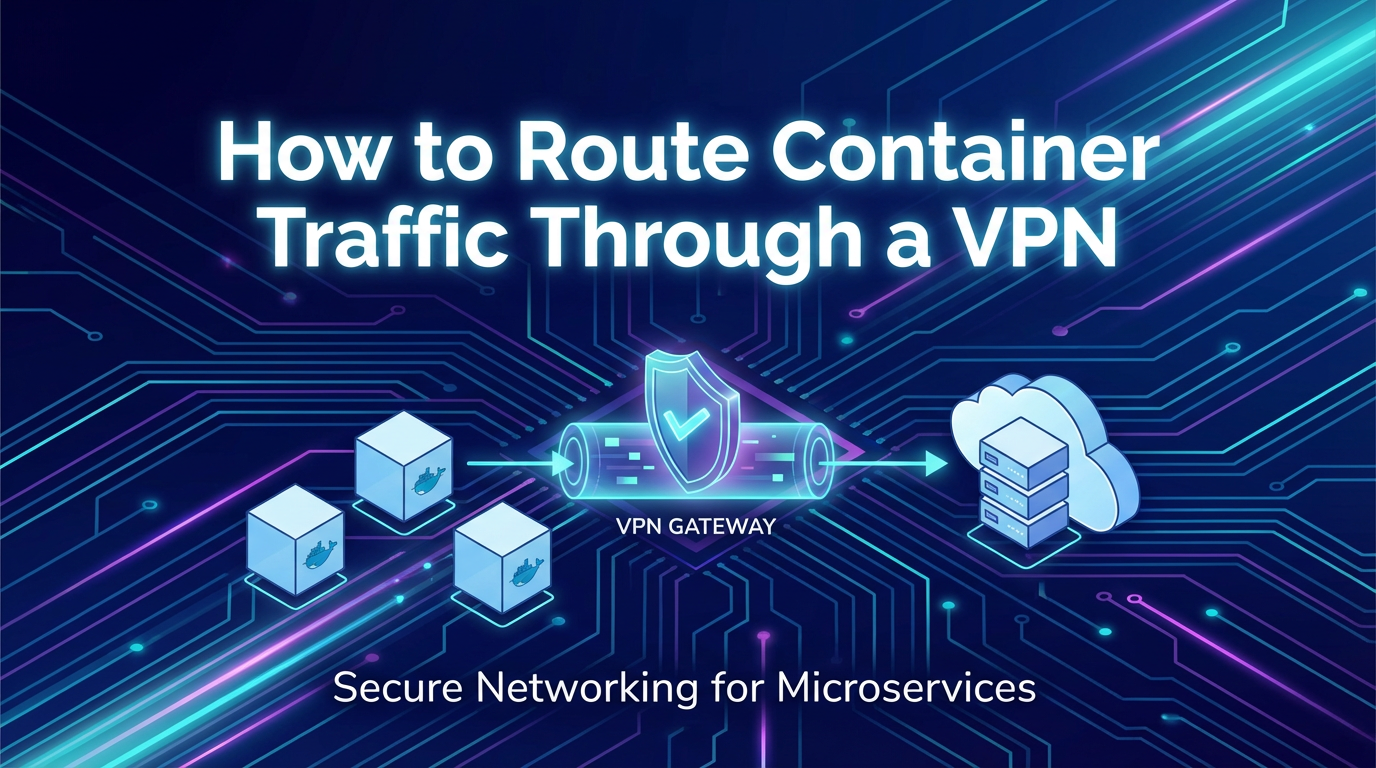
How to Route Container Traffic Through a VPN


Introduction: Navigating the Complexities of Container Security in a Connected World
In the rapidly evolving landscape of modern software architecture, containers have emerged as a pivotal technology, revolutionizing how applications are developed, deployed, and scaled. Docker and Kubernetes, in particular, have democratized the adoption of microservices, offering unparalleled agility, portability, and resource efficiency. However, this paradigm shift also introduces novel challenges, especially concerning network security and data privacy. As containerized applications increasingly handle sensitive information, interact with diverse backend systems, and operate across hybrid or multi-cloud environments, the imperative to secure their communication channels becomes paramount. Unsecured network traffic between containers, or between containers and external resources, can expose critical vulnerabilities, leading to data breaches, compliance violations, and operational disruptions.
This growing need for robust network protection has brought Virtual Private Networks (VPNs) into sharp focus within the container ecosystem. A VPN establishes an encrypted tunnel over an unsecured network, safeguarding data integrity and confidentiality while often providing secure access to restricted resources. While traditionally used for connecting remote users to corporate networks or for site-to-site connectivity, the application of VPN technology to containerized workloads presents a unique set of considerations. How do you seamlessly integrate ephemeral containers, with their dynamic IP addresses and isolated network namespaces, into a rigid VPN infrastructure? What are the architectural implications of forcing container traffic through an encrypted tunnel? And how can this be achieved without compromising the very scalability and flexibility that containers promise?
This comprehensive guide delves deep into the intricate process of routing container traffic through a VPN. We will explore the fundamental networking concepts underpinning containers, demystify various VPN technologies, and meticulously detail several practical methods for achieving this crucial security objective. From simple host-level configurations to sophisticated sidecar patterns and advanced custom network overlays, we will dissect each approach, weighing its advantages, scrutinizing its complexities, and providing actionable insights. Furthermore, we will address critical considerations such as performance, reliability, scalability, and the often-overlooked aspect of DNS resolution within a VPN-secured container environment. The discussion will also highlight the pivotal role of an API gateway in managing and securing access to these protected services, ensuring that even as internal communication is hardened, external interactions remain efficient and secure. Our aim is to equip developers, DevOps engineers, and system architects with the knowledge and strategies necessary to implement robust, secure, and performant container networking solutions that meet the demands of today’s dynamic digital landscape.
Understanding the Landscape: Containers, VPNs, and Their Interplay
Before diving into the mechanics of routing container traffic through a VPN, it is essential to establish a firm understanding of the foundational technologies involved. Both containers and VPNs represent powerful abstractions, each addressing distinct challenges but converging in the quest for secure, efficient application delivery.
The Rise of Containers and Their Networking Paradigm
Containers, epitomized by Docker, are lightweight, standalone, executable packages of software that include everything needed to run an application: code, runtime, system tools, system libraries, and settings. They abstract away the underlying infrastructure, allowing applications to run consistently across various environments, from a developer's laptop to a public cloud or on-premises data center. This isolation and portability have made them the de facto standard for deploying microservices, enabling faster development cycles, improved resource utilization, and enhanced scalability.
At the heart of container isolation lies the concept of Linux namespaces and cgroups. Network namespaces provide each container with its own isolated network stack, including its own network interfaces, routing tables, and IP addresses. This means that, by default, a container cannot directly see or interact with the network stack of the host or other containers unless explicitly configured to do so.
Standard Docker networking typically involves several components:
docker0Bridge: By default, Docker creates a virtual bridge interface nameddocker0on the host. When a container starts, Docker creates a pair of virtual Ethernet (veth) devices. One end of the veth pair is attached to thedocker0bridge, and the other end is placed inside the container's network namespace, appearing as itseth0interface.- IP Addressing and NAT: Docker assigns an IP address from the
docker0bridge's subnet to each container. For outbound connectivity to the internet or external networks, Docker typically uses Network Address Translation (NAT) rules managed byiptableson the host. This allows multiple containers to share the host's single external IP address. - Container DNS: By default, containers use the host's DNS configuration or a DNS server provided by Docker (e.g.,
127.0.0.11within the container, which then forwards queries to the host's configured DNS servers). - User-Defined Networks: Docker also allows users to create custom bridge networks, overlay networks (for multi-host communication), and macvlan networks, offering more sophisticated networking capabilities beyond the default
docker0bridge. Kubernetes, building upon this, utilizes Container Network Interface (CNI) plugins (e.g., Calico, Flannel) to provide even more advanced and integrated networking solutions for orchestrating large clusters of containers.
The dynamic nature of container IP addresses and the default NAT-based external communication model, while excellent for basic connectivity, present significant challenges when stringent security, compliance, or controlled access to specific networks are required.
The Role of VPNs in Modern Network Security
Virtual Private Networks (VPNs) create a secure, encrypted connection over a public network, such as the internet. They function by establishing an encrypted "tunnel" between two endpoints, ensuring that all data traversing this tunnel is protected from eavesdropping, tampering, and unauthorized access. VPNs serve multiple critical functions:
- Data Confidentiality: Encryption scrambles data, making it unreadable to anyone without the correct decryption key.
- Data Integrity: Mechanisms are in place to detect if data has been altered during transit.
- Authentication: Ensures that both endpoints of the VPN connection are legitimate.
- Anonymity/Privacy: By routing traffic through a VPN server, the source IP address of the client is masked, appearing as the VPN server's IP.
- Secure Remote Access: Allows individuals or branch offices to securely connect to a private network over the internet.
- Site-to-Site Connectivity: Connects two or more geographically dispersed private networks, making them appear as a single, contiguous network.
Several types of VPN protocols and implementations exist, each with its own characteristics:
- IPsec (Internet Protocol Security): A suite of protocols used to secure IP communications. It can operate in transport mode (securing host-to-host communication) or tunnel mode (securing entire network segments). IPsec is widely used for site-to-site VPNs and remote access.
- SSL/TLS VPNs (e.g., OpenVPN, WireGuard, DTLS): These VPNs use the Secure Sockets Layer (SSL) or Transport Layer Security (TLS) protocols, often running over TCP or UDP. They are highly flexible and firewall-friendly. OpenVPN is a popular open-source solution, while WireGuard is a newer, simpler, and faster protocol gaining significant traction.
- GRE/PPTP: Older protocols, generally less secure and not recommended for new deployments due to known vulnerabilities.
For containerized environments, the choice of VPN protocol often hinges on factors such as ease of deployment, performance overhead, and the specific security requirements of the application.
The Convergence: Why Route Container Traffic Through a VPN?
The integration of containers and VPNs is driven by several compelling use cases:
- Secure Access to Restricted Networks: Containerized applications often need to access sensitive backend databases, legacy systems, or internal APIs located in private data centers or on specific private subnets that are not directly exposed to the internet. A VPN can provide the secure conduit for this communication, bypassing public internet exposure.
- Regulatory Compliance: Industries such as healthcare (HIPAA), finance (PCI DSS), and government often mandate strict data privacy and security controls. Routing all traffic through an encrypted VPN tunnel can help meet these compliance requirements by ensuring that sensitive data is always protected in transit.
- Hybrid and Multi-Cloud Architectures: Organizations increasingly deploy containerized workloads across a mix of on-premises infrastructure and multiple cloud providers. VPNs are essential for securely interconnecting these disparate environments, allowing containers in one location to seamlessly and securely communicate with resources or other containers in another. For instance, an on-premises container might need to securely api calls to a database service running in a specific VPC in AWS, protected by a VPN gateway.
- Enhanced Security for Microservices Communication: Even within a single environment, securing inter-service communication is crucial. While service meshes provide excellent capabilities for encrypting traffic between services, a VPN can offer an additional layer of perimeter security, especially for traffic leaving the immediate container cluster or accessing external services.
- Remote Development and Testing: Developers and testers working remotely need secure access to containerized development and staging environments. A VPN can provide this secure pipeline, ensuring that intellectual property and sensitive test data are protected.
- Geo-Specific Content Access/Egress Control: For applications that need to access geo-restricted content or egress traffic from a specific geographical location for compliance or content delivery purposes, routing through a VPN gateway in the desired region is a common strategy.
The convergence of containers and VPNs, therefore, is not merely a technical exercise but a strategic necessity for organizations striving to build secure, compliant, and resilient cloud-native applications. The subsequent sections will detail how this convergence can be practically achieved, navigating the technical challenges inherent in linking these powerful but distinct technologies.
Core Concepts and Technologies: The Underpinnings of Container Network Routing
Successfully routing container traffic through a VPN necessitates a deep understanding of the underlying Linux networking primitives and how Docker/Kubernetes leverages them. This section will elaborate on these core concepts, providing the necessary context for the various implementation methods.
Network Namespaces: The Foundation of Container Network Isolation
At the very core of container networking isolation in Linux are network namespaces. Each network namespace provides a logically independent copy of the network stack, including its own network interfaces, IP addresses, routing tables, and firewall rules. When a container is launched, it is typically assigned its own dedicated network namespace, ensuring that its network configuration and traffic are isolated from the host system and other containers.
- Isolation: A container in
net_ns_Acannot directly see or modify the network configuration (e.g.,eth0interface, IP address) of the host (which resides in the root network namespace) or another container innet_ns_B. - Virtualization: From the container's perspective, it has a complete and independent network environment, even though it shares the same kernel as the host.
This isolation is a double-edged sword: it prevents interference but also means containers don't inherently know how to reach resources outside their own namespace without explicit routing.
Virtual Ethernet Pairs (veth): The Connective Tissue
To allow communication between different network namespaces (e.g., between a container's namespace and the host's root namespace), virtual Ethernet pairs (veth) are used. A veth pair consists of two interconnected virtual network interfaces. Anything sent into one end of the pair immediately comes out the other end.
- Linking Namespaces: When Docker creates a container, it typically creates a veth pair. One end of the veth pair is placed inside the container's network namespace (often named
eth0within the container), and the other end remains in the host's root network namespace. - Bridging to the Host: The host-side of the veth pair is then attached to a Linux bridge (like
docker0), allowing the container to communicate with other containers on the same bridge and with the host, and through the host, to the external network.
Linux Bridges (docker0, cbr0, Custom Bridges): Facilitating Inter-Container Communication
A Linux bridge acts like a virtual network switch. It forwards traffic between interfaces connected to it based on MAC addresses. In the context of Docker:
docker0: This is the default bridge created by Docker. All containers without a specific network configuration are connected todocker0. It enables containers on the same host to communicate with each other and allows them to reach the external network via NAT.- User-Defined Bridges: Docker allows users to create their own custom bridge networks. These offer better isolation and provide internal DNS resolution for container names within that network, making inter-container communication simpler. For example, a container named
appon a custom bridgemy_networkcan communicate with another container nameddbon the samemy_networksimply by referring todb.
In Kubernetes, CNI plugins often create their own bridges (e.g., cbr0 or specific veth devices for pods) and manage the routing tables to ensure inter-pod communication, often leveraging overlay networks for cross-host connectivity.
Routing Tables: The Maps for Network Traffic
Every Linux network namespace, including those of containers and the host, maintains its own routing table. This table is a set of rules that determines where network packets should be sent. When a container tries to communicate with an IP address:
- It checks its routing table to see if the destination IP is on a directly connected network (e.g., its own subnet on the
docker0bridge). - If not, it looks for a more specific route.
- If no specific route matches, it uses the default route (often pointing to the host's
docker0interface or a gateway on its network). This default gateway then forwards the packet to the next hop.
The crucial aspect for VPN integration is manipulating these routing tables. If container traffic needs to go through a VPN, its default route (or specific routes for VPN-protected destinations) must point to an interface that leads into the VPN tunnel, whether that's an interface provided by a VPN client or another container acting as a VPN gateway.
IP Tables / NFTables: Firewall and Network Address Translation (NAT)
IPTables (or the newer NFTables) is the Linux kernel's firewall and network packet filtering utility. It allows administrators to define rules for how packets are processed. For container networking, iptables plays a vital role in:
- NAT (Network Address Translation): When containers communicate with external networks,
iptablesperforms source NAT (SNAT), changing the container's private source IP address to the host's public IP address. This is why external services see traffic originating from the Docker host, not the individual containers. - Port Mapping: When you publish a container port (e.g.,
-p 8080:80),iptablesrules are created to forward incoming traffic on the host's8080port to the container's80port. - Filtering:
iptablescan be used to control which traffic is allowed to enter or leave containers and the host, providing a crucial layer of security.
When integrating a VPN, iptables rules often need to be carefully adjusted. For instance, you might need to ensure that traffic destined for the VPN exits via the correct interface and isn't subject to conflicting NAT rules, or that traffic from the VPN is correctly routed back to the containers.
DNS Resolution: Naming Services in a Dynamic Environment
DNS (Domain Name System) resolution is fundamental for containers to locate and communicate with other services, whether they are internal microservices (e.g., my-service.internal) or external internet resources (e.g., www.example.com).
- Default Behavior: By default, Docker containers inherit the DNS settings from the host or use Docker's embedded DNS server (
127.0.0.11). - VPN Impact: When a VPN is established, the VPN server often provides its own DNS servers to clients. This is critical because certain internal resources might only be resolvable via the VPN's DNS. If container traffic is routed through a VPN, but containers continue to use their original DNS servers, they may fail to resolve names for resources accessible only through the VPN, leading to connectivity failures. Proper configuration of DNS resolvers within the container's network namespace or ensuring the VPN client pushes the correct DNS settings is crucial.
Understanding these core components is the cornerstone for implementing any robust container networking solution, especially when layering a VPN for enhanced security and controlled access. With this foundation, we can now explore the practical methods for routing container traffic through a VPN.
Methods for Routing Container Traffic Through a VPN: Practical Approaches
Routing container traffic through a VPN can be achieved through several distinct methods, each offering varying levels of granularity, complexity, and performance. The choice of method largely depends on the specific requirements of your application, the desired scope of VPN protection, and your operational capabilities.
Method 1: Host-Level VPN – The Simplest Approach (But with Limitations)
The most straightforward method involves running the VPN client directly on the Docker host machine. When the VPN connection is established on the host, all network traffic originating from the host, including traffic from containers that use the host's network stack for egress, will be routed through the VPN tunnel.
Description: In this setup, the Docker host machine itself becomes a VPN client. Whether it's a dedicated server or a virtual machine, the operating system (e.g., Ubuntu, CentOS) runs an OpenVPN client, WireGuard client, or another VPN software. Once the VPN tunnel is active, the host's routing table is updated to direct traffic destined for specific networks (or all traffic, in a full-tunnel VPN configuration) through the VPN interface (e.g., tun0 or wg0). Containers, by default, rely on the host's networking for external communication, leveraging NAT. Thus, their outbound traffic naturally traverses the VPN tunnel.
Pros: * Ease of Setup: This is generally the easiest method to configure as it involves standard VPN client installation and configuration on the host OS. No special Docker network configurations are typically required. * Broad Coverage: All containers on the host can benefit from the VPN protection without individual configuration, making it suitable for scenarios where all container traffic needs to be secured. * Centralized Management: The VPN client is managed at the host level, simplifying credential management and connection lifecycle.
Cons: * Lack of Granularity: You cannot selectively route traffic from specific containers through the VPN while allowing others direct access. It's an all-or-nothing approach for external traffic originating from the host. * Potential for Leakage: If the VPN connection drops, or if the host's routing tables are not meticulously configured with a "kill switch" (e.g., iptables rules to block non-VPN traffic), container traffic might inadvertently revert to the unprotected default gateway, exposing sensitive data. DNS leaks are also a common concern if the host's DNS settings aren't properly managed by the VPN client. * Host Dependency: The availability and performance of the VPN are entirely dependent on the host machine. If the host itself experiences network issues or VPN client failures, all containers are affected. * Compliance Challenges: For environments requiring strict segmentation or compliance, an "all traffic" approach might not meet the granular control necessary to prove only specific applications are using the VPN.
Implementation Details: 1. Install VPN Client: Install your chosen VPN client (e.g., OpenVPN, WireGuard) on the Docker host. 2. Configure VPN Connection: Set up the VPN client with your VPN server details (certificates, keys, server address, user credentials). 3. Start VPN: Activate the VPN connection. Verify that a new network interface (e.g., tun0, wg0) appears and that your host's IP address (as seen by external services) has changed to the VPN server's egress IP. 4. Verify Routing: Use ip route on the host to ensure that the default route (or routes to specific protected networks) now points through the VPN interface. 5. DNS Configuration: Confirm that your host's resolv.conf (or equivalent DNS configuration) is updated to use the VPN's DNS servers, preventing DNS leaks. 6. Run Containers: Launch your Docker containers as usual. Their outbound traffic will be NATed by Docker through the host's network stack, which is now routed via the VPN.
Example (Conceptual for OpenVPN on Linux host):
# On the Docker host
sudo apt update
sudo apt install openvpn resolvconf
sudo cp /path/to/your/client.conf /etc/openvpn/client.conf
sudo systemctl enable openvpn@client
sudo systemctl start openvpn@client

# Verify VPN connection
ip a show tun0
curl ifconfig.me # Should show VPN server's IP
This method is best suited for scenarios where a single-purpose Docker host runs containers that all require the same VPN access, and simplicity of setup outweighs the need for fine-grained network control.
Method 2: Sidecar Container VPN – Granular Control for Specific Services
The sidecar pattern is a popular architectural approach in containerization, especially with Kubernetes, where a secondary container runs alongside a primary application container, sharing its network namespace. This allows the sidecar to provide auxiliary services (like logging, monitoring, or, in this case, VPN connectivity) directly to the application container, leveraging shared network resources.
Description: In this method, a dedicated "VPN container" runs a VPN client (e.g., OpenVPN, WireGuard) and shares its network namespace with one or more application containers. This means the VPN container and its associated application containers effectively operate within the same network stack. The VPN client in the sidecar establishes the VPN tunnel, and because the application containers share this network namespace, their outbound traffic is automatically routed through the VPN interface managed by the sidecar.
Pros: * Granular Control: Only specific application containers that are configured to share the network namespace with the VPN sidecar will route their traffic through the VPN. Other containers on the host can communicate normally. * Isolation: The VPN configuration and its dependencies are isolated within the VPN container, minimizing interference with the host or other services. * Portability: The entire setup (application + VPN sidecar) can be packaged and deployed as a single unit (e.g., a Kubernetes Pod or Docker Compose service), improving portability across different hosts or clusters. * Reduced Risk of Leakage: By sharing the network namespace, the application container's network interface directly uses the routing and DNS provided by the VPN sidecar, reducing the chance of accidental traffic leakage through the host's default gateway.
Cons: * Increased Complexity: Setting up sidecar containers requires more intricate Docker Compose or Kubernetes YAML configurations. * Per-Pod/Per-Service Overhead: Each set of containers requiring VPN access will need its own VPN sidecar, potentially leading to more VPN connections and resource consumption. * Resource Usage: The VPN client itself consumes CPU and memory resources for encryption/decryption, which multiplies with each sidecar instance.
Implementation Details (Docker Compose Example): This example demonstrates a Docker Compose setup where an app container shares the network with a vpn container.
version: '3.8'

services:
  vpn:
    image: dperson/openvpn-client # Or another VPN client image like kylemanna/openvpn
    cap_add:
      - NET_ADMIN # Required for VPN to manage network interfaces
    devices:
      - /dev/net/tun:/dev/net/tun # Necessary for TUN device
    volumes:
      - ./vpn-config:/etc/openvpn # Mount directory containing client.ovpn and certificates
    environment:
      # Optional: Pass credentials or configurations if not in client.ovpn
      # - OVPN_USER=your_vpn_user
      # - OVPN_PASSWORD=your_vpn_password
      - "PUSH_DNS=true" # Ensure DNS is pushed to the network namespace
    # Uncomment to prevent DNS leakage if the VPN drops
    # restart: unless-stopped
    # sysctls:
    #   net.ipv4.conf.all.rp_filter: 0
    #   net.ipv4.conf.default.rp_filter: 0
    #   net.ipv4.ip_forward: 1 # Might be needed depending on the VPN client and routing
    command: ["client.ovpn"] # Specify your config file name

  app:
    image: alpine/git # Your actual application image
    network_mode: "service:vpn" # Crucial: share network namespace with the vpn service
    depends_on:
      - vpn
    command: ["sh", "-c", "sleep 10 && curl ifconfig.me"] # Example command to test external IP

volumes:
  vpn-config:
    driver: local
    driver_opts:
      type: none
      device: ./vpn-config
      o: bind
Explanation: * vpn service: This container runs the VPN client. * cap_add: NET_ADMIN: Grants the container the capability to modify network interfaces and routing tables. * devices: /dev/net/tun:/dev/net/tun: Maps the TUN device from the host into the container, which is essential for VPN tunnels. * volumes: Mounts your OpenVPN client configuration (.ovpn file, certificates) into the container. * environment: You might need to pass PUSH_DNS=true or similar to ensure the VPN client updates DNS in the shared namespace. * app service: This is your application container. * network_mode: "service:vpn": This is the key. It tells Docker to make the app container share the network stack (IP address, network interfaces, routing table, DNS) of the vpn service. When the vpn container establishes its VPN connection and updates its routing table, the app container automatically uses that modified network stack.
When you run docker-compose up, the vpn container starts, establishes the VPN tunnel, and the app container will then execute its curl ifconfig.me command, showing the IP address of the VPN gateway. This method provides a powerful and flexible way to apply VPN protection to specific workloads.
Method 3: Dedicated VPN Container as a Gateway – Centralized VPN Proxy
Building upon the concept of a VPN container, this method takes it a step further by establishing a dedicated VPN container that acts as a central gateway or proxy for other application containers, which do not share its network namespace. Instead, application containers are explicitly configured to route their traffic through this VPN gateway container.
Description: In this setup, a standalone VPN container runs a VPN client and establishes a VPN tunnel. This container also acts as a router, forwarding traffic from other containers that are configured to use it as their default gateway. This typically involves setting up a custom Docker network where the VPN container has an IP address, and then configuring the application containers on the same network to point their default route to the VPN container's IP. This approach offers a centralized VPN service that can be consumed by multiple application containers, even across different Docker Compose services or Kubernetes pods (with advanced routing).
Pros: * Centralized VPN Management: A single VPN container can serve as a gateway for multiple application containers, simplifying VPN client management and resource utilization compared to a sidecar for every application. * Network Isolation: The VPN container maintains its own network namespace, separate from the application containers, which only route traffic through it. * Scalability: While more complex, this pattern can be scaled by deploying multiple VPN gateway containers and using load balancing if a single VPN tunnel becomes a bottleneck. * Fine-grained Control: Application containers must be explicitly configured to use the VPN container as their gateway, offering precise control over which traffic goes through the VPN.
Cons: * Increased Network Configuration Complexity: Requires custom Docker networks, manual routing table manipulation within application containers, or advanced network policies. * Performance Overhead: All traffic from dependent containers must traverse the VPN gateway container, adding an extra hop and potential latency. * Single Point of Failure (if not designed for HA): If the VPN gateway container fails, all dependent application containers lose their VPN connectivity. High availability (HA) solutions are harder to implement.
Implementation Details (Docker Compose Example with Custom Network): This example defines a custom bridge network and configures application containers to use the VPN container as their gateway.
version: '3.8'

networks:
  vpn_internal_network:
    driver: bridge
    ipam:
      config:
        - subnet: 172.20.0.0/24 # Choose a non-conflicting subnet

services:
  vpn-gateway:
    image: dperson/openvpn-client # Or custom image with VPN + routing capabilities
    cap_add:
      - NET_ADMIN
      - NET_RAW # Potentially needed for specific routing scenarios
    devices:
      - /dev/net/tun:/dev/net/tun
    volumes:
      - ./vpn-config:/etc/openvpn
    environment:
      - "PUSH_DNS=true"
      # Enable IP forwarding inside the VPN container
      - "OPENVPN_ENABLE_FORWARDING=true" # This depends on the specific VPN client image
    sysctls:
      net.ipv4.ip_forward: 1 # Enable IP forwarding on the VPN container's kernel
    networks:
      vpn_internal_network:
        ipv4_address: 172.20.0.2 # Assign a static IP to the VPN gateway on the custom network
    command: ["client.ovpn"]

  app-client-1:
    image: alpine/git
    networks:
      vpn_internal_network:
        ipv4_address: 172.20.0.3 # Assign static IP if needed, or let Docker assign dynamically
    depends_on:
      - vpn-gateway
    # Overwrite default gateway to point to vpn-gateway's IP
    # This requires manipulating the routing table inside the container at startup.
    # A common way is to use a custom entrypoint script.
    entrypoint: /bin/sh -c "ip route del default && ip route add default via 172.20.0.2 dev eth0 && curl ifconfig.me"
    # Or, if the VPN client handles it for connected containers (less common for this method)
    # environment:
    #   - DEFAULT_GATEWAY=172.20.0.2 # Custom env var to be used by an entrypoint script

  app-client-2:
    image: ubuntu/curl # Another application container
    networks:
      vpn_internal_network:
        ipv4_address: 172.20.0.4
    depends_on:
      - vpn-gateway
    entrypoint: /bin/sh -c "ip route del default && ip route add default via 172.20.0.2 dev eth0 && curl ifconfig.me"
Key Concepts in this Method: * Custom Network: A vpn_internal_network is created. This ensures the vpn-gateway and application containers are on the same logical subnet. * IP Forwarding: net.ipv4.ip_forward: 1 is crucial for the vpn-gateway container to act as a router. It allows packets received on one interface to be forwarded out another. * Static IP for Gateway: Assigning ipv4_address to vpn-gateway makes its IP predictable, which is necessary for application containers to use it as a gateway. * Custom Entrypoint/Routing: The app-client containers' entrypoint script explicitly deletes the default route (which would normally point to the Docker-assigned gateway on the vpn_internal_network) and adds a new default route pointing to 172.20.0.2 (the vpn-gateway's IP). This forces all their outbound traffic through the VPN gateway. * iptables on Gateway: The vpn-gateway container needs iptables rules to perform NAT on traffic leaving the vpn_internal_network and entering the VPN tunnel, and potentially to allow forwarding between interfaces. Most well-designed VPN client images will handle these rules automatically if configured as a gateway.
This method provides excellent control and can be more resource-efficient for many applications that need to leverage the same VPN connection. However, its complexity demands a strong understanding of container networking and Linux routing.
Method 4: Custom Network Overlay/SDN with VPN Integration (Advanced/Enterprise)
For large-scale container deployments, especially within Kubernetes clusters, relying on basic Docker networking or sidecars can become unwieldy. This is where advanced Software-Defined Networking (SDN) solutions and network overlay technologies come into play, often with built-in VPN capabilities or seamless integration points.
Description: This method involves using sophisticated container networking interfaces (CNIs) like Calico, Flannel, Weave Net, or Open vSwitch, which provide advanced features like network policies, IP-in-IP tunneling, or VXLAN overlays. These CNIs can be configured to integrate directly with VPN solutions or can operate in conjunction with dedicated VPN gateway nodes within the cluster. For instance, an IPsec tunnel might be established between Kubernetes nodes or between specific gateway nodes within a cluster and an external VPN gateway. Traffic from pods can then be routed through these tunnels based on network policies or specific gateway configurations.
Pros: * Highly Scalable: Designed for large, distributed container environments like Kubernetes clusters. * Policy-Driven Security: Allows for granular network policies (e.g., "only pods with label backend-db can access vpn-gateway") to dictate which traffic uses the VPN. * Native Kubernetes Integration: Leveraging CNI plugins provides a more idiomatic Kubernetes experience for network management. * Advanced Features: Can offer features like load balancing, network segmentation, and observability alongside VPN integration.
Cons: * Significant Complexity: Requires deep expertise in Kubernetes networking, CNI plugins, and VPN protocols. * Overhead: Overlay networks and VPN tunnels inherently add some performance overhead. * Troubleshooting Challenges: Debugging network issues in such complex setups can be very demanding.
Implementation Details (Conceptual for Kubernetes with Calico/WireGuard): 1. Dedicated VPN Nodes: Deploy specific Kubernetes nodes (or a set of pods within the cluster) that act as VPN gateways. These nodes would run a VPN client (e.g., WireGuard) that connects to an external VPN server. 2. CNI Configuration: Configure your CNI (e.g., Calico) to establish routes or apply network policies that direct traffic from specific pods (or namespaces) towards these VPN gateway nodes. This might involve: * Custom Routes: Adding custom routes on relevant worker nodes that direct traffic for VPN-protected external subnets to the VPN gateway node's IP. * Pod Egress Policies: Using Kubernetes Network Policies to force egress traffic from certain pods to an internal service that acts as a VPN proxy. * Sidecars (Enhanced): While conceptually similar to Method 2, a CNI can simplify the deployment and routing, allowing a VPN sidecar to be seamlessly integrated into pods and policies applied to its traffic. 3. IPsec Tunneling: Some CNIs (e.g., Calico) can directly establish IPsec tunnels between nodes for pod-to-pod encryption. This is distinct from a VPN to an external network but offers similar security guarantees for internal cluster communication. For external VPN, it would involve setting up IPsec tunnels from gateway nodes to an external VPN gateway.
Example (Conceptual Kubernetes/Calico with external WireGuard Gateway) * VPN Gateway Pod: A Deployment running a WireGuard client is created, exposed as an internal ClusterIP service (wireguard-gateway.vpn-namespace.svc.cluster.local). This pod has NET_ADMIN capabilities and uses the host's /dev/net/tun. * Network Policy: An Egress Network Policy is applied to specific application pods (e.g., app: sensitive). This policy would: * Block all egress to external IPs except the wireguard-gateway service. * Allow egress to the wireguard-gateway ClusterIP. * Routing within Pod: Application pods would need to be configured (e.g., via initContainers or a custom entrypoint) to add a default route (or specific routes to target networks) pointing to the wireguard-gateway service IP. Or, a transparent proxy (like Envoy in a service mesh) could be used to direct traffic to the VPN gateway.
This approach is highly robust and scalable but requires a significant investment in expertise and operational overhead. It's typically reserved for large enterprises with complex compliance or multi-cloud integration requirements. It's also in these complex environments that an robust API gateway becomes indispensable for managing and securing the API endpoints that might be served by these VPN-protected containers.
Method 5: Cloud Provider VPN Services – Leveraging Managed Solutions
For organizations running their containerized workloads predominantly within a public cloud environment (AWS, Azure, GCP), leveraging the cloud provider's native VPN services offers a managed, scalable, and often simpler way to connect containers securely to on-premises networks or other cloud VPCs.
Description: Cloud providers offer various VPN solutions, such as AWS Client VPN, AWS Site-to-Site VPN, Azure VPN Gateway, and GCP Cloud VPN. These services allow you to establish secure, encrypted connections between your cloud Virtual Private Clouds (VPCs) and your on-premises data centers, or between different VPCs. When containers are deployed within a subnet of a cloud VPC that is part of a VPN connection, their traffic destined for the VPN-connected network will automatically traverse the VPN tunnel, managed entirely by the cloud provider's network infrastructure.
Pros: * Managed Service: The cloud provider handles the underlying infrastructure, high availability, and scaling of the VPN gateway, reducing operational burden. * Seamless Integration: Integrates natively with the cloud provider's networking constructs (VPCs, subnets, routing tables, security groups). * High Availability and Scalability: Cloud VPNs are typically designed for high availability and can scale to handle significant traffic volumes. * Simplified Configuration (relative to self-managed): While cloud networking itself can be complex, configuring a VPN within a cloud provider's ecosystem is often simpler than setting up and maintaining a self-managed VPN server and client infrastructure.
Cons: * Vendor Lock-in: Solutions are specific to each cloud provider, potentially complicating multi-cloud strategies. * Cost: Managed VPN services incur costs based on usage (data transfer, gateway hours, IP addresses). * Configuration Specifics: Each cloud provider has its own terminology and configuration nuances.
Implementation Details (Conceptual for AWS Site-to-Site VPN): 1. Create AWS VPC: Ensure your containers are deployed in an AWS VPC. 2. Set up Customer Gateway: In AWS, configure a Customer Gateway representing your on-premises VPN gateway device (IP address). 3. Create Virtual Private Gateway (VGW): Attach a Virtual Private Gateway to your AWS VPC. This is the AWS side of the VPN connection. 4. Create Site-to-Site VPN Connection: Establish the VPN connection between your Customer Gateway and the Virtual Private Gateway. This creates two VPN tunnels for redundancy. 5. Configure VPC Routing Tables: Update the routing tables associated with the subnets where your containers reside. Add a route for your on-premises network's CIDR block, pointing to the Virtual Private Gateway. 6. On-premises Configuration: Configure your on-premises VPN gateway device to establish the tunnels to the AWS VGW endpoints. 7. Deploy Containers: Deploy your containerized applications within the configured VPC subnets. Any traffic from these containers destined for your on-premises network (as defined in the routing table) will automatically be routed through the AWS-managed VPN tunnel.
This method is ideal for organizations already heavily invested in a particular cloud ecosystem and needing to securely bridge their cloud containers with on-premises resources or other cloud environments. The management overhead of the VPN gateway itself is significantly reduced, allowing teams to focus more on application deployment and API management.
| Method | Granularity | Complexity | Performance Impact | Scalability for Containers | Use Case |
|---|---|---|---|---|---|
| 1. Host-Level VPN | Low (All or None) | Low | Moderate | Low | Single-purpose host, all apps need VPN. |
| 2. Sidecar Container VPN | High (Per-Service) | Moderate | Moderate | Moderate (per-pod overhead) | Specific services requiring VPN, Kubernetes Pods. |
| 3. Dedicated VPN Gateway | High (Per-Network) | High | Moderate-High | Moderate | Multiple services sharing a VPN, centralized access. |
| 4. Custom Overlay/SDN | High (Policy-Based) | Very High | Moderate-High | High | Large Kubernetes clusters, advanced policies. |
| 5. Cloud Provider VPN | High (VPC/Subnet) | Moderate (Cloud-specific) | Low-Moderate | High (Cloud-managed) | Cloud-native apps, hybrid cloud connectivity. |
Each method presents a unique balance of control, complexity, and performance. Selecting the right approach requires careful consideration of your specific security posture, operational capabilities, and the architectural requirements of your containerized applications.
Key Considerations and Best Practices for VPN-Routed Container Traffic
Implementing a VPN solution for container traffic goes beyond merely establishing a tunnel. To ensure a robust, secure, and performant environment, several critical considerations and best practices must be meticulously addressed.
Security: Fortifying the Perimeter and the Core
Security must be the foremost concern when routing sensitive container traffic through a VPN. A poorly configured VPN can create more vulnerabilities than it solves.
- Least Privilege Principle: The VPN container (or the host running the VPN client) should operate with the absolute minimum necessary privileges. Granting
NET_ADMINcapability is unavoidable for VPN functionality, but avoid root privileges if possible. Restrict access to configuration files and credentials. - Strong Encryption Protocols and Algorithms: Always use modern, robust VPN protocols like WireGuard or OpenVPN with strong cryptographic algorithms (e.g., AES-256 GCM for encryption, SHA-2 for hashing). Avoid deprecated protocols like PPTP. Regularly update VPN client software to patch known vulnerabilities.
- Secure Credential Management: VPN credentials (certificates, keys, usernames, passwords) should never be hardcoded in container images or configuration files. Use secure methods like Kubernetes Secrets, Docker Secrets, HashiCorp Vault, or cloud-specific secret managers (e.g., AWS Secrets Manager, Azure Key Vault). Implement strict access controls for these secrets.
- Firewall Rules (IPTables/Security Groups): Complement the VPN with granular firewall rules.
- Host Firewall: On the Docker host, ensure
iptablesrules only allow necessary traffic to and from the VPN interfaces and containers. Block all other outbound traffic if it's not meant to traverse the VPN (a "kill switch"). - Container/Pod Network Policies: In Kubernetes, use Network Policies to control ingress and egress traffic for pods, ensuring that only expected traffic can reach the VPN gateway container or egress the VPN tunnel.
- Cloud Security Groups/Network ACLs: In cloud environments, configure security groups and network ACLs to restrict traffic at the virtual network interface level, allowing only necessary ports and protocols.
- Host Firewall: On the Docker host, ensure
- DNS Leak Protection: Ensure that DNS queries are strictly routed through the VPN's DNS servers. Misconfigured DNS can reveal your true IP address or allow traffic to bypass the VPN. Most modern VPN clients have features to push DNS settings to the client, but verification is crucial (e.g., using
dnsleaktest.comfrom within a container). - Intrusion Detection/Prevention Systems (IDPS): Integrate IDPS solutions to monitor traffic within and around your containerized VPN setup. This can help detect anomalous behavior or attempted breaches that might bypass or exploit the VPN tunnel itself.
- Regular Security Audits: Periodically audit your VPN configuration, firewall rules, and container network settings. Automate vulnerability scanning for container images and their dependencies.
Performance: Minimizing Latency and Maximizing Throughput
VPNs introduce overhead due to encryption, decryption, and additional network hops. Optimizing performance is crucial, especially for latency-sensitive applications.
- Choice of VPN Protocol: WireGuard is often lauded for its simplicity and performance due to its lean codebase and efficient cryptographic primitives. OpenVPN can be highly performant but requires careful configuration. IPsec can also offer good performance for specific use cases.
- Network Bandwidth and Latency: Ensure the underlying network infrastructure (host NIC, internet connection) has sufficient bandwidth. High latency to the VPN server will directly impact application performance. Choose VPN gateway locations geographically close to your containers and target resources.
- CPU Resources: Encryption/decryption is CPU-intensive. Monitor CPU utilization on your VPN host or VPN container. If performance bottlenecks occur, consider:
- Dedicated Cores: Assign dedicated CPU cores to VPN containers or processes.
- Hardware Offloading: If available, leverage hardware cryptographic accelerators.
- Scalability: For Method 3 and 4, consider scaling out VPN gateway instances behind a load balancer to distribute the encryption workload.
- MTU (Maximum Transmission Unit) Optimization: Mismatched MTU settings between the VPN tunnel and the underlying network can lead to packet fragmentation, which degrades performance. Experiment with different MTU values to find an optimal setting (often slightly smaller than the physical interface's MTU to accommodate VPN headers).
- Monitoring and Logging: Continuously monitor VPN client logs, network interface statistics (e.g.,
ifconfig,ip -s link), and container network performance metrics (latency, throughput). Tools like Prometheus and Grafana can provide invaluable insights.
Reliability and High Availability (HA): Ensuring Uninterrupted Connectivity
A single point of failure in your VPN setup can render entire applications inaccessible. Designing for reliability and HA is paramount.
- Redundant VPN Connections: Whenever possible, establish multiple VPN tunnels to different VPN servers or through different paths. Cloud VPN services typically offer this with dual tunnels. For self-managed solutions, configure two VPN clients connecting to separate VPN servers.
- VPN Client Health Checks: Implement health checks for your VPN client processes or containers. If a VPN tunnel goes down, the health check should trigger an alert or an automated restart/failover.
- Automated Failover Mechanisms: For Method 3 (Dedicated VPN Gateway) and 4 (SDN), design automated failover. If one VPN gateway container fails, application containers should automatically switch to a healthy alternative. This often involves using a load balancer (e.g., HAProxy, Nginx, or a Kubernetes Service) in front of multiple VPN gateway instances.
restartPolicies for Containers: For VPN containers, use appropriate Dockerrestartpolicies (e.g.,restart: alwaysorrestart: unless-stopped) to ensure they automatically restart if they crash.- Graceful Shutdown and Startup: Ensure your VPN clients handle graceful shutdowns and startups, correctly cleaning up network rules and establishing connections without interfering with other services.
Scalability: Growing with Your Container Workloads
As your container environment expands, your VPN solution must scale to meet increasing demands.
- Horizontal Scaling of VPN Gateways: For Method 3 and 4, consider running multiple VPN gateway instances, distributing the load across them. This can be achieved using a load balancer to distribute traffic to the active VPN gateway containers.
- Cloud Provider VPN Scalability: Cloud-managed VPN services are inherently designed to scale automatically or semi-automatically with demand, handling the complexities of increasing tunnel capacity.
- Network Architecture Review: Regularly review your network topology. As traffic patterns change, you might need to re-evaluate whether a sidecar approach, a dedicated gateway, or a cloud VPN is still the most efficient and scalable solution.
- API Gateway Integration: As containerized services scale, managing their exposure through an API gateway becomes crucial. An API gateway can handle authentication, authorization, rate limiting, and intelligent routing to various backend services, even if those services are behind a VPN. This allows the VPN to secure internal network paths while the API gateway secures and manages external interactions, enabling scalable and controlled access.
DNS Resolution: The Unsung Hero of Connectivity
Correct DNS configuration is often overlooked but critical for containers to resolve names of services located on the VPN-protected network.
- VPN-Provided DNS: Ensure that the VPN client pushes its DNS server addresses to the network namespace used by the containers. For shared network namespaces (Method 2), the container will inherit these. For separate namespaces (Method 3), the application container's
resolv.confmight need manual adjustment or be updated by a startup script. - Docker's Internal DNS: Be aware of Docker's internal DNS resolver (
127.0.0.11). It intercepts DNS requests and forwards them. If your VPN pushes DNS, ensure Docker's resolver forwards to the VPN's DNS, or configure containers to directly use the VPN DNS. --dnsDocker Run Option: You can explicitly specify DNS servers for a container using the--dns <IP>flag indocker runor thednsoption in Docker Compose. This can be used to point containers directly to the VPN's DNS server if the VPN client doesn't manage it automatically for the container's network namespace.- Split-Horizon DNS: For environments with both internal (VPN-resolvable) and external (public internet) domains, consider a split-horizon DNS setup. This means different DNS servers respond to queries for the same domain name based on the client's network location, ensuring containers behind the VPN resolve internal names correctly, while public names are resolved via public DNS. This adds complexity but ensures robustness.
IP Addressing and Subnetting: Avoiding Conflicts
Careful IP address planning is essential to prevent network conflicts.
- Non-Overlapping Subnets: Ensure that the IP subnet used by your Docker bridge networks, your VPN's virtual IP subnet, and the target private networks you are trying to reach via VPN do not overlap. Overlapping subnets lead to routing ambiguities and connectivity failures.
- Static vs. Dynamic IPs: For VPN gateway containers (Method 3), assigning a static IP address on the custom Docker network simplifies routing configuration for dependent application containers.
- NAT Considerations: Understand how NAT is performed. If the VPN client itself does NAT, or if the Docker host does NAT, ensure these don't interfere with traffic that needs to be routed through the VPN without additional NAT.
Monitoring and Logging: Gaining Visibility
Visibility into your VPN-routed container traffic is crucial for troubleshooting, security, and performance optimization.
- VPN Client Logs: Configure your VPN client to log connection status, errors, and traffic details. Centralize these logs using a logging solution (e.g., ELK stack, Splunk, Loki).
- Network Interface Statistics: Monitor traffic on the VPN interface (
tun0,wg0) and the container network interfaces. - Container Logs: Application container logs can reveal if they are successfully reaching external resources via the VPN or if they are encountering network errors.
- Packet Capture: For in-depth troubleshooting, use tools like
tcpdumpon the host, the VPN container, and application containers to capture and analyze network traffic. - APIPark's Detailed API Call Logging: In a microservices architecture, an API gateway like APIPark provides invaluable insights. APIPark offers detailed API call logging, recording every nuance of each API invocation. This means that even if a container’s traffic is routed through a VPN, APIPark can still provide comprehensive logs on how external calls interact with your services after they pass through the API gateway, allowing businesses to quickly trace and troubleshoot issues in API calls, ensuring system stability and data security. By integrating APIPark, you get granular visibility into the api layer, complementing the network-level visibility provided by VPN logs.
- Data Analysis: Beyond raw logs, leverage powerful data analysis tools (such as APIPark's integrated analysis capabilities) to display long-term trends and performance changes in API calls. This can help identify bottlenecks, anticipate issues, and perform preventive maintenance for your containerized services, even those operating behind a VPN.
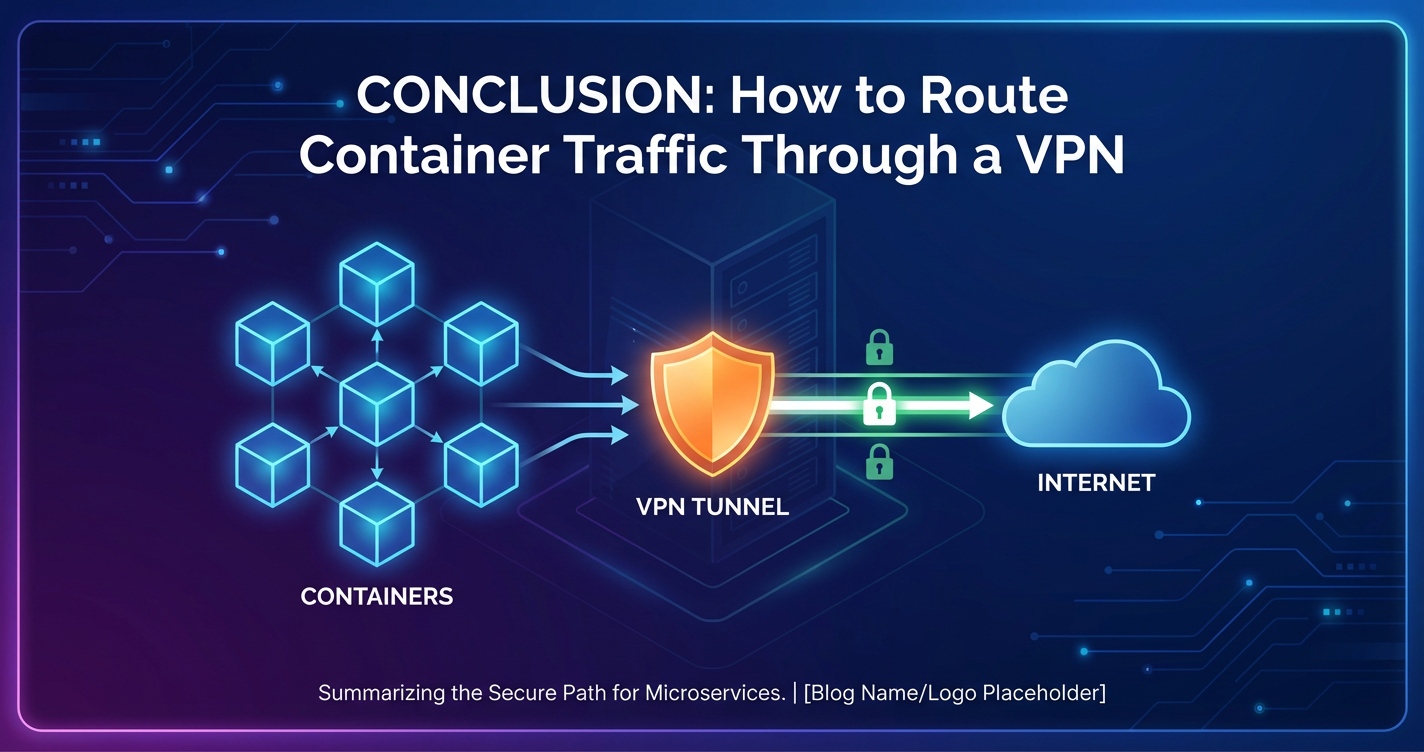
By meticulously addressing these considerations and implementing these best practices, organizations can build a robust and secure foundation for routing container traffic through VPNs, ensuring both protection and performance for their critical applications.
APIPark is a high-performance AI gateway that allows you to securely access the most comprehensive LLM APIs globally on the APIPark platform, including OpenAI, Anthropic, Mistral, Llama2, Google Gemini, and more.Try APIPark now! 👇👇👇
Integrating API Gateway with VPN for Enhanced Control and Security
In the modern microservices landscape, while VPNs provide essential network-level security, they don't solve the challenges of managing, securing, and scaling access to the services behind that network perimeter. This is where an API gateway becomes an indispensable component, working in synergy with VPNs to create a multi-layered security and management strategy.
The Indispensable Role of an API Gateway
An API gateway acts as a single entry point for all clients consuming your backend APIs. It sits between client applications and your microservices, performing a multitude of critical functions:
- Request Routing: Directing incoming requests to the appropriate backend service.
- Authentication and Authorization: Verifying client identity and permissions before forwarding requests.
- Rate Limiting and Throttling: Protecting backend services from overload.
- Traffic Management: Load balancing, circuit breaking, caching, and retry mechanisms.
- Request/Response Transformation: Modifying API calls and responses to meet client or service requirements.
- Protocol Translation: Enabling communication between different protocols (e.g., REST to gRPC).
- Security Policies: Applying fine-grained security rules beyond network-level encryption.
- Monitoring and Analytics: Collecting metrics and logs on API usage and performance.
Without an API gateway, clients would need to know the specific addresses and protocols of each microservice, leading to complex client-side logic and increased security risks by exposing internal service details.
API Gateway and VPN Synergy: A Multi-Layered Security Strategy
When container traffic is routed through a VPN, the API gateway enhances this setup by addressing the challenges of external access to those VPN-protected services. The VPN secures the network conduit, while the API gateway secures and manages the endpoints exposed through that conduit.
Consider a scenario where you have containerized microservices (e.g., a database service, an internal reporting tool) deployed in a private subnet within a cloud VPC, and these containers need to access on-premises legacy systems through a cloud provider's VPN service. Simultaneously, external client applications (e.g., mobile apps, web UIs) need to consume APIs from these microservices.
Here’s how an API gateway and VPN work together:
- Secure Internal Communication via VPN:
- The containerized microservices' traffic to the on-premises systems flows securely through the VPN tunnel. This is the network-level protection, ensuring data in transit is encrypted and access to the on-premises network is restricted.
- The VPN establishes a trusted network boundary for these internal communications.
- Controlled External Access via API Gateway:
- Instead of exposing the individual container IPs or internal load balancers directly to the internet, all external requests are directed to the API gateway.
- The API gateway handles the initial layer of security: authenticating the client, checking their authorization, applying rate limits, and potentially transforming the request.
- Crucially, the API gateway itself is then configured to route these validated requests to the appropriate backend microservice, which might be running within the VPN-protected subnet. The communication from the API gateway to these internal services would follow the secure internal network paths, potentially leveraging the same VPN infrastructure if the API gateway itself is deployed within the VPN-connected network segment or has direct access to it.
Use Case Example: Imagine a containerized "Order Processing" microservice deployed in a private Kubernetes cluster. This microservice needs to: * Securely fetch customer credit scores from a legacy system in an on-premises data center via a Site-to-Site VPN. * Expose a REST API for mobile apps to place orders.
An API gateway would be deployed at the edge of the Kubernetes cluster (or in a public-facing subnet of the VPC). When a mobile app makes an /orders API call: 1. The request hits the API gateway. 2. The API gateway authenticates the mobile app, applies rate limiting, and forwards the request to the internal "Order Processing" microservice. 3. The "Order Processing" microservice, when it needs the credit score, initiates a call that is automatically routed through the VPN tunnel to the on-premises legacy system. 4. The response from the legacy system returns via the VPN, the microservice processes it, and the final response is sent back through the API gateway to the mobile app.
This architecture ensures that sensitive internal data access is VPN-secured, while external interactions are managed and protected by the API gateway, providing a robust, layered security model.
Introducing APIPark: An Open Source AI Gateway & API Management Platform
For organizations seeking a powerful and flexible API gateway solution that can thrive in complex, VPN-enabled container environments, APIPark stands out. APIPark is an all-in-one open-source AI gateway and API management platform (Apache 2.0 license) designed to help developers and enterprises manage, integrate, and deploy AI and REST services with ease. Its capabilities are particularly relevant when dealing with containerized services that require secure routing through VPNs.
APIPark’s strength lies in its comprehensive feature set, which perfectly complements a VPN-secured container infrastructure:
- End-to-End API Lifecycle Management: APIPark assists with managing the entire lifecycle of APIs, including design, publication, invocation, and decommissioning. This is crucial for services behind a VPN, as it provides a structured way to expose and govern their APIs without direct exposure. APIPark helps regulate API management processes, manage traffic forwarding, load balancing, and versioning of published APIs. For example, if your VPN-routed containers offer multiple versions of an API, APIPark can manage the routing to specific versions transparently.
- Performance Rivaling Nginx: With just an 8-core CPU and 8GB of memory, APIPark can achieve over 20,000 TPS, supporting cluster deployment to handle large-scale traffic. This performance is vital because the API gateway itself should not become a bottleneck, especially when orchestrating traffic to potentially VPN-slowed backend services. APIPark ensures that the entry point to your services is highly efficient.
- API Service Sharing within Teams & Independent Access Permissions: APIPark allows for the centralized display of all API services, making it easy for different departments and teams to find and use the required API services. Furthermore, it enables the creation of multiple teams (tenants), each with independent applications, data, user configurations, and security policies. This is paramount for securely managing access to VPN-protected internal APIs, ensuring only authorized teams or tenants can discover and utilize them.
- API Resource Access Requires Approval: APIPark allows for the activation of subscription approval features, ensuring that callers must subscribe to an API and await administrator approval before they can invoke it. This prevents unauthorized API calls and potential data breaches, adding a crucial layer of access control on top of the network-level security provided by the VPN.
- Quick Integration of 100+ AI Models & Unified API Format for AI Invocation: For AI-driven containerized services, APIPark simplifies the integration and management of numerous AI models. It standardizes the request data format, ensuring that changes in AI models or prompts do not affect the application or microservices, thereby simplifying AI usage and maintenance costs. If your AI inference services are behind a VPN, APIPark can provide a unified, secure, and managed access point.
- Prompt Encapsulation into REST API: Users can quickly combine AI models with custom prompts to create new APIs, such as sentiment analysis, translation, or data analysis APIs. These new APIs can then be exposed and managed through APIPark, even if their underlying AI models or processing containers are routed through a VPN for secure backend access.
By deploying APIPark alongside your VPN solution, you gain unparalleled control over how your containerized APIs are exposed and consumed, balancing robust network security with efficient API management. It acts as the intelligent orchestration layer that ensures your secure backend services are also discoverable, manageable, and performant for your diverse client base.
The official website for APIPark is ApiPark.
Case Studies and Scenarios: Real-World Applications
Understanding the various methods and best practices is crucial, but seeing them in action through real-world scenarios helps solidify the concepts. Here, we explore several common use cases where routing container traffic through a VPN is a critical architectural decision.
Hybrid Cloud Scenario: On-Premises Containers Accessing Cloud Resources via VPN
Many enterprises operate in a hybrid cloud model, maintaining existing on-premises infrastructure while also leveraging the scalability and flexibility of public clouds. In this scenario, containerized applications deployed on-premises might need to securely communicate with services or data stores in a public cloud VPC.
Scenario: A containerized microservice (e.g., a batch processing job) runs in an on-premises Kubernetes cluster. This job needs to download large datasets from an AWS S3 bucket and upload processed results to an Azure Blob Storage, but only after securely accessing a proprietary data validation API running in a private subnet of an AWS VPC. Direct internet access for the on-premises containers is restricted for security and compliance reasons.
Solution: 1. Site-to-Site VPN: Establish a Site-to-Site VPN connection between the on-premises network gateway (e.g., a firewall or VPN appliance) and the AWS Virtual Private Gateway (VGW) attached to the AWS VPC where the data validation API is located. Similarly, set up another VPN tunnel to Azure VPN Gateway for access to Azure resources if needed, or route all cloud traffic through a central AWS VPN if inter-cloud connectivity is managed there. 2. On-Premises Routing: Configure the on-premises network's routers to direct traffic destined for the AWS VPC's CIDR block through the Site-to-Site VPN tunnel. 3. Container Networking: * Method 1 (Host-Level VPN): If all on-premises containers require AWS access, the Kubernetes worker nodes could be configured with a host-level VPN client that establishes a connection to a specific VPN server that acts as a secure gateway into AWS. This is simpler to manage. * Method 4 (Custom Overlay/SDN): For more granular control in Kubernetes, a CNI like Calico could be configured with egress network policies on the on-premises pods. These policies would force traffic destined for the AWS VPC through specific gateway nodes within the on-premises cluster that are configured to tunnel traffic into the VPN. 4. Security Groups/Network ACLs (AWS/Azure): Within the cloud VPCs, ensure that Security Groups and Network ACLs allow traffic from the VPN gateway IP ranges to reach the target containerized APIs and storage services. 5. DNS: Configure on-premises DNS servers or Kubernetes coredns to resolve internal AWS service endpoints (if applicable) through the VPN.
Value: This setup ensures that all communication between the on-premises containerized applications and the cloud-based data validation API is encrypted and authenticated over the VPN, meeting security and compliance mandates. The container can then securely interact with cloud storage, all while bypassing public internet exposure for sensitive data flows.
Multi-Cloud Scenario: Containers Across Different Clouds Communicating via VPN
As organizations adopt multi-cloud strategies, secure communication between containerized applications deployed across different cloud providers (e.g., AWS and GCP) becomes critical.
Scenario: A frontend microservice running in an AWS EKS cluster needs to securely retrieve user profiles from a backend database service deployed in a GCP GKE cluster. Direct peering between AWS VPCs and GCP VPCs is often complex or limited, and exposing the database publicly is unacceptable.
Solution: 1. Cloud VPN Gateways: Configure an AWS Site-to-Site VPN or AWS Transit Gateway with VPN attachments to establish a VPN tunnel to a GCP Cloud VPN Gateway in the GCP VPC. 2. Routing Tables: In both AWS and GCP, update the VPC routing tables associated with the container subnets. Add routes for the peer cloud's VPC CIDR block, pointing to the respective cloud VPN gateway. 3. Container Communication: The containers in AWS EKS can now directly address the backend database service in GCP GKE using its private IP address (or internal DNS name resolvable within the GCP VPC). The cloud providers' network infrastructure automatically routes this traffic through the established VPN tunnel. 4. Network Policies/Security Groups: Implement strict network policies in EKS (e.g., Calico Network Policies) and security groups in GCP to restrict which pods can initiate and receive traffic over the VPN tunnel.
Value: This enables secure, private communication between microservices spanning different cloud providers, treating them as if they were on a contiguous private network. This is crucial for data privacy, compliance, and maintaining a unified operational view across diverse cloud environments.
Remote Development Environment: Developers Accessing Containerized Dev Environments Securely
Providing developers with secure access to shared or dedicated containerized development and staging environments is a common challenge, especially with remote workforces.
Scenario: A team of remote developers needs to connect to a Kubernetes cluster running in a private AWS VPC. This cluster hosts various development microservices, databases, and CI/CD tools. Direct SSH access to nodes or exposing internal services is a security risk.
Solution: 1. Client-Server VPN (e.g., AWS Client VPN): Implement a client-server VPN solution like AWS Client VPN. This allows individual developers to connect their laptops directly to the AWS VPC using a VPN client. 2. Authentication: Integrate the VPN with an identity provider (e.g., AWS Directory Service, federated SAML) to manage developer access. 3. VPN Endpoints: Deploy AWS Client VPN endpoints in specific subnets of your development VPC. 4. Routing: Configure Client VPN to push routes to the entire development VPC's CIDR block to connecting clients. 5. Developer Access: Developers install the VPN client on their laptops, connect to the VPN, and then can securely access Kubernetes API servers, internal dashboards, or even use kubectl to interact with pods, all traffic flowing encrypted through the VPN. 6. Granular Access with APIPark: For specific development APIs or internal tools, APIPark can be deployed within the development cluster. Developers, once connected to the VPN, can then access these APIs via APIPark, benefiting from its access control, documentation, and unified interface. APIPark's feature for API resource access requires approval can be particularly useful here, allowing development leads to approve which developers get access to which internal APIs.
Value: This ensures that remote developers can securely access internal development resources without exposing them to the public internet, enhancing security, and maintaining control over the development environment.
IoT Edge Devices: Secure Communication from Edge to Central Data Center
IoT deployments often involve numerous edge devices generating data that needs to be securely transmitted to a central data center or cloud for processing and analysis. These edge devices might run containerized applications.
Scenario: A fleet of IoT gateway devices, each running Docker containers (e.g., for data collection, local processing), is deployed in remote, potentially insecure locations. These containers need to send telemetry data to a central Kafka cluster or a database in the main data center.
Solution: 1. Edge VPN Client (Method 1 or 2): Each IoT gateway device (or a dedicated VPN container on it) runs a lightweight VPN client (e.g., WireGuard). This client establishes a persistent VPN tunnel back to a central VPN server in the data center or cloud. 2. Central VPN Server/Gateway: A robust VPN server or gateway appliance in the data center (or cloud VPN service) is configured to accept connections from all edge devices. 3. Container Traffic Routing: All outbound traffic from the containerized applications on the IoT gateway device is routed through this VPN tunnel. This can be achieved by a host-level VPN or a sidecar VPN container that shares the network namespace with the data collection application. 4. Security Policies: Strict firewall rules on both the edge device and the central VPN gateway ensure that only authorized traffic (e.g., specific ports for telemetry) can traverse the tunnel.
Value: This setup guarantees end-to-end encrypted communication for sensitive IoT data, protecting it from interception and tampering in potentially hostile environments. It also provides a secure channel for remote management and updates of the containerized applications on the edge devices.
These case studies illustrate the versatility and necessity of integrating VPNs with containerized workloads across a wide range of modern architectures. The chosen method will always depend on the specific context, security requirements, and operational scale of the deployment.
Challenges and Troubleshooting: Navigating the Pitfalls of VPN-Routed Containers
While routing container traffic through a VPN offers significant security benefits, the inherent complexity of integrating disparate networking technologies can introduce a myriad of challenges. Effective troubleshooting requires a systematic approach and a solid understanding of potential failure points.
Connectivity Issues: The Most Common Hurdles
Connectivity problems are the bane of network engineers, and they are amplified when containers, bridges, and VPN tunnels are involved.
- VPN Client Configuration Errors: Incorrect server addresses, authentication credentials, certificate paths, or protocol settings are frequent culprits.
- Troubleshooting: Always check the VPN client logs first (e.g.,
journalctl -u openvpn@clientfor OpenVPN,wgcommand for WireGuard). Look for connection errors, authentication failures, or handshake issues. Verify all configuration files are correct and accessible.
- Troubleshooting: Always check the VPN client logs first (e.g.,
- Firewall Blocks:
iptablesrules on the Docker host, security groups in the cloud, or internal container network policies can inadvertently block VPN traffic or traffic destined for the VPN.- Troubleshooting: Temporarily disable firewalls (with extreme caution in production) to isolate the issue. Use
iptables -L -n -v(on host) or cloud console to review rules. Ensure necessary ports (e.g., UDP 1194 for OpenVPN, UDP 51820 for WireGuard) are open.
- Troubleshooting: Temporarily disable firewalls (with extreme caution in production) to isolate the issue. Use
- Routing Table Misconfigurations: If the VPN client fails to correctly update the host's or container's routing table, traffic won't be directed through the VPN interface.
- Troubleshooting: Use
ip route showon the host and inside the container (if sharing a network namespace or dedicatedgatewaycontainer). Verify that routes to VPN-protected destinations or the default route correctly point to the VPN interface (e.g.,tun0,wg0) or the VPN gateway IP. For containers using Method 3, ensure theip route del defaultandip route add default via ...commands are executing correctly in the entrypoint.
- Troubleshooting: Use
- TUN/TAP Device Issues: The virtual network device (
/dev/net/tun) is critical for VPNs. If it's not present or not properly mapped into the VPN container.- Troubleshooting: Verify
/dev/net/tunexists on the host. Ensure the VPN container hasdevices: /dev/net/tun:/dev/net/tunandcap_add: NET_ADMINconfigured.
- Troubleshooting: Verify
- IP Conflicts/Subnet Overlaps: If the VPN's assigned IP subnet, the Docker bridge network subnet, or the target private network subnets overlap, routing becomes ambiguous.
- Troubleshooting: Review all network configurations (
docker network inspect,ip a, VPN config) to ensure non-overlapping CIDR blocks.
- Troubleshooting: Review all network configurations (
Performance Bottlenecks: When Security Slows You Down
VPNs inherently introduce some performance overhead. When this overhead becomes significant, it impacts application responsiveness.
- VPN Protocol Overhead: Some protocols (e.g., older OpenVPN configurations) can be more CPU-intensive or add more packet overhead than others (e.g., WireGuard).
- Troubleshooting: If possible, try different VPN protocols. Ensure your OpenVPN setup uses efficient ciphers and hash algorithms.
- Network Latency: High latency between your Docker host/VPN gateway and the VPN server, or between the VPN server and the target resource, will directly translate to slower application performance.
- Troubleshooting: Ping the VPN server and the target resource from within the VPN tunnel to measure latency. Consider deploying your VPN gateway geographically closer to your containers or target resources.
- CPU Saturation: Encryption and decryption are CPU-bound tasks. If the VPN client or gateway container is starved for CPU, throughput will suffer.
- Troubleshooting: Monitor CPU usage (
htop,docker stats) on the VPN host or container. Increase CPU allocations or scale out VPN gateway instances if CPU is the bottleneck.
- Troubleshooting: Monitor CPU usage (
- MTU Issues and Fragmentation: Incorrect Maximum Transmission Unit (MTU) settings can cause IP packet fragmentation, leading to retransmissions and degraded performance.
- Troubleshooting: Use
ping -s <packet_size> -M do <destination_ip>(Linux) to test MTU values. Gradually reducepacket_sizeuntil packets pass without fragmentation. Adjust the VPN client's MTU setting accordingly.
- Troubleshooting: Use
DNS Problems: The Silent Killers
DNS resolution failures can be insidious, often manifesting as "cannot connect" errors rather than clear DNS issues.
- Incorrect DNS Servers: Containers using the wrong DNS servers (e.g., host's public DNS instead of VPN's internal DNS) will fail to resolve names for VPN-protected resources.
- Troubleshooting: Inside the container, check
/etc/resolv.conf. Ensure it points to the VPN's DNS server(s) or an internal DNS resolver that forwards to the VPN's DNS. Usenslookup <internal_hostname> <vpn_dns_ip>to test specific resolutions. Fornetwork_mode: service:vpn_container, ensure the VPN client pushes DNS correctly. For separate networks, explicitly set DNS in Docker Compose (dns: [vpn_dns_ip]).
- Troubleshooting: Inside the container, check
- DNS Leaks: Even if resolution works, DNS requests might leak outside the VPN tunnel, revealing browsing habits or internal resource access.
- Troubleshooting: Use a DNS leak test service (e.g.,
dnsleaktest.com) from within a container. If external DNS servers are reported, reconfigure the VPN client to strictly use its own DNS and/or applyiptablesrules to block DNS traffic outside the VPN tunnel.
- Troubleshooting: Use a DNS leak test service (e.g.,
IP Conflicts: The Overlapping Nightmare
As mentioned, overlapping IP address ranges are a critical issue.
- Troubleshooting: Meticulously map out all IP subnets: Docker bridges, VPN client IP range, VPN server internal network, and all target private networks. Redesign your network if overlaps are found. Docker
network inspectprovides details on container network subnets.
Debugging Tools and Techniques: Your Troubleshooting Arsenal
A set of powerful Linux and Docker tools are indispensable for diagnosing network issues:
docker exec -it <container_id> bash(orsh): Essential for accessing a container's environment to run network commands.docker network inspect <network_name>: Provides detailed information about Docker networks, including subnets, attached containers, and gateways.ip a/ip addr show: Displays network interfaces and their IP addresses.ip route show: Shows the routing table. Crucial for verifying default routes and specific routes.ping/traceroute(MTR): Basic connectivity tests and path tracing.traceroutecan help identify where packets are being dropped or misrouted.netstat -tuln/ss -tuln: Lists open ports and listening services.curl ifconfig.me(or similar service): From inside a container, this reveals the external IP address seen by the internet, verifying if the VPN tunnel is active for outbound traffic.tcpdump/wireshark: The ultimate tools for packet capture and analysis. Runtcpdump -i <interface> -non the host, the VPN interface (tun0/wg0), and inside the container's namespace (requires some tricks ornsenter) to see exactly where traffic is going or being dropped.iptables -L -n -v: Lists alliptablesrules with packet/byte counts, indicating if rules are being hit.- VPN Client Logs: As emphasized, these are often the first place to look.
Troubleshooting complex network configurations with VPNs and containers demands patience and a methodical approach. By leveraging these tools and systematically checking each layer of the network stack, you can efficiently identify and resolve issues, ensuring your containerized applications remain secure and connected.
Future Trends: Evolving Container Network Security
The landscape of container networking and security is constantly evolving. As organizations push the boundaries of cloud-native architectures, new challenges and innovative solutions emerge, further integrating security and networking at deeper levels.
Service Mesh Integration: Beyond the Network Perimeter
While VPNs secure the network perimeter, service meshes (like Istio, Linkerd, Consul Connect) focus on securing and managing communication between services within a cluster. They introduce a proxy (often Envoy) as a sidecar to each application container, intercepting all ingress and egress traffic.
- Mutual TLS (mTLS): Service meshes automatically enforce mTLS between services, encrypting all inter-service communication without application code changes. This is a crucial security layer that complements a VPN.
- Granular Traffic Control: They offer advanced traffic routing (e.g., canary deployments, A/B testing), load balancing, and circuit breaking.
- Observability: Service meshes provide deep telemetry, metrics, and distributed tracing for all service interactions.
Synergy with VPNs: A VPN secures traffic leaving the cluster or accessing external private networks. A service mesh secures traffic within the cluster. Together, they offer a formidable, end-to-end security posture. For instance, a service mesh might manage mTLS between internal microservices, and then the egress gateway of the mesh could be configured to route specific external traffic through a VPN tunnel.
Zero Trust Networking: Never Trust, Always Verify
The Zero Trust security model, gaining widespread adoption, fundamentally shifts from a perimeter-centric approach ("trust everything inside the network") to a "never trust, always verify" philosophy. Every request, regardless of its origin, is authenticated, authorized, and continuously monitored.
- Micro-segmentation: Zero Trust heavily relies on micro-segmentation, isolating workloads and applying granular access policies down to individual applications or even processes. Containers, with their inherent isolation and network namespaces, are ideal for implementing micro-segmentation.
- Identity-Driven Access: Access decisions are based on the identity of the user and device, not just network location.
- Continuous Monitoring: All traffic and access attempts are continuously monitored for anomalous behavior.
Impact on VPNs: In a pure Zero Trust model, the reliance on traditional network-level VPNs for internal network security might diminish, as micro-segmentation and service mesh mTLS provide more granular controls. However, VPNs will likely continue to play a crucial role for securing access to legacy systems, interconnecting different trust domains (e.g., hybrid cloud, remote access for developers), and acting as a secure gateway for traffic entering or leaving a Zero Trust-enabled environment.
Enhanced Container Network Security and Policy Enforcement
The capabilities of CNI plugins and container orchestrators are continually improving, offering more sophisticated network security features natively.
- Advanced Network Policies: Kubernetes Network Policies are becoming more expressive, allowing for fine-grained control over ingress and egress traffic based on labels, namespaces, IP ranges, and even specific ports/protocols.
- Runtime Security: Tools that monitor container behavior at runtime to detect and prevent malicious activities (e.g., unauthorized process execution, file access, or network connections). These can work in conjunction with VPNs by monitoring the traffic that does go through the VPN.
- Secure Multi-Tenancy: Features that enforce stronger isolation between tenants or teams sharing a Kubernetes cluster, ensuring that one tenant's containers or VPN configurations cannot impact another.
Quantum-Resistant Cryptography for VPNs
As quantum computing advances, the cryptographic algorithms currently used in VPNs (e.g., RSA, ECDSA) could become vulnerable. The research and development of quantum-resistant cryptography (also known as post-quantum cryptography or PQC) are ongoing.
- Future-Proofing VPNs: In the long term, VPN protocols will need to integrate PQC algorithms to ensure continued data confidentiality and integrity against future quantum attacks.
- Standardization: Efforts are underway by NIST and other organizations to standardize PQC algorithms. Once standardized, VPN clients and servers will adopt these algorithms, making the transition seamless for users but requiring updates to underlying cryptographic libraries.
These trends highlight a future where container security is deeply integrated into the entire application lifecycle, from development to deployment and runtime. VPNs will remain a vital tool, particularly for bridging trust boundaries and securing external network access, but they will increasingly be part of a larger, multi-layered security strategy that leverages service meshes, Zero Trust principles, and advanced platform-native security features. The role of an API gateway like APIPark will also expand, not just managing traditional REST APIs but also becoming an intelligent AI gateway, securing and orchestrating access to a myriad of sophisticated AI models and services, whether they are behind a VPN or integrated within a service mesh. This holistic approach is essential for building resilient, secure, and scalable cloud-native applications in the decades to come.
Conclusion: Securing the Digital Frontier of Containerized Applications
The journey through routing container traffic through a VPN reveals a landscape rich in technical detail, strategic considerations, and evolving best practices. From the foundational isolation provided by network namespaces to the intricate dance of routing tables and iptables rules, and the varied methodologies spanning host-level simplicity to advanced cloud-managed services, the imperative remains clear: securing containerized workloads is no longer an option, but a fundamental requirement for modern enterprises.
We have meticulously explored several distinct approaches to integrating VPNs with containers, each offering a unique balance of granularity, complexity, and performance. The Host-Level VPN provides a straightforward "all-or-nothing" solution, ideal for isolated, single-purpose environments. The Sidecar Container VPN offers a more targeted approach, encapsulating VPN functionality directly within the application's network namespace, suitable for microservices requiring specific secure egress. The Dedicated VPN Container as a Gateway centralizes VPN access, serving multiple application containers through explicit routing, albeit with increased configuration complexity. For large-scale Kubernetes deployments, Custom Network Overlays and SDNs with VPN integration provide enterprise-grade scalability and policy-driven control. Finally, Cloud Provider VPN Services offer a managed, highly available solution for hybrid and multi-cloud scenarios, abstracting away much of the underlying infrastructure.
Beyond mere implementation, we delved into the critical considerations that underpin a truly robust solution. Security, encompassing everything from least privilege and strong encryption to meticulous firewall rules and DNS leak protection, stands as the paramount concern. Performance optimization, through protocol selection, network monitoring, and MTU tuning, ensures that security does not come at an unacceptable cost. Reliability, high availability, and scalability are crucial for maintaining continuous operations and adapting to growing demands. And the often-overlooked aspects of DNS resolution and IP addressing underscore the importance of meticulous planning and configuration.
Crucially, the discussion highlighted the indispensable role of an API gateway in complementing VPN security. While VPNs fortify the network's perimeter, an API gateway like APIPark steps in to manage, secure, and optimize access to the API endpoints themselves, even when those services are nestled securely behind a VPN tunnel. APIPark's capabilities, from end-to-end API lifecycle management and robust access controls to detailed API call logging and powerful data analysis, provide the intelligent orchestration layer necessary for exposing secure, high-performing APIs in complex, containerized environments. It empowers organizations to balance stringent security with efficient API consumption, driving both developer productivity and business agility.
Looking ahead, the convergence of VPNs with service meshes, Zero Trust architectures, and advanced container network policies signals a future of increasingly integrated and sophisticated security layers. The continuous evolution of quantum-resistant cryptography also reminds us that the quest for security is an ongoing journey, requiring constant vigilance and adaptation.
In conclusion, routing container traffic through a VPN is a critical and achievable security measure for modern cloud-native applications. By carefully selecting the appropriate method, adhering to best practices, and strategically integrating complementary tools like API gateways, organizations can confidently navigate the complexities of container networking, securing their digital assets, and unlocking the full potential of their microservices architectures in an interconnected yet often hostile digital world.
Frequently Asked Questions (FAQ)
1. What is the primary reason to route container traffic through a VPN?
The primary reason is to enhance security and meet compliance requirements for containerized applications. A VPN provides an encrypted tunnel for data in transit, protecting sensitive information from eavesdropping and tampering. This is crucial for accessing restricted internal networks, interconnecting hybrid/multi-cloud environments securely, or ensuring data privacy for remote access scenarios, preventing direct exposure of internal services to the public internet.
2. Which VPN routing method is best for a small-scale Docker deployment with uniform security needs?
For a small-scale Docker deployment where all containers on a single host require the same VPN access, the Host-Level VPN method is often the simplest and most cost-effective. The VPN client runs directly on the Docker host, and all container outbound traffic will naturally flow through the established VPN tunnel. However, this method offers less granularity and requires careful configuration to prevent DNS or traffic leaks if the VPN connection drops.
3. How does an API gateway like APIPark integrate with container traffic routed through a VPN?
An API gateway (such as APIPark) complements VPN security by managing and securing external access to services that might be running behind a VPN. The VPN secures the internal network traffic and access to private resources. The API gateway sits at the edge, authenticating, authorizing, and routing external API requests to your backend services. If these backend services are behind a VPN, the API gateway ensures controlled and secure exposure, while the VPN protects the underlying network communication to those services. APIPark, for example, offers detailed API logging, access control, and performance management for these exposed APIs.
4. What are the key performance considerations when routing container traffic through a VPN?
Key performance considerations include the overhead introduced by encryption/decryption (which is CPU intensive), network latency to the VPN server, and packet fragmentation due to incorrect MTU settings. Choosing efficient VPN protocols like WireGuard, ensuring sufficient CPU resources for the VPN client, strategically locating VPN gateways, and optimizing MTU values are crucial for minimizing performance impact. Continuous monitoring of network and CPU metrics is also essential.
5. What are the common pitfalls and how can they be troubleshooted?
Common pitfalls include VPN client configuration errors, firewall blocks, incorrect routing table entries, and DNS resolution issues. Troubleshooting typically involves: * Checking VPN client logs for connection or authentication failures. * Inspecting iptables rules and cloud security groups to ensure traffic isn't blocked. * Verifying routing tables (ip route show) on the host and inside containers to confirm traffic is directed through the VPN interface or gateway. * Checking /etc/resolv.conf inside containers and using nslookup to diagnose DNS problems. * Using tcpdump for packet capture to analyze traffic flow at different network layers. * Running curl ifconfig.me from within a container to confirm the external IP address is that of the VPN.
🚀You can securely and efficiently call the OpenAI API on APIPark in just two steps:
Step 1: Deploy the APIPark AI gateway in 5 minutes.
APIPark is developed based on Golang, offering strong product performance and low development and maintenance costs. You can deploy APIPark with a single command line.
curl -sSO https://download.apipark.com/install/quick-start.sh; bash quick-start.sh

In my experience, you can see the successful deployment interface within 5 to 10 minutes. Then, you can log in to APIPark using your account.

Step 2: Call the OpenAI API.