How to Safely Use `curl --ignore-ssl`


The digital landscape is a vast, interconnected web where data flows ceaselessly between clients and servers. At the heart of this intricate network lies curl, a command-line tool of unparalleled versatility, enabling developers, system administrators, and cybersecurity professionals to interact with servers using a multitude of protocols. From simple HTTP requests to complex FTP transfers, curl is the go-to utility for a myriad of tasks. However, with great power comes great responsibility, particularly when navigating the nuances of secure communication protocols like SSL/TLS. This article delves into a specific, often misunderstood, and potentially perilous curl option: --ignore-ssl, also known by its shorthand -k or --insecure. While it offers a tempting shortcut around certificate validation errors, its implications for security are profound and far-reaching, particularly in an era where api interactions form the backbone of modern applications, often orchestrated through sophisticated api gateway solutions.
The primary purpose of SSL/TLS (Secure Sockets Layer/Transport Layer Security) is to establish a secure, encrypted, and authenticated channel between two communicating parties. It safeguards data confidentiality, ensuring that only the intended recipient can read the information, and data integrity, guaranteeing that the data has not been tampered with in transit. Crucially, it also provides authentication, verifying the identity of the server (and optionally the client) to prevent impersonation. When curl encounters an SSL/TLS error, it's typically signaling a failure in one of these critical security checks – perhaps the server's certificate is invalid, expired, or issued by an untrusted authority. The --ignore-ssl option bypasses these vital checks, allowing the connection to proceed despite the underlying security warning. This immediate convenience, however, often masks a spectrum of severe vulnerabilities, turning a seemingly innocuous command into a potential gateway for malicious actors. Our objective here is not to advocate for its use, but rather to meticulously dissect its functionality, expose its inherent dangers, outline the extremely rare and specific scenarios where its cautious, temporary application might be justified, and, most importantly, provide a comprehensive roadmap for secure alternatives and best practices. Understanding why it's dangerous and when/how to mitigate those risks is paramount for anyone interacting with network services, especially when those services are api endpoints, often managed and protected by an api gateway.
I. Introduction: The Double-Edged Sword of Convenience and Risk
In the bustling world of software development and system administration, curl stands as an indispensable utility. Its ubiquity stems from its powerful command-line interface, capable of fetching data, sending requests, and testing network connectivity across an astonishing array of protocols. Whether you’re a developer debugging a web hook, a DevOps engineer checking the health of a microservice, or a security analyst probing a remote endpoint, curl is almost certainly in your toolkit. The internet, as we know it today, largely relies on HTTPS, the secure version of HTTP, which is fortified by SSL/TLS encryption. This cryptographic protocol is the invisible guardian of our online interactions, meticulously ensuring that our sensitive data – from login credentials to financial transactions – remains confidential and untampered with as it traverses the public internet. It achieves this through a complex interplay of encryption, digital signatures, and a global system of trusted certificate authorities.
When curl attempts to establish an HTTPS connection, it performs a series of rigorous checks on the server's SSL/TLS certificate. These checks are designed to verify the server's identity and ensure the integrity of the connection. Should any of these checks fail – perhaps the certificate has expired, its domain name doesn't match the one you're connecting to, or it's signed by an unknown or untrusted entity – curl will, by default, refuse to proceed, issuing an error message. This default behavior is a critical security safeguard, preventing you from inadvertently connecting to an imposter server or one with a compromised certificate.
Enter the --ignore-ssl option, also known as --insecure or simply -k. Faced with a certificate validation error, developers and administrators, often under time pressure, might reach for this flag as a quick fix. It silences curl's complaints, allowing the connection to proceed regardless of the certificate's validity or trustworthiness. On the surface, this offers immediate convenience, circumventing what might seem like an arbitrary roadblock. However, this convenience comes at an extremely high cost: it entirely disables the very mechanism designed to protect against malicious server impersonation. By instructing curl to --ignore-ssl, you are effectively blindfolding your client and telling it to trust any server that presents any certificate, regardless of its authenticity. This is akin to accepting a document from an unknown individual who claims to be from a trusted institution, without bothering to check their credentials or the document's authenticity.
The core thesis of this comprehensive guide is to demystify this powerful yet dangerous option. We will peel back the layers to understand precisely why --ignore-ssl is a double-edged sword, exposing the underlying mechanisms of SSL/TLS that it bypasses, detailing the severe security risks it introduces, and identifying the extremely narrow contexts where its use might be considered (and even then, only with stringent precautions). Crucially, we will also outline a robust set of secure alternatives and best practices, ensuring that your curl interactions, especially those with vital api endpoints and secure api gateway systems, maintain the highest standards of security and integrity. It is a common misconception that --ignore-ssl is "safe enough" for internal networks or testing; this article will challenge that notion by illustrating the subtle yet significant attack vectors it opens up, even in seemingly controlled environments. The goal is to foster an informed approach, moving beyond mere convenience to embrace security as an integral component of all network interactions.
II. Deconstructing SSL/TLS: The Bedrock of Secure Communication
To fully grasp the dangers inherent in curl --ignore-ssl, one must first understand the foundational principles of SSL/TLS. This protocol suite forms the cornerstone of secure communication across the internet, ensuring that data exchanged between a client (like your web browser or curl) and a server remains private, unaltered, and originates from a verified source.
A. The Fundamentals of Encryption: Symmetric vs. Asymmetric Encryption
At its core, SSL/TLS relies on a sophisticated blend of two primary types of encryption: symmetric and asymmetric.
- Symmetric Encryption: This method uses a single, shared secret key for both encrypting and decrypting data. Think of it like a secure lockbox where the same key opens and closes it. It's incredibly efficient and fast, making it ideal for encrypting large volumes of data, such as the actual content of your web pages or
apiresponses. However, the critical challenge with symmetric encryption is securely exchanging this shared secret key between two parties who have no prior secure channel. If an attacker intercepts the key during its exchange, they can then decrypt all subsequent communications. - Asymmetric Encryption (Public-Key Cryptography): This method employs a pair of mathematically linked keys: a public key and a private key. The public key can be freely shared with anyone, while the private key must be kept secret by its owner. Data encrypted with the public key can only be decrypted by the corresponding private key, and vice-versa. This elegantly solves the key exchange problem: a client can encrypt a message (containing a symmetric key) using the server's public key, ensuring that only the server, with its private key, can decrypt it. Asymmetric encryption is computationally intensive and slower, making it less suitable for bulk data encryption but perfect for secure key exchange and digital signatures.
SSL/TLS expertly combines these two: it uses asymmetric encryption during the initial "handshake" to securely exchange a temporary, unique symmetric session key. Once this session key is established, all subsequent application data (like your api request or response) is encrypted using the faster symmetric encryption. This hybrid approach offers both strong security and high performance.
B. Certificate Authorities (CAs) and the Chain of Trust
Authentication is a vital component of SSL/TLS. How does your curl client know it's actually talking to example.com and not an imposter? This is where Certificate Authorities (CAs) come into play, forming a hierarchical "chain of trust." A CA is a trusted third-party entity that verifies the identity of websites and issues digital certificates (SSL/TLS certificates) to them.
When a server wishes to prove its identity, it obtains an SSL/TLS certificate from a CA. This certificate contains information about the server (e.g., its domain name), the CA that issued it, a public key, and a digital signature from the CA. The CA's digital signature attests to the authenticity of the certificate's contents.
Your operating system and web browsers come pre-configured with a list of "root certificates" from well-known, highly trusted CAs (e.g., DigiCert, Let's Encrypt, GlobalSign). These root certificates are the ultimate anchors of trust. When curl receives a server's certificate, it checks if it can trace a valid path, or "chain," back to one of these trusted root certificates. This often involves intermediary certificates, where a root CA issues a certificate to an intermediate CA, which then issues certificates to end-entity servers. If the chain is valid and untampered, and the signatures match at each step, curl can confidently assert that the server's identity has been verified by a trusted authority. This entire system is designed to prevent an attacker from simply creating a fake certificate and impersonating a legitimate service.
C. The Handshake Protocol: Step-by-Step Process of Establishing a Secure Connection
The SSL/TLS handshake is a fascinating, intricate dance between the client and server that occurs before any application data is exchanged. It's a multi-step process that negotiates cryptographic parameters, exchanges keys, and authenticates the server (and optionally the client).
- Client Hello: The client initiates the handshake by sending a "Client Hello" message. This includes the SSL/TLS versions it supports, a list of cipher suites (combinations of cryptographic algorithms for encryption, hashing, and key exchange) it's willing to use, a random number, and optionally its own session ID.
- Server Hello: The server responds with a "Server Hello," selecting the highest mutually supported SSL/TLS version and cipher suite, its own random number, and its digital certificate (which contains its public key). If client authentication is required (mutual TLS), it may also request the client's certificate.
- Certificate & Certificate Request (Optional): The server sends its public key certificate (and potentially its chain) to the client. If mutual TLS is in use, the server sends a "Certificate Request" message.
- Server Key Exchange (Optional): Depending on the cipher suite, the server might send additional key exchange parameters.
- Server Hello Done: The server signals that it's finished with its initial setup.
- Client Certificate (Optional): If requested, the client sends its own digital certificate for mutual authentication.
- Client Key Exchange: The client generates a pre-master secret, encrypts it using the server's public key (from the server's certificate), and sends it to the server. Both client and server then use this pre-master secret and their respective random numbers to independently derive a symmetric "master secret," and from that, the session keys used for bulk encryption.
- Change Cipher Spec: Both parties send "Change Cipher Spec" messages, signaling that all subsequent communication will be encrypted using the newly negotiated symmetric session key.
- Finished: Both client and server send "Finished" messages, which are encrypted with the new session key and contain a hash of all previous handshake messages. This acts as a final integrity check, ensuring the handshake hasn't been tampered with.
- Application Data: Only after a successful "Finished" exchange do both parties begin exchanging actual application data (e.g., HTTP requests/responses,
apicalls), all encrypted with the symmetric session key.
D. Common SSL/TLS Errors and Their Meanings
When curl encounters an issue during this handshake process, it typically aborts and provides an error. Understanding these errors is crucial for proper debugging:
Peer certificate cannot be authenticated with known CA certificates: This is one of the most common errors. It meanscurlcould not verify the server's certificate chain back to a trusted root CA in its trust store. This could be due to:- Self-signed certificate: The server is using a certificate it generated itself, not one issued by a public CA. Common in development, internal services, or initial device setup.
- Expired certificate: The certificate's validity period has passed.
- Untrusted intermediate CA: The certificate chain includes an intermediate CA whose certificate is missing or not trusted by your system.
- Missing CA bundle: Your
curlinstallation or operating system lacks the necessary root certificates.
SSL certificate problem: unable to get local issuer certificate: Similar to the above, indicating thatcurlcan't find the issuer of the server's certificate in its local trust store. Often means an intermediate certificate in the chain is missing from the server's configuration or your client's trust store.SSL certificate problem: common name 'example.com' doesn't match host 'www.example.com': This means the domain name in the certificate (the Common Name or Subject Alternative Name field) does not match the hostname you're trying to connect to. A common issue when accessing a server by IP address or a different hostname than what's specified in its certificate.SSL certificate problem: CA certificate key too weak: The certificate or one of its signers uses a cryptographic key that is considered too weak by modern standards, potentially making it vulnerable to brute-force attacks.SSL peer handshake failed, the server probably doesn't support TLS 1.2+: Indicates a protocol version mismatch or an issue during the handshake itself, possibly due to outdated server software or misconfiguration.
Each of these errors is a critical warning, a red flag raised by curl to protect your communication. Bypassing them with --ignore-ssl is akin to dismissing an alarm without investigating the cause.
E. Why Validation Matters: The Critical Role of Verifying Identity
The entire elaborate dance of SSL/TLS and the CA infrastructure is fundamentally about identity verification and secure key exchange. When curl validates an SSL/TLS certificate, it's performing several crucial checks:
- Is the certificate valid? Is it within its validity period? Is it properly formatted?
- Is the certificate issued by a trusted entity? Can its chain of trust be traced back to a root CA that my system trusts?
- Does the certificate belong to the server I'm trying to connect to? Does the domain name in the certificate match the hostname in my URL?
- Has the certificate been revoked? (Though CRL/OCSP checks can be complex and sometimes bypassed).
By performing these checks, curl ensures that:
- You are communicating with the intended server, not an impostor.
- The encryption keys exchanged during the handshake are genuinely derived from the legitimate server's public key.
- The data exchanged will be confidential and its integrity maintained against passive eavesdropping or active tampering.
Ignoring these validation steps with --ignore-ssl strips away all these protections, rendering your api calls and data transfers vulnerable to a host of attacks, primarily the dreaded Man-in-the-Middle (MitM) attack. It effectively turns a secure HTTPS connection into something barely more secure than plain HTTP, as the crucial element of server authentication is completely lost.
III. The Mechanics of curl --ignore-ssl (-k or --insecure)
Understanding what --ignore-ssl does is pivotal to comprehending its risks. It's a common misconception that this flag somehow "disables SSL" or removes encryption entirely. This is incorrect and dangerous thinking. The reality is more nuanced and, in some ways, more insidious.
A. What it Actually Does: Bypassing Certificate Validation, Not Disabling Encryption
When you use curl --ignore-ssl (or -k or --insecure), you are instructing curl to proceed with the connection even if it cannot verify the server's SSL/TLS certificate. Specifically, curl will perform the following actions:
- It will still attempt to establish an SSL/TLS connection. The SSL/TLS handshake will still occur.
- Encryption will still be used. The data transmitted between your
curlclient and the server will still be encrypted using the negotiated session keys. An eavesdropper passively monitoring the network traffic would still see encrypted gibberish, not plain text. - The critical difference:
curlwill not perform the standard verification steps for the server's certificate. It will ignore:- Whether the certificate is signed by a trusted Certificate Authority (CA).
- Whether the certificate has expired.
- Whether the domain name (Common Name or Subject Alternative Name) in the certificate matches the hostname you are connecting to.
- Whether the certificate has been revoked (though revocation checks are often configured separately and can be complex).
In essence, curl --ignore-ssl tells curl: "I don't care who you're talking to, just make sure the conversation is encrypted." This is the fundamental flaw. Encryption without authentication is like locking your valuables in a safe, but handing the key to a complete stranger who claims to be your trusted bank manager, without ever checking their ID. The safe is locked, but you have no guarantee about who holds the key on the other side.
B. The False Sense of Security: Data is Still Encrypted, But Who You're Talking to is Unverified
The most insidious danger of --ignore-ssl lies in the false sense of security it can engender. Because the connection appears to be HTTPS (the https:// prefix is still there), and the traffic is indeed encrypted, many users mistakenly believe the communication is secure. They might rationalize, "Well, at least my data is encrypted, so no one can snoop on it."
While it's true that the data payload itself is encrypted, the crucial missing piece is server authentication. Without verifying the server's certificate against a trusted CA, curl has no way of knowing if the server it's communicating with is actually the legitimate server you intended to contact. An attacker can exploit this by positioning themselves between your curl client and the legitimate server, performing a Man-in-the-Middle (MitM) attack.
In a MitM attack scenario with --ignore-ssl: 1. Your curl client tries to connect to api.example.com. 2. An attacker intercepts this connection. 3. The attacker then presents a fake SSL/TLS certificate to your curl client. Because you've used --ignore-ssl, your client accepts this fake certificate without question. 4. Your client proceeds to establish an encrypted connection with the attacker. 5. Simultaneously, the attacker establishes a separate, legitimate (or also --ignore-ssl'd) connection to the real api.example.com. 6. The attacker now sits in the middle, decrypting all traffic from your client, reading it, potentially modifying it, and then re-encrypting it before sending it to the real server. The same happens in reverse for responses.
The encryption is still active, but it's encrypting your data for the attacker, not for the legitimate server. This renders the encryption largely useless for security purposes, as the attacker has full visibility and control over the data flow.
C. Practical Syntax and Examples
The usage of --ignore-ssl is straightforward:
# Basic usage with --insecure
curl --insecure https://self-signed-example.com/api/data

# Shorthand -k
curl -k https://test-gateway.local/status

# Combining with other curl options
curl -k -X POST -H "Content-Type: application/json" -d '{"key": "value"}' https://dev.api.untrusted.net/submit
It's tempting to use this during development or when hitting internal api endpoints that might use self-signed certificates or have temporary misconfigurations. However, this convenience quickly breeds bad habits, blurring the lines between truly secure and insecure environments.
D. The Underlying Libcurl Behavior
curl is built on top of libcurl, a free and easy-to-use client-side URL transfer library. When you use --ignore-ssl, you are essentially instructing libcurl to set a specific option, CURLOPT_SSL_VERIFYPEER, to FALSE (and usually CURLOPT_SSL_VERIFYHOST to FALSE as well, for older versions or specific configurations, though CURLOPT_SSL_VERIFYPEER often implies it).
CURLOPT_SSL_VERIFYPEER: This option controls whetherlibcurlshould verify the authenticity of the peer's certificate. Setting it toFALSE(which--ignore-ssldoes) meanslibcurlwill not check if the certificate is valid, if it's expired, or if it's signed by a trusted CA.CURLOPT_SSL_VERIFYHOST: This option determines iflibcurlshould verify that the certificate's common name (or Subject Alternative Name) matches the host name in the URL. While typically set in conjunction withCURLOPT_SSL_VERIFYPEER, ifVERIFYPEERisFALSE,VERIFYHOST's effect is diminished because you're already trusting any certificate presented.
Understanding this underlying mechanism reinforces the point: --ignore-ssl is not subtly altering cryptographic strength; it is fundamentally disabling the trust mechanism that underpins secure communication. Any api interactions, especially those involving sensitive data, become critically vulnerable when this mechanism is disabled.
IV. The Grave Dangers of Unverified Connections
The decision to use curl --ignore-ssl might seem minor in a development or testing context, but its ramifications for security are severe. It systematically dismantles the protections offered by SSL/TLS, exposing communications to a range of sophisticated and damaging attacks.
A. Man-in-the-Middle (MitM) Attacks: The Primary Threat
The most direct and potent threat enabled by --ignore-ssl is the Man-in-the-Middle (MitM) attack. This attack vector allows an adversary to intercept, read, and potentially modify communication between two parties who believe they are communicating directly with each other.
- How an attacker intercepts and impersonates: In a MitM scenario, the attacker positions themselves logically or physically between the client and the server. When the
curlclient attempts to connect to a target server (e.g., anapi gateway), the attacker intercepts the connection request. Instead of allowing the request to reach the legitimate server, the attacker responds, presenting their own forged SSL/TLS certificate. Becausecurl --ignore-ssldisables certificate validation, the client blindly accepts this forged certificate. Simultaneously, the attacker establishes a separate, legitimate (or also compromised) connection to the actual target server. From this point forward, all data exchanged between thecurlclient and the actual server flows through the attacker's system. - Examples of data theft and manipulation: With full interception capabilities, the attacker can:
- Steal Sensitive Information: This is the most straightforward consequence. Any data transmitted – including API keys, authentication tokens, user credentials, personally identifiable information (PII), financial data, or proprietary business logic – can be read in plain text by the attacker. Imagine a
curlrequest sending sensitive data to anapi, only for it to be intercepted and logged by an adversary. - Inject Malicious Code: The attacker can modify
apiresponses. For instance, ifcurlis fetching a JavaScript file or a configuration update from anapi, the attacker could inject malicious code that gets executed on the client-side (ifcurlis part of a larger script or pipeline) or influences subsequent system behavior. - Redirect to Malicious Endpoints: An attacker could modify
apiresponses to redirect subsequent requests to their own malicious servers, further compromising the client. - Denial of Service: While less direct, an attacker could selectively drop or alter
apirequests, disrupting service availability.
- Steal Sensitive Information: This is the most straightforward consequence. Any data transmitted – including API keys, authentication tokens, user credentials, personally identifiable information (PII), financial data, or proprietary business logic – can be read in plain text by the attacker. Imagine a
B. Impersonation and Phishing
Beyond real-time interception, MitM capabilities enabled by --ignore-ssl facilitate sophisticated impersonation. An attacker can set up a server that completely mimics a legitimate api or gateway, using a self-signed or invalid certificate. If a user's scripts or manual curl commands habitually use --ignore-ssl, they could unknowingly direct their requests to this imposter server. This is a form of highly targeted phishing, where the "phished" party is not a human user but an automated script or a system process, potentially revealing credentials or other sensitive data to the attacker.
C. Data Integrity Compromise
SSL/TLS doesn't just encrypt data; it also ensures its integrity. It uses Message Authentication Codes (MACs) or Authenticated Encryption with Associated Data (AEAD) modes to detect any tampering with the data during transit. If even a single bit of encrypted data is altered, the MAC/AEAD check will fail, and the recipient will know the data has been compromised. When --ignore-ssl is used in a MitM scenario, the attacker can decrypt the data, modify it, and then re-encrypt it using their own session key before forwarding it. Since your client is communicating with the attacker's forged connection, it will only verify the integrity of the data from the attacker, not from the legitimate server. This means an attacker can subtly alter api requests or responses without your client ever detecting the modification, leading to corrupted data, erroneous system behavior, or even malicious commands being executed.
D. Credential Theft and Session Hijacking
Many api interactions involve authentication credentials, such as API keys, OAuth tokens, or session cookies. If these are sent over a connection where --ignore-ssl has been used, an attacker can easily capture them during a MitM attack.
- API Key Theft: An API key, often sent in a header or query parameter, is a prime target. Once stolen, an attacker can use this key to impersonate your application or user, making unauthorized calls to the
apiand accessing or manipulating data within your account or system. - Session Hijacking: If session cookies are transmitted, an attacker can steal these to hijack an active user session, bypassing login mechanisms and gaining unauthorized access to resources. This is particularly dangerous for
api gateways that rely on session-based authentication for downstream services.
E. Exposure of Sensitive Information
Modern apis, especially those managed by an api gateway or llm gateway like APIPark, frequently handle highly sensitive information. This includes, but is not limited to:
- Personally Identifiable Information (PII): User names, addresses, health data, social security numbers.
- Financial Data: Credit card numbers, bank account details.
- Proprietary Business Logic and Intellectual Property: Trade secrets, confidential algorithms, source code snippets.
- Internal Network Schemas: Details about backend service architecture.
- AI Model Prompts and Responses: For LLM Gateways, prompts can contain sensitive user queries or data, and responses might contain confidential information generated by the AI model. The Model Context Protocol (MCP) aims to secure this, but
--ignore-ssldirectly undermines it.
Any of this data, if exchanged over an unverified connection, becomes an open book for an attacker. The consequences can range from massive data breaches and regulatory fines to significant competitive disadvantage and reputational damage.
F. Reputation Damage and Compliance Issues
Beyond direct data loss, the use of --ignore-ssl in any environment where sensitive data is processed can lead to severe reputational damage for organizations. A data breach attributed to lax security practices, such as habitually bypassing SSL/TLS validation, can erode customer trust, lead to negative media coverage, and impact brand value.
Furthermore, many industries and regions have strict data protection regulations (e.g., GDPR, HIPAA, PCI DSS). These regulations often mandate the use of strong encryption and authentication for data in transit. Deliberately circumventing SSL/TLS validation, even if unintended for production, could be seen as a failure to implement appropriate security controls, potentially resulting in hefty fines and legal liabilities. Organizations that rely on api gateways for managing their api ecosystem need to ensure that their internal and external practices align with these stringent compliance requirements, making the casual use of --ignore-ssl a significant risk.
In summary, while --ignore-ssl offers momentary relief from a certificate error, it opens the door to a multitude of severe security vulnerabilities, turning what should be a secure communication channel into a high-risk avenue for data theft, tampering, and impersonation. Its deployment, even in seemingly benign contexts, should be approached with extreme caution and a full understanding of the dangers involved.
V. Legitimate Use Cases (and How to Make Them "Less Unsafe")
Despite the dire warnings, there are indeed very specific, limited scenarios where curl --ignore-ssl might be temporarily considered. Even in these cases, it's never a recommended long-term solution, and its use must be accompanied by stringent precautions and a clear understanding of the reduced security posture. The goal is always to address the underlying certificate issue, not bypass it indefinitely.
A. Internal Development and Testing Environments
This is the most common "justification" for using --ignore-ssl, but it's often misapplied.
- Scenario: Developers working on local machines or in isolated staging/development environments often use self-signed certificates for their services (e.g., a local backend
api, a developmentapi gatewayinstance, or a microservice). These certificates are not issued by a publicly trusted CA, socurlwill naturally reject them. - Rationale for using
-k: During rapid prototyping or debugging, generating and properly configuring a trusted certificate (even for internal CAs) can be an overhead.--ignore-ssloffers a quick way to get the connection working to test functionality. - Mitigation to make it "less unsafe":
- Strictly Isolated Networks: Ensure that the development environment is completely isolated from production networks and the public internet. No sensitive data that could be valuable to an external attacker should ever traverse these
--ignore-ssl-enabled connections. - VPNs: If development machines are not physically isolated, always use a Virtual Private Network (VPN) to encrypt the traffic between your client and the self-signed service, adding an extra layer of protection against local network MitM attacks.
- Temporary Usage: The use of
--ignore-sslshould be strictly temporary. Once functionality is confirmed, the goal should immediately shift to either configuring a proper internal CA and trust store or ensuring that the certificates in the development environment are valid and can be trusted without bypassing validation. - No Sensitive Data: Crucially, never transmit or process real sensitive data (e.g., production API keys, real user PII, financial information) over a connection that uses
--ignore-ssl, even in a development environment. Use mock data or anonymized datasets. - Automated Tests: While it's tempting to use
-kin automated integration tests against dev environments, consider if the testing framework can be configured with a custom CA bundle instead. This reinforces good security habits in your CI/CD pipeline.
- Strictly Isolated Networks: Ensure that the development environment is completely isolated from production networks and the public internet. No sensitive data that could be valuable to an external attacker should ever traverse these
B. Debugging SSL/TLS Issues (with extreme caution)
--ignore-ssl can occasionally serve as a diagnostic tool, but never as a solution.
- Scenario: You have an SSL/TLS connection failing, and you're unsure why. Is it a network issue, a server misconfiguration, or truly a certificate problem? Using
--ignore-sslonce can help determine if the problem is specifically related to certificate validation or if there's a more fundamental connectivity issue (e.g., firewall blocking the port, DNS resolution failure). Ifcurlconnects successfully with--ignore-ssl, it points directly to a certificate chain or validation problem. - Rationale: It helps to isolate the problem domain. If the connection still fails with
--ignore-ssl, then the issue is not certificate validation but something more fundamental at the network or application layer. - Mitigation:
- Combine with Verbose Output (
-v): Always combine--ignore-sslwithcurl -v(verbose output). This will still provide detailed information about the SSL/TLS handshake, even if validation is ignored. You can see the certificate details presented by the server, helping you identify issues like wrong common name, expiration date, or missing intermediate certificates. - Short-Lived Debugging: This use should be very brief and immediately followed by steps to rectify the actual certificate issue. It is never a permanent fix. The moment you understand the cause, remove
--ignore-ssland work towards a proper secure connection. - Controlled Environment: Only perform such debugging in controlled environments where network traffic is monitored or contained, minimizing the risk of a real MitM attack during the diagnostic phase.
- Combine with Verbose Output (
C. Specific Scenarios with Controlled Trust Anchors (rare and not strictly --ignore-ssl)
While not a direct use case for --ignore-ssl, it's related to scenarios where default public CA trust is insufficient or needs to be supplemented.
- Scenario: Large enterprises often deploy internal Root CAs or use SSL/TLS inspection proxies (like Zscaler, Palo Alto Networks, or some
api gatewaysolutions) that act as a MitM within their trusted network for security auditing or policy enforcement. These proxies intercept all SSL/TLS traffic, decrypt it, re-encrypt it with their own dynamically generated certificates (signed by an internal corporate CA), and forward it. Yourcurlclient, by default, will reject these proxy-generated certificates because they are not signed by publicly trusted CAs. - Rationale for a related solution: Instead of
--ignore-ssl(which is highly insecure here), the correct approach is to configurecurl(or the underlying system) to explicitly trust the corporate Root CA certificate. - Mitigation (correct approach): Distribute the corporate Root CA certificate to all client machines and configure
curlto use it via the--cacertoption or by placing it in the system's trust store. This ensures proper validation against a known and trusted internal authority, providing security without compromising the chain of trust. This is a secure practice, entirely distinct from using--ignore-ssl.
D. Initial Setup of Appliances/Devices with Factory Defaults
Many network appliances, IoT devices, or internal server components (e.g., hardware load balancers, network storage devices, embedded controllers) come out of the box with default self-signed certificates.
- Scenario: During the initial configuration of such a device, before you have a chance to provision a proper, trusted SSL/TLS certificate, you might need to access its web interface or
apivia HTTPS.curlor a web browser will complain about the self-signed certificate. - Rationale: To perform the initial setup, which includes installing a legitimate certificate.
- Mitigation:
- Immediate Replacement: The absolute first step after gaining initial access must be to replace the self-signed certificate with one issued by a trusted CA (internal or public) or to properly configure the device for secure operation.
- Isolated Access: Perform this initial setup from a physically secure and isolated network segment, ideally directly connected to the device, minimizing any exposure to potential MitM attacks during this vulnerable phase.
- Limited Scope: This
curl --ignore-ssluse is for a single, initial administrative action, not for ongoing operational use.
In all these "less unsafe" scenarios, the underlying principle remains: --ignore-ssl is a temporary bandage, not a cure. The ultimate goal is always to achieve full, verified SSL/TLS connections by resolving the root cause of the certificate validation failure. Any prolonged or routine use of --ignore-ssl is a critical security vulnerability waiting to be exploited.
VI. Secure Alternatives and Best Practices for curl
Given the substantial risks associated with curl --ignore-ssl, the overriding best practice is to avoid it altogether in any production or sensitive environment. Instead, focus on configuring curl and your systems to properly validate SSL/TLS certificates. This section outlines secure alternatives and best practices that ensure robust authentication and encryption for all your api and network interactions.
A. Always Prefer Full SSL/TLS Validation
The default behavior of curl is to perform full SSL/TLS certificate validation. This is the secure and recommended approach for almost all circumstances. When you omit --ignore-ssl, curl will:
- Attempt to establish an encrypted connection.
- Receive the server's certificate.
- Verify the certificate's chain of trust against your system's trusted Certificate Authority (CA) bundle.
- Check if the certificate is valid (not expired, correct usage).
- Ensure the hostname in the URL matches the domain name specified in the certificate.
If all these checks pass, curl proceeds securely. If any fail, curl aborts with an informative error, prompting you to investigate the underlying issue. This is the intended and safest mode of operation.
B. Specifying a Custom CA Certificate Bundle (--cacert)
This is the secure alternative when dealing with services that use certificates not issued by publicly trusted CAs but by a custom, internal, or enterprise-specific CA.
- Scenario: You need to interact with an internal
api gateway, a corporate service, or a testing environment that uses certificates signed by your organization's own Root or Intermediate CA. Your system's default trust store doesn't recognize this internal CA. - Solution: Obtain the
.pemfile for your organization's Root CA (or the specific CA that signed the server's certificate). Then, instructcurlto use this custom trust anchor:bash curl --cacert /path/to/my_corporate_ca.pem https://internal-api.mycompany.com/data - Benefits:
- Maintains Trust Chain: You are still performing full validation; you're just extending
curl's trust to include your specified internal CA. - Security: This protects against MitM attacks, as
curlwill only trust certificates signed by your specified CA, not just any certificate.
- Maintains Trust Chain: You are still performing full validation; you're just extending
- Best Practice: Ensure the
/path/to/my_corporate_ca.pemfile is securely managed, kept up-to-date, and distributed appropriately within your organization.
C. Client-Side Certificates (--cert, --key): Mutual TLS
For enhanced security, especially when interacting with critical apis or api gateways, Mutual TLS (mTLS) can be implemented. This requires both the server and the client to present and validate each other's certificates.
- Scenario: Your
api gatewayis configured to only accept connections from clients that present a valid client certificate signed by a trusted CA. This provides an additional layer of authentication, ensuring that not only are you talking to the right server, but the server is also talking to the right client. - Solution: You need a client certificate (often a
.pemor.p12file) and its corresponding private key.bash curl --cert /path/to/client.pem --key /path/to/client.key https://secure-api-gateway.example.com/resourceIf your certificate and key are in a single PKCS#12 file, you might use:bash curl --cert /path/to/client.p12:password https://secure-api-gateway.example.com/resource - Benefits:
- Stronger Authentication: Prevents unauthorized clients from accessing the
api, even if they have stolen API keys, as they also need a valid client certificate. - Zero Trust Architecture: A cornerstone of zero-trust security models, ensuring that every connection is authenticated and authorized.
- Stronger Authentication: Prevents unauthorized clients from accessing the
- Considerations: Managing client certificates securely (issuance, distribution, revocation, and protection of private keys) is crucial.
api gateways like APIPark can facilitate the management and enforcement of mTLS policies.
D. Using Proxies for Inspection (e.g., Burp Suite, Fiddler)
When you intentionally want to intercept and inspect SSL/TLS traffic for debugging or security testing (e.g., penetration testing an api), you can use an SSL/TLS-intercepting proxy.
- Scenario: You are developing or testing an
apiand need to see the unencrypted HTTP requests and responses flowing through an HTTPS connection. You want to analyze headers, payloads, and potentially modify them. - Solution: Tools like Burp Suite, OWASP ZAP, or Fiddler act as local MitM proxies. You configure
curlto use this proxy, and you also install the proxy's Root CA certificate into your system's trust store. This way, yourcurlclient trusts the proxy to generate certificates for the domains it intercepts.bash # Assuming proxy is running on localhost:8080 # First, ensure Burp/Fiddler's CA cert is installed in your system's trust store curl --proxy http://localhost:8080 https://api.example.com/test - Benefits:
- Full Visibility: Allows complete inspection and modification of encrypted traffic in a controlled environment.
- Security Testing: Essential for identifying vulnerabilities in
apiimplementations.
- Considerations: This must only be done in controlled, isolated testing environments with explicit consent. Never use a proxy you don't control, and always remove the proxy's CA certificate from your trust store when not actively performing testing.
E. Upgrading curl and OS Trust Stores
The ability of curl to validate certificates correctly depends on an up-to-date trust store.
- Best Practice:
- Keep
curlupdated: Newer versions ofcurloften come with updated CA bundles or better default security settings. - Update Operating System: Ensure your operating system (Windows, macOS, Linux) is regularly updated. OS updates typically include refreshed lists of trusted Root CA certificates. Outdated OS versions might not trust newer CAs or might still trust CAs that have been deprecated or deemed insecure.
- Verify CA Bundle Location: Know where your
curlinstallation looks for its CA bundle (e.g.,/etc/ssl/certs/ca-certificates.crton Debian/Ubuntu,/etc/pki/tls/certs/ca-bundle.crton RHEL/CentOS, or specific paths on Windows/macOS). Ensure this file is present and up-to-date.
- Keep
F. Environmental Variables (CURL_CA_BUNDLE)
For managing custom CA bundles across multiple curl invocations or within scripts, environmental variables offer a convenient and consistent method.
- Scenario: You frequently interact with internal services that use a custom corporate CA, and you want to avoid specifying
--cacertfor everycurlcommand. - Solution: Set the
CURL_CA_BUNDLEenvironment variable to point to your custom CA bundle file.bash export CURL_CA_BUNDLE=/path/to/my_corporate_ca.pem curl https://internal-api.mycompany.com/data # --cacert is now implicit - Benefits: Simplifies scripting and ensures consistent application of your custom trust policy.
- Considerations: This variable affects all
curlcommands run in that shell session. Ensure the CA bundle is correctly managed and secure.
By adopting these secure alternatives, you move beyond the precarious convenience of --ignore-ssl to a robust security posture that protects your api calls, data, and overall system integrity. The emphasis should always be on fixing the certificate issue or explicitly establishing trust, rather than blindly bypassing critical security checks.
VII. curl --ignore-ssl in the Context of API Interactions and Gateways
The modern software landscape is dominated by api-driven architectures, microservices, and specialized gateways that manage complex interactions. Within this ecosystem, the secure handling of curl commands, especially concerning SSL/TLS, becomes not just a best practice but a critical operational imperative. The casual use of --ignore-ssl can have devastating consequences, particularly when interacting with api gateways or even more specialized systems like llm gateways.
A. Testing APIs: The Temptation to Use --ignore-ssl During API Development
During the fast-paced cycles of api development, it's incredibly tempting for developers to use --ignore-ssl (or -k) when testing newly created api endpoints. A common scenario involves a local development server running with a self-signed certificate, or perhaps a staging environment where certificate provisioning is lagging behind code deployment. When curl throws a certificate error, the immediate inclination is often to add -k to "just make it work" and quickly verify the api's functionality.
- Why it's a bad habit even for local development: This seemingly innocuous shortcut fosters a dangerously complacent security mindset. Developers become accustomed to bypassing security checks, making it more likely that
-kmight inadvertently find its way into automated scripts, integration tests, or even production configurations. This habit can obfuscate legitimate certificate issues that should be addressed, such as an expired certificate in a staging environment that will soon fail in production. It also sets a poor example for team members and external contributors. - The importance of realistic testing environments: True
apitesting should ideally mimic production conditions as closely as possible. This includes having valid, trusted SSL/TLS certificates even in staging or pre-production environments. If self-signed certificates are a necessity in local development, developers should be trained to use a custom CA bundle (--cacert) or, failing that, to understand the temporary and isolated nature of--ignore-sslusage, strictly for diagnostic purposes. A good practice is to integrate certificate validation into development pipelines and CI/CD processes, ensuring that insecure configurations are flagged early.
B. Interacting with API Gateways
api gateways are strategic components in microservice architectures and monolithic applications alike. They act as single entry points for various api requests, abstracting backend services, providing features like authentication, authorization, rate limiting, logging, and traffic management. An api gateway is typically exposed over HTTPS and meticulously configured with valid, publicly trusted SSL/TLS certificates to secure all inbound traffic.
- API Gateways Mandate Strong SSL/TLS: Solutions like APIPark are designed as robust
api gateways to provide a secure and efficient way to manage, integrate, and deploy AI and REST services. A core feature of any responsibleapi gatewayis its commitment to strong security protocols, including comprehensive SSL/TLS enforcement. This ensures that allapicalls passing through thegatewayare encrypted and authenticated, protecting both the client and the backend services. - Bypassing Validation Negates a Key Security Feature: When you use
curl --ignore-sslto interact with anapi gateway, you are directly undermining its foundational security mechanisms. Thegatewayis designed to be the trusted front door to your services, verifying the identity of clients and securing the communication channel. If yourcurlcommand bypasses SSL/TLS validation, you're essentially tellingcurlto ignore any potential imposter trying to masquerade as yourapi gateway. This opens up all the MitM attack vectors discussed earlier, exposing yourapirequests, authentication credentials, andapiresponses to interception and manipulation. - APIPark's Role in Unified API Management and Security: APIPark, as an open-source AI gateway and API developer portal, offers features like unified
apiformats, robust security policies, and end-to-endapilifecycle management. These features inherently rely on secure communication channels. For instance, APIPark’s capability to integrate 100+ AI models with unified authentication and cost tracking, or its provision for independentapiand access permissions for each tenant, would be severely compromised if clients routinely ignored SSL/TLS warnings. The platform's emphasis on detailedapicall logging and powerful data analysis for security and performance would also be undermined if the integrity of the underlying communication channel could not be guaranteed. Therefore, when interacting with anapi gatewaylike APIPark, ensuring full SSL/TLS validation is paramount to preserving the integrity and security of the entireapiecosystem. - Never in Production: It cannot be stressed enough:
--ignore-sslshould never, under any circumstances, be used when interacting with a productionapi gateway. Doing so creates a critical vulnerability that could lead to data breaches, service disruption, and severe reputational and financial damage.
C. LLM Gateways and Model Context Protocol (MCP)
The rise of Large Language Models (LLMs) and AI services introduces new layers of complexity and criticality to api interactions. llm gateways are specialized api gateways designed to manage access to, orchestrate, and secure interactions with various AI models. The Model Context Protocol (MCP) likely refers to a structured, secure way of handling the context, prompts, and responses during interactions with AI models, ensuring data consistency and security.
- Even More Critical for Sensitive AI Data: Data sent to LLMs can be highly sensitive. It might include proprietary business data, confidential user queries, personal information, or trade secrets that inform the AI's response. The AI's responses themselves can also contain sensitive generated content. If an
llm gatewayis accessed withcurl --ignore-ssl, the prompts and responses traversing the network become vulnerable. An attacker could intercept user queries, steal sensitive data, or even inject malicious prompts designed to manipulate the AI's behavior or extract information. - Undermining Model Context Protocol (MCP): If the MCP specifies secure communication channels and robust authentication, then bypassing SSL/TLS validation directly undermines the protocol's security guarantees. The very purpose of a protocol like MCP is to ensure that interactions with sensitive AI models are controlled and secure.
- Consequences of MitM Attacks on AI-Driven API Calls: Imagine an attacker intercepting an
apicall to anllm gatewaythat's generating a legal brief or analyzing medical records. With--ignore-sslenabled, the attacker could read the sensitive prompt, potentially alter it to extract more information, or even manipulate the AI's response before it reaches the client. This has profound implications for data privacy, legal compliance, and the trustworthiness of AI systems.
D. Troubleshooting Gateway Connectivity
There might be rare instances where an api gateway is initially misconfigured, leading to certificate errors.
- Scenario: An
api gatewayadministrator is deploying a newgatewayinstance or configuring a new endpoint. Thegatewayis accessible, butcurlfails with an SSL/TLS error. Usingcurl --ignore-ssl -vmight reveal the immediate cause (e.g., certificate is self-signed, common name mismatch because the wrong domain was used, or the certificate chain is incomplete). - The Goal is Always to Fix the Underlying Certificate Problem: While
--ignore-sslmight provide a quick diagnostic hint, the absolute goal should be to rectify theapi gateway's certificate configuration. This means:- Ensuring the
gatewayhas a valid certificate issued by a trusted CA. - Configuring the full certificate chain on the
gateway(including intermediate certificates). - Verifying that the hostname used in
curlmatches the domain name on the certificate. - If using an internal CA, ensuring that client systems are configured to trust that CA.
- Ensuring the
In essence, an api gateway is a security enforcement point. Bypassing its SSL/TLS validation mechanism is akin to dismantling the fortress's main gate. Whether you're interacting with a general api gateway, an llm gateway, or any api endpoint, robust SSL/TLS verification is non-negotiable for maintaining security, integrity, and trust in your distributed systems.
VIII. Practical Debugging Strategies Without --ignore-ssl
The ideal approach to any SSL/TLS error is to understand and resolve the underlying issue rather than bypassing it. This not only fixes the problem but also reinforces secure practices. Here are practical debugging strategies that allow you to diagnose certificate issues effectively without resorting to --ignore-ssl.
A. Using curl -v (Verbose Output)
The -v (verbose) option is your best friend when debugging curl issues, especially SSL/TLS errors. It provides a wealth of information about the entire connection process, including detailed steps of the SSL handshake.
curl -v https://example.com/api/status
- What to look for in the output:
- Certificate Chain:
curlwill show you the certificates presented by the server, including the common name (CN), issuer, validity dates, and the chain of trust. Look for "subjectAltName" for modern certificates. - SSL/TLS Version and Cipher Suite: It displays the negotiated protocol version (e.g., TLSv1.2, TLSv1.3) and the cipher suite.
- Verification Status: Explicit messages about why certificate verification failed (e.g., "SSL certificate problem: unable to get local issuer certificate", "SSL certificate problem: self signed certificate"). This directly tells you the nature of the problem.
- Handshake Details: Step-by-step progress of the SSL/TLS handshake.
- HTTP Headers: The request and response HTTP headers, which can sometimes reveal server configurations or redirects impacting SSL.
- Certificate Chain:
By carefully examining the verbose output, you can often pinpoint the exact nature of the certificate problem: an expired certificate, a common name mismatch, a missing intermediate certificate in the server's chain, or a completely untrusted self-signed certificate.
B. OpenSSL s_client for Deeper Inspection
For even deeper analysis of a server's SSL/TLS configuration and certificate chain, the openssl s_client command-line utility is invaluable. It initiates an SSL/TLS connection and dumps a detailed report.
openssl s_client -connect hostname:port -showcerts -debug
Replace hostname and port (typically 443 for HTTPS).
-showcerts: Displays the entire certificate chain presented by the server, allowing you to examine each certificate individually. This is crucial for identifying missing intermediate certificates.-debug: Provides even more verbose output about the handshake process.- Other useful options:
-verify_hostname <hostname>: Explicitly verifies the hostname against the certificate.-CApath /etc/ssl/certs: Specifies a directory containing trusted CA certificates.-CAfile /path/to/ca.pem: Specifies a single trusted CA file.
- What to look for in the output:
Verify return code:: This is the most important line. A0 (ok)means the certificate chain was successfully verified. Anything else indicates an error code you can look up in OpenSSL documentation (e.g.,20 (unable to get local issuer certificate),21 (unable to verify the first certificate)).- Certificate Details: Parse the
Certificate chainsection for each certificate'ssubject,issuer,Not BeforeandNot Afterdates (for validity), andX509v3 Subject Alternative Name(SAN) entries. - Protocol and Cipher: Confirms the negotiated SSL/TLS version and cipher suite.
openssl s_client is particularly powerful for diagnosing issues with certificate chain completeness from the server's side or verifying custom CA setups for an internal api gateway.
C. Checking System CA Bundles
curl relies on a system-wide or libcurl-specific bundle of trusted Root CA certificates. If this bundle is missing, outdated, or corrupted, curl will fail to validate legitimate certificates.
- Location:
- Linux (Debian/Ubuntu):
/etc/ssl/certs/ca-certificates.crt(or individual files in/etc/ssl/certs/) - Linux (RHEL/CentOS):
/etc/pki/tls/certs/ca-bundle.crt - macOS: Uses the system's Keychain Access.
curllinked against Secure Transport will use it; linked against OpenSSL might use/usr/local/etc/openssl/cert.pem. - Windows: Uses the Windows Certificate Store.
- Linux (Debian/Ubuntu):
- Verification and Updates:
- Ensure the file/store exists.
- On Linux, use commands like
update-ca-certificates(Debian/Ubuntu) orupdate-ca-trust extract(RHEL/CentOS) to refresh and update the bundle. - Manually add custom corporate CAs to this bundle (e.g., for an internal
api gateway) if--cacertis not feasible for everycurlcall. This is usually done by placing the.pemfile in a trusted directory and running the update command.
D. Network Diagnostics (ping, traceroute, telnet)
Sometimes, an "SSL certificate problem" error is a symptom of a more fundamental network connectivity issue, masquerading as a certificate problem because the SSL/TLS handshake can't even begin properly.
ping hostname: Checks basic IP connectivity and DNS resolution. Ifpingfails, you have a network connectivity problem, not an SSL problem yet.traceroute hostname(ortracert hostnameon Windows): Maps the network path to the host, identifying firewalls or routers that might be blocking traffic.telnet hostname port: Attempts a raw TCP connection to the specified port. Iftelnetfails to connect (e.g., "Connection refused"), then a firewall, incorrect port, or server not listening on that port is the issue, preventing any SSL/TLS negotiation from starting.bash telnet api.example.com 443If you get a blank screen or a successful connection, it indicates TCP connectivity, and the issue is likely indeed SSL/TLS.
E. Verifying DNS Resolution
Common Name Mismatch errors (e.g., common name 'example.com' doesn't match host 'www.example.com') often stem from incorrect DNS resolution or a mismatch between the requested hostname and the certificate's subject.
dig hostname(ornslookup hostname): Verifies that the hostname resolves to the correct IP address.- Check
hostsfile: Ensure there are no overriding entries in your localhostsfile (/etc/hostson Linux/macOS,C:\Windows\System32\drivers\etc\hostson Windows) that point the hostname to an incorrect IP. - Certificate Subject Alternative Names (SANs): Modern certificates primarily use SANs to list all valid hostnames. Ensure the hostname you're using is present in the certificate's SAN list (inspectable via
openssl s_clientorcurl -v).
By systematically applying these debugging techniques, you can accurately identify the root cause of SSL/TLS validation failures without resorting to the insecure --ignore-ssl option. This approach not only solves the immediate problem but also contributes to a more secure and resilient infrastructure for your api communications.
IX. Designing Secure Systems: Beyond curl
While curl is a powerful client-side tool, true system security extends far beyond individual commands. A holistic approach is required, encompassing server configuration, network architecture, and continuous vigilance. Designing secure systems, particularly those involving apis and gateways, demands proactive measures to prevent vulnerabilities that might otherwise tempt users to resort to insecure options like curl --ignore-ssl.
A. Importance of Proper Certificate Management
At the heart of secure communication lies robust certificate management. This is not a "set it and forget it" task.
- Regular Renewals: Certificates have validity periods. Failing to renew them before they expire is a common cause of SSL/TLS errors. Implement automated systems for certificate renewal (e.g., Let's Encrypt with Certbot) or integrate certificate management with your
api gateway(like APIPark or similar commercial offerings) to streamline the process. - Secure Storage: Private keys associated with certificates must be stored securely, protected from unauthorized access. Use Hardware Security Modules (HSMs) or secure key vaults where appropriate.
- Revocation Mechanisms: Be prepared to revoke compromised certificates quickly. Implement and monitor Certificate Revocation Lists (CRLs) or Online Certificate Status Protocol (OCSP) where feasible, though these can add complexity.
- Certificate Transparency (CT): For publicly trusted certificates, leverage CT logs to monitor for unauthorized certificate issuance for your domains.
B. Security Headers and Best Practices for Servers
Server configurations play a critical role in enforcing client-side security.
- Strict-Transport-Security (HSTS): Implement HSTS header to instruct browsers (and often other clients) to only connect to your domain via HTTPS, even if the user types
http://. This helps prevent downgrade attacks. - Content Security Policy (CSP): Use CSP to mitigate cross-site scripting (XSS) and other content injection attacks by specifying which dynamic resources are allowed to load.
- X-Content-Type-Options:
nosniff: Prevents browsers from MIME-sniffing a response away from the declaredContent-Type, which can lead to XSS. - X-Frame-Options:
DENYorSAMEORIGIN: Protects against clickjacking attacks. - Use Strong SSL/TLS Configurations: Configure your web servers and
api gateways to only support strong, modern SSL/TLS versions (e.g., TLS 1.2, TLS 1.3) and robust cipher suites, disabling older, vulnerable protocols (SSLv2, SSLv3, TLS 1.0, TLS 1.1) and weak ciphers. Regularly audit yourapiendpoints for such misconfigurations.
C. Network Segmentation and Firewalls
A well-architected network provides layered defense.
- Network Segmentation: Divide your network into isolated segments (e.g., DMZ for public-facing
api gateways, internal networks for backend services). This limits the lateral movement of attackers if one segment is breached. - Firewalls and Security Groups: Configure firewalls and security groups to restrict traffic to only necessary ports and protocols. For example, your
api gatewayshould only accept inbound HTTPS traffic on port 443, and your backendapis might only accept traffic from theapi gateway's internal IP addresses. - Intrusion Detection/Prevention Systems (IDS/IPS): Deploy IDS/IPS solutions to monitor network traffic for suspicious patterns and block known attack signatures, providing an additional layer of defense against MitM and other network-based attacks.
D. Regular Security Audits and Penetration Testing
Proactive security validation is essential.
- Automated Scanners: Use automated vulnerability scanners to regularly check your
apiendpoints, web applications, and infrastructure for common vulnerabilities, including SSL/TLS misconfigurations. - Manual Penetration Testing: Engage security professionals to conduct manual penetration tests. They can identify complex logical vulnerabilities and sophisticated attack vectors that automated tools might miss, including weaknesses that might be exploited if
--ignore-sslis inadvertently used. - Code Review: Integrate security into your development lifecycle with peer code reviews, specifically looking for insecure patterns or hardcoded credentials.
E. Education and Awareness
Technology alone is not enough; human factors are often the weakest link.
- Developer Training: Educate developers, QA engineers, and operations staff on the importance of SSL/TLS, the dangers of
--ignore-ssl, and how to properly configure and debug secure connections. This includes training on secureapidevelopment practices (e.g., input validation, output encoding, proper authentication). - Security Culture: Foster a strong security culture within your organization where security is everyone's responsibility, not just a dedicated security team. Encourage reporting of suspicious activity and provide clear guidelines for secure operations.
- Documentation: Maintain clear and up-to-date documentation on secure configurations,
apisecurity policies, and incident response procedures.
By adopting these comprehensive measures, organizations can move beyond merely reacting to security incidents to proactively building resilient and secure systems. This foundational security posture ensures that tools like curl are used as intended – as powerful and secure clients – rather than as vectors for unintended vulnerabilities, safeguarding api interactions and protecting valuable data throughout its lifecycle. This is particularly vital for platforms like api gateways, which stand as the frontline defense for your services.
X. Conclusion: The Path to Resilient and Secure Interactions
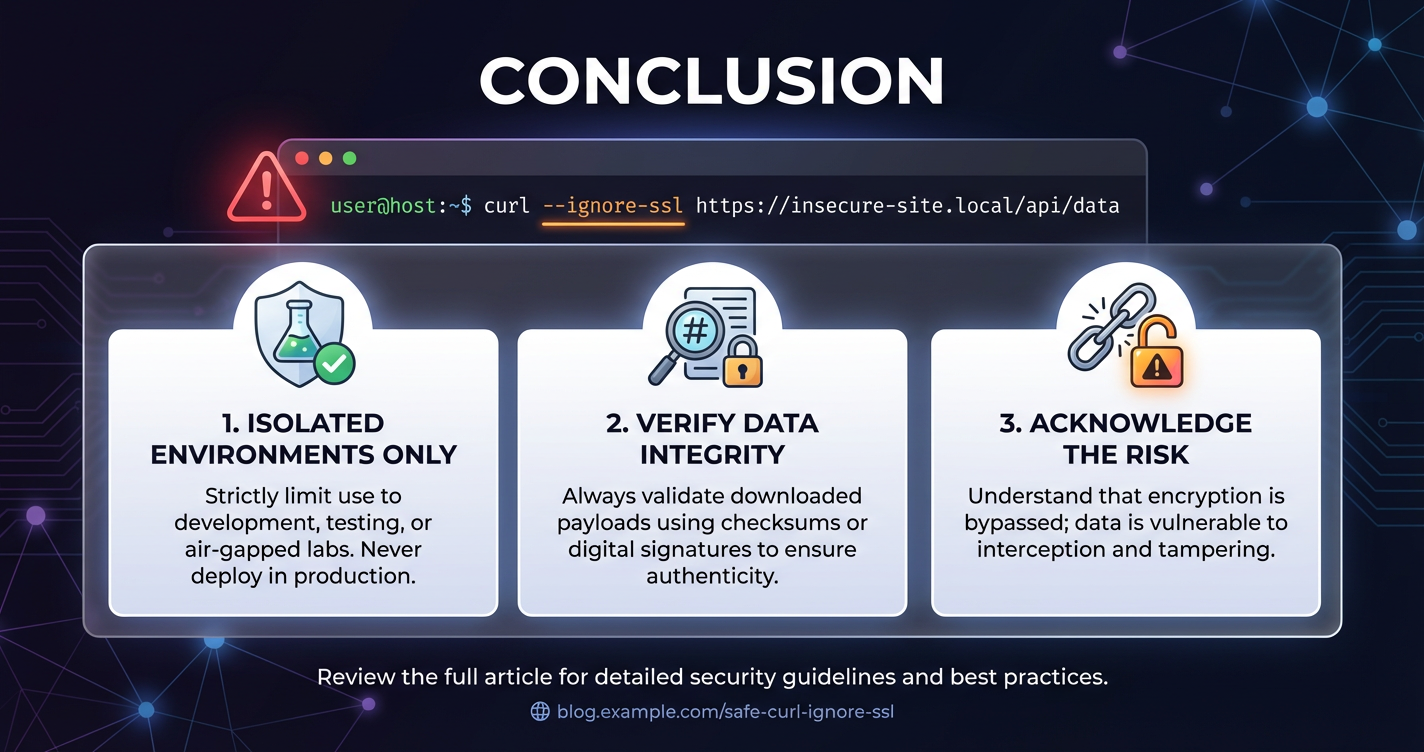
The journey through the intricacies of curl --ignore-ssl reveals a critical lesson in cybersecurity: convenience often comes at the price of security. While the --ignore-ssl flag offers a quick bypass for SSL/TLS certificate validation errors, it fundamentally dismantles the very mechanisms designed to protect data confidentiality, integrity, and server authentication. This seemingly innocent shortcut transforms a secure HTTPS connection into a vulnerable channel, susceptible to sophisticated Man-in-the-Middle attacks, data theft, and impersonation.
The core message is unequivocal: curl --ignore-ssl is a diagnostic tool, not a solution. Its usage should be confined to extremely controlled, isolated debugging scenarios, and even then, only with a full awareness of the inherent risks and a commitment to immediately resolving the underlying certificate issue. It should never, under any circumstances, be employed in production environments, in automated scripts handling sensitive data, or when interacting with critical infrastructure like api gateways or llm gateways. These systems, epitomized by solutions like APIPark, are engineered with robust security as a primary concern, and bypassing their foundational SSL/TLS validation directly undermines their purpose and exposes your entire ecosystem to compromise.
The modern internet, with its pervasive api interactions and complex distributed systems, relies heavily on the integrity and trustworthiness of SSL/TLS. Every api call, every data exchange, from simple status checks to highly sensitive financial transactions, depends on the implicit trust established through certificate validation. By prioritizing secure alternatives such as custom CA bundles (--cacert), mutual TLS (--cert, --key), and meticulous server configuration, we ensure that curl operates in its intended, secure mode. These practices not only mitigate immediate threats but also cultivate a culture of security, moving towards systems that are resilient, trustworthy, and resistant to compromise.
The path to resilient and secure interactions is one of continuous vigilance, informed decision-making, and unwavering commitment to best practices. It requires a deep understanding of the tools we use, the protocols that govern our digital world, and the potential consequences of shortcutting security. Let us embrace the responsibility that comes with powerful tools like curl and choose the path of security, ensuring that our apis, our data, and our digital infrastructure remain protected against the ever-evolving landscape of cyber threats.
XI. Table: Comparison of Secure curl options vs. --ignore-ssl
| Feature/Option | curl --insecure (or -k) |
curl (default, secure) |
curl --cacert path/to/ca.pem |
curl --cert client.pem --key client.key |
|---|---|---|---|---|
| SSL/TLS Certificate Validation | Disabled (bypassed) | Enabled (against system's trusted CA store) | Enabled (against specified custom CA bundle) | Enabled (against system/custom CA for server, plus client auth) |
| Man-in-the-Middle Protection | None (highly vulnerable to MitM attacks) | Strong (verifies legitimate server identity) | Strong (verifies server identity trusted by provided CA) | Very Strong (identifies server & client via mutual auth) |
| Data Confidentiality | Encrypted (but target identity unverified) | Encrypted and authenticated | Encrypted and authenticated | Encrypted and authenticated |
| Data Integrity | Potentially compromised (attacker can modify if MitM) | Protected (tampering detected) | Protected (tampering detected) | Protected (tampering detected) |
| Use Case | Debugging/Temporary use in extremely controlled, isolated environments; never in production. | General production/development for public & trusted services. | Internal services, custom CAs, enterprise proxies (e.g., API gateways with internal certs). | API security requiring mutual TLS, client authentication; often used with API Gateways. |
| Security Level | Very Low | High | High (if specified CA is genuinely trusted) | Very High |
| Recommendation | Avoid whenever possible; never in production. Fix the root cause. | Always prefer this as the default. | Use for specific trust scenarios (e.g., corporate CAs for APIPark instances). | Implement for enhanced API security requirements and critical systems. |
XII. FAQs
1. What exactly does curl --ignore-ssl do, and why is it dangerous? curl --ignore-ssl (or -k, --insecure) instructs curl to proceed with an HTTPS connection even if it cannot verify the server's SSL/TLS certificate. This means curl will bypass checks for certificate validity, expiration, trusted Certificate Authority (CA) issuance, and hostname matching. While the data itself might still be encrypted, the crucial element of server authentication is lost. This is dangerous because it makes your connection highly vulnerable to Man-in-the-Middle (MitM) attacks, where an attacker can impersonate the legitimate server, intercept, read, and even modify your sensitive data (like API keys, personal information, or proprietary business logic) without your client detecting the deception.
2. Are there any legitimate use cases for curl --ignore-ssl? Legitimate use cases are extremely narrow, temporary, and only apply under strictly controlled conditions. These include: * Debugging SSL/TLS issues: To determine if a connection failure is due to a certificate problem or a more fundamental network issue (always combined with curl -v for verbose output). * Internal development/testing: For services using self-signed certificates in isolated, air-gapped development environments, where no sensitive data is exchanged. * Initial setup of appliances: To access devices that come with factory-default self-signed certificates for the very first configuration, which should then immediately be replaced with trusted certificates. In all these cases, --ignore-ssl is a temporary diagnostic measure, never a permanent solution, and should never be used with sensitive data or in production.
3. What are the secure alternatives to curl --ignore-ssl for custom certificates (e.g., internal CAs)? The primary secure alternative is to explicitly tell curl which Certificate Authority (CA) to trust using the --cacert option. You would obtain the .pem file for your internal or corporate Root CA and then use: curl --cacert /path/to/your_ca.pem https://your-internal-service.com This maintains full SSL/TLS validation and MitM protection because curl is still verifying the server's certificate, just against a different, explicitly provided trusted CA. This is a common practice when interacting with internal api gateway deployments or services whose certificates are not issued by publicly trusted CAs.
4. How does curl --ignore-ssl impact interactions with API Gateways like APIPark? API Gateways, such as APIPark, are designed to be secure entry points for your APIs, enforcing robust security policies including strong SSL/TLS encryption and authentication. Using curl --ignore-ssl when interacting with an api gateway directly undermines these critical security features. It eliminates the gateway's ability to prove its identity to your client, making your api calls vulnerable to impersonation and data interception. For a platform like APIPark that manages sensitive AI models and provides unified security policies, bypassing SSL/TLS validation can compromise data integrity, leak API keys, and expose proprietary information in prompts and responses. It should never be used with any production api gateway or llm gateway.
5. What is the overall best practice for secure curl usage? The overall best practice is to always prioritize full SSL/TLS certificate validation. This means: * Always use HTTPS: Ensure your URLs start with https://. * Avoid --ignore-ssl: Unless in extremely rare, controlled, and temporary debugging scenarios. * Ensure valid certificates: For servers you connect to, ensure they have up-to-date, properly configured SSL/TLS certificates issued by a trusted CA. * Use --cacert for custom CAs: Explicitly specify trusted CA bundles for internal services. * Consider mutual TLS: Implement client-side certificates (--cert, --key) for enhanced authentication for critical APIs. * Keep systems updated: Regularly update your operating system and curl installation to maintain current trusted CA bundles. * Debug proactively: Use curl -v and openssl s_client to diagnose and fix certificate issues, rather than bypassing them.
🚀You can securely and efficiently call the OpenAI API on APIPark in just two steps:
Step 1: Deploy the APIPark AI gateway in 5 minutes.
APIPark is developed based on Golang, offering strong product performance and low development and maintenance costs. You can deploy APIPark with a single command line.
curl -sSO https://download.apipark.com/install/quick-start.sh; bash quick-start.sh

In my experience, you can see the successful deployment interface within 5 to 10 minutes. Then, you can log in to APIPark using your account.

Step 2: Call the OpenAI API.