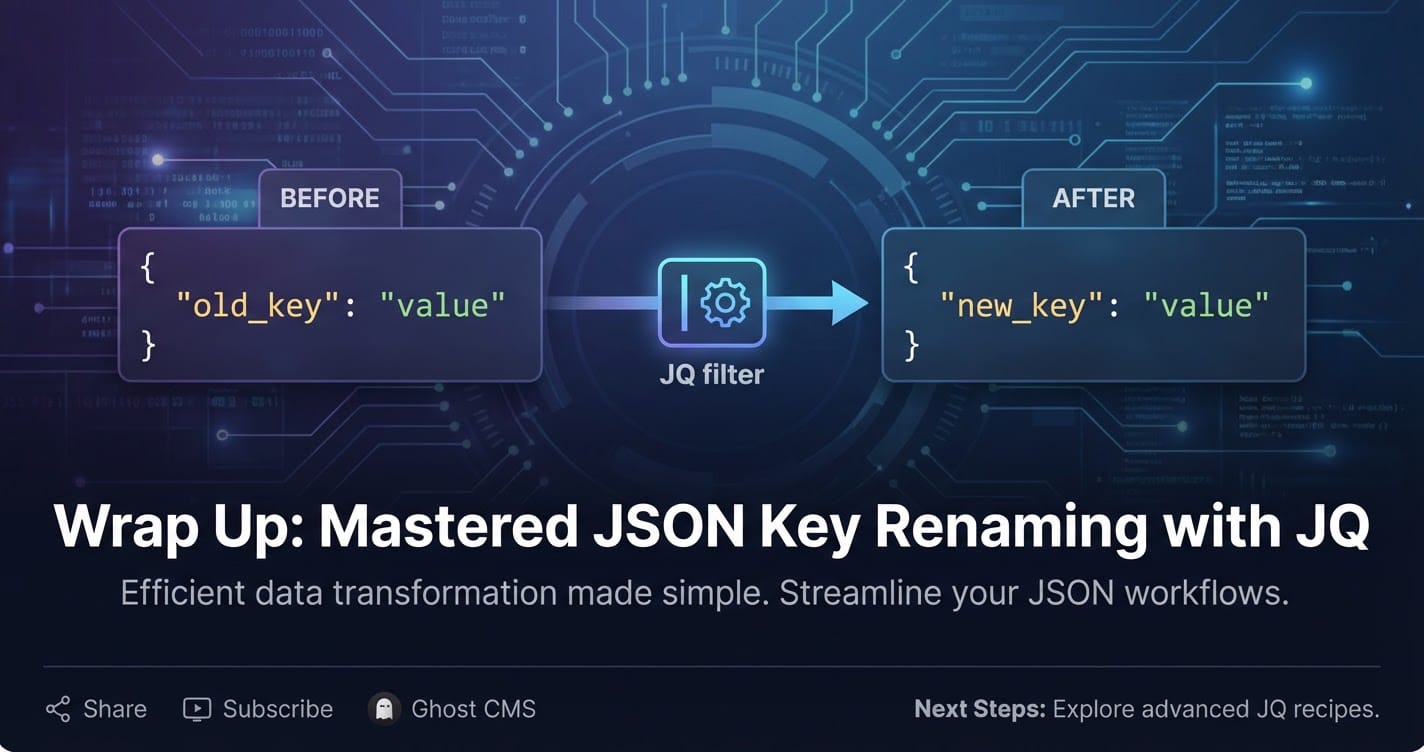
How to Use JQ to Rename a JSON Key



In the sprawling landscape of modern software development, data is the lifeblood, and JSON (JavaScript Object Notation) has cemented its position as the de facto standard for data interchange. From the smallest microservice to the largest distributed systems, JSON facilitates communication, offering a lightweight, human-readable, and machine-parsable format. Yet, the elegance of JSON often coexists with the messy reality of diverse systems, evolving schemas, and the need for seamless integration. It’s in this intricate dance of data that the seemingly simple task of renaming a JSON key can emerge as a critical requirement, often dictating the success of an API integration or the smooth operation of a data pipeline. This comprehensive guide will delve deep into jq, the indispensable command-line JSON processor, demonstrating its unparalleled power and versatility in manipulating JSON data, with a specific focus on the nuanced art of renaming keys.
This article aims to provide a meticulous, step-by-step exploration of various jq techniques, ensuring that whether you're a seasoned developer grappling with complex transformations or a newcomer looking to standardize data for an api or an Open Platform, you'll find the practical insights and robust solutions needed. We will navigate through simple key renames, tackle nested structures, process arrays of objects, and even explore conditional logic to transform your JSON data with precision and efficiency. Along the way, we'll understand the underlying principles of jq's filter language, enabling you to not just copy-paste commands, but truly comprehend and adapt them to any scenario.
The Ubiquity of JSON: A Foundation for Modern Data Exchange
JSON's rise to prominence is not accidental; it's a testament to its inherent strengths. Born from JavaScript, its syntax is intuitive, making it easily understandable for humans to read and write, and straightforward for machines to parse and generate. This simplicity, combined with its structural flexibility, has made it the cornerstone of data exchange across virtually every technological domain.
Consider its prevalence: RESTful APIs, which form the backbone of modern web services, almost universally use JSON for their request and response bodies. Frontend applications, whether built with React, Angular, or Vue, frequently consume and produce JSON data when interacting with backend services. Configuration files for a vast array of tools and applications, from build systems like Webpack to deployment tools like Kubernetes, often leverage JSON for their structured settings. NoSQL databases, such as MongoDB and Couchbase, store data natively in JSON or JSON-like document formats, offering schema flexibility that traditional relational databases struggle to match. Even within the burgeoning field of AI and machine learning, JSON is widely used for transmitting model inputs, predictions, and training datasets, allowing for easy serialization and deserialization of complex data structures.
The reasons for this widespread adoption are manifold. Firstly, JSON is language-agnostic. While originating from JavaScript, parsers and generators exist for virtually every major programming language, ensuring seamless interoperability across diverse technology stacks. A Python backend can effortlessly communicate with a Java microservice, a Node.js API, and a C# desktop application, all thanks to the common language of JSON. Secondly, its hierarchical structure allows for the representation of complex, nested data relationships in a clear and organized manner, far surpassing the limitations of flat data formats. Thirdly, it's remarkably lightweight. Compared to verbose alternatives like XML, JSON transmits data with less overhead, leading to faster transfer times and reduced bandwidth consumption, a critical factor in performance-sensitive applications and mobile environments.
This omnipresence, however, also introduces challenges. Different systems, developed independently, often adopt their own conventions for naming keys within JSON objects. When these systems need to interact, perhaps through an api, the discrepancy in key names can become a significant hurdle. This is precisely where jq steps in, offering an elegant and powerful solution to bridge these structural differences and ensure data consistency.
Introducing JQ: The Command-Line JSON Powerhouse
In the realm of command-line utilities, jq stands out as a true gem for anyone working with JSON. Often described as sed for JSON data, jq is much more than a simple parser; it's a lightweight and flexible command-line JSON processor. It allows you to slice, filter, map, and transform structured data with ease, making it an indispensable tool for developers, system administrators, and data analysts alike.
At its core, jq is a domain-specific language for manipulating JSON. It takes JSON input, applies a series of filters, and produces JSON output. The power of jq lies in its expressive filter language, which enables everything from basic value extraction to complex, recursive transformations. Unlike text-based tools that might struggle with the nested and hierarchical nature of JSON, jq understands the JSON structure natively, allowing for precise targeting and manipulation of elements without the risk of breaking the data's integrity.
Why jq is a must-have:
- JSON-aware: It parses JSON correctly, handling all data types (strings, numbers, booleans, arrays, objects, null) and escaping rules, preventing common parsing errors encountered with regex-based or general text processing tools.
- Powerful Filtering: Its filter language allows for selecting specific fields, iterating over arrays, performing conditional logic, and even creating new JSON structures from existing ones.
- Versatility: Whether you need to extract a single value from a deeply nested object, transform an entire dataset, or pretty-print a compact JSON string,
jqhandles it all. - Efficiency: Written in C,
jqis incredibly fast and efficient, making it suitable for processing large JSON files or streams. - Pipelining: As a command-line tool, it seamlessly integrates into shell scripts and pipelines, combining with
curl,grep,awk, and other utilities to build sophisticated data processing workflows.
Installation:
jq is available on most platforms.
- Linux (Debian/Ubuntu):
sudo apt-get install jq - macOS (Homebrew):
brew install jq - Windows: Download the executable from the official
jqwebsite or usescoop install jq.
With jq at your fingertips, the task of reshaping JSON data, including the critical operation of renaming keys, becomes not just possible, but genuinely elegant and efficient.
Why Rename JSON Keys? The Pragmatic Necessities
The need to rename JSON keys might seem like a trivial detail at first glance, but in practice, it arises from a multitude of common and critical development scenarios. It's often not about personal preference, but about ensuring compatibility, consistency, and clarity across interconnected systems. Understanding these motivations is key to appreciating the role of tools like jq.
- API Integration and Interoperability: This is arguably the most frequent driver for key renaming. When integrating with external services or third-party APIs, their JSON response structures rarely align perfectly with your internal system's data model. For example, an external API might return a user's identifier as
userId, while your internal database schema expectscustomer_id. To ingest this data cleanly into your system or to transform it into a format expected by your own API for further processing, you must rename these keys. Conversely, when preparing data to be sent to an external API, your internal keys might need to be adjusted to match their required input format. Without this transformation, data ingestion fails, or applications break. - Data Migration and Schema Evolution: As applications evolve, so do their underlying data schemas. A key named
productSkuin an older version might becomeitemNumberin a new one to reflect updated business logic or improved nomenclature. During data migration from an old system to a new one, or when upgrading a database, existing JSON data often needs to be transformed to match the new schema. Renaming keys is a fundamental part of this schema evolution process, ensuring that historical data remains compatible with modern application logic. - Standardization and Consistency: Within large organizations or collaborative projects, maintaining a consistent naming convention across all data structures is paramount for maintainability and reducing cognitive load. One team might use
camelCase(firstName), anothersnake_case(first_name), and a thirdPascalCase(FirstName). When these teams' data converges, perhaps into a shared data lake or an Open Platform for enterprise-wide use, standardizing key names is essential. This consistency improves readability, simplifies queries, and reduces potential errors arising from developers having to remember multiple naming conventions. - Reporting and Analytics: For data analysis and reporting tools, specific key names are often preferred or required for easier querying and better integration with dashboards. Renaming keys can simplify the process of aggregating data from various sources, making it more uniform and thus more amenable to sophisticated analytical operations. A key named
tx_datefrom one source andtransaction_timestampfrom another might both need to becomeeventDatefor a unified reporting system. - Compliance and Data Privacy: In some regulatory environments, certain key names might be prohibited or preferred to ensure compliance. For instance, a generic key like
idmight need to be renamed torecordIdentifierto explicitly indicate its purpose and avoid ambiguity in sensitive data contexts. While less common for simple renaming, it highlights the importance of precise data structuring. - Improved Readability and Clarity: Sometimes, existing key names might be cryptic, overly abbreviated, or simply poorly chosen, making the JSON payload difficult to understand. Renaming them to more descriptive and intuitive names can significantly improve the readability of the data, especially for new team members or during debugging sessions.
In all these scenarios, manual transformation is tedious and error-prone, especially with large datasets or frequent changes. This is where jq provides an automated, precise, and highly efficient solution for confidently managing and reshaping your JSON data. It allows developers to focus on the business logic rather than spending inordinate amounts of time on data formatting details.
JQ Fundamentals for Key Renaming: Building Blocks of Transformation
Before diving into specific key renaming techniques, it's crucial to grasp a few fundamental jq concepts. These concepts are the building blocks upon which all more complex jq operations, including key renaming, are constructed.
The Identity Filter .
The simplest jq filter is . (dot). It represents the entire input JSON object or array. It acts as an identity function, simply printing the input as output. This is your starting point for any transformation.
Example Input (data.json):
{
  "name": "Alice",
  "age": 30,
  "city": "New York"
}
Command:
jq '.' data.json
Output:
{
  "name": "Alice",
  "age": 30,
  "city": "New York"
}
Accessing Object Fields . and []
To access a specific field within an object, you use .<key_name>. If the key name contains special characters or spaces, you can use ["<key_name>"].
Command (accessing 'name'):
jq '.name' data.json
Output:
"Alice"
Command (accessing 'city' with special characters - hypothetical):
{ "city name": "New York" }
jq '."city name"' data.json
The as $variable Assignment
jq allows you to store values in variables using the as $variable syntax. This is incredibly useful when you need to extract a value, delete its original key, and then reassign it to a new key. Variables are scoped to the expression in which they are defined.
Example:
jq '.age as $user_age | {user_age: $user_age}' data.json
This extracts the value of .age, stores it in $user_age, and then creates a new object with a user_age key.
Deleting Keys with del()
The del() filter removes a specified key (or multiple keys) from an object. This is a critical component of many key renaming strategies, as you often want to remove the old key after its value has been moved to a new one.
Command (deleting 'age'):
jq 'del(.age)' data.json
Output:
{
  "name": "Alice",
  "city": "New York"
}
Object Construction {} and Assignment =
You can construct new JSON objects using {} and assign values to keys within them. This is how you introduce new keys or reassign values.
Example:
jq '{ "full_name": .name, "location": .city }' data.json
Output:
{
  "full_name": "Alice",
  "location": "New York"
}
The = operator is used for assignment within an object. It modifies the current object.
Example:
jq '.country = "USA"' data.json
Output:
{
  "name": "Alice",
  "age": 30,
  "city": "New York",
  "country": "USA"
}
Combining Filters with |
The | (pipe) operator in jq acts similarly to pipes in shell scripting. It takes the output of the filter on its left and feeds it as input to the filter on its right. This allows you to chain multiple operations to perform complex transformations.
Example (extract name, then transform to uppercase):
jq '.name | ascii_upcase' data.json
Output:
"ALICE"
These fundamental building blocks are sufficient to perform a wide range of JSON manipulations. In the following sections, we will combine and extend these techniques to address various key renaming scenarios, showcasing jq's remarkable adaptability.
Core Techniques for Renaming a Single JSON Key
Renaming a single JSON key is a common task, and jq offers several effective ways to achieve it. The choice of method often depends on context, personal preference, and whether you need to handle edge cases like the absence of the original key. Let's explore the primary techniques.
Method 1: The as $variable and del() Approach (Explicit Value Transfer)
This method is perhaps the most intuitive for beginners and offers clear step-by-step logic. You extract the value of the old key, store it in a temporary variable, delete the old key, and then assign the value from the variable to the new key.
Problem: Rename city to location.
Input (data.json):
{
  "name": "Alice",
  "age": 30,
  "city": "New York"
}
JQ Command:
jq 'del(.city) | .location = .city' data.json # This is WRONG! .city is deleted.
Let's correct the common mistake and show the right way:
jq '.city as $original_city | del(.city) | .location = $original_city' data.json
Explanation: 1. .city as $original_city: This filter first accesses the value associated with the city key and stores it in a jq variable named $original_city. The entire object remains the current input for the next filter. 2. del(.city): This filter then removes the city key and its value from the object. The modified object (without city) is passed to the next filter. 3. .location = $original_city: Finally, a new key location is added to the object, and its value is set to what was stored in $original_city.
Output:
{
  "name": "Alice",
  "age": 30,
  "location": "New York"
}
Handling Missing Keys: A notable characteristic of del() is that it gracefully handles missing keys. If city doesn't exist, del(.city) simply does nothing, and the subsequent assignment will still attempt to assign $original_city. However, if .city was missing, $original_city would be null, which might not be desired. You can add a condition if you only want to rename if the key exists:
jq 'if has("city") then .city as $original_city | del(.city) | .location = $original_city else . end' data.json
This ensures the transformation only happens if city exists.
Method 2: Using with_entries() for More Expressive Renaming
The with_entries filter is incredibly powerful for manipulating object keys and values. It transforms an object into an array of {"key": "...", "value": "..."} objects, allows you to operate on these, and then converts it back into an object. This is particularly elegant for conditional key renaming.
Problem: Rename age to userAge.
Input (data.json):
{
  "name": "Alice",
  "age": 30,
  "city": "New York"
}
JQ Command:
jq 'with_entries(if .key == "age" then .key = "userAge" else . end)' data.json
Explanation: 1. with_entries(...): This filter transforms the input object into an array like [{"key":"name", "value":"Alice"}, {"key":"age", "value":30}, {"key":"city", "value":"New York"}]. 2. if .key == "age" then .key = "userAge" else . end: This if condition is applied to each entry in the array. * If the current entry's .key is "age", then its .key is changed to "userAge". * Otherwise (else .), the entry remains unchanged (.). 3. After the with_entries block, the modified array of {"key": ..., "value": ...} objects is automatically converted back into a JSON object.
Output:
{
  "name": "Alice",
  "userAge": 30,
  "city": "New York"
}
Handling Missing Keys with with_entries: This method inherently handles missing keys gracefully. If "age" doesn't exist, the if condition simply won't be true for any entry, and no renaming will occur, which is often the desired behavior.
with_entries is generally preferred for its clarity and conciseness when dealing with multiple or conditional key renames, as it avoids the explicit del() and variable assignment dance. It treats keys and values symmetrically, which can simplify complex transformations.
APIPark is a high-performance AI gateway that allows you to securely access the most comprehensive LLM APIs globally on the APIPark platform, including OpenAI, Anthropic, Mistral, Llama2, Google Gemini, and more.Try APIPark now! 👇👇👇
Renaming Multiple Keys Simultaneously
When faced with the task of renaming several keys within a JSON object, chaining single-key rename operations can quickly become verbose and less readable. jq provides more efficient and elegant ways to handle multiple key renames, especially when dealing with a predefined mapping.
Method 1: Chaining as $variable and del() Operations
While not the most elegant, it's a direct extension of the single-key renaming method. You simply chain multiple rename operations together using the | operator.
Problem: Rename firstName to first_name and lastName to last_name.
Input (data.json):
{
  "firstName": "John",
  "lastName": "Doe",
  "age": 35
}
JQ Command:
jq '.firstName as $fn | del(.firstName) | .first_name = $fn | .lastName as $ln | del(.lastName) | .last_name = $ln' data.json
Explanation: The command is a sequential execution of two independent renaming operations. First, firstName is renamed to first_name, then lastName is renamed to last_name on the result of the first rename.
Output:
{
  "age": 35,
  "first_name": "John",
  "last_name": "Doe"
}
Drawbacks: This method quickly becomes unwieldy and error-prone as the number of keys to rename increases. It also lacks flexibility if the renaming logic becomes more complex.
Method 2: Using with_entries() with Multiple if Conditions or map
with_entries() shines when multiple keys need transformation. You can extend the if/then/else structure or use a mapping logic.
Problem: Rename firstName to first_name, lastName to last_name, and age to userAge.
Input (data.json):
{
  "firstName": "John",
  "lastName": "Doe",
  "age": 35,
  "city": "New York"
}
JQ Command (Multiple if conditions - less ideal but possible):
jq 'with_entries(
  if .key == "firstName" then .key = "first_name"
  elif .key == "lastName" then .key = "last_name"
  elif .key == "age" then .key = "userAge"
  else . end
)' data.json
JQ Command (Using a mapping object - much better): This approach leverages jq's --argjson feature to pass a JSON object containing the key mapping.
First, define your mapping:
# mapping.json
{
  "firstName": "first_name",
  "lastName": "last_name",
  "age": "userAge"
}
Then, use jq with --argjson:
jq --argjson key_map '{
  "firstName": "first_name",
  "lastName": "last_name",
  "age": "userAge"
}' 'with_entries(
  if $key_map[.key] then .key = $key_map[.key] else . end
)' data.json
Explanation (Mapping Object): 1. --argjson key_map '{...}': This option passes a JSON object (our key mapping) into jq and assigns it to a jq variable named $key_map. 2. with_entries(...): As before, transforms the object into an array of key-value pairs. 3. if $key_map[.key] then .key = $key_map[.key] else . end: For each entry: * It checks if the current entry's .key exists as a key in our $key_map object. * If it does ($key_map[.key] evaluates to a non-null value), it reassigns .key to the corresponding value from $key_map (e.g., if .key is "firstName", then $key_map[.key] is "first_name"). * Otherwise (else .), the key remains unchanged.
Output (for mapping object command):
{
  "first_name": "John",
  "last_name": "Doe",
  "userAge": 35,
  "city": "New York"
}
This mapping-based with_entries approach is highly recommended for multiple key renames. It's concise, easy to read, and simple to update the mapping without altering the core jq logic. It also handles keys not present in the mapping gracefully, leaving them untouched. This approach can be invaluable when standardizing data structures for various services that might pass through an API Gateway or for preparing a unified data model for an Open Platform.
Conditional Renaming: Logic-Driven Transformations
Sometimes, renaming a key isn't a straightforward one-to-one mapping; it depends on certain conditions being met, either on the value of the key itself, the presence of other keys, or some external factor. jq's conditional filters if/then/else and select() enable sophisticated, logic-driven transformations.
Method 1: Conditional Renaming Based on Key Value
You might want to rename a key only if its value matches a specific criterion.
Problem: Rename status to orderStatus only if its value is "pending".
Input (data.json):
{
  "id": "A123",
  "item": "Laptop",
  "status": "pending",
  "amount": 1200
}
JQ Command:
jq 'if .status == "pending" then .status as $s | del(.status) | .orderStatus = $s else . end' data.json
Explanation: 1. if .status == "pending": Checks if the value of the status key is "pending". 2. then .status as $s | del(.status) | .orderStatus = $s: If the condition is true, it executes the familiar key renaming sequence: store value, delete old key, assign to new key. 3. else . end: If the condition is false, the object is passed through unchanged (.).
Output (when status is "pending"):
{
  "id": "A123",
  "item": "Laptop",
  "amount": 1200,
  "orderStatus": "pending"
}
Output (when status is "shipped", using same command):
{
  "id": "A123",
  "item": "Laptop",
  "status": "shipped",
  "amount": 1200
}
The key status remains status because the condition was not met.
Method 2: Conditional Renaming Based on Presence of Other Keys
You might need to rename a key based on whether another specific key exists in the object.
Problem: Rename id to customerIdentifier only if customerType is also present.
Input (data.json):
[
  {
    "id": "C001",
    "name": "Alice",
    "customerType": "premium"
  },
  {
    "id": "S002",
    "name": "Bob"
  }
]
JQ Command:
jq 'map(
  if .customerType? then
    .id as $id_val | del(.id) | .customerIdentifier = $id_val
  else
    .
  end
)' data.json
Explanation: 1. map(...): Since the input is an array of objects, map applies the enclosed filter to each object in the array. 2. if .customerType?: The ? operator makes accessing customerType "optional" or "safe". If customerType exists, .customerType? returns its value (which is truthy). If it doesn't exist, it returns null (which is falsy). This is a concise way to check for key existence. Alternatively, if has("customerType") could be used. 3. then ... else ... end: The conditional logic then proceeds as before, renaming id to customerIdentifier only for objects that have customerType.
Output:
[
  {
    "name": "Alice",
    "customerType": "premium",
    "customerIdentifier": "C001"
  },
  {
    "id": "S002",
    "name": "Bob"
  }
]
The first object's id was renamed because customerType was present. The second object's id was left untouched.
Conditional renaming is a testament to jq's flexibility, allowing for highly specific and intelligent data transformations. This capability is crucial when integrating data from disparate sources, where data quality and consistency can vary, and where robust transformation logic is required before data reaches an internal system or an API endpoint.
Renaming Keys in Nested Objects: Navigating Complex Structures
JSON's strength lies in its ability to represent complex, nested data structures. However, this nesting can make transformations more challenging, especially if a key needs to be renamed regardless of its depth within the object. jq provides powerful filters, most notably walk(), to gracefully handle these scenarios.
Method 1: Direct Path Access for Known Nested Keys
If you know the exact path to a nested key, you can simply chain field accessors.
Problem: Rename city to location within the address object.
Input (data.json):
{
  "user": {
    "name": "Alice",
    "address": {
      "street": "123 Main St",
      "city": "New York",
      "zip": "10001"
    }
  },
  "orderId": "XYZ789"
}
JQ Command:
jq '.user.address.city as $c | del(.user.address.city) | .user.address.location = $c' data.json
Explanation: This is an extension of the basic as $variable and del() method. The only difference is that we are using a full path (.user.address.city) to access and manipulate the nested key.
Output:
{
  "user": {
    "name": "Alice",
    "address": {
      "street": "123 Main St",
      "zip": "10001",
      "location": "New York"
    }
  },
  "orderId": "XYZ789"
}
This method works well for known, fixed paths. However, it becomes cumbersome if you have many deeply nested keys or if the key can appear at various, unpredictable depths.
Method 2: Recursive Renaming with walk()
The walk() filter is a game-changer for handling deeply nested or unknown-depth structures. It recursively descends into all arrays and objects, applying a given filter to each non-null value (including objects and arrays themselves) and then rebuilding the structure. This is perfect for renaming a key wherever it appears, regardless of its nesting level.
Problem: Rename all occurrences of id to identifier, whether at the top level or nested.
Input (data.json):
{
  "order": {
    "id": "ORD001",
    "items": [
      {"productId": 101, "id": "ITEM001"},
      {"productId": 102, "name": "Widget"}
    ]
  },
  "transactionId": "TXN789",
  "userId": "USER999"
}
JQ Command:
jq 'walk(if type == "object" then with_entries(if .key == "id" then .key = "identifier" else . end) else . end)' data.json
Explanation: 1. walk(...): This filter applies the inner filter to every value in the JSON document. 2. if type == "object": Inside walk, we first check if the current element being processed is an object. We only want to rename keys within objects. 3. then with_entries(if .key == "id" then .key = "identifier" else . end): If it's an object, we apply our familiar with_entries logic to rename the "id" key to "identifier". 4. else . end: If the element is not an object (e.g., an array, string, number), it is passed through unchanged (.).
Output:
{
  "order": {
    "identifier": "ORD001",
    "items": [
      {
        "productId": 101,
        "identifier": "ITEM001"
      },
      {
        "productId": 102,
        "name": "Widget"
      }
    ]
  },
  "transactionId": "TXN789",
  "userId": "USER999"
}
As you can see, walk() successfully renamed "id" at both the order level and within the items array objects. This method is incredibly powerful for maintaining consistency across complex, variable schemas, ensuring that your data adheres to a standardized format, which is essential when preparing data for a unified Open Platform or for consumption by various internal APIs.
Renaming Keys in Arrays of Objects: Iterative Transformations
JSON often stores collections of structured data as arrays of objects. When you need to rename keys within each object in such an array, jq's map() filter is the ideal tool for performing iterative transformations.
The map() Filter for Array Iteration
The map(filter) filter iterates over each element of an input array, applies filter to each element, and then collects all the results into a new array. This is perfect for applying a renaming operation to every object within an array.
Problem: Rename itemCode to productCode for every product object in an array.
Input (products.json):
[
  {
    "name": "Laptop",
    "itemCode": "LP001",
    "price": 1200
  },
  {
    "name": "Mouse",
    "itemCode": "MS002",
    "price": 25
  },
  {
    "name": "Keyboard",
    "itemCode": "KB003",
    "price": 75
  }
]
JQ Command:
jq 'map(
  .itemCode as $code | del(.itemCode) | .productCode = $code
)' products.json
Explanation: 1. map(...): This applies the inner filter to each object within the input array. 2. .itemCode as $code | del(.itemCode) | .productCode = $code: For each object, this is the familiar sequence to rename itemCode to productCode using the as $variable and del() approach.
Output:
[
  {
    "name": "Laptop",
    "price": 1200,
    "productCode": "LP001"
  },
  {
    "name": "Mouse",
    "price": 25,
    "productCode": "MS002"
  },
  {
    "name": "Keyboard",
    "price": 75,
    "productCode": "KB003"
  }
]
Combining map() with with_entries() for Multiple or Conditional Renames in Arrays
For more complex renaming tasks within arrays of objects, you can combine map() with with_entries() (and even conditional logic).
Problem: For each user object in an array, rename id to userId and emailAddress to email.
Input (users.json):
[
  {
    "id": "U001",
    "name": "Alice",
    "emailAddress": "alice@example.com"
  },
  {
    "id": "U002",
    "name": "Bob",
    "emailAddress": "bob@example.com"
  }
]
JQ Command (using with_entries with a mapping):
jq --argjson key_map '{"id": "userId", "emailAddress": "email"}' 'map(
  with_entries(
    if $key_map[.key] then .key = $key_map[.key] else . end
  )
)' users.json
Explanation: 1. --argjson key_map '{...}': Defines the mapping for renaming. 2. map(...): Iterates over each object in the users.json array. 3. with_entries(...): For each object, this transforms it into an array of key-value pairs. 4. if $key_map[.key] then .key = $key_map[.key] else . end: Applies the renaming logic based on the $key_map to each key-value pair.
Output:
[
  {
    "name": "Alice",
    "userId": "U001",
    "email": "alice@example.com"
  },
  {
    "name": "Bob",
    "userId": "U002",
    "email": "bob@example.com"
  }
]
This approach demonstrates jq's ability to handle complex iterative transformations with remarkable elegance. Whether you're processing logs, preparing data for a database, or standardizing API responses from multiple sources before they hit an internal system, map() combined with other filters provides the necessary power and flexibility.
Advanced Scenarios and Best Practices for JQ
Mastering jq involves not just knowing the basic filters but also understanding how to handle advanced scenarios and adopting best practices for robust and efficient transformations.
Handling Missing Keys Gracefully
We've touched upon this, but it's worth reiterating. When attempting to rename a key that might not always be present, unexpected null values or errors can occur if not handled properly.
has(key): Useif has("key") then ... else . endto explicitly check for a key's existence before attempting a rename.- Optional Access
.?:.key?returnsnullifkeydoes not exist, preventing an error. This is useful if you want to proceed withnullas the value for the new key. //(Alternative Operator): This operator provides a default value if the left-hand side is null or empty. E.g.,.old_key // "default_value".
Performance Considerations for Large Files
While jq is fast, transforming extremely large JSON files (gigabytes) can still be resource-intensive.
- Stream Processing: For very large files, consider using
jq -n --streamwhich processes JSON as a stream of tokens rather than loading the entire document into memory. This requires a differentjqfilter approach, often usinglimit,foreach, andfromstream, which is more complex but highly efficient for massive data. - Pipelining with Other Tools: For filtering large files before
jq,greporsedmight be faster if you only need a subset of the data based on simple text patterns. However, be cautious not to corrupt JSON structure. - Hardware: More RAM and faster CPUs always help with large data processing.
Combining JQ with Shell Scripting
jq truly shines when integrated into shell scripts, allowing for dynamic transformations, file processing, and conditional logic.
Example: Batch renaming keys across multiple JSON files:
#!/bin/bash

# Define the renaming map
KEY_MAP='{"oldKey1": "newKey1", "oldKey2": "newKey2"}'

# Iterate over all .json files in the current directory
for file in *.json; do
  if [[ -f "$file" ]]; then
    echo "Processing $file..."
    # Apply jq transformation and save to a new file, or overwrite
    jq --argjson map "$KEY_MAP" '
      walk(if type == "object" then
        with_entries(if $map[.key] then .key = $map[.key] else . end)
      else . end)
    ' "$file" > "${file%.json}_renamed.json"
    echo "Output saved to ${file%.json}_renamed.json"
  fi
done
This script demonstrates how to apply a consistent jq transformation across many files, a common need in data processing workflows.
Error Handling
When working with jq, especially in scripts, consider how errors are handled.
jq -e: This option exits with a non-zero status code if the filter produces no output orfalse/nullvalues, which can be useful for conditional execution in scripts.- Check Input Validity: Always ensure your input is valid JSON.
jqwill report syntax errors, but feeding it malformed input will lead to failures.
The Power of walk for Deep Transformations
Reiterating walk(): its ability to traverse and modify deeply nested structures is unparalleled. Think about situations where you need to anonymize specific fields like ssn or creditCardNumber wherever they might appear in a complex document, or standardize version fields like _version to version. walk() makes these recursive transformations concise and robust.
A Note on Immutability in JQ
jq filters are generally "immutable" in the sense that they take an input, transform it, and produce a new output. They don't modify the input in place. This functional approach makes jq filters composable and predictable, which is a significant advantage in complex pipelines.
By understanding these advanced concepts and adopting these best practices, you can leverage jq to its fullest potential, tackling even the most intricate JSON data transformation challenges with confidence and efficiency. This robust capability is particularly vital when dealing with data standardization for any large-scale system, such as an API Gateway or a comprehensive Open Platform, where consistent data structures are not just convenient, but absolutely foundational.
A Practical Comparison: Renaming Techniques at a Glance
To consolidate our understanding, let's look at a practical table comparing different jq key renaming scenarios and their corresponding solutions. This table will serve as a quick reference for choosing the right approach based on your specific needs.
Input JSON (Assume this is sample.json):
{
  "user": {
    "id": "U123",
    "first_name": "Alice",
    "address": {
      "city_name": "New York",
      "zip": "10001"
    }
  },
  "metadata": {
    "creation_time": "2023-10-27T10:00:00Z",
    "updated": "2023-10-27T11:00:00Z"
  },
  "items": [
    {
      "itemId": "ITM001",
      "quantity": 2,
      "status": "pending"
    },
    {
      "itemId": "ITM002",
      "quantity": 1,
      "status": "shipped"
    }
  ]
}
| Scenario | Problem Description | JQ Command (Example) | Expected Output (Snippet) |
| Scenario | Description |
| Scenario | Description |
🚀You can securely and efficiently call the OpenAI API on APIPark in just two steps:
Step 1: Deploy the APIPark AI gateway in 5 minutes.
APIPark is developed based on Golang, offering strong product performance and low development and maintenance costs. You can deploy APIPark with a single command line.
curl -sSO https://download.apipark.com/install/quick-start.sh; bash quick-start.sh

In my experience, you can see the successful deployment interface within 5 to 10 minutes. Then, you can log in to APIPark using your account.

Step 2: Call the OpenAI API.