How to Use kubectl port-forward: A Practical Guide
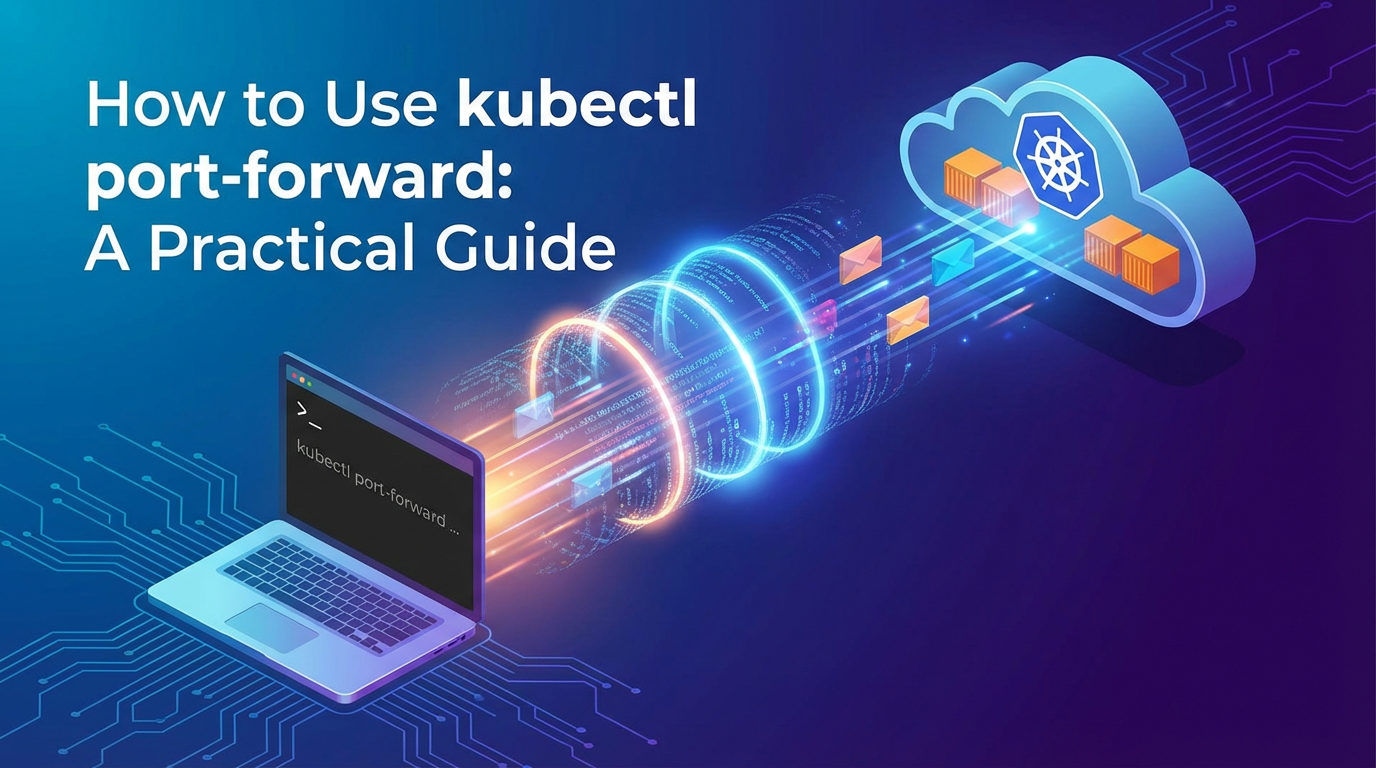


Kubernetes has revolutionized how applications are deployed, managed, and scaled, providing an unparalleled orchestration platform for containerized workloads. However, with its immense power comes a layer of abstraction that can sometimes make seemingly simple tasks, such as accessing a service running inside a cluster from your local machine, a bit more complex than anticipated. Developers, testers, and operations teams often find themselves needing to interact directly with individual application components or databases living within the Kubernetes ecosystem without exposing them to the public internet. This is precisely where kubectl port-forward emerges as an indispensable tool, acting as a secure, temporary gateway into the heart of your cluster.
Imagine you're developing a new feature for a microservice deployed in Kubernetes, and you need to test its integration with a database pod that’s only accessible within the cluster. Or perhaps you’re debugging a web application, and you want to view its UI in your local browser without setting up complex Ingress rules or a LoadBalancer service, which would expose it more broadly. In these scenarios, kubectl port-forward provides an elegant and efficient solution. It creates a direct, secure tunnel from a specific port on your local machine to a port on a Pod, Deployment, Service, or ReplicaSet inside your Kubernetes cluster. This means you can treat that internal Kubernetes resource as if it were running directly on your localhost, enabling seamless interaction using your familiar local tools.
This comprehensive guide aims to demystify kubectl port-forward, transforming it from a cryptic command into a powerful ally in your Kubernetes toolkit. We will meticulously break down its underlying mechanisms, explore its various applications, and provide step-by-step instructions for practical use cases. From forwarding to individual pods for granular debugging to leveraging services for more stable access, and from tackling common pitfalls to understanding its place among other Kubernetes networking solutions, you'll gain a profound understanding of how to effectively use this command to enhance your development and troubleshooting workflows. By the end of this article, you will be equipped to confidently establish secure tunnels to your Kubernetes resources, significantly streamlining your daily operations and accelerating your journey through the cloud-native landscape.
Understanding the Core Concepts: Navigating Kubernetes Networking
Before diving into the specifics of kubectl port-forward, it’s crucial to lay a solid foundation by understanding the basic networking model within Kubernetes. This context will illuminate why a tool like port-forward is not just convenient but often essential. Kubernetes networking is a sophisticated beast, designed to provide seamless communication between containers, pods, and services, both within the cluster and sometimes with the outside world.
The Intricacies of Kubernetes Networking
At its heart, Kubernetes operates on a flat network model where every pod gets its own IP address. This design ensures that pods can communicate with each other directly without network address translation (NAT). However, these pod IPs are internal to the cluster and are not directly routable from outside. This is a fundamental security and architectural principle.
- Pods: The smallest deployable units in Kubernetes. Each Pod encapsulates one or more containers, storage resources, a unique cluster IP address, and options that govern how the containers should run. When a Pod is created, it's assigned an IP address from the cluster's Pod CIDR range. This IP is ephemeral; if a Pod dies and is recreated (even by the same Deployment), it gets a new IP. Direct communication with a specific Pod IP from outside the cluster is generally not possible and also not practical due to the ephemeral nature of Pod IPs.
- Services: To address the ephemerality of Pod IPs and provide a stable network endpoint for a set of Pods, Kubernetes introduces the concept of a Service. A Service is an abstract way to expose an application running on a set of Pods as a network service.
- ClusterIP: The default Service type. It exposes the Service on an internal IP in the cluster. This Service is only reachable from within the cluster. It provides a stable IP address that intelligently routes traffic to the healthy Pods backing it, even if those Pods' IPs change.
- NodePort: Exposes the Service on a static port on each Node's IP. This makes the Service accessible from outside the cluster by requesting
<NodeIP>:<NodePort>. While it offers external access, it's often not suitable for production due to port conflicts and direct Node exposure. - LoadBalancer: Available in cloud environments, this type provisions an external load balancer (e.g., AWS ELB, Google Cloud Load Balancer) that routes traffic to your Service. This is the standard way to expose public-facing applications.
- ExternalName: Maps a Service to the contents of the
externalNamefield (e.g.,my.database.example.com), by returning aCNAMErecord.
- Deployments: A higher-level abstraction that manages a set of identical Pods. Deployments ensure that a specified number of replicas of an application are running at any given time, handling updates, rollbacks, and self-healing. While you interact with Deployments for application lifecycle management, networking primarily concerns Pods and Services.
Why Direct Access is Challenging and the Role of port-forward
Given this networking model, directly accessing a specific Pod or an internal Service from your local development machine poses several challenges:
- Internal IPs: Pod IPs and ClusterIPs are internal to the Kubernetes network and are not routable from your workstation. Your router doesn't know how to reach
10.42.0.5if that's a Pod IP within your cluster. - Ephemeral Nature: Pods can be rescheduled, crash, or scale, leading to new IPs. Relying on a direct Pod IP connection is brittle. Services abstract this, but still offer only internal access by default.
- Security by Design: Kubernetes isolates workloads, reducing the attack surface. Directly exposing every internal service would undermine this security posture.
- External Exposure Overhead: Solutions like NodePort or LoadBalancer are designed for general external exposure and might be overkill or inappropriate for temporary, developer-centric access. They also often require specific permissions or cloud resources.
kubectl port-forward elegantly sidesteps these complexities. Instead of altering the cluster's network configuration or exposing services publicly, it establishes a secure, point-to-point tunnel. When you issue a port-forward command, your kubectl client communicates with the Kubernetes API server, which then instructs the Kubelet on the node hosting the target Pod to open a connection to that Pod's specified port. This connection is then proxied back through the API server to your local kubectl client, which in turn listens on a chosen local port.
Essentially, port-forward acts as a reverse SSH tunnel for your Kubernetes resources. It creates a local listener, and any traffic sent to that listener is securely transported through the Kubernetes API server to the designated target inside the cluster. This process doesn't expose your service to the entire world; it merely provides temporary, localized access for your development machine, making it an invaluable tool for debugging, testing, and focused development work without altering the cluster's network topology or security profile. It's a pragmatic solution for when you need a microscope, not a floodlight, to examine what's happening within your cluster.
Prerequisites and Initial Setup: Getting Ready to Forward
Before you can harness the power of kubectl port-forward, there are a few fundamental prerequisites you need to meet. These steps ensure your environment is correctly configured and you have the necessary permissions to interact with your Kubernetes cluster effectively. Think of this as preparing your workbench before starting a detailed project; having everything in place beforehand prevents frustrating interruptions.
1. A Running Kubernetes Cluster
This might seem obvious, but kubectl port-forward requires a live Kubernetes cluster to connect to. The type of cluster doesn't typically matter for the command itself, but your access method might vary. Common options include:
- Minikube: A local Kubernetes implementation that runs a single-node cluster inside a VM on your laptop. Excellent for local development and testing.
- Kind (Kubernetes in Docker): Another local option that runs Kubernetes clusters using Docker containers as "nodes." Fast and lightweight.
- Cloud-managed clusters: Services like Google Kubernetes Engine (GKE), Amazon Elastic Kubernetes Service (EKS), Azure Kubernetes Service (AKS), or OpenShift. These provide robust, production-ready environments.
- Self-hosted clusters: Clusters you've set up yourself on bare metal or VMs using tools like
kubeadm.
Regardless of your chosen cluster, ensure it's up and running. If you're using a local solution like Minikube, you'd typically start it with minikube start. For cloud clusters, they should already be active.
2. kubectl Installed and Configured
kubectl is the command-line tool for running commands against Kubernetes clusters. It's your primary interface to Kubernetes, and port-forward is one of its subcommands.
- Installation: Ensure
kubectlis installed on your local machine. You can find official installation instructions for various operating systems in the Kubernetes documentation. For instance, on macOS, you might use Homebrew:brew install kubectl. On Linux,sudo apt-get install -y kubectl(for Debian/Ubuntu) orsudo yum install -y kubectl(for Fedora/RHEL) are common, or you can download the binary directly. - Configuration (
kubeconfig): After installation,kubectlneeds to know which cluster to talk to and how to authenticate. This information is stored in a configuration file, typically located at~/.kube/config.- If you're using Minikube or Kind, their respective
startcommands usually configure yourkubeconfigautomatically. - For cloud providers, you'll typically use their CLI tools (e.g.,
gcloud,aws cli,az cli) to fetch cluster credentials and merge them into yourkubeconfig. For example, with GKE:gcloud container clusters get-credentials <cluster-name> --zone <zone>.
- If you're using Minikube or Kind, their respective
- Verification: To verify
kubectlis correctly configured and can communicate with your cluster, run:bash kubectl cluster-info kubectl get nodesIf these commands return information about your cluster without errors, you're good to go.
3. Basic Familiarity with kubectl Commands
While this guide focuses on port-forward, having a basic understanding of other kubectl commands will significantly aid your workflow. You'll often need to identify the names of Pods, Services, or Deployments before you can forward to them. Essential commands include:
kubectl get pods: Lists all pods in the current namespace. You'll frequently use this to find the exact name of a pod.kubectl get svc(orkubectl get services): Lists all services. Useful for forwarding to a Service.kubectl get deploy(orkubectl get deployments): Lists all deployments. Useful for forwarding to a Deployment.kubectl describe pod <pod-name>: Provides detailed information about a specific pod, including its status, events, and container ports. This is crucial for debugging.kubectl logs <pod-name>: Fetches logs from a specific pod's container, invaluable for troubleshooting application issues.
4. An Example Application for Practice
To make this guide truly practical, let's set up a simple application within our Kubernetes cluster that we can use for demonstration purposes. We'll deploy a basic Nginx web server, which serves content on port 80, and a PostgreSQL database, which typically listens on port 5432.
a. Deploying Nginx:
Create a file named nginx-deployment.yaml:
apiVersion: apps/v1
kind: Deployment
metadata:
  name: nginx-deployment
  labels:
    app: nginx
spec:
  replicas: 1
  selector:
    matchLabels:
      app: nginx
  template:
    metadata:
      labels:
        app: nginx
    spec:
      containers:
      - name: nginx
        image: nginx:latest
        ports:
        - containerPort: 80
---
apiVersion: v1
kind: Service
metadata:
  name: nginx-service
spec:
  selector:
    app: nginx
  ports:
    - protocol: TCP
      port: 80
      targetPort: 80
  type: ClusterIP # Internal service
Apply this to your cluster:
kubectl apply -f nginx-deployment.yaml
Wait a moment for the Pod and Service to be created:
kubectl get pods -l app=nginx
kubectl get svc nginx-service
You should see an Nginx Pod running and an nginx-service with a ClusterIP.
b. Deploying PostgreSQL (Optional, for database forwarding examples):
For a more complex scenario, let's also deploy a PostgreSQL database. Note that in a real-world scenario, you'd handle secrets more securely, but for demonstration purposes, we'll embed the password directly.
Create postgres-deployment.yaml:
apiVersion: apps/v1
kind: Deployment
metadata:
  name: postgres-deployment
  labels:
    app: postgres
spec:
  replicas: 1
  selector:
    matchLabels:
      app: postgres
  template:
    metadata:
      labels:
        app: postgres
    spec:
      containers:
      - name: postgres
        image: postgres:13
        env:
          - name: POSTGRES_DB
            value: mydatabase
          - name: POSTGRES_USER
            value: user
          - name: POSTGRES_PASSWORD
            value: password
        ports:
        - containerPort: 5432
---
apiVersion: v1
kind: Service
metadata:
  name: postgres-service
spec:
  selector:
    app: postgres
  ports:
    - protocol: TCP
      port: 5432
      targetPort: 5432
  type: ClusterIP # Internal service
Apply this to your cluster:
kubectl apply -f postgres-deployment.yaml
Verify the PostgreSQL Pod and Service:
kubectl get pods -l app=postgres
kubectl get svc postgres-service
With these prerequisites and an example application in place, you are now fully prepared to delve into the practical usage of kubectl port-forward and unlock its potential for seamless interaction with your Kubernetes resources.
Basic Usage: Port-Forwarding to a Pod
The most direct and fundamental way to use kubectl port-forward is to establish a connection to a specific Pod. This method is particularly useful when you need to interact with an individual instance of your application for targeted debugging or direct access. Understanding this basic operation is the gateway to mastering the command's more advanced capabilities.
The Simplest Case: Direct to a Pod
When you forward a port to a Pod, you are creating a tunnel directly to one of the containers (or the only container, if only one exists) running within that specific Pod. This is like having a direct line of communication, bypassing any Service abstraction.
The basic syntax for forwarding to a Pod is:
kubectl port-forward <pod-name> <local-port>:<remote-port>
Let's break down each component of this command:
kubectl port-forward: This is the core command that initiates the port-forwarding process.<pod-name>: This specifies the exact name of the Pod you wish to connect to. Pod names are unique within a namespace and often include a random suffix (e.g.,nginx-deployment-7f99cf76f6-abcde).<local-port>: This is the port on your local machine thatkubectlwill listen on. When you accesslocalhost:<local-port>, your traffic will be routed through the tunnel. You can choose any available port on your local machine.<remote-port>: This is the port on the target container within the specified Pod that you want to forward traffic to. This must correspond to a port that the application inside the container is actually listening on.
How to Find the Pod Name
Finding the correct Pod name is often the first step. You can list all Pods in your current namespace using:
kubectl get pods
This will output a list similar to this:
NAME                                READY   STATUS    RESTARTS   AGE
nginx-deployment-7f99cf76f6-abcde   1/1     Running   0          5m
postgres-deployment-65c777496c-fghij 1/1     Running   0          4m
From this output, you would copy the full name of the Pod you're interested in, for example, nginx-deployment-7f99cf76f6-abcde.
Choosing Local and Remote Ports
- Remote Port (
<remote-port>): You need to know which port your application inside the container is listening on. For our Nginx example, Nginx typically listens on port 80. For PostgreSQL, it's usually 5432. If you're unsure, you can often find this in the application's configuration, its Dockerfile, or by inspecting the Pod definition:bash kubectl describe pod <pod-name> | grep -i "port"Look forContainer PortorHost Portinformation. - Local Port (
<local-port>): You can pick almost any port on your local machine that isn't already in use. Common choices are ports above 1024 to avoid needing root privileges, or simply matching the remote port if it's available (e.g., 8080 or 8000 for web applications, or the actual port if it's not a common system port). If the local port is already in use,kubectlwill usually inform you.
Practical Example: Forwarding to an Nginx Pod
Let's use our Nginx deployment as an example. First, get the exact Pod name:
kubectl get pods -l app=nginx -o jsonpath='{.items[0].metadata.name}'
This command is more precise, fetching the name of the first Pod with the label app=nginx. Let's assume it returns nginx-deployment-7f99cf76f6-abcde.
Now, we know Nginx listens on port 80 inside the container. We'll choose local port 8080 for our tunnel.
kubectl port-forward nginx-deployment-7f99cf76f6-abcde 8080:80
When you execute this command, you'll see output similar to:
Forwarding from 127.0.0.1:8080 -> 80
Forwarding from [::1]:8080 -> 80
The kubectl command will continue to run in your terminal, indicating that the tunnel is active. As long as this command is running, the tunnel remains open.
Accessing it Locally
With the tunnel active, open a new terminal window or your web browser. You can now access the Nginx web server running inside your Kubernetes cluster as if it were running on your local machine at localhost:8080.
- Using a web browser: Navigate to
http://localhost:8080. You should see the default Nginx welcome page. - Using
curl: In your new terminal, run:bash curl http://localhost:8080This will output the HTML content of the Nginx welcome page directly in your terminal.
This direct access demonstrates the power and simplicity of kubectl port-forward. You've created a secure, temporary, and private connection to a specific instance of your application without exposing it to the network or altering your cluster configuration.
Important Considerations
- Pod Lifecycle: The
port-forwardtunnel is bound to a specific Pod instance. If that Pod is deleted, rescheduled, or crashes and is replaced by a new Pod, yourport-forwardconnection will break. You'll need to restart theport-forwardcommand, targeting the new Pod's name. This is a key reason why forwarding to Services (discussed next) is often preferred for resilience. - Multiple Containers in a Pod: If your Pod contains multiple containers,
kubectl port-forwardwill default to the first container listed in the Pod's manifest. If you need to forward to a specific container within the Pod that isn't the first, you can specify it using the--containerflag:bash kubectl port-forward <pod-name> <local-port>:<remote-port> --container <container-name>You can find container names usingkubectl describe pod <pod-name>. - Background Execution: Often, you don't want the
port-forwardcommand to hog your terminal. You can run it in the background by adding&at the end of the command:bash kubectl port-forward nginx-deployment-7f99cf76f6-abcde 8080:80 &To kill the background process, you'll need to find its process ID (PID) usingjobsorps aux | grep 'kubectl port-forward'and then usekill <PID>. Alternatively, many users simply open a new terminal window to keep theport-forwardrunning while they work. - Targeting Namespace: If your Pod is not in the default namespace, remember to specify the namespace using the
-nor--namespaceflag:bash kubectl port-forward -n my-namespace <pod-name> 8080:80
Mastering this basic form of kubectl port-forward to a Pod provides an immediate and powerful way to interact with your containerized applications. It's the go-to method for granular debugging and direct inspection, giving you a private window into your cluster's inner workings.
Advanced Usage: Port-Forwarding to Deployments, Services, and ReplicaSets
While forwarding directly to a Pod is excellent for specific debugging, its limitation lies in its ephemeral nature; if the Pod restarts, your connection breaks. Kubernetes offers higher-level abstractions like Services and Deployments to manage groups of Pods, providing stability and load balancing. kubectl port-forward can also target these abstractions, offering a more robust and resilient way to establish tunnels.
Why Forward to a Service or Deployment?
The primary advantage of forwarding to a Service, Deployment, or ReplicaSet instead of a specific Pod is resilience. * Service Abstraction: Services are designed to provide a stable network endpoint for a dynamic set of Pods. When you port-forward to a Service, kubectl intelligently picks one of the healthy Pods backing that Service and establishes the tunnel to it. If that particular Pod goes down and is replaced by another, kubectl will often (though not always instantaneously) re-establish the tunnel to a new healthy Pod without you needing to manually update the command. This makes it more robust for testing against a logical application component rather than a single instance. * Deployment/ReplicaSet Stability: Similar to Services, forwarding to a Deployment or ReplicaSet also allows kubectl to choose a healthy Pod managed by that resource. This means you don't have to concern yourself with individual Pod names, which frequently change during updates or scaling operations.
Port-Forwarding to a Service
This is often the most practical and recommended approach for general development and testing, as it leverages Kubernetes' built-in load balancing and resilience.
The syntax for forwarding to a Service is:
kubectl port-forward svc/<service-name> <local-port>:<remote-port>
Let's use our nginx-service example. First, confirm its name:
kubectl get svc
You should see nginx-service listed. Now, to forward local port 8080 to the Service's target port 80:
kubectl port-forward svc/nginx-service 8080:80
The output will be similar to forwarding to a Pod:
Forwarding from 127.0.0.1:8080 -> 80
Forwarding from [::1]:8080 -> 80
Now, you can access http://localhost:8080 to reach your Nginx application. Even if the underlying Nginx Pod restarts, kubectl will attempt to maintain the connection by re-selecting a healthy Pod behind nginx-service.
Explanation: When you specify svc/<service-name>, kubectl resolves this to a Pod that the Service's selector matches. It then establishes the tunnel directly to that chosen Pod, just like the basic Pod-forwarding method. The key difference is that kubectl manages the selection of the Pod, providing an extra layer of abstraction and resilience.
Port-Forwarding to a Deployment
Forwarding to a Deployment is very similar to forwarding to a Service. kubectl will pick one of the Pods managed by the Deployment and create a tunnel to it.
The syntax is:
kubectl port-forward deploy/<deployment-name> <local-port>:<remote-port>
For our Nginx Deployment, its name is nginx-deployment. So, the command would be:
kubectl port-forward deploy/nginx-deployment 8080:80
This will achieve the same result as forwarding to the Service in this simple Nginx case, allowing you to access http://localhost:8080. This method is particularly useful if you have a Deployment but no dedicated Service yet, or if you prefer to think about your application in terms of Deployments.
Port-Forwarding to a ReplicaSet
While less common for direct port-forward usage, you can also target a ReplicaSet directly. ReplicaSets primarily ensure a stable set of replica Pods are running and are often managed implicitly by Deployments.
The syntax is:
kubectl port-forward rs/<replicaset-name> <local-port>:<remote-port>
To find your ReplicaSet name for Nginx:
kubectl get rs -l app=nginx
You'd then use the full ReplicaSet name in the command, e.g., kubectl port-forward rs/nginx-deployment-7f99cf76f6 8080:80.
Specifying Ports: More Granular Control
- Using Named Ports: If your Service or Pod manifest defines named ports, you can use these names instead of numeric port values, making your commands more readable and less prone to errors if port numbers change. For instance, if your Nginx service defined
port: 80withname: http-web, you could use: ```yaml # ... inside Service spec ports:- protocol: TCP port: 80 targetPort: 80 name: http-web
Then, you could forward using:bash kubectl port-forward svc/nginx-service 8080:http-web ``` This works for Pods as well if the container port is named.
- protocol: TCP port: 80 targetPort: 80 name: http-web
- Forwarding Multiple Ports: You're not limited to a single port mapping. You can forward multiple ports in a single command by listing them sequentially:
bash kubectl port-forward <target> <local-port-1>:<remote-port-1> <local-port-2>:<remote-port-2>Example: Forwarding to our PostgreSQL service (port 5432) and Nginx service (port 80) simultaneously from different local ports:bash kubectl port-forward svc/postgres-service svc/nginx-service 5432:5432 8080:80(Note: This example is illustrative. While you can specify multiple mappings in oneport-forwardcommand, thesvc/postgres-service svc/nginx-servicepart is incorrect for a single command. You would run two separateport-forwardcommands for two different services or target a single Pod/Service that exposes both ports.)Corrected example for multiple ports on a single target: If a single Pod exposes both a web UI on port 80 and an admin interface on port 8000:bash kubectl port-forward pod/<pod-name> 8080:80 9000:8000This allows you to accesslocalhost:8080for the web UI andlocalhost:9000for the admin interface simultaneously from the same Pod.
Handling Port Conflicts
A common issue encountered with port-forward is a "port already in use" error. This happens when the chosen <local-port> is already being used by another process on your machine.
If you see an error like:
E0620 10:30:45.123456   12345 portforward.go:400] error listening on 8080: listen tcp4 127.0.0.1:8080: bind: address already in use
Error: unable to listen on any of the requested ports: [8080]
This means port 8080 is unavailable on your local machine.
Solutions: 1. Choose an alternative local port: Simply pick a different local port (e.g., 8081, 8082, 9000) that is likely to be free. bash kubectl port-forward svc/nginx-service 8081:80 2. Identify and terminate the conflicting process: * On Linux/macOS: bash sudo lsof -i :8080 This will show you the process listening on port 8080. Note its PID (Process ID), then kill it: bash kill <PID> * On Windows (using PowerShell): powershell Get-NetTCPConnection -LocalPort 8080 | Select-Object -ExpandProperty OwningProcess Then use Stop-Process -Id <PID> to terminate it.
By strategically choosing your target (Pod, Service, Deployment) and understanding how to manage ports, you can leverage kubectl port-forward with greater efficiency and fewer interruptions, making it an even more powerful asset in your Kubernetes development and debugging arsenal.
APIPark is a high-performance AI gateway that allows you to securely access the most comprehensive LLM APIs globally on the APIPark platform, including OpenAI, Anthropic, Mistral, Llama2, Google Gemini, and more.Try APIPark now! 👇👇👇
Common Use Cases and Practical Scenarios
kubectl port-forward is more than just a command; it's a versatile utility that unlocks a multitude of practical scenarios for developers, testers, and operations teams working with Kubernetes. Its ability to create secure, temporary tunnels to internal cluster resources fills a critical gap, enabling workflows that would otherwise be cumbersome or insecure. Let's explore some of the most common and impactful use cases.
1. Debugging Applications with Local Tools
This is perhaps the most frequent and celebrated use of port-forward. When an application or a microservice is running inside a Kubernetes Pod, direct access for debugging can be challenging. port-forward bridges this gap.
- Accessing a Web Application's UI/API: You've deployed a new version of your front-end or API service. Instead of deploying an Ingress or a LoadBalancer for every small change (which can be slow and costly), you can
port-forwardto the service and immediately test it in your local browser or with tools like Postman/Insomnia.bash # Forward your web app's UI (e.g., on port 3000 in container) to local 8000 kubectl port-forward svc/my-webapp-service 8000:3000 # Then open http://localhost:8000 in your browser.This allows for rapid iteration and testing during development cycles, without impacting other users or external systems. - Connecting to a Database Inside the Cluster: Developing locally often requires a database. While you might run a local database, connecting to the one within your Kubernetes cluster, especially for integration testing, can be crucial.
port-forwardallows you to connect your local SQL client (e.g., DBeaver, psql, SQL Developer), NoSQL GUI (e.g., Mongo Compass, RedisInsight), or even a local application directly to a database Pod or Service in Kubernetes.bash # Forward PostgreSQL service (port 5432) to local 5432 kubectl port-forward svc/postgres-service 5432:5432 # Now, connect your local SQL client to localhost:5432 with your credentials.This is invaluable for inspecting data, running ad-hoc queries, or debugging data-related issues in a controlled environment. - Debugging Microservices Without External Exposure: Imagine a complex microservice architecture where internal services communicate on specific ports. If you need to debug one of these internal services (e.g., a payment processing service on port 8081) from your local machine, you can
port-forwardto it.bash kubectl port-forward svc/payment-service 8081:8081 # Now your local application or test script can call http://localhost:8081/api/paymentsThis allows you to bypass the need for external routing, ensuring that sensitive internal APIs are not accidentally exposed to the public internet during development.
2. Development Workflow Integration
port-forward seamlessly integrates into a modern developer's workflow, making Kubernetes feel less remote.
- Integrating IDEs/Debuggers with Running Pods: Some advanced IDEs and debuggers can connect to remote processes. While more complex solutions exist (like sidecar debuggers), for simple cases, if your application exposes a debugging port (e.g., JVM's remote debugging port 5005), you can
port-forwardit:bash kubectl port-forward pod/my-java-app-pod 5005:5005 # Then configure your IDE (e.g., IntelliJ, VS Code) to attach a remote debugger to localhost:5005.This provides a live debugging experience directly into your running containerized application.
Testing Local Code Changes Against a Kubernetes Backend: A common pattern is to run your frontend application locally while its backend services and database reside in Kubernetes. port-forward allows your locally running frontend to communicate with the Kubernetes-hosted backend as if it were local. ```bash # Run backend service in K8s (e.g., Python Flask API on 5000) kubectl port-forward svc/my-flask-api 5000:5000 &
Run database in K8s (e.g., MongoDB on 27017)
kubectl port-forward svc/mongo-db 27017:27017 &
Now, start your frontend locally, configured to talk to localhost:5000 and localhost:27017
npm start # for a Node.js frontend ``` This hybrid development model provides the best of both worlds: fast local iteration for your active component and a realistic, shared Kubernetes environment for dependencies.
3. Inspecting Metrics, Logs, and Admin Consoles
Many applications and infrastructure components provide web-based user interfaces for monitoring, administration, or diagnostics. port-forward is perfect for accessing these internal UIs without public exposure.
- Accessing Prometheus/Grafana/Jaeger: If you're running a monitoring stack like Prometheus or an observability tool like Grafana or Jaeger inside Kubernetes, their UIs are typically exposed via ClusterIP Services.
bash # Forward Grafana UI (default port 3000) kubectl port-forward svc/grafana 8080:3000 # Access Grafana at http://localhost:8080This gives you private access to your monitoring dashboards and traces, critical for understanding application performance. - Connecting to Custom Dashboards or Admin Interfaces: Many middleware systems, like Apache Kafka with Kafka Manager or RabbitMQ with its management plugin, offer web-based administration consoles. These are perfect candidates for
port-forward.bash # RabbitMQ management UI (default port 15672) kubectl port-forward svc/rabbitmq-management 15672:15672 # Access UI at http://localhost:15672This allows administrators and developers to manage these internal systems securely from their local machines.
4. Security Considerations and Best Practices
While port-forward is incredibly useful, it's essential to understand its security implications and use it responsibly.
- Local Tunnel, Not Public Exposure: Crucially,
port-forwardcreates a tunnel only to your local machine. The service or pod remains inaccessible from other machines on your local network or the internet unless you explicitly configure local networking/firewall rules to expose your forwarded port. This makes it a secure choice for temporary, private access. - Requires
kubectlAccess and Permissions: To useport-forward, you need authenticatedkubectlaccess to the Kubernetes cluster and sufficient RBAC (Role-Based Access Control) permissions. Specifically, you typically needget,list,watch, andport-forwardpermissions on the target resource (Pod, Service, Deployment). This ensures that only authorized users can establish these tunnels. - Ephemeral Nature: As discussed, tunnels are temporary. This is a feature, not a bug, for debugging and development. For persistent, shared access by a team or external systems, other Kubernetes Service types or API gateways are more appropriate.
- Cleaning Up: Remember to terminate
port-forwardprocesses when you're done. If run in the foreground,Ctrl+Cwill stop it. If run in the background, you'll need to kill the process (kill <PID>). Leaving unnecessaryport-forwardtunnels open, while locally scoped, can still consume resources and, in rare edge cases, could be part of a larger security chain if your local machine is compromised.
By embracing kubectl port-forward for these scenarios, you empower your team with direct, secure, and efficient access to Kubernetes resources, fostering a more agile and productive development environment.
APIPark and API Management: When port-forward is Not Enough
While kubectl port-forward is an excellent tool for individual developers to access internal Kubernetes services for debugging and temporary testing, it's inherently a local, temporary, and user-specific solution. It's not designed for exposing services to a broader audience, for managing a fleet of APIs across different teams, or for robust, secure, and performant interaction with API consumers, especially in production environments. This is where comprehensive API management platforms become indispensable.
Consider a scenario where the internal microservice you've been testing locally via port-forward is an AI model inference service or a core business API. For this service to be consumed by other applications, external partners, or even different internal teams, you need much more than a temporary tunnel. You need:
- Unified Access and Discovery: A central place for all API consumers to find, understand, and integrate with your APIs.
- Robust Security: Authentication, authorization, rate limiting, and threat protection, which go far beyond the local machine scope of
port-forward. - Lifecycle Management: Tools to design, publish, version, monitor, and retire APIs systematically.
- Performance and Scalability: A gateway capable of handling high traffic volumes, load balancing, and caching.
- Detailed Analytics: Insights into API usage, performance, and potential issues across all consumers.
This is precisely the domain of APIPark - Open Source AI Gateway & API Management Platform. While kubectl port-forward helps you, the developer, privately interact with a service like a specific AI model running in a Kubernetes Pod, APIPark takes that service and elevates it to a fully manageable, secure, and discoverable API for broader consumption.
For instance, after you've used port-forward to debug your AI model and are confident it's working well, APIPark can help you:
- Quickly Integrate 100+ AI Models: Standardize access and management for various AI models, ensuring consistent authentication and cost tracking, regardless of their underlying Kubernetes deployment.
- Unify API Format: Present a consistent API interface to consumers, even if the underlying AI models change, simplifying invocation and reducing maintenance.
- Prompt Encapsulation into REST API: Turn complex AI prompts into simple, consumable REST APIs, making your AI capabilities accessible to non-AI specialists.
- End-to-End API Lifecycle Management: Manage the entire journey of your AI API, from design to publication and eventual deprecation, providing versioning, traffic forwarding, and load balancing for your published APIs.
- Share Services within Teams: Centralize all API services, enabling easy discovery and use across different departments.
- Ensure Security: Implement features like subscription approval and robust access permissions for each tenant, ensuring that only authorized callers can invoke your valuable AI APIs.
While kubectl port-forward is your local, personal stethoscope for debugging individual Kubernetes components, APIPark (ApiPark) is the comprehensive control tower for managing and scaling your APIs, especially AI services, across an enterprise. It transforms internal services into external-ready products, providing the necessary governance, security, and performance that port-forward is simply not designed to deliver. For any organization looking to leverage APIs, particularly in the rapidly evolving AI landscape, moving beyond individual port-forward tunnels to a robust API management solution like APIPark is a crucial step towards efficiency, security, and scalability.
Troubleshooting Common Issues
Even with a clear understanding, kubectl port-forward can sometimes present unexpected challenges. When a tunnel fails to establish or doesn't behave as expected, it can be frustrating. Knowing how to diagnose and resolve these common issues efficiently is key to maintaining a smooth workflow. This section will guide you through typical error messages and provide actionable troubleshooting steps.
1. "Error: unable to listen on any of the requested ports" or "bind: address already in use"
This is by far the most common error.
- Symptom: The
kubectl port-forwardcommand immediately fails with a message indicating the local port is already in use.E0620 10:30:45.123456 12345 portforward.go:400] error listening on 8080: listen tcp4 127.0.0.1:8080: bind: address already in use Error: unable to listen on any of the requested ports: [8080] - Cause: Another process on your local machine is already using the specified
<local-port>. This could be anotherport-forwardinstance, a local development server, or any other application. - Solution:
- Choose a different local port: The simplest solution is to pick an alternative local port that is likely to be free. For example, if 8080 is busy, try 8081, 8088, or 9000.
bash kubectl port-forward svc/my-service 8081:80 - Identify and terminate the conflicting process: If you prefer to use the original port or need to free it up, you can find the process that's using it and terminate it.
- On Linux/macOS:
bash sudo lsof -i :<local-port>(e.g.,sudo lsof -i :8080). This command will list processes using the port. Look for thePIDcolumn. Once you have the PID, you can kill the process:bash kill <PID>If it's a stubborn process, you might needkill -9 <PID>. - On Windows (using PowerShell):
powershell Get-NetTCPConnection -LocalPort <local-port> | Select-Object -ExpandProperty OwningProcessThis will give you the PID. Then useStop-Process -Id <PID>.
- On Linux/macOS:
- Choose a different local port: The simplest solution is to pick an alternative local port that is likely to be free. For example, if 8080 is busy, try 8081, 8088, or 9000.
2. "Error: timed out waiting for connection" or Connection Refused
This indicates that kubectl couldn't establish a connection to the remote port inside the Pod.
- Symptom: The
port-forwardcommand might start successfully (e.g.,Forwarding from 127.0.0.1:8080 -> 80), but when you try to accesslocalhost:<local-port>, you get a connection timeout or a "connection refused" error in your browser/client. - Causes:
- Pod Not Ready/Running: The target Pod might not be in a
RunningorReadystate. - Application Not Listening on Remote Port: The application inside the container isn't actually listening on the
<remote-port>you specified, or it's listening on a different port. - Container Port Not Exposed/Configured: While
port-forwardworks directly with the container, if the application is misconfigured to bind only tolocalhostwithin the container, it might not be reachable from the Kubelet's network. (Less common for standard applications). - Network Policy: A Kubernetes NetworkPolicy might be blocking traffic to the Pod.
- Pod Not Ready/Running: The target Pod might not be in a
- Solution:
- Check Pod Status: Verify the Pod is running and healthy.
bash kubectl get pods -l app=<your-app-label> kubectl describe pod <pod-name>Look forStatus: RunningandReady: 1/1. Check theEventssection for any issues during Pod startup. - Verify Remote Port: Ensure the
<remote-port>you specified in theport-forwardcommand matches the port the application inside the container is actually listening on.- Check the Pod's manifest (e.g.,
kubectl get pod <pod-name> -o yaml). - Check the application logs:
kubectl logs <pod-name>. - If possible,
execinto the container and usenetstat -tulnp(ifnetstatis available) to see what ports are open.bash kubectl exec -it <pod-name> -- bash # Inside container: netstat -tulnp
- Check the Pod's manifest (e.g.,
- Check NetworkPolicy (Advanced): If you suspect network policies, consult your cluster's network policy configuration to ensure traffic is allowed.
- Check Pod Status: Verify the Pod is running and healthy.
3. kubectl Command Hangs or Fails Without Clear Error (or API Server Issues)
Sometimes, the kubectl port-forward command might just hang indefinitely or fail with vague errors.
- Symptom: The command starts, but no "Forwarding from..." message appears, or it produces generic connection errors.
- Causes:
- API Server Unreachable: Your
kubectlclient can't connect to the Kubernetes API server. - Network Problems: General network connectivity issues between your machine and the cluster.
- Kubelet Issues: The Kubelet on the node hosting the Pod might be unhealthy or unable to establish the proxy connection.
- API Server Unreachable: Your
- Solution:
- Check
kubectlConnectivity:bash kubectl cluster-info kubectl get nodesIf these commands fail, yourkubeconfigmight be incorrect, or your cluster is down/unreachable. - Check Kubelet Health: If you have access to the cluster nodes, check the Kubelet service status. If not, inspecting events related to the Pod can sometimes reveal node-level issues.
- Use
--v=Xfor Verbose Logging: Add--v=6or--v=7to yourkubectl port-forwardcommand to get more detailed output, which can often pinpoint where the connection is failing.bash kubectl port-forward --v=6 svc/nginx-service 8080:80
- Check
4. Permission Denied / RBAC Issues
You might encounter errors related to insufficient permissions.
- Symptom: The command fails with messages like
Error from server (Forbidden): User "..." cannot portforward pods ... - Cause: Your Kubernetes user (associated with your
kubeconfig) does not have the necessary Role-Based Access Control (RBAC) permissions to performport-forwardoperations on the target resource or in the specified namespace. - Solution:
- Consult Cluster Administrator: You will need to contact your cluster administrator to grant you the appropriate permissions.
- Required Permissions: Specifically, you need
get,list,watch, andport-forwardverbs onpods(and potentiallyservices,deployments,replicasetsif you're using those as targets, askubectlneeds to resolve them to a Pod). A commonRolemight include: ```yaml rules:- apiGroups: [""] # "" indicates the core API group resources: ["pods", "pods/portforward"] verbs: ["get", "list", "watch", "create"] # "create" is needed for portforward
- apiGroups: [""] resources: ["services"] verbs: ["get", "list"] # If forwarding to a service
- apiGroups: ["apps"] resources: ["deployments", "replicasets"] verbs: ["get", "list"] # If forwarding to deployment/replicaset
`` (Note:createverb onpods/portforward` is key for the actual port-forward operation).
General Troubleshooting Tips
- Specify Namespace: Always ensure you're in the correct namespace or explicitly specify it with
-n <namespace>. A common mistake is trying to forward to a resource in a different namespace whilekubectldefaults todefault. - Start Simple: If a complex
port-forwardcommand (e.g., to a Deployment with multiple ports) isn't working, try a simpler version (e.g., direct to a Pod with a single port) to isolate the problem. - Check Target Readiness: Use
kubectl get pods,kubectl get svc,kubectl describe pod <pod-name>to ensure the target resource (Pod, Service, etc.) is actually healthy and ready to receive connections. - Firewall: Ensure your local machine's firewall isn't blocking incoming connections to the
<local-port>or outgoing connections to the Kubernetes API server. Whileport-forwardis typically outbound, some firewalls can be overly restrictive. - Update
kubectl: Ensure you are using a relatively recent version ofkubectl. Older versions might have bugs or compatibility issues with newer Kubernetes cluster versions.
By systematically working through these troubleshooting steps, you can effectively diagnose and resolve most issues encountered with kubectl port-forward, allowing you to quickly get back to productive development and debugging.
Alternatives to kubectl port-forward and When to Use Them
While kubectl port-forward is an exceptionally versatile and convenient tool, it's crucial to understand that it's not a one-size-fits-all solution for all Kubernetes networking needs. Depending on your objective—whether it's permanent external exposure, sophisticated traffic routing, or simple shell access—other Kubernetes mechanisms or external tools might be more appropriate. Knowing when to use port-forward versus its alternatives is a hallmark of an experienced Kubernetes user.
Here, we'll explore some common alternatives and discuss the scenarios where each shines, helping you make informed decisions about your Kubernetes networking strategy.
1. NodePort Services
- What it is: A
Servicetype that exposes the service on a static port on each Node's IP address within the cluster. This makes the service accessible from outside the cluster by hitting<NodeIP>:<NodePort>. - When to use it:
- Simple External Exposure: When you need to expose a service to the outside world for development, testing, or very light production use, and you're comfortable using the IP address of any cluster node.
- Limited Public Access: For services that don't require a dedicated load balancer or domain name, and where the potential for port conflicts across nodes is acceptable.
- Why
port-forwardis different/better in some cases:NodePortexposes the service to anyone who can reach your cluster nodes, which might not be desirable for debugging or internal tools.NodePortcan lead to port conflicts (only one service per node can use a given NodePort).port-forwardis temporary, local, and doesn't require any changes to your cluster configuration, making it less intrusive and more secure for personal development.
2. LoadBalancer Services
- What it is: A
Servicetype (typically in cloud environments) that provisions an external cloud load balancer (e.g., AWS ELB, GKE Load Balancer) to route public traffic to your service. It provides a stable external IP address. - When to use it:
- Production Public Exposure: The standard and recommended way to expose internet-facing applications in a production environment in cloud-based Kubernetes clusters.
- High Availability and Scalability: Cloud load balancers offer inherent fault tolerance and can scale to handle large volumes of traffic.
- Why
port-forwardis different/better in some cases:LoadBalancerservices are designed for permanent, public exposure and incur cloud costs.- Setting up a
LoadBalancercan take time to provision and might not be suitable for quick, temporary debugging. port-forwardoffers a private, secure tunnel without the overhead or public visibility of a cloud load balancer.
3. Ingress
- What it is: An API object that manages external access to services in a cluster, typically HTTP. Ingress can provide load balancing, SSL termination, and name-based virtual hosting. It requires an Ingress Controller (e.g., Nginx Ingress Controller, Traefik, GKE Ingress) to fulfill the rules.
- When to use it:
- HTTP/HTTPS Routing: When you need to route HTTP/HTTPS traffic to multiple services based on hostnames or URL paths (e.g.,
api.example.com/usersto one service,api.example.com/productsto another). - Centralized External Access: For managing public access to an entire application suite with a single entry point and domain-based routing.
- HTTP/HTTPS Routing: When you need to route HTTP/HTTPS traffic to multiple services based on hostnames or URL paths (e.g.,
- Why
port-forwardis different/better in some cases:Ingressis for public-facing, HTTP/HTTPS traffic routing, not for arbitrary TCP connections.- It's a more complex setup with an Ingress Controller, rules, and DNS configuration.
port-forwardis for simple, direct, temporary, and private connections, especially useful for non-HTTP services like databases or internal dashboards.
4. VPN / Bastion Host
- What it is:
- VPN: A Virtual Private Network allows you to securely connect your local machine to the cluster's private network, making all internal cluster IPs routable from your machine.
- Bastion Host: A hardened server within the cluster's network that acts as a secure jump box. You SSH into the bastion, and from there, you can access internal services.
- When to use them:
- Secure Cluster-Wide Access: When you need general, secure, and routable access to all internal cluster resources (not just a single service/pod) from your local machine.
- Remote Administration: For administrators needing deep access for troubleshooting or maintenance across the entire cluster.
- Why
port-forwardis different/better in some cases:- Setting up a VPN or bastion host is a more involved infrastructure task.
port-forwardis lightweight and on-demand for specific resource access, without needing to configure a full network tunnel or jump box.- For a quick, isolated test to one service,
port-forwardis significantly faster and simpler.
5. kubectl exec
- What it is: A
kubectlcommand that allows you to execute commands directly inside a container within a Pod. It's like SSHing into a container. - When to use it:
- Shell Access: To get a bash/sh shell inside a running container for direct inspection of files, processes, or environment variables.
- Running One-Off Commands: To execute a specific command (e.g.,
ls -l /app,ps aux) within the container.
- Why
port-forwardis different:kubectl execprovides terminal access inside the container, whileport-forwardroutes network traffic from your local machine to a port on the container.- You can't use your local web browser or database client with
kubectl execto interact with an application's network port. You'd usecurlorpsqlfrom within the container. - They solve different problems:
execfor container-internal operations,port-forwardfor local client-to-container network communication.
6. Service Mesh (e.g., Istio, Linkerd)
- What it is: A dedicated infrastructure layer for managing service-to-service communication. Service meshes provide features like traffic management (routing, splitting), security (mTLS, access policies), observability (metrics, traces, logs), and resilience (retries, circuit breakers) without modifying application code.
- When to use it:
- Advanced Traffic Management: For complex routing rules, A/B testing, canary deployments, or fine-grained control over microservice interactions.
- Enhanced Security and Observability: For enforcing mTLS between services, applying granular access policies, and gaining deep insights into service communication.
- Why
port-forwardis different:- A service mesh is a heavy-duty, production-grade infrastructure component for cluster-wide service governance.
port-forwardis a developer tool for local, temporary, and direct access, completely independent of a service mesh's functionality.- You might use
port-forwardto access the service mesh's own control plane UIs (like Kiali in Istio) for monitoring, but not as a replacement for its core features.
Summary Table: kubectl port-forward vs. Alternatives
To further clarify the distinctions, here's a comparative table summarizing when to choose kubectl port-forward or one of its alternatives:
| Feature/Requirement | kubectl port-forward |
NodePort | LoadBalancer | Ingress | VPN / Bastion Host | kubectl exec |
Service Mesh |
|---|---|---|---|---|---|---|---|
| Purpose | Temporary, local, private access to a specific service | Simple external access to a single service | Permanent, public access (cloud-specific) | HTTP/HTTPS routing to multiple services | Secure cluster-wide network access | Shell access / commands inside a container | Advanced traffic, security, observability |
| Accessibility | localhost only |
<NodeIP>:<NodePort> |
<ExternalIP> (DNS often used) |
<DomainName>/<Path> |
All internal IPs from your machine | Within the container only | Internal cluster communication with policies |
| Configuration | Simple CLI command | Service manifest (type: NodePort) |
Service manifest (type: LoadBalancer) |
Ingress object + Ingress Controller | External network/server setup | Simple CLI command | Install mesh (sidecars, control plane) |
| Security | High (local only) | Moderate (exposed on nodes) | Depends on cloud LB config | Depends on Ingress Controller/WAF config | High (encrypted, auth) | High (requires RBAC) | High (mTLS, auth policies) |
| Cost | Free | Free | Cloud resource costs | Cloud resource costs (for LB/Ingress) | Server/network costs | Free | Resource consumption by sidecars/control plane |
| Use Case | Debugging, local dev, internal UI access | Demos, small apps, dev/test | Production APIs, public web apps | Production web apps, API gateways | Cluster ops, full dev access | Inspecting files, running scripts, one-off fixes | Microservice governance, advanced routing |
| Traffic Type | TCP, UDP | TCP, UDP | TCP, UDP, HTTP/S | HTTP/HTTPS only | All | N/A (process execution) | TCP, HTTP/S |
| Resilience | Depends on target (Pod vs. Service) | High (routes to healthy pods) | High (cloud LB manages endpoints) | High (Ingress Controller manages endpoints) | High | N/A | High (retries, circuit breakers) |
Conclusion on Alternatives:
kubectl port-forward stands out for its simplicity, immediacy, and security when you need temporary, local access to a specific Kubernetes resource. It's the Swiss Army knife for a developer's daily interaction with internal cluster components. However, when your needs evolve beyond isolated local debugging to shared team access, permanent external exposure, or sophisticated traffic management, you must leverage Kubernetes' more robust networking primitives like Services (NodePort, LoadBalancer), Ingress, or even advanced solutions like Service Meshes. Each tool serves a distinct purpose, and understanding their individual strengths and weaknesses allows you to build and maintain efficient, secure, and scalable cloud-native applications.
Conclusion: Mastering the Kubernetes Gateway
Navigating the intricate landscape of Kubernetes networking can initially feel like traversing a labyrinth. Services abstract away ephemeral Pod IPs, Deployments orchestrate application replicas, and Ingress controllers manage external HTTP traffic, each playing a vital role in the grand scheme of container orchestration. Amidst this complexity, kubectl port-forward emerges as a beacon of simplicity and utility, offering a direct and secure pathway into the heart of your cluster for the most granular interactions.
Throughout this comprehensive guide, we've dissected kubectl port-forward from its foundational concepts to its most advanced applications. We've explored how it skillfully bypasses the inherent network isolation of Kubernetes by establishing a temporary, local tunnel, allowing you to treat internal cluster resources as if they were running right on your workstation. From the basic mechanics of forwarding to a single Pod for precise debugging to the more resilient approach of targeting Services and Deployments for stable development connections, you now possess the knowledge to confidently implement this powerful command.
We delved into real-world use cases, demonstrating how port-forward streamlines everything from debugging web applications and connecting local database clients to accessing internal monitoring dashboards and integrating seamlessly with your local development environment. This capability significantly accelerates iterative development cycles and provides invaluable insights during troubleshooting, transforming a potentially opaque cluster into a transparent and interactive workspace.
Furthermore, we equipped you with a robust set of troubleshooting techniques to tackle common pitfalls, such as port conflicts, connection timeouts, and permission issues. Understanding these diagnostic steps is crucial for maintaining flow and resolving problems swiftly. Finally, we placed port-forward within the broader context of Kubernetes networking, comparing it with alternatives like NodePort, LoadBalancer, Ingress, and even Service Meshes. This comparison highlighted port-forward's unique niche as a developer-centric, temporary, and secure access mechanism, distinct from solutions designed for permanent or public exposure.
In essence, kubectl port-forward is more than just a command; it's an indispensable bridge between your local development environment and the distributed power of Kubernetes. By mastering its nuances, you gain a tangible advantage in your cloud-native journey, enhancing your productivity, fostering more effective debugging, and deepening your understanding of how applications truly behave within a Kubernetes cluster. Keep it in your daily toolkit, and let it empower your development and operational workflows, making your interactions with Kubernetes smoother, more intuitive, and ultimately, more enjoyable.
Frequently Asked Questions (FAQs)
1. What is kubectl port-forward and why do I need it?
kubectl port-forward is a Kubernetes command-line utility that creates a secure, temporary network tunnel from a specified port on your local machine to a port on a Pod, Service, Deployment, or ReplicaSet inside your Kubernetes cluster. You need it because Kubernetes clusters typically isolate their internal network, making Pods and Services inaccessible directly from your local workstation. port-forward allows developers, testers, and operations teams to interact with internal cluster resources (like web applications, databases, or API services) as if they were running locally, for debugging, development, or inspection, without exposing them publicly.
2. Is kubectl port-forward secure? Does it expose my service to the internet?
Yes, kubectl port-forward is considered secure for its intended use case. It does not expose your Kubernetes service to the public internet or even to other machines on your local network by default. The tunnel it creates is strictly between your kubectl client on localhost and the target resource within the cluster. Only applications running on your specific local machine can access the forwarded port. For anyone else to access the forwarded service, they would need to gain access to your local machine and its localhost interface.
3. Can I use port-forward for production traffic?
No, kubectl port-forward is explicitly not designed or recommended for routing production traffic. It's a temporary, single-user, single-connection utility primarily for development, debugging, and testing. It has no load-balancing capabilities, no high availability, and is not scalable for high-volume or concurrent requests. For production traffic, you should use Kubernetes Service types like LoadBalancer (for cloud environments), NodePort (for limited external access), or Ingress (for HTTP/HTTPS routing with advanced features).
4. What happens if the Pod I'm forwarding to restarts or gets deleted?
If you are forwarding directly to a specific Pod (kubectl port-forward <pod-name> ...), and that Pod restarts, gets deleted, or is rescheduled to a different node, your port-forward connection will break. You will need to terminate the existing port-forward command and then restart it, targeting the new Pod's name. To mitigate this, it's often more robust to forward to a Service (kubectl port-forward svc/<service-name> ...). When forwarding to a Service, kubectl will attempt to maintain the connection by automatically picking a new healthy Pod behind that Service if the original one becomes unavailable, though this re-establishment might not be instantaneous.
5. I'm getting an "address already in use" error. How do I fix it?
This error means the local port you've specified for kubectl port-forward is already being used by another process on your machine. To fix it: 1. Choose a different local port: The simplest solution is to pick an alternative, unused local port (e.g., if 8080 is busy, try 8081 or 9000). 2. Identify and terminate the conflicting process: You can find which process is using the port and kill it. * On Linux/macOS: Use sudo lsof -i :<local-port> to find the process ID (PID), then kill <PID>. * On Windows (PowerShell): Use Get-NetTCPConnection -LocalPort <local-port> | Select-Object -ExpandProperty OwningProcess to find the PID, then Stop-Process -Id <PID>.
🚀You can securely and efficiently call the OpenAI API on APIPark in just two steps:
Step 1: Deploy the APIPark AI gateway in 5 minutes.
APIPark is developed based on Golang, offering strong product performance and low development and maintenance costs. You can deploy APIPark with a single command line.
curl -sSO https://download.apipark.com/install/quick-start.sh; bash quick-start.sh

In my experience, you can see the successful deployment interface within 5 to 10 minutes. Then, you can log in to APIPark using your account.

Step 2: Call the OpenAI API.